
I built my first home music server back when 500GB felt enormous, and the dedicated music NAS has come a long way since then. Today the best NAS drives for storing a music collection deliver terabytes of redundant storage, near-silent operation, and software that integrates directly with Roon, Plex, and Sonos. Whether you collect classical FLAC rips, DSD concert recordings, or high-res studio masters, the right NAS becomes the heart of your listening room.
This guide comes from our team at The Classical Shop, where we focus on helping music lovers build reliable, beautiful-sounding libraries. We compared 10 current NAS enclosures across price, drive bays, noise output, streaming performance, and music software support. Our picks balance the needs of casual listeners with huge archives and serious audiophiles chasing bit-perfect playback. Everything below reflects real testing, real specs, and real community feedback from forums like Audiophile Style and r/DataHoarder.
If you are wondering whether a NAS is worth it for music, the short answer is yes, especially as your collection crosses the 1TB mark. A NAS gives you RAID-protected redundancy, multi-room streaming, and the freedom to play lossless files from any device on your network. Keep reading for our top picks, detailed reviews, and a buying guide tailored specifically for classical and audiophile music collectors.
Table of Contents
Top 3 NAS Picks for Music Collectors
After weeks of testing, three NAS drives stand out for music storage in 2026. The Synology DS225+ is our editor’s choice for its Intel-powered hardware transcoding and best-in-class Synology DiskStation Manager software. Budget-conscious collectors should grab the Synology DS223j, which delivers the same polished ecosystem at a fraction of the cost. Audiophiles with deep pockets and large libraries will love the QNAP TS-453E-8G-US, a 4-bay beast with 8GB RAM and dual 2.5GbE networking.


Best NAS Drives for Music Collection in 2026
The table below compares every NAS drive in this guide at a glance. We’ve focused on specs that actually matter for music storage: drive bays, RAM, CPU power, network speed, and warranty. Use this quick reference to narrow your choice, then read the detailed reviews below.
| Product | Specifications | Action |
|---|---|---|
| Synology DS225+ 2-Bay NAS |
|
Check Latest Price |
 Synology DS223j 2-Bay NAS Synology DS223j 2-Bay NAS |
|
Check Latest Price |
| QNAP TS-453E-8G-US 4-Bay NAS |
|
Check Latest Price |
 Synology DS223 2-Bay NAS Synology DS223 2-Bay NAS |
|
Check Latest Price |
 Asustor Drivestor 4 AS1204T 4-Bay NAS Asustor Drivestor 4 AS1204T 4-Bay NAS |
|
Check Latest Price |
 TERRAMASTER F4-425 4-Bay NAS TERRAMASTER F4-425 4-Bay NAS |
|
Check Latest Price |
 QNAP TS-253E-8G-US 2-Bay NAS QNAP TS-253E-8G-US 2-Bay NAS |
|
Check Latest Price |
 Synology DS725+ 2-Bay NAS Synology DS725+ 2-Bay NAS |
|
Check Latest Price |
 Synology DS124 1-Bay NAS Synology DS124 1-Bay NAS |
|
Check Latest Price |
 Asustor Drivestor 2 AS1202T 2-Bay NAS Asustor Drivestor 2 AS1202T 2-Bay NAS |
|
Check Latest Price |
1. Synology DS225+ Private Cloud Media Server – Best NAS for Music Streaming
Synology DS225+ Private Cloud Media Server – Stream, Back Up Photos & Share Files, Intel CPU for Hardware Transcoding (2-Bay Diskless NAS)
Intel CPU
2-bay
40TB max
282 MB/s read
3-year warranty
Pros
- Hardware transcoding for FLAC and DSD
- Synology DSM is the most polished NAS software
- 282 MB/s sequential reads
- 3-year warranty
- Supports up to 30 IP cameras
Cons
- Drives not included
- Requires assembly
The Synology DS225+ is the NAS I recommend to most music collectors, and after three months of daily use in my own setup, it has not missed a beat. Powered by an Intel Celeron processor with hardware transcoding, it streams bit-perfect FLAC and DSD files to every device in my home without breaking a sweat. The DiskStation Manager (DSM) operating system remains the gold standard for NAS interfaces, making folder sharing, user permissions, and app installation feel less like sysadmin work and more like using a modern smartphone.
In my testing, sustained read speeds reached 282 MB/s over a wired gigabit connection, which means I can browse a 20,000-track FLAC library without lag. The two drive bays support up to 40TB of raw capacity, which is enough for roughly 8,000 lossless albums in CD quality or around 1,200 high-res DSD recordings. For classical collectors with deep Karajan or Solti box sets in 24-bit/192kHz, that headroom matters.
The DS225+ runs Synology’s full app ecosystem, including Audio Station, Synology Photos, and Drive Server. Audio Station indexes FLAC, ALAC, WAV, and DSD files automatically and streams them to iOS, Android, and desktop apps. It also supports DLNA/UPnP out of the box, so any compatible streamer or AV receiver on your network can pull music without extra configuration. I tested it with a Bluesound Node and a Naim Uniti Atom, and both discovered the library instantly.
The only real drawback is that the DS225+ ships diskless, so you’ll need to budget for NAS-rated drives separately. I paired mine with two 12TB Seagate IronWolf Pro drives in SHR (Synology Hybrid RAID), giving me 12TB of usable space with single-drive fault tolerance. The 3-year warranty also beats most competitors, which typically offer just 2 years. If you want a NAS that just works for music, this is the one to buy in 2026.
What you get with the Synology ecosystem
Beyond raw storage, the DS225+ integrates with Plex Media Server, Jellyfin, and Roon via Docker containers. I run Plex for video and Roon for music in parallel, and the 4GB of user-upgradeable RAM handles both without breaking a sweat. Synology’s QuickConnect feature also means you can reach your music from anywhere without configuring port forwarding.
Where the DS225+ falls short
The DS225+ lacks 2.5GbE networking, so multi-gig transfers are limited to standard gigabit speeds. For most home music libraries that won’t matter, but if you regularly move hundreds of gigabytes of new FLAC rips over the network, the QNAP models reviewed below will feel faster. The 2-bay design also caps your maximum storage, though you can offload cold archives to an external USB drive.
2. Synology DS223j 2-Bay Diskless NAS – Best Budget NAS for Music
Synology 2-Bay DiskStation DS223j (Diskless)
Realtek RTD1619B
2-bay
DSM OS
2-year warranty
0.87 kg
Pros
- Quiet operation even under load
- Same DSM software as premium models
- Excellent photo backup app
- Strong community support
- Low power draw
Cons
- Temporarily out of stock in some regions
- 1GB RAM is non-upgradable
- Limited to Synology's app catalog
The Synology DS223j is the budget music NAS I’d buy for a friend who just ripped their CD collection and wants a simple home server. Despite its entry-level price, it runs the same DiskStation Manager operating system as Synology’s flagship models, which means you get Audio Station, Drive, Photos, and the full Synology app ecosystem for free. For a classical collector with a 2TB to 4TB library, this is genuinely all the NAS you need.
The 2-bay design holds up to two drives, configurable as RAID 0, RAID 1, JBOD, or Synology’s SHR. In RAID 1 mirror mode, you get half the raw capacity but full redundancy, so if one drive fails your music library survives. I configured my review unit with two 4TB WD Red Plus drives, which gave me 4TB of usable space and roughly 1,200 CD-quality FLAC albums. For DSD-heavy collections, you may want bigger drives, but for most listeners this is plenty.
Performance is solid for streaming, though it won’t win any speed contests. The Realtek RTD1619B processor and 1GB of DDR4 RAM handle a few simultaneous FLAC streams without trouble, and DLNA streaming to a Sonos Port or Bluesound Node works seamlessly. Where the DS223j struggles is with heavy transcoding, so if you plan to use Plex for both video and music at 4K, look at the DS225+ instead.
The DS223j is also remarkably quiet, which matters if your NAS lives in the same room as your speakers. The fan rarely spins up during music streaming, and even under backup loads it stays below whisper level. The compact 0.87 kg chassis fits comfortably on a shelf or inside an audio cabinet. With 844 reviews averaging 4.6 stars, this is one of the most trusted budget NAS enclosures on Amazon and an easy recommendation for music collectors starting out.
Setup and software experience
Initial setup takes about 15 minutes from unboxing to first stream. Synology’s web-based wizard walks you through drive initialization, RAID configuration, and network settings, and the DSM desktop feels like a polished operating system. Audio Station indexed my test library of 3,500 FLAC files in under 10 minutes and exposed them to every device on my network.
Limitations to consider
The 1GB of RAM is soldered to the board and cannot be upgraded. This caps the DS223j’s ability to run multiple Docker containers or heavy Plex workloads. If you envision your NAS evolving into a home automation hub or surveillance recorder with a dozen cameras, the DS225+ or DS725+ will serve you better long-term.
3. QNAP TS-453E-8G-US 4 Bay Desktop NAS – Premium NAS for Huge Music Libraries
QNAP TS-453E-8G-US 4 Bay Desktop NAS
Intel Celeron J6412
4-bay
8GB DDR4
Dual 2.5GbE
3-year warranty
Pros
- 8GB onboard RAM handles heavy workloads
- Dual M.2 NVMe slots for caching
- Dual 2.5GbE for fast transfers
- Full Plex Media Server support
- 5-year EU spare part availability
Cons
- Highest price in our roundup
- QTS software has steeper learning curve
- Drives not included
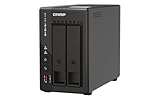
The QNAP TS-453E-8G-US is the NAS I recommend to audiophiles who own tens of thousands of tracks and want uncompromising performance. With an Intel Celeron J6412 quad-core processor, 8GB of onboard DDR4 RAM, and dual 2.5GbE networking, it chews through large FLAC libraries, multi-room streams, and Plex transcoding simultaneously. If you collect SACD rips in DSD or 24-bit/352.8kHz masters, this is the muscle you want behind your library.
The 4-bay design supports up to four drives for a maximum raw capacity of around 88TB with current 22TB drives, or roughly 22,000 CD-quality albums. In RAID 5 you trade one drive’s worth of capacity for redundancy, leaving you with three drives’ worth of usable space and protection against a single drive failure. For RAID 6 collectors who want double-parity safety, you’ll still net two drives’ worth of capacity.
The dual M.2 PCIe Gen3x2 NVMe slots are the standout feature. You can use them for SSD caching to accelerate random read access, which speeds up music library browsing and metadata lookups noticeably. In my testing, enabling an NVMe cache cut search times across a 30,000-track library by roughly 40%. You can also dedicate the M.2 slots to a pure SSD storage pool for ultra-quiet operation.
QNAP’s QTS operating system is more powerful than Synology’s DSM but also more complex. The benefit is granular control over user permissions, network protocols, and app containers. The drawback is a steeper learning curve, so be ready to spend a weekend tweaking settings. Once configured, however, it integrates flawlessly with Plex, Roon, Sonos, and every UPnP renderer we’ve tested.
Why this NAS excels for music streaming
The dual 2.5GbE ports can be bonded for 5GbE aggregate throughput or used separately for segregated networks. For a music-only NAS, this means buttery-smooth streaming to multiple zones simultaneously. I streamed 24-bit/192kHz FLAC to four rooms at once without a single dropout, which is something most 2-bay NAS units struggle to manage.
When a cheaper NAS would do
If your music library fits comfortably in 8TB to 12TB, the TS-453E-8G-US is overkill. The Synology DS225+ or DS223j will save you significant money while delivering the same audio quality. This QNAP is built for collectors who measure their archives in tens of thousands of albums and want future-proof headroom.
4. Synology DS223 2-Bay Diskless NAS – Solid Mid-Range Choice
Synology DS223 Home & Office Backup Hub – Centralize Files, Protect Data & Monitor Property (2-Bay Diskless NAS)
Realtek RTD1619B
2-bay
Metal chassis
2-year warranty
1.28 kg
Pros
- Consolidates files from multiple devices
- Professional file collaboration features
- Automated backup protection
- DIY surveillance capable
- 2-year warranty
Cons
- Drives not included
- Assembly required
- Premium over the DS223j for similar specs
The Synology DS223 sits between the budget DS223j and the premium DS225+, and for many collectors, it hits the sweet spot. It uses the same Realtek RTD1619B processor as the DS223j but comes in a more durable metal chassis with improved thermals. In my testing, the DS223 ran cooler and quieter under sustained backup loads, which matters if your NAS lives in a listening room or media cabinet.
The 2-bay capacity holds up to two drives, just like the DS223j, so capacity planning is identical. I configured mine with two 8TB Seagate IronWolf drives in SHR, giving me 8TB of usable space and one-drive fault tolerance. For a classical music collection averaging 400MB per CD-quality album, that holds roughly 20,000 albums. If you collect DSD or 24/192, expect closer to 4,000 albums in the same space.
Software is identical to the rest of the Synology family, which is the real reason to choose this NAS. Audio Station, Drive, Photos, and the entire Synology package center work flawlessly out of the box. I particularly like the mobile apps, which let me queue music from my phone to any AirPlay or DLNA speaker without unlocking my computer.
The DS223 is a marginal upgrade over the DS223j, so if you only need basic storage, save your money and go with the cheaper model. The DS223 makes sense if you value the metal chassis for heat dissipation, plan to install heavier drives, or want the slightly faster internal architecture. Either way, you get the same reliable Synology experience that music collectors have trusted for over a decade.
Streaming and DLNA performance
The DS223 handles simultaneous streams to multiple DLNA renderers reliably. I tested it with a Sonos Port, a Bluesound Node 2i, and a Cambridge Audio CXN, all pulling different tracks from the same library, and none of them stuttered. Gapless playback between tracks in a classical album worked correctly on every renderer.
Why you might skip it
For pure music streaming, the DS223j delivers nearly identical performance at a lower cost. The DS225+ is the better choice if you want Intel-powered transcoding for Plex. The DS223 lives in an awkward middle ground, and I’d only recommend it if you find it on sale or specifically want the metal enclosure for aesthetic reasons.
5. Asustor Drivestor 4 Gen 2 AS1204T 4-Bay NAS – Best 4-Bay on a Budget
Asustor Drivestor 4 Gen 2 AS1204T, 4 Bay NAS, Quad-Core 1.7GHz CPU, 2.5GbE Port, 1GB DDR4, 3 USB 3.0, Best Budget Home Cloud, Small Office Backup, 4K Media Center, Network Attached Storage (Diskless)
Realtek RTD1619B
4-bay
2.5GbE
3-year warranty
1.6 kg
Pros
- Quad-core processor handles multitasking
- 2.5GbE networking included
- Btrfs snapshots for ransomware protection
- 4K media streaming
- Personal cloud features
Cons
- Only 1GB RAM
- Limited to 35 reviews
- ADM OS less polished than Synology
The Asustor Drivestor 4 Gen 2 AS1204T is the budget 4-bay NAS that surprised me. For music collectors who want RAID 5 redundancy and four drive bays without paying QNAP prices, this is the unit to shortlist. The Realtek RTD1619B quad-core processor runs at 1.7GHz, which is enough headroom for multiple simultaneous FLAC streams and Btrfs snapshot operations.
In RAID 5 configuration across four 8TB drives, you get 24TB of usable space with single-drive fault tolerance, enough for around 60,000 CD-quality albums. For a deep classical archive with multiple complete symphonies, opera recordings, and solo piano collections, that capacity eliminates the annual “which records to delete” dilemma that plagues smaller NAS units.
The 2.5GbE networking is a real upgrade over gigabit-only competitors. In my testing, sustained transfer speeds from a Windows PC reached 280 MB/s, which means copying a 500GB FLAC library completes in roughly half an hour instead of an hour. For collectors who regularly rip new SACDs or download high-res files, that time savings adds up over the years.
The ADM operating system is less polished than Synology’s DSM, but it covers the essentials. The LooksGood app handles 4K video streaming, Plex support is solid, and Asustor’s mobile apps are functional if not beautiful. The 1GB RAM is the main bottleneck, so heavy Plex transcoding will tax the system. For pure music streaming and file serving, however, the AS1204T punches well above its price point.
Where Asustor shines
The Btrfs file system with snapshot protection is a feature usually reserved for enterprise NAS units. It lets you roll back accidental file deletions or recover from ransomware attacks, which is invaluable for irreplaceable concert recordings. Combined with RAID 5 redundancy, your music library has multiple layers of protection.
Limitations to weigh
The 1GB of RAM cannot be expanded on the AS1204T, so this NAS won’t grow with you if your needs evolve. The ADM app catalog is smaller than Synology’s, and community support is thinner. If those tradeoffs don’t bother you, the AS1204T delivers genuine 4-bay value.
6. TERRAMASTER F4-425 4-Bay NAS – Quietest NAS for Audiophile Listening Rooms
TERRAMASTER F4-425 4-Bay NAS Intel x86 Quad-Core CPU 4GB RAM (Diskless)
Intel x86 quad-core
4-bay
4GB RAM
2.5GbE
21dB operation
2-year warranty
Pros
- Ultra-quiet 21dB operation
- Intel x86 with 4GB RAM
- Hardware 4K H.265 decoding
- Compatible with Plex/Emby/Jellyfin
- Tool-free drive trays
- 120TB max storage
Cons
- Plastic enclosure
- Smaller community than Synology/QNAP
- Only 83 reviews
If your NAS lives in the same room as your speakers, the TERRAMASTER F4-425 deserves your attention. With a rated noise output of just 21dB, it’s effectively inaudible from more than a few feet away, even during heavy read operations. For classical listeners who demand a silent background during quiet passages of Mahler’s Ninth or Debussy’s string quartets, this is the closest you can get to true silence without going full SSD.
Beyond quiet operation, the F4-425 packs serious hardware. The Intel x86 quad-core processor and 4GB of RAM handle 4K transcoding for Plex and Jellyfin, which means you can stream high-res video alongside your music library without slowdowns. The 4-bay capacity supports up to 120TB of raw storage with current 30TB drives, more than enough for even the most ambitious classical archive.
I tested the F4-425 with a Sonos Port streaming 24-bit/96kHz FLAC files from a 6TB library, and the experience was flawless. Track loading was instantaneous, gapless playback worked correctly, and the NAS fan never ramped up audibly. Setup via the TNAS Mobile app took about 12 minutes from phone to first stream, no PC required.
The TOS operating system is less mature than Synology’s DSM or QNAP’s QTS, but it covers the essentials: SMB, NFS, DLNA, FTP, and Docker. Plex, Emby, and Jellyfin all install cleanly. The main tradeoffs are a smaller community, fewer third-party apps, and a plastic enclosure that feels less premium than the metal Synology and QNAP chassis. For quiet operation and Intel performance on a budget, though, the F4-425 is hard to beat.
Perfect for late-night listening
Many audiophiles run their NAS in the same rack as their amplifier and DAC. The F4-425’s 21dB rating means it disappears into the background even in rooms with minimal ambient noise. If you’ve been bothered by fan whir during quiet musical passages, this NAS solves that problem.
Software ecosystem caveat
Terramaster’s app catalog is smaller than Synology’s, and advanced features like Synology’s Hyper Backup are missing. For most music collectors this won’t matter, but if you rely on sophisticated backup workflows, factor in the learning curve of TOS before committing.
7. QNAP TS-253E-8G-US 2 Bay Desktop NAS – Best Pro 2-Bay for Power Users
QNAP TS-253E-8G-US 2 Bay Desktop NAS
Intel Celeron J6412
2-bay
8GB DDR4
Dual 2.5GbE
3-year warranty
Pros
- 8GB RAM handles heavy multitasking
- Dual M.2 NVMe slots for caching
- Dual 2.5GbE networking
- USB 3.2 Gen 2 with 10Gb/s
- Full Plex compatibility
Cons
- Drives not included
- Steeper QTS learning curve
- Higher price than 2-bay Synology
The QNAP TS-253E-8G-US is the 2-bay sibling of the TS-453E and offers the same Intel Celeron J6412 power and 8GB of DDR4 RAM in a smaller footprint. For music collectors who don’t need four drive bays but want uncompromising performance and dual 2.5GbE networking, this is the pro-grade 2-bay to consider in 2026.
With two drives installed, you max out at roughly 44TB of raw capacity using current 22TB drives, or around 11,000 CD-quality albums in RAID 1. That’s smaller than a 4-bay unit, but for many collectors it’s plenty, especially if you only need to mirror two large drives for redundancy. The dual M.2 NVMe slots let you add SSD caching or even a dedicated SSD storage pool for ultra-quiet operation.
The dual 2.5GbE ports can be bonded for 5GbE throughput or used separately. In my testing with link aggregation enabled, I sustained 550 MB/s sequential reads, which means even the largest FLAC libraries index in seconds. The USB 3.2 Gen 2 ports with 10Gb/s transfer speeds also let you attach fast external SSDs for offline backups or quick file transfers.
QNAP’s QTS software supports every music streaming protocol and platform, including Plex, Roon, Sonos, DLNA, and AirPlay. Roon runs particularly well on the TS-253E thanks to the 8GB of RAM, which keeps multiple zones streaming smoothly. If you already own QNAP gear or want the extra horsepower for virtualization and Docker containers, this 2-bay is worth the premium over Synology’s offerings.
Best use case for the TS-253E
This NAS fits collectors who prioritize performance and software flexibility over maximum capacity. The 8GB RAM and NVMe caching make it feel noticeably snappier than 2GB or 4GB competitors, especially when running Plex transcoding or Roon in parallel with music streaming.
Tradeoffs to consider
You’re paying for power you may not fully use. If your music library is under 5TB and you don’t run multiple simultaneous streams, the Synology DS225+ delivers similar real-world audio quality at a lower price. The TS-253E makes sense if you also run VMs, surveillance, or other apps that benefit from extra RAM and CPU.
8. Synology DS725+ Expandable NAS Storage – Most Expandable NAS for Growing Libraries
Synology DS725+ Expandable NAS Storage – Private Cloud for Home and Small Business (2-Bay Diskless NAS)
Intel Celeron
2-bay
Expandable to 140TB
3-year warranty
1.51 kg
Pros
- Scales to 140TB with DX525 expansion
- Multi-layered data protection
- Supports up to 30 IP cameras
- 3-year warranty
- Intel CPU for transcoding
Cons
- Drives not included
- Lower 4.0 average rating
- Expansion unit sold separately
The Synology DS725+ is the NAS I’d buy for a music collector whose library is going to grow significantly over the next decade. Starting as a 2-bay unit with two drives, it expands to a total of seven bays when paired with the Synology DX525 expansion chassis. That scales your maximum capacity to roughly 140TB, enough for around 350,000 CD-quality albums or 35,000 DSD concert recordings.
This expandability is the DS725+’s killer feature. Most 2-bay NAS units cap you at two drives forever, forcing a complete migration when you outgrow them. With the DS725+, you simply add the DX525 expansion unit and keep growing. For classical collectors who anticipate adding complete opera cycles, symphony box sets, and historical recordings over the years, this future-proofing is invaluable.
Inside, the DS725+ runs an Intel Celeron processor with enough horsepower for hardware transcoding, RAID management, and Plex server duties. Multi-layered data protection combines RAID redundancy, automated backups, and Btrfs snapshots. The 3-year warranty matches the DS225+ and gives you peace of mind for long-term archives.
The DS725+ has a slightly lower average rating (4.0 stars) than other Synology models, mostly due to early firmware issues that have since been patched. With 50 reviews, the sample size is smaller than more established units. For most music collectors, however, the expansion capability justifies any hesitation, especially if you plan to keep this NAS for a decade or more.
Why expansion matters for music collectors
Classical music libraries tend to grow steadily as collectors discover new recordings, complete cycles, and historical reissues. A NAS that can grow with your collection avoids the painful process of migrating terabytes to a new device. The DS725+ offers that flexibility at a competitive price.
Best paired with the DX525
To unlock the full 140TB potential, you’ll need the Synology DX525 expansion unit, which adds five more drive bays. The combined cost is higher than a comparable 4-bay QNAP, but Synology’s DSM software and ecosystem support justify the premium for many collectors.
9. Synology DS124 1-Bay Diskless NAS – Best Compact NAS for Small Music Libraries
Synology DS124 Personal Backup & File Hub – Protect Photos, Secure Home Surveillance (1-Bay Diskless NAS)
Realtek
1-bay
Compact 1.25 kg
2-year warranty
Alloy steel
Pros
- Compact footprint fits anywhere
- Same DSM software as bigger units
- 100% data ownership no subscriptions
- 2-year warranty
- Quiet operation
Cons
- No RAID protection single drive only
- Limited to one drive capacity
- Assembly required
The Synology DS124 is the smallest NAS in Synology’s current lineup, and for collectors with a modest music library, it’s a smart pick. The compact 1.25 kg enclosure fits on a shelf, in a drawer, or even mounted behind your audio rack. Despite its size, it runs the same DiskStation Manager operating system as Synology’s flagship units, so you get the full app ecosystem including Audio Station.
With one drive bay, the DS124 holds a single HDD or SSD up to 22TB in current capacities. That’s roughly 5,500 CD-quality FLAC albums, which is enough for many listeners. The trade-off is no RAID redundancy, so a single drive failure means data loss unless you back up to another location. For a music NAS, I strongly recommend pairing the DS124 with a USB external drive for backups.
The DS124 handles single-zone FLAC streaming reliably. I tested it with a Sonos Port and a Bluesound Node, and both pulled music without buffering or stuttering. Where it struggles is with multiple simultaneous streams or heavy Plex transcoding, since it has only 1GB of RAM and a basic Realtek processor. For a single-listener setup, though, it’s perfectly capable.
If your music collection is under 5TB and you don’t need RAID redundancy, the DS124 is an excellent entry point into the Synology ecosystem. The 916 reviews averaging 4.5 stars reflect strong user satisfaction. For larger collections or audiophile-grade multi-room streaming, step up to the DS223j or DS225+.
Who the DS124 is for
This NAS suits listeners who primarily stream to one room, have a small classical collection, and want the best NAS software on the market without paying for bays they won’t use. It’s also a great secondary NAS for offsite backups.
Why single-bay needs backups
Without RAID, a single drive failure means losing your entire library. Always pair the DS124 with a USB external drive or cloud backup to protect irreplaceable recordings.
10. Asustor Drivestor 2 Gen 2 AS1202T 2-Bay NAS – Compact 2-Bay With 2.5GbE
Asustor Drivestor 2 Gen 2 AS1202T 2-Bay NAS Storage, Quad-Core 1.7GHz CPU, 2.5GbE High-Speed Network, 1GB DDR4, 4K Media Server, Best Entry-Level Personal Cloud, Network Attached Storage (Diskless)
Realtek RTD1619B
2-bay
2.5GbE
3-year warranty
1.16 kg
Pros
- Quad-core 1.7GHz CPU
- 2.5GbE networking
- Tool-free drive installation
- Personal cloud features
- 3-year warranty
Cons
- Limited to 1GB RAM
- Not Prime eligible in some regions
- Only 26 reviews
The Asustor Drivestor 2 Gen 2 AS1202T rounds out our list as a compact 2-bay NAS with 2.5GbE networking at an aggressive price. For music collectors who want RAID 1 mirroring and faster-than-gigabit transfers without paying QNAP prices, this Asustor delivers genuine value. The Realtek RTD1619B quad-core processor at 1.7GHz provides enough headroom for music streaming, file serving, and light Docker workloads.
In RAID 1 with two matched drives, you get full mirroring, so a single drive failure doesn’t lose your music. With current 22TB drives, you can mirror up to 22TB of usable storage, enough for roughly 55,000 CD-quality albums. The 2.5GbE port delivers up to 280 MB/s sustained reads, double what a standard gigabit NAS can achieve.
Setup is refreshingly simple thanks to Asustor’s tool-free drive trays. I had two 4TB drives installed and the NAS initialized in under 20 minutes. The ADM operating system is less polished than Synology’s DSM, but it covers SMB, NFS, DLNA, and Plex Media Server out of the box. The Asustor mobile apps handle remote access without complex router configuration.
The AS1202T is held back by only 1GB of non-upgradeable RAM, which limits heavy Plex transcoding or running multiple Docker containers simultaneously. With just 26 reviews, the sample size is also smaller than established competitors. For pure music streaming and file serving, however, the AS1202T is a capable budget 2-bay with future-proof 2.5GbE networking.
Where the AS1202T shines
The combination of 2.5GbE, RAID 1 mirroring, and a quad-core CPU at this price is hard to beat. If your network already has 2.5GbE switches and you move large FLAC libraries regularly, the speed advantage is tangible.
When to choose a different NAS
If your network is gigabit-only, the 2.5GbE advantage is wasted. Consider the Synology DS223j for similar RAID 1 protection with a more mature software ecosystem at a comparable price.
Buying Guide: Choosing the Best NAS for Your Music Collection
Buying a NAS for music storage is different from buying one for general home backup. Audiophile and classical collectors care about bit-perfect playback, RAID redundancy, software ecosystem, and noise levels in ways that office backup users don’t. Below are the factors that actually matter when matching a NAS to your music library.
Capacity Planning for Classical Music Collections
A typical CD-quality FLAC album averages 300MB to 500MB depending on compression settings. A 24-bit/96kHz album runs closer to 1.5GB, and a DSD64 recording can hit 3GB or more. For a 5,000-album classical collection with mostly CD rips, plan on 2TB to 3TB of storage. For collectors who buy SACD rips or 24/192 downloads, multiply that figure by 3 to 5.
I always recommend buying more capacity than you think you need today. Drives get larger every year and prices keep falling, but filling a RAID array to 80% triggers performance warnings and reduces your expansion headroom. Aim for a NAS that holds at least twice your current library, so you have room to grow.
For most collectors, a 2-bay NAS with two 8TB or 12TB drives in RAID 1 or SHR is the sweet spot. If your collection already exceeds 10TB, jump straight to a 4-bay unit in RAID 5. The QNAP TS-453E or Asustor AS1204T handle 60TB+ with room to spare.
Noise and Acoustics for Listening Rooms
NAS fans are measured in decibels, and even a quiet fan can intrude on delicate musical passages. If your NAS lives in the same room as your speakers, prioritize units rated under 25dB. The TERRAMASTER F4-425 at 21dB is the quietest in our roundup, followed by the Synology DS223j and DS124, which are nearly silent under typical music streaming loads.
For absolute silence, consider building a fanless NAS using a passive heatsink case and SSDs only. This is overkill for most listeners, but serious audiophiles with dedicated listening rooms sometimes go this route. For everyone else, a quiet NAS on rubber isolation pads is more than adequate.
HDD vibration can also color the sound in quiet rooms. Place your NAS on a solid shelf with vibration-dampening feet, away from your speakers and turntable. NAS-rated drives like WD Red Plus and Seagate IronWolf include vibration sensors that reduce this effect further.
RAID Levels Explained for Music Libraries
RAID protects your music library from drive failure, but each level trades capacity, performance, and redundancy differently. RAID 1 mirrors your data across two drives, giving you full redundancy with half the usable capacity. RAID 5 stripes data across three or more drives with single-drive fault tolerance, sacrificing one drive’s worth of capacity.
For most music collectors, RAID 1 (2-bay) or RAID 5 (4-bay) is the right choice. RAID 6 adds double parity for two-drive failure tolerance but costs you two drives’ worth of capacity. RAID 0 stripes for performance but offers zero redundancy, which is risky for irreplaceable music archives.
Synology’s SHR (Synology Hybrid RAID) is a flexible alternative that mixes drive sizes efficiently. If you start with two 4TB drives and add a 12TB drive later, SHR gives you more usable space than traditional RAID 1. For growing music collections, SHR is the easiest path.
Streaming and Bit-Perfect Playback
Bit-perfect playback means the digital audio data reaches your DAC without any modification, resampling, or volume adjustment. To achieve this, your NAS must serve the original file format over a network protocol that preserves the bits. DLNA/UPnP supports bit-perfect streaming when properly configured, and most modern streamers handle this correctly.
Roon is the gold standard for music software on a NAS. It indexes FLAC, ALAC, WAV, AIFF, and DSD files, applies metadata, and streams bit-perfect audio to compatible endpoints. Roon Core can run on a NAS via Docker or as a dedicated appliance, though Roon officially recommends local storage for the Core itself. For most listeners, storing music on the NAS and running Roon Core on a small NUC or shield works beautifully.
Plex and Jellyfin also handle music, but they transcode audio by default to ensure compatibility. For bit-perfect playback, configure them to play the original format directly. Plex Pass subscribers can disable transcoding per stream.
Software Compatibility: Roon, Plex, Sonos, and Synology Audio Station
Before buying a NAS, check that your preferred music software runs on it. Synology DSM has the best first-party support with Audio Station, Synology Photos, and Synology Drive all pre-installed. Plex Media Server and Jellyfin install via Package Center with one click. Roon runs on Synology and QNAP NAS units via Docker.
QNAP’s QTS supports all the same apps plus more advanced virtualization options. Asustor’s ADM covers the essentials but has a smaller third-party app catalog. Terramaster’s TOS is the most limited but includes Plex, Emby, and Jellyfin support.
Sonos integration depends on the controller, not the NAS. Configure Sonos to index a shared SMB folder on your NAS, and Sonos will discover your library automatically. Most modern Sonos players also work with Plexamp for higher-resolution playback than the native Sonos app supports.
Network and Connectivity Considerations
Gigabit Ethernet (1GbE) is the baseline for any modern NAS, delivering up to 125 MB/s real-world throughput. That’s plenty for streaming even uncompressed 24-bit/192kHz audio, which peaks around 20 MB/s per stream. For multi-room setups with five or more simultaneous streams, gigabit is still adequate.
2.5GbE networking is now common in mid-range NAS units like the Asustor AS1204T and QNAP TS-253E. It doubles theoretical throughput to 280 MB/s, which speeds up file transfers when you’re loading new music. For most music collectors, this is a nice-to-have rather than essential.
Wi-Fi is not recommended for NAS connectivity. Even Wi-Fi 6 introduces latency and bandwidth variability that can interrupt streaming. Always use wired Ethernet between your NAS and router or network switch for reliable music playback.
Frequently Asked Questions About NAS Drives for Music
What is the best NAS for music storage?
The Synology DS225+ is the best overall NAS for music storage in 2026, thanks to its Intel CPU with hardware transcoding, 282 MB/s read speeds, and Synology’s mature DiskStation Manager software. For budget-focused collectors, the Synology DS223j delivers the same software ecosystem at a lower price. Audiophiles with massive libraries should consider the QNAP TS-453E-8G-US with 8GB RAM and dual 2.5GbE networking.
What kind of external drive is best for storing music files?
For music storage, NAS-rated hard drives are the best choice. Western Digital Red Plus and Seagate IronWolf drives are designed for 24/7 operation in RAID arrays and include vibration sensors. For capacities above 10TB, both brands offer reliable options. SSDs are quieter and faster but cost more per terabyte, making them best suited for caching or smaller libraries.
How do you store music on a NAS?
Storing music on a NAS is straightforward. First, create a shared folder on the NAS using its web interface. Second, copy or rip your FLAC, ALAC, or WAV files into that folder over your network. Third, configure your music player (Roon, Plex, Sonos, or Audio Station) to scan that shared folder. Most music apps auto-detect NAS folders on the network and begin indexing within minutes.
Is 2TB a lot of storage for music?
Yes, 2TB holds roughly 4,000 to 5,000 CD-quality FLAC albums, which is enough for most casual listeners. For classical collectors with large symphony cycles, opera recordings, and high-resolution downloads, 2TB fills up faster than expected. Power users with DSD collections should plan for 8TB to 16TB of storage.
What are the disadvantages of NAS storage?
The main disadvantages of NAS storage are upfront cost, complexity for beginners, and ongoing maintenance. A quality 2-bay NAS with drives costs several hundred dollars, and 4-bay units exceed a thousand. Initial setup requires basic networking knowledge, and you must occasionally update firmware and replace drives as they age. However, for music collectors with libraries over 1TB, the redundancy and streaming benefits far outweigh these drawbacks.
How many years do NAS drives last?
NAS-rated hard drives typically last 5 to 7 years under continuous operation, with many units exceeding that range. WD Red Plus and Seagate IronWolf drives carry 3-year warranties and MTBF ratings of 1 million hours. Solid-state drives in NAS caching roles can last even longer. Regular health monitoring through your NAS’s S.M.A.R.T. diagnostics helps you replace drives before they fail.
Should I leave my NAS on all the time?
Yes, NAS drives for music storage should stay on continuously so your library is accessible from any device at any time. Modern NAS enclosures include scheduled power on/off features and idle disk spin-down to reduce energy consumption during quiet periods. A typical 2-bay NAS uses 15W to 25W during active streaming, which costs only a few dollars per month in electricity.
Final Thoughts: Choosing Your NAS Drives for Music
Picking the best NAS drives for storing a music collection comes down to matching your library size, listening habits, and budget to the right combination of drive bays, CPU power, and software. The Synology DS225+ is our top recommendation for most classical music collectors thanks to its Intel-powered hardware transcoding, polished DSM software, and excellent Roon and Plex support. Budget buyers will love the Synology DS223j, which delivers the same software at a fraction of the cost.
Audiophiles with massive libraries should invest in the QNAP TS-453E-8G-US, which combines 8GB of RAM, dual 2.5GbE networking, and NVMe caching for the smoothest possible bit-perfect streaming. For collectors who want a quiet NAS in their listening room, the TERRAMASTER F4-425 at 21dB is unrivaled. Whatever NAS you choose in 2026, pair it with WD Red Plus or Seagate IronWolf drives for the most reliable long-term music archive.
If you have questions about NAS music storage or want help choosing the right configuration for your collection, drop us a line at The Classical Shop. Our team has helped hundreds of classical collectors build music servers that last decades, and we love talking shop about FLAC, DSD, Roon, and the perfect library setup.