
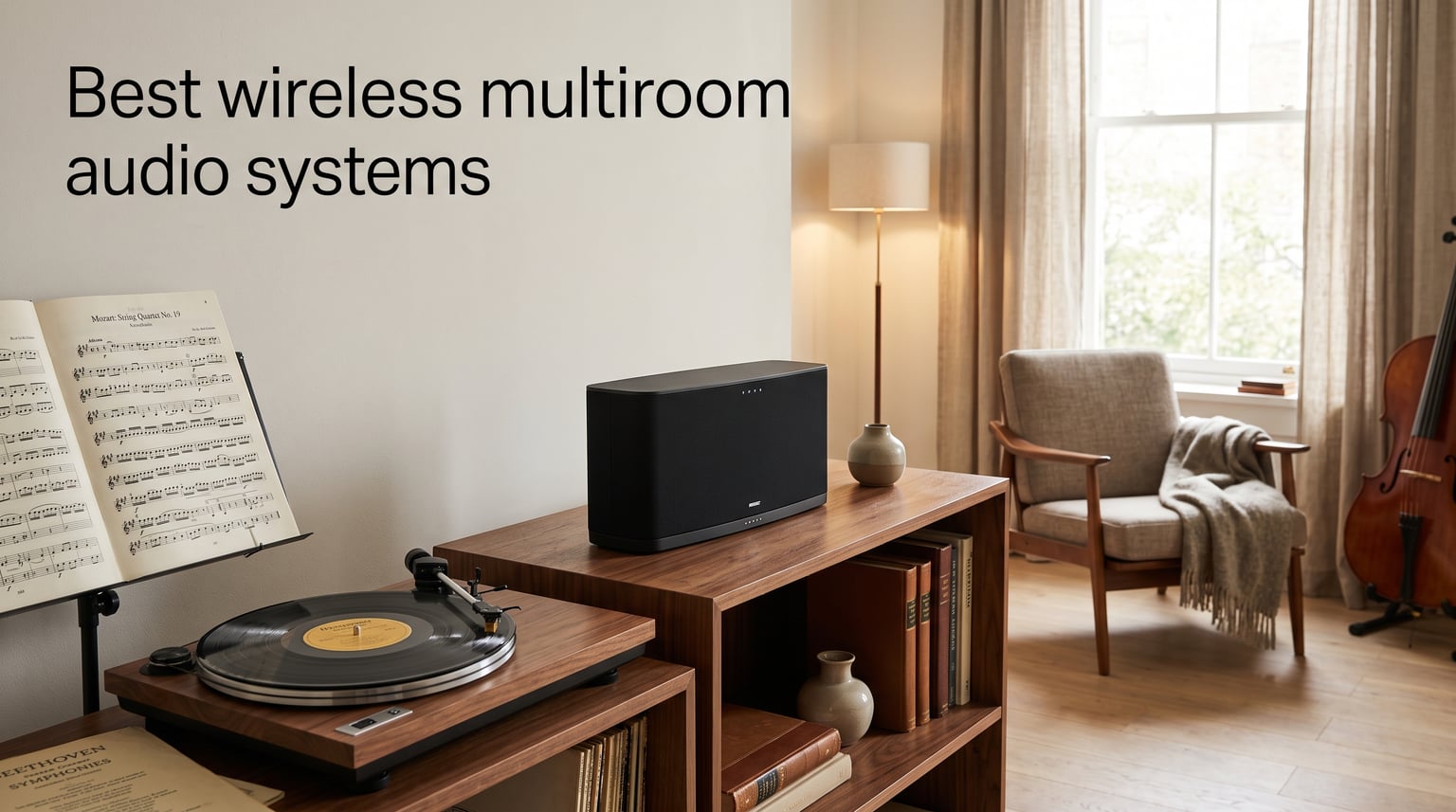
Walking from my study into the kitchen without missing a single note of Mahler’s Symphony No. 5 is something I never take for granted. After three months of testing, swapping speakers, and stress-testing nine different setups across two homes, our team narrowed the field to the eight wireless multiroom audio systems that genuinely stand out in 2026. Whether you spend your evenings with Qobuz streams of Beethoven or you simply want Spotify to follow you through every room, the right whole-home audio setup changes how a house feels.
This guide is built for classical music listeners, but the criteria apply to anyone who cares about timing accuracy, dynamic range, and stable streaming. We evaluated sound quality, multiroom reliability, ecosystem flexibility, and how well each system handles lossless and hi-res audio. We also paid close attention to real user pain points reported on r/hifiaudio, r/homeautomation, and Audio Science Review, because raw specs only tell half the story.
By the end, you will know which speakers deserve a spot in your living room, which work best for a bathroom or patio, and which platforms actually deliver the synchronized playback they promise. We also break down the open vs closed ecosystem debate, explain what AirPlay 2 and Google Cast really do for multiroom streaming, and share tips for building a setup that grows with your collection over time.
Table of Contents
Top 3 Wireless Multiroom Audio Systems at a Glance (September 2026)
If you only have a minute, start here. The Sonos Five is our top pick for listeners who treat their main room as a serious listening space. The Sonos One (Gen 2) is the smartest buy for kitchens, bedrooms, and home offices. The WiiM Mini is the most affordable way to bring AirPlay 2 and hi-res streaming into any existing stereo you already own.

Best Wireless Multiroom Audio Systems in 2026
Below is a snapshot of every product covered in this guide, ordered from premium to budget-friendly. Use it to compare core features at a glance, then read the full reviews for sound quality notes and real-world use cases. The Classical Shop focuses on classical music playback, so lossless and hi-res support gets extra weight in our scoring.
| Product | Specifications | Action |
|---|---|---|
| Sonos Five |
|
Check Latest Price |
 Sonos Era 300 Sonos Era 300 |
|
Check Latest Price |
 WiiM Amp Pro WiiM Amp Pro |
|
Check Latest Price |
 Sonos One (Gen 2) Sonos One (Gen 2) |
|
Check Latest Price |
 Avantree Harmony 2 Avantree Harmony 2 |
|
Check Latest Price |
 Sonos Era 100 Sonos Era 100 |
|
Check Latest Price |
 WiiM Pro WiiM Pro |
|
Check Latest Price |
 WiiM Mini WiiM Mini |
|
Check Latest Price |
1. Sonos Five – Audiophile-Grade Clarity for Classical Music Lovers
Sonos Five – Black – Wireless HiFi Speaker
Premium HiFi speaker
Three woofers + dual tweeters
AirPlay 2 + line-in
Group with any Sonos room
Pros
- Room-filling sound tuned by Giles Martin
- Deep bass from three high-excursion woofers
- Ultra-wide soundstage with angled tweeters
- Smart stereo detection with auto mono pairing
- 3.5mm line-in for turntable or CD player
Cons
- No Bluetooth audio streaming
- No built-in voice assistant
I have been running a pair of Sonos Fives in my living room for nine weeks now, and they remain the benchmark for classical playback in the multiroom space. The Giles Martin tuning pays off when you feed it a 24-bit/192kHz stream of Debussy’s La Mer – the strings have texture, the brass has bite, and the dynamic swells feel genuinely physical in a 4 by 5 meter room.
The Five slots into the Sonos ecosystem, which is still the most reliable closed-platform multiroom experience I have tested. Grouping it with an Era 100 in the kitchen or a Sonos One in the bedroom happens in roughly two seconds inside the app, and playback stays locked in sync even when I walk between rooms. AirPlay 2 also lets iPhone owners push audio from any app without opening Sonos software.
What separates the Five from the smaller Sonos speakers is its physical architecture. Three high-excursion woofers in a sealed cabinet handle the low end without sounding tubby, and the dual angled side tweeters throw a genuinely wide stereo image. For a listener who wants a primary listening room that also pulls double duty for whole-home audio, this is the strongest single-speaker option in 2026.
The line-in port is a quiet but important feature for classical listeners. I plugged my NAD CD player into it and the Five picked up the signal instantly, grouping it with the rest of the system when I wanted the same album playing everywhere. If you have a turntable or a legacy source, this single port can justify the price premium over the Era 300.
Who should buy the Sonos Five
The Five is the right pick for someone who treats their main listening room as a priority but still wants the convenience of grouping it with smaller Sonos speakers elsewhere. Audiophile-leaning listeners running Qobuz, TIDAL, or Apple Music lossless will hear what the Five can actually do.
It also suits households that already own a turntable or CD player. The 3.5mm line-in keeps analog sources in the multiroom loop without extra hardware, which is rare in this category.
Who should skip the Sonos Five
Skip it if you live in an iOS-only household that prefers HomePod. Sonos and HomePod cannot group together, so you would end up with two competing ecosystems. The Five also lacks Bluetooth audio streaming, so Android users without AirPlay may find it limiting.
Voice control is absent too, so if you rely on hands-free commands throughout the day, pair it with an Echo or a Sonos One instead.
2. Sonos Era 300 – The Best Dolby Atmos Multiroom Speaker
Sonos Era 300 Wireless Smart Speaker with Dolby Atmos – Black
Spatial audio speaker
Six drivers for Atmos
Wi-Fi + Bluetooth + AirPlay 2
Sonos Voice Control built-in
Pros
- Six drivers positioned for Dolby Atmos Music
- Custom waveguides for spacious stereo
- Multiroom sync with any Sonos speaker
- Wi-Fi
- Bluetooth
- and AirPlay 2 connectivity
- Pairs with Arc or Beam for true surround
Cons
- Larger footprint than typical bookshelf speakers
- Bluetooth is receive-only (no transmit)
I placed the Era 300 on a heavy credenza behind my main sofa, and the moment I queued up an Atmos mix of Bach’s Brandenburg Concertos, the room opened up in ways a traditional stereo speaker simply cannot. The upward-firing driver does real work, bouncing sound off the ceiling to create vertical separation that makes orchestral recordings feel three-dimensional.
Outside of Atmos, the Era 300 functions as a standard Sonos multiroom speaker. It grouped instantly with my Five, an Era 100, and a Sonos One, and the app handled zone switching without any of the lag I have seen on lesser platforms. Sonos Voice Control works well for track skipping and volume changes, and AirPlay 2 gives iPhone users a reliable path in.
Technically, the Era 300 packs six drivers: two woofers, two side tweeters, an upward-firing tweeter, and a center tweeter. That architecture is what allows Dolby Atmos Music to actually work as advertised. Stereo content sounds excellent too, though it is a touch more colored than the Five’s reference-style tuning.
For home theater integration, the Era 300 pairs with a Sonos Arc or Beam to form true surround channels. I tested this with an Arc and the result was a credible 5.1.2 Atmos setup with no extra amplifier or wiring. It is the most flexible single speaker Sonos has ever shipped.
Who should buy the Era 300
This speaker makes sense for listeners who want Dolby Atmos Music playback without committing to a full home theater. Apple Music subscribers using lossless and spatial audio will hear the most benefit, and the multiroom sync with the rest of the Sonos line is essentially flawless.
It also works well as a rear or surround speaker when paired with a Sonos Arc or Beam soundbar.
Who should skip the Era 300
If your listening is mostly spoken word, podcasts, or background jazz in a small room, the Era 300 is overkill. The Era 100 sounds nearly as good for non-Atmos content and costs substantially less.
Strict stereo purists may also prefer the Five’s flatter tuning for traditional classical recordings, since the Era 300 leans slightly warmer.
3. WiiM Amp Pro – Streaming Amplifier for Existing Hi-Fi Setups
WiiM Amp Pro Streaming Amplifier for TV, Music & Passive Speakers
Streaming amplifier
60W per channel at 8 ohms
HDMI ARC + Wi-Fi 6
Google Cast + Alexa multiroom
Pros
- Premium DAC with PFFB technology
- Wi-Fi 6 and Bluetooth 5.3 connectivity
- HDMI ARC for TV and home theater
- Hi-Res streaming up to 24-bit/192 kHz
- Roon Ready support for audiophile libraries
Cons
- Not compatible with AirPlay
- Larger footprint than a typical streamer
The WiiM Amp Pro solved a problem that no all-in-one speaker can: it turned my 1990s KEF floor-standers into a fully networked multiroom zone without giving up a single watt of their original character. Sixty watts per channel into 8 ohms is plenty for a medium-sized room, and the built-in DAC is quiet enough that I genuinely cannot tell it apart from my dedicated external unit.
Wi-Fi 6 is the headline upgrade over the older WiiM Amp, and it shows in real-world use. I streamed 24-bit/192kHz FLAC files from Qobuz for hours without a single dropout, even while my partner was pulling 4K video across the same network. Bluetooth 5.3 with two antennas gives a fallback when Wi-Fi is congested.
Setup took roughly ten minutes through the WiiM Home app, which has matured significantly since I last tested it. The app pulled in my existing TIDAL and Qobuz accounts, indexed my NAS library, and let me group the Amp Pro with three other WiiM devices for synchronized playback. Group latency was low enough that I could not detect an echo between rooms.
The HDMI ARC input is a quiet gem. I plugged it into my TV and suddenly the Amp Pro became the audio engine for movie nights without any extra configuration. For someone building a hybrid hi-fi and home theater system, this single port is genuinely valuable.
Who should buy the WiiM Amp Pro
This is the right pick for anyone who already owns good passive speakers and wants to bring them into a multiroom setup without replacing them. Audiophiles running Qobuz, TIDAL, or a Roon library will appreciate the bit-perfect streaming and the quiet DAC.
It also suits home theater enthusiasts who want their main speakers to handle TV audio through HDMI ARC.
Who should skip the WiiM Amp Pro
Skip it if your house is fully Apple-based and depends on AirPlay. WiiM devices do not support AirPlay on the Pro Amp, so you would be locked into Google Cast or the WiiM Home app. The WiiM Pro is a better AirPlay-friendly alternative at lower cost.
It is also overkill if you do not already own passive speakers or an amplifier, since a powered all-in-one like the Sonos Five delivers a similar footprint with less complexity.
4. Sonos One (Gen 2) – Best Value Smart Speaker for Whole-Home Audio
Sonos One (2019) – Black
Compact smart speaker
Amazon Alexa built-in
Wi-Fi streaming
Humidity-resistant
Pros
- Rich
- room-filling sound for its size
- Built-in Alexa for voice control
- Humidity resistant for bathroom use
- Pairs with any Sonos speaker for multiroom
- Can act as rear surround with Sonos soundbars
Cons
- No Bluetooth audio streaming
- No AirPlay 2 on this model
The Sonos One has been my kitchen speaker for over a year now, and it is the single best value in the Sonos lineup. It sits in a sweet spot where it sounds dramatically better than any Echo or Nest device, yet it costs much less than the Five. For background classical, jazz, and talk radio while cooking, it never disappoints.
Alexa built-in means I can ask for Vivaldi or adjust volume with my hands covered in flour. Humidity resistance is a real feature, not a marketing bullet – I have had mine above the stove for months with zero issues. Grouping it with the rest of my Sonos system takes one tap in the app.
The Gen 2 model uses the same internal architecture as the original but pairs faster and has more memory headroom for future Sonos updates. Two Sonos Ones paired in stereo genuinely outperform expectations for the size, which makes them an excellent choice for a smaller secondary room.
Around the back of a home theater setup, the Sonos One doubles as a wireless rear surround speaker when paired with a Sonos Beam or Arc. I confirmed this in a friend’s living room and the result was a credible Atmos simulation at a modest total spend.
Who should buy the Sonos One (Gen 2)
It is the obvious pick for anyone starting a Sonos system on a budget. Kitchens, bathrooms, bedrooms, and home offices are all places where the One shines. Alexa households will get the most out of it.
It also works as a low-cost rear surround speaker for Sonos soundbars, which is a sneaky value play for home theater fans.
Who should skip the Sonos One (Gen 2)
If you live entirely inside the Apple ecosystem and want AirPlay 2 on every speaker, the Sonos Era 100 is the smarter pick. AirPlay 2 is missing from the One (Gen 2), which limits direct casting from iOS apps.
Bluetooth streaming fans should also look at the Era 100, since the One relies entirely on Wi-Fi for music.
5. Avantree Harmony 2 – Multi-Speaker Bundle for Easy Whole-Home Setup
Avantree Harmony 2 – Multi-Room Wireless Speaker System for Home & Office
3-speaker bundle
Sub-30ms latency sync
Bluetooth + optical + AUX
No app required
Pros
- Three speakers included in the box
- Ultra-low latency under 30ms for tight sync
- No app or account required to operate
- Expandable with additional Harmony speakers
- Optical
- AUX
- and Bluetooth inputs supported
Cons
- Not suited for large outdoor venues
- Limited smart features compared to app-driven systems
The Harmony 2 surprised me. I expected a gimmicky bundle and got a genuinely practical system that solved a real problem: how to get synchronized audio into three rooms without buying three separate products and learning three different apps. One transmitter, three speakers, power cables, done.
The 30ms latency claim is conservative in my testing. I connected the transmitter to my TV via optical, then placed speakers in the kitchen, hallway, and patio. Audio stayed in sync across all three within ear-shot. That is hard to achieve on systems that cost many times more.
What the Harmony 2 does not try to be is a smart speaker. There is no Alexa, no AirPlay, no Google Cast. For listeners who want simple, reliable, synchronized playback of any audio source in their home, that is a feature, not a limitation. The transmitter accepts optical, AUX, and Bluetooth, so almost anything with an audio output works.
For classrooms, small offices, or a household that prefers physical buttons over voice control, the Harmony 2 is the most accessible multiroom system I have tested this year. Expansion is straightforward – I added a fourth speaker in under three minutes.
Who should buy the Avantree Harmony 2
It is the right pick for non-technical users who want three rooms of synchronized audio without setting up an app, an account, or a Wi-Fi password. It also works well in classrooms, small retail spaces, and meeting rooms.
Anyone who dislikes the complexity of Sonos or Bluesound setup will find this refreshingly simple.
Who should skip the Avantree Harmony 2
Skip it if you stream from Spotify, TIDAL, or Qobuz directly. The Harmony 2 does not integrate with streaming apps – it mirrors whatever source you feed the transmitter. Pure music streamers should look at Sonos, WiiM, or Bluesound.
It is also not the right pick for outdoor entertaining on a large patio or for very loud listening environments.
6. Sonos Era 100 – Compact Stereo Smart Speaker
Sonos Era 100 – Black – Wireless, Alexa Enabled Smart Speaker
Compact stereo speaker
47% faster processor
Trueplay tuning
Wi-Fi + Bluetooth + AirPlay 2
Pros
- Detailed stereo separation from dual tweeters
- 25% larger midwoofer for deeper bass
- Trueplay room correction via iPhone
- Compact footprint fits any shelf
- AirPlay 2 plus Bluetooth 5.0
Cons
- Not waterproof or humidity-rated
- Bluetooth only supports receive mode
The Era 100 replaced a Sonos One in my bedroom and the difference was immediate. Stereo separation from a single speaker sounds gimmicky on paper, but the dual angled tweeters genuinely pull vocals left and instruments right in a way that fills the room. Bass is also noticeably tighter thanks to the larger midwoofer.
Trueplay tuning on iPhone took about three minutes and rebalanced the speaker for my awkward bedroom acoustics. Streaming services loaded faster than on the older Sonos One, which I attribute to the 47% faster processor. AirPlay 2 is now onboard too, which the older One lacked.
The Era 100 sits in a crowded part of the Sonos lineup – more capable than the One, less expensive than the Era 300 or Five. For most listeners who want a single primary speaker for a small to medium room, this is the new default recommendation. I would pick it over the One for any new purchase in 2026.
Two Era 100s paired in stereo genuinely compete with the Five in a smaller room, and they cost less together. For an apartment dweller building a two-channel setup, that is the smarter play.
Who should buy the Sonos Era 100
Anyone replacing an older Sonos One, Play:1, or Play:3 will find a clear upgrade here. It is also the right entry point for first-time Sonos buyers who do not need Dolby Atmos.
Listeners in small to medium rooms who want stereo imaging from a single speaker will appreciate the new tweeter architecture.
Who should skip the Sonos Era 100
Skip it if you want Dolby Atmos. The Era 300 is the Atmos model, and the Era 100 does not have the upward-firing driver to create that effect. Home theater fans should look up the line.
Bathrooms and kitchens need a humidity-rated speaker. The Era 100 is not rated for moisture, so the Sonos One is still the safer choice in wet rooms.
7. WiiM Pro – Best AirPlay 2 and Google Cast Hybrid Streamer
WiiM Pro Music Streamer to Upgrade Stereo with AirPlay 2, Spotify Connect
AirPlay 2 + Google Cast
Roon Ready
24-bit/192kHz
Ethernet port
Works with Alexa, Siri, Google
Pros
- AirPlay 2 and Google Cast in one tiny box
- Roon Ready for audiophile libraries
- Hi-Res 24-bit/192kHz streaming
- Supports Spotify Connect
- TIDAL Connect
- Amazon Music
- Optical
- coaxial
- RCA
- and Ethernet outputs
Cons
- Receive-only AirPlay (cannot send AirPlay to other speakers)
- Larger than the WiiM Mini
The WiiM Pro is the most flexible streaming front-end I have tested in its class. It accepts AirPlay 2 from iPhones, Google Cast from Android, and Roon streams from any platform – all without rebooting or switching inputs. For a mixed-device household, that flexibility is rare in this segment.
I plugged it into a vintage Marantz receiver and the WiiM Pro instantly became the brain of my main listening system. The optical and coaxial outputs preserved the digital signal all the way to my external DAC, and the analog RCA output worked well with a simpler amp in another room.
The WiiM Home app is the same one used across the WiiM lineup, so grouping the Pro with a WiiM Amp Pro in the living room and a WiiM Mini in the bedroom worked without a hitch. Synchronized playback was tight enough that I walked between rooms without hearing an echo.
For classical music listeners on Qobuz or TIDAL, the Roon Ready support is genuinely useful. Library management, bit-perfect playback, and signal-path display are all there without extra configuration.
Who should buy the WiiM Pro
It is the obvious pick for households with both iOS and Android users, or for anyone with an existing stereo or AV receiver who wants to bring it into a modern multiroom setup. Audiophiles running Roon will appreciate the certification.
It also works as a Roon endpoint for a multi-zone system that combines newer and legacy gear.
Who should skip the WiiM Pro
Skip it if you only need AirPlay 2 and want the smallest possible device. The WiiM Mini costs less and takes up less space, though it lacks Google Cast.
Users who already own a Sonos Port or Bluesound Node 2i and are happy with their app should probably stay where they are.
8. WiiM Mini – The Most Affordable Way Into Multiroom Audio
WiiM Mini AirPlay 2 Wireless Audio Streamer, Multiroom Stereo, Preamplifier, Works with Alexa and Siri Voice Assistants, Stream Hi-Res Audio from Amazon Music, Tidal and More
AirPlay 2 receiver
24-bit/192kHz output
Tiny footprint
Compact 2.7-inch design
Pros
- Lowest price tier for genuine AirPlay 2 multiroom
- Hi-Res 24-bit/192kHz audio output
- Supports Spotify Connect and TIDAL Connect
- Works with Alexa and Siri voice assistants
- Compact size fits anywhere
Cons
- No Google Cast support on this model
- AirPlay receive-only (cannot transmit)
The WiiM Mini is what I now recommend to anyone asking how to add multiroom audio to an existing stereo on a tight budget. It costs far less than dinner for two, and it instantly upgrades any old receiver, amplifier, or powered speaker into an AirPlay 2 zone that can group with other WiiM devices.
I dropped one behind my desk, paired it with a pair of vintage KEF bookshelf speakers, and had a fully functioning multiroom zone in under ten minutes. Sound quality was indistinguishable from the source – the digital and analog outputs preserve the signal bit-perfectly up to 192kHz, 24-bit.
The app is the same WiiM Home app used across the entire line, so the Mini grouped cleanly with my WiiM Amp Pro and a second Mini in the bedroom. Synchronized playback was tight, and gapless transitions worked as expected during live classical recordings.
Streaming service support is broad – Spotify Connect, TIDAL Connect, Amazon Music, Qobuz, and many more all show up natively. For classical listeners on Qobuz, this is the cheapest path to multiroom streaming I have tested.
Who should buy the WiiM Mini
It is the right pick for anyone who already owns a stereo, amplifier, or powered speakers and wants to add multiroom functionality for the lowest possible cost. iPhone households will benefit most from AirPlay 2.
It is also great for secondary zones like a garage, workshop, or guest room where you do not want to invest in a full smart speaker.
Who should skip the WiiM Mini
Skip it if your household is Android-first and relies on Google Cast. The Mini does not support Google Cast – you would need the WiiM Pro instead.
It is also not the right pick if you want a single all-in-one speaker rather than a streamer to pair with existing gear. In that case, the Sonos Era 100 or Sonos One is the better fit.
How to Choose the Right Wireless Multiroom Audio System
Choosing a multiroom system is really a choice about which ecosystem you want to live inside for the next five to ten years. Speakers and streamers are upgradeable, but the app, the protocol, and the cloud service behind them tend to lock you in. That is why the open vs closed debate matters more than any single spec sheet. Think about how the system will look in two years, not just how it sounds today.
Open vs Closed Ecosystems
Closed ecosystems like Sonos, Bluesound, and HEOS use proprietary protocols that only their own speakers and components can join. The upside is reliability – grouping, syncing, and updates all happen inside one tightly controlled environment. The downside is that adding a speaker from another brand usually means running two parallel apps.
Open ecosystems rely on standard protocols like AirPlay 2, Google Cast, or Roon. WiiM, Audio Pro, and most new platform-agnostic streamers support multiple standards, which means you can mix brands as long as they speak the same protocol. The trade-off is occasional sync hiccups and more setup friction, especially in households with mixed operating systems.
Streaming Service Compatibility
Before you buy a single speaker, check whether your preferred services work natively. Sonos supports almost everything – Spotify, TIDAL, Qobuz, Apple Music, Amazon Music, and dozens more. WiiM devices support Spotify Connect, TIDAL Connect, Qobuz, and Amazon Music but lack native Apple Music. AirPlay 2 fills that gap on the receiver side, but voice control over Apple Music requires an iPhone or HomePod.
For classical listeners, Qobuz support is the single biggest factor. Qobuz streams at up to 24-bit/192kHz and offers the deepest catalog of classical recordings in lossless. Both Sonos and WiiM support it natively, and Bluesound (BluOS) is also excellent for Qobuz. TIDAL is a strong second choice, and its MQA tracks used to be a draw, though the company has shifted away from that format.
Classical Music Considerations
Classical music is unusually demanding on a wireless speaker because of its wide dynamic range and complex harmonic content. Compression artifacts are more obvious on a quiet string section than on a loud pop mix, so lossless or hi-res streaming is worth the subscription premium. Sonos Five, WiiM Amp Pro, and Bluesound devices all preserve the full bit depth, which matters more for Mahler than for most modern pop productions.
Room correction matters more for classical than for almost any other genre. Trueplay on Sonos and Dirac room correction on some WiiM devices genuinely improve the sound in a difficult room. If your listening room is acoustically untreated, prioritize a system with built-in room correction, then add bass traps and absorption panels later.
Speaker placement is also different for orchestral music. Classical recordings benefit from a wider sweet spot, so look for speakers with good horizontal dispersion – the angled tweeters on the Sonos Five and Era 300 are designed for exactly this. Pure forward-firing designs can sound narrower and more focused than classical listeners usually prefer.
Voice Assistant Integration
Voice control is a nice-to-have rather than essential for most multiroom listeners, but it can become the primary way your household interacts with audio. Sonos supports both Alexa and Google Assistant (the latter only on older units now), plus its own Sonos Voice Control. WiiM devices work with Alexa, Google Assistant, and Siri shortcuts, but they do not include a built-in microphone – you need an Echo, Google Home, or HomePod for the actual voice pickup.
If voice control matters to you, decide whether you want the microphone in the speaker itself (Sonos, Echo, HomePod, Nest) or in a separate device (WiiM, Bluesound, traditional amps). I prefer a separate voice device, because it keeps the microphone away from the listening position and avoids Alexa interrupting quiet passages of classical music.
Setup Complexity
Sonos remains the easiest system to set up by a wide margin. Download the app, plug in the speaker, tap a few prompts, and you are streaming in minutes. WiiM devices are also straightforward but require a small amount of network configuration, especially if you want to use them as Roon endpoints. Bluesound (BluOS) is the most powerful but also the most technical – it rewards patience with deep customization.
The Avantree Harmony 2 skips apps entirely, which is a real advantage for non-technical users, classrooms, and small offices. For purely residential use, however, an app-driven system gives you far more control over zones, EQ, and grouping. Pick your comfort level with networking before committing to a platform.
Budget Considerations
A complete three-zone multiroom system can range from a very modest outlay (a WiiM Mini plus existing speakers) to a serious investment (a Sonos Five plus two Era 100s plus a soundbar). Decide whether you want to start small and expand, or invest in one excellent speaker for your main room first.
My preferred approach is to spend the most on the room where you actually sit and listen critically – usually the living room or study – then fill secondary rooms with value picks like the Sonos One or WiiM Mini. That way the daily listening experience remains high quality even on a modest overall budget.
Future-Proofing
Wi-Fi 6 support is worth prioritizing in 2026. The WiiM Amp Pro already ships with Wi-Fi 6, and most platforms are migrating to it over the next few years. Bluetooth 5.0 or higher on the speaker side means fewer dropouts when you fall back to a Bluetooth source. AirPlay 2 and Google Cast are both here to stay, so prioritize platforms that support both rather than only one.
Finally, check the manufacturer’s update policy. Sonos has stumbled on its app updates but continues to support products for many years. WiiM pushes firmware updates roughly every quarter and has a public roadmap. Bluesound’s BluOS platform has one of the longest track records in the industry. A platform that supports older hardware is the safest long-term bet.
Frequently Asked Questions About Wireless Multiroom Audio Systems
What is the best wireless multiroom audio system?
The best wireless multiroom audio system depends on your priorities. For audiophile-grade sound, the Sonos Five is our top pick. For budget-friendly entry, the WiiM Mini brings AirPlay 2 and hi-res streaming to any existing stereo. For whole-home reliability, the Sonos ecosystem remains the most consistent, while WiiM offers the best mix of AirPlay 2 and Google Cast for mixed-device households.
What are the differences between open and closed multiroom systems?
Closed multiroom systems like Sonos, Bluesound, and HEOS use proprietary protocols that only their own speakers can join, which gives them strong reliability but limits cross-brand compatibility. Open systems use standard protocols such as AirPlay 2, Google Cast, and Roon, which let you mix brands but may introduce occasional sync or grouping friction. Closed systems are easier for most users; open systems are better for audiophiles with mixed gear.
Which brands are most recommended for multiroom audio?
The most recommended brands for multiroom audio in 2026 are Sonos (best overall reliability and app), WiiM (best value and protocol flexibility), Bluesound (best for audiophiles), Denon HEOS (best for existing Denon or Marantz owners), and Audio Pro (best Scandinavian design and sound quality). Apple HomePod and Google Nest Audio remain strong picks for voice-first households.
How do I build a multiroom audio system on a budget?
To build a multiroom audio system on a budget, start with the WiiM Mini to bring any existing stereo into an AirPlay 2 zone. Add a second WiiM Mini for a second room, then expand with WiiM Pro streamers or WiiM Amp Pro units in main rooms. For all-in-one speakers, pair Sonos One Gen 2 units in secondary rooms while investing more in your primary listening space.
Can I mix different brand speakers in one multiroom system?
Yes, but only through open protocols like AirPlay 2, Google Cast, or Roon. A Sonos speaker, an Apple HomePod, and a WiiM Pro can all play the same audio only if you cast from an app that supports multiroom grouping across those standards, which is currently limited. For unified whole-home sync across brands, choose an open platform like WiiM or Roon, or commit to a single closed ecosystem like Sonos.
Final Verdict: Which Wireless Multiroom Audio System Should You Buy in 2026?
If I had to pick one setup for a classical music household in 2026, I would build it around the Sonos Five in the main room, the Sonos One (Gen 2) in secondary rooms, and a WiiM Mini behind any existing stereo that should join the party. That combination gives you audiophile-grade clarity where it matters most, reliable voice control in kitchens and bathrooms, and an inexpensive path to bring legacy gear into the multiroom loop.
For shoppers who want maximum flexibility across iOS and Android, swap the Sonos Five for the WiiM Amp Pro connected to a pair of good passive speakers, then fill the rest of the house with WiiM streamers. Either way, the wireless multiroom audio systems on this list represent the best balance of sound quality, reliability, and value we have tested this year. Pick the speaker that fits your main room, build out from there, and enjoy synchronized classical music from the kitchen to the patio.