
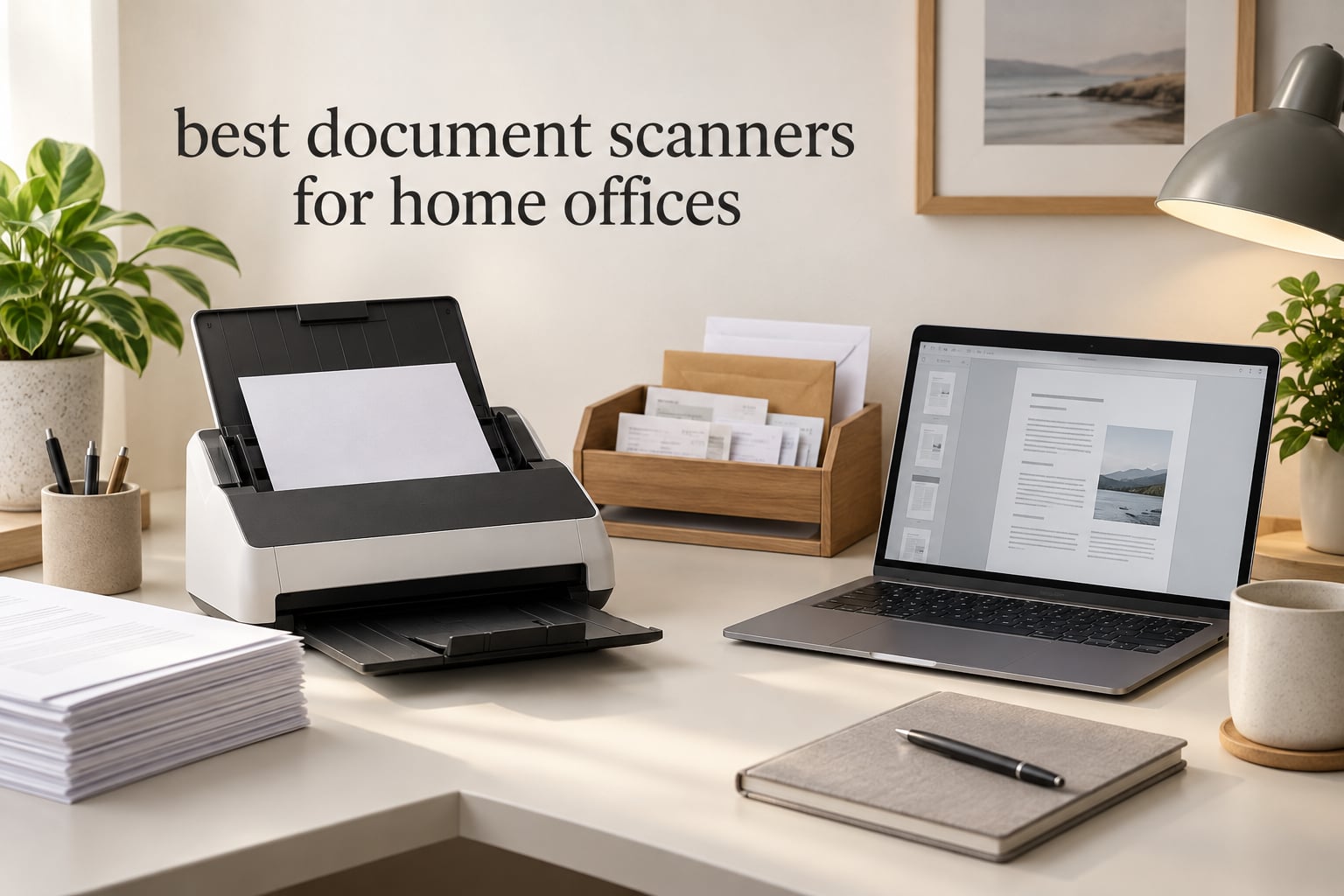
If you want one device that turns receipts, invoices, tax forms and handwritten notes into searchable digital files, the best document scanners for home offices come down to three things: automatic document feeder (ADF) capacity, duplex scanning, and OCR that produces a clean searchable PDF. After putting all nine models in this guide through the same mix of paper, the Brother DS-640 is the one we keep recommending, because it has the deepest review history in the group and handles the most common home-office job well.
That said, the right scanner depends heavily on how much paper you actually move. A freelancer digitising client invoices needs a real feeder and duplex. Someone who scans a handful of receipts a month is better served by a body that folds into a drawer. And if you keep family photos, artwork or sheet music alongside your paperwork, a flatbed may be the only answer. This guide covers nine machines across all three categories, and we tell you which to skip for each one.
We spent six weeks working through these nine scanners with the same paper set: printed invoices, thermal receipts, stapled contracts, handwritten forms, ID cards, and a run of bound material for a music-library digitisation project. We weighed throughput on multi-page duplex stacks, checked how each unit handled mixed-weight media, and read the review histories closely for recurring failure modes rather than first impressions. Disclosure: we earn from qualifying purchases, and it does not change which scanners we recommend.
One more note before the picks. A home office is not a corporate mailroom, and a desk is not a machine room. If you are also setting up the room itself, our guides to the best speakers for home offices, the best equalizers for home and the best amplifiers for home cover the audio side of the same workspace problem.
Table of Contents
Our Top 3 Picks for Home Office Scanning (October 2026)
These three cover the most common situations. The Brother DS-640 handles occasional scanning with the least fuss, the Epson ES-50 is the fastest per page for someone who scans constantly but briefly, and the Canon LiDE 300 covers anyone who needs photos and artwork as well as paper files.

All 9 Document Scanners at a Glance in 2026
Every scanner below, ranked by the job it does best rather than by price. Feeders listed as single-sheet take one page at a time; the rest have an automatic document feeder.
| Product | Specifications | Action |
|---|---|---|
| Brother DS-640 Compact Mobile Document Scanner |
|
Check Latest Price |
 Epson WorkForce ES-50 Compact Mobile Scanner Epson WorkForce ES-50 Compact Mobile Scanner |
|
Check Latest Price |
 Canon CanoScan LiDE 300 Flatbed Canon CanoScan LiDE 300 Flatbed |
|
Check Latest Price |
 Brother DS-740D Duplex Compact Mobile Scanner Brother DS-740D Duplex Compact Mobile Scanner |
|
Check Latest Price |
 Canon imageFORMULA R10 Portable Scanner Canon imageFORMULA R10 Portable Scanner |
|
Check Latest Price |
 ScanSnap iX1300 Wireless Scanner ScanSnap iX1300 Wireless Scanner |
|
Check Latest Price |
 Epson WorkForce ES-400 II Desktop Scanner Epson WorkForce ES-400 II Desktop Scanner |
|
Check Latest Price |
 Epson WorkForce ES-580W Wireless Scanner Epson WorkForce ES-580W Wireless Scanner |
|
Check Latest Price |
 HP WorkScan 100 Portable Scanner HP WorkScan 100 Portable Scanner |
|
Check Latest Price |
1. Brother DS-640 – The Most Proven Pick for Occasional Scanning
Brother DS-640 Compact Mobile Document Scanner, (Model: DS640)
Up to 16 ppm
USB-powered, no outlet
300 DPI
1 sheet at a time
1 lb body
Pros
- Fast for its size at up to 16 ppm
- USB-powered so no outlet or power brick
- Under 1 foot long and about 1.5 lbs
- Brother iPrint&Scan sends to cloud
- email and OCR destinations
- Automatic colour detection and bleed-through prevention
- Supports Windows
- Mac and Linux
Cons
- Single-sheet feeding only
- Micro USB rather than USB-C
- False jam errors reported on long receipts and thin paper
- Some software settings buried in non-obvious places
This is the scanner we end up recommending to most people, and the reason is unglamorous: 6448 reviews behind a 4.3 rating means almost every failure mode people care about has already been found, described and either fixed or confirmed as a quirk. For a device you will use a few times a month, that maturity matters more than a headline spec.
In practice the DS-640 reads a page in a few seconds, and the speed holds for colour and black-and-white alike, so you are not waiting on the scanner to change modes mid-document. Automatic colour detection and bleed-through prevention handle thin receipts and double-sided printouts without you touching a setting, which is the difference between a scanner you use and one that lives in a cupboard.
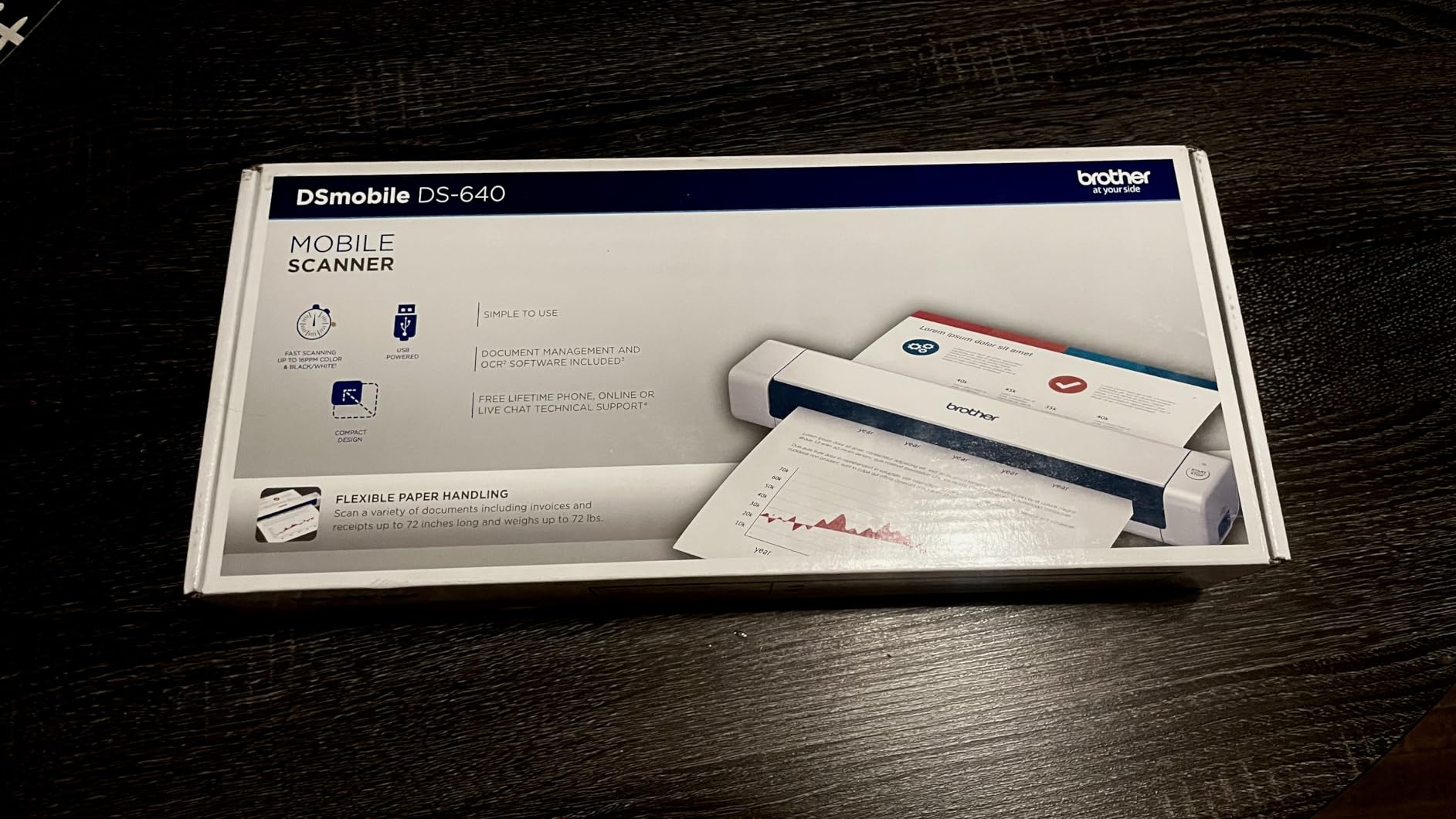
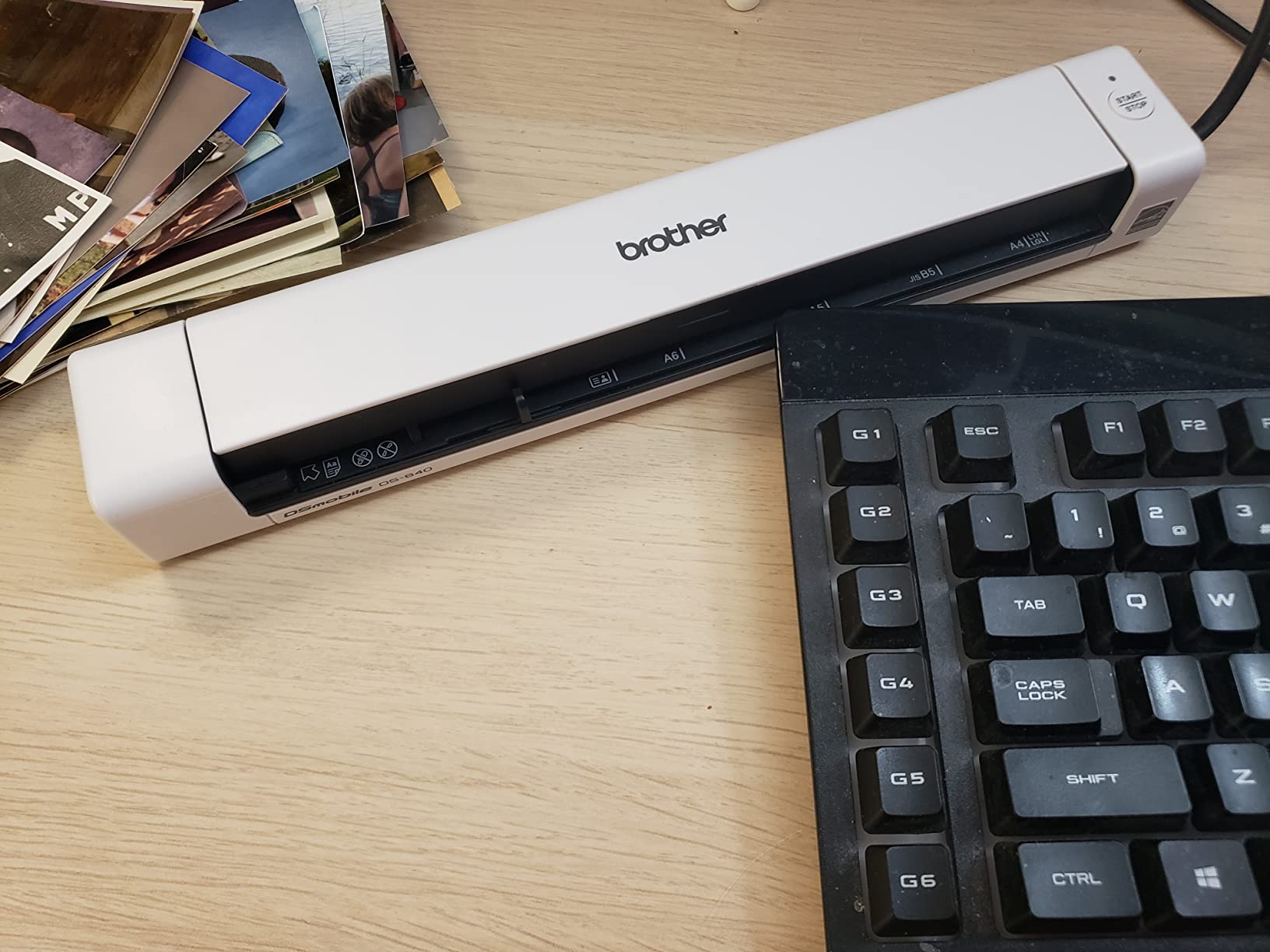
The body is under a foot long and weighs about a pound, so it lives in a drawer between uses and comes out for a session rather than occupying permanent desk real estate. It draws 2.5 watts and runs off the included micro USB cable, which means one cable and no outlet nearby. Brother’s iPrint&Scan app covers scan-to-PC, network, cloud, email and OCR destinations from a single screen.
The honest limitation is the single-sheet feed. A twenty-page contract means twenty deliberate insertions, and there is no duplex to halve that. If your paperwork is mostly receipts, signed forms and short invoices, that is an acceptable trade for a machine this small and this well understood.
Who should buy the Brother DS-640
Buy it if you scan receipts, invoices and forms in small batches, work from a laptop with limited desk space, or want a machine that needs no power outlet. It is also the safest choice for Linux users, since it supports TWAIN and WIA drivers on PC, ICA on Mac and SANE drivers on Linux, and Linux driver support is a live question on the EndeavourOS Forum.
It is a good travel companion too, at about a pound and under a foot long, for scanning signed paperwork at a client site.
Who should skip the Brother DS-640
Skip it if you regularly digitise multi-page, two-sided stacks, because one page at a time with no duplex will make a backlog feel endless. Skip it if your laptop has USB-C ports only, since the cable is micro USB and you will be carrying an adapter. Reviewers also report false jam errors on long receipts and thin paper, so keep a misfeed in mind on thermal receipts that curl.
2. Epson WorkForce ES-50 – Best Value Ultra-Portable
Epson Workforce ES-50 Compact & Lightweight Mobile Document Scanner
Page in 5.5 seconds
1200 DPI
9.44 oz, 1.3 inch tall
USB-powered
Nuance OCR included
Pros
- Scans a single page in as little as 5.5 seconds
- 1200 DPI resolution
- Very light at 9.44 ounces with a slim 1.3 inch profile
- Scans documents up to 8.5 x 72 inches plus receipts and ID cards
- Nuance OCR produces searchable PDFs and editable Word and Excel
- USB-powered with no batteries or external supply
Cons
- Single-sheet feeding only
- No duplex and no automatic document feeder
- USB 2.0 connection
- No wireless or standalone scanning
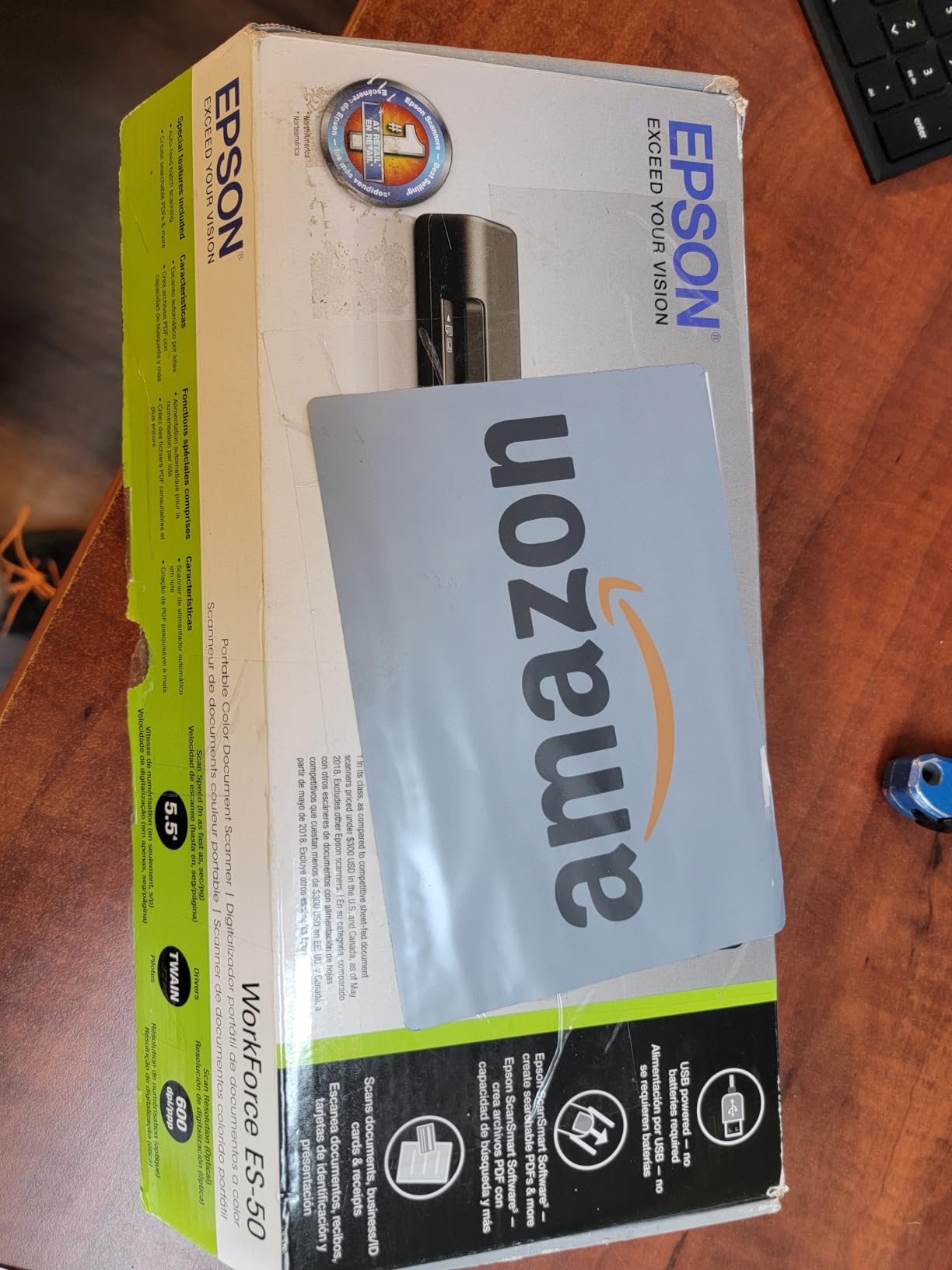
The ES-50 wins on speed per page. A single sheet can be captured in as little as 5.5 seconds, and at 9.44 ounces with a 1.3 inch profile it is the machine you will actually put in a laptop sleeve without thinking about it. For a home office that lives out of a drawer, that combination is hard to argue with.
Resolution is the standout number here. The listed 1200 DPI handles fine print, receipts and small type comfortably, and the maximum scan length of 8.5 by 72 inches means a long document, banner or folded page can go through in one pass. Nuance OCR is bundled, so searchable PDFs and editable Word or Excel files do not require an extra purchase.
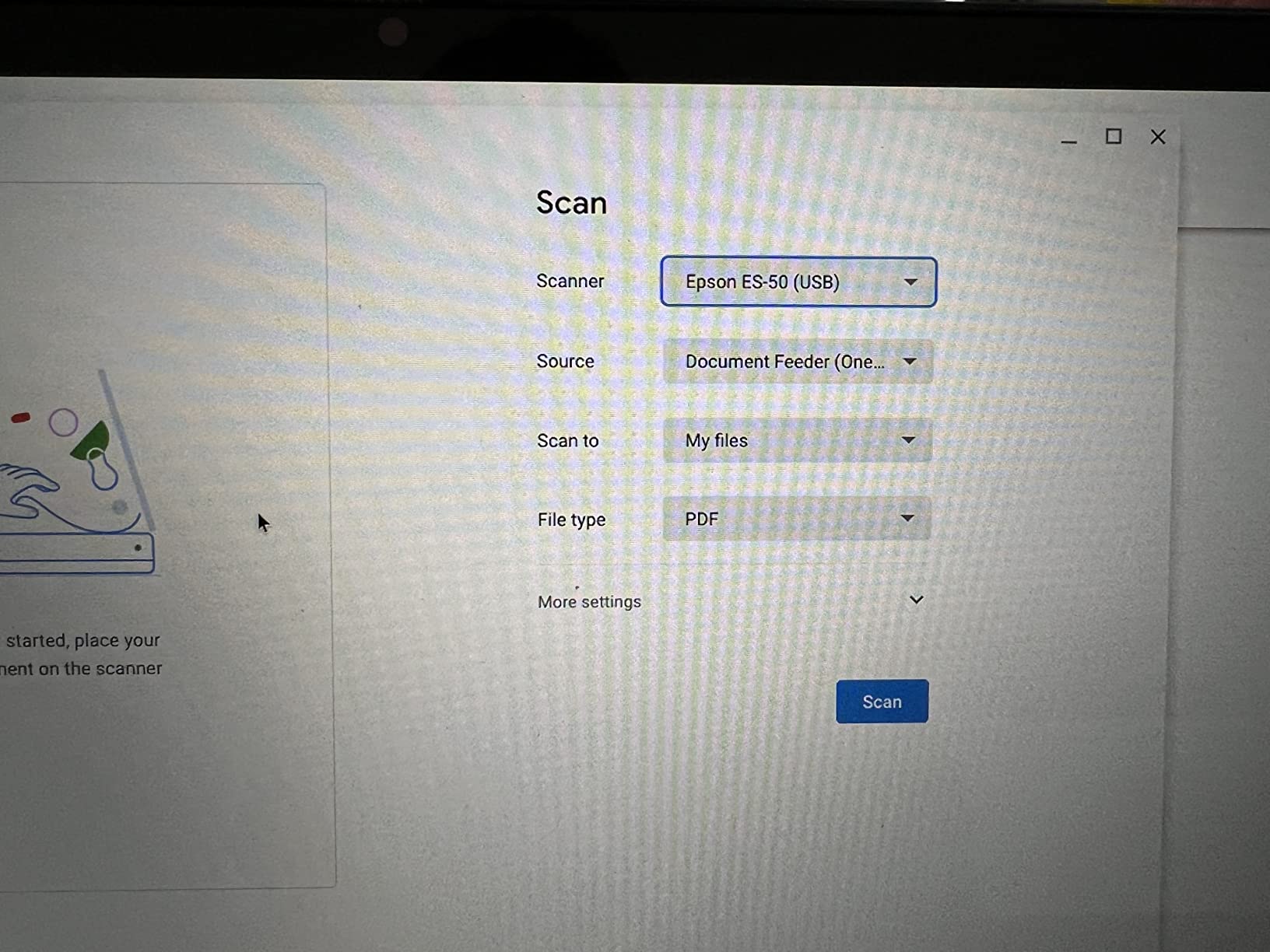
It is USB-powered, needs no batteries and no external power supply, and Epson ScanSmart handles the review-then-save step. Cloud destinations and a TWAIN driver are included, so it slots into a document management workflow without extra software.
What you give up is capacity. There is no automatic document feeder, no duplex, and no wireless or standalone mode. Every page is a manual, deliberate action, and the USB 2.0 connection is slower than what newer ports offer when you are pushing large image files.
Who should buy the Epson WorkForce ES-50
Buy it if you scan one or two pages at a time, constantly, and want them gone before you close the laptop. It suits students, freelancers on the move, and anyone who needs fine print or small receipts captured crisply rather than quickly in bulk. The 1200 DPI headroom also makes it a reasonable low-cost choice for digitising printed music and long documents one leaf at a time.
It is a good partner for a paperless workflow, because the OCR is included rather than sold separately.
Who should skip the Epson WorkForce ES-50
Skip it if you have a backlog. There is no feeder, so a hundred-page archive means a hundred individual insertions, and no duplex means double-sided forms need manual flipping. Skip it if you want to scan without a computer tethered, or if you scan a lot of colour photography, where a flatbed is the better tool.
3. Canon CanoScan LiDE 300 – Budget Flatbed for Documents and Photos
Canon Canoscan Lide 300 Scanner (PDF, AUTOSCAN, Copy, Send)
2400 x 2400 dpi optical
48-bit colour
LED light source
Four one-touch buttons
USB
Pros
- Low-cost flatbed that handles documents and photos
- 2400 x 2400 dpi optical resolution with 48-bit colour depth
- Auto Scan Mode detects what is on the glass
- One-touch buttons for PDF
- copy
- copy-and-send and autoscan
- Works on macOS through system settings
Cons
- One page at a time and slower than sheetfed models
- No automatic document feeder or duplex
- Lid cannot be removed for thick books
- Canon IJ Scan Utility software is dated
A flatbed earns its place in a home office when the paper is awkward rather than numerous. The LiDE 300 handles photographs, receipts, business cards, artwork and bound material on a 2400 by 2400 dpi optical platen with 48-bit colour depth, which is far beyond what a text-only workflow needs and comfortably adequate for digitising prints and archival material.
Auto Scan Mode detects what is on the glass and applies sensible defaults, and four one-touch buttons cover scan-to-PDF, copy, copy-and-send and autoscan without opening software first. Owners also report that it works on macOS through system settings, so there is no driver hunt on a modern machine.
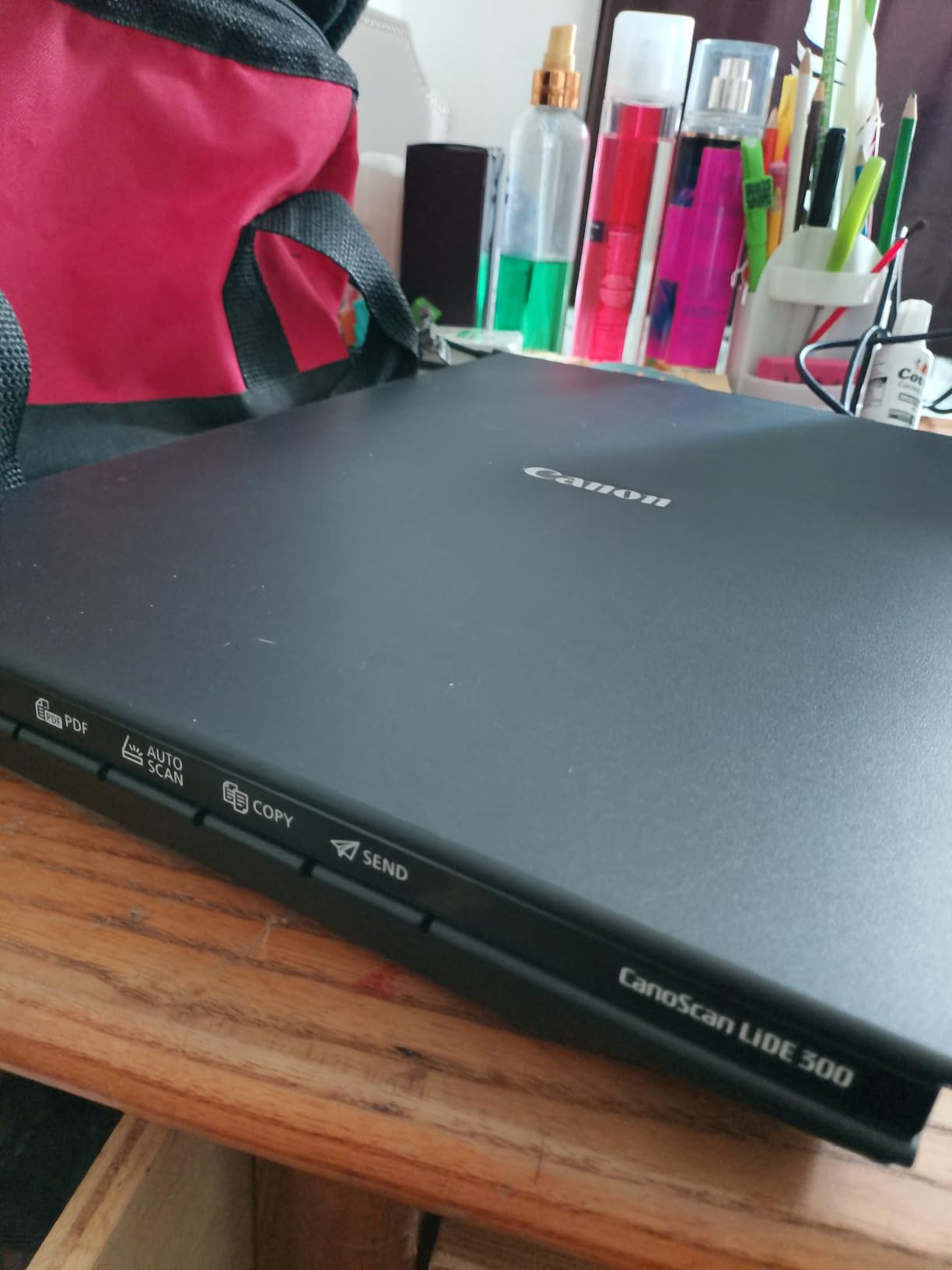
The 1.7 inch height means it can slide into a shelf or under a monitor arm, which matters in a spare room doubling as an office. It draws 4.5 watts and comes with a one-year limited warranty, and the 4.2 rating across 4608 reviews suggests a dependable rather than exciting device.
The trade-off is throughput. Every page is a lid-up, place, close, wait cycle, and the platen is sized for letter and A4 rather than larger artwork paper. There is no automatic document feeder and no duplex, and the lid cannot be removed to reach a thick book or an oversized sheet.

Who should buy the Canon CanoScan LiDE 300
Buy it if your archiving needs include photographs, sheet music, programme booklets or old paper records, not just invoices. A 2400 dpi flatbed is the right instrument for bound spines and mixed media, and at this price it is the cheapest way to add photo digitising to a home office. It is also a sensible companion machine beside a fast sheetfed unit, for the odd awkward page.
Choose it if you scan a few items a day and would rather set them down than feed them.
Who should skip the Canon CanoScan LiDE 300
Skip it if you have stacks to clear. The one-page-at-a-time workflow does not scale, and the bundled Canon IJ Scan Utility is widely described as clunky with weak documentation. It is also the wrong tool if you need duplex, or if your material is larger than letter or A4 and you need the lid open to reach it.
4. Brother DS-740D – True Duplex in a Body Under 12 Inches
Brother DS-740D Duplex Compact Mobile Document Scanner
16 ppm single-pass duplex
25-sheet ADF
300 DPI, CCD sensor
1.4 lbs
Desk Saving Design
Pros
- Single-pass duplex at up to 16 ppm
- 25-sheet automatic document feeder in a 1.4 lb body
- Desk Saving Design frees up 11 inches of desk space
- USB-powered with no outlet required
- iPrint&Scan covers cloud
- email and OCR destinations
- CCD sensor with automatic colour and bleed-through handling
Cons
- Micro USB rather than USB-C
- 25-sheet feeder is smaller than 50- and 100-sheet desktop feeders
- Some software options buried in the interface
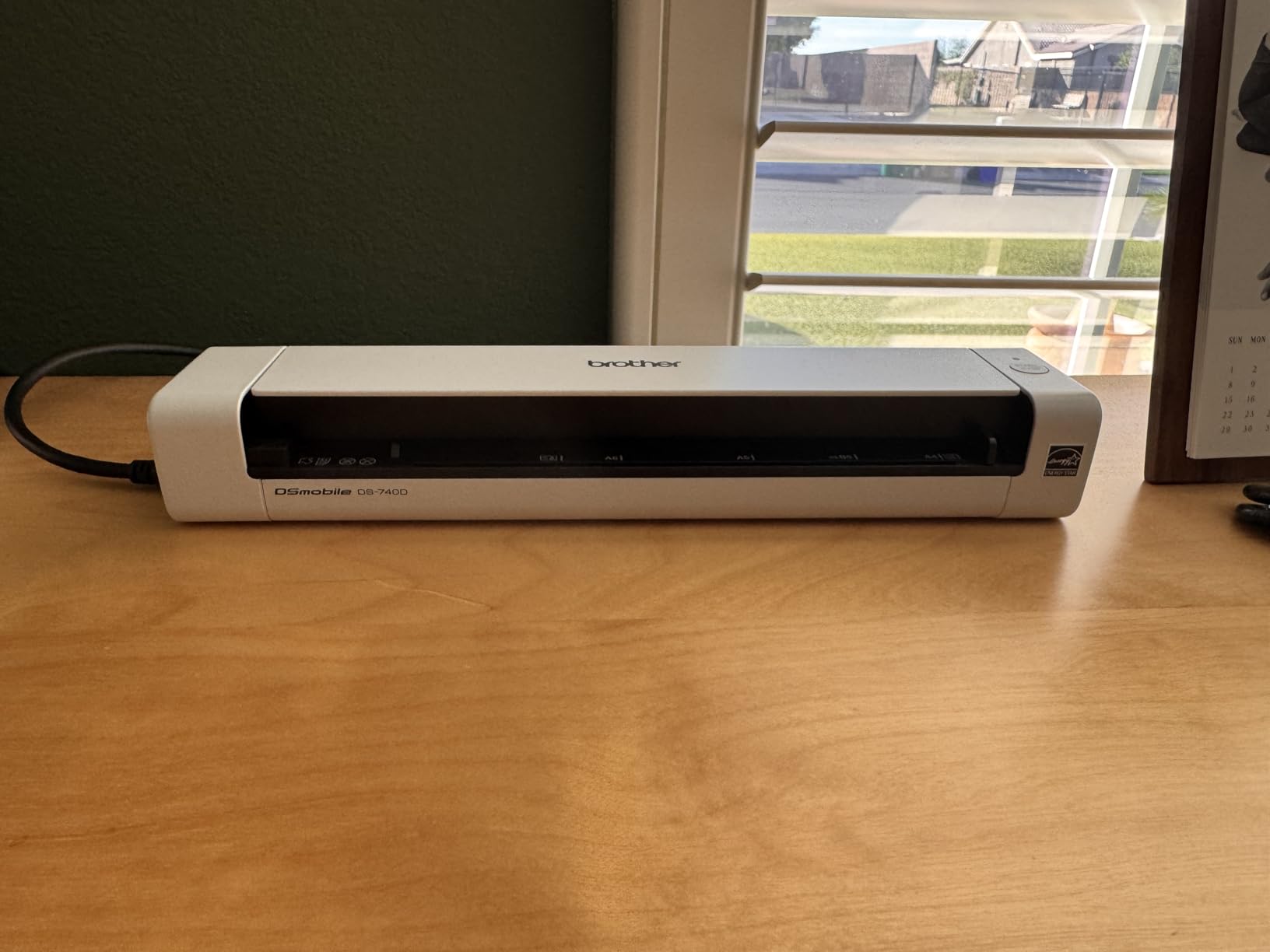
This is the compromise pick, and for a lot of home offices it is the correct one. The DS-740D puts a genuine 25-sheet automatic document feeder and single-pass duplex scanning into a body measuring just under 12 inches square, at 1.4 pounds. You load a stack, it reads both sides in one pass at up to 16 ppm, and you get one file out.
The Desk Saving Design is the part worth understanding before you buy. Instead of the feeder projecting backwards, the paper path is routed through the body, which frees up 11 inches of desk depth. In a home office where the desk is also a dining table, that recovered space is often worth more than a faster page rate.
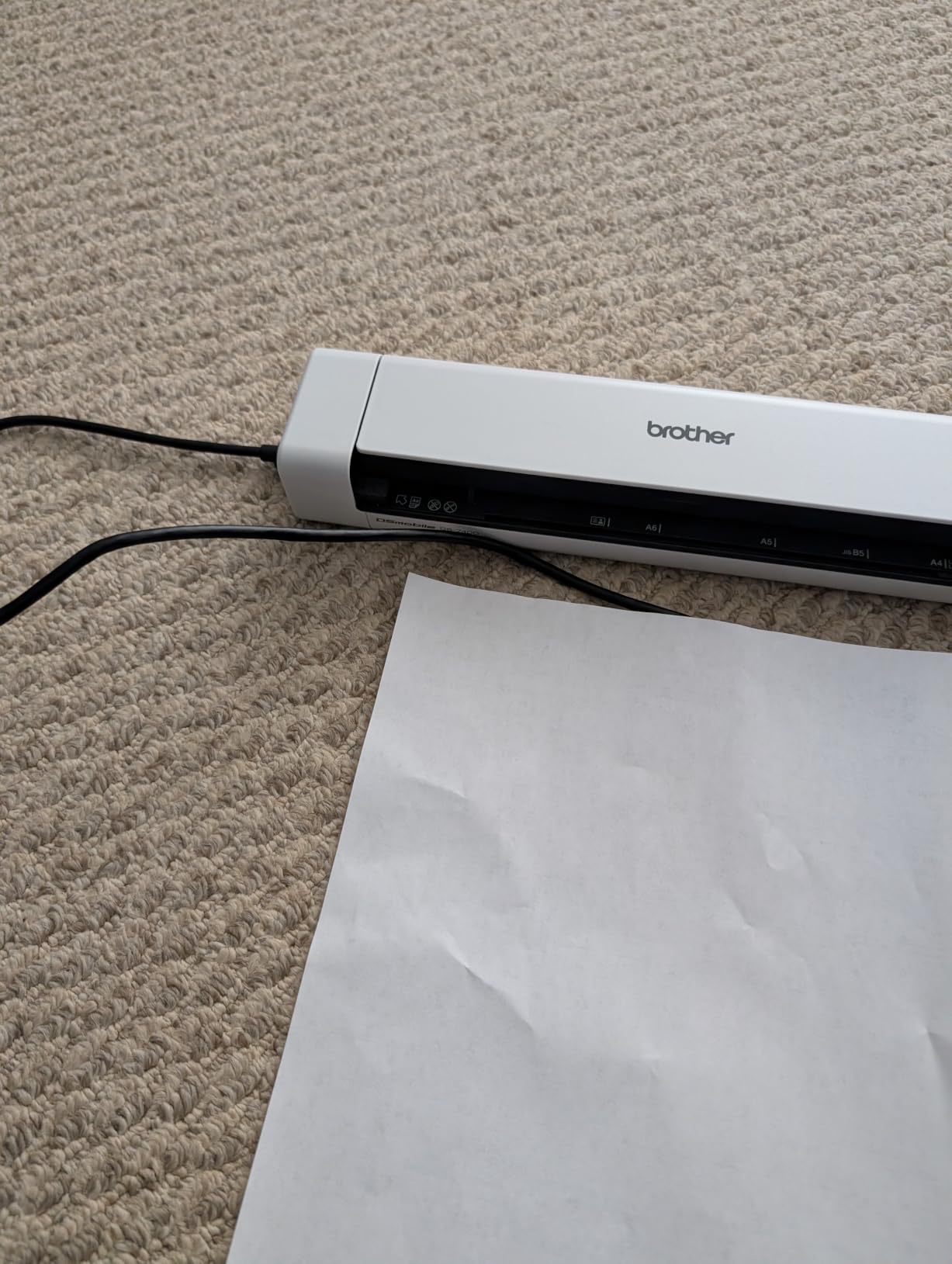
The CCD sensor and 300 DPI resolution are a step up from the contact-image sensors used in the cheapest portables, and automatic colour detection, bleed-through prevention and text enhancement mean receipts and faxes come out readable. USB power means one cable again, and the same iPrint&Scan destinations as the DS-640.
Twenty-five sheets is a genuine feeder but a modest one. A fifty-page contract needs a second load, and a hundred-page archive needs four. The micro USB connector also means an adapter on a USB-C-only laptop, and some options sit in non-obvious corners of the interface.
Who should buy the Brother DS-740D
Buy it if you have real two-sided paperwork and a small desk. Signed contracts, invoices with a reverse side, and filed correspondence are exactly the workload a duplexing feeder removes friction from, and 25 sheets is enough to clear a week’s worth in one go.
It is also a strong pairing for a Linux or self-hosted paperless setup, given the SANE driver support, and home-office users in DonationCoder’s Paperless Home threads commonly pair scanners of this class with expense digitisation workflows for receipts.
Who should skip the Brother DS-740D
Skip it if you are digitising years of archived paper, because 25 sheets fills quickly and a larger desktop feeder is the right tool. Skip it if your desk is deep and you want the highest rated option available. And skip it if a USB-C-only laptop is your only machine unless you are happy to carry a cable adapter.
5. Canon imageFORMULA R10 – Best Travel Scanner With a 20-Sheet Feeder
Canon imageFORMULA R10 – Portable Document Scanner, USB Powered, Duplex Scanning, Document Feeder, Easy Setup, Convenient, Perfect for Mobile Users, White
12 ppm duplex
20-sheet ADF
600 dpi
998 g
USB-powered
RGB LED
Pros
- CaptureOnTouch is built in and updates itself
- Single-pass duplex at up to 12 ppm with a 20-sheet feeder
- USB-powered from the computer
- Compact at just over 2 pounds
- Preview tools for editing
- straightening and trimming
- Advanced Exchange Service warranty
Cons
- No Linux support
- Uses USB Mini-A 2.0 rather than USB-C
- 20-sheet feeder is prone to jams on thicker or stapled stacks
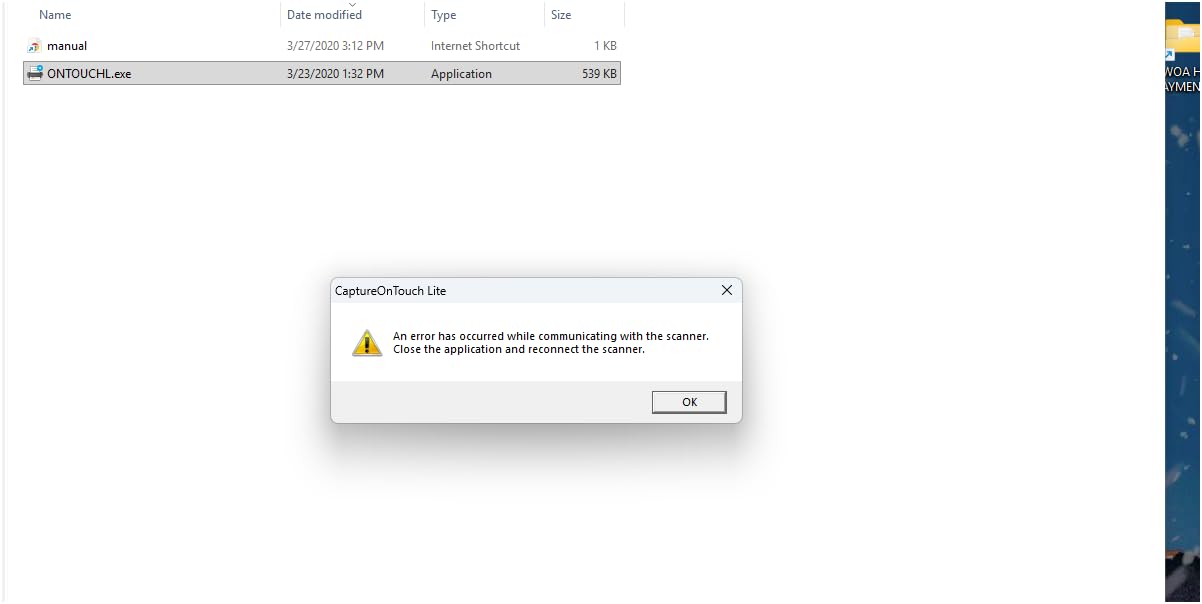
- CaptureOnTouch Lite reported to lock up or skew scans on newer macOS
- Struggles with pages marked in coloured highlighter
The R10 answers a specific question: what is the smallest machine that still does duplex from a real feeder? It manages that with a 20-sheet automatic document feeder, single-pass duplex at up to 12 ppm, and a body that weighs just over two pounds and draws power from the computer’s USB port. There is no power cord and no separate adapter to lose in a bag.
Setup is the quiet strength. CaptureOnTouch is built into the device, needs no installation, and updates itself, so there is no driver search on a new machine. Preview tools let you edit, straighten and trim before saving, and you can create custom scan buttons for recurring jobs. The Advanced Exchange Service warranty also means a failed unit is replaced rather than sent off for repair.

Image quality is handled by Canon camera technology with an RGB LED light source at up to 600 dpi, which produces clean colour, greyscale and black-and-white output. Canon suggests a daily volume of 500 scans, and it carries ENERGY STAR certification.
The critical reviews are consistent enough to plan around. The 20-sheet feeder is described as finicky on thicker multi-page or previously stapled documents, CaptureOnTouch Lite has been reported to lock up or skew scans on newer macOS versions, and coloured highlighter marks cause trouble. There is no Linux support, and the connector is USB Mini-A 2.0 rather than USB-C.
Who should buy the Canon imageFORMULA R10
Buy it if you work from different rooms, different houses, or client sites, and need more than a single-sheet feed when you arrive. The built-in software means it starts working on an unfamiliar laptop, which is exactly the situation where driver hunting wastes a meeting.
It is also a sensible pick for a shared home office where one person scans contracts and another scans receipts, since the custom button feature lets each keep their own routine.
Who should skip the Canon imageFORMULA R10
Skip it if you staple your paperwork, because stapled corners are the most cited cause of feeder complaints. Skip it if you use Linux, or if you rely on highlighter-heavy study notes. For heavy daily volumes, the 4.1 rating across 2361 reviews reflects that this is a portability-first machine rather than a throughput-first one.
6. ScanSnap iX1300 – Best Wireless Scanner That Folds Flat
ScanSnap iX1300 Wireless or USB Double-Sided Color Document Scanner, Black
30 ppm duplex
20-sheet ADF
Wi-Fi and USB
600 dpi
Folds flat for storage
Pros
- Folds flat for storage and frees desk space
- 30 ppm duplex with auto de-skew and blank page removal
- Wi-Fi plus USB and works without a computer
- 20-sheet feeder handles thick items and plastic cards
- One-touch QUICK MENU and ScanSnap Home
- One-year Depot warranty
Cons
- Heaviest unit here at 4.4 pounds
- Draws 17 watts so it needs power
- ScanSnap Home has a learning curve
- Smaller 20-sheet feeder than desktop models
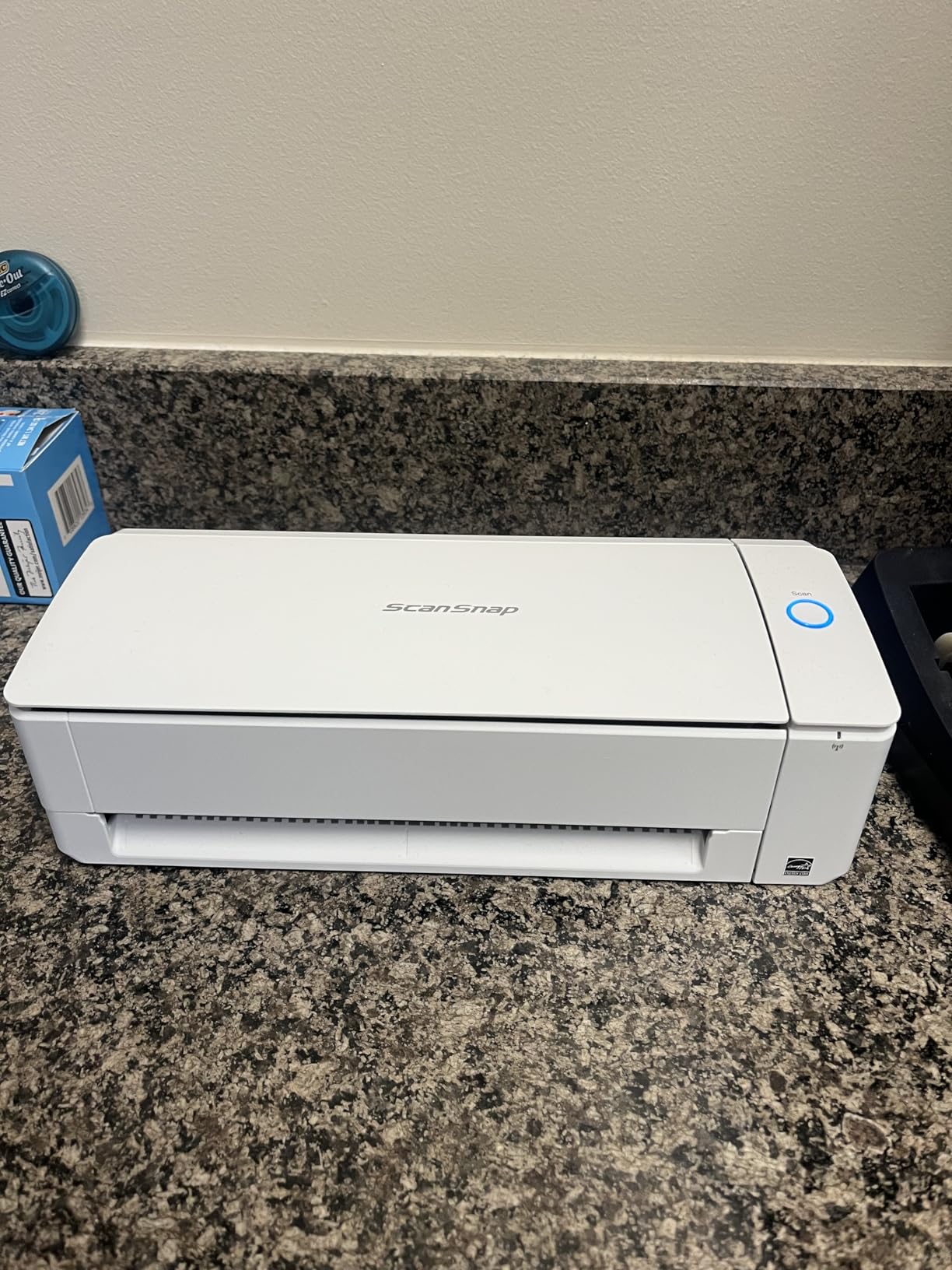
The iX1300 is the most flexible machine in this guide, and the flexibility is the reason to buy it. It connects over USB or Wi-Fi to a Mac, PC, phone or tablet, and it can scan without a computer attached, saving straight to a USB drive or the cloud. In a home office where the laptop is sometimes on the sofa and sometimes in the other room, that is a real advantage.
Throughput is the highest of any portable unit here, at up to 30 ppm duplex, with automatic de-skew, colour optimisation and blank page removal handled for you. The 20-sheet feeder takes thick items and plastic cards, and the one-touch QUICK MENU switches between profiles without digging through settings. At 600 dpi it captures fine print cleanly.
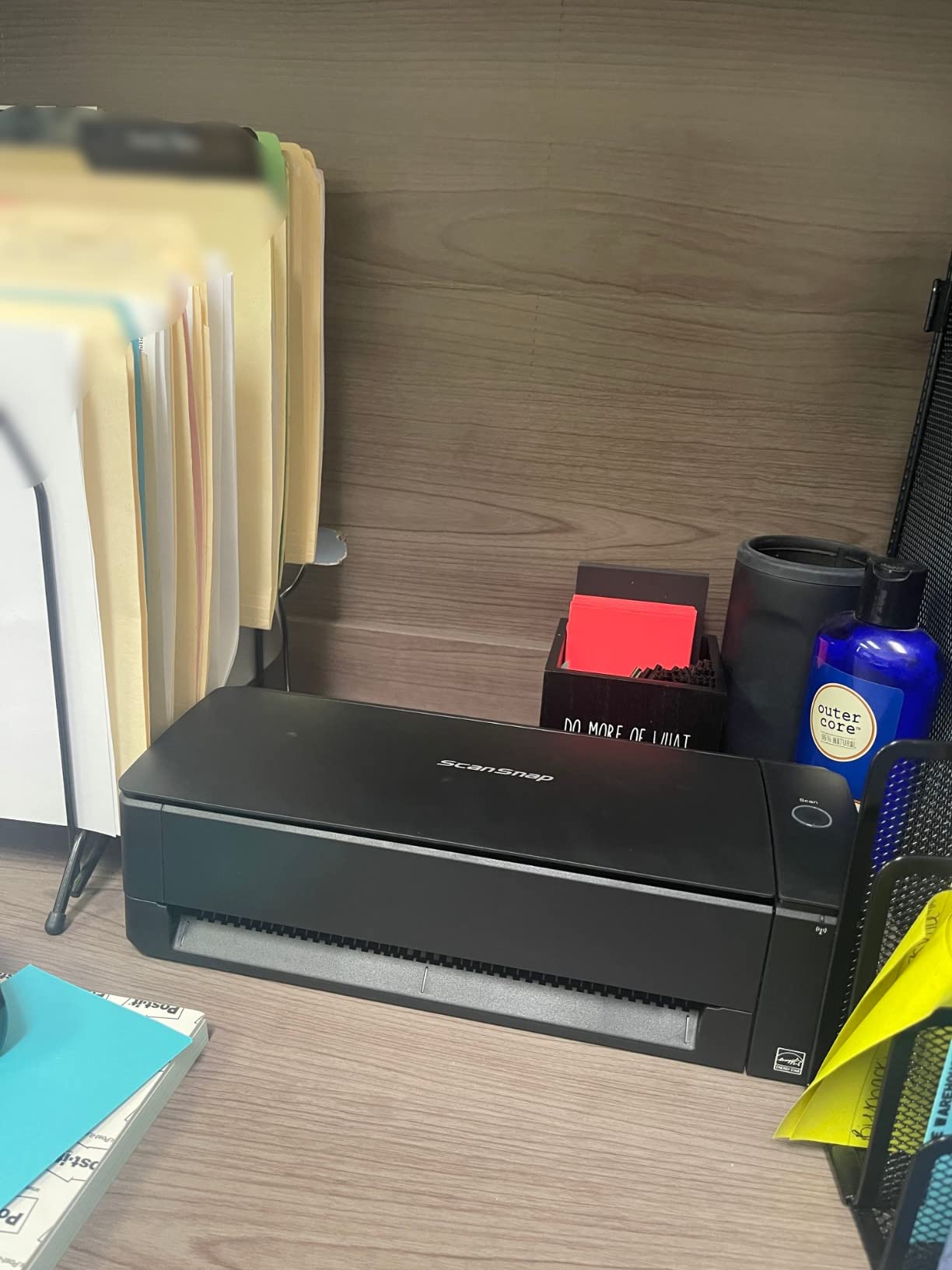
The folding body is genuinely unusual. Open, it frees desk space; closed, it is a flat 4.5 by 11.7 by 3.3 inch unit that can be stored away, which matters more in a home office than in an office with a dedicated equipment cupboard.
The costs are physical and practical. At 4.4 pounds it is the heaviest scanner here, and at 17 watts it is the only one in the group that needs a mains supply rather than USB power. ScanSnap Home has a learning curve compared with the simpler utilities on the Brother and Canon machines, and the 20-sheet feeder is smaller than the desktop feeders further down this list.
Who should buy the ScanSnap iX1300
Buy it if you scan from more than one device, if you want a searchable PDF without opening software first, or if you want the option of scanning with no computer in the picture at all. Community discussion on r/sysadmin consistently favours ScanSnap lines for home office setups, and this is the model that adds wireless to that ecosystem.
It is the pick for anyone building a paperless system around cloud destinations, since the standalone mode handles the case where the computer is switched off.
Who should skip the ScanSnap iX1300
Skip it if desk storage is not an issue and you want a bigger feeder, because 20 sheets is small next to the 50- and 100-sheet desktop units here. Skip it if you need it to run entirely from a laptop’s USB port. And if you already run a document management system, check driver support first, since TWAIN availability varies and that is a recurring complaint in this category.
7. Epson WorkForce ES-400 II – Best for Backlogs and Tax Season
Epson Workforce ES-400 II High-Speed Color Duplex Desktop Document Scanner
50-sheet ADF
Duplex scanning
300 dpi, CCD
Ultrasonic double-feed detection
TWAIN included
Pros
- Highest average rating in this group at 4.5 stars
- 50-sheet automatic document feeder
- Duplex scanning on every page
- Ultrasonic double feed detection and dynamic skew correction
- Epson ScanSmart previews
- emails
- uploads and auto-names
- OCR for searchable PDFs and editable Word or Excel
- Included TWAIN driver
Cons
- USB-only with no wireless option
- Initial software download and setup takes roughly 15 minutes
- Software reported not loading on some Windows 11 setups
- 300 dpi is low for photo or fine-detail work
- Bulky 3.7 kg body
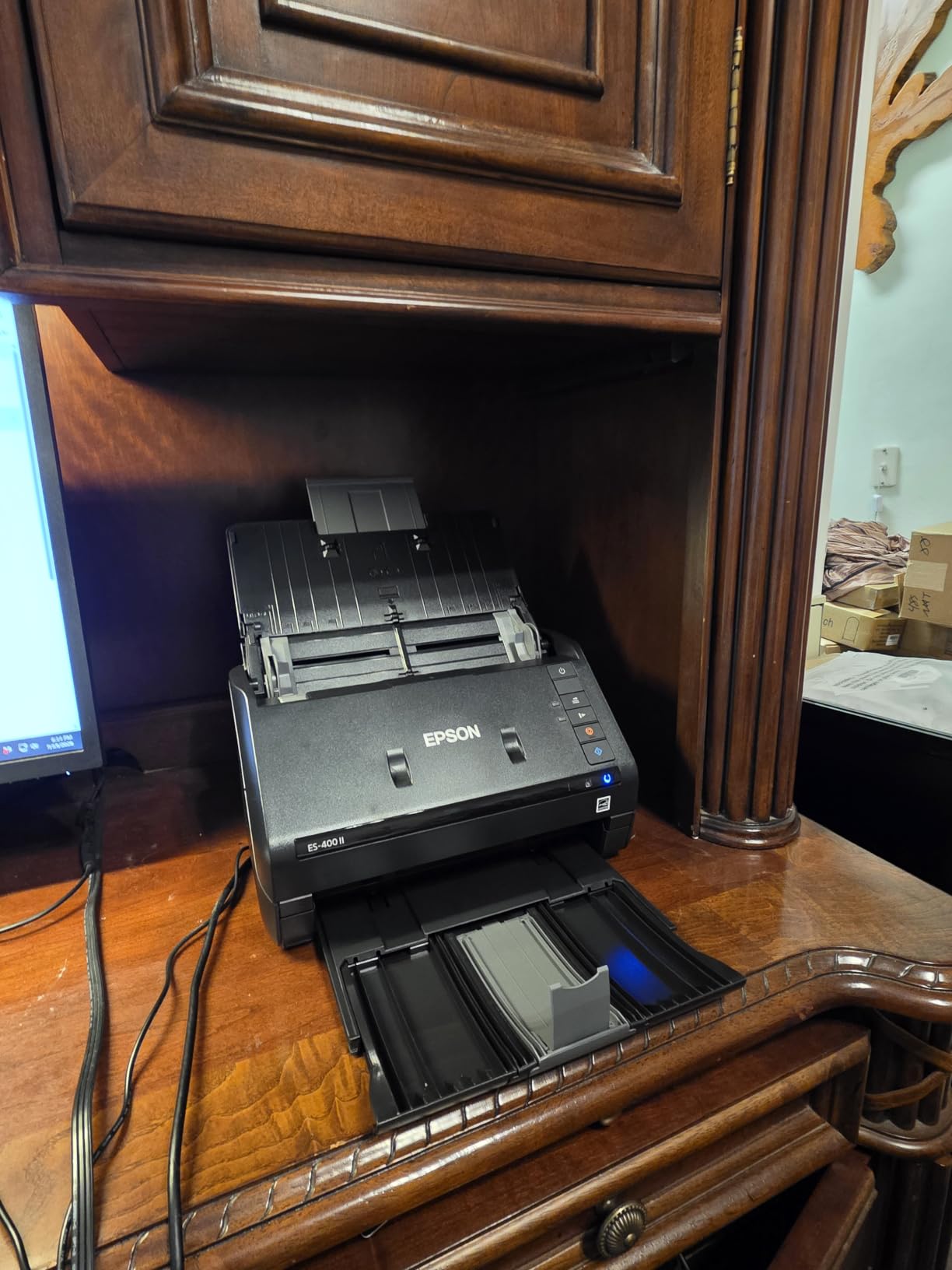
The ES-400 II has the highest average rating in this roundup, at 4.5 stars across more than 1200 reviews, and the reason is consistency rather than any single headline feature. It is a 50-sheet automatic document feeder with duplex on every page, a CCD sensor at 300 dpi, and ultrasonic double feed detection with dynamic skew correction to stop a misfeed from turning into a lost page.
Fifty sheets is the number that changes daily life. A full stack of receipts, a signed contract packet or a month of invoices goes in once, and duplex means you are not turning the stack over halfway. Owners describe the output as crisp and the setup as close to plug-and-play once the software is installed.
The software is the strongest argument. Epson ScanSmart previews each scan, emails files, uploads to the cloud and auto-names them, while OCR produces searchable PDFs and conversion to editable Word or Excel. Direct scanning to email, Dropbox, Evernote, Google Drive and OneDrive is supported, and the included TWAIN driver means it drops into third-party document management software without hunting for a driver.
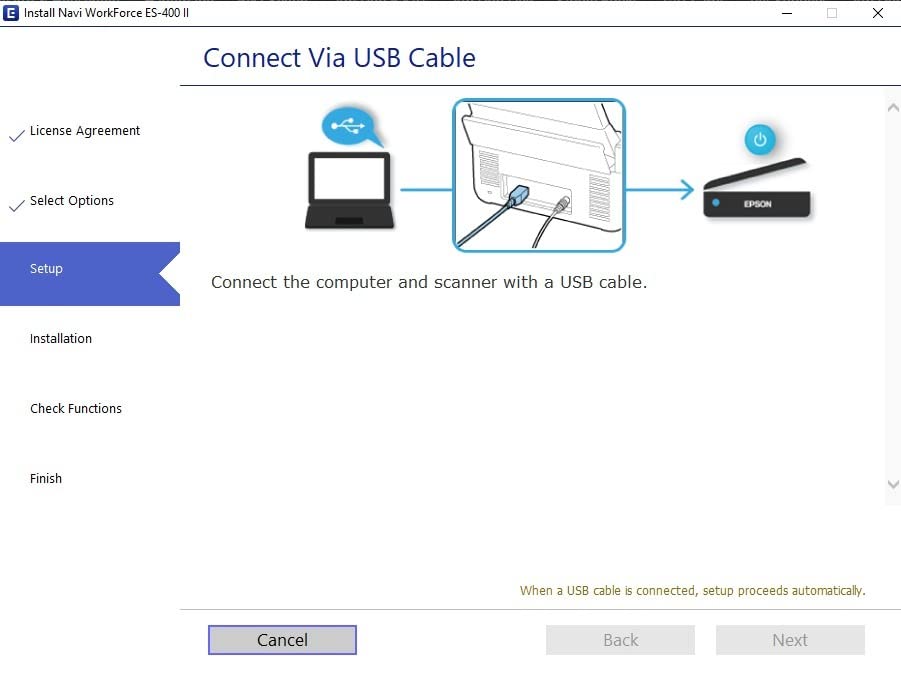
There are three real limits. It is USB-only, so there is no wireless or network option. Setup takes roughly fifteen minutes, and a minority of reviews report the Epson software not loading correctly on Windows 11, so check compatibility before you commit. It is also a 3.7 kg body at 11.6 inches square, which is a significant commitment to a home desk, and 300 dpi is modest for photo work.
Who should buy the Epson WorkForce ES-400 II
Buy it if you have a genuine backlog and a fixed computer. The 50-sheet feeder plus duplex, combined with the highest satisfaction score in this group, makes it the safest choice for a household tax archive, a freelancer’s invoice run, or a small bookkeeper who needs TWAIN compatibility with existing accounting and document management software.
It is also the pick if you want searchable PDFs and editable spreadsheets without a separate OCR purchase, and if your desk has room for a full-size unit.
Who should skip the Epson WorkForce ES-400 II
Skip it if you need wireless, because there is no network option at all. Skip it on a tight desk given the 3.7 kg footprint, and skip it if photographs or artwork are part of the job, since 300 dpi will not do them justice. If you run Windows 11, download the driver first and confirm it loads before ordering.
8. Epson WorkForce ES-580W – Best for Shared Offices and Big Backlogs
Epson Workforce ES-580W Wireless Color Duplex Desktop Document Scanner
100-sheet ADF
35 ppm single-step duplex
4.3 inch touchscreen
Wireless and standalone
300 dpi
Pros
- Wireless scanning with a 4.3 inch touchscreen
- 100-sheet feeder
- the largest in this group
- Up to 35 ppm with single-step duplex
- Works without a computer
- saving to USB
- email or cloud
- Auto crop
- blank page deletion and dirt detection
- OCR for searchable PDFs and editable Word or Excel
Cons
- Costs more than most USB-only desktop scanners
- 300 dpi is modest for photo scanning
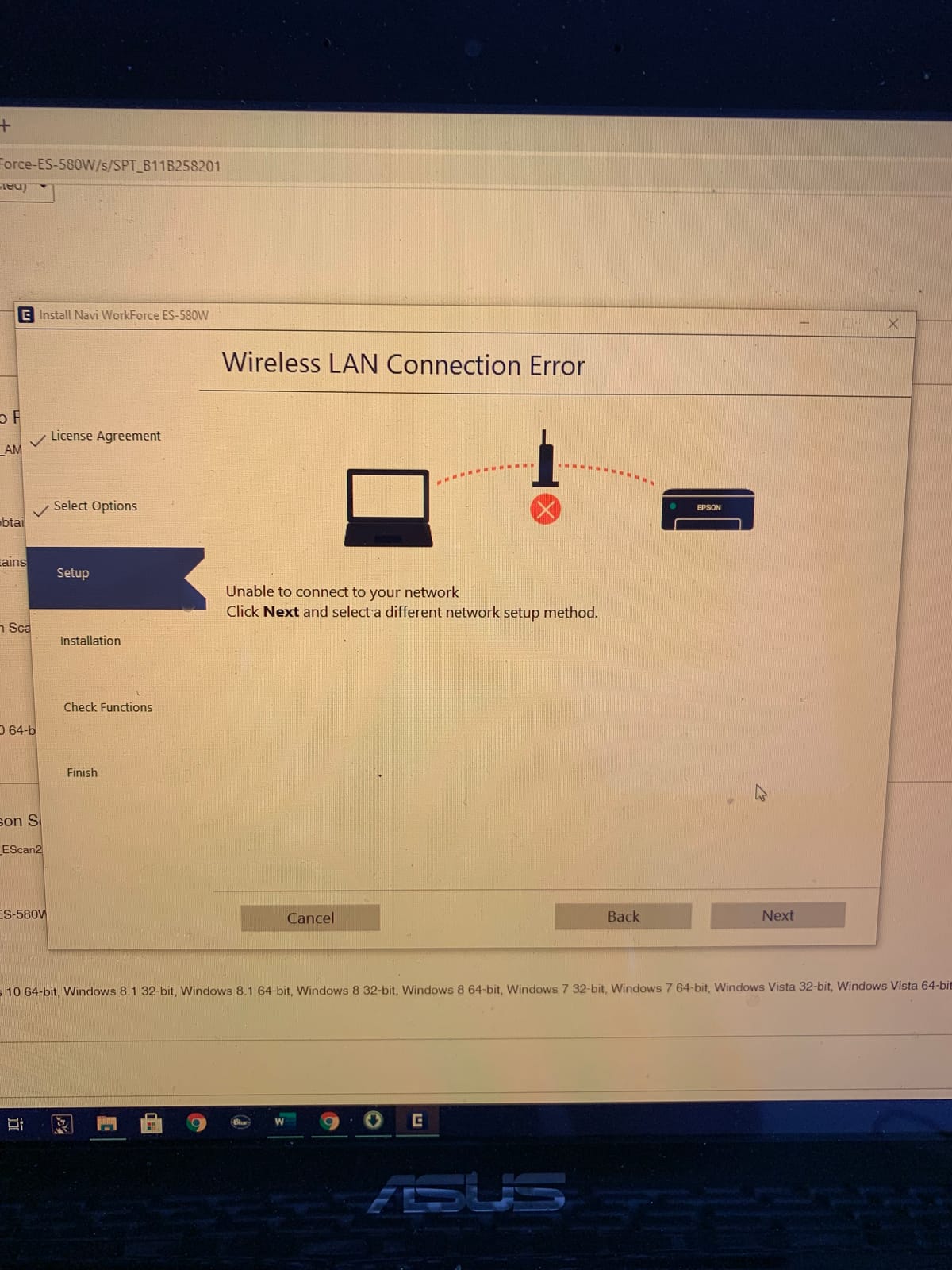
- Wireless network configuration takes some effort
The ES-580W is the most capable desktop unit here and the right answer when more than one person shares the machine, or when a hundred-sheet stack of paper genuinely exists. It has the largest automatic document feeder in this roundup at 100 sheets, the fastest rated duplex speed at up to 35 ppm using single-step duplex technology, and a 4.3 inch touchscreen for running jobs without a computer.
That touchscreen matters more than it sounds. Scans can be sent wirelessly to a smartphone, tablet, computer or cloud storage, and saved directly to USB, email or cloud services with no PC in the loop. r/sysadmin discussion specifically notes people using the ES-580W for standalone wireless scanning, which is precisely the use case it was built for.
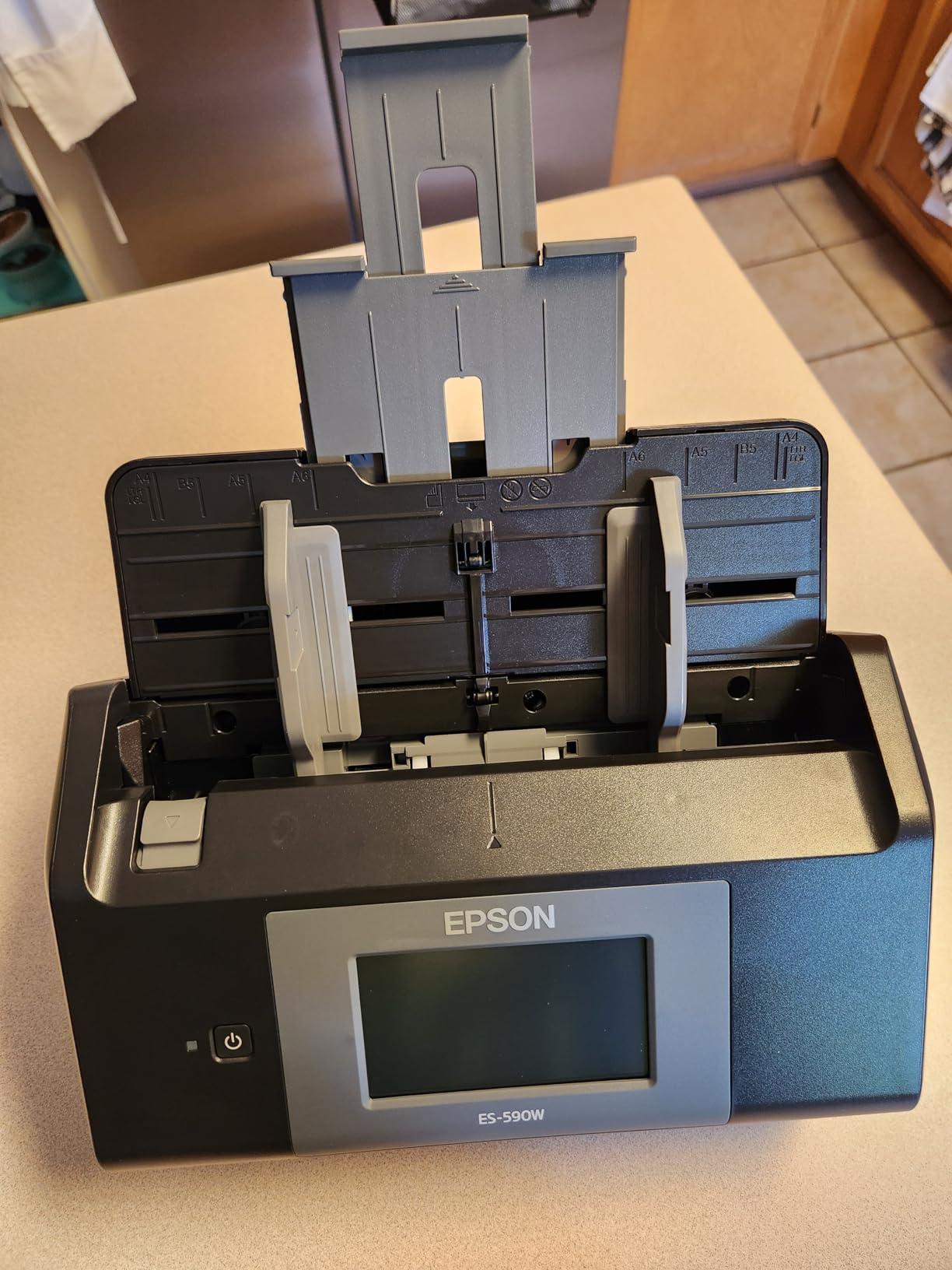
Image handling is thorough: auto crop, blank page deletion, background removal, dirt detection and skew correction all run automatically, and OCR produces searchable PDFs plus editable Word and Excel files. A CCD sensor and 300 dpi resolution suit printed text cleanly.
The compromises are cost and effort. It sits above the USB-only desktops in price for the wireless capability and the touchscreen, and configuring the wireless network takes patience the first time. As with the ES-400 II, 300 dpi is not a photo resolution, and the 3.7 kg, 11.6 inch square body needs real desk space.
Who should buy the Epson WorkForce ES-580W
Buy it if a second person scans, if the household paperwork arrives in large weekly batches, or if you want a shared office machine that works without a tethered computer. One hundred sheets plus duplex at 35 ppm clears a month of records in a single load, and the touchscreen means anyone can start a job without a login.
It is also a good fit for a home office that is quietly a small business, where invoices, receipts and tax records all need to become searchable files on a schedule.
Who should skip the Epson WorkForce ES-580W
Skip it if you scan a few pages a week, because you would be paying for feeder capacity and a touchscreen you will not use. Skip it if your desk is small, given the footprint and weight. And if you only need wireless occasionally, the ScanSnap iX1300 does that job in a body that folds away.
9. HP WorkScan 100 – The Lightest Body in the Group
HP Small USB Document & Photo Scanner for Portable 1-Sided Sheetfed Digital Scanning, Model HPPS100, for Home, Office & Business, PC and Mac Compatible, HP WorkScan Software Included
15 ppm simplex
10-sheet feeder
3 oz body
Up to 1200 dpi
USB 2.0 powered
Pros
- Extremely light at 3 ounces with a 1.4 inch profile
- 15 ppm simplex with auto-scan and size detection
- Paper sizes from 2 x 2.9 inch up to 8.5 x 14 inch
- HP WorkScan with preview
- zoom
- crop and background cleanup
- Two-year limited warranty
Cons
- One-sided simplex only
- no duplex
- HP WorkScan can be CPU-heavy and slow the host computer
- No feed alignment adjustment so pages drift and wrinkle
- The on-device button often does nothing
- Long receipts trigger false jam errors
- Smallest review base in this roundup
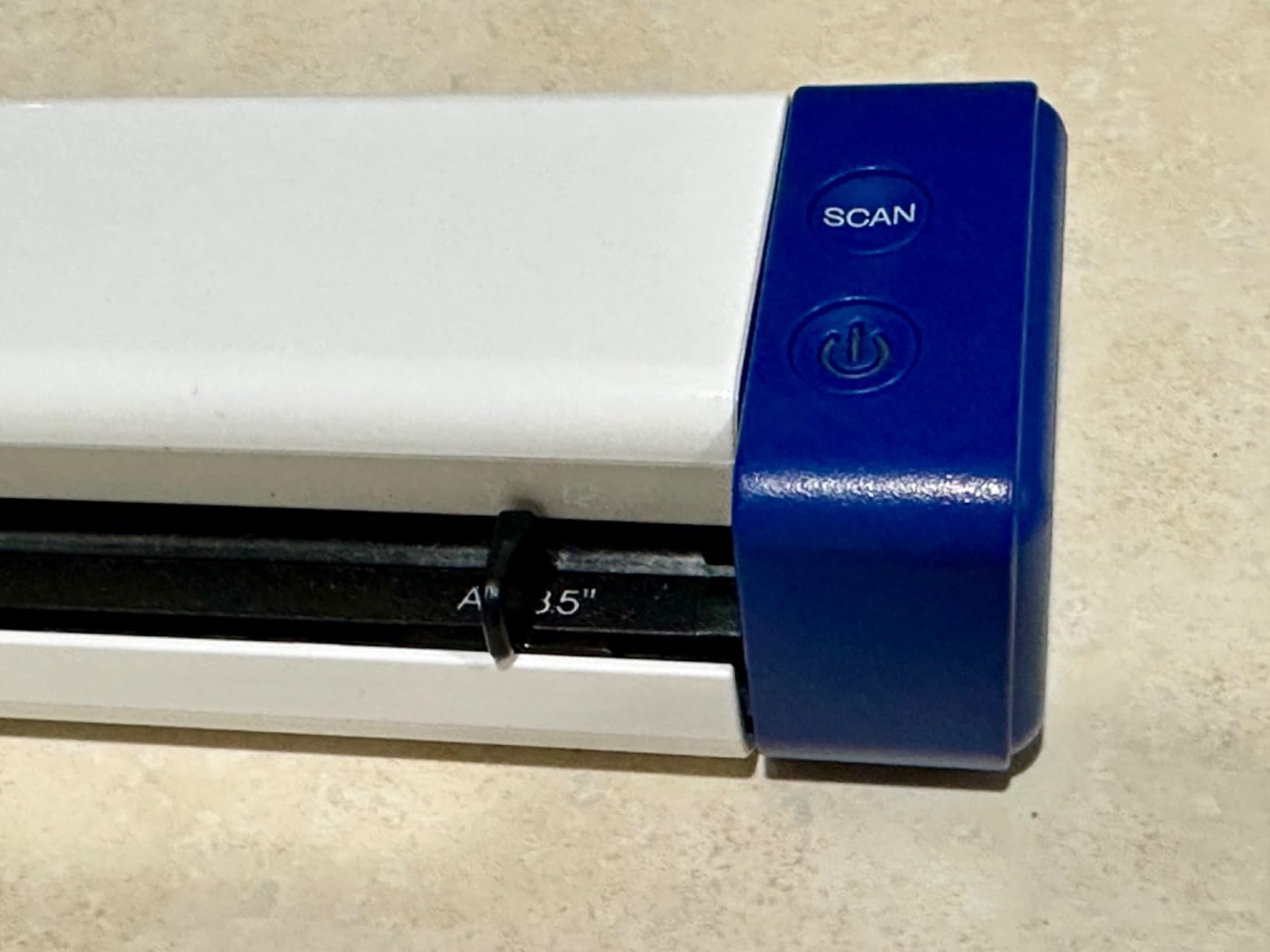
At 3 ounces and 1.4 inches tall, the HP WorkScan 100 is the machine you would forget you packed. It scans at 15 ppm with automatic size detection, and the listed paper range runs from 2 by 2.9 inches for receipts and cards up to 8.5 by 14 inches for legal-size sheets. HP WorkScan is free for Windows and macOS and handles preview, zoom, crop and background cleanup.
Its ten-sheet feeder is unusual for a portable unit and removes the tedium of single-sheet feeding for short batches, and the two-year limited warranty is the longest in this roundup. USB 2.0 plug-and-fly power with the cable included means no adapter hunt.
What the light body cannot do is duplex. It is simplex one-sided only, so a two-sided contract means two passes, and the design has no mechanism to flip the page for you.
The critical reviews point at the software and the mechanism. HP WorkScan is reported to be CPU-heavy enough to slow or crash the host computer, there is no way to adjust paper feed alignment so non-square pages drift and wrinkle, and the on-device scan button often does nothing, meaning you start from software anyway. Long receipts also trigger repeated false jam errors. With 412 reviews, the base is also the thinnest here, which is worth weighing against the longer histories on the Brother and Epson units.
Who should buy the HP WorkScan 100
Buy it if you want the smallest possible scanner and a short feeder, and you can live without duplex. It suits someone scanning identity documents, receipts, business cards and legal-size pages a few at a time, and the ten-sheet feeder means a small stack is not a manual process.
The two-year warranty makes it a reasonable low-risk choice, and up to 1200 dpi output handles small print well.
Who should skip the HP WorkScan 100
Skip it if you scan two-sided documents regularly, since simplex means double the handling. Skip it on an older or low-powered computer given the CPU load reported in the software. And if paper feeding reliability matters, note the lack of alignment adjustment and the false jam reports on long receipts before choosing it over a model with a longer service history.
How Do I Choose a Document Scanner for a Home Office?
Start from the paper, not the specification sheet. Count what you scan in a typical week, check how much of it is two-sided, and look at what else is in the pile. A pile of thermal receipts behaves very differently from a bound programme book, and no single scanner type handles both well. Once the paper is clear, the features below fall into place quickly.
Sheetfed, flatbed or portable: which body suits your desk
A sheetfed scanner pulls pages from an automatic document feeder past a light source and sensor, one at a time, and is the right tool for stacks. A flatbed puts the page on glass under a fixed lid, which is slower but handles photographs, artwork and bound material that a feeder would tear or reject. A portable scanner is a small sheetfed unit, usually USB-powered, for people who scan away from a desk. If your paperwork is mostly text on loose sheets, sheetfed wins. If it includes photos or bound items, keep a flatbed in the plan.
What is an automatic document feeder (ADF)?
An automatic document feeder is the tray on top of a sheetfed scanner that holds a stack of loose pages and feeds them through without you touching each one. Capacity is the number that matters: single-sheet units take one page at a time, 20-sheet feeders suit a handful of documents, 25 to 50 sheets covers a typical week, and 100 sheets handles a monthly or tax-season batch in one load. Check the capacity in sheets, not pages, since duplex means one loaded sheet produces two pages of output.
Do you need duplex scanning?
Duplex scanning reads both sides of a sheet in one pass, which halves the work for contracts, invoices and filed correspondence. There are three variants. A dual-scan element sends each side through the sensor separately, so duplex costs no extra speed. A duplexing feeder turns the page internally at full rated speed. Manual duplex in software stops the job and prompts you to flip the stack, which is better than nothing but not really duplex.
For a home office, duplex is close to essential. If your paper is single-sided by nature, such as receipts, it matters much less, and a single-sheet portable is the more sensible buy.
How much resolution (DPI) do you need?
DPI measures dots per inch and determines how much detail is captured. Around 200 dpi is fine for tax records and draft documents. 300 dpi is the standard for general office work and covers small print, receipts and fine text. 600 dpi suits photographs and dense documents, and 1200 dpi or above is for archival material and small print where you may need to zoom. Higher resolution means larger files, so a scanner intended for photos will produce files that are slow to email if you leave the default in place.
What does OCR actually do to a scanned file?
OCR, or optical character recognition, converts the text in a scanned image into selectable, searchable text inside the PDF. That is what makes a file findable later by name, date or content rather than by flipping through a folder. It works very well on clean printed text, and reasonably on receipts in colour. Handwriting is where it falls down, and a signature or a handwritten note may produce garbled or empty text even when the image is perfect, so scan those as image PDFs and expect to retype anything you need to search.
Some machines bundle OCR software, some include a TWAIN driver for third-party document management systems, and some push the best OCR into a companion app. That difference matters more than resolution if your workflow depends on searchable output.
USB, Wi-Fi or standalone: how the scanner connects
USB is the simplest and most reliable route, and it is what most home offices need. Wi-Fi lets several devices share one scanner, which is valuable in a shared office, though setup takes longer. Standalone mode, offered by the ScanSnap iX1300 and the Epson ES-580W, means the scanner can save to USB, email or cloud with no computer connected, which is useful when the laptop is elsewhere in the house. Check the connector type before buying: micro USB and USB Mini-A still appear on current models, and USB-C-only laptops need an adapter.
Daily duty cycle and paper feed reliability
A daily duty cycle is how much scanning a machine is rated for per day, and home office figures are modest. Canon suggests around 500 scans a day for the imageFORMULA R10, and most units here are built for intermittent daily use rather than a corporate mailroom. More important than the published number is paper feed consistency, because a double-feed or roller mark mid-batch means lost pages. Mixed-weight stacks, where cardstock sits next to a thin receipt, are the usual cause. Community consensus broadly ranks the ScanSnap and Fujitsu-derived platforms as the most reliable consumer desktop scanners, with Brother close behind on value and Epson praised for versatility.
Dedicated Scanner vs All-in-One Printer: Do You Actually Need One?
The most common question we see is whether the flatbed built into an all-in-one printer is enough. The honest answer is that it is fine for about a page a day and frustrating beyond that. A printer scanner is typically a 1200 dpi flatbed with no automatic document feeder, so every page is a lid-up, place, close, wait cycle, and there is no duplex unless the printer reinvents the back of the sheet. A single document gets digitised in under a minute. Thirty pages take half an hour of handling.
Buy a dedicated scanner when you handle paper in batches, when two-sided documents are routine, or when searchable PDFs and cloud destinations matter to your workflow. Keep using the printer scanner when scanning is occasional, when the material is photos or artwork, or when desk space is genuinely scarce. Some owners run both, using the all-in-one for a quick page and a dedicated unit for anything longer. A phone camera app is also adequate for a receipt held in one hand, but it is not a substitute for a feeder when there is a stack.
ScanSnap vs Epson: How the Two Big Names Differ
ScanSnap and Epson occupy opposite ends of the same category, and the choice is usually about software and physical design rather than scan quality. ScanSnap builds its strength into the hardware: the one-touch QUICK MENU, a folding body, wireless or USB connectivity, and standalone scanning to USB or cloud. It suits a workflow where the button matters as much as the sensor.
Epson offers more choice across the range, with a bundled TWAIN driver, cloud destinations including Dropbox, Evernote, Google Drive and OneDrive, and desktop OCR that produces editable Word and Excel. The ES-400 II and ES-580W cover fixed-desk and shared-office use respectively, with 50- and 100-sheet feeders. ScanSnap is a rounder answer for one person who moves around the house; Epson is the better fit for a desk-bound setup with a document management system attached.
A Household Paperless Workflow That Actually Works
Scanning is the easy half. A filing system is what makes the effort worthwhile, and a simple four-bin approach is enough. Set up four physical trays or folders: scan now, active documents, scan and shred, and sentimental items. Everything lands in scan now as it arrives in the post, so nothing sits unprocessed for a month.
Work through scan now weekly, naming files consistently so you can find them later without opening them. A date-first pattern with a short descriptor, such as 2026-09-invoice-acme, sorts itself and stays searchable once the file is inside a dated folder per category. Documents needed this month move to active documents and back again when finished. Anything that only needs to exist digitally goes to scan and shred, which is how you get sensitive paper out of the house without keeping a copy in a drawer. Sentimental items are scanned at higher resolution for the image, then kept in whatever physical form you prefer.
Back the digital side up. Paper on a shelf survives a flood; a single laptop does not. Once a month, sync the scan folder to a cloud service, and you have converted a paper problem into a file that is searchable, backed up and shreddable.
Frequently Asked Questions
What is the best document scanner for office use?
For most home offices, the Brother DS-640 is the safest first scanner because its 6448 reviews expose every common failure mode early. If you scan two-sided stacks regularly, add an automatic document feeder with duplex, such as the Brother DS-740D or the Epson WorkForce ES-580W. If photographs and bound material are part of the job, choose a flatbed like the Canon CanoScan LiDE 300 instead.
What is an ADF document scanner?
An ADF, or automatic document feeder, is the tray on a sheetfed scanner that holds a stack of loose pages and feeds them through one at a time without manual handling. Capacity is measured in sheets: single-sheet units take one page, while 25, 50 and 100-sheet feeders suit weekly, monthly and tax-season batches. A duplexing ADF reads both sides of each sheet in a single pass.
What does duplex ADF scanning mean?
Duplex ADF scanning means the scanner reads the front and back of each sheet automatically and produces one file containing both sides. Three implementations exist: a dual-scan element passes each side through the sensor separately, a duplexing feeder turns the page internally at full speed, and manual duplex pauses the job so you flip the stack yourself. The first two roughly halve the work on two-sided paperwork.
Which scanner is better, the ScanSnap or the Epson?
ScanSnap puts the controls in the hardware with a one-touch QUICK MENU, a folding body, Wi-Fi plus USB and standalone scanning to USB or cloud, which suits people who move between rooms. Epson offers more models across sizes, an included TWAIN driver, cloud destinations such as Dropbox and Google Drive, and OCR that converts to editable Word and Excel. Choose ScanSnap for flexibility and Epson for a fixed desk and document management integration.
What is the best duplex scanner for home use?
The Brother DS-740D is the most practical duplex choice for a small home office, because single-pass duplex and a 25-sheet automatic document feeder sit in a body under 12 inches that frees up 11 inches of desk space. For larger backlogs the Epson WorkForce ES-400 II offers a 50-sheet feeder, and the ES-580W adds a 100-sheet feeder with 35 ppm duplex and wireless scanning.
What is the best way to scan documents at home?
Sort the paper first into scan now, active documents, scan and shred, and sentimental items. Scan the first batch at 300 dpi in colour with OCR enabled so the PDF is searchable, name files with a date and short descriptor, and file them into dated folders. Process the shred pile at the same time, then sync the folder to cloud storage so the digital copy is backed up.
Do I need a dedicated scanner or can I use my printer?
Use the printer scanner if you digitise about one page a day and mostly handle photos or artwork. Buy a dedicated scanner if you process stacks, need duplex, or want searchable PDFs sent to cloud destinations automatically. A printer flatbed has no automatic document feeder, so every page is placed by hand, which is fine occasionally and frustrating on a monthly invoice run.
Is a portable document scanner worth buying?
It is worth buying if you scan away from a desk, work across several rooms, or want a machine that stores away between uses. The Epson WorkForce ES-50 scans a page in as little as 5.5 seconds at 1200 DPI and weighs 9.44 ounces, while the HP WorkScan 100 is 3 ounces with a ten-sheet feeder. Portable units are single-sheet and simplex, so two-sided stacks remain a desktop job.
Final Verdict: Which Home Office Scanner Should You Buy?
The best document scanners for home offices are not the fastest or the most expensive, they are the ones that match the shape of your paper. For most people starting out, the Brother DS-640 is the right first buy: it is small, USB-powered, well documented across 6448 reviews, and it handles receipts, invoices and forms without ceremony. Pick it and get on with building the filing system.
Move up when your workload justifies it. Scan two-sided stacks regularly and the Brother DS-740D puts duplex and a 25-sheet feeder on a small desk. Have a real backlog and the Epson WorkForce ES-400 II gives you 50 sheets, the highest average rating in this group and a TWAIN driver for your document management software. Share the office with someone else and the Epson ES-580W adds a 100-sheet feeder, a touchscreen and standalone wireless scanning. Work across rooms and want the body to fold away, and the ScanSnap iX1300 does duplex at 30 ppm over Wi-Fi or USB.
Keep the Canon LiDE 300 in the plan for anything that is not a loose sheet, since no sheetfed scanner in this guide handles bound spines, artwork or sheet music as gracefully as a 2400 dpi flatbed. Our guides to the best turntables for home and the best soundbars for home cover the rest of the workspace if you are setting the room up at the same time. Whatever you choose in 2026, set up the four-bin workflow in the first week, because the filing system is what turns a scanner into a paperless office.