
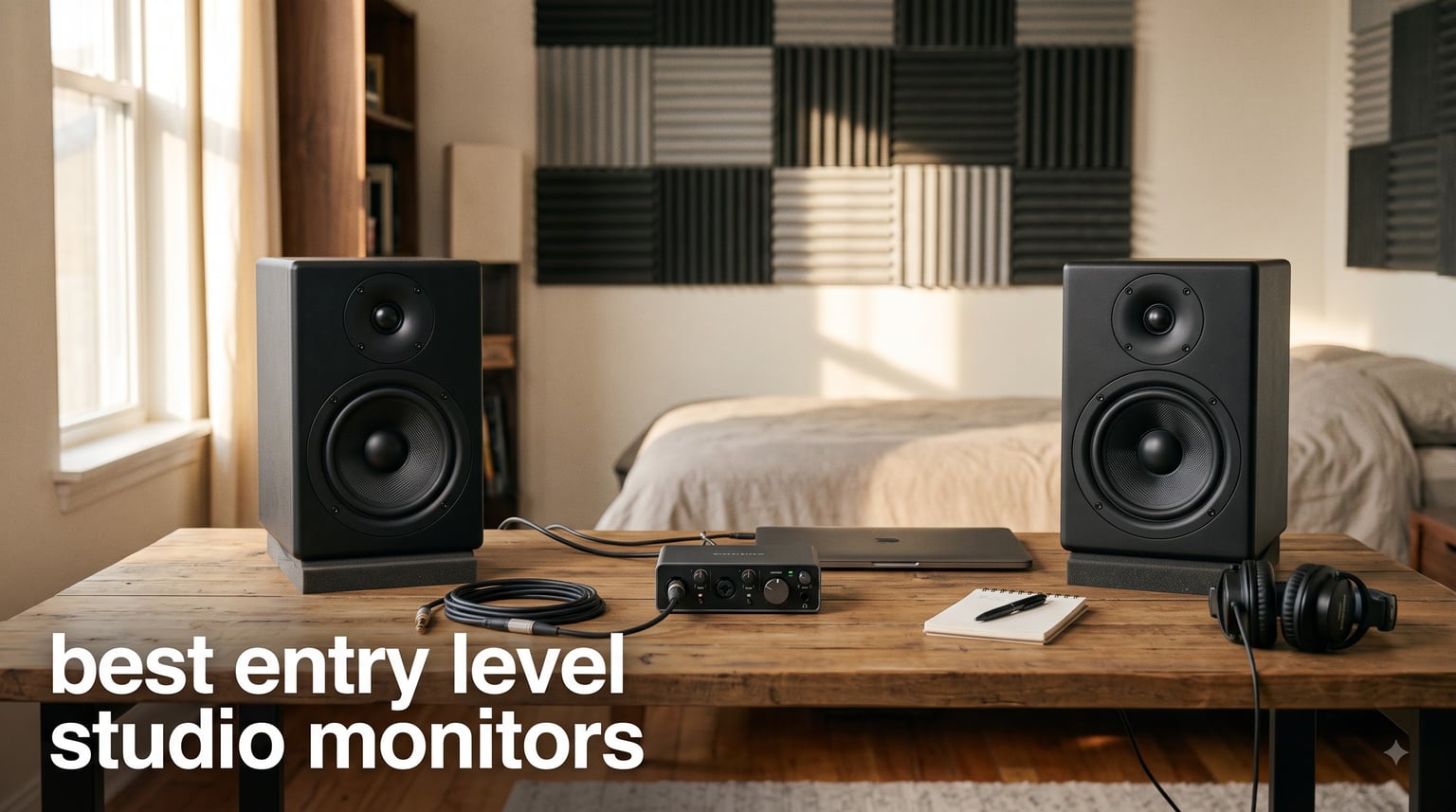
I remember my first attempt at mixing a track. I was using a pair of cheap computer speakers, and everything sounded great until I played the mix in my car. The bass was boomy, the vocals disappeared, and the whole thing fell apart. That experience taught me what every producer learns eventually: you need proper studio monitors.
Finding the best entry level studio monitors is the single biggest upgrade you can make to your home studio setup. Unlike regular speakers that color the sound to make music seem exciting, studio monitors give you a flat, honest representation of your audio. That honesty is what lets you make mixing decisions that translate across car stereos, earbuds, club systems, and everything in between.
Our team spent weeks comparing 8 of the most popular beginner studio monitors on the market. We looked at sound quality, connectivity options, build construction, room suitability, and real-world user feedback. Whether you are working with a tiny bedroom desk or a dedicated project studio, this guide will help you find the right pair for your needs and budget.
Table of Contents
Top 3 Entry Level Studio Monitors for (September 2026)

PreSonus Eris E3.5
- 21k+ reviews
- 4.7 rating
- Acoustic tuning controls
- Includes $1000+ software


PreSonus Eris 3.5
- 50W amplification
- Front aux and headphone
- Best seller rank #1
- Acoustic tuning
Best Entry Level Studio Monitors in 2026
| Product | Specifications | Action |
|---|---|---|
| PreSonus Eris 3.5 |
|
Check Latest Price |
 Mackie CR3.5 Mackie CR3.5 |
|
Check Latest Price |
| PreSonus Eris E3.5 |
|
Check Latest Price |
 M-AUDIO BX3 M-AUDIO BX3 |
|
Check Latest Price |
 Edifier MR4 Edifier MR4 |
|
Check Latest Price |
 Pioneer DJ DM-40D Pioneer DJ DM-40D |
|
Check Latest Price |
 Yamaha HS3 Yamaha HS3 |
|
Check Latest Price |
| JBL 305P MkII |
|
Check Latest Price |
1. PreSonus Eris 3.5 – Best Selling Desktop Pair
PreSonus Eris 3.5 Powered Studio Monitors, Pair — 3.5” Active Near
3.5 inch woven-composite woofer
50W amplification
80Hz-20kHz frequency
TRS/RCA/Aux inputs
Pros
- Studio-quality sound for production and media
- 50 watts of clean built-in amplification
- Woven-composite woofers for tight bass
- Built-in acoustic tuning controls
- Front headphone jack and aux input
Cons
- Limited low-end extension below 80Hz
- 3.5 inch woofer may feel small for larger rooms
The PreSonus Eris 3.5 is the monitor I recommend to friends who are just starting out and want something proven. These hold the number one best seller rank in Studio Audio Monitors on Amazon, and that popularity is well earned. At 3.5 inches, the woven-composite woofers deliver tighter bass than you might expect from a desktop pair this size.
I set these up on a small desk in a 10 by 12 bedroom, and the sound filled the space without straining. The 50 watts of built-in amplification means you get clean, dynamic sound even at higher volumes. The 1-inch silk-dome tweeters smooth out the highs nicely, so you are not fatigued after long mixing sessions.
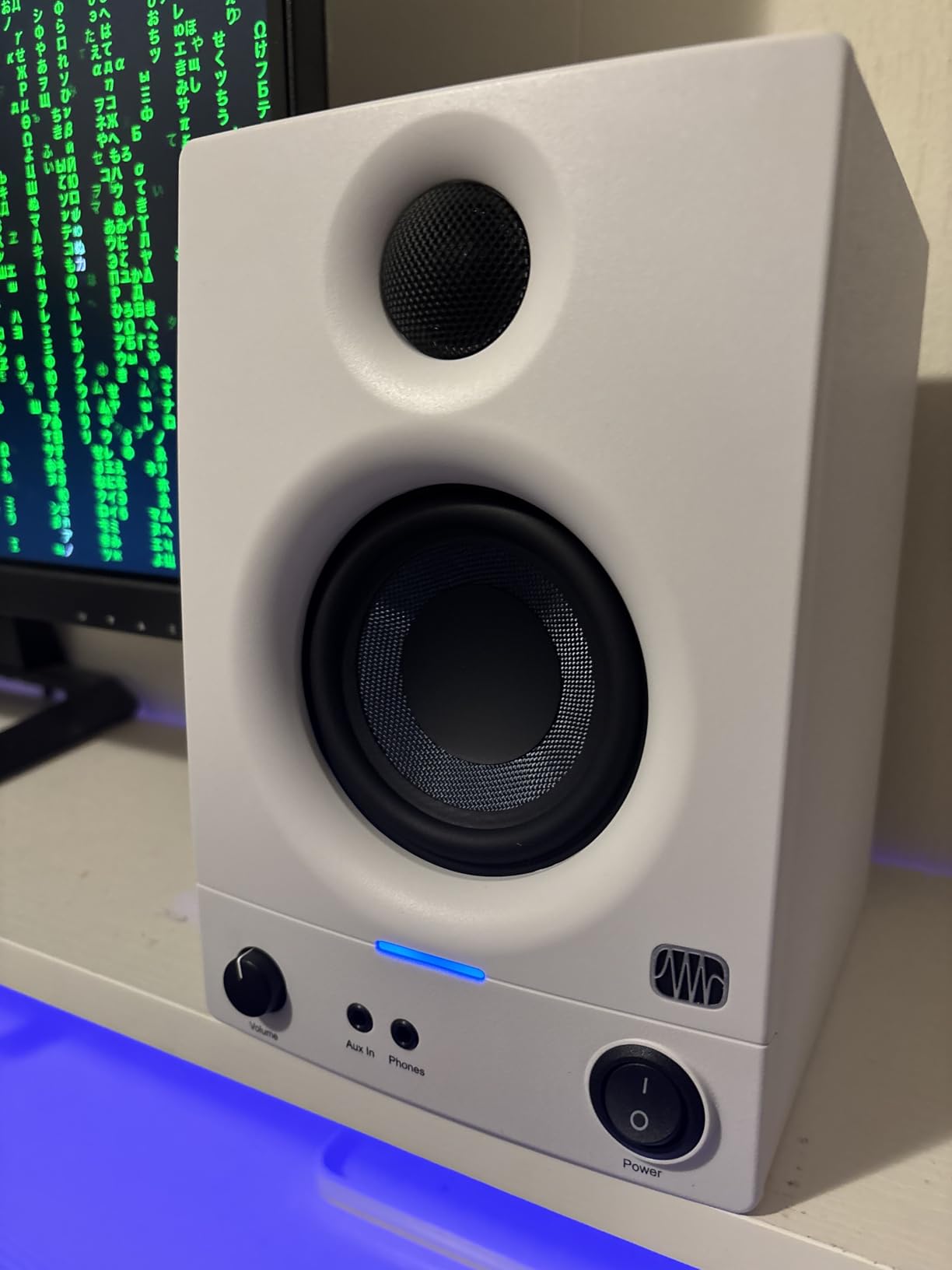
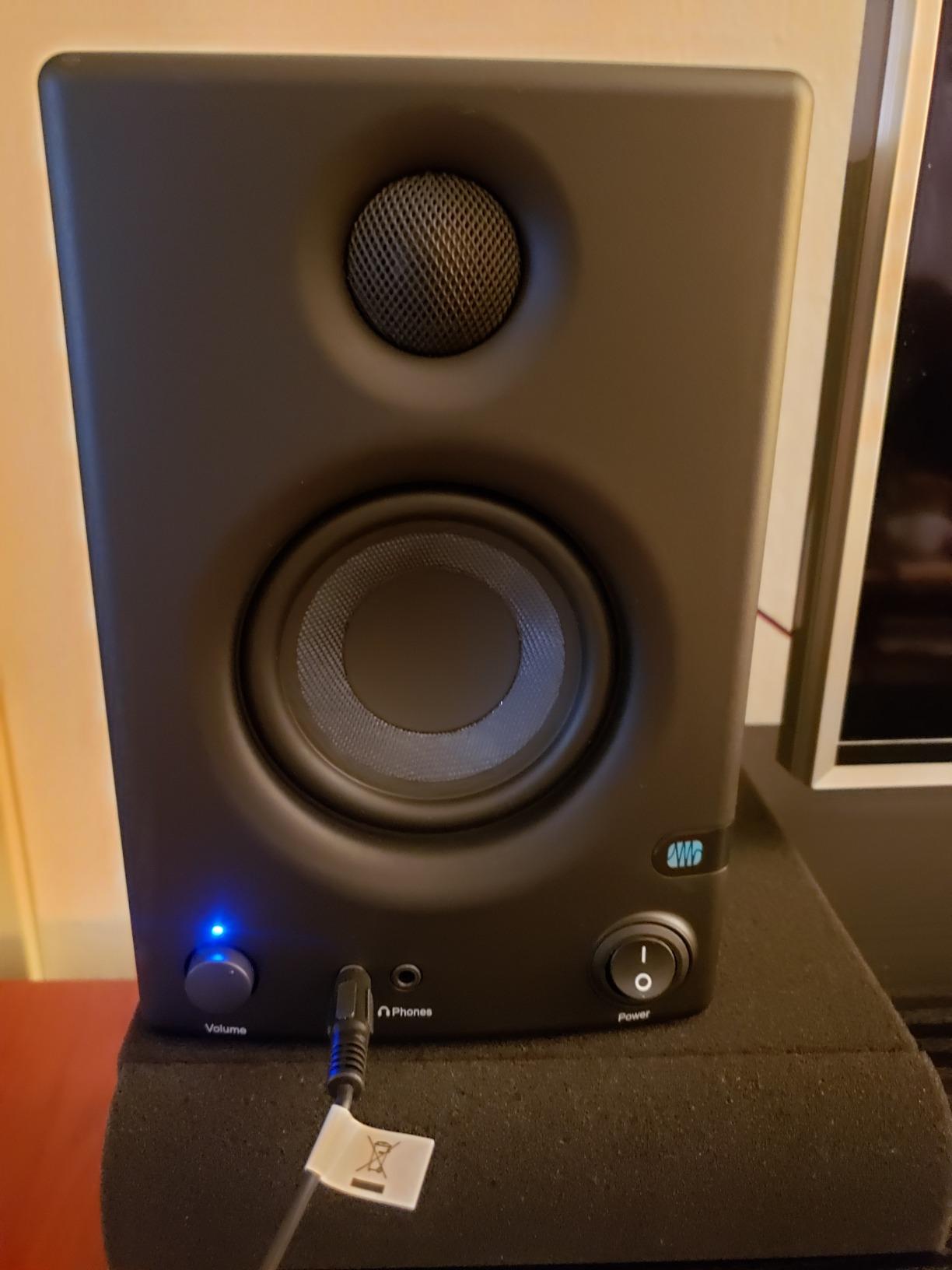
What makes the Eris 3.5 stand out for beginners is the connectivity. You get balanced TRS inputs for your audio interface, RCA for consumer gear, and a front-panel aux input for quick phone connections. There is also a front headphone jack, which is incredibly handy when you need to switch to private listening without reaching behind your desk.
The built-in high- and low-frequency acoustic tuning controls are a feature usually reserved for more expensive monitors. These let you adjust the sound to compensate for your room, which matters more than most beginners realize. If your desk is against a wall or in a corner, these controls can tame bass buildup that would otherwise muddy your mixes.
What Room Size Works Best
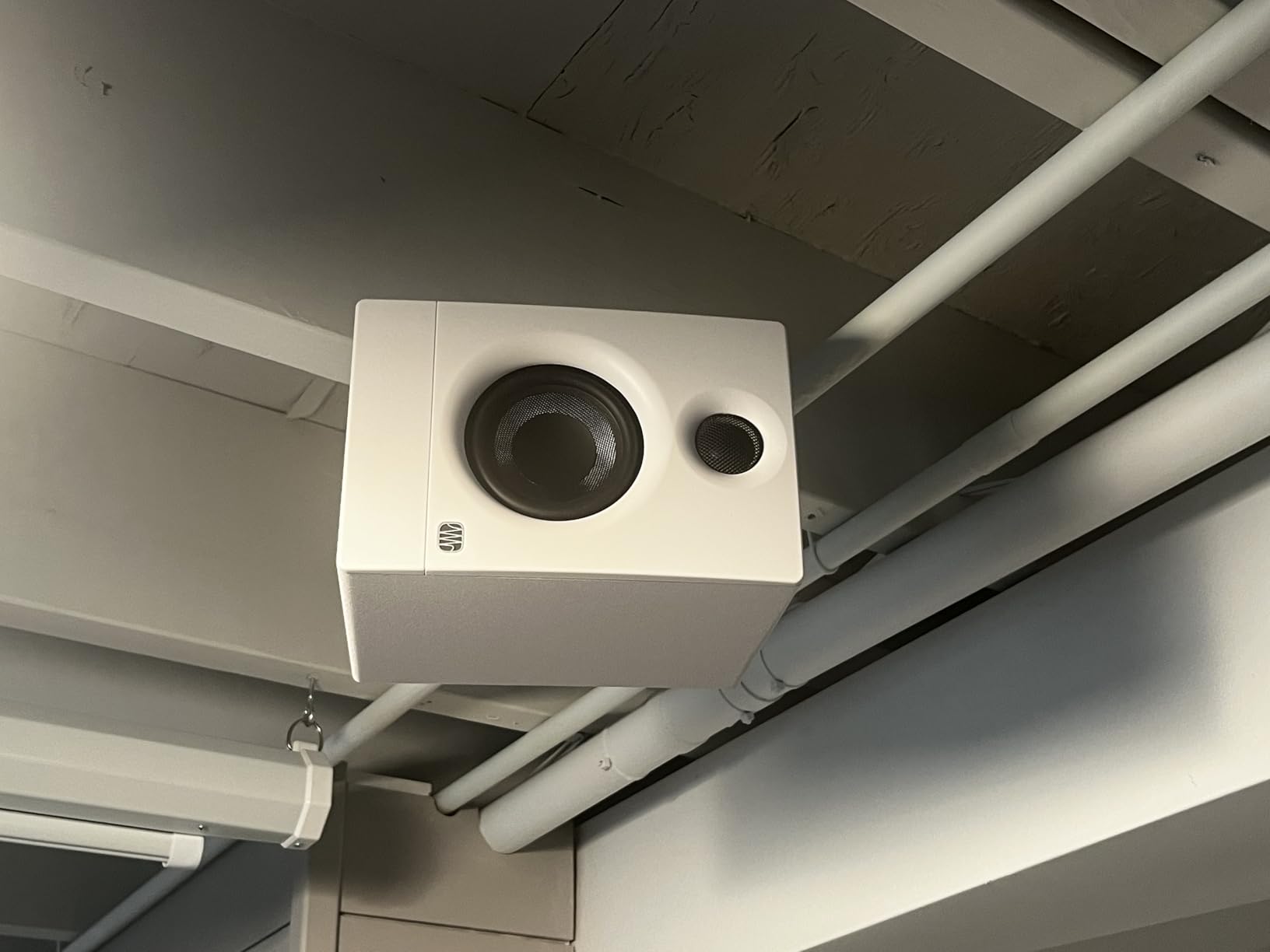
The Eris 3.5 is designed for nearfield listening, meaning you should sit about 3 to 4 feet away from them. They are perfect for small bedrooms, home offices, or dorm room setups. In rooms larger than about 12 by 12 feet, you may want to step up to a larger woofer size for adequate bass response.
Audio Interface Compatibility
These monitors work with virtually any audio interface thanks to the TRS inputs. If your interface has balanced TRS or unbalanced RCA outputs, you are covered. For interfaces with only XLR outputs, you will need TRS-to-XLR cables, which are inexpensive and widely available.
2. Mackie CR3.5 – Most Flexible Tone Control
Mackie CR3.5 Studio Monitors (Pair), 3.5″ Woofers, Tone Knob, Black
3.5 inch woven woofer
50W power
Tone knob
Desktop/Bookshelf switch
Pros
- Tone knob for flexible sound shaping
- Location switch for desktop or bookshelf use
- Clean articulate sound with low-end presence
- Includes cables and foam isolation pads
- Built-in headphone output
Cons
- Lower review count than established competitors
- Plastic enclosure rather than wood
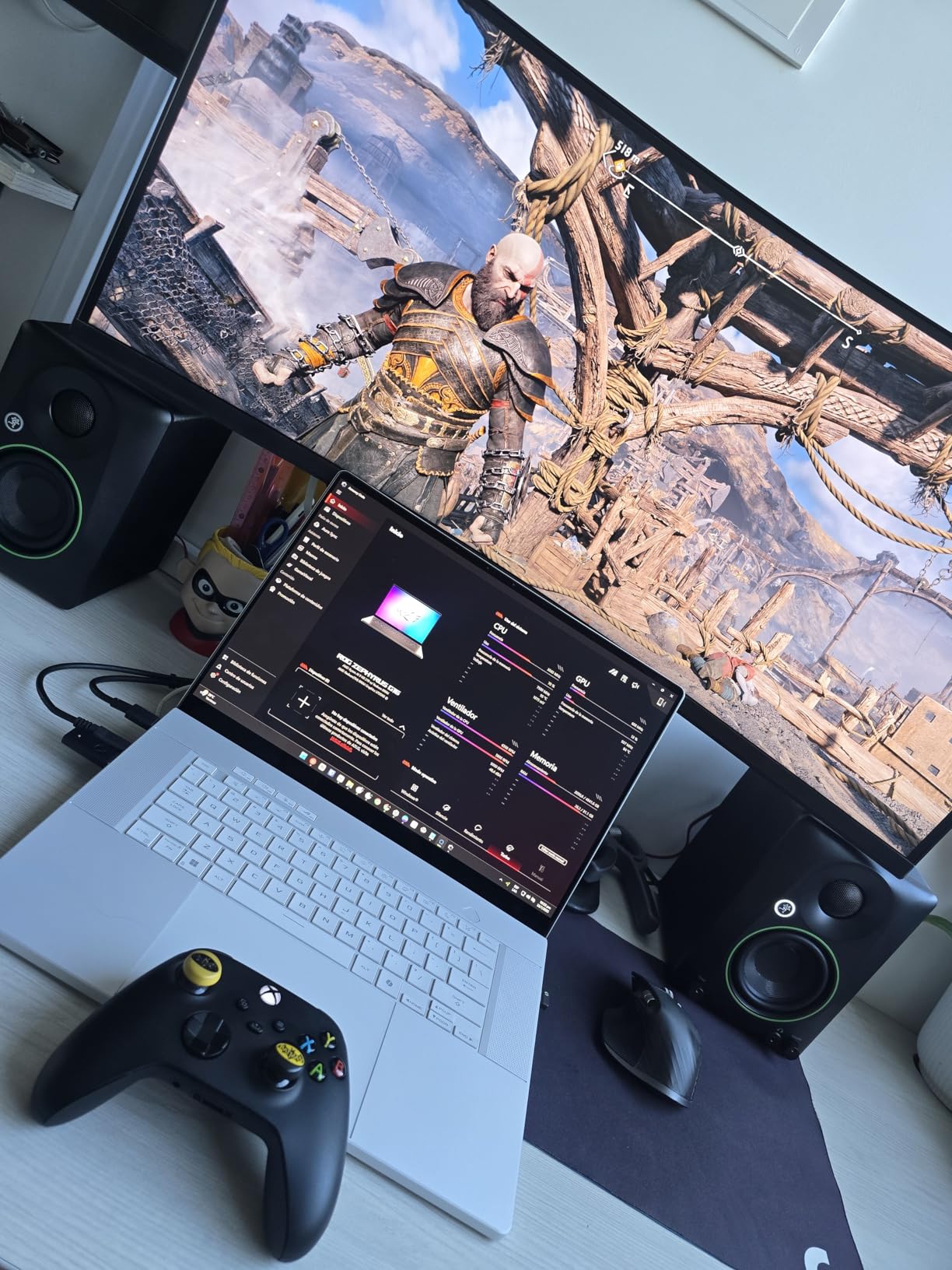
The Mackie CR3.5 brings something different to the table with its tone knob and location switch. I found the tone knob genuinely useful for dialing in the right sound for different tasks. You can go from a transparent, flat monitoring sound to a boosted bass and sparkling high-end profile with a simple twist.
The location switch is a feature I have not seen on other monitors in this price range. It optimizes the speakers for either desktop close-range listening or bookshelf distance listening. This means you can use them on your desk for production work, then switch modes when you want to sit back and enjoy music from across the room.
The silk dome tweeter and 3.5-inch woven woofer combination produces clean, articulate sound with surprising low-end presence. Mackie has a long history in professional audio, and that expertise shows in the voicing of these monitors. With 81 percent five-star ratings from buyers, the sound quality is clearly hitting the mark.
Mackie includes everything you need to get started right in the box. You get a 1/8-inch to 1/8-inch cable, a 1/8-inch to RCA cable, foam isolation pads, and speaker wire. That is one of the most complete accessory packages at this price point, and it means you can be up and running the same day your monitors arrive.
Who Benefits from the Tone Knob
If you produce multiple genres or use your monitors for both work and leisure, the tone knob is a genuine advantage. You can set a flat response for mixing, then boost the bass for casual listening or gaming. It gives you two monitors in one without needing external EQ software.
Desktop vs Bookshelf Placement
The location switch changes the tuning to compensate for the different acoustic properties of nearfield versus mid-field positioning. On a desk, you are closer and hear more direct sound. On a bookshelf, room reflections play a bigger role. The switch adjusts for both scenarios effectively.
3. PreSonus Eris E3.5 – Most Trusted by Beginners
PreSonus Eris E3.5-3.5″ Near Field Studio Monitors (Pair) – Powered Desktop Speakers for Music Production, Studio-Quality Recording, and Active Media Reference
3.5 inch woven composite drivers
50W Class AB amp
Acoustic tuning
Includes $1000+ software
Pros
- 21k+ reviews with 4.7 rating proves long-term trust
- Includes Studio One Prime and Studio Magic plug-in suite
- Acoustic tuning controls for room adaptation
- Comprehensive protection circuits
- 82 percent five-star ratings
Cons
- Not Prime eligible at time of writing
- 25W per speaker slightly less than newer models
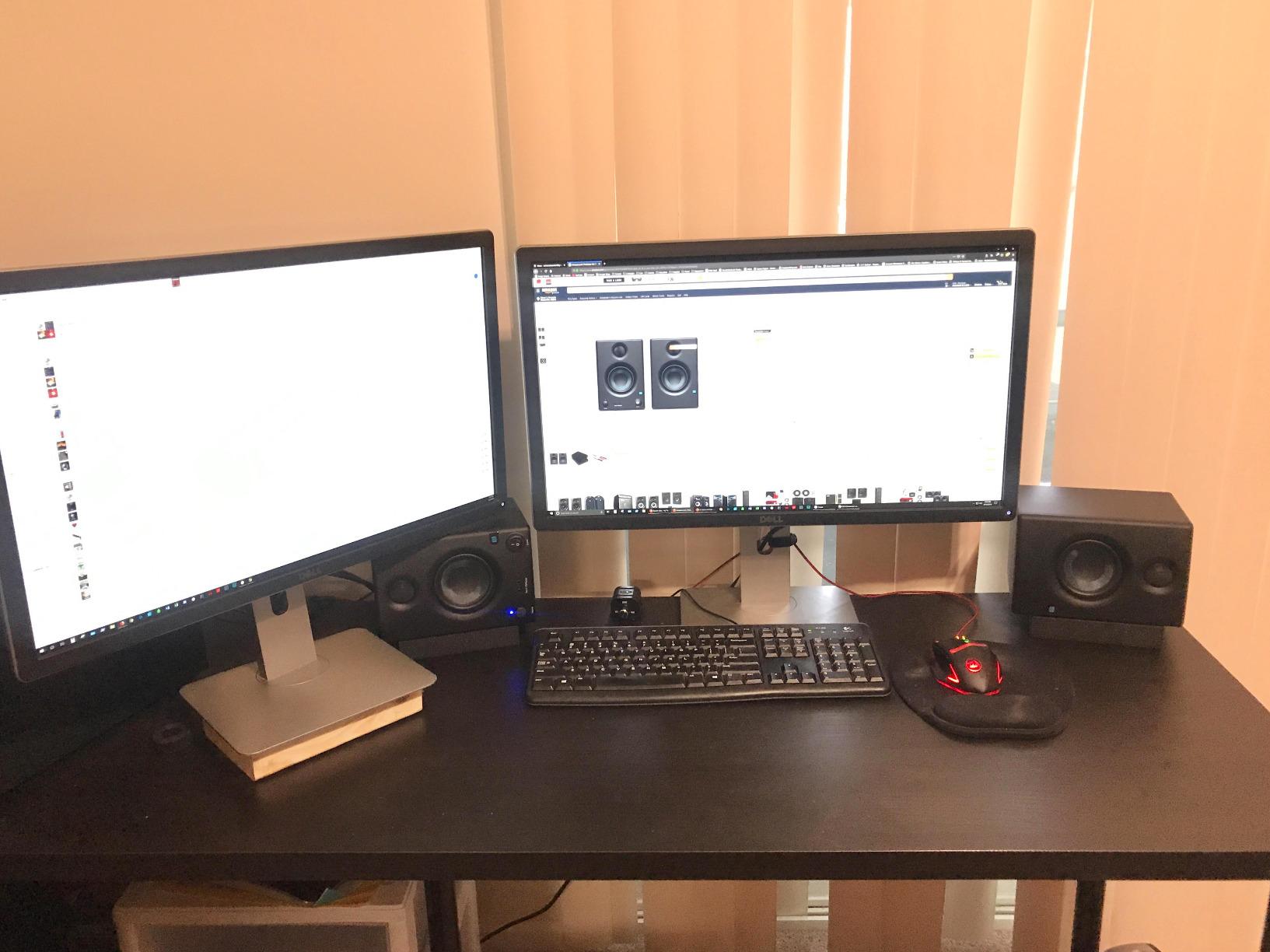
The PreSonus Eris E3.5 is the monitor I would buy with my own money if I were starting from scratch today. With over 21,000 reviews and a 4.7-star rating, this is the most reviewed and trusted entry level studio monitor on the market. That kind of track record does not happen by accident.
The 3.5-inch woven composite drivers produce accurate bass response that lets you hear what is happening in the low end of your mixes. The 1-inch ultra-low-mass silk-dome tweeters eliminate the harshness that plagues cheaper monitors, giving you smooth, balanced high frequencies that do not fatigue your ears during long sessions.
What sets the E3.5 apart from every other monitor in this price range is the included software bundle. You get Studio One Prime, which is a full digital audio workstation, plus the Studio Magic plug-in suite valued at over $1000. For a beginner who has not yet invested in production software, this bundle alone justifies the purchase.
The acoustic tuning controls are the feature that makes these monitors genuinely useful for real-world rooms. Most beginners work in untreated bedrooms or offices where the acoustics are far from ideal. The ability to adjust for your room means your monitoring decisions are based on what the speakers are actually producing, not what your room is doing to the sound.
Why 21,000 Reviews Matter
A review count this high tells you that tens of thousands of producers have put these monitors through years of real-world use. The 82 percent five-star rating means the vast majority are still happy with their purchase. When you buy the E3.5, you are buying a proven tool with a massive community of users behind it.
Long-Term Durability
The E3.5 includes RF interference protection, output-current limiting, and over-temperature protection circuits. These features, usually found on professional-grade gear, mean the monitors will protect themselves from damage over years of daily use. Several users in forums report theirs still going strong after 5-plus years.
4. M-AUDIO BX3 – Most Powerful in Class
M-AUDIO BX3 3.5″ Wired Studio Monitors Pair
3.5 inch Kevlar woofer
120W bi-amplified
MDF cabinet
Rear EQ controls
Pros
- 120W bi-amplified power is highest in class
- Kevlar woofers for professional-grade bass
- Acoustically-inert MDF cabinet reduces vibration
- Rear panel EQ for customization
- Includes MPC Beats production software
Cons
- No wireless connectivity
- Heavier than some competitors at 8 pounds
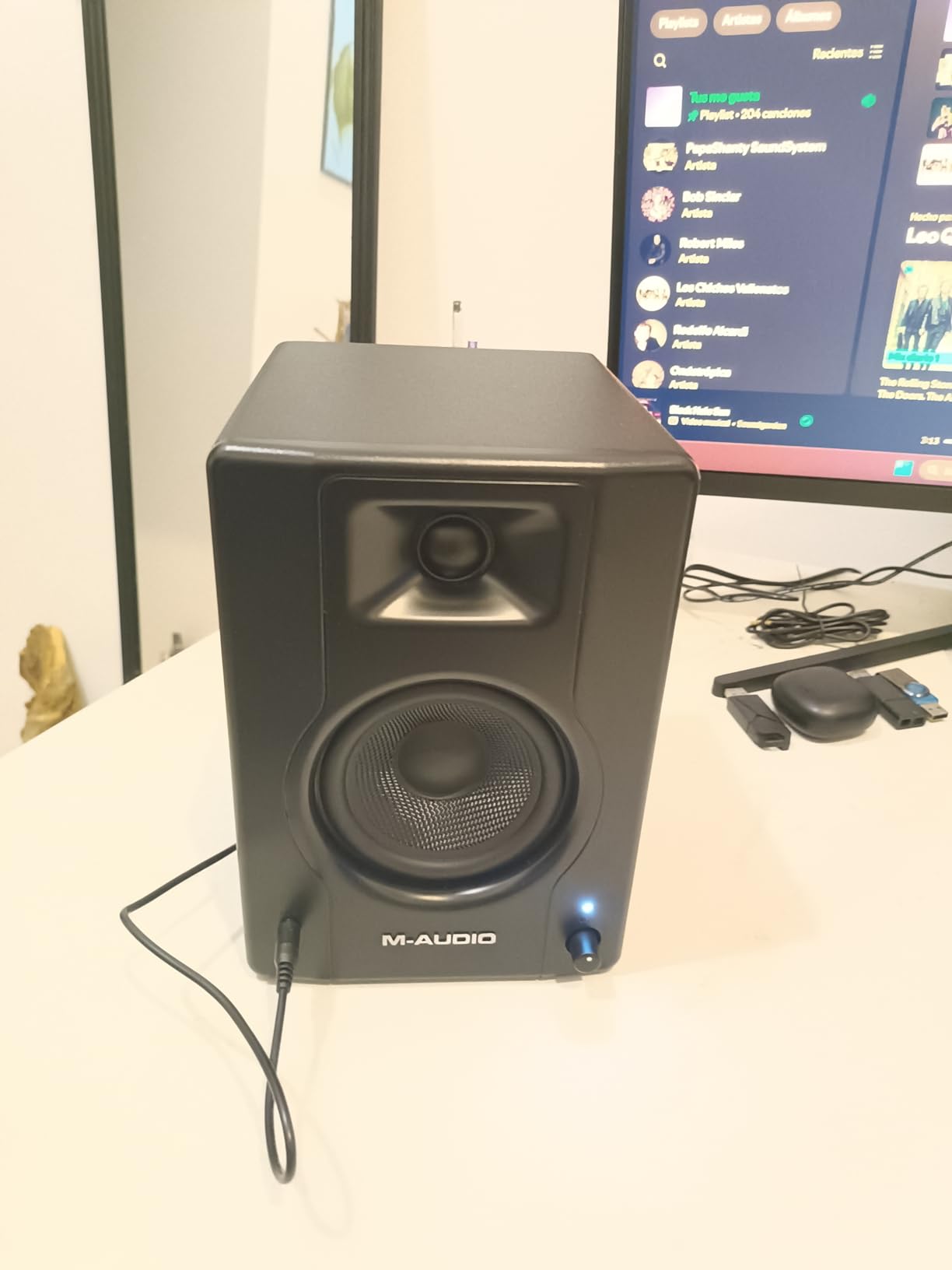
The M-AUDIO BX3 takes a different approach by packing 120 watts of bi-amplified power into a 3.5-inch monitor. That is the highest power output in the entry-level class by a significant margin. More power means these monitors can deliver clean sound at higher volumes without distortion, which matters if you work in a larger room or like to monitor loud.
The Kevlar woofers are a professional touch that you do not usually find at this price. Kevlar is stiffer than standard woofer materials, which means the driver responds more accurately to rapid transients. I noticed this most on kick drums and snare hits, where the attack came through with impressive precision.
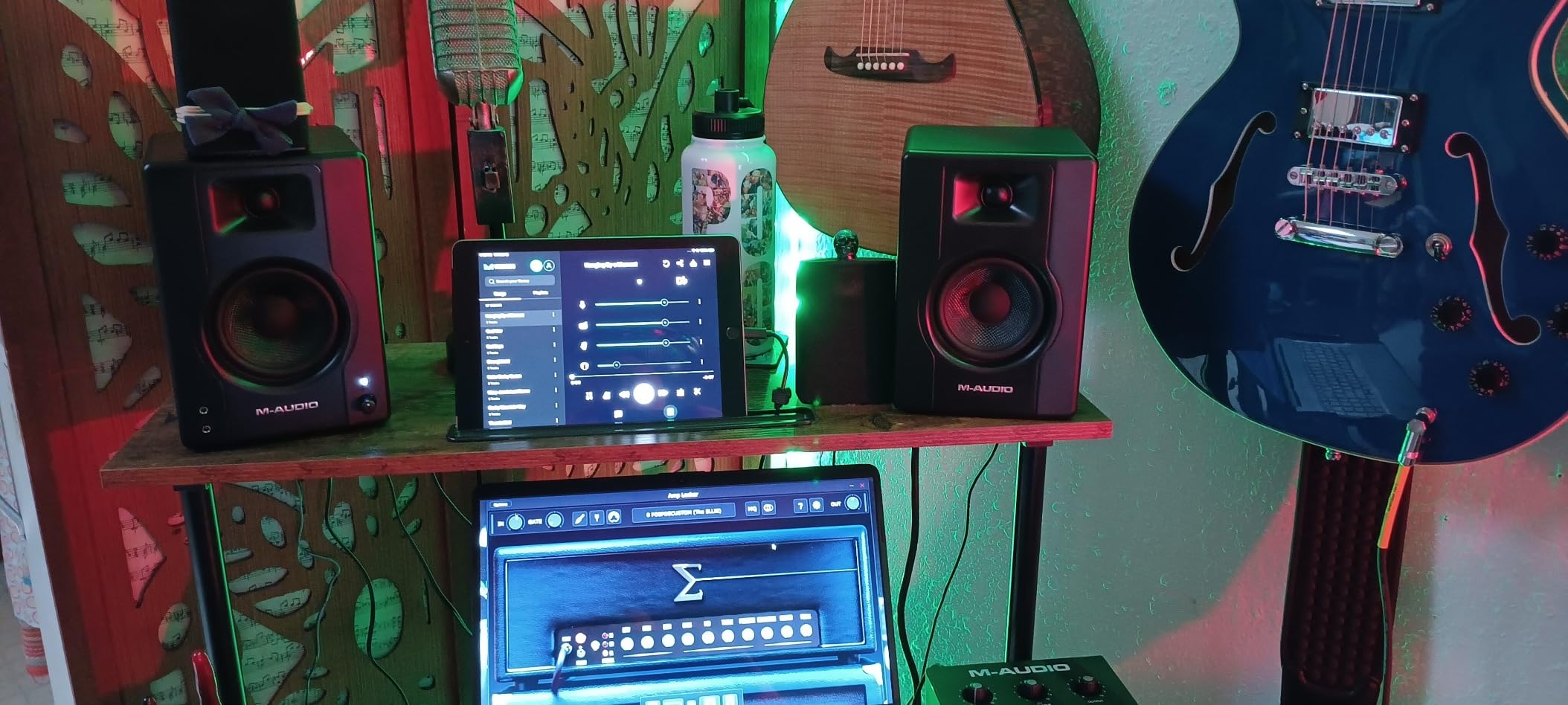
The MDF cabinet construction is another feature that elevates the BX3 above plastic-enclosure competitors. MDF is denser and more acoustically inert than plastic, which means the cabinet vibrates less and colors the sound less. Combined with the bass reflex design, the BX3 produces a surprisingly full low end for a 3.5-inch monitor.
The rear panel high and low EQ dials let you fine-tune the frequency response to your room. The left and right active speaker position switch is a thoughtful touch that lets you place the powered speaker on whichever side works best for your desk layout. These are the kinds of details that show M-AUDIO designed these with real-world studio use in mind.
Is 120W Overkill for Beginners
While 120 watts may sound like overkill for a bedroom, it actually means the monitors have plenty of headroom. Headroom is the gap between your normal listening volume and the maximum the speakers can produce. More headroom means cleaner sound at the volumes you actually use, because the drivers never have to work near their limits.
Connectivity Options
The BX3 offers 1/4-inch TRS inputs, 1/8-inch stereo auxiliary input, and RCA stereo input pairs. This covers every connection type a beginner might need, from professional audio interfaces to consumer devices. The zero-latency wired connection design means no signal delay, which is important for live monitoring during recording.
5. Edifier MR4 – Best Dual-Mode Design
Edifier MR4 Studio Monitor Speakers, 4 inch Active Near-Field
4 inch composite woofer
42W power
Near-flat response
Monitor/Music dual mode
Pros
- 4-inch woofer for deeper bass than 3.5-inch models
- Near-flat response curve ideal for mixing
- Dual mode for production and casual listening
- High and low frequency adjustment knobs
- MDF wooden structure reduces resonance
Cons
- Plastic enclosure material despite MDF claims
- Heavier at 4.5 kg per pair
- Requires AAA battery for remote
The Edifier MR4 is the monitor I point people to when they want a slightly larger woofer without jumping to a much higher price point. The 4-inch composite woofers reach deeper into the bass frequencies than any 3.5-inch model on this list. That extra half-inch of driver size makes a real difference when you are trying to hear what is happening at 60 to 80 Hz in your mixes.
Edifier professionally fine-tuned the MR4 to a near-flat responsive curve, which is exactly what you want for mixing. A flat response means the speakers do not boost or cut any frequency range, so what you hear is an accurate representation of your audio. This is the whole point of studio monitors, and the MR4 delivers on it well.
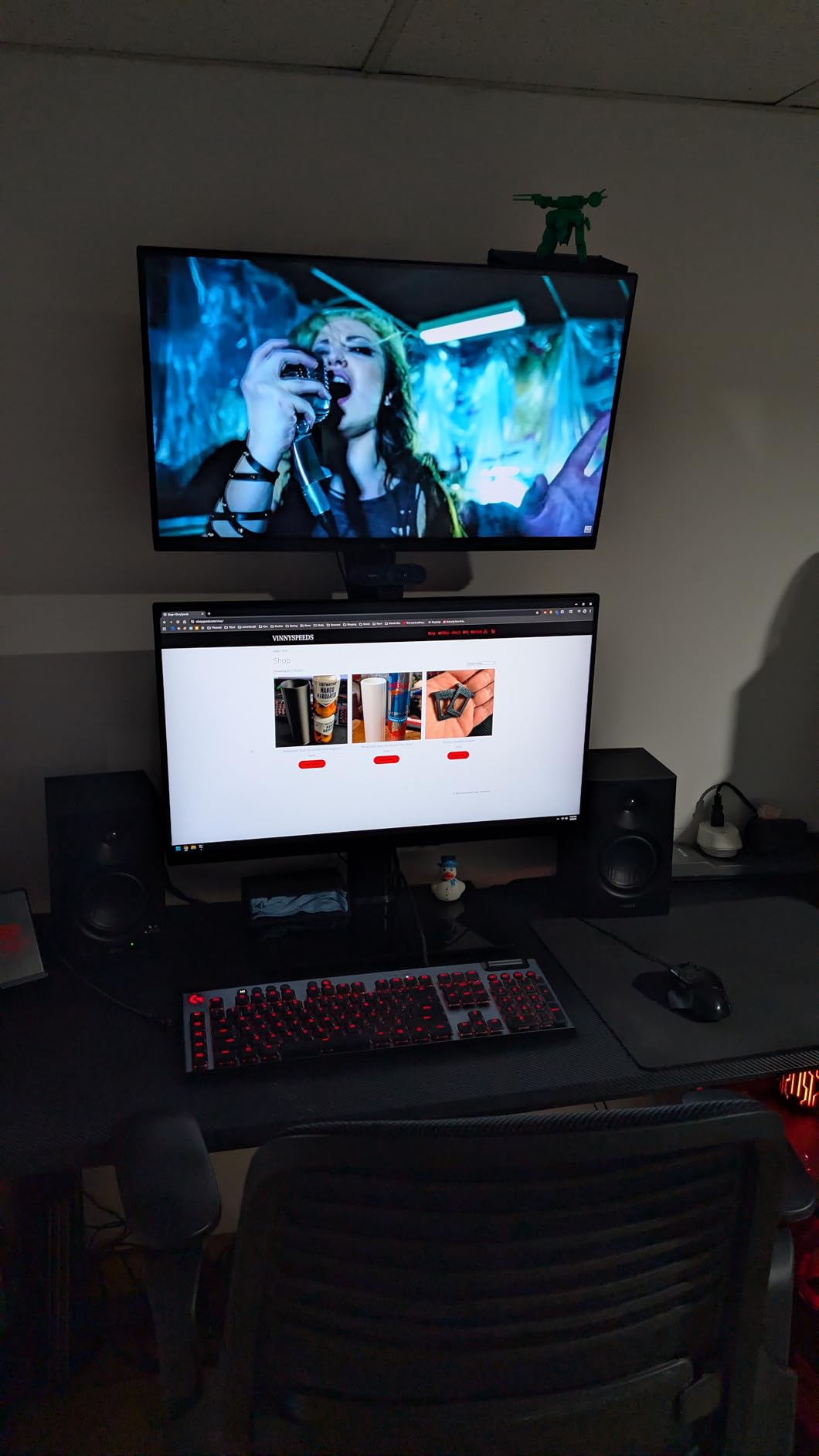
The dual-mode design is what makes the MR4 unique. Monitor mode gives you the flat, uncolored response you need for production work. Music mode boosts the bass and treble for a more exciting sound when you just want to listen to your favorite tracks. Switching between modes is as simple as turning a knob.
The 1-inch silk dome tweeters pair with the 4-inch woofers in an MDF wooden structure that reduces unwanted resonance. With 77 percent five-star ratings from nearly 3,600 buyers, the sound quality has clearly resonated with users. The MR4 also holds a strong best seller rank of number 5 in Studio Audio Monitors.
Monitor Mode vs Music Mode Explained
Monitor mode bypasses the tone enhancements to give you raw, uncolored audio for mixing decisions. Music mode applies a gentle EQ curve that makes casual listening more enjoyable. Having both modes means you do not need separate speakers for work and play.
Is the 4-Inch Woofer Worth It
If you produce bass-heavy music like electronic, hip-hop, or EDM, the extra half-inch of woofer size is noticeable. You will hear bass guitar fundamentals, kick drum body, and sub-bass frequencies more clearly than with 3.5-inch monitors. For acoustic or vocal-focused production, the difference is less pronounced but still beneficial.
6. Pioneer DJ DM-40D – Best for DJs and Producers
Pioneer DJ DM-40D 4-inch Active Desktop Monitor Speakers, Pair, Black
4 inch woofer
42W Class D amp
96kHz DSP
DJ/Production mode switch
Pros
- 2-way sound mode for DJing and production
- 96kHz sampling DSP for clean sound
- DECO convex diffusers for 3D stereo imaging
- Time-aligned woofer and tweeter
- Front headphone socket
Cons
- Lower review count at 350 total
- Smaller 4-inch driver than 5-inch alternatives
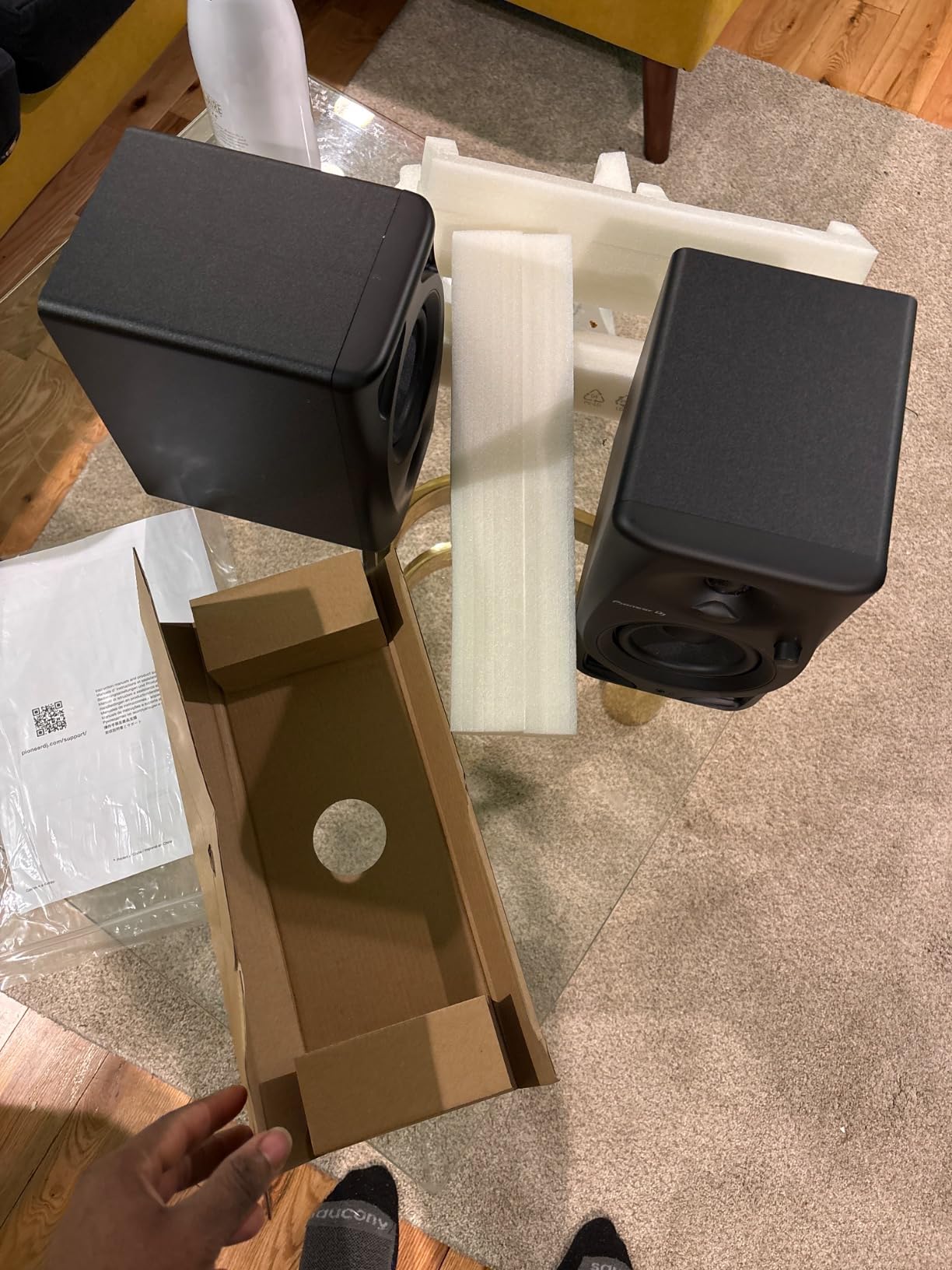
The Pioneer DJ DM-40D is built for people who split their time between DJing and music production. The 2-way sound mode switch changes the DSP settings between modes optimized for each activity. This is a feature I have not seen on any other entry-level monitor, and it makes the DM-40D uniquely versatile for hybrid creators.
In production mode, the monitors deliver a balanced, analytical sound that lets you make accurate mixing decisions. In DJ mode, the sound opens up with more energy and impact, which is what you want when you are cueing tracks and beatmatching. The switch is on the front panel, so you can change modes without reaching behind the speakers.
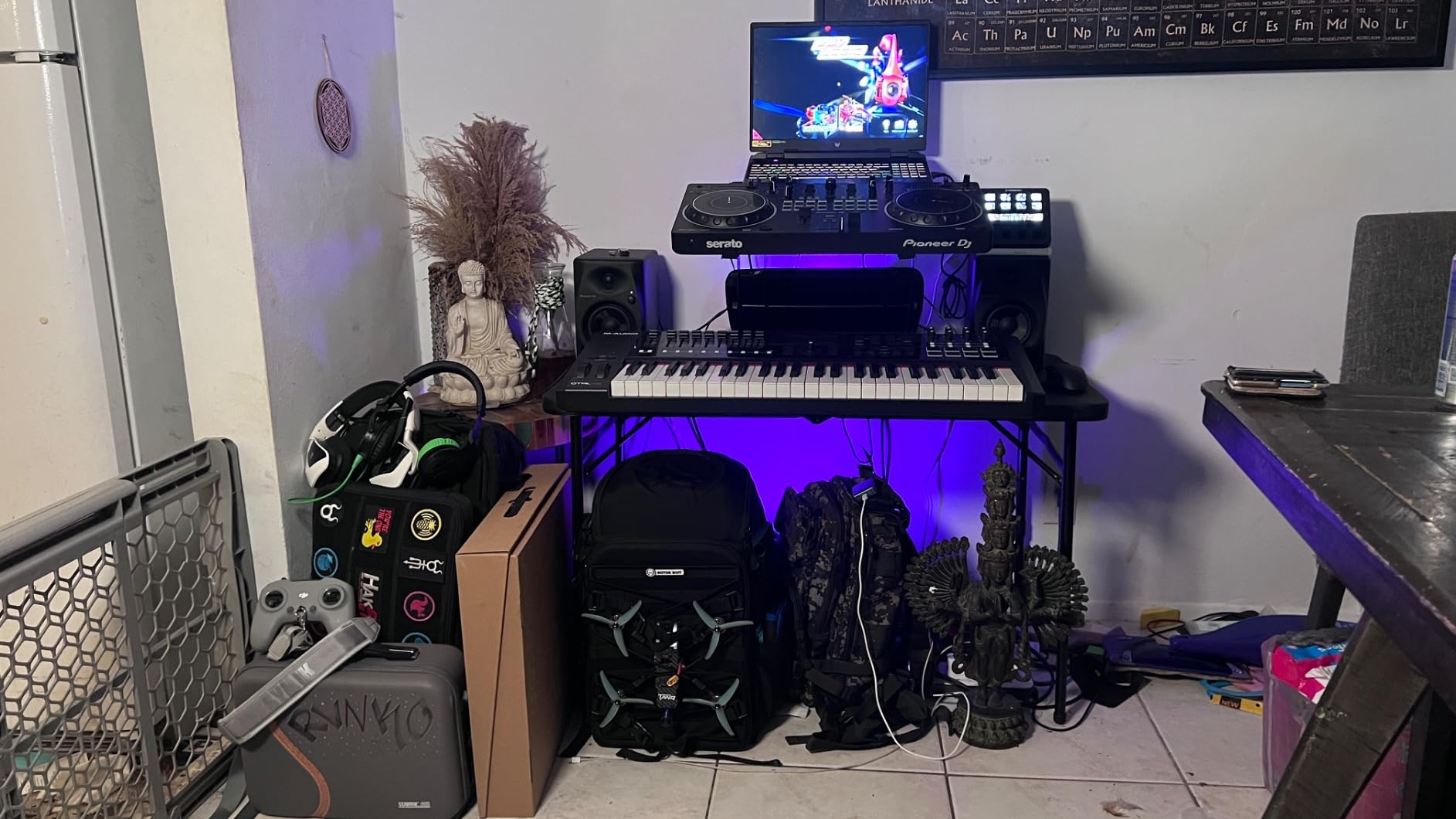
The DECO convex diffusers are an interesting design choice that sets the DM-40D apart visually and sonically. These diffusers spread the high frequencies more evenly across the listening area, creating a wider sweet spot and a sense of 3D stereo imaging. Pioneer borrowed this technology from their professional line of monitors.
The 96kHz sampling DSP processes audio at a higher resolution than the standard 48kHz used by many monitors. This means cleaner sound with less digital artifacts, particularly in the high frequencies. The time-aligned woofer and tweeter design ensures that sound from both drivers reaches your ears simultaneously, which is important for accurate stereo imaging.
Who Should Choose the DJ Mode
If you are a DJ who also produces, or a producer who gigs occasionally, the DM-40D eliminates the need for two different sets of speakers. The DJ mode enhances the energy and impact that you need for evaluating tracks in a DJ context. Production mode gives you the analytical flat response for studio work.
Connectivity for DJ Setups
The DM-40D offers RCA and mini-jack terminals plus a front panel headphone socket. This makes it easy to connect DJ controllers, mixers, and audio interfaces. The RCA and mini-jack combination covers most consumer and prosumer DJ equipment, though professionals with XLR-only gear may need adapters.
7. Yamaha HS3 – Industry Pedigree in Compact Form
Yamaha HS3 Powered Studio Monitor in Black, Pair (HS3 B)
3.5 inch cone woofer
26W output
70Hz-22kHz
Room control and high trim
Pros
- Industry-standard Yamaha monitor heritage
- 84 percent five-star ratings
- Room control and high trim response controls
- Multiple inputs including XLR TRS RCA and Stereo Mini
- Wood enclosure with professional build quality
Cons
- Smaller 3.5 inch woofer at a higher price
- Lower maximum output than larger monitors
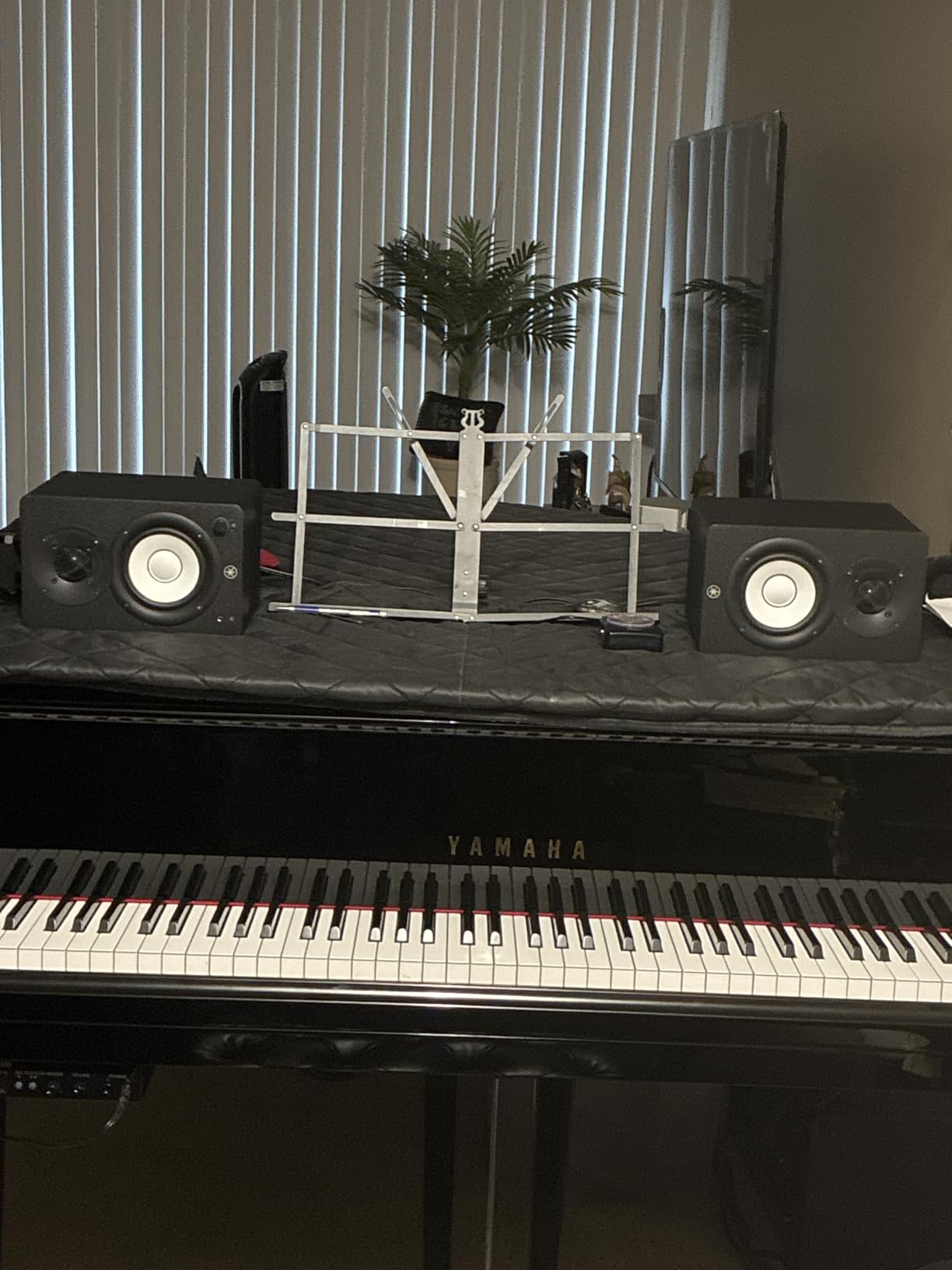
The Yamaha HS3 brings the legendary HS series pedigree into a compact form factor designed for small studios. Yamaha monitors are found in professional studios worldwide, and the HS3 carries that same DNA. With 84 percent five-star ratings and a 4.7 overall score, users confirm the sound quality lives up to the Yamaha name.
I appreciate that Yamaha includes room control and high trim response controls on a monitor this size. The room control feature lets you compensate for the bass boost that happens when monitors are placed near walls. This is a real-world problem that every beginner faces, and having a built-in solution is valuable.
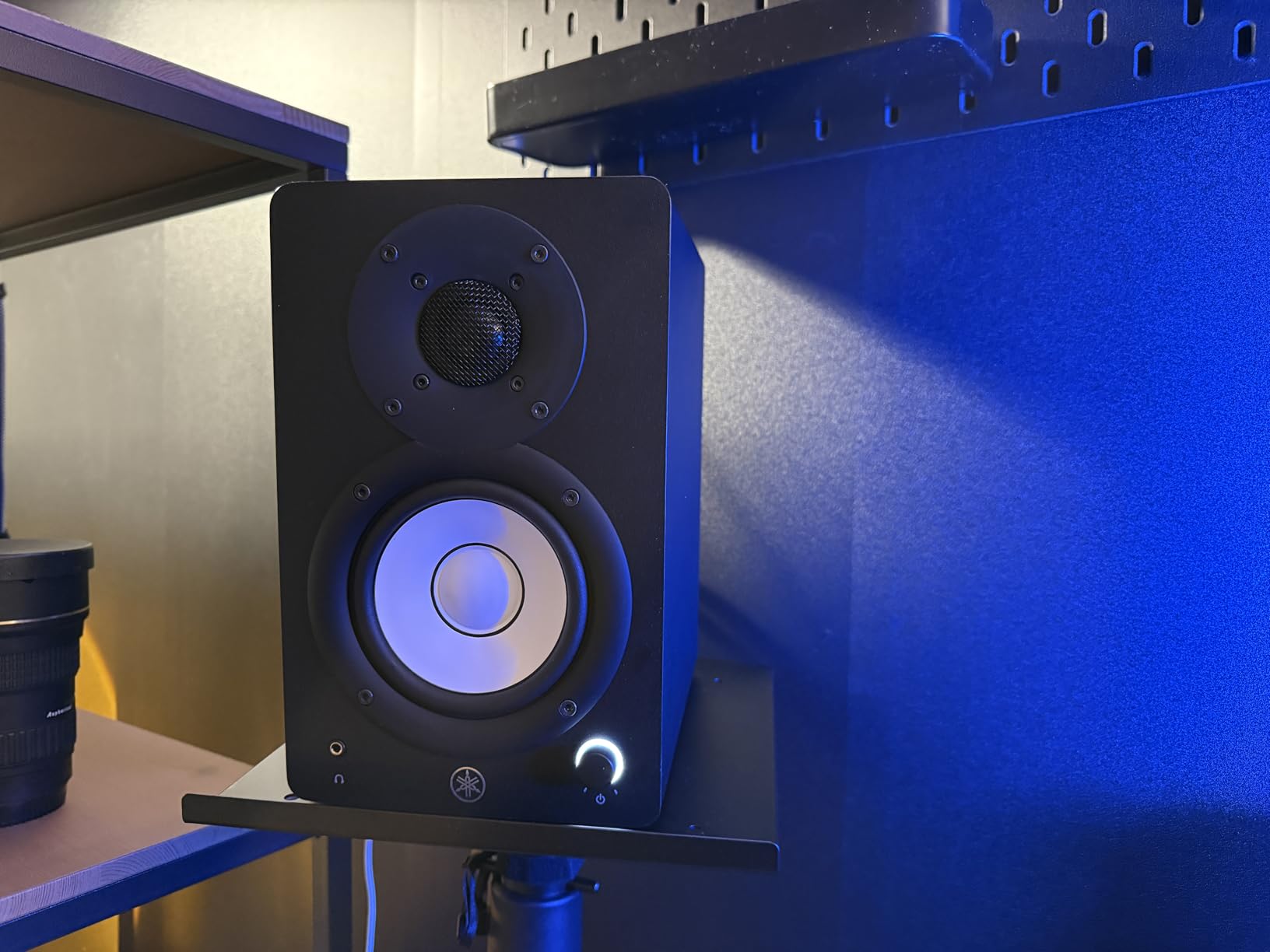
The connectivity is the most comprehensive on this list. You get XLR and TRS combo inputs, RCA inputs, and stereo mini inputs. This means the HS3 can connect to professional audio interfaces, consumer devices, portable recorders, and anything else you might throw at it. The wood enclosure adds a premium feel and contributes to the solid, well-damped sound.
The 70 Hz to 22 kHz frequency response covers the full audible spectrum for most mixing work. Yamaha includes the cables you need to get started, along with an anti-slip pad for desk placement. The 1-year manufacturer warranty provides basic protection, and the build quality suggests these monitors will last well beyond that period.
Why Yamaha HS Series Has Such a Following
The HS series descended from the legendary NS-10, the monitor that defined the sound of modern music production. While the HS3 is much smaller and more affordable, it shares the same philosophy of honest, unflattering sound. Mixes that sound good on Yamaha monitors tend to translate well to other systems.
Is the Premium Price Justified
The HS3 costs more than most 3.5-inch monitors on this list, but you are paying for Yamaha engineering, the wood enclosure, and the comprehensive input selection. If you plan to upgrade your audio interface in the future, the XLR inputs mean these monitors will grow with your setup rather than hold you back.
8. JBL 305P MkII – Best Sound Stage and Imaging
(2) JBL 305P MkII 5″ 2-Way Active Powered Studio Reference Monitors Speakers
5 inch woofer
Dual 41W Class-D amps
Image Control Waveguide
Boundary EQ and HF Trim
Pros
- Patented Image Control Waveguide for precise imaging
- 5-inch woofer reaches deeper bass frequencies
- Dual 41W Class-D amplifiers
- Boundary EQ and HF Trim for room correction
- 5-year warranty
Cons
- Higher price point than 3.5-inch models
- Not Prime eligible and limited stock availability
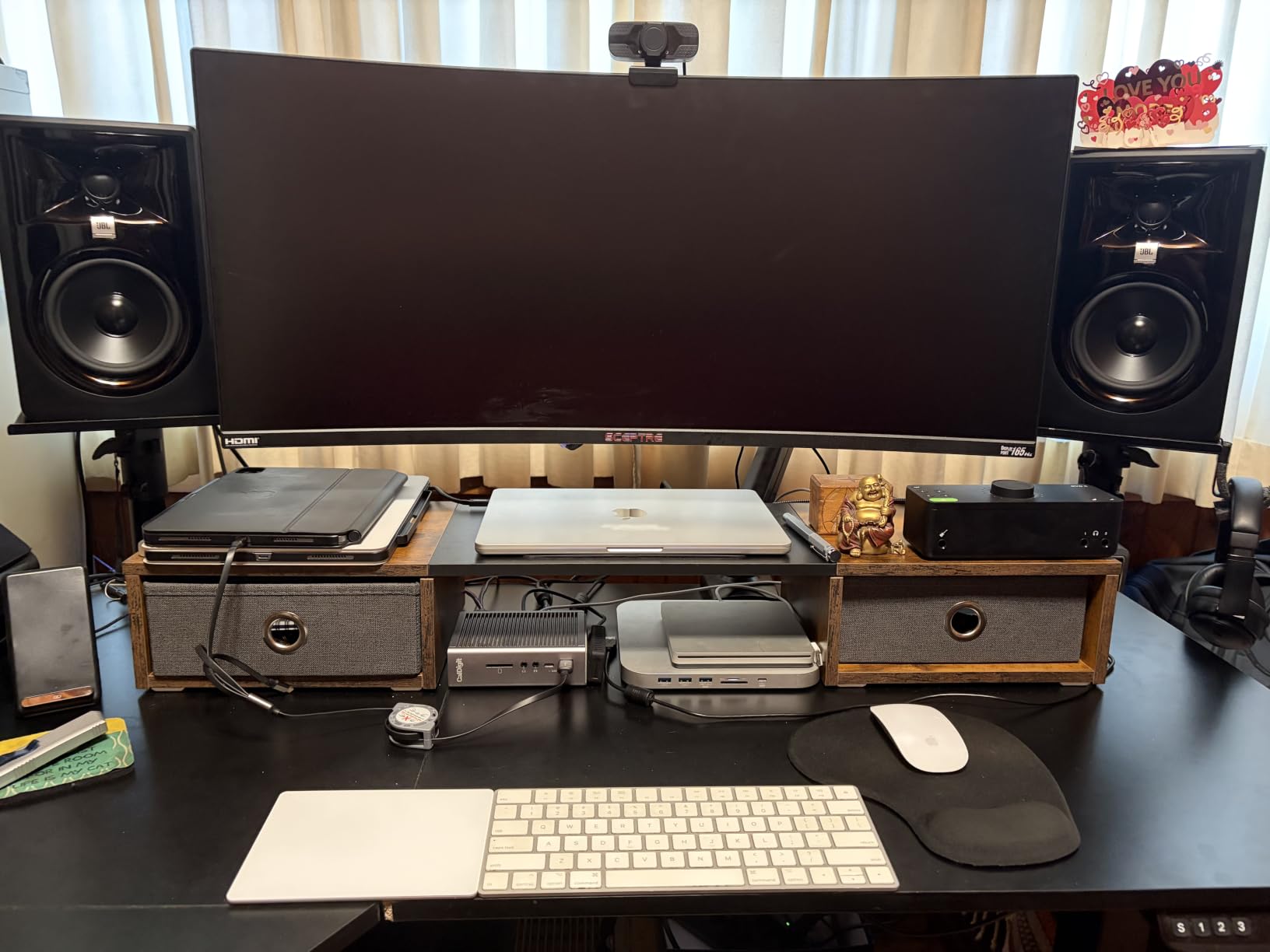
The JBL 305P MkII is the monitor that most forum users recommend when someone asks about the best entry level studio monitors. The 5-inch woofer reaches noticeably deeper into the bass than any 3.5-inch or 4-inch monitor on this list. If you want to hear what is actually happening in the low end of your mixes, this is the monitor that will show you.
The patented Image Control Waveguide is the feature that truly separates the 305P MkII from the competition. This technology creates a wide, consistent sweet spot with precise stereo imaging. I found that I could move around my desk and still hear a balanced stereo image, which is not the case with most entry-level monitors.
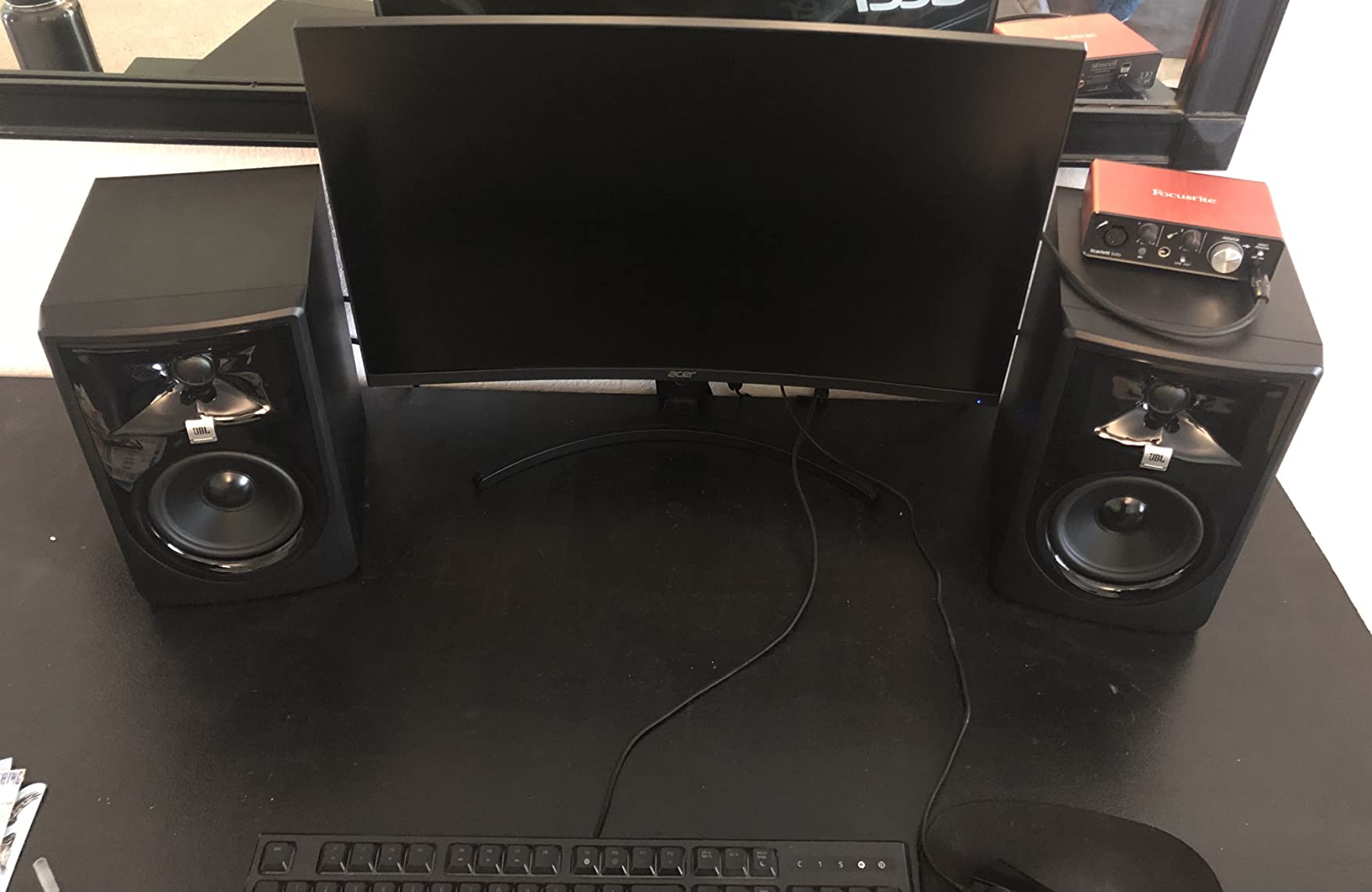
The dual 41-watt Class-D amplifiers deliver clean, powerful sound with plenty of headroom. Each driver gets its own dedicated amplifier, which is what bi-amplification means in practice. This results in better transient response and lower distortion than single-amp designs. The Slip Stream port design on the 5-inch woofer reduces port noise at higher volumes.
JBL includes Boundary EQ and HF Trim adjustments for room correction. The Boundary EQ compensates for the bass boost that occurs when monitors are placed on a desk or near a wall. The HF Trim lets you adjust the high frequencies to match your room acoustics. These controls, combined with the 5-year warranty, make the 305P MkII a professional tool at an entry-level price.
Why the 5-Inch Woofer Matters
A 5-inch woofer reaches down to around 43 Hz, compared to about 60 to 70 Hz for a 3.5-inch model. That means you can hear bass guitar fundamentals, kick drum body, and even some sub-bass frequencies that smaller monitors simply cannot reproduce. For any genre with significant low-end content, this is a meaningful advantage.
The 5-Year Warranty Difference
JBL backs the 305P MkII with a 5-year warranty, which is exceptional for monitors in this price range. This tells you JBL stands behind the build quality and expects these monitors to last. Most competitors offer 1-year warranties, so the JBL coverage is worth factoring into your decision.
How to Choose Entry Level Studio Monitors
Choosing your first pair of studio monitors does not have to be complicated. The key is matching the monitor to your room, your equipment, and the type of work you do. Here is what matters most when making your decision.
Woofer Size and Room Size
Woofer size is the single most important factor in how a monitor will perform in your space. A 3.5-inch woofer works well in small bedrooms and home offices up to about 10 by 10 feet. A 4-inch woofer suits rooms up to about 12 by 12 feet. A 5-inch woofer is ideal for rooms 12 by 12 feet and larger.
Bigger is not always better. Putting large monitors in a small room creates bass problems that are difficult to solve without acoustic treatment. If your room is small, a 3.5-inch monitor will actually give you cleaner, more accurate sound than a 5-inch monitor fighting the room acoustics.
Active vs Passive Monitors
All the monitors in this guide are active, meaning they have built-in amplifiers. This is what you want as a beginner. Passive monitors require a separate amplifier, which adds cost, complexity, and another piece of gear to research. Active monitors are plug-and-play, which is why they dominate the entry-level market.
Understanding Connectivity
Studio monitors offer three main types of connections. Balanced connections use TRS or XLR cables and reject noise over long cable runs. Unbalanced connections use RCA cables and are fine for short runs but can pick up noise over longer distances. AUX or 3.5mm connections are convenient for connecting phones or consumer devices.
If you are using an audio interface, look for monitors with balanced TRS or XLR inputs. This gives you the cleanest signal path. Most entry-level interfaces have TRS outputs, and most entry-level monitors have TRS inputs, so this matching is straightforward.
Frequency Response Explained
Frequency response tells you the range of frequencies a monitor can reproduce. Human hearing covers roughly 20 Hz to 20 kHz. No entry-level monitor reproduces that full range, but you want as much coverage as possible. Pay attention to the low-end number, as that tells you how deep the bass goes.
A flat frequency response means the monitor does not boost or cut any frequency range. This is what you want for mixing, because it gives you an honest representation of your audio. Monitors with boosted bass or treble may sound more exciting, but they will mislead your mixing decisions.
Power Output
Power output, measured in watts, affects how loud the monitors can get and how much headroom they have. More power does not necessarily mean better sound quality, but it does mean the monitors can handle dynamic peaks without distortion. For nearfield monitoring in a small room, 25 to 50 watts per pair is sufficient.
Room Placement Basics
Proper placement matters as much as the monitors themselves. Position your monitors so they form an equilateral triangle with your head, meaning the distance between the two monitors equals the distance from each monitor to your ears. Aim the tweeters at ear level for the most accurate high-frequency response.
Keep monitors away from walls and corners when possible. Walls and corners boost bass frequencies artificially, which will throw off your mixing decisions. If you must place monitors near a wall, look for monitors with boundary EQ or room control features to compensate.
Do You Need an Audio Interface
An audio interface converts digital audio from your computer into the analog signal your monitors need. While you can connect some monitors directly to a computer’s headphone jack, an audio interface gives you much better sound quality and proper balanced outputs. For serious production work, an audio interface is essential.
Look for an interface with balanced TRS or XLR outputs to match your monitors. Entry-level interfaces from Focusrite, PreSonus, and MOTU pair well with all the monitors in this guide. The interface is the link between your computer and your monitors, so do not skimp on it.
Common Beginner Mistakes to Avoid
The biggest mistake beginners make is buying monitors that are too large for their room. A 5-inch monitor in a tiny bedroom will create bass problems that make mixing impossible. Match your monitor size to your room size for the best results.
Another common mistake is placing monitors directly on a desk without isolation. Desk vibrations color the sound and create false bass. Use foam isolation pads or monitor stands to decouple the monitors from your desk surface. This is a cheap fix that makes a noticeable difference.
Finally, do not expect your monitors to sound exciting right out of the box. Good studio monitors sound flat and unimpressive compared to consumer speakers. That flatness is the point. Your mixes will improve dramatically once you learn to trust what your monitors are telling you.
FAQs
What are the best entry-level studio monitors for beginners?
The PreSonus Eris E3.5 is the best entry-level studio monitor for beginners, with over 21,000 reviews and a 4.7-star rating. It offers acoustic tuning controls, includes over $1000 worth of production software, and delivers accurate sound at an affordable price. For those who can spend more, the JBL 305P MkII provides superior imaging and deeper bass with its 5-inch woofer.
What should I look for when buying budget studio monitors?
When buying budget studio monitors, focus on woofer size matched to your room, balanced TRS or XLR inputs for connecting an audio interface, a flat frequency response for accurate mixing, and acoustic tuning controls for adapting to your room. Active monitors with built-in amplifiers are the easiest choice for beginners since they require no separate amplifier.
How much do studio monitors cost?
Entry-level studio monitors typically cost between $90 and $300 for a pair. Budget options like the PreSonus Eris 3.5 and Mackie CR3.5 start around $97 to $100. Mid-range options like the Edifier MR4 and Yamaha HS3 run $150 to $200. Premium entry-level monitors like the JBL 305P MkII cost around $270 for the pair.
What is the difference between active and passive studio monitors?
Active studio monitors have built-in amplifiers matched to their specific drivers, so you simply plug them into a power source and connect your audio signal. Passive monitors require a separate external amplifier to power them. Active monitors are recommended for beginners because they are simpler to set up, require fewer components, and the built-in amplification is optimized for the specific drivers in each monitor.
Do I need an audio interface for studio monitors?
While some studio monitors can connect directly to a computer headphone jack, an audio interface is strongly recommended for music production. An audio interface provides balanced outputs for cleaner sound, better digital-to-analog conversion, and the ability to record instruments and microphones. Most entry-level interfaces from brands like Focusrite or PreSonus pair perfectly with the monitors in this guide.
Conclusion
Finding the best entry level studio monitors comes down to matching the right pair to your room, your gear, and your budget. For most beginners, the PreSonus Eris E3.5 is the clear choice with its proven track record, included software bundle, and acoustic tuning controls. It is the safest bet for your first pair of monitors.
If you have a slightly larger room and want deeper bass, the JBL 305P MkII is worth every penny with its 5-inch woofer and patented Image Control Waveguide. And if you are on the tightest budget possible, the PreSonus Eris 3.5 delivers genuine studio-quality sound at the lowest price point in this guide.
The most important thing is to start monitoring on proper studio monitors as soon as possible. Every mix you do on headphones or consumer speakers teaches you the wrong lessons. Get a pair of monitors, set them up properly, and start training your ears to hear the truth. Your mixes will never be the same.