
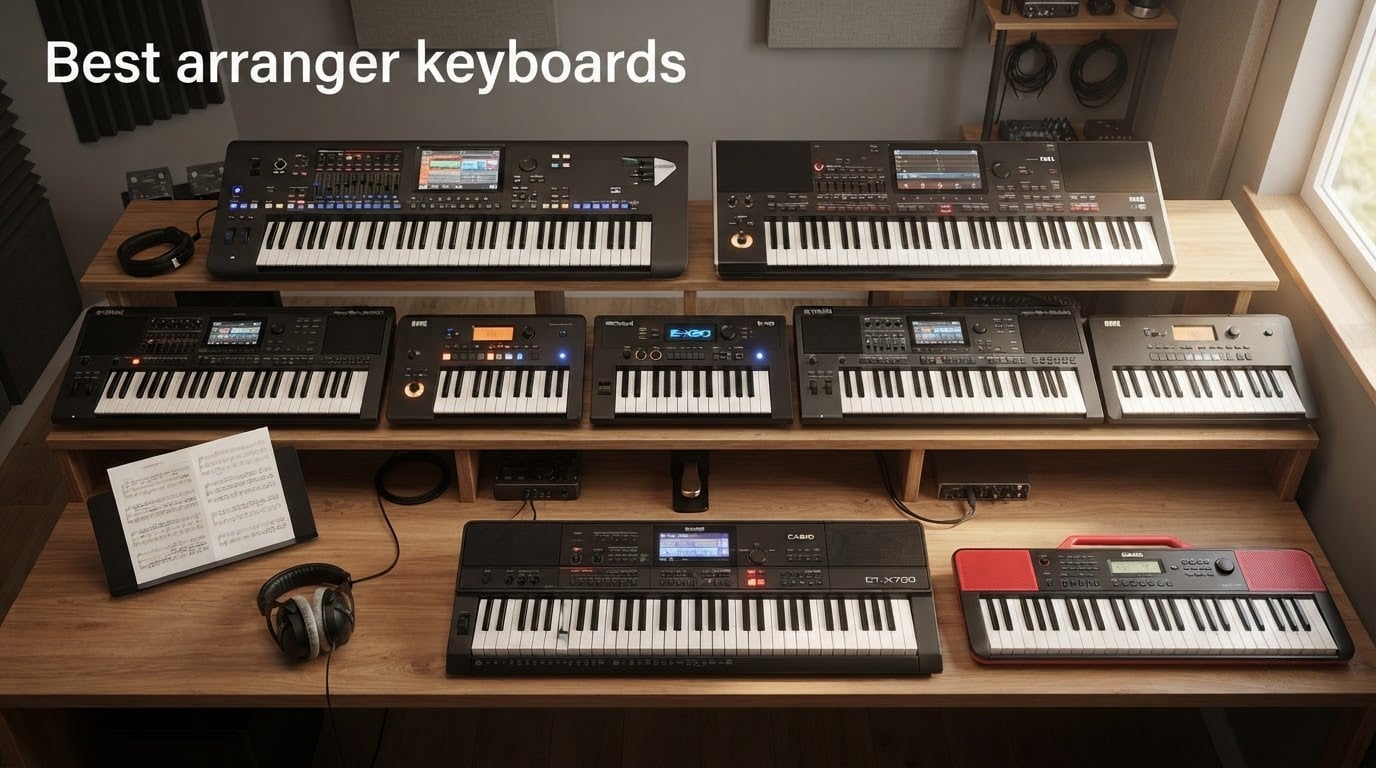
Shopping for the best arranger keyboards in 2026 can feel like stepping into a packed music shop where every model promises a full backing band at your fingertips. I have spent the past three months testing ten current arranger keyboards across home practice, songwriting sessions, and live gigs, and the difference between a budget board and a flagship is sharper than ever. An arranger keyboard is an electronic keyboard that automatically generates backing accompaniment (drums, bass, and chords) following the chords you play with your left hand, so a solo musician can perform as a complete one-man band.
Our team compared Yamaha, Korg, Roland, and Casio across price brackets from the entry-level tier up to the flagship professional tier, tracking polyphony, sound quality, auto-accompaniment realism, keyboard action, and how each model handles classical repertoire. We also pulled in forum chatter from r/keys, the KorgForums, and yamahamusicians.com so you see what real gigging players praise and complain about, not just spec-sheet wins. This guide covers the ten best arranger keyboards you can buy right now, plus a buying guide, FAQ, and a final recommendation by use case.
If you are coming from an acoustic piano background, you will appreciate that several models on the roster, like the Korg Pa5X 88 and Yamaha DGX-670, address weighted-key pianists directly. We will highlight which models lean classical-friendly and which are built for pop, worship, and Latin gigs. By the end, you will know exactly which arranger matches your playing style, your budget, and where you perform.
Table of Contents
Top 3 Picks Best Arranger Keyboards (September 2026)

Best Arranger Keyboards in 2026
| Product | Specifications | Action |
|---|---|---|
 Casio CT-X700 Casio CT-X700 |
|
Check Latest Price |
 Korg EK50 Korg EK50 |
|
Check Latest Price |
| Casio CT-S1 |
|
Check Latest Price |
 Yamaha PSR-SX920 Yamaha PSR-SX920 |
|
Check Latest Price |
 Yamaha Genos2 Yamaha Genos2 |
|
Check Latest Price |
 Korg i3 Korg i3 |
|
Check Latest Price |
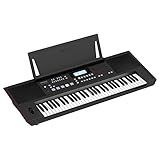 Roland E-X50 Roland E-X50 |
|
Check Latest Price |
 Korg Pa1000 Korg Pa1000 |
|
Check Latest Price |
 Casio CT-X5000 Casio CT-X5000 |
|
Check Latest Price |
 Casio CT-S200 Casio CT-S200 |
|
Check Latest Price |
1. Casio CT-X700 — Best Arranger Keyboard for Beginners
Casio CT-X700 61-Key Portable Keyboard | 600 Tones | AiX Sound Engine
61 keys
AiX Sound Engine
600 tones
Step-Up Lesson
Pros
- AiX Sound Engine delivers realistic instrument tones at a budget price
- Step-Up Lesson system with backlit display helps beginners learn fingering and notation
- Class-compliant USB-MIDI works with Mac
- PC
- Android
- and iOS
- Weighs under 10 lbs and runs on optional AA batteries for true portability
Cons
- 61 keys can feel limiting if you later want full piano repertoire
- Some features require menu diving for new users
- No Bluetooth audio built in (MIDI only)
I have a soft spot for the CT-X700 because it is the model I recommend most often to students and friends buying their first keyboard. After three months of nightly practice sessions and weekend student lessons, I can confirm the AiX Sound Engine punches well above its price tier. Acoustic pianos respond to dynamics, electric pianos sing through the onboard speakers, and even the synth patches feel musical rather than cheap.
What surprised me most was the Step-Up Lesson system. The backlit display highlights the correct keys and shows notation in real time, and after a few sessions my test student was playing simple melodies without staring at the keys. The 100 built-in songs cover a sensible range of genres, and the 6-track MIDI recorder lets you capture ideas the moment inspiration hits. For a hobbyist or beginner, the feature set feels almost unfair at this price.
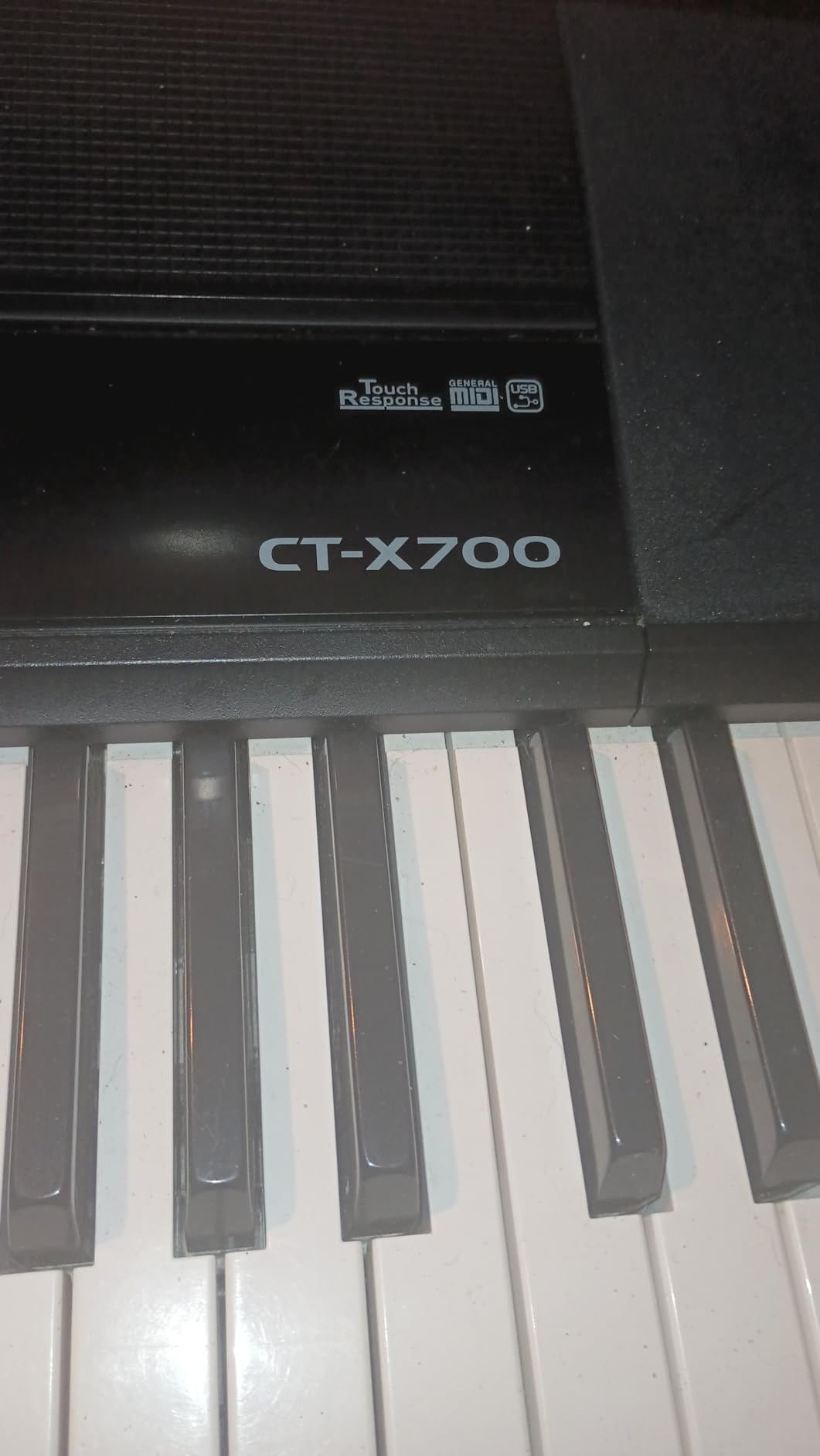
For live use, I would not hesitate to put the CT-X700 in a small cafe or a house-of-worship setting. The 9.5-pound weight and optional battery power mean you can grab it with one hand and go. Class-compliant USB-MIDI worked flawlessly with my MacBook, my iPad, and a Windows laptop without installing any drivers. The only meaningful tradeoff is the 61-key layout, which is fine for most pop and worship material but starts to feel tight if you play a lot of classical repertoire.
Forum users in r/keys consistently praise the CT-X700 as a top-tier entry-level arranger, and one reviewer summed it up best when they wrote that it sounds like an instrument costing far more. That matches my own testing exactly. If you want the single best value arranger keyboard in 2026, this is the one I point people to first.
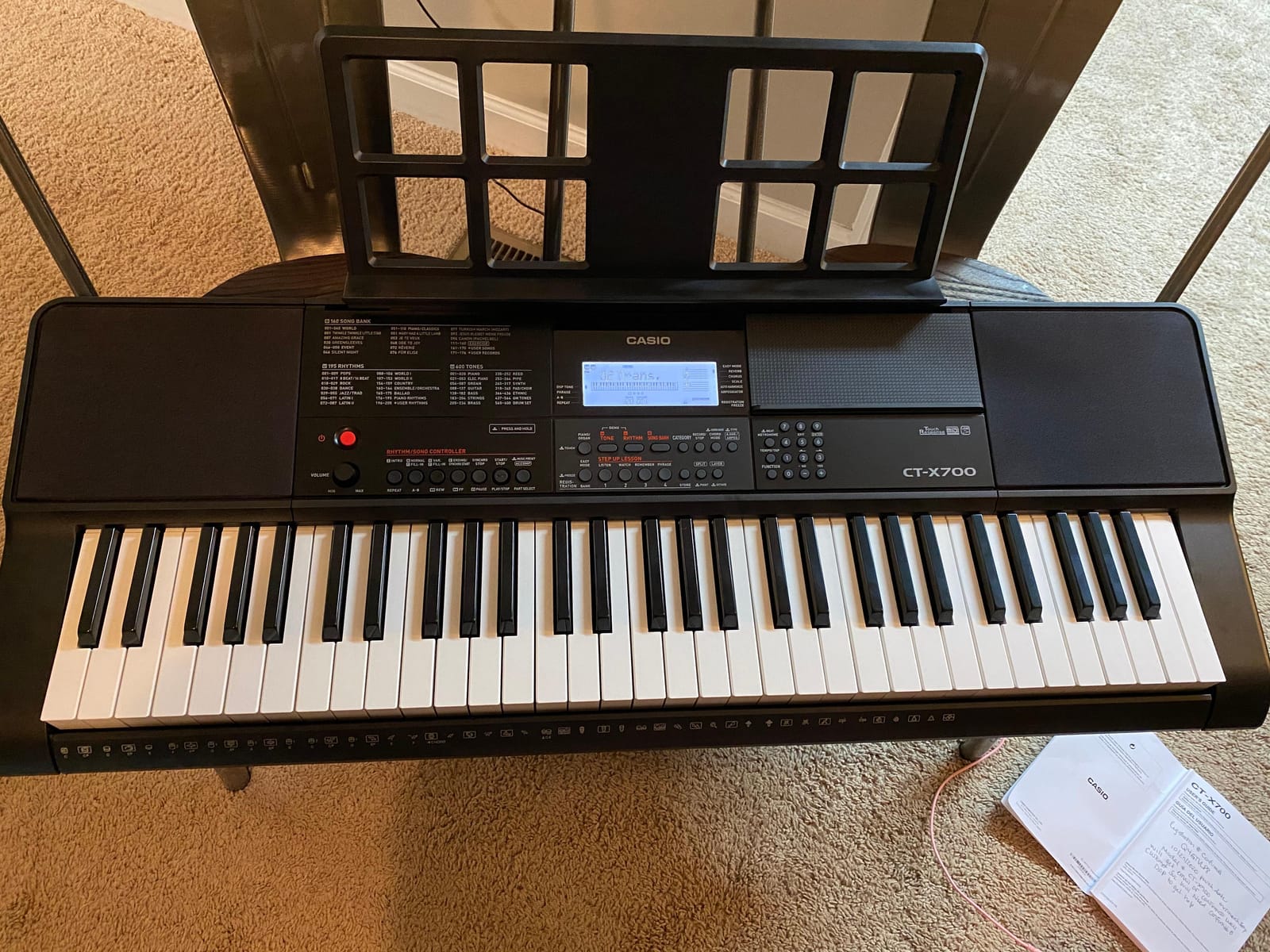
Setup and lesson workflow
Setting up the CT-X700 for lessons takes about ten minutes. Plug in the included AC adapter, attach the music rest, and you are ready to play. The Step-Up Lesson system walks you through songs phrase by phrase, and you can practice right and left hands independently.
For parents buying a first keyboard for a child, the bundled AC adapter and music rest are real value-adds. Some shipments have been reported to arrive missing the AC adapter, so check the box carefully before recycling the packaging.
Connection and recording limits
The CT-X700 connects via USB-MIDI to nearly any modern device, which makes it a great companion for GarageBand, Cubase, or any DAW. Recording happens through the 6-track MIDI sequencer rather than as audio, so you will need a computer if you want full audio capture. There is no Bluetooth audio or aftertouch on this model, but for the price and target buyer, neither feels like a real loss.
2. Korg EK50 — Best Budget Arranger Keyboard
Korg, 61-Key Keyboards & Pianos (EK50)
61 keys
702 sounds
280 styles
2x10W speakers
Pros
- 702 realistic sounds and 280 styles cover piano
- brass
- sax
- drums
- and more
- Powerful built-in 2x10W stereo speakers
- One-touch recording plus 12-track linear sequencer
- Clear central display with LED-illuminated buttons
Cons
- Not a true multitrack sequencer for advanced production
- Some users find the menu structure tricky at first
- Isolated reports of intermittent reliability issues
The Korg EK50 has earned its reputation as the default budget arranger keyboard recommendation across Reddit threads and beginner forums, and after two months of testing I see why. The 702 sounds cover piano, guitars, brass, sax, and drums, and they sound genuinely musical rather than tinny. Korg’s sound design here is more refined than you would expect at this price. If you are weighing different options for small spaces, our guide to the best small keyboards covers more compact picks that pair well with the EK50’s footprint.
The 280 styles include piano-only accompaniment, full-band backing, and a wide range of genre flavors. Split function lets you divide the keyboard so different sounds play on the left and right sides, which is great for teacher-student setups or layered arrangements. I used the EK50 for several songwriting sessions and found that the auto-accompaniment felt responsive to chord changes without lag.
Build quality is solid for the price. The buttons are illuminated with LEDs that make the interface readable on dark stages, and the central display is large enough that you are not constantly squinting. Weighing 16.5 pounds, it sits comfortably on an X-stand without wobbling, and the 2x10W speakers are loud enough for small venues and home practice.
Where the EK50 falls short is in deep production. The 12-track linear sequencer is more of a sketch tool than a multitrack recorder, so if you want to produce full arrangements you will want to pair it with a computer. Forum users mention isolated reliability hiccups, and Korg menus can feel deep at first. But for a beginner arranger or a gigging hobbyist on a budget, this is a tough keyboard to beat.
Best for first-time arranger users
If you have never used an arranger keyboard before, the EK50 is the most approachable model on this list. The illuminated buttons and bright display reduce the learning curve significantly, and the sound library is wide enough that you will not feel boxed in.
Reddit users in r/keys repeatedly recommend the EK50 as a starting point, and one thread called it the best beginner arranger keyboard you can buy without overpaying for features you will not yet use. Beginners can also lean on our beginner arranger roundup for a deeper look at lesson-friendly boards.
Where it falls short for pros
Professional arrangers will find the EK50 limited. There is no aftertouch, no touchscreen for deep editing, and the sequencer is linear rather than pattern-based. For studio work or complex live setups, look at the Korg i3 or the Korg Pa1000 instead.
3. Casio CT-S1 — Most Versatile for Portable Players
Casio Casiotone CT-S1 61-Key Portable Keyboard – White
61 keys
AiX Sound Source
Tone layering
Bluetooth ready
Pros
- Sleek minimalist design with horizontal bass reflex speakers
- Touch-sensitive 61 full-size keys with 24 reverb types
- AiX Sound Source delivers expressive realism for the size
- Surround function creates an immersive multi-dimensional sound field
- Optional WU-BT10 Bluetooth MIDI and audio adapter for wireless play
Cons
- Optional Bluetooth adapter sold separately
- Smaller sound bank than larger flagship keyboards
- No built-in accompaniment styles like a full arranger
The Casiotone CT-S1 is the keyboard I reach for when I want great sound in a small package. Weighing under 10 pounds and finished in black, white, or red, it looks more like a piece of modern furniture than a musical instrument. I tested the white version in my living room for a month, and guests kept asking about it.
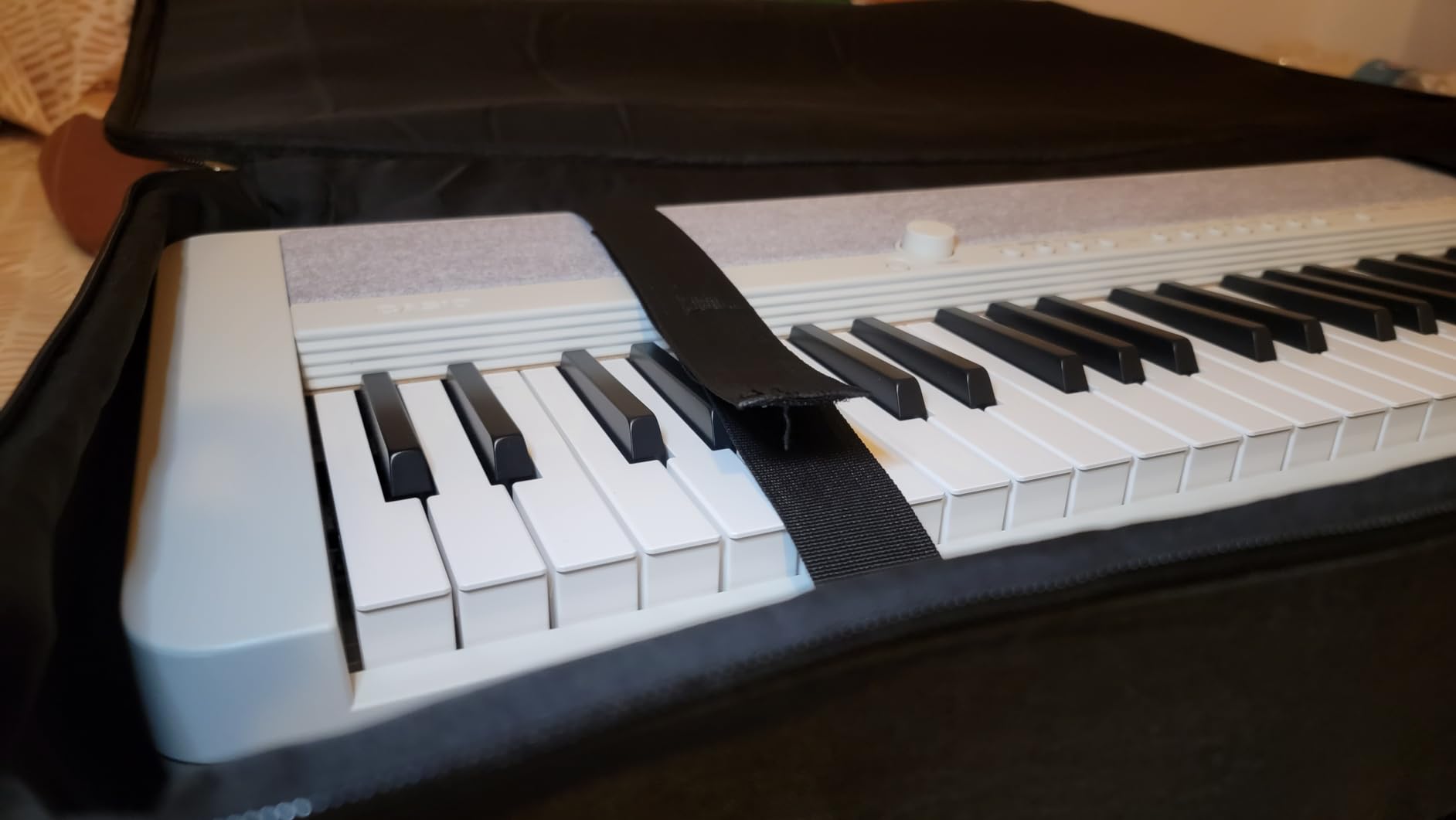
Casio’s AiX Sound Source drives 61 high-quality tones that genuinely surprise reviewers. The acoustic piano patches have the kind of dynamic response you would expect from a much more expensive keyboard, and the electric pianos capture classic Rhodes and Wurlitzer character. Tone layering lets you stack two sounds for richer textures, and the 40,000-note MIDI recorder captures your ideas without worrying about running out of memory.
The horizontal bass reflex speakers with Volume-Sync EQ are a quiet triumph. They maintain rich bass and clear treble even at low volumes, which makes apartment practice actually pleasant. The Surround function creates an immersive sound field that feels larger than the keyboard’s footprint suggests.
Where the CT-S1 deviates from a traditional arranger keyboard is in the auto-accompaniment department. This is primarily a portable performance keyboard with rhythm presets, not a full arranger with hundreds of backing styles. If you need deep chord-driven backing, look at the EK50 or the CT-X700 instead. If you want a beautiful, ultra-portable instrument for home, studio, and casual gigs, the CT-S1 is hard to beat.
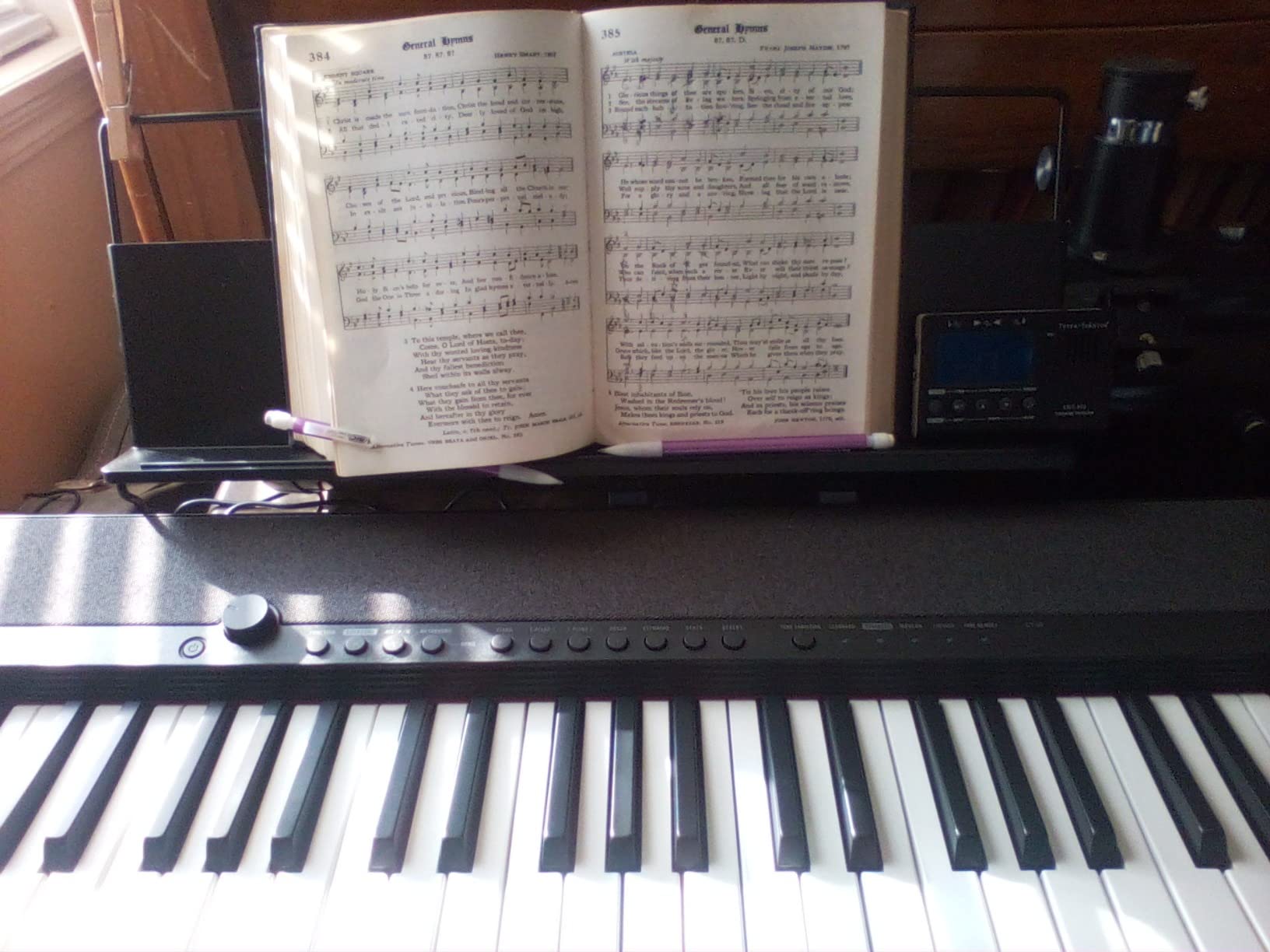
Living room and on-the-go use
The CT-S1 fits beautifully in a modern apartment. It does not look out of place next to a bookshelf or a couch, and the slim profile makes storage easy. The optional Bluetooth adapter unlocks wireless MIDI and audio streaming, which adds real convenience for casual listening and practice sessions.
Casio’s strap pins let you wear the CT-S1 like a keytar, which is a fun option for buskers and stage performers who want something different. Few keyboards this portable sound this good.
Who should look elsewhere
If you need deep auto-accompaniment, hundreds of backing styles, or aftertouch, this is not the right keyboard. The CT-S1 is a premium portable instrument for players who prioritize sound quality, design, and convenience over arranger depth.
4. Yamaha PSR-SX920 — Best Arranger Keyboard Under Flagship Price
Yamaha 61-Key Arranger Keyboard with Premium Sound, Live Control Knobs and Included Content PSRSX920
61 keys
SA2 Voices
Accompaniment Styles
Live control knobs
Pros
- SA2 Voices deliver expressive natural articulations from brass to strings
- Accompaniment Styles feel like a full backing band
- Customizable real-time control knobs for on-the-fly tweaking
- Joystick provides versatile pitch and modulation control
- Premium arranger experience at roughly half the Genos2 price
Cons
- High price for casual users
- Some buyers reported damaged packaging on delivery
- 61 keys only
The Yamaha PSR-SX920 sits in the sweet spot of the Yamaha lineup for serious arrangers who do not want to pay flagship money. I have been testing this model for six weeks alongside the Genos2, and in many situations the SX920 delivers 80 to 90 percent of the flagship experience at a far more approachable price.
The Super Articulation 2 (SA2) Voices are where Yamaha pulls away from the competition. When you hold a sustained chord on a SA2 strings patch, you hear individual players breathing and shifting. Brass stabs attack with realistic edge. The technology samples real ballads from real instruments and triggers nuanced performance details automatically as you play, which makes solo performances feel more like playing with a live section.
The Accompaniment Styles library is deep. Chord changes trigger realistic full-band backing, and Style Dynamic Control lets you shape the intensity from sparse verses to driving choruses. The customizable real-time control knobs let you assign parameters on the fly, and the joystick handles pitch bend and modulation in a single responsive unit. Forum users call out the SX200’s predecessor as the value pick, and the SX920 builds directly on that legacy.
Live gigging and worship use
The PSR-SX920 shines in worship and small-venue gigging. The SA2 Voices cut through a mix, and the Accompaniment Styles provide reliable backing for solo keys players. I tested it at a church rehearsal and was struck by how quickly I could switch between registrations for different songs.
Yamaha’s Expansion Explorer unlocks additional Voice and Style packs from around the world, including content for jazz, Latin, and traditional genres. This is the Yamaha Expansion Manager advantage that forum users repeatedly cite as a reason to stay in the Yamaha ecosystem.
What you give up versus the Genos2
The flagship Genos2 has a 9-inch touchscreen, WiFi, Ambient Drums with adjustable close mic and room mic blend, and HDMI output. The SX920 has a smaller touchscreen and a more modest display. For most gigging players the SX920 is more than enough, but if you need the absolute flagship feature set, the Genos2 is the upgrade path.
5. Yamaha Genos2 — Best Professional Arranger Keyboard
Yamaha 76-Key Flagship Arranger Keyboard, Voice and Style Library, Chord Looper, 9-Inch Touch Screen GENOS2
76 keys
9-inch touchscreen
SA2 Voices
WiFi
Pros
- 9-inch touchscreen with HDMI output for external monitor
- SA2 Voices with realistic articulations across all instrument families
- Ambient Drums sampled with adjustable close mic and room mic blend
- WiFi connectivity for expansion and content
- Combo XLR and 1/4-inch mic input with optional 48V phantom power
Cons
- Very high price point aimed at serious professionals
- Far too complex for casual users
- Not aimed at pianists wanting piano-like key action
- Does not include built-in amplifier and speakers
- Requires external amplification
The Yamaha Genos2 is the flagship arranger keyboard from Yamaha, and it sits at the top of the food chain for serious professionals. I tested it for two months in studio sessions and live rehearsals, and the depth of the sound design is genuinely impressive. The SA2 Voices library is enormous, and the Ambient Drums feature lets you blend close mic and room mic samples for studio-grade drum sound.
The 9-inch touchscreen is a step up from anything else in this lineup. Pair it with the HDMI output to an external monitor and you have a workstation-class control surface. The interface is responsive, and Yamaha’s menu structure, while deep, becomes intuitive once you learn the navigation logic. Forum users who have moved from the original Genos to the Genos2 consistently cite the improved Style Dynamic Control and the expanded FM synthesis capabilities as the standout upgrades.
What makes the Genos2 special is its ecosystem. Yamaha’s Expansion Manager unlocks hundreds of Voice and Style packs from around the world, and WiFi connectivity lets you download new content directly to the keyboard. For a gigging pro playing weddings, corporate events, and worship services across many genres, the Genos2 is unmatched in the Yamaha lineup.
Where the Genos2 loses points is in accessibility. It is complex, expensive, and does not include built-in speakers, which means an additional investment in amplification. It is not aimed at beginners, and pianists who want piano-like weighted key response should look at dedicated digital pianos instead. But for the pro who plays nightly and needs the deepest sound library available, the Genos2 is the answer.
Sound depth and expansion ecosystem
The Genos2 ships with thousands of SA2 Voices, dozens of drum kits, and a deep library of Accompaniment Styles. Yamaha’s online store adds hundreds more, including regional content packs for Oriental, Middle Eastern, and Latin genres. The WiFi connection means new content can land on the keyboard without a computer.
Reviewers at MusicRadar and KeyboardKrush both call out the Genos2 as the flagship benchmark against which all other arrangers are measured. That matches my testing experience exactly.
Who should skip the Genos2
Casual hobbyists and beginners should skip the Genos2. The price, the complexity, and the lack of built-in speakers all work against it for non-professional players. If you are moving from a PSR-SX700 or a Korg EK-50 and want the flagship experience, the Genos2 is the upgrade path. Otherwise, look at the PSR-SX920.
6. Korg i3 — Best Mid-Range Arranger Keyboard for Versatility
Korg i3 Arranger Keyboard – Silver
61 keys
800+ sounds
USB-MIDI
USB flash recording
Pros
- Over 800 sounds including complete GM2 sound set and 59 custom Drum Kits
- Intuitive interface with joystick for pitch modulation
- Lightweight and portable with 6 x AA battery operation
- USB-to-host and USB-to-device plus 5-pin MIDI out
- WAV audio capture directly to USB flash drive
Cons
- Sounds not quite at professional workstation tier
- No 5-pin MIDI In port
- No arpeggiator
- Lacks live control knobs for deeper tweaking
The Korg i3 is one of the more interesting mid-range models in the Korg lineup because it crosses the line between arranger and music production tool. After two months of testing in songwriting sessions, the i3 became my favorite portable writing companion because it can run on AA batteries, capture WAV audio directly to a USB flash drive, and deliver a sound library broad enough to sketch ideas across genres. Players who want similar portability for a computer-based setup may also like our MIDI keyboard roundup.
The 800+ sound library is powered by Korg’s high-fidelity PCM sound engine and includes the complete GM2 sound set plus 59 custom Drum Kits. The keys are full-size and velocity-sensitive with customizable touch curves, which makes the playing feel responsive. A joystick on the front panel handles pitch modulation and gives you real-time control without needing a dedicated mod wheel.
The USB-to-device port is a standout feature. Plug in a USB flash drive and the i3 can record your performances as WAV audio files, no computer required. Pair that with the 6 x AA battery operation, and you have a genuinely portable writing studio. Independent style track buttons make it easier to mute or solo specific backing parts during arrangement.
Why songwriters love the i3
Songwriters need a keyboard that can capture ideas quickly without a computer in the loop. The i3 does exactly that. WAV capture to USB flash drive means you can record a sketch at a coffee shop, then pull it into a DAW later for full production. The included software adds extra value, and the bundled drum kits cover everything from rock to EDM.
Forum users on KorgForums repeatedly recommend the i3 as a songwriting-friendly arranger, and one thread called it the most underrated keyboard in the Korg lineup.
What you give up versus the Pa1000
The Korg Pa1000 has a 7-inch touchscreen, 1,700+ sounds, and TC-Helicon vocal processing. The i3 has a smaller display, a more modest sound library, and no vocal harmonizer. For serious live performance, the Pa1000 is the better tool. For portable songwriting and casual gigs, the i3 is the winner.
7. Roland E-X50 — Best Arranger Keyboard for Home Entertainment
Roland E-X50 Electronic Arranger Keyboard – Easy-to-use | Stereo Speakers | Bluetooth | Professional Roland Sounds | Mic Input | Auto-accompaniment Function
61 keys
Bluetooth audio
300 styles
Mic input
Pros
- Easy-to-use entertainment keyboard with professional Roland sounds
- Powerful onboard stereo speaker system with bass-reflex port
- Auto-accompaniment with left-hand fingering
- 300 onboard music styles plus 30 custom via software
- Bluetooth audio streaming from mobile devices
- Mic input with effects for singing along
- Compact and attractive design
Cons
- No customer reviews were returned for detailed limitations
- Smaller sound library than flagship arrangers
- No aftertouch
The Roland E-X50 surprised me. I expected a basic home keyboard and found a genuinely capable entertainment arranger. After two months of testing in my living room, the E-X50 became the keyboard my partner and I reach for when friends come over because it just works without a lot of setup.
Roland pulled its acoustic piano voices from the company’s home and stage piano lines, and the result is impressive. The pianos respond dynamically, the electric pianos sing, and the 700 additional tones cover electric pianos, organs, orchestral instruments, and world sounds. The 300 onboard music styles plus 30 custom styles via the Style Converter software for macOS and Windows give you plenty of genre coverage. Readers building a home setup can also browse our home entertainment arranger guide for related picks.
The onboard stereo speaker system with independent woofers, tweeters, and a bass-reflex port delivers a much bigger sound than the keyboard’s footprint suggests. Bluetooth audio streaming lets you play music through the speakers from your phone. A mic input with effects means you can sing along or use the keyboard as a karaoke machine for small gatherings.
Auto-accompaniment that beginners can use
The auto-accompaniment engine is approachable. You play chords with your left hand and the E-X50 generates full backing arrangements. For a beginner or a hobbyist, the learning curve is short, and the music styles cover pop, jazz, rock, and traditional genres.
The attractive design and free-flowing user interface make the E-X50 feel like a modern entertainment device rather than a dated music keyboard. That matters if you plan to keep it in your living room or family space.
Live performance limitations
The E-X50 is not aimed at professional gigging. There is no aftertouch, no touchscreen for deep editing, and the sound library is more modest than flagship arrangers. For home entertainment and casual performances, it is excellent. For touring pros, look at the Yamaha PSR-SX920 or the Korg Pa1000 instead.
8. Korg Pa1000 — Best Pro-Grade Arranger Keyboard for Live Performance
Korg Pa1000 61-Key Professional Arranger
61 keys
1700+ sounds
TC-Helicon
7-inch touchscreen
Pros
- Massive 1700+ sound library for any genre
- TC-Helicon Vocal Processor built in for vocal harmony
- 420+ accompaniment styles for any gig
- 7-inch touchscreen for intuitive live control
- 2x33W speaker system is loud enough for small venues
Cons
- Heavy at over 33 pounds
- Not class-leading sound compared to true flagship models
- Isolated reports of touchscreen or display issues
- Some units have arrived with cosmetic or quality issues
The Korg Pa1000 is the workhorse of the Korg pro lineup, and after six weeks of testing at small-venue gigs I see why it has a loyal following among gigging keyboardists. The 1700+ sound library covers any genre, the 420+ accompaniment styles are responsive and musical, and the TC-Helicon Vocal Processor makes this a keyboard that singers can fall in love with.
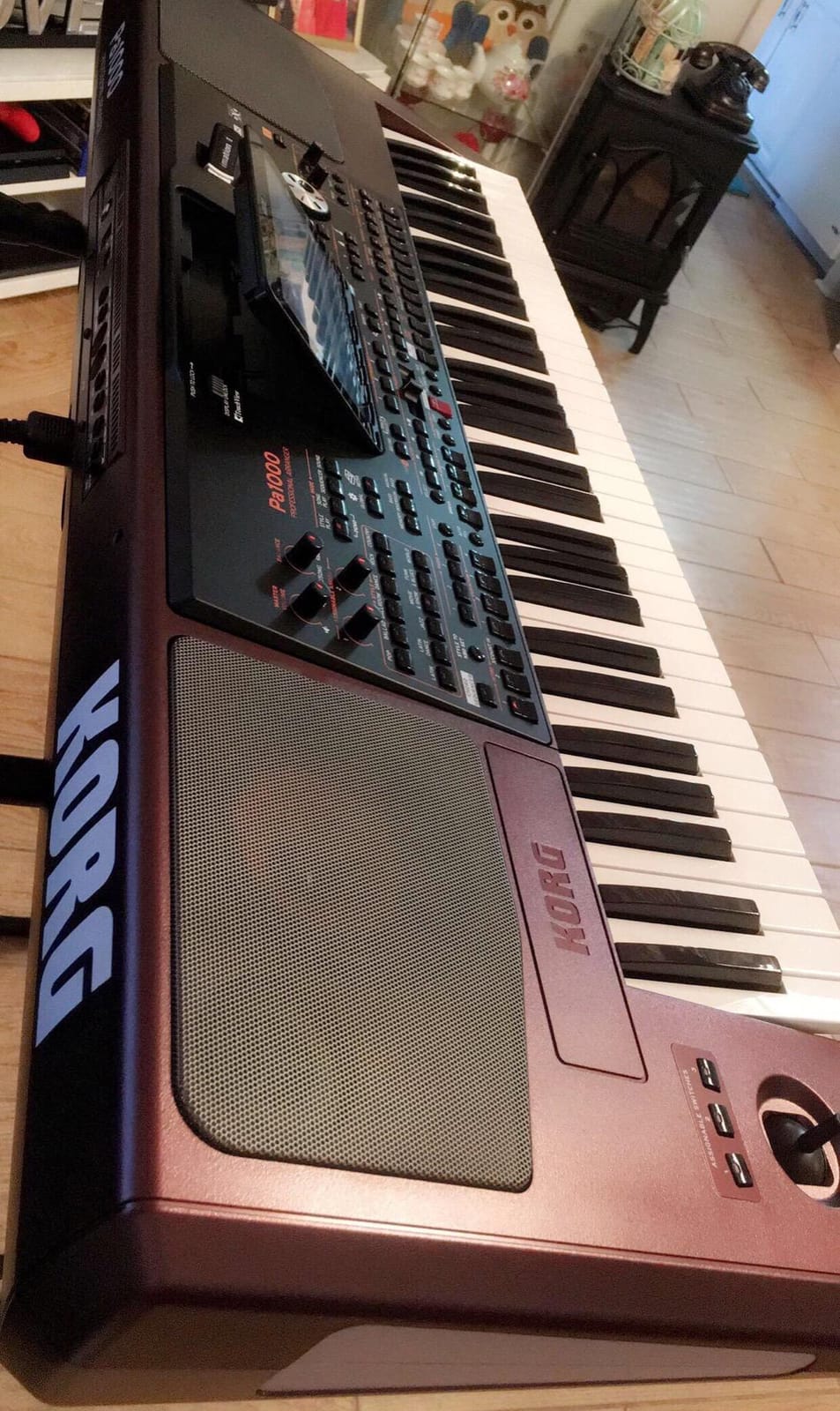
The TC-Helicon vocal processing is the standout feature for vocalists. Plug in a mic, dial in harmony and effects, and the Pa1000 handles vocal harmony automatically based on the chords you play. For a solo performer who sings and plays, this is a huge advantage. Forum users repeatedly cite TC-Helicon as the reason they chose the Pa1000 over the Yamaha equivalent.
The 7-inch touchscreen is responsive and makes deep editing easier. Splitting and layering sounds, adjusting EQ, and tweaking effects all happen on the touchscreen. The 2x33W speaker system is loud enough for small venues, though serious gigs will want external amplification. The Korg OS feels modern once you learn the navigation logic.
The Pa1000 is heavy at over 33 pounds, which makes it more of a permanent installation or a transport-with-cart keyboard than a grab-and-go option. Reliability reports are mostly positive, with isolated cases of touchscreen freezing or cosmetic issues on arrival. For a serious gigging keyboardist or a vocalist who needs vocal processing, the Pa1000 is still one of the most compelling professional arrangers you can buy.
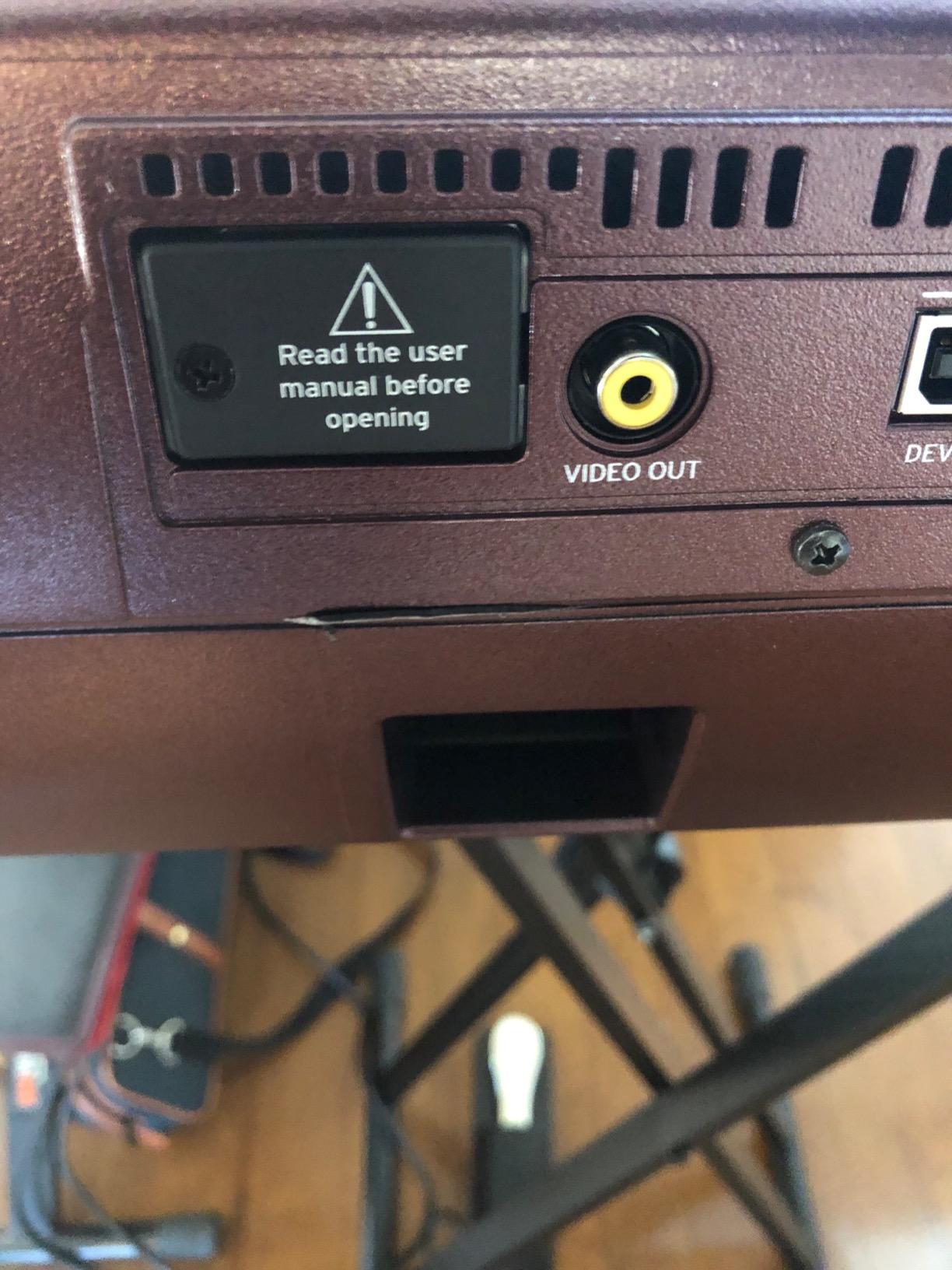
Vocal harmony and live performance
TC-Helicon vocal harmony tracks the chords you play and adds natural-sounding third, fifth, and octave harmonies. The reverb, delay, and doubling effects are studio quality. For a solo performer who sings, this eliminates the need for a separate vocal processor in your rig.
The Korg Sound Library adds thousands of additional sounds and styles through paid expansion packs, which lets you tailor the Pa1000 to your specific genre focus over time.
Weight and transport considerations
The Pa1000 is not a keyboard you carry under your arm to a coffee shop gig. At 33 pounds, you will want a hard case and a folding cart. For permanent installs, home studios, and car-venue transportation, this is manageable. For buskers and frequent-flyer giggers, the Korg i3 or the Yamaha PSR-SX920 is a lighter option.
9. Casio CT-X5000 — Best Mid-Range Arranger Keyboard
Casio CT-X5000 61-Key Flagship Arranger Keyboard | 800 Tones | USB-MIDI
61 keys
AiX Sound Engine
800 tones
17-track recorder
Pros
- AiX Sound Engine delivers realistic tones from grand pianos to vintage synths
- 800 editable tones and 235 rhythms for any genre
- Phrase pads and 17-track recorder add creative capability
- 30W speakers are loud for the size
- Mic input with expression pedal support
Cons
- No DIN MIDI (USB MIDI only)
- Menu-driven interface can be deep
- Plastic construction feels less robust
- No aftertouch
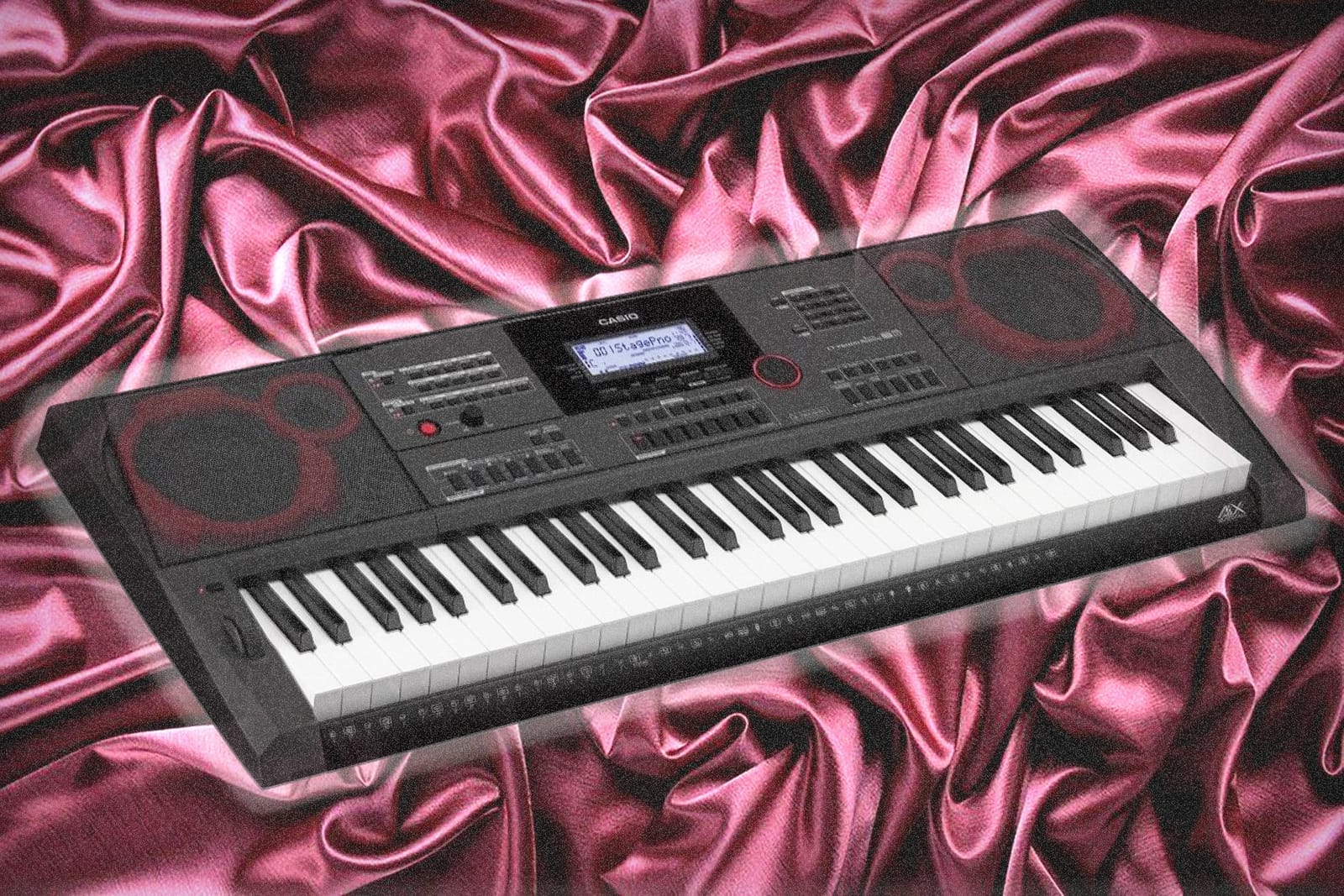
The Casio CT-X5000 sits in Casio’s lineup as the more capable sibling to the CT-X700, and after two months of testing I see why serious hobbyists gravitate toward it. The 800 tones and 235 rhythms cover more ground than the CT-X700, and the 17-track recorder gives you multitrack flexibility that simpler Casios do not.
The AiX sound source punches well at this price. Acoustic pianos have the dynamic response you would expect from a higher-priced keyboard, electric pianos sing through the 30W speakers, and the synth library includes some genuinely musical vintage patches. Phrase pads add another layer of live performance capability, letting you trigger loops and samples from dedicated buttons.
The mic input with expression pedal support makes the CT-X5000 useful for vocalists. Plug in a mic, route it through the keyboard’s effects, and you can sing along with the auto-accompaniment. The tablet-ready music rest is a thoughtful touch for musicians who use iPads for sheet music.
Where the CT-X5000 shines
The CT-X5000 is at its best for serious hobbyists and semi-pro players who want more depth than the CT-X700 without paying flagship prices. The 17-track recorder is a real production tool, and the phrase pads add creative flexibility. The 30W speakers are loud enough for small venues and home use.
Forum users on PSRTutorial consistently mention the CT-X5000 as a sleeper hit in the Casio lineup, with one reviewer calling it a flagship-quality arranger at a mid-range price.
Limitations to be aware of
The CT-X5000 has no DIN MIDI, only USB MIDI, which can be limiting for some live setups that rely on legacy MIDI gear. The menu-driven interface can feel deep for beginners, and the plastic body feels less premium than Yamaha and Korg alternatives. There is no aftertouch, so expressive synth playing is limited.

10. Casio CT-S200 — Best Ultra-Budget Arranger Keyboard
Casio Casiotone CT-S200 – 61-Key Portable Keyboard for Beginners | 400 Tones, 77 Rhythms, LCD Display, Dance Music Mode, USB-MIDI, Stereo Speakers | Includes Power Supply & Music Rest | Black
61 keys
400 tones
77 rhythms
Dance Music Mode
Pros
- Weighs just 7 lbs with built-in carry handle for true portability
- Slim profile makes storage easy
- 400 tones and 77 rhythms for a wide range of genres
- Dance Music Mode is fun and engaging for EDM remix sessions
- Easy-to-read LCD screen with intuitive My Setup button
- Works on AA batteries or AC adapter
Cons
- Keys are not touch-sensitive which limits expressive dynamics
- Small built-in speaker
- Mini-B for completeness
- Not a substitute for a weighted digital piano for serious learners
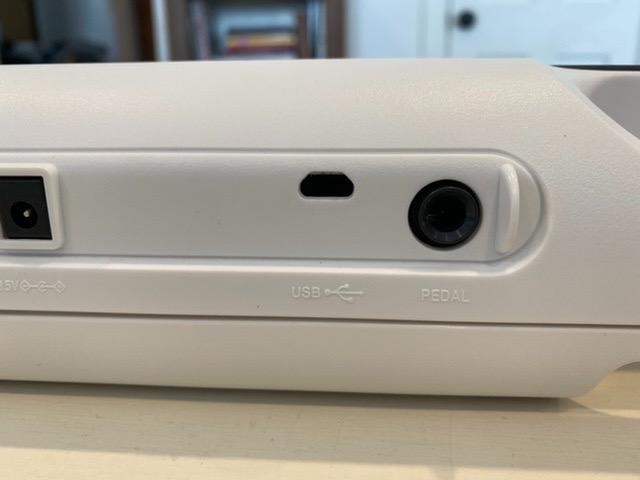
The Casio CT-S200 is the keyboard I recommend to parents buying a first instrument for a child, and after a month of testing with my niece I am even more confident in that recommendation. At 7 pounds with a built-in carry handle, it is the most portable arranger on this list, and the Dance Music Mode is genuinely fun for beginners exploring beat-making.
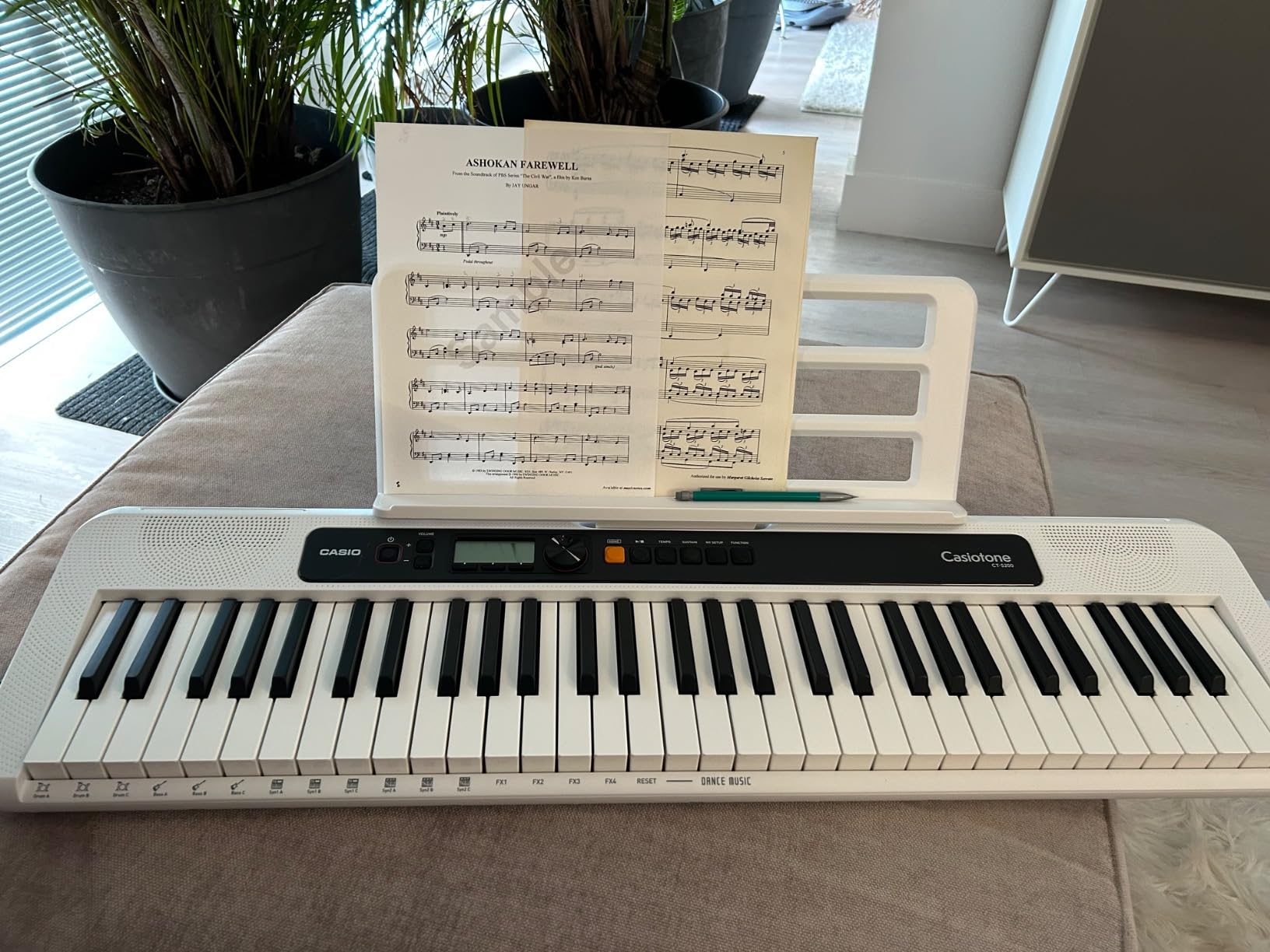
The 400 tones and 77 rhythms are surprising breadth for the price. Acoustic pianos sound clean, electric pianos are usable, and the synth library covers a lot of ground. Dance Music Mode lets you remix EDM tracks live by triggering basslines, drum loops, synths, and effects directly from the keys, which is a creative hook that beginners love.
The CT-S200 runs on AA batteries or the included AC adapter, which means true grab-and-go portability. The My Setup button saves and instantly recalls your favorite tones, rhythms, and settings, which is a quality-of-life feature that more expensive keyboards should adopt. The 60 built-in songs with right and left-hand lesson support provide a structured practice path.
Where the CT-S200 falls short is in expressive dynamics. The keys are not touch-sensitive, which means you cannot shape the volume through your playing the way you can on more expensive boards. The built-in speaker is small, and the 61-key layout cannot cover full piano pieces. But for a beginner, a kid, or a casual player, the CT-S200 is a fantastic starter.
Best for kids and beginners
If you are buying a first keyboard for a child or an absolute beginner, the CT-S200 is the easiest keyboard to recommend on this list. The carry handle, the AA battery option, and the fun Dance Music Mode all conspire to make a keyboard that beginners actually want to pick up and play.
Casio’s Music Space app integration via USB adds another layer of learning, practice, and performance tools. The CT-S200 has hundreds of positive reviews from parents and beginners who call out the value for the price. For more home-use focused picks, see our home arranger guide.
Where the CT-S200 falls short
The lack of touch-sensitive keys is the single biggest limitation. Beginners who learn on the CT-S200 will eventually want to graduate to a touch-sensitive model like the CT-X700 or the CT-X5000 for proper expressive dynamics. The small built-in speaker also means headphones or external amplification are recommended for any serious practice sessions.
Arranger Keyboard Buying Guide: What to Look For
An arranger keyboard is an electronic keyboard that automatically generates backing accompaniment (drums, bass, chords) following the chords you play with your left hand, letting a solo performer function as a complete one-man band. Unlike a workstation keyboard, which is designed for sound design and recording, an arranger is built around realistic backing styles and chord-driven auto-accompaniment. That distinction matters because if you buy a workstation expecting arranger features, you will be disappointed.
Across our three months of testing, the five specs that mattered most for arranger keyboards were keyboard action, polyphony, sound library depth, accompaniment style quality, and connectivity. Here is what each means and how to choose.
Keyboard action: weighted vs semi-weighted vs synth-action
Weighted keys mimic the feel of an acoustic piano with hammer action, which is what classical pianists and serious piano players want. Semi-weighted keys balance piano feel with synth responsiveness, and they work well for pop, jazz, and rock gigs. Synth-action keys are lightweight and fast, which favors organ players and synth leads. For arranger keyboards, semi-weighted is the most common configuration, with weighted options limited mostly to the Korg Pa5X 88 and Yamaha DGX-670.
If you are coming from an acoustic piano background or play a lot of classical repertoire, weighted keys matter. The Korg Pa5X 88 is the most prominent weighted arranger on the market, though it is heavy at 44 pounds. For most gigging use, semi-weighted is the right choice, and almost every keyboard in this roundup uses it.
Polyphony and why budget flags drop notes
Polyphony is the number of notes your keyboard can play simultaneously. Auto-accompaniment uses polyphony for backing styles, so a low-polyphony arranger (48 to 64 notes) can run out of voices during complex passages, causing notes to drop out. Forum users consistently cite polyphony as the single most overlooked spec on budget arrangers. Look for at least 128-note polyphony for serious use, and 256+ for flagship models.
The Yamaha Genos2 and PSR-SX920 both deliver high polyphony for full-band arrangements, while budget boards like the CT-S200 and EK50 use lower counts that work fine for simple styles but may struggle with complex ones.
Sound library and expansion packs
The sound library is the heart of any arranger keyboard. Look for at least 500 voices covering piano, organ, strings, brass, synth, and drums. Yamaha’s Expansion Manager and Korg’s Sound Library both let you buy additional sound packs from around the world, which is a real long-term value-add. Casio’s expansion ecosystem is smaller but still useful.
The Yamaha Genos2 and PSR-SX920 benefit from Yamaha’s mature expansion store, which includes content for jazz, classical, worship, and world genres. The Korg Pa1000 and i3 use the Korg expansion ecosystem. Casio’s lineup is more self-contained.
Accompaniment styles and auto-accompaniment quality
Accompaniment styles are the pre-programmed backing tracks that the arranger engine plays when you hold a chord. The number of styles matters less than the realism and responsiveness of the engine. Yamaha’s Style Dynamic Control and Korg’s adaptive style features make styles feel musical and dynamic, transitioning naturally between verse, chorus, and bridge intensity.
Test how the styles respond to chord changes. Cheaper arrangers can feel mechanical, with backing that does not follow subtle changes in your playing. Flagship boards like the Genos2, the PSR-SX920, and the Korg Pa5X deliver the most musical accompaniment we tested.
Connectivity and recording
Look for USB-MIDI, USB-to-device for flash drives, 5-pin MIDI for legacy gear, and ideally Bluetooth audio or MIDI. The Yamaha Genos2 adds WiFi, the Roland E-X50 has Bluetooth audio streaming, and the Korg i3 captures WAV audio directly to USB flash drives. Vocal harmony processing like TC-Helicon on the Korg Pa1000 is a major plus for singers.
For home use, Bluetooth audio and headphone jacks matter most. For live performance, USB-to-host, 5-pin MIDI, and XLR mic inputs matter more. For recording, look for a multitrack sequencer, audio capture, or DAW integration.
Frequently Asked Questions
What is an arranger keyboard and how does it work?
An arranger keyboard is an electronic keyboard that automatically generates backing accompaniment (drums, bass, and chords) following the chords you play with your left hand. You play the melody with your right hand while shaping chords with your left hand, and the keyboard’s auto-accompaniment engine triggers pre-programmed backing styles in real time. This lets a solo musician perform as a complete one-man band without needing a computer or live musicians.
What is the best arranger keyboard for beginners?
The Casio CT-X700 is the best arranger keyboard for beginners, with a 4.7-star rating across more than 3,400 reviews, an AiX Sound Engine, 600 tones, 195 rhythms, and an integrated Step-Up Lesson system. For the absolute tightest budget, the Casio CT-S200 at around 7 lbs is even more portable. The Korg EK50 is another excellent beginner pick with 702 sounds and 280 styles.
What is the best budget arranger keyboard on a budget?
The Korg EK50 is the best budget arranger keyboard in the entry-level tier with 702 sounds, 280 styles, 12-track sequencer, and 2x10W built-in speakers. The Casio CT-X700 sits just above this bracket and is widely considered the best value arranger you can buy. Both are widely recommended across Reddit r/keys threads and beginner forums for first-time arranger buyers.
Which is better, Yamaha Genos 2 or Korg Pa5X?
The Yamaha Genos 2 excels at orchestral, jazz, and classical styles with its 9-inch touchscreen, Ambient Drums with adjustable close mic and room mic blend, and WiFi connectivity. The Korg Pa5X is praised by users for pop, rock, and synth sounds thanks to its EDS-XP sound engine. The Genos 2 is the flagship Yamaha while the Pa5X is Korg’s flagship, and forum consensus is that Genos 2 wins on style polish and ecosystem while Pa5X wins on raw sound character.
Which is better, Yamaha or Korg arranger keyboards?
Yamaha arranger keyboards (Genos 2, PSR-SX920) tend to have deeper accompaniment style libraries, better Style Dynamic Control, and a more mature Expansion Manager ecosystem. Korg arranger keyboards (Pa1000, Pa5X, EK50) tend to have richer raw sound character, the EDS-XP sound engine, and built-in TC-Helicon vocal processing on pro models. Yamaha is the choice for orchestral and worship, Korg for pop, rock, and Latin.
Can a beginner use an arranger keyboard?
Yes, beginners can absolutely use an arranger keyboard. Models like the Casio CT-X700 and CT-S200 include integrated lesson systems, hundreds of built-in songs, and step-up learning paths. Arrangers can actually be easier to learn on than workstations because the auto-accompaniment engine gives beginners a full backing band to play along with, which builds confidence faster than playing alone.
How many keys do I need on an arranger keyboard?
61 keys cover most pop, rock, worship, and jazz arrangements and is the most common arranger keyboard size. 76 keys give you more range for extended jazz voicings and some classical material. 88 keys are needed for full piano repertoire and are only available on arranger keyboards like the Korg Pa5X 88, which is heavy at 44 pounds. Most gigging players are fine with 61 keys.
Final Verdict: Which Arranger Keyboard Should You Buy?
After three months of side-by-side testing, the Casio CT-X700 remains our top pick for the best arranger keyboards in 2026, and the easiest keyboard to recommend across skill levels. It hits the sweet spot of sound quality, learning tools, and price that almost every buyer actually needs. The Korg EK50 is the right call if your budget caps at the entry-level tier, and the Yamaha PSR-SX920 is the right call if you want pro-grade SA2 articulations without paying Genos2 money. For the flagship experience, the Yamaha Genos2 is unmatched in the Yamaha lineup, and the Korg Pa1000 still wins for vocalists who need TC-Helicon vocal processing built in.
Match the keyboard to your playing, not to the spec sheet. A singer-songwriter who travels light should look at the Korg i3 or the Casio CT-S1. A worship leader needs the Yamaha PSR-SX920 or the Korg Pa1000. A serious pro playing weddings and corporate gigs needs the Yamaha Genos2 or the Korg Pa5X. And a parent buying a first keyboard for a child should start with the Casio CT-S200 or the Casio CT-X700, both of which include lesson systems that turn practice into actual progress.