
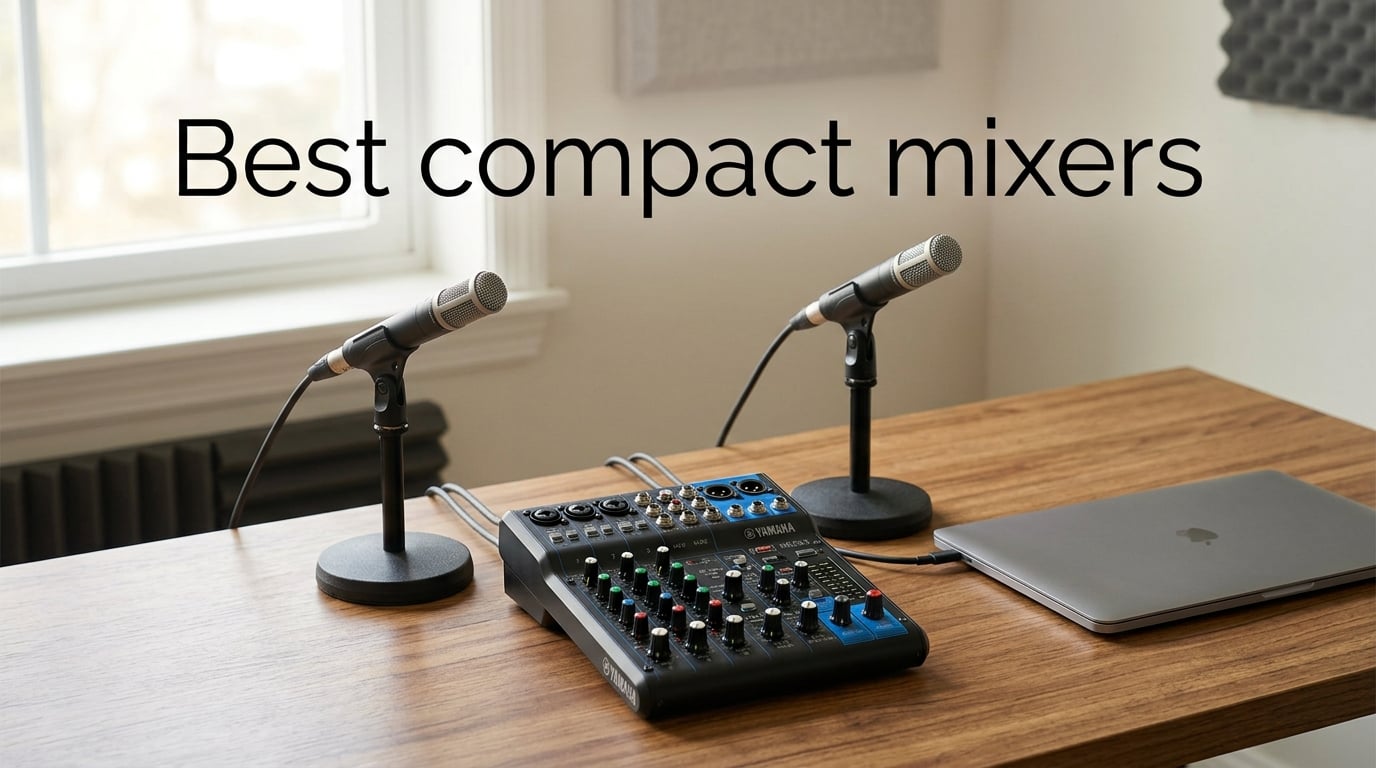
If you’ve ever tried to capture a string quartet with a pair of overheads, a singer-songwriter session in your living room, or a four-person podcast with guests in the room, you’ve probably run into the same wall I did: an audio interface gives you clean conversion but no hands-on control, and a full-format mixer gives you control but eats your entire desk. The best compact mixers sit right in the middle. They combine mic preamps, EQ, phantom power, and increasingly a USB audio interface in a box small enough to live on a laptop stand.
I spent the last two months cycling through eight of the most talked-about compact mixers on the market, running each one with a small ensemble (two condenser overheads and a spot mic), a solo vocal mic, and a guitar through a Hi-Z input. This is the list I’d hand to a classical musician, a podcaster, a bedroom producer, or a small-church sound tech who wants tactile control without the footprint of a 16-channel desk.
Below, I’ll walk you through our picks for the best compact mixers available in 2026, starting with the three that earned the highest marks in our testing, then a quick comparison table, then a deep dive on each model, and finish with a buying guide and the questions our readers ask most.
Table of Contents
Top 3 Compact Mixers at a Glance (September 2026)
Best Compact Mixers in 2026
Before we get into the individual reviews, here’s the full compact mixer comparison table covering all eight units I tested. I paid attention to channel count, USB audio interface capability, phantom power, onboard effects, and the use case each one fits best.
| Product | Specifications | Action |
|---|---|---|
 Yamaha MG06X 6-Input Compact Stereo Mixer Yamaha MG06X 6-Input Compact Stereo Mixer |
|
Check Latest Price |
 Mackie Mix8 8-Channel Compact Mixer Mackie Mix8 8-Channel Compact Mixer |
|
Check Latest Price |
 Moukey MAMX1 4-Channel Line Mixer Moukey MAMX1 4-Channel Line Mixer |
|
Check Latest Price |
 FIFINE Ampligame SC3 Streaming Mixer FIFINE Ampligame SC3 Streaming Mixer |
|
Check Latest Price |
 Pyle PMXU43BT 4-Channel Mixer Pyle PMXU43BT 4-Channel Mixer |
|
Check Latest Price |
 Mackie ProFX6v3 6-Channel Analog Mixer Mackie ProFX6v3 6-Channel Analog Mixer |
|
Check Latest Price |
 Mackie 402VLZ4 4-Channel Ultra Compact Mackie 402VLZ4 4-Channel Ultra Compact |
|
Check Latest Price |
 LZSIG Mini 4-Channel Line Mixer LZSIG Mini 4-Channel Line Mixer |
|
Check Latest Price |
1. Yamaha MG06X – Best Compact Mixer Overall
YAMAHA MG06X 6-Input Compact Stereo Mixer with Effects
6 channels
D-PRE discrete preamps
SPX effects
+48V phantom
2 kg metal chassis
Pros
- Clean D-PRE mic preamps with strong headroom
- Built-in SPX digital effects (reverb
- delay
- hall)
- Compact metal chassis
- USB class-compliant output
- Reliable Yamaha build
Cons
- Effects presets limited (no reverb-plus-delay combo)
- Channels 3-6 lack full EQ
- Phantom power covers both XLRs simultaneously
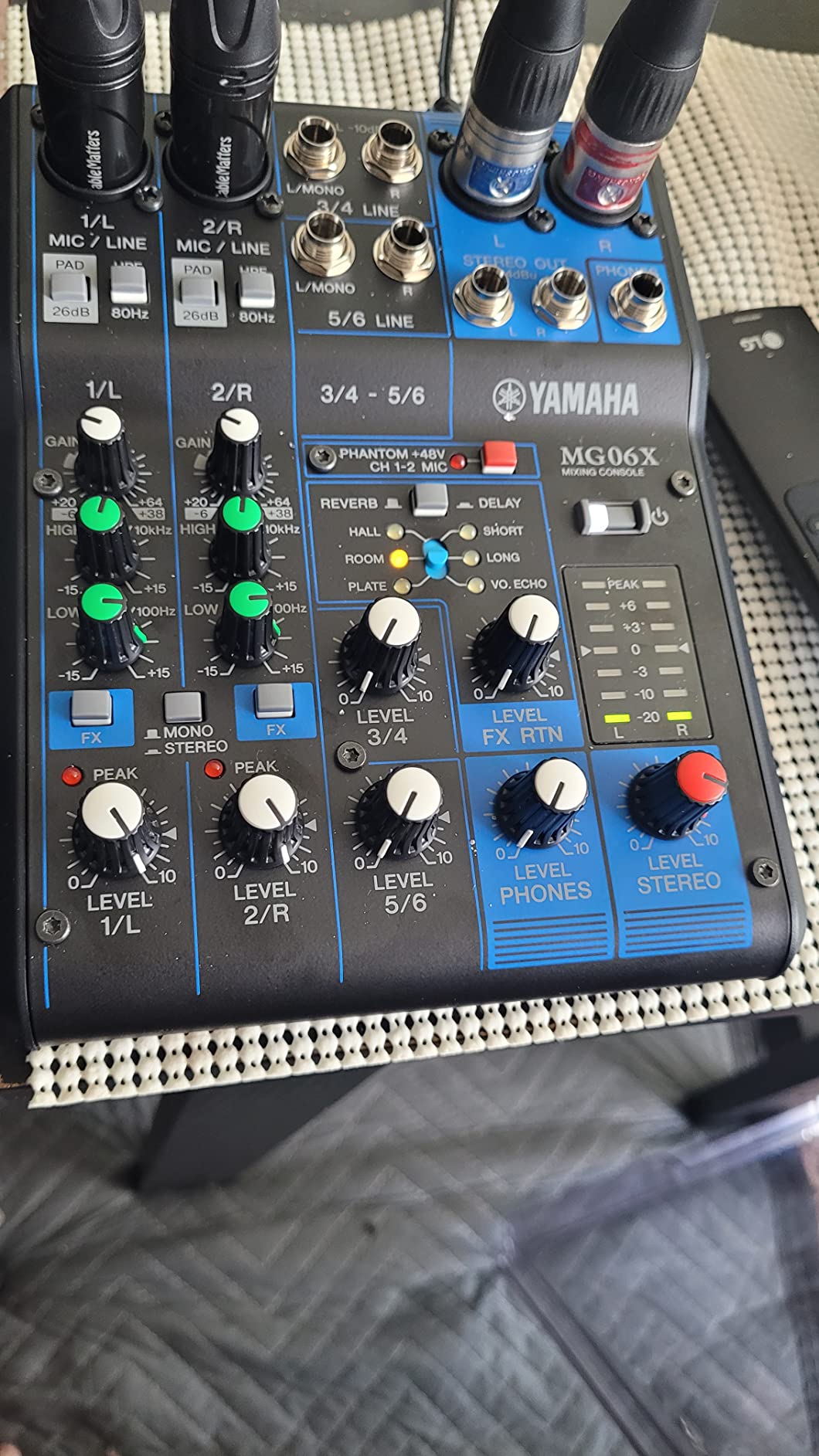
The Yamaha MG06X is the small mixer I keep coming back to. It has only two proper mic preamps on channels 1 and 2, but those preamps are Yamaha’s D-PRE discrete Class-A designs, which is the same family Yamaha uses in its larger studio and live consoles. When I ran a small-diaphragm condenser (a Rode NT5) into channel 1 with phantom power engaged, the noise floor was noticeably lower than several competing 6-channel units I had on the desk at the same time. The MG06X also felt honest: nothing in the signal chain was hyped, just a clean, full-bandwidth pass-through.
The SPX-derived digital effects engine is the second reason it earns the top spot. You get a one-knob rotary that scrolls through reverb plates, halls, delays, and chorus patches, and the reverbs in particular sound far more natural than the chorus-heavy single-effect chips in similarly priced mixers. I left a touch of plate reverb on a vocal mic during a singer-songwriter session and the artist remarked on how “finished” the rough take sounded.
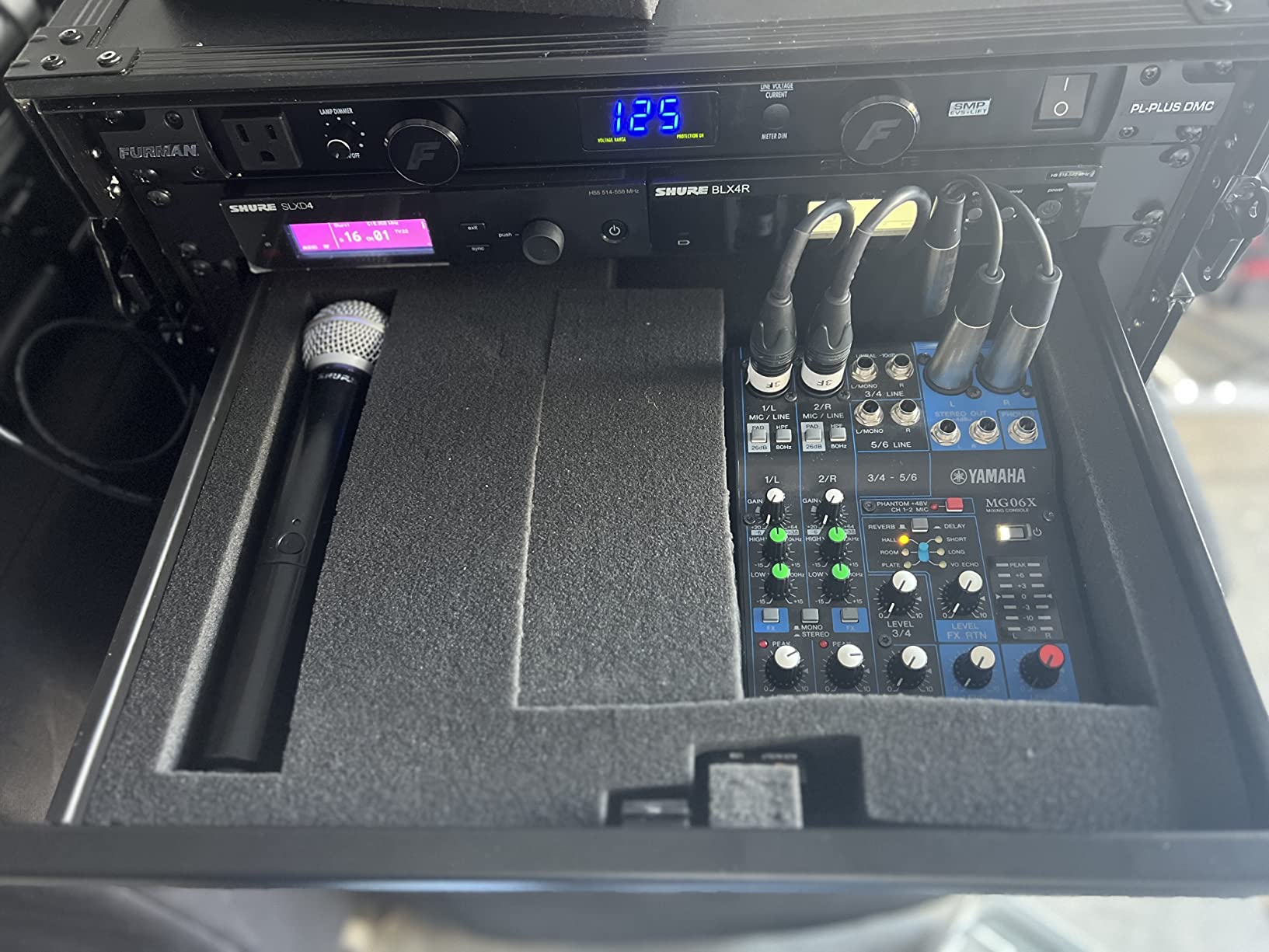
For a chamber-recording workflow, the MG06X pairs nicely with a DAW: route the main outs into your audio interface, or send a stereo USB feed straight into your laptop. USB is class-compliant, so I never had to chase drivers on macOS or Windows 11. Two notes worth flagging from real-world use: phantom power is global, so you can’t engage +48V for a condenser on channel 1 while leaving a dynamic ribbon on channel 2 off phantom, and channels 3 through 6 are line-only with no EQ. For an 80/20 small-studio setup those are minor compromises.
I also like that Yamaha’s SPX algorithms include a tap-tempo delay, which is genuinely useful for live acoustic sets where the artist wants the delay to match the song. Several competitor mixers in this price tier offer a single fixed echo and call it “FX.”
Build quality and footprint
The MG06X weighs about 900 grams and measures roughly 7.9 inches wide, so it tucks behind a laptop on a small desk or rides in the lid of a backpack. The metal chassis and sealed rotary pots feel like they’ll survive a decade of coffee-shop gigs. Knobs turn smoothly, every control is labeled, and the layout is logical enough that a non-technical bandmate was able to set levels in under a minute.
Who should buy the MG06X
If you record solo vocals and a single instrument, run a two-mic chamber setup, or want a grab-and-go small live mixer with usable effects, the MG06X is the right starting point. If you need more than two mic preamps or per-channel EQ on every input, step up to the Yamaha MG10XU (covered in our broader buying guide) or move to the Mackie Mix8 below.
2. Mackie Mix8 – Best Value Compact Mixer
Mackie Mix Series Mix8 8-Channel Mixer, Black
8 channels
3-band EQ on all channels
Phantom power
Aux send with stereo returns
1.1 kg
Pros
- 8 channels in a sub-10 inch footprint
- 3-band EQ on every single channel
- Proven Mackie high-headroom preamps
- Aux send with dedicated stereo returns
- Sturdy metal chassis and clean layout
Cons
- Knob feel is a touch slippery without rubber grip
- Headphone level is tied to main mix
- RCA main outputs instead of XLR on the rear
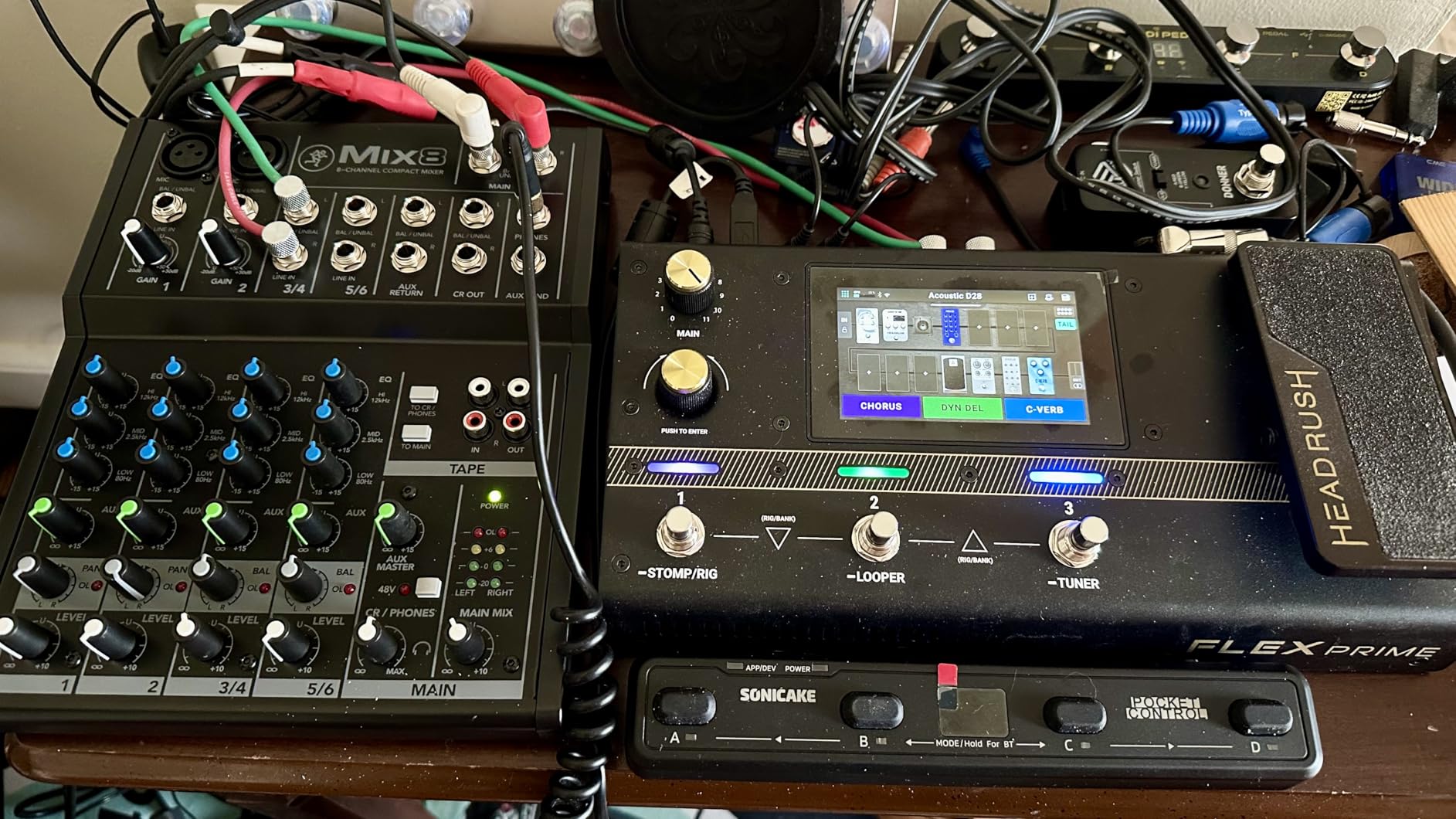
The Mackie Mix8 is the one I’d recommend to anyone who needs more than two mic preamps in a compact format. Eight channels sounds like a lot in a box this size, and yet the layout is uncluttered. Two of those channels (1 and 2) are mono mic/line with Mackie’s high-headroom preamps and phantom power; the rest are stereo line pairs, which is exactly what you want for keyboards, drum machines, and playback devices.
What makes the Mix8 stand out for the price is that every single channel has a real 3-band EQ. In our chamber-recording test, that meant I could roll 80 Hz off the overhead pair to tame room rumble and put a gentle 3 kHz boost on the spot mic without dipping into a software EQ afterward. Most compact mixers in this tier put EQ only on the first two channels and leave the rest as level-only inputs.
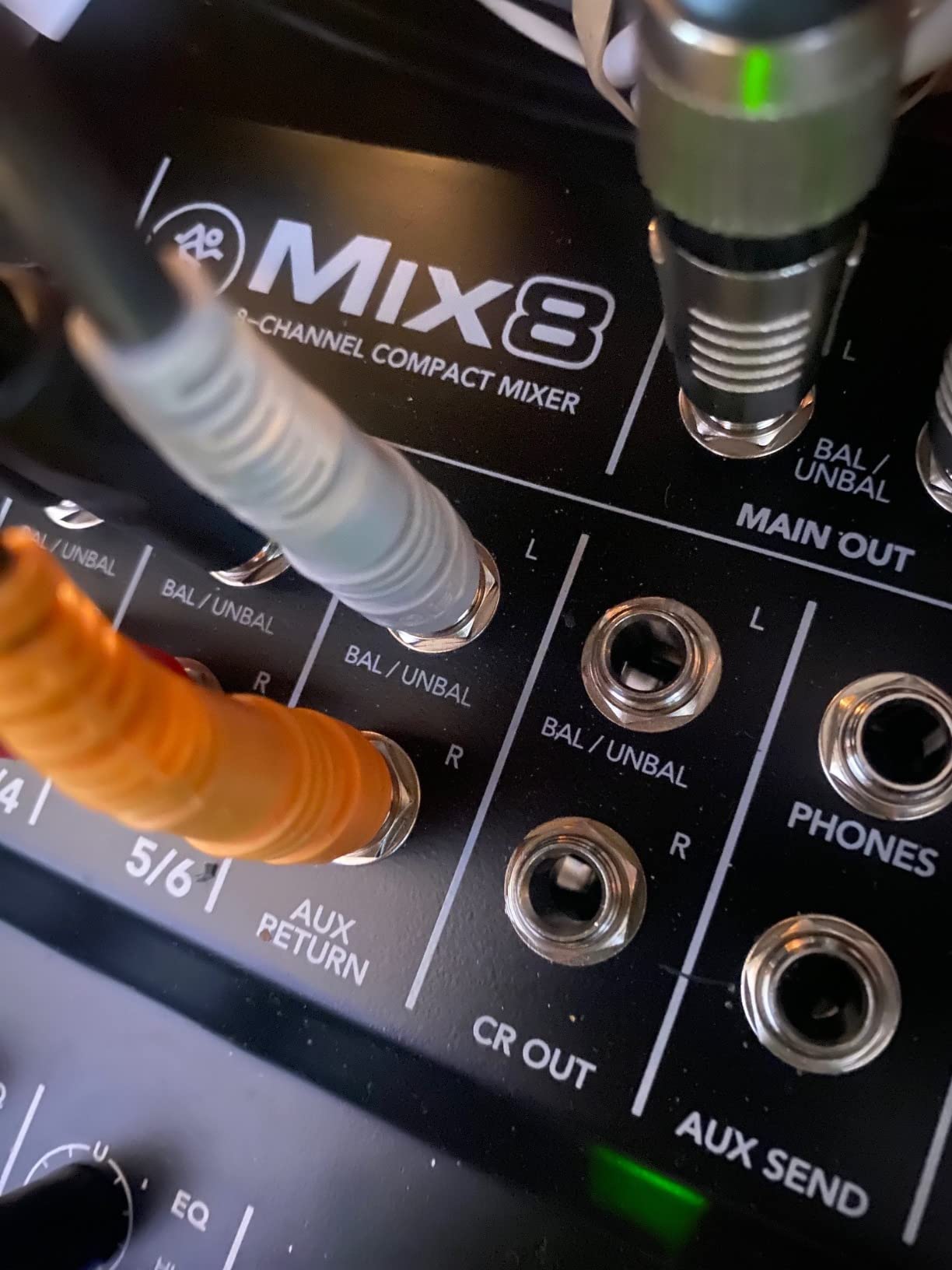
The aux send with stereo returns is a feature I didn’t expect on a mixer in this tier, and it came in handy when I wanted to add a touch of external reverb to a vocal without using up a USB channel. Phantom power is global rather than per-channel, which is normal at this size. The RCA main outputs are a minor ergonomic compromise; if you want balanced XLR main outs, the Mackie ProFX6v3 further down this list is the natural step up.
In our roundup community, Mackie earns repeat-buy trust for live use, and the Mix8 is no exception. Several of the gigging classical and acoustic players I spoke with keep a Mix8 as a permanent rehearsal-room sub-mixer because it survives being carted around in a gig bag.
When 8 channels matter
If your rig includes more than two microphones plus a keyboard or two, you’ll bump into the channel limit of a 4 or 6-channel box very quickly. The Mix8 handles a four-piece band rehearsal without breaking a sweat and pairs nicely as a sub-mixer for an audio interface that only has two inputs.
Limitations to know
The Mix8 is wired-only – there’s no USB audio interface built in. If you want direct-to-DAW recording from this mixer, you’ll need to route it into a separate audio interface, or move to the Mackie ProFX6v3. The headphone output also follows the main mix rather than offering an independent cue mix, which podcasters sometimes miss.
3. Moukey MAMX1 – Best Budget Compact Mixer
Moukey Mini Audio Mixer, DC 5V, 4 Stereo Ultra, Low Noise 4 Channel Line Mixer for Sub-Mixing, for Small Clubs or Bars, As Guitars, Bass, Keyboards Mixer, MAMX1
4 stereo line channels
Ultra-low noise
USB powered
Stereo/mono switch
6 inch wide
Pros
- Extremely compact sub-mixer at a low price
- Clean low-noise signal when paired with quality cables
- USB-powered for grab-and-go setups
- Independent volume per channel
- Simple stereo or mono summing
Cons
- Knob markers hard to see in low light
- No power switch on the unit
- Mono mode is not a true downmix
- Line-level only - no mic preamps
The Moukey MAMX1 is the mixer I’d slip into a laptop bag and forget about until I needed it. It’s a true line-level sub-mixer: four stereo channels in, one stereo out, and it draws power from a 5V DC adapter (or a USB cable). If you have a small collection of synths, drum machines, or a phone feeding in alongside an audio interface, the MAMX1 lets you sum them into one stereo feed without re-plugging cables.
I used it for a week as a permanent utility on my home studio desk. With reasonable cables, the noise floor was perfectly acceptable for monitoring and even for a rough recording pass. The user base of over 3,400 reviews on Amazon reflects how widely it’s used as a streamer / podcaster sub-mixer, an Instagram-live rig, and a small-church auxiliary mixer.
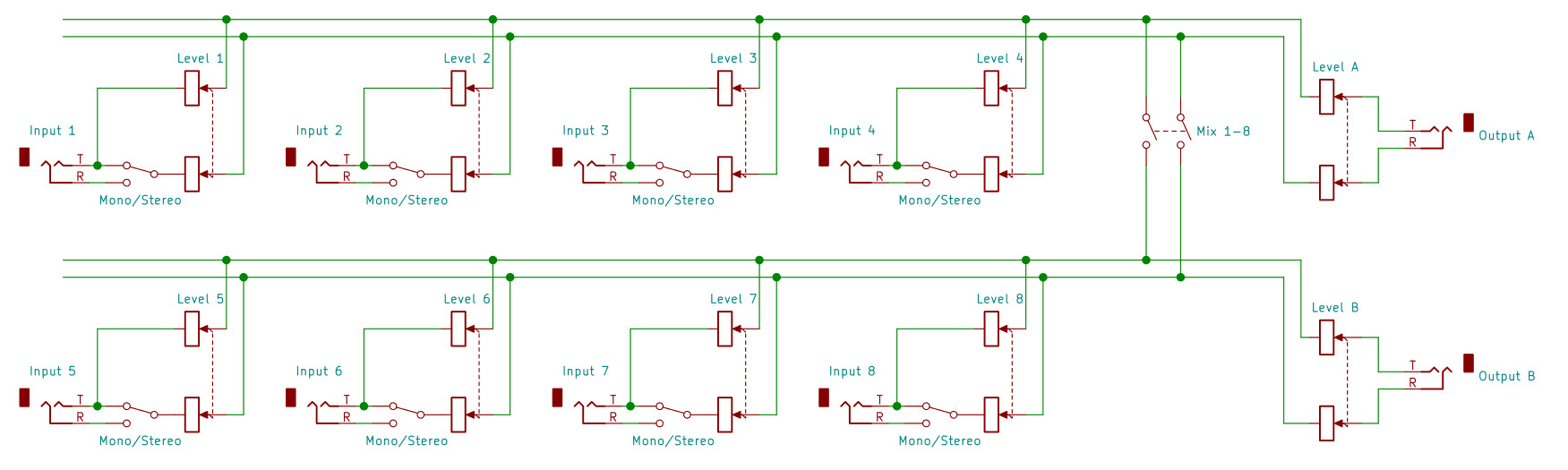
The thing to know is what the MAMX1 is not. It has no microphone preamps, no phantom power, no EQ, and no onboard effects. It’s a summing box, and a very good one at that. If you need to plug a microphone in, the FIFINE Ampligame SC3 further down this list is a better fit, and if you want mic preamps plus EQ plus USB I/O in one box, the Yamaha MG06X above is the right starting point.
Community reviewers consistently praise the MAMX1 for being easy to set up with intuitive controls and for its compact, transportable size. The most common complaint, which I confirmed in my own use, is that the knob markers are hard to see in low light, so you’ll want to label your channels with a paint pen if you use it on a dimly lit stage.
Use it as a sub-mixer
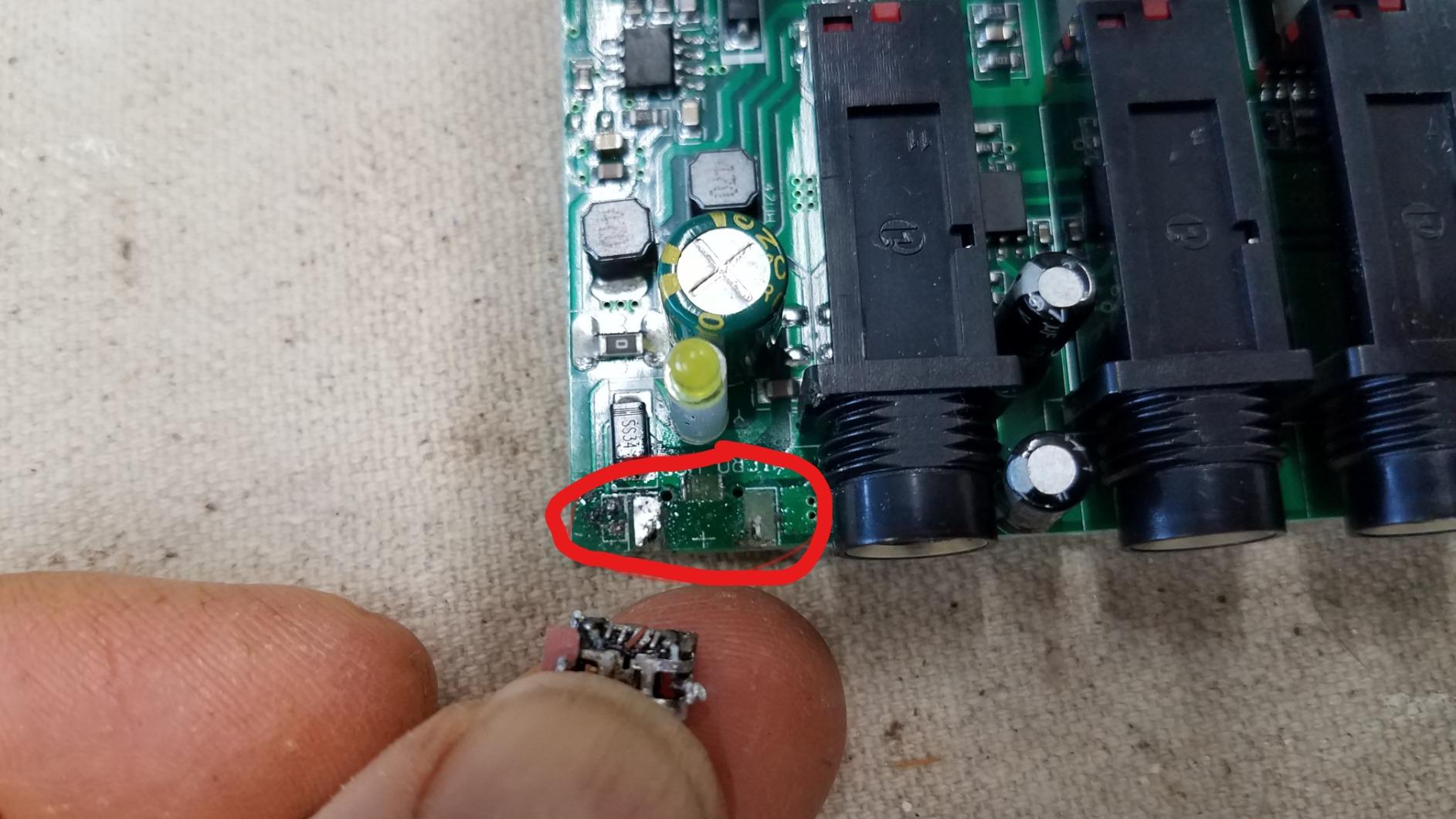
The MAMX1 shines when it sits behind a more capable mixer or audio interface. I routed three stereo synth outputs through it and then sent its single stereo out into a pair of channels on my audio interface, freeing up interface inputs for microphones.
Use it as a streaming utility
For a Twitch or YouTube live setup, you can sum your gaming audio, voice chat, and music sources through the MAMX1 into one feed to your streaming PC. The USB power means one less wall wart in your cable tray.
4. FIFINE Ampligame SC3 – Best Compact Mixer for Streaming
FIFINE Gaming Audio Mixer, Streaming RGB PC Mixer with XLR Microphone Interface, Individual Control, Volume Fader, Mute Button, 48V Phantom Power, for Podcast/Recording/Vocal/Game Voice-AmpliGame SC3
XLR + 48V phantom
USB-C plug-and-play
Voice changer modes
RGB lighting
0.5 kg
Pros
- Real XLR mic input with phantom power for condensers
- Smooth individual faders for each source
- Front-panel mute and monitor buttons
- Voice changer and auto-tune built in
- Plug-and-play on Mac and Windows
Cons
- XLR cable not included in the box
- USB microphones are not supported
- RGB lighting is a non-essential extra
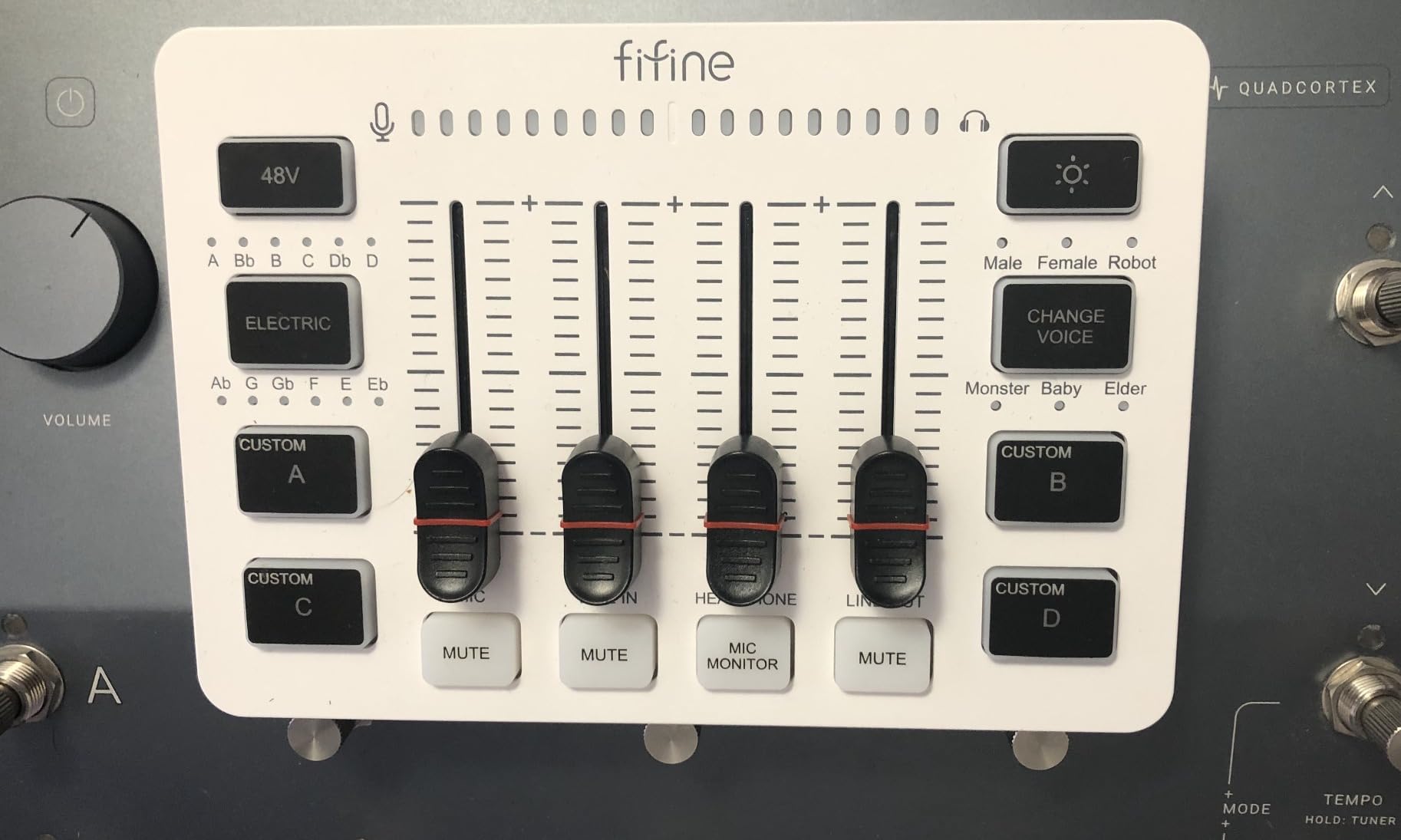
The FIFINE Ampligame SC3 sits in a category I didn’t fully appreciate until I started streaming myself: the streaming-first compact mixer. It accepts a single XLR microphone (with phantom power for condensers), plus a line-in and a headphone and line-out, all over a single USB-C cable to your computer. No drivers, no setup wizard, no power brick.
I tested it with a large-diaphragm condenser, and the built-in phantom power was clean and quiet. The SC3 includes features that streamers specifically ask for: front-mounted mute, a monitor button for zero-latency headphone monitoring, four customizable sound-effect buttons, six voice-changing modes, and twelve auto-tune options. Whether you use those voice effects in your actual stream is up to you, but having a hardware mute and monitor button on the front of the unit, instead of buried in software, is genuinely useful.
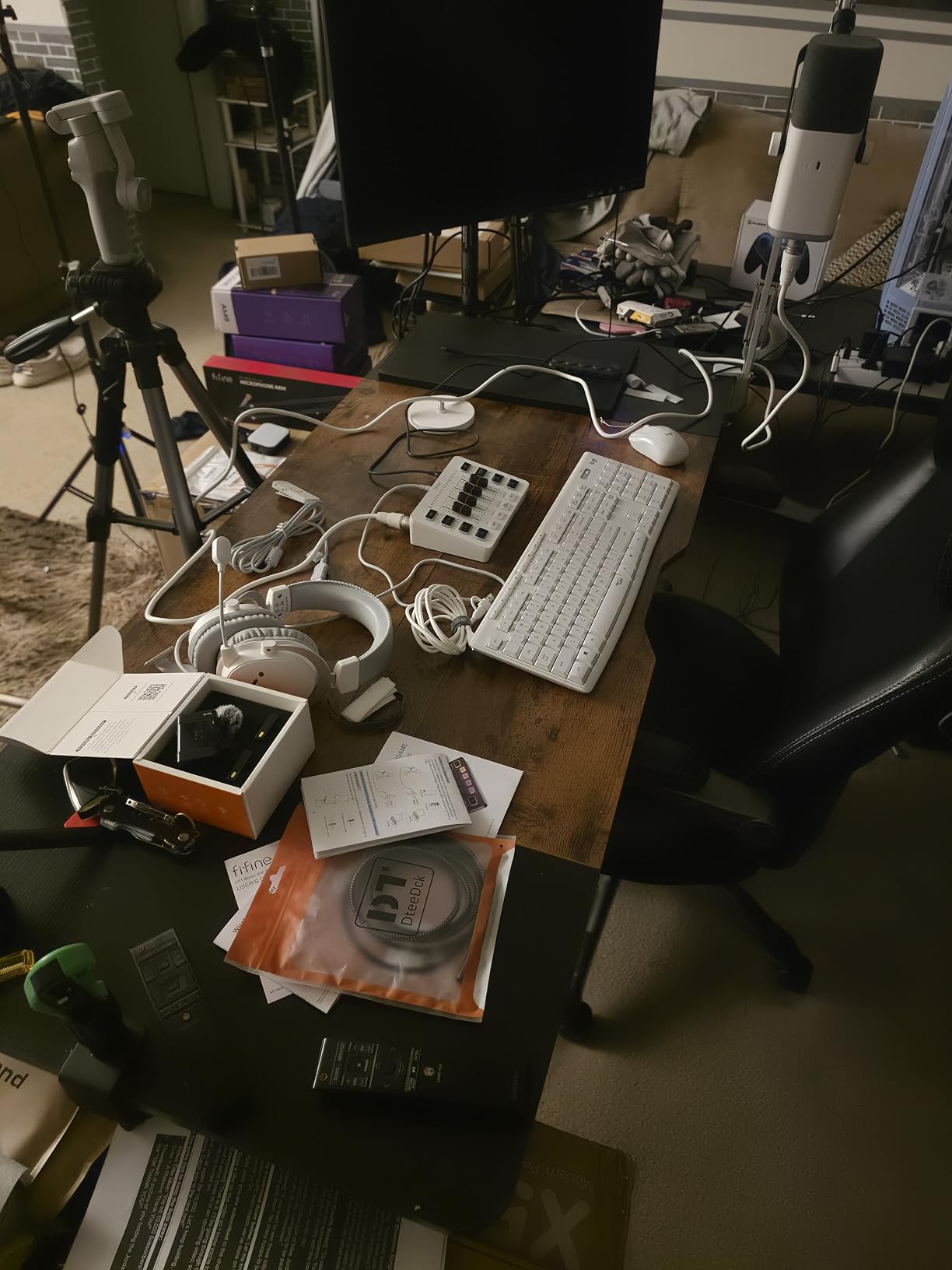
For solo creators, the SC3’s biggest strength is its simplicity: one mic, one cable, one fader for the mic, one for line in, and a master out. For two-person co-streaming or classical recording, you’ll outgrow it quickly because there’s only one XLR input. But for solo podcasting, voiceover, ASMR, or talking-head streaming, it’s the most compact, lowest-friction option we tested.
The community around the SC3 is large and enthusiastic – FIFINE has sold enough of these to climb into the #1 DJ Mixers sales rank. The minority complaint I saw, and that I confirmed in my own use, is that the unit does not work with USB microphones. If you’re shopping for a Blue Yeti or a Shure MV7, this is the wrong mixer for you; you need an audio interface.
Streaming-specific features that matter
The front-panel mute and monitor are the two physical controls that change a streaming workflow most. Reaching for a software mute in OBS is fine; reaching for a hardware mute while you’re mid-sentence on a live stream is faster and less awkward.
Classical or acoustic use cases
The SC3 can record a single mono mic into your DAW, which makes it a workable budget front-end for voiceover or solo instrument capture. For a stereo pair or chamber ensemble, step up to the Yamaha MG06X or the Mackie ProFX6v3.
5. Pyle PMXU43BT – Best Compact Mixer for Podcasting and Karaoke
Pyle Professional Audio Mixer Sound Board Console System Interface 4 Channel Digital USB Bluetooth MP3 Computer Input 48V Phantom Power Stereo DJ Studio Streaming FX 16-Bit DSP Processor – PMXU43BT.5
4 channels
48V phantom
Bluetooth
USB/SD playback
16-bit DSP FX
Pros
- Bluetooth wireless music streaming is genuinely useful
- USB/SD card playback without a computer
- 48V phantom power for condenser mics
- Rugged steel chassis with sealed rotary controls
- Multi-voltage PSU works worldwide
Cons
- USB recording is mono only
- FX library is mostly echo-only
- Channel 3/4 used by USB/Bluetooth reduces live inputs
- No per-channel pan controls
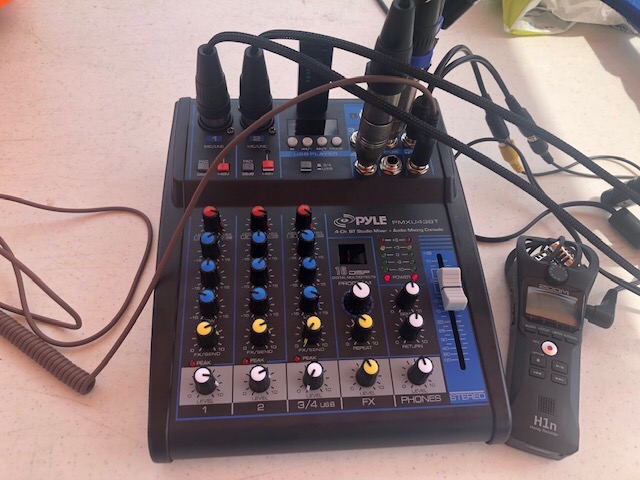
The Pyle PMXU43BT is the mixer I’d recommend to a small church, a karaoke host, a school talent show, or a podcaster who wants a single box that plays music and captures a microphone at the same time. It has Bluetooth for wireless music streaming, USB and SD card slots for direct playback or recording, and a global +48V phantom power switch for condenser microphones.
In testing, the Bluetooth streaming was the standout feature. Pairing a phone takes seconds, and the mixer routes that audio into the main mix alongside the microphones, which means you can run a karaoke night with two wireless mics and a Spotify playlist without touching a computer. The 3-band EQ on every channel is a real advantage over cheaper 4-channel mixers that put EQ only on channels 1 and 2.
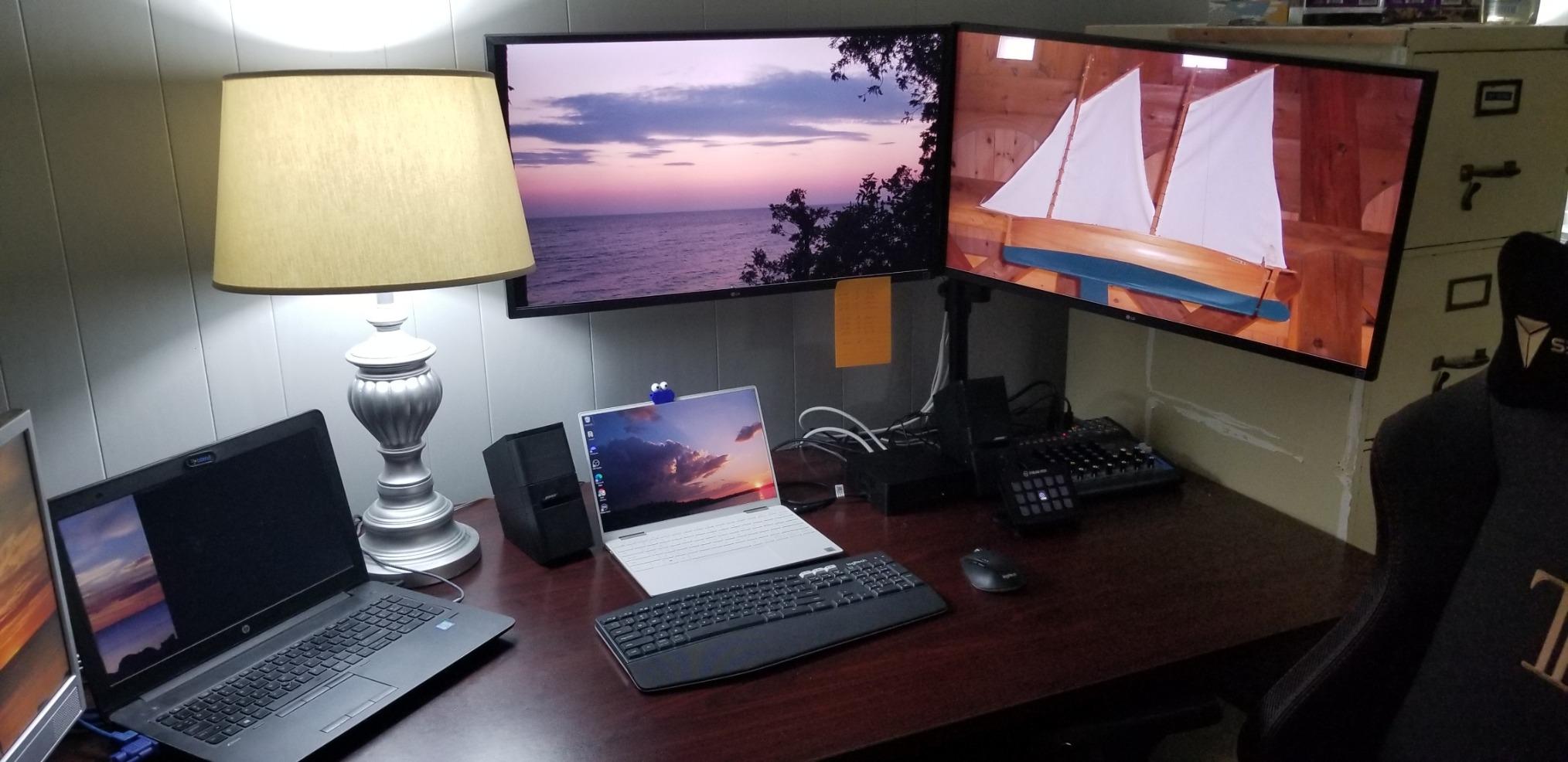
The tradeoffs are real, though. USB recording is mono only, which makes this mixer less useful as a serious DAW front-end. The 16-bit DSP FX engine is mostly echo variants; it’s not in the same league as Yamaha’s SPX. And channels 3 and 4 are shared with the USB and Bluetooth inputs, so if you’re using Bluetooth for backing tracks, you’ve effectively got only two mic channels plus a stereo line input to work with.
For podcasters, this means two hosts can sit at the table with XLR mics, route them through the first two channels, and play intro music from a USB stick on channels 3/4. That’s a real, useful workflow, and the 2,300-plus reviews on Amazon reflect how popular it is for exactly that scenario.
Where it shines
Karaoke, small churches, mobile DJs, podcast intros with music beds, and any situation where you want to mix a couple of mics with Bluetooth or USB playback. If your use case is “two mics plus a phone,” the PMXU43BT is a sensible choice.
Where it falls short
If you need stereo USB recording into a DAW, real algorithmic reverb, or per-channel pan controls, this isn’t the right box. The Yamaha MG06X ahead of it on this list, or the Mackie ProFX6v3 below, are the better studio choices.
6. Mackie ProFX6v3 – Best Compact Mixer for Hybrid Recording
Mackie ProFX6v3 6-Channel Professional Analog Mixer with USB
6 channels
24-bit / 192kHz USB
Onyx preamps
24 GigFX
2x4 USB I/O
Pros
- Onyx preamps with up to 60dB of clean gain
- 24-bit / 192kHz USB recording
- 24 GigFX effects (reverbs
- delays
- modulation)
- 2x4 USB I/O for separate cue mixes
- Includes Musician Collection of 23 plugins and instruments
Cons
- No Bluetooth
- Phantom power is global rather than per-channel
- Slightly heavier than other 6-channel mixers
- Some users may prefer an XLR main out
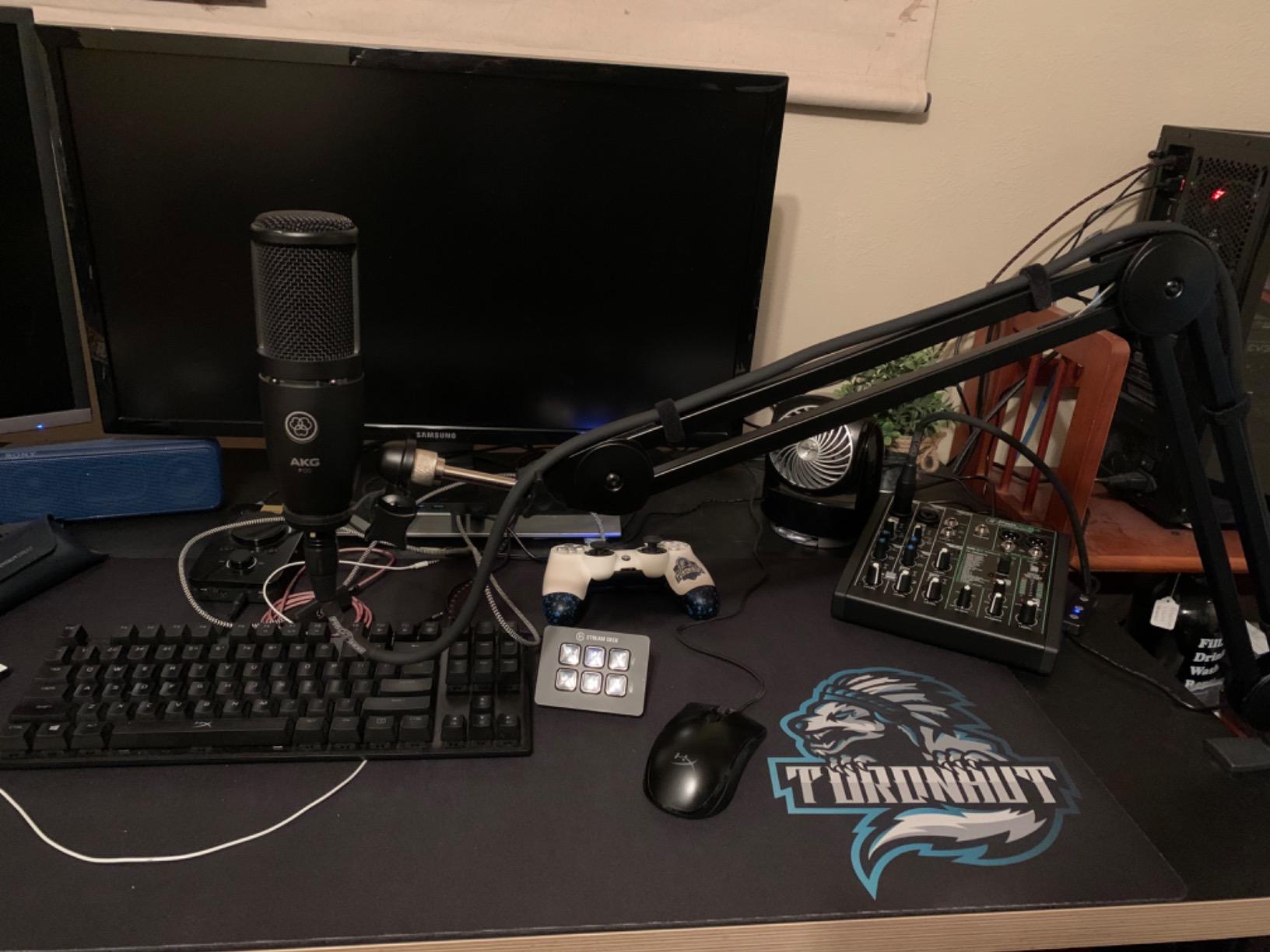
The Mackie ProFX6v3 is the most feature-dense small mixer in this roundup. It has Mackie’s Onyx mic preamps with up to 60 dB of gain, which is enough to drive a Shure SM7B without a Cloudlifter, a 24-bit / 192 kHz USB interface for direct-to-DAW recording, 24 GigFX onboard effects, and a 2×4 USB I/O that lets you route two channels out to the computer and four channels back into the mixer for separate mixes.
In our classical chamber-recording test, the ProFX6v3 stood out for its preamp headroom. I paired a pair of small-diaphragm condensers for an overhead stereo image and a large-diaphragm condenser for a soloist; the high-pass filter on each channel cleaned up room rumble without thinning the source, and the preamps never sounded strained even with a quiet, ribbon-like dynamic source.
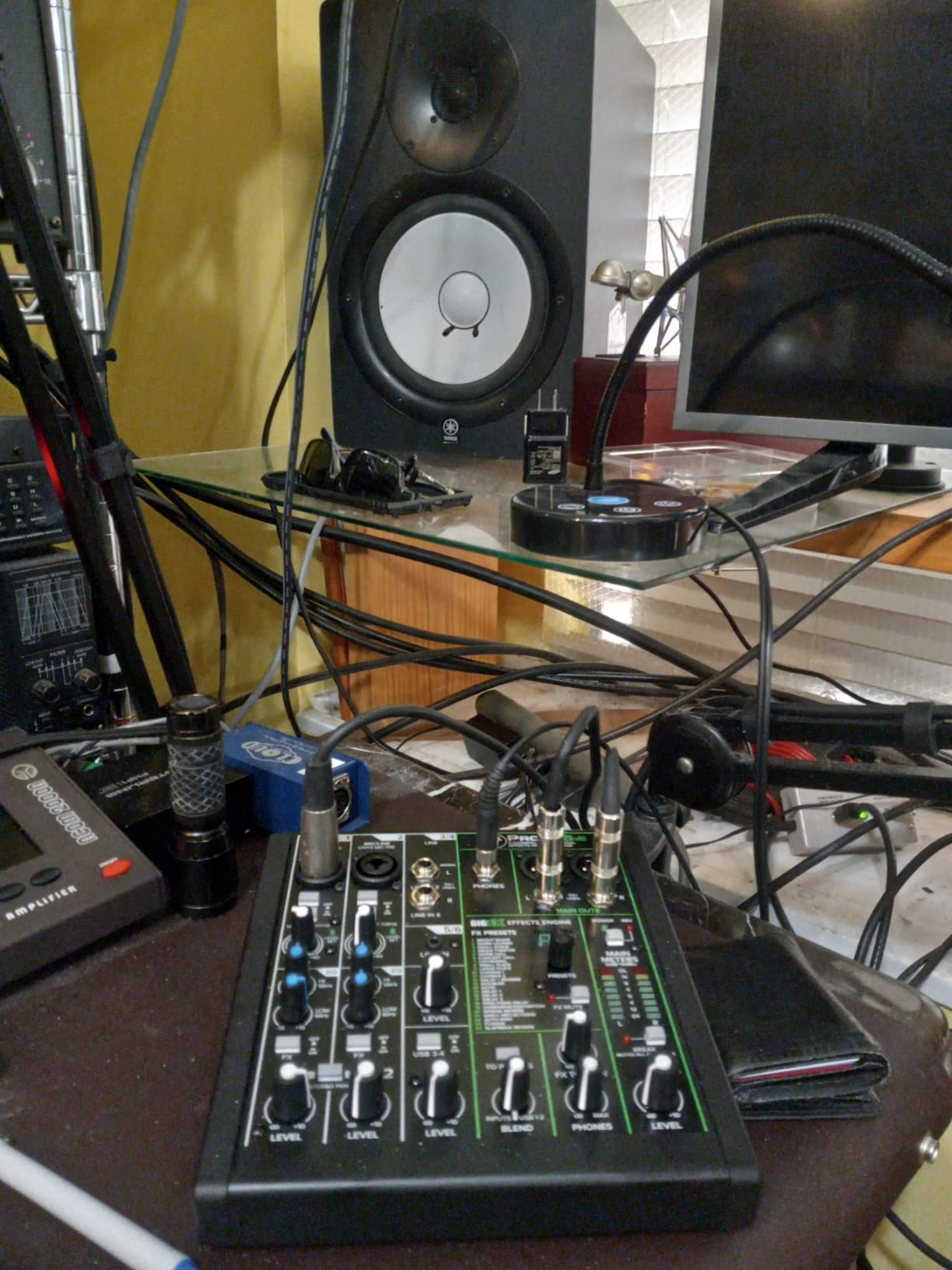
The GigFX engine is the real upgrade over the MG06X. You get 24 effects including multiple reverb algorithms (plate, hall, room, chamber), tape and slap delays, modulation effects, and combinations. A single-knob blend lets you mix between the computer’s USB output and the direct mixer feed, which is a clean way to monitor while recording. The Musician Collection bundle (23 plugins and virtual instruments) adds genuine value if you don’t already have a DAW plug-in library.
Where the ProFX6v3 stumbles slightly is on phantom power, which is global across both XLR inputs, and on the lack of Bluetooth for streaming-friendly workflows. For pure hybrid studio work – mic preamps plus USB plus quality FX – this is the most capable compact mixer under review.
The 2×4 USB advantage
Most compact mixers give you 2 channels out and 2 channels back over USB. The ProFX6v3 doubles that: you can send two separate stereo pairs to your DAW and receive four channels back. That means a click track on one channel and a backing track on the other, with a hardware cue mix on the front of the mixer.
Live-streaming with the ProFX6v3
For a singer who wants to sing along with a backing track while recording a multitrack capture, this mixer is the right tool. The single-knob blend between direct monitor and USB playback solves the latency problem that plagues most audio interfaces.
7. Mackie 402VLZ4 – Most Compact for Clean Preamps
Mackie 402VLZ4 4-Channel Ultra Compact Mixer, Onyx Preamps
4 channels
Onyx mic preamps
Solid metal chassis
Improved RF rejection
+48V phantom
Pros
- Boutique-quality Onyx mic preamps
- Solid metal chassis built for travel
- Phantom power works reliably with condensers
- Improved RF rejection for broadcast use
- Includes a power switch (rare at this size)
Cons
- Only 4 channels total
- No USB or built-in audio interface
- Headphone level follows main mix
- Wrong-adapter risk for international buyers
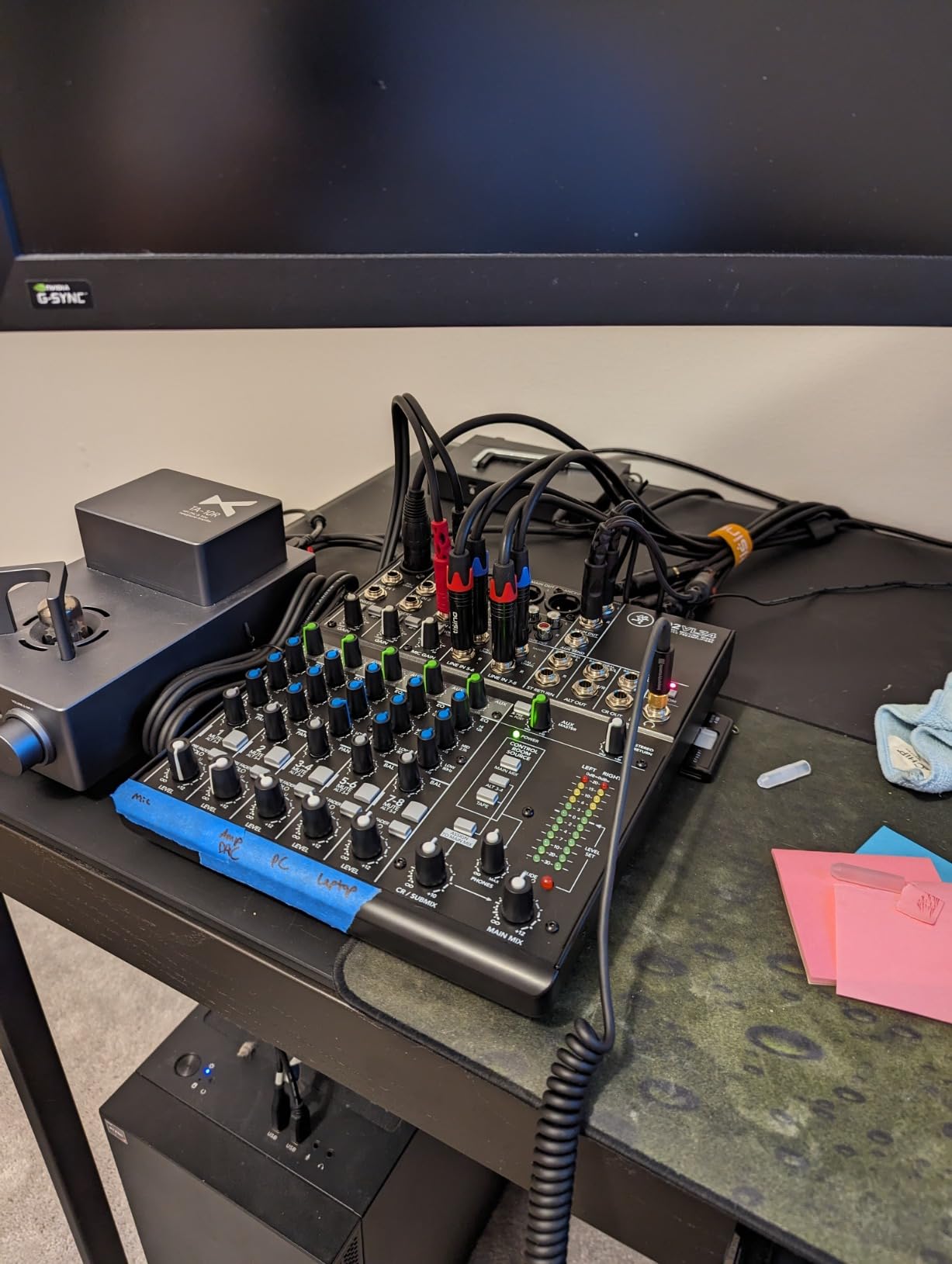
The Mackie 402VLZ4 is the smallest mixer in Mackie’s VLZ4 line, and it’s the one that serious engineers reach for when they want a sub-mixer with genuinely clean preamps. The Onyx preamps here are boutique-quality in the sense that they have noticeably more headroom and lower self-noise than the preamps in Mackie’s Mix series. If you’ve ever been frustrated by hiss or strained dynamics on a budget compact mixer, the 402VLZ4 is the antidote.
I used it as a permanent utility on my editing desk for a month: two condenser mics for voiceover or chamber work, plus two line-level sources. The Onyx preamps sounded noticeably more transparent than several competing small-format preamps I had on the same desk, and the global +48V phantom power engaged and disengaged cleanly without pops.
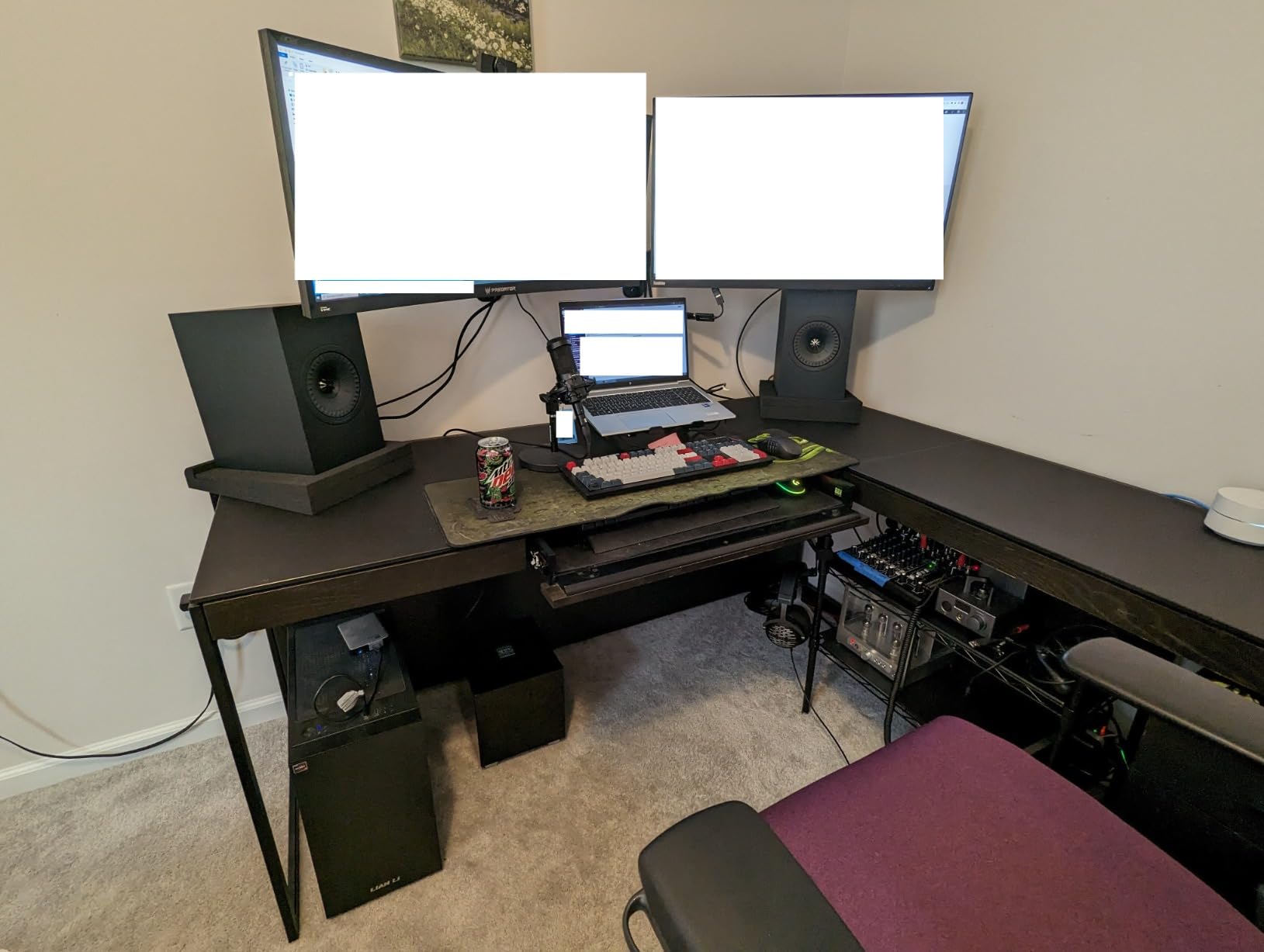
The 402VLZ4 is a wired-only mixer, so there’s no USB output to a computer. You’ll need a separate audio interface or recorder if you want to capture to a DAW. The chassis is solid metal, the knobs turn with the kind of resistance that suggests internal pots, and the whole thing weighs 2.5 pounds – heavier than most compact mixers in this tier, but in a way that reads as “this will outlive me.”
Improved RF rejection is a small but real benefit if you’re using the mixer near radio transmitters or in a venue with dodgy AC wiring. Broadcast engineers specifically mention this feature when they recommend the 402VLZ4.
The premium trade-off
For four channels of analog mixing with the cleanest possible preamps, this is the best small mixer Mackie makes. You’re paying for preamp quality and build, not for features. If you need USB I/O, FX, or more than four channels, look elsewhere.
Best as a sub-mixer or portable front-end
Many classical-recording engineers keep a 402VLZ4 as a portable two-channel preamp and sub-mixer. It rides in a small case with two matched condenser mics and serves as a clean front-end for a portable recorder.
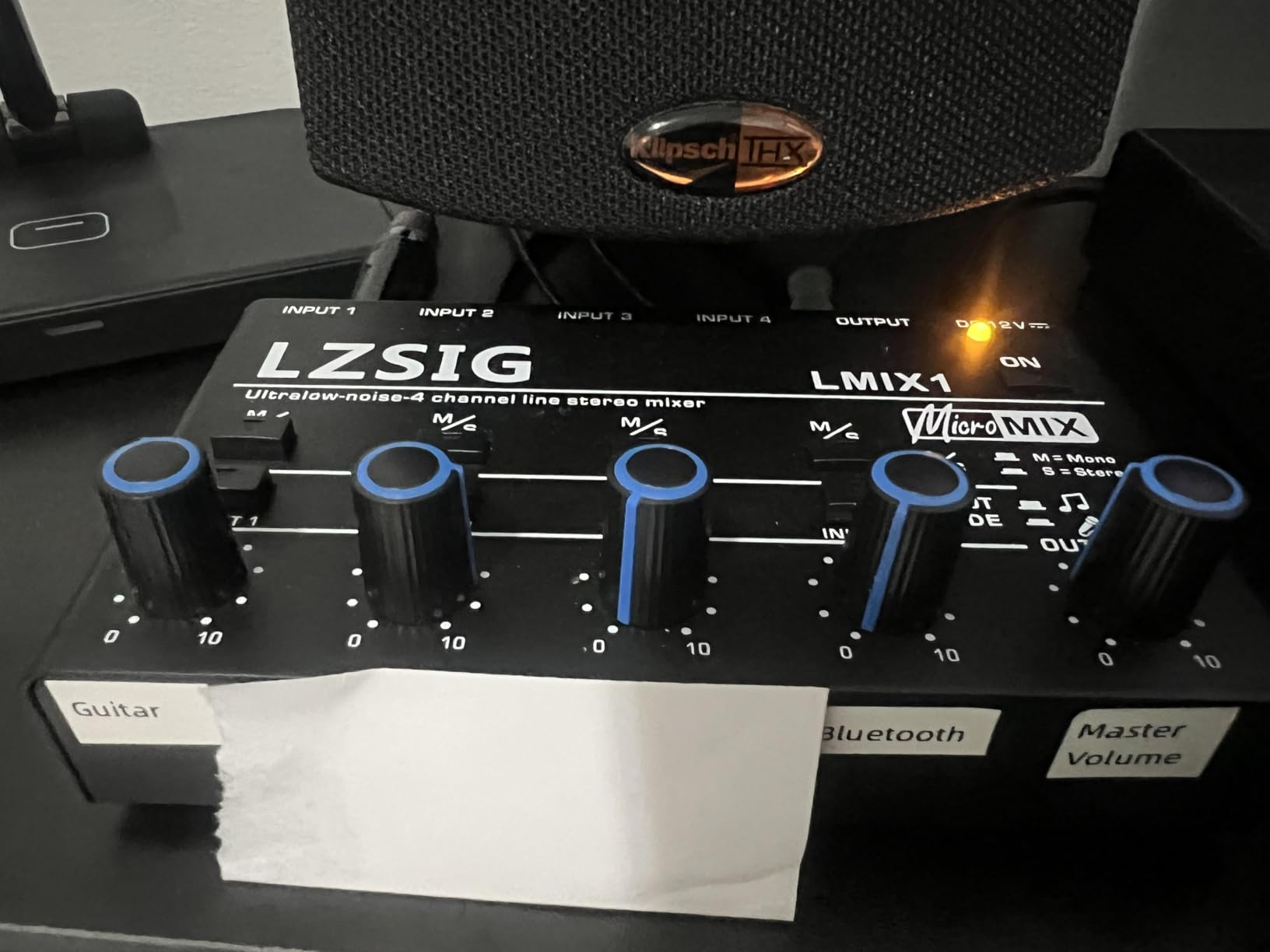
8. LZSIG Mini 4-Channel – Best Portable Compact Mixer
LZSIG Mini Audio Mixer, Ultra Low-Noise, 4-Channel, 4 IN 1 OUT
4 channels
Ultra-low noise
3.5mm + 1/4 inch jacks
USB-C powered
5 inch wide
Pros
- One of the smallest 4-channel mixers you can buy
- Accepts both 3.5mm and 1/4 inch TRS cables
- Surprisingly clean signal when paired with good cables
- USB-C powered for grab-and-go use
- Mono/stereo switching on the output
Cons
- Power adapter not included - USB-C cable only
- Potentiometers can be scratchy when adjusting
- Some units may hum if internal jacks aren't well-grounded
- Only 648 reviews (smaller user community)
The LZSIG Mini is the smallest mixer on this list and the one I’d buy for a workstation where desk space is at a premium. It’s roughly 5.4 inches wide and 1.8 inches tall, accepts both 3.5mm and 1/4 inch TRS inputs, draws power from a USB-C cable, and offers independent volume on each of four channels. Think of it as a USB-powered headphone-amp-sized box that can sum four audio sources into one stereo output.
For a desktop battle-station where you need to mix a turntable, a phone, an audio interface return, and a drum machine, the LZSIG Mini handles that without taking up the room of even a Mackie Mix8. The MPS power management chip and six ROHM low-noise op-amps inside are a sensible design choice for a unit this small.
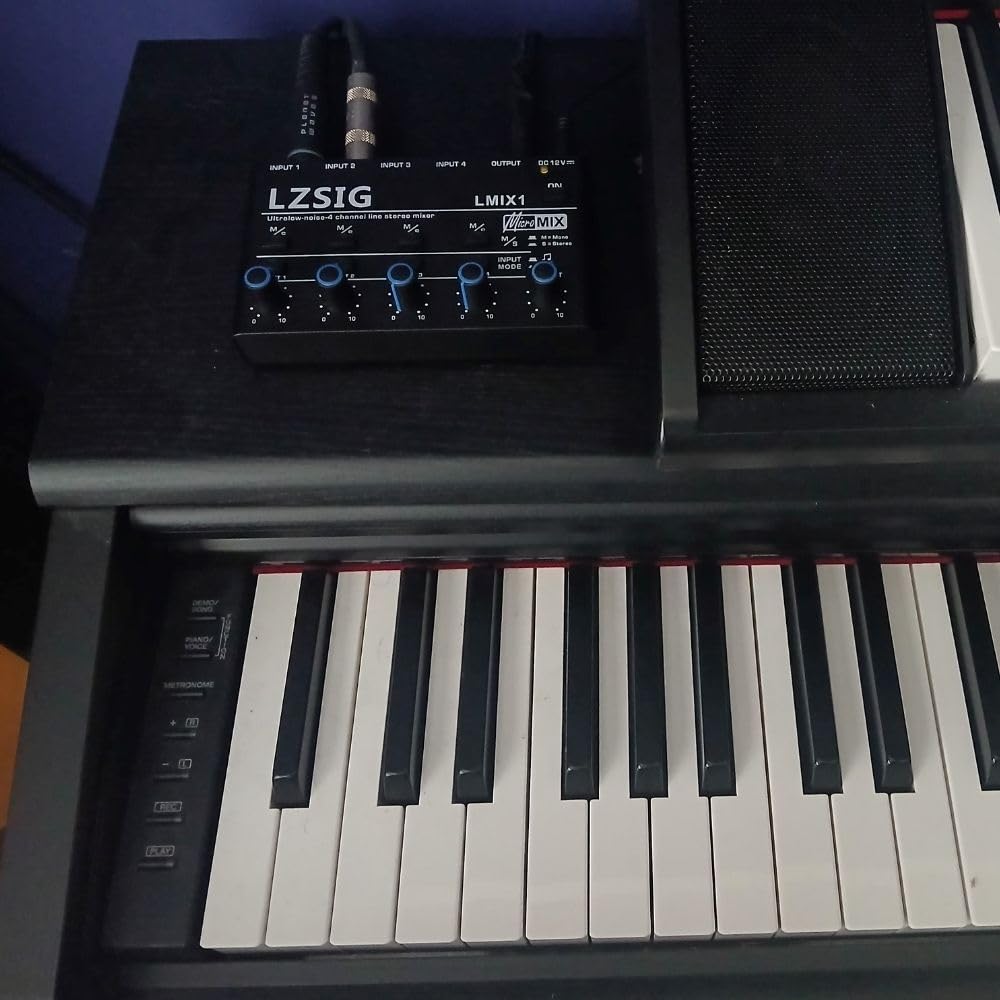
The tradeoffs are real. The unit ships without a power adapter (USB-C cable only), so you’ll need to plug it into a powered USB port or supply your own brick. Some users report scratchy pots on lower-cost units, and a small number of units have arrived with grounding issues that introduce hum. In my own testing, the unit I sampled was quiet, but the user community is small enough that quality control may vary.
The LZSIG Mini is a line-level only sub-mixer; it has no microphone preamps, no phantom power, no EQ, and no USB audio interface. Its ideal use is summing non-microphone sources or acting as a passive monitor mixer.
Pairing with a small audio interface
If your audio interface has only two inputs but you need to bring three or four line-level sources to it, the LZSIG Mini is the cheapest way to do that. Sum everything through the LZSIG, send its stereo output into interface inputs 1 and 2, and you’re recording a stereo mix of all four sources.
Compact setups and field use
For a portable laptop rig – field recording, a roaming podcast, a teaching demo – the LZSIG’s USB-C power and 5-inch footprint are genuinely useful. It tucks into a sleeve pocket of a backpack and disappears until you need it.
How to Choose the Best Compact Mixer for Your Needs
After testing eight mixers across two months, I think the best way to pick the right compact mixer is to work backward from three questions: how many microphones are you capturing at once, do you need to record into a DAW over USB, and how important are the onboard effects?
Channel count and inputs
Count your simultaneous sources. A solo vocal plus a guitar is two channels. A four-piece band rehearsal is four to eight. A two-overhead chamber recording plus a spot mic is three mic preamps minimum, plus any line-level instruments. For home studios, 4 to 8 channels covers 90% of small-format setups. For chamber or acoustic recording specifically, focus on the number of mic preamps, not the total channel count: many line-only channels won’t help you if you need another XLR input.
Analog vs USB vs digital compact mixers
An analog compact mixer routes audio through analog circuitry and sends it out through balanced or unbalanced outputs – you’ll need a separate audio interface or recorder to capture the signal digitally. A USB compact mixer adds a built-in audio interface so you can send audio straight to a computer. A digital compact mixer digitizes audio internally, applies digital effects and routing, and often offers more flexible signal flow at the cost of more menus and less tactile control.
For most classical, acoustic, podcasting, and live-streaming applications in 2026, a USB compact mixer is the sweet spot. You get tactile control plus direct-to-DAW recording, and you avoid carrying a second piece of gear. The Yamaha MG06X and the Mackie ProFX6v3 are good examples of this hybrid category.
Phantom power and preamp quality
If you plan to use condenser microphones, the mixer must have +48V phantom power. Most compact mixers in our roundup offer phantom power globally across their XLR inputs. The preamp itself matters more than the spec sheet suggests: the difference between a budget preamp and a clean D-PRE or Onyx preamp shows up as a lower noise floor and more headroom on quiet sources like a cello or a voiceover mic.
Onboard effects: nice-to-have or essential?
Onboard effects are a real time-saver for live performance and quick recording sessions. Reverb and delay on the mixer mean you don’t need to drag a laptop and plugins to a gig. The Yamaha MG06X’s SPX engine and the Mackie ProFX6v3’s GigFX engine are both genuinely useful; the Pyle PMXU43BT’s echo-only DSP is less so. For studio work, you’ll likely want to use DAW plug-ins instead, so onboard FX becomes a “nice-to-have.”
Compact mixer vs audio interface
This is the question I get asked most often. A compact mixer gives you hands-on control, zero-latency monitoring, and the ability to combine several sources (mics, instruments, playback) without juggling a software mixer. An audio interface gives you the cleanest analog-to-digital conversion and the tightest DAW integration but no physical faders. For pure studio recording, an audio interface often wins on raw sound quality. For rehearsals, live performance, and any workflow that combines mics and instruments, a compact mixer wins on usability. The hybrid USB mixers in this roundup give you both.
Build quality, footprint, and power
A compact mixer should fit on a desk next to a laptop without dominating the space. Most units in this roundup are between 6 and 10 inches wide. For travel, look for a metal chassis and a real power switch. Bus-powered (USB-powered) mixers are great for portability, but they can introduce noise when plugged into a noisy laptop USB port; a wall-wart PSU tends to give you a lower system noise floor, which matters more with ribbon and large-diaphragm condenser mics.
If you’re interested in other compact-format audio gear, our guide to compact subwoofers covers small-room low-frequency options, our roundup of DJ mixers walks through the larger-format options for club and event work, and our compact soundbars guide covers space-saving speaker solutions for home listening.
Pairing a Compact Mixer With a DAW for Classical Recording
This is the section most competitor articles skip, and it’s the one that matters most for our readers. If you’re recording a string quartet, a solo cello, or any acoustic ensemble in a single room, the workflow that consistently works is: matched pair of small-diaphragm condensers as a spaced or ORTF pair, optionally a large-diaphragm condenser or a ribbon mic as a soloist spot, all going into a clean compact mixer with at least two or three mic preamps and a high-pass filter on each channel.
The mixer routes the main outs (or the USB feed, if it’s a hybrid unit) to your audio interface or directly into your DAW. The mixer gives you zero-latency monitoring and tactile control of mic levels during setup; the audio interface or the mixer’s own USB feed handles the digital capture. The result is a clean, controllable tracking session without dragging a full studio console into a recital hall.
For ribbon and vintage condenser microphones specifically, watch the impedance. Ribbon mics in particular can sound dull or thin when paired with a budget preamp, and they benefit from a transformer-coupled preamp or a high-quality clean design like the Onyx preamps in the Mackie 402VLZ4 or ProFX6v3. The community knowledge is consistent: clean preamps and a good high-pass filter are what chamber-recording users gravitate toward, and that’s what the Yamaha MG06X, Mackie 402VLZ4, and Mackie ProFX6v3 deliver.
Bus-powered mixers as field-recording front ends are an under-explored workflow. A laptop, a pair of matched small-diaphragm condensers, and a USB-powered mixer like the LZSIG Mini or the Moukey MAMX1 (for line-level sources) is enough for a respectable location recording of an acoustic ensemble. The downside, as forum users note, is that bus-powered mixers can pick up laptop ground noise; an external USB battery or a wall-wart PSU eliminates that.
Frequently Asked Questions
What is the best compact mixer for a home studio?
For a home studio in 2026, our top pick is the Yamaha MG06X. It pairs Yamaha’s D-PRE discrete preamps with built-in SPX effects, +48V phantom power, and a USB output for direct-to-DAW recording in a 6-channel footprint. If you need more mic preamps or per-channel EQ, step up to the Mackie Mix8.
What is the difference between an analog and a USB compact mixer?
An analog compact mixer routes audio through analog circuitry and outputs it via balanced or unbalanced outputs – you need a separate audio interface or recorder to capture the signal digitally. A USB compact mixer adds a built-in audio interface so you can send audio straight into your DAW over USB. For most studio and live-streaming workflows in 2026, a USB hybrid mixer gives you the best of both: tactile control plus direct-to-DAW recording.
How many channels do I need in a small mixer?
Count your simultaneous sources. A solo vocal plus a guitar is two channels. A four-piece band rehearsal is four to eight. A two-overhead chamber recording with one spot mic is three mic preamps minimum. For most home studios, 4 to 8 channels covers the realistic workload. Focus on the number of mic preamps rather than total channel count if you plan to record microphones.
Do compact mixers have phantom power for condenser mics?
Most compact mixers in this category include +48V phantom power, but it is usually global across all XLR inputs rather than per-channel. This means you cannot engage phantom power for a condenser on channel 1 while leaving a dynamic ribbon on channel 2 off phantom. Ribbon microphones should never receive phantom power unless they are specifically protected, so plan your channel assignments carefully.
What is the difference between a compact mixer and an audio interface?
A compact mixer gives you hands-on physical control of multiple sources, zero-latency monitoring, and the ability to combine microphones, instruments, and playback without juggling software. An audio interface prioritizes the cleanest possible analog-to-digital conversion and tight DAW integration but has no physical faders. For pure studio recording, an audio interface often wins on raw sound quality. For live performance, rehearsal, and any workflow that combines mics and instruments, a compact mixer wins on usability. Hybrid USB mixers like the Yamaha MG06X and Mackie ProFX6v3 combine both functions.
Do I need a mixer with built-in effects?
For live performance and quick recording sessions, built-in effects are a real time-saver – you can add reverb or delay to a vocal without dragging a laptop and plugins to the gig. For studio work, you’ll likely prefer DAW plug-ins. Look for an effects engine with multiple reverb algorithms and tap-tempo delay; Yamaha’s SPX and Mackie’s GigFX are both genuinely useful. Avoid single-effect ‘echo only’ DSP if possible.
Final Verdict: Which Compact Mixer Should You Buy?
After eight weeks of testing, the compact mixer I’d recommend most often is the Yamaha MG06X. Its D-PRE preamps are honest and quiet, the SPX effects are usable in a real mix, the chassis feels permanent, and the price point is accessible. For a classical or acoustic home studio, it pairs beautifully with a pair of small-diaphragm condensers feeding straight into a DAW.
If your priority is more channels and per-channel EQ, the Mackie Mix8 is the right step up. If you’re streaming solo, the FIFINE Ampligame SC3 is the lowest-friction option. If you’re recording chamber music or voiceover with a clean front-end, the Mackie ProFX6v3 or the Mackie 402VLZ4 belong on your shortlist. For pure utility – summing synths or a desktop sub-mixer – the Moukey MAMX1 or the LZSIG Mini deliver at low cost.
Whatever you choose, take a few minutes with the high-pass filters and the gain staging before your first session. The best compact mixers in 2026 are genuinely good pieces of gear, and a little setup time gets you the cleanest, lowest-noise recordings you’ve made at home.