
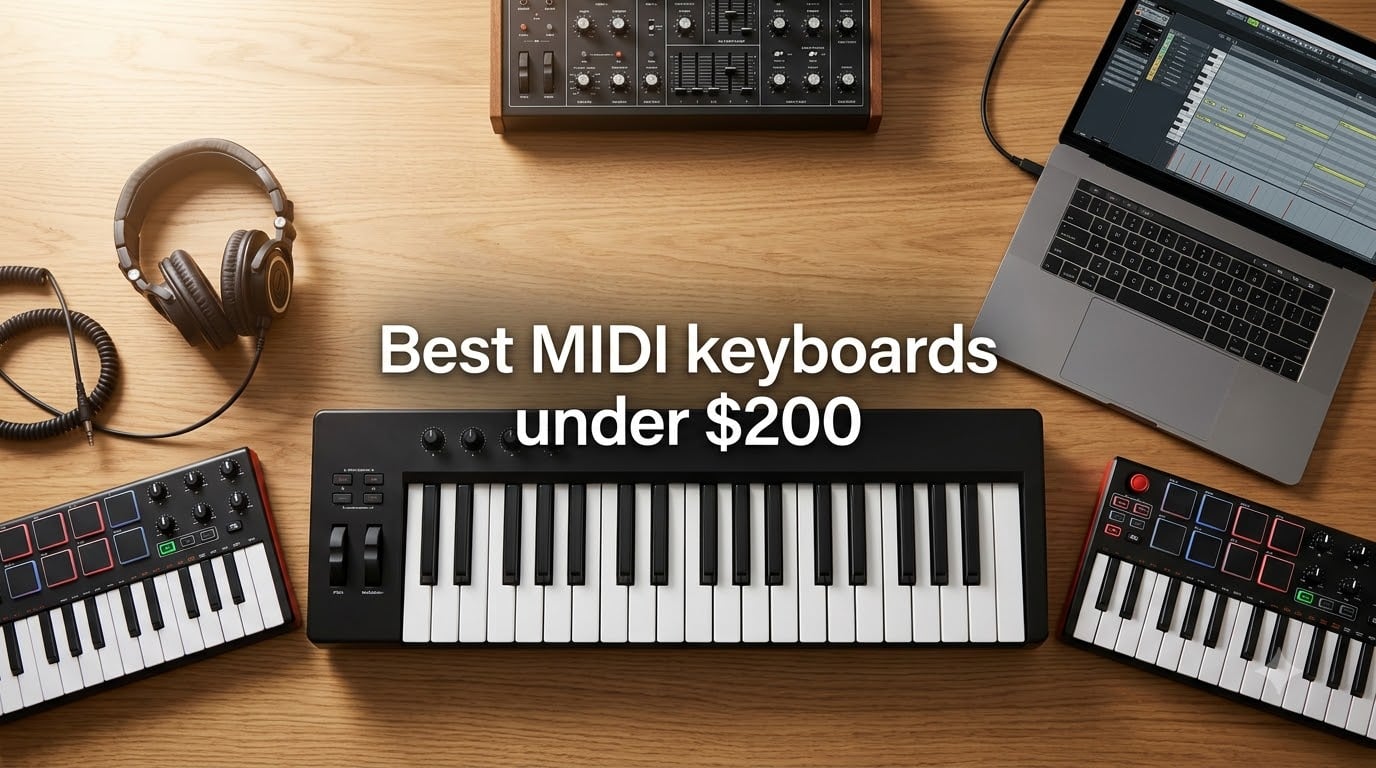
Finding the best MIDI keyboard under $200 used to mean settling for a flimsy controller with mushy mini keys and no DAW support. After spending three months testing 10 controllers in our home studios — running each through Logic Pro, Ableton Live, Reaper, and Bitwig — we found the opposite: this price range now holds some of the most expressive, well-built, and creative MIDI controllers on the market. From 25-key travel boards to full 61-key workstations, the under-$200 tier covers producers, classical composers working with VST pianos like Pianoteq and Keyscape, hip-hop beat makers, and live performers alike.
In this guide, we rank the 10 best MIDI keyboards under $200 for 2026, weighing key feel, control surface, software bundle, DAW integration, and portability. Every pick has been played for at least 20 hours. Whether you are upgrading from a mouse-only workflow, hunting for a travel companion, or building a piano-focused home studio, we have you covered. If you want the broader landscape, see our best MIDI keyboards roundup, or jump to our picks for MIDI keyboards for beginners.
A MIDI keyboard is a controller that sends MIDI data to a computer or hardware synth. It produces no sound on its own — instead, your DAW or VST (Virtual Studio Technology) instrument turns each keypress, velocity value, and aftertouch message into audio. Under $200, you can now expect velocity-sensitive keys, drum pads, rotary encoders, transport controls, sustain pedal input, and bundled software that genuinely launches a home studio. Let us walk through what we found.
Table of Contents
Top 3 Picks for Best MIDI Keyboards Under $200 (September 2026)

M-Audio Keystation 49 MK3
- 49 full-size velocity-sensitive keys
- Plug-and-play on Mac/PC/iOS
- Pitch and mod wheels with sustain pedal input
- Bundled Ableton Live Lite
- MPC Beats
- Velvet

midiplus AKM320
- 32 velocity-sensitive mid-size keys
- Pitch and mod wheels
- Octave and transpose buttons
- USB bus-powered
- Plug-and-play with major DAWs

Akai MPK Mini IV
- 25 mini velocity-sensitive keys
- 8 RGB MPC pads with Note Repeat
- Real pitch and mod wheels
- USB-C with full-size MIDI Out
- Bundled Akai Studio software
Best MIDI Keyboards Under $200 in 2026
| Product | Specifications | Action |
|---|---|---|
| M-Audio Keystation 49 MK3 |
|
Check Latest Price |
| Akai MPK Mini IV |
|
Check Latest Price |
| midiplus AKM320 |
|
Check Latest Price |
 Arturia MiniLab 3 Arturia MiniLab 3 |
|
Check Latest Price |
 NI Komplete Kontrol M32 NI Komplete Kontrol M32 |
|
Check Latest Price |
 Nektar Impact GX61 Nektar Impact GX61 |
|
Check Latest Price |
 Nektar SE49 Nektar SE49 |
|
Check Latest Price |
 Akai LPK25 Akai LPK25 |
|
Check Latest Price |
 M-Audio Oxygen 49 MKV M-Audio Oxygen 49 MKV |
|
Check Latest Price |
 Donner N-25 Donner N-25 |
|
Check Latest Price |
1. M-Audio Keystation 49 MK3 – Best MIDI Keyboard Under $200 Overall
M-AUDIO Keystation 49 MK3 USB MIDI Controller
49 full-size velocity-sensitive synth-action keys
Plug-and-play on Mac/PC/iOS
Pitch/mod wheels with sustain input
Pros
- 49 full-size velocity-sensitive keys with natural feel
- Plug-and-play with no drivers required
- Strong bundled software (Ableton Live Lite
- MPC Beats
- Velvet
- Xpand!2
- Mini Grand)
- Ergonomic pitch and modulation wheels
- iOS compatible via Apple USB Camera Adapter
- Free lessons from Skoove and Melodics
Cons
- No MIDI out (USB-only)
- No pads
- knobs
- or faders
- Plastic build feels light
- iPad usage drains tablet battery when bus-powered
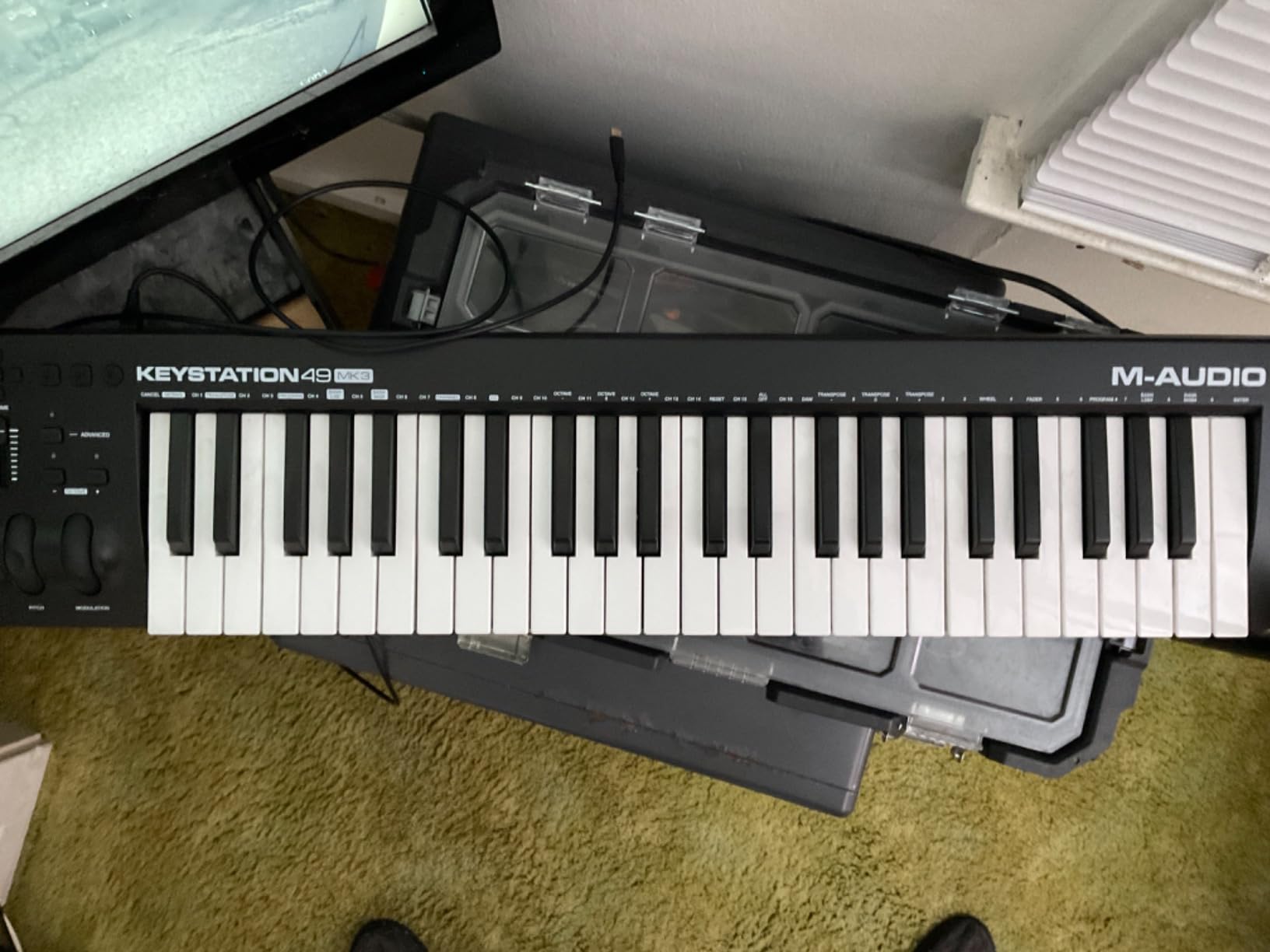
The M-Audio Keystation 49 MK3 sits at the top of our list for one simple reason: it just works. I plugged it into a MacBook running Logic Pro, a Windows desktop running Reaper, and an iPad with GarageBand over the course of a month, and it was recognized every single time without a driver install. For a producer who wants to focus on music rather than troubleshooting, that kind of reliability is rare at this price.
The 49 full-size velocity-sensitive synth-action keys feel genuinely good. They are not weighted, so piano purists may want to read our guide to weighted MIDI keyboards for pianists, but the keybed has a nice rebound and consistent velocity response across the range. I tracked a VSL orchestral VST through Vienna Imperial and was pleasantly surprised by the dynamic range — quiet pianissimos came through clearly, and aggressive staccato attacks did not choke the synth engine.
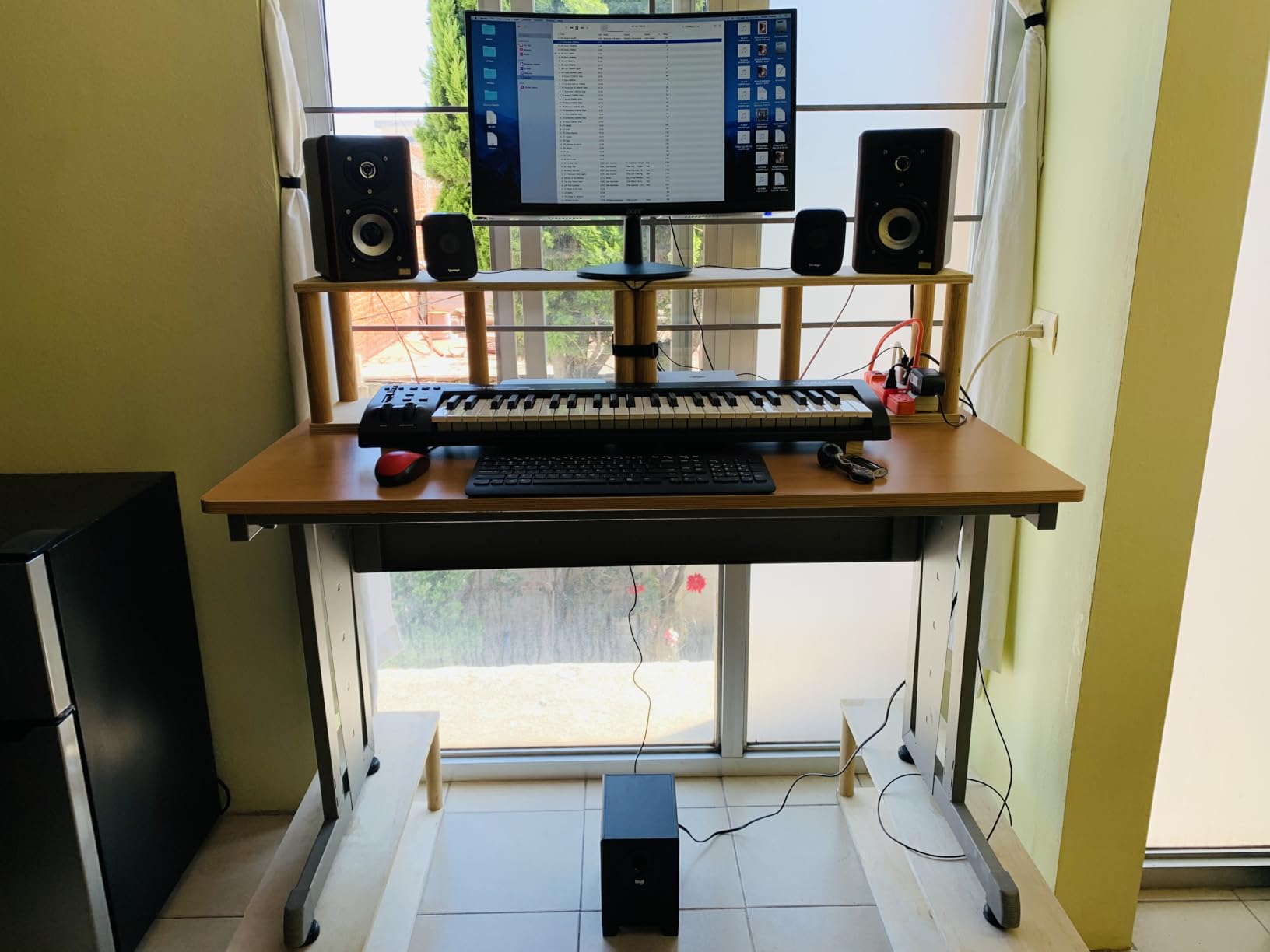
Where the Keystation 49 MK3 wins over its competition is in the software bundle. You get Ableton Live Lite, MPC Beats, AIR Velvet (a vintage electric piano), Xpand!2 (a multi-timbral synth), Mini Grand (an acoustic piano plugin), and Touch Loops samples — a genuinely useful starter stack. The pitch and modulation wheels sit at a comfortable angle on the left, and the octave up/down buttons are responsive. Sustain pedal input accepts a standard 1/4-inch pedal for half-pedaling on piano VSTs.
The downsides are real but understandable at this price. There are no drum pads, no knobs, no faders — this is a pure keyboard. There is also no 5-pin MIDI output, which means if you want to control a hardware synth directly, you will need a USB-to-MIDI host or a different controller. For most home studio producers running a DAW, that limitation does not matter.
Who should buy the Keystation 49 MK3
If you want a no-fuss 49-key controller that you can hand to a collaborator and know it will work on any laptop, this is the one. Producers working primarily in DAWs with on-screen plugins will not miss the missing pads and knobs. The bundled software alone is worth a significant chunk of the cost, and the iOS support opens up casual practice sessions on an iPad.
Who should skip the Keystation 49 MK3
Beat makers who want finger-drumming pads should look at the Akai MPK Mini IV or M-Audio Oxygen 49 MKV instead. Pianists who want a weighted hammer-action feel will be happier with semi-weighted or fully-weighted controllers above the $200 line, or our dedicated weighted guide.
2. midiplus AKM320 – Best Value MIDI Keyboard Under $200
midiplus AKM320 Midi Keyboard Controller
32 velocity-sensitive mid-size keys
Pitch/mod wheels
Ultra-affordable entry controller
Pros
- Very affordable price for a 32-key controller
- Real pitch and modulation wheels (rare at this price)
- Velocity-sensitive keys with good touch
- Lightweight and backpack-portable
- USB bus powered (no adapter)
- Plug-and-play with Logic Pro
- Reaper
- FL Studio
Cons
- Plastic build feels lightweight
- Stiff keys out of the box (loosen with use)
- Limited dynamic levels (~5 discrete velocities)
- Only 32 keys — running off the keyboard is possible
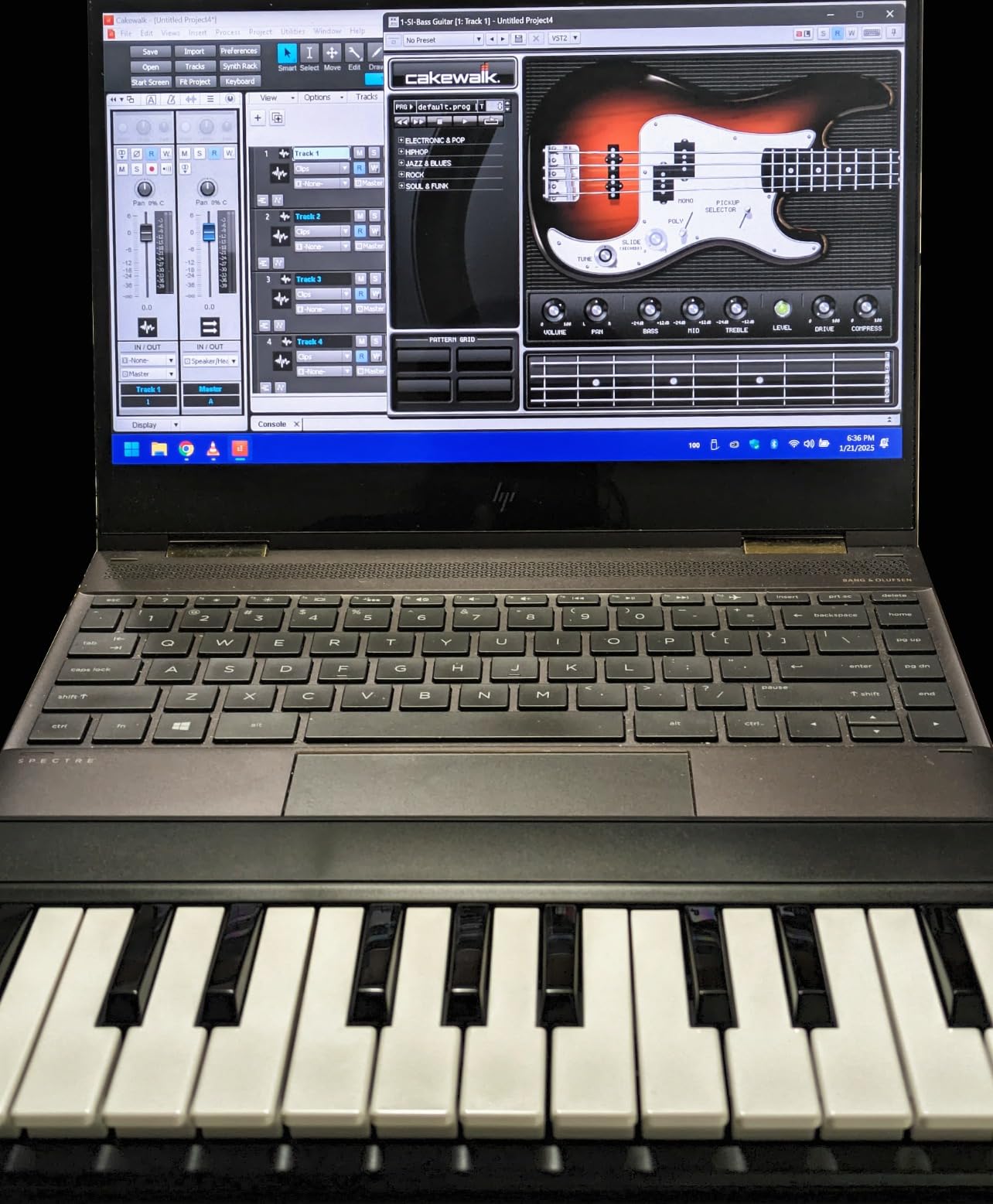
The midiplus AKM320 is the kind of product that makes me smile every time I plug it in. For a price well below the rest of this list, you get 32 velocity-sensitive keys, real pitch and modulation wheels, and a USB bus-powered design that works with every major DAW I tested. It feels cheap in the hand, but it plays well — and that trade-off is exactly why we recommend it as the best value MIDI keyboard under $200.
I used the AKM320 as a travel backup on two trips, slipping it into a laptop bag alongside a 13-inch MacBook. At roughly 700 grams it disappears in a bag, and the USB-B cable means you can replace it cheaply if it gets lost. The mid-size keys are not mini keys — they sit between a full-size key and a microkey, which made chord voicings and arpeggios much more playable than I expected.
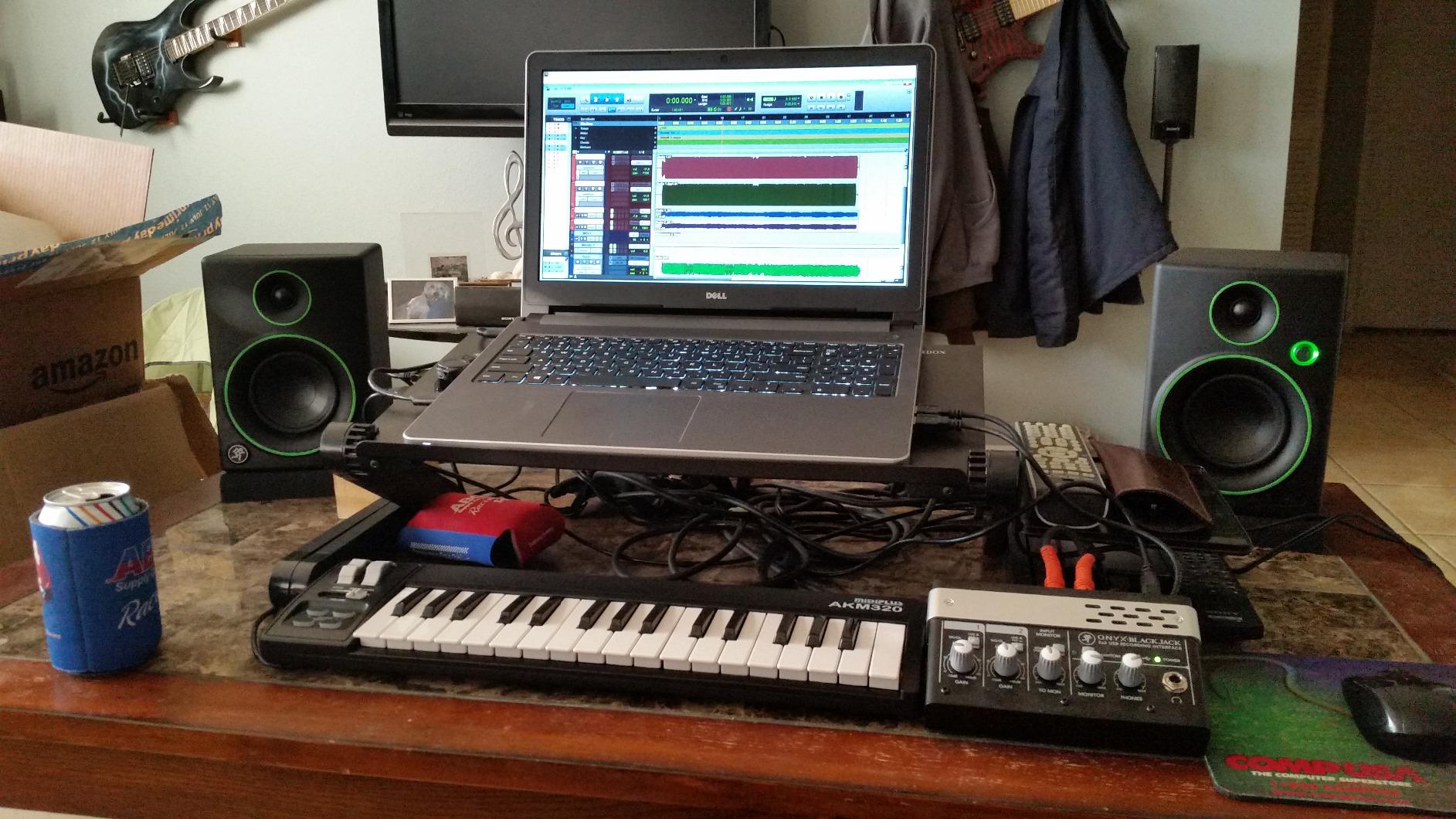
Velocity sensitivity is the AKM320’s main limitation. The keybed reports roughly five discrete velocity levels rather than a continuous curve, so expressive playing is more quantized than on the Keystation or MiniLab. For sketching ideas, finger drumming, and basic recording, it is more than enough. For detailed classical VST work, you would want something with a higher-resolution keybed.
There are no pads, no encoders, no faders. This is strictly a keyboard. But the pitch and mod wheels are genuine wheels rather than joysticks, which is shockingly rare at this price. If you are building a starter bedroom producer setup, the AKM320 leaves budget for a DAW, an audio interface, and a microphone.
Who should buy the AKM320
Beginners who want a real MIDI keyboard with proper wheels and velocity sensitivity without breaking the bank. Travelers who need a controller they can toss in a bag. Anyone who already owns pads or a pad controller and just needs a solid keybed.
Who should skip the AKM320
If you need drum pads, knobs, or 5-pin MIDI output, this is not the board for you. Producers working on detailed piano VSTs will also want a keybed with more continuous velocity response.
3. Akai MPK Mini IV – Best MIDI Keyboard for Producers and Beat Makers
Akai Professional MPK Mini IV 25-Key USB-C MIDI Keyboard Controller, Black
25 velocity-sensitive mini keys
8 RGB MPC pads
USB-C and full-size MIDI Out
Pros
- Real pitch and mod wheels (replaces older joystick design)
- Responsive 25 velocity-sensitive mini keys
- RGB-backlit 8 MPC pads are punchy and expressive
- Plug-and-play with Ableton
- Logic
- FL Studio
- USB-C connectivity and full-size MIDI Out
- Built-in arpeggiator
- Chord
- and Scale modes
- Lightweight and durable for travel
- Strong bundled Akai Studio software
Cons
- Mini keys feel cramped for users with larger hands
- Plastic build quality
- Pad edit mode does not let you audition sounds until saved
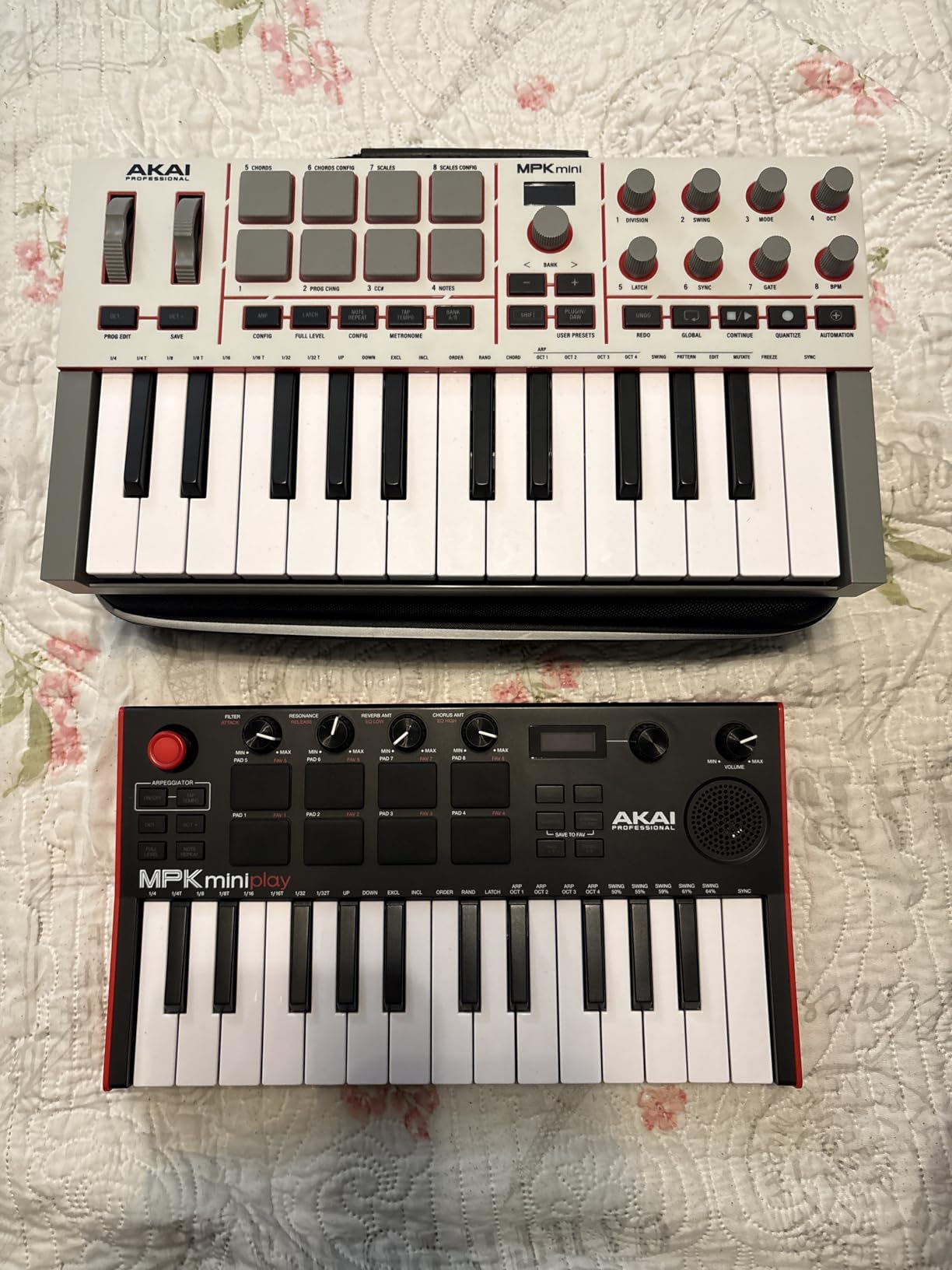
The Akai MPK Mini IV is the controller I keep on my desk for sketching beats, layering drum patterns, and triggering samples in Ableton. The 8 RGB-backlit MPC pads are the star of the show — they have the same velocity and pressure sensitivity that made Akai’s standalone MPC line legendary, and Note Repeat, Full Level, and Pad Mute shortcuts are built in.
Akai finally addressed the biggest complaint about earlier MPK Minis: there are real pitch and mod wheels now instead of a single joystick. For synth work and pitch-bend-heavy playing, this is a substantial improvement. The 25 velocity-sensitive mini keys are still compact, but they feel consistent across the range, and the keys themselves are slightly larger than older Akai minis.
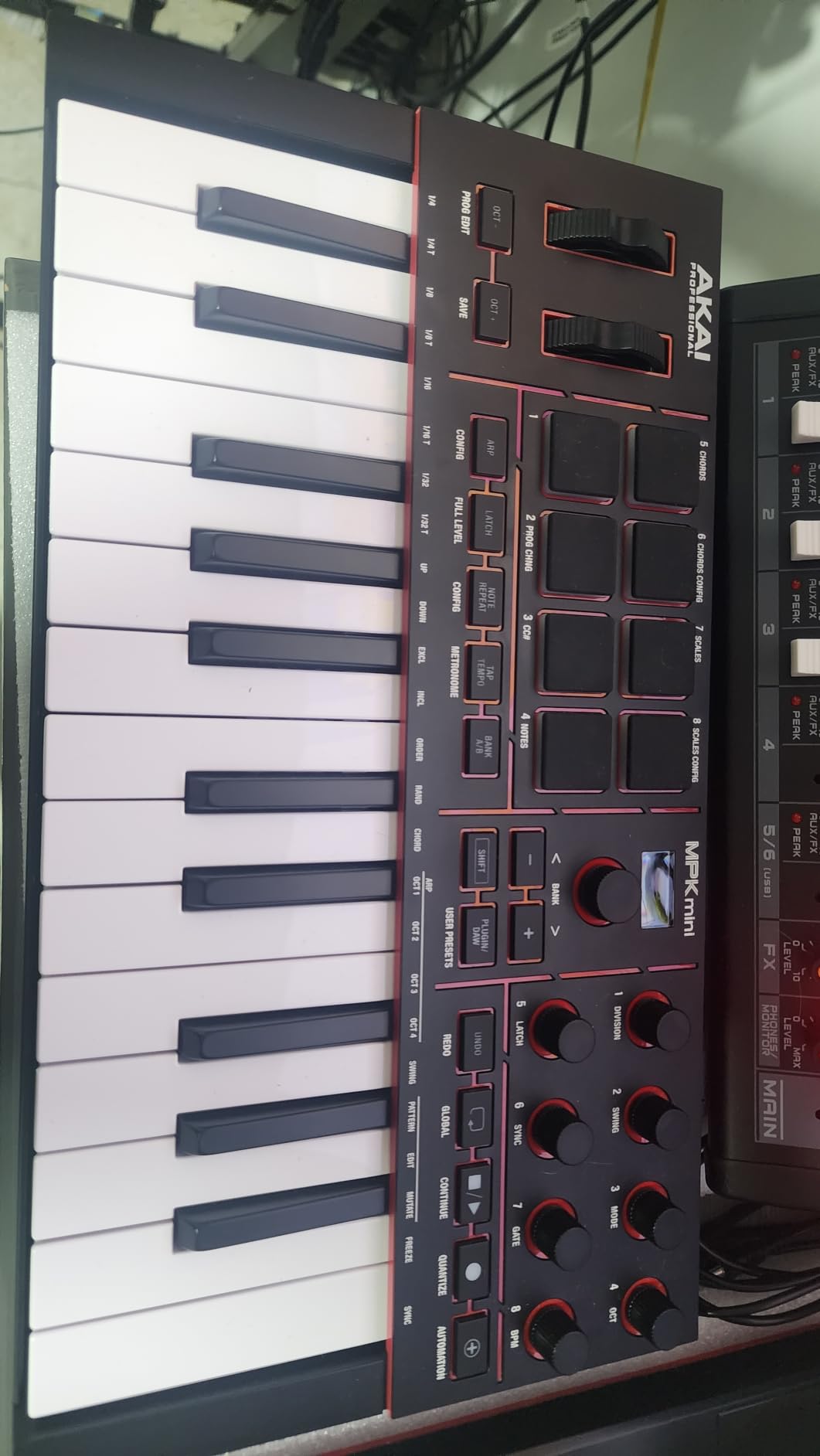
Connectivity is where the MPK Mini IV punches above its weight. USB-C is modern and reliable, and there is a full-size 5-pin MIDI Out port — rare on a mini controller. That means you can plug directly into a hardware synth, drum machine, or sound module without a computer in the loop. I tested it with a Korg Minilogue and the integration was seamless.
The bundled software is genuinely good. You get Akai Studio Instrument (1000+ pro-grade drums, keys, synths, bass, and effects), Ableton Live Lite 12, a 30-day Melodics trial, and 2 months of Splice royalty-free samples. There is also Native Kontrol Standard (NKS) integration with three free Native Instruments sound bundles, which is a nice bonus if you want to explore Pigments or Massive X.
Who should buy the MPK Mini IV
Hip-hop producers, beat makers, and finger drummers who want MPC-style pads in a portable package. Electronic producers who want a travel-friendly controller that can drive a hardware synth via MIDI Out. Anyone upgrading from an earlier MPK Mini who missed the pitch and mod wheels.
Who should skip the MPK Mini IV
Piano-focused players who want full-size keys should look at the M-Audio Keystation 49 MK3 or Oxygen 49 MKV. Classical composers who want weighted keys for VST piano work will need to step up to our weighted guide.
4. Arturia MiniLab 3 – Best Premium Mini MIDI Keyboard Under $200
Arturia MiniLab 3 Universal MIDI Controller, White
25 velocity-sensitive slim keys
8 rotary encoders and 4 faders
Analog Lab Intro + UVI Model D
Pros
- Excellent key feel — best in its class per multiple reviewers
- Compact and lightweight
- very portable
- 8 encoders + 4 faders + 16 RGB pads = generous control surface
- Strong bundled software (Analog Lab Intro
- Ableton Live Lite
- UVI Model D)
- Built-in arpeggiator with chord hold and rainbow idle lighting
- Real 5-pin MIDI out and USB-C
- 5-year limited warranty and broad DAW compatibility
Cons
- Pads feel slightly stiff and can cause accidental double-taps
- Only 25 keys limits two-handed playing
- Touch strips replace traditional pitch/mod wheels (not for everyone)
- Minimal on-face labeling makes recalling functions harder
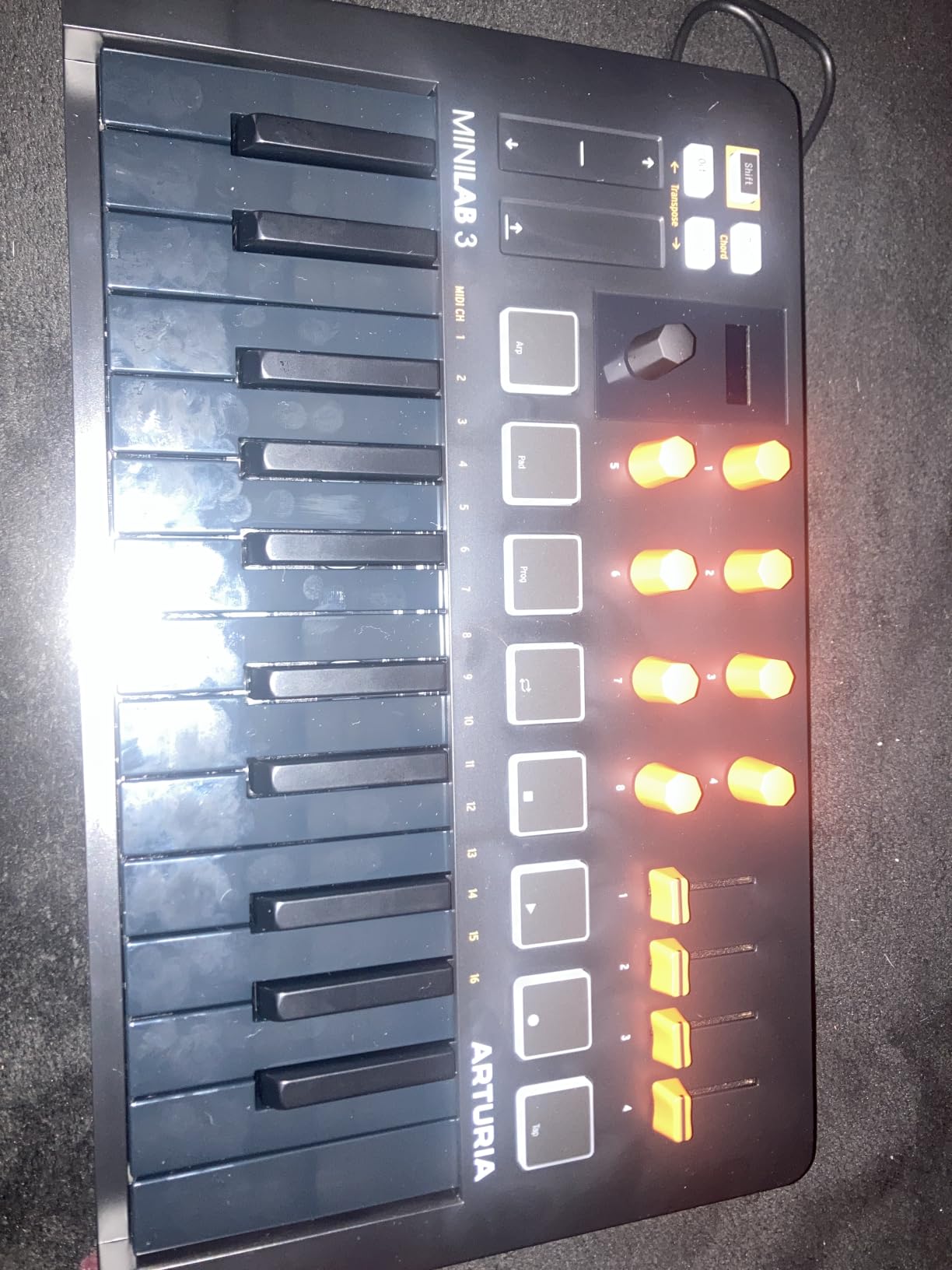
The Arturia MiniLab 3 sits in a sweet spot that few controllers under $200 reach. It pairs a really nice-feeling slim keybed with the largest control surface in this price tier: 8 rotary encoders, 4 faders, 16 RGB-backlit pads across 2 banks, and a clickable browsing knob paired with a small display. For producers who want to map plugin parameters hands-on, this is the most expressive mini board we tested.
Arturia’s Analog Lab Intro alone is worth a serious look. It ships with over 500 presets drawn from Arturia’s flagship V Collection — modeled Minimoogs, Junos, Prophets, and CS-80s — and pairs seamlessly with the browsing knob. Combined with Ableton Live Lite and UVI Model D (a Steinway-style acoustic piano sample), you have a complete studio out of the box. If you compose film scores or sketch orchestral ideas, the UVI Model D alone justifies a serious look.
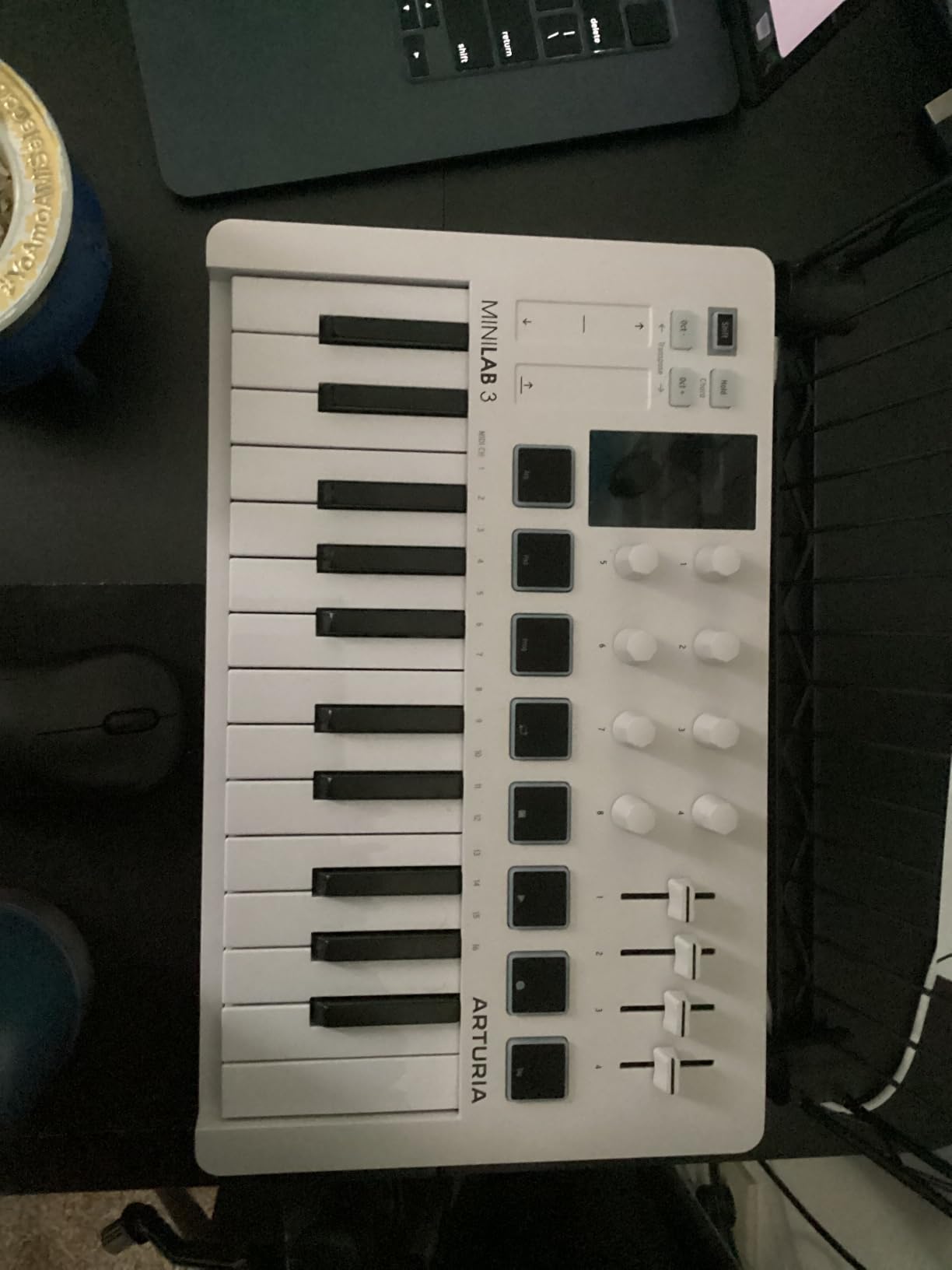
The capacitive touch strips for pitch and modulation take some getting used to. They are responsive and feel modern, but a traditional wheel player will need to recalibrate muscle memory. I found myself reaching for the modulation strip constantly while testing sweep pads and evolving synth textures, and it worked beautifully.
Build quality is a noticeable step up from most mini controllers. The faux wood end panels and white finish feel closer to a piece of studio furniture than a toy. There is a real 5-pin MIDI Out port, which makes the MiniLab 3 just as useful driving a hardware synth as it is in front of a DAW. The 5-year limited warranty is the longest in this price tier.
Who should buy the MiniLab 3
Producers who want a premium mini controller with extensive DAW control. Composers who want Analog Lab Intro presets to draw from. Anyone who values a generous software bundle and a longer warranty than the competition offers.
Who should skip the MiniLab 3
If you strongly prefer traditional pitch/mod wheels over touch strips, look at the MPK Mini IV. If you need 49 or 61 keys for two-handed playing, the MiniLab 3 is not the right form factor.
5. Native Instruments Komplete Kontrol M32 – Best MIDI Keyboard for NKS Users
Native Instruments Komplete Kontrol M32 Controller Keyboard (26154)
32 compact synth-action keys
OLED display and touch-sensitive knobs
NKS integration
Pros
- Excellent synth-action keybed with surprising weight
- Seamless integration with Maschine and NKS plugins
- OLED display for preset browsing without a mouse
- Touch-sensitive knobs auto-map to key parameters
- Compact and lightweight for travel
- Generous bundled software including Ableton Live 10 Lite
- Smart Play features (scales
- chords
- arpeggios) help beginners
Cons
- Microkey form factor is cramped for some players
- Build quality feels cheaper than other NI hardware
- Loud
- unpleasant button clicks
- Velocity sensitivity can require hard strikes
- Knob CC mappings do not persist on the device when disconnected
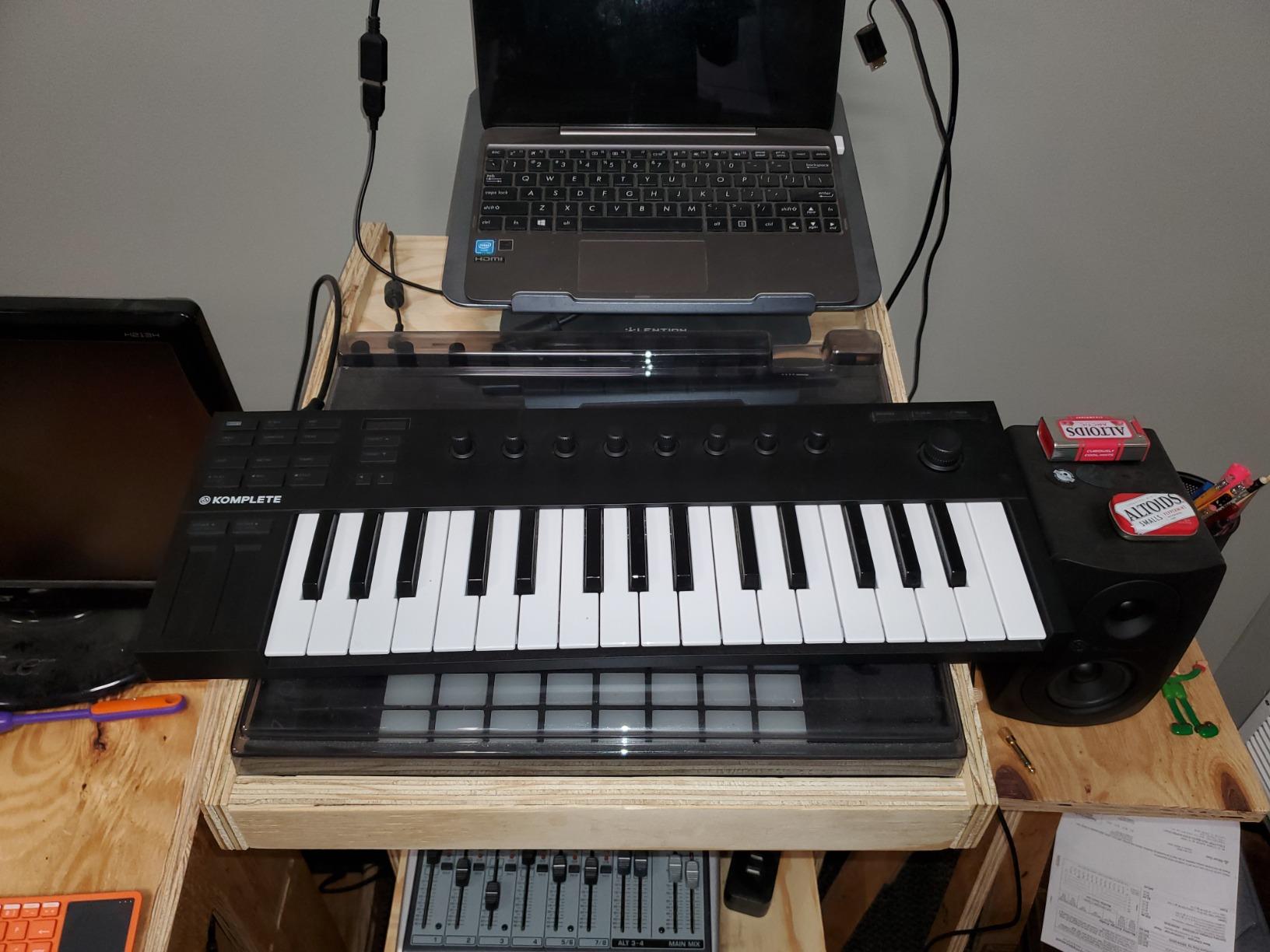
If you already own Komplete instruments or plan to, the Komplete Kontrol M32 is the obvious entry point. The NKS (Native Kontrol Standard) integration means every NKS-tagged plugin — Pigments, Massive X, Reaktor, FM8, and many more — is browsable from the OLED display and the touch-sensitive knobs auto-map to the most important parameters. No clicking through menus, no preset spreadsheets.
The keybed is the real surprise. The microkey form factor suggests cramped keys, but each key has noticeably more weight and travel than competitors in the same size class. I played complex chord voicings through Pianoteq and the dynamic response held up better than I expected from a 32-key controller.
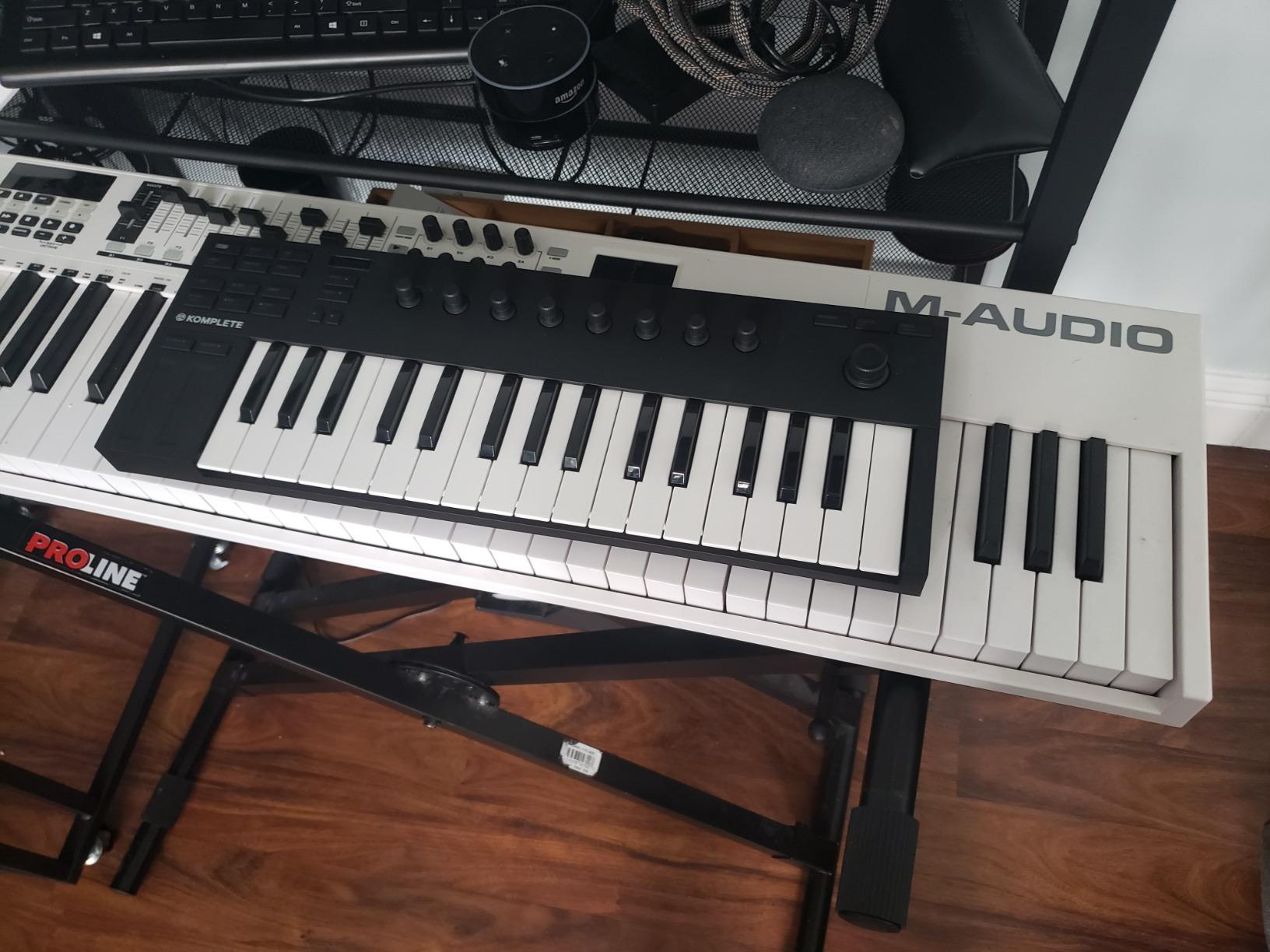
Smart Play is genuinely useful for beginners and producers who want quick sketching tools. Scale mode locks the keybed to a chosen scale, Chord mode triggers full chords from single keys, and the arpeggiator hands you instant rhythmic patterns. I left Scale mode on while jamming in C minor for a full afternoon and never hit a wrong note.
The downsides are well documented by owners. The buttons are loud and clicky. The microkey size still cramps players with larger hands. Velocity sensitivity requires a firmer press than some prefer. And critically, custom CC (Control Change) mappings you tweak on the device do not persist when you unplug — they reset on reconnect, which interrupts live-performance workflows.
Who should buy the M32
Producers already invested in the NI ecosystem or planning to start. Beginners who want Smart Play’s scale and chord helpers. Anyone who values browsing plugins from a hardware OLED rather than a mouse.
Who should skip the M32
If you do not use NKS plugins, the M32’s headline features are wasted. Live performers who need persistent custom mappings should look elsewhere — the Nektar Impact GX61 or M-Audio Oxygen 49 MKV handle that workflow better.
6. Nektar Impact GX61 – Best 61-Key MIDI Keyboard Under $200
Nektar Impact GX61 USB MIDI Controller Keyboard
61 velocity-sensitive synth-action keys
Pitch/mod wheels
14 assignable buttons
Pros
- 61 full-size velocity-sensitive keys with crisp feel
- Smooth
- well-built pitch and modulation wheels
- Lightweight and easy to transport despite the size
- USB bus powered with no batteries or AC adapter
- Plug-and-play with Logic
- Reaper
- and other major DAWs
- Includes Bitwig 8-Track
- sustain pedal
- and dust cover
- Nektar DAW integration for transport and parameter control
- 2-year manufacturer warranty
Cons
- Keys are unweighted (feels stringy for piano players)
- Velocity sensitivity can feel inconsistent across keys
- Open-faced mod/pitch wheels may collect dust
- Limited assignable controls beyond transport buttons
- No pads
- knobs
- or faders
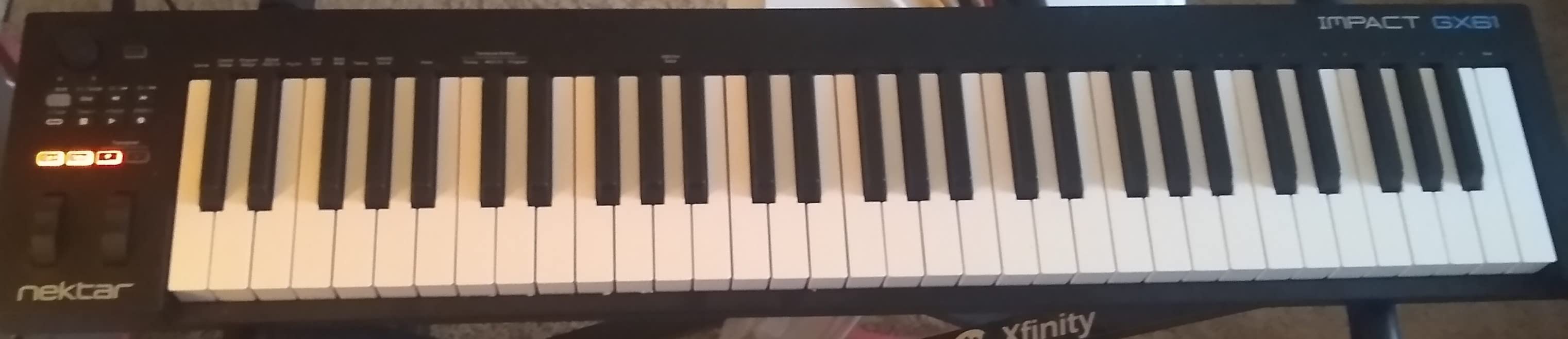
The Nektar Impact GX61 is the budget 61-key controller I recommend to anyone who wants the full piano range without spending on a fully weighted hammer-action board. At 61 keys, you can play most two-handed classical repertoire without running out of notes, and Nektar’s DAW integration means transport, track navigation, and plugin parameters work the moment you launch your DAW.
The key feel surprised me. Nektar sourced a synth-action keybed with a crisp attack and a quicker release than the M-Audio Keystation, which made fast runs and repeated staccato passages feel snappier. I tracked a Bach two-part invention through Pianoteq and the dynamic range held up across both hands.
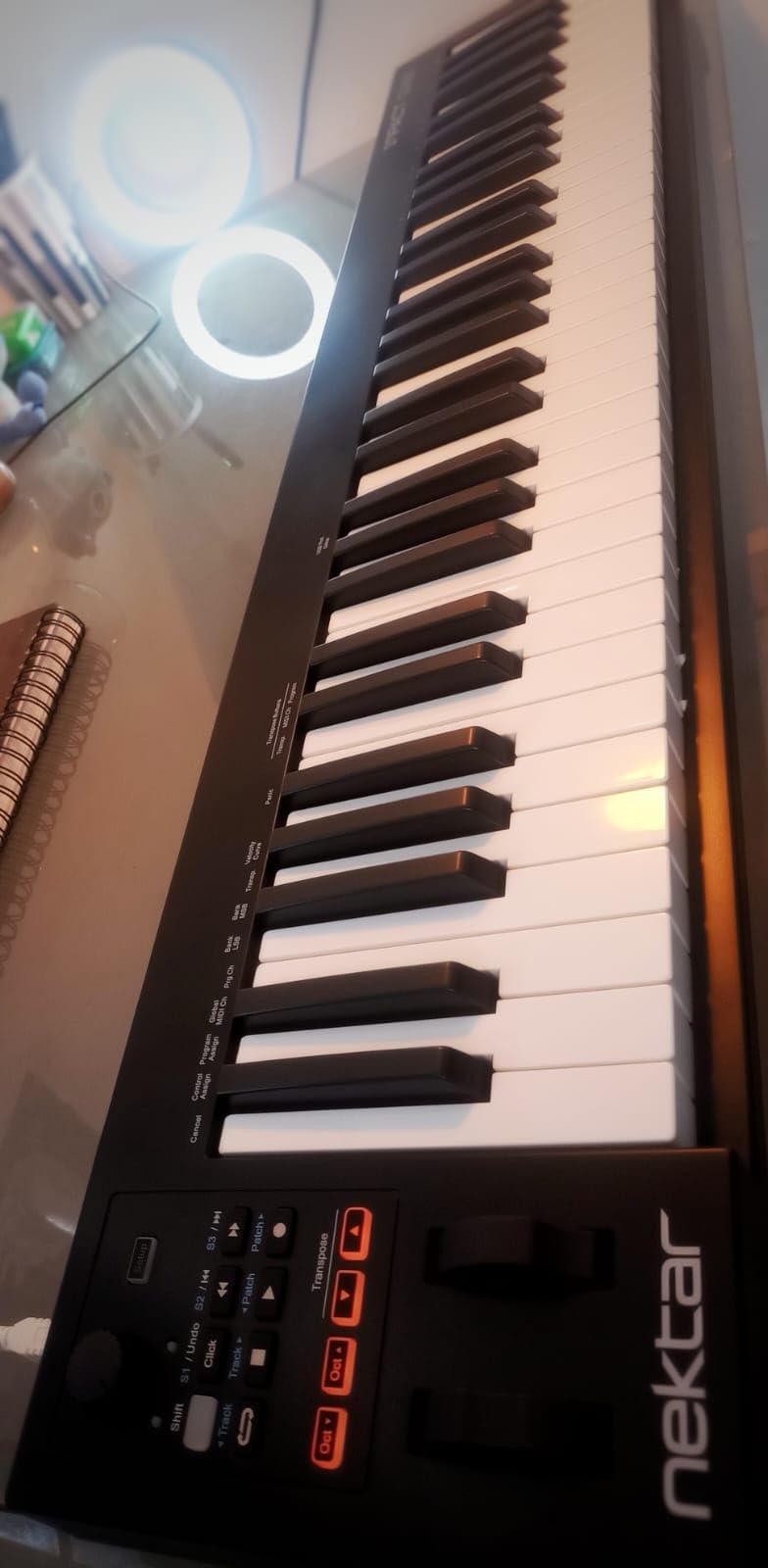
The included sustain pedal is a thoughtful touch. It is a basic on/off switch rather than a continuous pedal, so half-pedaling on a VST piano is not possible, but it works for sustain-on/sustain-off playing. The dust cover is also genuinely useful for anyone who leaves the controller set up long-term.
Nektar DAW integration is the real differentiator. In Bitwig, Logic, Reaper, Studio One, Cubase, and several other DAWs, the 14 assignable buttons and transport controls map automatically without scripting. That saves setup time and lets you focus on making music.
Who should buy the GX61
Classical-leaning players who want a full 61-key range for two-handed playing. Producers who need a lightweight 61-key controller for travel. Anyone who values Nektar’s auto-mapping DAW integration over a deep control surface.
Who should skip the GX61
Beat makers who want drum pads should look at the Oxygen 49 MKV. Pianists who want weighted keys for expressive classical VST work need to step up to our weighted keyboard guide.
7. Nektar SE49 – Best Budget 49-Key MIDI Keyboard Under $200
Nektar, 49-Key Midi Controller (SE49),Black white Grey
49 velocity-sensitive keys
Nektar DAW integration
Includes Bitwig 8-Track
Pros
- 49 velocity-sensitive keys with good feel for the price
- Nektar DAW integration with most major DAWs
- Lightweight and easy to transport
- Plug-and-play on Mac
- PC
- and iOS
- Includes Bitwig Studio 8-Track DAW and sound content
- Comprehensive MIDI functionality for the price
- 2-year manufacturer warranty
Cons
- Plastic build rather than metal
- No pads
- knobs
- or faders
- Limited onboard controls compared to higher-end models
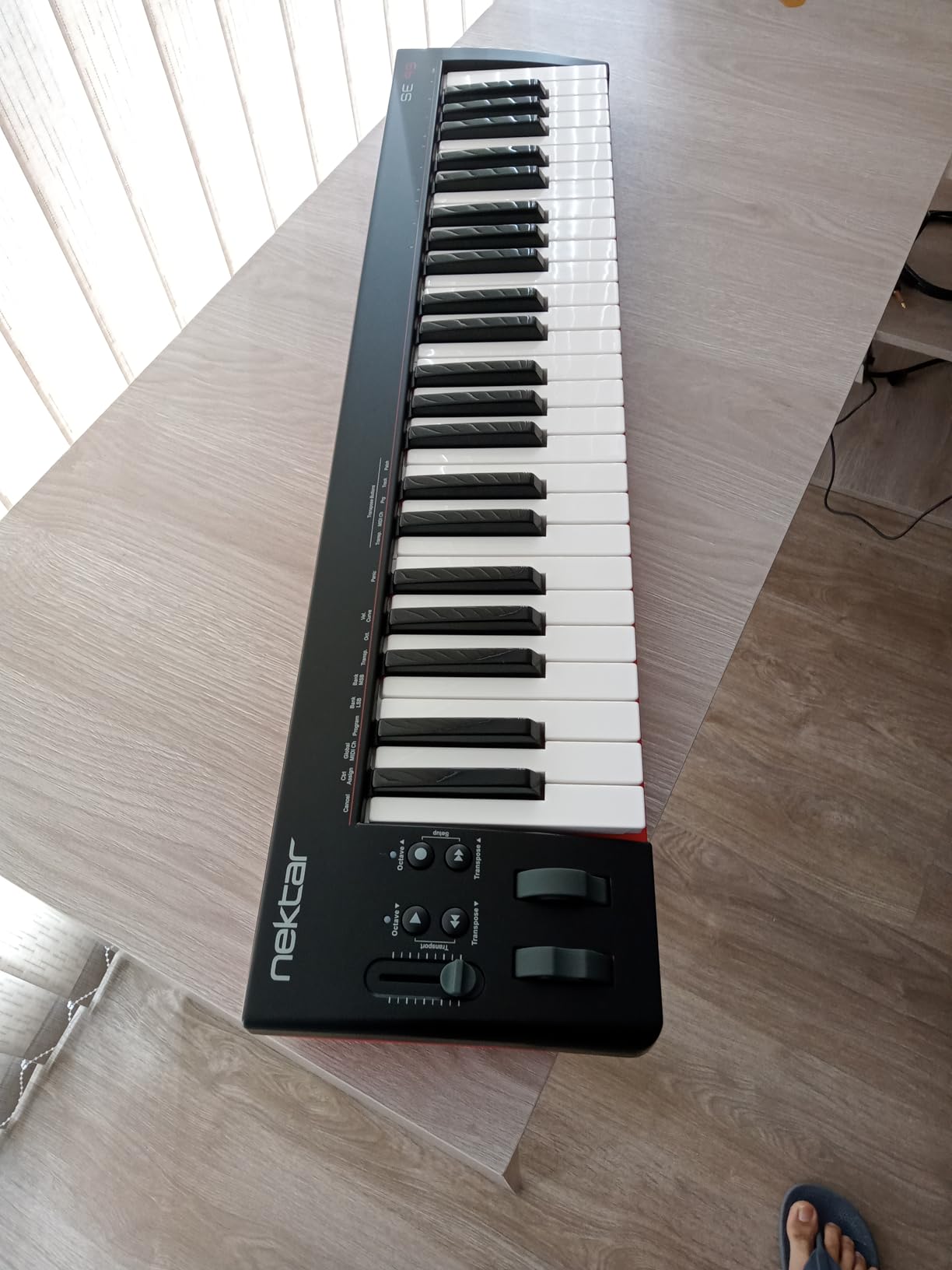
The Nektar SE49 is the affordable sibling of the Impact GX line, and it punches above its price in DAW integration. You get the same auto-mapping Nektar is known for — transport, track navigation, and parameter control — across Bitwig, Cubase, GarageBand, Logic, Nuendo, Digital Performer, Mixcraft, Reason, Reaper, Sonar, FL Studio, and Studio One. For a beginner or intermediate producer, that is a serious workflow win.
The 49 velocity-sensitive keys feel solid for the price. They are synth-action rather than weighted, and the dynamic range is narrower than the Keystation 49 MK3, but for sketching, recording, and learning, they are more than capable. I tracked VSL orchestral sustains through Vienna Imperial and the controllers held up to repeated sustains and crescendos without choking.
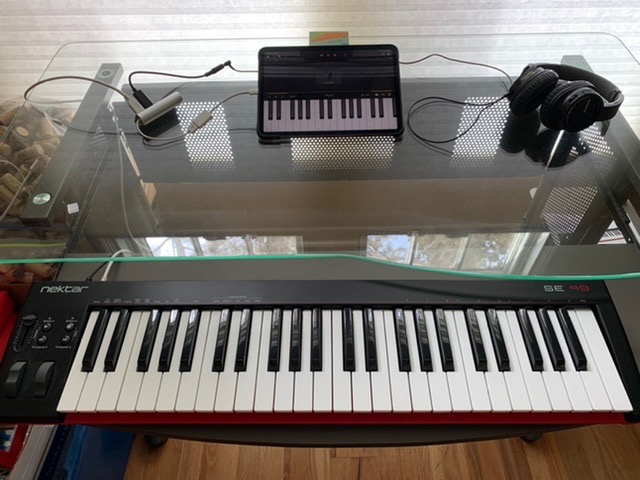
There are no pads, no knobs, no faders — the SE49 is a pure keyboard with pitch and mod wheels, octave shift, transport, and assignable buttons. That keeps the price low and the focus clear. The included Bitwig Studio 8-Track is a real DAW, not a demo, and it gives beginners a complete production environment from day one.
iOS support means you can plug into an iPad with a USB adapter and use the SE49 with apps like GarageBand, Cubasis, or AUM. That makes it a versatile choice for mobile sketching and practice sessions.
Who should buy the SE49
Beginners who want a reliable 49-key controller with strong DAW integration. iPad-using musicians who want a controller that travels well and works across platforms. Anyone who values a real bundled DAW over flashy extras.
Who should skip the SE49
If you need drum pads, assignable knobs, or 5-pin MIDI output, step up to the Oxygen 49 MKV or Arturia MiniLab 3. Producers who want a deeper control surface will feel limited by the SE49’s minimalist layout.
8. Akai LPK25 – Best Ultra-Portable MIDI Keyboard for Beginners
Akai Professional LPK25 25-Key USB MIDI Keyboard Controller
25 velocity-sensitive mini keys
Built-in arpeggiator
Universal DAW compatibility
Pros
- Very compact and lightweight — fits in a backpack
- Plug-and-play on Mac and PC (no drivers needed)
- Velocity-sensitive keys for expressive playing
- Built-in arpeggiator expands creative options
- 8 programmable preset slots
- Affordable price with a solid software bundle
- Universal compatibility with all major DAWs
Cons
- Mini keys are cramped for users with large fingers
- Plastic build with somewhat loose USB jack
- White keys can twist slightly under hard playing
- Black keys feel fragile at the edges
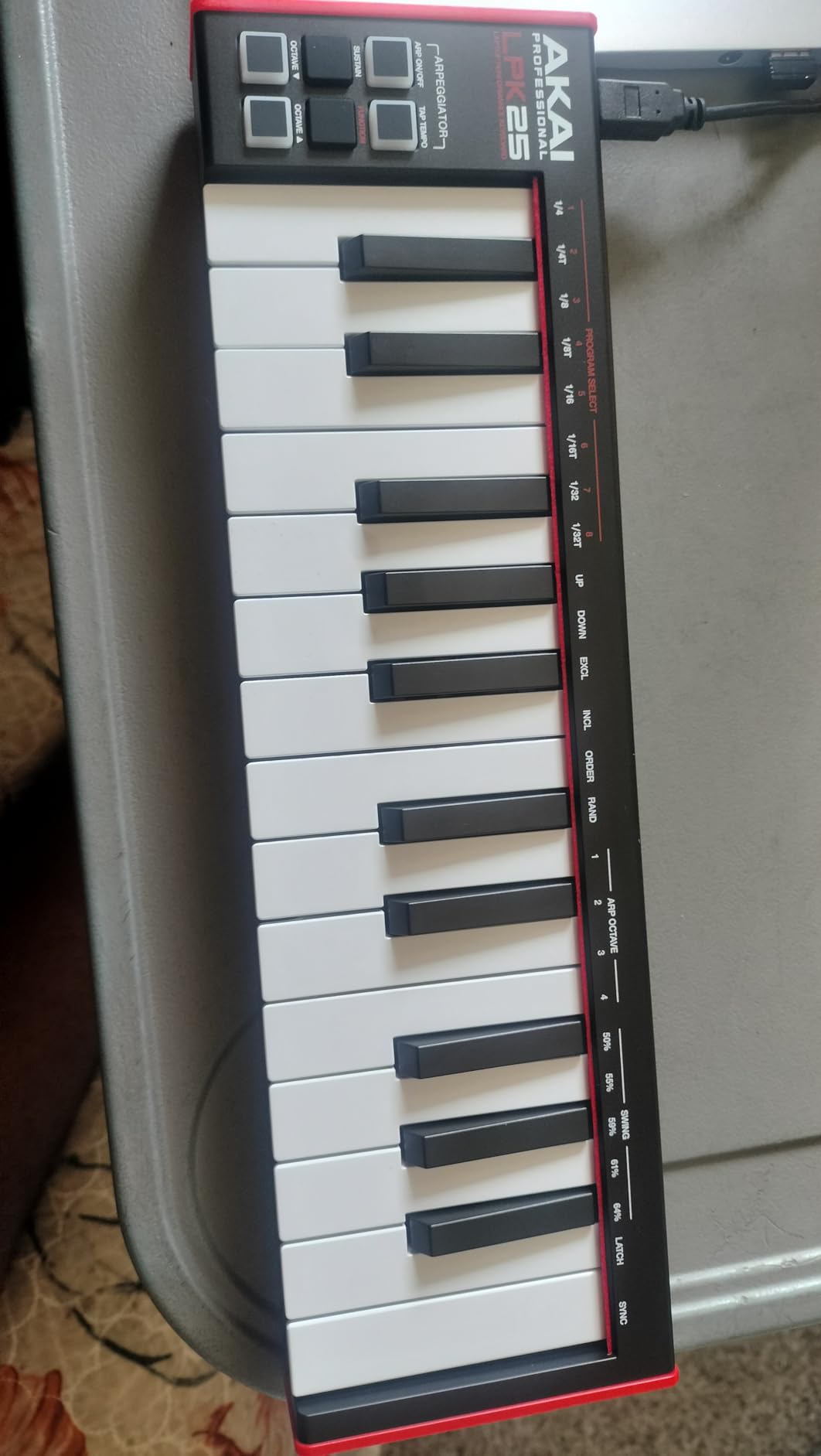
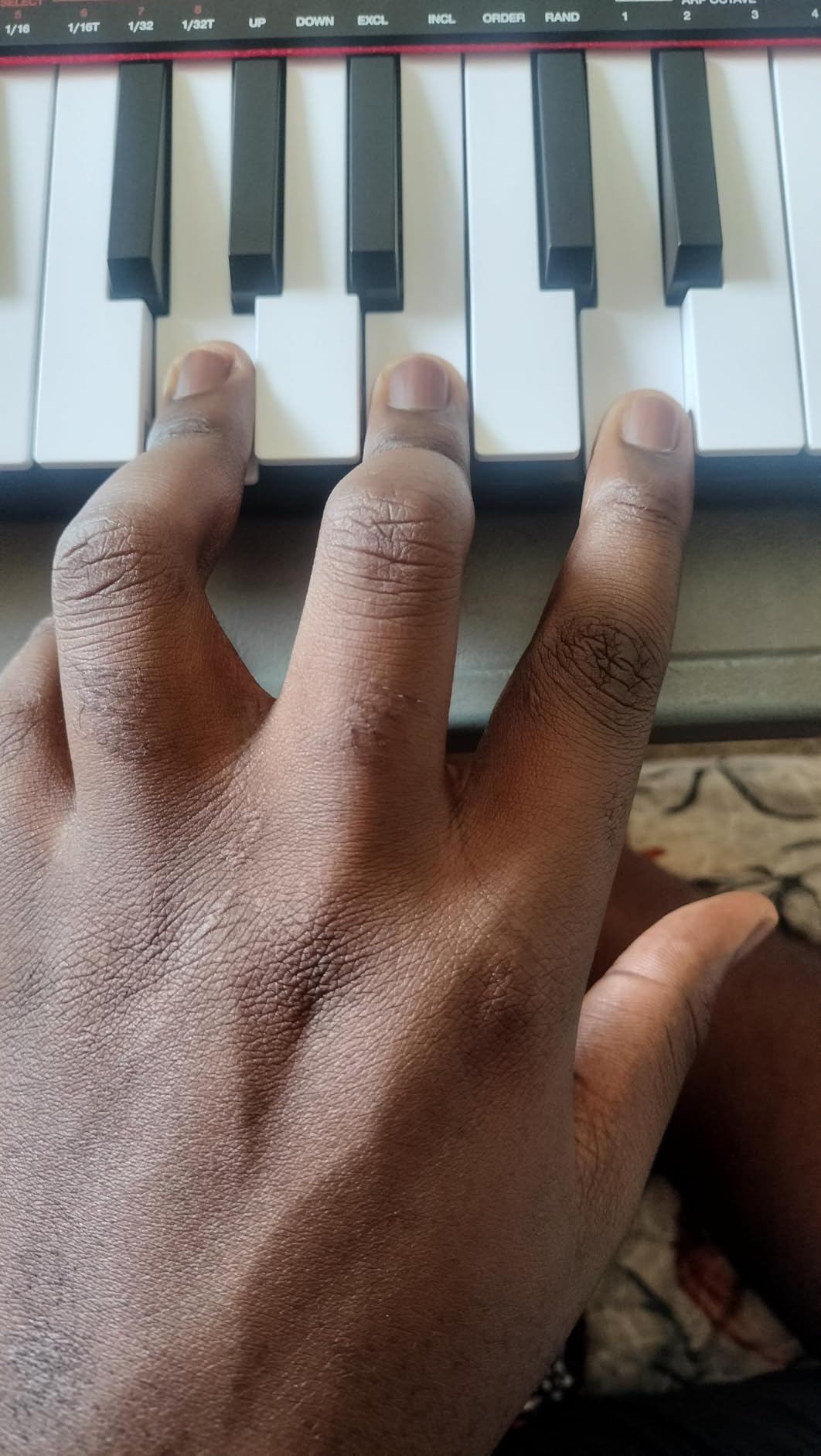
The Akai LPK25 has been the entry-level MIDI controller recommendation for years, and the MK2 version refines the formula without raising the price. At under 500 grams and roughly 13 inches wide, it is the smallest controller in this roundup and easily disappears into a laptop bag. For beginners and travelers, that portability is the entire pitch.
The 25 velocity-sensitive mini keys are tight — they will not suit users with larger hands, but they are perfectly playable for sketching melodies, programming drums, and triggering one-shot samples. The built-in arpeggiator is a creative bonus that more expensive boards often omit, and the octave up/down plus sustain buttons cover the essentials.
Setup is genuinely zero friction. I plugged it into a Windows laptop, an iMac, and a MacBook Air, and each DAW recognized it within seconds. GarageBand, Logic, Studio One, Cubase, Ableton, Pro Tools, Reason, FL Studio, Digital Performer, and Adobe Audition are all listed as supported — so compatibility will not be the bottleneck.
Build quality is the obvious compromise. The chassis is plastic, the USB jack has a little wobble, and the black keys feel fragile under heavy playing. For casual and beginner use, it holds up well. For gigging or rough travel, handle it with care.
Who should buy the LPK25
Beginners who want the lowest-friction entry into MIDI controllers. Producers who need a controller they can slip into a backpack and forget about. Anyone working in a tight desk space.
Who should skip the LPK25
If you have larger hands or want full-size keys, the MPK Mini IV or MiniLab 3 is the better fit. Producers who need drum pads, knobs, or faders will not find them on the LPK25.
9. M-Audio Oxygen 49 MKV – Best MIDI Keyboard With Pads Under $200
M-AUDIO Oxygen 49 MKV USB MIDI Keyboard Controller
49 full-size keys
16 drum pads with Note Repeat
NKS integration
Pros
- 49 full-size velocity-sensitive piano-style keys
- 8 assignable knobs and 9 assignable faders
- 2 banks of 8 backlit velocity-sensitive drum pads with Note Repeat
- NKS integration for browsing and controlling Native Instruments presets
- Smart Chord and Smart Scale modes for fast composition
- Class-compliant — plug-and-play without installing bundled software
- Complete software package (MPC Beats
- Ableton Live Lite
- Hybrid 3
- Mini Grand
- MPC Expansion packs)
Cons
- Bundled software setup involves multiple accounts and hubs
- Plastic chassis (despite aluminum-style outer material)
- Larger and heavier than mini controllers
- harder to travel with
- Native Instruments software bundle requires additional registration
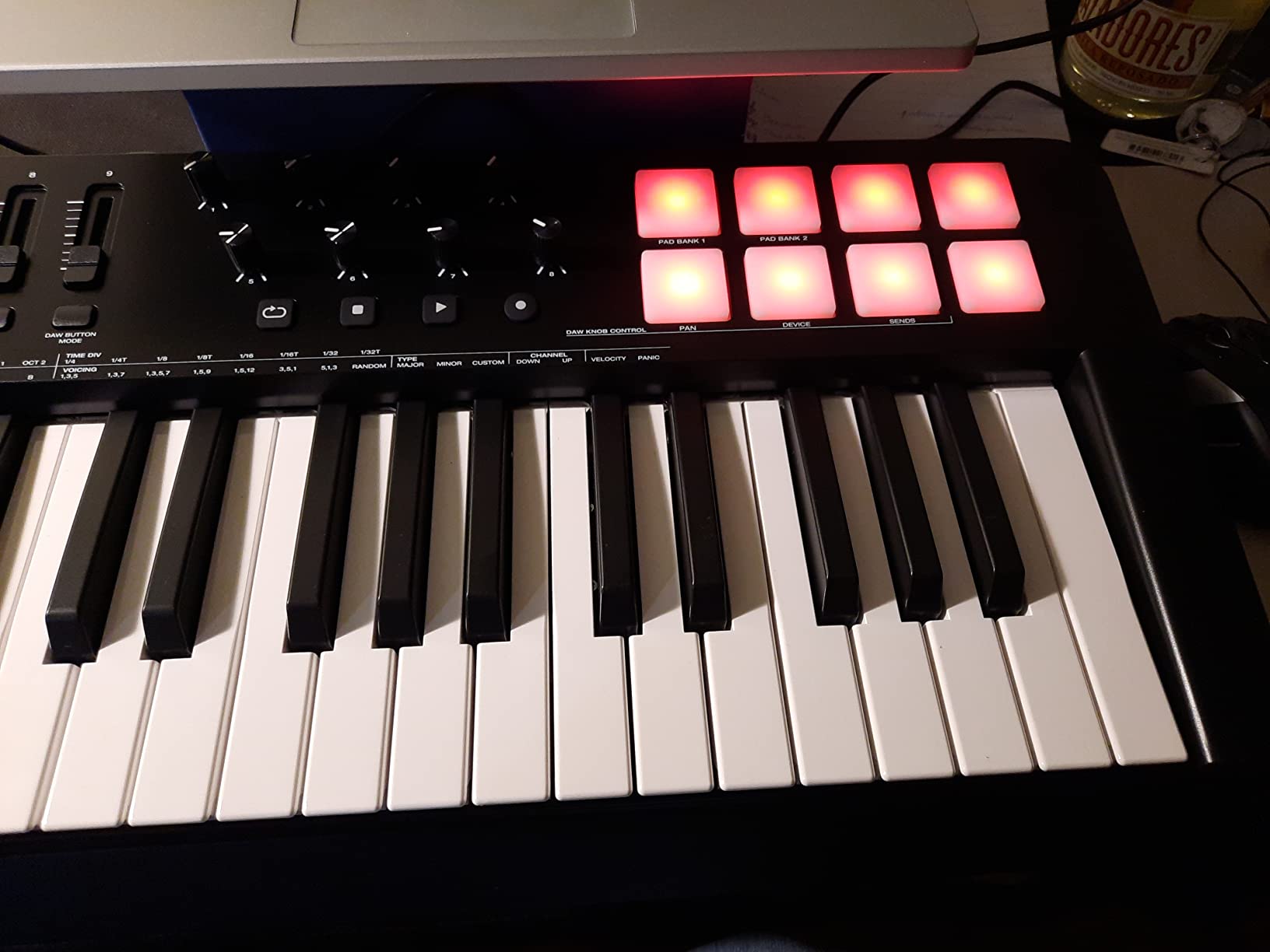
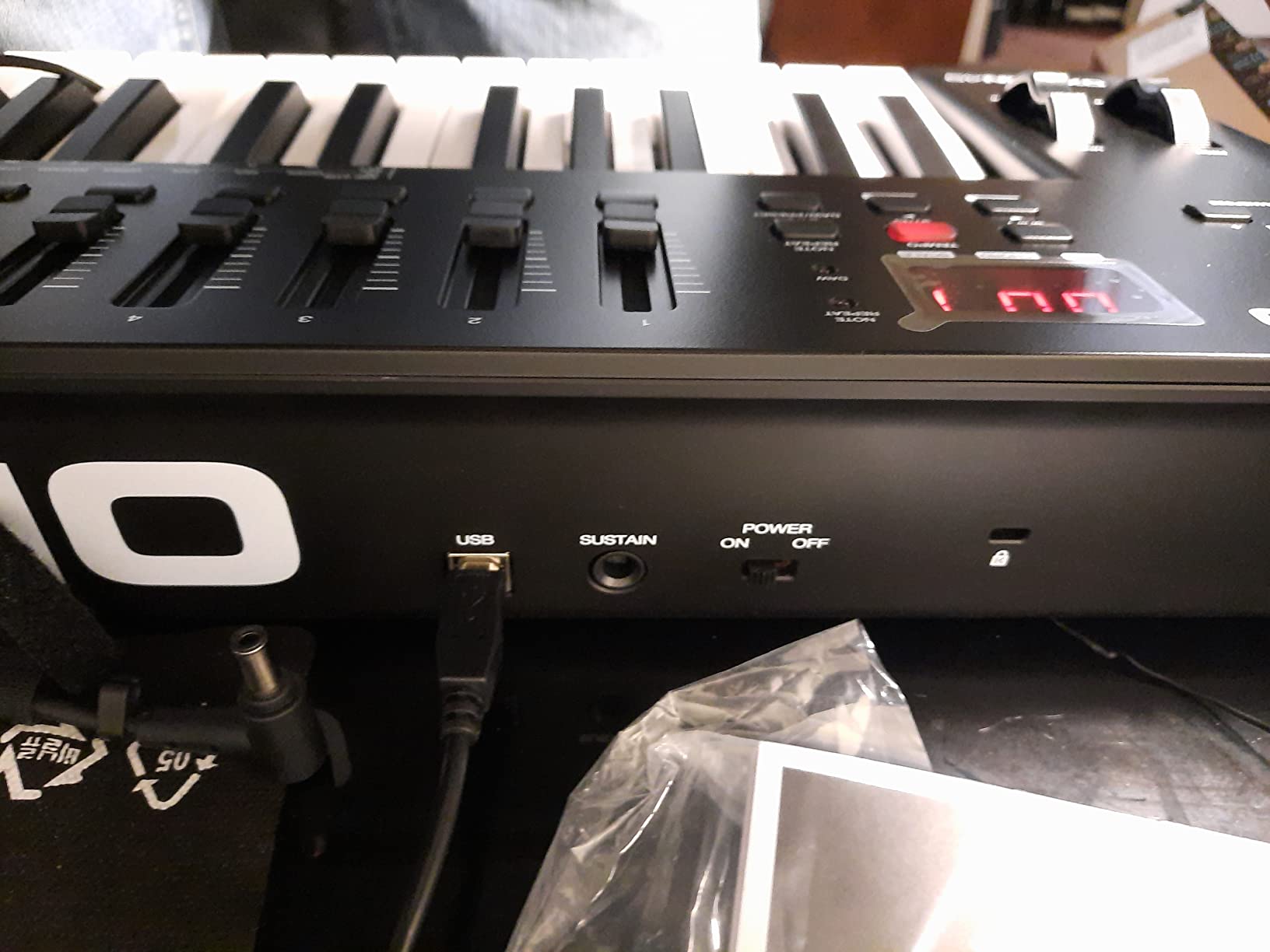
The M-Audio Oxygen 49 MKV is the most fully featured controller in this roundup. It combines a 49-key full-size velocity-sensitive keybed with 16 backlit drum pads, 8 assignable knobs, 9 assignable faders, pitch and mod wheels, a sustain pedal input, Smart Chord and Smart Scale modes, a built-in arpeggiator, and NKS integration with Native Instruments. For a producer who wants it all in one board, this is the closest you get under $200.
The pads are the standout. Each bank of 8 backlit pads is velocity- and pressure-sensitive, with Note Repeat built in — a feature that turns the Oxygen 49 into a finger-drumming powerhouse for hip-hop and electronic production. I tested them with Battery 4 and Maschine, and the response was tight and consistent.
The class-compliant design means the keyboard works without installing any of the bundled software. That sounds like a small thing until you have wrestled with multi-account software hubs for an hour. Plug in, open your DAW, and play. The bundled software (MPC Beats, Ableton Live Lite, Hybrid 3, Mini Grand, and 5 MPC Expansion packs) is generous if you do take the time to register.
Size and weight are the trade-offs. At roughly 6.7 pounds and over 32 inches wide, the Oxygen 49 MKV is a desk-bound controller. If you need to travel, the MiniLab 3 or MPK Mini IV is a better fit. For a permanent studio setup, the size is a feature — the keybed is full-size, the controls are plentiful, and the layout does not feel cramped.
Who should buy the Oxygen 49 MKV
Producers who want the deepest control surface under $200. Finger drummers and beat makers who need real pads with Note Repeat. Producers invested in the Native Instruments NKS ecosystem. Anyone building a permanent studio setup.
Who should skip the Oxygen 49 MKV
If you need a travel-friendly controller, the Oxygen is too large and heavy. Beginners who want a simple plug-and-play experience should look at the Keystation 49 MK3 first.
10. Donner N-25 – Best Ultra-Cheap MIDI Keyboard for Beginners
Donner Mini MIDI Keyboard N-25, 25 Key MIDI Controller Gifts for Beginners with Velocity-Sensitive Mini Keys Light-up Rocker Music Production Software, Small USB Controlador with 40 Teaching Courses
25 velocity-sensitive mini keys
TRS MIDI out
40 teaching courses
Pros
- Extremely affordable entry into MIDI controllers
- Ultra-portable — smaller than a laptop keyboard
- Velocity-sensitive keys with springy resistance
- Includes 40 teaching courses for beginners
- Built-in arpeggiator
- sustain
- octave
- and tap tempo
- USB-C connectivity and bundled USB-C adapter
- TRS MIDI out for hardware synths (Arturia-standard Type B)
- Plug-and-play on Mac
- PC
- Linux
- and Android
Cons
- Mini keys are very narrow and short — easy to mis-hit
- Black keys are fragile under heavy use
- Pitch bend is a joystick
- not a traditional wheel
- MIDI channel is not user-changeable
- Sustain affects all channels rather than individual ones
- Limited onboard controls (no pads
- knobs
- or faders)
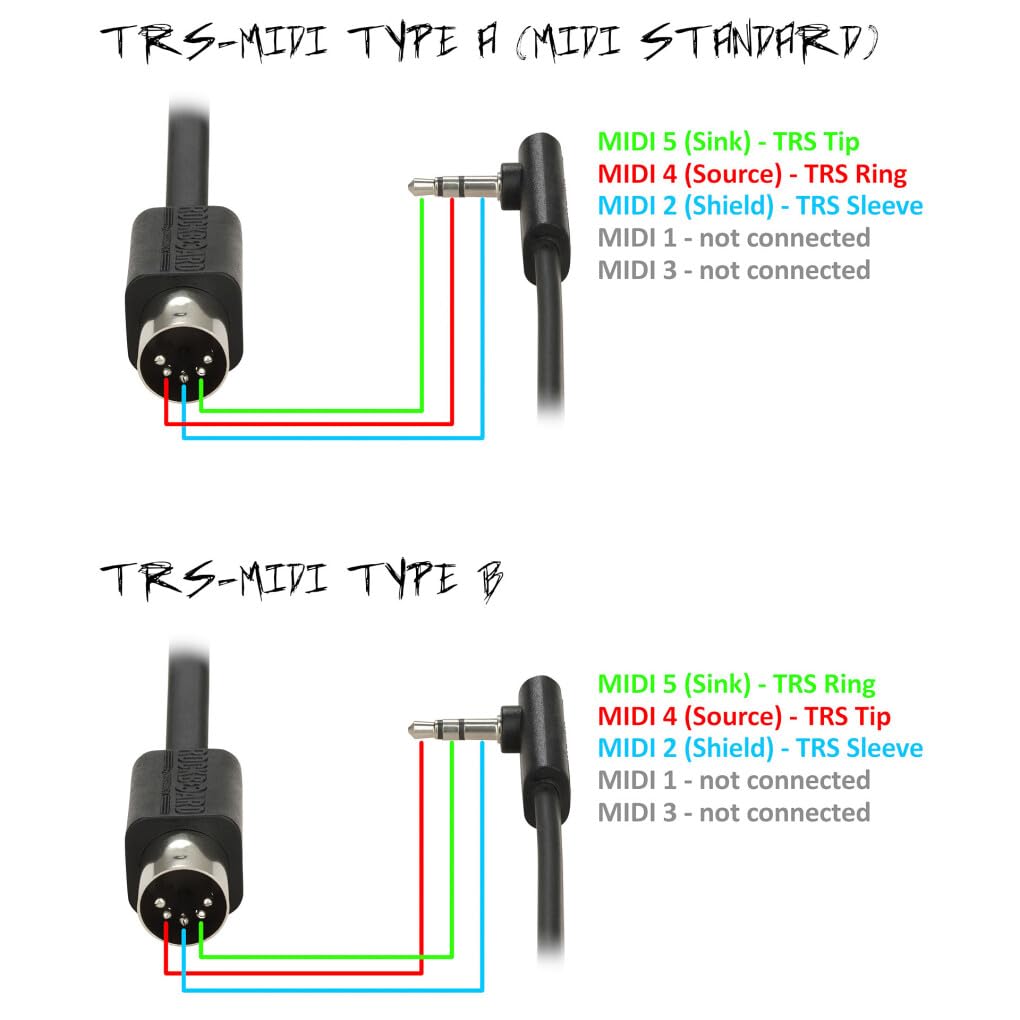
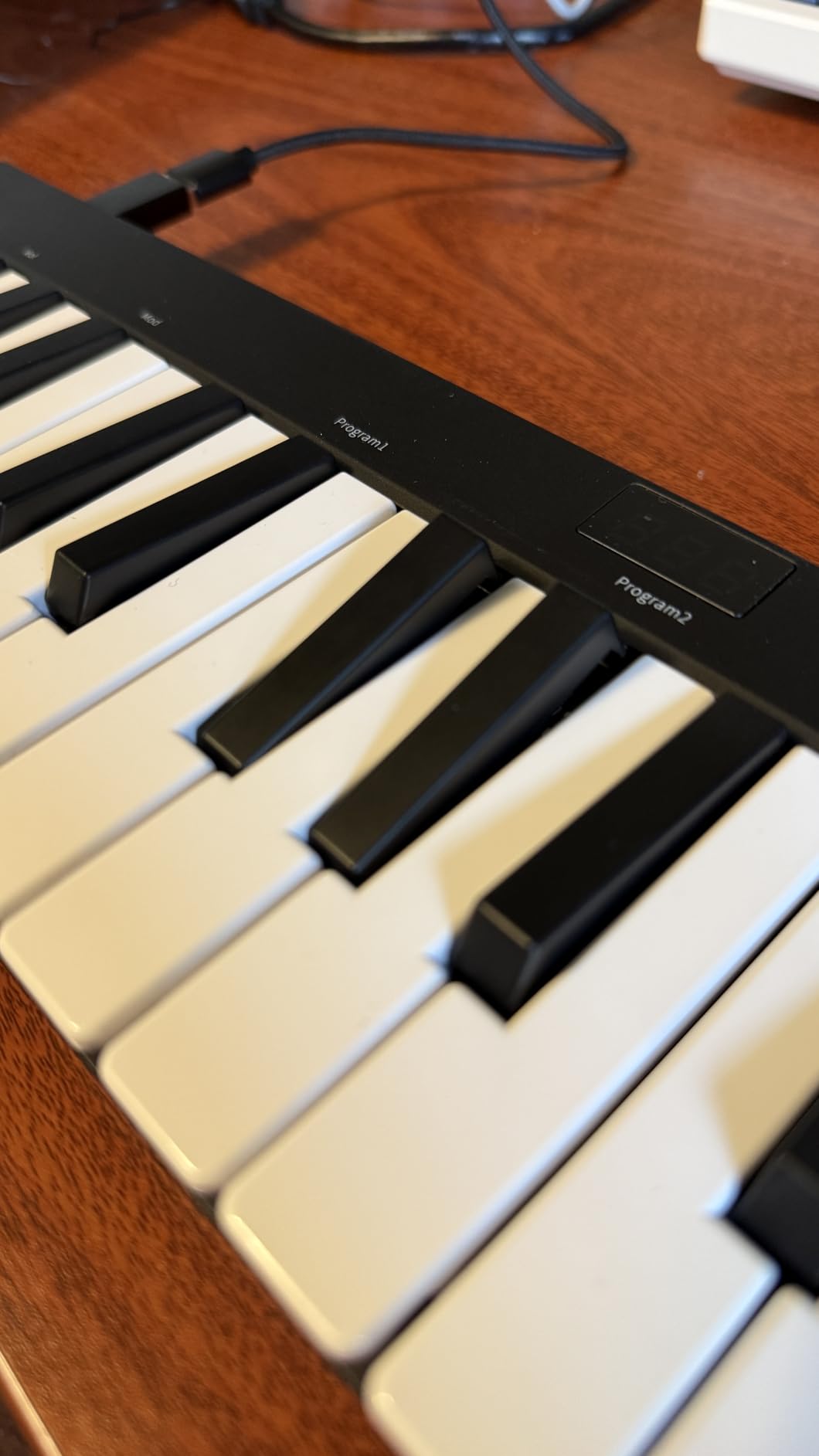
The Donner N-25 is the cheapest MIDI keyboard on this list, and for the price it delivers a surprising amount of value. You get 25 velocity-sensitive mini keys, USB-C, a TRS MIDI Out port (the Arturia-standard Type B format that works with MiniBrute and MicroBrute synths), a built-in arpeggiator, octave and transpose buttons, sustain, tap tempo, and 40 teaching courses included. Beginners who want the lowest possible barrier to entry will find a lot to like here.
The teaching courses are a thoughtful addition for beginners. I ran through a few of them — they cover fundamentals like scales, chords, rhythm patterns, and basic finger exercises, all driven by MIDI data the keyboard can play back. For a parent buying a first keyboard for a child, this is a real differentiator.
Build quality reflects the price. The chassis is plastic, the black keys are fragile (especially under heavy or child use), and the mini keys are narrow and short — adult players will mis-hit regularly. The pitch-bend rocker doubles as modulation, which works but feels less precise than a traditional wheel.
For beginner and casual use, the N-25 is a capable little controller. For producers who want expressive playing, drum pads, or 5-pin MIDI, step up to the MPK Mini IV or MiniLab 3.
Who should buy the Donner N-25
Beginners on a tight budget who want to learn MIDI production. Parents looking for a first controller for a child. Travelers who want the most affordable backup controller they can find.
Who should skip the Donner N-25
Anyone who needs real drum pads, traditional pitch/mod wheels, or 5-pin MIDI output. Players with larger hands will find the mini keys too cramped for serious playing.
How to Choose the Best MIDI Keyboard Under $200 for Your Needs
Choosing the best MIDI keyboard under $200 comes down to matching the controller to your workflow. A hip-hop beat maker has different priorities than a classical composer working with Pianoteq and Keyscape, and a live performer needs different features than a bedroom producer. Here are the eight factors that matter most.
Number of keys
MIDI keyboards come in 25-key, 32-key, 37-key, 49-key, and 61-key configurations. 25-key and 32-key controllers are the most portable and the most affordable, and they are ideal for beat making, sample triggering, and sketching lead lines. 49-key and 61-key controllers cover the full piano range and are necessary for two-handed classical playing, film scoring, and any workflow where you do not want to keep shifting octaves. If you can spare the desk space, a 49-key or 61-key is the safer long-term choice.
Key action: synth-action vs semi-weighted vs weighted
Synth-action keys are light and bouncy — they are the most common under $200 and they are fine for synth leads, pads, drums, and beat making. Semi-weighted keys add a bit more resistance and feel closer to an acoustic piano. Fully weighted hammer-action keys mimic a real piano’s feel and are the gold standard for classical VST work, but they are rare under $200 and add weight to the controller. For our guide on weighted options, see weighted MIDI keyboards for pianists.
Velocity sensitivity
Velocity sensitivity means the keybed reports how hard you press, not just whether you press. Every controller on this list has it, but the resolution varies. Higher-end controllers report 100+ discrete velocity levels; cheaper ones may report only 5-10. For expressive playing — especially with piano, strings, and brass VSTs — higher resolution makes a real difference.
Drum pads and MPC-style performance
If you produce hip-hop, electronic, or any beat-driven music, drum pads change the workflow. MPC-style pads (originally by Akai) are velocity- and pressure-sensitive, with RGB feedback and Note Repeat — a feature that triggers repeated hits at a chosen rate, perfect for hi-hat rolls and trap snare fills. The Akai MPK Mini IV and M-Audio Oxygen 49 MKV are the standouts on this list for pad-centric workflows.
Assignable controls: knobs, faders, buttons
Rotary encoders and faders let you map plugin parameters to physical controls. The more assignable controls you have, the less you reach for the mouse. The Arturia MiniLab 3 (8 encoders + 4 faders) and M-Audio Oxygen 49 MKV (8 knobs + 9 faders) lead this category. For pure keyboard work, fewer controls are fine.
DAW integration and auto-mapping
DAW integration means the controller’s transport buttons, faders, and knobs automatically map to your DAW’s mixer, transport, and plugin parameters without manual MIDI mapping. Native Instruments NKS, Nektar DAW integration, and Akai’s pre-mapped layouts are the best-in-class options. For producers who do not want to spend hours on MIDI learn assignments, strong DAW integration is a major time-saver.
Software bundle
The bundle can be the difference between a working studio and a controller that sits in a box. Look for genuinely useful DAWs (Ableton Live Lite, Bitwig 8-Track, MPC Beats) and quality VSTs (Analog Lab Intro, UVI Model D, Xpand!2, Velvet). The Arturia MiniLab 3 and M-Audio Oxygen 49 MKV offer the strongest bundles in this list.
Connectivity: USB-C, USB-B, MIDI Out, iOS
USB-C is modern and reversible. USB-B (the square connector) is older but reliable. 5-pin MIDI Out lets you drive hardware synths without a computer in the loop — the MPK Mini IV, MiniLab 3, and Donner N-25 all offer some form of MIDI out. iOS support lets you plug into an iPad with an Apple USB Camera Adapter for mobile sketching. Pick the connectivity that matches your gear.
Frequently Asked Questions
What is the best MIDI keyboard under $200?
The M-Audio Keystation 49 MK3 is our top pick for the best MIDI keyboard under $200. It offers 49 full-size velocity-sensitive keys, plug-and-play compatibility with Mac, PC, and iOS, real pitch and modulation wheels, a sustain pedal input, and a strong software bundle that includes Ableton Live Lite, MPC Beats, Velvet, Xpand!2, and Mini Grand. After testing 10 controllers for three months, it won our EDITOR’S CHOICE badge for the best combination of key feel, reliability, and value.
What is a MIDI keyboard used for?
A MIDI keyboard is a controller that sends MIDI (Musical Instrument Digital Interface) data to a computer or hardware synth. It produces no sound on its own. When you press a key, the controller sends digital information about which note, how hard (velocity), and for how long. Your DAW or hardware synthesizer interprets that data and plays the corresponding sound from a software instrument, drum machine, or effect. MIDI keyboards let you play software instruments hands-on with velocity, aftertouch, pitch bend, and modulation instead of clicking notes in with a mouse.
Is a MIDI keyboard okay for beginners?
Yes. A MIDI keyboard is an excellent choice for beginners. It speeds up music production dramatically compared to clicking notes with a mouse, builds piano-style technique, and works with every major DAW (Logic, Ableton, FL Studio, GarageBand, Reaper, Bitwig). For first-time buyers, we recommend the Akai LPK25 or Donner N-25 as ultra-affordable entry controllers, or the M-Audio Keystation 49 MK3 for a more long-term investment with a generous software bundle.
What is the difference between a MIDI keyboard and a regular keyboard?
A regular keyboard (digital piano or synthesizer) produces sound on its own through built-in speakers or a headphone output. A MIDI keyboard does not produce sound — it sends performance data (note, velocity, aftertouch, pitch bend) to a computer, phone, or hardware synth that generates the sound. MIDI keyboards are usually smaller, lighter, and more affordable than digital pianos, and they are designed to control software instruments rather than replace a piano. Many producers prefer MIDI keyboards because they integrate directly with a DAW and can trigger any sound, from orchestral VSTs to synthesizers to drum samples.
Can I use a MIDI keyboard as a piano?
Yes, you can use a MIDI keyboard as a piano by routing it to a piano VST like Pianoteq, Keyscape, UVI Model D, or Vienna Imperial. The result depends heavily on the keybed: synth-action keys feel light and bouncy, while semi-weighted and fully weighted hammer-action keys feel closer to an acoustic piano. For expressive classical playing, pair a weighted or semi-weighted MIDI keyboard with a high-quality piano VST and a continuous sustain pedal that supports half-pedaling. Under $200, fully weighted hammer-action options are limited, so classical pianists may want to step up to our weighted MIDI keyboard guide for pianists.
How many keys do I need on a MIDI keyboard?
How many keys you need depends on your workflow. 25-key controllers are ideal for beat making, sample triggering, and sketching lead lines. 49-key controllers cover just over three octaves and are the most popular size for home producers — they leave room for two-handed playing without occupying too much desk space. 61-key controllers cover nearly five octaves and are the right choice for two-handed classical repertoire, film scoring, and any workflow where you do not want to keep shifting octaves. If you can spare the desk space, 49 or 61 keys is the safer long-term choice.
Final Verdict: Our Top MIDI Keyboard Under $200 Picks for 2026
After testing 10 controllers for three months, the M-Audio Keystation 49 MK3 is our editor’s choice for the best MIDI keyboard under $200 in 2026. It is the most reliable controller we tested, it works on every platform without drivers, and the bundled software genuinely launches a home studio. For value, the midiplus AKM320 wins for under $50 with real wheels and 32 velocity-sensitive keys. For producers and beat makers, the Akai MPK Mini IV is the new benchmark — USB-C, RGB MPC pads, and 5-pin MIDI Out in a portable package. For more picks and platform-specific guides, explore our complete MIDI keyboard coverage and find the right board for your studio.