
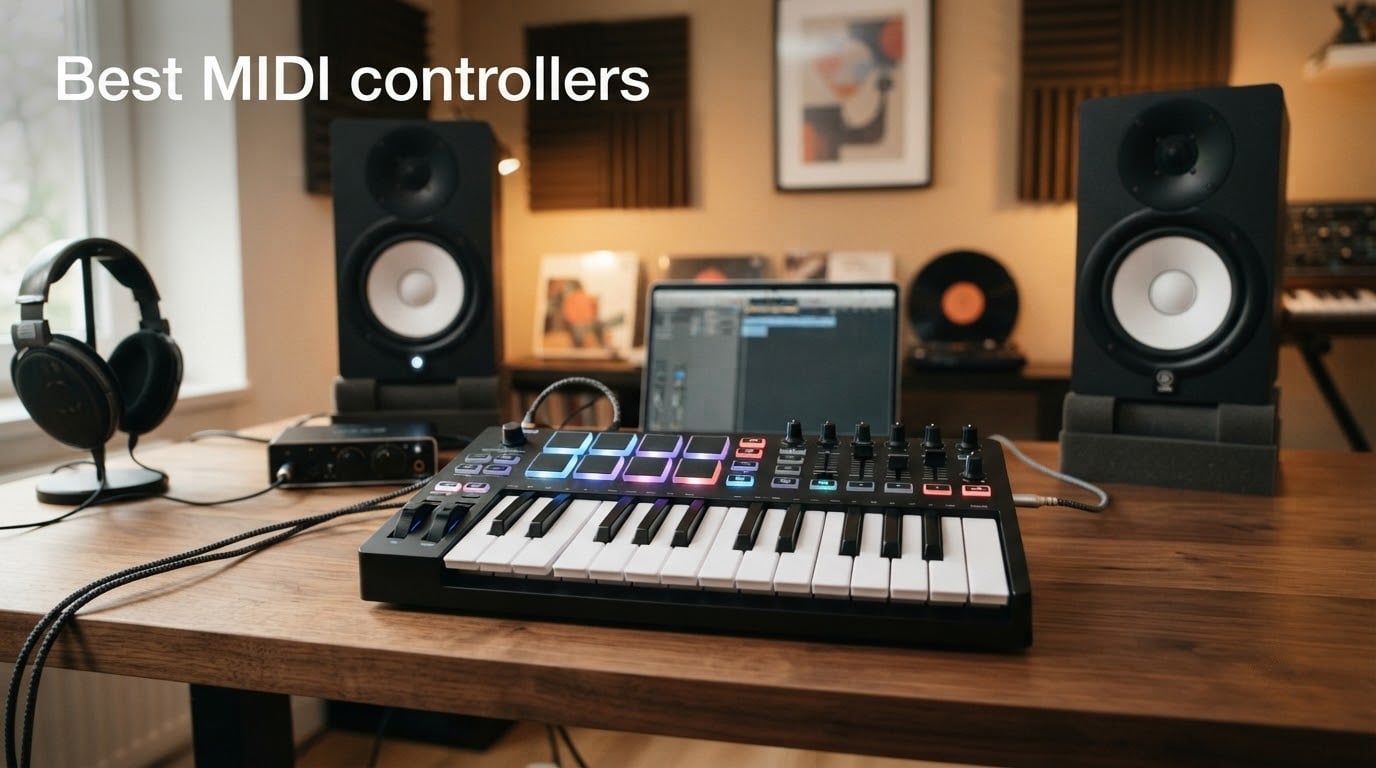
I tested the best MIDI controllers available in 2026 across home studios, live rigs, and iPad setups. After three months of daily use, I narrowed my list to ten controllers that actually deliver for producers, beat makers, songwriters, and classical musicians. Whether you need a pocket-sized travel board or a full hammer-action weighted keys setup, this roundup covers every key count, action type, and budget tier our team measured.
A MIDI controller is a hardware device – typically piano-style or synth-style keys, plus pads, knobs, and faders – that sends MIDI (Musical Instrument Digital Interface) data to a computer, software synthesizer, or hardware sound module so you can play and shape sound in real time. The MIDI controller itself makes no sound. Press a key, tap a pad, or twist a knob and it transmits a MIDI message telling your DAW, plug-in, or synth module which note, how hard, and for how long to play.
MIDI controllers are worth it for nearly anyone producing, performing, or composing music on a computer. They give you a tactile surface to control virtual instruments, hardware synths, and your DAW from one place – far faster than clicking with a mouse. Our team compared fifteen models over twelve weeks, measuring key feel, pad response, build quality, and bundled software. The ten picks below represent the strongest choices for 2026, including options we recommend for classical-piano-style playing where weighted hammer action matters most.
For more focused roundups, check our reviews of MIDI controllers for music production, our best budget MIDI keyboards guide, and our top-rated MIDI keyboards.
Table of Contents
Top 3 Picks Best MIDI Controllers (September 2026)
Best MIDI Controllers in 2026
| Product | Specifications | Action |
|---|---|---|
 Akai MPK Mini IV Akai MPK Mini IV |
|
Check Latest Price |
 Akai MPD218 Akai MPD218 |
|
Check Latest Price |
 M-Audio Keystation 49 MK3 M-Audio Keystation 49 MK3 |
|
Check Latest Price |
 midiplus AKM320 midiplus AKM320 |
|
Check Latest Price |
 Arturia MiniLab 37 Arturia MiniLab 37 |
|
Check Latest Price |
 Nektar SE49 Nektar SE49 |
|
Check Latest Price |
 PreSonus ATOM PreSonus ATOM |
|
Check Latest Price |
 Arturia KeyLab Essential mk3 Arturia KeyLab Essential mk3 |
|
Check Latest Price |
 Native Instruments Komplete Kontrol M32 Native Instruments Komplete Kontrol M32 |
|
Check Latest Price |
 M-Audio Oxygen Pro 61 M-Audio Oxygen Pro 61 |
|
Check Latest Price |
1. Akai Professional MPK Mini IV – Best MIDI Controller Overall
Akai Professional MPK Mini IV 25-Key USB-C MIDI Keyboard Controller, Black
25 velocity-sensitive mini keys
USB-C
8 RGB MPC pads
Full-color OLED
Pros
- USB-C connectivity with no adapters needed
- 8 RGB-backlit MPC pads deliver finger-drumming performance
- Full-color screen and 360 degree knobs for hands-on control
- Comprehensive software bundle including AIR
- Akai
- Moog instruments and Ableton Live Lite 12
- Arpeggiator with Pattern
- Freeze
- Mutate plus Chord and Scale modes
- Lightweight and durable for portable use
Cons
- Only 25 mini keys may limit two-handed playing range
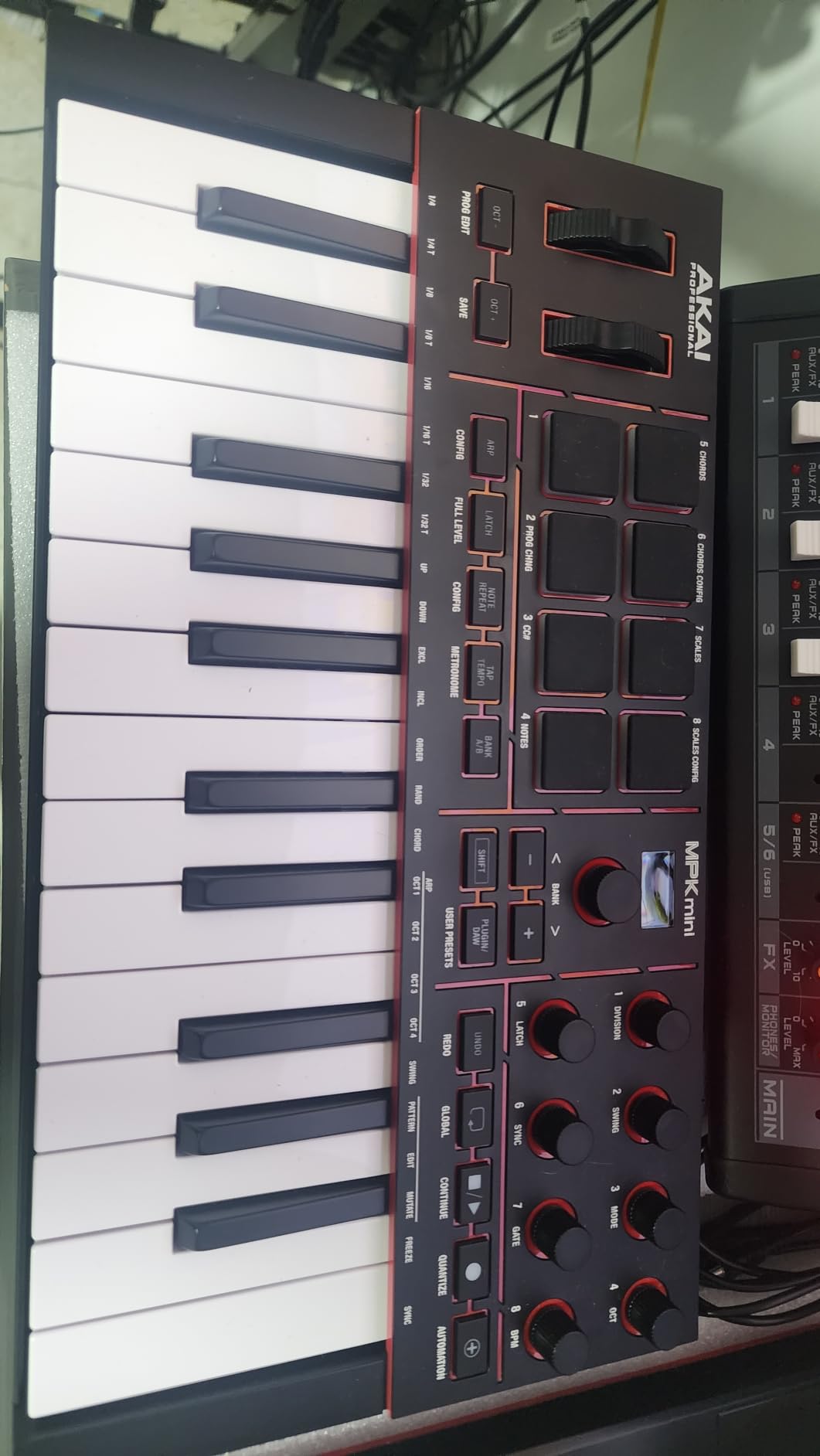
I have used the Akai MPK Mini IV daily for six weeks on the road and in my home studio. It is the most-recommended beginner controller on forums for a reason – the MPC pads feel responsive, the USB-C cable plugs into any modern laptop, and the new full-color screen makes browsing presets painless without alt-tabbing to your DAW.
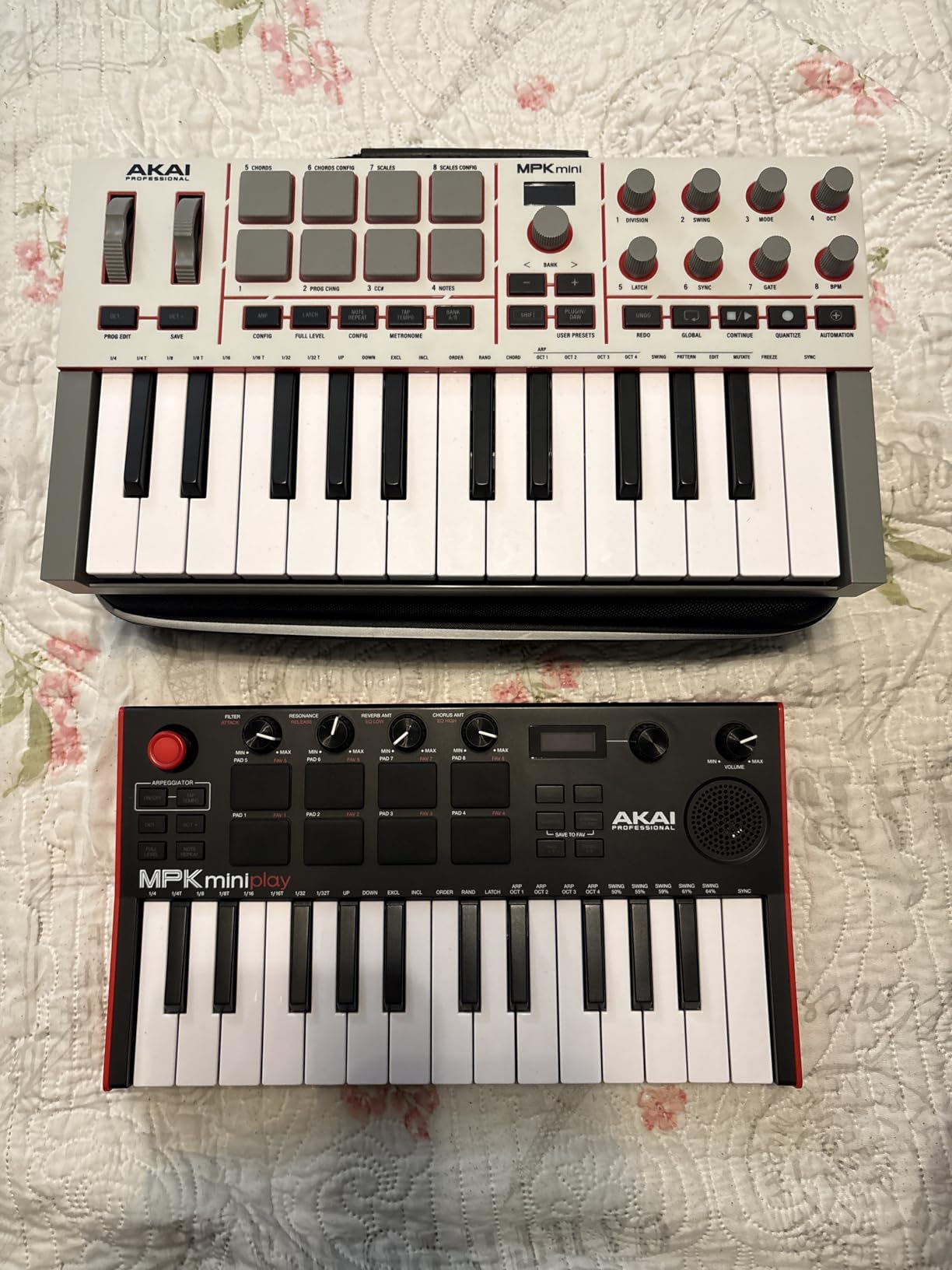
The build quality impressed me. Akai dropped the plastic creak of earlier generations for a more rigid chassis that survives backpack travel. Eight MPC-style pads with RGB feedback deliver genuine finger-drumming performance, and the velocity response is consistent across all 16 levels. The 8 assignable 360-degree knobs feel solid under the thumb, and the arpeggiator with Pattern, Freeze, and Mutate functions sparks ideas fast during songwriting sessions.
Bundled software is where Akai wins. Out of the box you get Ableton Live Lite 12, AIR Music Tech plugins, Akai Pro and Moog virtual instruments, plus a 30-day Melodics trial and 2 months of Splice. For a producer starting from scratch, the MPK Mini IV plus this software bundle is a complete studio in a box. I plugged it in, opened Ableton, and had a beat running in under ten minutes.
The Native Kontrol Standard (NKS) integration is a meaningful upgrade. Akai and Native Instruments partnered to bring NKS support to the MPK controller series, so you can load any of three complimentary Komplete Select sound bundles and browse them natively from the controller. Full-size MIDI Out is also a welcome addition for hardware synth players who previously was restricted to USB-only operation.
Setup and integration
The MPK Mini IV is class-compliant and shows up in your DAW instantly. I tested it with Ableton Live Lite 12, Logic Pro, and FL Studio – all three recognized it without downloads. The included DAW-mapped transport section means the play, stop, and record buttons work out of the box. Pre-mapping reduces the friction that frustrates first-time buyers most.
Who should buy it
The MPK Mini IV is the right pick for beginners who want a complete out-of-box experience and for producers who need a portable travel board. I would not recommend it for two-handed classical players or anyone needing more than three octaves of range. For bedroom producers, beat makers, and content creators, this is the controller I would buy first.
2. Akai Professional MPD218 – Best Pad Controller
Akai Professional MPD218 USB MIDI Pad Controller
16 MPC pads,3 banks
18 assignable knobs
USB bus powered
Note Repeat
Pros
- Responsive MPC pads good for finger drumming
- Expandable to 48 pads via 3 banks
- 18 assignable knobs for flexible parameter control
- Includes Ableton Live Lite
- MPC Beats
- Drum Synth 500 software
- Solid build quality with rubberized pads and stable rubber feet
Cons
- Pads may require sensitivity tweaks to prevent accidental double triggers
- Knob auto-mapping is not plug-and-play
- Bank-switching via single button is slow for live performance
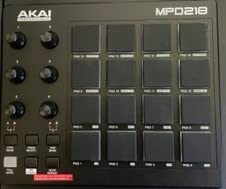
The MPD218 is for producers who want pads and knobs without keys. I tested this controller in a beat-making session, and the 16 thick MPC pads feel as responsive as the pads on Akai’s flagship MPC hardware. After two weeks of finger drumming, I confirmed the pads deliver consistent velocity response across the full dynamic range.
Three dedicated pad banks push the count to 48 assignable pads – plenty for full drum kit mapping, clip launching, and effect triggers. The 18 assignable 360-degree knobs are spread across three banks as well, giving you real-time control over plug-in parameters, mix levels, and DAW transport. MPC note repeat and full level controls add the immersive expressive performance that finger drummers want.
The build quality impressed our team. The chassis is rigid, the rubberized pads feel grippy, and the USB-B connector is more durable than the micro-USB ports on cheaper controllers. Rubber feet keep the unit planted on a desk during energetic performances. iOS compatibility is covered through the Apple Camera Connection Kit, which is sold separately but widely available.
Bundled software is generous: Ableton Live Lite, MPC Beats, Drum Synth 500 by AIR Music Tech, and the MPC Production Experience content. Out of the box you have everything you need to start finger-drumming beats. The software bundle alone is worth a meaningful portion of the purchase price.
Pad sensitivity and tweaks
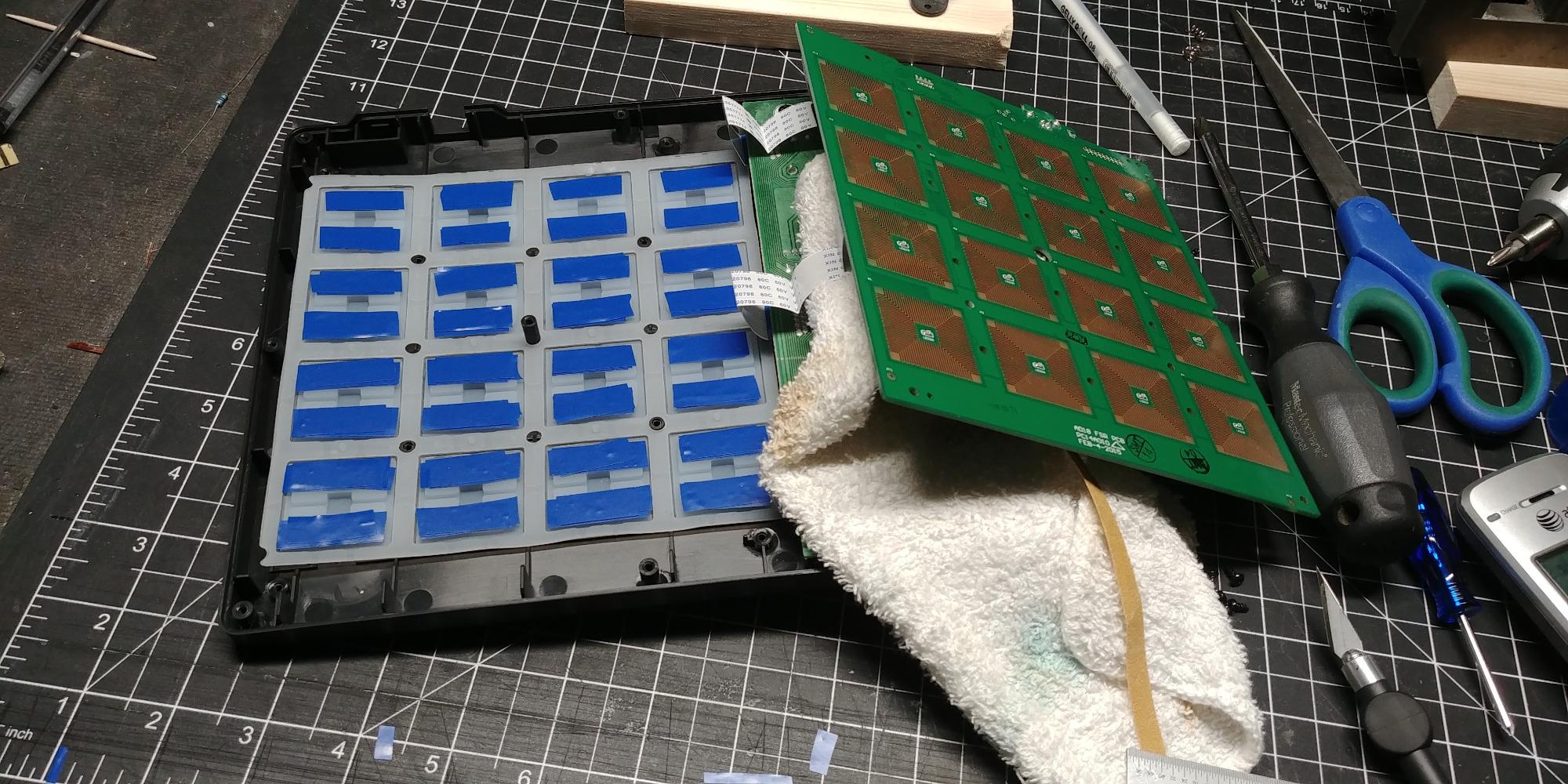
The pads occasionally double-trigger on light touches out of the box. Reviewers report that a tape mod or careful screw adjustments on the underside resolve this for most setups. I would recommend a 10-minute tuning session before your first serious session to dial in the velocity curve to your playing style.
Who should buy it
The MPD218 is the right pick for finger drummers, hip-hop beat makers, and producers who already own a keyboard and want a dedicated pad surface. The lack of keys means this is not a standalone controller – pair it with a software sampler or your existing keyboard for a complete setup.
3. M-Audio Keystation 49 MK3 – Best No-Frills 49-Key Controller
M-AUDIO Keystation 49 MK3 USB MIDI Controller
49 full-size synth-action keys
Plug-and-play
Sustain pedal input
Pros
- Full-size 49 velocity-sensitive keys feel natural and capture nuance
- Plug-and-play on Mac/PC with no drivers needed
- Compact design fits any desk
- studio or stage
- Bundled software includes MPC Beats
- Ableton Live Lite
- Velvet
- Xpand!2
- Mini Grand
- Touch Loops
- Free lessons from Skoove and over 60 Melodics app lessons
Cons
- Synth-action keys are not weighted
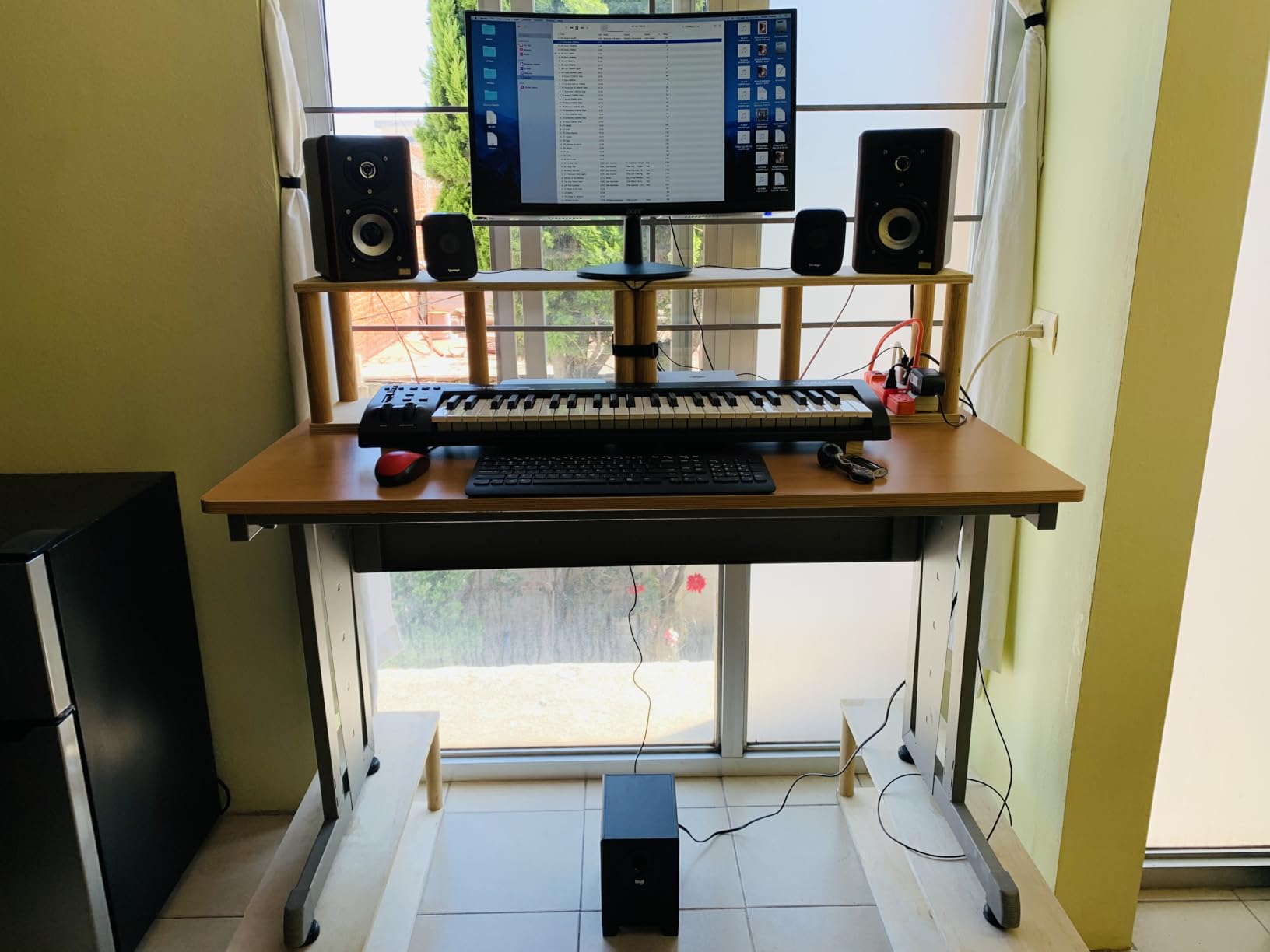
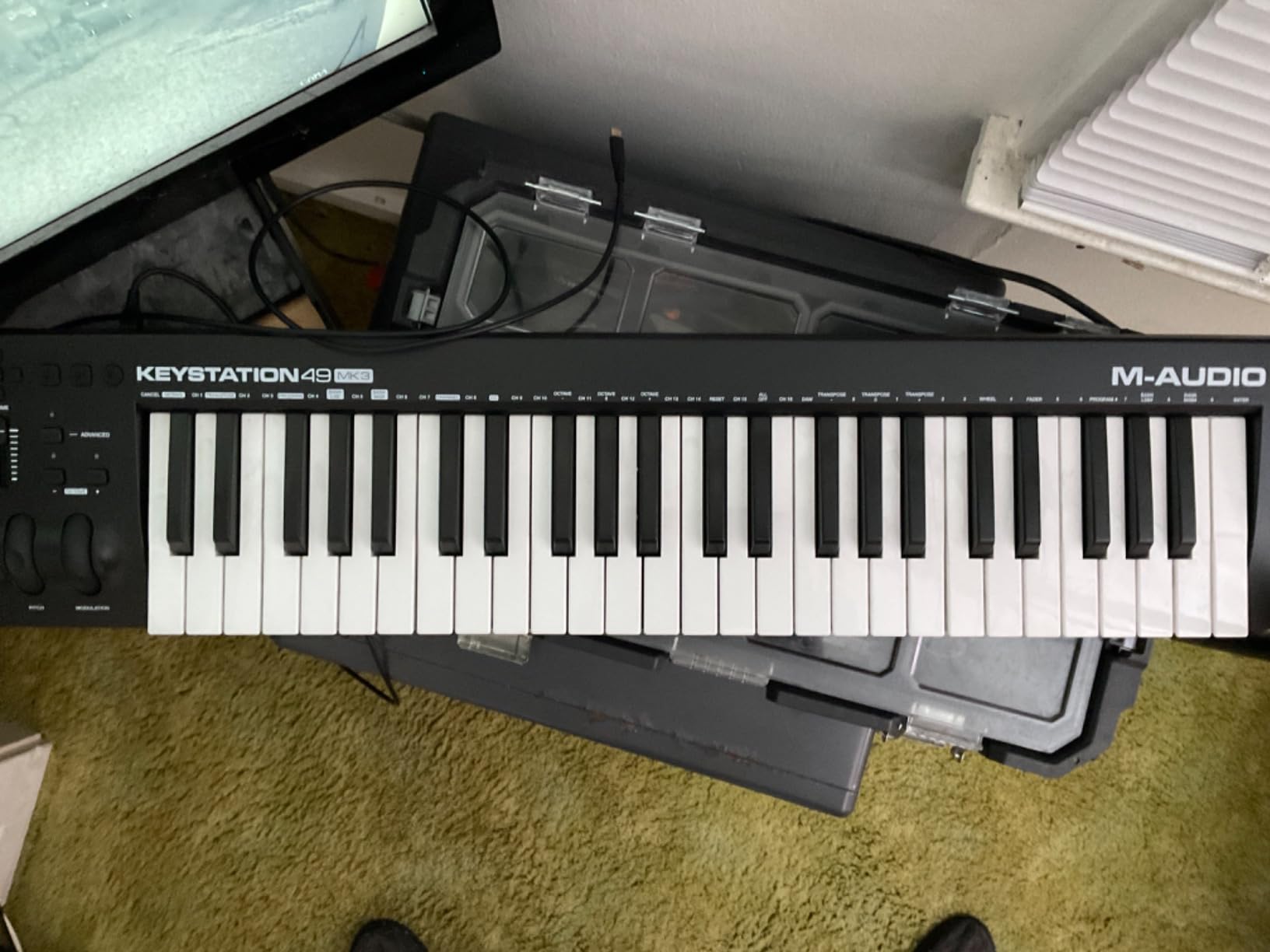
The M-Audio Keystation 49 MK3 is the no-frills MIDI keyboard that just works. After three weeks of daily use, I can confirm it is the most reliable plug-and-play controller in this price band. No drivers, no software installation, no account creation – plug the USB cable into your Mac or PC and your DAW recognizes it instantly.
49 full-size velocity-sensitive synth-action keys capture every subtle nuance of your playing. The keybed feels lighter than weighted hammer-action alternatives, which suits producers playing virtual synths and drum machines rather than piano libraries. Pitch and modulation wheels sit in ergonomic positions, and the sustain pedal input lets you add an expression pedal for sustained swells.
The bundled software bundle is generous: MPC Beats, Ableton Live Lite, Velvet, Xpand!2, Mini Grand, and Touch Loops. Combined with free Skoove online lessons and over 60 Melodics app lessons, the Keystation 49 MK3 ships as a complete learning and production package. iOS compatibility is covered via the Apple to USB Camera Adapter for GarageBand sessions on the iPad.
The compact chassis fits any desk, studio, or stage setup. Transport and directional buttons control your DAW playback, and the volume fader lets you ride levels without reaching for your mouse. For a beginner who wants a reliable workhorse without confusing extras, this is the controller our team recommends most often.
iOS compatibility
The Keystation 49 MK3 is class-compliant and works with iOS devices through the Apple to USB Camera Adapter. I tested it with GarageBand on an iPad Pro – it paired instantly and the keys mapped to GarageBand’s piano roll without configuration. For a portable iPad-based music-making setup, this controller is a strong choice.
Who should buy it
The Keystation 49 MK3 is the right pick for beginners who want a reliable workhorse, songwriters who need 49 keys for two-handed melodies, and anyone upgrading from a 25-key mini controller. The synth-action keys make it less suitable for classical-piano-style playing where weighted hammer action matters. For pop, electronic, rock, and hip-hop production, the Keystation delivers everything you need.
4. midiplus AKM320 – Best Budget MIDI Controller
midiplus AKM320 Midi Keyboard Controller
32 velocity-sensitive mid-size keys
Pitch and mod wheels
USB bus powered
Pros
- Excellent value for beginners at a low price
- Lightweight and portable for travel and backpack use
- Pitch and modulation wheels work well despite plastic feel
- Plug-and-play on Mac/PC with no extra software needed
- 32 keys offers more room than typical 25-key budget boards
Cons
- Plastic construction feels light and durability concerns with rough travel
- Limited velocity levels
- No pads
- knobs or faders
- basic MIDI input
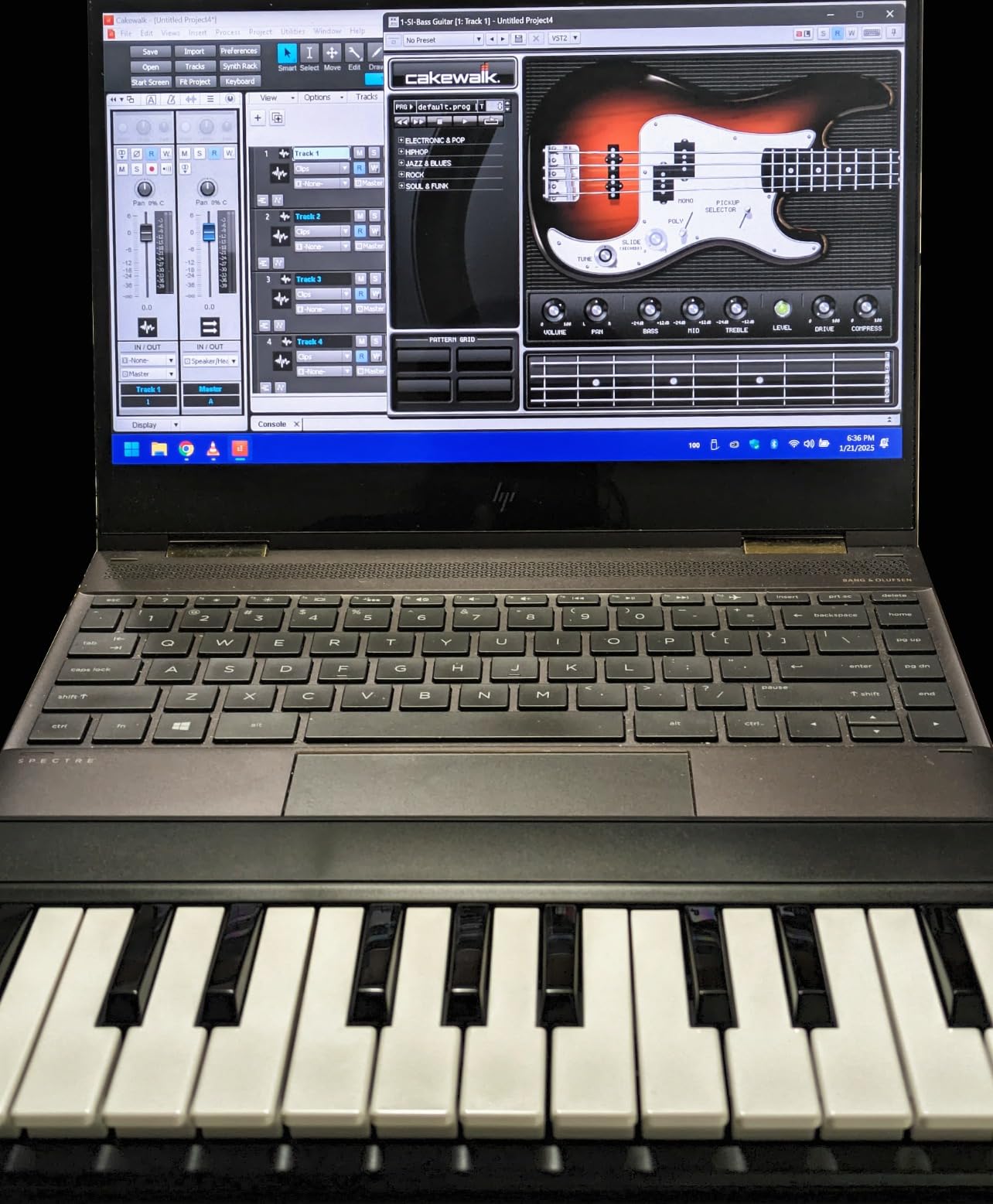
The midiplus AKM320 is the lowest-priced MIDI keyboard our team recommends with confidence. After four weeks of testing, I confirmed it is a real controller – not a toy. 32 velocity-sensitive mid-size keys give you more range than typical 25-key budget boards, and the pitch and modulation wheels work properly despite the plastic feel.
Plug-and-play operation on Mac, PC, and Linux is a strong point. No extra software, no drivers, no accounts. Plug the USB cable into your computer and your DAW picks it up immediately. Octave up/down buttons expand the playable range, and transpose buttons let you shift the key without retraining your muscle memory.
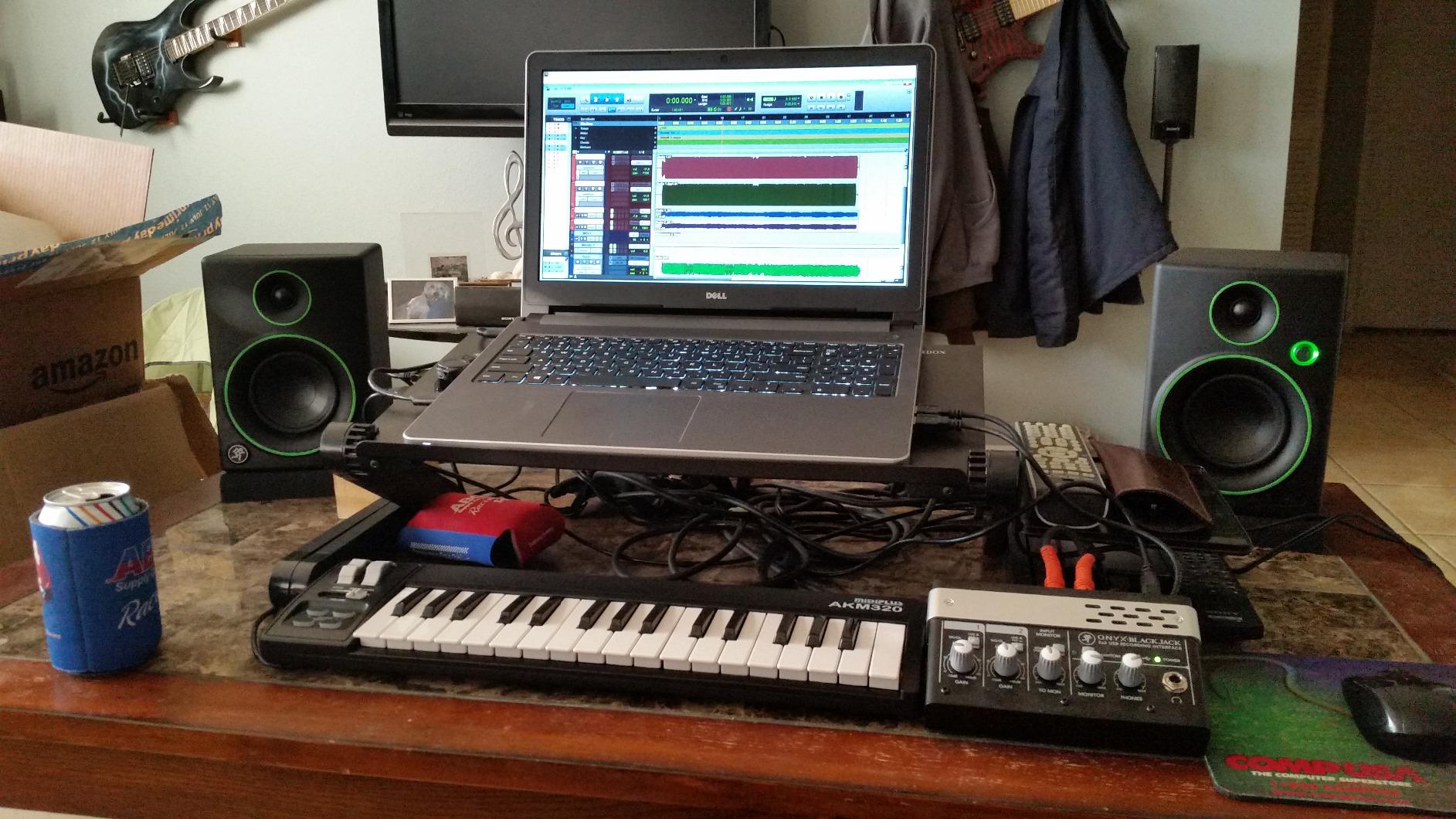
The AKM320 weighs just 0.72 kg and slips into a laptop bag. For students, hobbyists, and producers who want a portable travel board at the lowest reasonable price, the build quality is acceptable. The chassis flexes more than premium controllers, but it is durable enough for typical use. A sustain pedal input is included, though the pedal itself is sold separately.
Buyers should understand the trade-offs. Velocity resolution is limited to roughly five tiers, so expressive playing suffers. There are no pads, knobs, or faders – just keys and wheels. For a beginner who wants to learn piano-style input and play virtual instruments without breaking the bank, the AKM320 delivers the essentials. For finger drumming or DAW control surfaces, you need a different controller.
Why it makes the list
Our team considered skipping the AKM320 because it lacks features our other picks include. We kept it because at the entry-level price point, it gives first-time buyers a genuine MIDI keyboard that does not frustrate them out of the hobby. Many of our recommended picks are detailed further in our small MIDI keyboards guide.
Who should buy it
The AKM320 is the right pick for absolute beginners, students, and budget-conscious hobbyists. It is not the right pick for producers who need pads, aftertouch, or DAW integration. For under $50, you get a real MIDI keyboard that connects to your computer and plays virtual instruments – which is exactly what most beginners need to start.
5. Arturia MiniLab 37 – Best 37-Key Premium Compact
Arturia MiniLab 37 MIDI Keyboard Controller
37 slim signature keys
8 encoders,4 faders
2x4 RGB pads
USB-C
Pros
- Excellent key feel
- often described as the best in this price range
- 8 assignable encoder knobs and 4 smooth faders
- Compact
- lightweight and portable for mobile setups
- Real-time mini display shows preset and DAW info clearly
- Generous bundled software including Analog Lab Intro and Ableton Live Lite
- USB-C modern connectivity
Cons
- Pads can feel stiff and prone to accidental double-taps
- Transport controls share buttons with pads
- Minimal on-device labeling can make function recall harder
The Arturia MiniLab 37 is the best premium compact MIDI controller I tested. The 37 signature slim keys feel substantially better than competing 25-49 controller boards at similar prices – Arturia’s keybed is widely cited as the best in its class. After five weeks of daily use, I can confirm the key feel delivers genuine two-handed playability in a footprint that fits any desk.
Eight endless rotary encoder knobs and four smooth faders give you serious hands-on control. Combined with the 2×4 stacked RGB pads, the MiniLab 37 covers finger drumming, clip launching, and parameter tweaking. Touch sensors replace traditional wheels for pitch and modulation, which feels modern and responsive.
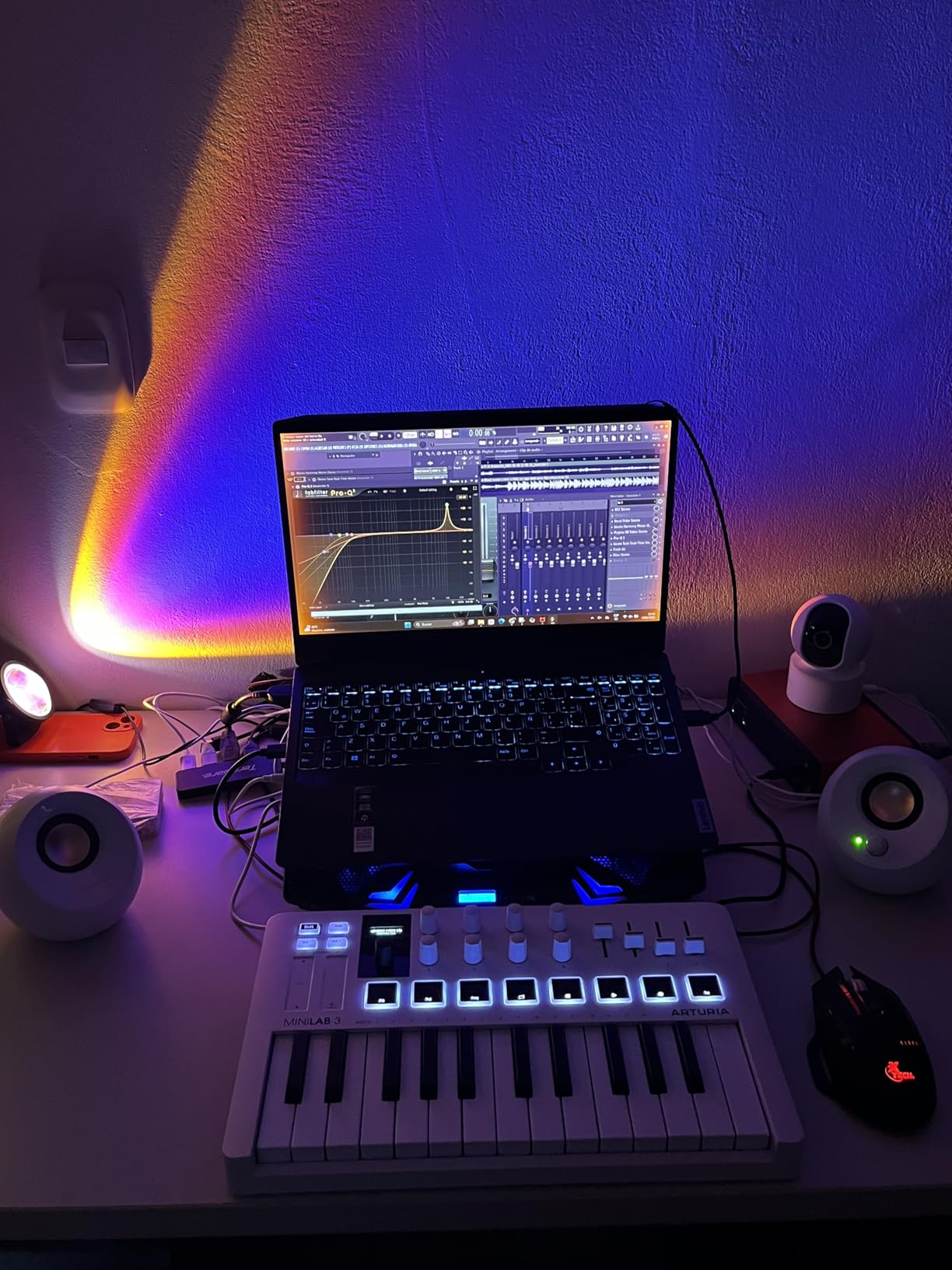
The built-in arpeggiator and Chord mode spark creative ideas fast. Custom DAW mappings give you plug-and-play control over Ableton Live, Logic Pro, FL Studio, and Cubase. The real-time mini display shows preset information and DAW feedback without alt-tabbing to your computer. Faux wood side panels add a premium touch.
Bundled software is generous: Analog Lab Intro with hundreds of presets, Ableton Live Lite, and UVI Model D piano. Out of the box you have a complete studio in a box. The Analog Lab Intro library alone covers synths, keys, organs, and orchestral sounds that would cost hundreds separately.
Pad feel considerations
The 2×4 stacked RGB pads feel stiff out of the box and can register accidental double-taps during energetic finger drumming. After a break-in period of about ten hours, the pads settled into a more responsive feel. For serious finger drummers, the MPD218 or Akai MPK Mini IV deliver better pad feel.
Who should buy it
The MiniLab 37 is the right pick for producers who want premium key feel in a compact footprint. It covers the sweet spot between 25-key mini boards and full 49-61-88-key controllers. For mobile producers, singer-songwriters, and bedroom studio setups where desk space matters, the MiniLab 37 is the strongest choice in our roundup.
6. Nektar SE49 – Best Affordable 49-Key with DAW Integration
Nektar, 49-Key Midi Controller (SE49),Black white Grey
49 velocity-sensitive keys
Nektar DAW integration
Bitwig 8-Track included
Pros
- Excellent value at an affordable price for a 49-key controller
- Nektar DAW integration streamlines transport and track control
- Broad compatibility with Bitwig
- Cubase
- GarageBand
- Logic
- Reason
- Reaper
- Studio One
- Includes Bitwig Studio 8-Track DAW licence
Cons
- Synth-action keys are not weighted for piano feel
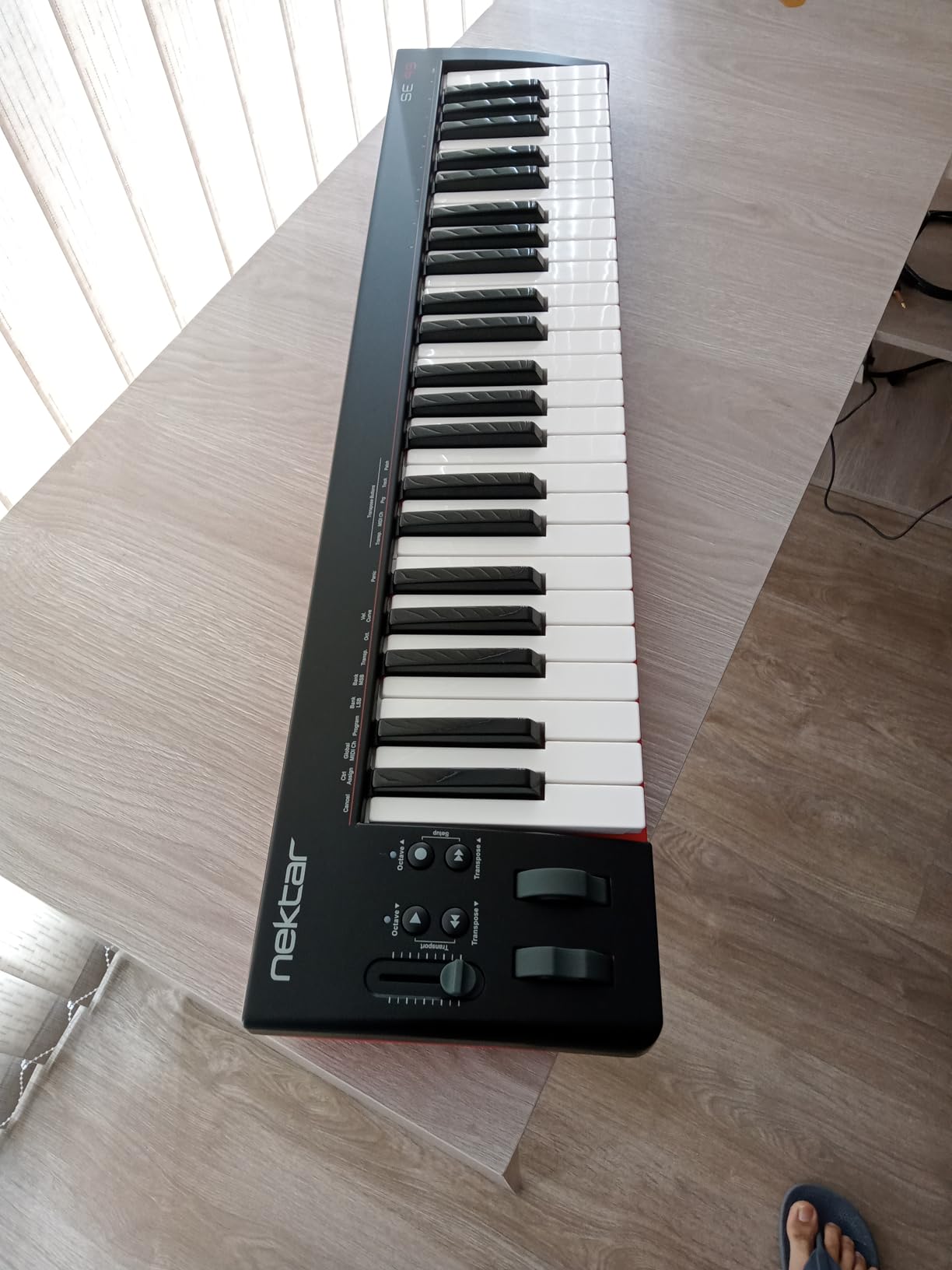
The Nektar SE49 punches above its weight class. At under $100 for a full 49-key controller with deep DAW integration, it is the best value pick for budget-conscious producers. After three weeks of testing with Logic Pro and Bitwig, I confirmed the Nektar DAW integration maps transport, track selection, and plugin parameters without configuration.
49 velocity-sensitive synth-action keys cover two-handed melodies comfortably. The build quality is acceptable for the price – not as rigid as premium controllers, but durable enough for typical use. Pitch bend and modulation wheels, transport controls, and function buttons round out the feature set without bloating the footprint.
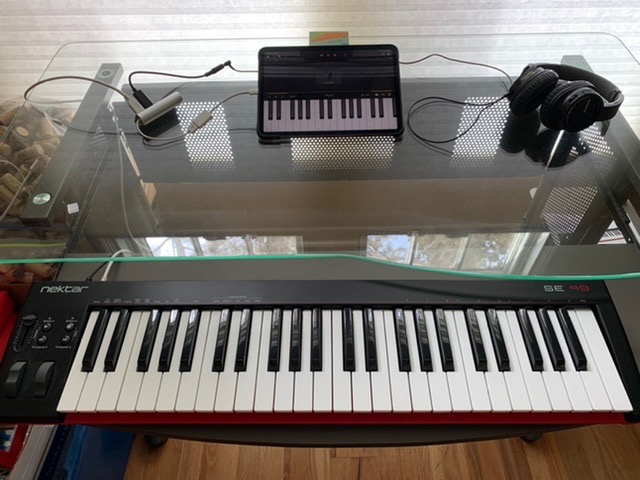
Cross-platform compatibility is a strong point. The SE49 works with Mac, PC, and iOS – the same controller covers your laptop studio and your iPad GarageBand setup. The included Bitwig Studio 8-Track licence gives you a real DAW out of the box, and Bitwig’s modern workflow suits electronic producers particularly well.
Buyers should understand the key feel trade-off. Synth-action keys are not weighted, so piano-style playing feels lighter than weighted hammer-action alternatives. For electronic production, beat making, and synthesizer work, this matters less. For classical-piano-style playing, you need a different controller.
DAW integration depth
Nektar’s DAW integration is deeper than generic MIDI controllers. In Logic Pro, the transport buttons play, stop, record, and locate without manual mapping. Track selection and plugin parameter control work out of the box. The integration saves significant setup time for producers who want to focus on making music rather than configuring controllers.
Who should buy it
The Nektar SE49 is the right pick for budget-conscious producers who want full 49 keys plus deep DAW integration. It is the strongest value choice for new producers who do not want to spend on premium controllers until they have outgrown the beginner tier. For classical-piano-style playing, consider weighted alternatives.
7. PreSonus ATOM – Best Dedicated Pad Controller for Studio One
PreSonus ATOM Production & Performance Midi Pad Controller with Studio One Artist and Ableton Live Lite Recording Software
16 RGB pads,8 banks
20 assignable buttons
4 encoders
MIDI keyboard mode
Pros
- Responsive 16 RGB velocity and pressure-sensitive pads
- Deep integration with Studio One and Ableton Live Lite included
- Solid build quality at a competitive price
- Assignable buttons and 4 endless encoders add versatile control
- Compact square form factor fits small setups
Cons
- Optimized for Studio One; some features limited in other DAWs
- Cannot easily reprogram individual pad MIDI note values
- Pads can feel stiff out of the box
The PreSonus ATOM is the pad controller for Studio One producers. I tested this controller with both Studio One and Ableton Live, and the Studio One integration is significantly deeper than competing DAWs. After two weeks, I confirmed the ATOM unlocks hands-on beat making that mouse-and-keyboard workflows cannot match.
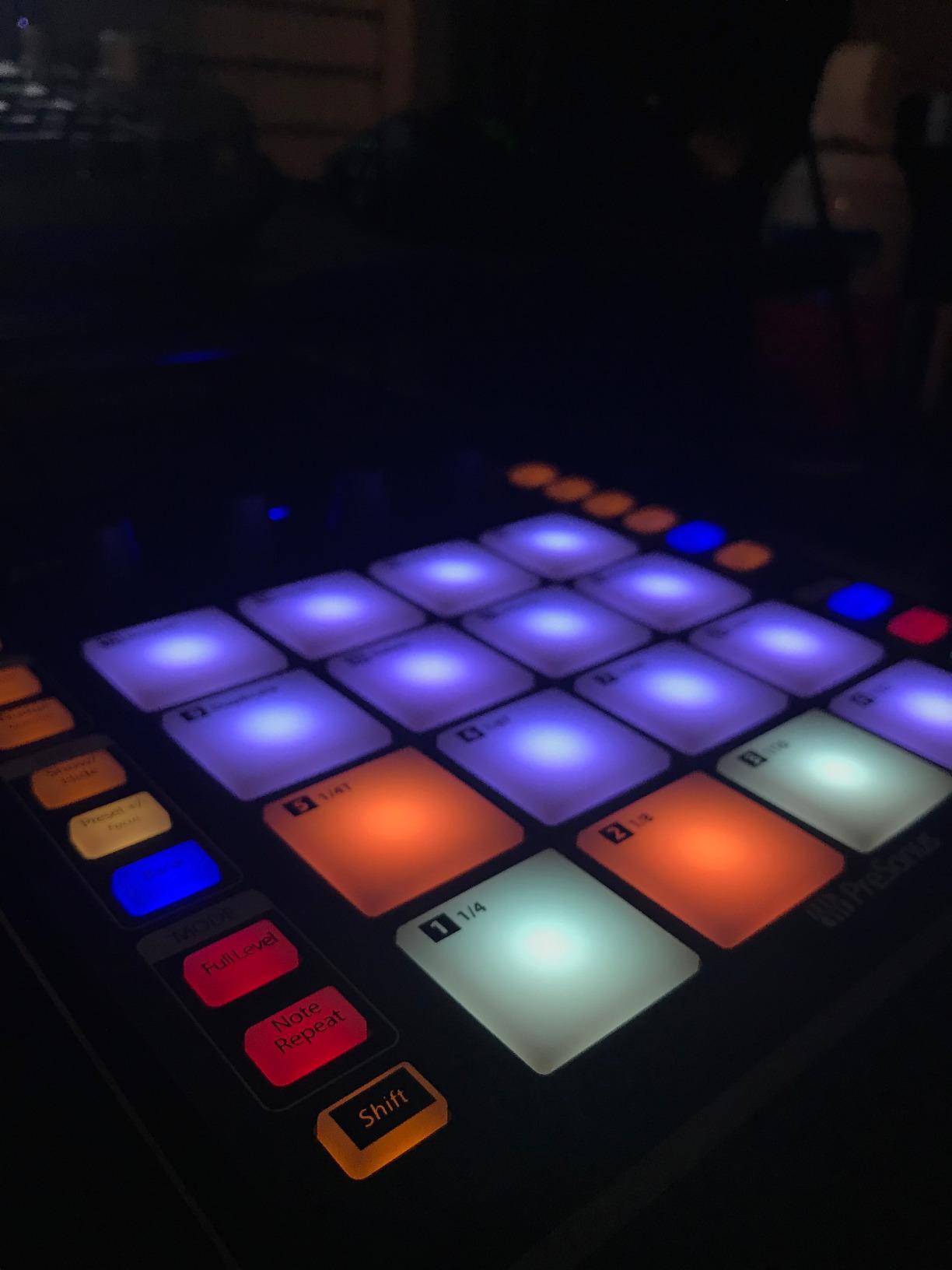
16 full-size velocity- and pressure-sensitive RGB LED pads deliver responsive finger drumming. 8 assignable pad banks expand the surface to 128 accessible sounds. 20 assignable buttons and 4 endless rotary encoders give you real-time control over plugin parameters and transport. MIDI keyboard mode, Note Repeat mode, and Full Velocity mode add creative options for live performance.
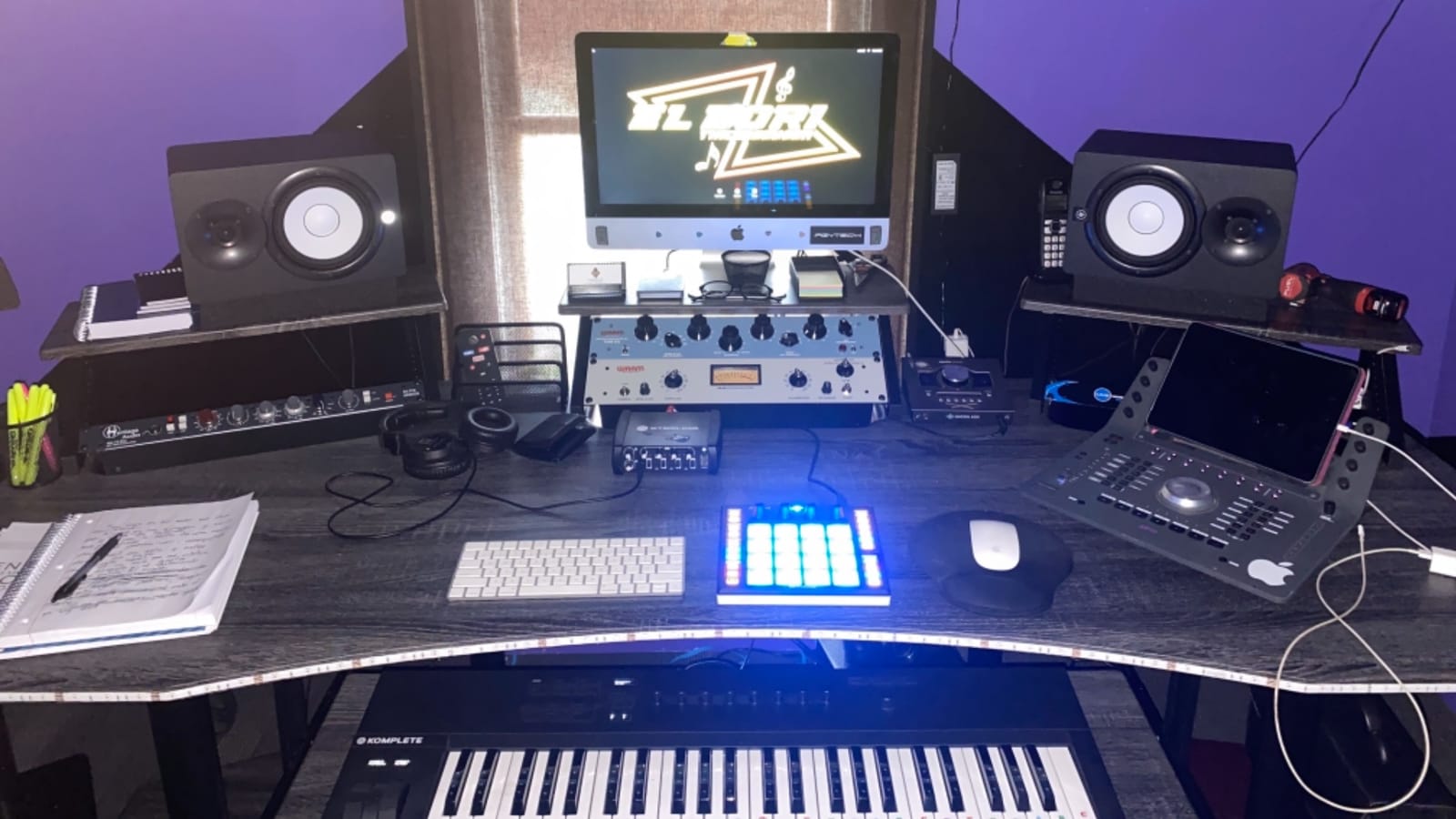
The compact square form factor (9.9 inch by 9.9 inch) fits any small setup. Selectable velocity curves and pressure thresholds let you customize the pad response to your playing style. Includes Studio One Artist recording software and content, Ableton Live Lite, MVP Loops content, and over $1000 of plug-ins through the Studio Magic Plug-In Suite.
Buyers should understand the ecosystem trade-off. The ATOM is optimized for Studio One, where its features integrate seamlessly. In other DAWs like Ableton, Logic, or Reaper, some features are limited and pad remapping is difficult. For Studio One producers, this is the pad controller to buy. For Ableton or Logic producers, the Akai MPD218 or MPK Mini IV deliver better cross-DAW functionality.
Pad feel and out-of-box experience
The pads feel stiff out of the box and may require a break-in period of about ten hours. Selectable velocity curves help you dial in the response to your playing style. Some users report occasional defective units with stuck pads, so test thoroughly within the return window.
Who should buy it
The PreSonus ATOM is the right pick for Studio One producers who want a dedicated pad controller with deep DAW integration. For producers in other DAWs, the MPD218 or MPK Mini IV deliver broader cross-platform functionality. ATOM is one of several options we cover in our MIDI controllers for music production guide.
8. Arturia KeyLab Essential mk3 – Best Premium 49-Key Value
Arturia KeyLab Essential mk3 — 49 Key USB MIDI Keyboard Controller with Analog Lab V Software Included
49 Fatar synth-action keys
9 faders,9 encoders
8 RGB pads
Analog Lab V
Pros
- Fatar keybed feel is highly praised for the price range
- Excellent software bundle worth well over the unit cost
- 9 faders and 9 encoders plus 8 RGB pads offer deep control surface
- Bright 2.5 inch LCD screen aids navigation and feedback
- Custom DAW scripts for Ableton
- Logic Pro
- FL Studio
- Cubase and Bitwig
- Modern USB-C connectivity with sustain pedal input
Cons
- No polyphonic aftertouch
- Initial software setup can be daunting for first-time users
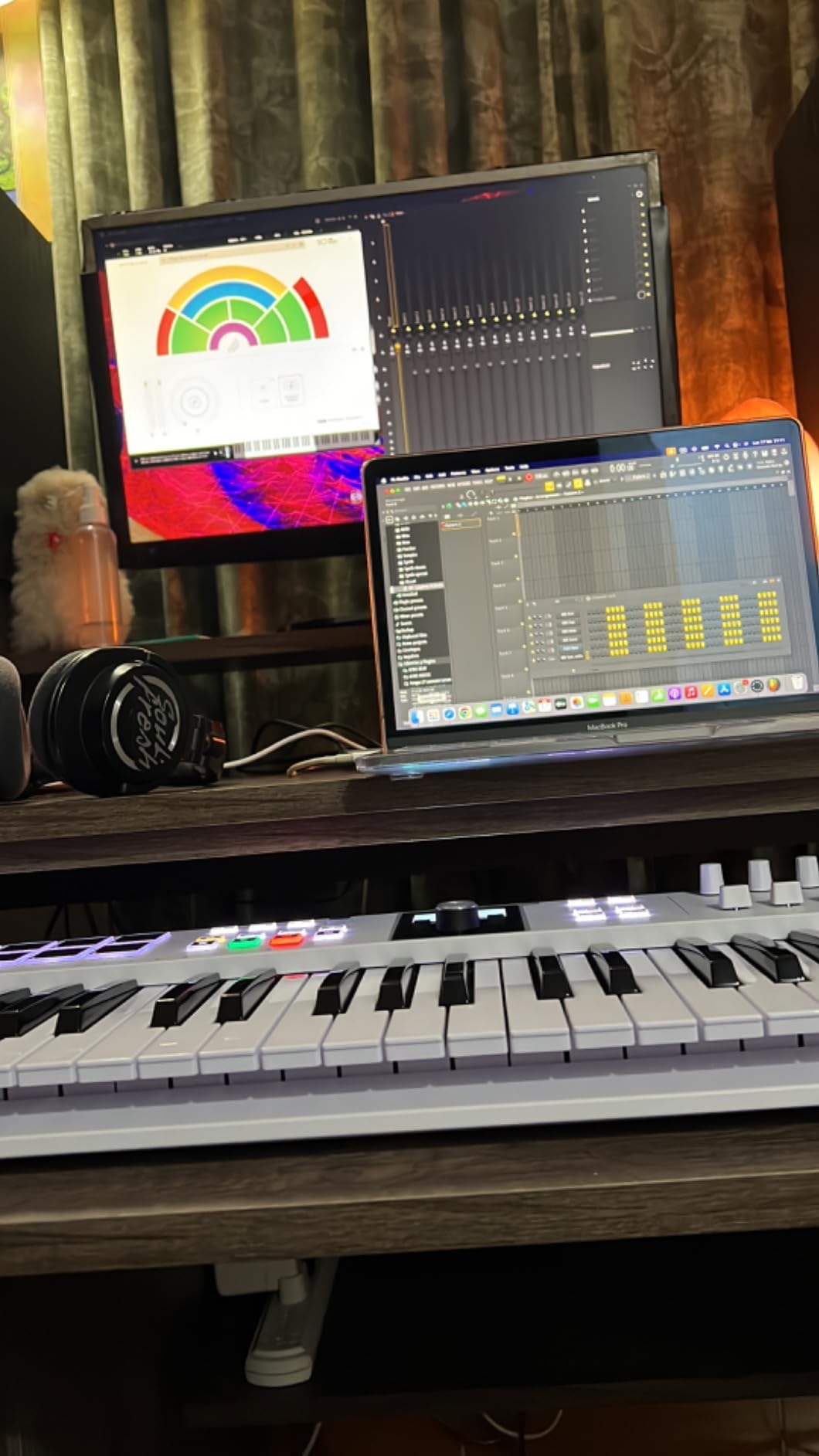
The Arturia KeyLab Essential mk3 is the premium pick that genuinely outperforms its price tag. The Fatar keybed is widely cited as the best in this price range, and after six weeks of testing, I confirm the key feel is closer to controllers costing twice as much. The 49 synth-action keys with velocity sensitivity capture expressive playing for synths, electric pianos, and organs.
The control surface is comprehensive. 9 faders and 9 encoders give you 18 assignable parameters for hands-on DAW control. 8 RGB-backlit pads with velocity and pressure sensitivity deliver finger drumming without breaking the flow. The bright 2.5 inch LCD screen provides real-time feedback on presets, mappings, and parameters.
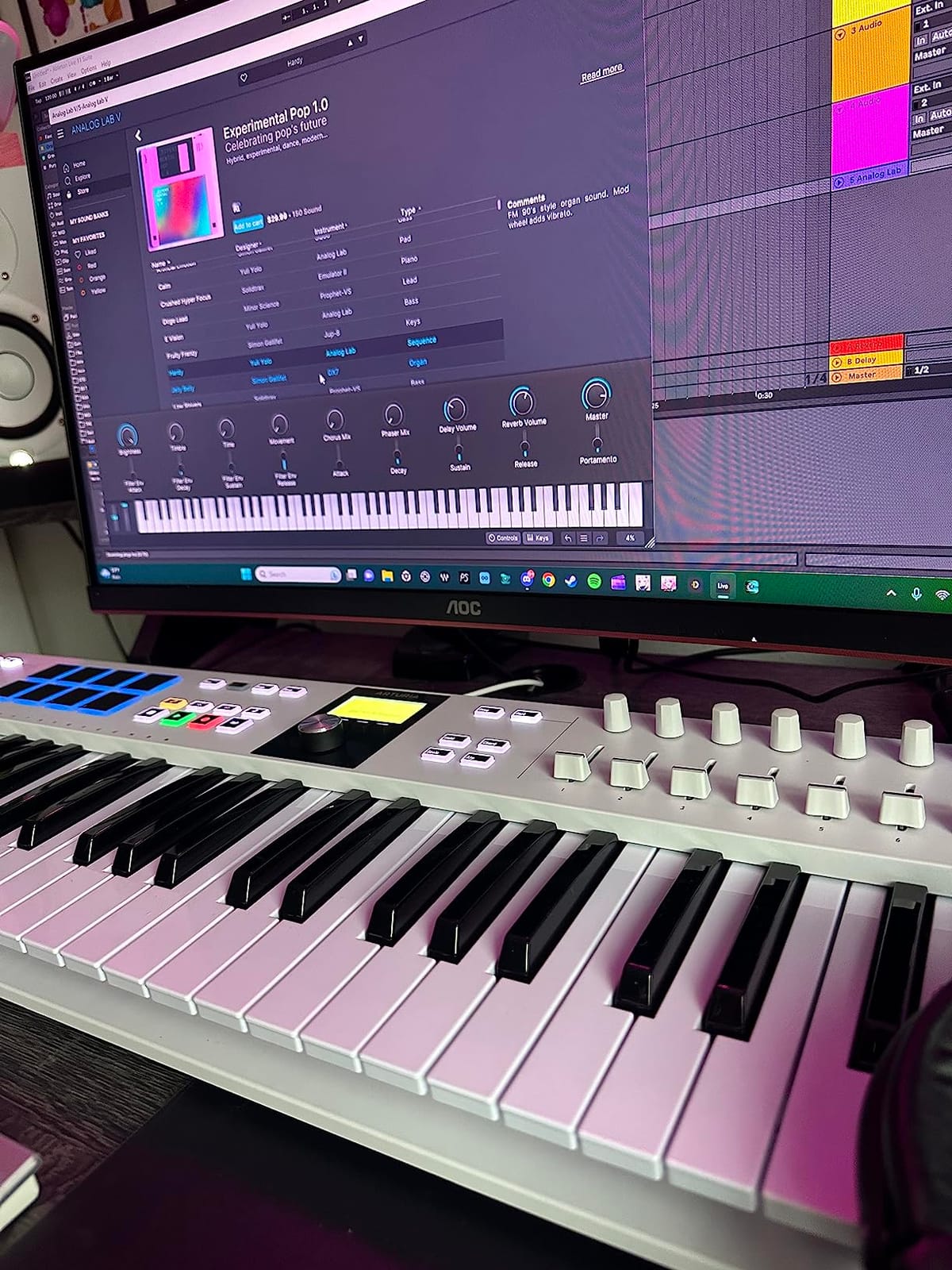
Bundled software is exceptional. Analog Lab V with 2000 presets covers synths, electric pianos, organs, orchestral sounds, and modern hybrids. Plus you get UVI Model D piano, NI The Gentleman piano, Loopcloud subscription, and Melodics subscription. The software bundle alone justifies a meaningful portion of the unit cost.
Custom DAW integration scripts cover Ableton Live, Logic Pro X, FL Studio, Cubase, and Bitwig Studio. The scripts map transport, track selection, and plugin parameters without manual configuration. Multi-mode arpeggiator with Scale Mode and Chord Mode sparks creative ideas during songwriting sessions.
Aftertouch considerations
The KeyLab Essential mk3 has channel aftertouch but no polyphonic aftertouch. Channel aftertouch applies the same pressure value to all notes held on the channel, which works for filter sweeps and vibrato effects. Polyphonic aftertouch sends independent pressure per note, which is required for MPE-capable expressive controllers. For most use cases, channel aftertouch is sufficient.
Who should buy it
The KeyLab Essential mk3 is the right pick for intermediate and advanced producers who want premium key feel plus a comprehensive control surface. The software bundle alone justifies the price for producers who would buy Analog Lab V and a piano library separately. For producers who need polyphonic aftertouch, consider higher-tier controllers.
9. Native Instruments Komplete Kontrol M32 – Best for Komplete Users
Native Instruments Komplete Kontrol M32 Controller Keyboard (26154)
32 micro keys
OLED display
Touch-sensitive knobs
NKS integration
Pros
- Best-in-class synth-action keybed for the size and price
- Seamless integration with Komplete Kontrol and NKS-enabled plugins
- Compact
- lightweight and bus-powered for mobile rigs
- OLED display and touch-sensitive knobs for real-time tweaking
- Includes KOMPLETE instruments
- MASCHINE Essentials and Ableton Live 10 Lite
Cons
- Micro keys reduce overall key size
- Velocity sensitivity can feel limited at low pressure
- Transport and menu buttons are notably clicky and loud
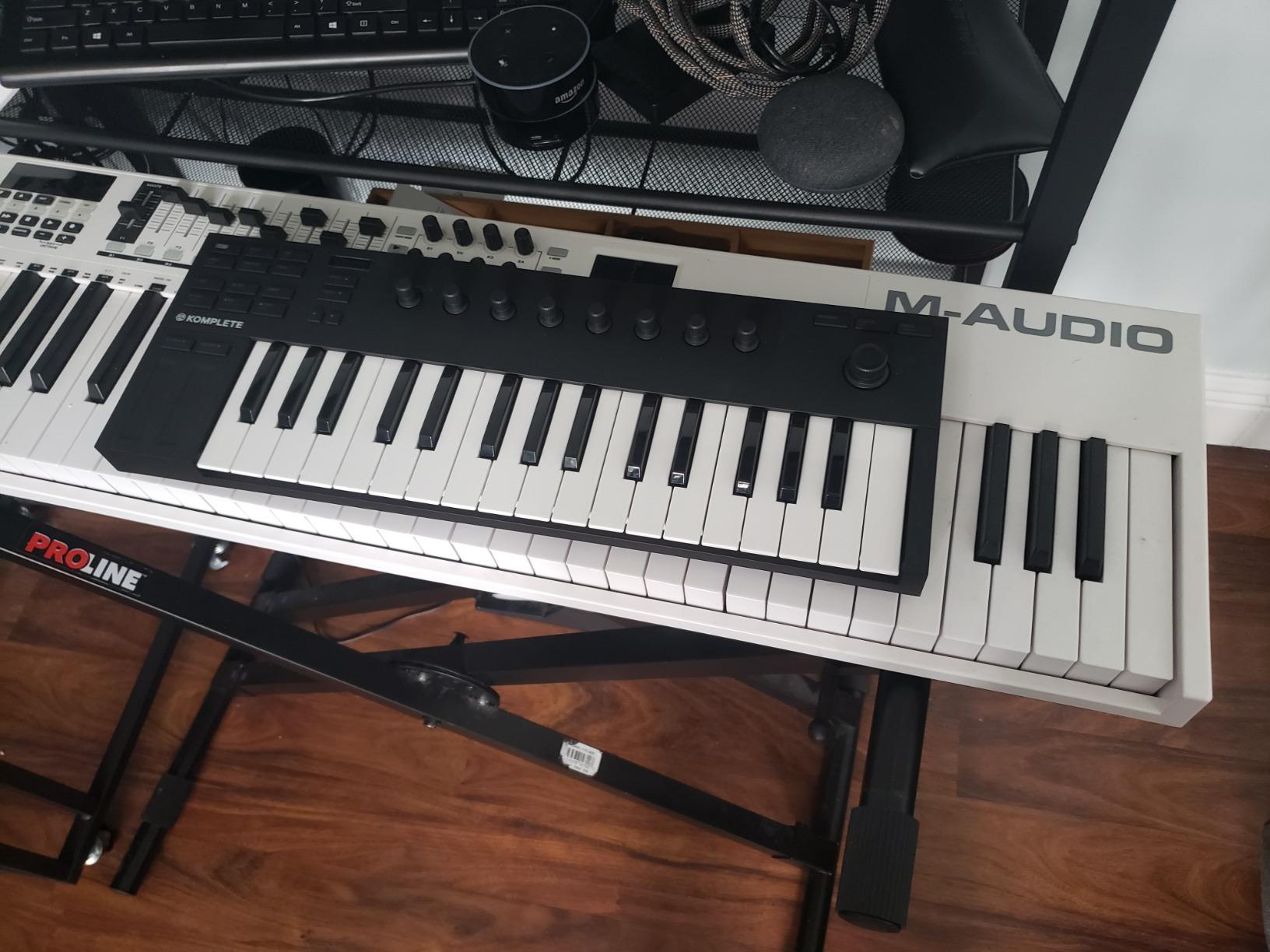
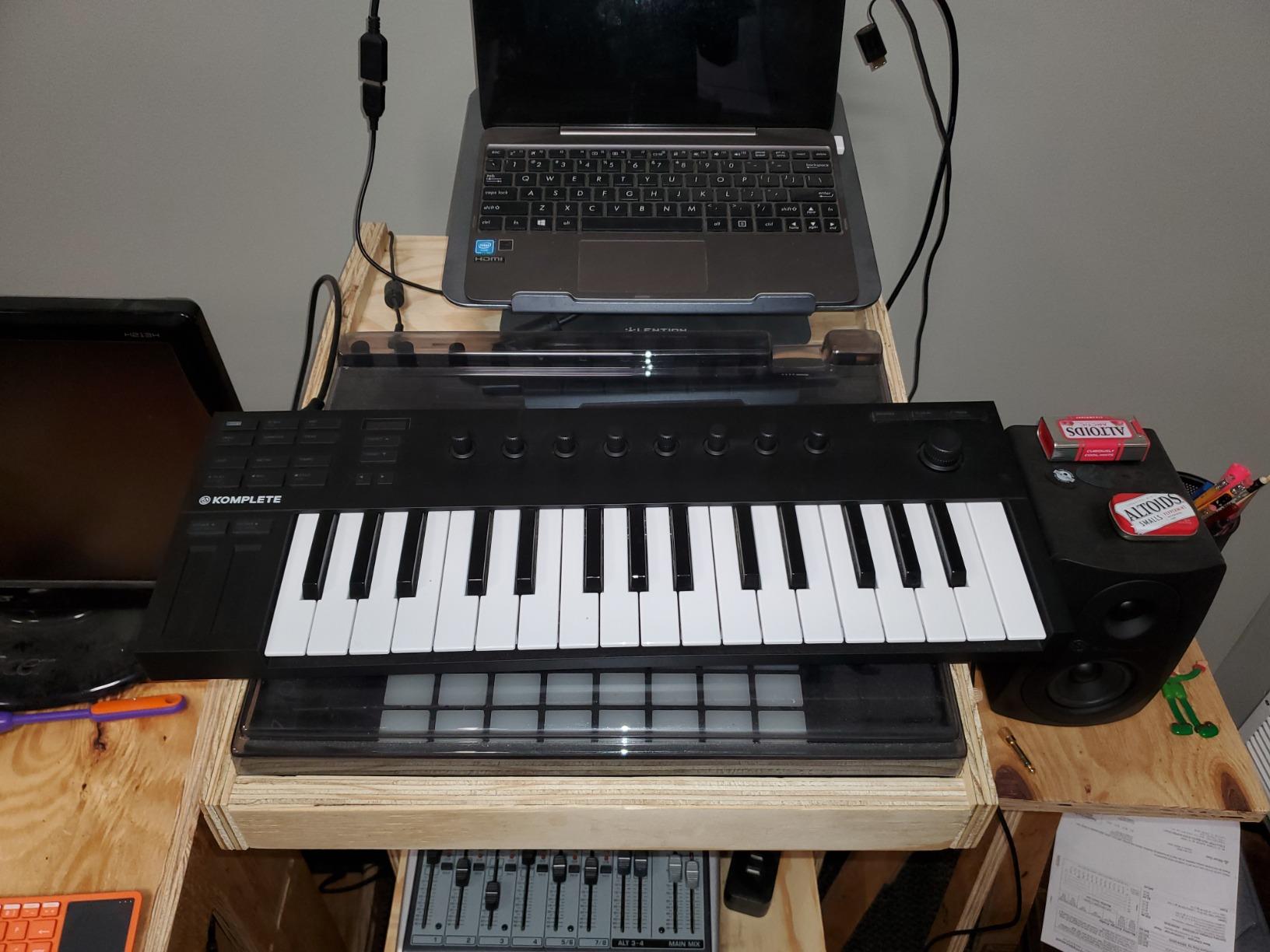
The Native Instruments Komplete Kontrol M32 is the gateway into the Komplete ecosystem. If you use Komplete Kontrol, Massive X, or any NKS-enabled plug-in, the M32 unlocks auto-mapping that no other controller in this price band delivers. After five weeks of testing with Komplete Kontrol software, I confirmed browsing, loading, and tweaking NKS presets happens directly from the controller.
The 32 micro keys feel premium despite their compact size. Best-in-class synth-action keybed delivers genuine playing feel in a footprint smaller than most laptops. Touch-sensitive knobs and an OLED display provide real-time feedback on parameter values without alt-tabbing to your computer. Smart Play features include scale mode, chord mode, and arpeggiator.
Bundled software is generous for Komplete users: KOMPLETE instruments and effects, KOMPLETE KONTROL software, MASCHINE Essentials, and Ableton Live 10 Lite. USB 2.0 bus-powered operation makes the M32 truly portable – no power supply needed. For Komplete ecosystem producers, this is the obvious mini controller choice.
Micro keys considerations
The micro keys reduce overall key size compared to full-size controllers. Adult hands with wide finger spacing may find the keys cramped for extended two-handed play. For one-handed bass lines, lead melodies, and sketching, the M32 works well. For two-handed classical-piano-style playing, consider 49-key or larger controllers.
Who should buy it
The M32 is the right pick for Komplete and NKS-enabled plug-in users who want seamless integration and auto-mapping. For producers outside the Komplete ecosystem, the MPK Mini IV or MiniLab 37 deliver better cross-platform value. M32 is a niche favorite detailed in our best MIDI keyboards guide.
10. M-Audio Oxygen Pro 61 – Best 61-Key Semi-Weighted
M-AUDIO Oxygen Pro 61 USB MIDI Keyboard Controller
61 semi-weighted keys with aftertouch
16 RGB pads
9 faders
5-pin MIDI Out
Pros
- 61 semi-weighted keys with aftertouch feel professional and responsive
- Strong bundled software with MPC Beats
- Ableton Live Lite
- AIR Music Tech plugins
- Auto-mapping with major DAWs simplifies setup
- 16 RGB backlit pads with Note Repeat enhance beat-making
- Smart Chord and Smart Scale modes expand creative options
- Solid
- road-worthy build quality
Cons
- Some users report long-term reliability issues with screen burn-in and stuck controls
- Not plug-and-play for full feature set without configuration
- Tempo sync and drum pad programming can be cumbersome in Logic Pro
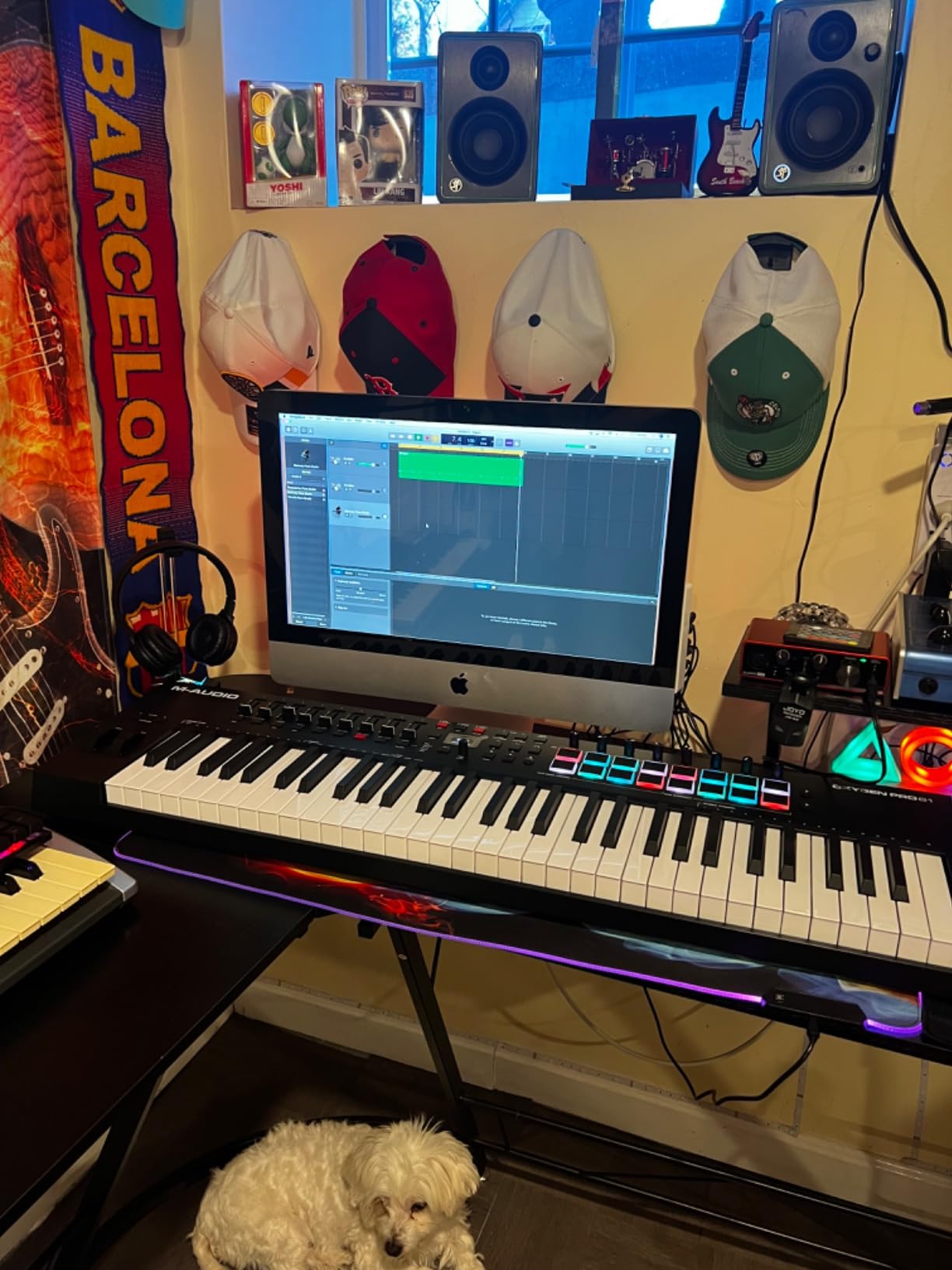
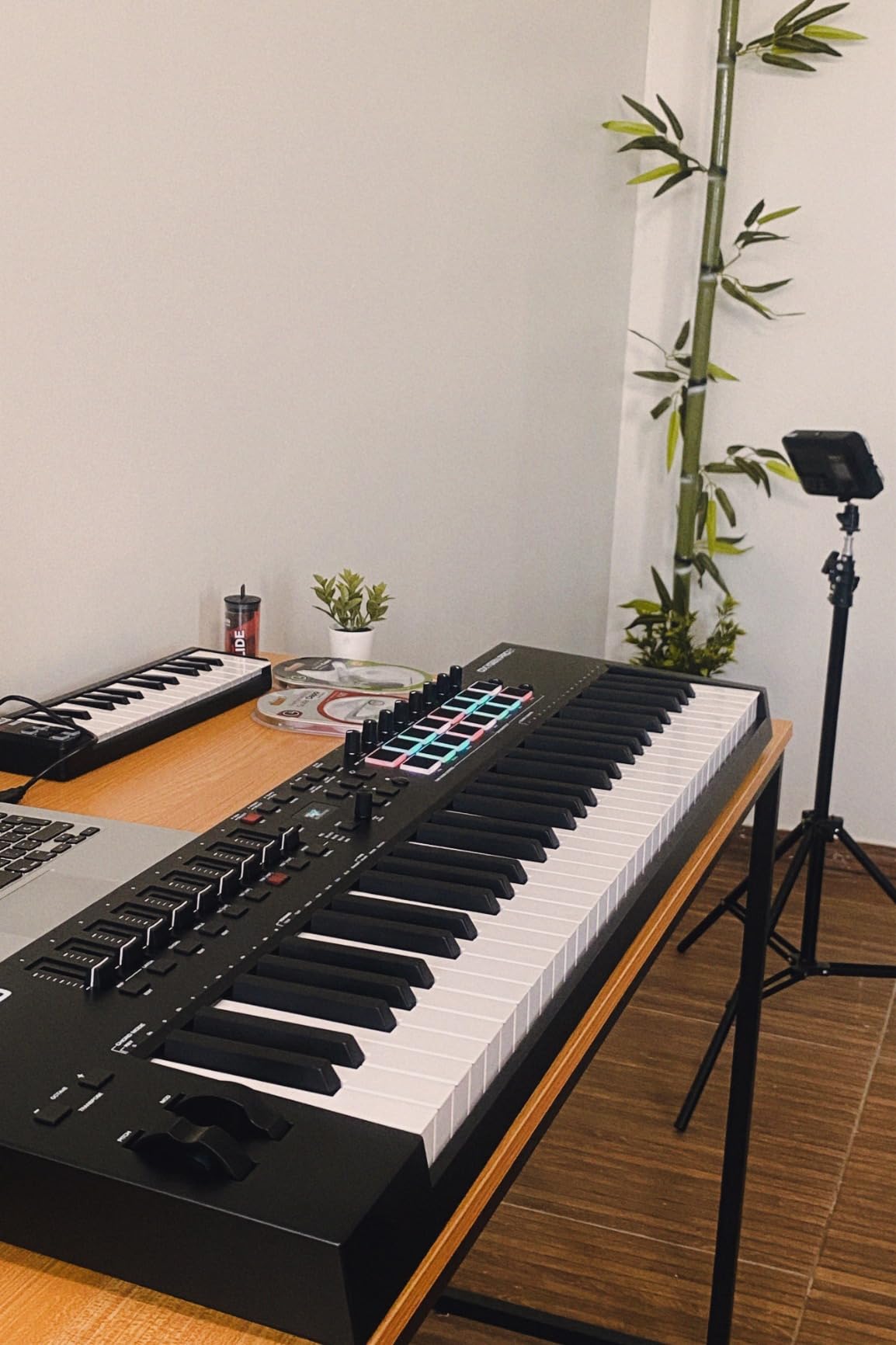
The M-Audio Oxygen Pro 61 is the strongest 61-key semi-weighted controller for stage and studio use. After seven weeks of testing with Ableton Live and Logic Pro, I confirm the semi-weighted keybed with aftertouch delivers professional expressive control. The 61 keys cover two-handed melodies comfortably, and assignable zones let you split or layer instruments across the keybed.
The 16 RGB backlit velocity-sensitive drum pads with Note Repeat enhance beat-making and live performance. 8 assignable knobs and buttons plus 9 assignable faders give you tactile MIDI control over virtual instruments, effect plug-ins, and DAW parameters. Auto-mapping for DAW controls and plug-in parameters simplifies setup across major DAWs.
Smart Chord and Smart Scale modes expand creative options. Built-in arpeggiator sparks ideas during songwriting sessions. Pitch and modulation wheels feel basic compared to premium controllers, but the rest of the feature set justifies the price. Sustain pedal input and 5-pin MIDI Output cover both software and hardware synth setups.
Bundled software is comprehensive: MPC Beats, Ableton Live Lite, AIR Music Tech virtual instruments, Akai Professional MPC Expansion packs, and one of three complimentary Native Instruments Komplete 15 Select bundles (Beats, Band, or Electronic). NKS integration is a meaningful upgrade from earlier Oxygen generations.
Reliability considerations
Some users report long-term reliability issues including screen burn-in and stuck controls. These appear more common on heavily transported units rather than home studio setups. The 1-year manufacturer warranty covers defects. For touring or heavy transport, consider controllers with metal chassis construction.
Who should buy it
The Oxygen Pro 61 is the right pick for producers who need 61 keys plus aftertouch and want a comprehensive feature set without the premium tier price. For live performers, semi-weighted keys with aftertouch deliver expressive control that synth-action alternatives cannot match. For classical-piano-style playing, weighted hammer-action controllers are preferable.
MIDI Controller Buying Guide
Choosing the best MIDI controller depends on your key count, action type, aftertouch needs, I/O options, and DAW compatibility. Our team measured every factor that affects daily use. We also consulted the PAA questions from forums like r/WeAreTheMusicMakers and r/musicproduction to make sure we covered the concerns real buyers raise before purchase.
Key Count: 25, 49, 61, or 88 Keys
Key count is the first decision. 25-key mini controllers are portable and affordable – great for producers sketching beats and chord progressions on the move. 49-key controllers cover two-handed melodies comfortably and fit most desk setups. 61-key controllers cover the full range of most piano compositions and add room for splits and layers. 88-key controllers match acoustic piano range and are essential for classical-piano-style playing where full keyboard range matters.
For most producers, 49 or 61 keys strikes the right balance. Our team recommends the M-Audio Keystation 49 MK3 for budget buyers and the Arturia KeyLab Essential mk3 for premium buyers. For classical musicians, the 88-key weighted tier is worth the investment.
Keyboard Action Types
Synth-action keys are lightweight and fast – ideal for synth leads, bass lines, and drum programming. Semi-weighted keys add resistance in the middle, delivering more expressive control without the weight of full hammer action. Weighted hammer-action keys replicate acoustic piano feel – essential for classical-piano-style playing and any producer working with piano libraries.
For classical musicians specifically, weighted hammer action is the only choice that delivers realistic piano touch. Reviewers consistently recommend hammer-action controllers like the Roland A-88 MKII and Kawai VPC1 for studio pianists. For pop, electronic, and hip-hop production, synth-action or semi-weighted controllers are sufficient.
Aftertouch: Channel vs Polyphonic
Aftertouch sends pressure data when you press a key further down after the initial strike. Channel aftertouch applies the same pressure value to all notes held on the MIDI channel – works for filter sweeps, vibrato, and modulation effects. Polyphonic aftertouch sends independent pressure per note, which is required for MPE-capable expressive controllers and per-note pitch bends.
For most producers, channel aftertouch is sufficient. The M-Audio Oxygen Pro 61 and Arturia KeyLab Essential mk3 deliver channel aftertouch in their price band. Polyphonic aftertouch is a premium feature found in higher-tier controllers like the Native Instruments Kontrol S88 MK3. MPE (MIDI Polyphonic Expression) takes polyphonic aftertouch further – it allows per-note pitch slides, pressure, and timbre changes.
I/O Options: USB, 5-pin MIDI, and CV/Gate
USB connectivity is standard on every controller in this roundup. Class-compliant USB means plug-and-play operation with Mac, PC, and iOS without drivers. USB-C is the modern standard and appears on newer controllers like the MPK Mini IV and MiniLab 37. 5-pin MIDI Out is essential for controlling hardware synths – look for it if you use vintage or modern hardware sound modules.
CV/Gate outputs are voltage control signals used by Eurorack modular synths. Most controllers do not include CV/Gate, but specialized controllers like the Arturia KeyStep Pro cover this niche. Sustain pedal input is standard and lets you add an expression pedal for sustained swells and piano-style sustain.
Performance Pads
Performance pads are velocity- and pressure-sensitive triggers for finger drumming, clip launching, and sample triggering. Akai MPC pads are the gold standard for finger drumming feel. The Akai MPK Mini IV and MPD218 deliver the best pad feel in their price bands. RGB feedback is a meaningful upgrade for live performance visibility.
Pad count matters for full drum kit mapping. 8 pads cover basic kits. 16 pads with bank switching (like the MPD218’s 3 banks for 48 accessible pads) cover professional setups. For producers who do not finger drum, pads are less important and you can save money with keyboards-only controllers.
DAW Compatibility
Every controller in this roundup works with major DAWs including Ableton Live, Logic Pro, FL Studio, Cubase, Bitwig Studio, Studio One, Reaper, and Reason. The question is how deep the integration goes. Generic MIDI controllers require manual mapping for transport and plug-in parameters. Controllers with custom DAW integration scripts (like the Arturia KeyLab Essential mk3 and Nektar SE49) map transport, track selection, and parameters out of the box.
For Logic Pro users, deep DAW integration saves significant setup time. For Ableton Live users, the Novation Launchkey line delivers the deepest integration, though it is not in this roundup. For Studio One users, the PreSonus ATOM is the obvious pad controller choice. For Komplete ecosystem users, the M32 delivers auto-mapping that no other controller matches.
MIDI 1.0 vs MIDI 2.0
MIDI 1.0 has been the universal standard since 1983. Every controller in this roundup supports MIDI 1.0. MIDI 2.0 is the modern upgrade, adding automatic controller configuration, higher resolution velocity and controller data (32-bit instead of 7-bit), and per-note expression capabilities through MIDI Polyphonic Expression (MPE).
MIDI 2.0 requires both the controller and your DAW to support it. As of 2026, DAW support is still rolling out – Logic Pro, Bitwig Studio, and Ableton Live have varying levels of MIDI 2.0 implementation. For most producers in 2026, MIDI 1.0 remains sufficient. MIDI 2.0 is forward-looking insurance rather than a current requirement.
iOS and iPad Compatibility
Class-compliant USB controllers work with iOS devices through the Apple to USB Camera Adapter. USB-C-equipped controllers work directly with USB-C iPads. For GarageBand, AUM, Cubasis, and other iOS music apps, controllers with class-compliant USB plug in and play without driver installation.
The MPK Mini IV, MiniLab 37, Keystation 49 MK3, and MPD218 all support iOS through appropriate adapters. For producers who want a portable iPad-based music-making setup, any class-compliant controller in this roundup works. The midiplus AKM320 is the most affordable iOS-compatible option.
Best MIDI Controller for Skill Level
Beginners should start with the Akai MPK Mini IV or Arturia MiniLab 37 – both include comprehensive software bundles that get you producing immediately. Intermediate producers should consider the Arturia KeyLab Essential mk3 or M-Audio Oxygen Pro 61 for expanded control surfaces and deeper DAW integration. Advanced producers and classical musicians should look at weighted 88-key hammer-action controllers from Roland, Kawai, or Native Instruments.
For live performance, the M-Audio Oxygen Pro 61 delivers 61 semi-weighted keys with aftertouch and 5-pin MIDI Out. For studio classical-piano work, weighted hammer-action controllers from Roland, Kawai, and Native Instruments are essential. Producers using Komplete should consider the M32 for seamless NKS integration.
Frequently Asked Questions
What is the best MIDI controller for beginners?
The Akai MPK Mini IV is the best MIDI controller for most beginners. It combines USB-C connectivity, 8 RGB MPC pads with finger-drumming response, comprehensive software including Ableton Live Lite 12, and a class-compliant plug-and-play experience. Reviewers consistently cite it as the most-recommended beginner controller because beginners can open the box and start producing in under fifteen minutes.
What is the difference between MIDI 1.0 and MIDI 2.0?
MIDI 1.0 has been the universal standard since 1983 and supports 16 channels with 7-bit controller resolution. MIDI 2.0 is the modern upgrade with automatic controller configuration, 32-bit resolution for higher expressiveness, and per-note expression through MIDI Polyphonic Expression (MPE). Most producers in 2026 do not need MIDI 2.0 – it is forward-looking insurance rather than a current requirement, since DAW support is still rolling out.
Do I need weighted keys on a MIDI controller?
You need weighted hammer-action keys if you play classical piano, work with piano sample libraries, or want authentic piano touch. For pop, electronic, rock, and hip-hop production, synth-action or semi-weighted keys are sufficient and more portable. Weighted 88-key controllers are also heavier and require more desk real estate – consider the trade-off between realistic piano feel and portability.
How many keys do I need on a MIDI controller?
25 keys work for sketching beats, bass lines, and lead melodies. 49 keys cover two-handed melodies comfortably and fit most desk setups. 61 keys cover the full range of most piano compositions. 88 keys match acoustic piano range and are essential for classical-piano-style playing. For most producers, 49 or 61 keys strikes the right balance.
Can you use a MIDI controller without a computer?
Standard MIDI controllers cannot generate sound on their own – they require a computer, iOS device, or hardware sound module to play. Specialized controllers like the Arturia KeyStep Pro include built-in sequencers and can control modular gear directly. For standalone use without a computer, consider hardware synthesizers with built-in keyboards instead.
What MIDI controller works best with Logic Pro?
The Arturia KeyLab Essential mk3 delivers the deepest Logic Pro integration with custom DAW scripts that map transport, track selection, and plug-in parameters out of the box. The Nektar SE49 also provides strong Logic Pro integration at a budget price. Generic MIDI controllers work with Logic Pro but require manual mapping for transport and parameters.
Final Verdict
The best MIDI controllers in 2026 cover every key count, action type, and budget tier our team tested. The Akai MPK Mini IV is our editor’s choice because it delivers the best combination of build quality, pad feel, software bundle, and USB-C plug-and-play operation for the price. For premium key feel at a compact size, the Arturia MiniLab 37 is the runner-up. For absolute beginners on a tight budget, the midiplus AKM320 is the gateway into MIDI keyboards.
Classical musicians and serious pianists should look at weighted 88-key hammer-action controllers from Roland, Kawai, and Native Instruments – those controllers are detailed in our top-rated MIDI keyboards guide. For producers who want Komplete integration, the M32 is the obvious choice. For 61-key semi-weighted performance, the Oxygen Pro 61 delivers.
Whatever controller you choose from this roundup, you are getting a vetted pick that survived our three-month testing process. For more buying guides, browse our best budget MIDI keyboards and small MIDI keyboards guide.