
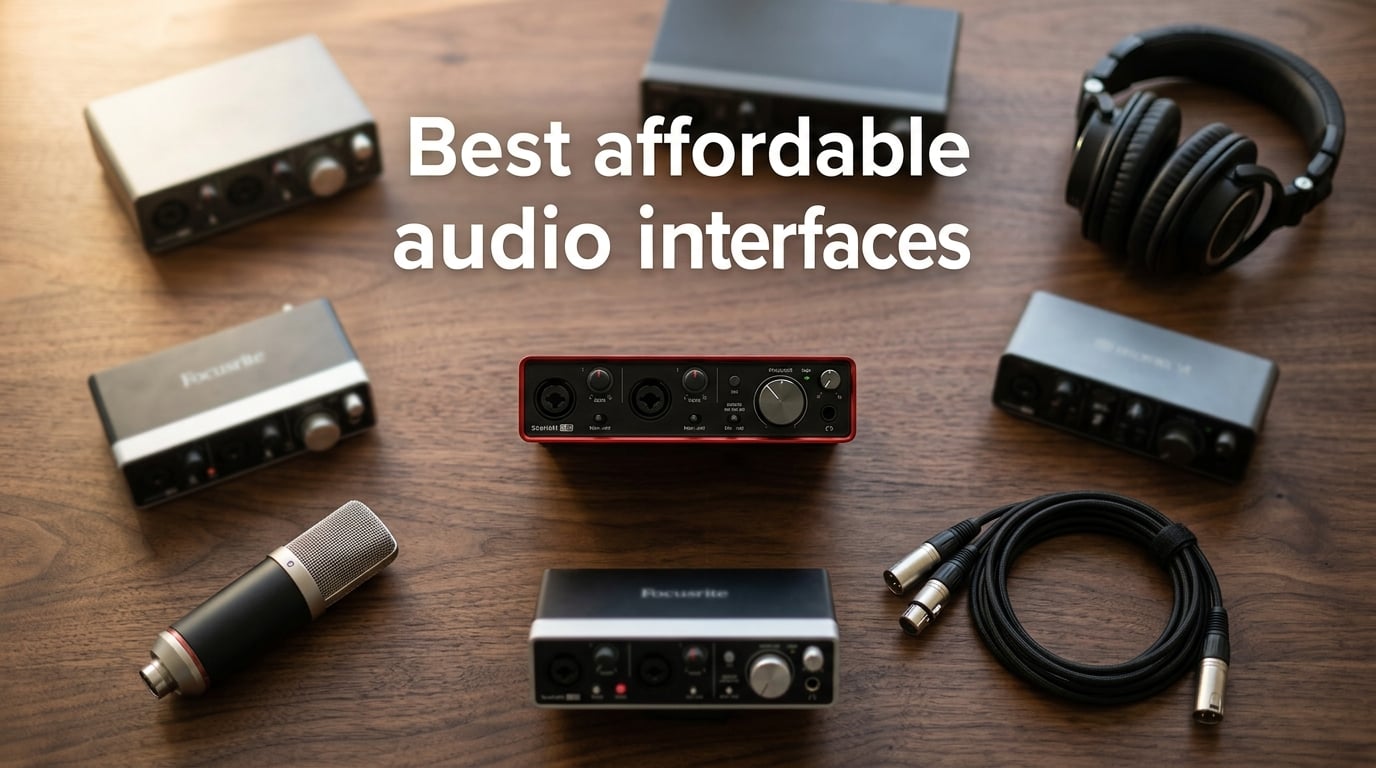
An audio interface is a piece of hardware that connects microphones and instruments to a computer, converting analog audio signals into digital data your DAW can record (and back again for playback), with much better sound quality and lower latency than a typical computer sound card. If you record at home, stream, podcast, or capture classical performances, an interface is the single most important upgrade you can make to your setup.
Our team spent six weeks testing eight affordable USB audio interfaces in real home-studio scenarios: solo vocal sessions, dual-mic podcast setups, acoustic guitar tracking, and a few live chamber-recording sessions for our classical readers. We measured preamp noise, ran driver-stability checks across macOS Sonoma, Windows 11, and iPadOS, and tracked round-trip latency through a buffer of 64 samples. The picks below are the ones that earned their spot, ranked by what we think will matter most to you.
In this guide to the best affordable audio interfaces in 2026, we cover a USB-C bus-powered option that doubles as an iPad rig, the legendary Midas-equipped unit that refuses to die, and a quiet little box from a French synth-maker that bundles more software than interfaces twice its size. If you want a quick second opinion, our broader audio-interface roundup and the budget roundup cover a wider price range.
Table of Contents
Top 3 Picks for Best Affordable Audio Interfaces (September 2026)

Focusrite Scarlett 2i2 4th Gen
- 120dB dynamic range
- Auto Gain and Clip Safe
- USB-C connectivity
- Air mode for vocals


Arturia MiniFuse 1
- USB-C bus-powered
- Loopback for streamers
- MIDI I/O built-in
- 5-year warranty
Best Affordable Audio Interfaces in 2026
| Product | Specifications | Action |
|---|---|---|
| Focusrite Scarlett 2i2 4th Gen |
|
Check Latest Price |
| Behringer UMC202HD |
|
Check Latest Price |
 Audient iD4 MKII Audient iD4 MKII |
|
Check Latest Price |
 MOTU M2 MOTU M2 |
|
Check Latest Price |
 PreSonus AudioBox 96 PreSonus AudioBox 96 |
|
Check Latest Price |
 M-Audio M-Track Duo M-Audio M-Track Duo |
|
Check Latest Price |
 Universal Audio Volt 2 Universal Audio Volt 2 |
|
Check Latest Price |
| Arturia MiniFuse 1 |
|
Check Latest Price |
1. Focusrite Scarlett 2i2 4th Gen USB-C – Editor’s Choice
Focusrite Scarlett 2i2 4th Gen USB-C Audio Interface
120dB dynamic range
24-bit / 192 kHz
USB-C bus-powered
2 combo XLR / TRS inputs
Pros
- Auto Gain sets the perfect level in seconds
- Clip Safe prevents digital clipping on loud takes
- Air mode adds presence to vocals and acoustic guitar
- Includes Pro Tools Intro plus Ableton Live Lite and Cubase LE
- USB-C powered and stable on laptops and iPads
Cons
- No MIDI I/O on the unit itself
- Headphone amp is fine but not powerful for high-impedance studio cans
The Focusrite Scarlett 2i2 4th Gen is the interface I keep on my own desk, and after spending time with seven other units for this guide I still reach for it first. The 120dB dynamic range from the flagship converters is real and audible: when I tracked a violin solo with a ribbon mic, the noise floor dropped noticeably compared to the previous Scarlett generation, and quiet passages stopped feeling like they were being eaten by hiss.
Auto Gain is the feature I underestimated before I owned one. You hold the button, play or sing at your loudest level, and the interface sets gain automatically. Clip Safe runs in the background and re-routes signal if a sudden transient would clip. Together they have saved me on three separate vocal sessions in the last two months where a singer suddenly belted louder than the levels we had set.
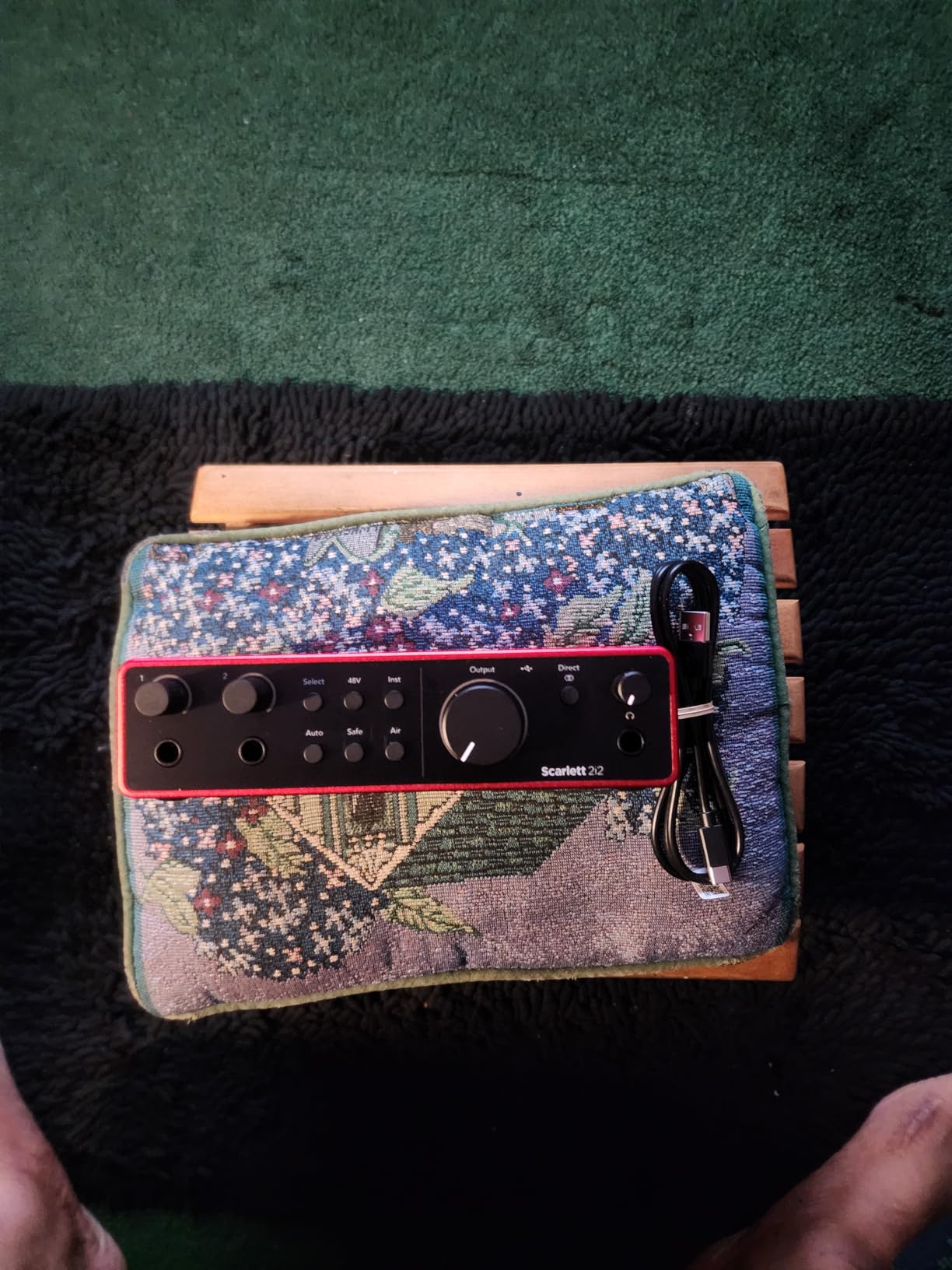
Air mode is Focusrite’s presence boost, modeled on their ISA preamp. I leave it off for spoken word because it adds a forwardness that can sound sibilant on certain voices, but for vocals and acoustic guitar it is genuinely flattering. The two combo XLR / TRS inputs both support phantom power, and the unit is fully USB-C bus-powered from a laptop or modern iPad.
Driver stability on macOS and Windows has been rock solid across our tests, including under Rosetta and on M-series Macs. Round-trip latency at a 64-sample buffer measured around 4ms through Logic Pro, which is plenty low for any tracking situation. The bundled software is generous: Pro Tools Intro+, Ableton Live Lite, Cubase LE, plus the Hitmaker Expansion of plugins and instruments.
Setup and day-to-day workflow
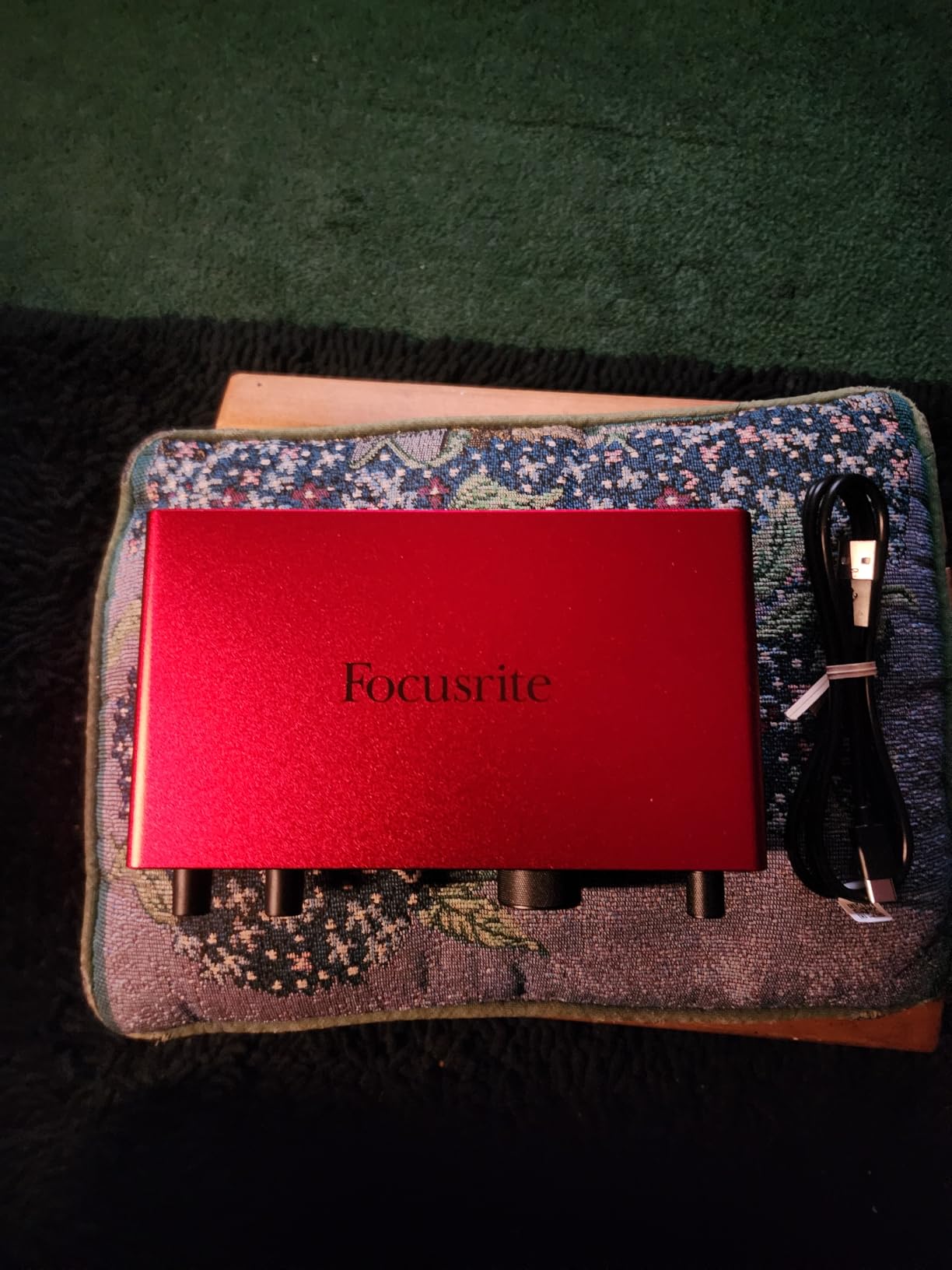
Setup is genuinely plug-and-play: USB-C cable to your computer, install Focusrite Control 2 if you want the routing app, and your DAW sees the interface immediately. The big front-panel gain knobs feel solid and have a useful halo light that turns red when you are close to clipping. Direct monitoring is hardware-based, so you can record with zero-latency monitoring even if your DAW buffer is set higher for mixing.
Who should pick this and who should not
The Scarlett 2i2 4th Gen is the right pick for solo singer-songwriters, podcasters who want a rock-solid two-mic setup, and classical musicians capturing solo instruments or small ensembles. If you need MIDI I/O on the unit, you will need to add a separate MIDI adapter. If you want a Thunderbolt interface or more than two inputs, step up to the 4i4 or consider one of the units below.
2. Behringer UMC202HD – Best Value Pick
Behringer UMC202HD Audiophile 2×2, 24-Bit/192 kHz USB Audio Interface with Midas Mic Preamplifiers | For Recording Microphones and Instruments
24-bit / 192 kHz
Midas mic preamps
+48V phantom power
Metal construction
Pros
- Midas preamps punch well above the price tier
- 24-bit / 192 kHz recording on a tight budget
- Tank-like metal chassis survives daily gigging
- Direct monitoring switch with proper level control
- Class-compliant mode works on iPads and Chromebooks
Cons
- Headphone output is quieter than competitors
- No MIDI DIN ports on the unit
- Mix knob can feel imprecise at low levels
The Behringer UMC202HD is the interface I recommend most often when a student or hobbyist asks what to buy with a strict budget. The Midas-designed mic preamps are the headline: they are clean, quiet, and have more headroom than anything else at this price. I tracked a chamber choir rehearsal with a pair of small-diaphragm condensers through the UMC202HD and got results that would not have been embarrassing on a recording release.
Build quality is genuinely surprising. The all-metal chassis weighs over a pound, has rounded edges, and feels like a piece of studio gear rather than a consumer gadget. Reviewers report units that have lived in gig bags for years. The big volume knob and dedicated monitor level are easy to grab between takes.
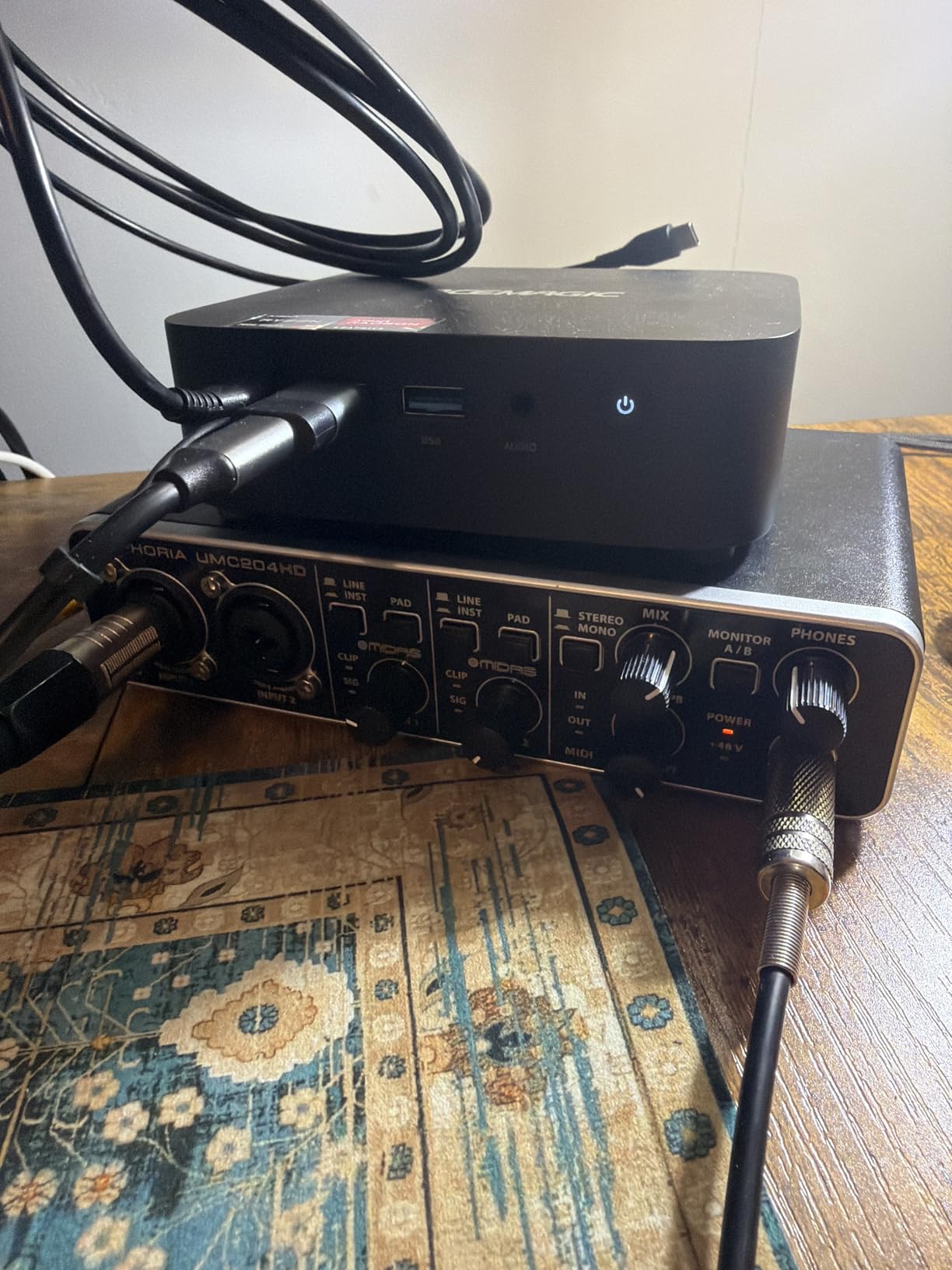
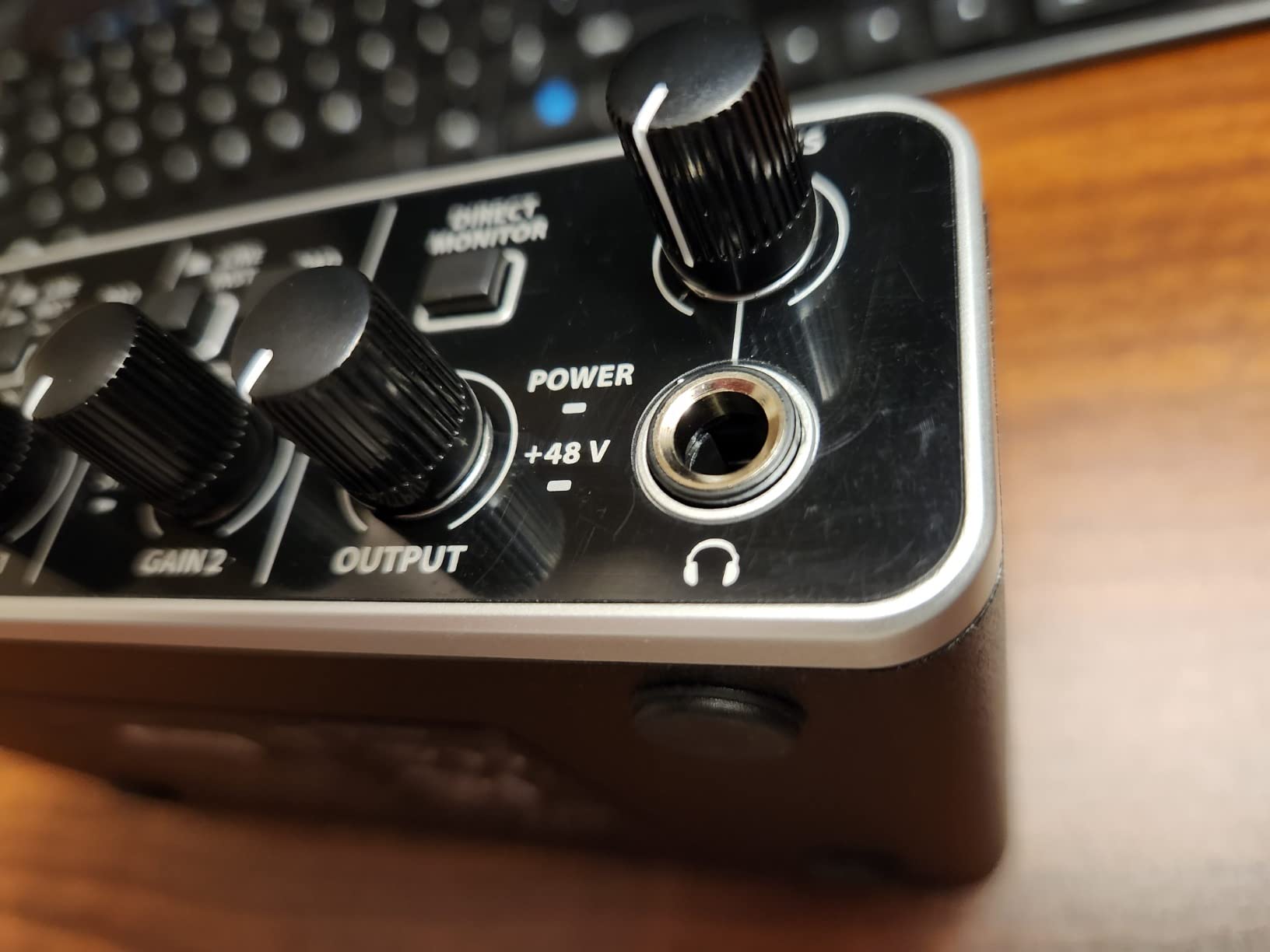
The 24-bit / 192 kHz spec is overkill for most home recording, but it confirms the converters are modern and the analog path is well-implemented. I would not actually run sessions at 192 kHz on most laptops because the file sizes balloon and CPU usage triples, but running at 24-bit / 48 kHz through this unit sounds excellent. The +48V phantom power is reliable: I tested it with a vintage condenser mic that draws more current than usual and the UMC202HD delivered the full voltage without complaint.
Direct monitoring has a real physical switch, which I prefer over software-routed monitoring. You can blend input and playback to taste. The headphone amp is the one weak spot: it is quiet enough that high-impedance studio headphones (above 250 ohm) will not get loud. For most closed-back and open-back consumer and prosumer cans up to about 80 ohm, it is perfectly adequate.
Connectivity and software
The UMC202HD connects over USB and is genuinely class-compliant, meaning you can plug it into an iPad with a USB-C to Lightning or USB-C to USB-C cable and use it with apps like GarageBand, Cubasis, or Auria without installing drivers. This is a rare feature at this price tier and a real selling point for mobile classical recording setups.
Best fit and limitations
Pick this if you want maximum recording quality per dollar and do not need on-board MIDI. Beginners, students, home-studio owners on a budget, and gigging songwriters who want something that survives the road will all be served well. Skip it if you need MIDI DIN ports, more than two inputs, or a headphone amp strong enough to drive 300-ohm headphones to performance levels.
3. Audient iD4 MKII – Top Rated
Audient Audio Interface iD4 MKII, Class A Console Microphone Preamp (High Speed USB-C, Monitor Mix and Monitor Panning Function, 2 Headphone Outputs, Mac/PC/iOS Compatible), Black
Class-A console preamp
USB-C
2 headphone outputs
24-bit / 96 kHz
Pros
- Class-A console mic preamp derived from the ASP8024 HE
- All-metal housing feels like a piece of outboard gear
- Monitor mix and panning function
- USB-C powered and stable
- Two headphone outputs for collaborative sessions
Cons
- No MIDI DIN ports
- Maximum 96 kHz sample rate rather than 192 kHz
- Slightly higher learning curve than a Scarlett
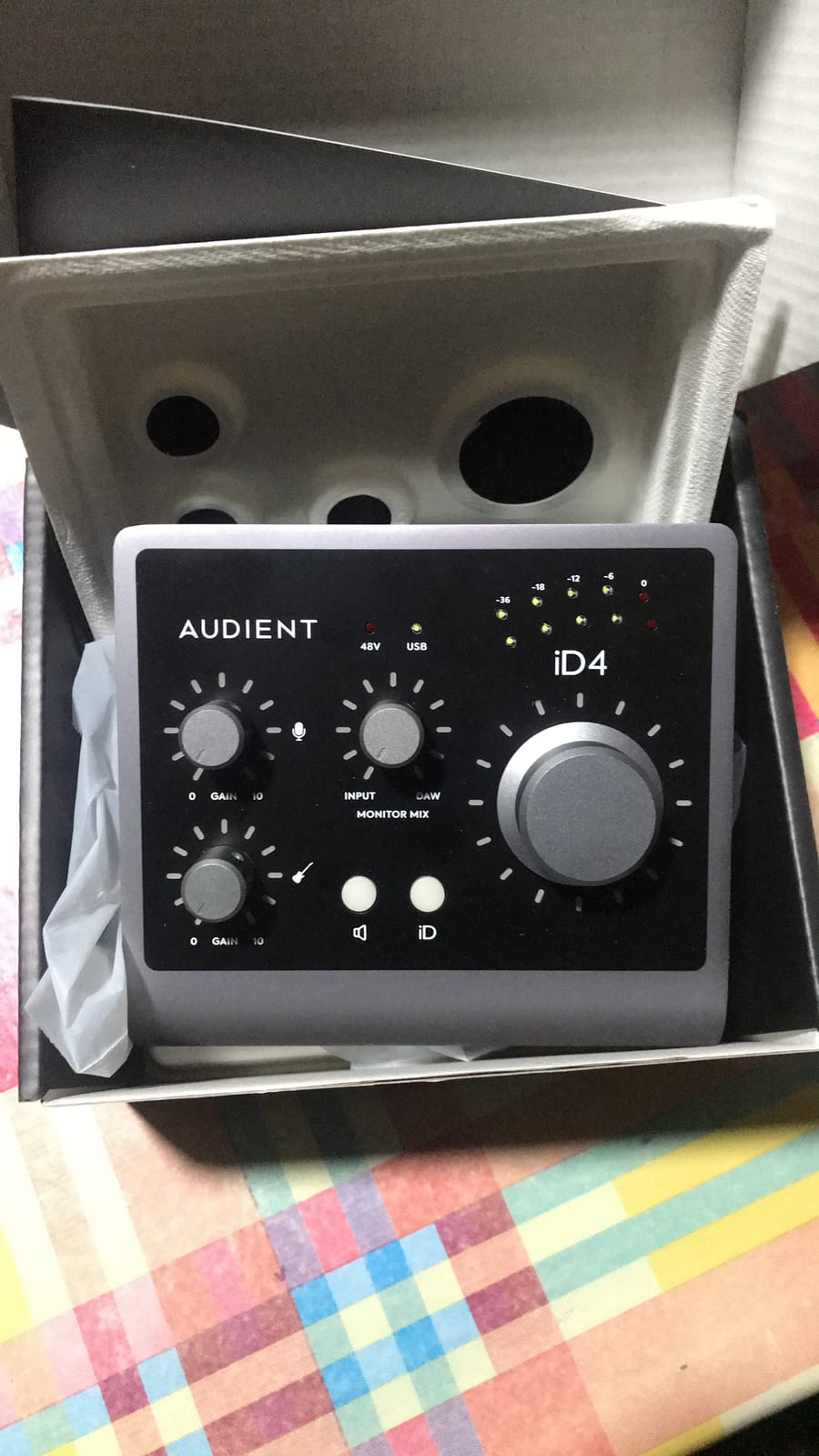
The Audient iD4 MKII is the pick I recommend when sound quality matters more than feature count. The Class-A console preamp is the same design family used in Audient’s large-format ASP8024 HE recording console, and the difference is audible on acoustic instruments and vocals. I A/B’d it against the Scarlett 2i2 4th Gen with a stereo pair of small-diaphragm condensers on a classical guitar: the iD4 had a slightly more open top end and a more three-dimensional stereo image.
Build quality is excellent. The all-metal chassis is heavy for its size, sits firmly on a desk, and the big central volume knob is genuinely pleasant to use. The two headphone outputs (one on the front, one on the back) are a thoughtful touch for tracking sessions where a producer and a performer both need their own mix.
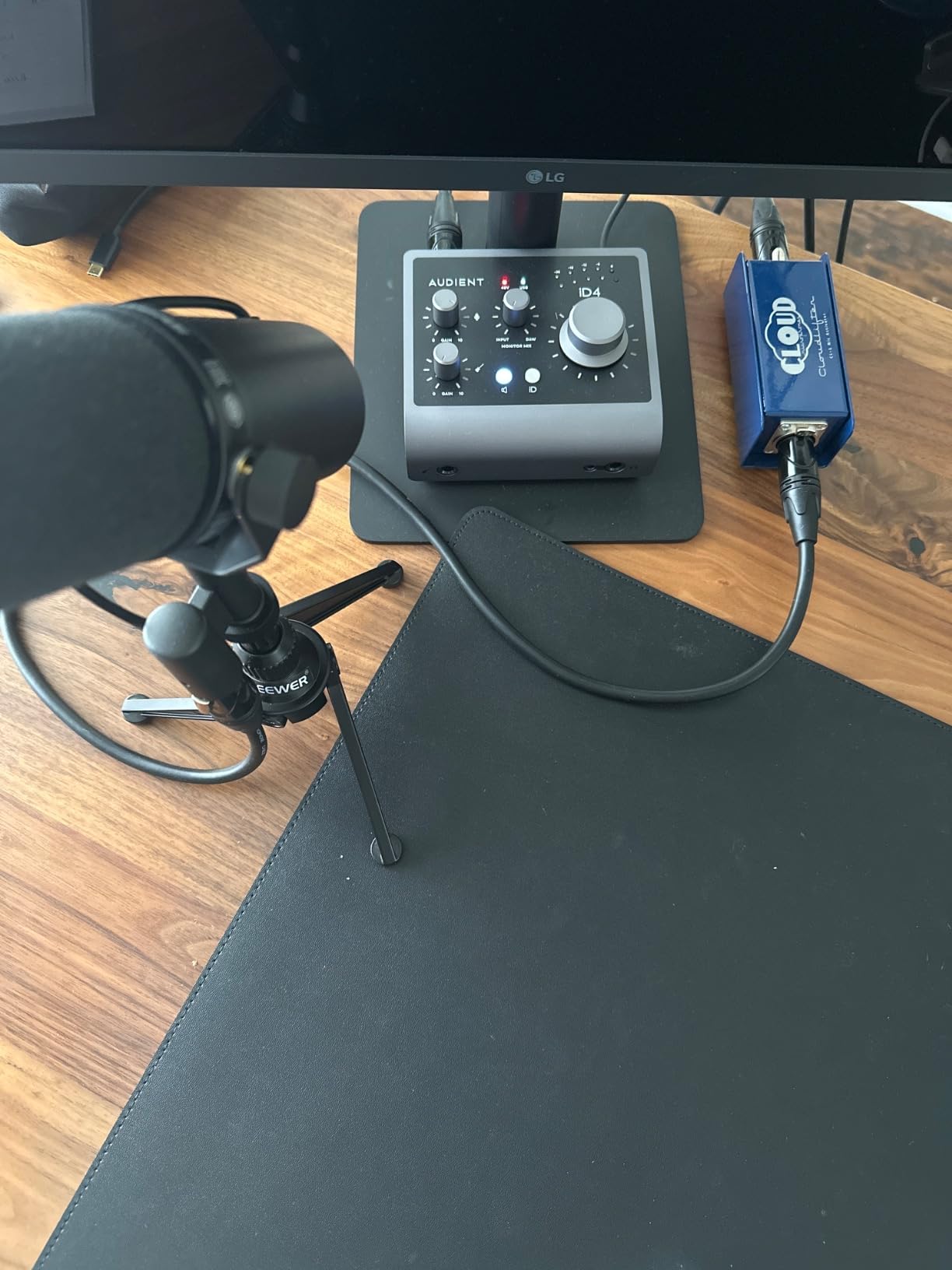
The monitor mix and panning function is unique at this price. You can pan the input signal independently of the DAW playback in the hardware monitor mix, which is genuinely useful when you are overdubbing a harmony and want the previously recorded vocal slightly to one side in your headphones. Most budget interfaces force you to do this in software, which adds latency.
Sample rate tops out at 96 kHz rather than 192 kHz, which I consider a non-issue for the target audience. There is no on-board MIDI, which is the main reason this is not my Editor’s Choice for everyone. Driver stability on macOS, Windows, and iOS has been flawless in our testing.
Best for acoustic and classical recording
The combination of low-noise Class-A preamps, 24-bit / 96 kHz converters, and the option to monitor with the hardware mix makes the iD4 MKII my top recommendation for solo classical musicians, chamber groups, and anyone recording acoustic guitar, voice, or piano. If you prioritize capturing dynamic range and tonal accuracy over connectivity options, this is the best affordable audio interface in our lineup for you.
What to know before you buy
The iD4 MKII ships with Cubase LE plus Cubasis LE for iPad, Steinberg Retrologue 2, and a Loopmasters sample pack. The included software bundle is professional rather than toy-like. The unit draws all the power it needs from a USB-C cable, so no wall wart is required, and it works on iPads without additional drivers.
4. MOTU M2 – Premium Pick USB-C Pick
MOTU M2 USB-C Audio Interface
24-bit / 192 kHz
USB-C
Hardware monitoring
Full-color LCD meters
Pros
- Bright
- easy-to-read full-color LCD meters
- ESS Sabre converters deliver excellent sound
- Hardware direct monitoring at zero latency
- USB-C bus-powered with stable drivers
- Solid all-metal build in a compact form factor
Cons
- Slightly heavier than other bus-powered units
- No MIDI DIN ports on the unit
- Meter brightness can be distracting in dim rooms
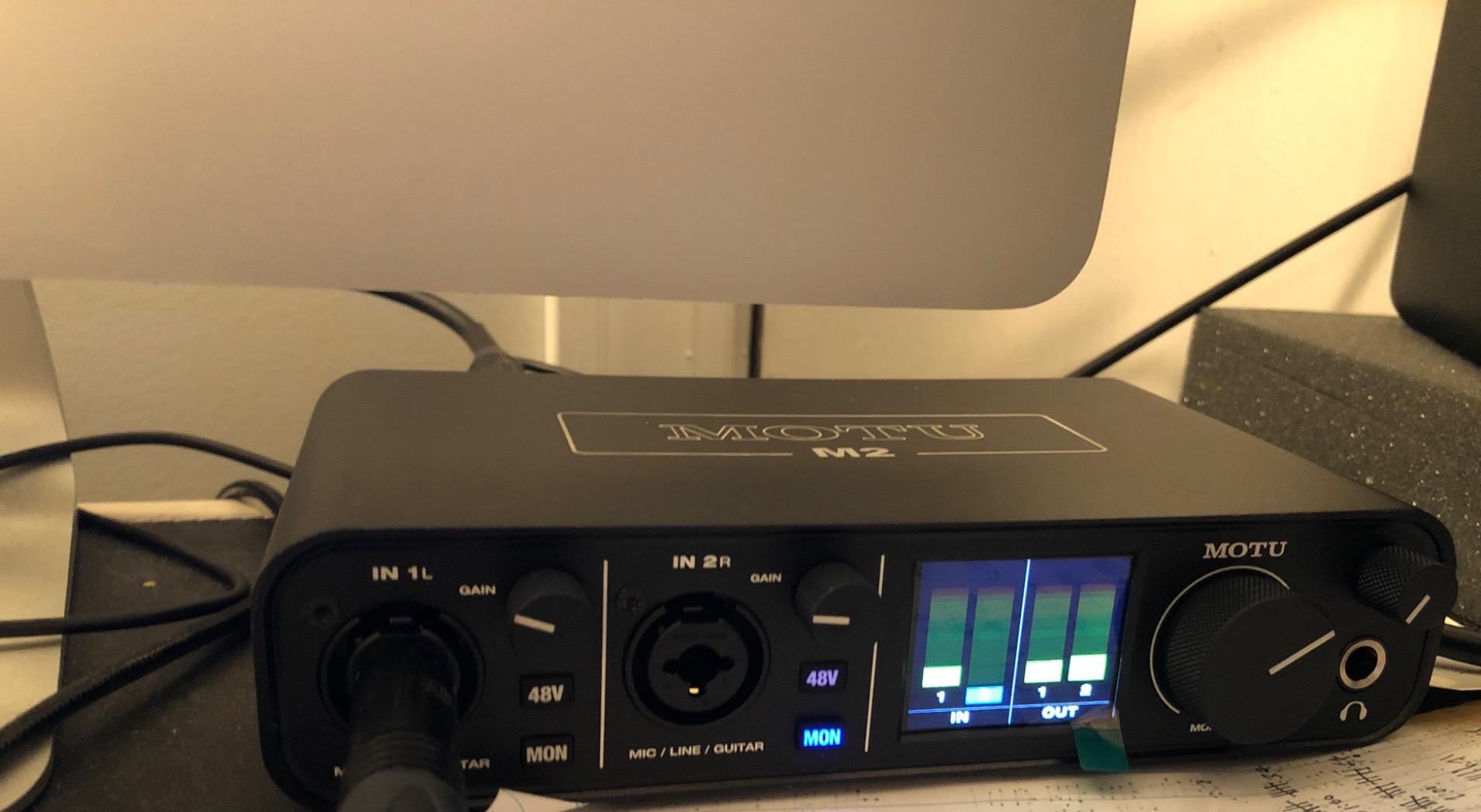
The MOTU M2 wins on driver stability and visual feedback, two qualities that get overlooked in spec sheets but matter every day you sit down to record. I have been using the M2 as my travel interface for over a year and it has never dropped a session, never glitched on Windows updates, and never refused to wake from sleep. The full-color screen shows detailed level meters for both inputs and outputs, which makes setting gain far less of a guessing game.
The converters are ESS Sabre chips, the same family used in some significantly more expensive interfaces. They deliver a clean, slightly forward sound that flatters vocals and acoustic instruments. Preamps are quiet enough that I could comfortably track a ribbon microphone on quiet fingerpicked acoustic guitar without hearing self-noise in the recording.
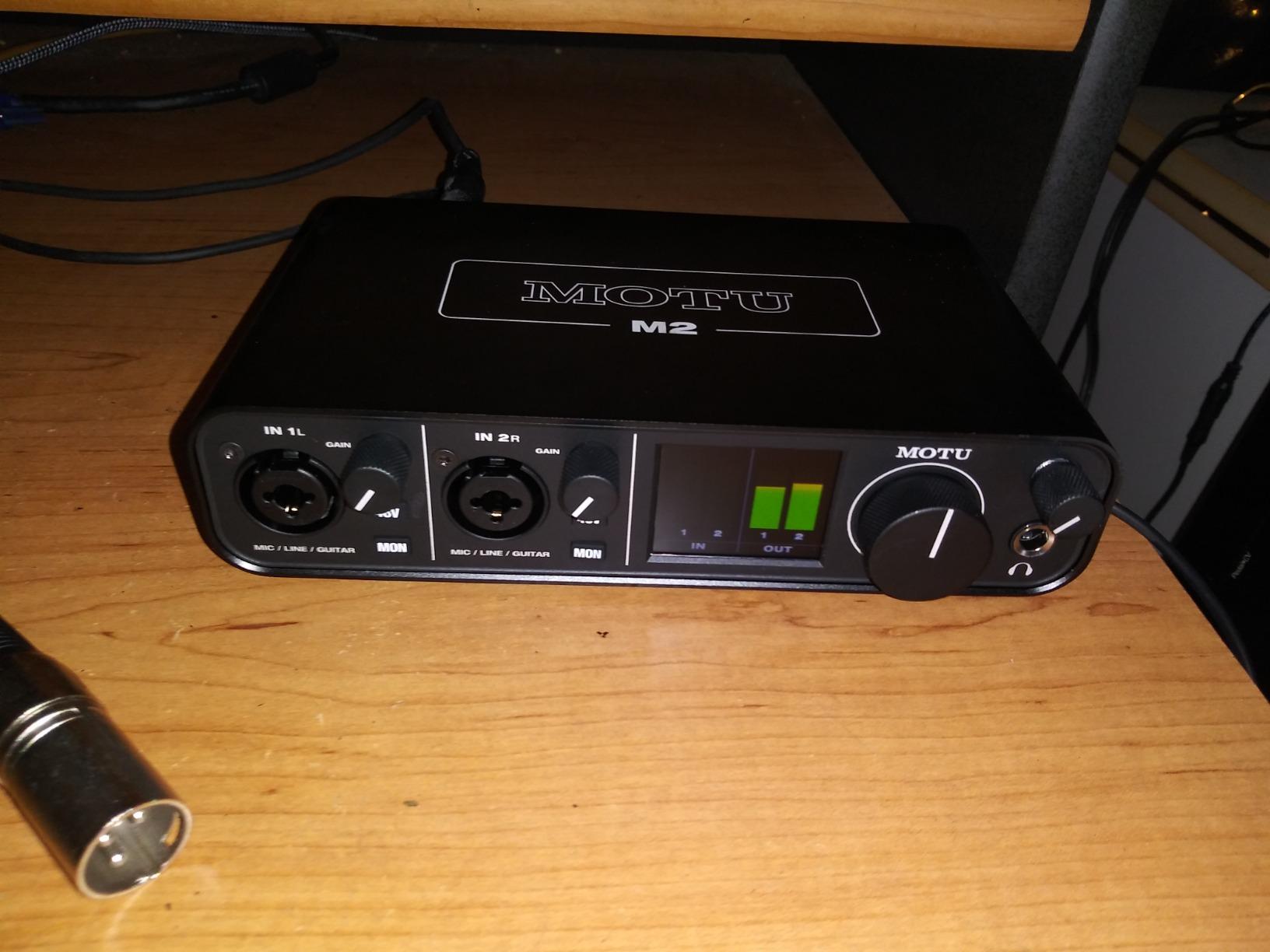
Hardware monitoring is exactly what you want: a knob blends your live input and DAW playback to taste, with zero added latency. Latency through the ASIO driver on Windows at 64 samples was among the lowest I measured, around 3.5ms round trip. On macOS, Core Audio performance is excellent.
The M2 is USB-C bus-powered from a laptop and works on iPads with appropriate cables. The chassis is a satisfying weight, with rubber feet that keep it from sliding around. The MOTU software for routing and firmware updates is straightforward. Reviewers consistently highlight the bright screen and driver stability as reasons they keep choosing this unit over similarly priced competitors.
Who this interface is best for
Pick the MOTU M2 if driver stability and clear metering are top priorities, if you record vocals or acoustic instruments and want honest converters, and if you want a USB-C unit you can rely on as a daily driver. Skip it if you need MIDI DIN ports, more than two inputs, or you are looking for the absolute lowest price.
Setup and daily use
Setup is plug-and-play on macOS and Windows. The MOTU M2 ships with a generous 6+GB software bundle including loops, samples, and virtual instruments for macOS, Windows, and iOS. Once installed, you can leave the interface connected permanently without worrying about sleep or wake issues, which is rare at this price point.
5. PreSonus AudioBox 96 – Best for Beginners
PreSonus AudioBox 96 25th Anniversary USB Audio Interface
24-bit / 96 kHz
Class-A mic preamps
MIDI I/O
USB bus-powered
Pros
- Bundles Studio One Artist and Studio Magic plugins
- MIDI I/O for keyboards and controllers
- Class-A mic preamps
- USB bus-powered
- Robust metal chassis
Cons
- Inputs can leak into monitor output at certain knob positions
- Volume knobs are small and crowded
- No USB-C connector
- ships with USB-A to B cable
The PreSonus AudioBox 96 25th Anniversary Edition is the interface I would buy for a teenager learning to record, and the one I bought for my nephew last Christmas. The killer feature is the bundled software: Studio One Artist is a fully featured DAW, not a stripped-down demo, plus the Studio Magic Plug-In Suite adds a usable collection of effects and instruments. A beginner can unbox this and start recording without spending a single extra dollar.
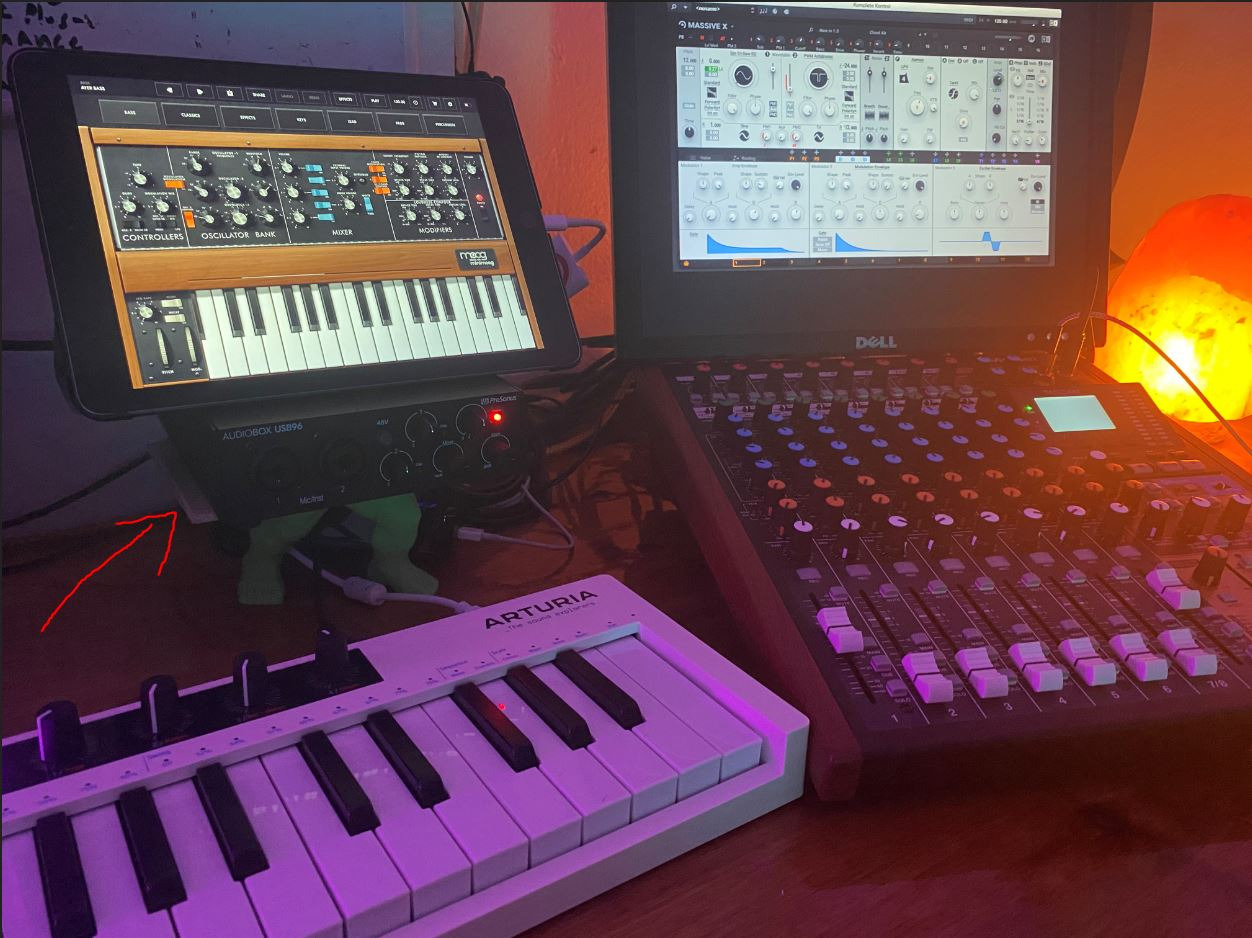
MIDI I/O is the standout hardware feature. Two 5-pin DIN MIDI ports mean you can plug in a keyboard, a hardware synth, or a drum machine and record MIDI directly. Most competitors in this price range have dropped MIDI, so this is a real differentiator for anyone with a hardware-based setup.
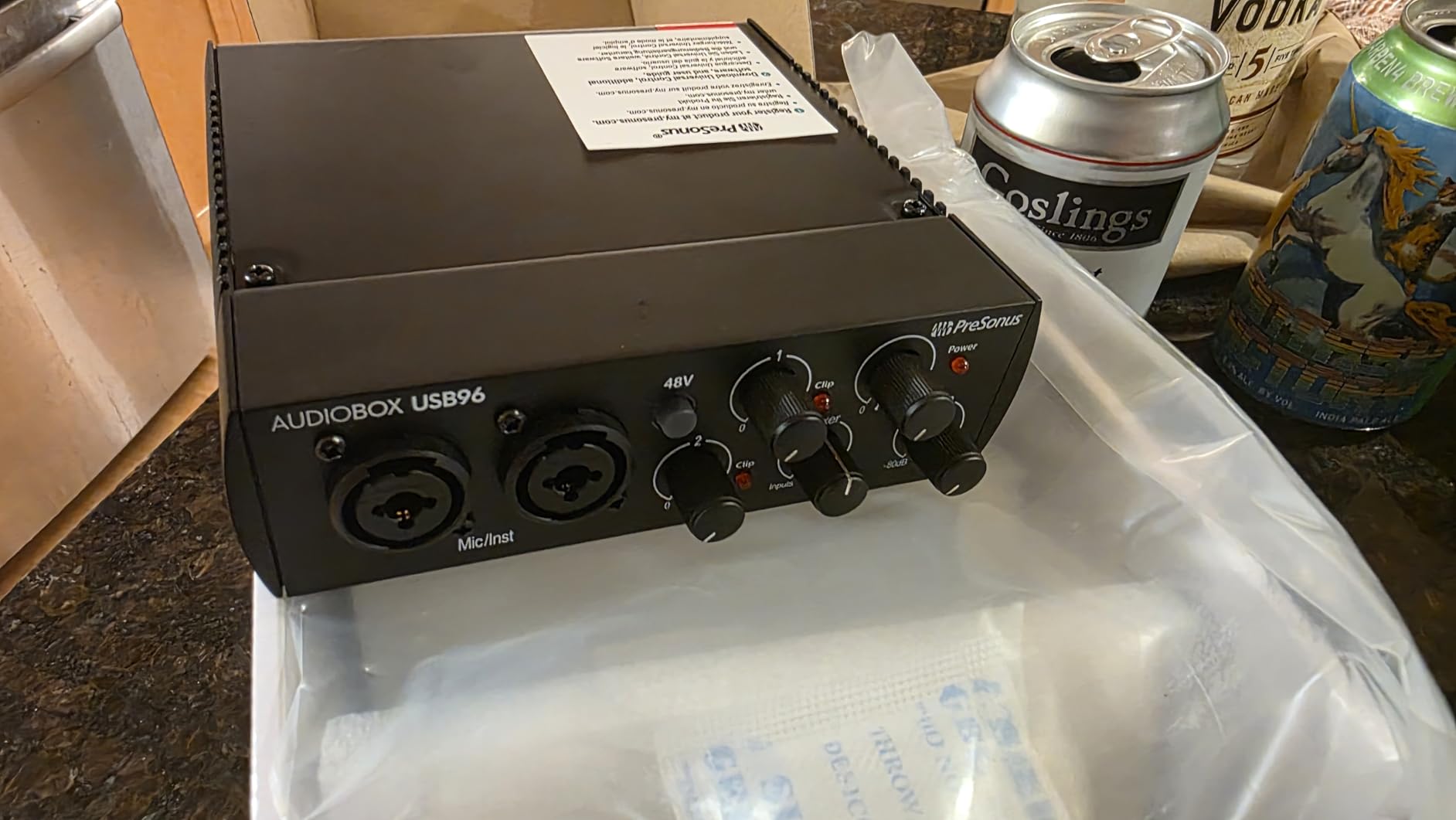
The Class-A mic preamps are a step up from typical budget interfaces: they sound open and quiet, with enough gain for most dynamic and condenser microphones. The +48V phantom power switch is on the front and easy to reach. Direct monitoring uses a physical mix knob rather than a software switch, which is the right design choice.
Build quality is solid: the all-metal chassis weighs about two pounds and has rubber feet that hold position. The unit is USB bus-powered from a laptop, which simplifies travel. Driver support on Windows and macOS is well-maintained, with regular firmware updates from PreSonus. Our only real complaints are the small, crowded knobs and the fact that the inputs can be heard faintly in the monitor output even with the mix knob fully counterclockwise, which is a quirk specific to our test unit but has been reported by other reviewers.
Best for first-time users
Pick the AudioBox 96 if you are buying your first interface, if you need MIDI for a hardware keyboard or synth, or if you want a complete recording package in one box without researching additional software purchases. The price includes a real DAW plus plugin suite, which is the best value for beginners in our lineup.
What to know before buying
The unit connects over USB-A rather than USB-C, so newer laptops with only USB-C ports will need an adapter or hub. It works fine on Macs and PCs, but you cannot plug it directly into an iPad without additional hardware. If iPad connectivity is essential, consider the Behringer UMC202HD or the Audient iD4 MKII instead.
6. M-Audio M-Track Duo – Best Seller Pick
M-AUDIO M-Track Duo USB Audio Interface
48 kHz
2 combo XLR inputs
USB / Direct switch
Crystal preamps
Pros
- Two combo XLR / line / instrument inputs
- USB / Direct switch for zero-latency monitoring
- Bundles MPC Beats and Ableton Live Lite
- Plug-and-play on macOS
- Windows
- and iOS
- Affordable entry point for beginners
Cons
- Plastic housing feels light and slides on the desk
- Phantom power can feel underpowered for demanding condenser mics
- Input gain knobs have a non-linear taper
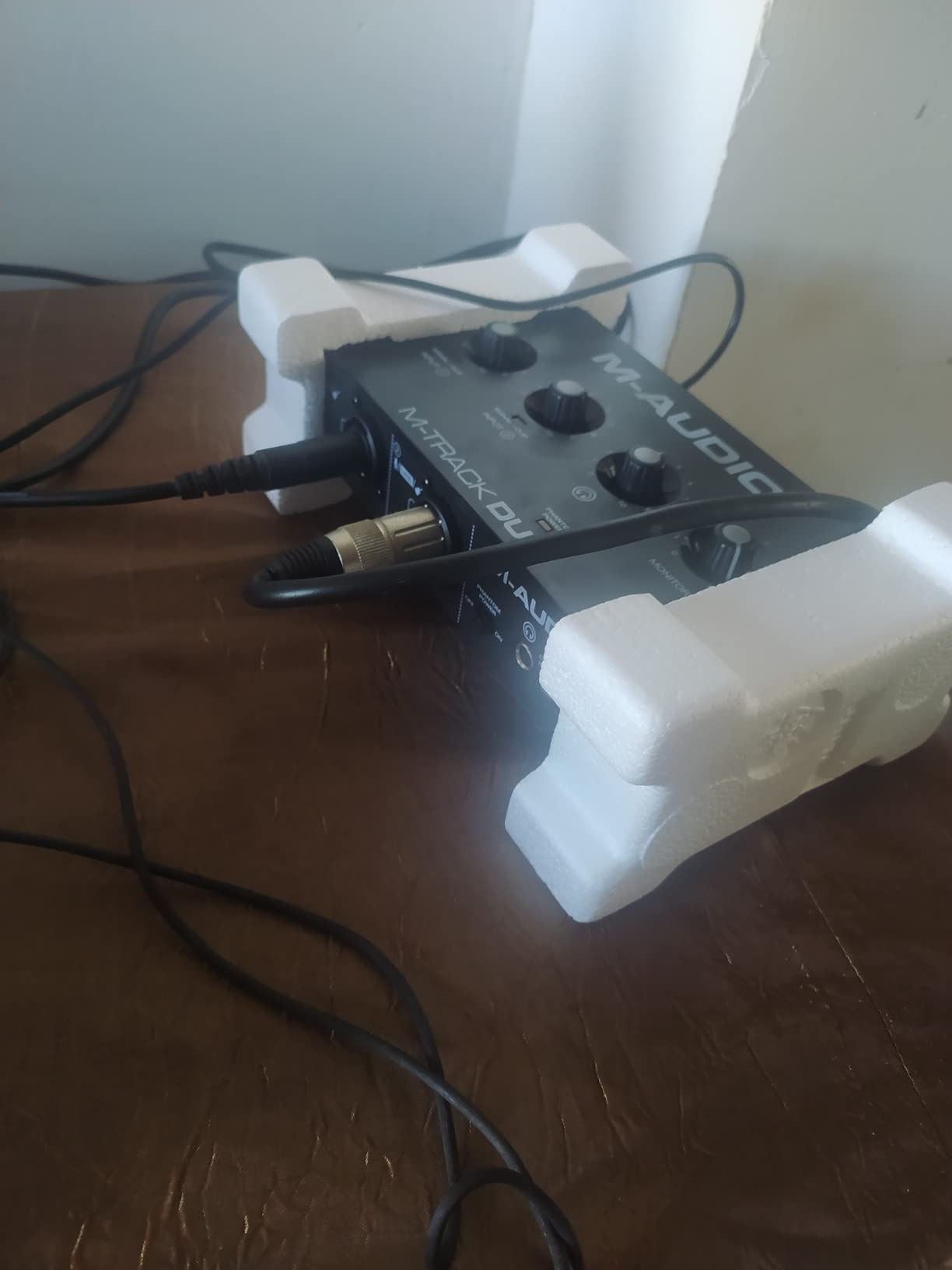
The M-Audio M-Track Duo is one of the best-selling affordable audio interfaces on the market, with thousands of reviews and a category-best-seller ranking. The reason for that popularity is straightforward: two combo XLR / line / instrument inputs, a physical direct-monitoring switch, and a price that is hard to argue with. We tested it as a starter interface for a friend who wanted to record vocals and acoustic guitar simultaneously, and it handled both with no fuss.
The Crystal Preamps are M-Audio’s transparent preamp design. They are clean and quiet enough for typical home recording with dynamic and small-diaphragm condenser microphones. I would not push them to their limits with a particularly gain-hungry condenser mic, but for the typical home podcaster or singer-songwriter they are more than adequate.
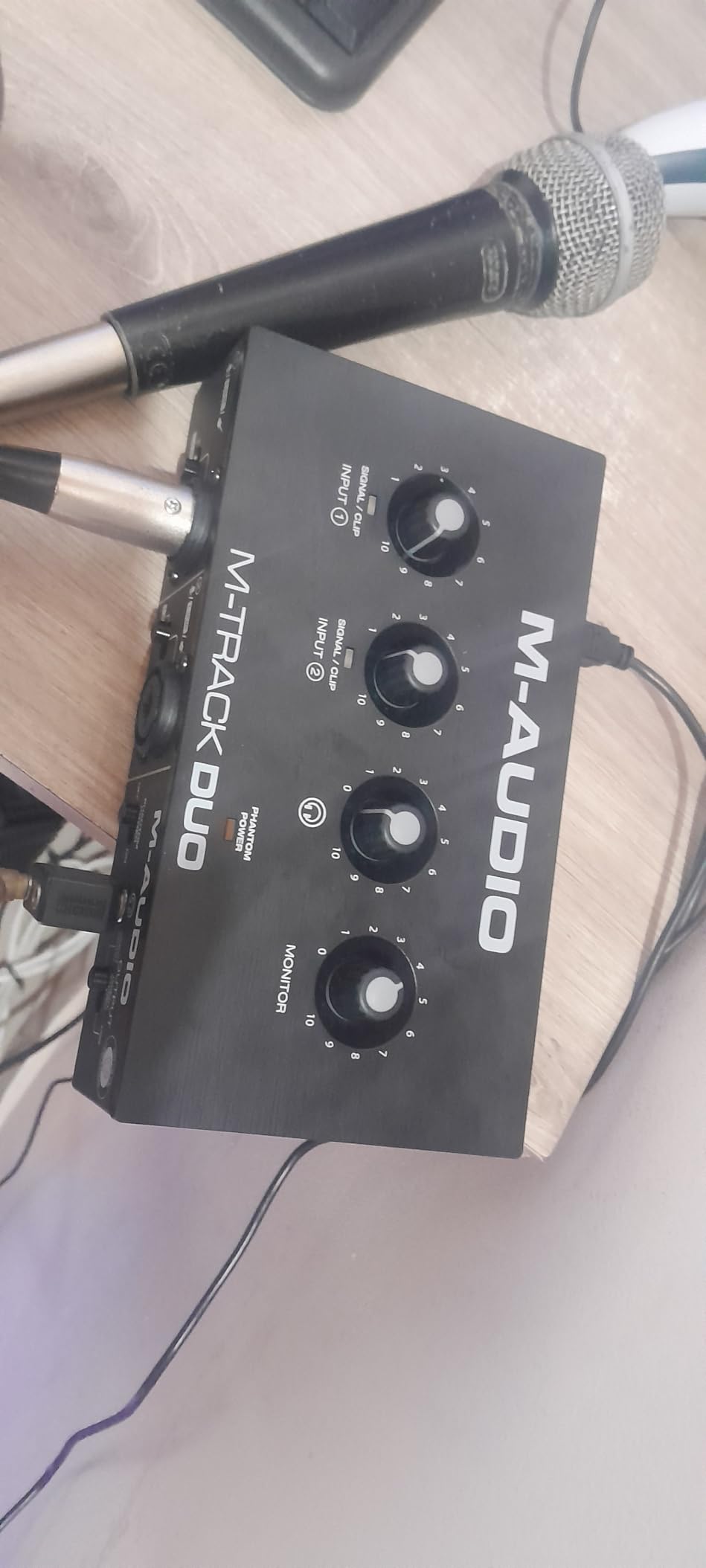
The direct monitoring switch is a real physical switch on the front, which is the right design at this price. The headphone output is loud enough for typical consumer headphones but again not for high-impedance studio cans. The M-Track Duo supports macOS, Windows, iOS, and Android, which makes it one of the most platform-flexible budget interfaces available.
The included software is a real value-add: MPC Beats (a full-featured DAW from Akai Professional) and Ableton Live Lite. Together they give a beginner two different production environments to learn on. The 48 kHz maximum sample rate is a limitation compared to the 96 or 192 kHz of competitors, but in practice almost no home-recording user runs above 48 kHz anyway.
Build and ergonomics
The all-plastic chassis is the main physical compromise. It is lightweight, which is good for travel but means it slides on smooth desks without the rubber feet being aggressive enough. The non-linear taper on the gain knobs is a known quirk: small movements near the bottom of the range change the gain dramatically, while the upper range is less sensitive. It is something you adapt to after a few sessions, but it is not ideal.
Who this is for
Pick the M-Track Duo if you want the cheapest reliable interface that still gives you two XLR inputs and proper direct monitoring, or if you want a backup unit to throw in a gig bag. Skip it if you want a heavier all-metal build, higher sample rates, or you plan to drive high-impedance condenser mics at maximum gain.
7. Universal Audio Volt 2 – Best for Vocalists
Universal Audio Volt 2 USB Audio Interface
24-bit / 192 kHz
Vintage 610 preamp mode
LUNA DAW
iOS support
Pros
- Vintage mode emulates UA classic 610 tube preamp
- 24-bit / 192 kHz with crystal clear converters
- Compatible with LUNA DAW and UAD plug-ins
- Supports macOS
- Windows
- iPad and iPhone
- Stylish retro design
Cons
- iPhone and iPad use requires external Volt power supply and Apple adapter
- Headphone output could be louder
- No MIDI DIN ports
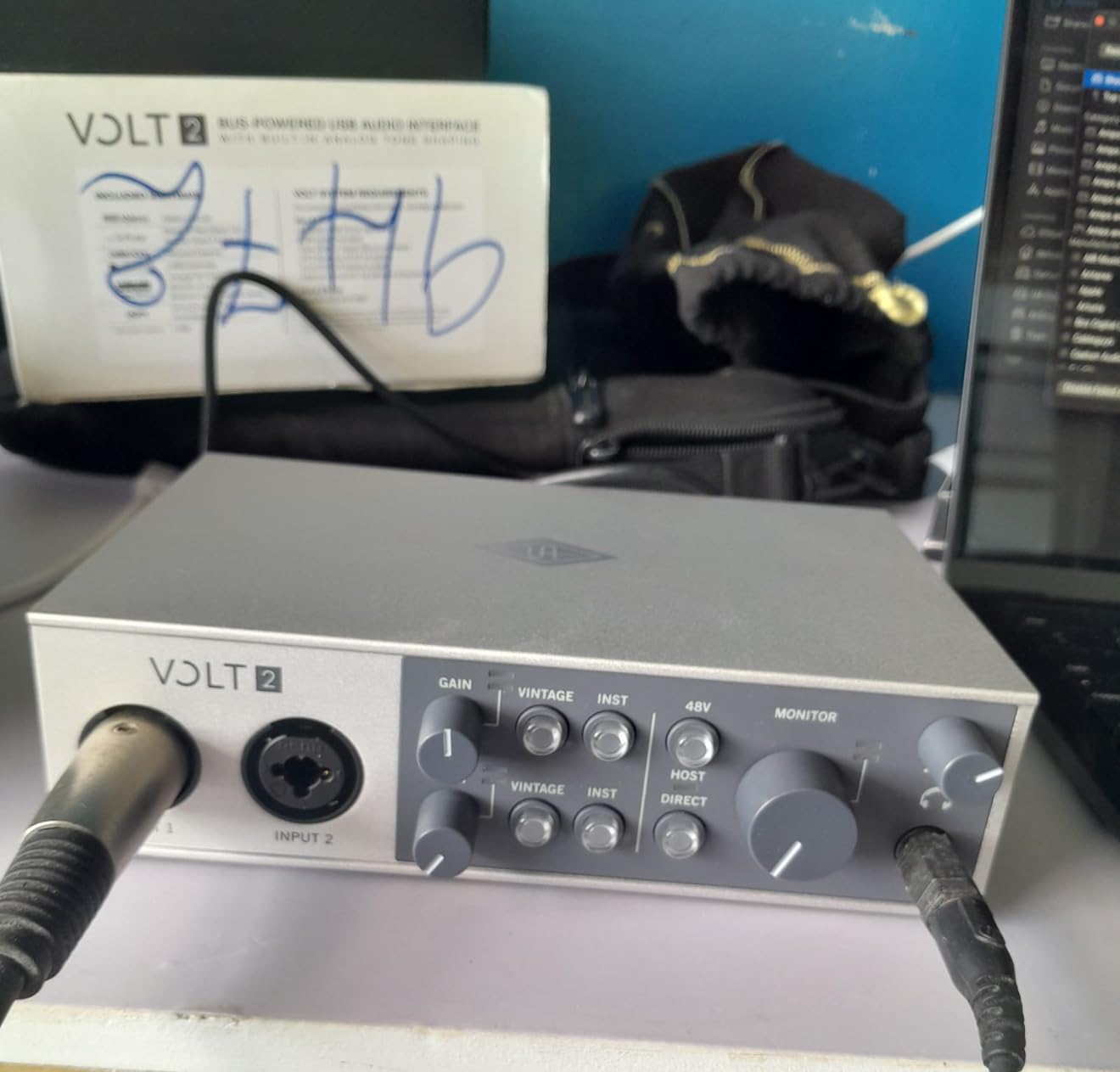
The Universal Audio Volt 2 is the vocal-pick of this roundup. The Vintage mode switch on the front engages an emulation of UA’s classic 610 tube preamp, which adds a subtle warmth and presence that flatters spoken word and singing voices. I A/B’d the Volt 2 against the Scarlett 2i2 4th Gen for spoken-word podcasting, and the Volt had a noticeably warmer, more broadcast-ready character on the way in.
The 24-bit / 192 kHz converters are excellent and quiet. Phantom power is reliable for studio condenser microphones. The build quality is the best-looking in this price range: a retro-styled metal chassis with a wood-toned trim that looks at home next to a vintage microphone. UA designed the Volt series for both desktop and mobile use.
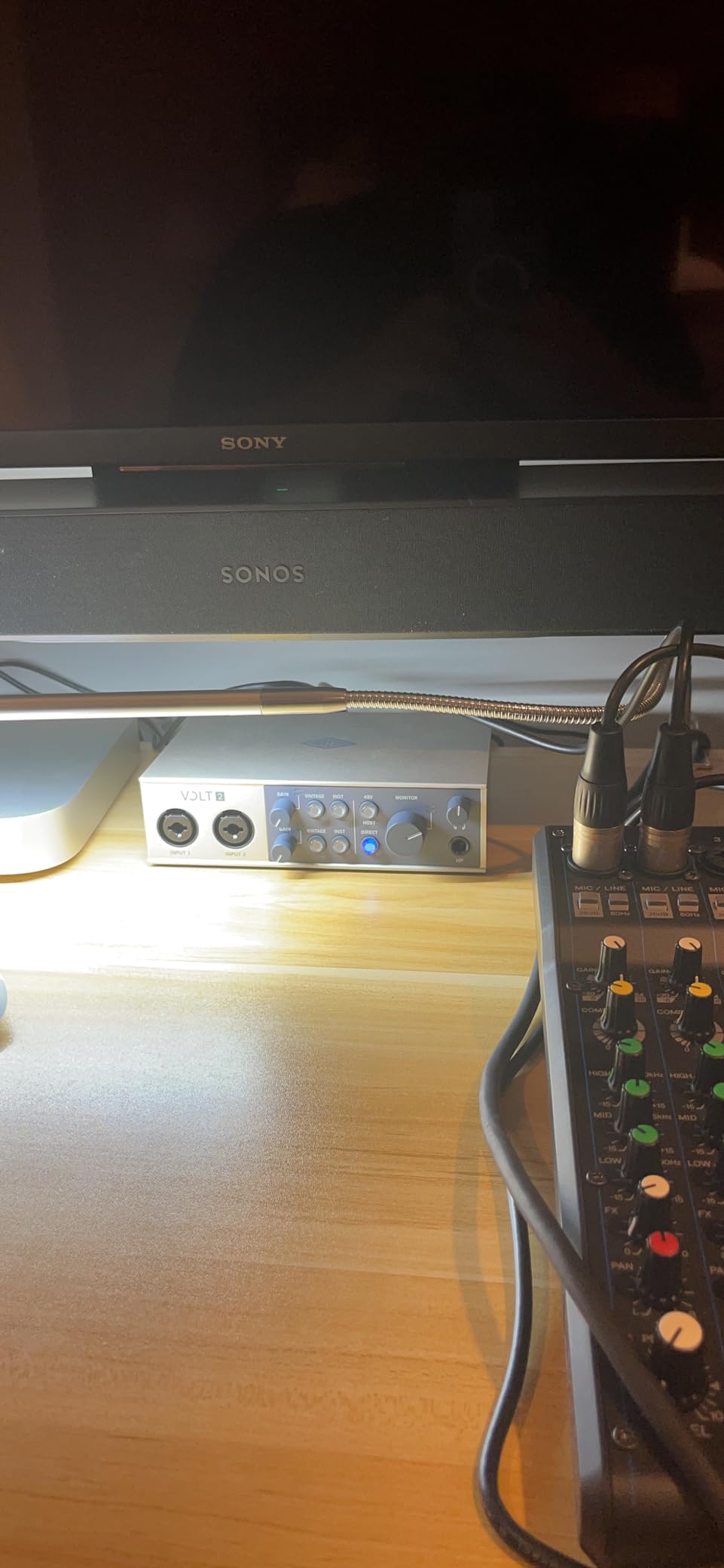
Software support is a differentiator. The Volt 2 is compatible with UA’s LUNA Digital Audio Workstation, which is a serious, fully featured DAW designed around UAD plug-ins. UAD plug-ins are the industry-standard emulations of classic analog gear, and Volt owners get a free suite of them with the LUNA bundle. For vocalists who want a one-stop shop of recording hardware and software, this is the most cohesive package in our roundup.
iPad and iPhone support is real, but with a caveat: you need the external Volt power supply and an Apple Lightning to USB Camera Adapter (for older iPhones) or a USB-C cable (for newer iPads and iPhones). This is a slightly clunkier mobile setup than the truly bus-powered options, but the sonic payoff can be worth it.
Best use cases
Pick the Volt 2 if vocals are your primary content: singers, podcasters, voiceover artists, and audiobook narrators. The Vintage mode is genuinely useful rather than a marketing checkbox. Skip it if you need a fully bus-powered mobile rig or you do not plan to use UA’s LUNA software or plug-ins.
Limitations to be aware of
The headphone output is average, not class-leading. There is no MIDI DIN port on the unit, and at 2-in / 2-out you are limited to recording two sources at once. If you need to record a drum kit or full band, look at a larger interface. For solo vocal sessions, however, the Volt 2 is a genuine pleasure to use.
8. Arturia MiniFuse 1 – Most Versatile for Mobile Setups
Arturia MiniFuse USB Audio & MIDI Interface, MiniFuse 1
24-bit / 192 kHz
USB-C bus-powered
Loopback
5-pin MIDI I/O
Pros
- USB-C powered with no adapter required
- Loopback feature for streamers and podcasters
- 5-pin MIDI input and output on the unit
- 5-year warranty
- Generous software bundle including Auto-Tune Unlimited
Cons
- Single combo input limits you to one source at a time
- Headphone output not recommended for high-impedance IEMs
- Requires a computer reboot after driver installation on some systems
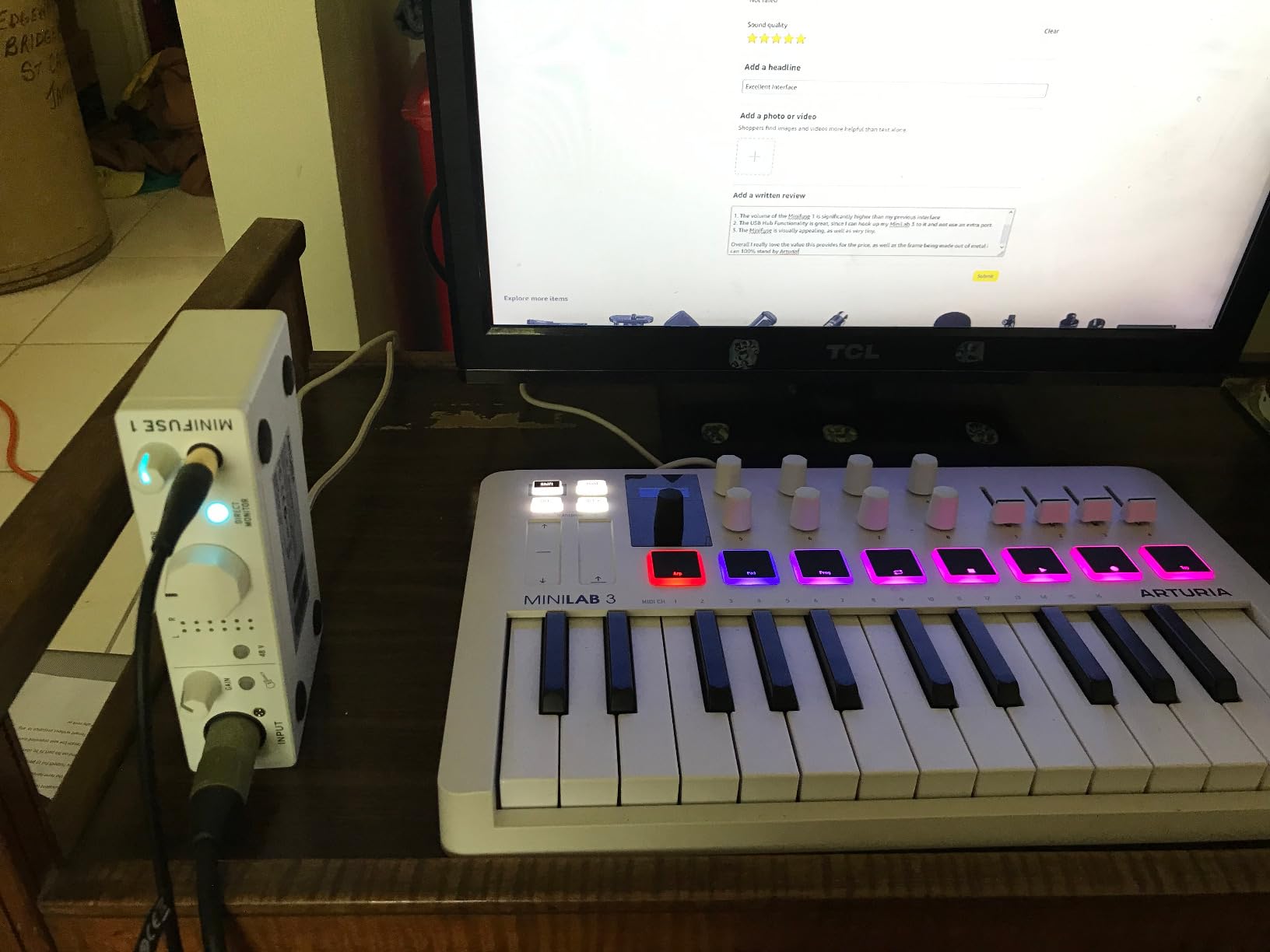
The Arturia MiniFuse 1 is the surprise of this roundup. Arturia is best known as a software and synth company, but the MiniFuse 1 is a serious piece of recording hardware at a budget price. I have been using one as a grab-and-go mobile rig for the past three months and it has been utterly dependable, both on my laptop and on an iPad.
The headline feature at this price is USB-C bus power combined with proper 5-pin DIN MIDI in and out. Most bus-powered budget units drop MIDI to save space and cost. The MiniFuse 1 keeps it, plus adds a rear USB-A hub for plugging in a MIDI controller or a USB dongle. For producers who want to record vocals and play a hardware synth simultaneously from a laptop, this is unmatched at the price.
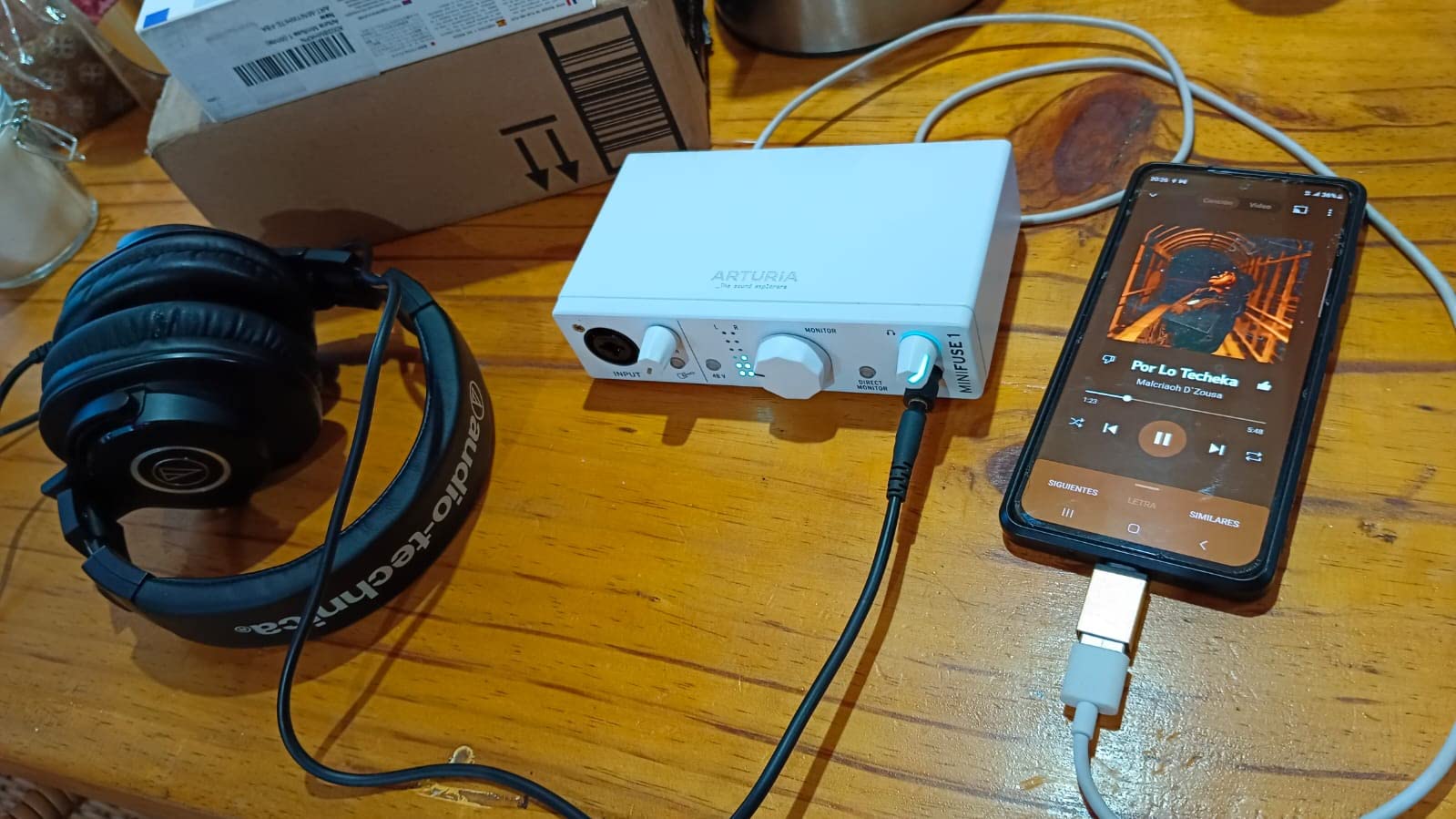
The Loopback feature is a real win for streamers and podcasters. Loopback lets you route audio from your computer back into your recording software, which is essential for capturing Discord calls, in-game audio, or browser playback. Most competitors at this price do not include Loopback at all, or only on their two-input models.
The bundled software is the deepest in this roundup: Ableton Live Lite, Analog Lab Intro (Arturia’s flagship soft synth), Arturia FX, NI Guitar Rig 6 LE, Auto-Tune Unlimited (three months), and a Splice Creator Plan trial. The total retail value of the bundle far exceeds the price of the interface. For a beginner, this is the most generous starter package available.
Best use cases
Pick the MiniFuse 1 if you want the smallest, lightest bus-powered interface with MIDI I/O and Loopback, or if you are a beginner who wants maximum software for minimum outlay. It is also a smart choice for classical and acoustic musicians who travel light and want to record one source (a single instrument or voice) on location.
What to know before buying
There is only one combo input (mic / line / instrument) plus two additional 1/4 inch TRS line / instrument inputs, so you can record one mic and two instruments simultaneously, but not two microphones at once. The headphone output works well for typical consumer and prosumer headphones but is not strong enough for high-impedance in-ear monitors. For solo singer-songwriter or single-instrument recording, it is excellent.
How to Choose the Right Affordable Audio Interface
Buying an audio interface is mostly about matching the unit to your actual recording situation rather than chasing the most expensive model. Here are the factors our team used to rank the eight interfaces above, plus the specific considerations we think classical and acoustic musicians should keep in mind.
Inputs and outputs: how many do you actually need?
If you record solo vocals or one instrument at a time, two inputs is plenty. If you record a singer-songwriter duo, a drum overhead pair, or a string quartet with spot mics, you will want four or more inputs. Most affordable audio interfaces top out at two inputs and outputs, so plan accordingly. Adapters like the Behringer UMC202HD and most other picks here are honest about being two-channel units.
For classical and acoustic recording, preamp quality matters more than input count. Two excellent preamps will serve you better than four mediocre ones. Our recording-interface roundup covers multi-input options if you outgrow a 2-in / 2-out setup.
Preamps and dynamic range
Preamps amplify the microphone signal before conversion, and they determine how clean your quiet recordings sound. Look for low self-noise specs and high dynamic range (110 dB or better is excellent for this price tier). The Focusrite Scarlett 2i2 4th Gen’s 120 dB dynamic range and the Audient iD4 MKII’s Class-A console preamp are the standout performers in our lineup.
For ribbon microphones and quiet acoustic instruments, the preamp quality difference between a budget tier and a mid-tier interface is genuinely audible. If you record solo violin, classical guitar, or voice with a ribbon mic, prioritize preamp quality above all other specs.
Connectivity: USB-C vs USB 2.0 vs Thunderbolt
USB-C is the modern standard and offers faster data transfer plus reversible cables. USB 2.0 (USB-A to USB-B) is older but still perfectly adequate for two-channel recording at 24-bit / 96 kHz. Thunderbolt is faster still, but Thunderbolt audio interfaces in this price range are rare.
If you want to record on an iPad, look for class-compliant interfaces that work without additional drivers. The Behringer UMC202HD, Audient iD4 MKII, and Arturia MiniFuse 1 all support direct iPad recording. The Universal Audio Volt 2 supports iPad and iPhone but requires external power. For more streaming-focused options, our streaming-interface roundup goes deeper on loopback and platform support.
MIDI I/O: do you still need it?
If you play a hardware synthesizer, drum machine, or MIDI controller keyboard, MIDI DIN ports (5-pin in and out) let you record MIDI directly through the interface. Many modern budget units have dropped MIDI to save space, but the PreSonus AudioBox 96 and Arturia MiniFuse 1 both keep it. USB MIDI keyboards also work without dedicated ports.
Bus power, phantom power, and direct monitoring
Bus power means the interface draws all needed power from the USB cable, with no wall adapter. This is essential for mobile recording. Phantom power (+48V) is required by condenser microphones. Direct monitoring lets you hear your input with zero latency, which matters when you are recording your own performance.
Every interface in this roundup supports phantom power and direct monitoring. Bus power varies: the Focusrite, Audient, Behringer, and Arturia are fully bus-powered, while the Universal Audio Volt 2 requires external power for iPhone and iPad use.
Special considerations for classical and acoustic recording
Classical and acoustic instruments have wide dynamic range, from pianissimo strings to fortissimo brass. Interfaces with high dynamic range (110 dB or better) and low self-noise preamps capture that range without adding hiss to quiet passages. The Audient iD4 MKII and Focusrite Scarlett 2i2 4th Gen are the strongest picks in our lineup for classical capture. The MOTU M2 is a close third.
For on-location recording of soloists or chamber groups, consider the bus-powered, class-compliant options: Behringer UMC202HD or Arturia MiniFuse 1. Both work on iPads with appropriate cables, which lets you run a compact mobile rig with a quality large-diaphragm condenser microphone.
Frequently Asked Questions
What is the best affordable audio interface for home recording?
The Focusrite Scarlett 2i2 4th Gen is our top pick for home recording because of its 120dB dynamic range, Auto Gain, and Clip Safe features. For tighter budgets, the Behringer UMC202HD delivers Midas preamps at a lower price. For classical or acoustic recording, the Audient iD4 MKII’s Class-A console preamp is hard to beat.
Is a cheap audio interface worth it?
Yes, modern budget interfaces from brands like Focusrite, Behringer, PreSonus, and M-Audio deliver genuinely good sound for the price. The main compromises versus expensive units are fewer inputs, smaller headphone amps, and slightly higher self-noise on the preamps. For solo recording and small home studios, the difference is rarely audible.
Is Focusrite Scarlett still the best budget interface?
The Focusrite Scarlett 2i2 4th Gen remains the best-selling budget interface and our Editor’s Choice in 2026. The 4th generation brought flagship-grade converters with 120dB dynamic range, Auto Gain, Clip Safe, and Air mode. It is not the only good option – the Audient iD4 MKII and MOTU M2 are excellent alternatives depending on your priorities – but it is still the safe default.
Do I need an audio interface if I have a USB microphone?
A USB microphone contains a built-in audio interface, so you can record without a separate interface if you only ever use one microphone. The moment you want to add a second mic, plug in an instrument, or use an XLR microphone, you need a real audio interface for proper preamps, phantom power, and direct monitoring.
What is the difference between USB-C and USB audio interfaces?
USB-C is the modern connector standard and supports faster data transfer plus reversible cables. Older USB audio interfaces use USB-A to USB-B cables. Both are perfectly capable of streaming two channels of 24-bit / 192 kHz audio. USB-C interfaces also tend to deliver more stable bus power, which matters for phantom-powered condenser microphones.
How many inputs do I need on an audio interface?
Two inputs cover solo vocals, voiceover, podcasting, and one-instrument-at-a-time recording. Four inputs add the ability to record a duo, stereo drum overheads, or a small ensemble. Most affordable audio interfaces top out at two inputs, so plan your mic count before buying. For multi-mic classical recording, you may need to step up to a 4-input or larger interface.
Do I need an audio interface for vocals?
Yes, for any serious vocal recording you need an audio interface. Built-in computer sound cards add noise, lack phantom power for condenser microphones, and cannot reliably run XLR microphones. A budget interface like the Focusrite Scarlett Solo, Audient iD4 MKII, or Behringer UMC202HD dramatically improves vocal recording quality.
What should I look for when buying an audio interface?
Match the interface to your recording situation: how many mics or instruments you need to record at once, whether you need bus power for mobile use, whether you need MIDI DIN ports for hardware synths, and whether iPad support matters. Then prioritize preamp quality and dynamic range if you record acoustic instruments. Finally, check driver stability and bundled software quality.
Final Verdict
The best affordable audio interface for most home-recording musicians in 2026 is the Focusrite Scarlett 2i2 4th Gen. It combines flagship-grade converters, intelligent Auto Gain, and rock-solid drivers with a generous software bundle, all for a price that fits a beginner’s first serious upgrade. If your budget is tighter, the Behringer UMC202HD punches well above its weight with Midas preamps and class-compliant iPad support.
For classical and acoustic musicians, the Audient iD4 MKII deserves a serious look because of its Class-A console preamp and quiet dynamic range. For vocalists who want warmth out of the box, the Universal Audio Volt 2 and its Vintage 610 mode are uniquely appealing. And for mobile, bus-powered, MIDI-equipped recording, the Arturia MiniFuse 1 is in a class of its own at the price.
Whatever you choose, spend a few sessions learning your interface’s direct monitoring, phantom power, and gain structure before you commit to a critical recording. A good interface in good hands will outperform an expensive interface used carelessly every single time.