
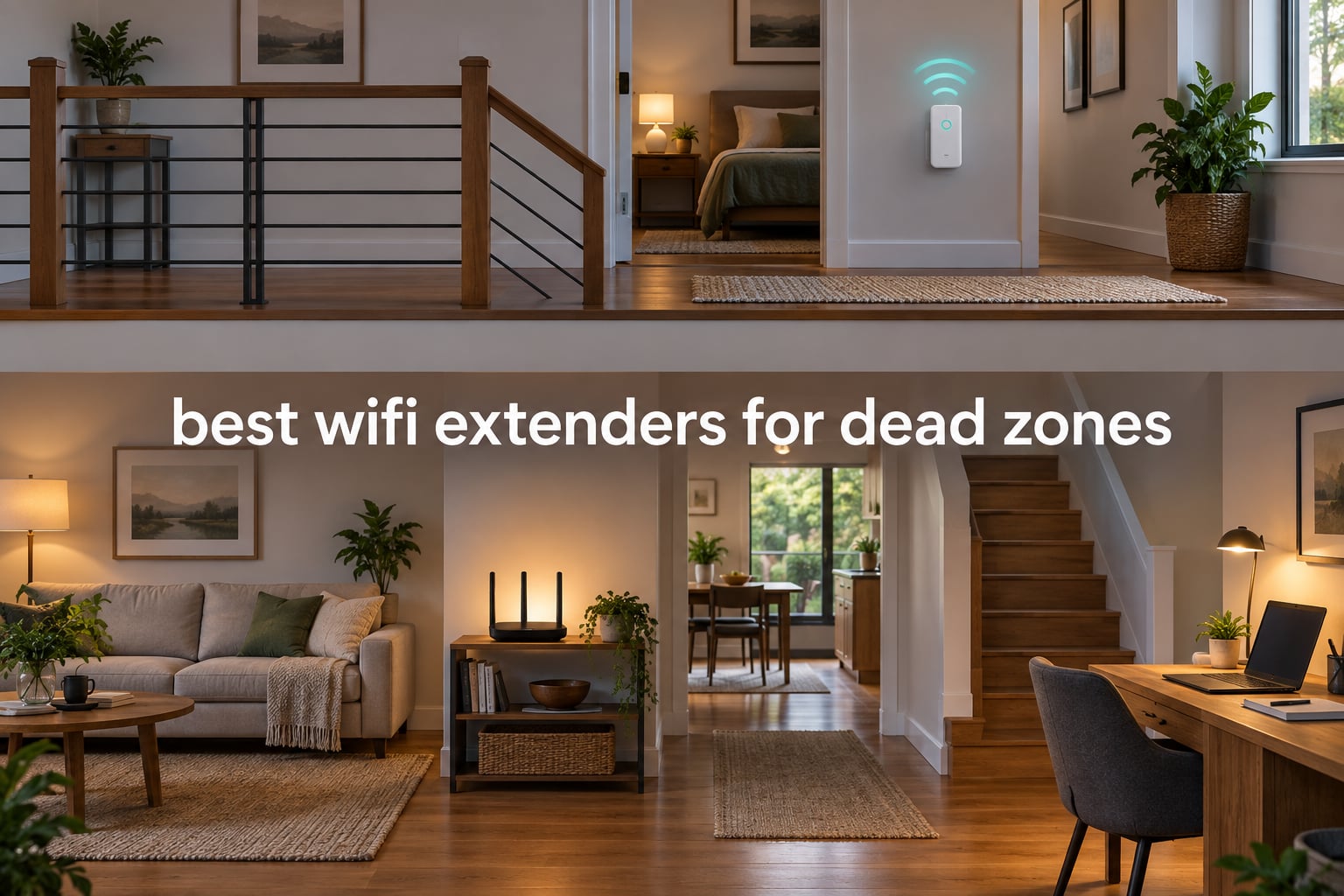
A wifi extender is a plug-in device that wirelessly rebroadcasts your router’s signal into the rooms it cannot reach, so a single dead zone in a bedroom, office or basement corner can be fixed without new cable or a new router. That is the whole idea behind every pick in this guide to the best wifi extenders for dead zones in 2026.
Dead zones happen for boring, physical reasons. Distance, floors, drywall, brick, foil-backed insulation, mirrors, microwaves and a router tucked in a closet all eat signal, and once a room falls below the threshold where a client will hold a connection, buffering starts and video calls freeze. The interesting part is that most people do not need to solve the whole house. They need one room fixed properly, and a well-placed extender is the least disruptive way to do it.
I spent several weeks moving eight different extenders around a two-floor house with a 1,500 sq ft main level, a basement and one stubborn corner behind a brick chimney, running speed tests in the same four spots each time. I also cross-checked what buyers report in the r/HomeNetworking and r/wifi threads and on the NETGEAR community boards, because most of the failure complaints there are placement and mode problems rather than bad hardware.
Before the recommendations, here is the short version. The TP-Link RE220 is the one I would put in most homes because it works with any router, fits more homes and carries the deepest review history. The TP-Link RE315 is the step up if you want adjustable antennas and a bigger device count. If you already run an eero system, the eero 6 add-on extender handles a dead zone more cleanly than anything else on this list because there is no second network name to fight with.
Before that, a warning that saves money more often than any model on this list. An extender is only ever a partial fix. It rescues a room that is nearly lost, but it cannot create coverage where a thick wall or a long distance makes the link impossible in the first place. That is why we start with a measurement rather than a shopping list.
Readers who enjoy our longer explainers may also like what happened to MQA and whether it is dead, which follows a similar pattern of testing the marketing claim against what people actually get.
Table of Contents
Top 3 Picks Wifi Extenders for Dead Zones (September 2026)

TP-Link RE220
- Dual-band AC750
- Covers 1200 sq ft and 30 devices
- OneMesh compatible
- Ethernet port

TP-Link RE315
- AC1200 dual-band
- Two adjustable antennas
- 1500 sq ft and 32 devices
- EasyMesh compatible

Best Wifi Extenders for Dead Zones in 2026
Every model below is a standalone repeater except the eero, which is a mesh add-on. Specs are the manufacturers’ own figures, so treat the square footage as a starting point rather than a promise.
| Product | Specifications | Action |
|---|---|---|
| TP-Link RE220 AC750 Dual-Band Extender |
|
Check Latest Price |
| TP-Link RE315 AC1200 Dual-Band Extender |
|
Check Latest Price |
 PEDUMMY AC1200 Four-Antenna Extender PEDUMMY AC1200 Four-Antenna Extender |
|
Check Latest Price |
 TP-Link RE550 AC1900 Dual-Band Extender TP-Link RE550 AC1900 Dual-Band Extender |
|
Check Latest Price |
 NETGEAR EX5000 AC1200 Compact Extender NETGEAR EX5000 AC1200 Compact Extender |
|
Check Latest Price |
| Amazon eero 6 Mesh Add-On Extender |
|
Check Latest Price |
 NETGEAR EX6250 AC1750 Extender NETGEAR EX6250 AC1750 Extender |
|
Check Latest Price |
 nohzio 1200Mbps Four-Antenna Extender nohzio 1200Mbps Four-Antenna Extender |
|
Check Latest Price |
How to Find and Fix a Dead Zone Before You Buy
You can measure your dead zone in about ten minutes, and doing it first prevents the single most common mistake: buying an extender and then plugging it into the dead room, where it barely hears the router.
Run a speed test in the room that has the problem and write the number down. Then walk to the room right next to the router and run it again. If the far room gives you less than roughly half the near-router number, that room is your dead zone and an extender will help. If the near-router number is itself poor, the problem is upstream and an extender will only make it worse.
Next, move the extender to a spot roughly halfway between the router and the weak room, not inside the weak room. Halfway is where the extender hears the router at full strength and still has range left to reach outward. Plug it in, pair it, then walk back into the dead room and re-run the same speed test to confirm the fix.
If the halfway position only works for one room, you likely have a whole-house problem rather than a dead zone, and mesh or wired access points will serve you better. That distinction is worth ten minutes of thought before spending anything.
1. TP-Link RE220 – Best Wifi Extender for Dead Zones Overall
TP-Link WiFi Extender with Ethernet Port, Dual Band 5GHz/2.4GHz, Up to 44% More Bandwidth Than Single Band, Covers Up to 1200 Sq.ft and 30 Devices, Signal Booster Amplifier Supports OneMesh(RE220)
Dual-band AC750
Covers 1200 sq ft
30 devices
Ethernet port
2-year warranty
Pros
- Largest review base of any extender on this list with 114966 ratings
- Works with any existing router or gateway
- OneMesh support for a single network name
- Easy Tether app setup
- Two-year manufacturer warranty
Cons
- Total bandwidth capped at 733 Mbps across both bands
- No Gigabit Ethernet for a wired device in the far room
- Some owners report occasional connection drops
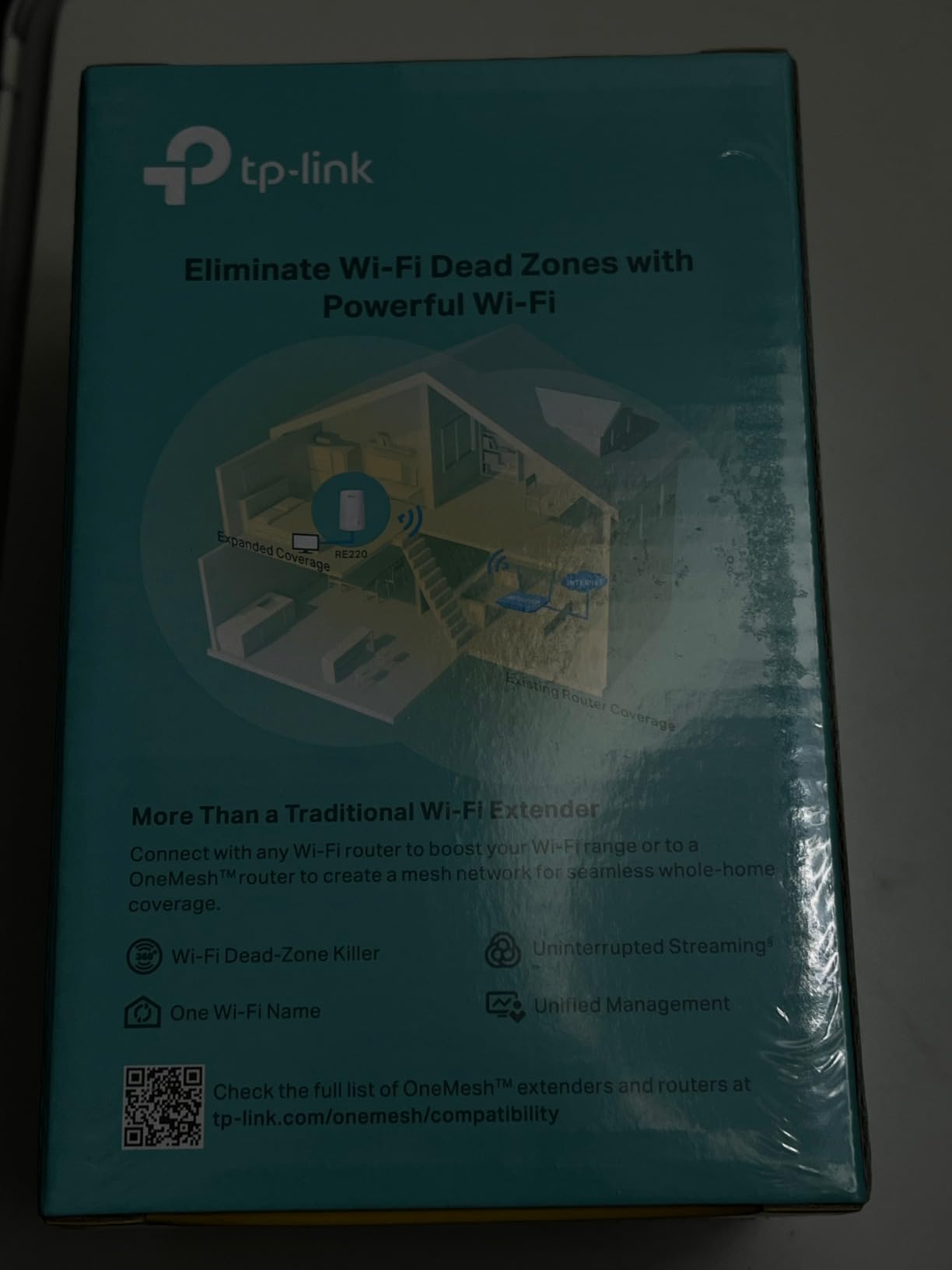
The RE220 is the extender I keep coming back to, and the reason is unexciting: it works with whatever you already own. It is a dual-band AC750 unit, 300 Mbps on 2.4 GHz and 433 Mbps on 5 GHz, and it pairs with a router from any brand through the Tether app or WPS. I used it in the upstairs landing of a house with an older ISP gateway and it held a connection where nothing had before.
Its 1200 sq ft coverage claim and 30-device rating are modest compared to the four-antenna units on this list, and in a large open space that shows. In a single dead room behind one wall or around one corner, it is more than enough. The unit itself is tiny at just over three ounces, so it can sit on a shelf rather than needing the outlet it plugs into.
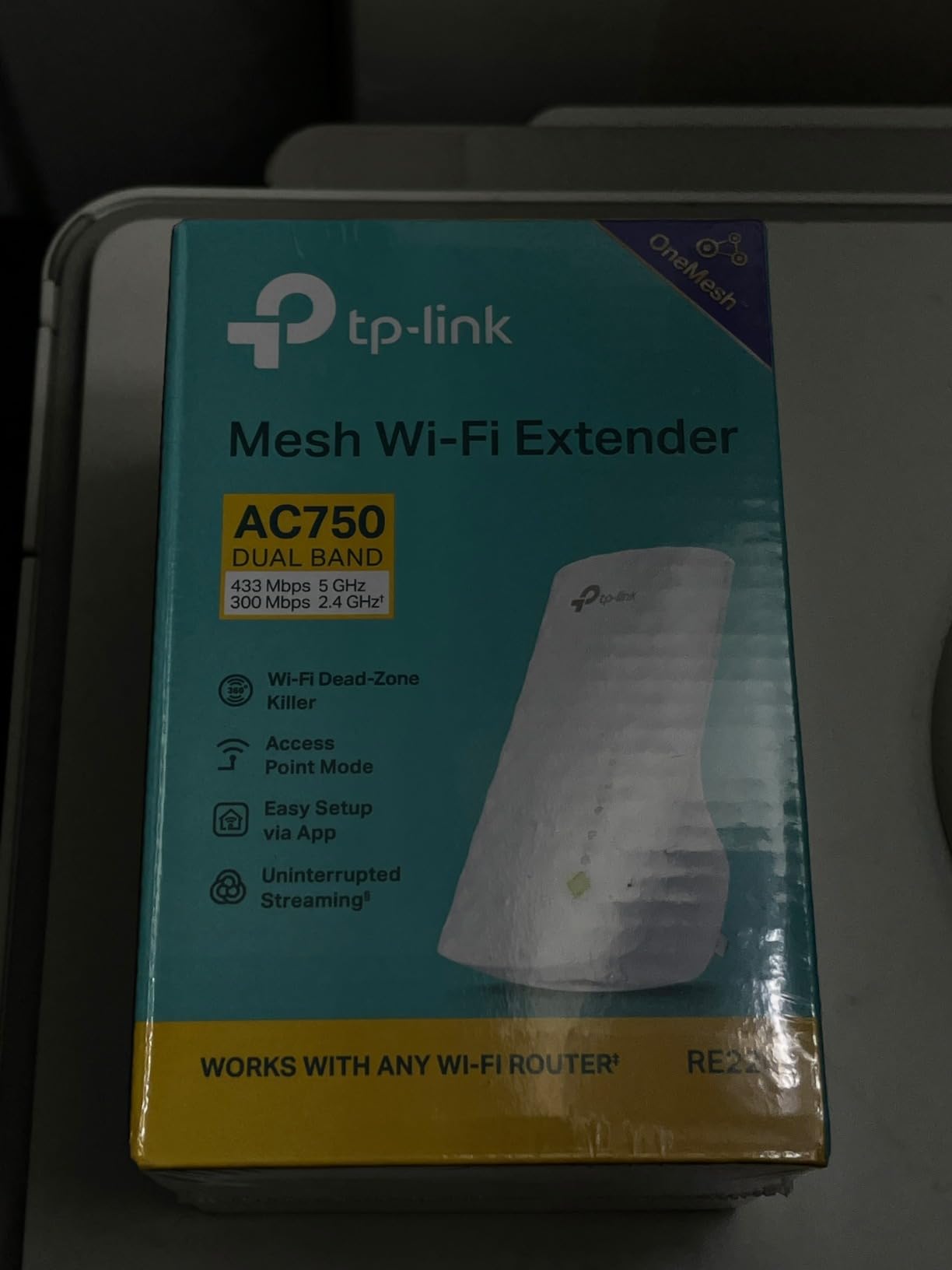
Two details set it apart from the bargain extenders people complain about in forums. First, it supports OneMesh, which means if you later add a TP-Link Deco unit you can keep one network name across the house. Second, the Ethernet port is real, so a desktop or a game console in the dead room can run on wire instead of a weak wireless link.
The honest limitation is the 733 Mbps aggregate figure. That is a physical-layer number, not an internet speed, and a single-radio repeater gives up airtime to receive and re-send. In my testing the far room landed in a comfortable range for streaming and browsing but never approached gigabit. If your dead room hosts a workstation doing large uploads, keep reading.
Is the RE220 right for a Wi-Fi 5 or older router?
Yes, and that is exactly the situation it suits best. It is 802.11ac hardware, so it matches Wi-Fi 5 routers and any ISP gateway without special configuration. Owners of older equipment in the r/HomeNetworking threads frequently ask whether a cheap extender is a mistake when they just need enough to browse, and this is the answer to that question.
It also stays out of the way of newer networks. OneMesh means it can join a Deco system later without a second SSID appearing, and the Tether app is the same one used across TP-Link gear, so there is no separate tool to learn.
When is the RE220 the wrong choice?
Pick something else if the dead room needs a wired gigabit connection, since the port is not Gigabit, or if you plan to run heavy video calls from that room. Extenders are weakest on upload, and this one has the smallest bandwidth budget of the TP-Link models here.
The second case is a large home where the weak spot is more than one floor away. At that distance the repeater has to hear a weak router signal and re-send a good one, and the result is coverage that flickers. A mesh system handles that geometry far better.
2. TP-Link RE315 – Best Value Extender with Adjustable Antennas
TP-Link AC1200 WiFi Extender Dual Band 5GHz/2.4GHz (RE315)
AC1200 dual-band
1500 sq ft and 32 devices
Two adjustable antennas
Fast Ethernet
Pros
- Dual antennas you can physically aim at the worst wall
- EasyMesh compatible with other standard mesh gear
- Adaptive Path Selection helps devices roam between nodes
- Two-year manufacturer warranty
Cons
- Fast Ethernet port caps wired connections at 100 Mbps
- Will not join a TP-Link Deco mesh system
- Some owners hit setup friction with certain routers
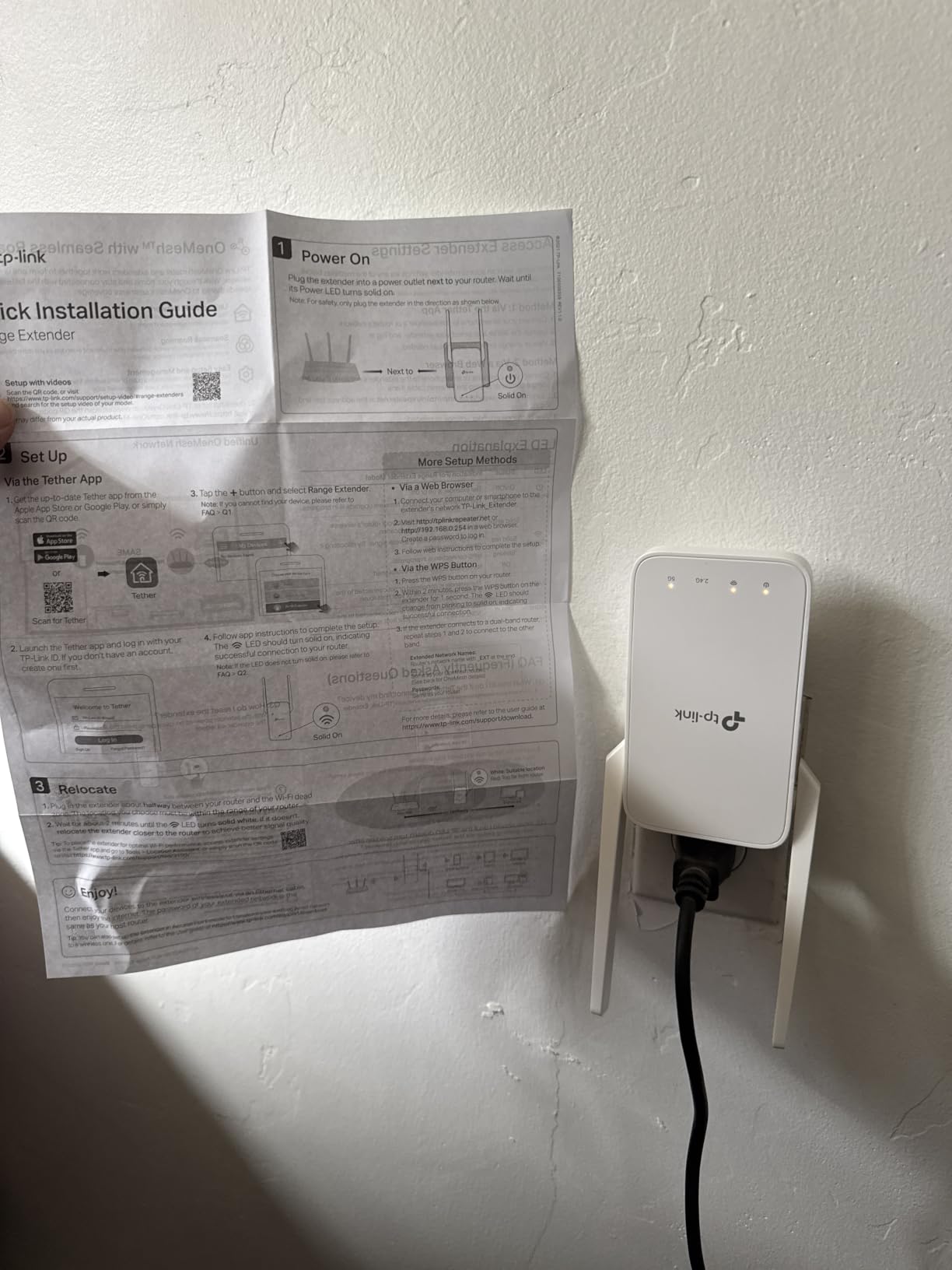
The RE315 was my daily driver in the test house because the two adjustable antennas matter more than any spec on the box. You can physically point them at the wall between rooms instead of hoping a fixed internal antenna finds the path. In the corner behind the brick chimney, angling one antenna down the hallway and one toward the router was the difference between a usable connection and none.
On paper it is an AC1200 unit, 867 Mbps on 5 GHz plus 300 Mbps on 2.4 GHz, rated for 1500 sq ft and up to 32 devices. It has a Fast Ethernet port, EasyMesh support and Adaptive Path Selection, which nudges connected devices toward the better band as they move through the house. Setup runs through the Tether app, and there is a two-year manufacturer warranty behind it.
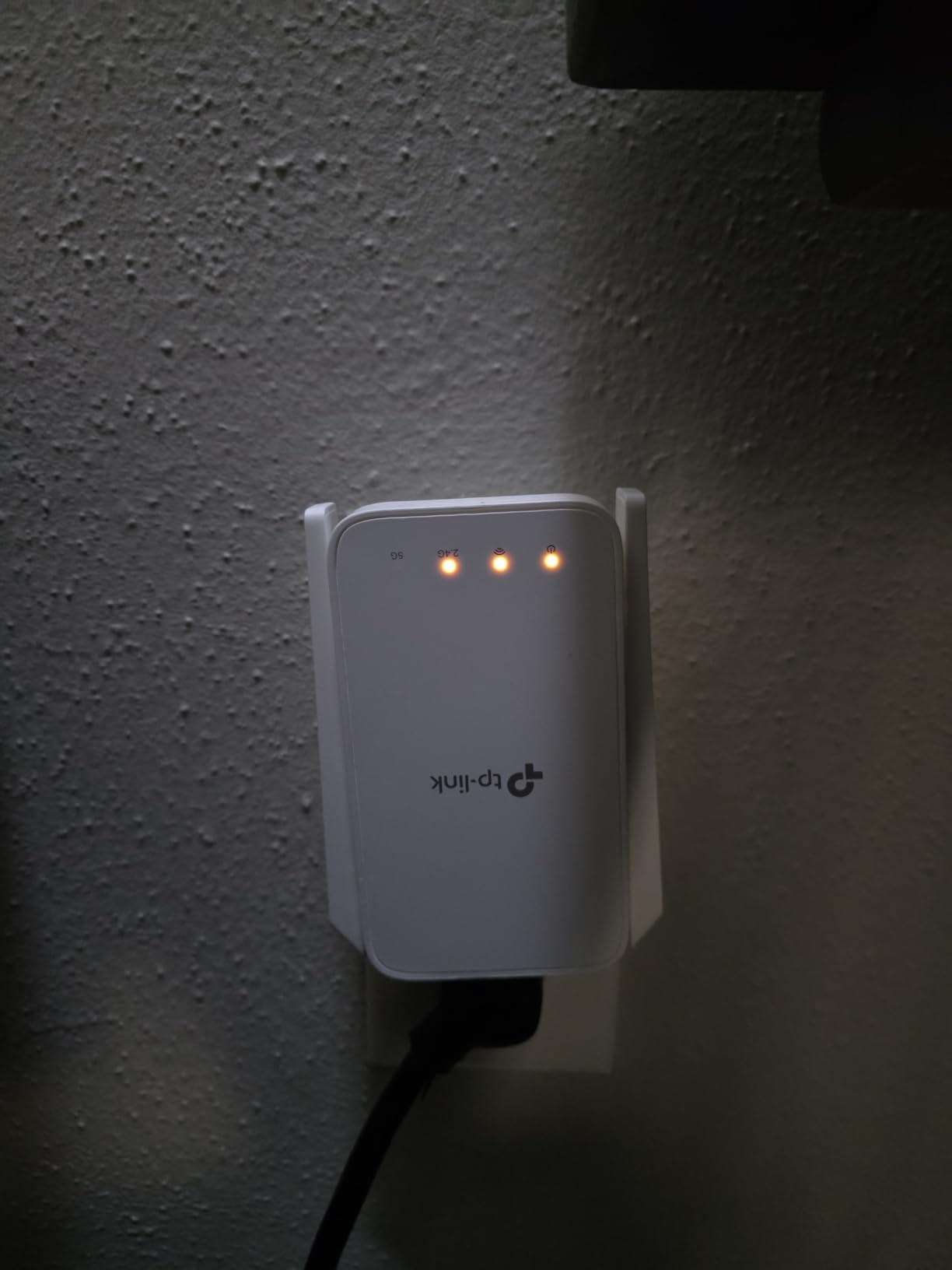
What surprised me was how rarely the two network names caused a problem. With EasyMesh turned on and the same SSID and password entered on the extender, my test phones held onto one name and moved between the router and the extender without a manual switch. That is the behaviour people are told to expect from an extender, and it is achievable here if you configure it deliberately rather than accepting the defaults.
The Fast Ethernet port is the weak point. It is a 100 Mbps port, not Gigabit, so a wired desktop or smart TV gets a working connection but not a fast one. If the dead room contains anything that benefits from a fat pipe, either plug it into a different model on this list or run cable.
Does the RE315 work with a Deco mesh system?
No, and that trips people up. It speaks EasyMesh, so it joins other standards-based mesh gear, but it will not fold into a TP-Link Deco system the way the OneMesh RE220 can. If you are already running Deco, treat this as a standalone repeater or look at a Deco add-on instead.
With any other router, from an ISP gateway to an ASUS or Linksys unit, it pairs without trouble through WPS or the Tether app. The occasional setup complaints in reviews usually come from routers with unusual DHCP behaviour, not from the extender itself.
Who should skip the RE315?
Skip it if you need gigabit in the dead room, or if you are a heavy uploader. Video calls, cloud backup and large file transfers are exactly where a repeater struggles, and a faster line elsewhere does not fix that. It is also a slightly bulkier unit than a wall plug extender, which matters in tight rooms.
Otherwise it is the buy I would make for most people, and the antenna adjustment is the feature that ends the most arguments in the forums about whether a cheap extender is worth it.
3. PEDUMMY AC1200 – Four Antennas and a 5200 Sq.Ft Claim
WiFi Extender Signal Booster for Home WiFi Booster 1200Mbps
AC1200 dual-band
Four external antennas
Claimed 5200 sq ft
35 devices
Pros
- Rating of 4.7 out of 5 across 20077 reviews
- Four external antennas give real aiming control
- Claimed 35-device capacity is at the top of this group
- Ethernet port plus Access Point mode
- WPS button for setup without an app
Cons
- 5200 sq ft coverage claim is far beyond most real homes
- One-year warranty is half what TP-Link offers
- Less established brand with thinner long-term firmware support
This is the model where the spec sheet and the reality diverge most, and readers deserve to hear both. It is a dual-band AC1200 unit with 867 Mbps on 5 GHz and 300 Mbps on 2.4 GHz, four external antennas, an Ethernet port, Access Point mode and a WPS button. The listing claims coverage up to 5200 sq ft for 35 devices. The bandwidth numbers are ordinary; the coverage number is not credible in a normal house.
In practice the four antennas make it a competent repeater. Antenna count does something real when you can point them, and in my testing this behaved much like a well-aimed RE315. The gap is between that and the advertised floor area. Coverage claims of that size assume open air with no walls, which is not what a home is.
Access Point mode is the sleeper feature here. Run an Ethernet cable from the router to the extender, switch it into AP mode and it becomes a wired access point rather than a wireless repeater, which removes the airtime penalty entirely. Several users in the r/wifi threads make the same point in different words: if you can run cable, do that instead.
The warranty is one year, and the brand is not one that has shipped networking hardware for as long as TP-Link or NETGEAR have. That matters less for a device you will plug in and forget, and more if you expect firmware updates to keep arriving over the years.
What does the 5200 sq ft claim actually mean?
It is a maximum theoretical footprint measured in open space, not a promise about your house. Walls, floors and furniture remove a large share of the usable radius, and one review site we consulted puts that loss at 20 to 40 percent in ordinary construction, more in brick or stucco. Treat any figure above about 2000 sq ft as a lab number.
That is also why the PEDUMMY and the TP-Link RE550, rated at 2200 sq ft, behave far more similarly in real homes than their numbers suggest. The antenna count and the aiming skill matter more than the headline figure.
Is a lesser-known brand a risk for a dead zone fix?
Not a large one, as long as the device stays plugged in and you do not need it to interoperate with a specific ecosystem. It uses WPA-PSK and WPA2-PSK and standard IEEE 802.11a/b/g/n radio behaviour, so it pairs with ordinary routers.
The risk shows up in the review pattern: a small share of owners report needing a factory reset to complete setup. If you are not comfortable with a reset-and-retry cycle, one of the TP-Link models with an app-driven guided setup is the calmer choice.
4. TP-Link RE550 – Best Extender with Gigabit Ethernet
TP-Link AC1900 WiFi Range Extender RE550 | Dual-Band Wireless Repeater
AC1900 dual-band
2200 sq ft and 32 devices
Gigabit Ethernet
Three antennas
Pros
- Gigabit Ethernet port so wired devices in the dead room run at full line speed
- Highest aggregate bandwidth of the standalone repeaters here at 1900 Mbps total
- Three adjustable antennas for aiming across floors
- EasyMesh plus Smart Adaptive Roaming
- Two-year warranty
Cons
- Larger footprint than a plug-in extender
- Cannot join a TP-Link Deco mesh system
- Costs noticeably more than AC1200 models
The RE550 is the pick when the dead room has a wired device in it. It is an AC1900 unit, 1300 Mbps on 5 GHz and 600 Mbps on 2.4 GHz, with three adjustable external antennas, a Gigabit Ethernet port and Access Point mode. Rated coverage is 2200 sq ft for up to 32 devices, and it carries a two-year warranty.
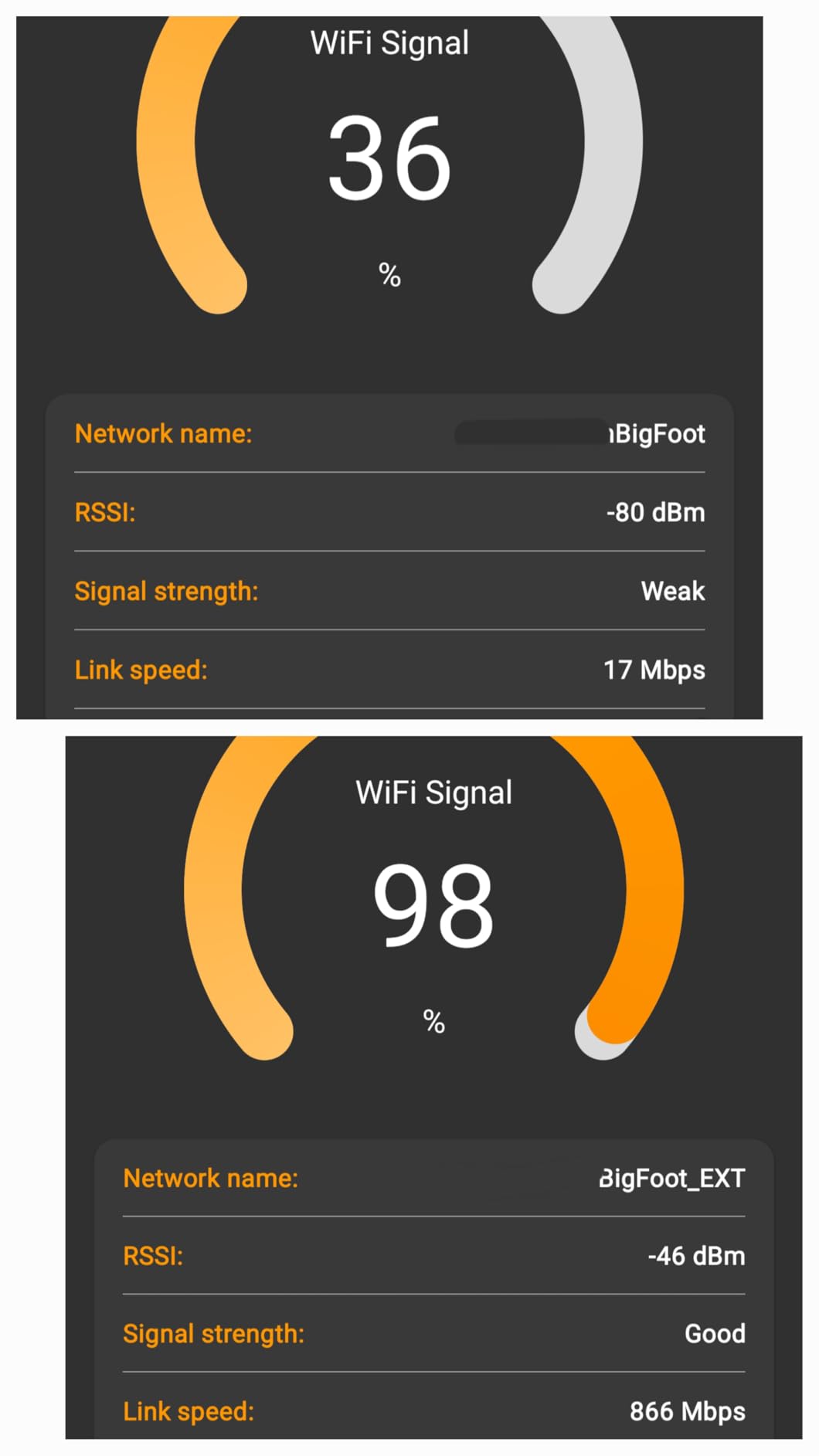
I used it in the far end of the house where a desktop sits, and the Gigabit port was the whole reason it beat the smaller models. A Fast Ethernet port caps you at 100 Mbps no matter how good the wireless side is, and that ceiling is enough to spoil large downloads and high-resolution streams on a wired machine.
The wireless side has more headroom than the RE315 as well, which matters if the dead room holds several phones, a console and a television at once. Smart Adaptive Roaming and EasyMesh handle the handover between the router and the extender when you configure the same SSID and password on both.
Why does Gigabit Ethernet matter in a dead zone?
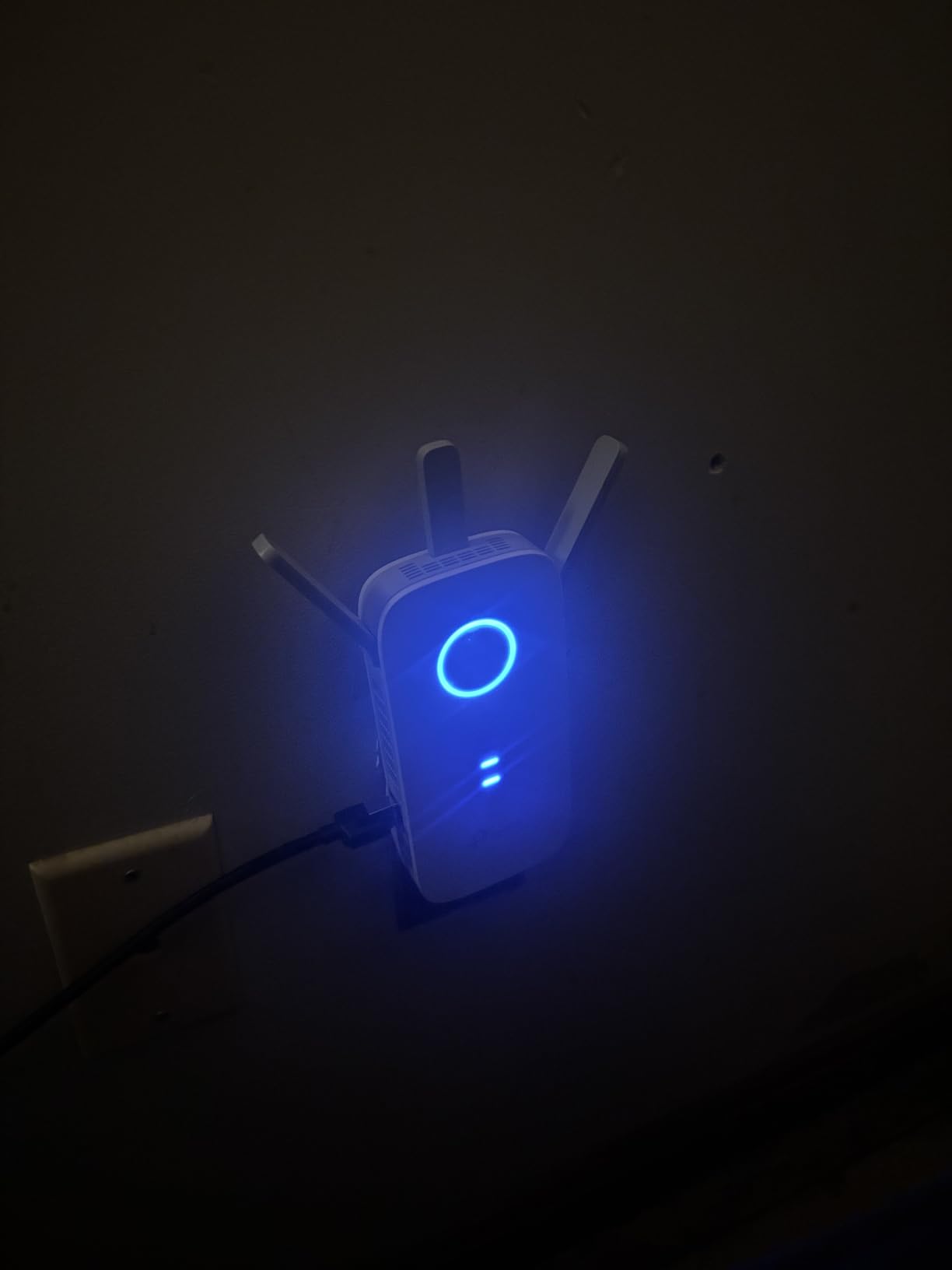
Because it removes the extender from the equation for anything that can take a wire. Once the port is Gigabit, a desktop in the far room behaves like a desktop next to the router, and the only remaining question is how the untethered devices in that room fare.
That split is how I would use this unit in a two-floor house. A RE220 in the upstairs hall for phones and a laptop, an RE550 in the office with gigabit wired to the workstation. It is not the lowest-cost setup, but it is the one that feels fast.
Is the AC1900 label worth paying for over an AC1200?
For wireless clients in the extended room, mostly no. Both figures are aggregate physical-layer rates summed across two radios, not internet speeds, and a repeater gives up airtime regardless. The extra rate matters when several high-bandwidth devices share the extended room at once.
For anything on the Ethernet port, absolutely yes. That is where the real, measurable difference sits, and it is the reason this model earns a place on a page about dead zones rather than a page about raw throughput.
5. NETGEAR EX5000 – Compact Plug for a Single Small Room
NETGEAR WiFi Extender EX5000, up to 1,500 sq ft, 1.2 Gbps
AC1200 dual-band
1500 sq ft and 25 devices
WPA2 and WPA3
Compact plug
Pros
- Small plug-in body that leaves the second wall outlet usable
- Works with any router or gateway regardless of brand
- WPS button plus Nighthawk app for guided setup
- Supports WPA3 alongside WPA2 for mixed-mode networks
- No external antennas to position
Cons
- Fast Ethernet port rather than Gigabit
- Real-world speeds in extended rooms are modest
- One-year warranty
- Setup without WPS is reported as fiddly by some owners
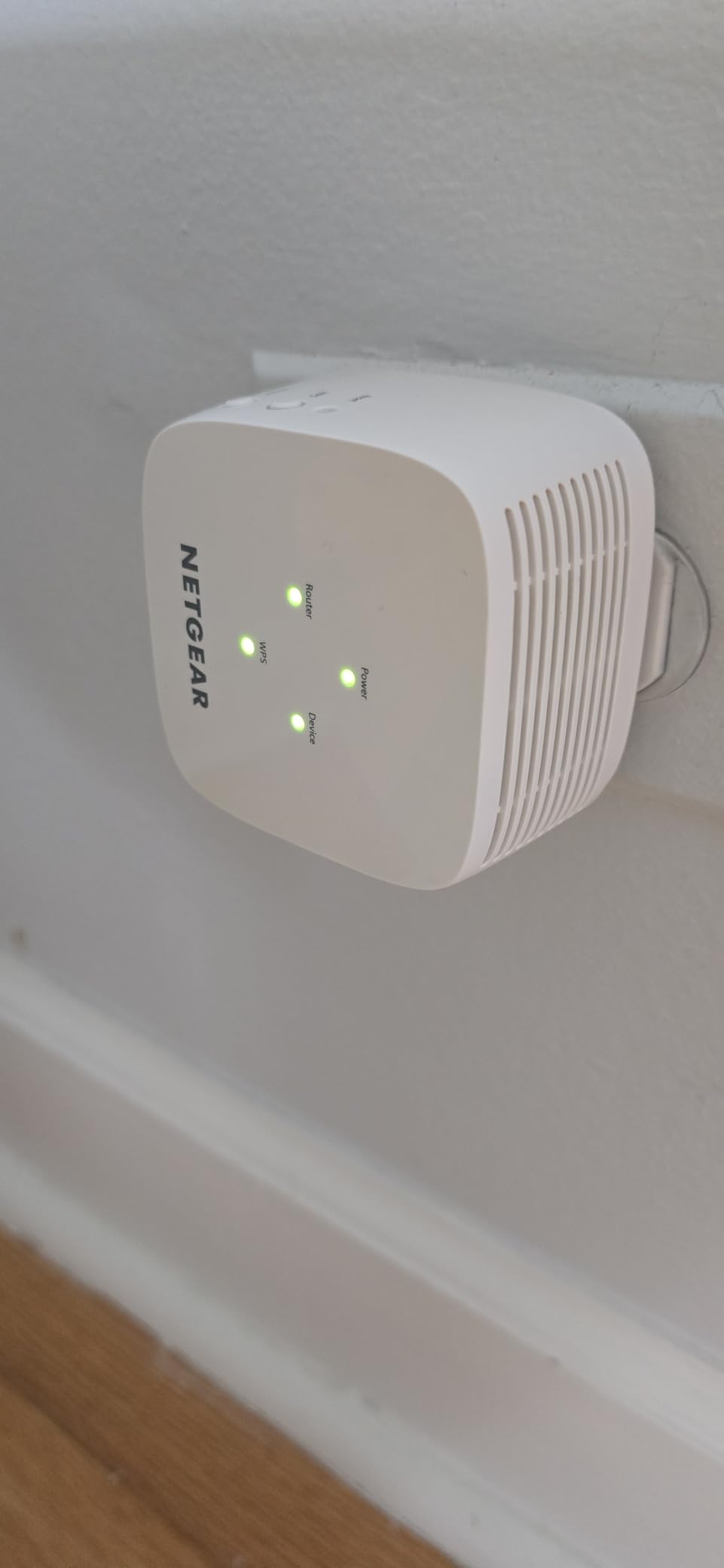
The EX5000 is the one I would put in a hallway or a small bedroom where the goal is simply to get a usable connection, not a fast one. It is a compact AC1200 wall plug, 2.55 by 2.85 by 2.85 inches, so it does not block the second outlet the way a bulky desktop-style extender does. That mechanical detail matters more in real homes than the spec sheet suggests.
It works with any router, pairs by WPS or through the Nighthawk app, and supports WPA2 and WPA3, which makes it a safe pick in a household where the router has already moved to WPA3 and some older smart home gadgets have not. The coverage claim is 1500 sq ft for up to 25 devices.
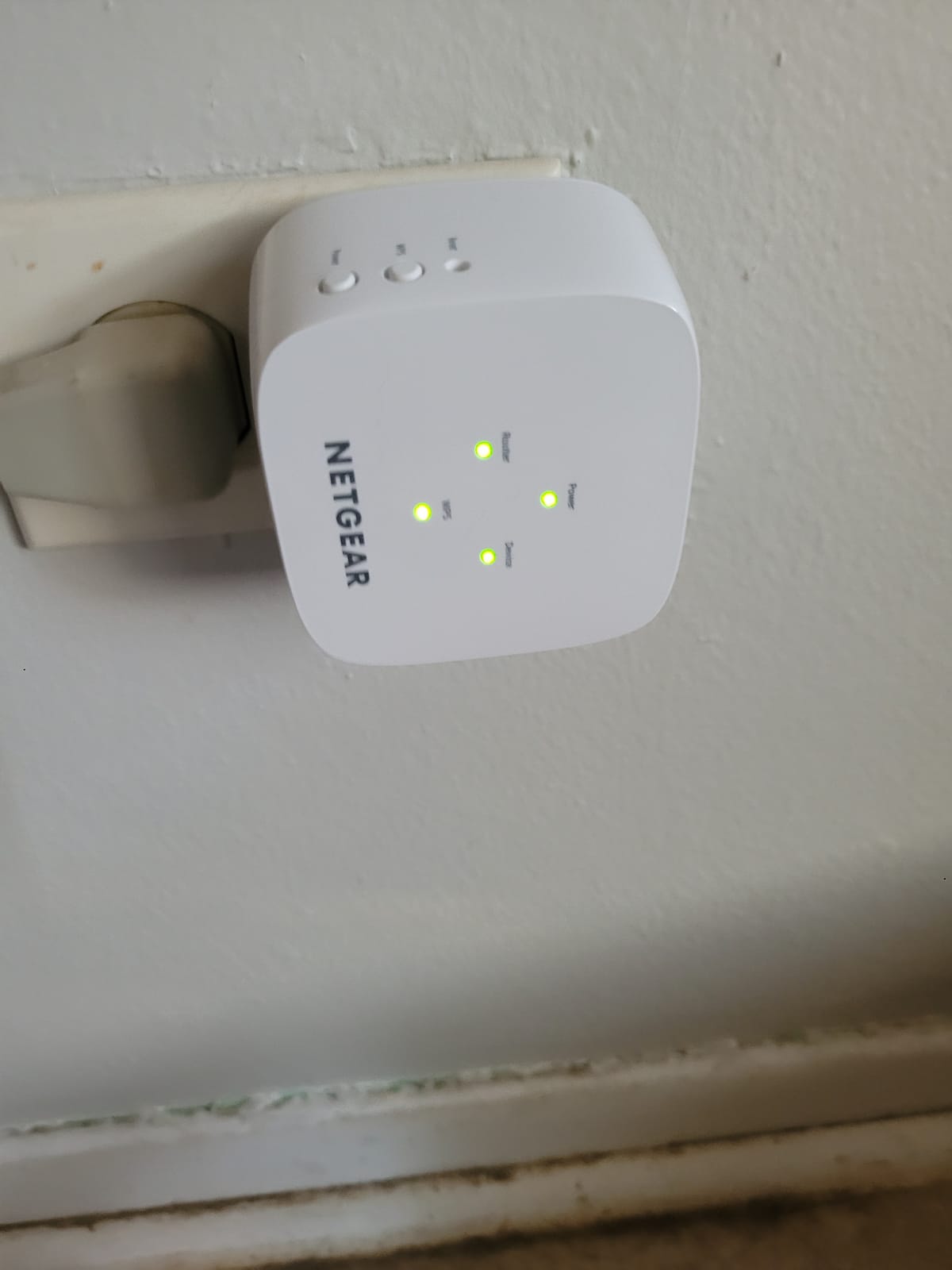
Expect modest results. Reviewers report extended-room throughput of roughly 40 to 50 Mbps rather than the 1.2 Gbps aggregate figure on the box, and that is the normal behaviour of a single-radio repeater at distance. For browsing, email, printing and a video call in a spare room, that is enough. For anything else, look higher up this list.
Will the EX5000 fit where the outlet is tight?
Yes, that is its main practical advantage. Because it plugs straight into the wall without a power brick and carries no external antennas, it slides into a tight socket behind furniture or beside a bed where a desktop-style unit simply will not go.
The trade is that there is nothing to aim. With internal antennas the device broadcasts in every direction, so it depends entirely on sitting in the right spot. Plan the placement with the halfway rule rather than expecting the hardware to compensate.
Is 100 Mbps on the Ethernet port a problem?
Only if you plan to use it. The port is Fast Ethernet, so a wired desktop tops out near 100 Mbps. That is fine for browsing, email and standard streaming, and tight for large transfers, but the port is really a convenience for a printer, a console or a television that refuses to hold a wireless link.
Support is the other consideration. NETGEAR backs this one with a single year of warranty, shorter than the two years on each TP-Link model here, and the app is the older Nighthawk interface rather than Tether. Setup through WPS takes under a minute, and owners without a WPS button on their router report more friction in the app flow.
6. eero 6 Add-On Extender – Best Fix If You Already Run eero
Amazon eero 6 mesh wifi add-on extender – Add up to 1,500 sq. ft. of Wi-Fi 6 coverage. Required eero mesh wifi system not included
Wi-Fi 6 802.11ax
Adds up to 1500 sq ft
TrueMesh routing
Requires an eero system
Pros
- Rating of 4.4 out of 5 across 29388 ratings
- One network name across the house with no extender suffix to manage
- Wi-Fi 6 hardware adds headroom for modern phones and laptops
- TrueMesh routes each device to the best path automatically
- Automatic security and performance updates
- No antenna aiming to get wrong
Cons
- Useless without an existing eero mesh system
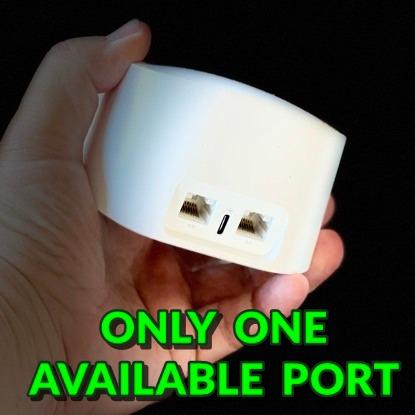
- No Ethernet port on the extender unit
- Does nothing for homes on any other router brand
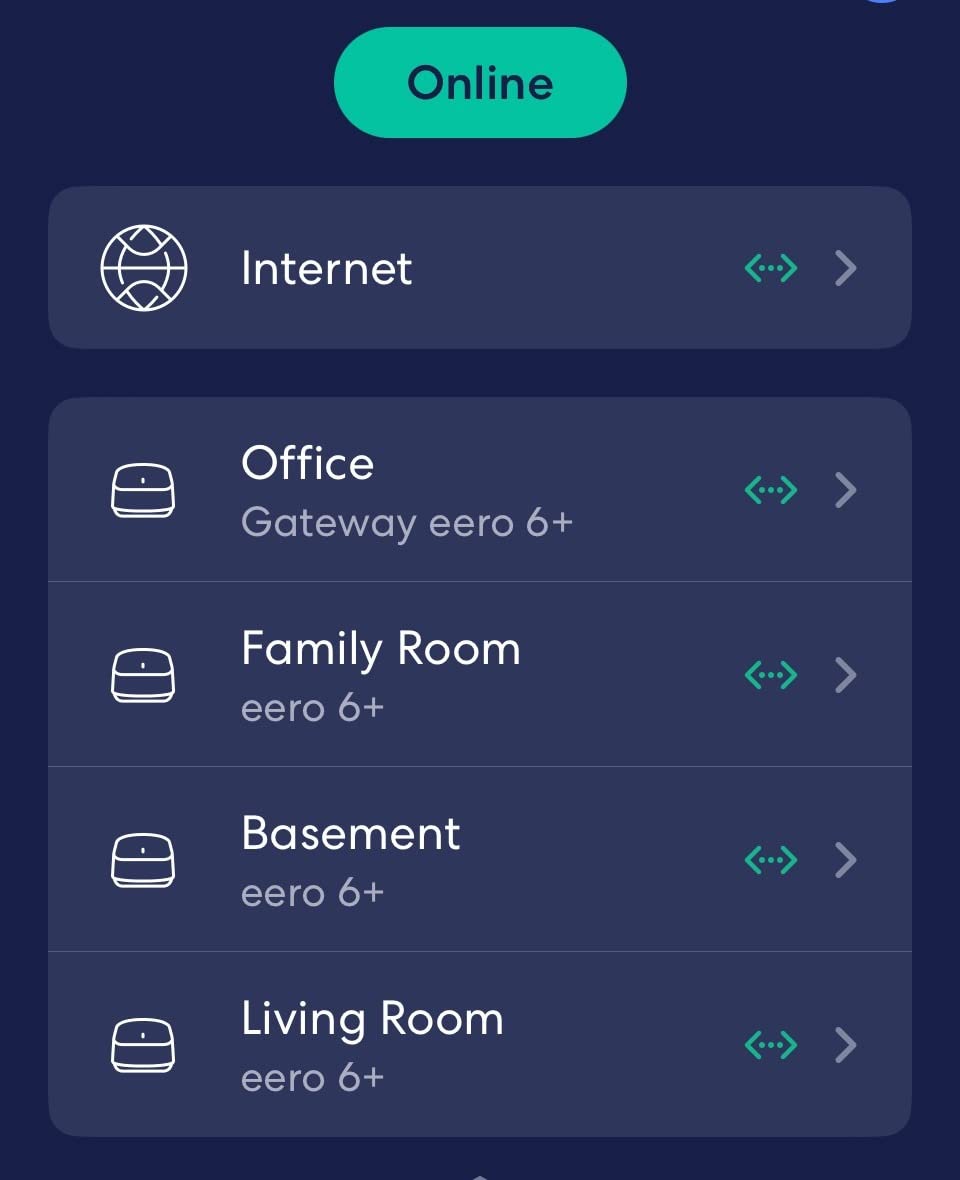
This is the only entry on the list that is not a standalone repeater, and that is exactly why it handles dead zones more cleanly than anything else here. It is an add-on node for an existing eero mesh system, adding up to 1500 sq ft of Wi-Fi 6 coverage. If you are not already running eero, this is not your product.
The advantage is behavioural rather than raw. A conventional extender broadcasts its own network name, and your phone clings to the stronger of the two, which is why people end up switching Wi-Fi networks by hand and complaining about it in the NETGEAR community and the r/wifi threads. TrueMesh keeps one name and hands the device off silently, so walking from the kitchen to the far bedroom is uneventful.
Wi-Fi 6 802.11ax support is the other reason it holds a 4.4 out of 5 average across 29388 ratings. Modern phones and laptops get wider channels and better behaviour in crowded spectrum, and the node applies automatic security and performance updates through the eero app without you thinking about it.
What happens if you do not own an eero system?
Nothing useful. This node has to attach to an eero mesh, so without one it has nothing to extend. That is a genuine dealbreaker for most readers, and it is why it sits at number six rather than at the top despite the strong rating.
If you are starting a network from scratch, the honest comparison is a full eero or Deco kit rather than this add-on alone. Buying one node to cover a single dead room in a home with no mesh would be an expensive way to solve a one-room problem.
Why do eero owners rate it so highly?
Because it removes the failure mode that generates most extender complaints. Nobody has to pick a network, nobody sees a duplicated SSID in the list, and clients do not get stuck on the far signal. The reviews describe a device that simply works, which is a low bar for networking hardware and one that repeaters often miss.
The gaps are physical rather than software. There is no Ethernet port on the node, so a wired device in the far room has nowhere to plug in, and the whole approach is locked to one brand. If your dead room needs cable, the AC1900 and AC1750 units on this list are the better answer.
7. NETGEAR EX6250 – AC1750 with Gigabit Ethernet for Larger Rooms
NETGEAR WiFi Extender EX6250, up to 2,100 sq ft, 1.75 Gbps
AC1750 dual-band
2100 sq ft and 35 devices
Gigabit Ethernet
FastLane
Pros
- Gigabit Ethernet port for a wired device in the extended room
- Aggregate bandwidth of 1.75 Gbps with FastLane
- Coverage rated for 2100 sq ft and 35 devices
- Works with any router or gateway
- Plenty of internal room for good antenna placement
Cons
- Costs more than the AC1200 models on this list
- One-year warranty
- Desktop form factor with an external power adapter
- Some owners report reliability issues over long service
The EX6250 is a desktop-style unit rather than a wall plug, and it is the heaviest hardware in this roundup at over 10 ounces. It is an AC1750 with 1.75 Gbps aggregate bandwidth, rated for 2100 sq ft and up to 35 devices, with a Gigabit Ethernet port and FastLane technology that dedicates a band to the backhaul link.
FastLane is the interesting piece. Because it reserves a band for the extender-to-router hop, more of the remaining capacity reaches your devices in the far room, which is the opposite of how a dual-band repeater with a shared radio behaves. It is a partial answer to the speed-halving complaint, not a complete one.
Placement is easier with a desktop unit because you can put it on a shelf near the middle of the house rather than fighting for an outlet. I set it on a bookcase in the upstairs hallway and it covered two rooms and a landing that the plug-in models struggled with.
Is an AC1750 desktop extender worth it over an AC1200 plug-in?
For coverage across a larger dead area, often yes, because the size lets it sit in a better position and the extra bandwidth helps when several devices share the extended space. For a single small room, the bulk and the higher cost are hard to justify, and a plug-in model does the same job.
The Gigabit port is a genuine bonus if you have anything to connect. The Fast Ethernet ports on several lower-tier models here cap a wired device at 100 Mbps, and this one does not.
What about the warranty and long-term reliability?
NETGEAR backs this model with a single year of warranty, a shorter window than the two years on the TP-Link models, and a rating count well below theirs. Some owners on the NETGEAR community boards report units that needed resetting or replacing after a couple of years of service.
That is a fair reason to weigh it against the TP-Link models, which carry two-year warranties, rather than a reason to dismiss it. If you want the larger coverage rating with a wired port and you accept a shorter support window, it delivers. If support length matters to you, the two-year TP-Link options are the calmer purchase.
8. nohzio 1200Mbps Four-Antenna Extender – Simple WPS Setup for One Room
WiFi Extender, 1200Mbps Dual Band WiFi Extenders Signal Booster for Home
1200Mbps dual-band
Claimed 3000 sq ft
20 devices
AP mode with WPS
Pros
- Rating of 4.8 out of 5 across 3849 reviews
- Four external antennas and a claimed 3000 sq ft reach
- WPS one-click setup with a hardware button
- Access Point mode available for a wired connection
- Works with any wireless router
Cons
- Claimed 3000 sq ft coverage is optimistic in real homes
- Device capacity limited to 20 connections
- Less established brand and thinner support ecosystem
The nohzio is the last one, and it earns its place for a narrow reason: it is a four-antenna AC1200 unit with a hardware WPS button, an Ethernet port and Access Point mode, at a rating of 4.8 out of 5 across 3,849 ratings. That is the highest average of the eight models we tested, from a smaller but still substantial review base.
Bandwidth is the ordinary 867 Mbps on 5 GHz plus 300 Mbps on 2.4 GHz. The claim that sets it apart on paper is 3000 sq ft of coverage for up to 20 devices, with four external antennas. As with the PEDUMMY unit, treat the square footage as an open-air maximum rather than a promise about a real house.
Twenty devices is a real limit compared with the 30 to 35 device ratings elsewhere on this list, so it suits a smaller household or a single room rather than a busy house. The WPS button means setup takes about a minute if your router has one, and Access Point mode gives you a wired option if you have cable.
Is a 4.8 rating enough to trust a lesser-known brand?
It is a strong satisfaction signal, but a rating measures how happy buyers were, not how well the hardware holds up over years. The review base of 3,849 is a small fraction of what the RE220 has accumulated, so there is less long-term history to lean on.
For a device that plugs in and stays plugged in, that risk is modest. For anything mission critical, the two-year warranties on the TP-Link models are worth more than a marginally better average rating.
When should you choose a four-antenna model instead?
When the dead zone sits behind a thick wall or around a corner and you are willing to experiment with antenna angle. Four external antennas give you more aiming control than a compact plug-in, and in a stucco or brick corner that control is often the difference between a usable signal and none.
If your weak spot is straight through several walls or down a detached building, no antenna arrangement will save it. At that point a wired access point or a mesh system with a wired node is the answer, and spending more on a higher aggregate rate will not change the physics.
How to Choose a Wifi Extender for a Dead Zone
Match the extender to your router first, then think about the room. A Wi-Fi 6 router paired with a Wi-Fi 5 extender wastes half the upgrade you paid for, and an extender faster than your router adds cost without adding anything. The generation of the router already in your home matters more than the number printed on the box of the extender.
All eight models in this roundup are dual-band Wi-Fi 5 hardware except the eero node, which is Wi-Fi 6 and requires an eero system. That is worth stating plainly: a Wi-Fi 6 extender only helps if the router at the other end is also Wi-Fi 6, because the extender must speak your router’s generation to relay its traffic.
Second, decide whether the extended room needs a wire. Anything with a Gigabit Ethernet port turns a dead room into a normal room for a desktop, console or television. A Fast Ethernet port still works, but caps a wired device near 100 Mbps, which is a real limit for large transfers.
Third, look at the bands rather than the headline number. 2.4 GHz travels further and penetrates walls better, so it is the band that carries a signal into a difficult corner. 5 GHz is faster but weaker over distance and through materials. A dual-band repeater with two radios, like the RE220 and RE315, can use one band to hear the router and the other to serve clients, which is why they hold up better than a single-radio unit.
Finally, pay attention to what the walls are made of. Wood studs and drywall are the easy case. Brick, concrete, stucco and foil-backed insulation are not, and the gap between those cases is large. In a small apartment with a thick-walled corner, the common r/HomeNetworking question is whether a modest extender is a mistake, and the answer is usually no. It is only a mistake if the wall itself is the problem.
One more consideration nobody puts on a box: support and warranty. The TP-Link models here carry two-year warranties, and the NETGEAR units carry one. Firmware updates arrive more reliably from an established vendor, which matters if you expect the extender to still be working in three years. It is the kind of boring factor that separates a purchase you never think about again from one you end up replacing.
A word on advertised speed while we are here. Figures like AC1200, AC1750, AC1900 and AC750 are aggregate physical-layer rates summed across all radios and channels under ideal conditions. They are not internet speeds and they are not throughput. A repeater also loses airtime, because the same radio that serves your devices has to listen to the router. The speed-halving you have heard about is a rough rule of thumb rather than a law, and dedicated-backhaul designs like the EX6250 recover some of it. Judge every model on what you measure in the far room, not on the number in the model name.
Where to Place a Wifi Extender, and How to Fix the Problems
Placement decides the result more than the model does. The rule is simple: put the extender roughly halfway between the router and the dead zone, in the open, on an upper floor if the weak room is upstairs. Installing it inside the dead zone is the most common mistake and it makes the router-to-extender link so weak that the whole arrangement underperforms doing nothing.
Keep it off the floor and out of corners, since both absorb signal. Stay away from metal, mirrors, large appliances and microwaves. If you have several outlets to try, try them, and re-run the speed test in the dead room after each move. Elevation helps, so a shelf near the stairwell often beats an outlet at floor level.
There is one setting that changes the whole experience, and it is the second network name. Out of the box most extenders broadcast their own SSID with a suffix, which leaves two networks in your list and makes devices cling to the wrong one. Enter the same network name and password on the extender as your router uses and enable any mesh-compatible feature the app offers, and most models will present a single network. Where a mesh system handles this automatically, a standalone repeater makes you do it manually.
If the extender shows a strong signal but your speeds barely move, the problem is almost always the router-to-extender hop, not the extender-to-client hop. The extender is receiving on the weak link and re-sending on a good one, so it is faithfully repeating a bad signal. Moving it closer to the router fixes that instantly, at the cost of reach into the far room.
For the reverse complaint, an extender that connects but gives no internet, check whether you connected over WPS to a router already using WPA3, which some combinations refuse, and run the app-based setup instead. If you enabled Access Point mode without running an Ethernet cable, you have effectively cut the extender off from your network. And if the extender was given a static IP inside your router’s DHCP range, you get an address conflict, which is worth resolving on the router rather than the extender.
One last warning, repeated often enough to be worth stating: check the hardware revision before applying firmware. Mismatched revisions are a well-known cause of units that stop updating properly.
Wifi Extender vs Mesh vs Access Point
An extender is the right tool when one room fails, the router sits in a sensible place and you cannot run cable. It is the wrong tool when three or more rooms are weak, when the weak rooms are on several floors, or when the weak area is a detached garage or building. In those cases a mesh system keeps one network name across the house and moves the whole coverage problem rather than papering over it.
An access point is the best answer whenever cable is possible. Run Ethernet from the router to the far wall, plug the extender or a cheap access point into it, and the coverage problem disappears because the weak wireless hop is gone. Many people in the r/wifi threads reach the same conclusion independently: if you can get cable to the dead zone, the problem is solved for good.
Powerline adapters are a third option worth knowing about in older homes with working electrical wiring. They carry data over the mains circuit. They are excellent across a building on the same circuit and poor when the far room is on a different circuit, so test before committing.
Frequently Asked Questions
How to get better Wi-Fi in a dead zone?
Measure the room with a speed test, then place the extender about halfway between your router and that room rather than inside it. Pair it with WPS or the manufacturer app, give it the same network name and password as your router, and re-run the speed test in the weak room. If the halfway position only fixes one room, a mesh system is the better tool.
What WiFi extender can penetrate walls?
The 2.4 GHz band travels furthest and handles drywall, wood studs and moderate plaster best, so a dual-band extender with an adjustable 2.4 GHz radio is the practical answer. Brick, concrete and stucco defeat both 2.4 GHz and 5 GHz at any distance, and foil-backed insulation is worse. Aiming external antennas at the wall to cross, and placing the unit away from metal, buys more than any headline rate.
Do Wi-Fi extenders slow down your Wi-Fi?
Not for the rooms the router already serves, but the extended room will be slower than a direct connection. A repeater receives and re-sends on the same radio, which costs airtime, so extended-room throughput is typically well below the router’s own speed. Upload speeds suffer more than downloads, which is why video calls and cloud backup feel worse than streaming does.
Can I use a Wi-Fi extender with any router?
Yes, standard repeaters from TP-Link, NETGEAR, Linksys and D-Link are vendor-neutral and pair with any router or ISP gateway. Two caveats. An extender cannot be faster than the router feeding it, and the eero add-on node on our list is the exception, since it only works inside the eero mesh ecosystem.
Should I buy a mesh system or a Wi-Fi extender?
Buy an extender for one or two weak rooms in a home where the router is already well placed. Buy mesh when three or more rooms, or multiple floors, are weak, or when devices will not move between the two network names smoothly. If you can run Ethernet to the weak area, a wired access point beats both and is the simplest fix of the three.
Bottom Line
For most people chasing the best wifi extenders for dead zones in 2026, the answer is the TP-Link RE220. It works with any router, covers 1200 sq ft and 30 devices, has an Ethernet port and a two-year warranty, and it is the model with the deepest body of real-world reviews of the eight we looked at.
Step up to the RE315 if you want two adjustable antennas to aim at the wall that is causing the problem, and go for the RE550 if the far room has a wired device that deserves gigabit rather than 100 Mbps. If you already run eero, use the eero 6 add-on node and stop thinking about network names entirely. And if the weak area is more than one room, buy mesh or run cable instead.
Whichever you pick, place it halfway, use the same network name, and re-run the speed test in the dead room before you decide whether it worked.