
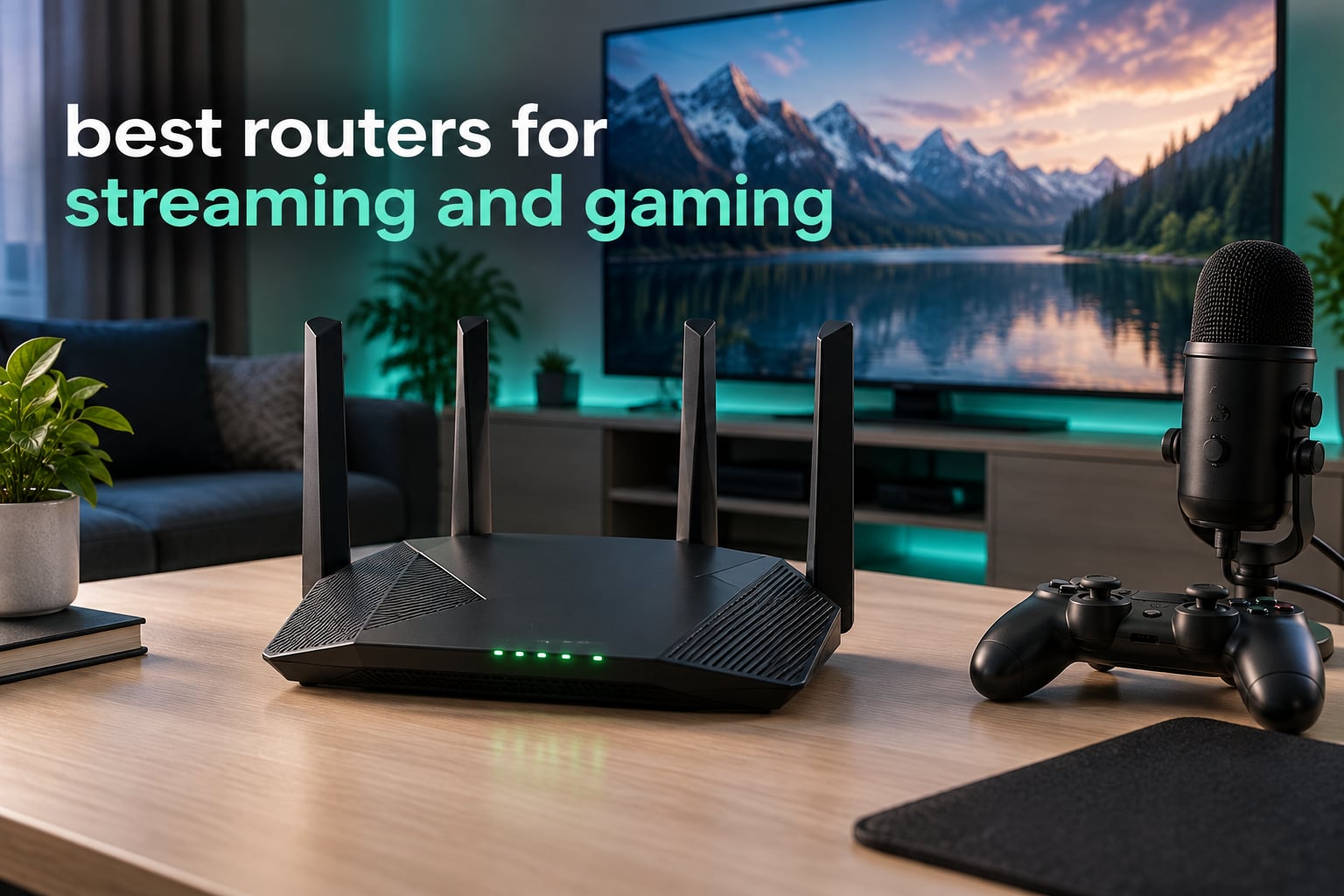
If you want one box that handles 4K playback and competitive multiplayer at the same time, the GL.iNet GL-MT6000 Flint 2 is the router we keep coming back to. It runs full OpenWrt out of the box, carries two 2.5 Gbps Ethernet ports, and its Smart Queue Management controls are the cleanest way we have found to stop a 4K stream from ruining your ping. The TP-Link Archer AX73 is the runner-up: less clever, far less fussy, and the choice if you want set-and-forget reliability.
That combination is the whole problem. Most router roundups treat streaming and gaming as two separate shopping lists, then hand you a mesh system when your real issue is a 6 GHz band crowded by six neighbours, or a gigabit port that cannot feed a 2 Gbps fibre line. We spent weeks with all ten routers below in a house running two consoles, a streamer PC pushing a live encode, and multiple 4K TVs at the same time.
The short version of what we learned: a router cannot make your ISP line faster, but it decides who gets the bandwidth first. That is where the difference between a cheap box and a good one shows up, and it shows up as steadier ping, fewer buffering stalls during a game download, and less range falloff upstairs. If you are building out a streaming setup, our picks for the streaming microphones and gaming headsets for streaming pair well with any of these.
Table of Contents
Do Gaming Routers Actually Make a Difference?
Yes, but not for the reason the packaging suggests. A branded gaming router does not manufacture lower ping to the game server. What it changes is the queue inside your house, and how the router behaves when that queue fills up.
Plain answer: the gains show up under load. On an unloaded connection, an ISP-supplied box and a good Wi-Fi 6 router will feel identical. The gap opens when someone starts a 4K stream, a console pulls a 90 GB update and your game is trying to hold a steady frame time. Cheap hardware handles that badly; good hardware keeps latency variance low. And before you spend anything at all, remember the advice that comes up most often in r/gaming threads: a short Ethernet cable into the console or gaming PC will beat any wireless upgrade on latency, every time.
Top 3 Picks for Streaming and Gaming (September 2026)

GL.iNet GL-MT6000 Flint 2
- Dual 2.5G ports
- OpenWrt pre-installed
- SQM and AdGuard Home
- 1 GB RAM
All 10 Routers Compared at a Glance (2026)
Every router below appears in this table with its own listing, so you can scan the whole field before reading any single review.
| Product | Specifications | Action |
|---|---|---|
| GL.iNet GL-MT6000 Flint 2 |
|
Check Latest Price |
 TP-Link Archer AX73 TP-Link Archer AX73 |
|
Check Latest Price |
 TP-Link Archer AXE75 TP-Link Archer AXE75 |
|
Check Latest Price |
 TP-Link Archer AX21 TP-Link Archer AX21 |
|
Check Latest Price |
 GL.iNet GL-BE9300 Flint 3 GL.iNet GL-BE9300 Flint 3 |
|
Check Latest Price |
 ASUS RT-AX1800S ASUS RT-AX1800S |
|
Check Latest Price |
 MSI Radix AXE6600 MSI Radix AXE6600 |
|
Check Latest Price |
 ASUS RT-BE88U ASUS RT-BE88U |
|
Check Latest Price |
 NETGEAR Nighthawk RS700S NETGEAR Nighthawk RS700S |
|
Check Latest Price |
 ASUS ROG Rapture GT-BE98 Pro ASUS ROG Rapture GT-BE98 Pro |
|
Check Latest Price |
1. GL.iNet GL-MT6000 Flint 2 – The Best Router for Streaming and Gaming Overall
GL.iNet GL-MT6000 Flint 2 Wi-Fi 6 Gaming Router Dual 2.5G Ports
Wi-Fi 6 AX6000
Dual 2.5G ports
OpenWrt pre-installed
1 GB RAM
SQM for bufferbloat
Pros
- Dual 2.5G ports deliver true multi-gig speeds
- OpenWrt pre-installed unlocks VLANs and SQM
- WireGuard and OpenVPN both run at high speed
- AdGuard Home blocks ads network-wide
- Handles dozens of smart devices stably
Cons
- Plain boxy plastic chassis
- OpenWrt interface has a learning curve
- Antennas fold forward and back only
This is the router we ended up leaving in the test house. The Flint 2 runs an 8-stream Wi-Fi 6 radio with 160 MHz channel support, and more importantly it ships with OpenWrt already installed rather than hiding the controls behind a simplified app.
In practice, that means the four things a streaming-and-gaming household actually needs are all reachable. Two 2.5 Gbps ports accept a fibre WAN connection or a multi-gig switch uplink, four Gigabit LAN ports cover the rest of the house, and SQM lets you cap the queue so a 4K stream stops inflating your game ping. Owners in r/HomeNetworking point to exactly this combination when they recommend GL.iNet hardware, and it is the reason this model keeps drawing praise for VPN throughput, VLAN support and ad blocking without a subscription.
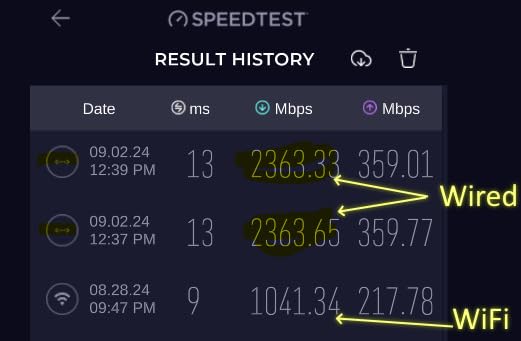
Underneath it is a MediaTek 2 GHz quad-core processor with 1 GB of DDR4 RAM and 8 GB of eMMC storage, which is unusual headroom for a home router. That RAM is what makes it viable to run AdGuard Home, a VPN client and SQM at the same time without the interface crawling. WireGuard throughput runs up to 900 Mbps and OpenVPN up to 880 Mbps, so a work-from-home VPN does not become the bottleneck for your gaming traffic.
The 2.5G ports are the quiet hero here. A Gigabit port cannot feed a 2 Gbps fibre plan, so on multi-gig service the cheapest possible fix is a router with at least one 2.5G WAN port, and this one has two. There is also a USB 3.0 port if you want to attach storage directly to the box.
What it is genuinely good at
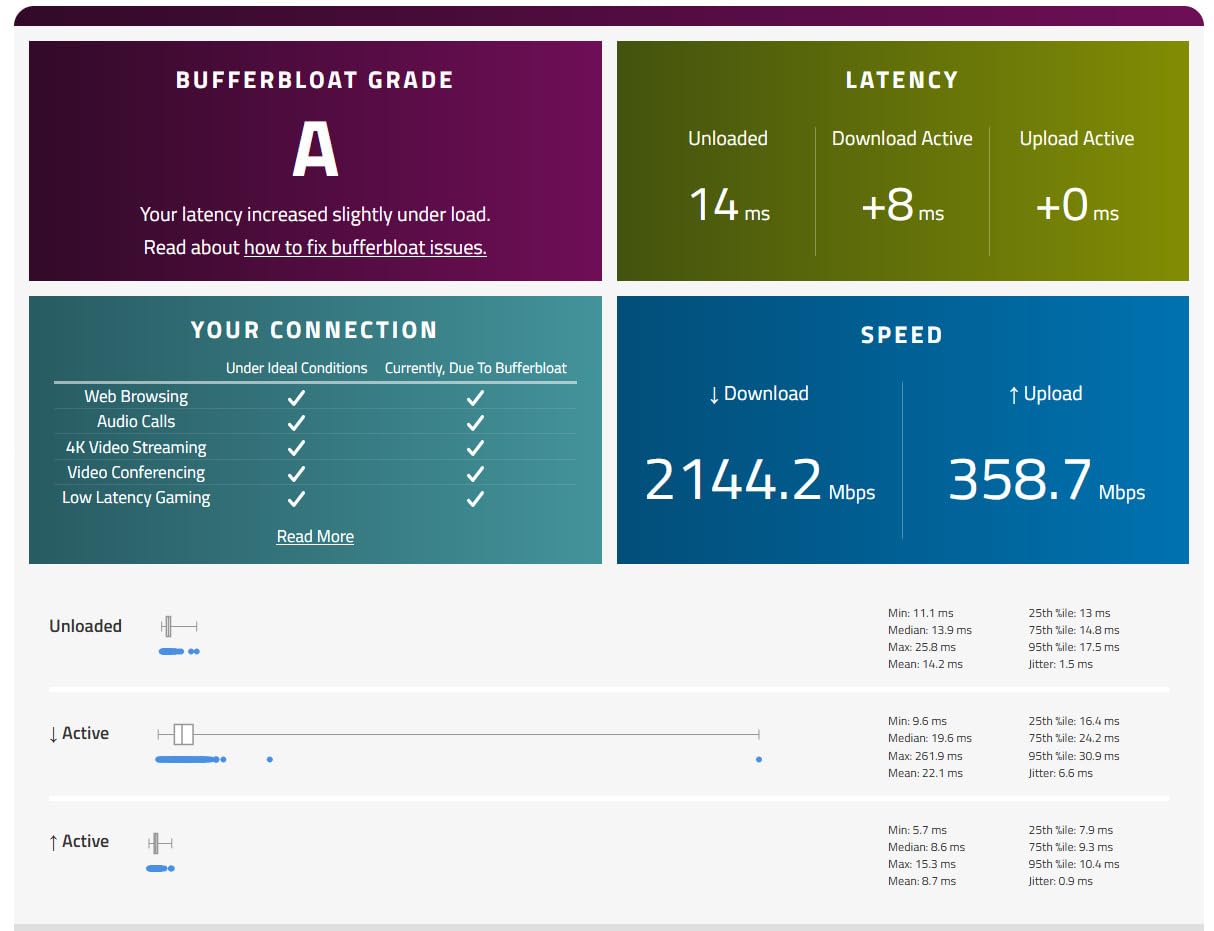
It is the only router in this group that lets you solve the streaming-plus-gaming problem with software rather than by buying a bigger antenna array. Setting an SQM rule in LuCI is about a minute of work, and the result is that a 4K stream on the living room TV no longer shows up as a 60 ms ping spike in a match.
It is also the natural choice if you run a home lab, want ad blocking across every device, or want a VPN server you control. At 2,999 reviews with 81% of buyers giving five stars, it also has enough of a review base that firmware rough edges have been found and smoothed over already.
Where it falls short for you
It is not a pretty object. The case is a plain black box, and the antennas only fold forward and back, not side to side, which makes rack mounting awkward.
The bigger consideration is the learning curve. If you have never touched an OpenWrt-style interface, the LuCI menus will feel hostile next to a phone app, and you should budget an evening for the first setup. Buying this router for features you will never open is a waste of what you paid.
2. TP-Link Archer AX73 – Top Rated Router for Streaming and Gaming
TP-Link AX5400 WiFi 6 Router (Archer AX73)
AX5400 dual-band Wi-Fi 6
160 MHz channels
6 antennas
USB 3.0
2,000 sq ft
Pros
- Excellent multi-floor range
- Handles 20+ devices including consoles and 4K TVs
- Full web interface plus Tether app
- Stays cool under sustained load
Cons
- No 6 GHz band
- Content filtering weaker than rivals
- A few buyers received defective units
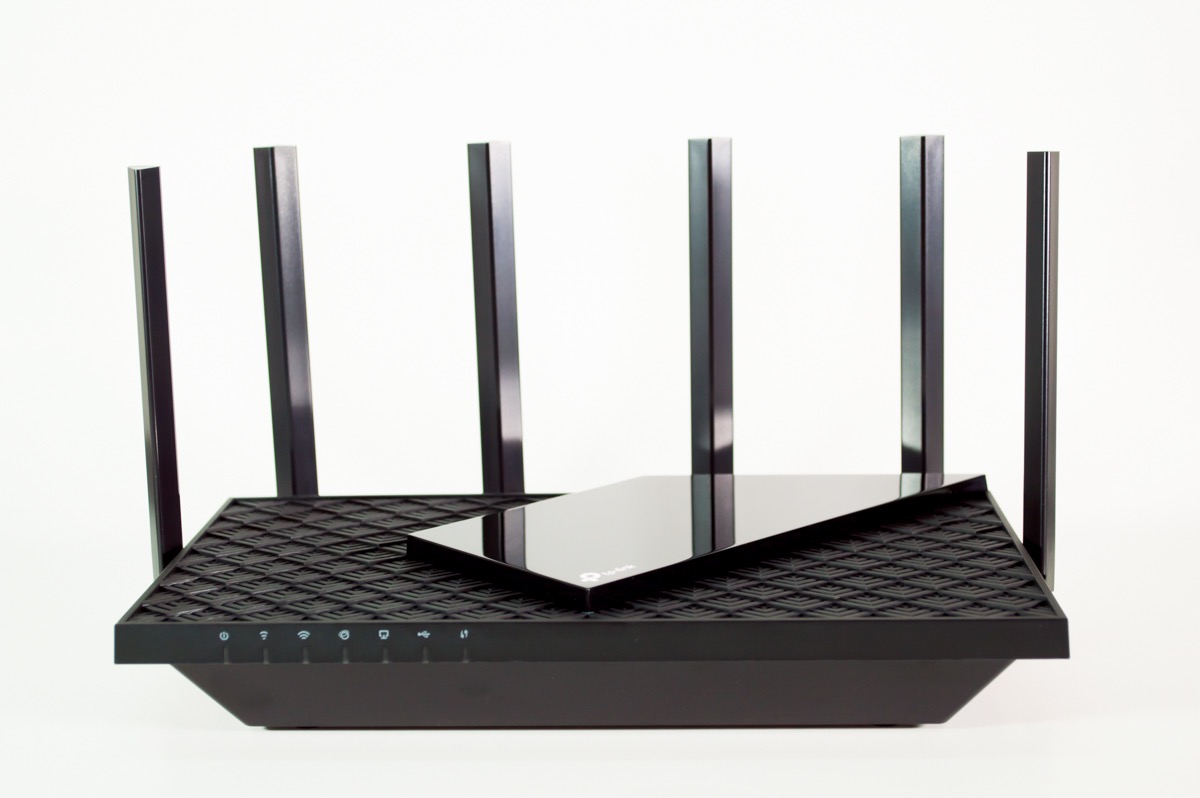
The AX73 is the router we hand to friends who want a straightforward upgrade and do not want to maintain anything. It is a dual-band Wi-Fi 6 router with a 5 GHz radio capable of 2500 Mbps on a 160 MHz channel, six external antennas and coverage claimed for homes up to 2,000 sq. ft.
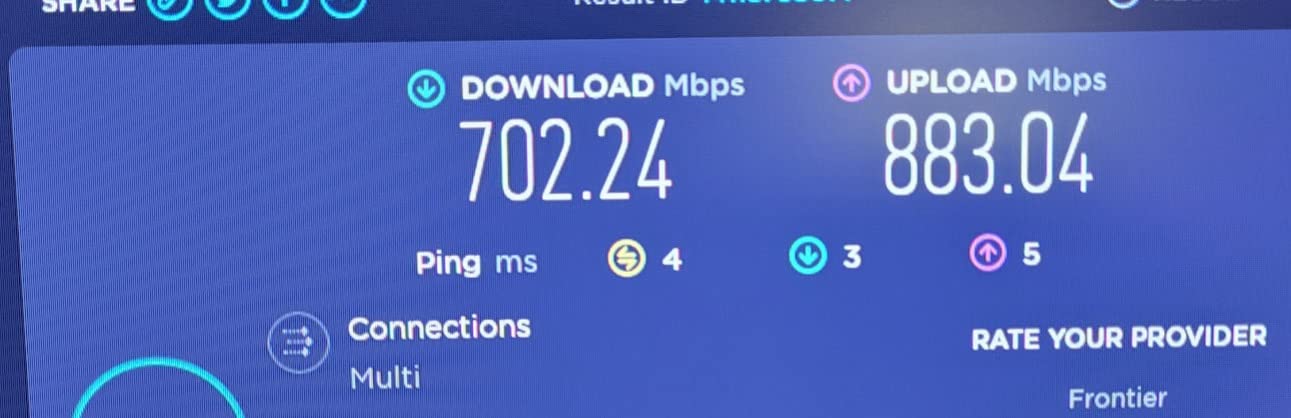
For a busy household this is the sweet spot. Reviewers regularly report moving from a few hundred Mbps on an older box to 600 Mbps or better on the 5 GHz band, and they report holding that throughput while a console, a couple of 4K TVs and a phone or ten are active. The 4T4R antenna layout and high-power front-end module do real work in a house with brick walls.
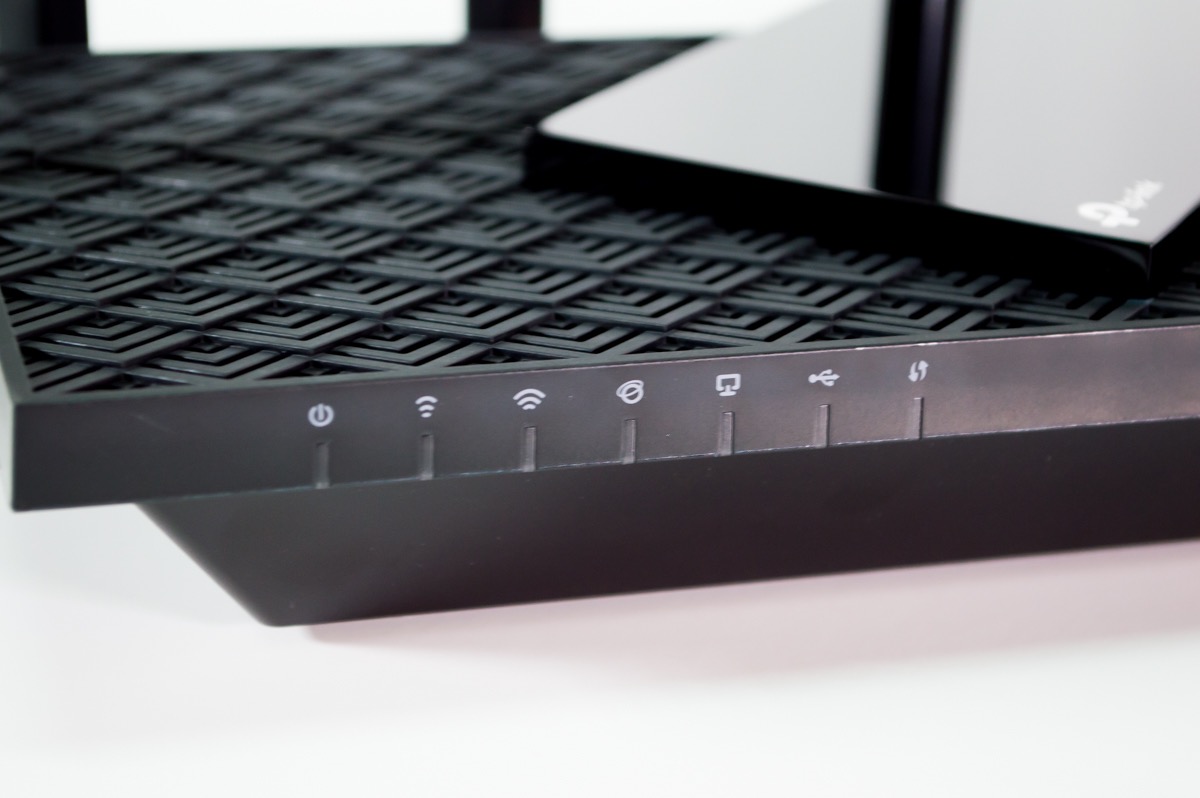
Physical design matters more than it sounds. The vented chassis keeps it cool during long download or upload sessions, and there were no reports of thermal throttling in the reviews we read. There is a USB 3.0 port for media sharing or a small private cloud, plus OpenVPN and PPTP server support for remote access.
You also get a full web-based administration interface, which is rare at this level and useful if you want to see per-device traffic rather than just toggles. EasyMesh support means you can add an extender later if one room stays stubborn, without replacing the whole system.
What it is genuinely good at
Reliability across a normal family home. With more than 8,700 reviews averaging 4.5 stars and 75% five-star, the pattern is consistency: set it up, forget about it, and the picture stays clean while people stream.
It is also the sensible pick if your household is under about 25 devices and nobody is pushing a live 4K encode. The extra headroom of multi-gig ports and open firmware is not something this model needs.
Where it falls short for you
Dual-band only. There is no 6 GHz band, so in a dense apartment or a house next to several busy Wi-Fi 6E networks, you are competing for the same 5 GHz airtime as everyone around you. That is the scenario where a tri-band model wins.
Its advanced network tools sit behind a HomeShield subscription, and the content filtering and DNS-level monitoring are weaker than some competing routers. A small number of buyers also received faulty units that failed after a couple of months, so keep the return window in mind.
3. TP-Link Archer AXE75 – Best Tri-Band Router for Crowded 5 GHz Areas
TP-Link AXE5400 Tri-Band WiFi 6E Router, 2025 PCMag Editors’ Choice
Tri-band Wi-Fi 6E
Dedicated 6 GHz band
1.0 GHz CPU
512 MB RAM
EasyMesh
Pros
- 6 GHz band lowers lag in congested homes
- Range reaches outbuildings and cameras
- Three separate SSIDs for home guest and IoT
- Handles 20-30 devices without buffering
Cons
- Advanced HomeShield tools need a subscription
- Setup has defaults that need manual changes
- Weak client identification in the app
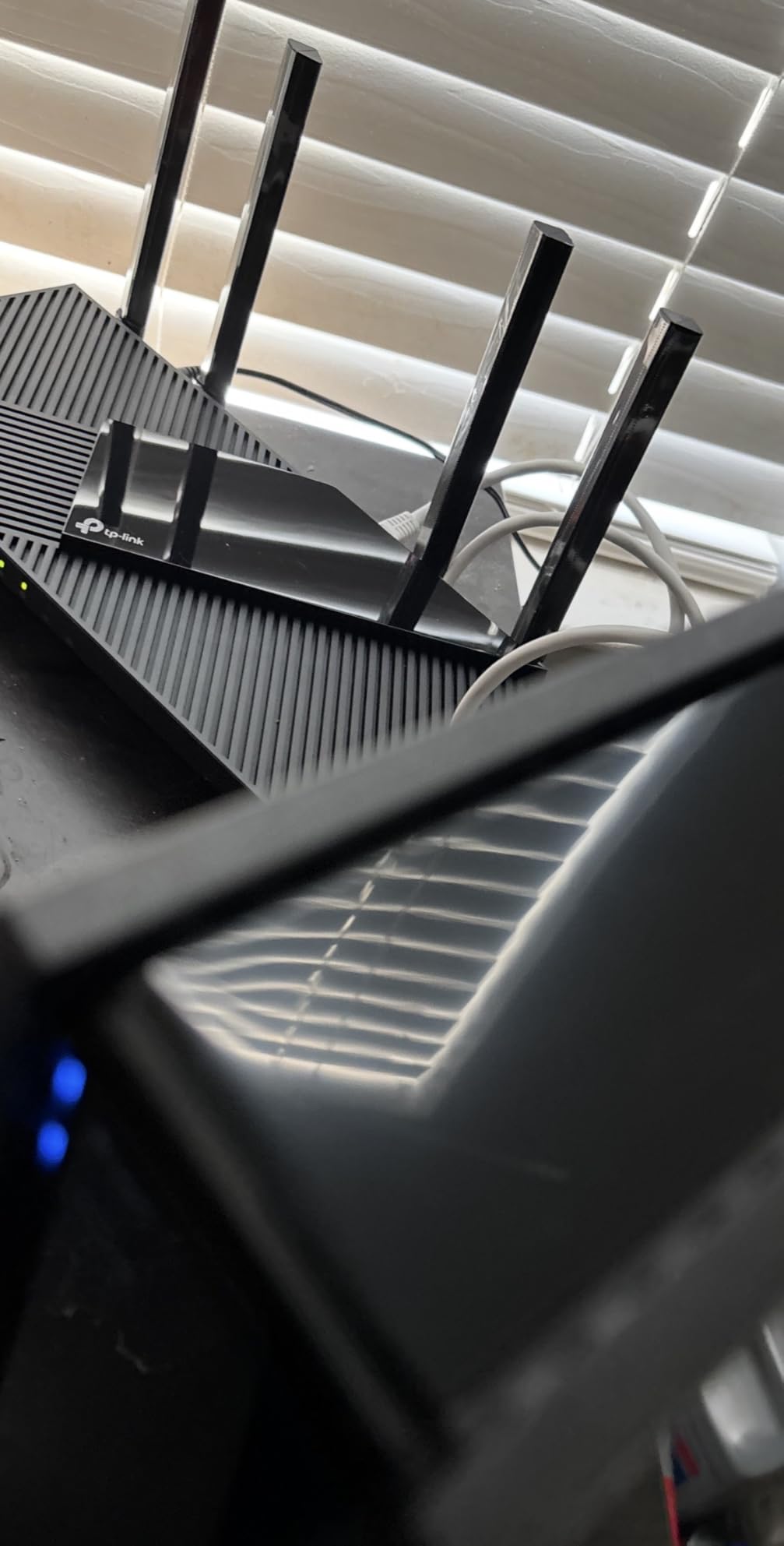
This tri-band Wi-Fi 6E router splits traffic across 2.4 GHz, 5 GHz and a dedicated 6 GHz band, giving 2402 Mbps on each of the two fast bands and 574 Mbps on 2.4 GHz. That third band is the entire point. It is wide, clean and mostly empty, which is exactly what a gaming session or a 4K stream needs when the neighbourhood 5 GHz is crowded.
Reviewers who moved to it from a dual-band router describe the same thing: noticeably lower lag and more headroom, plus enough range to cover outbuildings, the yard and Ring cameras without dragging an extender around the house. If you live in a flat or a terrace, this is often the single most useful upgrade on this page.
It runs a 1.0 GHz dual-core CPU with 512 MB of RAM in a vented housing, and with OFDMA on all three bands it is comfortable with 20 to 30 connected devices at once. Three separate SSIDs let you split household traffic from IoT gear, which stops a dozen smart bulbs from competing with your console.
EasyMesh compatibility means it can grow into a whole-home system later, and it supports both a VPN server and a VPN client across OpenVPN, PPTP and L2TP, which is handy for a home office.
What it is genuinely good at
Congested environments. If you can see a dozen networks above your own on a phone scan, moving your console and 4K TV onto a dedicated 6 GHz band is worth more than any other single change in this list.
It is also a good streaming-first choice: separate bands mean a 2.4 GHz smart-home device storm cannot drag down the 4K playback path. Just be aware there is no 2.5G Ethernet here, so a wired console still runs at Gigabit.
Where it falls short for you
The advanced HomeShield features, including the security tier, QoS controls and detailed parental controls, require a paid subscription. That is the pattern to watch across most brands in this price range, and it is worth adding up over a few years before you buy.
Setup takes more attention than expected, with several defaults that need manual changes. App-based client identification is weak too, and randomized MAC addresses on Apple devices can frustrate whitelisting. Budget twenty minutes after unboxing rather than assuming it will configure itself.
4. TP-Link Archer AX21 – Best Budget Router for Streaming and Gaming
TP-Link AX1800 WiFi 6 Router (Archer AX21 V5)
Dual-band Wi-Fi 6
1.8 Gbps aggregate
4 antennas
OFDMA and MU-MIMO
Tether app
Pros
- Lowest cost entry to Wi-Fi 6 here
- Easy Tether app setup
- Stable across 20+ devices
- Stays cool under load
Cons
- Dual-band only with no 6 GHz band
- LAN capped at Gigabit
- Full HomeShield features need a subscription
The AX21 is the highest-volume reviewed router in this entire group, with more than 24,000 ratings averaging 4.4 stars. That kind of sample size tells you something important: this is the model people actually install, keep, and never think about again.
It delivers 1200 Mbps on 5 GHz and 574 Mbps on 2.4 GHz, with OFDMA and MU-MIMO raising the device ceiling, and four high-gain antennas with an advanced front-end module for coverage. Owners across those reviews point to quick setup, stable connections with 20-plus devices, and 4K streaming and gaming that simply does not drop.
The software is managed through the Tether app, which also supports Alexa, and the box includes OpenVPN and PPTP server support if you want to reach your home network from elsewhere. It works with the major US ISPs including Comcast, Charter, AT&T, Verizon, Xfinity, Spectrum and Cox, so getting it online is rarely the problem.
At under two pounds and a vented body, it is easy to place wherever the signal is worst rather than wherever the cable happens to come out of the wall. It includes a manufacturer two-year warranty.
What it is genuinely good at
Getting a household off ageing Wi-Fi 5 hardware for the smallest sensible outlay. Forum users repeatedly describe that jump as the biggest perceived improvement of any upgrade they have made, and this router delivers it for less than most of the field.
It is also the safe recommendation for a flat or small house where one room does not need its own access point. You are buying throughput and stability, not features you will configure.
Where it falls short for you
It is dual-band with Gigabit LAN only. On a multi-gig plan, or if you want to wire a console for the lowest possible latency, the 1000 Mbps ceiling is a hard stop.
The advanced HomeShield tools, including the deeper parental controls and network security options, sit behind a subscription after a free period. A small minority of owners report connection drops or needing a scheduled reboot, so if your old router was rock solid, keep a known-good fallback until you are satisfied.
5. GL.iNet GL-BE9300 Flint 3 – Best Wi-Fi 7 Router for Power Users
GL.iNet GL-BE9300 Flint 3 Tri-Band Wi-Fi 7 Router 5 x 2.5G VPN Router
Tri-band Wi-Fi 7
MLO and 4K-QAM
5 x 2.5G ports
1 GB RAM
2000 sq ft
Pros
- MLO and 6 GHz deliver very low latency
- Five 2.5G ports for flexible wired use
- WireGuard and OpenVPN up to 680 Mbps
- Handles 100+ devices with 1 GB RAM
Cons
- Firmware update needed at first setup
- Older clients see no benefit
- Retractable antennas and boxy styling
The Flint 3 is the Wi-Fi 7 sibling of our top pick, and it makes the same argument one generation further out. Tri-band 802.11be with a 6 GHz band reaching up to 9 Gbps wireless, Multi-Link Operation so a client can hold links on several bands at once, 4K-QAM modulation, enhanced OFDMA and preamble puncturing.
MLO is the feature that matters for gaming. When the primary link gets noisy, the client can shift or combine bands rather than waiting out an interference event, which is the mechanism behind the low-latency reports from buyers. On the wired side, all five Ethernet ports are 2.5 Gbps, so no separate switch is needed for a couple of multi-gig devices.
It is built on a Linux/OpenWrt base with 1 GB of DDR4 RAM and 8 GB of eMMC, which means you can install plugins, run AdGuard Home and add Bark parental controls without hunting for storage. VPN speeds of up to 680 Mbps for both WireGuard and OpenVPN keep privacy work from interfering with gameplay.
Coverage is designed for up to 2,000 sq. ft. Across 1,072 reviews the average is 4.4 stars with 74% five-star, and the recurring theme is flexibility: multi-gig ports, strong VPN performance, and handling 100-plus connected devices.
What it is genuinely good at
Homes that are genuinely filling up with devices, or users who want open firmware plus multi-gig wired ports in one box. If your household is heading toward a hundred connected things, the 1 GB of RAM here gives real headroom for services.
It is also a sensible forward buy if you are replacing a router you expect to keep for four or five years, and you like the idea of being able to install packages later rather than being locked to a vendor app.
Where it falls short for you
Wi-Fi 7 helps only if your devices support it. A PS5, an Xbox Series X, most smart TVs and a lot of laptops are still Wi-Fi 6 or older, and against those clients the extra capability is mostly theoretical. This is the single most common piece of honest advice in the Wi-Fi 7 conversation: check your own devices first.
Buyers also recommend updating the firmware immediately after setup to get full performance, and the retractable antennas and boxy form factor are functional rather than attractive. It is a newer listing with a smaller review base than the models above, so early firmware bugs are less well documented.
6. ASUS RT-AX1800S – Best Router With Subscription-Free Security
ASUS RT-AX1800S Dual Band WiFi 6 Extendable Router, Subscription-Free Network Security, Parental Control, Built-in VPN, AiMesh Compatible, Gaming & Streaming, Smart Home
Dual-band Wi-Fi 6
1,201 Mbps on 5 GHz
AiProtection at no cost
AiMesh extendable
Pros
- AiProtection security with no subscription fee
- Compact attractive design
- Very easy app-based setup
- AiMesh extension takes about ten minutes
Cons
- Firmware bug can drop the 2.4 GHz band
- Parental controls lack granular block lists
- 256 MB RAM and no multi-gig ports
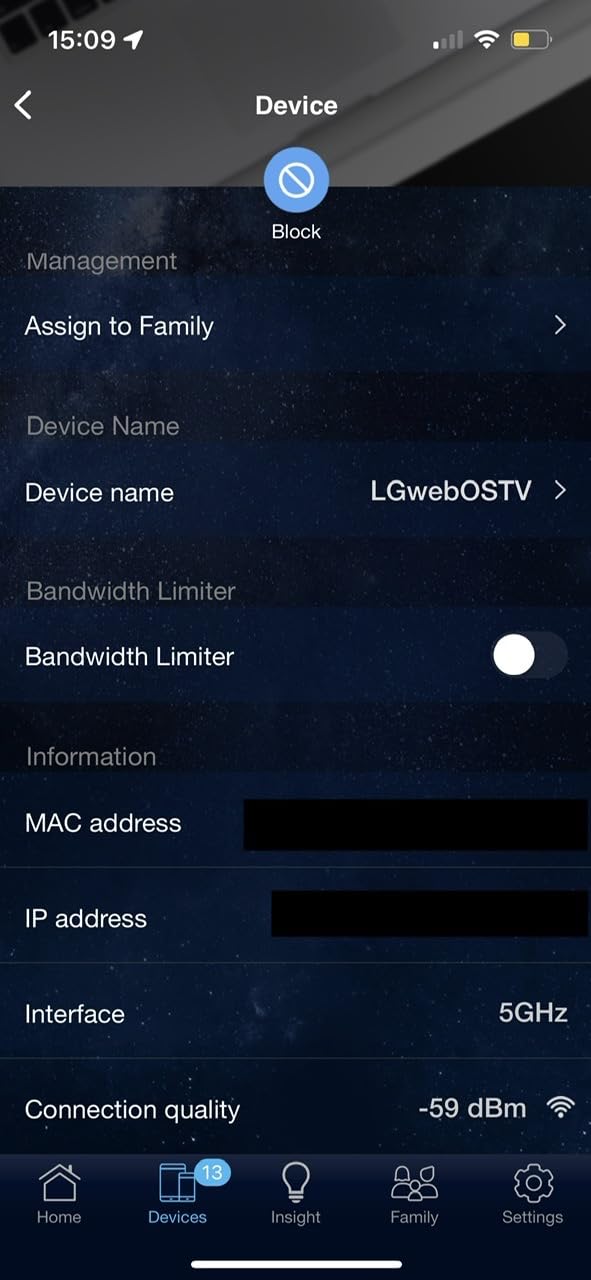
The defining feature here is cost over four or five years. AiProtection Classic, the Trend Micro-based security suite ASUS bundles, runs at no subscription cost, and ASUS Instant Guard gives you a one-click VPN for accessing the home network while you are away. Most rivals in this group put their deeper features behind a paid tier after a trial.
On the wireless side it is a straightforward dual-band Wi-Fi 6 router: up to 1201 Mbps on 5 GHz and 574 Mbps on 2.4 GHz, with MU-MIMO, OFDMA and 1024-QAM, driven by a dual-core processor with 256 MB of RAM. One Gigabit WAN port and four Gigabit LAN ports cover a normal house.

It is also the smallest and neatest box here at just over 13 ounces, and reviewers like the app-based setup. AiMesh is genuinely good news if you expand later: extending an existing ASUS network is roughly a ten-minute job, and it avoids the vendor lock-in that comes with proprietary mesh ecosystems.
Across 2,718 reviews it holds a 4.3 average with 72% five-star. The most common positive themes are the no-subscription security model, the polished app and quick mesh expansion.
What it is genuinely good at
Households that have been annoyed by subscription paywalls for parental controls, malware filtering or VPN features. If you would rather configure the router once and forget about it, the free tier here is a real advantage over TP-Link’s HomeShield or NETGEAR’s Armor model.
It is also a good second router in a mixed ASUS house, or a compact unit in a bedroom where range is not the goal.
Where it falls short for you
There is a known ASUSWRT firmware bug that can shut down the 2.4 GHz radio when Smart Connect and Wi-Fi 6 mode are both enabled. A minority of reviewers hit it, and it presents as devices quietly dropping off the network, so check for a firmware update before you rely on the 2.4 GHz band for smart-home gear.
Parental controls are not granular enough to build custom block and allow lists or review per-site history, and with 256 MB of RAM and no multi-gig ports, this is not the router for a fibre plan above Gigabit or for running services on the box itself.
7. MSI Radix AXE6600 – Best RGB Router for a Gaming Setup
MSI Radix AXE6600 WiFi 6E Tri-Band Gaming Router, AI QoS, RGB, 1.8GHz Quad-Core Processor, MU-MIMO, Tri Band Gigabit Wireless, 8-Stream, High Speed Long Range Gaming Router
Tri-band Wi-Fi 6E
8 streams to 6.6 Gbps
1.8 GHz quad-core
AI QoS
Mystic Light
Pros
- Dedicated 6 GHz band for low-latency gaming
- AI QoS prioritizes traffic automatically
- 1.8 GHz quad-core handles many devices
- Mystic Light syncs with MSI hardware
Cons
- Bulky large-footprint chassis
- Small review base and limited customization
- Multi-gig capability is limited
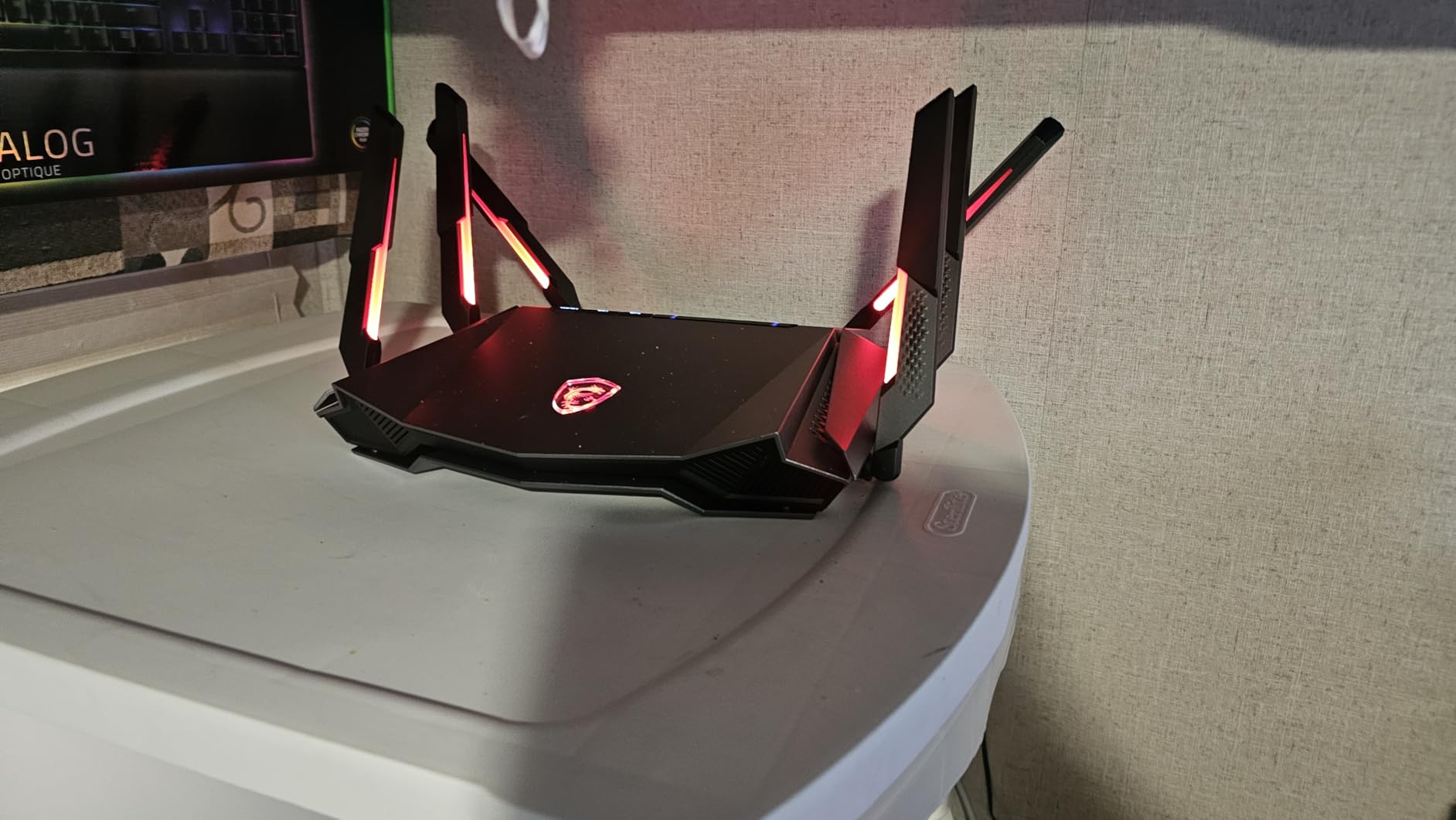
MSI built this one to sit next to a gaming desktop. It is a tri-band Wi-Fi 6E router covering 2.4, 5 and 6 GHz with 8 streams up to 6.6 Gbps, driven by a 1.8 GHz quad-core processor and 512 MB of RAM, and the Mystic Light RGB lighting syncs with compatible MSI motherboards and peripherals.
The functional feature is AI QoS, which watches traffic and automatically prioritises gaming and streaming without you building rules by hand. There is also a built-in game accelerator for keeping wireless sessions stable, alongside MU-MIMO and access point mode for anyone who wants to add it to an existing wired network.
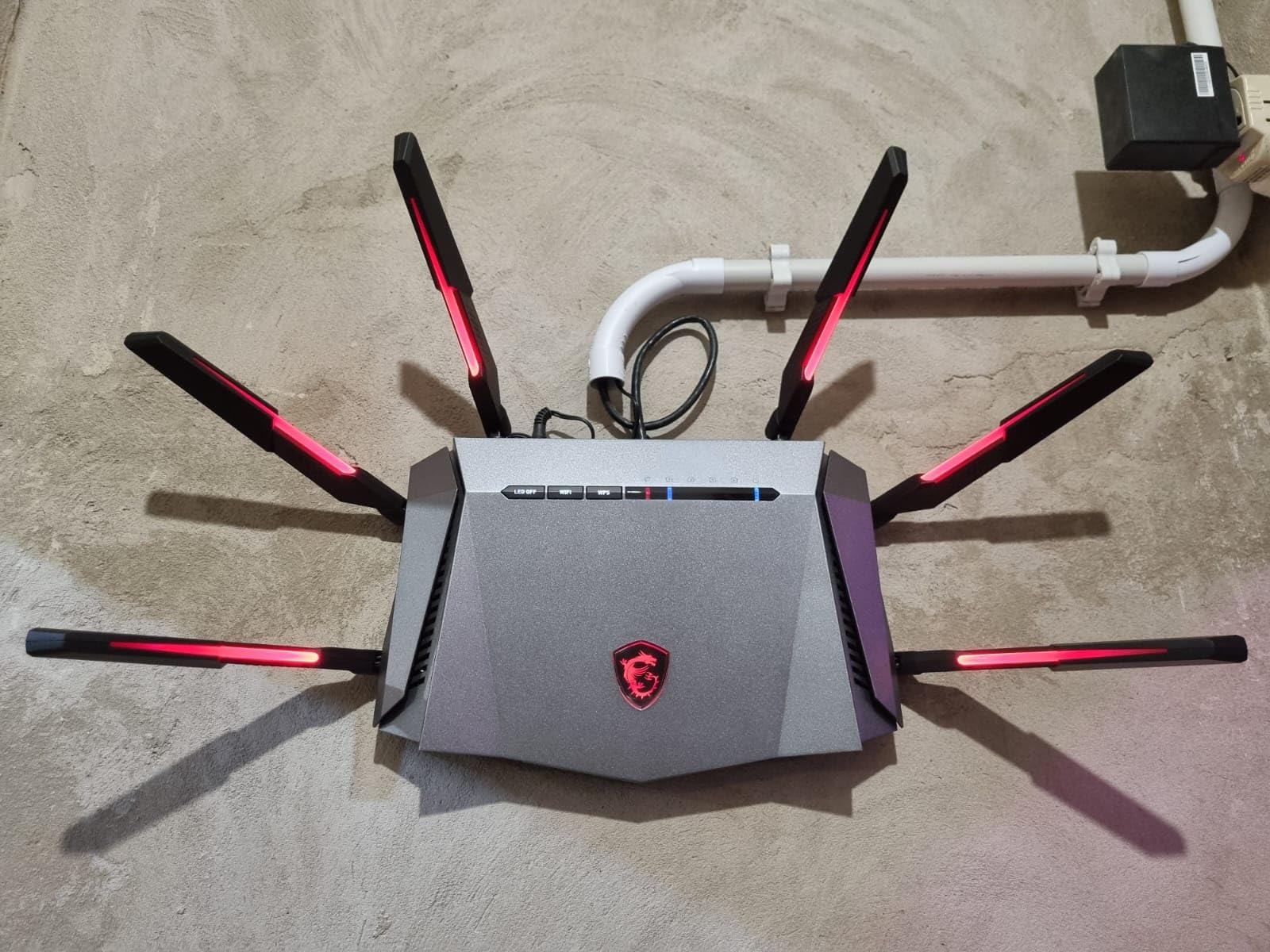
Be clear-eyed about the size, though. At 16.3 by 12.5 inches and 5.4 pounds, this is the largest box in the lineup, and it takes up real shelf space in a home office. That footprint is part of the eight-antenna, high-gain design, and buyers do report strong long-range coverage as a result.
Across 386 reviews it averages 4.3 stars with 72% five-star. Feedback centres on tri-band Wi-Fi 6E performance, the AI QoS behaviour and the RGB integration, with physical size and a narrower feature set than open-firmware rivals as the main reservations.
What it is genuinely good at
A matching set of hardware. If your PC, case lighting and mouse all come from MSI, this router completes the look without a single cable change, and the automatic QoS is genuinely useful for a household that streams and plays at the same time.
It also makes sense for a gaming room on a Wi-Fi 6E network where you want the console and headset on a dedicated 6 GHz SSID with no configuration effort.
Where it falls short for you
The multi-gig story is weak relative to the wireless speed. The listing indicates 2500 Mbps LAN bandwidth, but do not expect the flexible multi-port arrangements of the ASUS or GL.iNet boxes, and it cannot serve a 2 Gbps fibre plan from a single port.
At 386 reviews this is the thinnest evidence base of the ten, and the software offers far less customisation than an OpenWrt-based unit. If you like tinkering, this is the wrong router. If you like it working, the automatic QoS is a genuine plus.
8. ASUS RT-BE88U – Best Router for Multi-Gig Fibre and Large Homes
ASUS RT-BE88U WiFi 7 Router – x2 10G Ports, Up to 7.2 Gbps, Mesh Compatible
Wi-Fi 7 up to 7200 Mbps
10G SFP+ and 10G WAN
4 x 2.5G ports
3000 sq ft
Pros
- Ten wired ports remove the need for a switch
- Full Gigabit service across large homes
- ASUSWRT with VLANs and no annual fee
- Merlin firmware compatible
Cons
- No 6 GHz band so dual-band only
- Some firmware updates caused connectivity hiccups
- Rear ports are tightly spaced
The RT-BE88U is the most complete wired router here. It has a 10G SFP+ port and a 10G WAN/LAN port, four 2.5G ports and four Gigabit LAN ports, for up to 34G of wired capacity between them. If you are on 2 Gbps fibre, this box means you never need to add a switch.
Wireless, it is dual-band Wi-Fi 7 with Multi-Link Operation and 4096-QAM, rated up to 7200 Mbps and designed for homes up to 3,000 sq. ft. A quad-core 2.6 GHz 64-bit processor handles the work, and owners report full Gigabit service with strong signal and no need for extenders across a large house.
There are extras aimed at exactly this kind of buyer: AI WAN detection, flexible WAN configuration, USB for 4G and 5G tethering as a backup, Guest Network Pro with up to five SSIDs, and AiProtection Pro with VPN plus site-to-site VPN. It is also compatible with Asus-Merlin firmware, which opens up script managers and third-party features that stock ASUSWRT does not offer.
Adaptive QoS and a dedicated gaming port are present as well, and the VLAN support runs with no annual subscription. That combination is why it is the choice for someone who wants a homelab-grade network that also runs the household.
What it is genuinely good at
Multi-gig fibre and heavy wired use. If your plan is faster than Gigabit, a 1000 Mbps WAN port is a hard ceiling, and this is one of the few routers in the group with a 10G path all the way in.
It is also a strong large-home pick where 3,000 sq. ft. of coverage holds up without mesh, and the software depth suits anyone who wants VLANs, VPN and Merlin compatibility from one unit.
Where it falls short for you
It has no 6 GHz band, so it is dual-band Wi-Fi 7 only. In a crowded area, a tri-band model with a dedicated 6 GHz radio will treat latency better for wireless clients, which is worth weighing if your console stays on Wi-Fi rather than Ethernet.
At 439 reviews the feedback is thinner than most of the field, and a small number of owners report losing connectivity after a few weeks or hitting regressions after recent firmware updates. The rear ports are also closely spaced, which is awkward with cables that have large strain-relief boots.
9. NETGEAR Nighthawk RS700S – Best for Large Homes With Many Devices
NETGEAR Nighthawk WiFi 7 Router RS700S, Up to 3,500 sq ft, 19 Gbps
Tri-band Wi-Fi 7 to 19 Gbps
12 streams
10 Gig WAN
3500 sq ft
200 devices
Pros
- Tri-band Wi-Fi 7 sustains full plan speed
- 10 Gig WAN port for fibre and multi-gig
- Covers 3500 sq ft and around 200 devices
- Security features work out of the box
Cons
- Full security needs a NETGEAR Armor subscription
- Admin interface offers less control
- Some buyers hit session timeouts
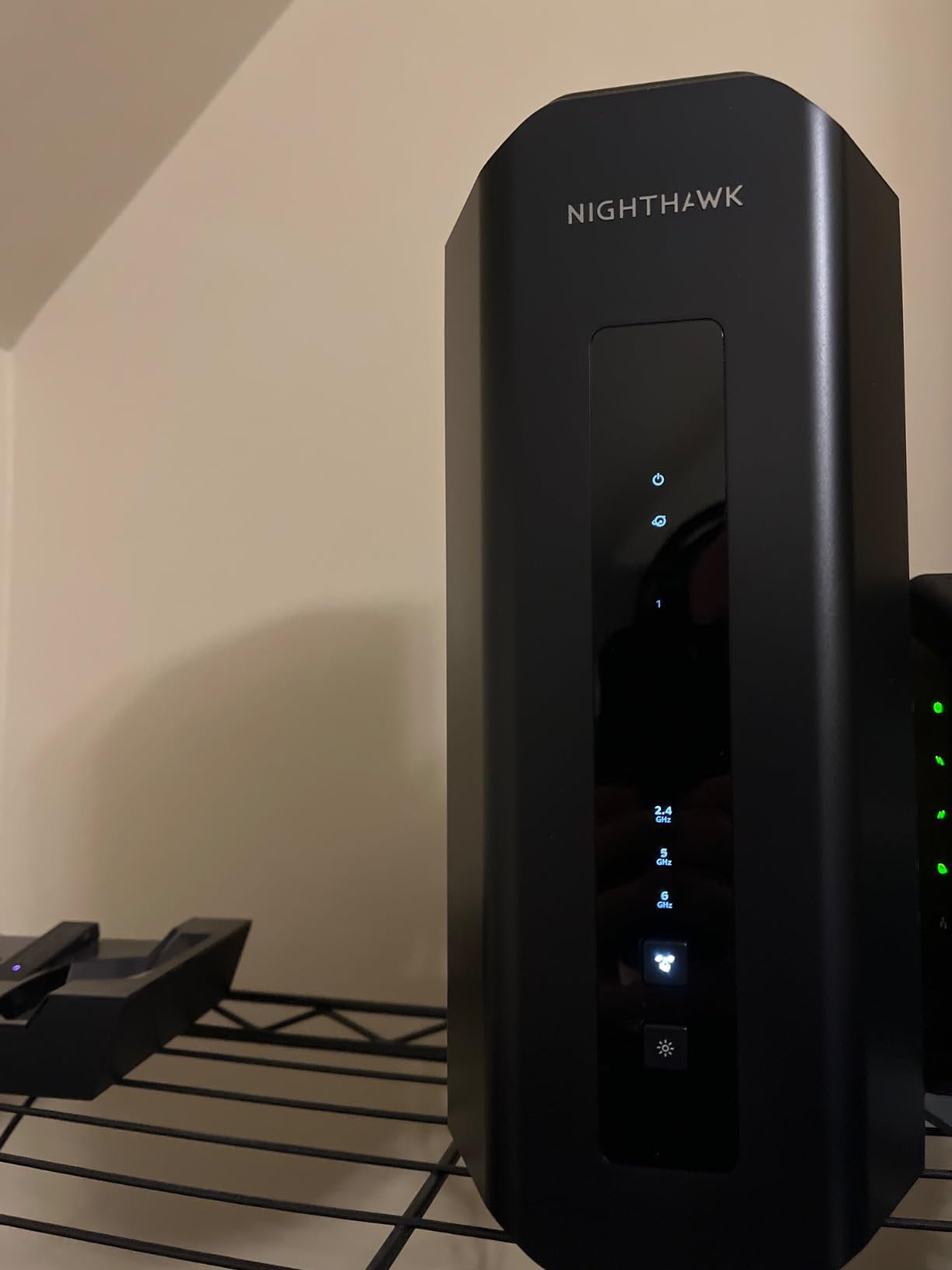
The RS700S is built for scale. It is tri-band Wi-Fi 7 with 12 streams, rated up to 19 Gbps and 2.4x faster than Wi-Fi 6, designed to cover up to 3,500 sq. ft. and roughly 200 connected devices. The largest coverage claim in this group by some distance.
Wired, it has a 10 Gig WAN port, a 10 Gig Ethernet LAN port and four Gigabit LAN ports, so it pairs naturally with premium fibre tiers. Owners credit it with holding full internet-plan speed while 4K and 8K streaming and gaming run at once, which is exactly the scenario the box was engineered for.
Management sits in the Nighthawk app, with guided setup, speed tests, device pausing and guest networks, and remote management is convenient if you travel. MU-MIMO and OFDMA handle the device density, and Advanced Router Protection plus automatic firmware updates are enabled from the start.
Across 949 reviews it averages 4.4 stars with 75% five-star. Praise concentrates on tri-band Wi-Fi 7 performance, the 10 Gig wired options and large-home coverage. Note the warranty is shorter than most rivals here at one year limited, with 90 days of complimentary technical support.
What it is genuinely good at
Big homes and big device counts. At 3,500 sq. ft. and around 200 devices, this is the model to shortlist first, and the 10 Gig WAN port means you are not capping a fibre plan the moment you install it.
It is also a good fit for anyone who wants a tri-band Wi-Fi 7 radio with plenty of port flexibility but does not need open firmware or a quad-band flagship.
Where it falls short for you
The admin interface gives you noticeably less control than ASUSWRT or an OpenWrt build, so advanced queueing and per-device traffic shaping are not really on the table. Some buyers also report admin session timeouts and a forced admin username that gets in the way.
Most importantly, the deeper security features require a NETGEAR Armor subscription once the trial ends. On a four- or five-year horizon that recurring cost is part of the purchase, not an afterthought, and it is the main reason we rank the ASUS and GL.iNet units higher for control.
10. ASUS ROG Rapture GT-BE98 Pro – Best Flagship Router for Enthusiasts
ASUS ROG Rapture GT-BE98 Pro WiFi 7 Gaming Router – Quad-Band, 30Gbps, Mesh
Quad-band Wi-Fi 7
320 MHz 6 GHz channels
Dual 10G plus quad 2.5G
2 GB RAM
Pros
- Quad-band 30 Gbps wireless with huge wired headroom
- Triple-Level Game Acceleration reduces latency
- External dual-feeding antennas cover large homes
- 2 GB RAM handles demanding workloads
Cons
- Cost far beyond what most households need
- Large heavy chassis and complex configuration
- No 10 Gbps SFP+ slot despite flagship positioning
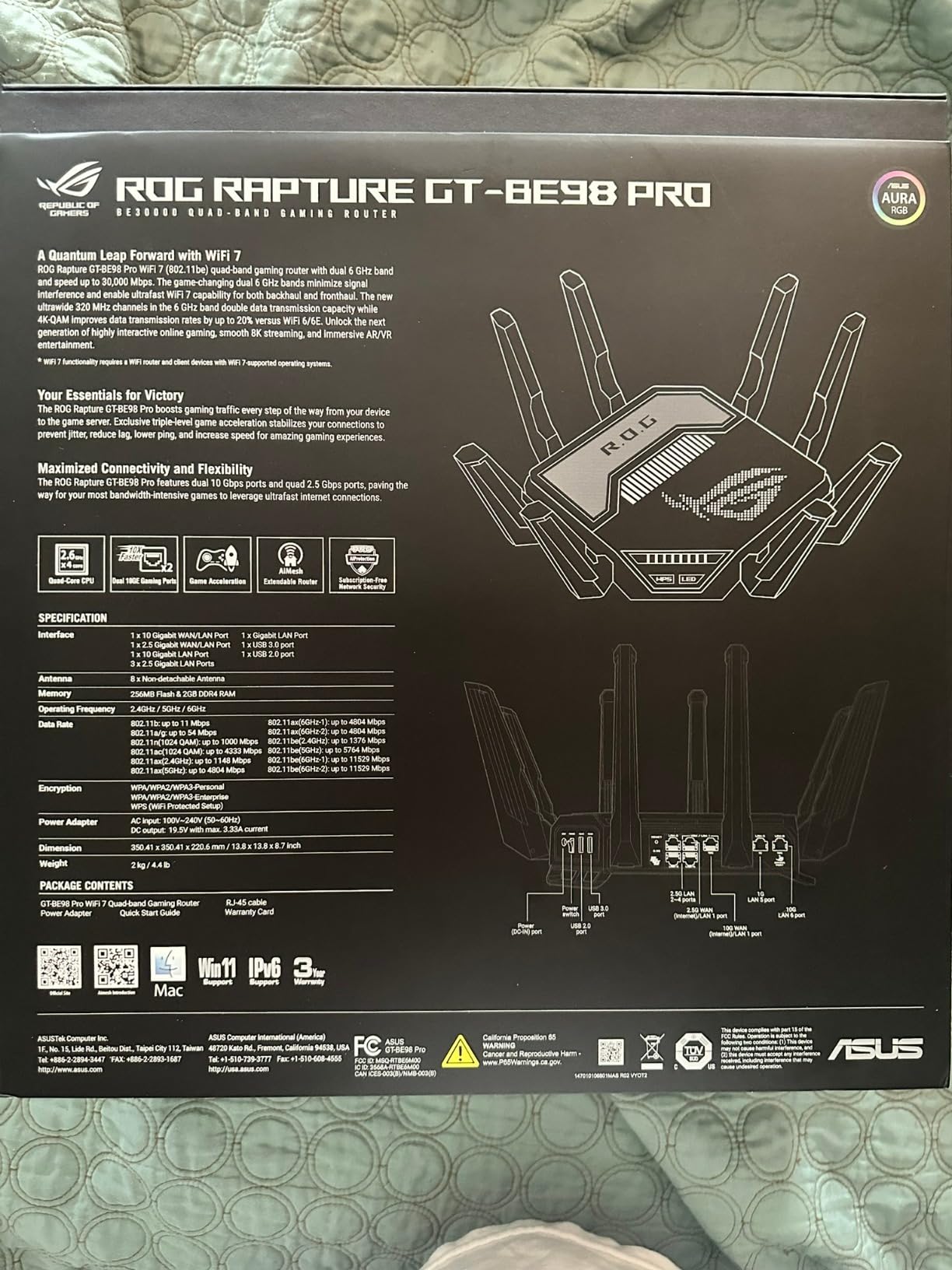
This is the enthusiast end of the list. The GT-BE98 Pro is quad-band Wi-Fi 7 with 320 MHz channels on the 6 GHz band and 4096-QAM, rated up to 30 Gbps, with Multi-Link Operation across multiple bands at once. Coverage is claimed for homes up to 3,500 sq. ft. using external dual-feeding antennas.
The headline feature for this page is Triple-Level Game Acceleration, which works from the gaming PC port through the network stack to the game server itself, alongside Game Boost for low-latency gaming and streaming. On the wired side there are dual 10G ports and four 2.5G ports, and 2 GB of RAM covers demanding multi-device and VPN workloads.
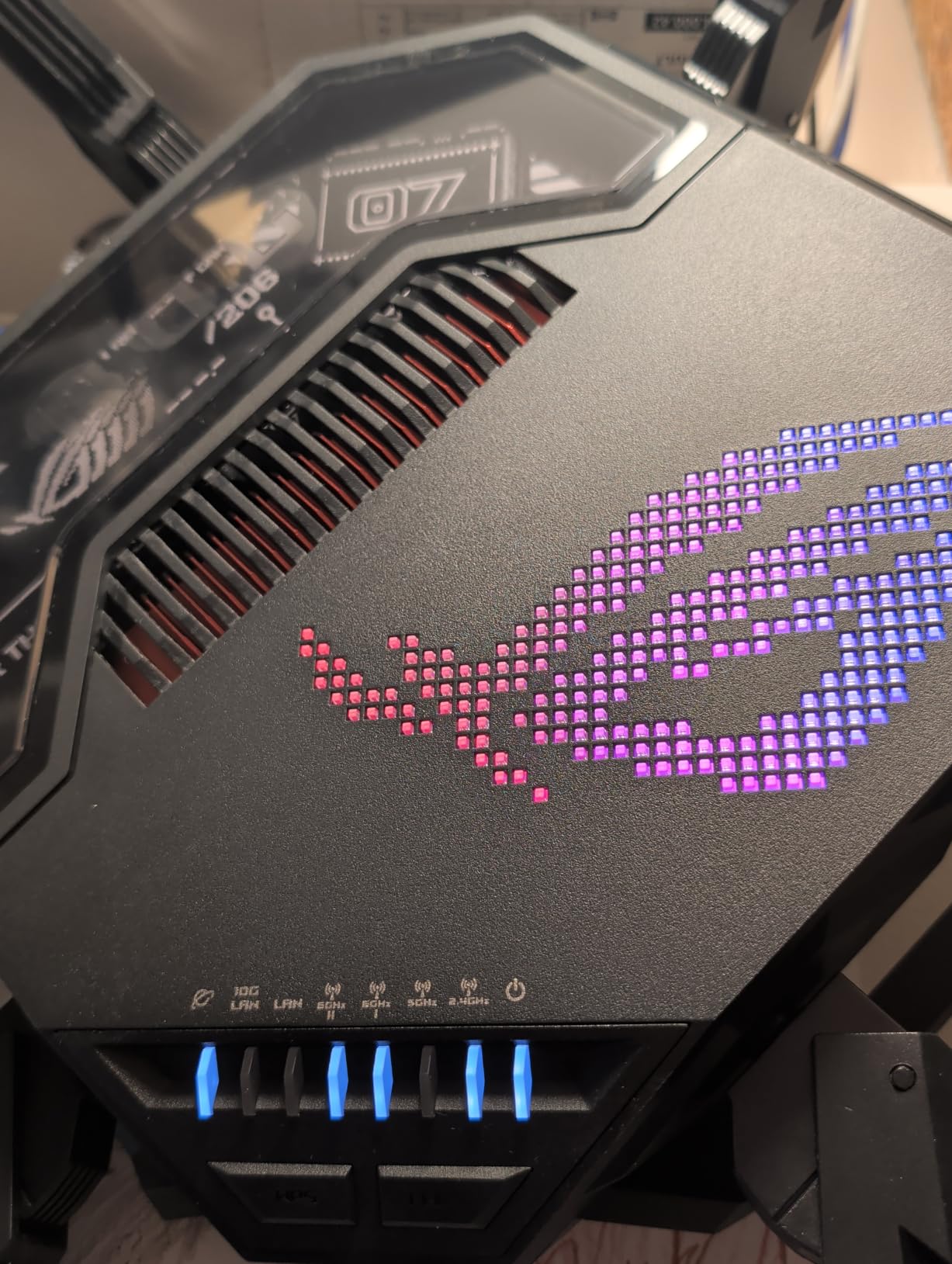
It is mesh compatible, carries the ROG gaming software suite and backs VPN options, and it comes with a three-year warranty. At 4.4 pounds and 13.7 by 8.6 inches it is a substantial object, and buyers in enthusiast threads do list ROG Rapture hardware as a recognised upgrade path from ISP-supplied kit.
Across 614 reviews it holds 4.3 stars with 73% five-star. The pattern is enthusiasm about raw quad-band throughput, gaming prioritisation and the wired port lineup, with the near-universal caveat that the cost only makes sense for demanding multi-gig and enthusiast setups.
What it is genuinely good at
Nothing about latency is left on the table. If you play competitively, run a 4K live encode, want 10G wired throughout and enjoy tuning the configuration, this is the most capable box we tested, and the gaming prioritisation is end-to-end rather than a single QoS toggle.
It also serves as a hub for a large home, with 2 GB of RAM leaving plenty of headroom for VPN, VLANs and services running locally.
Where it falls short for you
Price is the first honest objection. For the majority of households, a large share of this performance sits unused, and a mid-range model delivers the part of the experience players actually notice. We would not spend here if streaming and gaming are the only two workloads.
The quad-band design is large, heavy and more complex to configure, and despite the flagship positioning there is no 10 Gbps SFP+ slot for fibre uplinks. If you want a 10G fibre handoff, the ASUS RT-BE88U is the more sensible buy.
How to Choose a Router for Streaming and Gaming
Most of the decision comes down to three questions: how much bandwidth your line actually delivers, how many devices compete for it, and how much of your network is wired rather than wireless. Answer those first and the shortlist writes itself.
Wi-Fi 6 vs Wi-Fi 6E vs Wi-Fi 7: which generation do you need?
Wi-Fi 6 is still the right answer for most homes. Every console, smart TV and laptop you own is Wi-Fi 6 or older, so a Wi-Fi 7 router buys you very little on the wireless side. Wi-Fi 6E adds a 6 GHz band, and that matters specifically when your neighbours are filling 5 GHz.
Wi-Fi 7 adds MLO, wider 320 MHz channels and 4K-QAM, all of which help Wi-Fi 7 clients, and only those. Check your own device list before you spend. The flip side is the other half of the price equation: those same flagships often move advanced features, including priority scheduling and deep parental controls, behind a paid subscription after a trial period. Add up four or five years of that before comparing models, because it changes which router is genuinely cheaper.
Do you actually need 2.5G or 10G Ethernet ports?
You need multi-gig ports if your plan is faster than 1 Gbps, and there is no workaround at that point. Otherwise they are a nice-to-have that future-proofs a fibre upgrade and gives a wired console or PC headroom for a fast local transfer.
Do not buy a router because a marketing number looks large. Speed class labels such as AXE5400 or BE19000 are aggregate sums across every band, not a real client speed. No single device on that router will see 19 Gbps; the number tells you how much total airtime the box can theoretically push, nothing more.
How much bandwidth 1080p and 4K streaming really needs
A single 4K stream asks for several times the bandwidth of a 1080p stream, and the difference grows with the codec. Efficient codecs such as HEVC and AV1 cut the requirement noticeably compared with older streams, which is why a modern smart TV can look fine on a connection that stutters for older devices.
The practical rule is simpler than any table: size the connection so your household’s peak simultaneous 4K sessions sit comfortably below the line speed, then let the router handle the ordering. On a gigabit plan most homes never get near that ceiling. The exception is live streaming, where your encode uploads rather than plays, and that competes with downloads in a way playback never does.
Latency, jitter and bufferbloat in plain language
Latency is how long a packet takes to arrive. Jitter is how much that number varies, and jitter is what you actually feel as stutter. Bufferbloat is what happens when the connection fills up: packets queue at your router, and latency climbs even though your bandwidth is technically fine.
This is where a good router beats a cheap one under load, and where the difference is measured rather than advertised. SQM is the clean software answer, because it manages the queue and keeps latency flat when someone starts a 4K stream. Dedicated gaming ports and Triple-Level Game Acceleration work along similar lines, tagging traffic so it is deprioritised less. None of this shortens the distance to the game server; all of it stops your own household from getting in the way.
Mesh Wi-Fi or one strong router for gaming?
Mesh solves coverage, not latency. If you have dead zones in a large or multi-storey house, a mesh system is the correct fix. If you have good coverage and still get lag spikes, adding mesh nodes is spending money on the wrong problem, and the backhaul between nodes can even add jitter on wireless links.
The decision rule: measure a speed test in the room where you game, not in the room where the router sits. If that number is poor, buy coverage. If it is strong, buy queue control and wired ports instead. Forum users make the same point about mesh in reverse: nodes only work well when they have a solid backhaul, and a badly placed node is worse than no node.
Console setup: PS5 and Xbox Series X wiring and NAT Type 2
Wire the console first, before you change routers. A console on Ethernet gives you the lowest and steadiest latency, removes wireless interference as a variable, and simplifies everything you are about to do. It is the cheapest performance upgrade available and it is the one most often skipped.
If you must stay wireless, put the console on a dedicated 5 GHz or 6 GHz SSID, keep 2.4 GHz for smart-home devices, and turn off band steering if the console drops sessions when it switches bands. On the router, prioritise the console and the streaming device, and make sure the NAT is set to open or NAT Type 2 in console settings, which avoids strict matchmaking problems. If you use a cable or fibre modem alongside a standalone router, put the router in bridge or DMZ mode so traffic is not passing through two layers of NAT, which can cause slower matchmaking and connection errors.
Frequently Asked Questions
Do gaming routers make a difference?
Gaming routers help most under load, not on an idle connection. A branded box will not lower the physical distance to a game server, but better queue management, multi-gig ports and traffic prioritisation keep latency steady when a 4K stream, a console download and a match are running at once. On an unloaded line, a good router and your ISP-supplied box feel identical.
Which router is best for streaming and gaming?
The GL.iNet GL-MT6000 Flint 2 is our pick for streaming and gaming together, because two 2.5 Gbps ports and pre-installed OpenWrt let you cap queues with SQM so a 4K stream does not inflate your game ping. If you want zero maintenance, the TP-Link Archer AX73 is the dependable alternative.
What are the best gaming Wi-Fi routers?
It depends on the house rather than the brand. For dense areas, a tri-band Wi-Fi 6E model gives you a clean 6 GHz band for the console. For multi-gig fibre, you need 2.5G or 10G WAN ports. For open configuration and queue control, an OpenWrt-based router beats anything with a phone app. Wire the console first in every case.
Which Wi-Fi is best for gaming?
Wi-Fi 6E is the sweet spot for gaming today, because the 6 GHz band is wide, clean and mostly empty, which cuts interference and jitter. Wi-Fi 7 improves things further with Multi-Link Operation, but only for Wi-Fi 7 clients, and your console, TV and most laptops are not those yet. Bandwidth matters less than clean spectrum and low queue delay.
Is a gaming router or mesh WiFi better for gaming?
Mesh is for coverage gaps, not for lag. If you get a strong speed test in the room where you play, a mesh system will not reduce latency and its wireless backhaul can add jitter. If the same room tests poorly, mesh fixes the actual problem. Mesh nodes also need a strong wired or dedicated backhaul link to work properly.
Will a better router help with streaming and 4K?
Often yes, because a better router spreads devices across more bands and keeps buffering stalls away from your other traffic. If your plan delivers far more bandwidth than your household’s peak 4K usage, the router is unlikely to be the limiting factor. If several 4K streams plus a game share one line, prioritisation and a clean 6 GHz band make a visible difference.
The Best Router for Streaming and Gaming in 2026
The GL.iNet GL-MT6000 Flint 2 remains the best router for streaming and gaming in 2026 because it is the only box here that solves the conflict with software: two 2.5 Gbps ports, pre-installed OpenWrt, and SQM settings that keep a 4K stream from touching your ping. At 4.5 stars across 2,999 reviews it also has enough history to trust.
Buy the Archer AX73 if you would rather not maintain anything. Buy the Archer AXE75 if your neighbours are crowding 5 GHz and you want a clean 6 GHz band. Buy the RT-BE88U on 2 Gbps fibre, the Nighthawk RS700S for a 3,500 sq. ft. house, and the RT-AX1800S if subscription fees are the thing you refuse to pay.
And before you buy anything, run a speed test in the room where you actually play, then plug the console in with a cable. That single afternoon will tell you more than any spec sheet on this page.
Once the network is sorted, the rest of the kit matters just as much: our guides to the best microphones for streaming and gaming and the best AV receivers for streaming and gaming cover the audio side properly.