
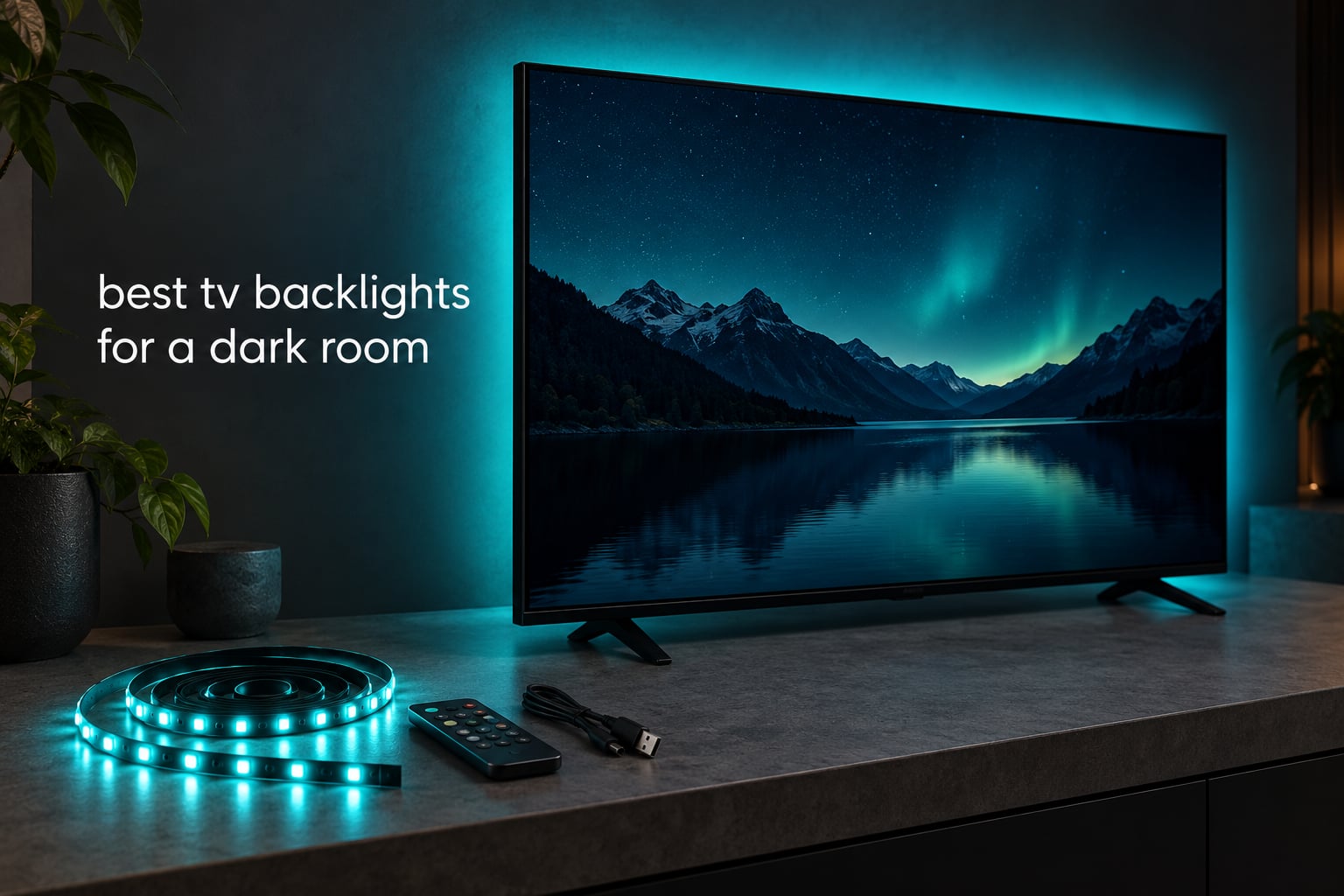
A bright 65-inch screen in a pitch-black room is a strange viewing experience. Your eyes are locked onto a small, extremely bright rectangle while the rest of the room reflects almost nothing back, and after a couple of hours most people notice halation around bright objects and a tired, scratchy feeling behind the eyes. The best tv backlights for a dark room fix that specific problem, and the fix is a thin LED strip taped to the back of the set that washes the wall with a dim, matched glow.
What makes this category confusing is that almost every kit is sold as an ambience product, while the thing it actually solves is a lighting problem. A dark room needs a low, steady ambient level rather than a colour show, which is a very different requirement from the one the marketing language describes. We looked at twelve kits and ranked them on the things that decide whether a backlight helps or hurts in a dim room: whether a real white diode is present, whether brightness can be dialled down, whether the strip is fed from its own power supply, and whether the sync method can see the content you are actually watching.
One note on method, because it changes how you should read everything below. We did not lab-benchmark these strips with a photometer. The ratings, review counts and specifications come from the manufacturer listings and from thousands of owner reviews, and the sync behaviour descriptions come from what owners consistently report. Where forum communities disagree, we tell you where they disagree rather than picking a side for you.
Two of our other buying guides are useful context here. If you are building the rest of the signal chain, start with our AV receiver picks with room correction, since an HDMI sync box lives in exactly the same part of the system as the receiver. And if a soundbar is sharing the shelf, our soundbar guide for 65-inch setups covers the height and clearance questions that determine whether light spill lands on your screen.
Table of Contents
Top 3 Picks Best TV Backlights for a Dark Room (October 2026)
If you want the short version: the Govee TV Backlight 3 Lite wins overall because it is the only screen-syncing kit here with both a dedicated warm white chip and a review base large enough to trust. The Govee T2 is the pick if you own a very large screen. The PANGTON VILLA is the one to buy if you want a steady low glow and nothing more.

Govee TV Backlight 3 Lite
- 11.8ft camera-synchronized strip
- RGBICW beads with warm white chip
- Works with Alexa and Google Assistant
Govee Envisual TV Backlight T2
- Dual cameras for edge accuracy
- 60 LEDs per meter RGBIC
- 16.4ft for 75-85 inch TVs
PANGTON VILLA TV LED Backlight
- 8.2ft strip for 40-60 inch TVs
- Bluetooth app plus IR remote
- Corner adapters included
Why a Dark Room Changes Which Backlight Works
First, a clarification, because the search results for this term are full of pages about the wrong thing. A TV backlight in this article means an external LED strip mounted behind a television. It is not the internal backlight layer inside an LCD panel, which is a manufacturing architecture question about edge-lit and Mini LED arrays. Two entirely different products, same words.
The second clarification matters more. A bias light does not reduce blue light exposure. These strips emit a broad white spectrum with a small blue component, and putting one behind your television does not change what your eye receives from the screen itself. The eye-strain benefit is real but it comes from a different mechanism entirely: it is about the contrast ratio between the panel and the room, not about wavelengths.
That mechanism is worth understanding, because it sets the one rule that matters most in a dark room. Your screen sits at a high luminance while the wall behind it sits at almost nothing, so your iris is constantly adjusting to two different levels. A low wall glow narrows that gap. The working rule from lighting practice is to hold the bias light at roughly 10-20% of the screen’s peak white. Above that, the wall starts competing with the picture and blacks look washed out, which is the exact failure the dark-room buyer is trying to avoid.
This is also why a camera kit behaves differently in a dark room than in a bright one. The standard advice is that cameras need a dim room to read colours correctly, and that is true. But a dark room is also the room where you care most about colour accuracy, because that is when you can see every mismatch. Reviews also flag the opposite failure: a bright room with a ceiling light or a window reflection can fool the camera badly enough to produce visible lag and wrong colours. A properly dark room removes those confounders.
OLED deserves its own note, because the advice is counter-intuitive. Many people assume a backlight is pointless on a panel with perfect blacks. The opposite is true. On an OLED the contrast between the bright element and its surroundings is at its most extreme, so the halation and pupil-strain problem is at its worst, and a dim matched glow has the most room to help. On a bright Mini LED or standard LED LCD, the panel already emits some light of its own, so the improvement is real but subtler. If your room is dark, an OLED is the panel that needs ambient light most.
On colour temperature, owners genuinely disagree. A long-running thread on r/lifeisstrange found light amber to be the best for dark room viewing, with users reporting noticeably less strain. A Control4 forum thread argues the opposite case, recommending 6500K at high CRI for a dedicated theatre room. The practical resolution is that both are describing a working setup, just different goals. Amber wins if your priority is comfort during long sessions. Near-6500K white wins if you care that the wall colour tracks the content accurately, and it is the more technically correct reference point. If your kit offers both, keep a warm mode for late viewing and a white mode for calibrated content.
All 12 Best TV Backlights Compared in 2026
This table lists every kit in the roundup with the specs that actually decide dark-room performance. Pay attention to the white diode line more than the colour count.
| Product | Specifications | Action |
|---|---|---|
| Govee TV Backlight 3 Lite |
|
Check Latest Price |
| Govee Envisual TV Backlight T2 |
|
Check Latest Price |
| PANGTON VILLA TV LED Backlight |
|
Check Latest Price |
 HAMLITE TV Backlight 11.5ft HAMLITE TV Backlight 11.5ft |
|
Check Latest Price |
 Govee RGBIC Smart LED Strip 12.5ft Govee RGBIC Smart LED Strip 12.5ft |
|
Check Latest Price |
 maylit ICRGB TV Backlight 18ft maylit ICRGB TV Backlight 18ft |
|
Check Latest Price |
 Maylit 8.2ft RGB TV Backlight Maylit 8.2ft RGB TV Backlight |
|
Check Latest Price |
 KANTUTOE 16.4ft TV Backlight KANTUTOE 16.4ft TV Backlight |
|
Check Latest Price |
 MATICOD 16.4ft RGB Strip MATICOD 16.4ft RGB Strip |
|
Check Latest Price |
 Daymeet 9.8ft LED TV Backlight Daymeet 9.8ft LED TV Backlight |
|
Check Latest Price |
 KSIPZE 16.5ft TV Backlight KSIPZE 16.5ft TV Backlight |
|
Check Latest Price |
 Nexillumi 16.4ft TV Backlight Nexillumi 16.4ft TV Backlight |
|
Check Latest Price |
1. Govee TV Backlight 3 Lite – The Best TV Backlight for a Dark Room Overall
Govee TV Backlight 3 Lite, 11.8ft LED Strip Lights Sync with 55-65 Inch TVs
11.8ft camera-synced strip
108 light sources
12V DC
55-65 inch TVs
Pros
- Only screen-syncing kit here with a dedicated warm white chip
- Fish-eye correction improves edge colour accuracy
- Gravitational camera mount suits ultra-thin panels
- Works with Alexa and Google Assistant
- Black bar elimination and blank screen detection
Cons
- Calibration markers use single-use adhesive
- Colour matching can miss tones on 65-inch panels
- Occasional random shutoff during playback
Out of everything we looked at, this is the one that solves the dark-room problem most directly. The camera mounted on the top bezel reads the picture continuously and matches the wall glow to it, which means the ambient level rises and falls with the content instead of sitting at a fixed brightness that is wrong half the time. For night viewing that automatic tracking matters more than it does in a bright room, because your eyes are the thing that needs help.
The detail that separates it from every other kit in this list is the lamp bead. Most strips here are plain RGB, which means their version of white is a mix of three coloured diodes and looks slightly green or slightly blue. This one uses a 4-in-1 RGBICW bead with a dedicated warm white chip. In a dark room that difference is easy to see, because a matched white wall glow does not tint the perception of everything on screen.
It runs on a 12V DC adapter rather than a TV USB port, and owners consistently treat that as a positive. USB power sags when the television draws current for its own backlight, and a sagging supply shows up as flicker in the strip. An adapter removes that variable entirely, which matters if you are watching in a room where any flicker is going to be obvious.
Setup is a single pass: stick the strip, hang the camera, run the calibration in the Govee Home app. The app also exposes brightness and tone controls, so you can pull the whole thing down until the wall glow sits at roughly 10-20% of screen white. That step is the one people skip and it is the difference between a backlight that helps contrast and one that flattens it.
What you should check before buying
Measure the diagonal of your screen before you order. This strip is listed for 55-65 inch sets, and owners report colour drift on larger panels because a single camera cannot see the whole picture. If your set is 75 inch or above, the T2 in the next section is built for that job.
Read the calibration step carefully. The marker stickers are effectively single-use, and owners who moved the kit to a second television found the adhesive would not hold a second time. Decide where it is going before you peel anything.
Who should pass on it
If your room has a window or a ceiling light that cannot be switched off, a camera kit will struggle. The camera reads whatever it can see, and a bright reflection will pull the colour match off. Our multi-room speaker guide touches on the same problem in a different corner of the room, where stray light and reflections cause their own issues.
Also skip it if you want a warm amber bias light for late-night comfort and will not fiddle with settings. There is a dedicated warm white chip here, but it is fixed at one tone, not continuously tunable.
2. Govee Envisual TV Backlight T2 – Best for 75-85 Inch Screens
Govee Envisual TV LED Backlight T2 with Dual Cameras for 75-85 inch TVs
16.4ft dual-camera strip
60 LEDs per meter
48W
75-85 inch TVs
Pros
- Dual cameras improve edge colour matching on large panels
- Denser RGBIC bead count for smoother gradients
- Handles sports and fast gaming content well
- DreamView extends the effect to other Govee lights
- Many app modes including DIY and music
Cons
- Only suits 75-85 inch screens in this length
- Calibration is slow unless done beside the router
- Direct sunlight degrades colour detection
If your screen is enormous, the limiting factor is not brightness but resolution of control. A single camera pointed at a 85-inch panel captures a small fraction of what is happening across the surface, and the wall glow falls behind the action at the edges. This kit solves that with two cameras and a denser LED layout, at 60 LEDs per meter with double the light beads of the generation before it.
In a dark room that density shows up as a smoother gradient. Instead of a series of visible colour blocks behind the panel you get a continuous wash, which is the effect that makes a backlight read as light rather than as a decoration. For a large OLED in a controlled room, this is the kit we would pair with it.
Power comes from a 12V supply and the strip runs at 48W, so it puts out considerably more light than the budget kits here. That extra headroom matters on a big screen, since a strip rated for 55 inches often turns out to be faintly noticeable on an 85-inch panel. The complaint owners raise most is brightness, not dimness, so you will have room to dial it back to the 10-20% band.
Calibration is the one slow step. Govee advises doing it close to the router or on a mobile hotspot, and owners confirm the process takes noticeably longer than the app suggests. Budget ten minutes. Once it is done, the matching holds up well across content types, which matters if you alternate between films and sport.
What you should check before buying
Confirm your screen size against the 75-85 inch designation. This is a single length and it is not adjustable, so on a 65-inch set you would have a lot of strip for the panel. If your set is smaller, the 3 Lite covers the same ground at a fraction of the size.
Look at your wall. A saturated or patterned wall will not reflect a clean colour wash, and on a large panel that mismatch is more obvious than on a small one. A flat, neutral wall gives you the best result.
Who should pass on it
Renters should look elsewhere. This is a long adhesive-mounted run and a dual-camera rig to reposition, and the mounting is not designed to be moved repeatedly. A freestanding light bar is a better fit if you intend to take it with you.
It is also the wrong choice for a room that gets daylight. Direct sunlight degrades camera-based detection, and the manual is explicit about avoiding it.
3. PANGTON VILLA TV LED Backlight – Best Value for a Steady Low Glow
PANGTON VILLA TV LED Backlight for 40-60 Inch TV, 8.2ft LED Lights
8.2ft strip
60 light sources
USB 5V 2.5W
40-60 inch TVs
Pros
- Longest-running design here with the largest review base
- Adhesive holds for years and peels off cleanly
- Corner adapters make clean turns behind the panel
- App and IR remote both work
- USB power means it switches with the set
Cons
- No white mode so the glow is always coloured
- Infrared remote needs line of sight to the receiver
- Fragile if flexed sharply into the corner brackets
With well over fifty thousand reviews, this is the most thoroughly tested budget bias light in the roundup, and that consistency is itself worth something. Owners repeatedly report several years of continuous use, which is a durability record none of the newer kits in this price bracket can match. When you are taping an electrical strip to the back of a television, that track record matters more than any spec sheet.
The design is deliberately simple. A fixed colour chosen by you, a brightness level, and music-reactive modes. There is no camera and no screen matching, so it will not track what you are watching. For a dark room that is not automatically a weakness, because a steady low glow at a fixed level is easier to set correctly and easier to keep at the right proportion than a reactive one you have to recalibrate.
Corner adapters are the detail that separates it from cheaper generic strips. They let the run turn at each corner without kinking the LED board, which is where most budget strips get damaged during fitting. The supplied buckles hold the strip flat against the back of the panel so the adhesive keeps working.
Power comes from the television’s USB port, so the glow switches on and off with the set rather than needing its own wall socket. Reviewers raise the flip side: a white power cable running down the back of a dark panel is visible, and voltage sag from the TV’s own draw can cause the odd flicker in some setups.
What you should check before buying
Decide whether a coloured glow is acceptable. There is no white setting on this strip at all, so the wall behind your television will always be tinted. If you watch a lot of black-and-white cinema or neutral content, that tint shifts how the whole image reads to you.
Check your wall colour. Owners note that output is faint on pale walls, because a light wall reflects rather than absorbs. On a mid-grey painted wall the effect is at its best, which is another argument for a dark room with a neutral surface.
Who should pass on it
Pass if you want the wall to track the picture. A static colour behind the screen looks noticeably wrong the moment a scene changes, and once you notice it you cannot stop noticing it. Choose a camera kit for that.
Also pass if you will fit the strip by bending it around tight corners. The board tears, and owners report this clearly. Take the corners slowly and use the supplied adapters.
4. HAMLITE TV Backlight 11.5ft – Best White Bias Mode on a Budget
HAMLITE TV Backlight 55 inch, 11.5Ft Led Strip Lights USB Powered with Remote -Curve Design Sync on/Off with TV, Changing LED Background Bias Lighting for Living Room Decor, Gaming Decor
11.5ft W-shape strip
17 colors plus 5000K white
10 brightness levels
USB powered
Pros
- One of the few kits here with a proper white mode at 5000K
- Ten brightness levels let you tune to the 10-20% band
- Radio frequency remote works through the TV
- Curved W-shape strip fits corners without cutting
- USB power syncs on and off with most sets
Cons
- No app or voice control
- Only covers up to 55 inch screens
- Radio frequency remote can share interference with other devices
This one earns its place on a single feature. A dedicated 5000K white mode is genuinely unusual at this level of kit, and it is the thing the dark-room buyer is looking for. White bias lighting is not ambience, it is a reference: it raises the ambient level without tinting what you see, which is exactly what a controlled room needs. The ten brightness levels let you land it at the right proportion rather than guessing.
The W-shape strip is a practical design choice rather than a marketing one. The strip is pre-curved so it bends into each corner without being cut or kinked, which avoids the sharp flex that breaks budget LED boards. On a 50-55 inch panel it wraps all four sides neatly.
The radio frequency remote is a genuine advantage in a dark room installation. It works through the television, so you do not have to lean around the set or find a line of sight to a receiver hidden behind it. That is a small quality-of-life win you will notice every time you adjust the glow during a film.
It also has seventeen colours alongside the white, ten speed levels and automatic on-off syncing from the USB supply. It is a fixed-colour light with no screen matching, so treat it as a tunable white bias light with mood modes attached rather than a sync product.
What you should check before buying
Measure first. This length is specified for 50-55 inch screens and there is no meaningful way to use the extra strip on anything smaller. If your set is 65 inch, a 16-foot option covers it properly and costs little more.
Consider the wall again. White bias lighting shows its true output colour most honestly on a mid-tone surface, and on a very dark wall the glow reads dimmer than the setting suggests.
Who should pass on it
Pass if you are part of a smart home. There is no app, no voice control and no network connection, so it will not join a Hue or Matter routine. That is a real limitation for anyone already automating the room.
Radio frequency remotes occasionally go unresponsive when other devices on the same frequency are nearby, which owners mention. If you run a lot of wireless gear, weigh that before you commit.
5. Govee RGBIC Smart LED Strip 12.5ft – Best for Music Sync Without a Camera
Govee TV LED Backlight, RGBIC Smart LED Strip Lights for 55-65 inch TVs
12.5ft RGBIC strip
114 light sources
12V DC 18W
55-65 inch TVs
Pros
- RGBIC segments create genuinely dynamic effects
- Works with Alexa and Google Assistant
- Ninety-nine plus preset scenes and eleven music modes
- Covers all four sides of a 55-65 inch screen
- Its own 12V adapter avoids USB voltage sag
Cons
- Does not capture on-screen colours despite the name
- Wi-Fi limited to 2.4G networks
- No automatic on-off sync with the television
This is worth including precisely so it is not confused with a sync kit. Despite the name on the box, it does not read the screen. It is a scene and music-reactive light with a strong RGBIC segment engine, and several thousand reviewers make the same point: it is a very good ambience strip that happens to be shaped for a television.
For a dark room that is a reasonable role, as long as you set it low. Owners describe the output as bright but not overwhelming, and the segment effects produce a genuine multi-colour gradient rather than a single flat hue. The music modes react through a built-in microphone, which works well for a gaming room where the lighting reacts to the game rather than the cutscene.
It is the only non-camera kit here with full smart home support through the Govee Home app, Alexa and Google Assistant. That makes it the natural pick if you want voice control or want the backlight to join a broader lighting routine. The AI lighting bot in the app will generate scenes if you do not want to build them yourself.
Two practical notes. It needs a 2.4GHz network, so a router that only broadcasts 5GHz will not see it. And it runs on its own adapter with no automatic on-off sync, so you either accept a manual switch or wire it into a smart plug.
What you should check before buying
Be honest about whether you want matching. If your motivation is eye comfort during long dark-room sessions, this kit addresses the ambient level part of that but not the matching part. A fixed or music-reactive colour is less restful than a matched one because the eye keeps re-adapting to a shifting wall.
Confirm your router. If your network is 5GHz-only, this kit will need to be reconfigured onto a 2.4GHz band before the app finds it, which is a common early stumbling block.
Who should pass on it
Pass if you want the wall to follow the movie. That is the one job it does not do, and no amount of scene selection changes that.
Pass if you want it to switch on with the television and nothing else. Without automatic sync, you will be reaching for a remote every evening, which is precisely the friction that makes a backlight get abandoned after a month.
6. maylit 18ft ICRGB TV Backlight – Best for Big Screens Without a Camera
maylit 18 Ft ICRGB TV LED Backlight for 75-85 Inch Tvs
18ft single roll
90 light sources
USB 5V 5W
75-85 inch TVs
Pros
- Eighteen feet of strip covers the largest panels here
- ICRGB segments show several colours at once
- Memory function restores your last setting on power-up
- Works with a 24-key remote and a Bluetooth app
- Built-in microphone drives music sync
Cons
- No pure white available in the app colour set
- Not waterproof
- One long roll is awkward to route around corners
Big screens are where budget kits fall apart, because strip length is the one thing you cannot compromise on. A strip that covers 40-60 inches simply will not wrap an 85-inch panel, and the result looks like an incomplete job. This one is a single 18-foot roll, the longest run in the roundup, which makes it the straightforward answer for very large screens on a small budget.
It also syncs on and off with most televisions straight from the 5V USB port, and a memory function brings back your last brightness and colour setting when power returns. That combination removes the daily friction entirely, which is why owners tend to keep using it rather than strip it down after a month.
The ICRGB engine shows multiple colours along the length at once, so it delivers a more interesting gradient than a plain RGB strip. Music sync runs off a built-in high-sensitivity microphone rather than an app connection, which is responsive and needs no pairing.
For a dark room, treat the memory function as the useful part and the colour engine as the fun part. Set a dim level once and it returns to that level every time, which is exactly the low, steady ambient condition you want behind a large panel.
What you should check before buying
Look hard at the white question. Owners repeatedly note that pure white is not available in the app colour set, so any bias-lighting use here means choosing a warm colour close to white rather than a true white reference. If colour accuracy at the wall matters to you, this is not the kit.
Plan the routing. A single 18-foot roll is continuous, so each corner is a bend in one long piece rather than a join. Owners report the corners can look untidy unless you take the turn slowly and secure it well away from the heat of the panel.
Who should pass on it
Pass if colour accuracy is the priority. No true white means no reference point for a dark room, and you lose the main technical argument for bias lighting over a general glow.
Also pass if you plan to use it outdoors. It is not rated for water exposure despite some listings suggesting otherwise.
7. Maylit 8.2ft RGB TV Backlight – Most Versatile for Smaller Rooms
Maylit 8.2 Ft RGB TV LED Backlight for 40-60 Inch Tvs
8.2ft foldable strip
60 light sources
USB 5V 2.5W
40-60 inch TVs
Pros
- Reliable USB bias lighting with a long owner history
- Remote reaches 8-10 metres
- Sixteen colours and four dynamic modes
- Strip folds 180 degrees so corners stay tidy
- Powers directly from the TV USB port
Cons
- Remote control only with no app or voice support
- RGB only with no white bias mode
- This length covers TVs up to 60 inches
This is the simplest thing in the roundup and it does the simplest job well. It draws from the television’s USB port, it is controlled by a 24-key infrared remote with an 8-10 metre range, and it offers sixteen colours and four modes. There is nothing to configure and nothing to pair, which for a first backlight in a bedroom is a genuine advantage.
The 180-degree foldable design is the part that earns its keep during installation. The strip folds back on itself at each corner so the run turns without being cut, and the tape and buckle mounting holds it flat against the back of the panel. It is a well-behaved fit for a 40-60 inch set.
Owners consistently report the same two things: it is easy to fit, and it makes long evening sessions more comfortable. The eye-strain claim in the listing is subjective, but the mechanism is real. A constant low glow behind the panel reduces the contrast your pupils have to handle, and on a small screen in a dark bedroom that difference is easy to feel.
Keep the brightness low. Because there is no white mode, you will be picking a colour close to neutral, and the result will tint the wall. Dialling it down keeps the effect subtle enough that the tint stops being noticeable.
What you should check before buying
Confirm your screen size. At 8.2 feet this covers 40-60 inches, and there is no useful way to stretch it further. A 65-inch owner needs one of the 16-foot options on this list.
Think about whether remote-only control will annoy you. There is no app, no voice assistant and no scheduling. If you like the idea of the backlight coming on at sunset, this kit will not do it.
Who should pass on it
Pass if you care about colour. Plain RGB with no white diode means the wall tint is always present, and for someone who watches a lot of neutral content that reads as a permanent colour cast behind the picture.
Pass if the television’s USB port is occupied or unreliable. Older sets sometimes supply too little current, which owners describe as needing an unplug-and-replug cycle to restart the light.
8. KANTUTOE 16.4ft TV Backlight – Best Adhesive Hold
KANTUTOE LED Lights for TV, 16.4ft LED Lights for 45-75 Inch TVs, RGB TV Backlight Behind, Music Sync Bluetooth APP & Remote Control Strip Lights USB Powered for Bedroom, Gaming, Home Décor
16.4ft strip
5V USB powered
45-75 inch TVs
foam adhesive backing
Pros
- Foam adhesive reported to hold for a year or more
- Switches on and off reliably with the television
- App and remote both offer timers and scenes
- Output is bright but not harsh in a dark room
- Covers 45-75 inch screens from one run
Cons
- Infrared remote must be pointed at the back of the TV
- No white light mode
- Whole strip can only display a single color at a time
Adhesive failure is the complaint that appears most often across reviews of TV backlights in general, and it is worth solving for rather than hoping. Foam-backed strips that hold for a year are rare at this level, and this is one of them. That matters most in the situation a dark room creates, because a warm panel running a backlight constantly gives the adhesive a harder job than a cool, unused television back.
It covers 45-75 inches from a single 16.4-foot run, so one part covers most living rooms. It takes power from the television’s USB port and switches with the set, and it is controlled through a Bluetooth app or an infrared remote with sixteen million colours and music modes.
Owners describe the output level as bright without being overwhelming, which is a helpful description for a dark room because it suggests the low end of the dimming range still lands somewhere usable. That matters on the 10-20% rule: if the lowest setting is still too bright, the strip is useless for the purpose and you end up ignoring it.
The limitation worth knowing is that the whole strip displays one colour at a time. There is no per-segment colour and no white mode, so it behaves as a mood light with a decent adhesive rather than as a reference bias light.
What you should check before buying
Check the heat of your panel. Adhesive longevity depends on it, and owners on very large sets report faster failure on warm backs. Mount on a flat, clean, dry surface and give the foam time to bond before you power it.
Confirm the remote has line of sight. It is infrared, so the receiver behind the television needs to be reachable. On a wall-mounted panel that can be awkward, which is where a radio frequency remote would have been easier.
Who should pass on it
Pass if you want the wall to match the picture, or if you want more than one colour at a time. Neither is possible here.
Pass if app reliability is a dealbreaker for you. Owners report intermittent connection problems with the Bluetooth app, and there is no local alternative when the connection drops.
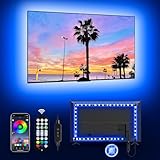
9. MATICOD 16.4ft RGB Strip – Best for Three Control Methods
MATICOD LED Lights for TV Led Backlight, 16.4ft RGB Led Strip Lights for TV Lights Behind, USB Led Light Strip for 55-70in TV, Bluetooth APP Control Music Sync Ambient Lighting for Gaming Room
16.4ft strip
90 light sources
5050 RGB beads
5V USB for 55-70 inch
Pros
- Three control paths including a Bluetooth app
- 5050 beads give bright vivid output
- Adhesive is strong yet still removable
- Discreet once fitted behind the panel
- Installation takes about four minutes
Cons
- White renders bluish rather than a clean cool white
- Yellow has a green tint which limits natural warm-white use
- Occasional on/off state confusion when toggling
Having three ways to control the same light sounds redundant until you are sitting on a sofa in a dark room. The app handles scenes and timers, the 24-key remote handles immediate changes, and the inline three-button controller on the cable handles the basics without either. Redundancy matters in a media room where the phone is across the room and the remote is in the sofa.
The 5050 beads are larger than the smaller packages used in some competing kits, and owners note the difference in raw brightness. At 16.4 feet it covers 55-70 inch panels, sitting neatly in the middle of the size range covered by this roundup.
Installation is genuinely quick. Peel, stick and route, and it is done in a few minutes on a flat back. The adhesive is described as strong but still removable, which is a better balance than the single-use markers on the camera kits here, and it makes the strip a more realistic option if you might move house.
A built-in high-sensitivity microphone handles music sync, with mic mode available through the app. Sixteen million colours and up to twenty-one dynamic modes cover the ambience side, and the listing is explicit that the purpose is relieving visual fatigue in a dim space.
What you should check before buying
Test the white and yellow settings before committing. This is the most consistent criticism across reviews: white renders with a blue cast and yellow carries a green tint. If you are buying this for bias lighting rather than mood lighting, that is a real limitation.
Check the on-off behaviour. Owners report occasional confusion about the current state of the light when toggling, so it helps to establish a habit rather than assuming it switched.
Who should pass on it
Pass if you need accurate white. The colour rendering issues are well documented and they are exactly the issue that a dark room is sensitive to.
Pass if you want the glow to follow the content. There is no camera here and no screen capture, so this is a fixed-colour and music-reactive light only.
10. Daymeet 9.8ft LED TV Backlight – Best for Small Screens
Daymeet LED TV Backlights, 9.8 ft USB Powered RGB Color Changing LED Strip Lights for 32-60 inch TVs with Remote Music Sync Bluetooth APP Control
9.8ft strip
90 light sources
5V USB powered
32-60 inch TVs
Pros
- Nine point eight feet wraps a 32-60 inch set neatly
- Three control options including a 21-button remote
- Built-in microphone music sync
- Adhesive holds well and hides the control box
- Low 5V power draw
Cons
- RGB colour changing only with no white mode
- Shorter run means limited coverage on larger panels
Small screens are the easiest case and this kit handles it without wasting material. At 9.8 feet it wraps all four sides of a set from 32 to 60 inches, which covers a bedroom television or a secondary living room display with room to spare. The 90 light sources give even coverage along that length.
Control options match the MATICOD pattern: a 21-button remote, a Bluetooth app and a three-button inline controller. That is a lot of ways to set a single colour, but in a dark room where you want one adjustment per session, having the remote within reach is genuinely useful.
The listing is direct about the intent, which is refreshing: it frames the product as reducing eye fatigue caused by brightness contrast in the dark, not as a decorative upgrade. That is the mechanism this whole article is about, and a compact strip that puts out a low even glow behind a small panel is a straightforward way to get it.
Power is 5V USB at five watts, so it is safe to run continuously and the consumption is negligible. The adhesive holds well and the control box can be tucked behind the panel where it disappears from view.
What you should check before buying
Measure your panel and check the 32-60 inch range. On a 65-inch set you would need an extension, and most owners of larger panels end up replacing the strip rather than extending it.
Accept that there is no white mode. This is a colour-changing light. If you want a neutral wall glow, pick a kit that lists a white temperature instead.
Who should pass on it
Pass if you own a large television. The length simply is not designed for it, and the result is an unbalanced glow with bare corners.
Pass if colour accuracy matters. With RGB only, everything behind your screen is tinted, and on a small panel in a dark room that tint is more noticeable because it fills a larger share of the visible wall.
11. KSIPZE 16.5ft TV Backlight – Best for Plug and Play Setup
KSIPZE LED Lights for TV, 16.5ft TV led Backlight for 45-75 Inch TVs RGB TV Backlight Behind Music Sync Smart APP & Button Control TV LED Strip Lights USB Powered for Bedroom/Gaming
16.5ft strip
5V USB plug and play
45-75 inch TVs
three-button controller
Pros
- No wiring or tools needed for setup
- App plus remote plus inline button control
- Sixteen colours with strobe fade and flash modes
- Low voltage 5V operation is gentle in a dark room
- Covers 45-75 inch screens
Cons
- RGB only with no white bias mode
- Generic Bluetooth controller with limited long-term reliability
This is the option for someone who does not want a project. It plugs into a USB port and sticks to the back of the panel, with no wiring, no adapter and no tools. For a first backlight, a rental or a second television in a bedroom, that simplicity is worth more than any feature in this list.
Control runs through a Bluetooth app, an infrared remote and a three-button controller on the USB lead. Sixteen colours cover the basics, and the strobe, fade and flash modes are there for a gaming room rather than a film night.
At 16.5 feet it covers 45-75 inch screens, which makes it a similar size range to the KANTUTOE and MATICOD kits but with less to configure. Low-voltage 5V operation is the other point worth noting: the output is gentle enough to sit at a low setting behind a dark panel without blowing out the wall.
The trade-off is the controller. It is a generic Bluetooth unit and owners mention limited long-term reliability. That is a fair summary of most low-cost strips at this level, and it is worth keeping a remote as your backup control path.
What you should check before buying
Check the output colour before you commit. It is RGB only, so there is no white setting, and in a dark room the wall tint becomes part of how your image reads.
Think about your router and phone. Bluetooth control needs a stable connection, and if you are already pairing many accessories this is one more thing to re-pair after a restart.
Who should pass on it
Pass if you want maximum brightness range or accurate colour. A generic controller and RGB-only output limit both.
Pass if you want the backlight to switch on with the television automatically. Without a documented automatic sync mode, you are managing it yourself.
12. Nexillumi 16.4ft TV Backlight – Best for Vivid RGB Colour
Nexillumi LED Lights for TV, 16.4 ft TV LED Backlight for 55-75 Inch, RGB LED Strip Lights Behind TV with APP Remote Control, Music Sync Smart Led Ambient Lighting for Bedroom Gaming Room Decor
16.4ft strip
150 light sources
5V USB with 5m cable
55-75 inch
Pros
- Highest light source count in the roundout at 150
- Bright and saturated RGB output
- Illumi Home app plus infrared remote
- Corner wiring routes without extra connectors
- Eighteen month warranty
Cons
- Build consistency varies between units
- Remote range and responsiveness described as mediocre
- Some units arrive with only part of the strip lit
With 150 light sources across 16.4 feet, this has the densest LED count in the roundup and the most saturated colour output. If your priority is vivid RGB rather than a neutral reference glow, that density is the reason to pick it over the other 16-foot options. The 5-metre USB cable gives you more reach from the television’s port than most competing kits include.
Control comes through the Illumi Home app for timers and remote control, alongside the included infrared remote. Corner wires let the run turn without additional connectors, which is a neater solution on a 55-75 inch panel than cutting the strip.
The honest caveat is build consistency. Its four-star average across more than fifteen hundred reviews reflects a spread of experiences, and the specific complaints repeat: heavy corner wiring that can pull the adhesive off the back of the panel, and a share of reports about units arriving with only part of the strip lighting. Check the whole run the moment it arrives rather than after it is fitted.
For a dark room specifically, treat the high colour count as an aesthetic advantage rather than a technical one. It gives you the most vivid effect when the lights are up, but you will still want to run it dim for actual viewing. The corner wiring weight is worth watching on a warm panel.
What you should check before buying
Confirm the length suits your panel. At 16.4 feet it covers 55-75 inch sets, which is a good fit for a large living room screen but wasteful on a bedroom television.
Inspect the strip on arrival. Given the reports of partial failures, testing every segment before mounting saves a lot of frustration later.
Who should pass on it
Pass if you want a neutral wall glow. RGB-only output means no white reference, so it will not serve as bias lighting in the technical sense.
Pass if a fiddly installation is not for you. The corner wiring is heavy and owners report it stressing the adhesive on a warm panel, which makes the routing slower than the connector-free design suggests.
How to Choose a TV Backlight for a Dark Room
Five questions decide this purchase, and all five are worth answering before you click anything.
Does it read the screen, or does it not? There are three approaches and they are not equivalent. A camera kit sits on top of the television and samples the picture, so it follows whatever you are watching including the television’s own streaming apps, and it can be fooled by daylight or reflections. An HDMI sync box sits between your source and the television and reads the video signal directly, which is faster and more accurate but only sees devices plugged into it. A plain smart strip does neither and gives you a fixed colour or a music-reactive effect you choose.
For a dark room, a camera kit is genuinely better than the usual reputation suggests. The dim, controlled conditions that you need for comfortable viewing are exactly the conditions where colour matching is easiest. A room with a window behind the television is the case where it goes wrong.
Does it have a real white diode? This is the question most product pages obscure. A strip described as white but built from red, green and blue diodes only produces an approximation that usually looks slightly green or slightly blue. If you want a neutral reference glow, look for a stated colour temperature, a warm white chip, or an RGBICW or RGBWW designation. Only two kits in this roundup publish a specific white temperature, and one of them adds a dedicated warm white bead.
Can the brightness actually go low enough? The 10-20% of peak screen white rule is the practical target. A strip whose dimmest setting still floods the wall will make your blacks look worse, which is the opposite of what you bought it for. Kits with discrete brightness levels, like the ten-step HAMLITE, are easier to tune accurately than one with a single continuous slider.
Where does the power come from? USB power from the television is convenient because the light switches on with the set, but the port can sag under load and cause flicker. A 12V DC adapter is steadier and independent, and every camera-sync kit in this list uses one. Neither option is wrong; they trade convenience for consistency.
Does the length match your screen? As a rough guide, 8-foot runs cover 32-60 inch panels, 11-12 foot runs cover 50-65 inches, 16-foot runs cover 45-75 inches, and 18-foot runs cover 75-85 inches. A run that is too short leaves visible bare corners, which is far more obvious in a dark room than a bright one.
Size matching at a glance
Use this as a starting point and check the manufacturer’s own sizing before ordering. Measure the diagonal of your panel, then add roughly ten percent for the corners and the run behind the stand.
32-50 inch screens: a 9-10 foot run covers all four sides with a small overlap. The Daymeet at 9.8 feet is built for this range.
50-65 inch screens: 11-12 feet is the sweet spot. The Govee 3 Lite at 11.8 feet and the HAMLITE at 11.5 feet both sit here, and the Govee RGBIC at 12.5 feet covers all four sides of a 55-65 inch set.
65-75 inch screens: 16-foot runs. The KANTUTOE, MATICOD, KSIPZE and Nexillumi all cover this band, and the Nexillumi at 16.4 feet is the closest fit for 75 inches.
75-85 inch screens: 18 feet or a dedicated large-screen kit. The maylit 18-foot roll and the Govee T2 both target this range, and the T2 adds the dual cameras that large panels need for accurate edge matching.
Installation mistakes that show up most in dark rooms
Do not mount it above the television. Light from above cannot bounce off the wall behind the panel, which defeats the entire mechanism. It has to be behind the screen, facing the wall.
Leave a gap between the strip and the bezel. Two centimetres of clearance is a reasonable minimum. Closer than that and you get light spill on the frame, which is glaringly obvious in a dark room and looks like a fault in the television.
Calibrate in the dark. Any light in the room throws off colour matching and wastes the calibration. Switch off everything except the backlight, then run it.
Use an adapter for camera kits. If your kit ships with one, use it. USB power from the television is the most common source of flicker complaints.
Keep soundbars out of the way. If light lands on a shelf-mounted soundbar, aim the strip slightly downward or route it around the bar. A tall upward-firing bar can also block the wall bounce entirely, which is a reason to check clearance before mounting rather than after.
Pairing the backlight with your picture settings
A backlight only pays off if the rest of the picture is set up for a dark room. Turn off dynamic contrast and any ambient light sensor, switch the panel to a fixed picture mode rather than an auto one, and set the brightness to a level you can hold comfortably for two hours rather than the highest available. Then set the backlight until the wall glow is roughly 10-20% of the screen’s brightest content. If the wall is brighter than your dim scenes, the strip is too strong and the contrast has been given away.
Smart home integration is worth a mention here too. If your router is 5GHz only, kits that need 2.4GHz will not join the network, so check that before you buy rather than after. Our multi-room speaker guide covers the same 2.4GHz consideration for a different device category, and the fix is identical: split the bands or use a mesh node on 2.4GHz.
Frequently Asked Questions
Are TV backlights a good idea?
Yes, in a dark room, and for a specific reason. A dim glow behind the screen narrows the contrast gap between the panel and the room, which reduces the pupil adjustment that drives fatigue during long sessions. Keep the glow at roughly 10-20% of the screen’s peak white, or you will reduce contrast rather than improve it.
What is the best type of backlight for TV?
For a dark room, a camera-synced RGBICW strip is the best all-round type because it follows the content and includes a dedicated warm white chip. An HDMI sync box is more accurate and faster but only works for sources plugged into it. A plain smart strip is fine if you want a fixed low glow rather than matching.
How bright should TV bias light be?
Aim for about 10-20% of the screen’s peak white. Above that the wall starts competing with the picture and blacks look washed out, which defeats the purpose. If your dim scenes start looking lifted or grey, the strip is too bright rather than the panel being too dark.
Is a backlit TV better for your eyes?
An external backlight can reduce eye strain in a dark room by removing the contrast between a bright screen and a black room. It does not reduce blue light exposure, and it does not change what the panel itself emits. The benefit comes from ambient luminance, not from wavelength.
Is mini LED or OLED better for dark rooms?
OLED is the better panel for a dark room and the one that benefits most from ambient lighting. Because its blacks are already effectively zero, the contrast between bright content and the panel is at its most extreme, so halation and eye strain are worse and a dim matched glow helps more. Mini LED and LED LCD panels emit some light of their own, so the improvement is real but subtler.
Do TV backlights work with the television’s built-in apps?
A camera kit does, because it reads the picture on the screen itself, so streaming apps built into the television work normally. An HDMI sync box only sees devices plugged into it, so a built-in app stops matching. This is the main practical reason to prefer a camera kit over a sync box in a room where you watch the television’s own apps.
The Verdict for 2026
The best tv backlights for a dark room are not the ones with the most colours. The Govee TV Backlight 3 Lite takes our pick because it is the only screen-syncing kit here with a dedicated warm white chip, its own 12V supply, and a review base large enough that the failures are well documented rather than surprising. For a 75-85 inch panel, the Govee T2 solves the edge-matching problem that a single camera cannot.
If you would rather not deal with an app at all, the PANGTON VILLA is the steady choice with the longest reliability record, and the HAMLITE is the one to buy if you want a real 5000K white reference. Whatever you pick, set the brightness to 10-20% of screen white before you judge it. That single adjustment decides whether the backlight helps your dark room or works against it.