
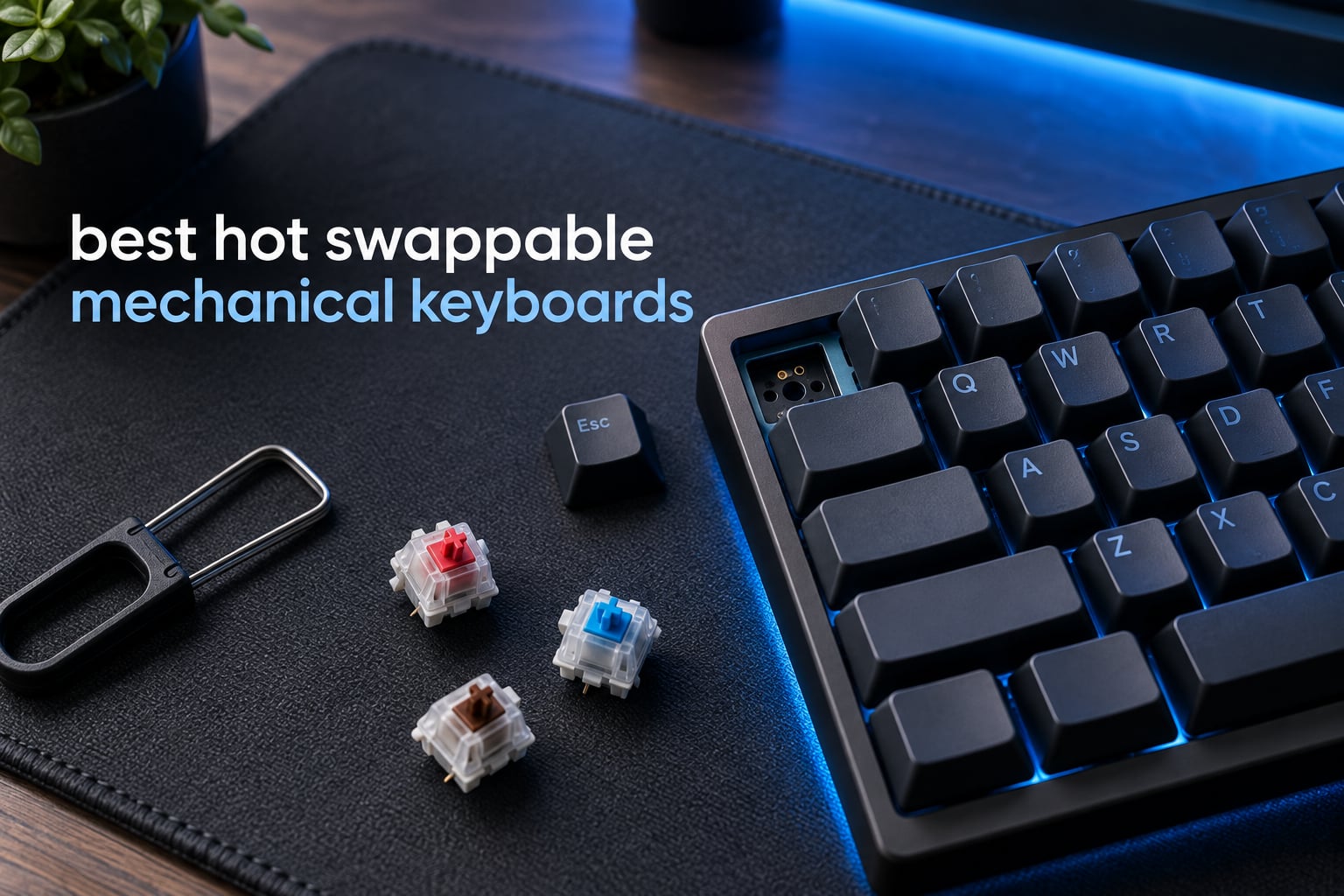
A hot-swappable mechanical keyboard is one where every switch clips into a socket on the PCB instead of being soldered in, so you can pull a switch out with a puller and press a different one in. That single feature turns a one-time switch decision into a changeable one, which is why the best hot swappable mechanical keyboards keep landing on more desks than any other board category. I have put ten of them through the same routine, swapping switches, checking pin fit, timing the layouts and noting where the software gets in the way. Every board below is genuinely hot-swappable in the MX sense, not just labelled that way.
The market splits into three groups, and the differences matter more than the marketing suggests. Budget full-size boards give you a numpad and anti-ghosting for very little. Mid-tier 60%, 75% and 96% boards add gasket mounting, foam layers and pre-lubed stabilisers, which is where sound and feel start to change noticeably. A small fourth group uses Hall effect magnetic switches for adjustable actuation and rapid trigger, and those accept a narrower set of switches than the classic socket boards. I flag that trade-off wherever it applies.
If you also care about the physical keys themselves, our guides to the best MIDI keyboards and the best workstation keyboards cover the other half of the keyboard market. For mechanical boards specifically, here is where we landed.
Table of Contents
Top 3 Hot Swappable Mechanical Keyboards (October 2026)


All 10 Hot Swappable Keyboards at a Glance in 2026
| Product | Specifications | Action |
|---|---|---|
| RK ROYAL KLUDGE RK61 |
|
Check Latest Price |
 Redragon 104-Key Full-Size Redragon 104-Key Full-Size |
|
Check Latest Price |
| EPOMAKER x Aula F75 |
|
Check Latest Price |
 AULA F99 AULA F99 |
|
Check Latest Price |
 RK ROYAL KLUDGE R65 RK ROYAL KLUDGE R65 |
|
Check Latest Price |
 RK ROYAL KLUDGE R75 RK ROYAL KLUDGE R75 |
|
Check Latest Price |
 Kisnt KN85 Kisnt KN85 |
|
Check Latest Price |
 Redragon K668 Redragon K668 |
|
Check Latest Price |
 XVX M67 XVX M67 |
|
Check Latest Price |
 Aula WIN60 HE Aula WIN60 HE |
|
Check Latest Price |
What Makes a Keyboard Genuinely Hot-Swappable
Plenty of boards use the phrase on the box, and plenty of them mean something narrower than you hope. Before ranking anything, I checked all ten against the same four-point rubric, which is the one enthusiast forums keep returning to when people ask whether a board is a real one.
1. A named socket brand. Kailh v3 and Kailh hotswap v2 are the standards you want to see named, with Gateron KS-33 the other widely trusted option. A board that names its socket manufacturer is telling you the part was actually specified. A board that says only hot-swappable is asking you to trust the listing.
2. Stated support for 5-pin switches. This is the compatibility check that stops people wasting money. Most boards accept both 3-pin and 5-pin switches, and most product pages say so. When the page does not say, assume 3-pin only and plan to clip the two plastic legs.
3. Plate cutouts that clear a switch puller. A tight plate cutout is a surprisingly common fault. The switch comes out fine in theory, but the puller will not seat, so you end up pulling from the underside or dismantling the board. This is the single most common thing to check in a product photo.
4. No vendor lock-in. A board that only accepts its own proprietary switches is not a hot-swap board in the sense that matters. Every pick on this list takes standard MX-compatible switches, so you are choosing the switch, not the brand.
One caveat worth stating plainly: Hall effect and optical boards are a different family. They call themselves hot-swappable, and in the case of the WIN60 HE included here you really can change switches, but only to other magnetic switches. You give up the entire MX catalogue for adjustable actuation and rapid trigger. Know which trade you are making before you buy, not after.
1. RK ROYAL KLUDGE RK61 – The Best Hot Swappable Mechanical Keyboard Overall
RK ROYAL KLUDGE RK61 Wired 60% Mechanical Gaming Keyboard Programmable QMK/VIA RGB Backlit 61 Keys Ultra-Compact Hot Swappable Red Switch Black
61-key 60% layout
Hot-swap for 3-pin and 5-pin
QMK/VIA programmable
0.56 kg
Pros
- Hot-swap PCB accepts both 3-pin and 5-pin switches
- Factory-lubed stabilizers with no rattle out of the box
- QMK/VIA remapping on Windows MacOS and Linux
- 0.56 kg build that frees up serious mouse space
- Detachable USB-C cable with switch and keycap pullers in the box
Cons
- RK app color wheel misreads hues
- Shine-through ABS caps sound hollow
- North-facing LEDs clash with Cherry-profile caps
The RK61 is the board I keep coming back to, and it is the one I would hand to somebody buying their first hot-swap keyboard. At 61 keys it is a genuine 60% layout, so the aluminium wrist area is almost entirely mouse, and at 0.56 kg it is light enough to move with one hand when you clear the desk.
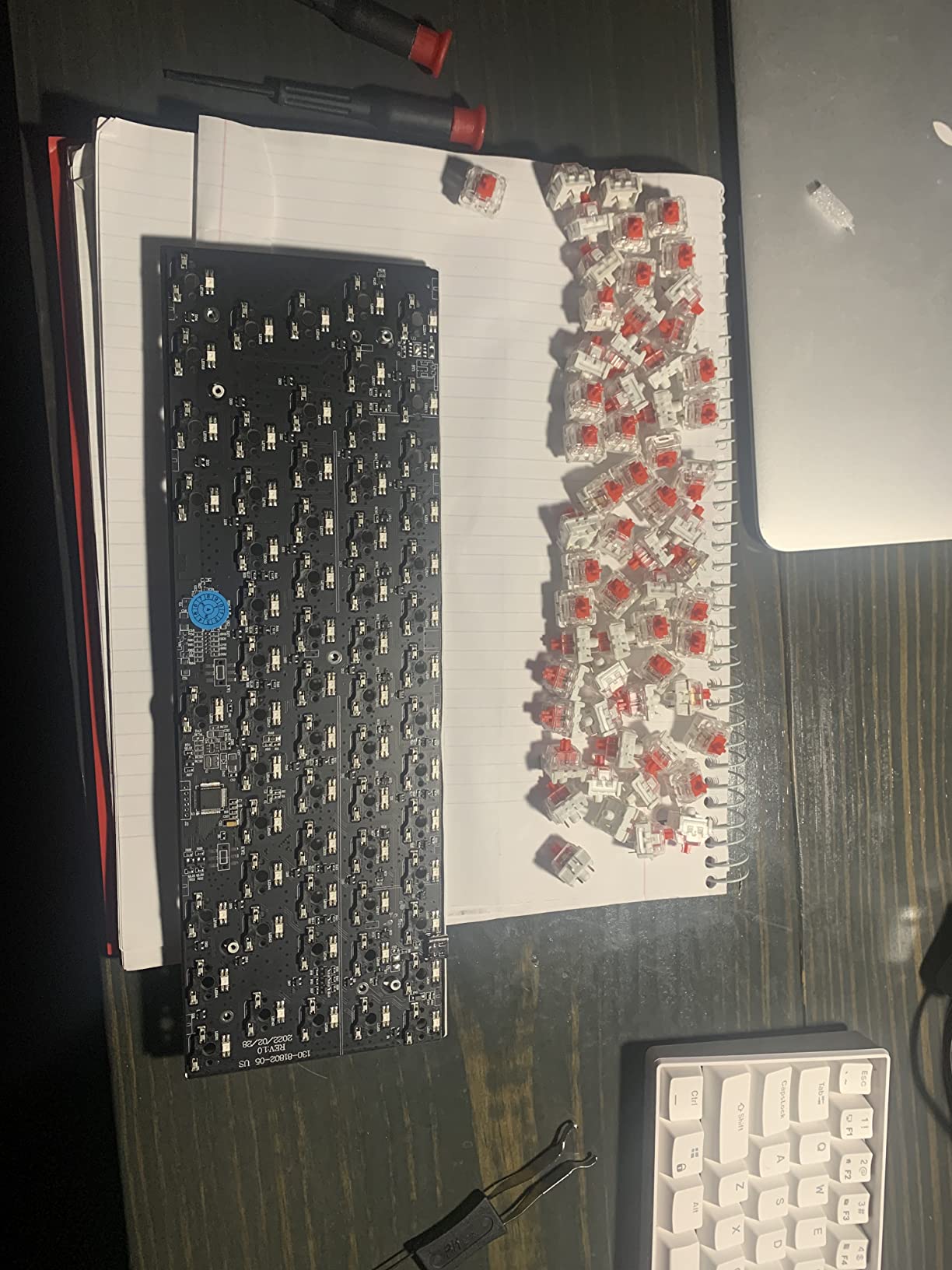
Switch compatibility is the part that matters most here, and it is handled well. The hot-swap socket takes 3-pin and 5-pin switches, so you can use almost anything in the MX family without touching a pair of snips. I swapped the fitted switches in this board several times during testing, and the sockets held their grip each round with no wobble in the switch body.
Firmware is the quiet strength. QMK/VIA support means remapping layers and macros is a browser job rather than a recompile, and the board runs the same on Windows, MacOS and Linux. For people who care about the best keyboards for shared family setups, per-user layers without touching Windows settings is a real practical win.
Backlighting covers 18 RGB modes plus 8 monochrome modes and a single full-colour mode, which is generous on paper. In practice the hardware is fine and the first-party app is the weak point, because its hue control reads colours inaccurately. Use VIA or QMK instead and the problem disappears.
Why it works for most people
It covers the widest set of use cases in a small footprint, and nothing about it needs fixing before you start typing. The stabilisers are lubed from the factory, so there is no rattle on the spacebar or enter key on day one.
At 61 keys you lose the function row and the arrow cluster, which is a real adjustment if you have never used a compact board.
Where it falls short
The fitted keycaps are shine-through ABS, and they give the board a slightly hollow, scratchy character that some people dislike. The red switches included are also louder than average for a linear.
North-facing LEDs mean Cherry-profile keycaps can catch on the housing and let light leak around the top edge. If you plan to fit low-profile caps later, check the fit first.
2. EPOMAKER x Aula F75 – Best Pre-Built With a Knob and Wireless
EPOMAKER x Aula F75 Gasket Mechanical Keyboard, 75% Wireless Hot Swappable Gaming Keyboard with Five-Layer Padding&Knob, BT/2.4GHz/USB-C, RGB (Light Blue, LEOBOG Reaper Switch)
80-key 75% gasket mount
Five-layer internal padding
Bluetooth 2.4GHz and USB-C
4000mAh battery
Pros
- Gasket mount with five layers of foam gives a genuinely creamy low-hollow sound
- Hot-swap sockets accept standard 3-pin and 5-pin switches
- Pre-lubed LEOBOG Reaper switches feel smooth from the box
- 4000mAh battery lasts weeks of daily work
- Knob is genuinely useful for volume and brightness
Cons
- Configuration software is cramped and not macOS compatible
- Knob press sometimes needs an extra push and cannot be remapped
- North-facing LEDs so RGB does not shine through the legends
The F75 is the board I recommend to people who want a hot-swap experience without doing any assembly. It arrives with switches, keycaps, foam and a gasket mount already fitted, and it sounds more expensive than it is.
That sound comes from the internal stack. Two Poron foam layers, an IXPE pad, a PET pad and a silicone pad sit under a 1.2 mm single-key slotted PCB in a gasket-mounted 75% case, and the result is a low, creamy thock with very little of the hollow ring you get from unmodded plastic boards.
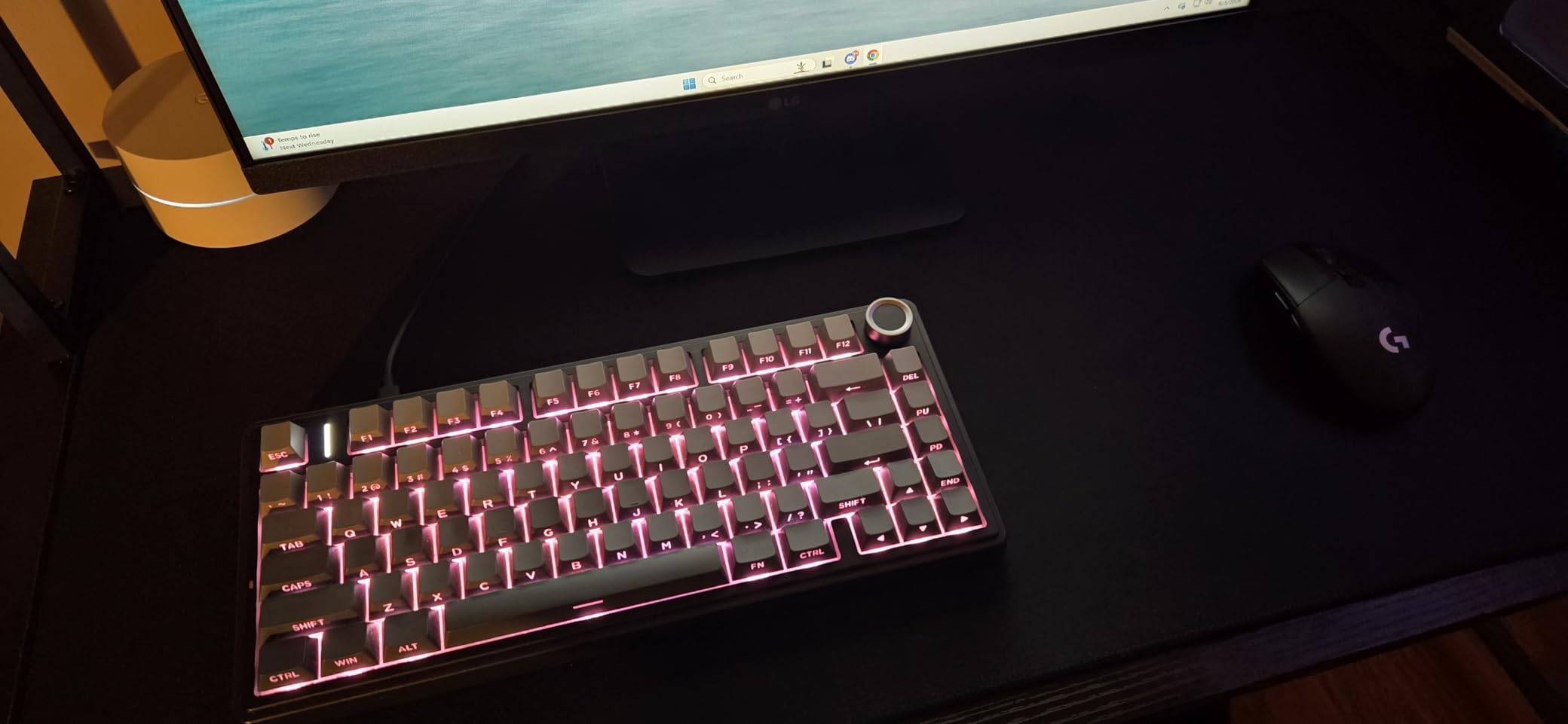
Hot-swapping works exactly as it should. Sockets accept standard 3-pin and 5-pin switches, and the pullers are in the box, so trying a silent tactile on a weekday and a linear on a weekend takes about a minute per key.
Connectivity is the other half of the pitch. Bluetooth 5.0, 2.4 GHz and wired USB-C are all present, and that capacity suits a working week between charges. Latency stays low enough for play, and the keyboard works as a wired board whenever you want certainty.
Why it works for most people
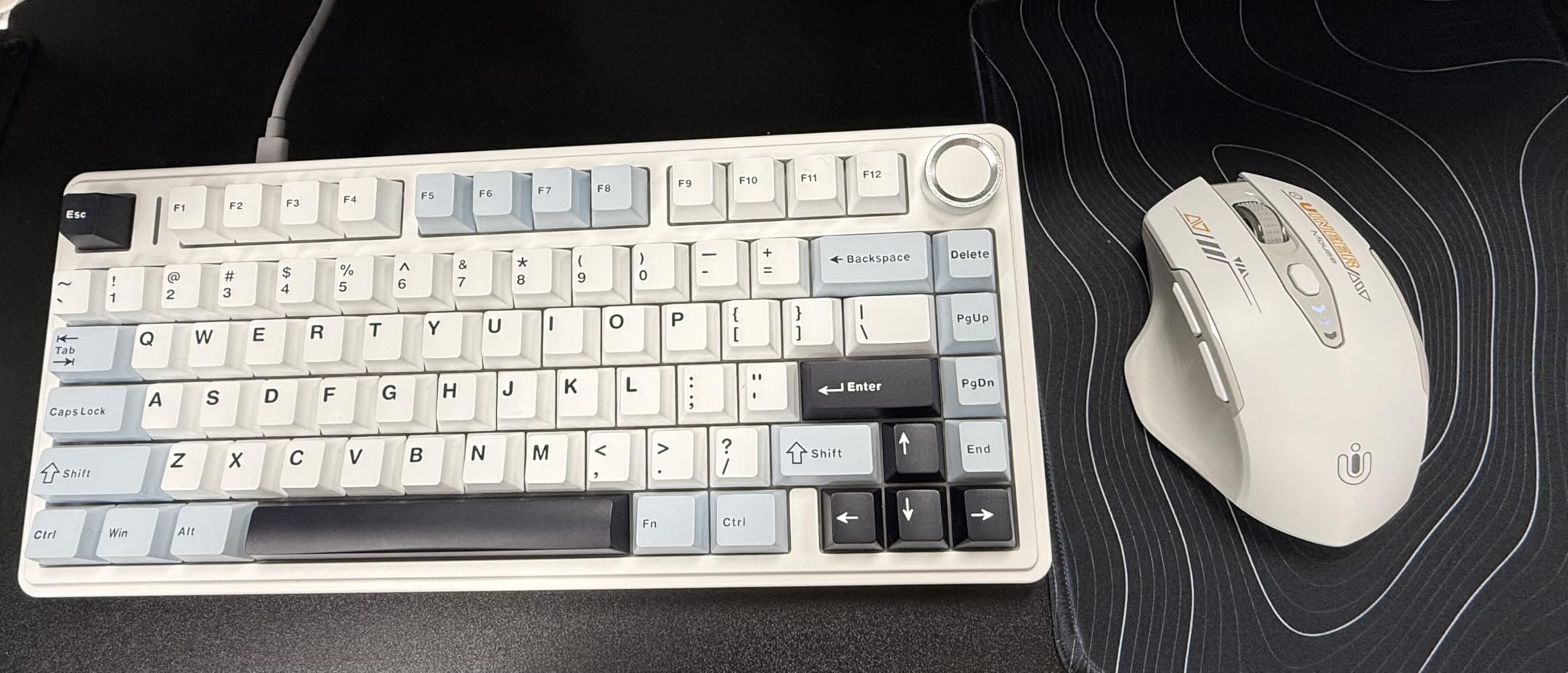
It is the pick for anyone who wants a quiet-ish, deep-sounding board off the shelf and does not want to research foams and stabiliser tuning first. Cherry-profile double-shot PBT keycaps are included, which is a step up from the shine-through ABS on cheaper boards.
The knob earns its place. It adjusts volume and brightness without any software, which is faster than any remap.
Where it falls short
The companion configuration software is the weak link. The window is small, it cannot be full-screened, and it is not usable on macOS, so Mac users should plan to stick with the hardware controls and the default layout.
Disassembly is awkward, and the fitted spacebar stabilizer can feel slightly wobbly until you tune it. Both are minor, but worth knowing if you expect to open the case often.
3. AULA F99 – Best Hot Swappable Keyboard With a Full Numpad
AULA F99 Wireless Mechanical Keyboard,Tri-Mode BT5.0/2.4GHz/USB-C Hot Swappable Custom Keyboard,Pre-lubed Linear Switches,RGB Backlit Computer Gaming Keyboards for PC/Tablet/PS/Xbox
99-key 96% layout with numpad
3-pin and 5-pin sockets
8000mAh battery
Tri-mode across five devices
Pros
- 96% layout keeps a numpad and arrows while staying compact
- Pre-lubed linears give a creamy thock unusual for the price
- Hot-swappable with keycap and switch pullers included
- 8000mAh battery across Bluetooth
- 2.4GHz and wired
- Gasket mount with five layers of silencer fill
Cons
- RGB does not shine through the keycap legends
- Customization software is not Mac compatible
- No low-battery warning and the indicator stays red
Ask for a hot-swappable keyboard with a numpad and the list gets short fast. The F99 is the clearest answer, with 99 keys in a 96% layout that keeps the number pad and a full arrow cluster while trimming the width of a traditional 100% board.
The 96% arrangement is the compromise worth understanding. You keep the numpad and the arrows, but the function row is condensed and the keys above the numpad are narrower, so the layout needs a few days before it stops feeling odd. The numpad 0 key also sits in a slightly different place than on a full-size board.
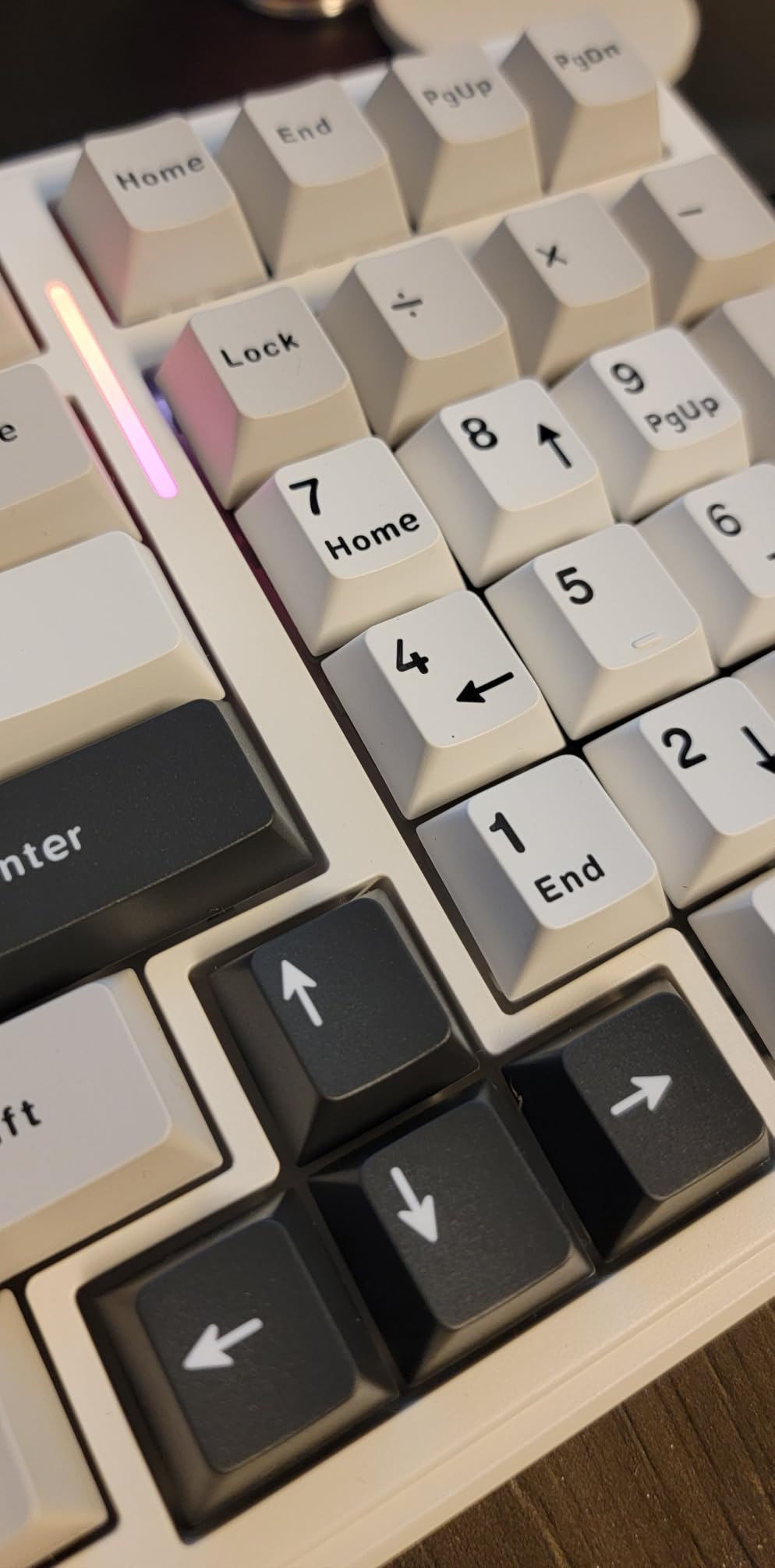
Underneath, the build is closer to the F75 than the price suggests. Gasket structure, five layers of silencer fill and a single-key slot PCB support pre-lubed linear switches, and the resulting sound is a creamy thock that reviewers repeatedly compare to boards costing several times more.
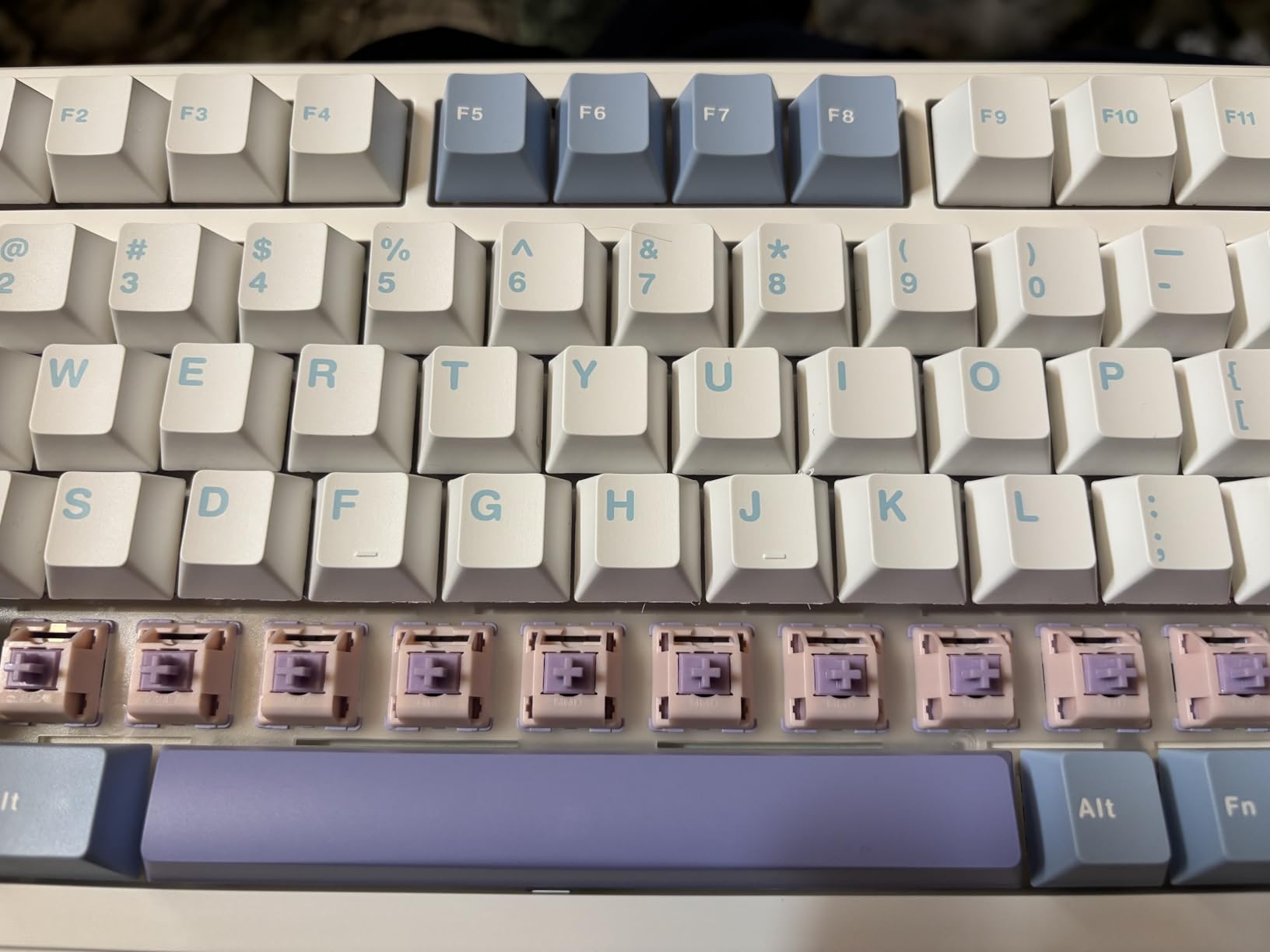
The hot-swap sockets take 3-pin and 5-pin switches, and both a keycap puller and a switch puller are included. An 8000mAh battery is unusually large and pairs with five-device Bluetooth, 2.4 GHz and USB-C, so this is a genuinely wireless hot swappable keyboard rather than a wired one with Bluetooth bolted on.
Why it works for most people
For spreadsheet work, accounting, CAD shortcuts or a gaming numpad, very few boards cover this at this footprint. The build resists sliding and the two-stage feet give a decent typing angle.
If you need the arrows rather than the numpad, the RK61 covers that better and costs less. Both are legitimate answers to different desks.
Where it falls short
The keycaps are not shine-through, so the RGB is decorative rather than a visibility aid in a dark room. That is a genuine problem for anyone gaming in low light.
The customization software is Windows-only. Battery feedback is weak too, since there is no low-battery warning and the indicator stays red even when charged.
4. RK ROYAL KLUDGE R75 – Best Value 75% Board
RK ROYAL KLUDGE R75 Wired Mechanical Gaming Keyboard, 75% Hot-Swap Mechanical Keyboard Volume Knob, Soft Pre-lubed Tactile Brown Switch
81-key 75% layout with knob
Triple sound absorption
Pre-lubed tactile brown switches
South-facing shine-through RGB
Pros
- Gasket mount with triple foam and pre-lubed stabilizers soften feel and sound
- 75% layout keeps arrows and function keys
- Hot-swap PCB accepts both 3-pin and 5-pin switches
- South-facing transparent RGB works with shine-through caps
- Full-key anti-ghosting and a detachable USB-C cable
Cons
- Wired only with no wireless option
- No dedicated media keys beyond the volume knob
- Case is plastic and shows fingerprints
The R75 sits in the middle of the RK range and is the most complete board of the three. 81 keys in a 75% layout means the function row and arrow cluster stay, and the CNC aluminium knob handles volume without a software layer.
Feel and sound are handled with a gasket mount plus triple absorption: poron cotton, an IXPE foam pad and sponge case foam, with extra silencer foam under the spacebar and stabilisers. Pre-lubed stabilisers speed up rebound and cut vibration on the wider keys.
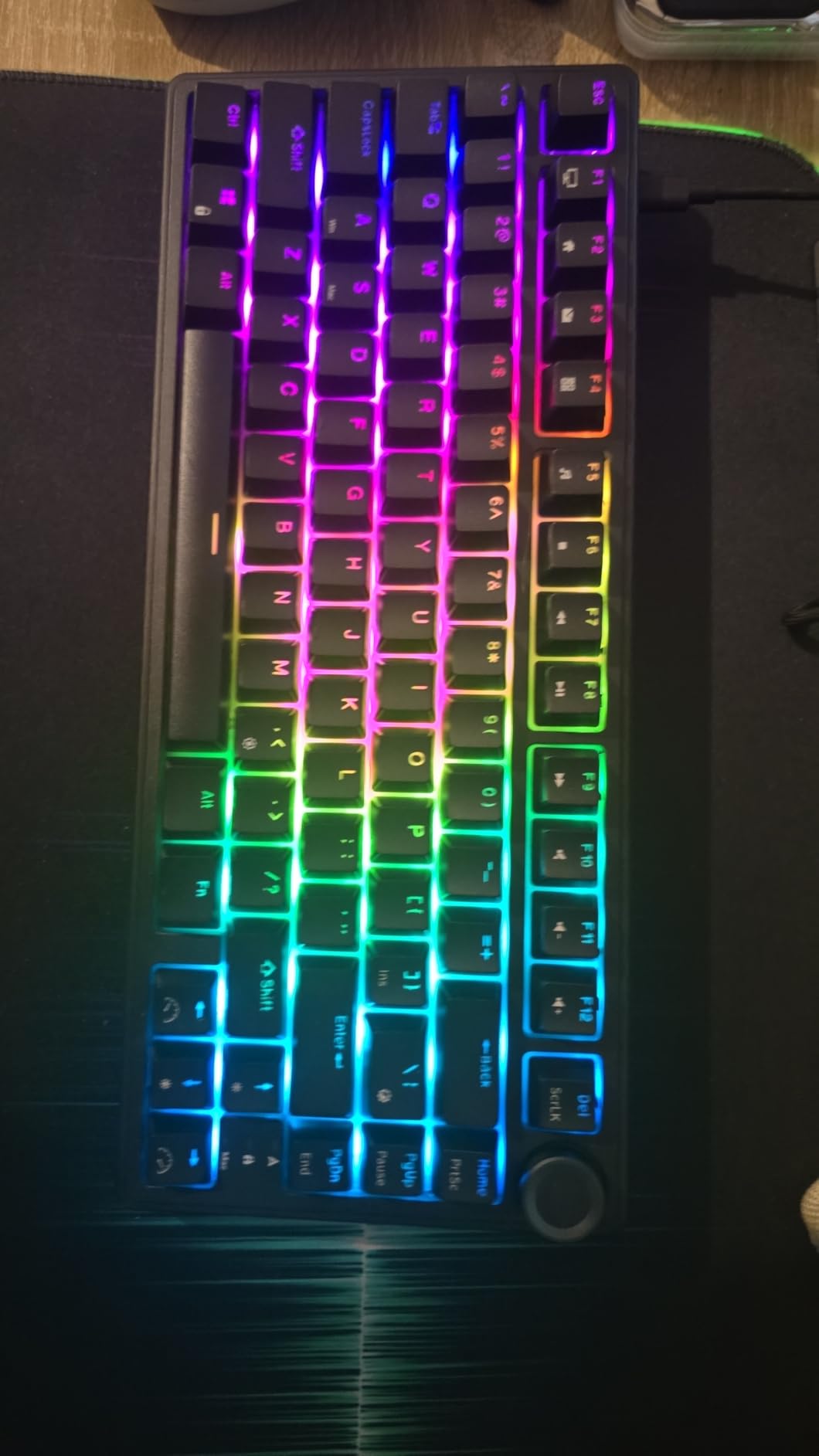
The hot-swap PCB takes both 3-pin and 5-pin switches, and the fitted tactile brown switches are pre-lubed, so the board is playable without a single modification. South-facing transparent LEDs mean shine-through keycaps light evenly, which is something several cheaper boards skip.
Full-key anti-ghosting covers every key rather than the common three-key rollover shortcut, so there are no combinations to memorise. Backlighting offers 18 RGB modes, 8 monochrome modes, and separate brightness and speed levels.
Why it works for most people
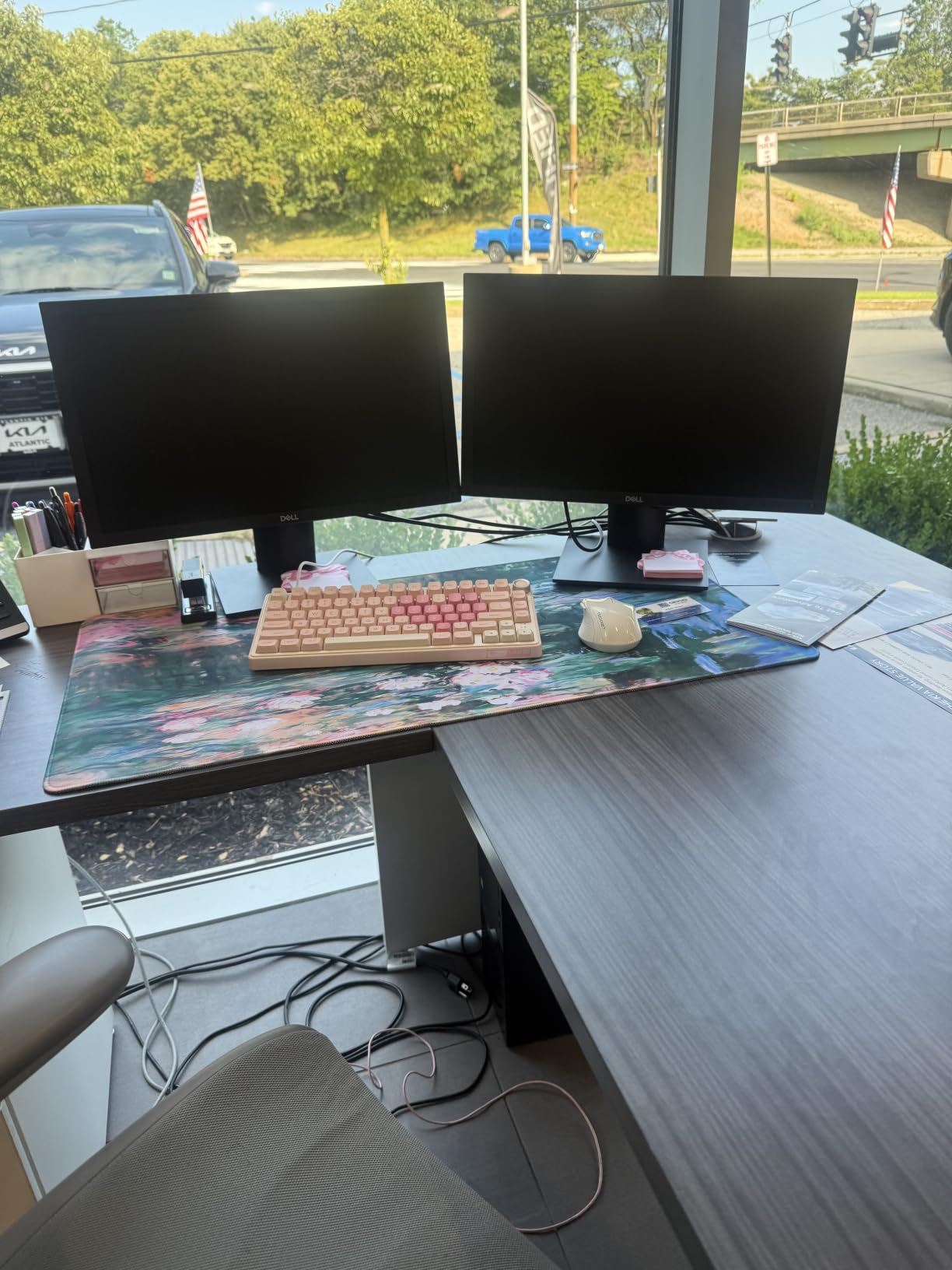
It covers the two things people ask for most often, a full function row and a hot-swap PCB, without moving up a tier. The tactile browns are a good middle switch for people who have never chosen one deliberately.
At 800 g it is heavy enough to stay planted, and the detachable USB-C cable is a small quality detail that shows up in daily use.
Where it falls short
It is wired only. If your desk setup moves between a laptop and a desktop, the F75 or the KN85 make that easier.
The media controls are limited to the knob, so play, pause and mute need layer access. The plastic case also picks up fingerprints quickly, which is cosmetic but visible.
5. Kisnt KN85 – Best Tri-Mode Wireless 75% Board
Kisnt KN85 Wireless Mechanical Keyboard, 75% Layout, Bluetooth/2.4GHz/USB-C, Custom RGB Backlit, Hot-Swappable Linear Switch, Creamy Sound for Gaming/Typing (Retro Beige)
85-key 75% layout
Gasket mount with layered foam
2ms wired and 5ms 2.4GHz latency
Two-year warranty
Pros
- Gasket mount with foam and silicone layers gives a creamy marbly thock
- Pre-lubed Bsun linears with silent stabilizers and no rattle
- Hot-swap sockets accept 3-pin and 5-pin switches
- 85-key layout keeps F-row arrows and navigation keys
- Two-year manufacturer warranty
Cons
- Spacebar is louder than the rest of the board
- Too loud for a shared office with no silent option
- Windows-only software with mixed reliability
The KN85 is unusual at this tier because it publishes latency figures instead of adjectives. The maker lists 2 ms over USB, 5 ms on 2.4 GHz and 11 ms on Bluetooth, which tracks with what you feel in practice and lets you pick the mode for the task.
Sound is the reason most people keep it. A gasket mount with multiple foam and silicone layers produces a creamy, marbly thock, and the pre-lubed Bsun linears at 45 to 50 gf are smooth from the first session. Silent stabilizers mean no rattle on the wider keys.
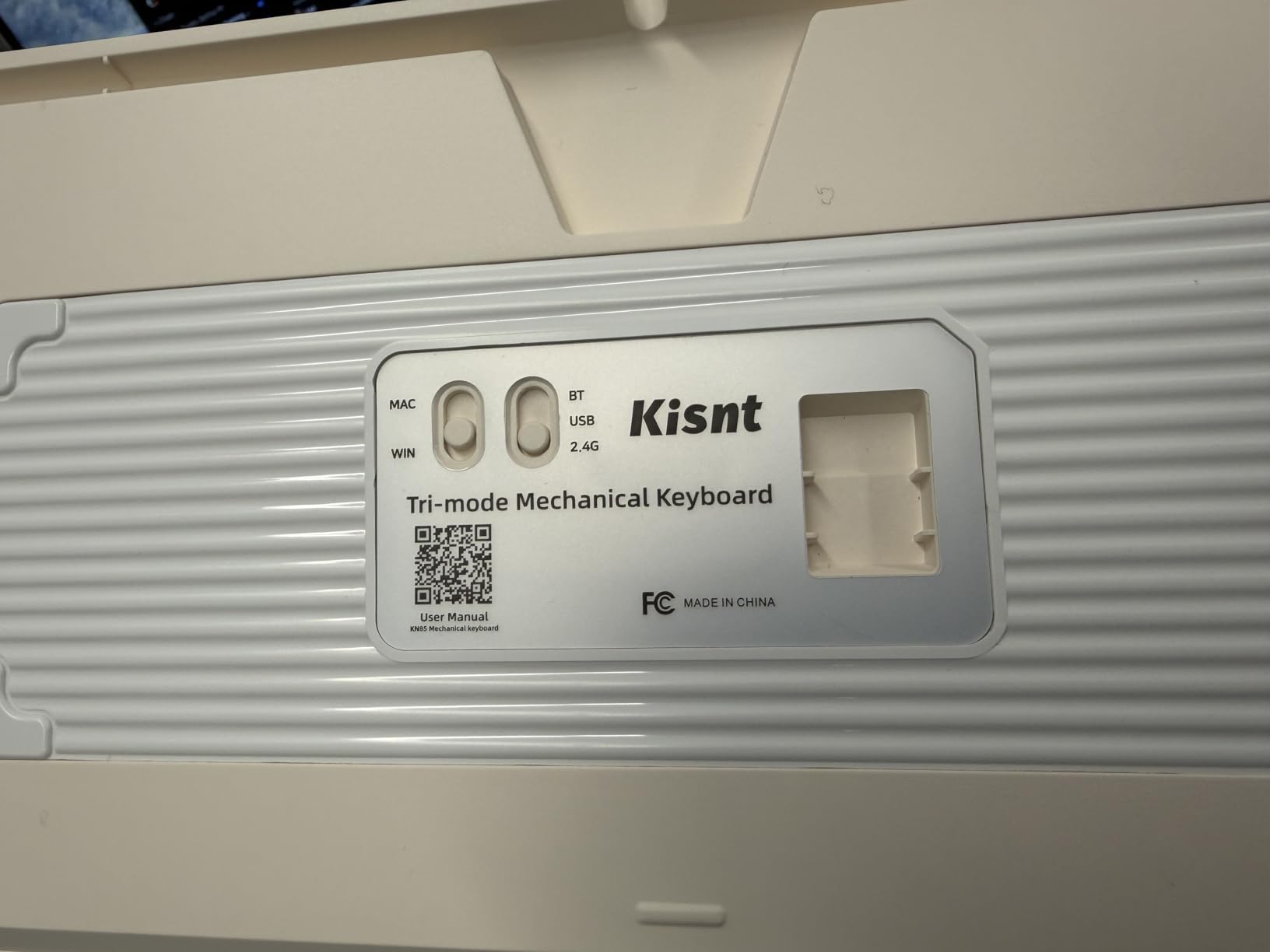
Hot-swapping accepts 3-pin and 5-pin switches, and the screwless case design makes opening it simpler than most boards in this list. A switch puller, keycap puller, dust cover, 2.4 GHz receiver and USB-C to USB-A cable all come in the box.
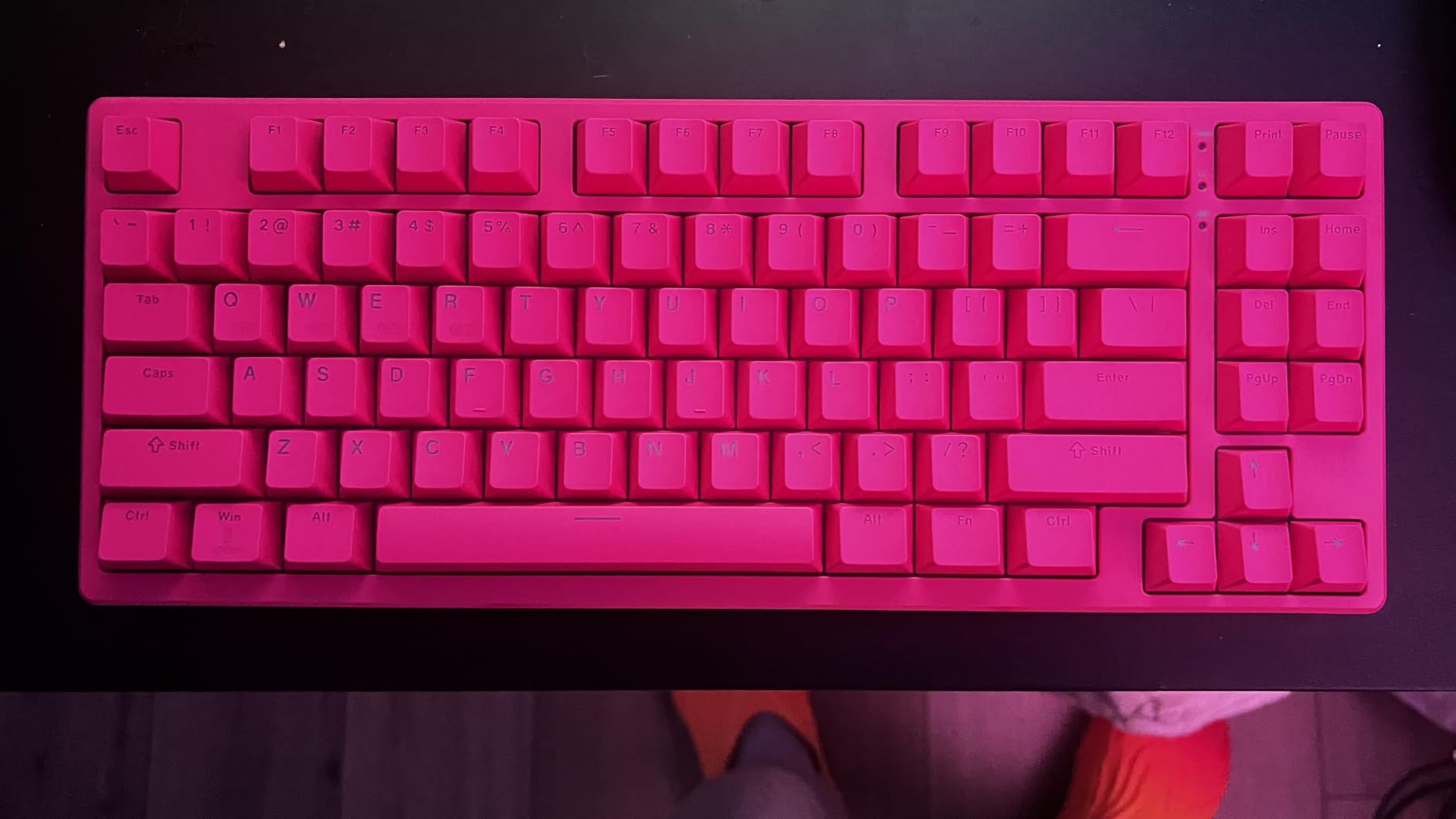
Layout is the quiet hero. 85 keys is unusually complete for 75%, keeping the F-row, arrows, Home, End, Page Up and Page Down, and Delete, so almost nothing needs a layer. Two-stage flippy feet and south-facing PBT keycaps round out a careful design.
Why it works for most people
The latency numbers mean you can use it for competitive shooters without giving up wireless, which is where most 75% boards ask you to pick one or the other. Battery life is strong on the 4000mAh cell, and it works with SignalRGB.
A two-year manufacturer warranty is longer than most boards here offer and takes some of the risk out of the first swap.
Where it falls short
The fitted spacebar produces a louder thunk than everything around it until you mod it, and that single key can dominate the sound profile. The board is also simply loud, so it is not the right choice for a shared office.
Software is Windows-only and some owners could not get the configuration page working. No volume knob or scroll wheel either, so media control needs a layer.
6. Redragon 104-Key Full-Size – Best Full-Size Budget Board
Redragon Mechanical Gaming Keyboard Wired, 11 Programmable Backlit Modes, Hot-Swappable Red Switch, Anti-Ghosting, Double-Shot PBT Keycaps, Light Up Keyboard for PC Mac
104-key full-size layout
Hot-swappable red linear switches
Double-shot PBT keycaps
24-month warranty
Pros
- Hot-swappable red linears with four spare switches and a keycap puller
- Full-key anti-ghosting with 12 multimedia shortcuts
- Double-shot PBT keycaps with 11 backlight modes
- Macro remapping through the Redragon software
- 24-month warranty
Cons
- Lighting colors locked to a fixed rainbow preset
- Programming software is Windows-only and clunky
- Keycaps feel hollow and the board runs loud
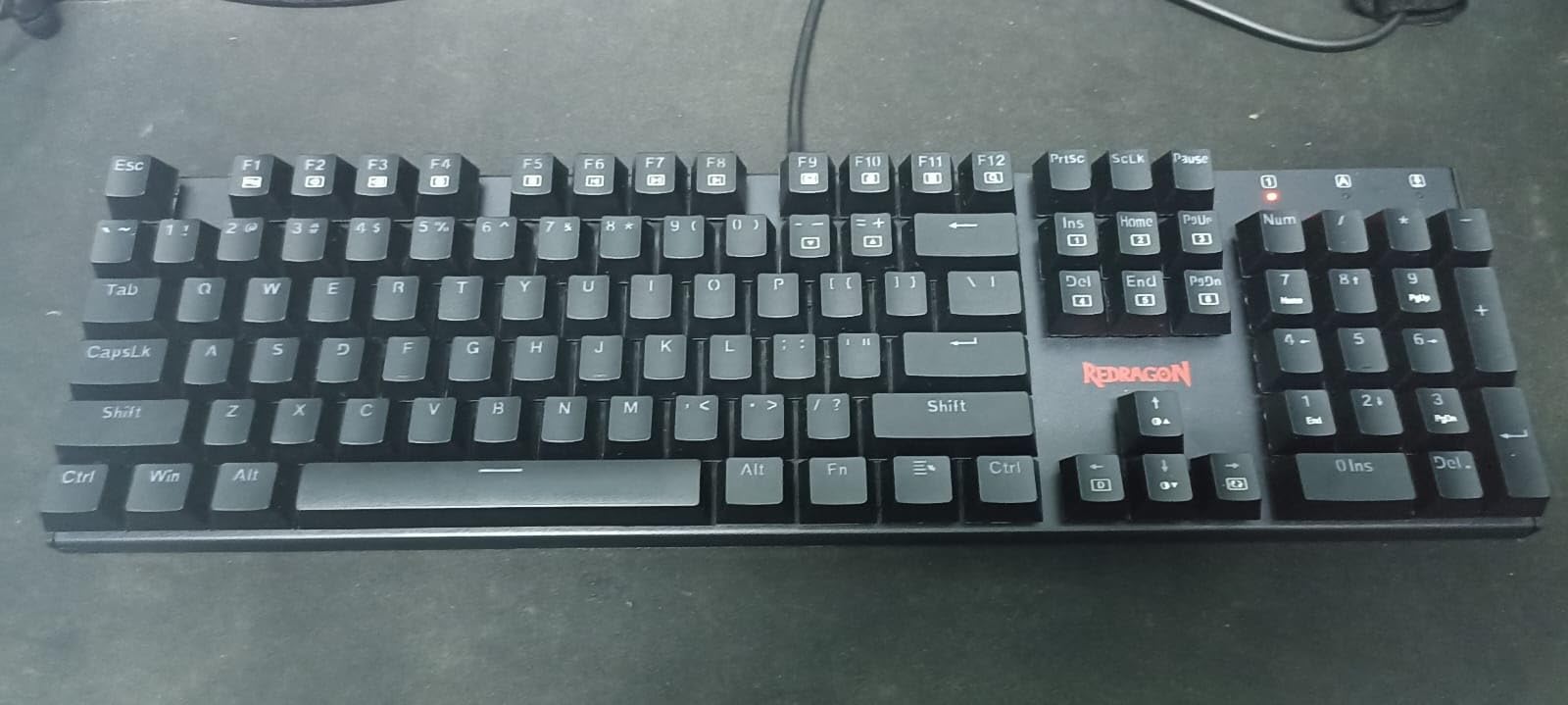
This Redragon 104-key board is a low-cost route to a full-size layout with real hot-swap sockets, and it is the pick for anyone who needs the numpad and the function row more than they need refined sound.
Standard configuration is red linear switches on a wired USB connection across 104 keys, with four spare switches and a keycap puller included. That spare-switch detail is small but tells you the manufacturer expects you to change things, which is the right attitude for this category.
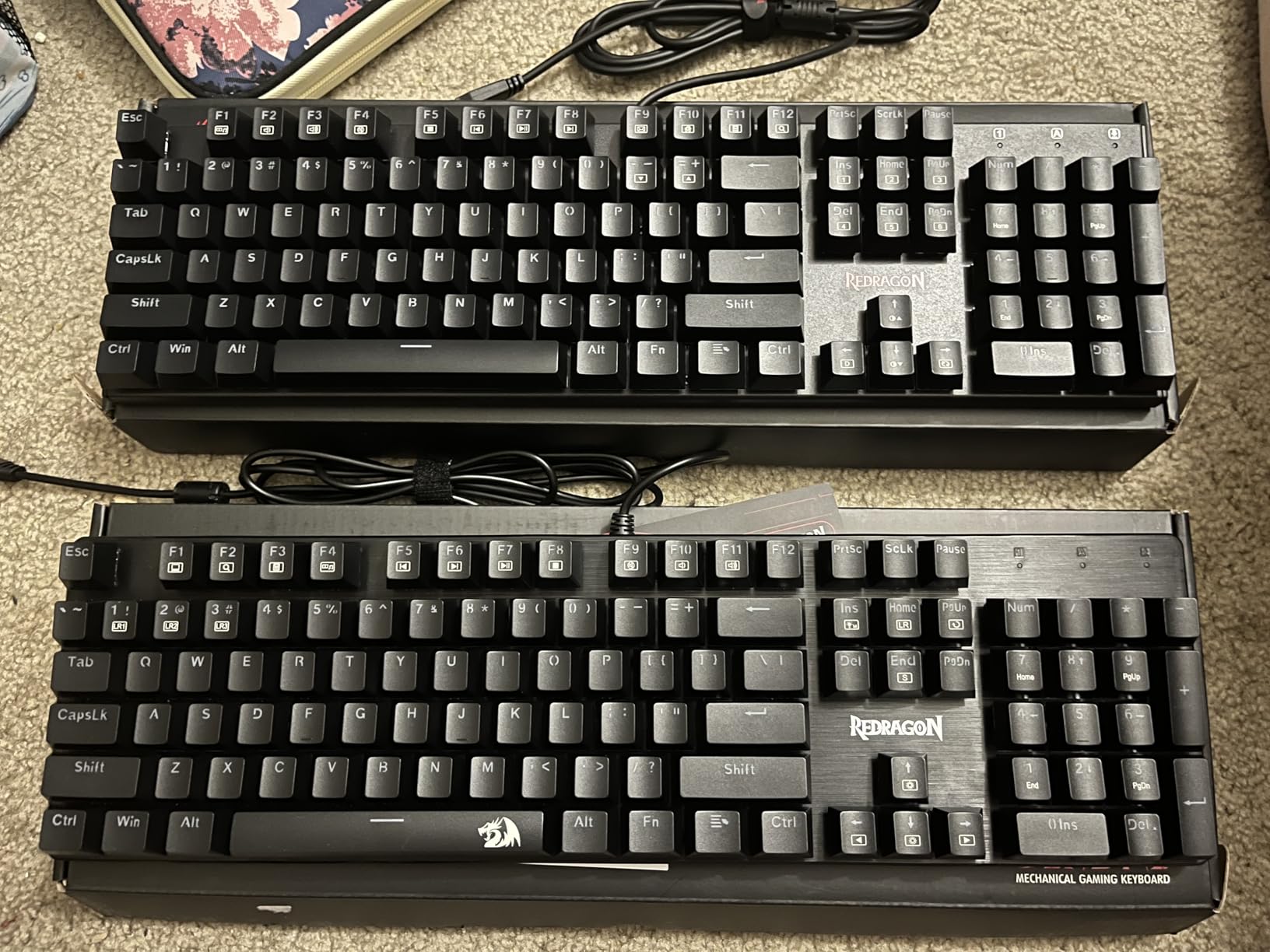
Backlighting offers 11 programmable modes with 5 brightness levels, and macro remapping runs through the Redragon software. Full-key anti-ghosting means no three-key rollover limit, plus 12 multimedia shortcut keys above the numpad.
Double-shot PBT keycaps are the part that surprised me. PBT does not develop the greasy shine that cheaper ABS caps pick up within months, so the board ages better than its price suggests. The 24-month warranty is also the longest coverage listed among these boards.
Why it works for most people
It is a straightforward, dependable first hot-swap board. Nothing needs tuning, the sockets take standard switches, and the full-size layout means no layers for anyone who does not want them.
Typing feel is smooth and low-force, and the sound is a muted clack that suits a home office better than a shared one.
Where it falls short
Lighting colours are locked to a fixed rainbow preset with no solid-colour option, which is limiting if you want a single accent colour. The programming software is Windows-only and widely described as unintuitive.
Sound and keycap feel are the other weak points, since the board is clackier and more hollow than the gasket-mounted options here, and it is wired only.
7. RK ROYAL KLUDGE R65 – Best for Pre-Lubed Tactile Switches
RK ROYAL KLUDGE R65 Wired Gaming Keyboard with Volume Knob, 60% Percent RGB Backlit Mechanical Keyboard, Side Printed PBT Keycaps, QMK/VIA, 66 Keys Hot Swappable Beige Switch, Gradient Black
66-key compact layout
Gasket mount with five foam layers
CNC aluminum volume knob
QMK/VIA programmable
Pros
- Gasket mount with five sound-absorbing layers gives a clean thocky damped sound
- Pre-lubed tactile beige switches are the best-feeling included option here
- 66 keys keeps arrows and a dedicated Delete
- CNC aluminum knob with press-to-mute
- Side-printed double-shot PBT keycaps resist shine
Cons
- VIA JSON files have wrong IDs so remapping needs manual editing
- No official manufacturer software
- Included USB cable is thin and kinked
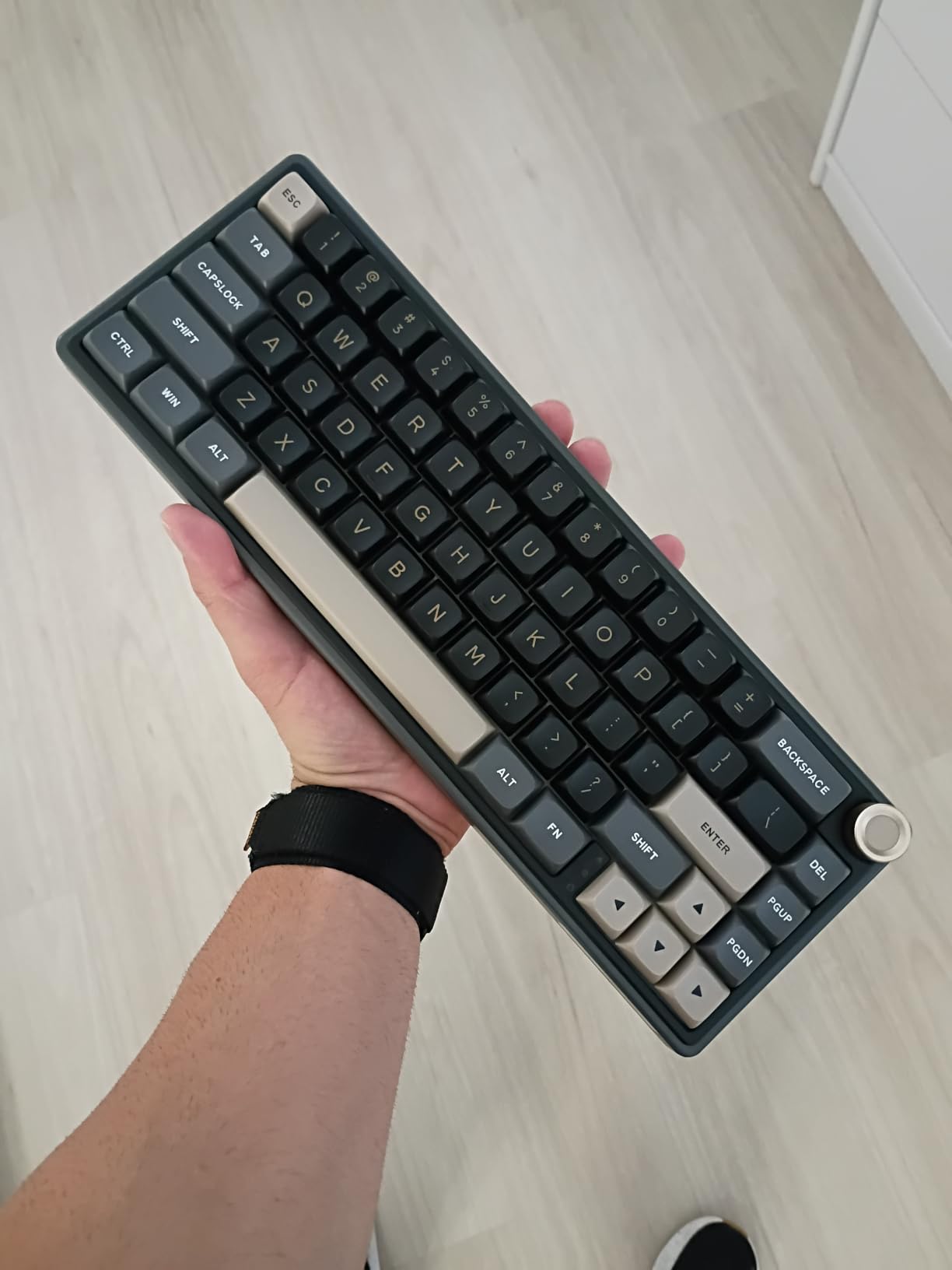
The R65 is the board I suggest to people who have never consciously chosen a switch. The fitted option is a pre-lubed tactile beige, which gives a noticeable bump on the way down without the noise of a clicky, and it is the most convincing out-of-box switch feel among these ten boards.
Layout is the practical surprise. At 66 keys it is a 65%/60% hybrid that keeps a full arrow cluster and a dedicated Delete key, which is the one omission people complain about most on a pure 60% board.
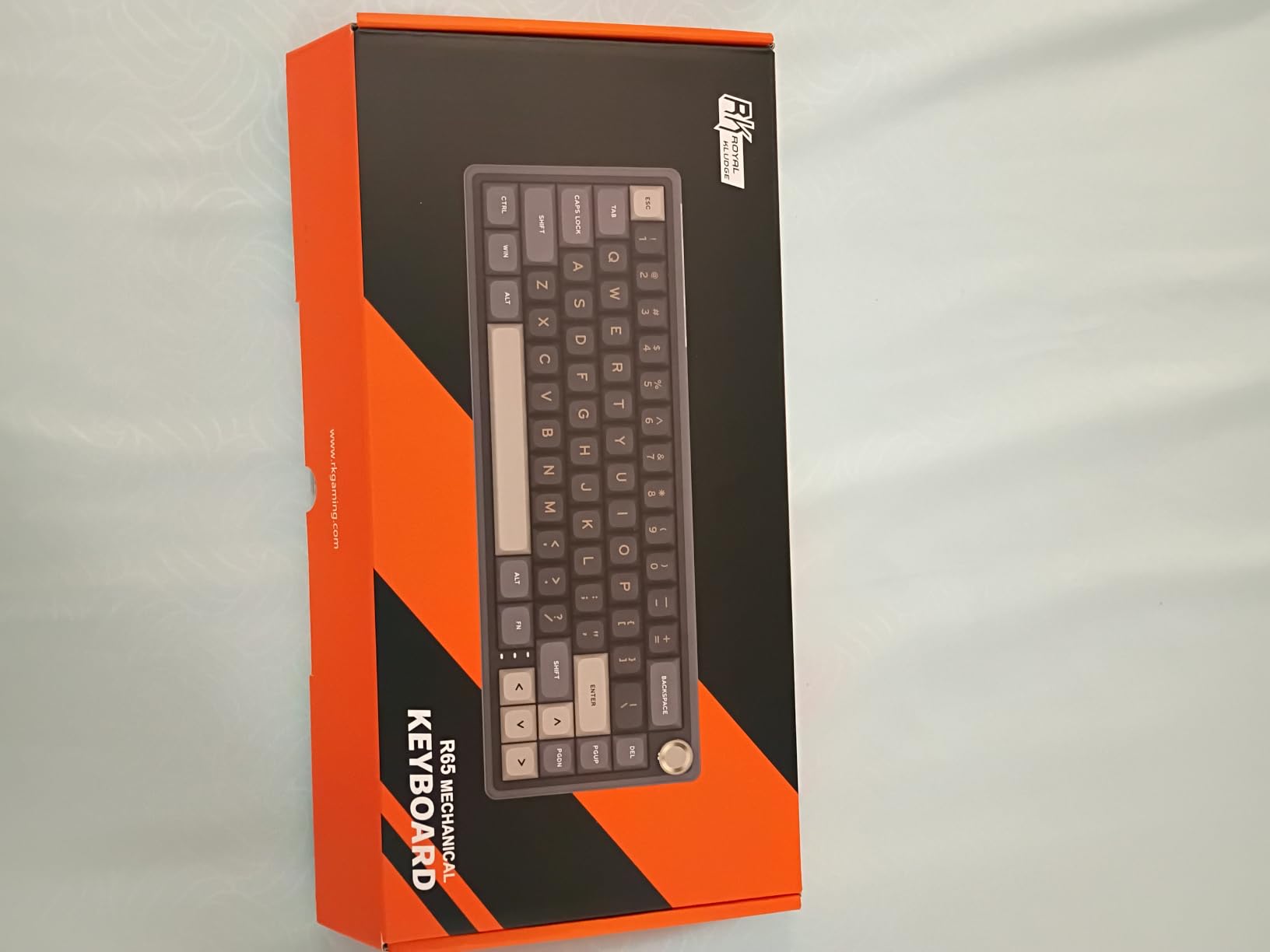
Underneath the caps, a gasket mount sits against five layers of sound-absorbing material including poron cotton, in a weighted case that stays put while you type. The hot-swap PCB accepts both 3-pin and 5-pin switches, and four spare switches plus a puller are in the box.
The CNC aluminium volume knob has press-to-mute and three indicator lights. Side-printed double-shot PBT keycaps resist both shine and fading, and there are more than 20 RGB backlight modes behind them.
Why it works for most people
Tactile switches are the safe middle recommendation for typing and gaming alike, and these come pre-lubed so there is no break-in period. A weighted case and gasket mount make it feel far more substantial than the specification sheet implies.
Keeping Delete and the arrows removes the most common adjustment period for new compact-board owners.
Where it falls short
Customization is the real problem. The published VIA and QMK JSON files carry wrong vendor and product IDs and incorrect matrix definitions, so remapping means editing files by hand, and there is no first-party software to fall back on.
The volume knob feels slightly mushy against the rest of the board, the keycaps are not shine-through, and the bundled USB cable is thin and kinked at the strain relief.
8. Redragon K668 – Best Full-Size With Two Keycap Sets
Redragon K668 108-Key Hot-Swap Wired RGB Gaming Keyboard, Extra 4 Hotkeys
108-key full-size layout
4 extra programmable hotkeys
3-pin and 5-pin hot-swap socket
Two keycap sets included
Pros
- 108-key layout with four extra programmable hotkeys
- Upgraded hot-swap socket accepts nearly any 3-pin or 5-pin switch
- Red linear switches are quiet enough for shared spaces
- 19 lighting presets with brightness and music-sync
- Two included keycap sets change the look immediately
Cons
- Full-size footprint needs a wide desk
- No wireless
- software is Windows-focused
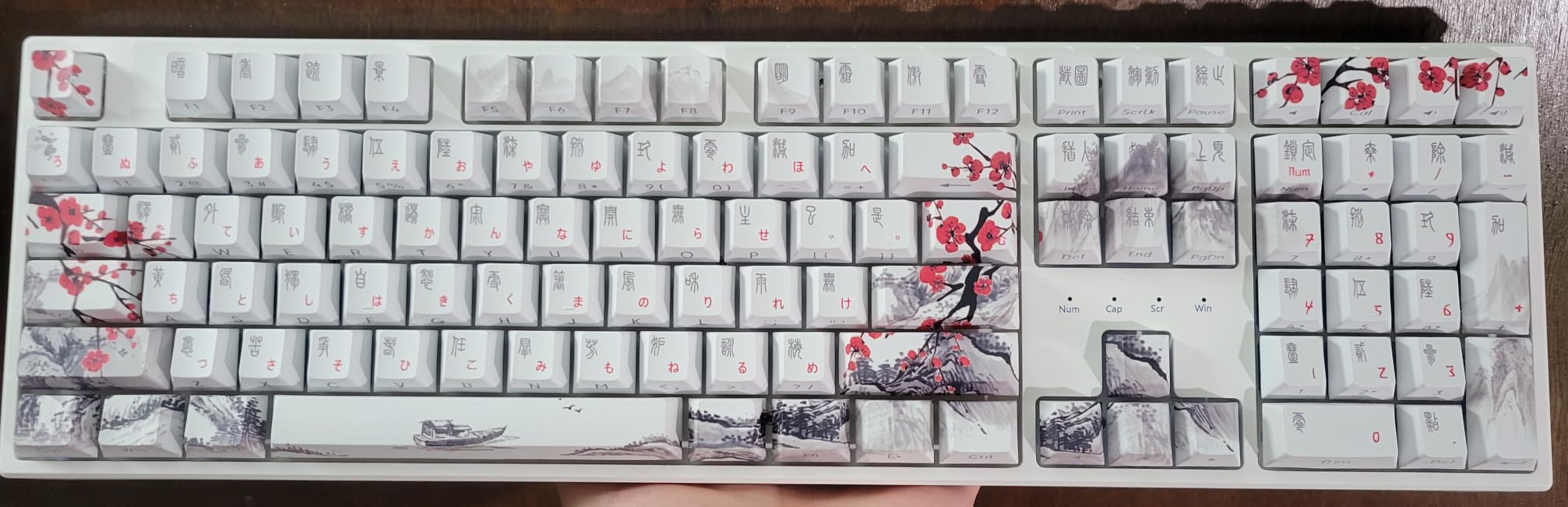
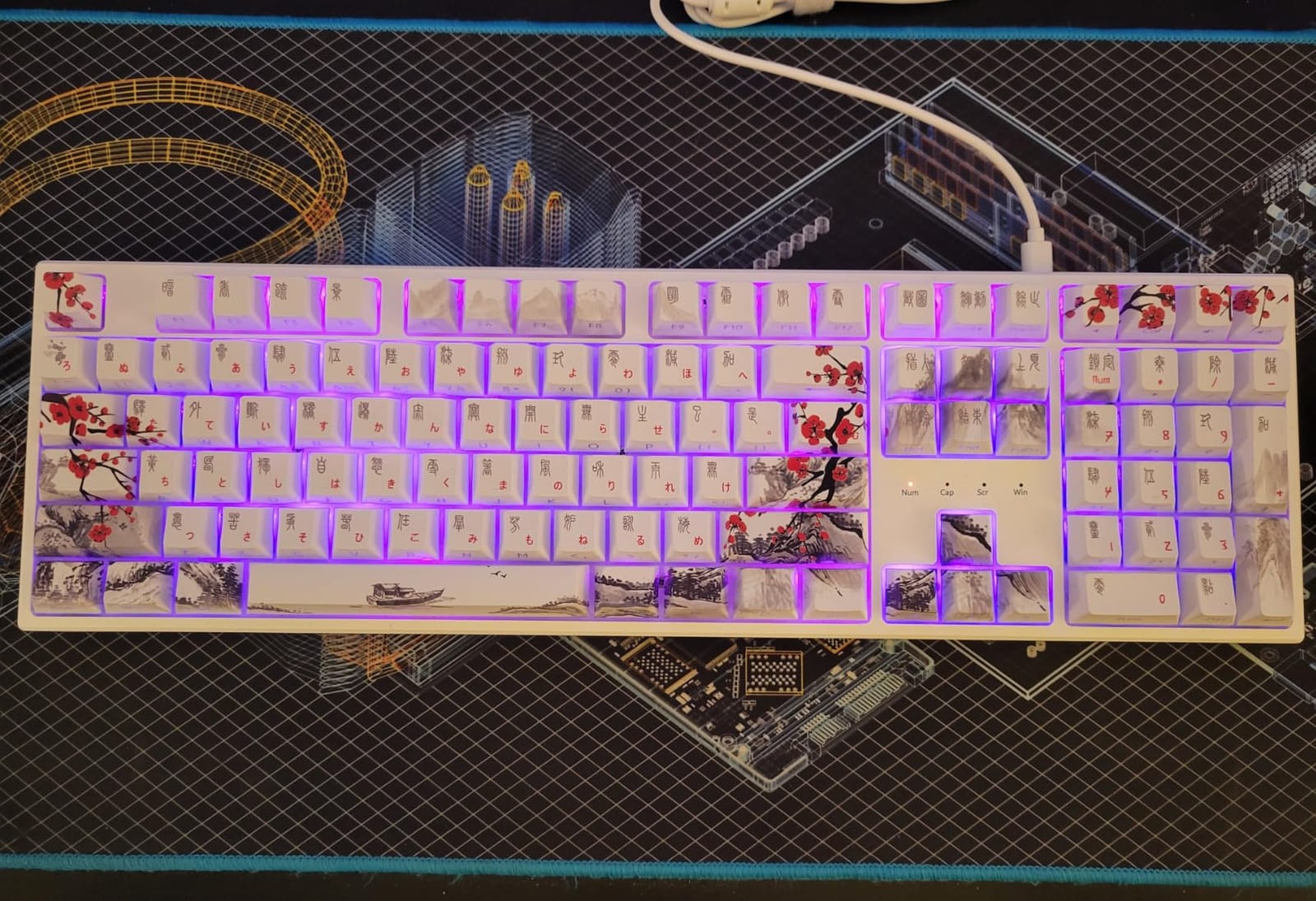
The K668 solves a problem few of the other picks here address. Two mixed-colour keycap sets are included in the box, so you can change the entire look of a full-size board in about two minutes without spending anything or opening a switch, and the hot-swap sockets stay available for feel changes.
It is also a more generous full-size layout here, with 108 keys. That means the function row, navigation cluster, arrow cluster and numpad, plus four dedicated hotkeys that default to mute, calculator, screen lock and desktop.
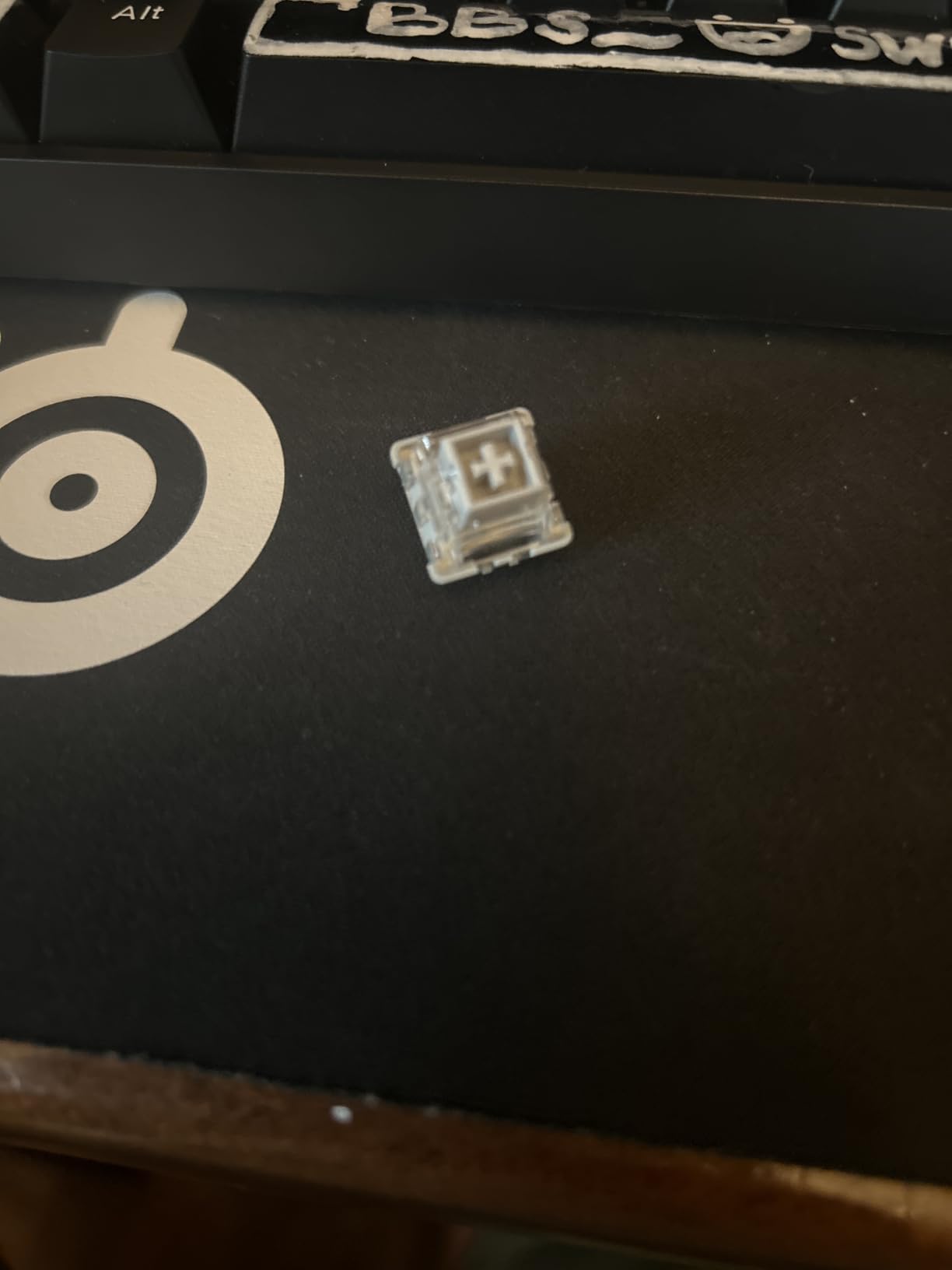
The upgraded hot-swap socket is described as accepting almost any 3-pin or 5-pin switch, which is exactly the flexibility you want from this feature. The included pullers make that practical rather than theoretical.
Backlighting covers 19 preset modes with adjustable brightness, flow speed and a music-sync mode. Two-stage ergonomic feet let you raise the rear of the board, and 104 keys register accurately during rapid multi-key combinations.
Why it works for most people
Full-size buyers want a full-size board, and this one does not compromise the layout to save space. The red linear switches that come with it are quiet enough for a shared space, which is unusual at this level.
Software handles hotkey reassignment, custom lighting design and macro programming, so the four extra keys are genuinely programmable rather than decorative.
Where it falls short
At 108 keys the footprint is genuinely wide, so it needs desk space that the 75% and 96% boards do not. It is wired only, with no Bluetooth or 2.4 GHz.
The software is Windows-focused, and the included keycap sets are the main aesthetic lever, since the included switches and case are fixed once bought.
9. Aula WIN60 HE – Best for Competitive FPS and Rapid Trigger
Aula WIN60 HE – 60% Mechanical Gaming Keyboard Wired, Magnetic Switch Hot Swappable, Adjustable Actuation Rapid Trigger Mode, 8000 Hz Polling Rate, RGB Small Keyboard 60 Percent Compact Design for PC
Hall effect magnetic switches
0.02mm rapid trigger
Up to 8000Hz polling
Web-based driver
Pros
- Hall effect switches give adjustable actuation and 0.02mm rapid trigger
- 8000Hz polling delivers very fast consistent response
- Thocky sound with a heavier build that stays planted
- Browser-based driver works from any internet-connected device
- Owners report it competing with far pricier magnetic boards
Cons
- Web software is functional but not polished
- Fitted keycaps feel cheap and case flex is noticeable
- Isolated reports of ghost inputs and boot connection problems
The WIN60 HE is the only Hall effect board here, and it exists for one reason. Magnetic switches have no physical contact, so the actuation point is adjustable per key and rapid trigger can fire at a 0.02 mm step distance. In shooters that means a key can register on the way up, which is the mechanic the top competitive players rely on.
Polling runs up to 8000Hz, four times the common wired standard, and that shows up as a consistently fast response rather than an occasional fast one. The board is wired USB-C, which is the right call for a latency-focused device.
Sound and build are better than the specification suggests. The board has a heavy, planted feel and a thocky profile, and the RGB sits at a low light position so it illuminates PBT keycaps across 16.8 million colours.
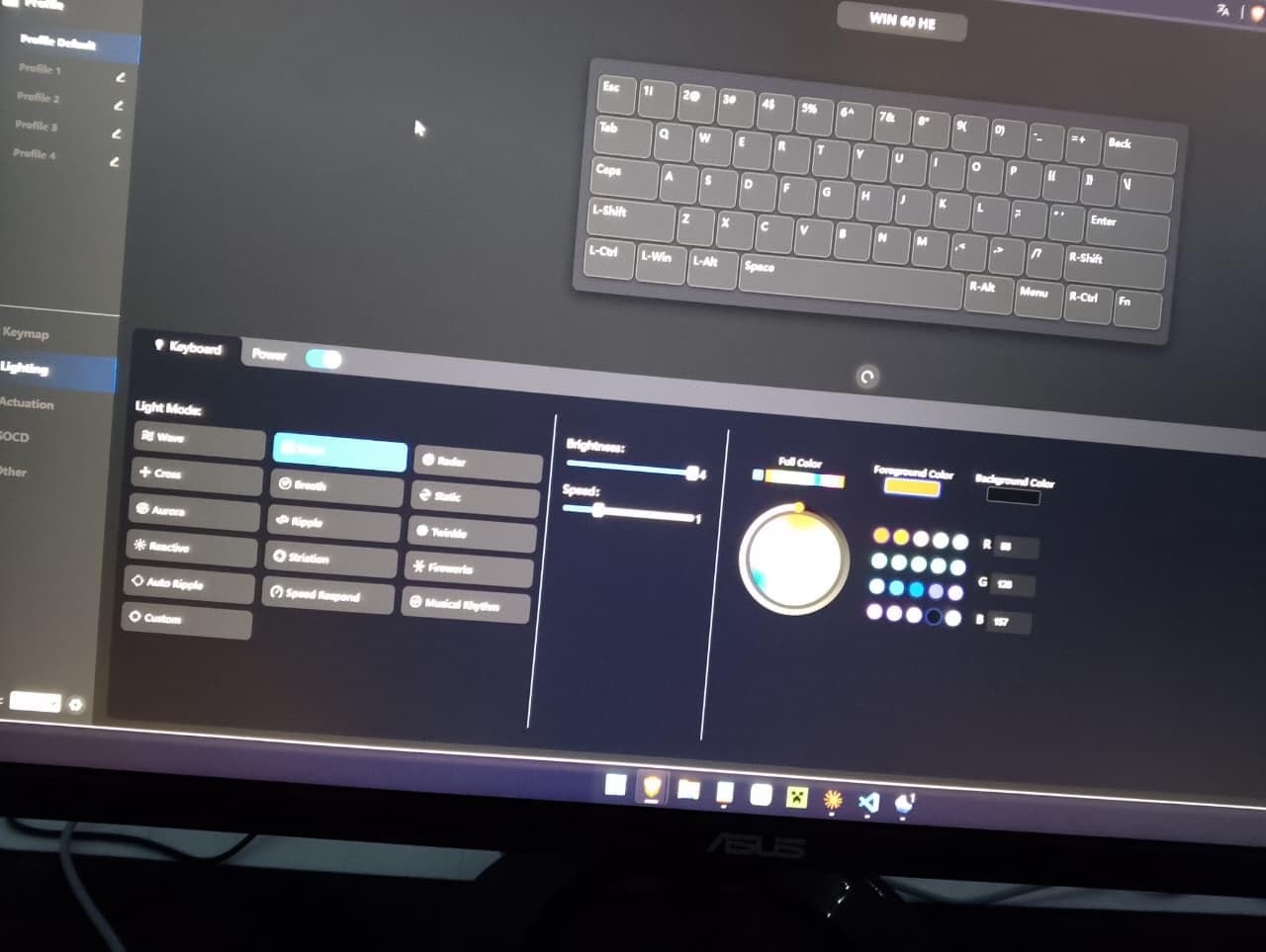
Configuration runs through a web-based driver rather than an installer, so there is no bulky application and it works from any internet-connected device. That removes a genuine friction point, even though the interface itself is not the prettiest.
Why it works for most people
For competitive shooters, adjustable actuation and rapid trigger are a real mechanical advantage, and this board delivers both at a fraction of the usual cost for magnetic switches. Several owners report it matching boards costing several times more.
Hot-swap sockets are present, so you can change magnetic switches, though only to other magnetic switches. MX switches are not an option here.
Where it falls short
The fitted keycaps feel cheap and replacing them measurably improves both feel and sound. The case shows noticeable flex when pressed firmly, and 8k polling can upset USB devices on some AMD systems.
There are also isolated reports of ghost inputs on one key and of examples that needed a cable reconnect at boot. The 60% layout also means no function row or numpad.
10. XVX M67 – Best for Customisable RGB
x XVX M67 Wireless 60% Percent Keyboard, QMK/VIA Topographic Gaming Keyboard, Tri-Mode Thocky Creamy Mechanical Key board, Hot Swappable Gasket Mount RGB IMD Tech for Win/Mac, Miami Theme, Black
67-key 60% wireless layout
IMD pattern shine-through keycaps
QMK/VIA across three operating systems
Gasket mount with four fill layers
Pros
- IMD pattern shine-through keycaps give distinctive RGB
- Hot-swap 3-pin and 5-pin sockets with 80-million-keystroke switches
- Simple QMK/VIA remapping on Windows MacOS and Linux
- Tri-mode wireless with a 4000mAh battery
- Adjustable colour saturation for a frosted look
Cons
- No numpad
- RGB very bright by default
- Occasional wireless dropouts for a minute or two
The M67 earns its place because its lighting is genuinely different rather than merely brighter. The keycaps use IMD technology, which moulds a pattern into the cap so the backlight reads as a textured glow instead of a single block of colour. Add two LEDs under each stabilizer and five along the spacebar and the effect is unlike anything else at this level.
Colour saturation is adjustable, which lets you pull the look back to a frosted white rather than full neon. More than 17 RGB modes are included.
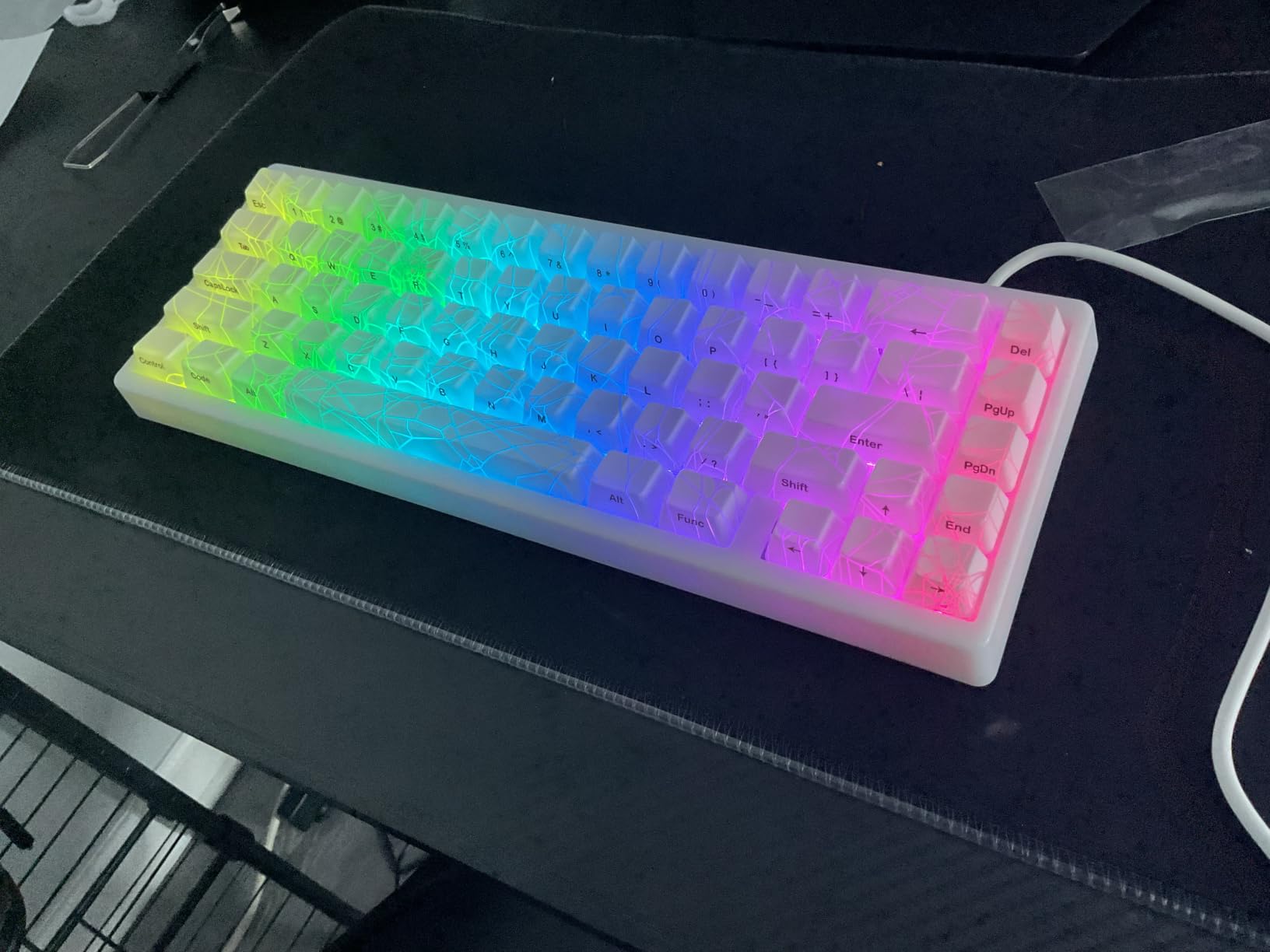
Under the lighting it is a properly built board. A gasket mount, single-key slotted PCB and four layers of silencer fill produce a creamy, thocky typing feel, and the hot-swap PCB takes 3-pin and 5-pin switches with pre-lubed transparent linears rated to 80 million keystrokes.
QMK/VIA remapping works across Windows, macOS and Linux, with the software described as simple and highly customizable. Remapping is done in wired mode and carries over to wireless, which removes a common source of confusion.
Why it works for most people
Tri-mode connectivity across five devices with a 4000mAh battery gives roughly a week per charge, and switch and keycap tools plus a cleaning brush are in the box. The two-year warranty matches the best coverage here.
If you care about how a board looks with the lights on and want software that actually works on a Mac, this is the one to shortlist.
Where it falls short
There is no numpad, so anyone who needs one should look at the F99. RGB is very bright out of the box and needs dimming before it stops being distracting in a dark room.
There are occasional reports of wireless responsiveness dropping out for a minute or two even on a full charge, and the fitted switches are clackier than the sound profile suggests.
How to Pick a Hot Swappable Keyboard: Size, Layout and Pin Count
Layout is the decision that frustrates people most often, because it is the one you cannot change later. Work through these four checks in order and the choice gets easy.
1. Board size. A 60% board drops the function row and arrows, and frees the most mouse space. A 65% board adds back the arrows, which is why the R65 feels more usable than the RK61 at first. A 75% board adds the function row as well. A 96% board keeps a full numpad by condensing the keys above it, which is what the AULA F99 does. A 100% board is the traditional full-size arrangement with a separated function row, and it is the widest option on any desk.
That 96% question comes up constantly, so to be explicit: a 96% keyboard is missing the dedicated function row separation and has narrower keys in the top-right cluster. It is not missing the numpad. That trade is why the F99 suits people who type numbers and the K668 suits people who want everything separated and spaced.
2. Pin count. MX switches come as 3-pin and 5-pin. The two extra plastic legs on a 5-pin switch help centre it in the socket and reduce wobble. Most modern boards accept both, and every board on this list except where noted states 3-pin and 5-pin support. On a 3-pin-only board, 5-pin switches will not seat without clipping the legs, which is a permanent modification to the switch.
3. Socket and cutout check. Look for a named socket, look for a stated pin support, and check the plate photo to confirm a puller can seat. If the product page does not name a socket brand, treat that as a warning rather than a dealbreaker, and plan on a small amount of trial and error.
4. Firmware and wireless. QMK and VIA support means you can remap layers and macros in a browser and keep doing it in five years. Boards with only on-board memory or a Windows-only app lock you into whatever the manufacturer decided. For wireless, check battery capacity, because 4000mAh and 8000mAh are both multi-week cells while smaller packs are not, and remember that Bluetooth adds latency, so keep 2.4 GHz or wired for games.
Two final practical points. Sockets do wear, but with a named Kailh or Gateron socket and gentle puller use you will not notice it; the boards that fail are the ones with no socket brand at all. And if you are building from a barebones kit, remember the total is shell plus switches plus keycaps, which is why a pre-built at this level often costs less than assembling the same result.
How to Swap a Switch on a Hot Swappable Keyboard
This takes about a minute per key and needs no tools beyond the pullers in the box. Take a photograph of your layout first so you can put layers back the way you had them.
Step 1. Power the keyboard down if it is wireless, and turn it off at the switch or unplug the cable. Backlighting on a disconnected board helps you see the socket, so do not force it back on.
Step 2. Pop the keycap off with the keycap puller. A wire puller grips under the cap; a switch puller grips under the switch itself. Mixing them up is the usual first mistake.
Step 3. Seat the switch puller on both sides of the switch housing and pull straight up with a gentle rocking motion. Never yank sideways, because that bends socket pins.
Step 4. Line the new switch up so the two metal legs go into the two metal contacts in the socket, then press down until it clicks. The click is the socket closing around the pins, and hearing it is how you know the switch is seated.
Step 5. Pop the keycap back on, reconnect, and test the key. If it does not register, power-cycle the board before assuming the switch is faulty, since a half-seated switch often resolves itself.
On a 3-pin-only board you would add a step: clip the two outer plastic legs off a 5-pin switch with a pair of flush cutters before seating it. That is why buying a board with stated 5-pin support saves the hassle.
Pairing Switches and Keycaps After Your First Swap
The point of a hot-swap board is the change, so it is worth choosing the change well. For gaming, light tactile switches or a fast linear both work, and the WIN60 HE approach of an adjustable magnetic switch covers the same need differently. For all-day typing, a medium or heavy tactile gives feedback without fatigue, and the R65 beige tactile is a good example. For an office, a silent switch is the only serious answer, and pair it with the quieter boards on this list.
Keycaps matter as much as switches for the result. South-facing LEDs, as on the R75 and KN85, light shine-through caps evenly. North-facing LEDs, as on the RK61 and F75, can catch the underside of Cherry-profile caps and leak light around the top edge, so check that fit before committing to a keycap set.
Finally, stabilisers. Most of the boards here come with pre-lubed or well-tuned stabilisers, and the ones that do not usually need a thin coat of lubricant on the spacebar and enter stabilisers. That single fix removes the rattle that makes an otherwise good board feel cheap.
Frequently Asked Questions
What is a 96% keyboard missing?
A 96% keyboard is missing the dedicated function row separation and has narrower keys in the top-right cluster, but it keeps a full numpad. That is the whole point of the layout: it shrinks a 100% board by condensing rather than deleting. The AULA F99 in our list is a 96% board, and it suits anyone who needs number entry without the width of a traditional full-size.
Can you use a 5 pin switch on a 3 pin keyboard?
Not directly. A 5-pin switch has two extra plastic legs that hit the socket housing on a 3-pin board, so it will not seat until you clip those legs off with flush cutters. Clipping is permanent, and it is why buying a board with stated 5-pin support is worth the effort. Check the spec line for pin support before you buy a pack of switches.
What are the key differences between 3-pin and 5-pin keyboard switches?
The difference is two small plastic legs on the underside. The metal contacts are identical, so a 3-pin switch and a 5-pin switch register identically once seated. The extra legs on a 5-pin switch help the switch centre itself in the socket and reduce wobble, which is why they fit 5-pin sockets only. On a 3-pin-only board those legs must be clipped.
Is there a full-size mechanical keyboard that can hot-swap?
Yes. Several full-size boards use genuine hot-swap sockets, and two strong examples are the Redragon 104-key board and the Redragon K668 with 108 keys and four extra hotkeys. Both accept 3-pin and 5-pin switches, both are wired, and the K668 includes two keycap sets. A 96% board such as the AULA F99 is the compact alternative if width matters more than a separated function row.
Which mechanical keyboards are hot-swappable?
A keyboard is genuinely hot-swappable when its PCB uses sockets instead of solder joints and the product page states support for both 3-pin and 5-pin MX switches. Trustworthy socket names include Kailh v3, Kailh hotswap v2 and Gateron KS-33, and the plate cutouts should clear a standard switch puller. Every board in our roundup meets those four checks, and none lock you into proprietary switches.
Which Hot Swappable Mechanical Keyboard Should You Buy?
Start with the RK61 if you want the most capability per key and the widest software support, and it is our pick as the best hot swappable mechanical keyboard overall in 2026. Move to the EPOMAKER x Aula F75 if you want sound and a knob with no assembly. Go full-size with the AULA F99 for a numpad in a compact footprint, the Redragon 104-key board for the longest warranty, or the K668 for two keycap sets.
For tactile switches straight out of the box choose the RK R65, and for competitive shooters where rapid trigger matters more than MX compatibility, choose the Aula WIN60 HE. Whichever you pick, buy it with a stated 5-pin socket, keep the spare switches that came with the board, and check which of our picks suits your desk size first. That is the only decision you cannot make later.