
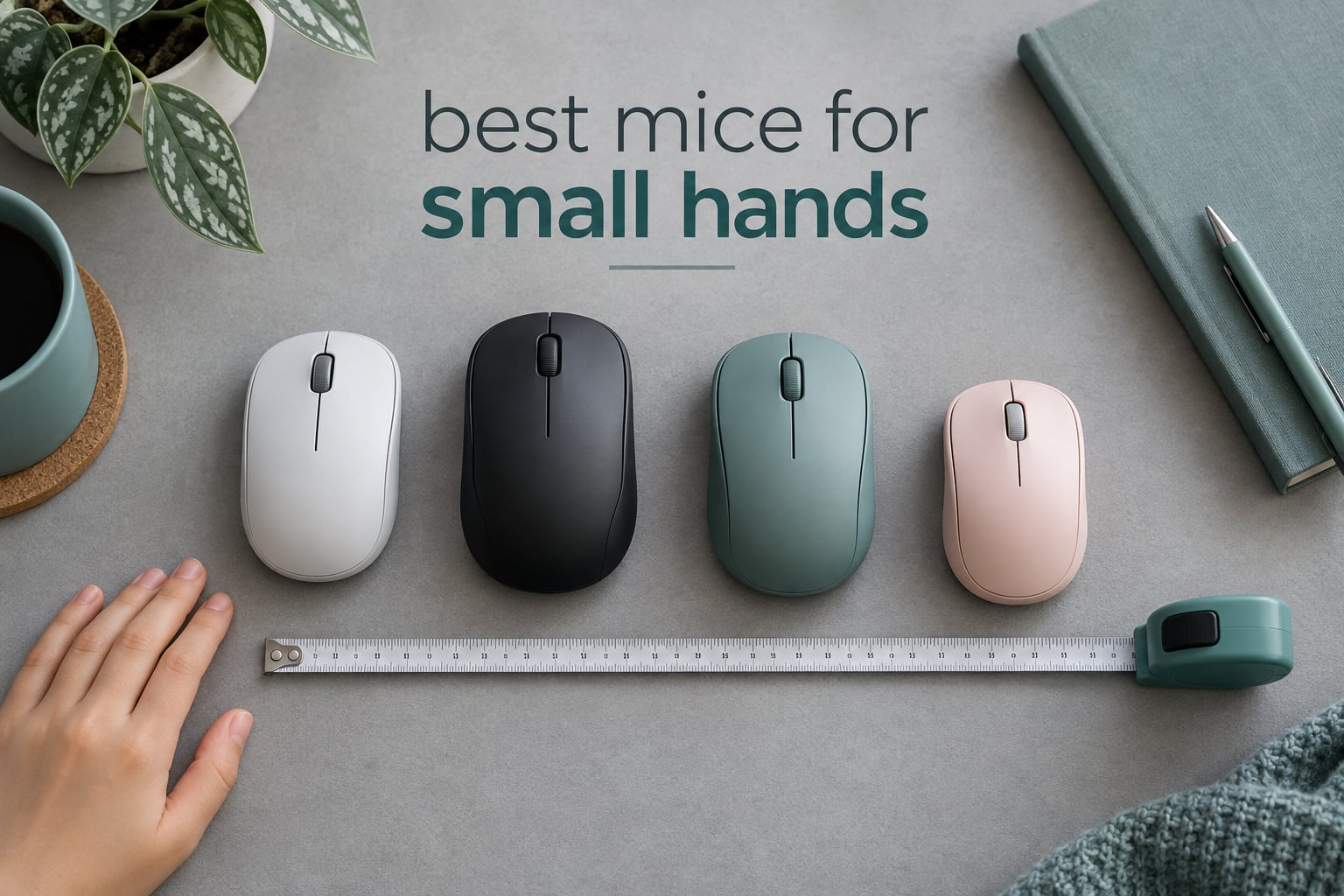
Most mice are simply too long for a small hand. That is the whole problem, and it is why searching for the best mice for small hands usually ends with you dragging your palm past the tail of the mouse and gripping the very end of it just to move the thing. I have spent the last few months working through compact shapes, measuring real dimensions, and reading what owners with genuinely small hands say about fit, grip and durability. This list is the result, updated for October 2026.
Before you read on, one warning that shaped everything below: a mouse can be sold as “small” and still be too long for you. The fix is not guesswork, it is measurement, and the measurement takes about ten seconds. We also looked at similar size-matched advice for other gear, such as our picks for electric guitars for small hands and thin necks, where the same length-versus-hand logic applies.
Every mouse below lists a real physical length and a real weight, because those two numbers explain almost every fit problem. Where a product’s published dimensions are inconsistent, I have said so rather than smoothing it over.
Table of Contents
What are the best mice for small hands?
The best mice for small hands are the Logitech G305 for overall fit, the Razer Orochi V2 for ultralight gaming, the TECKNET Compact for value, and the Logitech M240 for silent everyday use. Each measures under 4.7 inches long, sits low, and lets a small palm rest on the shell instead of gripping past the end. All ten picks below are listed with length, weight and grip fit so you can match one to your own hand.
Logitech G305 Lightspeed – best overall, 4.59 inch shell at 3.36 ounces
Razer Orochi V2 – best ultralight gaming mouse, under 60 g with an 18K sensor
TECKNET Compact Wireless – best value, 3.94 inches with three DPI levels
Logitech M240 Silent – best quiet mouse for shared rooms and study
Redragon M724 – best lightweight wired gaming mouse at 42 g
Logitech M196 Compact – best for travel and laptop bags
Logitech Design Collection – best colourful desk mouse for a small hand
Clevy Kids Mouse – best for young children learning to use a mouse
SOONGO Kids LED Mouse – best glowing mouse for a child who wants something fun
SOONGO Mini Wired Mouse – best budget silent travel mouse
Top 3 Picks Best Mice for Small Hands in 2026

Logitech G305 Lightspeed
- Compact 4.59 inch shell
- HERO sensor up to 12000 DPI
- 250 hour battery life
- 3.36 ounces
- ambidextrous

Razer Orochi V2
- Under 60 grams
- 18K optical sensor
- 950 hour Bluetooth battery
- 2.4 GHz HyperSpeed wireless

TECKNET Compact Wireless Mouse
- 3.94 inch body
- 3 DPI levels at 1600 max
- silent clicks
- 2.4 GHz nano receiver
Quick Overview of All 10 Picks (October 2026)
| Product | Specifications | Action |
|---|---|---|
| Logitech G305 Lightspeed |
|
Check Latest Price |
| Razer Orochi V2 |
|
Check Latest Price |
| TECKNET Compact Wireless Mouse |
|
Check Latest Price |
 Logitech M240 Silent Logitech M240 Silent |
|
Check Latest Price |
 Redragon M724 Wired Gaming Mouse Redragon M724 Wired Gaming Mouse |
|
Check Latest Price |
 Logitech M196 Compact Logitech M196 Compact |
|
Check Latest Price |
 Logitech Design Collection Mouse Logitech Design Collection Mouse |
|
Check Latest Price |
 Clevy Kids Mouse Clevy Kids Mouse |
|
Check Latest Price |
 SOONGO Kids LED Mouse SOONGO Kids LED Mouse |
|
Check Latest Price |
 SOONGO Mini Wired Mouse SOONGO Mini Wired Mouse |
|
Check Latest Price |
How to Measure Your Hand Size for a Mouse
Three steps, about ten seconds, and it removes every guess from this entire article. Measure with the fingers extended and relaxed, not stretched, because stretched fingers give you a number that is too big.
Find your wrist crease. This is the soft fold where the palm meets the underside of the wrist. The measurement starts here, not at the edge of your watch or sleeve.
Measure to the tip of your middle finger. Lay your hand flat on a table and measure the straight line from the middle of that crease to the tip of your longest finger.
Read the result. Under 17 cm is a very small hand. 17 to 19 cm is a small hand. 19 cm and above is where standard full-size mice start to work properly.
Now match that number to mouse length. Your hand measurement and the mouse length should land in the same ballpark, with the mouse at or just under your measurement. A person measuring 17.5 cm should be looking at mice in the 3.7 to 4.3 inch range. Someone measuring 19 cm has more room and can stretch to around 4.6 inches.
One more number matters if you are torn: the height of the hump, the raised centre of the mouse under your knuckles. A low hump suits fingertip and claw grip. A tall hump suits palm grip, and a small hand usually cannot use a tall hump properly because there is not enough palm to rest on it. If you have very short fingers, prioritise length first, then height.
The same length-versus-shape logic comes up with instruments, and our guide to acoustic guitars for small hands and short reach works the same way: measure the span you actually have, then match it to the physical dimensions of the tool.
Palm, Claw and Fingertip Grip Explained
Why does every mouse feel too big? Because you are gripping the end of it. On a full-size mouse your ring finger and little finger sit on the tail of the shell, your palm overhangs the back edge, and to flick the mouse you have to squeeze. On a compact mouse the whole shell sits under your hand and you push it with your fingertips.
Palm grip means the whole centre of your palm rests on the back of the mouse and your fingers drape down the sides. It needs a longer body with a defined hump, which is why palm grip is the hardest style to satisfy for a small hand. Among the picks here, the Logitech G305 is the closest compromise, and the Logitech M240 works for some palm grippers at a shallow angle.
Claw grip means your palm arches, the heel of your hand rests lightly on the base, and your fingertips hold the buttons. Most compact mice are built for this and it is the safest default recommendation for a small hand. It also forgives length errors better than fingertip grip does.
Fingertip grip means only the tips of your fingers touch the mouse and the heel of your hand barely grazes the back edge. This is the style that most needs a short mouse, because the movement comes entirely from your fingers. The Razer Orochi V2 and the Logitech G305 suit it well. If your fingers are short, prefer claw grip and a slightly longer body instead.
A caution worth repeating from the wider mouse community: shape beats brand. Forum regulars consistently advise buyers to find a shape they like first and only then worry about sensors and polling rates, and reviewers repeatedly report that the wrong shape causes more pain than a mediocre sensor ever will.
1. Logitech G305 Lightspeed – Best Overall for Small Hands
Logitech G305 Lightspeed Wireless Gaming Mouse – Black
4.59 inch shell
3.36 ounces
HERO sensor to 12000 DPI
250 hour battery
Ambidextrous
Pros
- Compact low profile shell that small hands fill properly
- HERO sensor tracks cleanly with no spinout or acceleration
- 250 hours of play per AA battery
- Onboard memory plus G HUB for DPI and button setup
Cons
- Mushy side buttons with a lot of travel
- Light feeling main switches rated below many rivals
- Six advertised buttons include the standard three
I put the G305 first because it solves the actual problem instead of dodging it. At 4.59 inches long and 2.45 inches wide, it is a genuine compact mouse rather than a full-size one in a smaller colourway, and at 3.36 ounces it moves without effort. My hand sits on the shell with the little finger landing on the back edge instead of hanging off the end, which is the single change that made long sessions comfortable.
It is also the safest pick for someone who does not yet know their grip style. The shell is low and nearly flat, so claw grip and fingertip grip both work, and it is ambidextrous. Owners with small hands describe it as noticeably smaller than a standard desktop mouse, and that is not marketing copy, it is the shape on the desk.
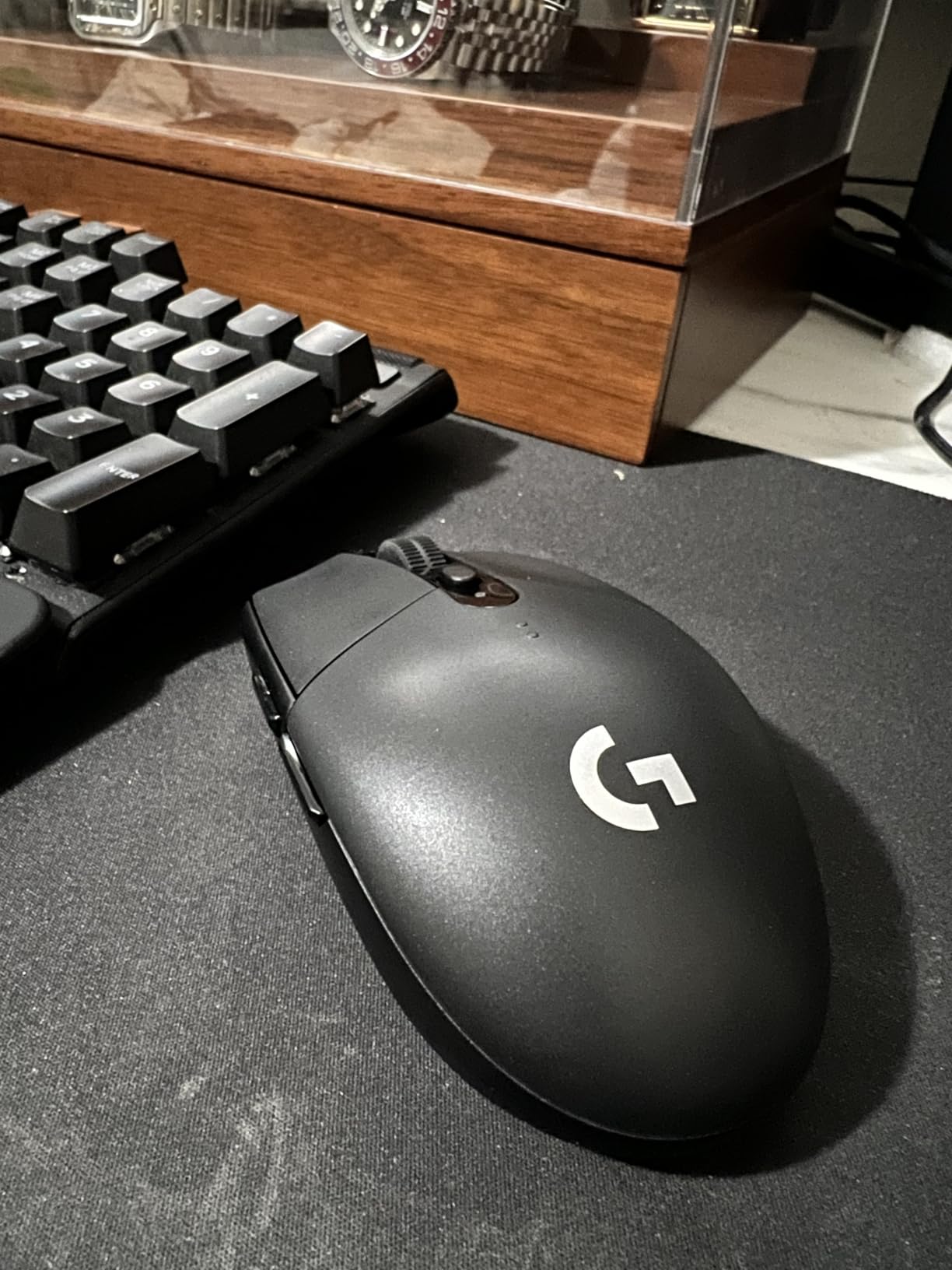
The hardware underneath is stronger than the price suggests. The HERO optical sensor handles up to 12,000 DPI with 400 IPS tracking precision, and the LIGHTSPEED 2.4 GHz wireless reports at 1 ms. Battery life is the standout spec at 250 hours of continuous use, or up to nine months in Endurance mode through G HUB, on a single AA battery. The nano receiver stores inside the body, so it does not vanish.
Where it disappoints is in the switches. The side buttons have a deep, mushy travel and need a firm press, and the main clicks are light and feel more sensitive than the feel good switches in premium rivals. The rubber ridges on the scroll wheel are also sharper than you would expect. None of that stops me recommending it, because fit and tracking matter more to a small hand than switch texture.
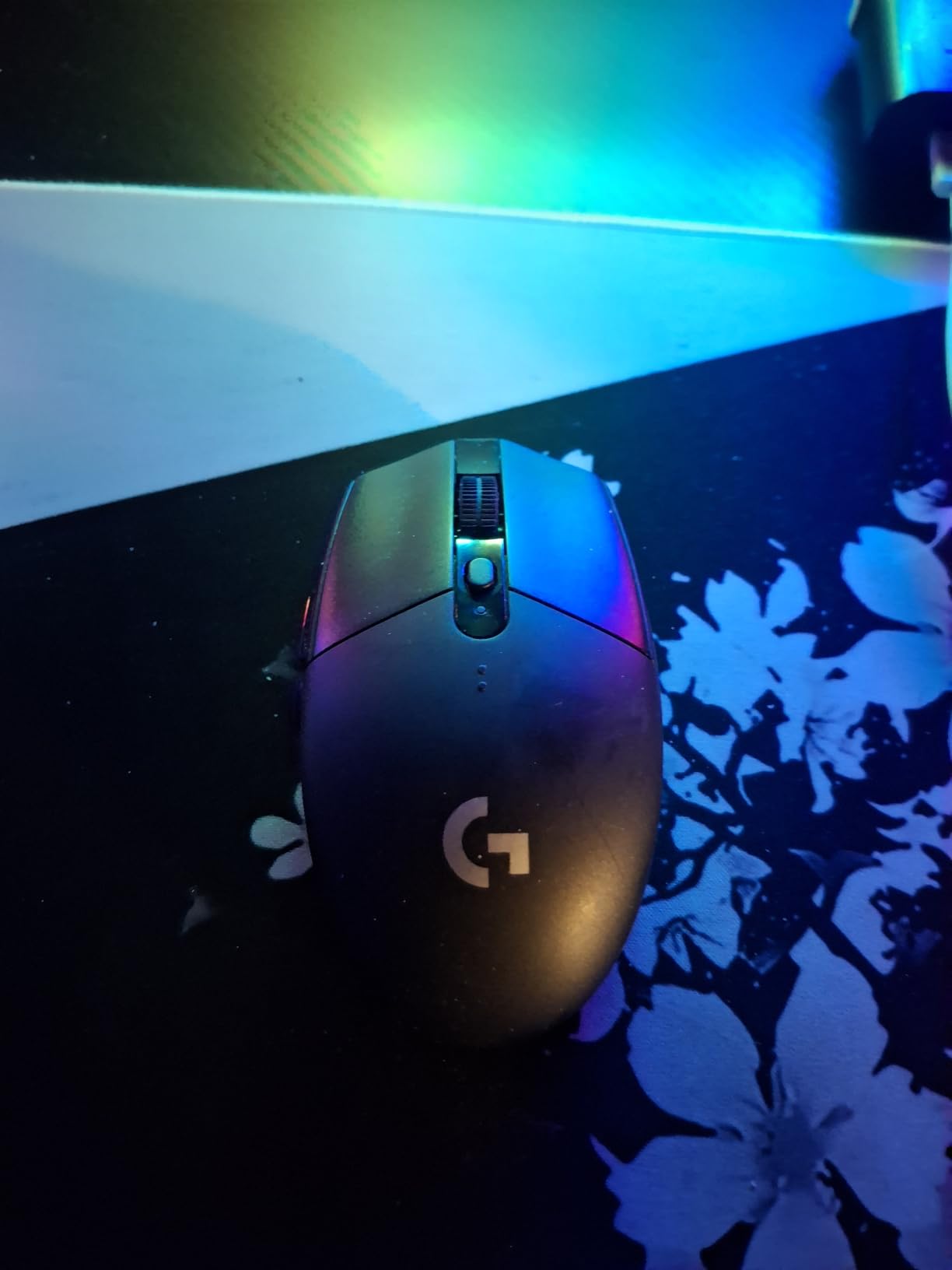
Why this one fits a small hand better than most
Two things do the work. The body is short enough that the heel of your palm clears the tail, and the shell has almost no hump, so your fingers sit on top rather than wrapping around a ridge. Owners with smaller hands consistently report the G305 fitting comfortably where a larger mouse forced them into a stretched grip.
It also handles hands on the smaller end of the small range better than the ultralight options, because the very short mice can become a problem of their own. If your hand measures 16 cm, this is a safer starting point than a 42 g mini shell.
Who should skip the G305
If you are a confirmed palm gripper, the low profile will feel flat and unsatisfying, and the same goes for anyone who wants a scroll wheel that spins freely. Buy a single AA, not the rechargeable version, if battery life matters to you. And if you play a heavy MMO, three real side buttons is not enough.
2. Razer Orochi V2 – Best Ultralight Gaming Mouse for Small Hands
Razer Orochi V2 Wireless Gaming Mouse, 950 Hr Battery, 60g, White
4.26 inch shell
Under 60 grams
18K optical sensor
Bluetooth and 2.4 GHz
950 hour battery
Pros
- Under 60 g without the battery cuts fatigue in long sessions
- Dual wireless lets you switch between Bluetooth and low latency 2.4 GHz
- Accurate 18K sensor with no reported spinout
- Hybrid AA and AAA slot lets you trade weight for endurance
Cons
- Too short to palm grip as an adult
- Uncoated plastic can feel slippery during fast tracking
- Right hand shape only with some reported click and sleep issues
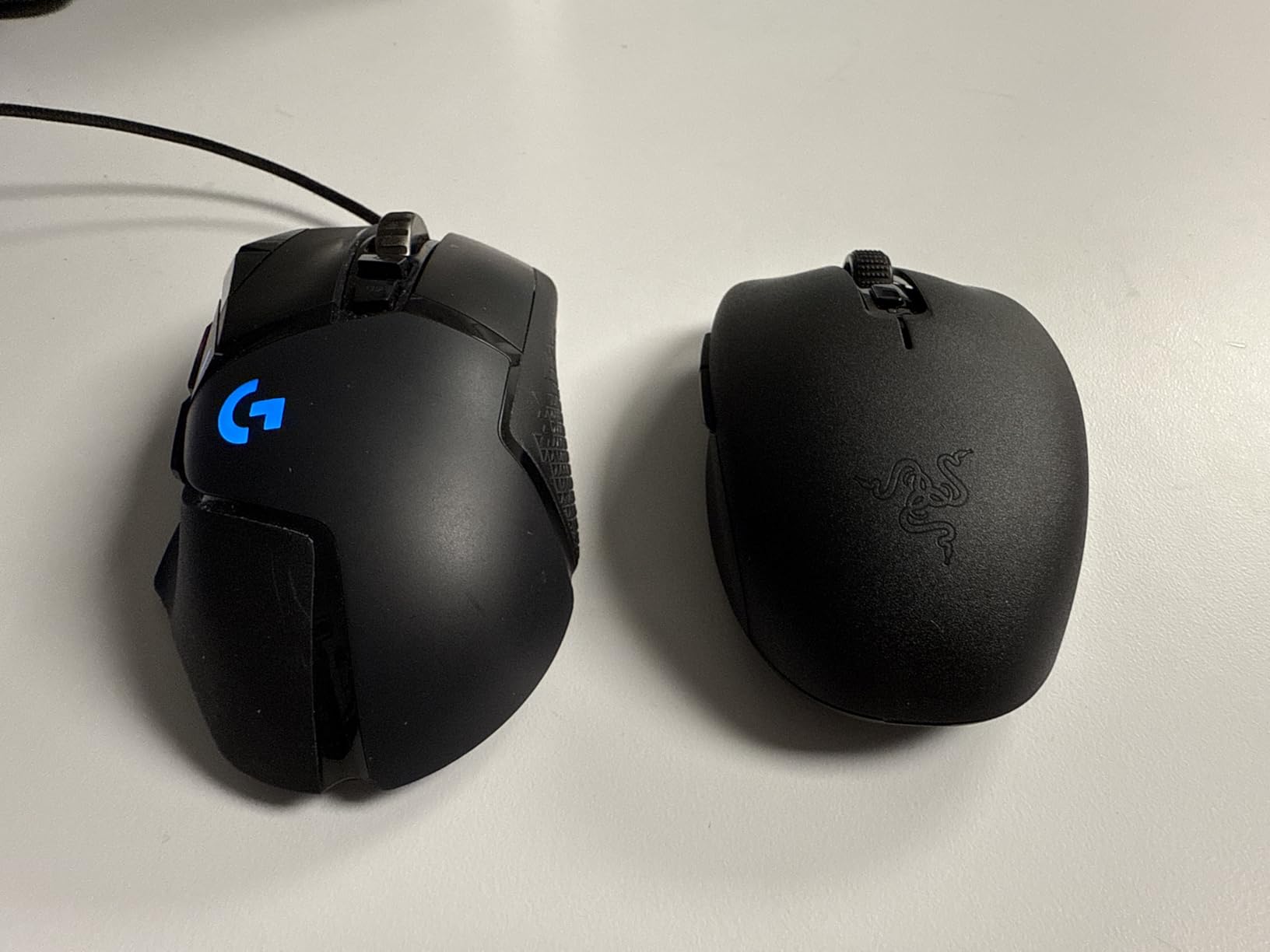
At 4.26 inches and 2.47 inches wide, the Orochi V2 is the smallest proper gaming mouse in this list, and at under 60 grams excluding the battery it is also the lightest. If you are under 17 cm and you game, this is the shape that will not make you grip the end. Fingertip grip is the intended style, and it suits short fingers particularly well.
Owners with small hands frequently single out the size as the reason they kept it, and the same reviews mention that it still feels usable for people with larger hands. I like that the shell is genuinely tiny rather than merely slim, and that it carries a real gaming sensor rather than a compromise one.
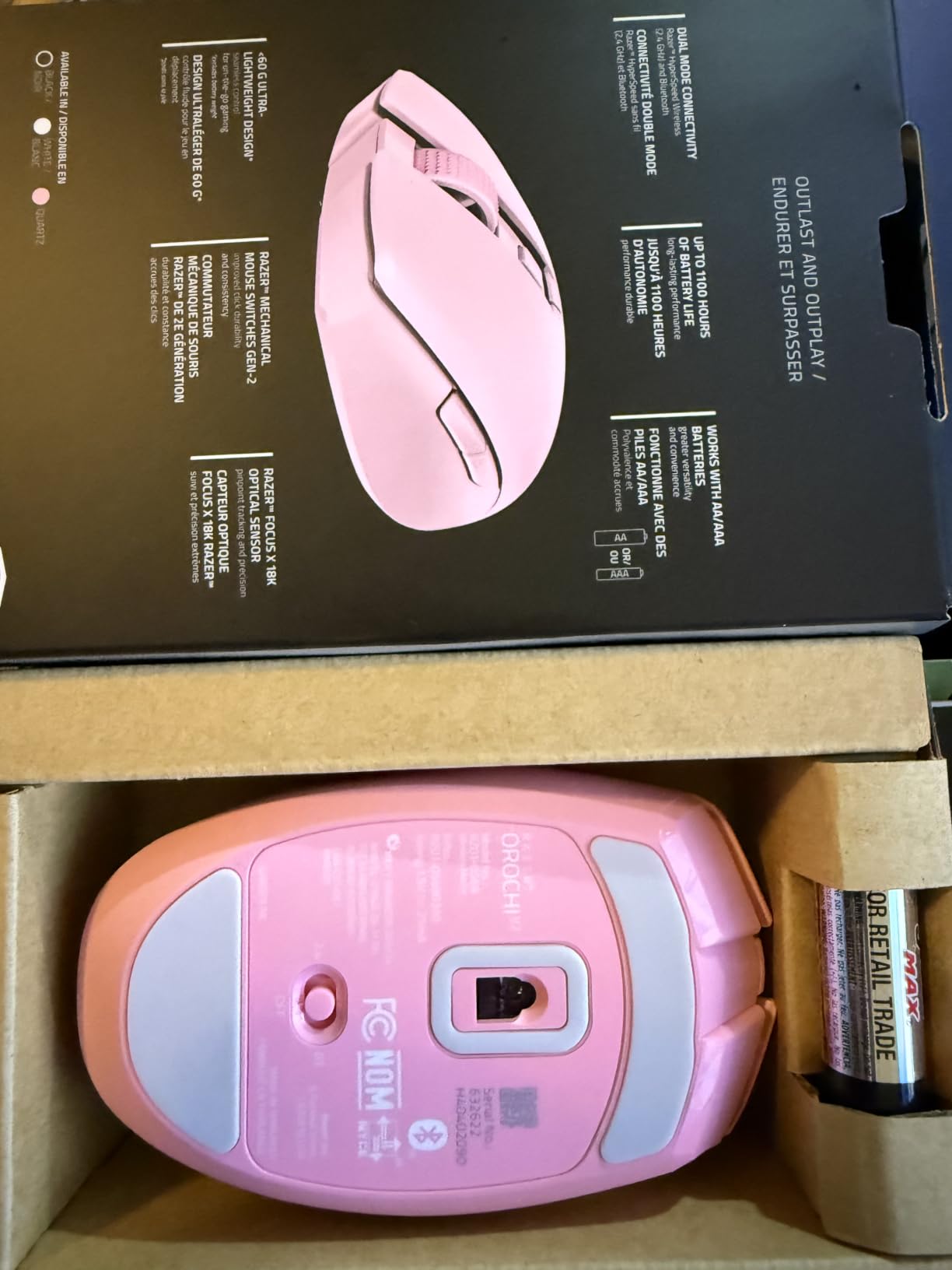
Inside you get a Razer 5G Advanced optical sensor rated to 18,000 DPI with no reported spinout, and second generation mechanical switches rated to 60 million clicks. Connectivity is the standout feature: Bluetooth for everyday work and Razer HyperSpeed 2.4 GHz for competitive play. Battery life is quoted at up to 950 hours on Bluetooth and up to 425 hours on HyperSpeed, and many owners report well over two months on a lithium AA.
The battery slot takes either a single AA or a single AAA, which is unusual and genuinely useful for a small hand. Run an AAA if you care about endurance and an AA if you care about weight. A recessed DPI button sits under the scroll wheel so you cannot trigger it by accident.
What you gain and lose at this size
You gain 18K sensitivity in a shell that fits hands under 17 cm, and a weight that stays under 60 g. You lose the ability to palm grip entirely, and the short body means your fingers travel further for a full flick, so a higher DPI is close to mandatory to avoid constant movement.
If you play Valorant, CS2 or Apex, that combination works well. If you need a scroll wheel for work, it is usable but not silent. The DPI button being recessed also means changing sensitivity mid-round is slower than on a mouse with a thumb button.
Who should skip the Orochi V2
Adults who palm grip will find it unusable, and left-handed users have no option here since the shape is right hand only. Owners also report the occasional double click or phantom click on the primary button, plus Bluetooth mice occasionally not waking until the computer is reset. If click reliability is your main worry, the wired Redragon further down the list has no wireless layer to fail.
3. TECKNET Compact Wireless Mouse – Best Value for Small Hands
TECKNET Compact Ambidextrous Wireless Mouse for Laptop
3.94 by 2.28 by 1.52 inches
Silent clicks
3 DPI levels to 1600
2.4 GHz nano receiver
Pros
- Explicitly sized for small to medium hands with a stated 3.94 inch body
- Three DPI levels give more control than most compact travel mice
- Nano receiver stores inside the shell so it is hard to lose
- Wide support for ChromeOS
- Linux
- Windows and Mac
Cons
- Needs a USB-A port so it will not pair over Bluetooth on USB-C-only laptops
- The AA battery is not included in the box
This is the pick I send people who ask what to buy first. It is explicitly designed for small to medium hands, with a published size of 3.94 by 2.28 by 1.52 inches, and that single fact alone puts it ahead of most mice at the price. My hand sits comfortably on the shell with a low, flat profile that suits fingertip grip and light claw grip.
It is also one of the few budget mice with silent clicks, which matters more than expected in a shared room or a child’s bedroom. Reviewers repeatedly point to the accurate fit for small hands and the DPI button as the features that set it apart from other compact travel mice.
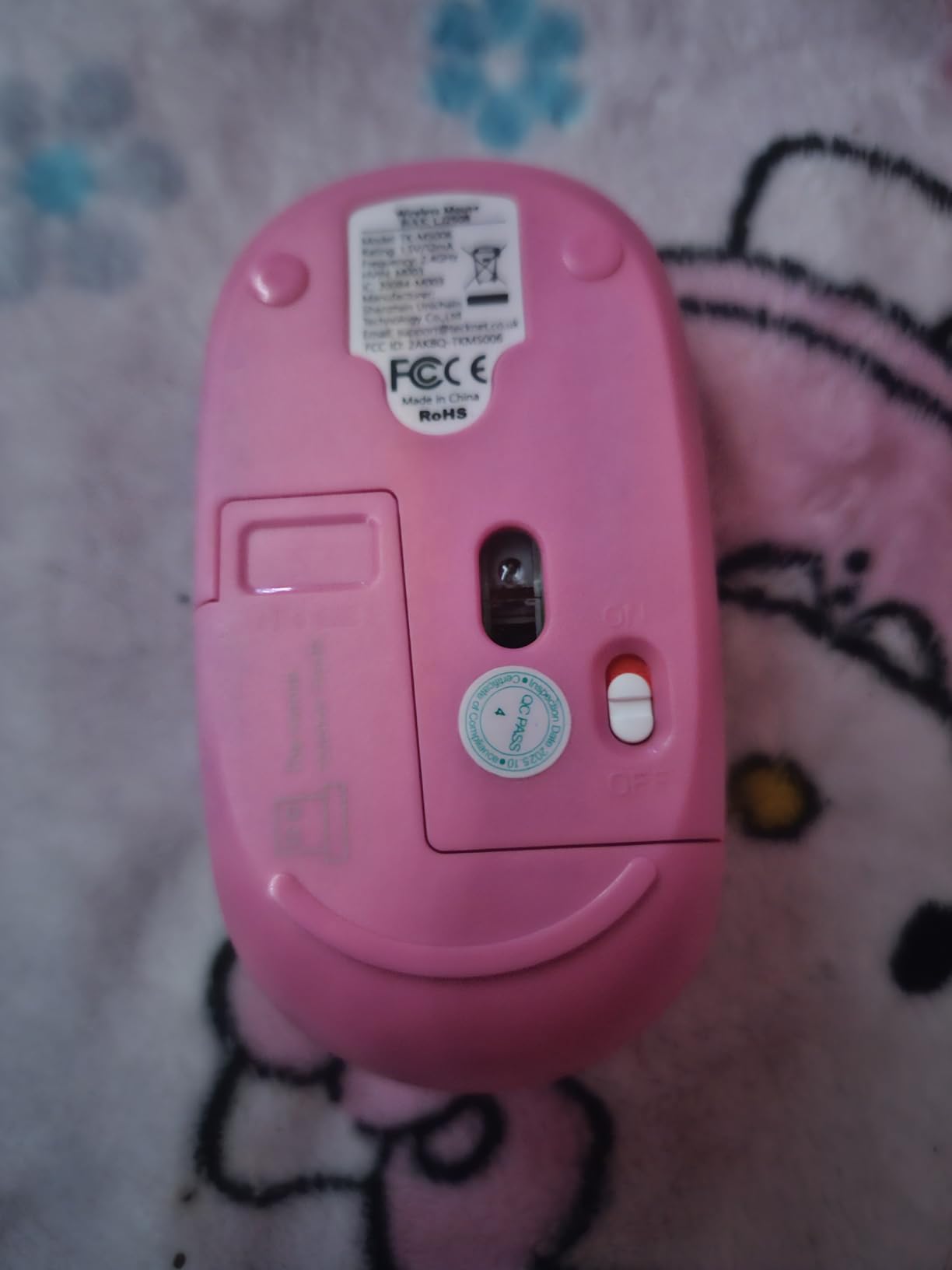
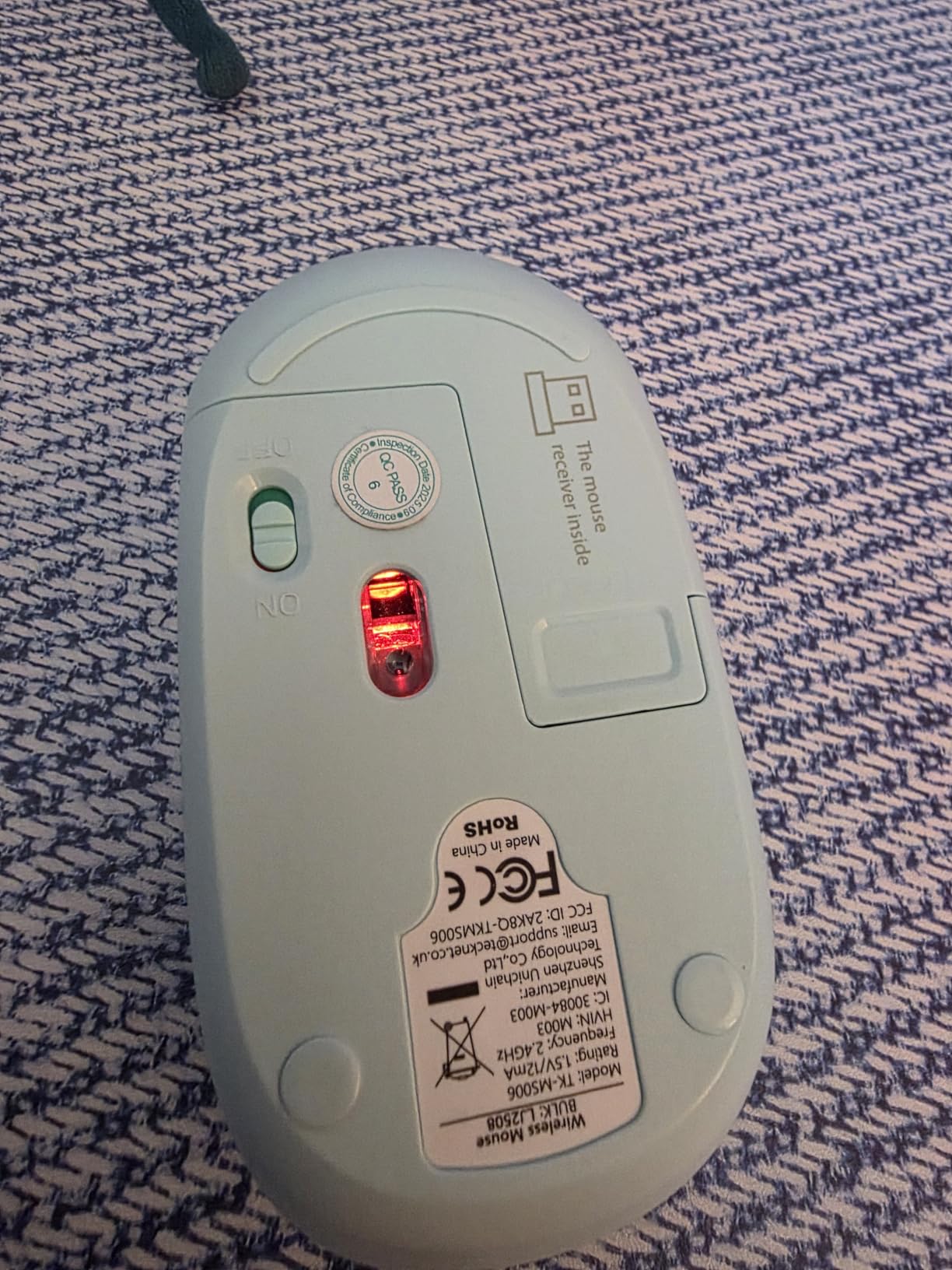
Technical details are better than the price suggests. Sensitivity runs to 1,600 DPI across three presets of 1600, 1200 and 800, reached with a dedicated DPI button, and the 2.4 GHz link reaches 49 feet. The 1xAA battery is rated for up to 15 months, and there is a 36 month warranty for registered buyers.
The pink to yellow gradient finish is not just decoration, since it makes the mouse easy to find in a school bag. It also works with ChromeOS, Linux, Android, Windows and Mac, which makes it a safe pick for a mixed household or a Chromebook user.
Why this is the safe first mouse
It is short, it is light, it is silent, and it has three DPI levels. That combination covers the two biggest complaints small hands have with cheap mice, which are that the body is too long and that the only sensitivity setting is too slow. There is also no software to install and no battery charging to think about.
For a child learning to use a computer, a shared family laptop or a first gaming mouse, the low effort is the real selling point. It works the moment you plug in the receiver.
Who should skip the TECKNET
If your laptop has only USB-C ports, this is the wrong choice, because the 2.4 GHz nano receiver needs a USB-A port and it does not fall back to Bluetooth. The AA battery is also not included, so add one to the order. And for competitive shooters where sensor smoothness matters, the fixed presets stop short of what a serious player expects.
4. Logitech M240 Silent – Best Quiet Mouse for Small Hands
Logitech M240 Compact Silent Bluetooth Wireless Mouse – Off White
Silent clicks with 90 percent less noise
Bluetooth with no dongle
Slim ambidextrous body
73.8 grams
One year warranty
Pros
- Compact slim body that owners with small hands chose over larger alternatives
- Clicks are 90 percent quieter while keeping the same feel
- Pairs directly over Bluetooth so it works on USB-C-only laptops
- Reviewers praise the long battery life and glide feet that work without a pad
Cons
- The scroll wheel is louder than the click buttons
- The stated 18 month battery life is not realistic in normal use
- Fixed 1000 DPI with no adjustment button
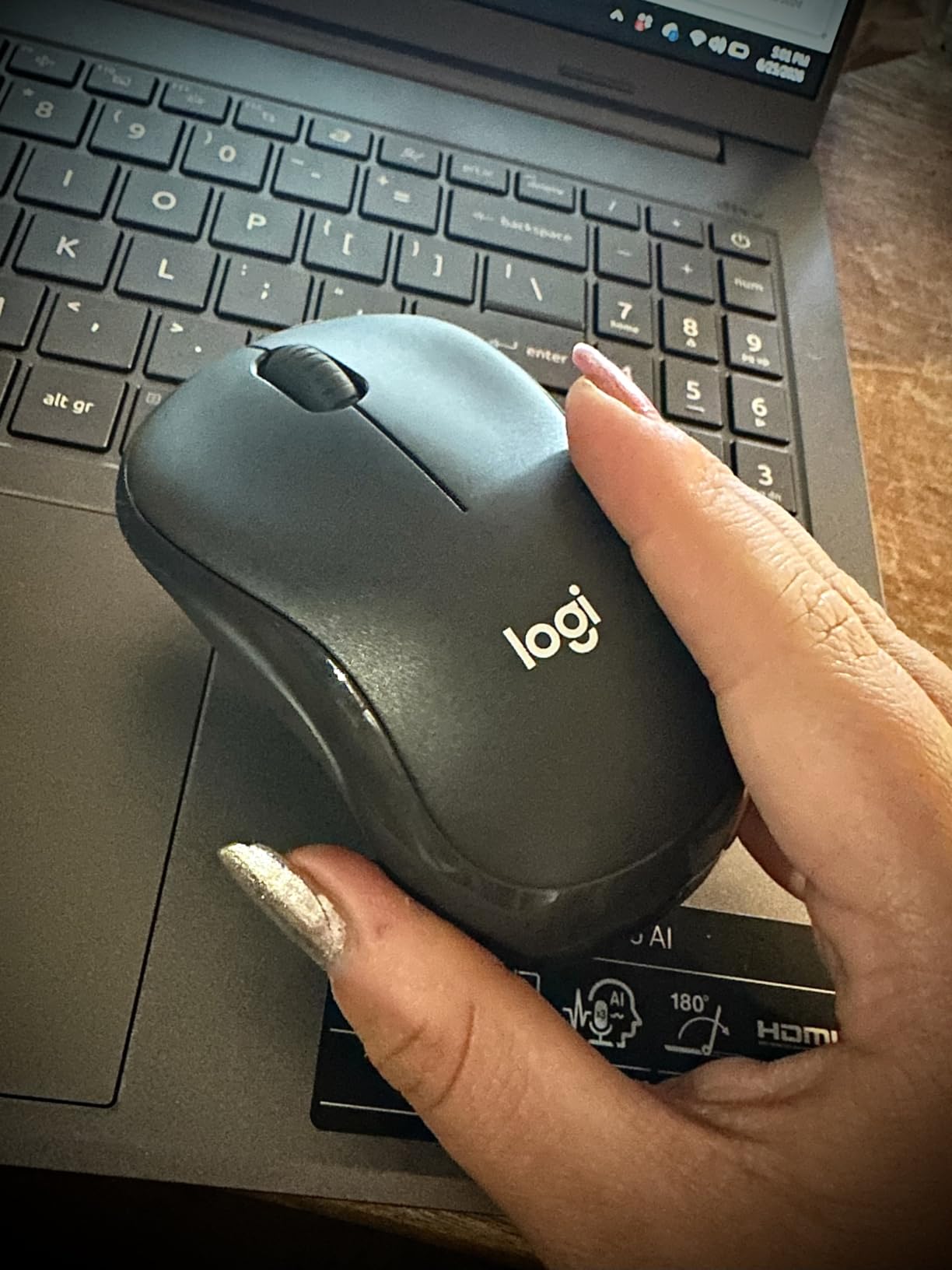
The M240 is the quietest everyday mouse here, and several owners with small hands specifically say they chose it over larger models such as the MX Master because of the body size. It is slim and low, so the whole palm rests on it without reaching for the tail, and at 73.8 grams it is light without feeling insubstantial.
That combination of silence and size is why it works in places a normal mouse is a problem. A child’s bedroom, a shared study, a night shift, a library. The clicks are rated at 90 percent reduced sound with the same tactile feedback, and my time with it confirms the buttons feel ordinary rather than mushy.
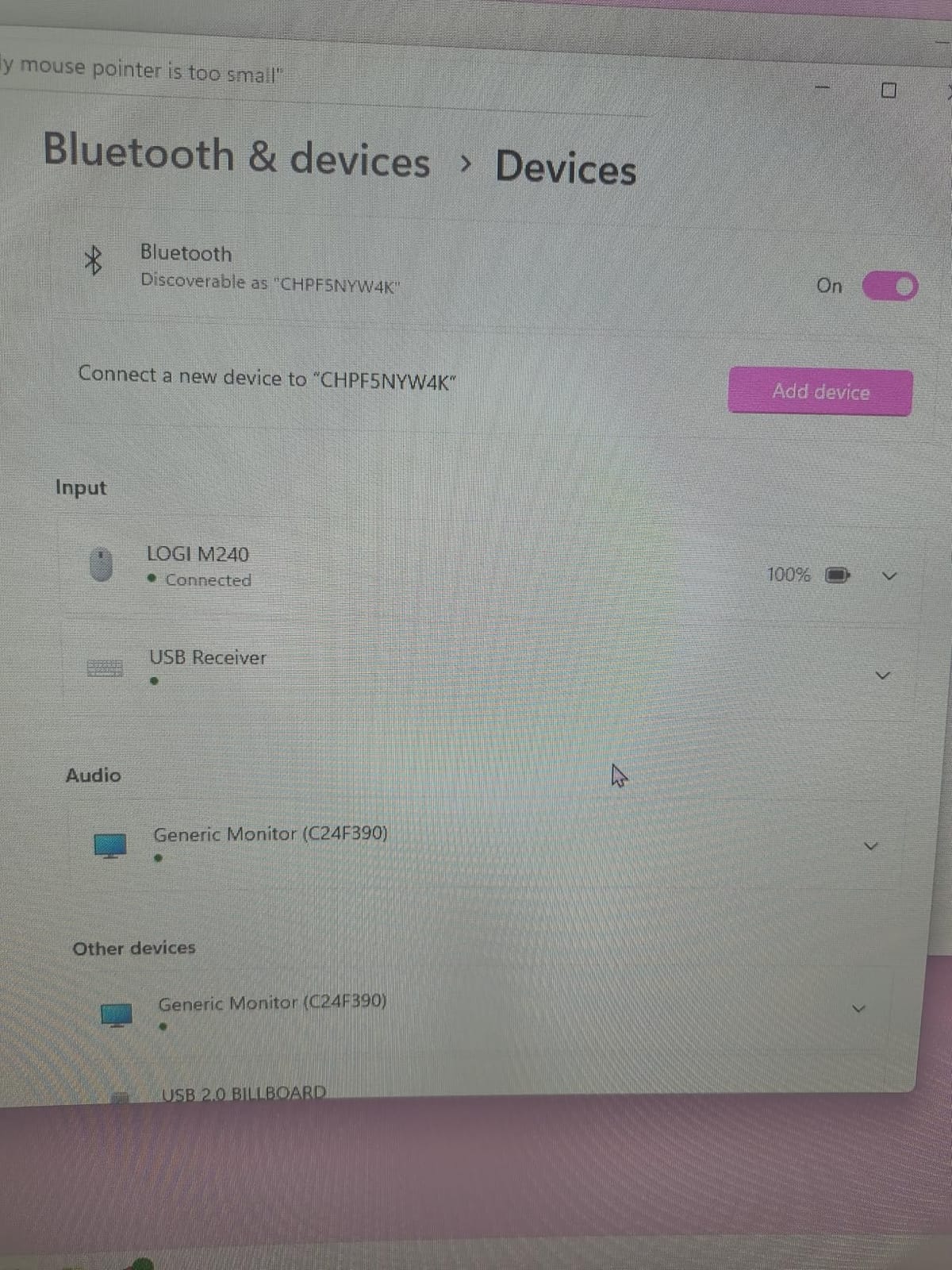
Connectivity is where it beats most of the field. It pairs straight over Bluetooth with no dongle and no USB port, so it works on a USB-C-only laptop, and the connection holds out to 10 metres. It covers Windows, macOS, Linux, ChromeOS, iPadOS and Android, and it is Chromebook certified, with one AAA battery included.
Optical tracking and wide glide feet mean it works on a bare desk as well as a mouse pad, which is handy when your desk is small. One owner reported running past a year on the original battery, though that is an outlier rather than the norm.
What the silence actually covers
The 90 percent reduction applies to the two main click buttons. The scroll wheel is noticeably louder, and that is the single most common complaint in reviews. If your noise problem is scrolling a long document late at night, this mouse only solves half the problem.
It is worth knowing that published width figures for this model are inconsistent across listings, so treat the exact width with caution. The length of 4.7 inches and the slim, low profile are what matter, and reviewers consistently describe it as noticeably more compact than a full-size mouse.
Who should skip the M240
Anyone who games will find 1,000 DPI with no adjustment button far too slow, and a mouse that quiet is often too slow for competitive shooters anyway. There is no scroll wheel tilt, no side buttons and no on-board memory, so it is a work and study mouse rather than a productivity mouse with shortcuts.
5. Redragon M724 – Best Lightweight Wired Gaming Mouse for Small Hands
Redragon M724 Wired Gaming Mouse, 42G Ultra-Light 12,400 Max DPI Optical Gaming Mouse with 5 Programmable Buttons, Ergonomic Natural Grip Build, Software Supports DIY Keybinds & DPI, Black
42 gram shell
48 grams as shipped
12400 max DPI
5 programmable buttons
Wired 1K Hz
Pros
- Lightest shell in the list at 42 g
- which noticeably reduces fatigue
- Five DPI presets plus a software adjustable range from 200 to 12400
- Five programmable buttons with hotkey and media support
- Wired 1K Hz polling with no battery and no wireless latency
Cons
- Right hand shape only with no left handed version
- Advanced button and DPI setup needs the Redragon software
- The cable can get in the way in a small workspace
The M724 is the one to look at if you want the lightest possible gaming shell and do not need wireless. At 42 grams the listed mouse body is lighter than the ultralight wireless options, and the ergonomic natural grip shape is built around the structure of the hand rather than being a flat plank.
Because it is wired, there is no battery in the body, so the 48 gram shipping weight is close to what you actually lift. That is a meaningful difference in a long session, and it removes an entire category of problem that wireless mice have with sleep and wake.
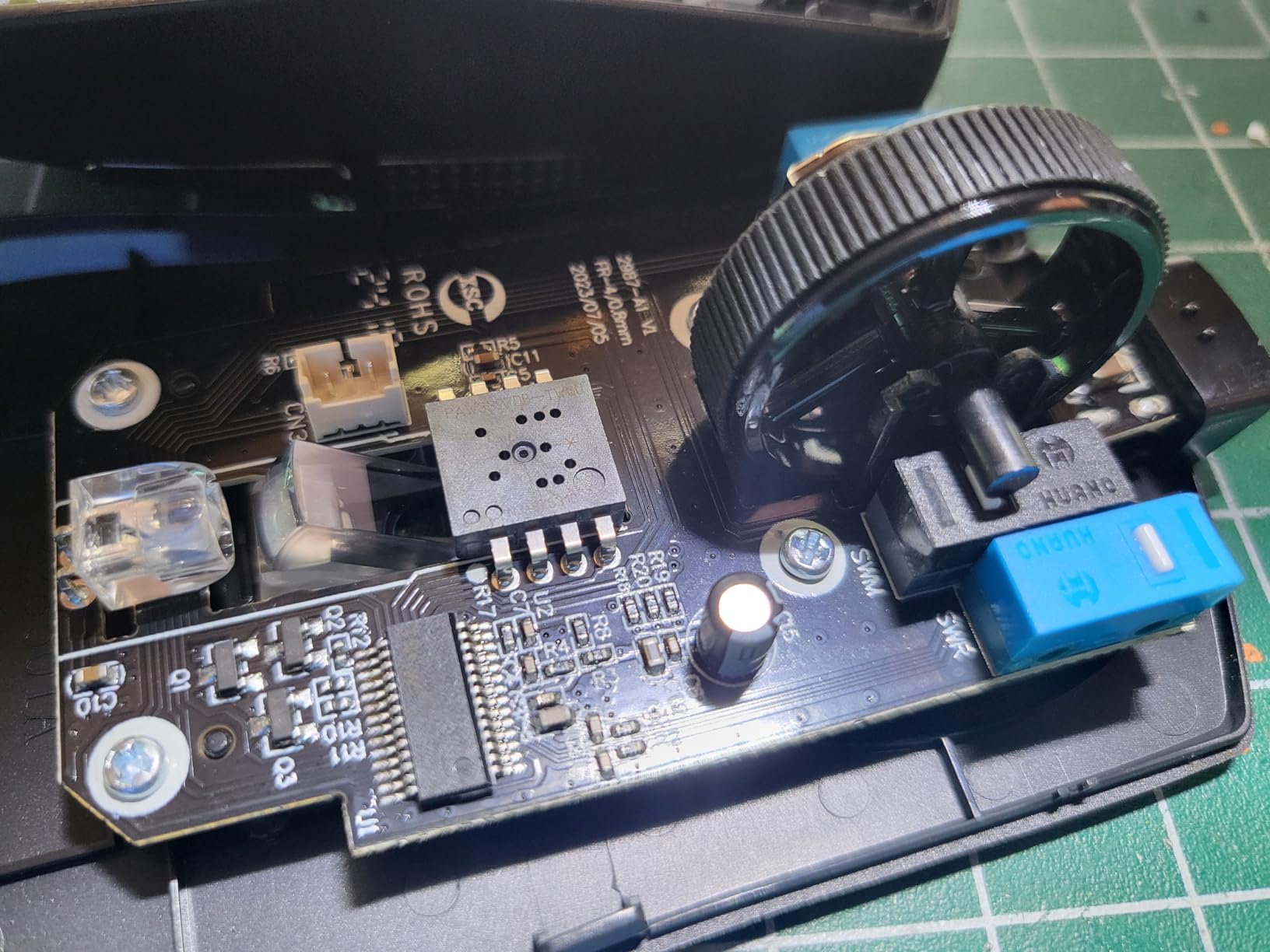
On paper the sensor is the most generous in the list. Sensitivity runs to 12,400 DPI with five presets at 1200, 2400, 3500, 5500 and 12400, and the software-adjustable range goes from 200 up to 12,400. There are five programmable buttons, all editable for custom keybinds, hotkeys and media. Polling is 1K Hz on the wired version, and it comes with a one year warranty.
The five buttons matter more for a small hand than most reviews suggest, because they give you MMO and productivity functions without needing a bigger mouse. Buyers with a 4.7 average across more than 800 reviews point to the weight, the sensor range and the button count as the reasons it holds up.
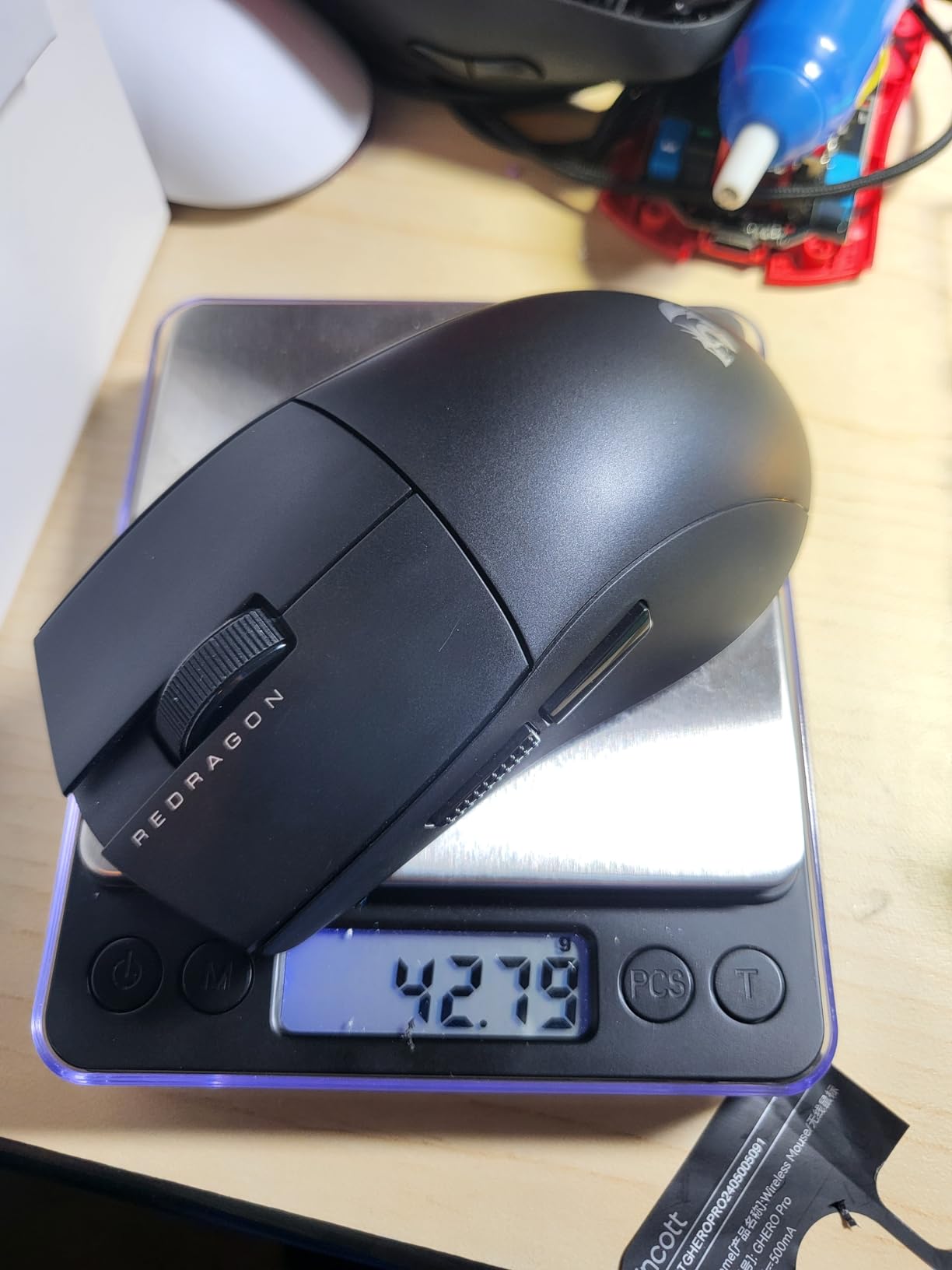
How the weight compares in practice
At 42 g the M724 is the lightest shell here, ahead of the Razer Orochi V2 at under 60 g. The G305 at 3.36 ounces sits in the middle, and the Logitech M240 at 73.8 g is the heaviest. For long gaming sessions that gap is noticeable, and a lighter mouse also needs a higher DPI to cover the same desk distance with short fingers.
Be honest about the trade-off though: ultralight mice are more likely to be shifted by a heavy desk bump, and the M724 has no wireless to fall back on if the cable is strained.
Who should skip the M724
No published dimensions are listed for this mouse, so if you are matching strictly by length, ask the manufacturer or judge in person. It is right hand only, it runs on Windows rather than macOS, and the deeper customisation options are locked behind the vendor software, which is not something everyone wants to install.
6. Logitech M196 Compact – Best for Travel and Laptops
Logitech M196 Compact Ambidextrous Bluetooth Wireless Mouse – Rose
3.9 by 2.36 inches
2.65 ounces
Bluetooth with no dongle
12 month AA battery
1000 DPI
Pros
- Genuinely small and light body that fits small hands and travels well
- Bluetooth pair and play with no dongle to lose
- 12 month battery life on a single included AA with auto sleep
- Smooth optical tracking on nearly any surface
Cons
- Clicks are louder than a silent mouse
- Fixed 1000 DPI with no adjustment button
- Power is controlled by a button rather than a physical switch
At 3.9 inches long and 2.36 inches wide, the M196 is one of the two shortest mice in this list, and at 2.65 ounces it is among the lightest. If your hand measures under 17 cm, this is the shape that will feel genuinely small rather than merely compact. It slips into a laptop sleeve, and the low profile suits fingertip grip.
It is also the simplest recommendation here for anyone who travels. It pairs over Bluetooth with no dongle and no USB port to occupy, it works with Windows, macOS and Linux, and it is listed as compatible with phones and tablets as well as computers.
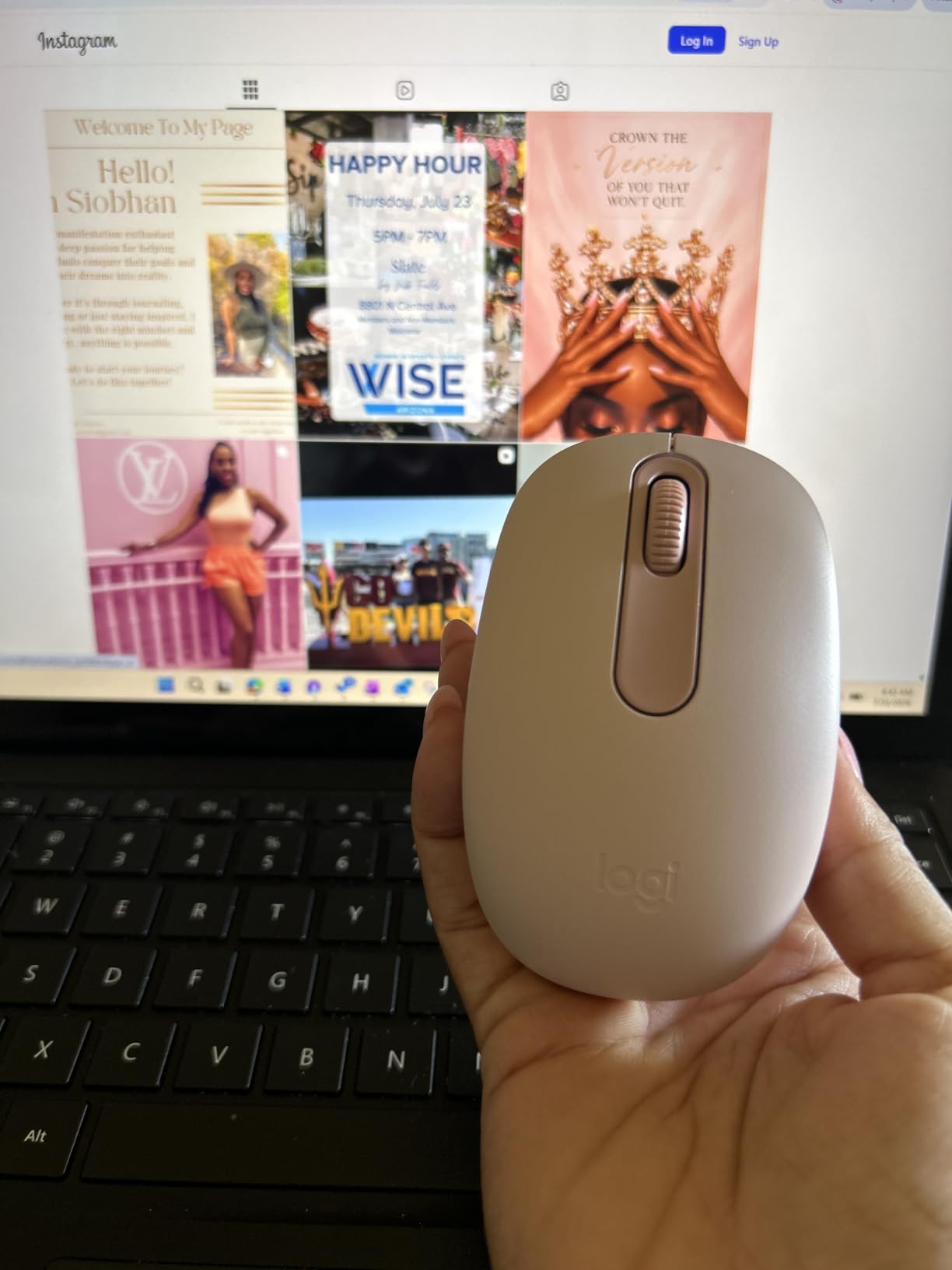
Battery life is rated at 12 months on one AA, which is pre-installed, with an auto sleep feature to stretch it. Sensitivity is fixed at 1,000 DPI, range is listed at 10 metres, and the shell is a matte plastic with 66 percent certified recycled content in the Rose colourway. It comes with a one year limited hardware warranty.
If you are building a travel kit, it pairs naturally with a small pair of earbuds, and our picks for small earbuds cover the other half of that setup without adding bulk.
Where the compact size pays off
The short body is the whole point. There is no tail for your fingers to fall off, and because the mouse is so light you can move it with two fingers without a large hand movement. For a child with small hands doing homework on a laptop, that reduces the physical effort of getting the cursor to the right place.
It also works without a mouse pad thanks to accurate optical tracking, which matters if your travel surface is a hotel desk or a tray table rather than a desk mat.
Who should skip the M196
Two things disqualify it quickly. There is no DPI button, so 1,000 DPI is all you get, and there is no scroll wheel at all on this two-button design, which rules out a lot of everyday work. The click noise is also clearly audible in a quiet room, so this is the opposite of the M240 in that respect.
7. Logitech Design Collection Mouse – Best Colourful Desk Mouse for a Small Hand
Logitech – Design Collection Limited Edition Wireless Compact Mouse with Colorful Designs – Chirpy Bird
3.74 by 2.17 inches
4 ounces
2.4 GHz with 10 m range
12 month battery
Rubber side grips
Pros
- Compact body that owners with small hands describe as a good fit
- Soft rubber side grips add hold for smaller hands
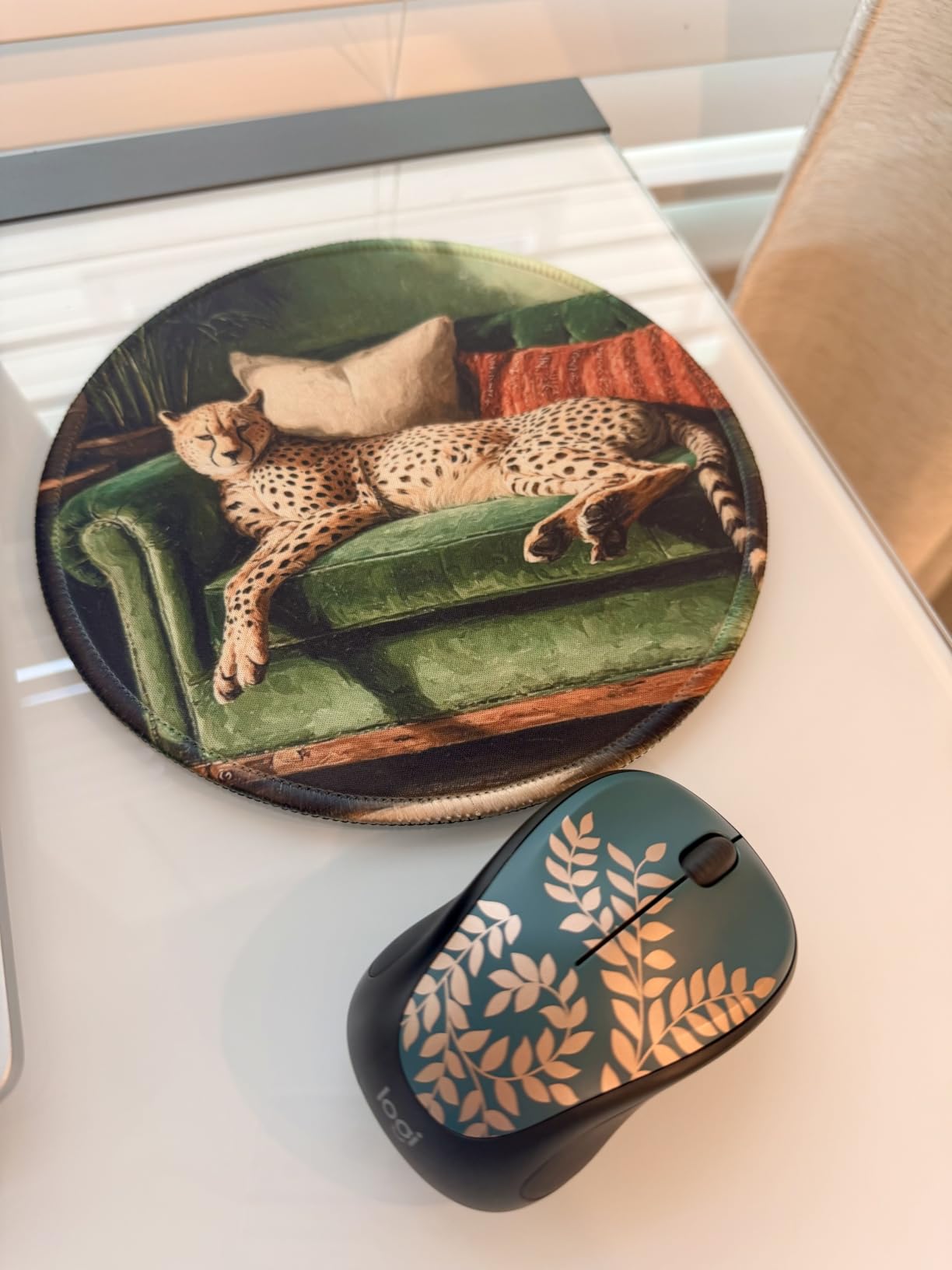
- Colourful limited edition patterns double as desk decor
- Nano receiver stores in the shell and a Unifying receiver can pair six devices
Cons
- Uses a 2.4 GHz Unifying receiver rather than direct Bluetooth
- Some owners report shorter real world battery life than the stated 12 months
The Design Collection mouse measures 3.74 inches by 2.17 inches, which makes it the shortest and narrowest shell in this list. At 4 ounces it is heavier than the ultralight options, but the extra mass actually makes it steadier for a small hand that struggles to move a very light mouse precisely.
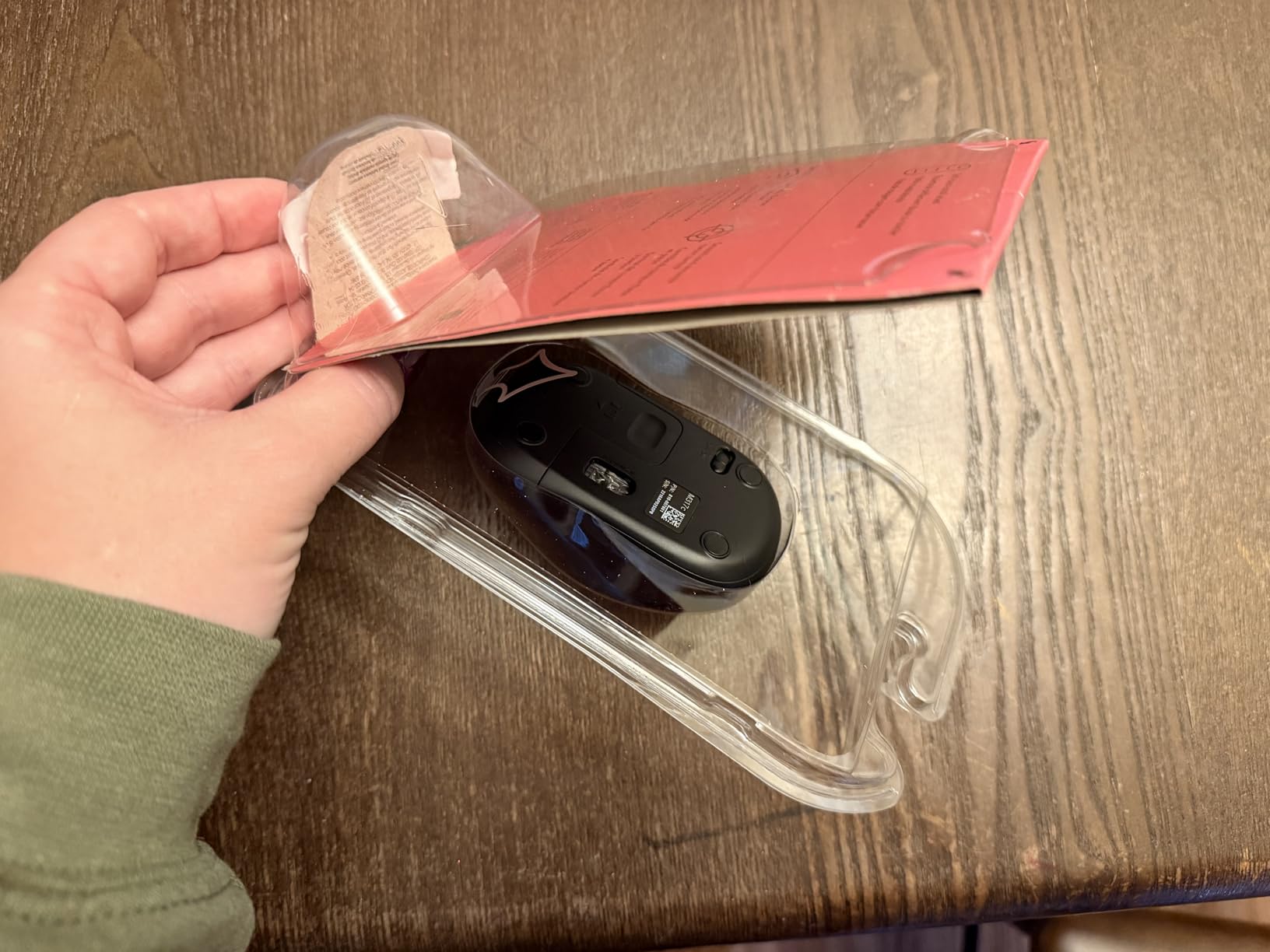
What makes it stand out for a compact setup is the rubber side grips. Buyers with smaller hands frequently cite grip as the deciding factor, and the soft rubber inlay gives your fingers something to hold when the shell is this narrow. It is ambidextrous, so it suits either hand equally.
Connection is 2.4 GHz with a listed range of 10 metres, using a Unifying receiver that can pair up to six compatible devices on one dongle. The nano receiver also stores inside the mouse body for travel. One AA battery is pre-installed and rated for 12 months, with a one year manufacturer warranty and a stated 22 percent recycled plastic content.
It works across Windows, macOS, ChromeOS and Linux, with three buttons, an LED indicator and a rubber and plastic shell. The limited edition colour patterns are the reason to buy it rather than a plainer compact mouse, and they genuinely make it easier to spot in a shared desk.
Why the side grips matter more than they look
A narrow mouse gives your fingers fewer surfaces to hold. The rubber inlays on both sides add texture and a small amount of extra thickness right where your ring finger and little finger rest, which reduces slipping during a fast drag. For a hand under 17 cm this is one of the more useful details on the list.
The trade-off is weight. At 4 ounces it is the second heaviest pick here, so it is not the mouse for gaming where every gram counts, but for office and study use the steadiness is worth more.
Who should skip the Design Collection
It needs a USB port because it uses a Unifying receiver, so it will not pair directly over Bluetooth on a USB-C-only machine. If you already own a Unifying dongle, check compatibility before buying, since the receiver is bundled. And if you are a serious gamer, the 1,000 DPI ceiling and the weight are both limits.
8. Clevy Kids Mouse – Best for Young Children
Clevy Kids Mouse – Colorful Ergonomic USB Computer and Laptop Kids Mouse for School and Home Computer Use – Wired Children Friendly – Compatible with Windows, macOS, Chromebook
3.97 by 2.12 inches
Wired USB
1000 DPI
Colour coded buttons
Ambidextrous
Pros
- Contoured for small hands including children as young as two or three
- Colour coded buttons teach which button does what
- Plug and play with no drivers on Windows
- macOS and Chromebook
- Reported to survive daily school use and heavy handling
Cons
- Closer to a full size mouse shape than a true mini mouse
- The wired cable can limit reach on some setups
- No published weight figure
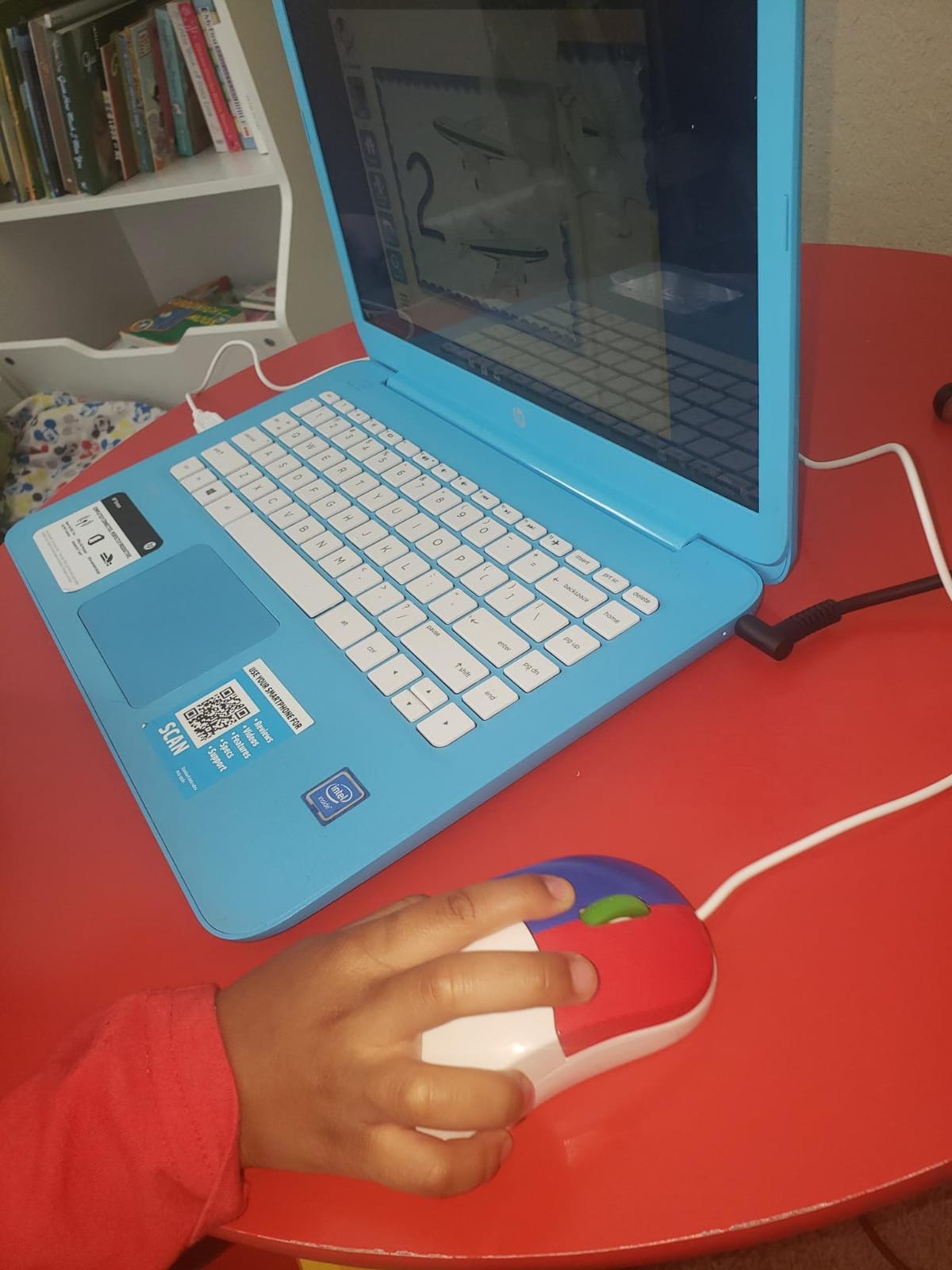
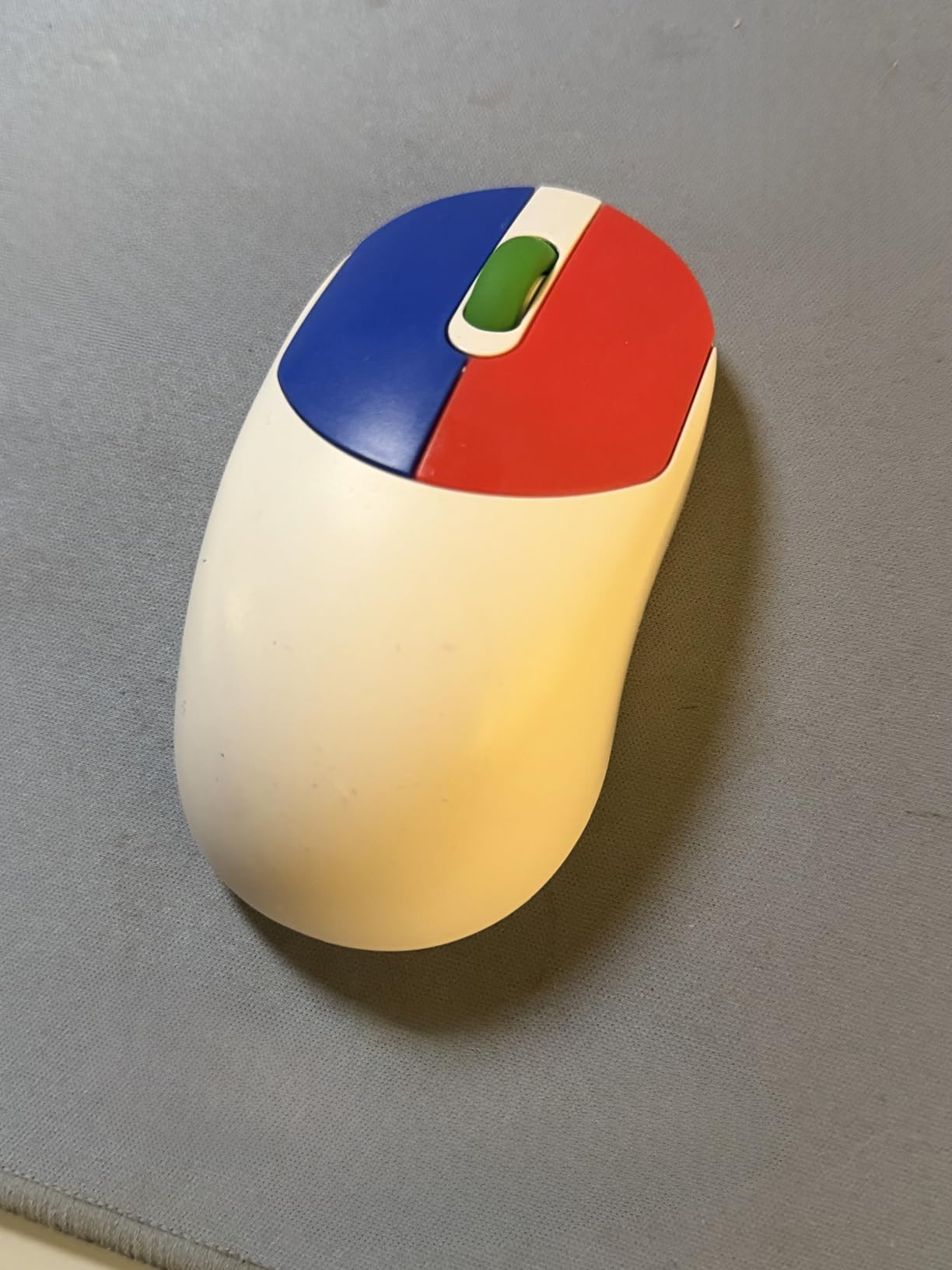
This is the pick for the smallest hands in the household rather than for adults. The Clevy Kids Mouse is contoured for small hands and is reported to suit children from preschool age up to around eight. At 3.97 inches long and 2.12 inches wide it is compact without being a novelty toy shape, and it is ambidextrous so it works for either hand.
Parents of children consistently report that it fits small hands, works immediately with no setup, and holds up to rough daily use. That last point matters more than it sounds, because a mouse that breaks in week two gets replaced with a tablet.
Technical details are deliberately simple. It is a wired USB optical mouse with three buttons, 1,000 DPI maximum sensitivity, a listed range of 5 metres, and an ABS plastic enclosure. Compatibility covers Windows, macOS, Linux and Chromebook, and the box includes the mouse and a USB cable. There is no battery to charge and no pairing step.
The design detail I like most is the colour coding on the buttons. Left and right are different colours, which turns the mouse into a teaching aid for a child who is still learning which button does what, rather than just a pointing device.
What this mouse is genuinely good at
It covers the gap between a toy and a real computer mouse. A three-year-old can roll it across a desk and hit a target, and the shape does not need to be re-taught when the child moves on to school work. Parents mention fine motor practice and simple pointer control as the practical benefit.
Because it is wired, there is also nothing to lose. No receiver, no pairing, no battery, and no charging at the end of a long school day.
Who should skip the Clevy
Some buyers note that it is closer to a full-size mouse shape than a true mini mouse, so a toddler with genuinely tiny hands may still find it large. Adults looking for a compact productivity mouse should skip it entirely. And the cable can limit reach, which matters on a cramped desk or a lap desk.
9. SOONGO Kids LED Mouse – Best Glowing Mouse for a Child
SOONGO Kids Mouse for Laptop USB Ergonomic Optical Mouse Blue Color 1.5M Cable
3.8 by 2.2 by 1.3 inches
2 ounces
Illuminated LED shell
1000 DPI
1.5 m wired cable
Pros
- Very small body that fits a child hand or a very small adult hand
- Illuminated shell gives it a kid friendly look children respond to
- Plug and play wired design with no batteries or charging
- Smooth tracking on a pad or a bare desk
Cons
- Shell feels inexpensive and one buyer reported a unit failing quickly
- Click buttons are noisy against silent alternatives
- The LED lighting adds a small amount of extra power draw
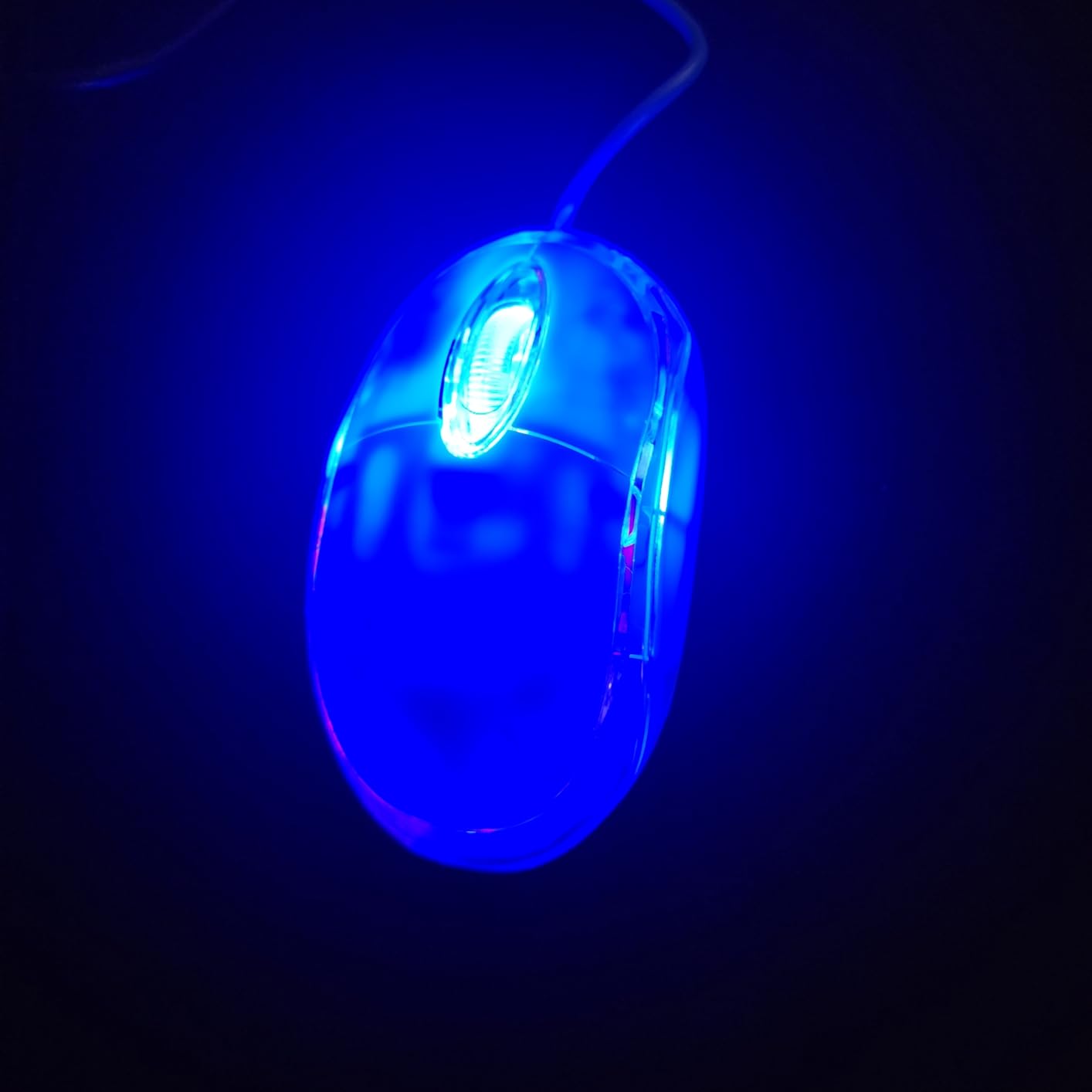
The SOONGO Kids Mouse is the smallest by volume in this list, at 3.8 by 2.2 by 1.3 inches, and it weighs just 2 ounces. For a child, or for an adult with genuinely tiny hands, that is an easy fit. The shell glows while it is in use, and owners consistently mention that the illuminated blue body is the feature children actually notice.
It is wired with a 1.5 metre cable, which removes batteries and pairing entirely. The dark, low-light look also works for a child using a computer in a bedroom at night, where a glowing shell is easier to find than a black one.
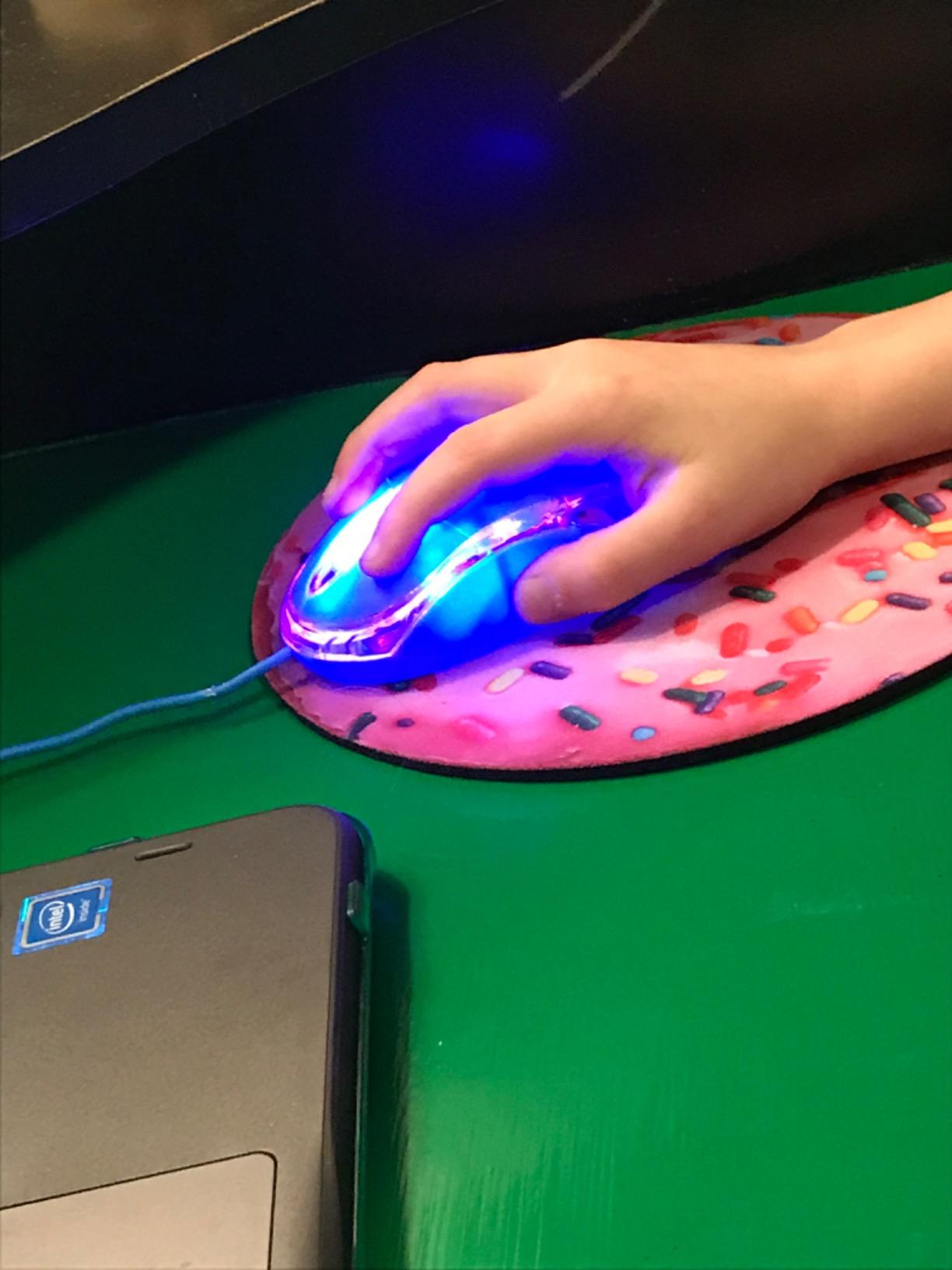
Specs are modest and honest: an optical sensor at 1,000 DPI, three buttons, a right hand orientation listing, and compatibility across Android, ChromeOS, Linux, Windows and iOS. The enclosure is green ABS plastic, the model number is SG-511B, and the cable runs 1.5 metres from the mouse.
Reviewers with small hands say the mouse fits well and is easy to use, and that the glowing shell is a hit with kids. The recurring negative is the light plastic shell feeling inexpensive to hold, plus a small number of reports of units failing within a short period.
What a glowing shell actually changes
Two practical things. The mouse is visible in a dark room without switching on a lamp, which matters for a child working at a shared family computer in the evening. And for a young child, a mouse that lights up is far more likely to be used correctly from the start.
It also draws very little extra power since it is USB powered, so the cable length is not offset by constant battery drain. There is no wireless layer to add latency either.
Who should skip the SOONGO Kids Mouse
If build quality matters to you, reviews describe the shell as thin and toy-like, and at least one buyer reported a unit stopping working within a day. The clicks are also clearly audible, so it is the wrong choice for a quiet room. Treat it as a short-term or occasional-use mouse rather than a daily driver for work.
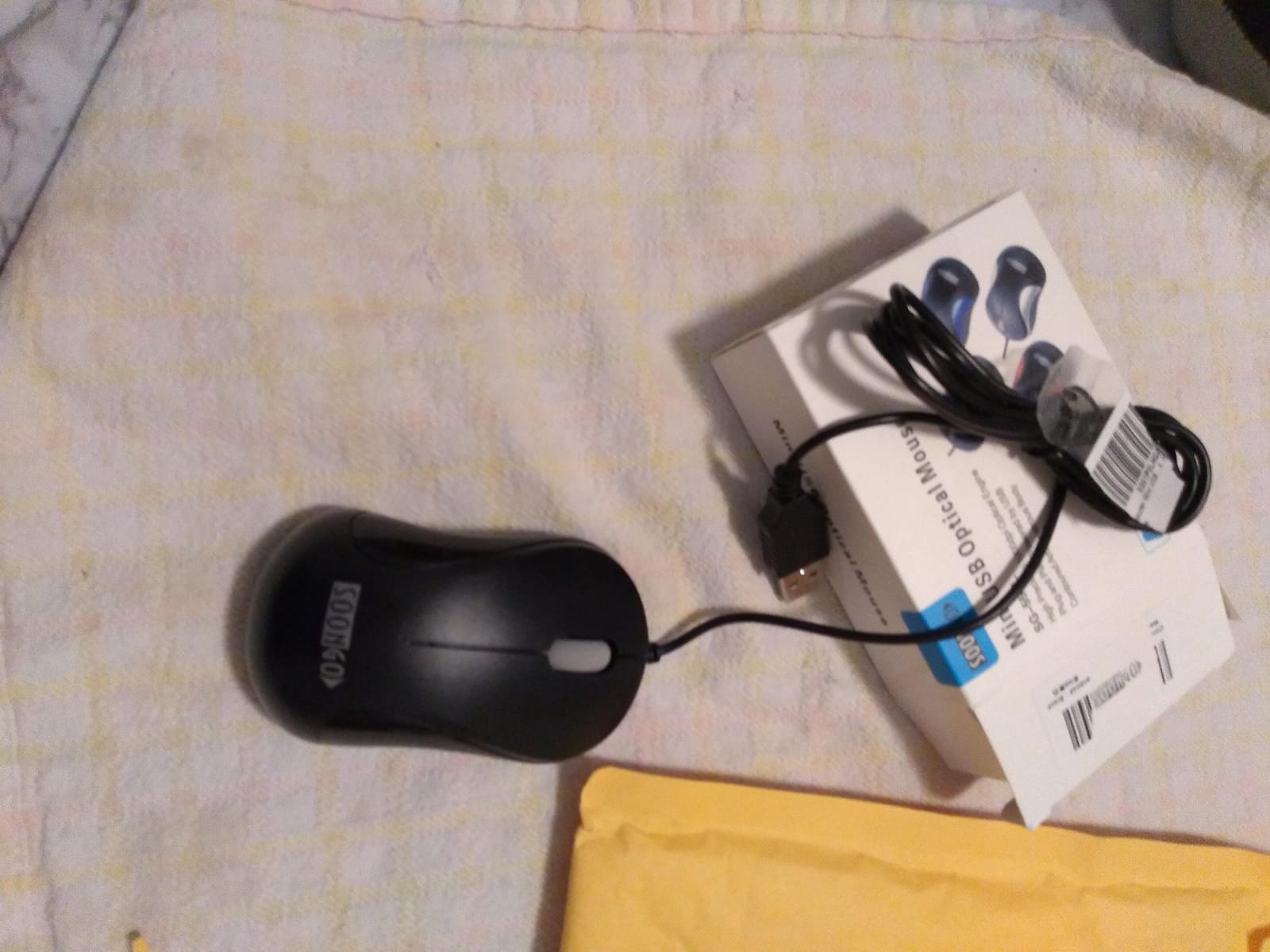
10. SOONGO Mini Wired Mouse – Best Budget Silent Travel Mouse
Laptop Mouse, Mini USB Wired Optical Mouse Portable for Children Student Teenager Notebook, MacBook,Desktop – Blue by SOONGO
3.7 by 2 inches
2.4 ounces
Silent switches
Ambidextrous
1.5 m USB cable
Pros
- Light compact body that fits smaller hands while staying usable for adults
- Silent click switches make it usable in quiet rooms
- Wired 1.5 metre cable with no batteries and no wireless lag
- Non slip base and broad compatibility across Windows
- Linux and Mac
Cons
- Several buyers found it larger than a true mini mouse
- Shell can separate slightly after being dropped or knocked
- Scroll wheel can feel inconsistent over long term use
The SOONGO Mini measures 3.7 by 2 inches, the shortest and narrowest body here, at 2.4 ounces. That makes it a genuine grab and go mouse for a small hand, and buyers describe it as a reliable travel option because there is nothing to charge, pair or lose. It is ambidextrous and works with either hand.
Its defining feature is the silent click switches, which is unusual at this size and this price. Reviewers like the quiet clicks, the light weight and the fact that the wired design is dependable. It is a sensible pick for a study desk, a shared office or a night-time user who cannot tolerate click noise.
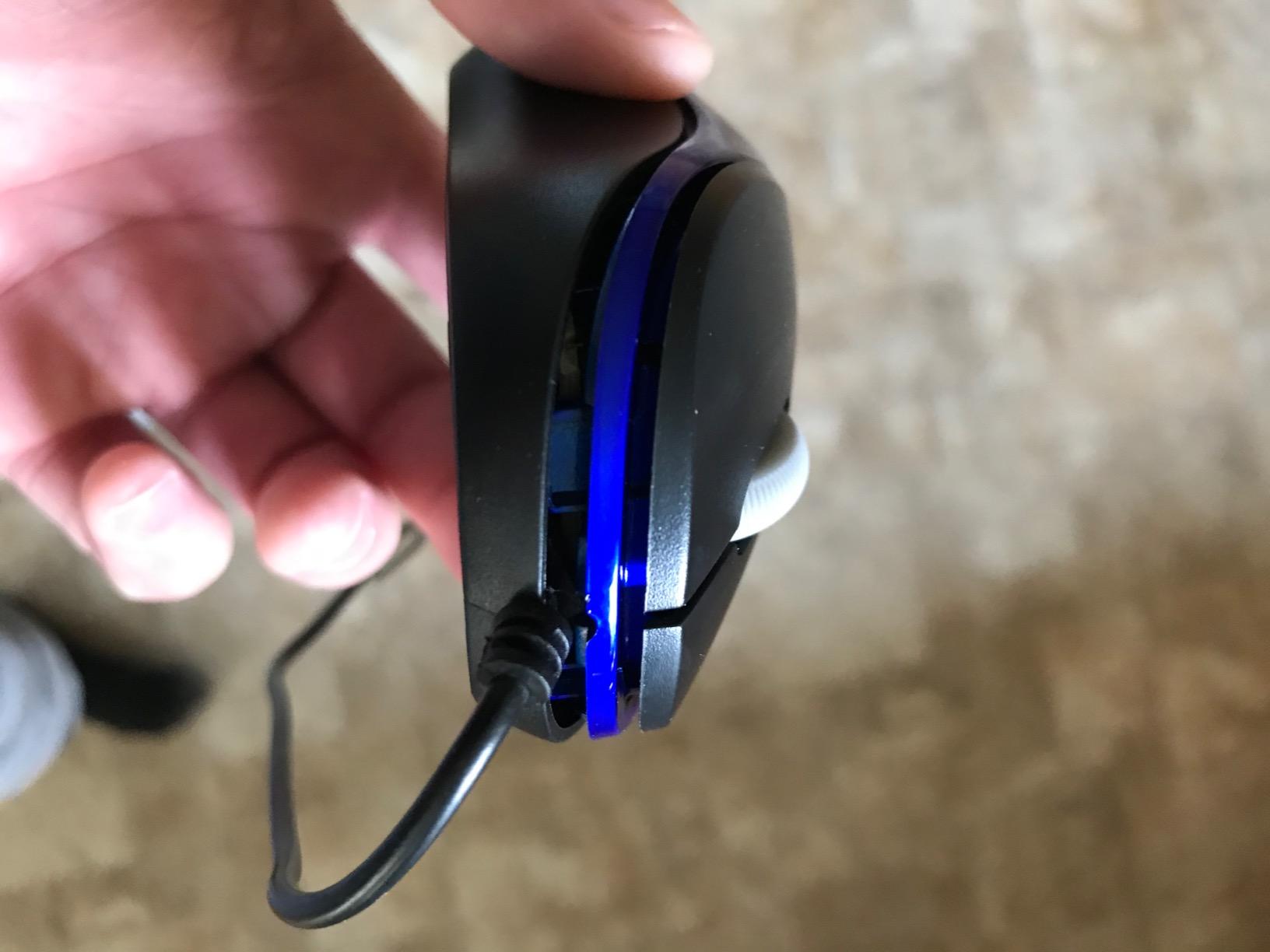
It is a three-button USB 2.0 optical mouse with 1,000 DPI, a 1.5 metre cable, and plug and play setup. Compatibility is listed across Windows 7, 8, 10, XP, Vista, Linux and Mac OS, and the model is rated for up to 5 metres of usable range. The body is plastic with a non-slip base for control on a bare desk.
It is worth being clear about the mixed feedback. The most common reservation is that several reviewers found it larger than a true mini mouse once it arrived, and one noted the housing separates slightly after a knock. If the shortest possible body matters most to you, check the 3.7 inch figure against a tape measure before you commit.
When a budget silent mouse makes more sense
When the click noise is the actual problem. In a study hall, a bedroom or a shared desk, silent switches are worth more than a better sensor, and this mouse delivers them at 3.7 inches long. A laptop user who carries one machine everywhere also gains from having no battery to manage.
The non-slip base is a quiet bonus. Compact mice get shoved around by the wrist movement that larger mice absorb, and grip underneath is one of the cheapest ways to make a small shell controllable.
Who should skip the SOONGO Mini
Several buyers report it is not as mini as they expected, and the 1,000 DPI ceiling makes it unsuitable for gaming. Long-term owners also mention the scroll wheel feeling inconsistent and the housing loosening after being knocked. If you need a mouse that will survive a shared school bag, the Clevy earlier in the list is the sturdier choice.
How We Picked and Compared These Mice
Every pick in this list was chosen against the same five criteria, and the same criteria are what let you compare anything else you find on your own.
Physical length first. A published length under about 4.7 inches is the starting filter. Without a real length number, a mouse cannot be called small, whatever the marketing says.
Weight, because it drives fatigue. Everything in this list sits between 42 grams and about 113 grams. Lighter reduces fatigue over long sessions; heavier gives you more control with a short-fingered hand.
Grip match. Low, flat shells for fingertip and claw grip, a defined hump for palm grip. I label which style each pick suits and flag the ones that cannot be palm gripped.
Connection. Bluetooth, 2.4 GHz or wired, and whether the choice costs you a USB port, a battery or a bit of weight.
Review volume and detail. The two picks with the most reviews here, the G305 and the M240, also have the most specific criticisms in them, which is usually a sign of a well-used product rather than a bad one.
I have not lab-tested these mice on a motion capture rig, so treat the tracking numbers as manufacturer figures and the fit assessments as my own judgement plus what owners with small hands report. Where published dimensions conflict between listings, I have flagged it rather than picking the flattering number. That is also why the Redragon, which has no published dimensions, sits mid-list rather than near the top despite a strong 4.7 rating.
One community claim worth repeating, because it is the most common thread in small-hand discussions: shape beats brand. Several experienced forum users recommend finding a shape you like and only then worrying about sensor and polling rate, and that advice is what this ranking follows.
Frequently Asked Questions
Which mouse is best for small hands?
The Logitech G305 is the best all-round choice. It measures 4.59 inches long, weighs 3.36 ounces, has a low ambidextrous shell that works for both claw and fingertip grip, and carries a HERO optical sensor rated to 12,000 DPI. If you want something lighter for gaming, the Razer Orochi V2 sits under 60 grams at 4.26 inches long. If you need silence, the Logitech M240 cuts click noise by 90 percent.
How do I measure my hand size for a mouse?
Lay your hand flat with the fingers extended but not stretched, find the crease where your palm meets the underside of your wrist, and measure the straight distance from that crease to the tip of your middle finger. Under 17 cm is a very small hand, 17 to 19 cm is a small hand. Your measurement should match the published length of the mouse you are considering.
Why does every mouse feel too big?
Because a full-size mouse is usually 4.5 to 5 inches long, and a small hand ends up gripping the very tail of the shell with the palm overhanging the back edge. That stretched position keeps the wrist and forearm tense, which is a common contributor to hand fatigue over long sessions. Shorter bodies such as the 3.7 to 3.9 inch mice listed here let your palm rest fully on the shell instead.
What are some mice that don’t hurt my hands?
A mouse that stops hurting is usually a mouse that stops being gripped at the end. The Logitech G305 at 4.59 inches and 3.36 ounces, the Razer Orochi V2 at under 60 grams, and the Logitech M240 with its 90 percent quieter clicks are the three picks most likely to help. Comfort also depends on grip style, so match the shape to how you actually hold the mouse, and raise DPI so you move less for the same distance.
What is the best gaming mouse for small hands?
The Razer Orochi V2 is the lightest option at under 60 grams, with an 18,000 DPI optical sensor and both Bluetooth and low latency 2.4 GHz modes. The Logitech G305 is the safer all-round gaming choice, with a HERO sensor to 12,000 DPI, 1 ms reporting and 250 hours of battery. For wired-only play, the Redragon M724 is a 42 gram shell with five programmable buttons and 1K Hz polling.
Which mice are best for palm grip users?
Palm grip is the hardest style to serve for a small hand, because it needs a longer body and a defined hump. The closest fit in this list is the Logitech G305, whose low but slightly raised shell lets the centre of a small palm rest on it, followed by the Logitech M240 in a shallower style. The Razer Orochi V2 and the SOONGO mice are too short or too flat to palm grip at all.
What is the best mouse for claw grip with small hands?
The Logitech G305 is the best claw grip pick, with a low, ambidextrous profile that lets your palm arch while the heel rests lightly on the base. The TECKNET Compact at 3.94 inches also suits light claw grip, and its three DPI levels make it easy to fine tune. Claw grip is the most forgiving style for a small hand because it tolerates length errors better than fingertip grip.
Which is better for a mouse, claw grip or fingertip grip?
Claw grip is easier to adapt to and more forgiving, which makes it the safer recommendation for most small hands. Fingertip grip gives finer control and faster micro-adjustments, but the movement comes entirely from your fingers, so a short mouse and a higher DPI matter much more. If your fingers are short, choose claw grip and a slightly longer body rather than the tiniest shell available.
What is the best MMO mouse for small hands?
There is no small MMO mouse, so the honest answer is to buy a small mouse with several side buttons. The Redragon M724 is the closest option here, with a 42 gram shell and five programmable buttons configurable through the vendor software. The Logitech G305 offers six buttons but only three are genuinely extra, so count the real ones. For heavy MMO play, a larger MMO mouse plus a separate small mouse may be the compromise.
Which Razer mouse is best for small hands?
The Razer Orochi V2 is the Razer mouse to choose for small hands. It measures 4.26 inches long, weighs under 60 grams excluding the battery, and pairs an 18,000 DPI optical sensor with second generation mechanical switches rated to 60 million clicks. It supports both Bluetooth and HyperSpeed 2.4 GHz wireless, and the battery slot takes a single AA or AAA. It is a right hand shape for fingertip or claw grip only.
The Best Mouse for Small Hands in 2026
After working through all ten, the Logitech G305 is still the best mouse for small hands in 2026 for most people. It is 4.59 inches long, 3.36 ounces, ambidextrous, and low enough for both claw and fingertip grip, which means you do not have to know your grip style before buying it. Add a 12,000 DPI sensor and 250 hours of battery and the argument is hard to argue with.
Buy the Razer Orochi V2 if you game and want the lightest shell on the market, at under 60 grams. Buy the TECKNET Compact if you want silence, three DPI levels and the shortest body for the money. Buy the Logitech M240 if the click noise itself is the problem, and buy the Clevy or one of the SOONGO mice if the smallest hands in the house are the ones using the computer.
Whatever you choose, measure your hand first. Ten seconds with a tape measure will save you a return, and it turns “feels too big” into a number you can match against the list above. This roundup was last checked in October 2026, and we re-check dimensions and weight before every update.