
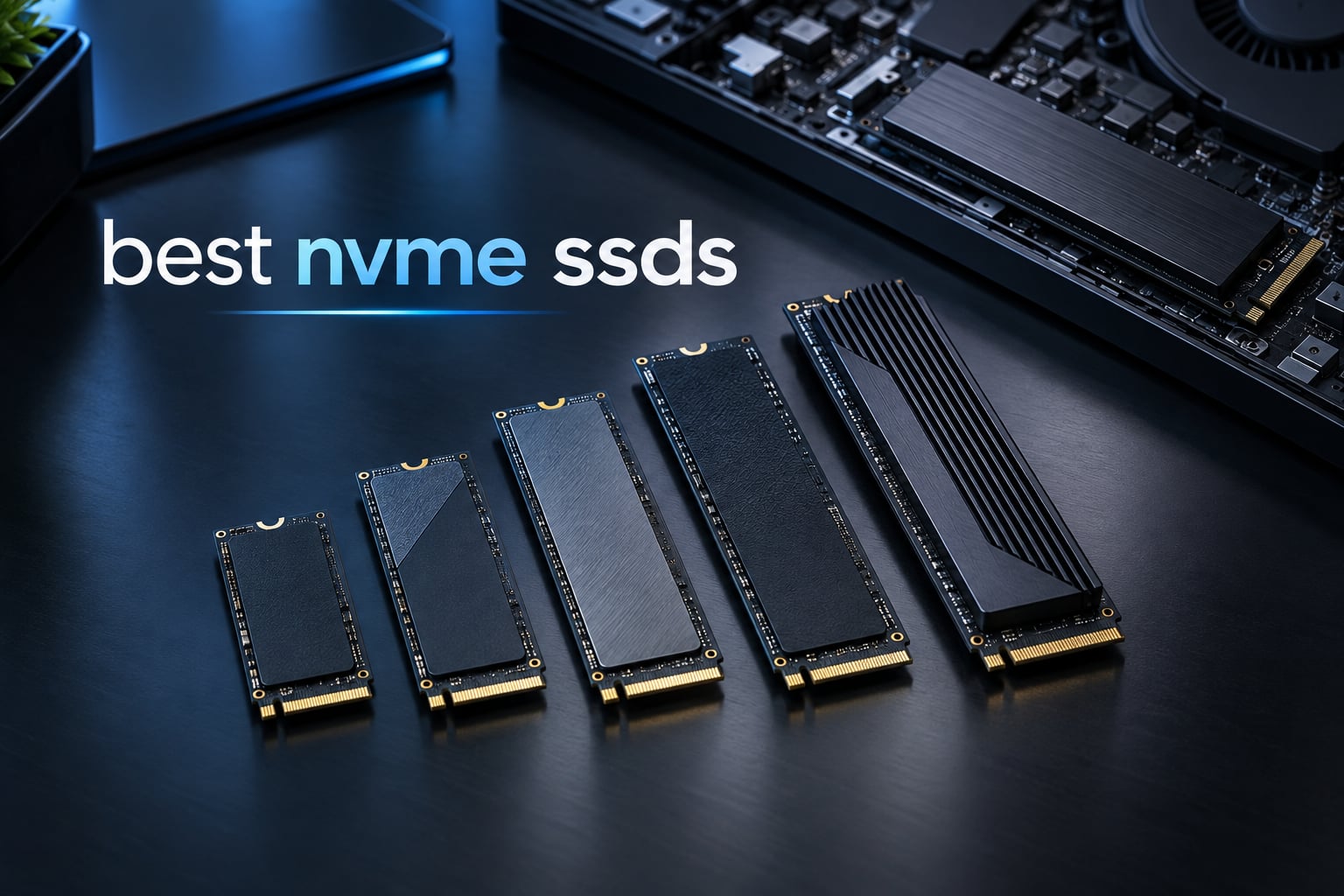
Ask ten people to recommend the best NVMe SSDs and you will get fifteen model numbers, half of which have been discontinued or quietly renamed. The naming schemes are the worst part of this whole category. Western Digital alone ships SN770, SN770M, SN7100, SN8100 and SN850X drives that look interchangeable on a shelf and behave very differently under load, and Samsung alone sells the 990 PRO, 990 EVO Plus, 9100 PRO and 900 series in the same M.2 2280 footprint.
That is why I stopped treating this category like a leaderboard. Sequential read speed tells you almost nothing about how a game feels, and the number printed on the front of the box is the least useful figure on it. What actually decides whether an NVMe SSD is good for you is the NAND type underneath, whether it has a real DRAM cache, how much capacity you are fitting, and whether your machine can even heat-sink it properly.
So I put together this roundup of the 12 best NVMe SSDs on the market in 2026, covering everything from a 512GB drive for reviving an ageing office PC to a 4TB Gen5 monster built for 8K timelines. Twelve drives, one consistent set of criteria, and a clear winner at the end. If you only read one section, make it the one that matches your machine.
Before we start, one housekeeping note that catches almost everyone out: capacity. The old advice of buying a 1TB drive and topping it up later is dead. Modern installs routinely swallow 150GB to 250GB apiece, and 2TB is the new floor for anybody with more than a handful of games. The good news is that 2TB and 4TB models have become far more interesting than they used to be, and several of the picks below come with genuinely capable controllers rather than cut-down silicon.
Table of Contents
Top 3 Picks for the Best NVMe SSDs (October 2026)

Best NVMe SSDs in 2026
Here is the short version before the detail. The Crucial P3 Plus 4TB wins on the combination of rating, review volume and usable room. The Kingston NV3 2TB is the value entry point into real PCIe 4.0 speeds. The Samsung 990 PRO 2TB remains the reference point for a DRAM-equipped workhorse drive, and the Samsung 9100 PRO 2TB is the speed king if your board has a Gen5 slot.
| Product | Specifications | Action |
|---|---|---|
| Crucial P3 Plus 4TB |
|
Check Latest Price |
 Kingston NV3 2TB Kingston NV3 2TB |
|
Check Latest Price |
 Samsung 990 PRO 2TB Samsung 990 PRO 2TB |
|
Check Latest Price |
 Crucial P310 2TB Crucial P310 2TB |
|
Check Latest Price |
 WD Black SN7100 1TB WD Black SN7100 1TB |
|
Check Latest Price |
 Silicon Power 1TB Gen3 Silicon Power 1TB Gen3 |
|
Check Latest Price |
 Silicon Power UD90 2TB Silicon Power UD90 2TB |
|
Check Latest Price |
 Acer Predator GM7000 2TB Acer Predator GM7000 2TB |
|
Check Latest Price |
 Lexar NM790 2TB Lexar NM790 2TB |
|
Check Latest Price |
 Samsung 9100 PRO 2TB Samsung 9100 PRO 2TB |
|
Check Latest Price |
 Crucial T705 4TB Crucial T705 4TB |
|
Check Latest Price |
 Patriot P320 512GB Patriot P320 512GB |
|
Check Latest Price |
1. Crucial P3 Plus 4TB – The Best Overall NVMe SSD
Crucial P3 Plus PCIe Gen4 NVMe 4TB SSD, Up to 4,800MB/s Read, Laptop & Desktop (PC) Compatible, Solid State Drive – CT4000P3SSD8
4TB
Up to 4800MB/s read
PCIe x4
Micron 3D NAND
5-year warranty
Pros
- 4TB of room in a standard 2280 footprint
- Runs cool enough to mount without a heatsink
- Acronis cloning software included
- 24k+ owners rate it 4.8 stars
Cons
- Sequential read of 4800MB/s trails top Gen4 drives
- QLC NAND slows sustained writes as it fills
- No DRAM cache so write-heavy work can crawl
I keep coming back to this drive because it solves the problem most people actually have, which is running out of room rather than running out of frames per second. 4TB in a standard M.2 2280 footprint means you can install a large OS, a working library of modern titles and a scratch partition for video without playing partition Tetris.
It is also the least fussy drive in this roundup. Owners report that it installs in seconds, is recognised immediately with no drivers, and runs cool enough to sit under a laptop’s integrated heatsink without complaint. That last point matters more than any benchmark, because thermal throttling is the quiet killer of otherwise good NVMe drives.
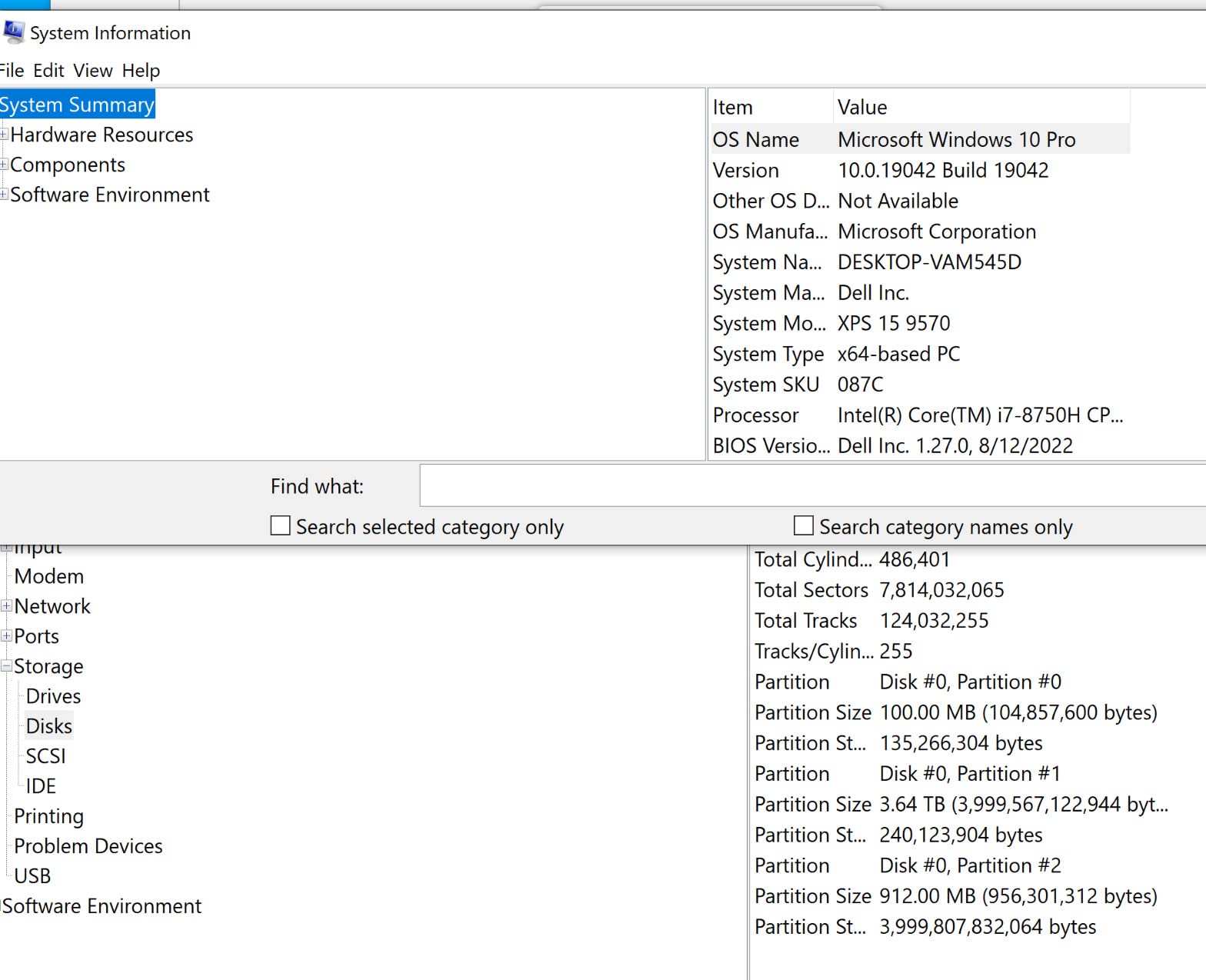
Where the P3 Plus gives ground is in the write department, and it gives it for an understandable reason. This is a QLC drive, which means once the SLC cache fills, sustained write speeds fall away sharply. For boot, app launching and game loading you will never notice this, because those workloads are almost entirely reads.
It shows up when you copy a 200GB project folder, restore a system image, or move a virtual machine around. Reviewers are consistent about that split: fast and unremarkable for everyday computing, slower than advertised for long transfers. The same reviews also note there is no DRAM cache, so heavy write workloads can drop to very low speeds. Budget for a backup if you lean on this drive for that kind of work.
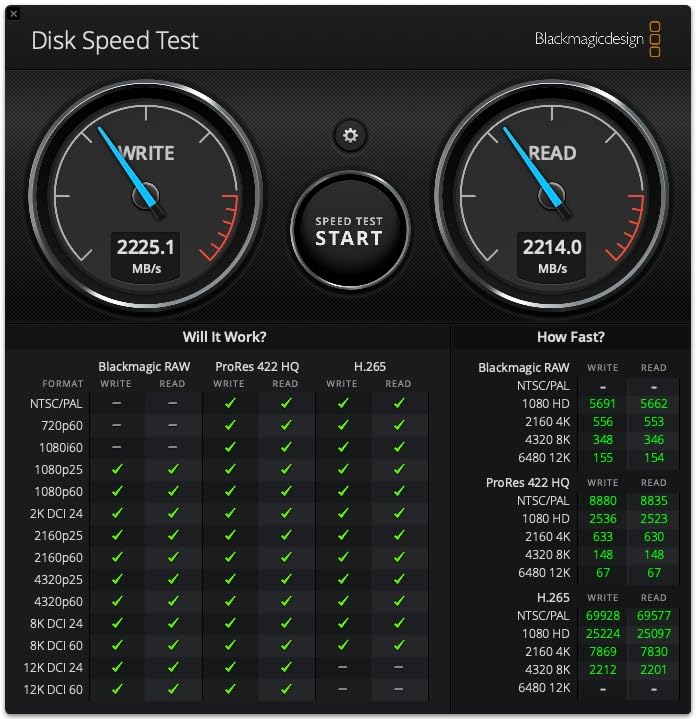
Why it beats the alternatives for most builds
The Samsung 990 PRO is faster and the Samsung 9100 PRO is faster still, but neither gives you 4TB in this price conversation. Crucial also builds on Micron flash, which means the NAND supply is not being squeezed by whatever shortage is moving consumer pricing around right now.
The endurance story holds up too. Crucial rates it past 1.5 million hours MTTF and backs it with a 5-year limited warranty, which is the standard you should expect at this level. Buyers consistently report zero failures over years of service.
Where it falls short
If your work is write-dominated, look at a TLC drive with DRAM instead. The Acer Predator GM7000 2TB and the Crucial T705 4TB both give you a real cache and NAND that holds its speed under pressure. Also check your slot: some mini-PC and laptop M.2 connectors impose their own drive-size limits that have nothing to do with this drive’s specifications.
2. Kingston NV3 2TB – The Best Value NVMe SSD
Kingston NV3 2TB M.2 2280 NVMe SSD | PCIe 4.0 Gen 4×4 | Up to 6000 MB/s | SNV3S/2000G
2TB
Up to 6000MB/s read,5000MB/s write
PCIe 4.0 x4
4.54g
Pros
- Sequential reads land close to the quoted 6000MB/s
- Single-sided design fits tight laptop bays
- Runs at roughly 42-48C with no throttling
- Acronis cloning software included
Cons
- DRAM-less so endurance trails premium TLC+DRAM drives
- Write speeds fall well short of the read rating
- Sustained multi-50GB transfers dip after the SLC cache
- Only a 3-year warranty
This is the drive I point people at when someone wants a genuine step up from a SATA SSD without paying flagship money. At 2TB it hits the capacity sweet spot, and the rated 6000MB/s read is faster on paper than several drives that cost considerably more.
Owners report sequential read numbers near the advertised figure in CrystalDiskMark, and long-term users say performance stays steady even at roughly 80% full with no crashes or corrupted files. That stability record, across 13k reviews, is what makes this the easiest recommendation in the whole roundup.
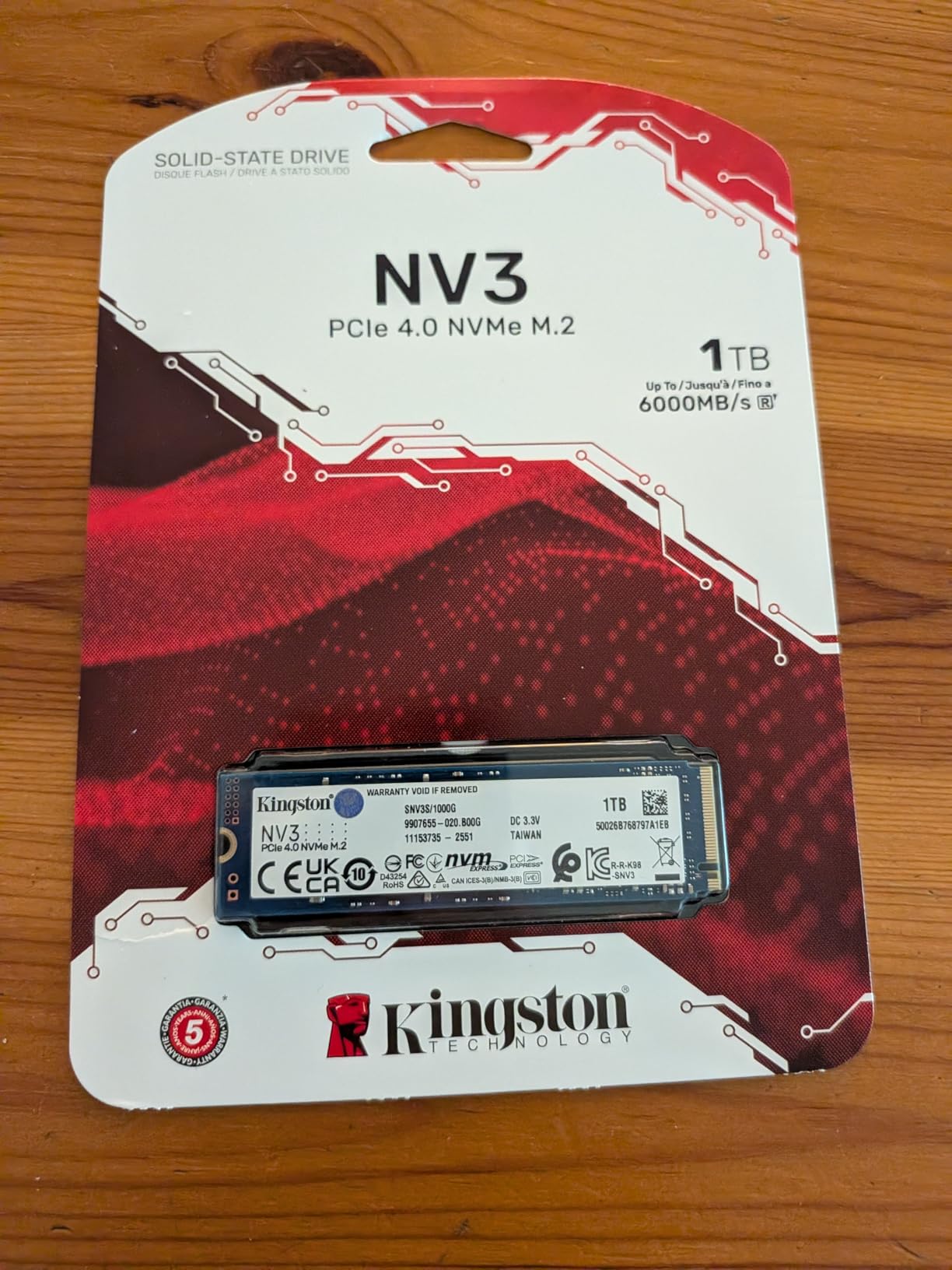
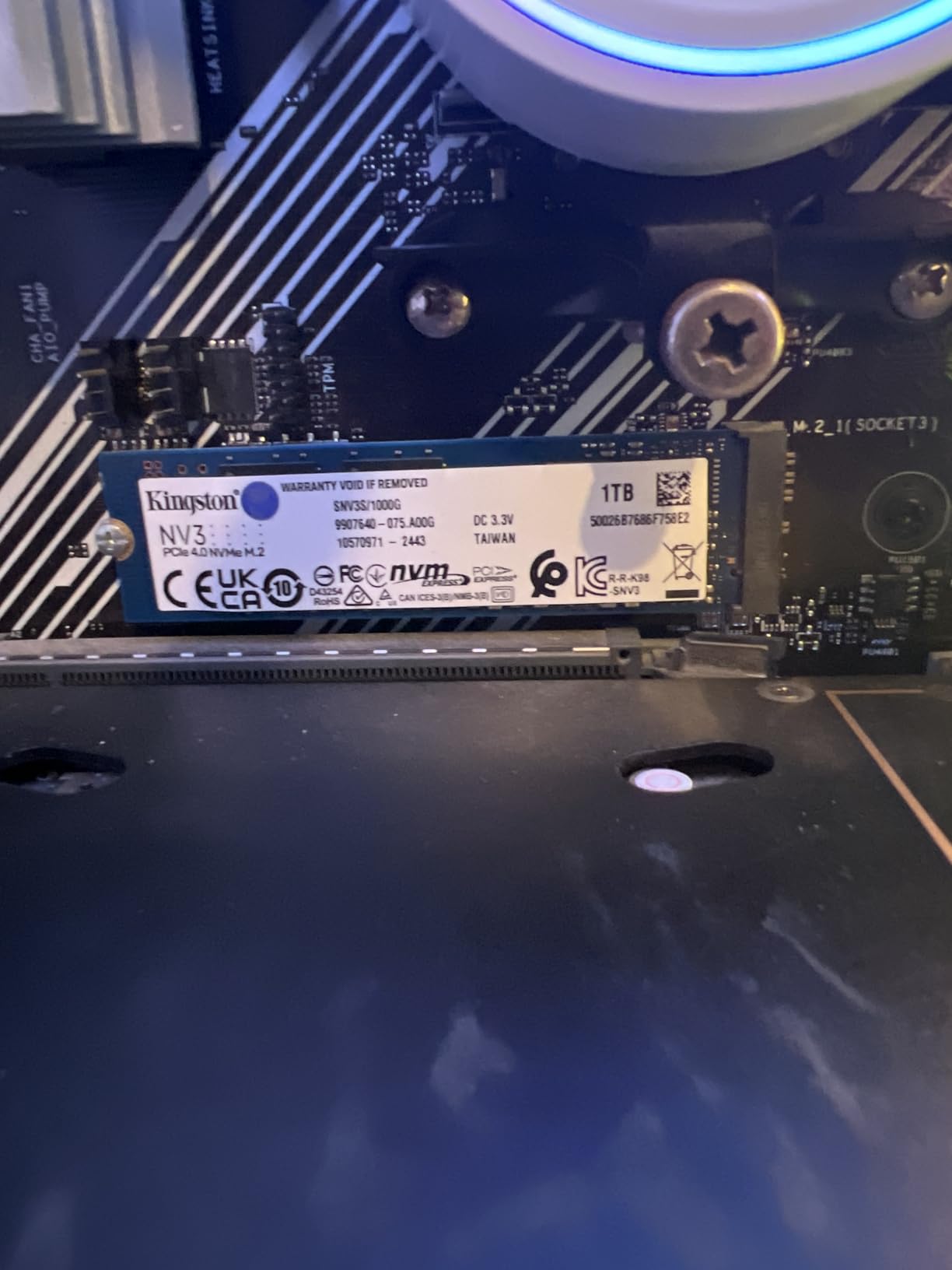
It also stays cool, sitting at roughly 42 to 48C under load with no thermal throttling at all. Combined with a single-sided layout and a weight of 4.54g, that makes it comfortable in laptops and compact enclosures where double-sided boards physically will not fit.
The HMB implementation does its job. Kingston uses the host system’s DRAM as the mapping table, which keeps boot times, app launches and game loading responsive even without a dedicated cache on the drive. You will not notice the difference unless you are running heavy random I/O workloads back to back.
How it fits your build
The NV3 lists compatibility with the PlayStation 5, Xbox Series X and S, and Nintendo Switch alongside desktops and laptops, which makes it a flexible pick for a console-adjacent build or a multi-purpose machine. It ranks near the top of Amazon’s internal solid state drive category, so availability of parts is not a concern.
For an OS drive, a game library drive or a laptop replacement, it does everything you need. Buy it in 2TB rather than 1TB if you can, since the price gap between the two is far smaller than the cost of the migration later.
Where it falls short
Two honest caveats. First, the DRAM-less design means endurance is lower than premium TLC+DRAM drives, and owners accept that as the trade-off for the tier. Second, write speeds in practice land well below the read figure, around 4000 to 5000MB/s, and very large transfers dip once the SLC cache runs out.
The warranty is the sting in the tail: three years, which is shorter than most competitors here. If the drive lives in a desktop you will keep for six years, that is worth factoring in. The Crucial P3 Plus and the Acer Predator GM7000 both carry 5-year terms.
3. Samsung 990 PRO 2TB – The Best Flagship Gen4 Workhorse
Samsung SSD 990 PRO 2TB, PCIe 4.0 M.2 2280, Up to 7,450 MB/s
2TB
Up to 7450MB/s read,6900MB/s write
PCIe 4.0
M.2 2280
5-year
Pros
- Near the ceiling of PCIe 4.0 bandwidth
- Samsung Magician handles cloning and monitoring
- Over 55% better random performance than the 980 PRO
- Up to 50% better performance per watt
- Backed by 5-year Samsung support
Cons
- Costs more than budget Gen4 drives for similar real-world results
- Needs a Gen4 slot to hit rated speeds
- No heatsink in the standard version
- Magician only migrates data to Samsung drives
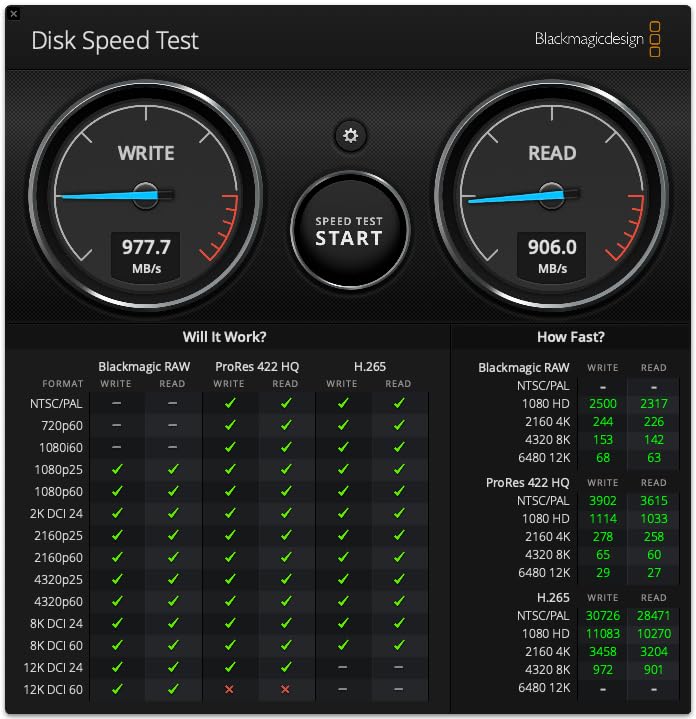
The 990 PRO has been the enthusiast default for years and it earns that position. At 7450MB/s read and 6900MB/s write it runs right at the practical limit of a PCIe 4.0 x4 link, and it tops the best sellers ranking in Amazon’s internal solid state drive category.
Samsung’s software is a genuine part of the value here. Magician handles cloning, firmware updates, drive health monitoring and hardware encryption in one place, which removes the usual need for a separate third-party utility. Reviewers consistently rate the management experience as the best in the category, and it is a large part of why the drive has held its value for so long.
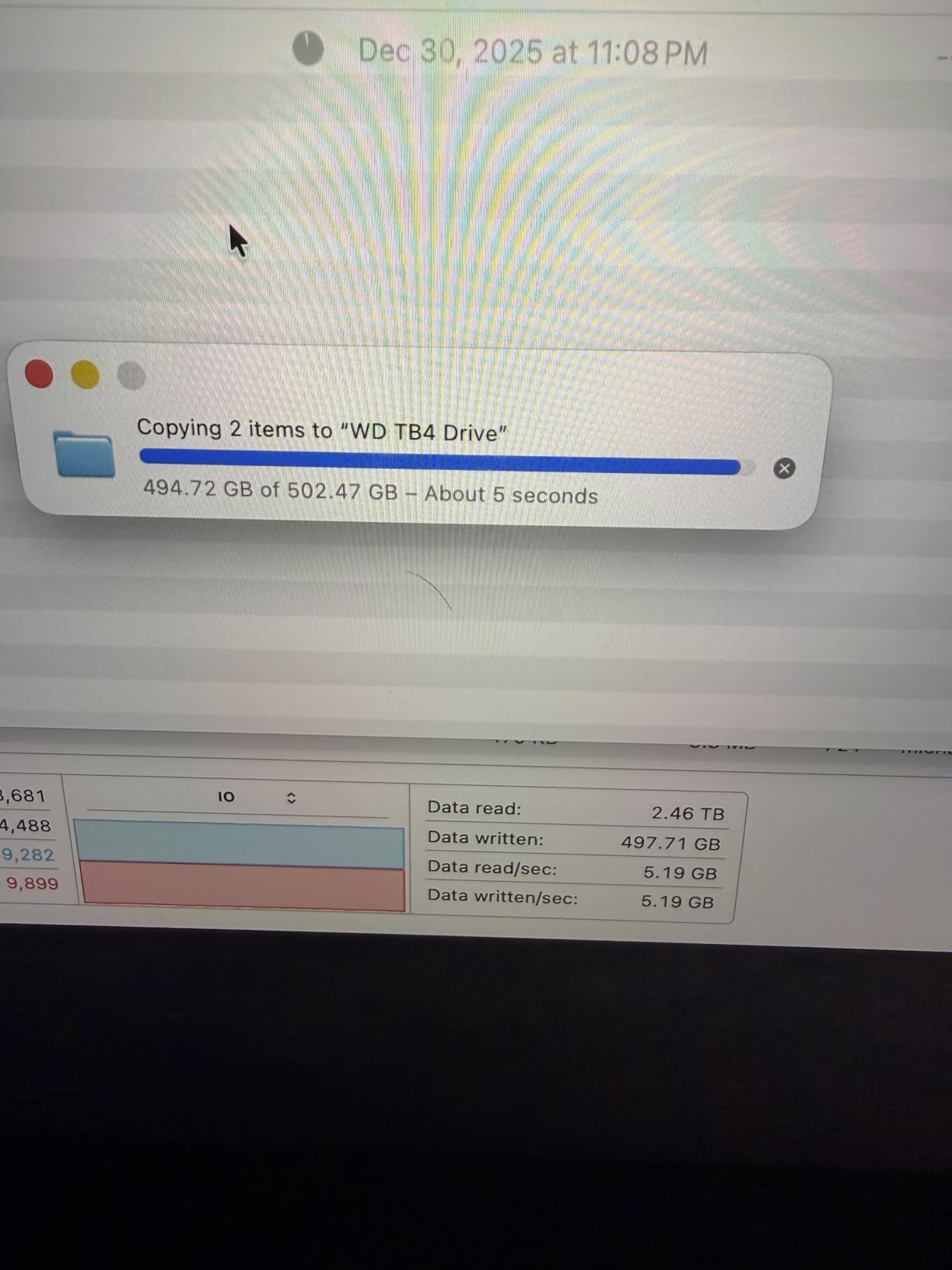
Thermal behaviour is a quiet strength. Samsung redesigned the controller and heat spreader for the 990 PRO, and the result is up to 50% better performance per watt than the 980 PRO. That efficiency shows up in gaming PCs where the drive sits next to a hot GPU, and in laptops running on battery.
It also carries 9.8 foot drop resistance plus water and dust resistance ratings, which is reassuring for a drive that will live inside a desktop tower being moved around. At 9.07g it is still light enough for a laptop slot.
When the 990 PRO is the right call
Choose it for a workstation that does real work. Reviewers report consistent speeds under heavy sustained loads on multi-SSD rigs, and no data loss across a year of daily use. For 4K video editing timelines, large project scrubs and databases, having headroom that does not evaporate under pressure is worth paying for.
It is also listed as compatible with the PlayStation 5, so it works as a console expansion drive as well as a desktop drive, and Samsung’s support infrastructure is the most established in the business.
Where it falls short
Value is the honest criticism, and reviewers raise it constantly. Several owners say they would buy a cheaper Gen4 drive for everyday gaming and keep a second drive as a backup. Real-world game loading is not meaningfully different from a drive costing meaningfully less.
Two smaller points. You need a compatible PCIe Gen4 M.2 slot to hit the rated speeds, and the standard version ships without a heatsink, which matters more in a cramped case. And Magician will only migrate data onto Samsung drives, so if you are cloning from a Crucial or Kingston you will need other software for the job.
4. Crucial P310 2TB – The Best for Laptops and Handheld Consoles
Crucial P310 2TB SSD, PCIe Gen4 NVMe M.2 2280, Up to 7,100MB/s, for Laptop, Desktop (PC), & Handheld Gaming Consoles, Includes Acronis Data Recovery Software, Solid State Drive – CT2000P310SSD801
2TB
Up to 7100MB/s read,6000MB/s write
G8 NAND
10g
5-year
Pros
- Up to 2x faster than the previous Gen3 generation
- Named support for ROG Ally X Legion Go and AYANEO Kun
- Stays cool and does not drain laptop batteries
- Backward compatible with PCIe Gen3 at roughly 3.1GB/s
Cons
- Needs a proprietary adapter for older Apple laptop slots
- Sustained writes fall off as capacity fills
- Acronis and Adobe extras are time-limited
The P310 is the drive I recommend when the machine has a battery. Crucial built it around advanced G8 NAND with thermal control, and owners report it stays cool and does not drain laptop batteries noticeably. On a gaming handheld that difference is the difference between a good session and a bad one.
It is also the only drive in this roundup with handheld gaming devices named directly in its compatibility list, covering the ROG Ally X, Lenovo Legion Go and AYANEO Kun. That matters because handhelds are tight on both physical space and power budget, and a drive that draws too much gets throttled by the chassis.
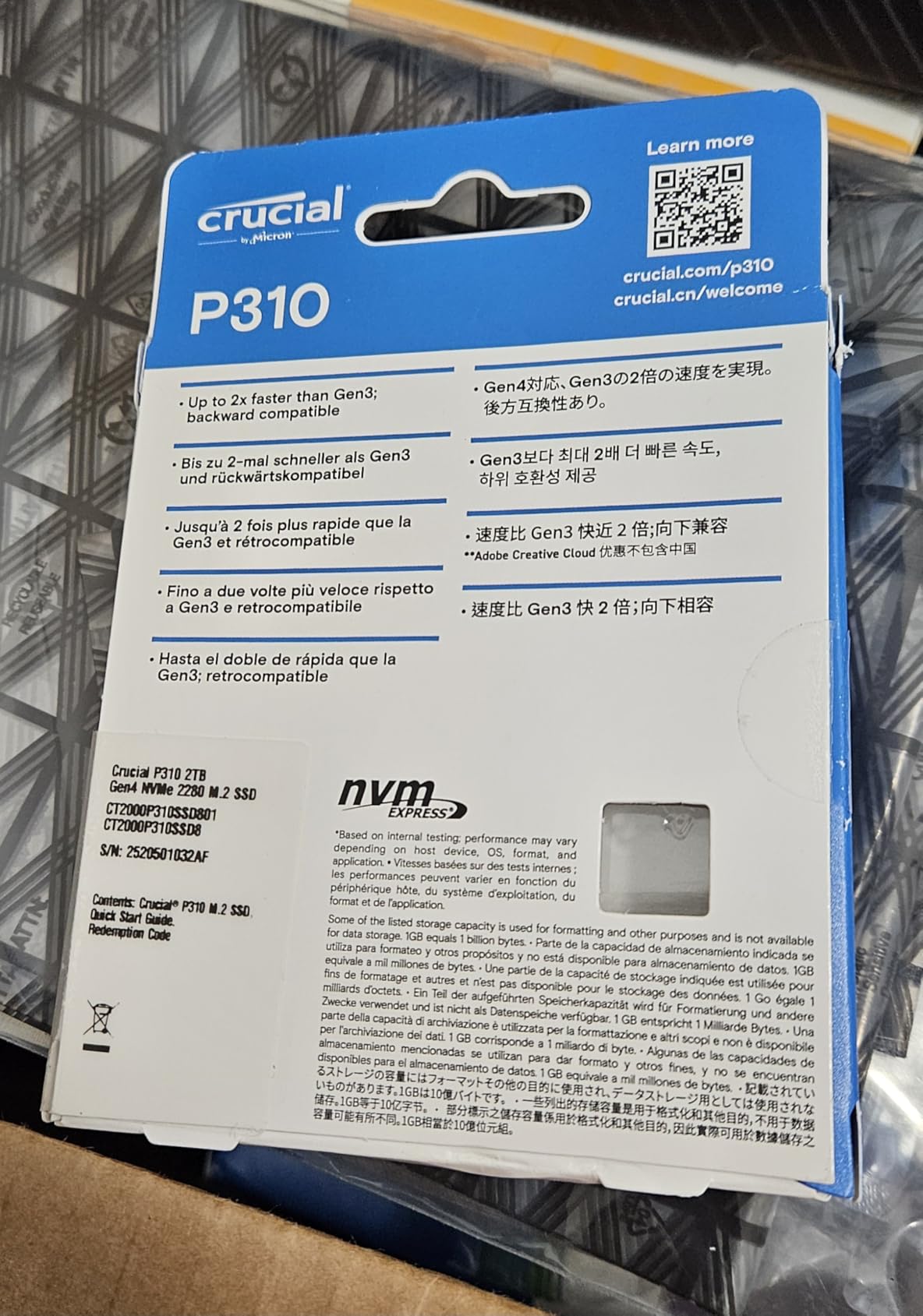
At 7100MB/s read and 6000MB/s write it sits at the top of the mainstream Gen4 range while using 10g of mass. It is backward compatible with PCIe Gen3 systems, still delivering roughly 3.1GB/s there, so the same drive works if you move it between an old tower and a new one.
Owners describe it as an easy, quiet upgrade that makes older laptops and desktops feel noticeably snappier for boot, app load and file copy, with no stability issues over months of use. The bundle includes Acronis plus a month of Adobe Creative Cloud, which is handy if you are rebuilding an existing system.
Why the efficiency story matters here
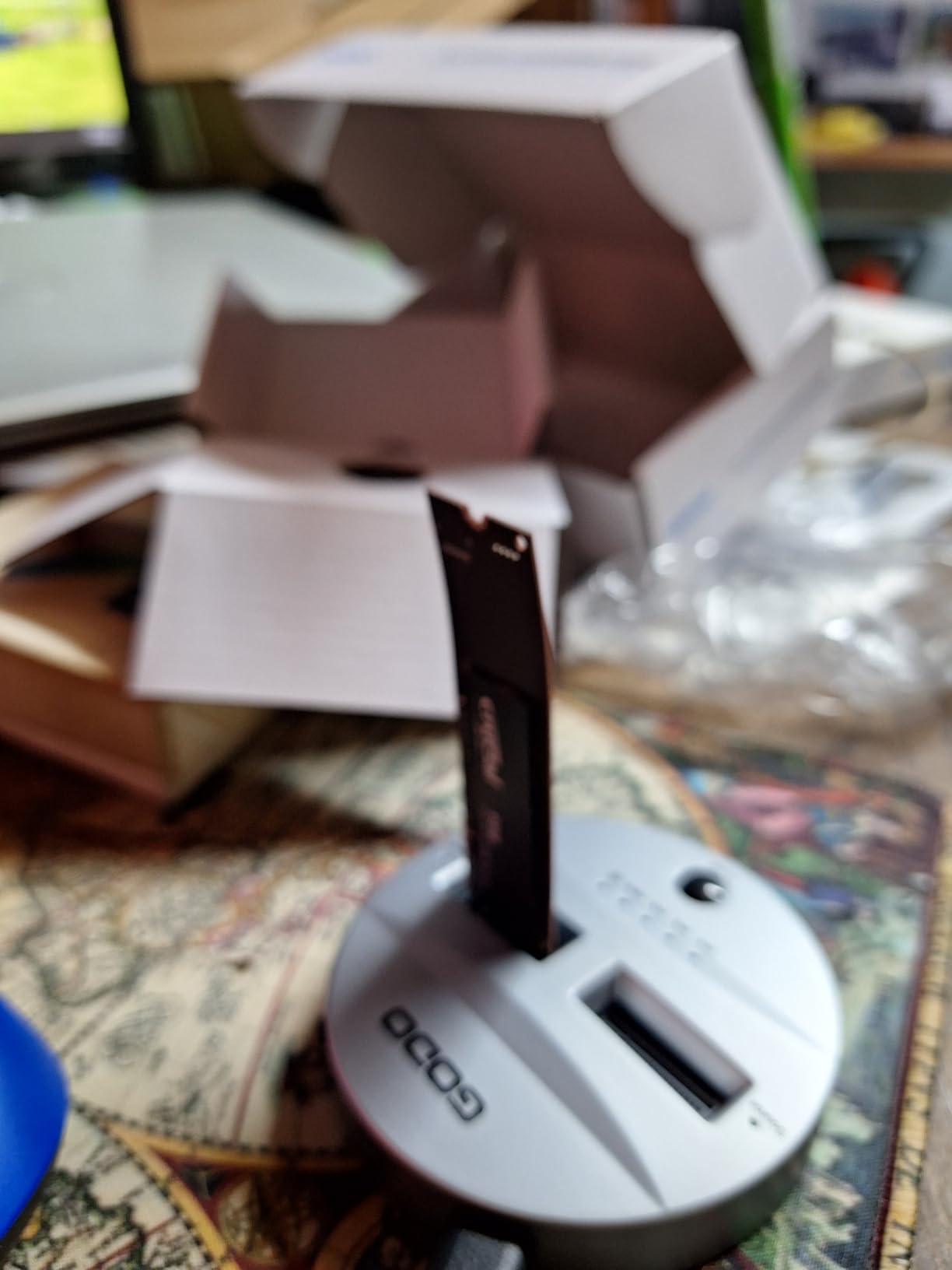
Handhelds and ultraportables share one weakness: cooling. When a drive generates heat, the whole system throttles to protect it, and you feel that as frame-rate dips during asset streaming. A drive that stays cool removes that variable entirely, which is why the P310 and the WD Black SN7100 are the two picks for portable machines.
For a desktop, the P310 is a clean 2TB upgrade with no caveats beyond the sustained-write behaviour below. It is also a straightforward choice for anyone upgrading a system that still has a Gen3 drive in it.
Where it falls short
Sustained write performance falls off as the drive approaches full capacity, which is the same trade-off as most drives at this tier. And the bundled Acronis and Adobe subscription are time-limited extras rather than permanent software, so do not plan on a long-term maintenance toolchain from the box contents.
If you are working inside an older Apple laptop, note that a proprietary adapter is required to fit. Check the connector before you order. For a machine with more demanding random I/O, the DRAM-equipped Acer Predator GM7000 is the alternative.
5. WD Black SN7100 1TB – The Best for Gaming on a Laptop or Handheld
WD_Black SN7100 1TB NVMe SSD – Gen4 PCIe, M.2 2280, Up to 7,250 MB/s Read Speed, Up to 6,900 MB/s Write Speed, Next Gen TLC 3D NAND, for Laptops, Handheld Gaming Devices – WDS100T4X0E
1TB
Up to 7250MB/s read,6900MB/s write
TLC 3D NAND
4.54g
2400 TBW
Pros
- True TLC 3D NAND for strong random 4K IOPS
- Exceptionally power efficient and cool running
- Up to 100% better power efficiency than the previous generation
- Handles over 1000 IOPS through a USB bridge
Cons
- Manufacturer lists it as replaced by the SANDISK Optimus GX 7100
- Throttles on long writes from about 6800MB/s to 4500MB/s
- Legacy WD Dashboard has been retired and no longer recognises it
Here is the one that gets recommended most often for gaming, and the reason is not raw speed. It is that this is real TLC NAND rather than QLC, which gives it strong random 4K IOPS and, on larger capacities, endurance ratings up to 2400 TBW. Random small-file performance is what determines how a game feels when it streams assets, and TLC wins that consistently.
It is also astonishingly efficient. Western Digital claims up to 100% better power efficiency than the previous generation, and owners back that up, describing the drive as cool-running and well suited to laptops and handheld consoles. At 4.54g and 0.04 inches thick it is one of the most portable drives here.
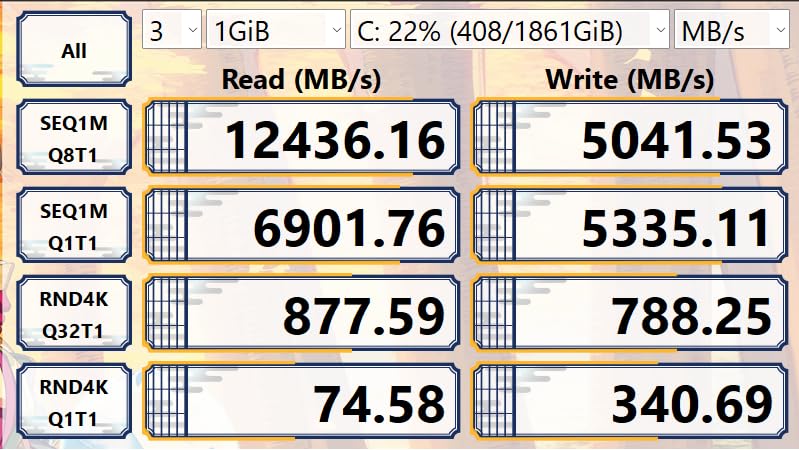
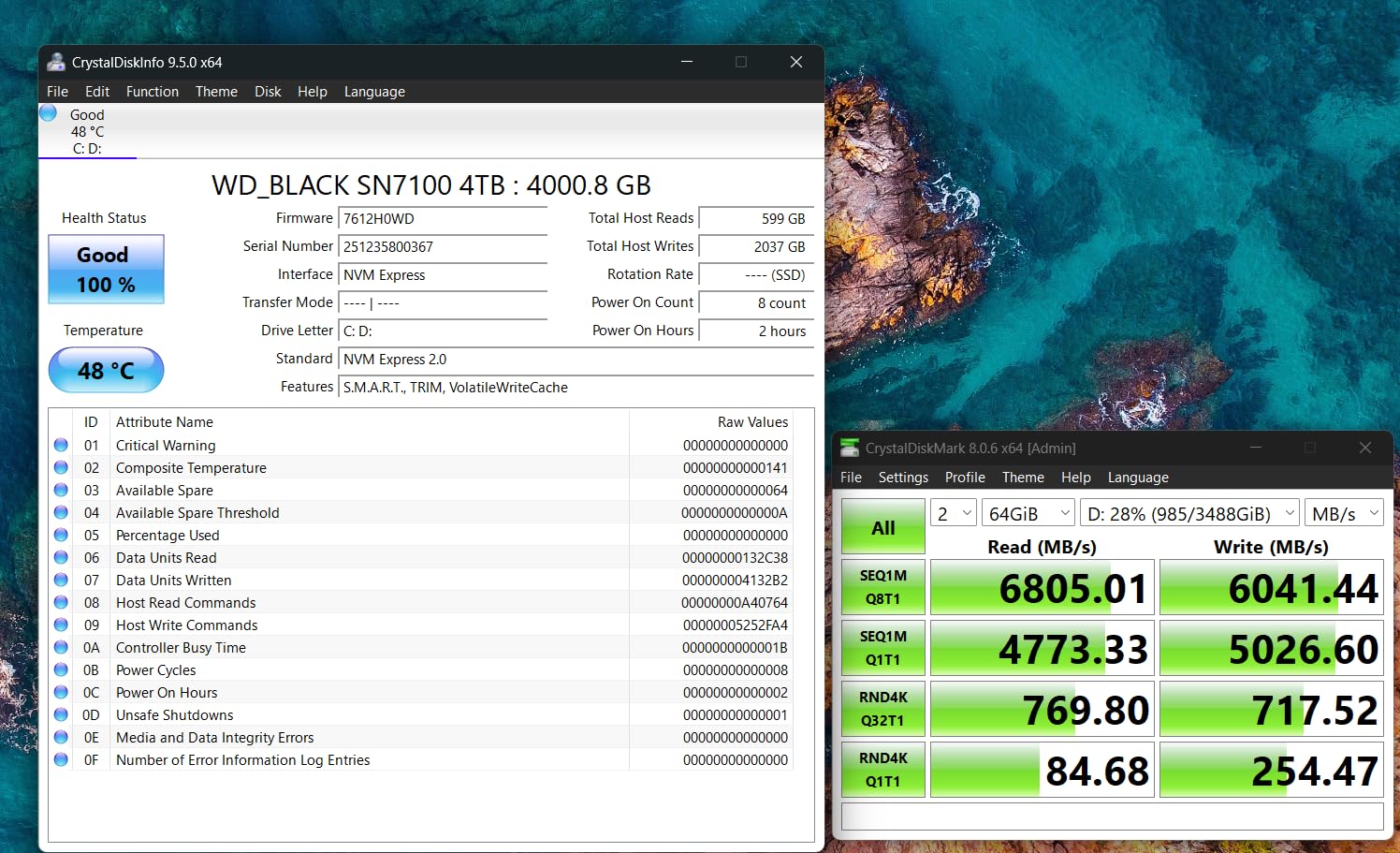
Reported real-world numbers land close to spec, with owners measuring around 7000 MB/s read and 6200 MB/s write in CrystalDiskMark. Owners also report stable operation over two years of continuous use in both Linux and laptop environments, which is a stronger reliability signal than most short reviews give you.
One underappreciated detail: it handles over 1000 IOPS through a USB bridge, which makes it a genuinely good pick for an external enclosure rather than something that only performs when bare in an M.2 slot.
Why TLC matters for a gaming drive
QLC drives are fine until they are not. Reads never touch the weakness, so a QLC drive will look excellent in a boot test and then disappoint when the SLC cache is under pressure from a big install or a save-heavy game. TLC NAND has more headroom before it slows down, and that is worth more than a few hundred MB/s on paper.
Compatibility covers desktops, laptops and handheld gaming consoles, and the listing includes the Xbox Series X. It is a safe choice if your priority is game load times and asset streaming rather than large file transfers.
Where it falls short
Throttling shows up on long sustained writes, with speeds dropping from roughly 6800 MB/s to around 4500 MB/s. That is expected behaviour, but it means this is not the drive to write a 500GB video library to.
There is also a software wrinkle. The legacy WD Dashboard utility has been retired and does not fully recognise the drive, so if you rely on Windows for health monitoring you will need a third-party tool. And the manufacturer itself notes this product has been replaced by the newer SANDISK Optimus GX 7100, which is worth knowing if you want the newest silicon in your machine.
6. Silicon Power 1TB Gen3 – The Best Budget Upgrade for Older Systems
Silicon Power 1TB – NVMe M.2 PCIe Gen3x4 2280 SSD (SP001TBP34A60M28)
1TB
Up to 2200MB/s read,1600MB/s write
PCIe 3.0 x4
600 TBW
8.53g
Pros
- Cheapest route from SATA or hard drives to NVMe speed
- 600 TBW endurance rating
- Works in standard desktop and laptop M.2 slots
- Warranty based on whichever limit comes first
Cons
- Gen3 x4 only so it cannot use Gen4 bandwidth
- 600 TBW is low by modern standards
- No mounting screw included
- Requires an M-keyed connector
Not everyone needs 7,000 MB/s. If you are reviving a machine with a mechanical hard drive or a SATA SSD, this drive delivers a responsiveness improvement that is felt every single day, and it costs less than a cinema ticket.
Owners report exactly that: a noticeable jump in general responsiveness, with the biggest gains in boot time, application launch and file browsing. For an office PC, a home server or a machine being passed down to a family member, that is the whole point of the upgrade.
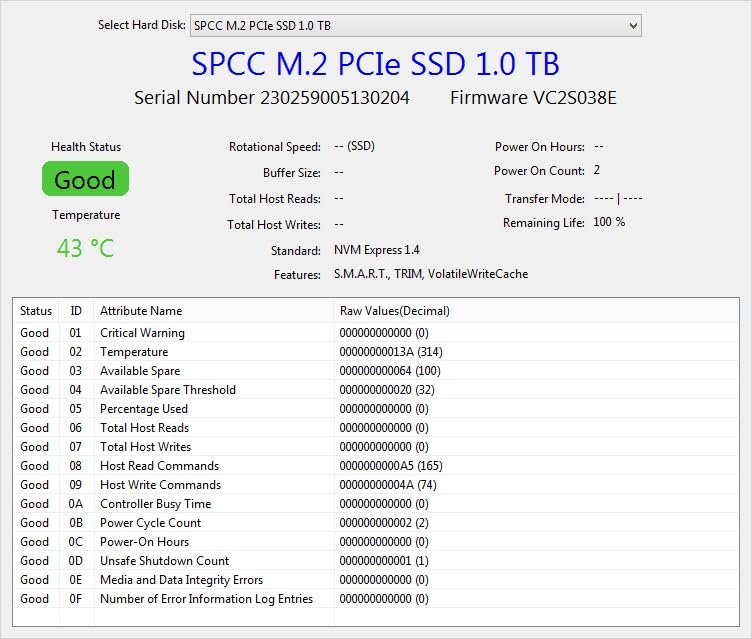
The 600 TBW endurance rating is honest for the class, and the warranty terms are unusually transparent: Silicon Power bases coverage on whichever comes first, the warranty length or the TBW limit. You always know exactly where you stand.
It fits the standard M.2 2280 footprint at 80mm and works in desktop and laptop slots alike. At 8.53g it is not a weight concern, and the drive is listed as compatible with Windows, Mac and Linux platforms for general use.
When Gen3 is genuinely the right answer
Most motherboards from the last several generations ship with at least one Gen3 slot, and plenty of laptops still do. Putting a Gen4 drive in a Gen3 slot means it runs at Gen3 speed anyway, so paying for the extra bandwidth is wasted money. This drive targets exactly that situation.
It is also a sensible second drive in a build that already has fast storage. A 1TB Gen3 drive holding archives, downloads or a secondary operating system costs almost nothing to add and never competes with your primary drive for bandwidth.
Where it falls short
PCIe 3.0 x4 is the ceiling, at 2200MB/s read and 1600MB/s write. That is roughly a third of a top Gen4 drive, and it will show in large file transfers and heavy multi-threaded work.
600 TBW is low against modern rivals, and there is a practical gotcha that catches people out: no mounting screw is included, so you may need to source one from your motherboard manufacturer. The drive also lacks a B-key notch, so it fits only M-keyed M.2 connectors. Check your slot before ordering.
7. Silicon Power UD90 2TB – The Best Budget 2TB With Data Protection Features
Silicon Power 2TB UD90 NVMe 4.0 Gen4 PCIe M.2 SSD R/W up to 5,000/4,800 MB/s (SP02KGBP44UD9005)
2TB
Up to 5000MB/s read,4800MB/s write
SLC caching,LDPC,RAID
8g
5-year
Pros
- RAID support plus LDPC and E2E data protection
- Ships with a 5-year limited warranty
- Warranty service was honoured quickly when a unit failed
- Single-sided and thin enough for tight bays
Cons
- No DRAM cache so long writes slow once the SLC cache fills
- One detailed report disputes the advertised TLC NAND type
- Silicon Power support took three days to answer an RMA query
- Thin packaging is easily damaged in transit
The UD90 stands out for a reason that has nothing to do with speed: it ships with LDPC coding, RAID support and built-in E2E data protection. That is a data-integrity feature set you rarely see at this tier, and it is genuinely relevant if you plan to use the drive in a small NAS or a machine holding irreplaceable files.
On speed it delivers 5000MB/s read and 4800MB/s write, which puts it comfortably ahead of the Gen3 drives here and behind the flagship Gen4 parts. Owners report good real-world performance for the money, including sequential reads around 7GB/s in some testing configurations.
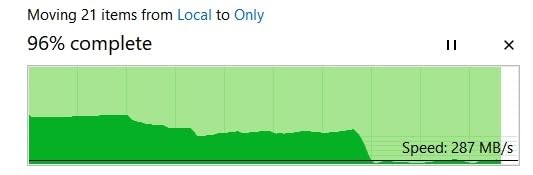
Thermally it is a sleeper pick. It runs in the mid-30s Celsius typically, peaking in the 50s, and its single-sided, thin design fits mini-PC and laptop bays where there is no room for a heatsink at all. That combination of cool operation and physical flexibility is rarer than it should be.
It is also the only drive here where a warranty replacement is specifically reported as having been honoured quickly after a genuine failure. That is worth noting in a category where support quality varies widely by brand.
Why the data protection features are the selling point
LDPC adds error correction on the transmission path, E2E protection guards the data as it moves between host and flash, and RAID support protects against a single drive failure in a multi-drive setup. On a mainstream gaming drive those features are almost invisible. On a drive holding your only copy of family photos, they are the entire reason to buy it.
If that is your use case, note the caveat below carefully and keep a separate backup. Features are not a substitute for a second copy of anything that matters.
Where it falls short
There is no DRAM cache, so long sustained writes slow considerably once the SLC cache fills. More seriously, one detailed report claims the larger capacity uses QLC rather than the advertised TLC, with write speeds collapsing to 150 to 250 MB/s after roughly 15 to 65GB of writing. If sustained write performance matters to you, do not risk it.
Support responsiveness has also been criticised, with one RMA and NAND-type query reportedly taking three days to get an answer, and the thin packaging is easily damaged in transit. If you want a 2TB drive and prefer fewer unknowns, the Kingston NV3 is the more predictable choice.
8. Acer Predator GM7000 2TB – The Best 2TB Drive With a Real DRAM Cache
Predator M.2 SSD 2TB GM7000 with DRAM cache NVMe 1.4 2280 PCIe Gen4×4 Ultra high speed (maximum read: 7400MB/s, max write: 6700MB/s) 3D NAND TLC Internal SSD Compatible with PS5 Pro – BL.9BWWR.106
2TB
Up to 7400MB/s read,6700MB/s write
DRAM cache,3D NAND TLC
1300 TBW
Pros
- One of the few 2TB Gen4 drives with real DRAM rather than HMB
- Up to 7400MB/s read and 6700MB/s write
- Customised heat spreader lowers sustained load temperatures
- Integrated PMU in the controller improves power efficiency
- Works in PS5 and PS5 Pro as well as PCs
Cons
- Biwin Intelligence software is less polished than Samsung Magician
- Marketed under Acer Predator but manufactured by Biwin
- 1200-1300 TBW is modest next to premium TLC rivals
This is the drive to buy if you want a 2TB Gen4 drive with a genuine DRAM cache rather than an HMB compromise. Almost every other drive in this price conversation runs DRAM-less, and while that is fine for gaming, it shows up under sustained random I/O and heavy multitasking.
Raw numbers put it right at the top of Gen4: 7400MB/s read and 6700MB/s write. The DRAM cache maps the NAND properly rather than borrowing memory from your system, so performance holds steady under the kind of mixed read and write pattern an OS drive sees all day.
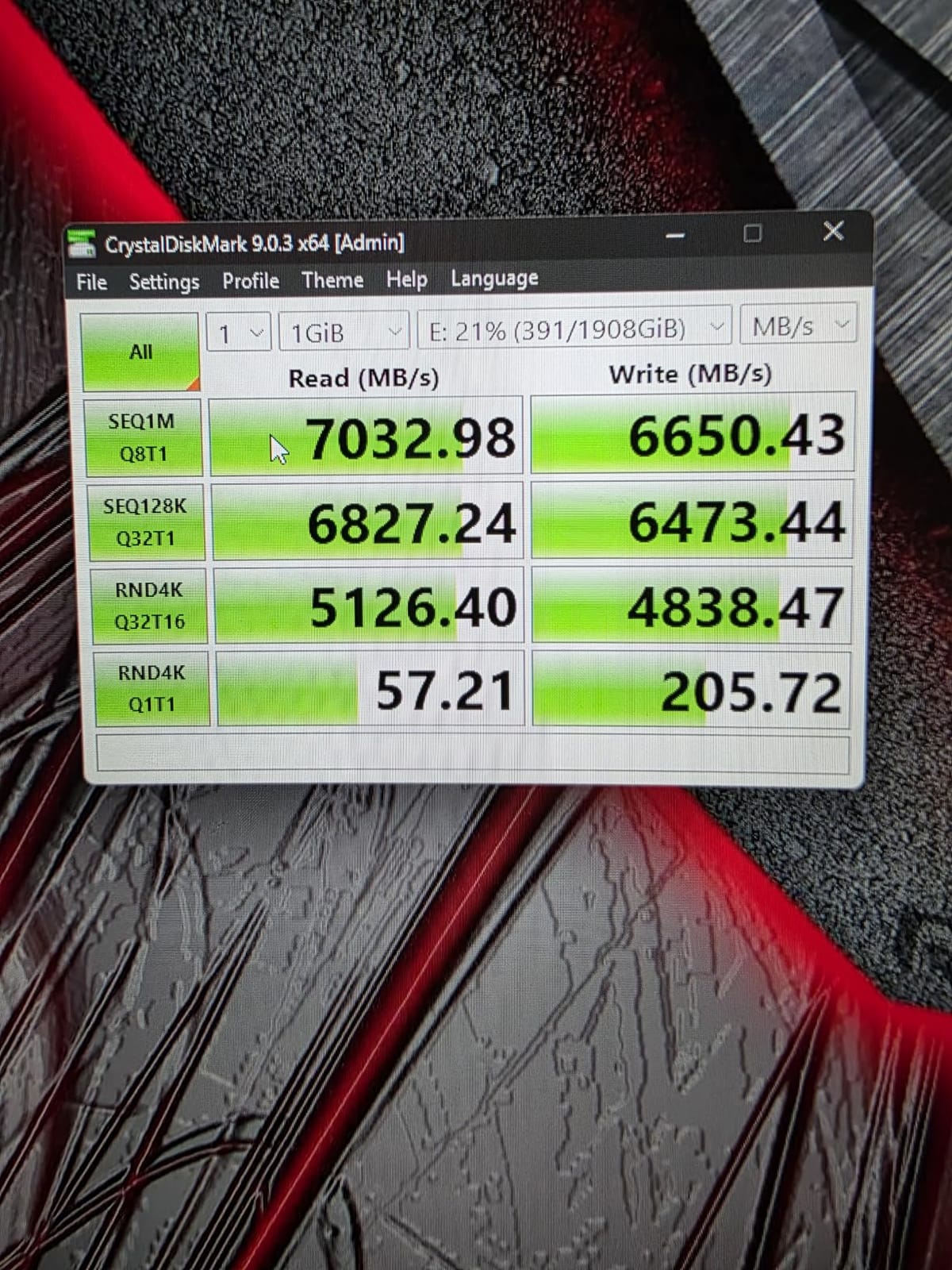
The hardware is well considered. A customised heat spreader is fitted to keep operating temperatures lower under sustained load, and the controller carries an integrated Power Management Unit that the manufacturer credits for better efficiency in gaming PCs where thermals are tight.
It is also unusually flexible on compatibility, listed for the PlayStation 5 and PS5 Pro alongside desktops, PCs, laptops and netbooks. A 2GB cache is specified, and the 5-year limited warranty covers up to 1300 TBW.
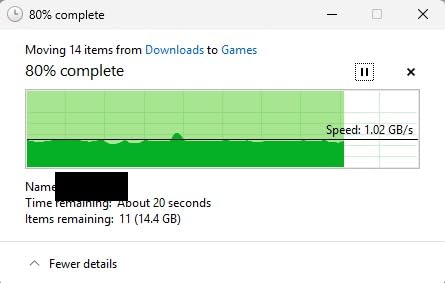
When DRAM is worth the extra spend
DRAM matters most when your drive holds the operating system. Boot sequences, background updates, antivirus scans and dozens of applications opening at once produce a lot of small random reads, and that is exactly the workload HMB handles least gracefully.
For a pure game library drive, HMB is genuinely fine and most users will never notice the difference. For an OS drive in a machine you work on all day, the GM7000 is the more confident recommendation.
Where it falls short
Software is the main complaint. Biwin Intelligence covers performance testing, data migration and drive cloning, but reviewers consistently describe it as less polished than Samsung Magician or Crucial Storage Executive. If you like to check drive health and tweak settings, you will notice the difference.
Two smaller points. The drive is marketed under the Acer Predator brand while the actual manufacturer is Biwin, which can make support paths confusing if you need a warranty claim. And 1200 to 1300 TBW is modest next to the premium TLC rivals here, so for a heavily written workstation drive you may prefer something with a higher endurance figure.
9. Lexar NM790 2TB – The Best Low-Power NVMe SSD
Lexar 2TB NM790 Internal NVMe SSD, 7400/6500 MB/s, M.2 2280, PCIe Gen 4×4
2TB
Up to 7400MB/s read,6500MB/s write
HMB 3.0
1500 TBW
4.54g
Pros
- Up to 40% lower power consumption than DRAM-cache Gen4 drives
- HMB 3.0 activates host DRAM for smoother transfers
- Single-sided and lightweight at 4.54g
- 1500 TBW endurance with a 5-year warranty
Cons
- DRAM-less so random I/O trails premium TLC+DRAM drives
- Needs a PCIe Gen4 x4 slot to reach rated speeds
- Bundled management software is thin next to Samsung Magician
The NM790 is a study in efficiency. Lexar claims up to 40% lower power consumption than DRAM-cache-enabled PCIe 4.0 SSDs, and it delivers 7400MB/s read and 6500MB/s while doing it on 4.54g of single-sided board. For a laptop or a fanless build, that is a better trade than raw throughput.
Its HMB 3.0 implementation is the reason. Rather than a basic host memory buffer, it activates the DRAM cache function of the host device, which lets it use system memory more effectively for the mapping table. Reviewers report smoother transfers as a direct result.
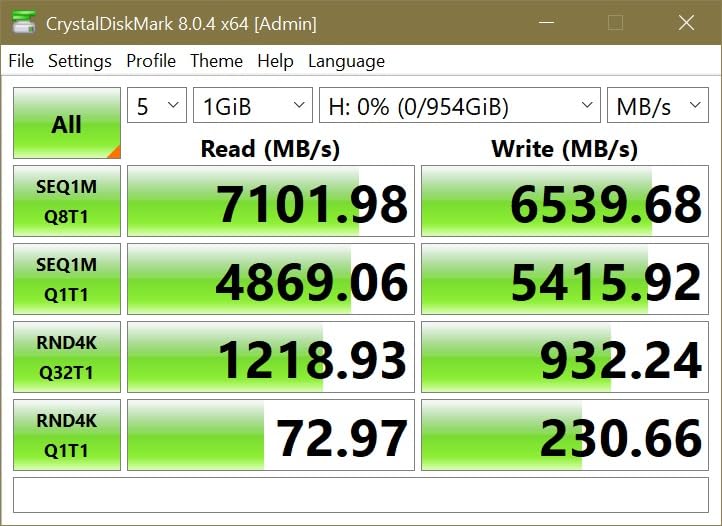
The endurance figure is a genuine strength for a DRAM-less drive. Rated at 1500 TBW with a 5-year limited warranty, it sits comfortably above several cheaper HMB options and makes the drive a defensible choice for a machine you intend to keep.
Lexar lists compatibility with desktops, laptops and the PS5, and describes the drive as built for gamers, professionals and creators. It is also rated at twice the speed of PCIe Gen3 drives, which makes it a large step up if you are coming from an older machine.
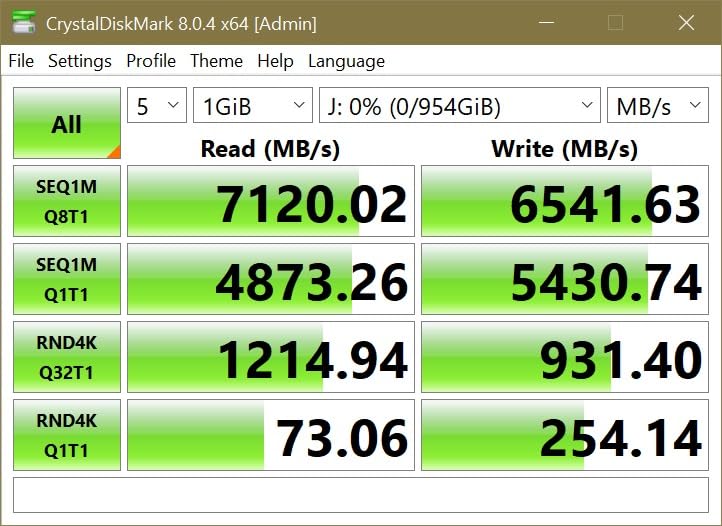
How to weigh power draw against speed
Battery life is the entire argument here. A drive that draws meaningfully less power lets the system spend its thermal headroom on the CPU and GPU, which in a thin gaming laptop is where the frame rate comes from. Several owners specifically single out this drive for laptop and handheld use.
On a desktop plugged into the wall, the difference is largely academic. Pick on capacity and warranty instead. Either way, 2TB at 1500 TBW is a well-balanced configuration.
Where it falls short
The DRAM-less design means random I/O does not match premium TLC+DRAM drives. In a heavy multitasking workload with many applications open, you may see a difference against the Acer Predator GM7000. You need a PCIe Gen4 x4 slot to reach the rated speeds as well.
And the bundled management software is less feature-rich than Samsung Magician, with less tooling for health monitoring and firmware work. Its 4.8 rating sits on a smaller review base than the other picks here, so treat the rating with a little more caution and lean on the warranty terms.
10. Samsung 9100 PRO 2TB – The Best PCIe 5.0 NVMe SSD for Workstations
Samsung SSD 9100 PRO 2TB, PCIe 5.0×4 M.2 2280, Up to 14,700MB/s
2TB
Up to 14700MB/s read,13400MB/s write
PCIe 5.0 x4
5nm controller
8TB max
Pros
- Roughly twice the 990 PRO for sequential throughput
- Up to 1850K read and 2600K write IOPS for AI and multitask
- 5nm controller gives up to 49% better power efficiency
- Magician firmware encryption and health monitoring
- Up to 8TB with in-house DRAM and NAND
Cons
- Needs a PCIe 5.0 x4 slot and platform to reach rated speeds
- Gen5 drives run hot and need a heatsink or strong airflow
- Costs meaningfully more than a Gen4 drive of the same capacity
- Gains are less visible in normal gaming than in benchmarks
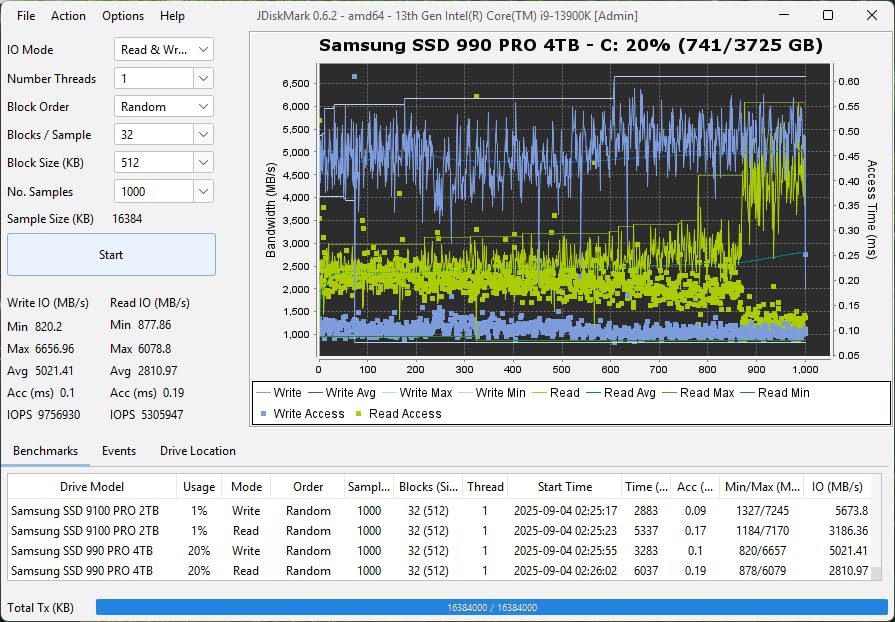
The 9100 PRO is the fastest drive in this roundup, and not by a small margin. At 14700MB/s read and 13400MB/s write it is roughly twice the throughput of the 990 PRO, and the random figures are where it gets interesting: up to 1,850K read and 2,600K write IOPS.
Those IOPS numbers are the reason to buy this drive, and the reason not to. Small random operations are what AI model loading, database queries and aggressive multitasking depend on. If your work is that shape, the headroom is real and immediate. If your work is launching games, you will not see it.
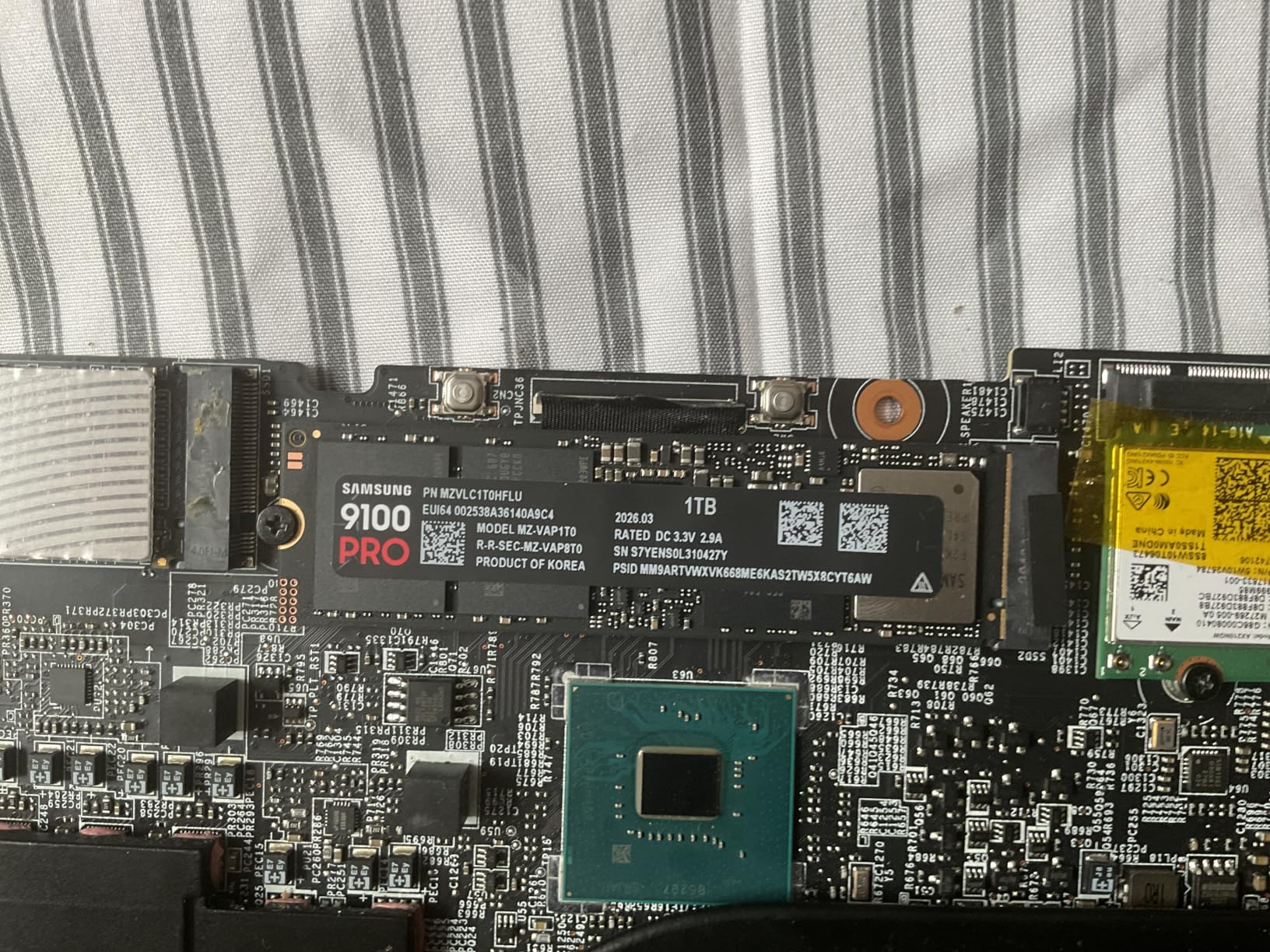
Thermals are handled better than you might expect for a Gen5 drive. The 5nm controller delivers up to 49% better power efficiency than the 990 PRO with advanced thermal control, and owners specifically call out the thermal behaviour as a positive in a category where it is usually a complaint.
Samsung keeps firmware and components in house, Magician provides updates, encryption and continuous health monitoring, and the range extends up to 8TB. The listing names AI computing, gaming and video editing as target uses, which tells you where the engineering effort went.
Where Gen5 actually pays off
Large sequential transfers. Copying hundreds of gigabytes of footage, working with raw 8K streams, moving dataset files for machine learning work. When the bottleneck is raw bandwidth, doubling the link speed roughly halves the wait, and that compounds across a working day.
The random IOPS advantage also shows up in virtualised and multi-tenant environments where many small reads are issued in parallel. If that describes your machine, the extra cost earns its place.
Where it falls short
You need a PCIe 5.0 x4 slot and a compatible platform, which narrows motherboard and laptop choices considerably. Like all Gen5 drives it runs hot and generally wants a heatsink or strong airflow, so budget for cooling and confirm your case has clearance.
Most importantly, the gains are less visible in normal desktop and gaming workloads than the benchmark numbers suggest. Reviewers make this point directly. Owners who upgraded from a Gen4 drive report real-world benefit concentrated in large transfers, video editing and AI-adjacent work, with gaming feeling much the same. If your board has no Gen5 slot, the Samsung 990 PRO delivers most of the practical experience for less money.
11. Crucial T705 4TB – The Best 4TB PCIe 5.0 SSD for 8K Video
Crucial T705 PCIe Gen5 NVMe 4TB SSD, Up to 14,100MB/s, TLC NAND, Intel & Ryzen Compatible, for Hardcore Gaming & High-Speed Storage, Solid State Drive, Includes 1Mo Adobe CC – CT4000T705SSD3
4TB
Up to 14100MB/s read,12600MB/s write
Micron 232-layer TLC,DRAM
5-year
Pros
- Verified 14100MB/s read in CrystalDiskMark on Gen5 hardware
- 4TB of 232-layer TLC with DRAM holds speed on long transfers
- Backward compatible with PCIe 4.0 and 3.0 platforms
- Momentum Cache boosts random performance on an OS drive
Cons
- Runs very hot and shut down without a heatsink in one report
- Sustained writes pushed one drive to about 80C in a packed case
- Storage Executive is less capable than Samsung Magician
- One owner reported bad sectors after 22 months though warranty was honoured
The T705 is the only drive here that combines Gen5 bandwidth with both 4TB of capacity and TLC NAND backed by a real DRAM cache. That combination is rare, and it is the reason this drive exists rather than a plain 2TB Gen5 part.
It uses Micron 232-layer TLC NAND with a DRAM cache, and reviewers confirm it holds high throughput over long transfers rather than collapsing once an internal cache empties. Owners report game and level load times and 8K video workflows all noticeably faster than a Gen4 comparison.
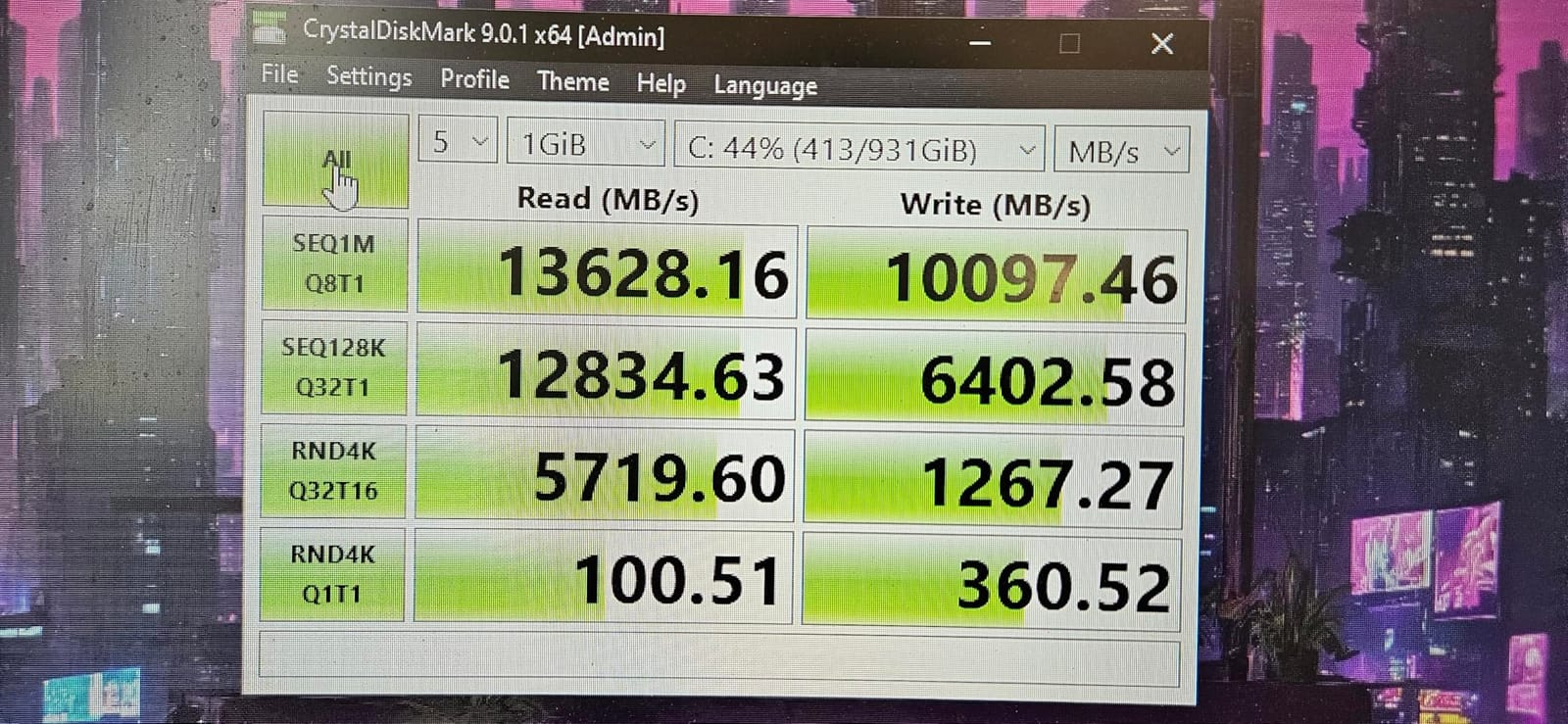
Crucial has also added Momentum Cache to Storage Executive, which significantly boosts random performance when the drive is used as an OS drive. The trade-off is that it reduces top-end sequential numbers, so decide which role the drive plays before you enable it.
It is backward compatible with PCIe 4.0 and 3.0 platforms, targets Intel 13th and 14th Gen and AMD Ryzen 7000 M.2 Gen5 slots, and includes hardware encryption plus a one-month Adobe Creative Cloud subscription and Acronis.
Plan the cooling before you plan the purchase
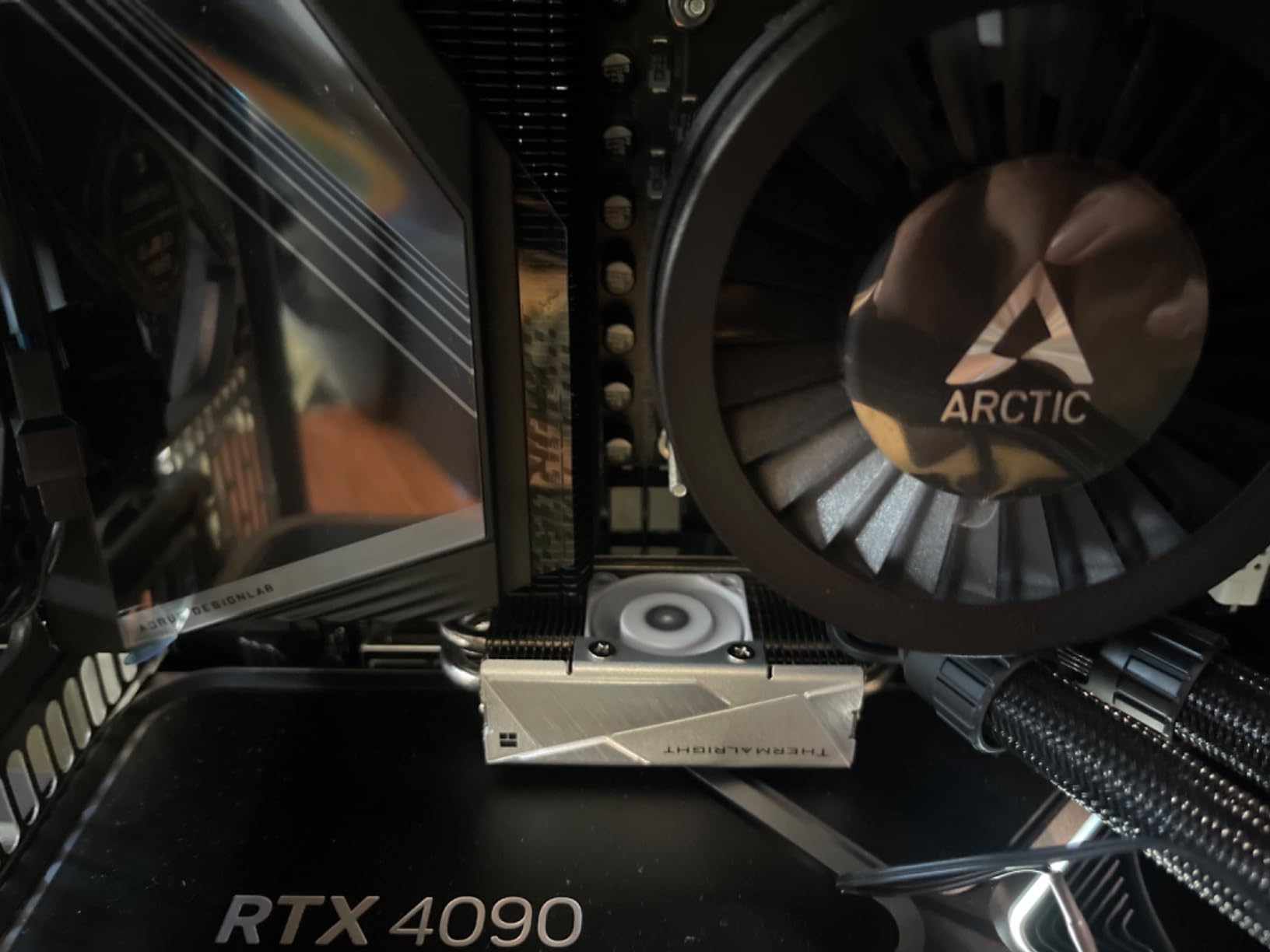
Every review of this drive makes the same point: a quality heatsink is effectively mandatory. One owner saw a drive shut down after roughly 20 seconds on a Gen4 add-in card without one. Another, using a heat-pipe cooler in a tightly packed case, still saw sustained writes push the drive to around 80C.
Crucial fits a copper-coated label to help passive heat dissipation, which helps but does not replace airflow. Before buying, check that your motherboard M.2 slot has a heatsink and that your case can move air across it.
Where it falls short
Thermals dominate the complaints, as you would expect. Beyond that, Crucial Storage Executive is less capable than Samsung Magician, and Momentum Cache trades sequential speed for random responsiveness, which may not suit a drive you plan to use purely for media.
There is also one long-term reliability report: a 2TB unit developing corrupted sectors and MBR errors after 22 months. The warranty was honoured with a replacement of a different model, so service was fine, but it is worth weighing if your 4TB is a single point of failure. The Samsung 9100 PRO 2TB runs cooler by comparison and keeps production in one manufacturer’s hands.
12. Patriot P320 512GB – The Budget Pick for Reviving an Older PC
Patriot P320 512GB PCIe Gen 3×4 M.2 2280 SSD
512GB
Up to 3000MB/s read,2200MB/s write
PCIe Gen3 x4
NVMe 1.3
Pros
- Inexpensive way to replace a failed drive or add small storage
- Measured reads near 3000MB/s which is close to spec
- Runs cool with under a 10C rise even with a simple plate
- Plug-and-play in desktops mini PCs and older machines
Cons
- Gen3 x4 only and well behind current Gen4 drives
- 512GB fills quickly with modern games and OS installs
- Listed as No Warranty
- Write speeds considerably lower than read speeds
The P320 exists to do one job: make an old machine feel new again for very little money. Several owners report it revived desktops and Mac minis that had been blue-screening or had a failed drive, and a large speed improvement over SATA SSDs and mechanical hard drives.
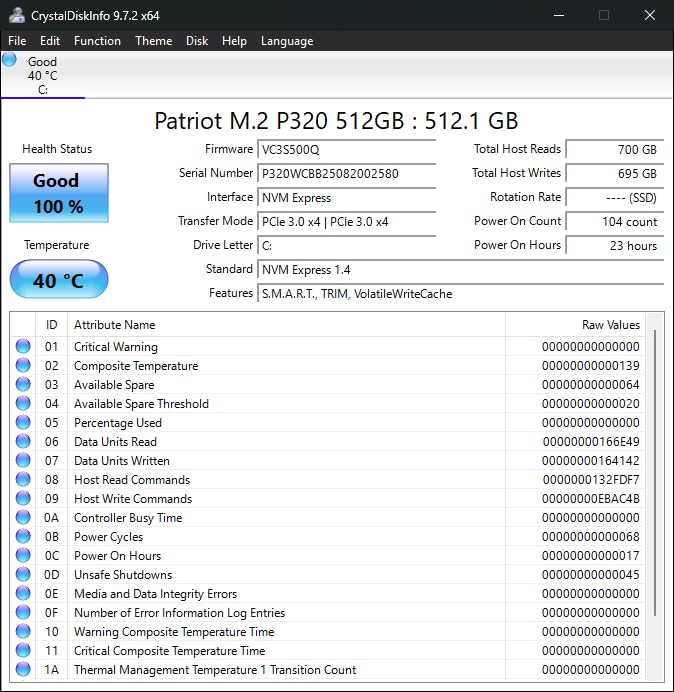
Measured sequential reads land near the 3000MB/s rating, which is close enough to spec to trust. It also runs very cool, with a temperature rise under 10C even with a simple heatsink plate fitted, so it needs no elaborate cooling arrangement.
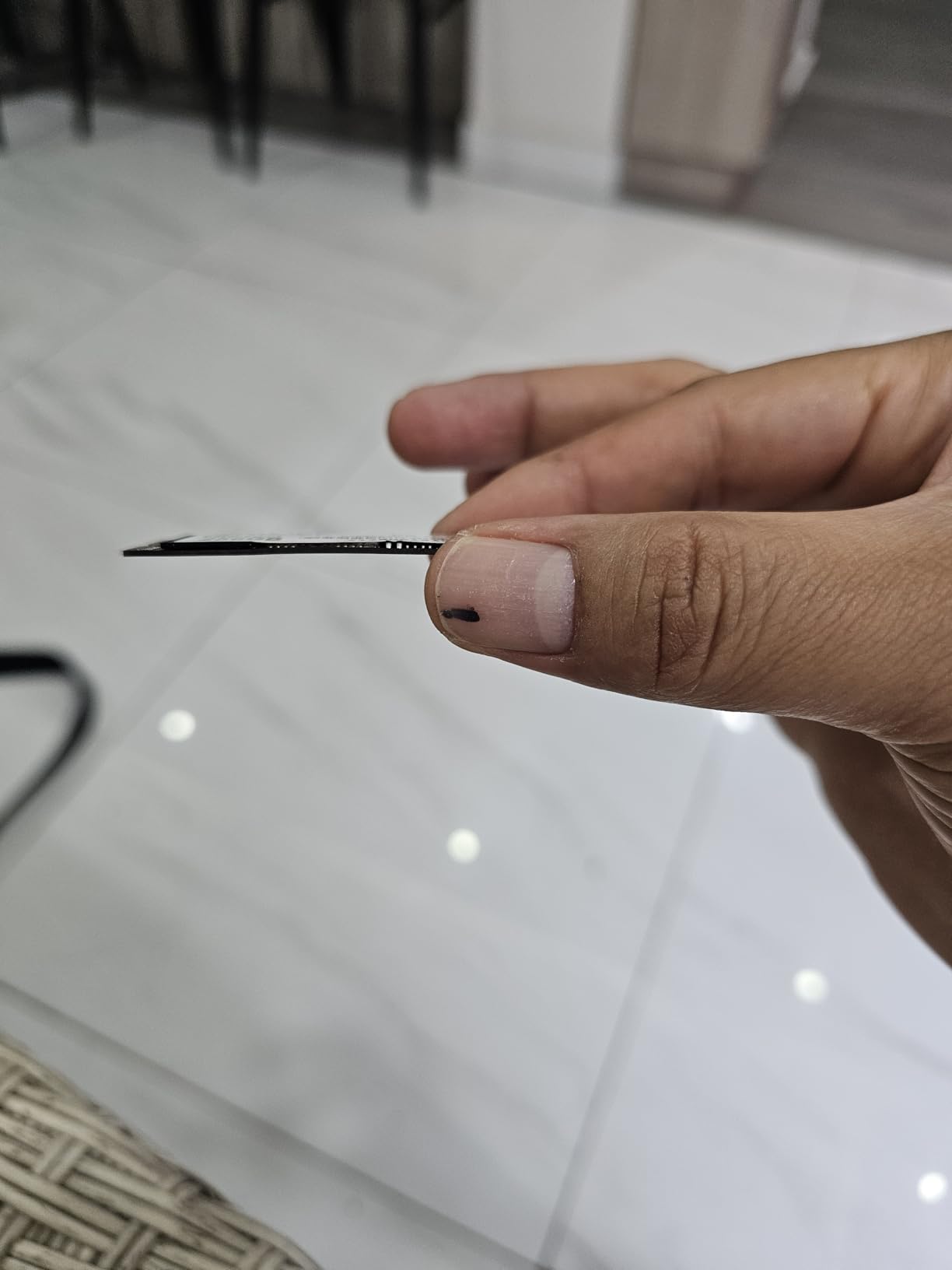
Installation is genuinely plug-and-play in desktops, micro form factors and older Mac minis. It uses a PCIe Gen3 controller with NVMe 1.3, which is the most widely supported combination in the category and the least likely to hit a compatibility problem on an ageing board.
For a small secondary drive holding downloads, a second operating system or a work partition, 512GB at this price point is a rational use of the hardware.
What to use it for
An OS drive for a machine that browses, works and watches video. A boot drive for a family PC. A small scratch drive alongside a faster primary. In all of those roles the difference between 3000MB/s and 7000MB/s is invisible, while the difference between SATA and NVMe is dramatic.
Owners calibrate expectations correctly: they note the Gen3 interface and small capacity mean this is not for demanding workloads, and they are right. Set it up as a system drive on a retired office machine and it will do that job for years.
Where it falls short
PCIe Gen3 x4 places it well behind current drives, and 512GB is a genuinely small capacity now. A current operating system plus updates plus a few modern games fills that quickly.
The warranty line is the one to look at carefully. It is listed as No Warranty, which is unusual for a storage device and a real drawback for anything you care about. If the drive holds anything you cannot afford to lose, either back it up regularly or choose a model with a warranty term. For comparison, every other pick in this roundup carries 3 years or more, and most carry 5.
How to Choose the Best NVMe SSD: Buying Guide
Getting the right NVMe SSD is less about speed and more about matching the drive to the machine and the workload. Walk through these six areas in order and the choice narrows quickly.
PCIe 3.0 vs PCIe 4.0 vs PCIe 5.0: what actually changes
PCIe generations are bandwidth standards, and each doubling roughly doubles the ceiling. A PCIe 3.0 x4 link tops out around 3,500 MB/s in practice, PCIe 4.0 x4 reaches about 7,000 to 7,500 MB/s, and PCIe 5.0 x4 reaches 14,000 MB/s. That is the theory.
In practice the gap narrows fast. The jump from SATA to NVMe is transformative. The jump from Gen3 to Gen4 is clearly noticeable on large file transfers and moderately noticeable on load times. The jump from Gen4 to Gen5 is mostly visible in synthetic benchmarks and large media workflows, with reviewers repeatedly reporting that normal gaming feels much the same. Users upgrading from SATA see a huge difference; those moving from Gen4 to Gen5 report minimal change.
Backward compatibility works in your favour, but with a caveat. A Gen4 drive in a Gen3 slot will run at Gen3 speed, and a Gen5 drive in a Gen4 slot will run at Gen4 speed. Crucially, the Crucial P310 falls back to roughly 3.1GB/s on a Gen3 system, which is a graceful degradation rather than a dead drive. Check what your motherboard actually offers before paying for headroom you cannot use.
Capacity: why 2TB is the new sweet spot
Modern game installs routinely run 150GB to 250GB, and they grow every generation. A 1TB drive holds an operating system, some applications and a handful of titles, which is why buyers keep outgrowing them so quickly. Community consensus is firmly that 2TB is the new baseline for anyone with more than a small game library.
Go to 4TB when you care about future-proofing or work with media. The Crucial P3 Plus 4TB and the Crucial T705 4TB are both in this roundup, and both give you room that most buyers will not reach for years. Go below 1TB only for a secondary drive in a machine that already has fast primary storage.
DRAM cache vs HMB: what the difference means in practice
A DRAM cache means the drive has its own memory to hold the NAND mapping table, so it always knows where every block lives. HMB, the Host Memory Buffer, borrows a slice of your system RAM for the same job. HMB is not a bad technology; HMB 3.0 implementations like the one in the Lexar NM790 use it effectively.
What DRAM buys you is consistency under pressure. Random 4K workloads with heavy read and write mixing, long sustained writes, and an operating system juggling dozens of background processes are where a real cache shows. Gamers playing a game with a large installed library on a secondary drive will not notice the difference at all. The community view is broadly that DRAM is preferred for OS drives and HMB is acceptable for game storage.
TLC is similarly preferred over QLC for primary drives. QLC stores four bits per cell and is cheaper, but it degrades faster and slows more sharply once its SLC cache is exhausted. QLC is fine for a drive full of finished, read-only content. It is a poor choice for a drive you write to daily.
TLC vs QLC and reading the TBW number
TBW stands for terabytes written, and it is the single most useful endurance figure on a spec sheet. It tells you the total amount of data the drive is rated to write over its warranty period. The Patriot P320 carries 600 TBW. The WD Black SN7100 reaches up to 2400 TBW on larger capacities, the Lexar NM790 is rated at 1500 TBW, and the Acer Predator GM7000 covers up to 1300 TBW.
For most people, any of these figures represents years of ordinary use. A drive writing 10GB a day reaches 3,650GB in a year, so even the lowest figure here covers well over a decade at that rate. Read the number mainly as a quality signal: a higher TBW usually indicates better NAND and a more conservative vendor testing.
Also check the warranty. Five years is the expected standard in this category, and the Kingston NV3’s 3-year term and the Patriot P320’s absent warranty are the two outliers. Silicon Power’s terms are worth reading closely because coverage ends on whichever of the warranty length or the TBW limit arrives first.
Thermals, heatsinks and double-sided boards
Thermal throttling is the least discussed and most consequential issue in this category. A Gen5 drive can run hot enough to shut itself down, and one owner of the Crucial T705 reported exactly that after roughly 20 seconds on a Gen4 add-in card without a heatsink. Another reached around 80C with a heat-pipe cooler in a tightly packed case.
There are three practical rules. First, always use the motherboard’s M.2 heatsink if your board has one; several community reports describe drives running hot without one. Second, check clearance in a PS5 or any space with a tight cover, since a slim heatsink is often required rather than optional. Third, buy a single-sided board where you can. Double-sided drives physically will not fit under some laptop and integrated heatsink assemblies.
Cool-running drives on this list include the Crucial P3 Plus, the Kingston NV3 at roughly 42 to 48C under load, the Silicon Power UD90 in the mid-30s, the WD Black SN7100, and the Patriot P320 with a rise under 10C. If your case is cramped, start there.
Moving your system to a new NVMe drive
Cloning an existing system onto a new NVMe SSD is the step that makes people hesitate, and it is far simpler than it sounds. Most drives in this roundup ship with cloning software: the Crucial P3 Plus, the Crucial P310, the Crucial T705 and the Kingston NV3 all include Acronis, the Samsung drives use Magician, and the GM7000 ships with Biwin Intelligence covering performance testing, data migration and drive cloning.
The basic sequence is short. Install the new drive in an available M.2 slot, boot from your existing system, run the cloning utility and point it at the new drive, then let it copy. When the clone finishes and you have verified your files, change the boot order in BIOS and restart. Only after that should you wipe the old drive, and only once you are certain the new one boots correctly.
Two warnings. First, check the new drive is 4K sector aligned and visible in your BIOS before you start. Second, make a separate backup of anything irreplaceable before any of this. Cloning software is reliable; data loss from a mis-cloned partition is a well-worn path and it is entirely avoidable.
Frequently Asked Questions
Which brand NVMe SSD is best?
Samsung and Western Digital lead on firmware quality, management software and support, and both build key components in house. Crucial is a close third with Micron NAND and a strong warranty record, and it is a frequent choice for high-capacity drives. For budget tiers, Kingston and Silicon Power deliver capable Gen4 hardware with fewer extras. Rather than ranking brands absolutely, match the brand to the job: DRAM and TLC for an OS drive, HMB and TLC for a game library, and check the warranty term on whichever you pick.
Which NVMe SSD is the most reliable?
Reliability tracks NAND type, cache design and warranty more than it tracks brand. The safest configuration for data you cannot lose is TLC NAND with a DRAM cache and a 5-year warranty. On that basis the Samsung 990 PRO 2TB, the Acer Predator GM7000 2TB and the Crucial T705 4TB are the strongest choices here, each pairing TLC with a real cache and a 5-year term. The Crucial P3 Plus 4TB has the largest review base of any drive in this roundup with 24k+ ratings averaging 4.8 stars and no reported failures. Always keep a separate backup regardless of drive.
What are some good NVMe SSDs?
Good NVMe SSDs across the tiers include the Crucial P3 Plus 4TB for high-capacity value, the Kingston NV3 2TB for affordable Gen4 speeds, the Samsung 990 PRO 2TB for a flagship Gen4 workhorse, the WD Black SN7100 1TB for gaming on true TLC NAND, the Lexar NM790 2TB for low-power builds, the Samsung 9100 PRO 2TB for PCIe 5.0 workstations, and the Crucial T705 4TB for 8K video with Gen5 bandwidth. For a drive that revives an ageing machine, the Silicon Power 1TB Gen3 and the Patriot P320 512GB both do the job for very little.
What is the average lifespan of a NVMe SSD?
Lifespan depends far more on endurance rating and write volume than on any brand. The TBW figure tells you the total data the drive is rated to write, so a 600 TBW drive writing 10GB per day lasts well over a decade, while the same drive writing 500GB per day runs out in a little over a year. Realistic consumer lifespans typically run five to ten years before endurance, not the calendar, becomes the limit. Buying a higher capacity drive effectively multiplies your endurance, since the same TBW is spread across more NAND.
Do I need a PCIe 5.0 SSD for gaming?
No, not for gaming. A Gen4 drive already saturates the link that games actually use, and reviewers consistently report that moving from Gen4 to Gen5 produces minimal visible change in load times while costing more and running hotter. Gen5 makes sense for large sequential file transfers, 8K video editing, database work and AI model loading, where the doubled bandwidth roughly halves the wait. If your motherboard has no Gen5 slot, buy a strong Gen4 drive and put the difference into capacity instead, since 2TB or 4TB improves everyday use far more than extra bandwidth does.
The Best NVMe SSD for 2026: Final Verdict
The best NVMe SSDs in 2026 are not the same drive for everyone, and the differences between the top options are far smaller than the marketing suggests. For most people the Crucial P3 Plus 4TB is the answer: 4TB of room, an 8cm drive that runs without a heatsink, a 5-year warranty, and the largest review base in the category at 24k+ ratings holding steady at 4.8 stars with no reported failures.
Buy the Kingston NV3 2TB if you want a cheaper path to genuine Gen4 speeds and value steady performance over 13k reviews more than peak throughput. Buy the Samsung 990 PRO 2TB if you want the best management software and support in the business. Buy the WD Black SN7100 1TB for gaming on a laptop or handheld, where true TLC NAND and low power draw matter more than headline numbers.
Only reach for PCIe 5.0 with a real workload behind it, and buy a heatsink before you do. Our picks cover everything from a budget revival drive to a 4TB Gen5 workhorse, so whatever your machine and whatever your budget, there is a drive here that fits it properly.