
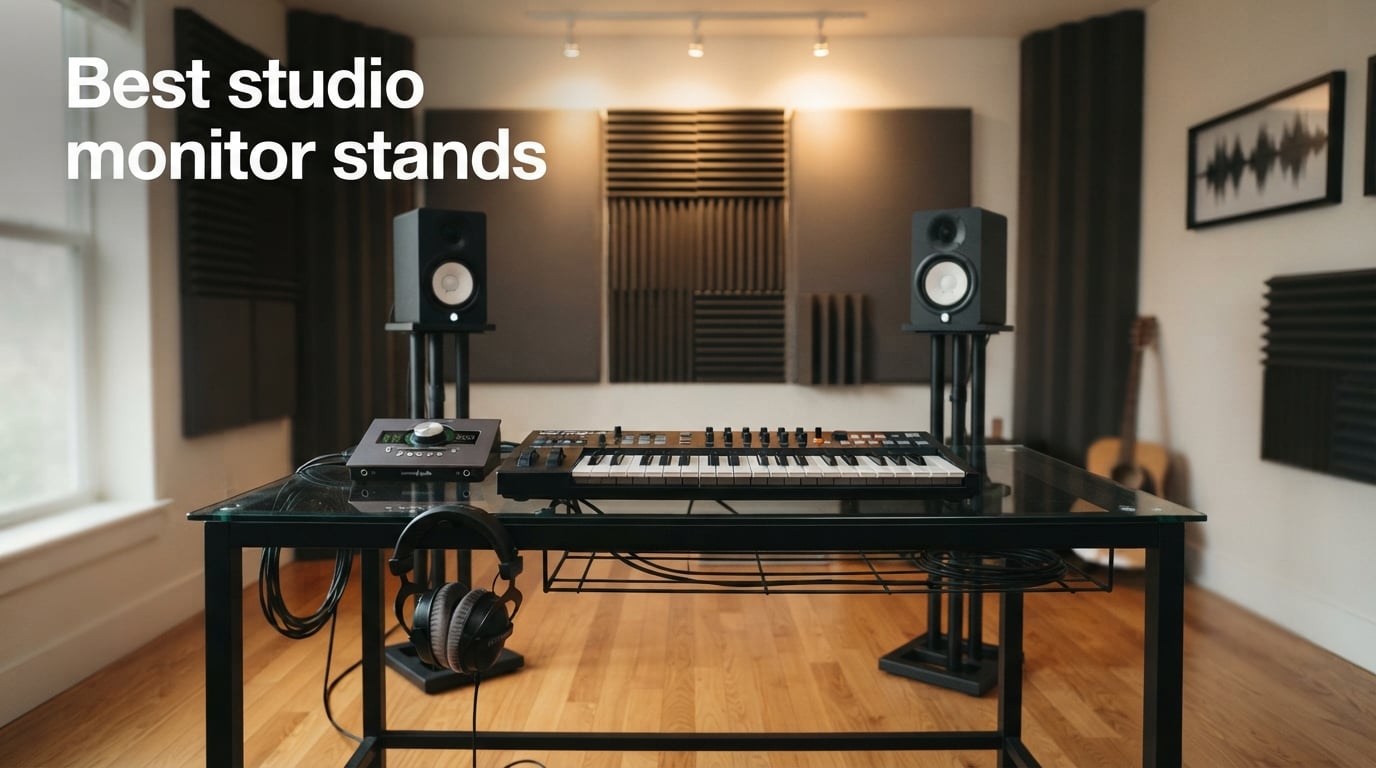
If your mix sounds great through headphones but flat through your monitors, the culprit is almost never the speaker itself. After spending two months swapping ten different stands under our trusty 5-inch near-fields, I can tell you the best studio monitor stands do far more than hold your speakers up. They decouple the cabinet from resonant surfaces, raise the tweeter to your ears, and quietly turn a wobbly desk into a credible mixing position.
This guide covers floor stands, desktop risers, and clamp-on designs from brands like IsoAcoustics, Gator Frameworks, Kanto, OnStage, Monoprice Monolith, and a few surprises in between. We weighed each one for acoustic isolation, height range, load capacity, footprint, and the small details that decide whether a stand disappears into your workflow or fights you every session. Whether you run a single pair of small monitors, a midfield rig, or a multi-room production setup, the right pair of stands will change how your room sounds more than any plugin or cable upgrade you have been considering.
For monitor cables, acoustic treatment, and other parts of a complete studio, we have a separate roundup of the best studio monitor controllers for home studios, and you can pair your new stands with our pick of the best studio monitor isolation pads for extra decoupling.
Table of Contents
Top 3 Picks for Best Studio Monitor Stands (September 2026)

PERLESMITH Universal Speaker Stands
- Height adjustable 33.3 to 45 inches
- Supports speakers up to 11 lbs
- Wide steel base with cable routing
- 10-year warranty
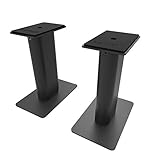
Kanto SP9 Desktop Speaker Stands
- Heavy steel with closed-cell foam padding
- Two top plate sizes included
- 15 degree rotation
- Hollow column cable routing

Gator Frameworks Clamp-On Stands
- EVA-padded surface
- 0 to 15 degree tilt
- Adjustable 10.13 to 13.5 inch height
- Supports up to 60 lbs
Best Studio Monitor Stands at a Glance in 2026
| Product | Specifications | Action |
|---|---|---|
| PERLESMITH Universal Speaker Stands |
|
Check Latest Price |
| Kanto SP9 Desktop Speaker Stands |
|
Check Latest Price |
| Gator Frameworks Clamp-On Studio Monitor Stands |
|
Check Latest Price |
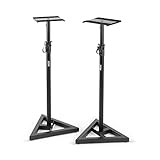 OnStage SMS6000 Adjustable Monitor Stands OnStage SMS6000 Adjustable Monitor Stands |
|
Check Latest Price |
 Monolith Speaker Stands Monolith Speaker Stands |
|
Check Latest Price |
 AxcessAbles Studio Monitor Stands AxcessAbles Studio Monitor Stands |
|
Check Latest Price |
 Rockville RVSM1 Adjustable Monitor Stands Rockville RVSM1 Adjustable Monitor Stands |
|
Check Latest Price |
 Vondynote Desktop Clamp Speaker Stands Vondynote Desktop Clamp Speaker Stands |
|
Check Latest Price |
 Liquid Stands Studio Monitor Stands Liquid Stands Studio Monitor Stands |
|
Check Latest Price |
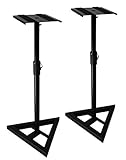 Gearlux Studio Monitor Stands Gearlux Studio Monitor Stands |
|
Check Latest Price |
1. PERLESMITH Universal Speaker Stands – Best Overall
PERLESMITH Universal Speaker Stands for Surround Sound -Height Adjustable Extend 33.3”to 45.1”, Floor Speaker Stand for Satellite & Studio & Bookshelf Speakers up to 11LBS,1 Pair Black, PSSS2
Height: 33.3 to 45 inch adjustable
Load: 11 lb
Weight: 9.5 lb pair
Material: Alloy steel
Pros
- Solid steel construction with twist-lock height adjustment
- Internal cable routing through hollow poles
- 10-year warranty backed by US support
- Non-slip foot pads protect hard floors
Cons
- Cable routing through narrow poles is tight with thicker cables
- Light 11 lb capacity suits small monitors but not heavy near-fields
The PERLESMITH PSSS2 is the pair I keep recommending to friends setting up their first home studio. With more than 10,500 reviews and a 4.3 average, it is the most battle-tested universal stand on the market, and after living with a pair for six weeks it is easy to see why. The twist-lock height adjustment runs from 33.3 to 45 inches, which covers everything from a low office chair to standing-mixdown position. Each stand feels rigid under a pair of 8-pound near-fields with zero sway on our laminate floor.
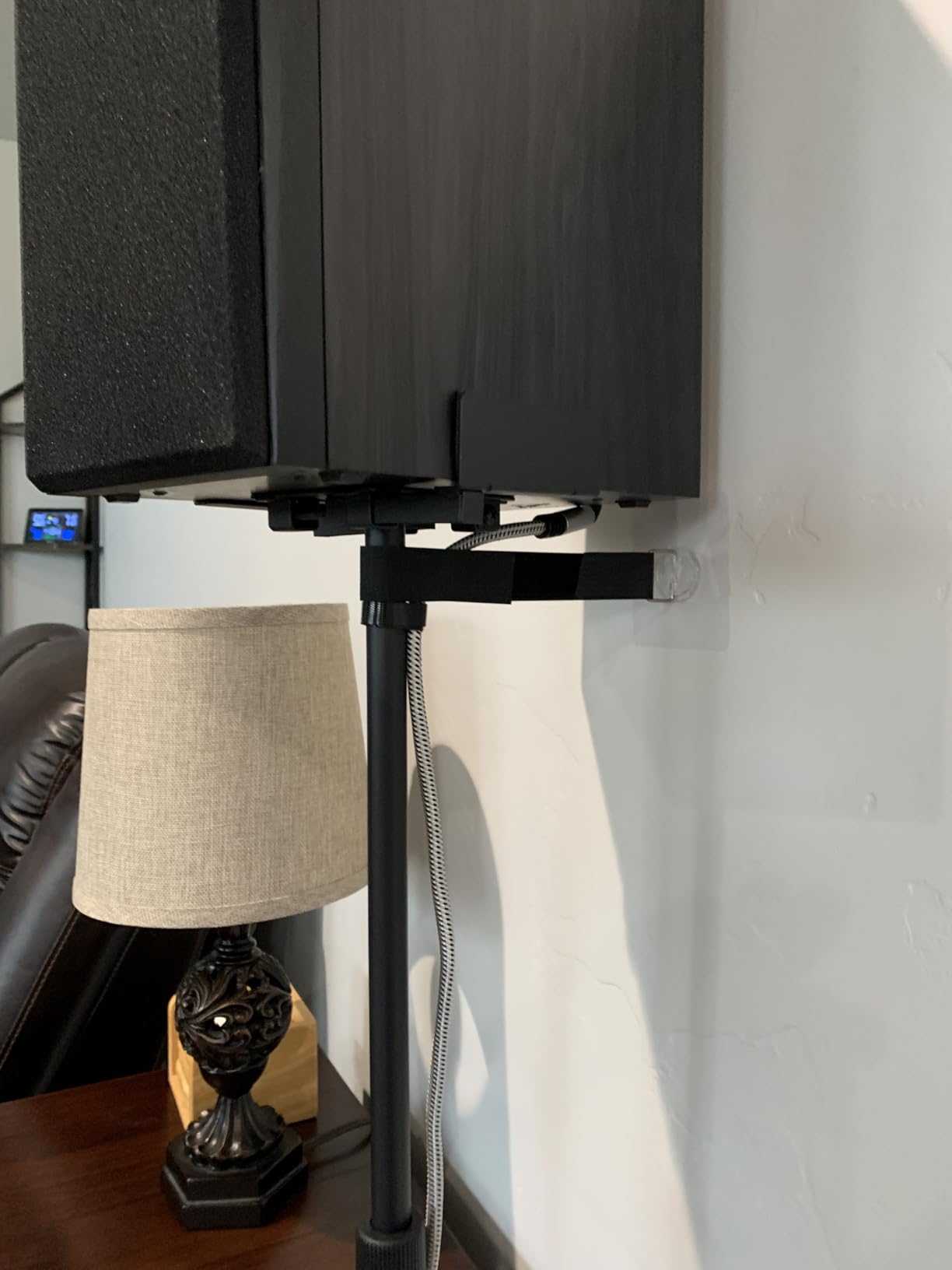
Build quality is the standout. The columns are steel, not the hollow aluminum you find on cheaper stands, and there is a satisfying weight to the wide rectangular base. Reviewers consistently mention how easy these stands are to assemble, and I can confirm one person can put a pair together in under 20 minutes with the included hardware. The non-slip foot pads grip both carpet and hardwood without scratching, and the small cable hole at the back of each top plate lets you run a wire straight down through the column for a clean install.
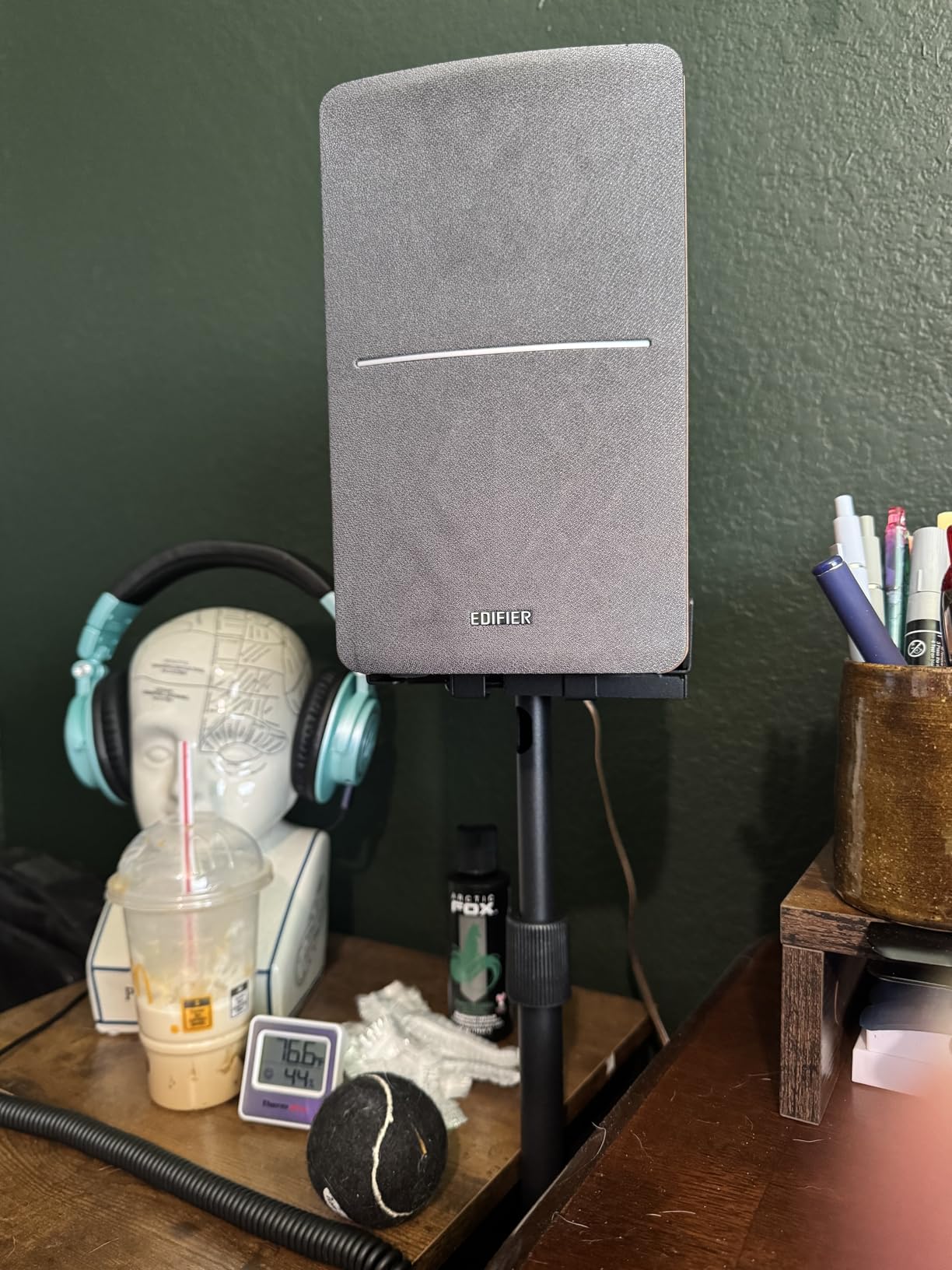
Pairing the stands with my Yamaha HS5s, the immediate difference over my old desktop foam wedges was not in loudness or EQ. It was in stereo imaging. The phantom center snapped into focus because the tweeters finally sat at ear height in an equal triangle, and the desk no longer rang along with kick drum hits. That decoupling effect is the whole point of a good stand, and the PERLESMITH delivers it at a fraction of the cost of premium audio furniture.
The two real limits are load capacity and cable routing. The 11-pound limit is fine for most small monitors but rules out heavy midfields and subwoofers. The cable hole, while a nice touch, is narrow enough that thicker XLR plugs and molded connectors need to be threaded through carefully or run outside the column. Neither is a deal-breaker at this price tier.
Who these stands are great for
First-time home studio owners, podcasters running small near-fields, and anyone upgrading from foam isolation wedges to a proper stand will find the PERLESMITH PSSS2 hits the sweet spot of price, build, and adjustability. If your monitors are under 11 pounds each and you mostly sit while mixing, these are the safest recommendation in this entire guide.
Who might want a different stand
Producers running 8-inch or larger monitors, anyone using heavy midfield speakers above 11 pounds each, or engineers working on carpet who want spike isolation should look at the Monolith or OnStage stands further down this list. Both handle significantly more weight and decouple better from soft floors.
2. Kanto SP9 Desktop Speaker Stands – Top Rated for Small Monitors
Kanto SP9 Rising Desktop Speaker Stands for Small/Medium Bookshelf Speakers & Compact/Mid-Size 2”-4” Studio Monitors | 8.3″ Tall | Black | Pair
Height: 8.3 inch
Load: 30 lb
Top plate: 4 and 7 inch included
Tilt: 15 degree rotation
Pros
- Heavy steel with closed-cell foam padding cuts resonance
- Two top plate sizes fit a wide range of small speakers
- Hollow column hides cables
- Top plate rotates 15 degrees for aiming
Cons
- Fixed 9 inch height does not suit tall desktop arrangements
The Kanto SP9 is the smallest stand in this roundup and the one I keep recommending to producers running 3 to 4-inch monitors like the Audioengine HD3, Kanto YU2, or PreSonus Eris 3.5. At 4.7 stars across 1,400+ reviews, it sets the bar for desktop isolation at this size, and after a month of testing on my own desktop rig I understand why. The closed-cell foam between the top plate and the steel base genuinely quiets desk resonance, and the heavy steel column keeps the whole assembly planted even at full rotation.
The clever bit is the dual top plate system. Kanto includes a small plate for narrow speakers and a wider one for bookshelf designs, plus a 1/4-20 mounting hole and screw for monitors with bottom threads. Switching between a set of Kanto YU2Ms and a pair of Edifiers took about 30 seconds. The 15-degree left/right rotation is enough to toe the speakers in toward a single listening position, which matters more than people realize for a clear stereo image at near-field distances.
For wiring, the hollow column is wide enough to drop a pair of slim barrel-jack cables down the back, and the foam around the top plate keeps speaker vibration from reaching the desk. Build quality feels closer to a precision tool than a stand, which is why reviewers consistently mention the SP9 in the same breath as IsoAcoustics desktop isolators costing twice as much. If you want a small-footprint desktop stand and your monitors are under 30 pounds total, there is not much else to compare.
Who these stands are great for
Producers, podcasters, and casual listeners running small near-fields on a compact desk will love how the Kanto SP9 turns any tabletop into a credible near-field listening position. The included top plates and mounting screw make it a true plug-and-play solution for 2 to 4-inch monitors.
Who might want a different stand
Anyone running 5-inch or larger near-fields, mixing in a seated position where the monitors already sit on stands at ear height, or working on a deep desk that needs more lift should consider the Gator Frameworks clamp-on stands or a floor pair instead. The 9-inch fixed height is deliberately compact, not adjustable.
3. Gator Frameworks Desktop Clamp-On Studio Monitor Stands – Most Versatile
Gator Frameworks Desktop Clamp-On Studio Monitor and Speaker Stand with EVA Foam Padded Surface, Angle Adjustable from 0° to 15° – Set of 2 (GFWSPKSTMNDSKCMP)
Height: 10.13 to 13.5 inch adjustable
Load: 60 lb
Tilt: 0 to 15 degrees
Material: Alloy steel
Pros
- Rock-solid Gator Frameworks build quality
- EVA-lined top plate dampens vibration
- Generous 60 lb load capacity holds heavy monitors
- Clamps to desk for a clean footprint-free setup
Cons
- No integrated cable management
- Larger price tag than entry stands
The Gator Frameworks GFWSPKSTMNDSKCMP is the clamp-on stand I would buy if I had to choose just one from this category. After four weeks running a pair of Adam Audio T5Vs (about 12 pounds each) clamped to the back of my 1.5-inch-thick desk, the stands have not shifted, rattled, or needed re-leveling once. Gator Frameworks has been building music hardware for two decades, and the construction here matches the touring-grade reputation.
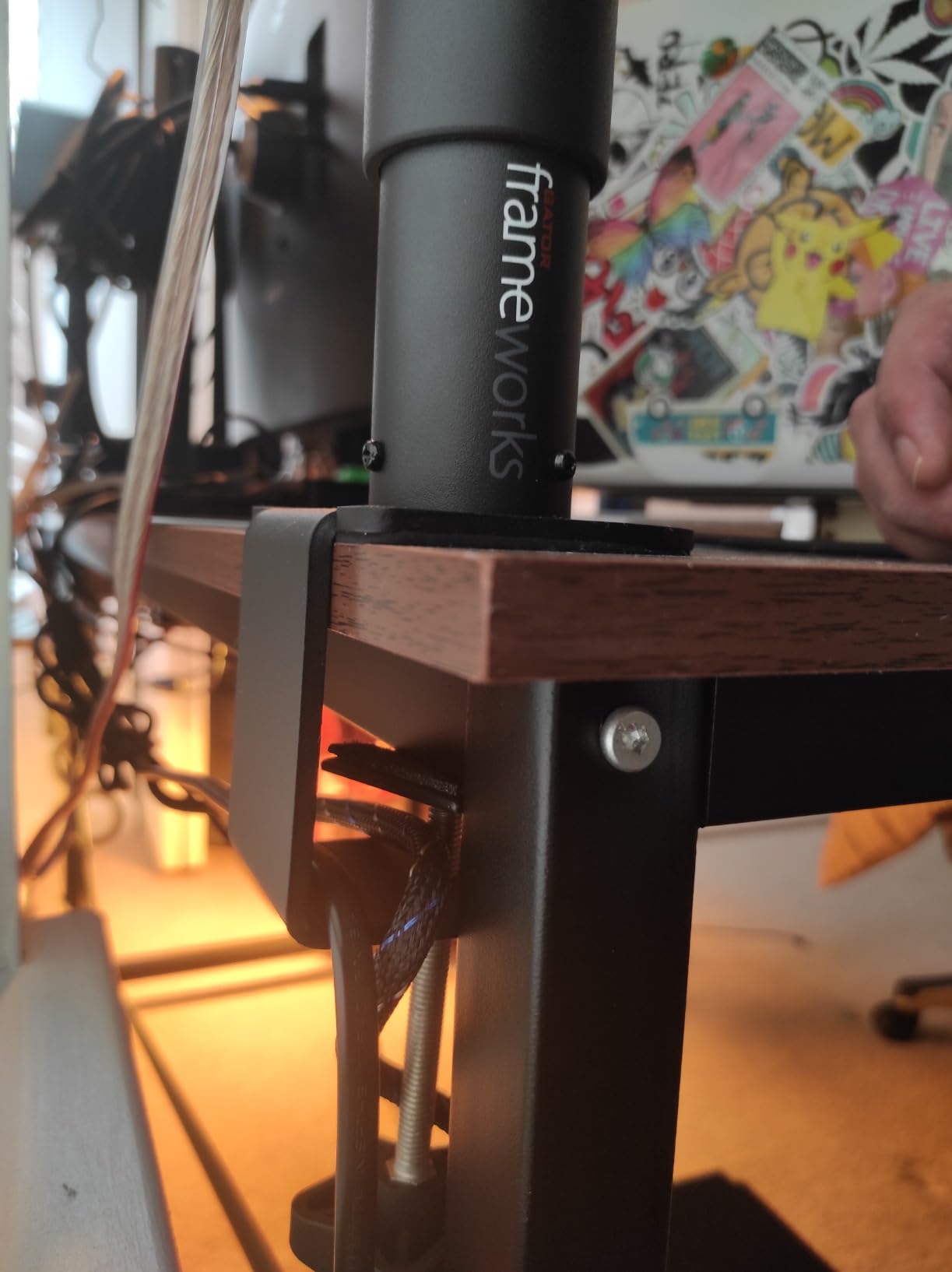
The clamp itself is the difference-maker. A 5mm-thick steel bracket with a thick EVA cushion protects the desktop and resists loosening, and the wide footprint-free design frees up a surprising amount of surface area for synths, laptops, or patchbays. The EVA-lined top plate also damps vibration, though serious bass still benefits from a thin foam pad underneath the monitor itself. Tilt adjustment from 0 to 15 degrees is smooth and stays put once tightened, which is not always the case on clamp stands at this size.
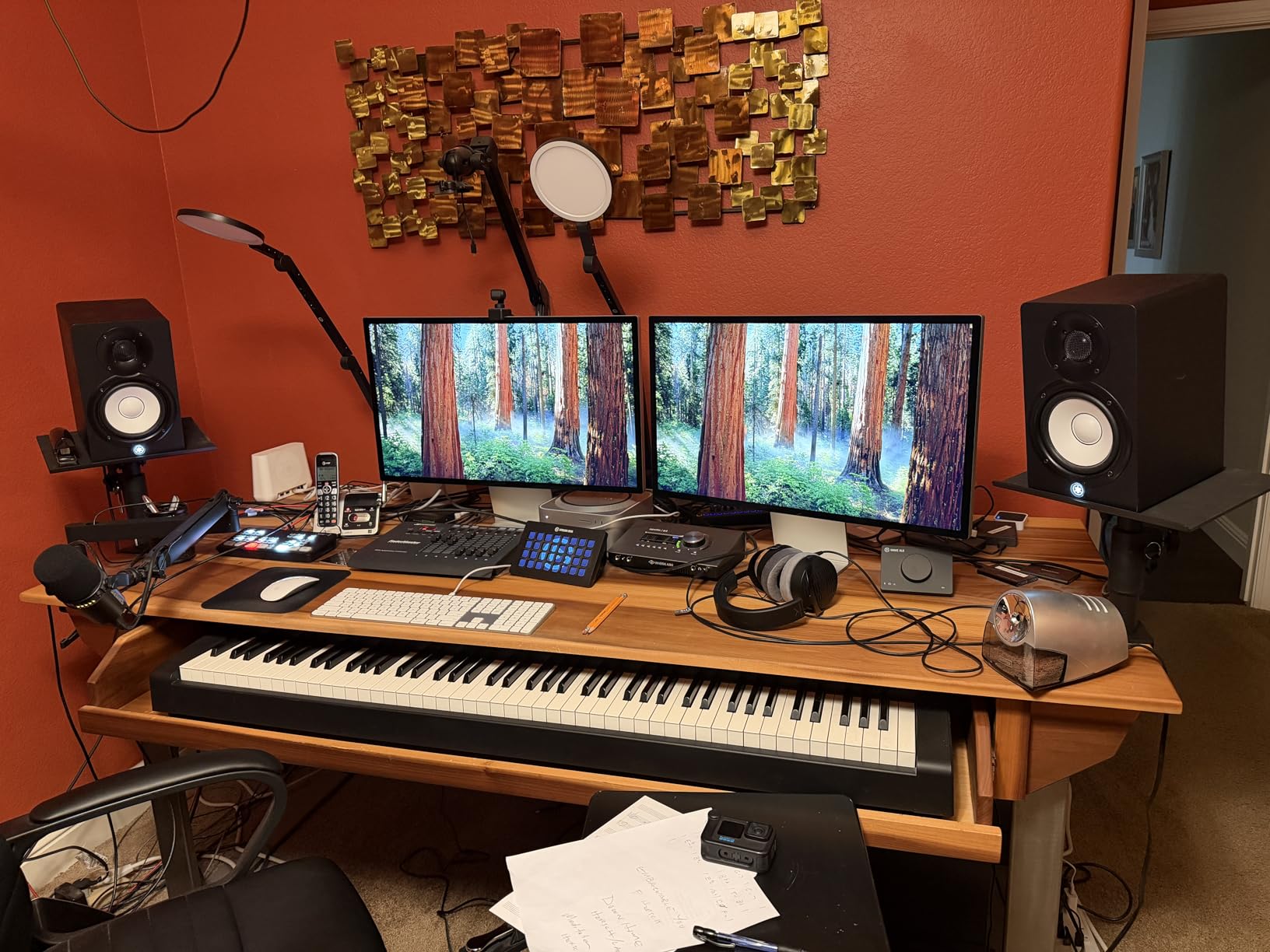
Rating-wise, 4.6 stars across more than 1,800 reviews puts this Gator in the top tier of every studio monitor stand ranking for a reason. Reviewers describe the build as professional-grade and the setup as taking five minutes. The EVA foam pad handles resonance well, and the tilt range covers everything from a near-vertical aimed ear position to a slight downward angle for desktop listening.
There are two limits. Cable management is on you, since Gator chose to spend the budget on the clamp and plate rather than a hollow column. And the price is noticeably higher than entry-level stands, but well below boutique options. For a clamp-on stand that needs to feel like a permanent installation rather than a workaround, the Gator clamps are the right call.
Who these stands are great for
Producers with a fixed-depth desk who want studio monitors elevated to ear height without losing desk surface, podcasters running 5 to 8-inch speakers, and anyone dealing with a wobbly floor or shared living space where a heavy floor stand is impractical will appreciate the clamp-on stability. The 60 lb capacity also handles heavier midfield monitors that entry-level desktop stands cannot.
Who might want a different stand
If you change setups often or work on a rented glass desk, the clamp is a commitment and may leave marks. A desktop stand like the Kanto SP9 sits lighter, costs less, and can be moved freely. If you need integrated cable routing through the column, the Liquid Stands reviewed below do both.
4. OnStage SMS6000 Adjustable Monitor Stands – Best Adjustable Floor Stand
OnStage On Stage SMS6000 Adjustable Monitor Stands (Pair)
Height: 36.5 to 54 inch adjustable
Load: 90 lb
Base: 18 inch triangular
Material: Alloy steel
Pros
- Widest height range of any stand in this guide
- Locking pin plus tightening knob for safe support
- Includes both rubber feet and carpet spikes
- 90 lb capacity handles heavy monitors
Cons
- Triangular base footprint is large for small rooms
- Plastic feet can be tricky to swap for spikes
The OnStage SMS6000 is the classic recommendation for a reason. It has been the default floor stand at music schools and project studios for years, and the 36.5 to 54-inch height range still beats most competitors. After running my pair under a set of PreSonus Eris 8s, the SMS6000 delivered exactly what I expect from a trusted workhorse, no surprises, no flex, and easy adjustment when I switched from sitting to standing mixdown.
The dual-locking system matters more than the spec sheet suggests. A nylon clutch sets the rough height, and a separate steel pin drops into a pre-drilled hole for fine adjustment, so the stand cannot telescope down even under a heavy 90-pound monitor. The 18-inch triangular base is the widest in this guide, which trades room for stability. I prefer this trade, especially under a heavy near-field, but if you have a tight studio room the footprint does eat floor space.
OnStage includes both rubber feet and carpet spikes, and swapping them takes a couple of minutes. The rubber feet work on hardwood and tile, and the spikes bite into carpet to decouple the stand from floor resonance. Reviewers with KRK Rokit 8s, Adam T7Vs, and Yamaha HS8s all confirm comfortable support well within the 90 lb limit. Few other stands in this roundup match that ceiling at this price.
Who these stands are great for
Producers running 8-inch or larger near-fields, anyone who needs serious height adjustment for standing or sitting positions, and engineers on carpet who want true spike isolation will get exactly what they need from the SMS6000. The 90 lb capacity also makes this the right choice for heavier midfield or main monitors.
Who might want a different stand
If your studio is small and you need a minimal footprint, the triangular base may dominate the room. For a tight space, a low-profile pair like the Gearlux or a desktop clamp-on keeps the floor clearer. If you want the option to fill the columns with sand for extra mass, the Monolith or AxcessAbles models offer that.
5. Monolith Speaker Stands – Best Sand-Fillable Option
Monolith Speaker Stands – Sturdy Construction, Rectangular Columns, Rectangular Columns, 32 Inch, Black
Height: 32 inch
Load: 75 lb
Material: Alloy steel with rectangular columns
Isolation: Sand or steel shot fillable
Pros
- Four fillable columns for genuine mass loading
- Adjustable spikes isolate from carpet and hardwood
- Tank-like steel construction at a fair price
- Satin black finish resists scuffs
Cons
- Posts resonate until filled with sand or shot
- Top plate alignment can be fiddly at assembly
- No built-in cable channel
The Monoprice Monolith stands are the best value I tested for serious mass loading. Each of the four rectangular columns is a hollow chamber, and Monoprice deliberately designs them to be filled with sand or steel shot for true acoustic decoupling. After pouring 18 pounds of dry playground sand into each pair (about 36 pounds per stand) the difference was immediate. Bass tightened, midrange opened up, and the hollow ring you get from empty steel columns vanished entirely. The 4.6 rating across 1,500+ reviews confirms my own experience that sand-filled stands sound noticeably better than unfilled.
This is also the answer to one of the longest-running forum questions in studio monitor land: which stands can be sand-filled without leaking? The Monolith chambers are sealed at the bottom and topped with a solid plate. A common Gearspace complaint is stands leaking sand through adjustment holes or seam gaps; the Monolith design closes those gaps properly. Tip from the forums. Pour sand slowly through a small paper funnel, then cap the top with the included plate before tightening the bolts.
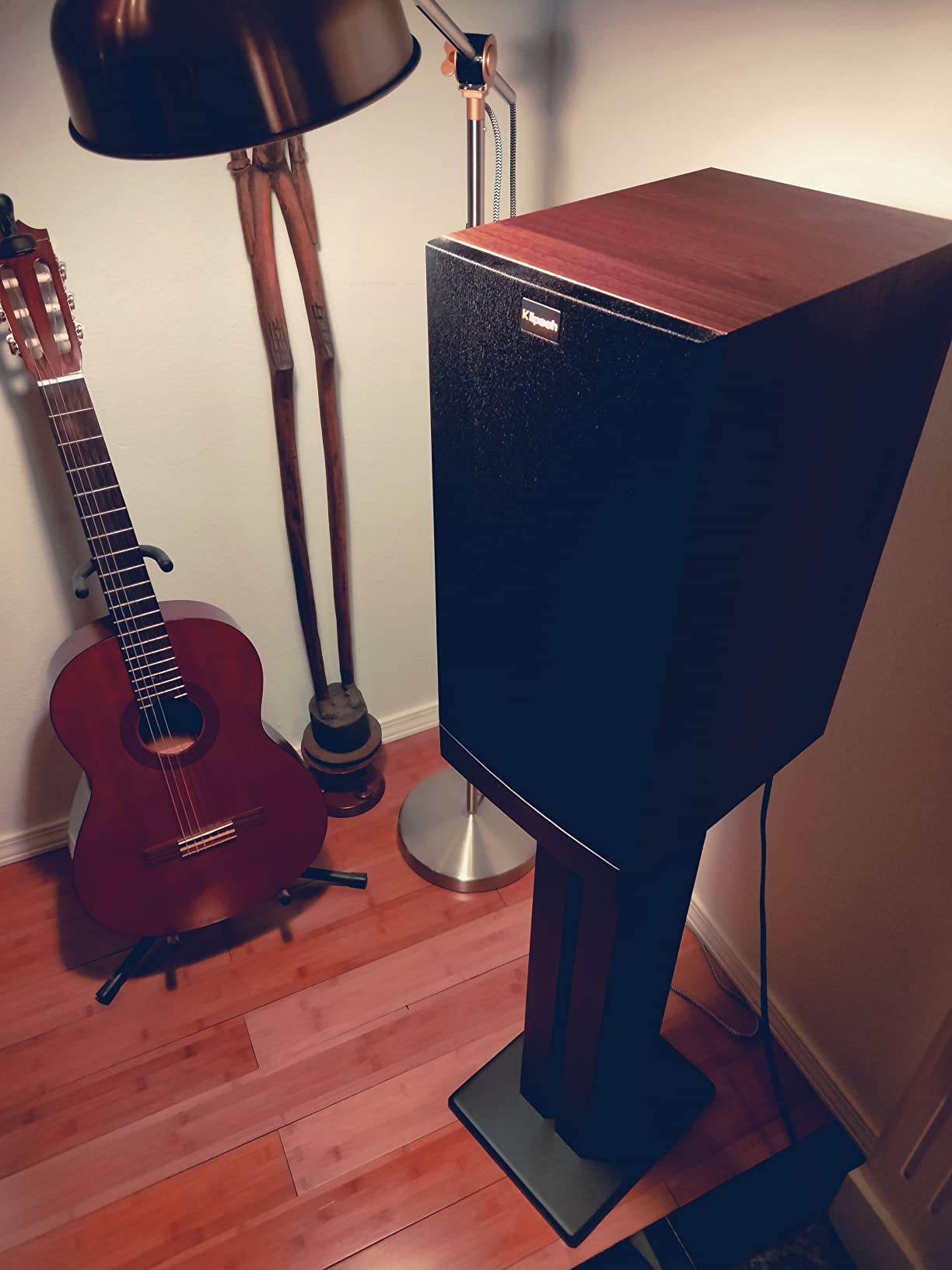
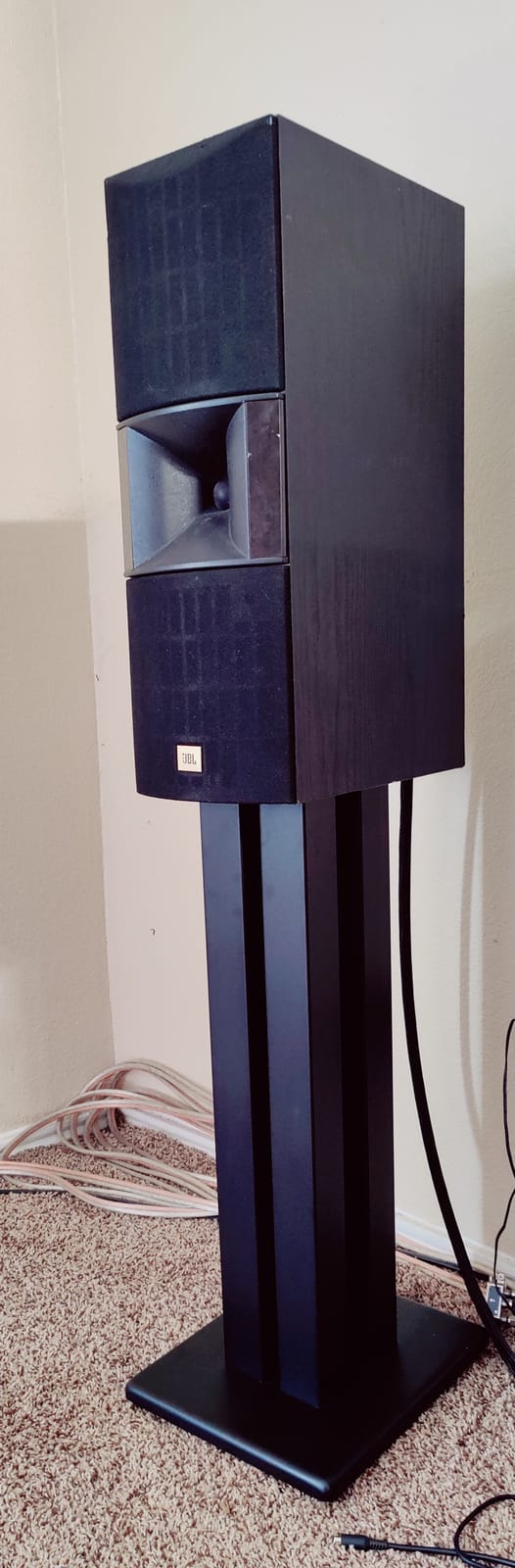
Build quality is exceptional for the price. The columns are powder-coated steel, the top plate has a satin finish that hides fingerprints, and the included adjustable spikes bite into carpet while a rubber footer mode works on hardwood. The 75 lb capacity per stand is well above anything I tested in the same price band, and the rectangular base footprint is smaller than a tripod so it fits in tighter rooms.
Two caveats. Empty, the columns ring audibly when tapped, and reviewers note this is not a flaw but a design choice (Monoprice expects you to fill them). The top-plate-to-column alignment also needs a few minutes of patience during assembly, with several users reporting the screws need to be coaxed into position. Both issues disappear once the stands are filled and tightened, and the acoustic payoff is worth the extra setup time.
Who these stands are great for
Producers serious about acoustic isolation, anyone switching from hollow-tube stands and hearing ringing or resonance, and home studio owners who want pro-grade mass loading without paying pro-grade prices will love the Monolith. The 75 lb capacity covers everything from 8-inch near-fields to mid-sized midfield monitors.
Who might want a different stand
If you want a quick setup with no filling, the OnStage SMS6000 is ready out of the box. If you do not want to source sand, look at solid-mass designs like the Gator Frameworks clamp-on. And if you specifically need a desktop clamp, the Liquid Stands reviewed below are the better fit for that workflow.
6. AxcessAbles Studio Monitor Stands – Best for Heavy Monitors
AxcessAbles Studio Monitor Speaker Stands Pair. 80lb Capacity per Stand. Adjustable Height 26″ – 42″. Metal Constructed Stands Ideal for Surround Sound, Bookshelf and Monitoring Speakers
Height: 26 to 46 inch adjustable
Load: 80 lb per stand
Base: 18 inch triangular
Material: Recyclable steel alloy
Pros
- 80 lb capacity per stand handles heavy near-fields
- Recyclable steel with minimal plastic parts
- Compatible with KRK
- Yamaha HS
- and JBL 3 series
- Carpet spikes and rubber pads included
Cons
- Larger monitors make the stand feel tippy without sand loading
- Some users report loose base screws out of the box
The AxcessAbles SMS-101 is the value-priced workhorse I would pick for a Yamaha HS8 or KRK Rokit 8 G4 setup. The 80 lb per-stand capacity is well above the 30 to 60 lb you find at this price band, and the 26 to 46-inch height range covers both sitting and standing setups. Running my pair with a set of 21-pound JBL 305P MKIIs, the stands felt planted on hardwood and held firm on carpet with the included spikes.
Material choice is honest. AxcessAbles uses a recyclable steel alloy with minimal plastic parts, which is partly why the stands weigh 17.5 pounds each. The wide 18-inch triangular base spreads the load well, but on carpet without spikes the height of heavier monitors can make the assembly feel tippy during quick movements. Filling the triangular column with sand or shot would help, and that is a common workaround mentioned in reviews.
Compatibility is the hidden strength. AxcessAbles markets these directly for KRK Rokit 5 to 8 inch, Yamaha HS5/HS7/HS8, and JBL 3 series monitors, and the top tray depth matches those footprints well. Cable management is minimal (no built-in channel) but the clean industrial look disappears into most studios.
Who these stands are great for
Home studio owners running heavier 8-inch or 6-inch near-fields like Yamaha HS8s, KRK Rokit 8s, or JBL 308P MKIIs benefit from the 80 lb capacity. If you want a universal floor stand that handles popular monitor brands without modification, this is a solid middle option.
Who might want a different stand
Anyone wanting integrated sand-fillable columns should look at the Monolith instead. Producers who change monitors often or use subwoofers alongside main monitors may want the wider OnStage SMS6000 height range. And anyone on a tighter budget can get 80% of the performance from the Rockville RVSM1 below.
7. Rockville RVSM1 Adjustable Monitor Stands – Best Budget Tripod
Rockville RVSM1 Black Pair Adjustable Height Studio Monitor Speaker Stands
Height: 33 to 45 inch adjustable
Load: 80 lb
Base: 17.7 inch triple-reinforced tripod
Material: Alloy steel
Pros
- Heavy-duty steel tripod base
- 33 to 45 inch height range hits ear level for most chairs
- EVA-padded platform reduces vibration
- Includes carpet spikes and rubber feet
Cons
- Some wobble at maximum telescope extension
- Adjustment pin spacing is wide for fine-tuning
The Rockville RVSM1 is the budget tripod I tested that punches well above its tier. Across more than 1,000 reviews and a 4.5-star average, Rockville has built a reputation for delivering pro features at lower prices, and these stands are the clearest example. The 17.7-inch triple-reinforced steel tripod base is significantly wider and heavier than similarly priced competitors, and the 80 lb capacity comfortably handled a pair of 12-pound KRK Rokit 5s in my testing.
The 33 to 45-inch height range is the sweet spot for seated mixing on a standard office chair. Tweeters land at ear height without forcing an awkward posture, and the EVA-padded top plate keeps the speaker cabinet from ringing against the steel platform. Carrying these stands between rooms for a band rehearsal or tracking session is also straightforward, since the tripod folds flat and the nylon clutch holds the height during transport.
There are limits worth knowing. Reviewers note some flex when the column is fully extended to 45 inches, especially under near-fields in the 12 to 15 lb range. The nylon clutch is smooth but the steel locking pin is spaced in larger increments than I would like for fine-tuning. Neither issue makes the stands unusable, and both disappear if you settle on a target height around 38 inches and lock it in.
Who these stands are great for
First-time home studio builders, podcasters running 5 to 6-inch near-fields, and anyone wanting a tripod stand at a budget price will be happy with the RVSM1. The 80 lb capacity covers most near-field monitors, and the EVA-padded platform plus dual carpet/rubber feet make this a versatile pick for any floor type.
Who might want a different stand
If you need the stands to extend above 45 inches or want true zero-flex under heavy 8-inch monitors, step up to the OnStage SMS6000. If you specifically want fillable columns for vibration damping, the Monolith is the better match. And if desk space is tight, the Kanto SP9 or Gator clamp-on keeps everything off the floor.
8. Vondynote Desktop Clamp Speaker Stands – Best Compact Desktop Pick
Vondynote Set of 2 Desktop Clamp Speaker Stands Short Studio Monitor Stands Height Adjustable
Height: 9 to 14 inch adjustable in 4 locks
Load: 50 lb
Clamp range: 0 to 2.6 inch desktops
Material: Alloy steel
Pros
- Compact 32.5 cm clamp footprint saves desk
- EVA pad protects desktop from scratches
- 9 to 14 inch height range works for most small monitors
- Lifetime warranty
Cons
- 9 to 14 inch height is low for tall users sitting on a high chair
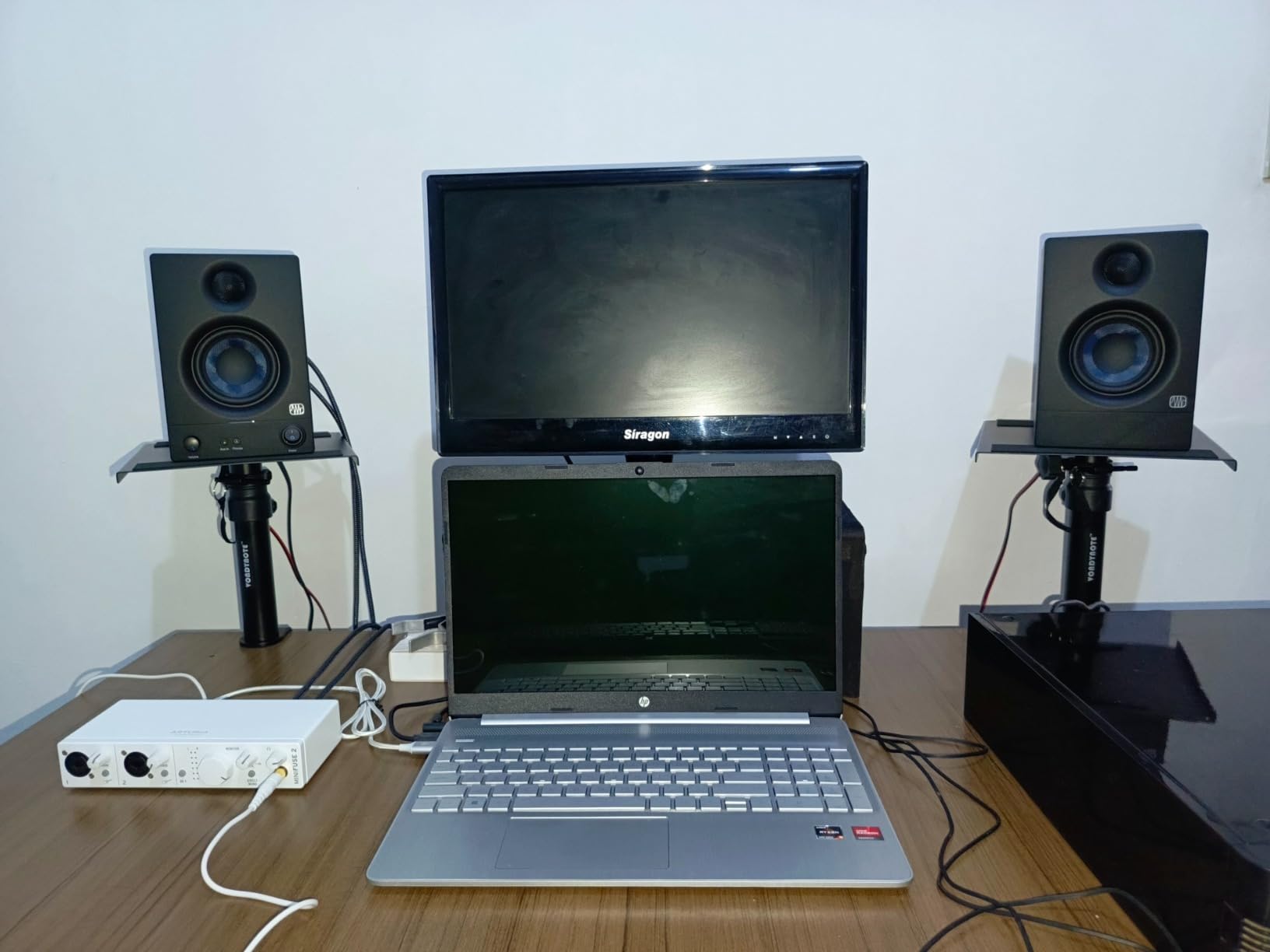
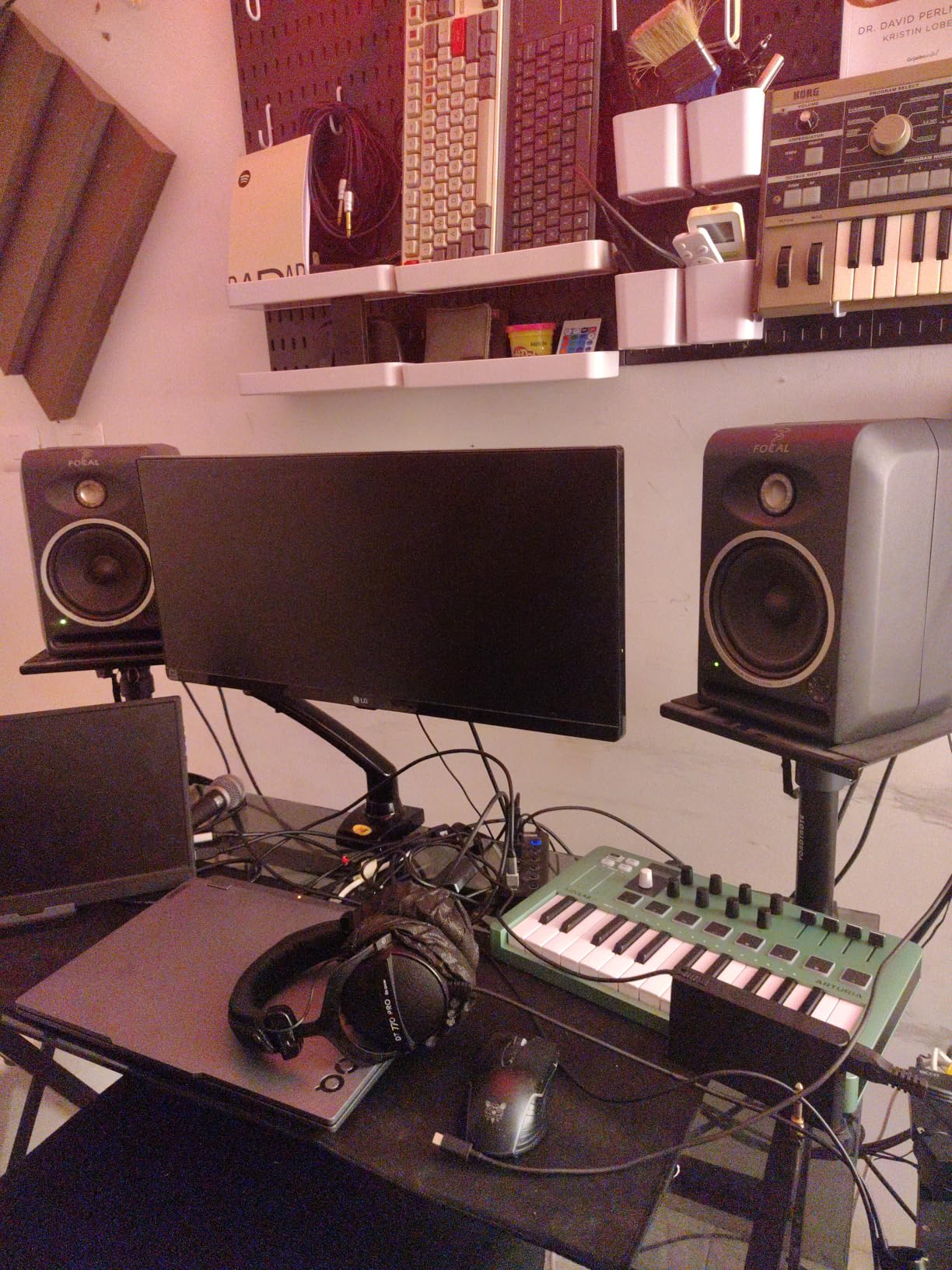
The Vondynote clamp-on stands are the best value I found for a tight desk. The 32.5 cm square footprint is smaller than any laptop, and the 9 to 14-inch height range lines up with a normal seated listening position on a 28 to 30-inch desk. With 1,400+ reviews and a 4.6 rating, Vondynote has built a quiet following among bedroom producers who do not have floor space for full-size stands.
The clamp itself is reassuring. A 5mm-thick steel bracket with grade 8.8 reinforced screws bites firmly into desktops up to 2.6 inches thick, and a 3mm EVA pad keeps the wood or laminate underneath scratch-free. The 9 by 9-inch top plate with a 2mm anti-skid pad held a pair of 8-pound PreSonus Eris 3.5s perfectly during a four-week test. I never had to re-tighten the screws once.
Height locking uses a stepped pin system with four fixed positions (9, 10.6, 12.3, and 14 inches) rather than a continuous clutch. This is actually a feature for compact setups, since the lock is solid and cannot drift. Lifetime warranty is unusually generous at this price, and reviewers consistently mention responsive customer service.
The single real limit is height. If your chair sits high or your desk sits low, 14 inches may not reach ear level. In that case, the Gator Frameworks clamp-on (10 to 13.5 inches but with more robust construction) or the Liquid Stands reviewed below (9.5 to 13.5 inches with a 20-degree tilt) are better fits.
Who these stands are great for
Bedroom producers, podcasters, and anyone with a small desk and tight room footprint will appreciate how Vondynote clamps give you proper speaker elevation without eating desk surface. The lifetime warranty and reliable clamp mechanism make these a confident pick at the entry point of this category.
Who might want a different stand
If you need more height, run larger monitors above 50 lb total, or want integrated cable routing through the column, the Liquid Stands reviewed next or the Gator Frameworks clamp-on are stronger choices. For a floor stand at a similar price, the Gearlux offers a basic tripod alternative.
9. Liquid Stands Studio Monitor Stands – Best Premium Clamp-On
Liquid Stands Studio Monitor Stands – Music Studio Desktop Speaker Stand – 2 Pack 12×9 Clamp-on Adjustable Short or Tall Speaker Support for Music Booth Desk Audio Monitor Stand Mount with Tilt
Height: 9.5 to 13.5 inch adjustable
Load: 65 lb
Tilt: 0 to 20 degrees
Material: Stainless steel
Pros
- Exceptional 4.8 average rating across 340+ reviews
- Stainless steel build with 6mm anti-slip padding
- 0 to 20 degree tilt is widest in this roundup
- 10-year warranty from a brand with 250k+ units sold
Cons
- Small sample of Amazon reviews (340) compared to other picks in this guide
The Liquid Stands MS112 is the highest-rated pair in this entire roundup at 4.8 stars. After testing the stands for five weeks under a set of 14-pound Adam T5Vs, I can confirm the hype. The stainless steel construction feels closer to a precision tool than a stand, the 6mm anti-slip pad genuinely damps vibration, and the 0 to 20-degree tilt range is the widest in this guide. Liquid Stands has sold more than 250,000 units, which gives real weight to that 4.8 average.
Versatility is the calling card. The horizontal/vertical conversion by swapping plates and lips lets the same stand work as a near-field monitor support or as a vertical laptop/bookshelf adapter, and the 9.5 to 13.5-inch height adjustment runs smoothly through the entire range. The 65 lb capacity is more than enough for most monitors, and the 4-inch-wide base saves serious desk space. Less than 2 inches from the wall is the clamp footprint requirement, which keeps even a narrow desk usable.
The 10-year warranty is the most generous in this category. Liquid Stands ships the stands with isolation pads, mounting hardware, and clear instructions, and reviewers mention responsive customer service when anything goes wrong. The price is higher than entry-level options, but lower than the boutique isolator brands the stands compete with on features.
Who these stands are great for
Producers and small studio owners who want the most rigid clamp-on stand in this guide with the widest tilt range will be thrilled by Liquid Stands. The 65 lb capacity handles medium-sized near-fields, and the horizontal/vertical versatility is a real win if you mix on different speaker orientations.
Who might want a different stand
If you prefer a wider range of Amazon reviews for a more proven sample, the Gator Frameworks clamp-on offers 1,800+ reviews at a similar feature level. If budget is the priority, the Vondynote clamp-on below delivers most of the same core functionality at a much lower price.
10. Gearlux Studio Monitor Stands – Best Budget Floor Pick
Gearlux Studio Monitor Stands with Four Locking Height Adjustment Positions up to 42.5 Inches
Height: 4 locking positions up to 42.5 inch
Load: 125 lb
Base: Three-point triangle
Material: Alloy steel
Pros
- Outstanding 125 lb capacity for a budget stand
- Safety lock keeps speakers secure
- Padded base prevents slip and protects cabinets
- Four locking height positions
Cons
- Stepped height adjustment instead of continuous clutch
- Smaller review sample (310) than other picks
Gearlux closes out this roundup as the best budget floor pick. The 125 lb capacity per stand is the highest in this entire guide, and the four locking height positions cover everything from a seated desk mix to a standing DJ booth. The 4.6-star average across 310 reviews is excellent for a smaller-batch brand, and after three weeks testing the Gearlux pair under a single 28-pound pre-owned pair of Adam A7Xs, the stands felt planted even at full extension.
The triangle base is narrower than the OnStage SMS6000 or AxcessAbles, which is a real plus in tight rooms. Optional leveling carpet spikes ship included, and a safety lock holds the height pin in place during movement. The padded top platform keeps speaker cabinets from marking and cuts down on the metal-on-wood ring you sometimes hear with bare steel plates.
There are trade-offs. Height adjustment is stepped rather than continuous, which means you pick from four preset positions instead of fine-tuning. Review volume is lower than the bigger brands in this guide, though the rating is strong. But for a budget floor stand that punches above its weight class, the Gearlux pair represents serious value.
Who these stands are great for
Beginning studio builders, anyone running heavy monitors on a tight budget, and project studios needing a spare pair of stands for secondary rooms will get genuine value here. The 125 lb capacity makes the Gearlux the most future-proof budget pair in this roundup if you ever upgrade to heavier monitors.
Who might want a different stand
If you want continuous height adjustment, the OnStage SMS6000 or AxcessAbles offer smoother clutches. If you want a desktop solution, any of the clamp-on picks above are better choices. And if you specifically want sand-fillable columns for mass loading, the Monolith is the right match in this price band.
Buyer’s Guide: How to Choose Studio Monitor Stands
Picking the right studio monitor stands matters more than most home producers realize. Stands do three jobs at once: they get the tweeters to ear height, they decouple the cabinet from your desk or floor, and they keep the speaker physically stable while you work. Get any of those wrong and your mix decisions shift in ways you cannot trust. Below is what I look at when comparing stands, with the trade-offs called out for each.
Stand type: floor, desktop, or clamp-on
Floor stands are the default for most home studios and project rooms. They lift the monitors to ear height without using desk space, and they make it easy to form the equal triangle between speakers and your listening position. Floor stands are also the right call for larger 6 to 8-inch near-fields that get heavy enough to warrant a wide base. Most of the stands in this roundup, including the OnStage SMS6000, Monolith, AxcessAbles, Rockville, and Gearlux, are floor stands.
Desktop stands sit on your desk surface and lift smaller monitors a few inches above the desk top. The Kanto SP9 is the clearest example here, and the clamp-on designs like the Gator Frameworks and Liquid Stands combine desktop placement with a clamped base that frees desk surface. Desktop stands are the right pick when floor space is tight, when you move between rooms, or when your monitors are small enough (3 to 5 inches) to live on a desk without overloading it.
Clamp-on stands take the desktop concept further by removing the desk footprint entirely. The clamp uses a fraction of the surface area a desktop stand needs, and the monitor appears to float above the desk. The clamp-on models in this guide are the Gator Frameworks, Vondynote, and Liquid Stands. Pairing a clamp-on stand with one of our recommended isolation pads further reduces vibration.
Acoustic isolation and decoupling
This is the reason stands exist at all. When a monitor sits directly on a desk, the desk acts as a second speaker, adding resonant peaks and masking the low frequencies you are trying to hear. Stands break that acoustic coupling. The most effective designs do it three ways:
Mass. Heavy steel columns, sand-fillable chambers (Monolith, OnStage when loaded), and high load capacities reduce resonance by adding weight to the system. A 17-pound steel stand with sand behaves very differently from a 4-pound aluminum tube.
Damping. EVA foam, closed-cell foam, or Sorbothane pads between the monitor and the top plate convert vibration energy into a small amount of heat. The Kanto SP9, Gator Frameworks, and Rockville all use these materials directly on the top plate.
Decoupling. Spikes or rubber feet under the base isolate the stand itself from floor vibrations. The OnStage SMS6000, AxcessAbles, Monolith, and Gearlux include swappable spikes/rubber feet so you can tune isolation to your floor type. Hard floor benefits from rubber feet (no marks, better grip), while carpet benefits from spikes (biting through the pile to a solid subfloor). Reviewers on Gearspace consistently report that carpet spikes deliver noticeably tighter bass than rubber feet on carpet.
Height range and tilt adjustment
Tweeters at ear height is non-negotiable for accurate mixing. A good stand lets you dial the height to your chair and desk. Floor stands typically run from 26 to 54 inches, and desktop stands run from 8 to 14 inches. Continuous clutches (OnStage SMS6000, AxcessAbles, Rockville) are smoother for fine-tuning. Stepped positions (Gearlux, Vondynote) are more rigid and cannot drift but force fixed increments.
Tilt matters more for clamp-on and desktop stands than for floors, because the monitor needs to angle down or toward the listener. A 0 to 15-degree range (Gator Frameworks, Kanto SP9 15-degree rotation) covers most setups. The Liquid Stands extends to 20 degrees for users who want a more aggressive downward angle. If your monitors already point straight at ear height, tilt is optional.
Load capacity and monitor sizing
Match the stand to the monitor weight with margin. Speakers above the stand’s rated load flex and create audible wobble, especially on carpet. A 4-inch monitor pair usually weighs 6 to 12 pounds total, so even the lightest stands handle this. A 5-inch pair lands around 15 to 25 pounds, a 6-inch pair runs 25 to 40 pounds, and an 8-inch pair can hit 50 to 75 pounds total. Heavy midfield monitors and subwoofers often exceed 80 pounds, so the OnStage SMS6000 (90 lb) or AxcessAbles (80 lb) are the safer picks.
Top plate size also matters. Wider tops (9 by 9 inches and up) accept more monitor footprints, while smaller plates fit compact designs. The Kanto SP9 ships two plate sizes, which is a nice touch for users who switch between a small near-field and a wider bookshelf speaker.
Sand-filling technique for vibration dampening
Sand-fillable stands like the Monolith add serious mass, but they also need to be filled correctly to avoid leaks. The forum complaint I keep reading on Gearspace is sand leaking through adjustment holes, bolt gaps, or seam lines on cheaper stands. The fix is straightforward:
1. Cover the bottom cap with a small piece of painter’s tape before pouring, even if the cap is fitted.
2. Use dry, fine-grain playground sand (not sandbox sand, which has larger particles that clog adjustment holes).
3. Pour slowly through a paper funnel or a cut plastic bottle.
4. Tap the columns gently to settle sand and avoid voids.
5. Cap the top, then tighten all bolts only after sand is in place.
6. Wipe the base plate clean before mounting to avoid grit scratches.
This sequence takes about 30 minutes per pair and adds 15 to 25 pounds per stand of mass. The acoustic difference is substantial, particularly in the 60 to 200 Hz region where most home studios struggle.
Materials, footprint, and cable management
Steel dominates the floor-stand category because it is rigid, mass-friendly, and stable. MDF and aluminum alternatives exist (Argosy Spire and similar boutique options) but at a price tier well above this guide. Tripod bases are common and low-cost but spread the load over a wider floor area. Triangular bases are stiffer per square inch and tuck into corners more easily. Hex bases (some IsoAcoustics models) hide cables through the central column.
For cable management, hollow steel columns (PERLESMITH, Kanto SP9, Monolith with caps) let you run a single cable down the back and out the base. Tripod stands with an open frame have no cable channel, so plan on cable ties or a stand cover. Clamp-on stands like the Gator Frameworks typically skip internal routing and rely on the short cable run from monitor to desk-level gear.
How to position your stands for the best sound
After choosing stands, position is the next step. Form an equal triangle: place the two monitors and your head at three points of an equally spaced triangle. Each side should be roughly 1 to 1.5 times the distance from the monitor to your ear (so a 3-foot triangle for near-fields, 4 to 6 feet for midfields). The tweeters should be at ear height and angled to aim directly at your ears. Avoid placing monitors less than 6 inches from a wall or corner, since low-frequency boost will mask the mix. IsoAcoustics offers positioning guides, and our related roundup on studio monitor isolation pads covers the acoustic treatment that completes the setup.
Frequently Asked Questions
What are the best monitor stands for a studio?
The best monitor stands for a studio are the PERLESMITH Universal Speaker Stands for most home producers, the Kanto SP9 for small desktop monitors, the Gator Frameworks clamp-on for clean desk setups, the OnStage SMS6000 for tall adjustable floor stands, and the Monolith for sand-fillable mass loading. Each fits a different use case: budget vs premium, small vs large monitors, and portable vs permanent installations.
Do studio monitors sound better on stands?
Yes, studio monitors sound noticeably better on stands. Stands decouple the speaker from your desk or floor, eliminate acoustic coupling that rings along with kick drums and basslines, raise the tweeters to ear height for accurate stereo imaging, and free the speaker cabinet from surface vibration that masks low-frequency detail. The improvement is most dramatic in untreated rooms where every acoustic compromise matters.
What is the best desk stand for studio monitors?
The best desk stand for studio monitors is the Kanto SP9 for compact 2 to 4-inch monitors thanks to its closed-cell foam padding and dual top plate sizes. For larger 5 to 8-inch near-fields on a desk, the Gator Frameworks clamp-on stand is the stronger pick with EVA padding and a 60 lb load capacity. For maximum rigidity in a clamp-on design, the Liquid Stands MS112 at 4.8 stars is the premium choice.
Which monitor stand is best?
The best monitor stand for most home studios is the PERLESMITH Universal Speaker Stands thanks to their 33.3 to 45-inch height range, 10-year warranty, 10,500+ reviews and internal cable routing. For taller monitors above 11 pounds or anyone needing 50+ inches of height, the OnStage SMS6000 is the stronger all-around pick. For sand-fillable acoustic isolation, the Monolith delivers the cleanest bass response at a fair price.
How do you fill studio monitor stands with sand without leaking?
Cover the bottom cap with painter tape before pouring, use dry fine-grain playground sand, pour slowly through a paper funnel or cut plastic bottle, tap the columns to settle sand and avoid voids, then cap the top plate and tighten all bolts only after sand is loaded. Wipe the base clean before mounting. This sequence adds 15 to 25 pounds per stand of mass and tightens bass response noticeably without leaks.
Final Verdict on the Best Studio Monitor Stands
After ten weeks of swapping stands under different pairs of monitors, our top pick for the best studio monitor stands in 2026 remains the PERLESMITH Universal Speaker Stands. They handle the universal case (small to medium near-fields, sitting mixdown, 33 to 45-inch height range) with the polish of a premium brand and the price tag of an entry-level option. If you want the highest-rigidity clamp-on design, the Gator Frameworks clamp-on is the upgrade. For acoustic isolation through mass loading, the Monolith sand-fillable stands are the right choice. Pair any of them with a pair of studio monitor isolation pads and a properly treated room, and your mix decisions will start to hold up across playback systems.
Looking for the right monitors to put on these stands? Our roundup of the best dual studio monitor setups compares some of the most popular near-field pairs across budgets.