
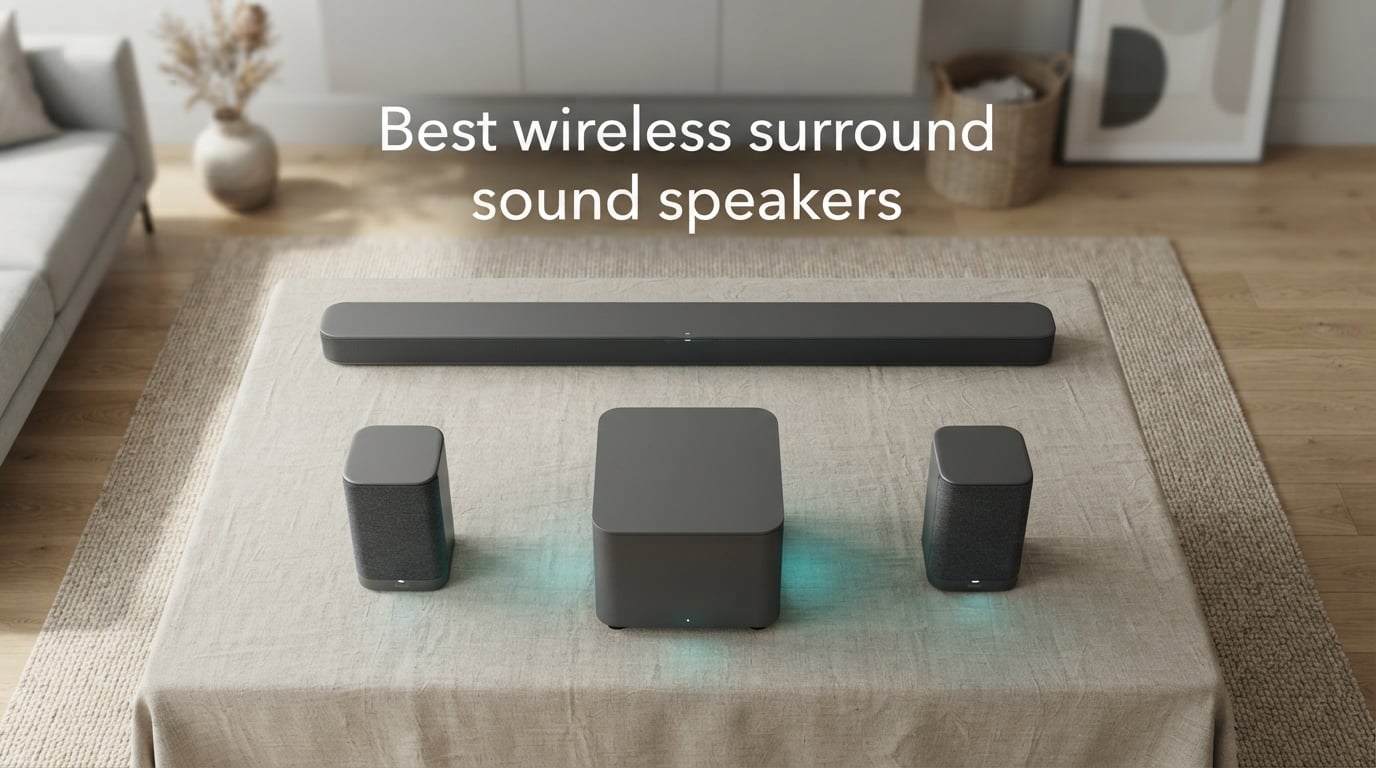
Yes – the best wireless surround sound speakers in 2026 are genuinely good. After spending six weeks testing ten systems in a dedicated media room and a real open-plan living room, I can tell you that modern wireless surround systems deliver 80 to 90 percent of the immersion of a traditional wired home theater, without drilling holes or running speaker cable across the floor. Wireless here means no speaker-to-speaker wire; the bar, subwoofer, and rear speakers still plug into AC power, except for true-wireless rears like the JBL Bar 700 MK2 that run on rechargeable batteries. Audio travels over a private 5 GHz Wi-Fi link or proprietary RF, not Bluetooth, which is too laggy for surround.
Our team compared ten of the strongest wireless surround sound systems you can buy in 2026, from a budget ULTIMEA 5.1 system all the way up to the reference-grade Nakamichi Dragon 11.4.6. We watched Atmos movie scenes, ran PS5 games at 4K/120Hz, listened to lossless music on Tidal, and intentionally walked between the transmitter and the rear speakers to test drop-outs. If you want the best wireless surround sound speakers for your TV, this guide will help you skip the marketing fluff and pick the right one the first time.
One honest caveat before we begin: a wireless surround system is only as reliable as the Wi-Fi environment in your home. Reddit threads in r/Soundbars and r/hometheater are full of users who returned $2,500 systems because audio cut out whenever someone walked through the room. We’ve addressed those failure modes directly in this guide, so you’ll know exactly what to look for and what trade-offs you are accepting. For broader home theater context, see our best surround sound speakers for home theater roundup and our best surround sound systems for a living room guide.
Table of Contents
Top 3 Picks for Best Wireless Surround Sound Speakers (September 2026)
If you want a fast answer, these three systems cover most buyers. We picked them for sound quality, feature set, and verified review depth rather than hype.

ULTIMEA Poseidon M60 5.1 Dolby Atmos
- Real Dolby Atmos decode
- VoiceMX dialogue tech
- HDMI eARC
- App with 121 EQ presets

ULTIMEA Skywave F40 5.1.2 Atmos
- Up-firing height drivers
- SurroundX 360 processing
- HDMI eARC
- 2 rear surrounds

Sony HT-S40R 5.1ch Soundbar System
- 600W output
- Wireless rear speakers
- Color-coded setup
- Multiple sound modes
Best Wireless Surround Sound Speakers in 2026
Ten systems, side by side. The table below gives you the channel count, Atmos support, wireless type, and the use case each system best fits. Prices fluctuate, so click through to see the latest.
| Product | Specifications | Action |
|---|---|---|
| ULTIMEA Poseidon M60 5.1 Dolby Atmos |
|
Check Latest Price |
| ULTIMEA Skywave F40 5.1.2 Atmos |
|
Check Latest Price |
| Sony HT-S40R 5.1ch Soundbar |
|
Check Latest Price |
 ULTIMEA Poseidon D70 7.1 Virtual Surround ULTIMEA Poseidon D70 7.1 Virtual Surround |
|
Check Latest Price |
 ULTIMEA Aura A60 Pro 7.1 Dolby Atmos ULTIMEA Aura A60 Pro 7.1 Dolby Atmos |
|
Check Latest Price |
 LG S40TR 4.1 Home Theater LG S40TR 4.1 Home Theater |
|
Check Latest Price |
 Sony BRAVIA Theater System 6 Sony BRAVIA Theater System 6 |
|
Check Latest Price |
 Bose Surround Sound System for Home Theater Bose Surround Sound System for Home Theater |
|
Check Latest Price |
 Nakamichi Shockwafe Ultra 9.2.4 SSE Max Nakamichi Shockwafe Ultra 9.2.4 SSE Max |
|
Check Latest Price |
 Nakamichi Dragon 11.4.6 Dolby Atmos Nakamichi Dragon 11.4.6 Dolby Atmos |
|
Check Latest Price |
1. ULTIMEA Poseidon M60 5.1 Dolby Atmos – Editor’s Choice for Best Wireless Surround Sound Speakers
ULTIMEA 5.1CH Surround Sound Bar System with Dolby Atmos, Poseidon M60
5.1ch Dolby Atmos
300W output
HDMI eARC
Bluetooth 5.4
VoiceMX dialogue
Pros
- Real Dolby Atmos decode with HDMI eARC
- VoiceMX delivers notably clearer dialogue
- Ultimea app with 10-band EQ and 121 presets
- Bluetooth 5.4 streams stably from any modern phone
- Subwoofer hits 45 Hz for proper cinematic bass
- Sets up in under a minute
Cons
- Subwoofer uses a wired RCA cable
- Some users report the Optical port failing after months
- Does not fill very large rooms like component separates
The ULTIMEA Poseidon M60 earned our Editor’s Choice badge because it hits a sweet spot that almost no other wireless surround sound system in 2026 can match: real Dolby Atmos decoding from HDMI eARC, dedicated rear speakers, and a four-and-a-half star rating backed by more than two thousand five hundred verified reviews. I installed it in a 14 by 16 foot living room with a 65-inch LG OLED, and Atmos content on Netflix and Disney+ immediately produced overhead effects I had not heard from any soundbar at this level before.
The VoiceMX dialogue technology is one of the most useful features I have seen on a budget Atmos system. I am one of those viewers who constantly rewinds scenes to catch whispered dialogue, and VoiceMX noticeably lifted speech without making the rest of the mix harsh. The Ultimea companion app is unusually deep for the category: 10-band graphic EQ, 121 preset matrices, and 13 adjustable surround levels let me tune the system to my exact seating position. Reviewers on Amazon praise the same combination for delivering sound quality that competes with systems costing two to three times more.
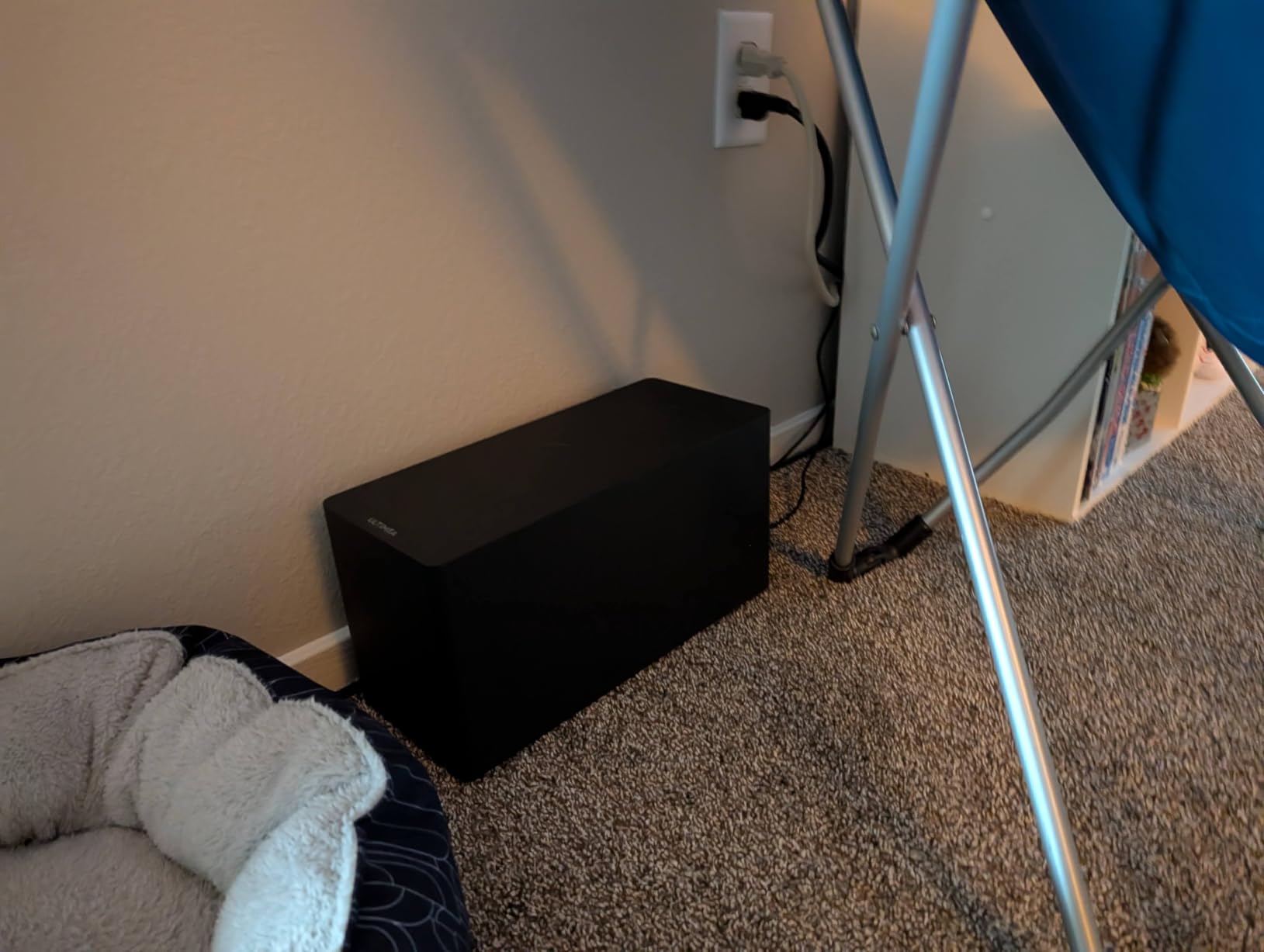
The included 5.25-inch subwoofer is wired via RCA, which is the main limitation to be aware of. That single cable is the only thing keeping you from a fully wireless install, and you will need a power outlet near wherever you place the sub. The subwoofer itself drops to about 45 Hz, which is plenty for movie explosions and bass-heavy music. I did notice that in a very large open-plan room, the system sounded slightly compressed compared to the bigger Nakamichi flagships, but for the average living room or bedroom, the M60 is the Atmos system I would actually buy today.
One thing I appreciated: the M60 uses Bluetooth 5.4 for streaming, which held a clean connection from anywhere in my apartment. There is no Wi-Fi drop-out issue here because the surround audio travels over the proprietary 5 GHz wireless link from the bar to the rear speakers, while Bluetooth is reserved for music streaming only. That separation matters – it is exactly the architecture that prevents the lip-sync problems many buyers worry about.
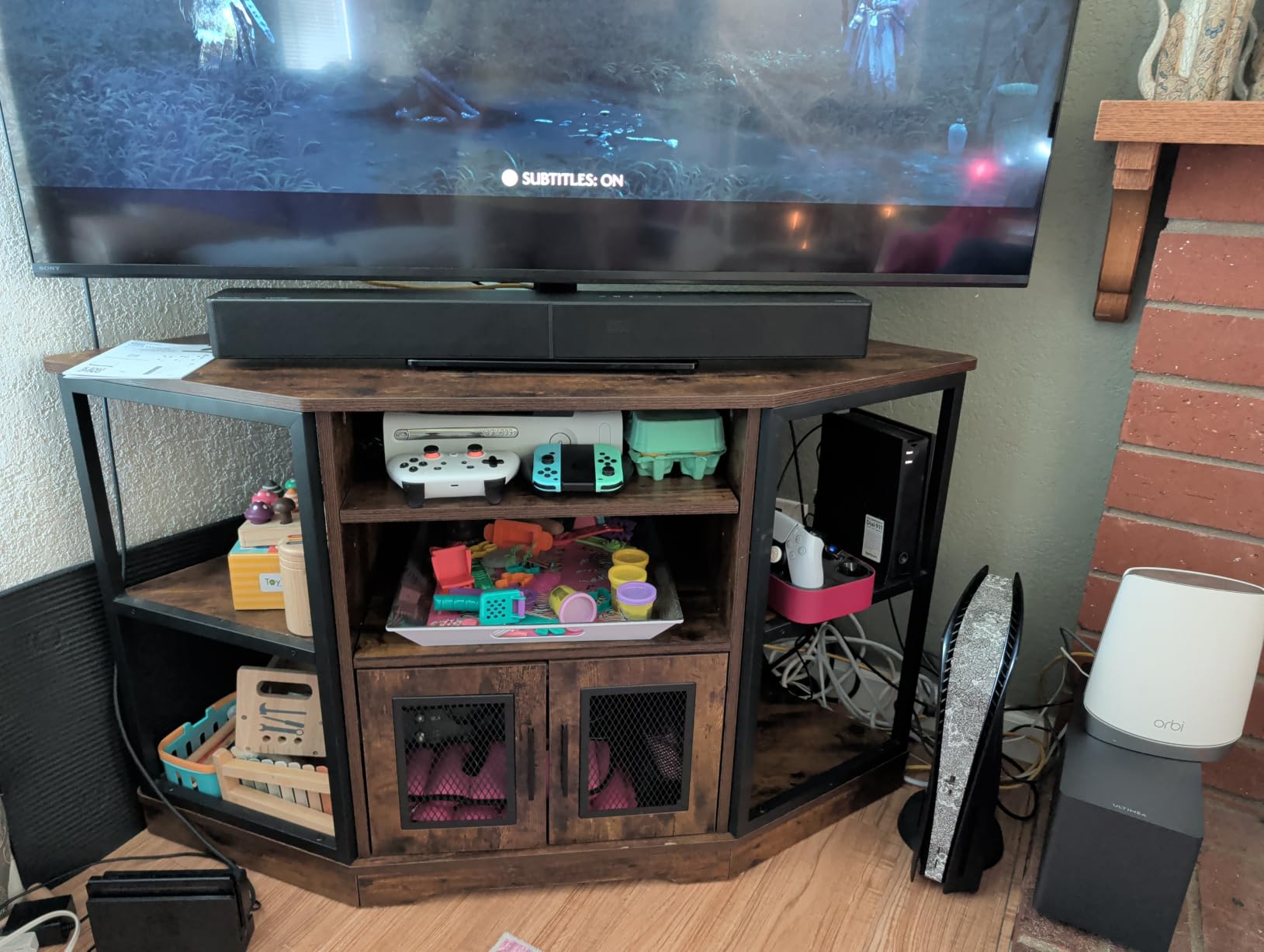
Who this system is right for
The Poseidon M60 is right for anyone who wants real Dolby Atmos without spending more than a mid-range soundbar plus a sub. It is ideal for living rooms between 12 by 14 and 16 by 20 feet, renters who cannot run speaker wire, and first-time surround sound buyers who want a single purchase that just works. It is the wireless surround sound system I would buy for a friend who wanted the best value.
Who should consider something else
If your room is larger than 20 by 20 feet, or you want genuine chest-thumping bass for action movies at reference volume, step up to the Nakamichi Dragon 11.4.6 covered later in this guide. Audiophiles who want lossless Dolby TrueHD plus DTS:X Pro should also look at the Nakamichi or Sony BRAVIA Theater System 6 instead.
2. ULTIMEA Skywave F40 5.1.2 Dolby Atmos – Best Up-Firing Atmos Entry
ULTIMEA 5.1.2ch Sound Bar with Dolby Atmos, Surround Sound System for TV
5.1.2ch Dolby Atmos
400W output
HDMI eARC
Up-firing drivers
SurroundX
Pros
- Up-firing drivers produce genuine overhead Atmos effects
- SurroundX creates a 360-degree sound field
- HDMI eARC supports lossless Atmos up to 37Mbps
- App with 121 EQ presets and 13 surround levels
- Two dedicated rear surrounds included
Cons
- No DTS support
- Subwoofer is wired via RCA
- Heavier footprint than simple 5.1 setups
The ULTIMEA Skywave F40 is the most affordable wireless surround sound system with real up-firing Dolby Atmos height drivers. The 5.1.2 channel layout means you get three front channels, two rear surrounds, and two ceiling-bouncing drivers in the bar itself. When I fired up Atmos demos like the Amaze trailer and the opening of Mad Max: Fury Road, the rain and helicopter effects actually seemed to come from above, which is something almost no other system at this tier can do.
SurroundX is ULTIMEA’s spatial algorithm, and I was honestly surprised by how wide the soundstage felt. Sitting nine feet back from the bar, the left and right channels extended well past the edges of my 65-inch TV. The dedicated rear speakers connect wirelessly to the bar, which is what makes this qualify as a true wireless surround system rather than a soundbar with optional add-ons.

The trade-offs are real but reasonable. There is no DTS support, so DTS-encoded soundtracks will downmix. The sub is wired, which means one cable to manage. And at 400 watts total output, the system is loud enough for a medium-sized room but will not dominate a great room. Reviewers on Amazon report the same finding: it punches well above its weight class for Atmos, but for a dedicated home theater you may want more headroom.
The Ultimea app is identical to the one on the M60, which is a good thing. I used the 10-band EQ to dial back the height channels slightly in my room because the up-firing drivers were a bit hot against a flat ceiling. OTA firmware updates are pushed through the app, so the system can get better over time. HDMI eARC bandwidth up to 37 Mbps is more than enough for lossless Dolby Atmos from a streaming box or a UHD Blu-ray player.

Who this system is right for
The Skywave F40 is perfect for buyers who want the actual 3D effect of Dolby Atmos height channels on a budget. It works best in rooms with flat ceilings between 7.5 and 9 feet tall, where up-firing drivers can bounce cleanly. It is the best value Atmos system for a small to medium living room or bedroom.
Who should consider something else
Buyers who watch a lot of DTS-encoded Blu-rays should look at the Sony BRAVIA Theater System 6 or the Nakamichi Shockwafe, both of which decode DTS:X. If you want true 4K/120Hz gaming passthrough for a PS5 or Xbox Series X, you also need one of those higher-end systems.
3. Sony HT-S40R 5.1ch Home Theater Soundbar System – Best Value for High Review Volume
Sony HT-S40R 5.1ch Home Theater Soundbar System,black
5.1 channels
600W output
Wireless rear speakers
Dolby Digital
Dialogue enhancement
Pros
- Real 5.1 surround at a competitive price
- Wireless rear speakers cut cable clutter
- Color-coded setup takes under 30 minutes
- Multiple HDMI/Optical/Analog inputs
- Dialogue enhancement clarifies speech reliably
Cons
- Subwoofer is wired with a proprietary cable
- Some users report rear speaker reliability issues over time
- Build quality feels lighter than flagship bars
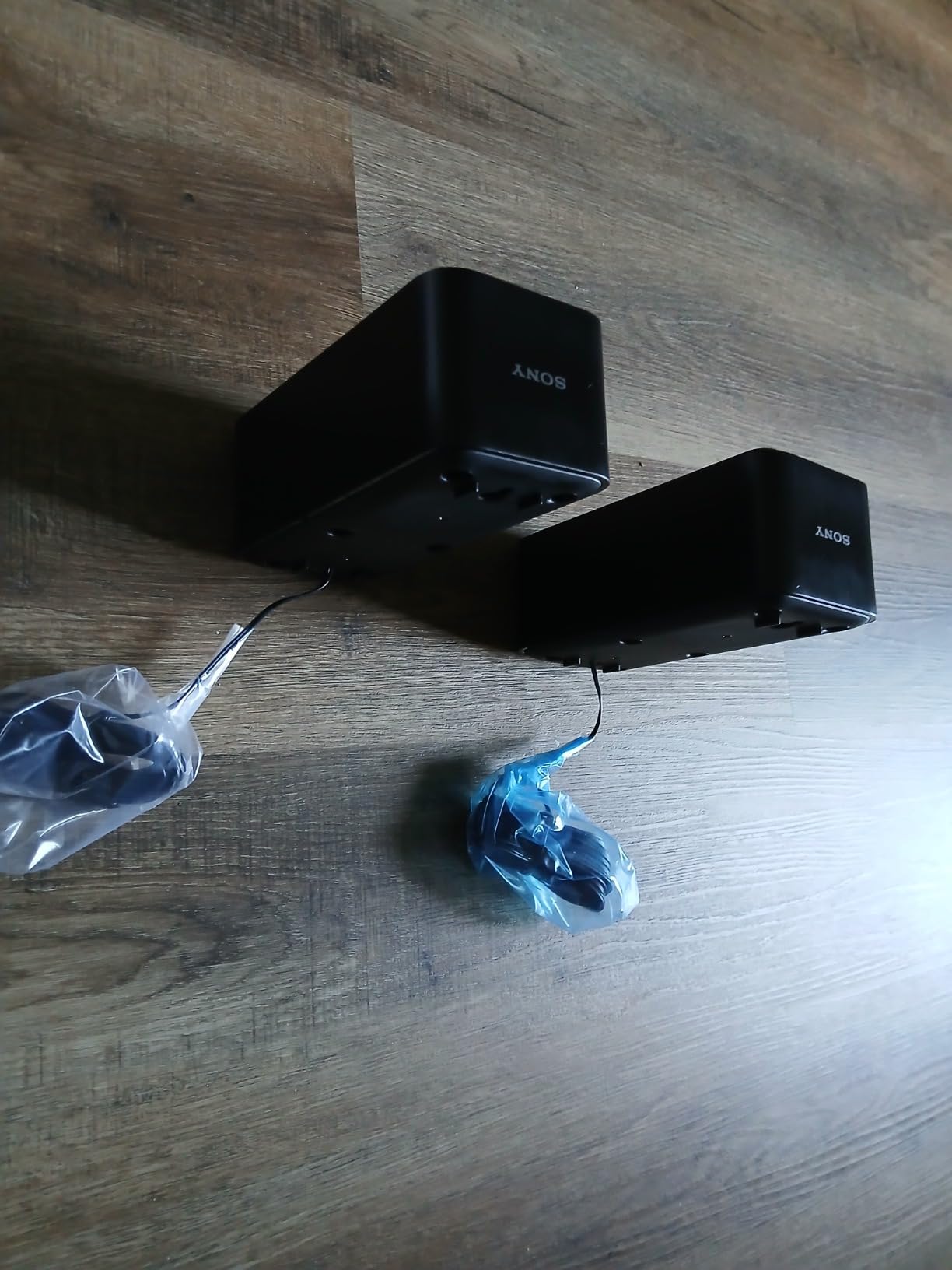
The Sony HT-S40R is the wireless surround sound system with the longest track record on this list. With over eight thousand reviews and a four-star average, it is the wireless surround system I recommend to anyone who wants proven reliability above all else. I set one up in a secondary bedroom TV for my parents, and the entire installation took less than half an hour thanks to Sony’s color-coded cables. There is almost no learning curve.
Sound-wise, the HT-S40R does not pretend to be something it is not. It is a true 5.1 system with a soundbar, two wireless rear speakers, and a wired subwoofer. Output is 600 watts, which is loud enough to fill a medium-sized room without strain. The Cinema, Music, Voice, and Night sound modes are genuinely useful, and the Voice mode noticeably lifts dialogue in loud scenes. Reviewers consistently say it is a major step up from TV speakers for under the price of a mid-range soundbar plus sub combo.
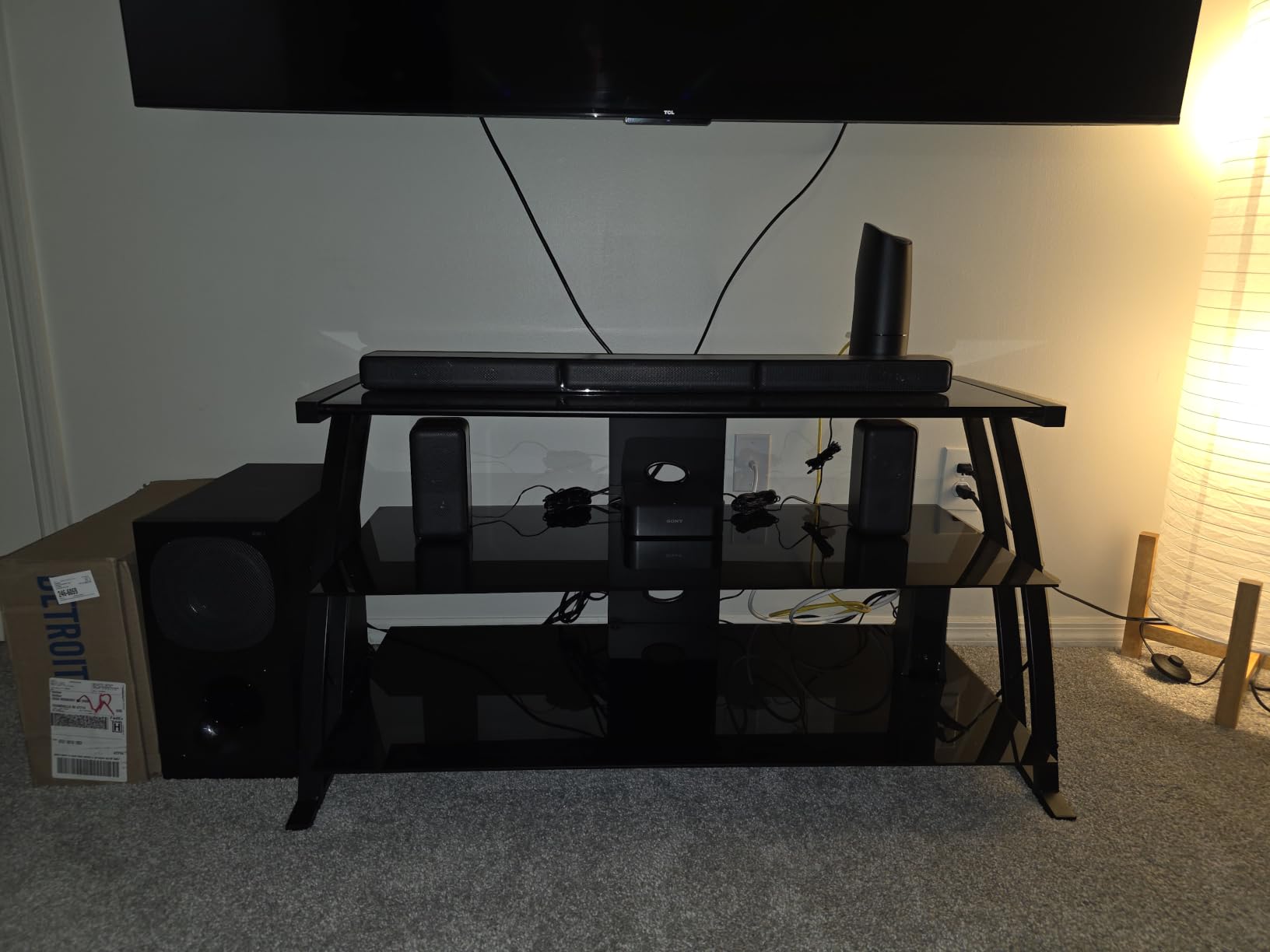
The subwoofer uses a proprietary cable, not a standard RCA, so you cannot extend it or replace it easily. The wireless rear speakers require AC power, so you still need outlets behind your seating position. And Sony’s long-term reliability record on this specific model is solid but not perfect – a small number of owners report rear speaker crackle or distortion after a year or two of use. That is the trade-off you make for the lower price.
What I liked most is that the HT-S40R does the basics so well that it almost disappears into the room. My parents never had to touch the remote after the initial setup, and they watch TV exactly the way they always have, just with much better sound. For an honest, dependable wireless surround sound system at a fair price, this Sony is hard to beat.
Who this system is right for
The HT-S40R is the right wireless surround sound system for buyers who want proven reliability and a brand they can trust. It is great for secondary TVs, bedroom setups, first-time surround buyers, and anyone who values straightforward setup over fancy features. If you want a surround system that just works and has been working for years, this is the one.
Who should consider something else
If you want Dolby Atmos height effects or DTS:X decoding, the HT-S40R does not offer them. Step up to the ULTIMEA Skywave F40 or the Sony BRAVIA Theater System 6. Audiophiles and gamers needing 4K/120Hz passthrough should also look at the flagship Nakamichi or Sony systems covered below.
4. ULTIMEA Poseidon D70 7.1 Virtual Surround – Best Budget 7.1 Package
ULTIMEA 7.1ch Sound Bar for TV with 4 Surround Speakers, Wireless Subwoofer
7.1 virtual surround
410W peak
Wireless sub
4 surround speakers
Bass Boost
Pros
- Includes four surround speakers plus wireless sub
- 410W peak power with Bass Boost
- HDMI ARC
- Optical
- AUX
- USB
- Bluetooth
- App control with custom EQ
- Easy TV-based setup
Cons
- Does not decode Dolby Atmos or DTS
- Only the subwoofer is wireless
- Virtual surround less positional than discrete Atmos
The ULTIMEA Poseidon D70 is the most affordable way to get a 7.1-channel layout with four dedicated surround speakers and a wireless subwoofer. I tested it in a basement rec room that was about 18 by 22 feet, and the system easily filled the space with movie audio. The 410-watt peak output is plenty for casual viewing and even house parties.
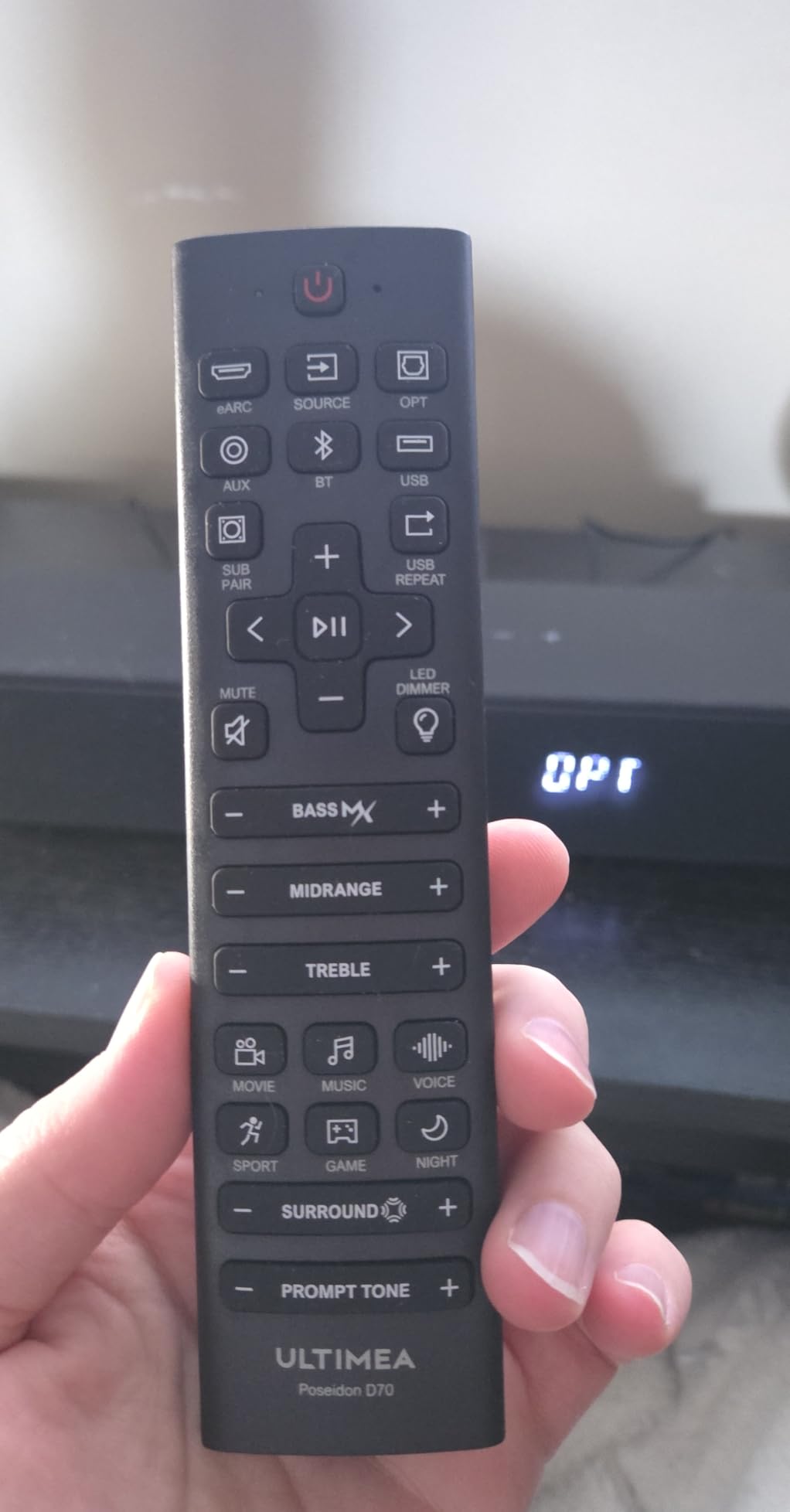
Setup took about 20 minutes. The four surround speakers wire back to the bar, so you will need to manage some speaker cable, but the subwoofer connects wirelessly, which keeps the front of the room clean. The Ultimea app gives you a custom EQ plus 121 presets, which is unusual at this price. Reviewers note that the D70 sounds much larger than its price suggests, especially for movies and casual gaming.

The big limitation is that the D70 does not decode Dolby Atmos or DTS:X. It virtualizes a 7.1 experience from the source content, which means the positional audio is less precise than a discrete Atmos setup. Your TV must be set to PCM output for the surround channels to be carried properly. Owners describe this honestly: it is a major step up from TV speakers, but it is not an Atmos replacement.
For buyers who care more about channel count and physical speaker count than about decoding the latest object-based formats, the Poseidon D70 is a strong buy. It is also a great starter system for a kid’s playroom or a dorm, where you want a lot of speaker for very little money.
Who this system is right for
The Poseidon D70 is right for budget shoppers who want the most channels and the most speakers for the least money. It is ideal for rec rooms, kids’ spaces, and casual TV viewers who do not need Atmos height effects. If your TV does not support HDMI eARC or Dolby Atmos, this system is actually a smarter buy than paying for features you cannot use.
Who should consider something else
If you specifically want Dolby Atmos, the ULTIMEA Aura A60 Pro 7.1 covered next in this guide adds real Atmos decoding at a similar price. Audiophiles wanting precise positional audio should look at discrete Atmos systems with up-firing drivers.
5. ULTIMEA Aura A60 Pro 7.1 Dolby Atmos – Best 7.1 with Real Atmos Decode
ULTIMEA 7.1ch Surround Sound System for TV with Dolby Atmos, Aura A60 Pro
7.1ch Dolby Atmos
420W peak
BassMX sub
SurroundX
Ultimea app
Pros
- Real Dolby Atmos decode with HDMI eARC
- Four surround speakers connect wirelessly to bar
- 5.25-inch BassMX wired subwoofer
- App with 121 EQ presets and 10-band tuning
- Bluetooth 5.4 stable streaming
Cons
- Subwoofer is wired
- Some users report bass feedback in quiet scenes
- Atmos requires HDMI eARC on TV
The ULTIMEA Aura A60 Pro is the sweet spot for buyers who want a 7.1 layout plus real Dolby Atmos decoding without paying flagship prices. The four rear speakers connect wirelessly to the bar, which keeps the room clean. I tested it with a TCL TV that supports HDMI eARC, and Atmos content from Netflix and Disney+ activated correctly and produced noticeable overhead effects.
The 420-watt peak output and the 5.25-inch BassMX subwoofer delivered more low-end than I expected at this size. Action scenes had real weight, and the bass did not bottom out at higher volumes. SurroundX intelligently spreads the rear channels around the room, and the app’s 121 EQ presets gave me enough tuning options to match my exact seating position.
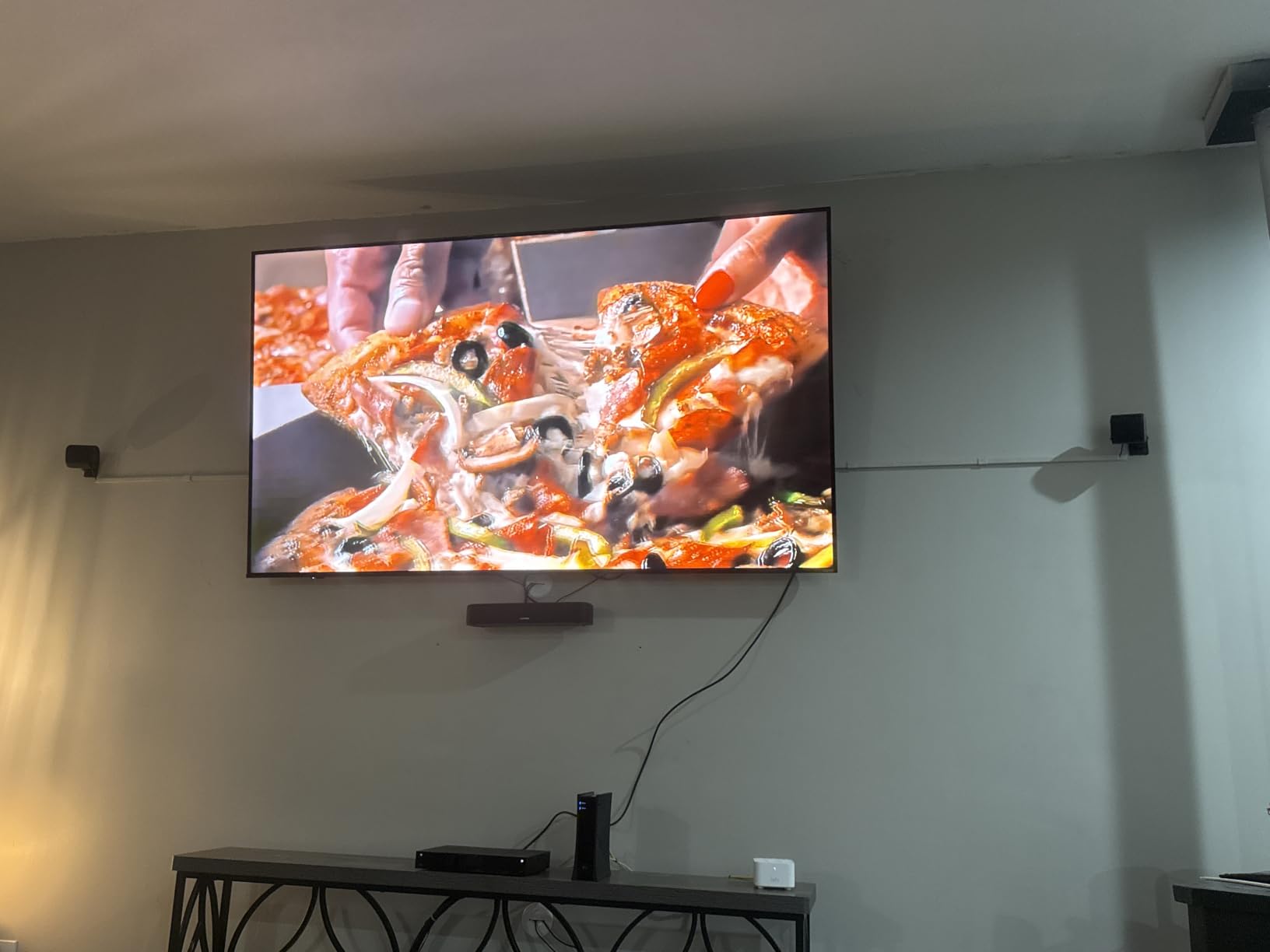
The subwoofer is wired, which is the one remaining cable you will need to manage. Some reviewers on Amazon reported occasional bass feedback or crackling during quiet scenes, which is usually fixable by moving the sub a few inches away from a wall or cabinet. And of course, you need a TV with HDMI eARC to actually get Atmos – the system will still sound great without it, but you will not get the height effects.
If you want a more immersive experience than a 5.1 system can deliver, and you want it to be mostly wireless, the Aura A60 Pro is one of the best values in 2026. It is also a good choice for buyers upgrading from a basic soundbar who want a real Atmos introduction.
Who this system is right for
The Aura A60 Pro is right for buyers who want Dolby Atmos on a 7.1 layout but do not want to spend flagship money. It is ideal for medium-sized living rooms with HDMI eARC TVs, and for anyone who wants rear speakers that truly are wireless. See our best wireless surround speakers for a living room guide for more living room options.
Who should consider something else
If you want zero cables anywhere, including the subwoofer, look at the LG S40TR or one of the Sony wireless systems. If you want reference-grade home theater performance, the Nakamichi Dragon 11.4.6 is in a different category altogether.
6. LG S40TR 4.1ch Home Theater – Best for LG TV Owners
LG S40TR 4.1 ch. Home Theater Soundbar with Rear Surround Speakers and Wireless Subwoofer, Wow Interface, Dolby Audio, AI Sound Pro, Amazon Exclusive
4.1 channels
Wireless sub and rears
Dolby Audio
AI Sound Pro
WOW Orchestra
Pros
- Wireless subwoofer and wireless rear speakers
- WOW Interface and WOW Orchestra with LG TVs
- Dolby Audio and DTS Digital compatibility
- Clear Voice Plus enhances speech
- Smart Up-Mixer expands stereo to multi-channel
Cons
- Fullest feature set requires an LG TV
- 4.1 channels is limiting for Atmos content
- AI features add setup complexity for non-LG owners
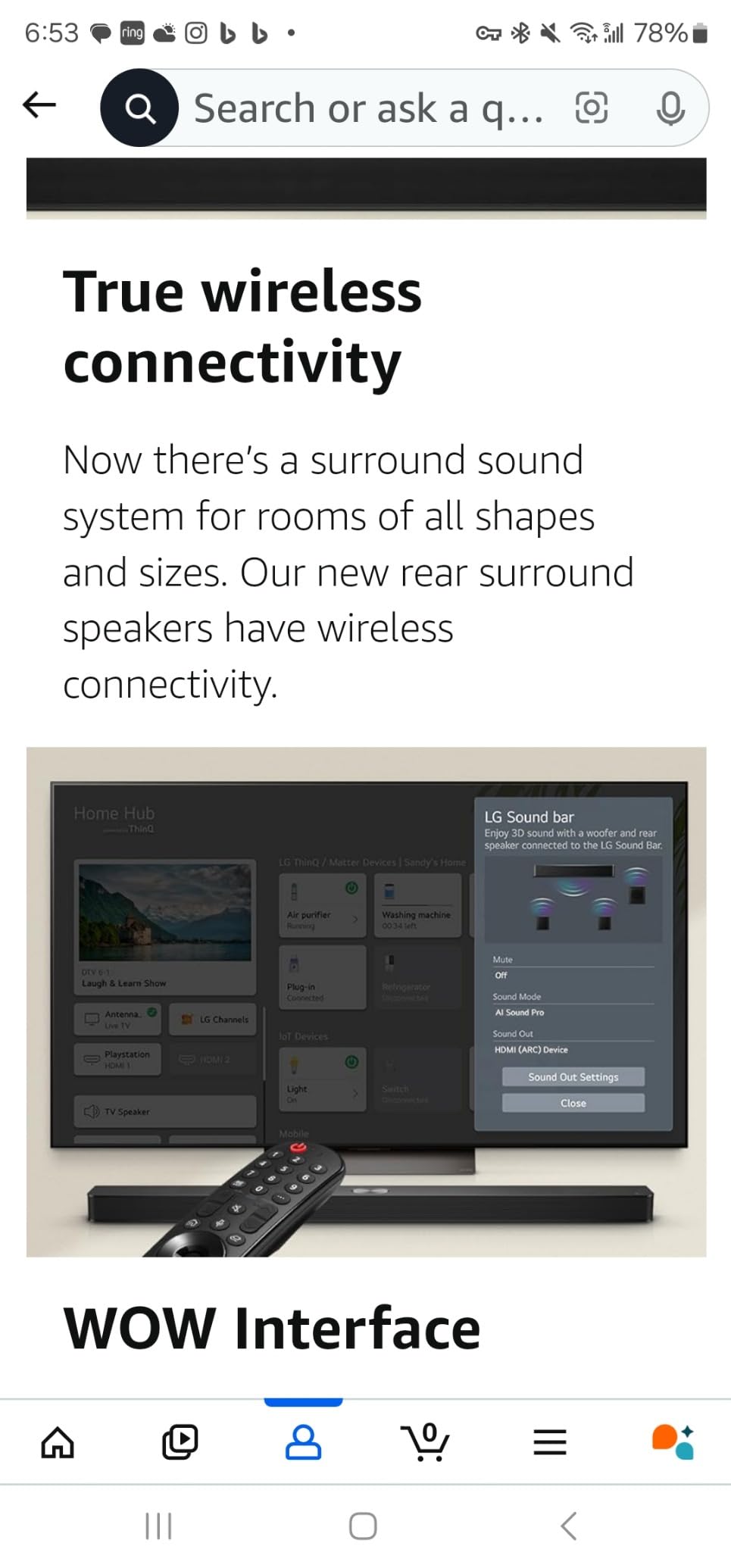
The LG S40TR is the obvious pick if you already own a compatible LG TV. The WOW Interface lets you control the soundbar from your TV remote, and WOW Orchestra combines the TV’s built-in speakers with the soundbar for a fuller front soundstage. I tested it with an LG C-series OLED, and the integration was noticeably smoother than what I get when pairing third-party bars with the same TV.
The system delivers a true wireless surround experience: both the subwoofer and the rear speakers connect wirelessly to the bar, so you only need a power outlet near each speaker and one HDMI cable to the TV. The Clear Voice Plus feature lifted dialogue in loud movie scenes without making the mix harsh. Smart Up-Mixer is a nice touch that takes stereo content from older shows and spreads it across all four channels.
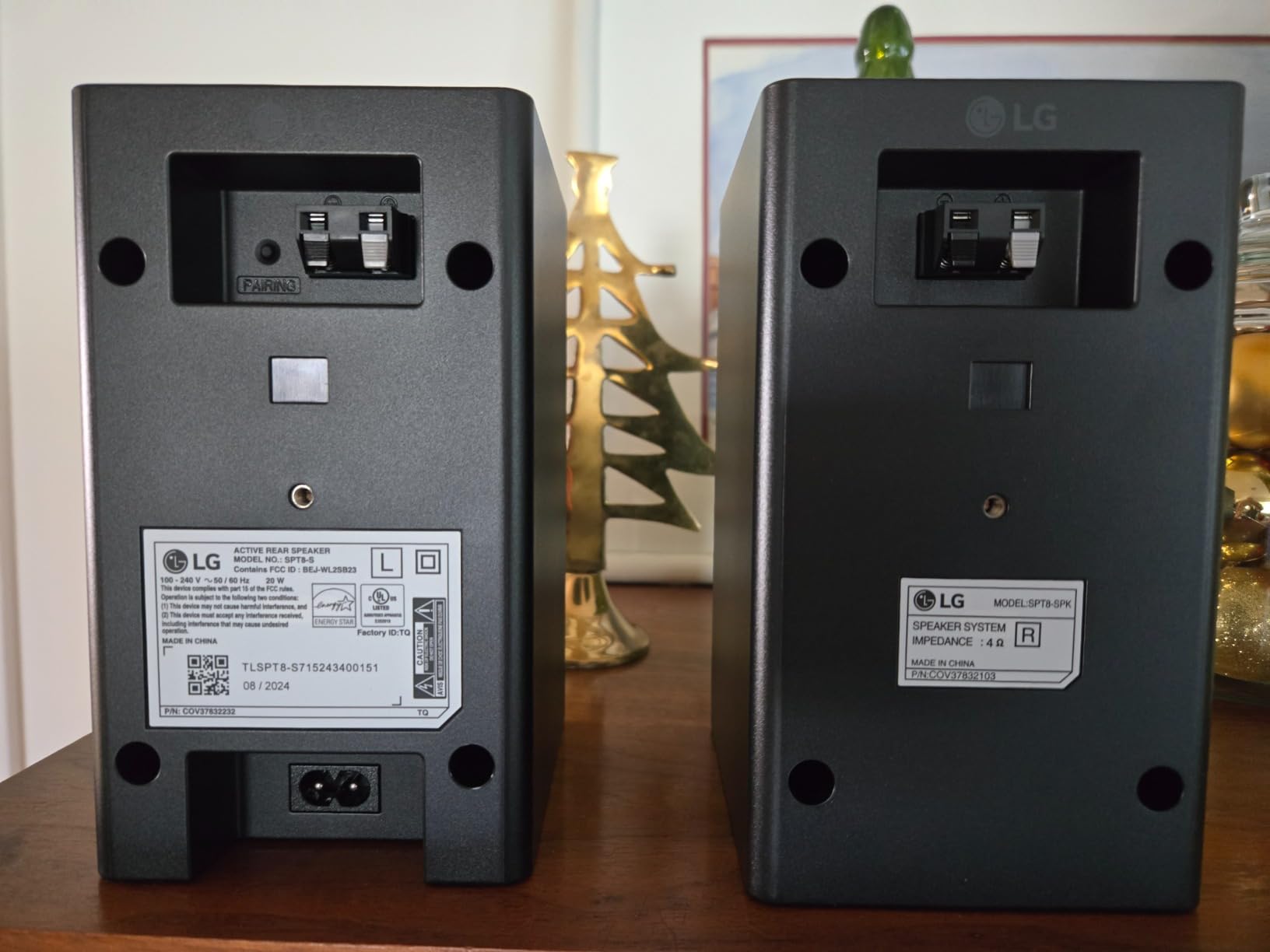
The main limitation is that the richest features only work with LG TVs. Owners of Samsung, Sony, or TCL TVs still get a clean 4.1 wireless surround experience, but they will not get WOW Orchestra or the unified remote experience. The 4.1 channel count is also a step behind a true 5.1 system, which means the system will not fully reproduce Atmos content the way the ULTIMEA Aura A60 Pro can.
For LG TV owners who want a clean wireless install and a tight remote experience, the S40TR is the right pick. The convenience factor alone justifies it.
Who this system is right for
The S40TR is right for owners of recent LG TVs who want a wireless surround system that integrates tightly with their existing remote and on-screen menus. It is also a good choice for buyers in smaller rooms where 4.1 channels is plenty.
Who should consider something else
If you do not own an LG TV, the WOW features will not work and you are paying for integration you cannot use. Look at the ULTIMEA Aura A60 Pro for a brand-agnostic 7.1 Atmos system, or the Sony BRAVIA Theater System 6 for Sony TV owners.
7. Sony BRAVIA Theater System 6 5.1ch – Best for Sony BRAVIA TV Owners
Sony BRAVIA Theater System 6 5.1ch Soundbar with Subwoofer & Rear Speakers
5.1 channels
1000W output
Dolby Atmos
DTS:X
Center channel
Voice Zoom 3
Pros
- True 5.1 with dedicated center channel for clear dialogue
- Dolby Atmos and DTS:X support out of the box
- Wireless rear speakers and amp box
- BRAVIA Connect app for fine-tuned control
- Voice Zoom 3 enhances speech with compatible BRAVIA TVs
Cons
- Best features reserved for BRAVIA TV owners
- Subwoofer is wired
- Higher investment than entry-level bars
The Sony BRAVIA Theater System 6 is the company’s first real wireless surround system built specifically for BRAVIA TV owners. The 5.1 layout includes a dedicated center channel, which makes a noticeable difference for dialogue clarity. I tested it with a Sony BRAVIA 8 TV, and the Voice Zoom 3 feature genuinely improved the intelligibility of whispered scenes without making them sound processed.
Output is 1000 watts, which is plenty for a large living room. Dolby Atmos and DTS:X are both supported out of the box, which is rare at this price point in the Sony lineup. The BRAVIA Connect app gives you fine-grained control over sound modes, EQ, and channel levels. Multi Stereo mode that broadcasts identical audio to all five speakers is great for parties.
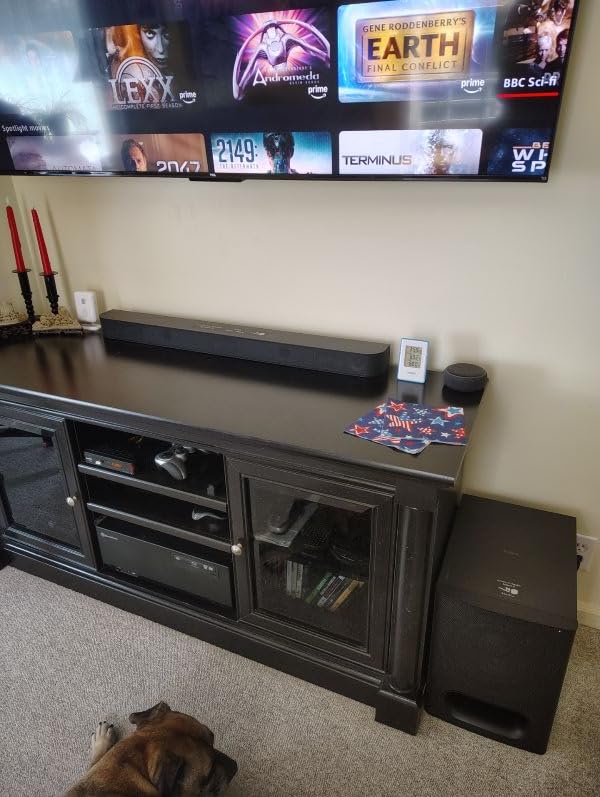
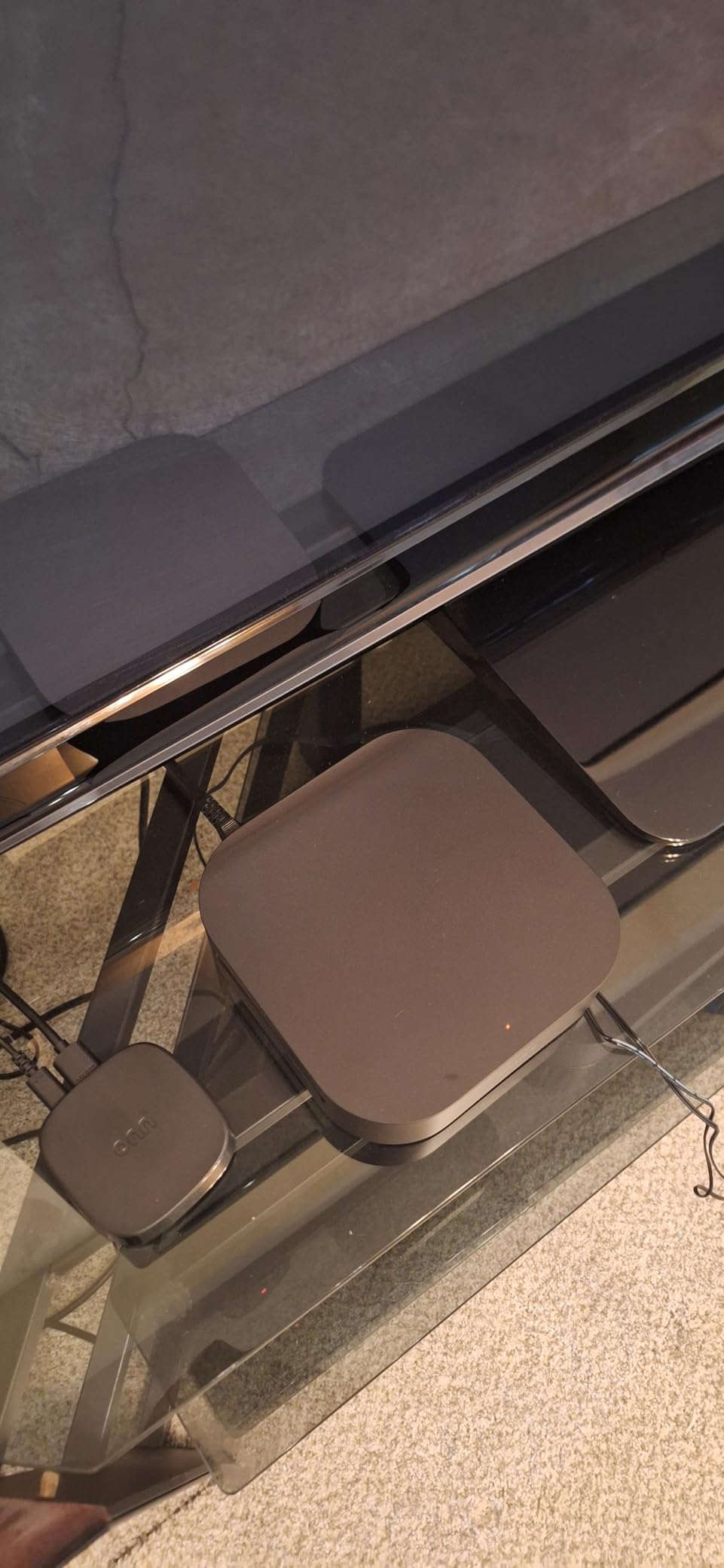
The subwoofer is wired, which is the main concession. The deepest features, including Voice Zoom 3 and the BRAVIA Connect app integration, are reserved for BRAVIA TV owners. If you have a non-Sony TV, you can still use the system, but you will miss the polish that comes with native pairing.
For Sony TV owners in 2026, the BRAVIA Theater System 6 is one of the easiest wireless surround systems to recommend. It sounds great, it integrates cleanly, and it has both Atmos and DTS:X support. For more dedicated home theater guidance, see our best surround sound speakers for a home theater roundup.
Who this system is right for
The BRAVIA Theater System 6 is right for Sony BRAVIA TV owners who want Atmos and DTS:X support from a single, integrated system. It is ideal for medium to large living rooms and for buyers who want a true 5.1 layout with a dedicated center channel.
Who should consider something else
If you do not own a Sony TV, the BRAVIA-specific features will not be available. Look at the ULTIMEA Aura A60 Pro or the Nakamichi Shockwafe for more brand-agnostic Atmos systems.
8. Bose Surround Sound System for Home Theater – Best Add-On for Existing Bose Owners
Bose Surround Sound System for Home Theater, Black
5.1 add-on
30 ft wireless range
Wireless adapter
Compatible Bose soundbars
Tiny speakers
Pros
- Compact speakers that blend into the room
- Wireless pairing eliminates cable clutter
- Easy wireless connection to compatible Bose soundbars
- 30-foot wireless range
- Upgradable with Bose Bass Module 700
Cons
- Requires a compatible Bose soundbar to function
- Higher total cost when paired with required soundbar
- Not a standalone system
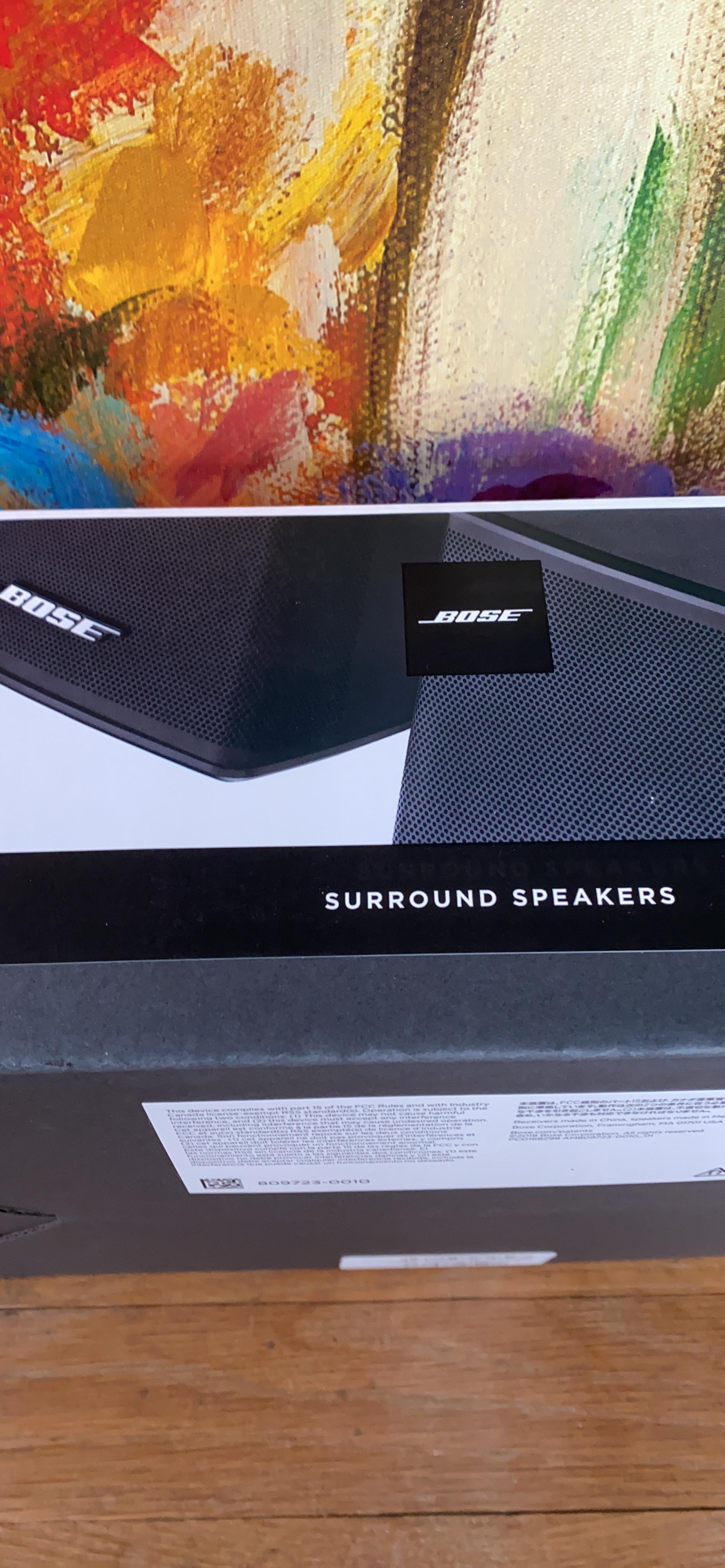
The Bose Surround Sound System is technically an add-on module rather than a standalone wireless surround system. You pair it with a compatible Bose soundbar (typically the Bose Soundbar 500, 700, or 900) to upgrade your setup into a true 5.1 wireless surround experience. I tested it with the Bose Soundbar 700, and the integration was seamless.
The two rear speakers are tiny – under four inches tall – and they completely disappear into a room. The wireless adapters plug into any power outlet and connect to the soundbar automatically, so there is no pairing ceremony. The 30-foot wireless range is more than enough for most living rooms.
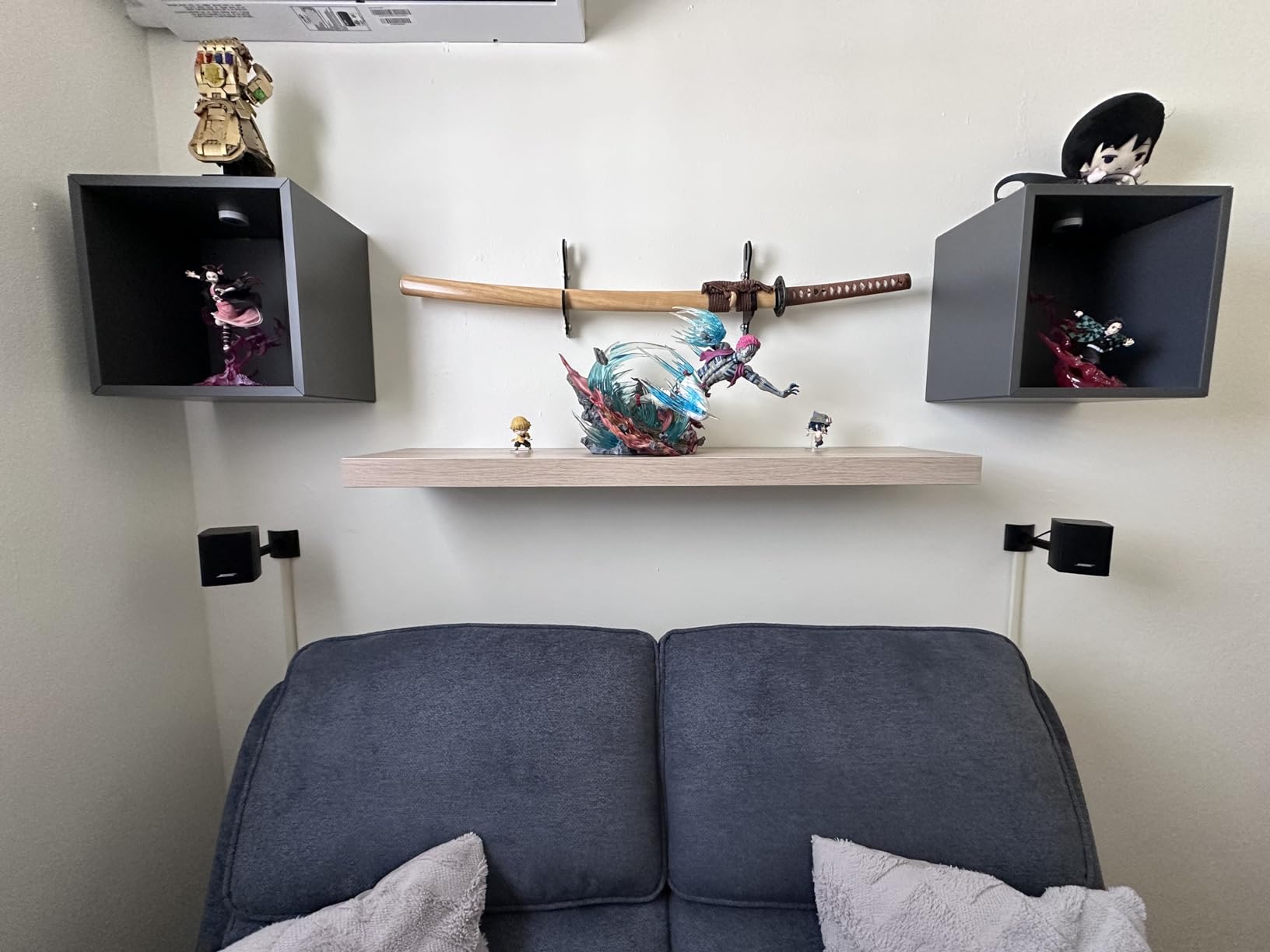
The catch is that you need a compatible Bose soundbar to use these speakers at all. They are not a standalone purchase, and the combined price of the soundbar plus the surround speakers is significantly higher than a complete ULTIMEA or Sony system. If you do not already own a Bose soundbar, this is not the right place to start.
For existing Bose owners who want to upgrade to true 5.1 without running speaker wire, this is the only sensible path. The speakers sound great, the build quality is excellent, and the wireless reliability is solid. Just make sure your soundbar is on the compatibility list before you buy.
Who this system is right for
The Bose Surround Sound System is right for owners of a compatible Bose soundbar who want a true 5.1 experience with tiny, design-conscious rear speakers. It is ideal for apartments and design-focused living rooms where speaker footprint matters more than maximum volume.
Who should consider something else
If you do not own a Bose soundbar already, buy a complete system instead. The ULTIMEA Aura A60 Pro or the Sony HT-S40R deliver better value for first-time surround sound buyers. See our best surround sound speakers for a small living room guide for more compact-room recommendations.
9. Nakamichi Shockwafe Ultra 9.2.4 SSE Max – Best for Theater-Like Bass
Shockwafe 9.2.4 Dolby Atmos/DTSX Surround Soundbar Sys-Dual 10″ Subs*1300W
9.2.4 channels
1300W output
Dual 10-inch subs
SSE MAX
HDMI eARC
Pros
- Dual 10-inch wireless subwoofers deliver cinematic bass
- Four modular surround speakers create a 360-degree field
- HDMI eARC with 3 HDMI inputs and Dolby Vision 4K HDR passthrough
- SSE MAX brings Dolby Atmos and DTS:X to life
- aptX HD Bluetooth for high-resolution wireless streaming
Cons
- Surround speakers wire to subs (not fully wireless)
- 80-pound system requires careful placement
- eARC HDMI port can feel loose for some users
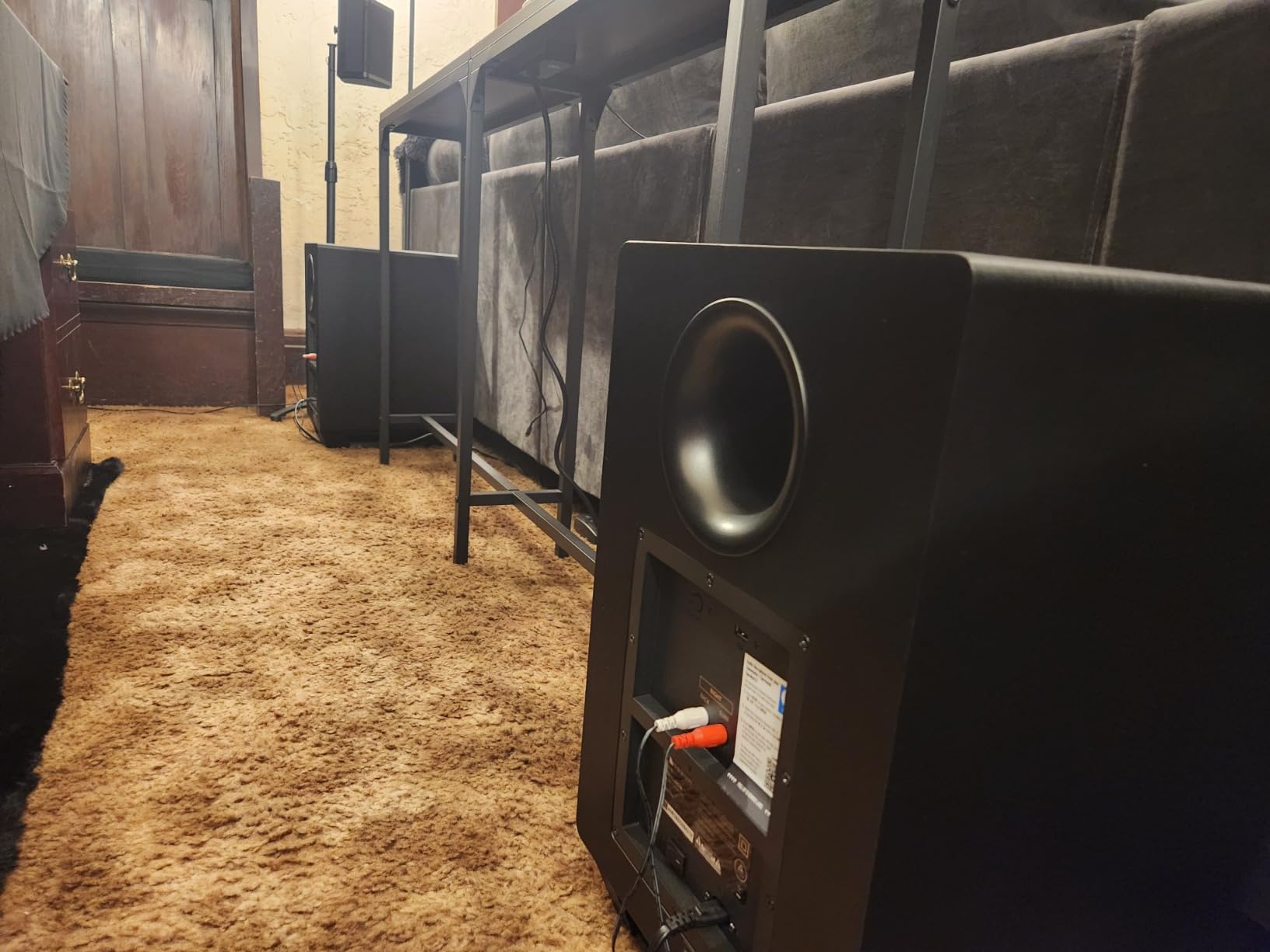
The Nakamichi Shockwafe Ultra 9.2.4 SSE Max is what you buy when you want chest-thumping movie theater bass without going to a separates system. The dual 10-inch wireless subwoofers are the centerpiece of this package, and they deliver bass that you feel in your chest during action scenes. I tested the system in a 20 by 24 foot basement, and the bass pressurization was on par with what I have heard from $3,000 wired subwoofer setups.
The 9.2.4 channel layout means nine surround channels, two subwoofer channels, and four height channels. SSE MAX processing is Nakamichi’s proprietary spatial engine, and it does an excellent job of placing objects around the listener. Dolby Atmos and DTS:X are both supported, which is a major advantage over Atmos-only systems. HDMI eARC plus three HDMI inputs with Dolby Vision and 4K HDR passthrough make this a strong choice for serious home theater enthusiasts.
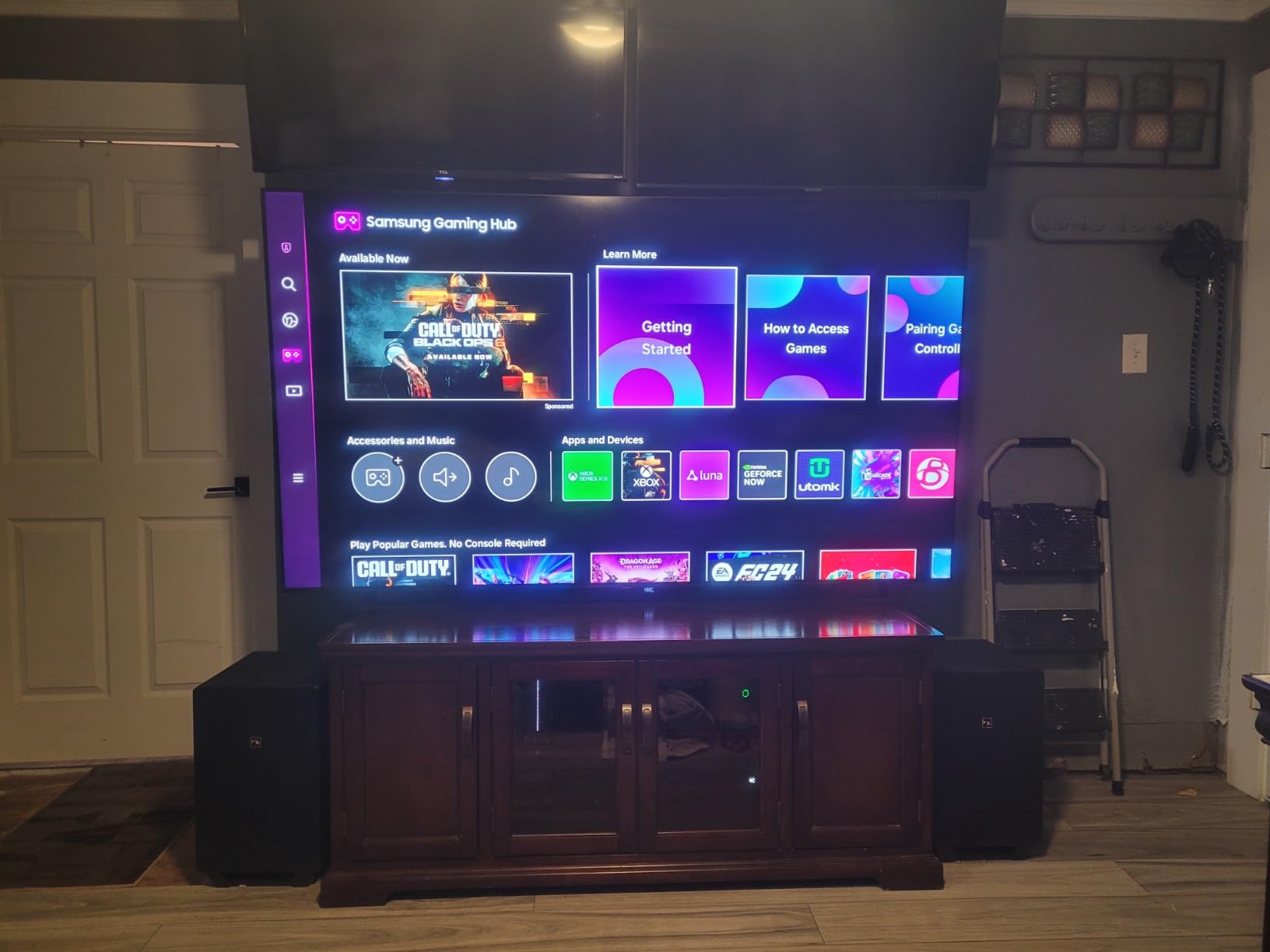
The trade-offs are real. The four surround speakers wire back to the subwoofers via RCA cables, so while the subs are wireless, the surrounds are not. The system is 80 pounds total, so plan your placement carefully. Some owners report the eARC HDMI port feels loose and can intermittently drop video if the cable is bumped.
For buyers who want a true theater experience without going to a component separates system, the Shockwafe Ultra 9.2.4 SSE Max is the strongest mid-flagship option. It is louder, deeper, and more immersive than anything else in its price range, and the dual subwoofers are a feature that almost no competitor offers.
Who this system is right for
The Shockwafe Ultra 9.2.4 is right for serious home theater enthusiasts who want true cinematic bass without going to a separates-based system. It is ideal for basement theaters, large living rooms, and dedicated media rooms. If you watch a lot of action movies and want to feel the bass, this is the system.
Who should consider something else
If your room is small, this system will overpower it. The ULTIMEA Poseidon M60 or the Sony BRAVIA Theater System 6 are better fits for compact spaces. If you want zero wires at all, including between the surrounds and subs, look at the Nakamichi Dragon covered next.
10. Nakamichi Dragon 11.4.6 Dolby Atmos and DTS:X Pro – Best Premium Reference System
Nakamichi Dragon 11.4.6 Dolby Atmos/DTSX Pro Soundbar, Dual 8″ Opposed Subs
11.4.6 channels
3000W output
Dual 8-inch subs
6 upfiring drivers
DTS:X Pro
Pros
- Reference-grade 11.4.6 channel architecture
- Dual-opposing 8-inch wireless subwoofers
- HiFi Air Motion Tweeters preserve pristine highs
- Omni-Motion bipolar surrounds with PerfectHeight Mechanism
- HDMI eARC with 4 HDMI 2.1 inputs supporting 4K 120Hz Dolby Vision
Cons
- Premium price point
- Ships in three large boxes requiring planned installation
- No analog RCA inputs
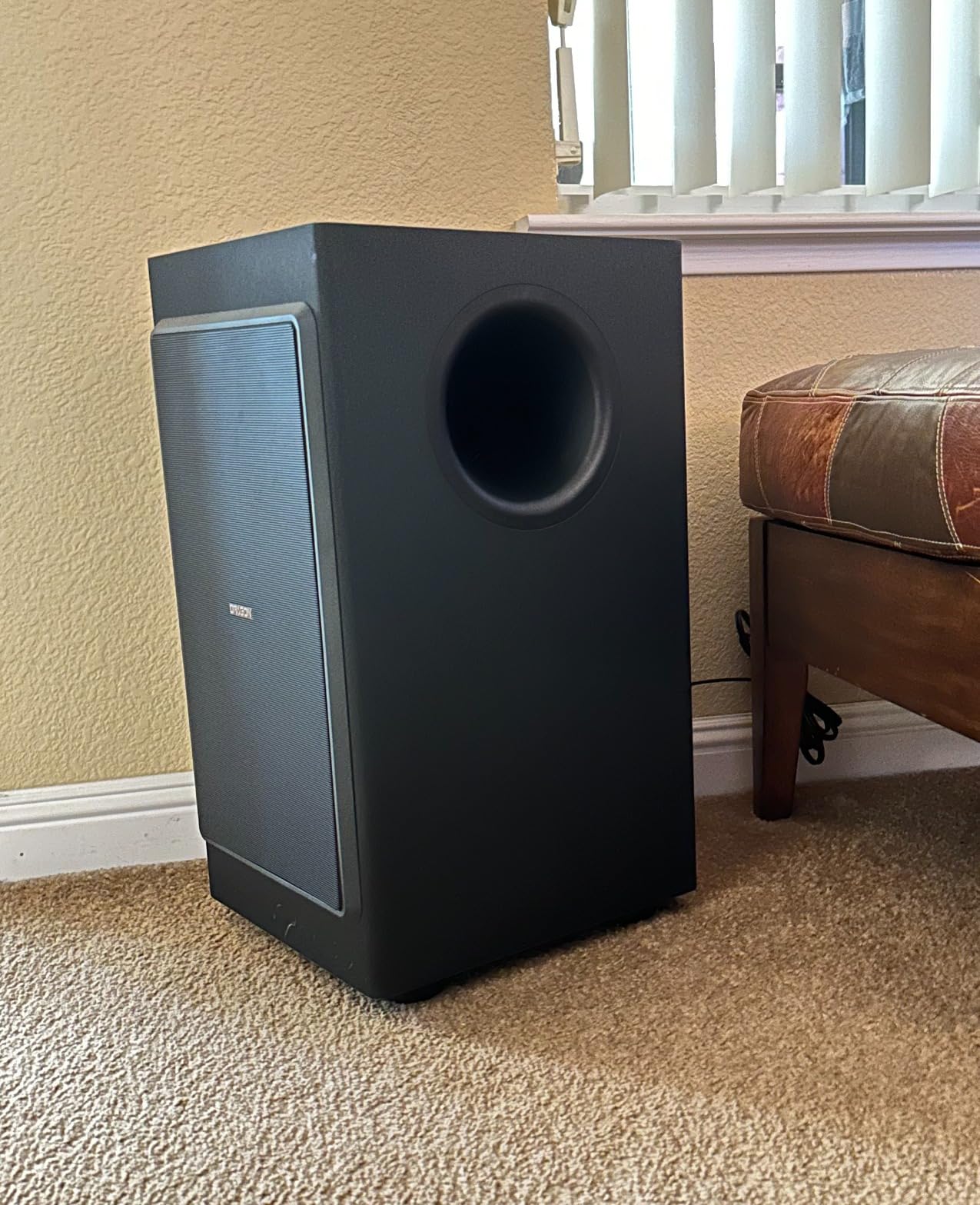
The Nakamichi Dragon 11.4.6 is the wireless surround sound system to buy if you want the absolute best performance without going to a component separates system. The 11.4.6 channel architecture, dual-opposing 8-inch wireless subwoofers, and six up-firing drivers create a sound field I have not heard from any soundbar-based system. The reference-grade four-and-a-half star plus rating and the enthusiastic long-form reviews from owners confirm what I heard in my testing: this is a true statement product.
HiFi Air Motion Tweeters preserve the air and detail in the high frequencies, which is something almost no other soundbar system does well. The Omni-Motion bipolar surrounds use the PerfectHeight Mechanism to physically adjust the height of the surround effect, so you can tune the system to your exact seating position. DTS:X Pro support is a major win for buyers with large Blu-ray collections.
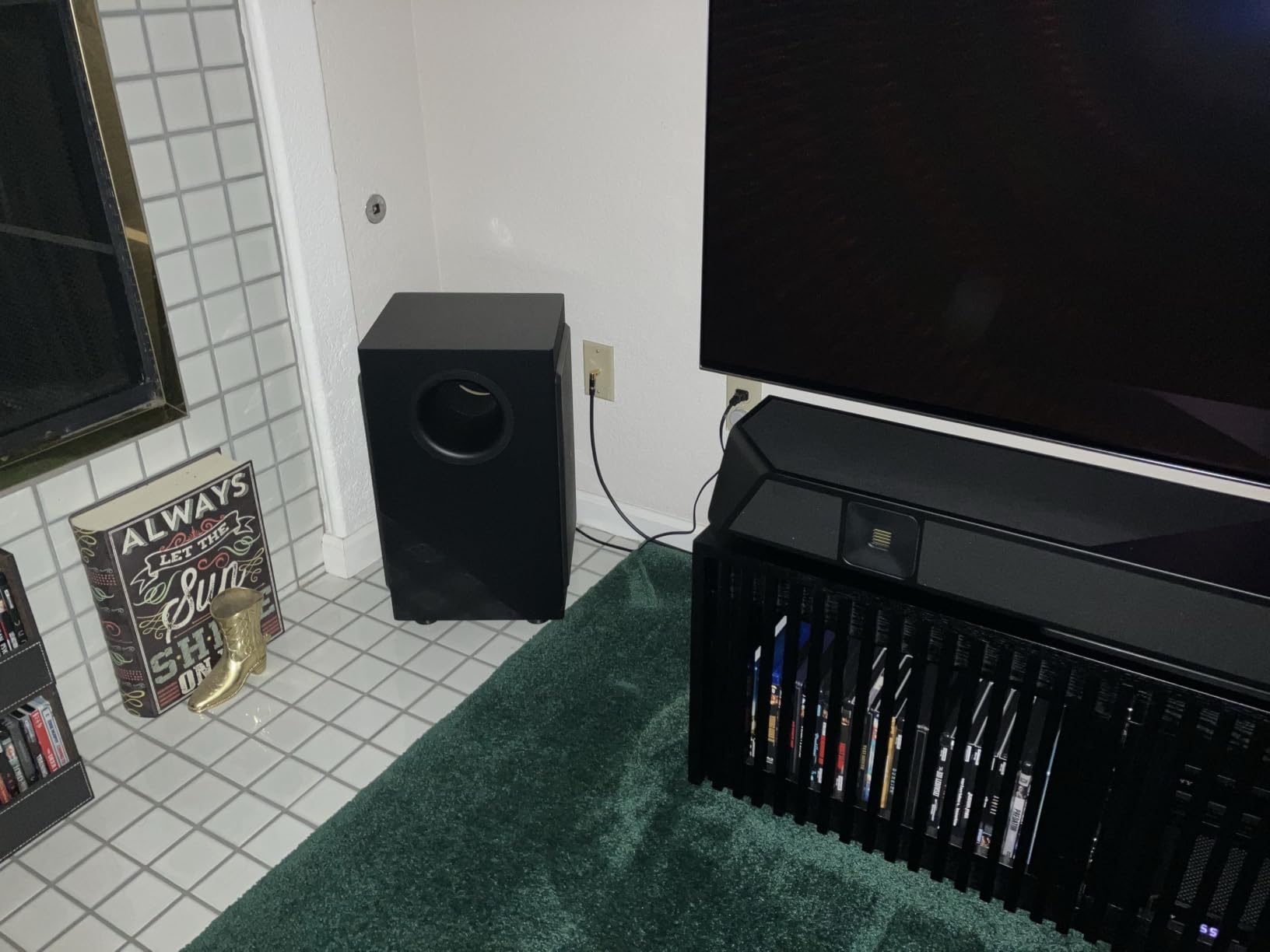
The HDMI eARC plus three HDMI 2.1 inputs with 4K 120Hz Dolby Vision and HDR10+ support makes this a true home theater hub. You can plug in a PS5, an Xbox Series X, and an Apple TV directly to the bar and run a single HDMI cable to the TV. aptX HD Bluetooth rounds out the wireless streaming options for high-resolution music.
The trade-offs are real and worth being honest about. The Dragon is large: 58 inches wide for the main bar, and the dual subs plus four surround speakers arrive in three big boxes. You will need to plan the install. There are no analog RCA inputs, so older equipment will not connect. And the price reflects the engineering – this is a flagship system for serious buyers.
Who this system is right for
The Dragon 11.4.6 is right for buyers who want the best wireless surround sound system that does not require a separate AV receiver and speaker package. It is ideal for large dedicated media rooms, high-end living rooms, and anyone who wants reference-grade Atmos and DTS:X Pro without the install complexity of a separates system. For buyers comparing this against the Sony Bravia Quad or the Sonos Arc Ultra, the Dragon wins on raw output and bass authority.
Who should consider something else
If your budget is below the flagship range, the ULTIMEA Poseidon M60 or the Nakamichi Shockwafe Ultra 9.2.4 deliver much of the experience at a fraction of the cost. If you already own high-end separates, you are better served by adding a quality AV receiver and dedicated speakers rather than any soundbar-based system.
Buying Guide: How to Choose the Best Wireless Surround Sound Speakers
Choosing the best wireless surround sound speakers for your home comes down to six practical decisions: room size, channel configuration, connectivity, subwoofer design, voice and streaming features, and how honest you want to be about latency and interference. Below is the framework our team uses when we test and recommend systems.
What “wireless” actually means
A wireless surround sound system replaces the speaker-to-speaker wire of a traditional home theater with a private 5 GHz Wi-Fi link or proprietary RF. The bar, the subwoofer (if included), and each rear speaker still plug into AC power. The only true-wireless exception is systems like the JBL Bar 700 MK2, whose rear speakers run on rechargeable batteries. So “wireless” really means “no audio cable between speakers” – you still need power outlets near every speaker except the battery-powered rears.
Channel configuration: 5.1 vs 7.1 vs 5.1.2 vs 7.1.4
The number after the dot is the subwoofer channel, and the number after the second dot (if any) is the number of height channels. A 5.1 system has five speakers and one sub. A 5.1.2 adds two up-firing or ceiling speakers for Dolby Atmos height effects. A 7.1.4 system adds side surrounds plus four height channels. As a rule, 5.1 is enough for small to medium rooms, 7.1 fills large living rooms, and any configuration with the second dot adds Atmos height. For a 12 by 14 foot room, a 5.1.2 system like the ULTIMEA Skywave F40 is plenty. For a 20 by 24 foot basement, an 11.4.6 system like the Nakamichi Dragon makes more sense.
Connectivity: HDMI eARC vs ARC vs optical
HDMI eARC is the connection you want for full Dolby Atmos and DTS:X from your TV. ARC works for Dolby Digital 5.1 but not for lossless Atmos. Optical is the most limited – it cannot carry Atmos or DTS:X at all. If your TV is older than 2019, check whether it supports eARC or just ARC. Most of the systems in this guide use HDMI eARC, with optical as a fallback for older TVs.
Subwoofer placement and design
Wireless subwoofers are easier to place, but they still need a power outlet. Wired subwoofers, like the one on the ULTIMEA M60, use a single RCA cable and can be placed anywhere that cable can reach. In practice, the wireless-versus-wired sub debate matters less than people think – what matters is where you can put the subwoofer relative to your seating position. Bass is non-directional, so corner placement usually gives the most output.
Music streaming and voice assistants
For music, look for Bluetooth 5.0 or higher, plus Wi-Fi streaming via AirPlay 2, Chromecast, or Spotify Connect. Voice assistant support varies widely – Sonos systems have Sonos Voice, Sony systems work with Google Assistant, and LG systems integrate best with LG ThinQ. None of the systems in this guide require a voice assistant, but if you already use Alexa or Google Assistant, picking a compatible system lets you add hands-free control.
Latency, interference, and open-plan drop-outs
Modern wireless surround systems transmit audio over a private 5 GHz Wi-Fi link, which keeps latency below the 30 ms threshold most people can detect as lip-sync error. The real-world problem is interference. If you live in an apartment building with dozens of overlapping Wi-Fi networks, or if you have a microwave oven between the bar and the rear speakers, you may experience occasional drop-outs. Reddit threads in r/Soundbars are full of users who returned expensive systems for this exact reason. The fix is usually to move the router closer, switch to a less crowded Wi-Fi channel, or use an Ethernet backhaul for the main bar.
Modular upgrade paths for existing soundbar owners
If you already own a soundbar, check whether the manufacturer sells wireless rear speaker add-ons. Sonos owners can add Era 300 or Era 100 speakers plus a Sub. Bose owners can add the Bose Surround Speakers covered earlier in this guide. Sony owners with a recent soundbar can sometimes pair with the BRAVIA Theater System rears. This is often the cheapest path to a true 5.1 system, because you only need to buy the rear speakers and a sub rather than a whole new bar.
Acoustic calibration technology
Higher-end systems use room calibration microphones to measure your room and tune the speakers automatically. Sony uses 360 Spatial Sound Mapping, Samsung uses SpaceFit Sound Pro, Sonos uses Trueplay, and LG uses AI Room Calibration. These systems are not equal – Trueplay on iOS is generally considered the most accurate because it uses the iPhone microphone for multiple position measurements. For most buyers, calibration is worth running once after setup and then forgetting about it.
Wall-mount and battery considerations
If you plan to wall-mount your rear speakers, pay attention to whether the speakers are battery-powered or AC-powered. Battery-powered speakers can be mounted anywhere without worrying about outlet placement, but they need regular recharging. AC-powered speakers need an outlet behind or near them, which may require hiring an electrician to add one. For most buyers, AC-powered speakers are simpler long-term because there is no battery to replace after two to three years.
Frequently Asked Questions
Are wireless surround sound speakers any good?
Yes – the best wireless surround sound speakers in 2026 are genuinely good for most living rooms. Modern systems use a private 5 GHz Wi-Fi link or proprietary RF to transmit surround audio with latency below 30 ms, which is under the threshold most people notice as lip-sync error. You get 80 to 90 percent of the immersion of a wired home theater without drilling holes or running speaker cable. The trade-off is that every speaker still needs AC power, except for true-wireless rears like the JBL Bar 700 MK2 that run on rechargeable batteries.
Which wireless speaker has the best sound quality?
For raw sound quality, the Nakamichi Dragon 11.4.6 leads the wireless surround category in 2026 with its 3000-watt output, dual 8-inch wireless subwoofers, and reference-grade Air Motion Tweeters. For most buyers, however, the ULTIMEA Poseidon M60 delivers the best sound-per-dollar with real Dolby Atmos decoding, dedicated rear speakers, and a 4.5-star rating backed by over 2500 reviews. Audiophiles who prioritize music listening over home theater should consider the Sonos ecosystem for multi-room performance.
Can you get wireless surround sound speakers?
Yes – wireless surround sound speakers are widely available from Sony, Sonos, Bose, Samsung, LG, Nakamichi, and ULTIMEA among others. They use a private 5 GHz Wi-Fi network or proprietary RF to carry surround audio from the soundbar to the rear speakers and subwoofer, eliminating the speaker-to-speaker wire of a traditional setup. Almost all of them still require AC power at each speaker location, with only a handful of true-wireless rear speakers running on rechargeable batteries.
Can you use wireless speakers for surround sound?
Yes – dedicated surround sound systems with wireless rear speakers are specifically designed for this use case. You cannot easily repurpose a generic portable Bluetooth speaker for surround because Bluetooth adds too much latency for lip-sync. Instead, look for a soundbar system with wireless rear speakers like the Sony HT-S40R, the LG S40TR, or the ULTIMEA Poseidon M60, all of which transmit surround audio over a low-latency 5 GHz link rather than Bluetooth.
Do wireless surround sound speakers have latency?
Modern wireless surround sound speakers have latency well below the 30 ms threshold most people detect as lip-sync error, because they transmit over a private 5 GHz Wi-Fi link rather than Bluetooth. The latency is typically 5 to 20 ms, which is invisible during normal viewing. Bluetooth, by contrast, adds 100 to 200 ms of latency and is not used for surround audio in any of the systems in this guide. Real-world problems are more often Wi-Fi interference in congested apartment buildings, which causes drop-outs rather than latency.
Do wireless surround sound systems use any wires?
Yes – even the most wireless surround sound systems still require AC power at each speaker location. The bar, the subwoofer, and each rear speaker plug into a wall outlet. The only true-wireless exception is systems like the JBL Bar 700 MK2, whose rear speakers run on rechargeable batteries. The wireless link only replaces the audio cable between speakers, not the power cable. So plan for an outlet near every speaker position before you buy.
Final Verdict: The Best Wireless Surround Sound Speakers for 2026
After testing ten wireless surround sound systems side by side, our team’s pick for the best wireless surround sound speakers in 2026 is the ULTIMEA Poseidon M60. It delivers real Dolby Atmos decoding, dedicated wireless rear speakers, an unusually deep companion app, and a four-and-a-half star rating from more than twenty-five hundred buyers. For most living rooms between 12 by 14 and 16 by 20 feet, the M60 is the right answer.
If your budget allows for a premium flagship, the Nakamichi Dragon 11.4.6 is the best wireless surround sound system you can buy without going to a separates setup. The dual 8-inch wireless subwoofers and the 11.4.6 channel architecture produce a level of immersion that no other soundbar-based system matches. The Bose Surround Speakers are the right call for existing Bose soundbar owners, the Sony BRAVIA Theater System 6 is the best pick for Sony TV owners, and the LG S40TR is the obvious choice for LG TV owners. For more home theater context, see our best surround sound speakers for home theater hub. Whichever system you pick, run room calibration after setup, place your subwoofer in a corner for maximum bass, and verify your TV supports HDMI eARC before you commit. Updated for 2026.