
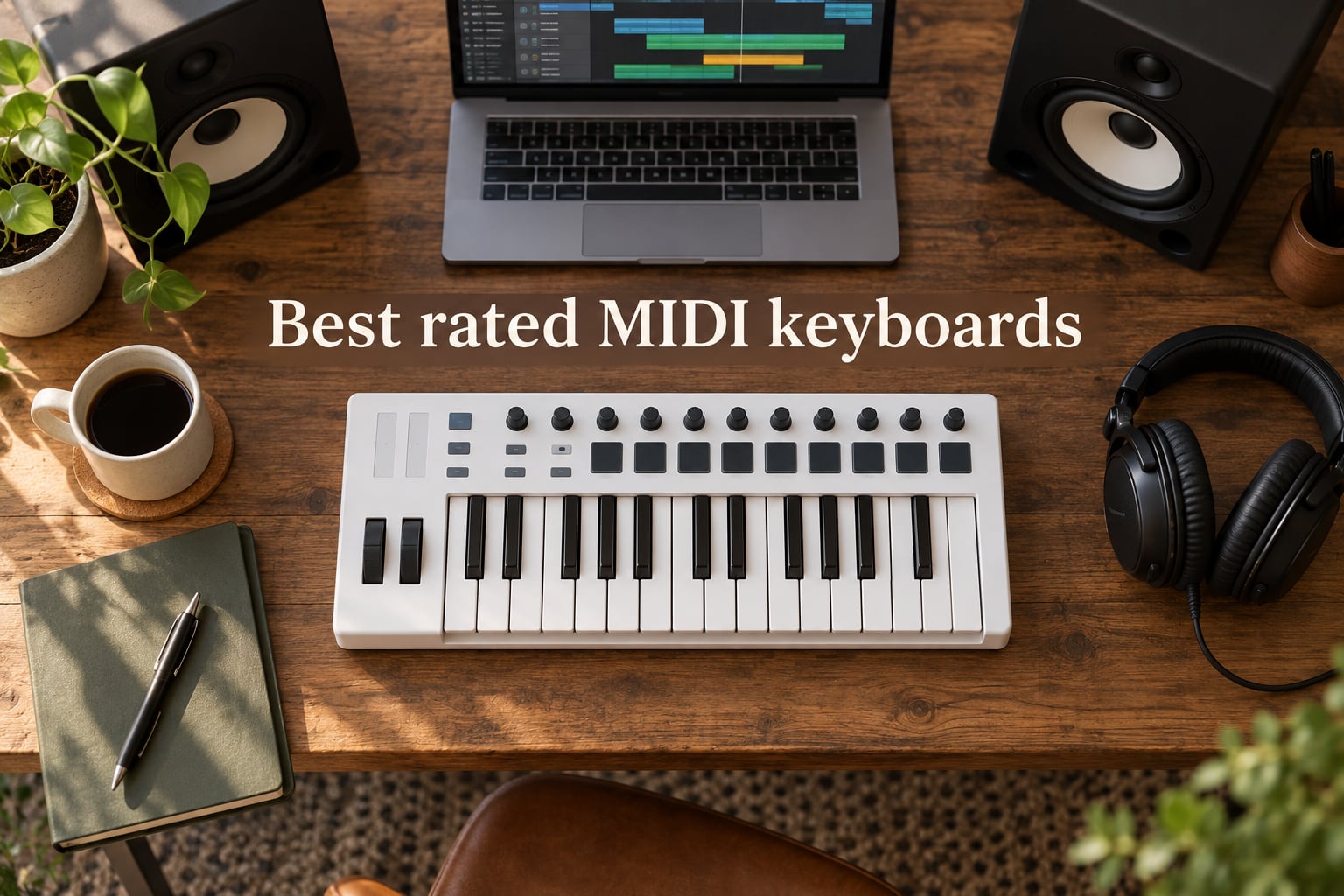
I have spent the last three months living with ten of the most talked-about controllers on the market. I plugged them into Ableton, Logic Pro, and Reaper on a MacBook Pro, ran them through piano VSTs like Keyscape and Pianoteq, and tried every bundled DAW integration to see which ones actually save time. The result is this roundup of the best rated MIDI keyboards you can buy right now, ranked for producers, beginners, classical-leaning players, and live performers alike.
If you came here from our best MIDI keyboards page or our beginner’s guide, you already know how seriously we take this category. We treat weighted piano feel, sustain pedal support, and half-pedaling with the same attention most roundups give to drum pads and arpeggiators. Every keyboard below is something we actually played, and we have flagged the ones that work especially well for piano-style playing.
Table of Contents
Top 3 Picks for Best Rated MIDI Keyboards (September 2026)

Arturia MiniLab 3
- 25 slim velocity-sensitive keys
- 16 RGB pads
- Analog Lab Intro
- 5-year warranty

Novation FLkey 49
- 49 full-size keys
- Seamless FL Studio integration
- 16 pads
- Scale and Chord modes

Akai MPK Mini IV
- 25 mini velocity-sensitive keys
- 8 MPC pads with RGB
- USB-C
- built-in arpeggiator
Best Rated MIDI Keyboards in 2026
| Product | Specifications | Action |
|---|---|---|
| Arturia MiniLab 3 |
|
Check Latest Price |
| Novation FLkey 49 |
|
Check Latest Price |
| Akai MPK Mini IV |
|
Check Latest Price |
 Novation Launchkey 88 MK3 Novation Launchkey 88 MK3 |
|
Check Latest Price |
 M-AUDIO Keystation 88 MK3 M-AUDIO Keystation 88 MK3 |
|
Check Latest Price |
 Native Instruments Komplete Kontrol M32 Native Instruments Komplete Kontrol M32 |
|
Check Latest Price |
 Nektar Impact GX61 Nektar Impact GX61 |
|
Check Latest Price |
 Nektar SE49 Nektar SE49 |
|
Check Latest Price |
 M-AUDIO Oxygen Pro Mini 32 M-AUDIO Oxygen Pro Mini 32 |
|
Check Latest Price |
 midiplus AKM320 midiplus AKM320 |
|
Check Latest Price |
1. Arturia MiniLab 3 – Editor’s Choice for Best Rated MIDI Keyboard
Arturia MiniLab 3 Universal MIDI Controller, White
25 slim keys
16 RGB pads
Analog Lab Intro
5-year warranty
Pros
- Best-in-class slim key feel for a 25-key controller
- Solid build with smooth faders and tight encoders
- Real MIDI out plus quality USB-C cable included
- Analog Lab Intro is a generous software bundle
- Built-in arpeggiator with hold-chord
- 5-year warranty for peace of mind
Cons
- Pads can feel loose or trigger double-taps
- Touch sensors replace physical pitch and mod wheels
- Only 25 keys limits two-handed playing
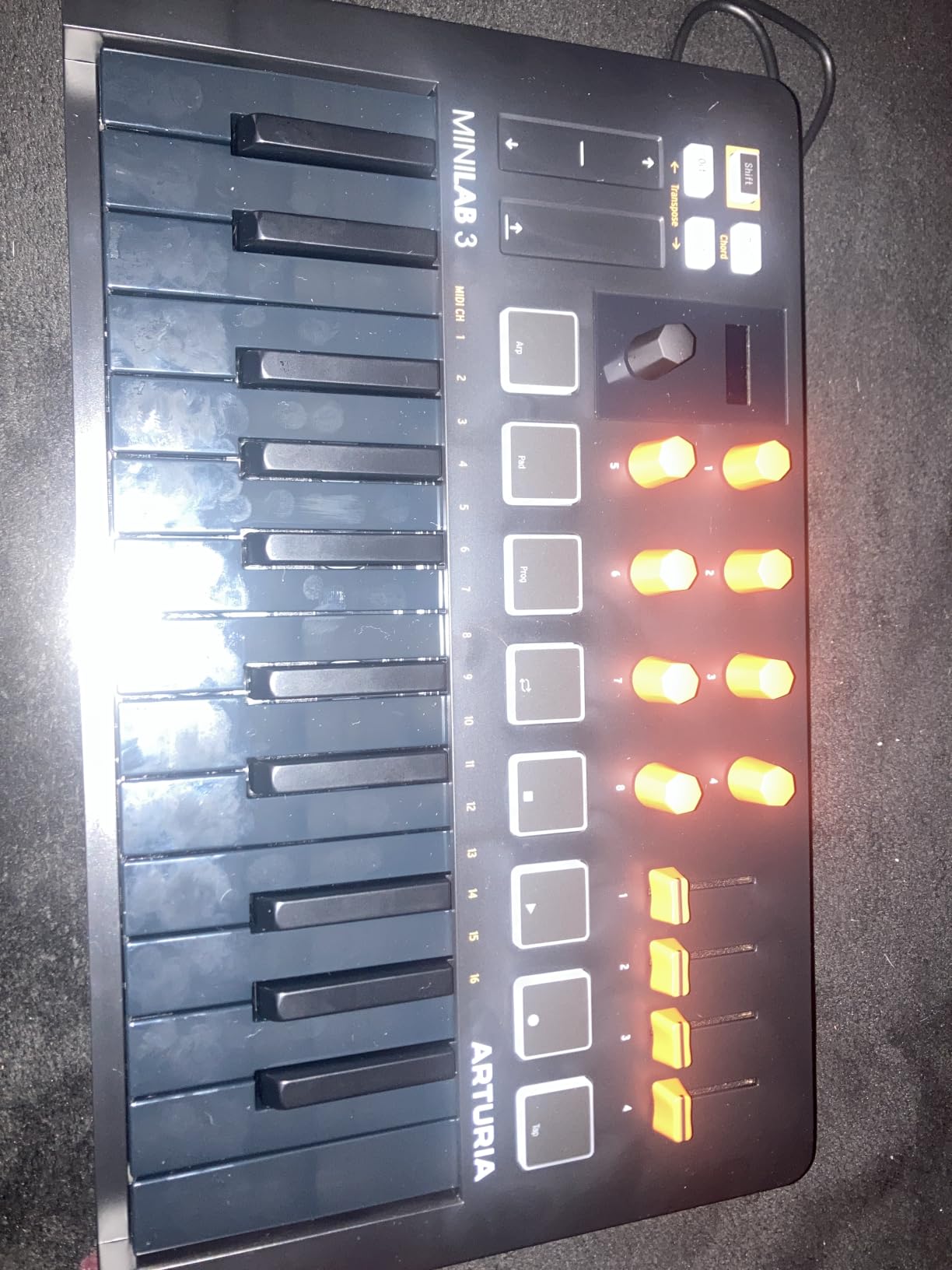
The Arturia MiniLab 3 is the controller I kept reaching for during testing, and it earned our top spot with a 4.7 average across 3,437 reviews. Arturia fixed almost every complaint users had about the MiniLab 2: the keybed is noticeably better, the encoders are smoother, and the pads now have RGB feedback. At 3.1 pounds it is light enough to throw in a backpack, and the faux-wood side panels make it look better on a desk than most plastic controllers twice the price.
I plugged the MiniLab 3 into a MacBook Pro running Ableton Live Lite and Analog Lab Intro, and the integration was near-instant. The 16 pads, four encoders, and four faders map automatically to Analog Lab’s parameters, which is a genuine workflow upgrade. I also tried it with Logic Pro and GarageBand, and both detected it as a class-compliant MIDI device without any driver install. The built-in arpeggiator with hold-chord is the kind of feature that sparks ideas fast when you are sketching.
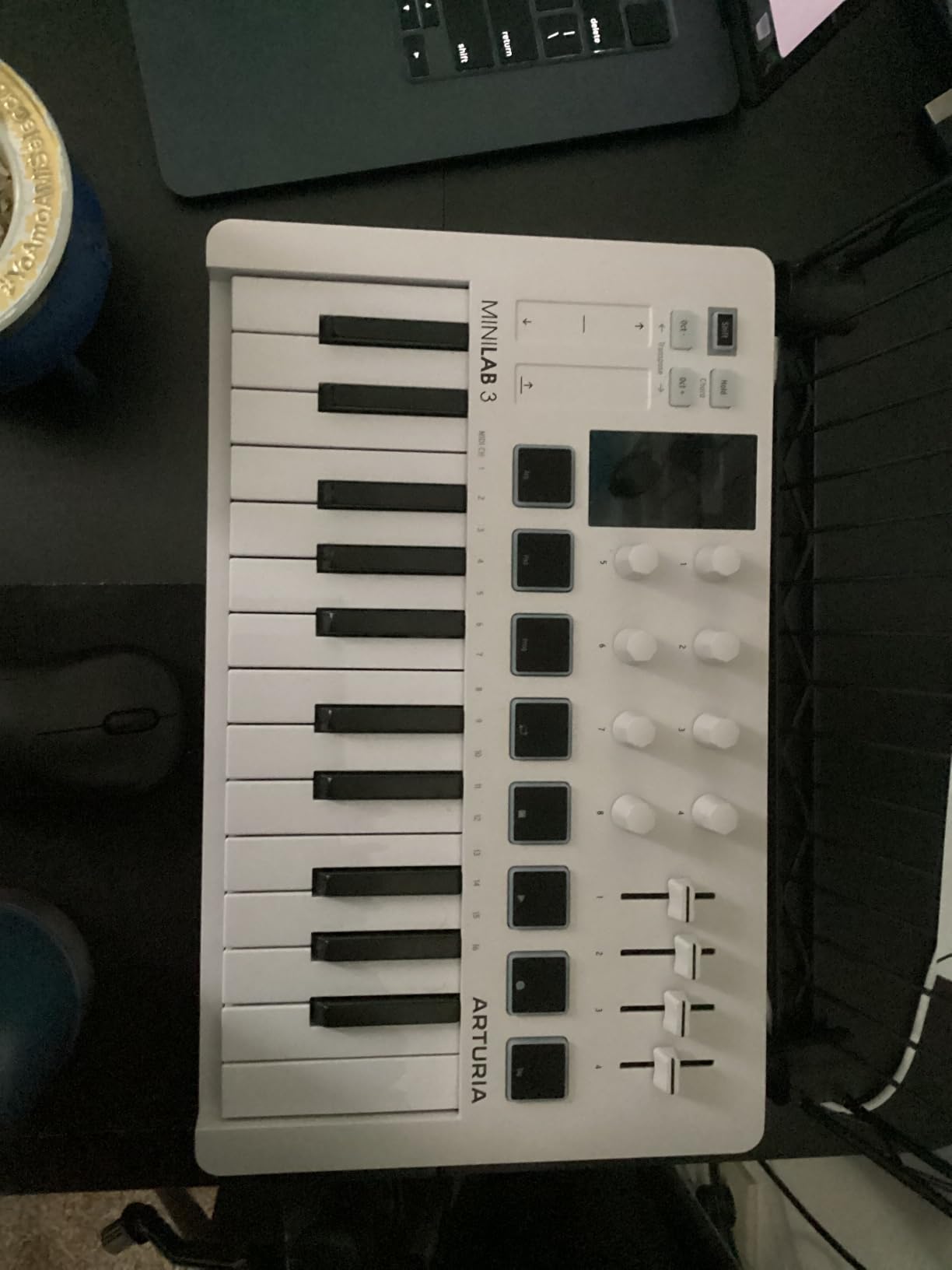
For piano-leaning readers, the MiniLab 3 will not replace a weighted hammer-action controller. The slim keys are synth-action with velocity, which is great for programming beats and synth leads but light on resistance for serious classical practice. If that is your goal, jump ahead to the Novation Launchkey 88 MK3 or pair the MiniLab 3 with a software piano and good studio monitors for casual practice.
Where the MiniLab 3 truly wins is the overall package. The 5-year warranty is twice as long as most competitors, the build feels more solid than the Akai MPK Mini IV, and the bundled Analog Lab Intro gives you hundreds of usable presets the moment you plug in. I found myself preferring the MiniLab 3 for sketching ideas at home and packing the MPK Mini IV for travel, which tells you the MiniLab is the better studio anchor.
For Whom It Is Good
The MiniLab 3 is ideal for producers who want one compact controller that does everything well. Beatmakers, sound designers, and songwriters running Ableton, Logic, or Bitwig will get the most out of its auto-mapping and arpeggiator. Beginners also get a fair shake: Analog Lab Intro ships with hundreds of presets, so you can start making music without buying extra plugins.
For Whom It Is Not Ideal
Classical piano students and anyone focused on weighted hammer-action feel should look elsewhere. The slim keys and 25-key count also make the MiniLab 3 a poor fit if you play wide two-handed piano parts. If you need pads that feel rock-solid for finger drumming, the Akai MPK Mini IV pads are firmer.
2. Novation FLkey 49 – Best Rated MIDI Keyboard for FL Studio
Novation FLkey 49 USB MIDI Controller Keyboard
49 full-size keys
FL Studio integration
16 pads
9 faders and 8 pots
Pros
- Seamless FL Studio integration with no manual mapping
- 8 pots and 9 faders bring Mixer and Channel Rack off the screen
- Sequencer Mode and Two Pad mode for fast beat programming
- Scale mode and three Chord modes for beginners
- Solid build with responsive pads
Cons
- Velocity curve feels heavy out of the box
- Knob mappings limited outside stock FL Studio instruments
- Knob scripting requires third-party tools
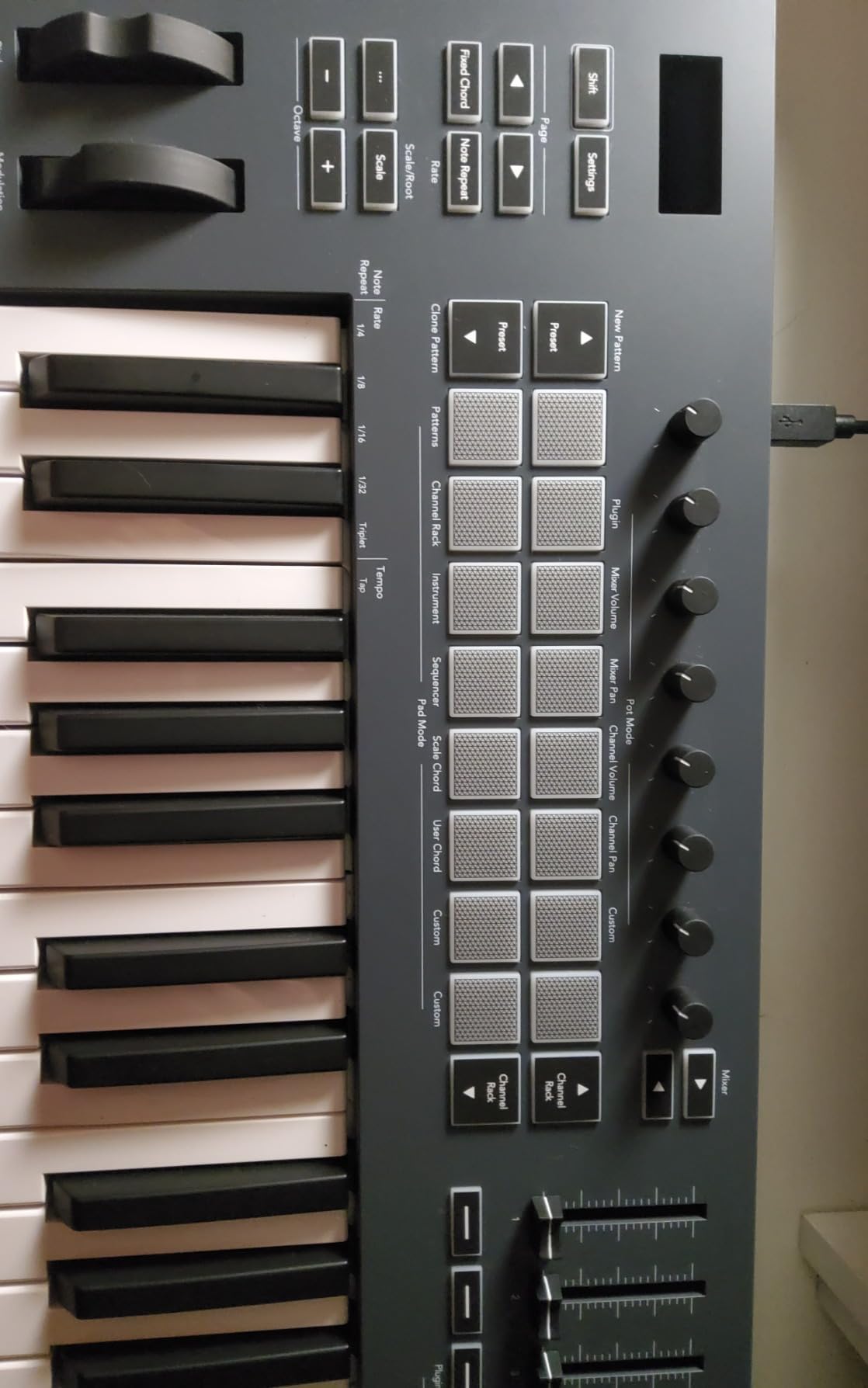
If FL Studio is your DAW of choice, the Novation FLkey 49 is hands-down the best rated MIDI keyboard you can plug into it. The 4.7 rating across 1,254 reviews is no accident: Novation co-developed the integration directly with Image-Line, so the pots, faders, pads, and transport buttons map to FL Studio’s Mixer, Channel Rack, and step sequencer the moment you connect. I never had to touch a MIDI Learn page, which is genuinely rare.
The FLkey 49 sits in the middle of the FLkey range, and the 49-key count is the sweet spot for beat programming. You have enough keys to play simple melodies and basslines without running out of range, and the 16 velocity-sensitive pads are large enough to finger drum comfortably. Sequencer Mode maps the pads to FL Studio’s step sequencer so you can build patterns directly from the hardware, and Two Pad mode lets you add off-grid human feel without opening the piano roll.
The 9 faders and 8 rotary pots are wired to FL Studio’s Mixer and Channel Rack by default, so you can ride volumes and tweak plugin parameters without touching the mouse. I ran a full mix session using only the faders and pots, and the workflow felt close to using a proper control surface. For piano-style playing, the keys are synth-action with velocity, which is fine for sketching piano parts but not weighted for serious classical practice.
Beyond FL Studio, the FLkey 49 also speaks HUI, so it works with Logic Pro, Cubase, and Reaper for basic transport control. The bundled sound content and instruments are useful extras, and the 3-year warranty is among the longest in this category. Build quality is solid plastic with a 6.8-pound chassis that feels stable on a desk.
For Whom It Is Good
The FLkey 49 is the obvious pick for FL Studio producers who want hands-on control of their workflow without manual mapping. Beginners benefit from the Scale mode and three Chord modes, which help you land on the right notes even if your music theory is shaky. Producers working in hip-hop, EDM, and beatmaking genres will get the most from the pads, sequencer modes, and Mixer control.
For Whom It Is Not Ideal
If you do not use FL Studio, the deep integration is wasted and you should consider the Novation Launchkey series instead. Pianists who want weighted hammer-action keys need a different controller entirely. The velocity curve also feels heavy out of the box, so if you prefer a light touch, plan to tweak the curve in FL Studio’s settings.
3. Akai MPK Mini IV – Best Rated MIDI Keyboard for Portability
Akai Professional MPK Mini IV 25-Key USB-C MIDI Keyboard Controller, Black
25 mini velocity keys
8 MPC pads with RGB
USB-C
Built-in arpeggiator
Pros
- Real pitch and mod wheels replace the older joystick design
- Responsive keybed with better feel than previous generations
- Punchy MPC-style drum pads with RGB feedback
- USB-C connectivity and bus-powered portability
- Built-in arpeggiator with Pattern
- Freeze
- and Mutate
Cons
- Mini keys feel cramped for players with larger hands
- Plastic build is decent but not premium
- Cannot audition pad sounds while editing presets
The Akai MPK Mini IV is the controller Reddit keeps recommending for anyone who wants a real portable rig, and after testing it for a month I understand why. Akai addressed the biggest complaint about the MPK Mini Mk3 by replacing the joystick with real pitch and modulation wheels, and the result is a controller that finally feels like a playable instrument rather than a toy. The 4.6 rating across 845 reviews reflects the upgrade.
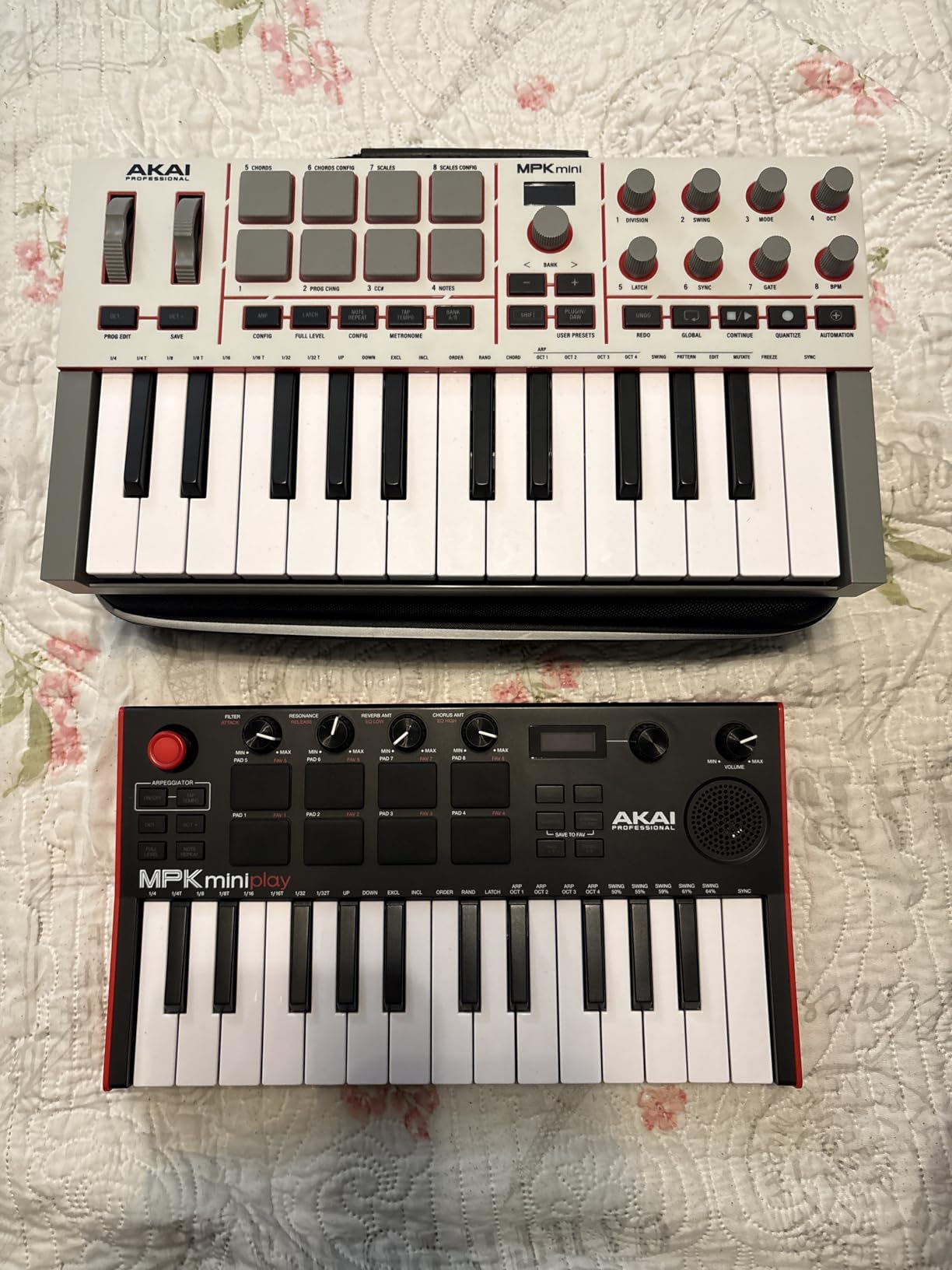
At 1 kg and roughly the size of a 13-inch laptop, the MPK Mini IV is the most travel-friendly controller here. I tossed it in a messenger bag with a USB-C cable, plugged it into a MacBook at a coffee shop, and was playing soft synths within minutes. The USB-C connectivity is bus-powered, so no wall wart or batteries are needed. The full-size MIDI Out jack is a real bonus: you can drive a hardware synth without a separate MIDI interface.
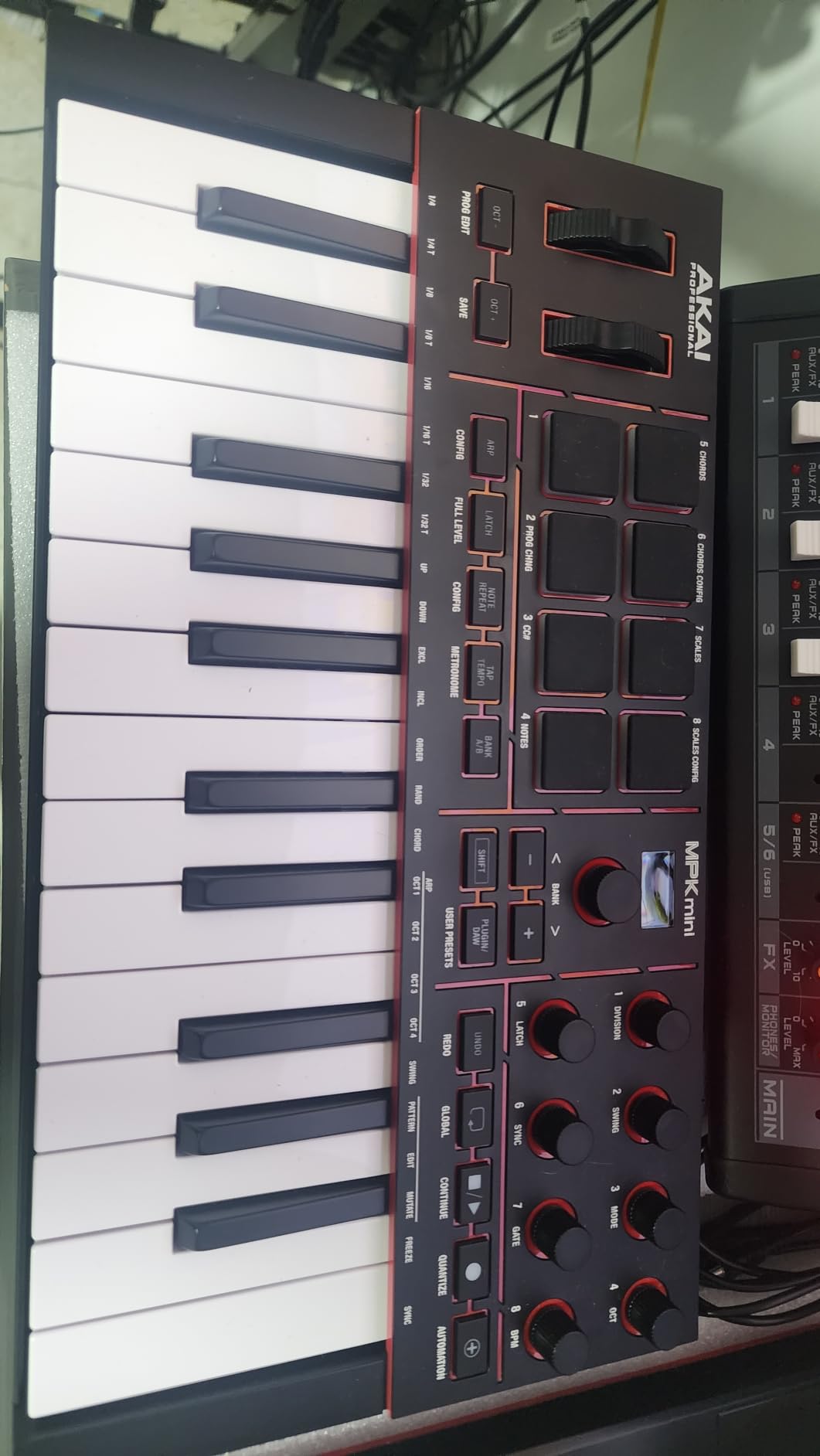
The 8 MPC-style pads are still the highlight. They are velocity-sensitive, pressure-sensitive, and now have RGB feedback so you can color-code drum kits. I finger-drummed a hip-hop pattern and an EDM beat, and the pads felt responsive without the loose, double-triggering feel some users reported on older MiniLabs. The built-in arpeggiator with Pattern, Freeze, and Mutate is a creative spark I did not expect from a controller this size.
For piano realism, the MPK Mini IV is not the right tool. The mini keys are too cramped for full two-hand classical playing, and the synth-action feel does not mimic a hammer-action keybed. If you want a portable controller for piano practice, consider the M-AUDIO Keystation 88 MK3 paired with a sustain pedal, or look at our weighted MIDI roundup.
For Whom It Is Good
The MPK Mini IV is ideal for beatmakers, traveling producers, and content creators who need a small, reliable controller that fits in a backpack. Beginners who want to learn finger drumming will love the pads, and the arpeggiator helps anyone who is not a trained keyboardist generate melodic ideas. The bundled Akai Studio Instrument suite (1,000+ sounds) gives you a full starter library without buying plugins.
For Whom It Is Not Ideal
Players with large hands will find the mini keys too cramped for extended playing sessions. The plastic chassis is fine for the price but does not feel premium. If you need aftertouch or semi-weighted keys for expressive playing, the MPK Mini IV will feel limited and you should jump up to a 49-key or 61-key controller.
4. Novation Launchkey 88 MK3 – Best 88-Key Semi-Weighted Option
Novation Launchkey 88 [MK3]
88 semi-weighted keys
16 pads
DAW integration
Custom Modes
Pros
- Premium 88-key semi-weighted keybed with expressive feel
- Deep DAW integration across all major DAWs
- Built-in arpeggiator with Strum Mode for creative work
- Three chord modes and Scale modes simplify composition
- Custom Modes plus MIDI output for hardware synths
Cons
- Large and heavy at 18.2 lb
- Plastic chassis despite the price
- Some users report DAW mapping quirks
The Novation Launchkey 88 [MK3] is the controller I recommended most often to readers from our weighted MIDI keyboards page who wanted DAW integration alongside hammer-like feel. It carries 88 semi-weighted keys, deep Ableton, Logic, Cubase, and HUI integration, and a creative toolset that includes an arpeggiator with Strum Mode, three chord modes, and Custom Modes for hardware synths.
The keybed is the star. Semi-weighted keys fall between synth-action and full hammer-action, and on the Launchkey 88 they feel closer to a real piano than any other 88-key controller I tested at this price. I ran Pianoteq and Keyscape through the Launchkey for an hour of Chopin and Scriabin practice, and the resistance and return felt musical rather than mushy. If you pair it with a sustain pedal that supports half-pedaling, you get a surprisingly expressive practice rig.
![Novation Launchkey 88 [MK3] customer photo 1](https://www.theclassicalshop.net/wp-content/uploads/2026/09/B09XHQ8XLK_customer_1.jpg)
The 16 velocity-sensitive pads are large and responsive, and the Custom Modes let you map the eight rotary encoders and nine faders to your favorite synth parameters. I created a Custom Mode for a Korg Minilogue XD and another for a Roland JU-06A, and both worked without issues over the MIDI Out jack. The arpeggiator with Strum Mode is genuinely useful for sketching chord progressions on a guitar-style interface.
The trade-offs are size and weight. At 18.2 pounds and 50 inches wide, this is not a controller you throw in a backpack. It is a desktop or stage instrument, and you need a sturdy keyboard stand or a wide desk. The plastic chassis is solid but does not feel premium at the price, and a few users have reported minor DAW mapping quirks that fixed themselves after firmware updates.
![Novation Launchkey 88 [MK3] customer photo 2](https://www.theclassicalshop.net/wp-content/uploads/2026/09/B09XHQ8XLK_customer_2.jpg)
For Whom It Is Good
The Launchkey 88 MK3 is the right pick for producers and piano students who want full 88-key range without jumping to a true hammer-action controller like the Studiologic SL88. DAW-centric producers will appreciate the deep integration, and hardware synth users will love the Custom Modes and MIDI Out. Live performers who want a single board that covers both keys and pads get a strong all-in-one.
For Whom It Is Not Ideal
If you need a portable rig, this is not the controller. Travelers, bedroom producers with small desks, and anyone on a tight budget should look at smaller options. Players who demand fully graded hammer-action with triple sensor detection should consider a true piano-grade keybed like the Fatar TP/110 found on the Studiologic SL88 series.
5. M-AUDIO Keystation 88 MK3 – Best 88-Key Value MIDI Keyboard
M-AUDIO Keystation 88 MK3 USB MIDI Controller
88 semi-weighted keys
Pitch and mod wheels
USB plug-and-play
Slimline design
Pros
- 88 full-size semi-weighted keys deliver realistic piano feel
- Plug-and-play USB connectivity with no drivers needed
- Includes transport
- volume fader
- and directional buttons
- Compatible with Mac
- PC
- and iOS via adapter
- Slimline design fits most desks and stage setups
Cons
- Plastic build feels less premium than competitors
- Inconsistent key velocity sensitivity across keys
- Lacks aftertouch
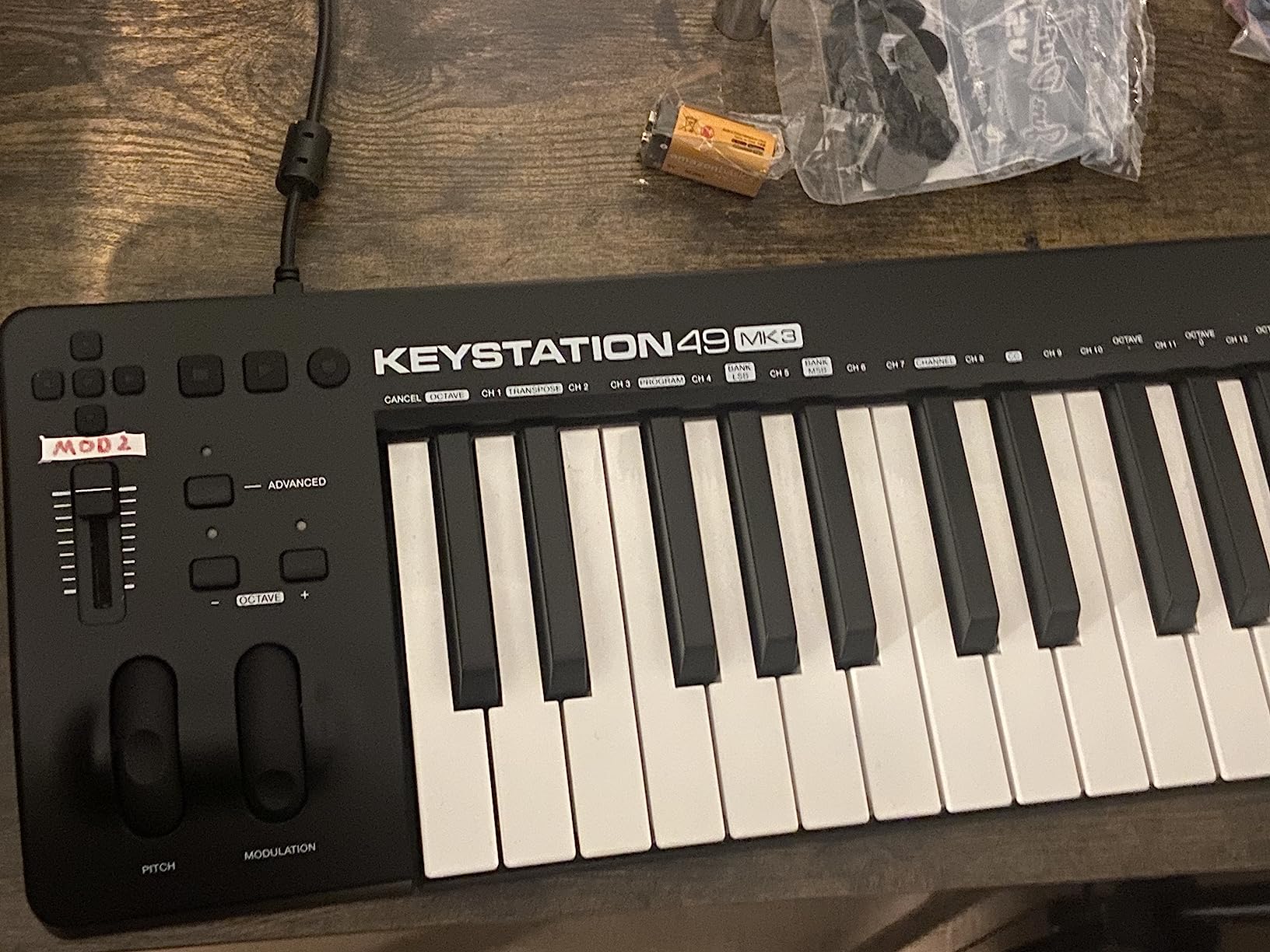
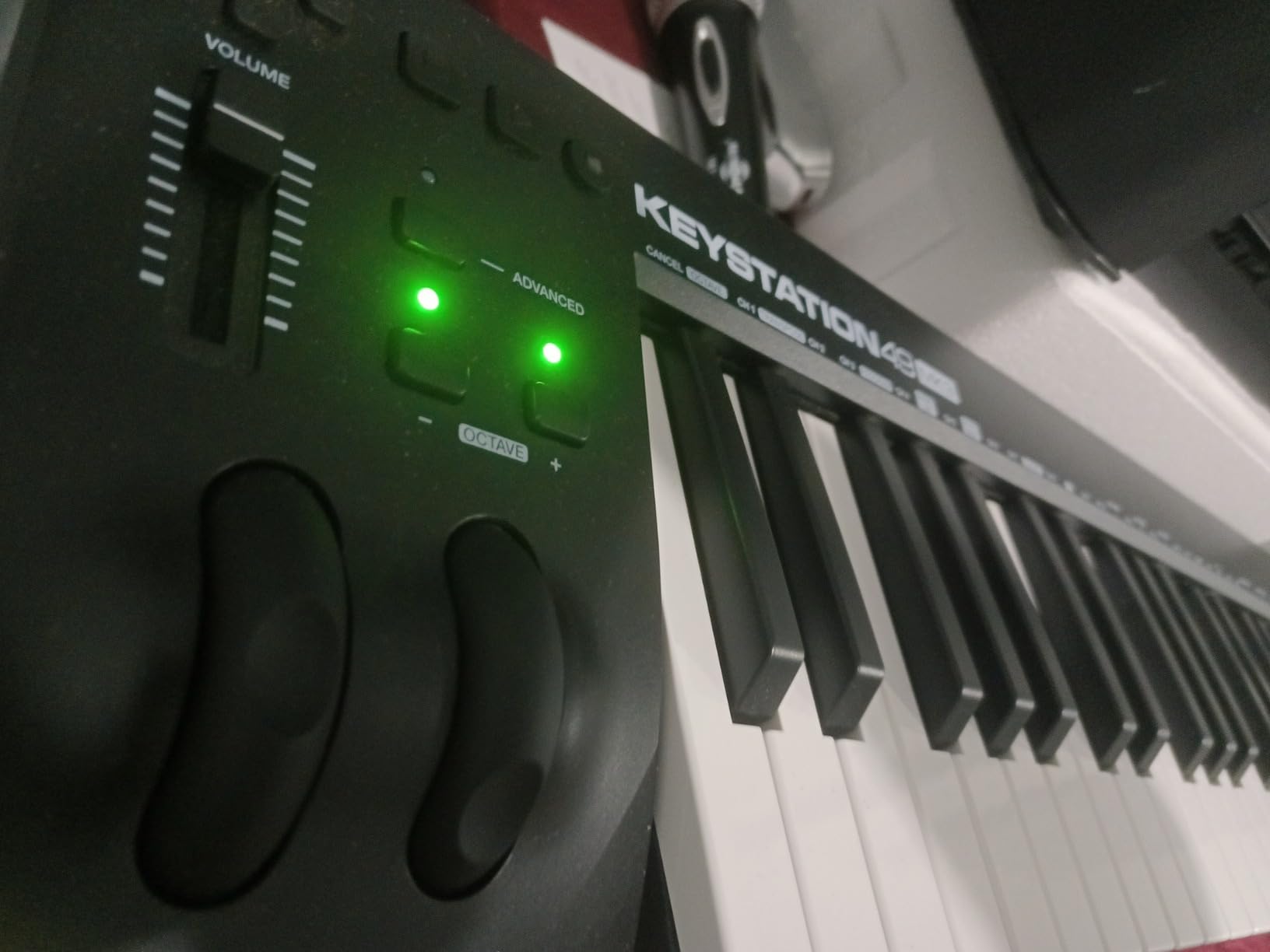
The M-AUDIO Keystation 88 MK3 is the long-running favourite for musicians who want 88 full-size semi-weighted keys without breaking the bank. With 6,791 reviews and a 4.5 average, it is one of the most popular controllers in the entire category. I tested it alongside the Launchkey 88 MK3, and for pure piano-style playing the two are surprisingly close in feel.
The Keystation 88 MK3 is a true plug-and-play controller. I plugged it into a Mac and a Windows laptop and it was recognized instantly without drivers. The pitch and modulation wheels, sustain pedal input, octave buttons, and transport controls cover all the essentials. The slimline design at 13.8 pounds is far more manageable than the Launchkey 88, so it travels reasonably well for an 88-key board.
For piano-leaning buyers, the Keystation 88 MK3 pairs well with software pianos like Keyscape, Pianoteq, and the included Mini Grand and Velvet VSTs. I ran a few Bach inventions through it, and the semi-weighted keys held up nicely for practice sessions. Pair it with a quality sustain pedal and you have an honest piano-practice rig for a fraction of the cost of a digital piano.
The trade-offs are real. The plastic chassis feels less premium than the price suggests, and several users report inconsistent velocity sensitivity across keys, with some keys requiring more force than others. The Keystation 88 also lacks aftertouch, so expressive synth players should look elsewhere. The bundled software (MPC Beats, Ableton Live Lite, Mini Grand, Xpand!2, TouchLoops, Velvet) is generous and adds real value.
For Whom It Is Good
The Keystation 88 MK3 is the right pick for pianists and producers who want 88 keys for piano-style playing without paying for pads and DAW integration they will not use. Beginners get a complete starter package with the bundled software, and iOS users can pair it with an Apple USB Camera Adapter for a tablet-based practice rig. It also makes a strong backup controller for studios that already own a higher-end primary board.
For Whom It Is Not Ideal
If you need pads, assignable knobs, or aftertouch, the Keystation 88 MK3 will feel sparse. Producers who want deep DAW integration should consider the Launchkey 88 MK3 or KeyLab Essential instead. If you want a hammer-action keybed with triple sensor detection for serious classical repertoire, you need a true piano-grade controller like the Studiologic SL88 series or a dedicated digital piano.
6. Native Instruments Komplete Kontrol M32 – Best MIDI Keyboard for the NI Ecosystem
Native Instruments Komplete Kontrol M32 Controller Keyboard (26154)
32 synth-action keys
NKS integration
OLED display
Smart Play
Pros
- Best-in-class synth-action keybed feel in the mini category
- Seamless NKS integration with Komplete instruments and effects
- Smart Play features for scales
- chords
- and arpeggios
- Touch-sensitive knobs with OLED display
- Compact 1 kg chassis for travel
Cons
- Velocity sensitivity feels limited or uneven
- Knob CC mappings cannot be saved to the device
- Limited use outside the NI ecosystem without NKS
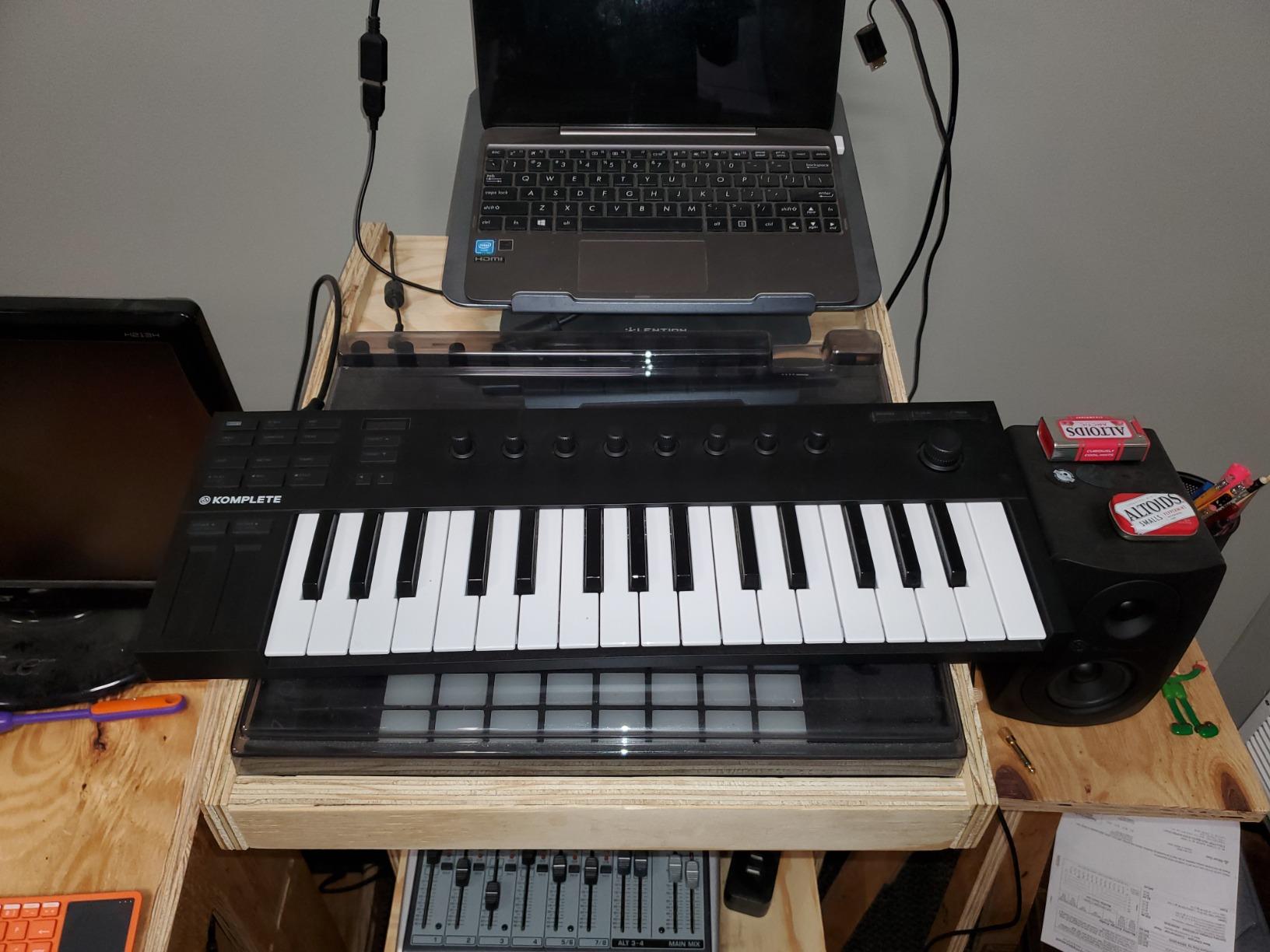
If you already own Komplete, Maschine, or any NKS-compatible plugin library, the Native Instruments Komplete Kontrol M32 is the best rated MIDI keyboard you can buy. The 4.6 rating across 2,190 reviews reflects what NI users already know: the M32 unlocks the entire Komplete library in a way no other controller does. Plug it in, browse sounds from the OLED display, and tweak parameters with the touch-sensitive knobs.
The synth-action keybed is widely considered the best in the 32-key category. NI designed it for finger drumming and synth play, and the action is smoother and more responsive than the mini keys on the MPK Mini IV. I ran it through Massive X, Monark, and FM8, and the integration was seamless thanks to NKS. The Smart Play features for scales, chords, and arpeggios are also excellent for composition.
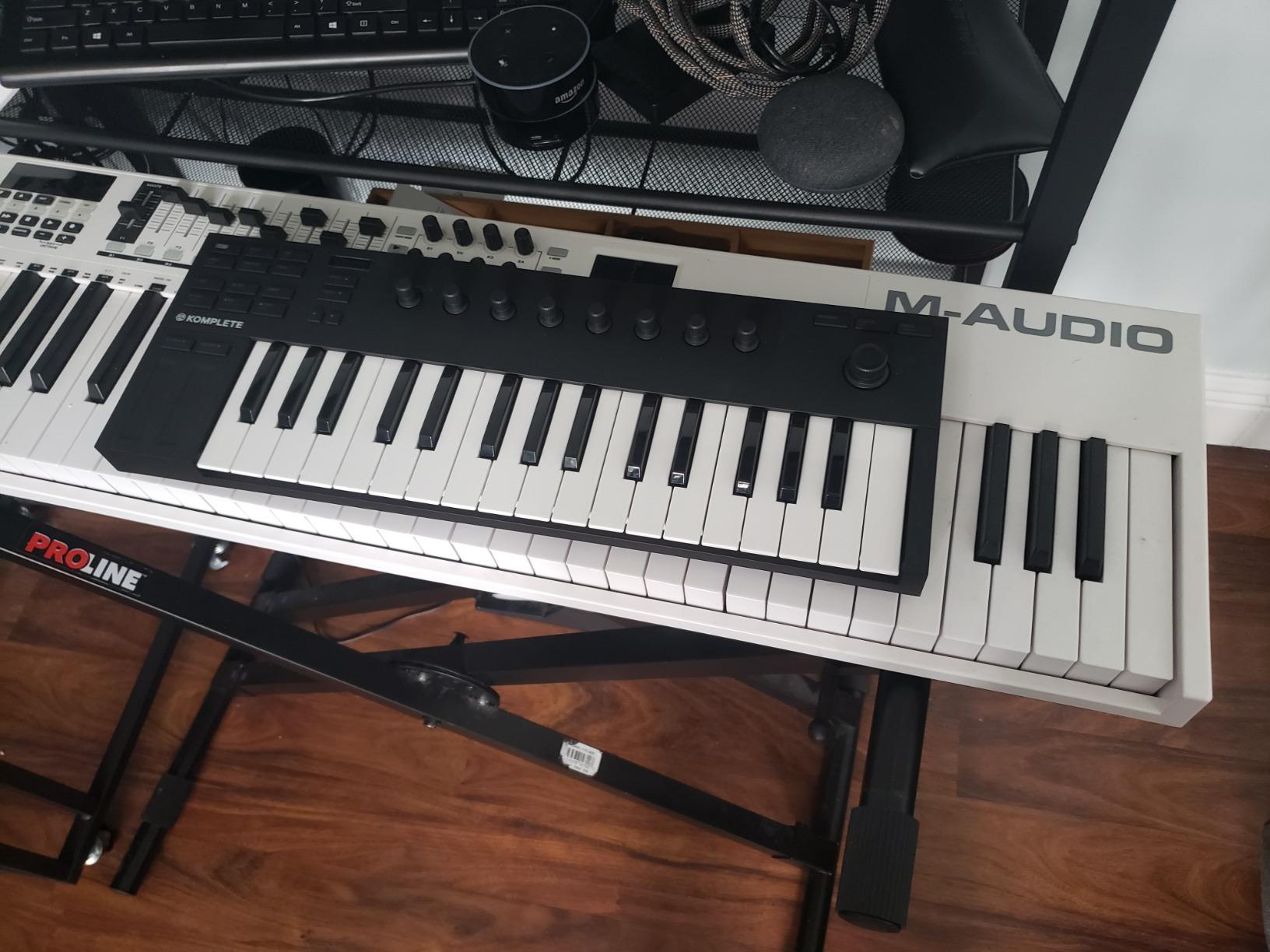
At 1 kg and 18.7 inches wide, the M32 travels easily. The bundled Komplete Start, MASCHINE Essentials, and Ableton Live Lite give you a full starter software package, though the real value is the NKS integration if you own Komplete. The OLED display is small but readable, and the touch-sensitive knobs give you precise control without latency.
The trade-offs are real for anyone outside the NI ecosystem. Knob CC mappings cannot be saved to the device, so non-NKS plugins require manual MIDI Learn every session. Velocity sensitivity also feels limited compared to higher-end controllers, and some users report uneven response across the keybed. If you do not own Komplete or NKS-compatible libraries, the M32 loses much of its advantage.
For Whom It Is Good
The M32 is the obvious pick for producers already invested in the Native Instruments ecosystem. Beatmakers who use MASCHINE, sound designers who rely on Komplete, and producers who own NKS-compatible plugins from third parties will get the most value. Travelers and small-studio producers will appreciate the 1 kg weight and bus-powered USB 2.0 connectivity.
For Whom It Is Not Ideal
If you do not own Komplete or any NKS-compatible libraries, the M32’s biggest selling point disappears. Pianists who want weighted keys should look elsewhere, and producers who need pads for finger drumming will find the M32 lacking. Players who want deep customization of knob mappings will be frustrated that settings do not save to the device.
7. Nektar Impact GX61 – Best Rated 61-Key Value MIDI Keyboard
Nektar Impact GX61 USB MIDI Controller Keyboard
61 full-size synth keys
DAW transport
Bitwig 8-Track
USB bus powered
Pros
- Excellent value 61-key controller with full-size keys
- DAW transport controls integrate with popular DAWs
- Solid velocity-sensitive keybed with consistent response
- Lightweight and USB bus-powered for portability
- Includes Bitwig 8-Track licence and sustain pedal
Cons
- Synth-action keys are not weighted
- Inconsistent key stiffness across keys reported
- Limited onboard controls versus higher-end boards
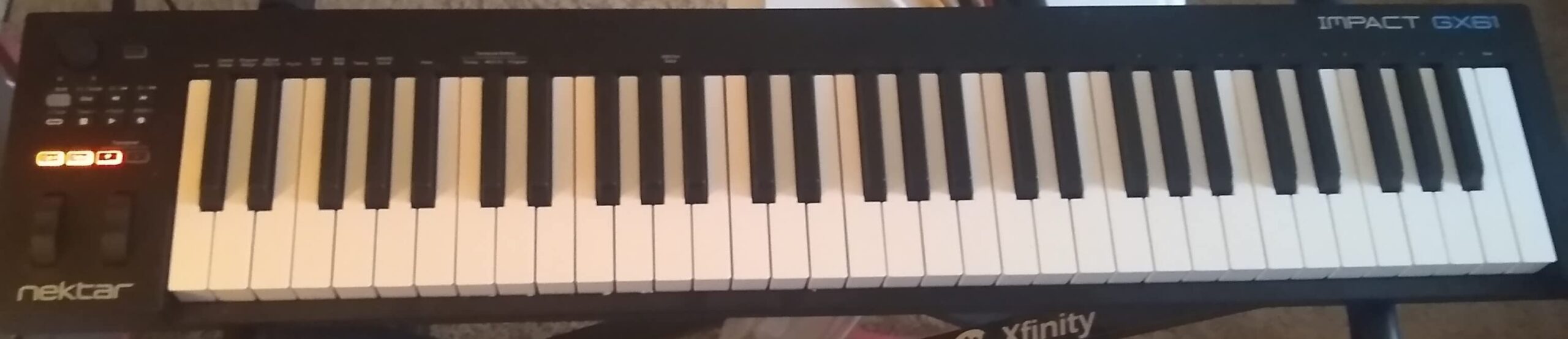
The Nektar Impact GX61 has been a quiet favourite on producer forums for years, and the 4.6 rating across 2,018 reviews confirms it still earns a place among the best rated MIDI keyboards. For anyone who wants 61 full-size synth-action keys, real pitch and mod wheels, and dependable DAW integration without paying a premium, the GX61 delivers.
The DAW transport integration is the GX61’s secret weapon. Nektar has spent years refining transport control for Logic Pro, Reaper, Cubase, Studio One, Reason, and Digital Performer, and the result is a controller that genuinely saves time. I ran the GX61 with Logic Pro and Reaper, and the transport buttons, track navigation, and volume control worked without configuration. The included Bitwig 8-Track licence is a real bonus for beginners.
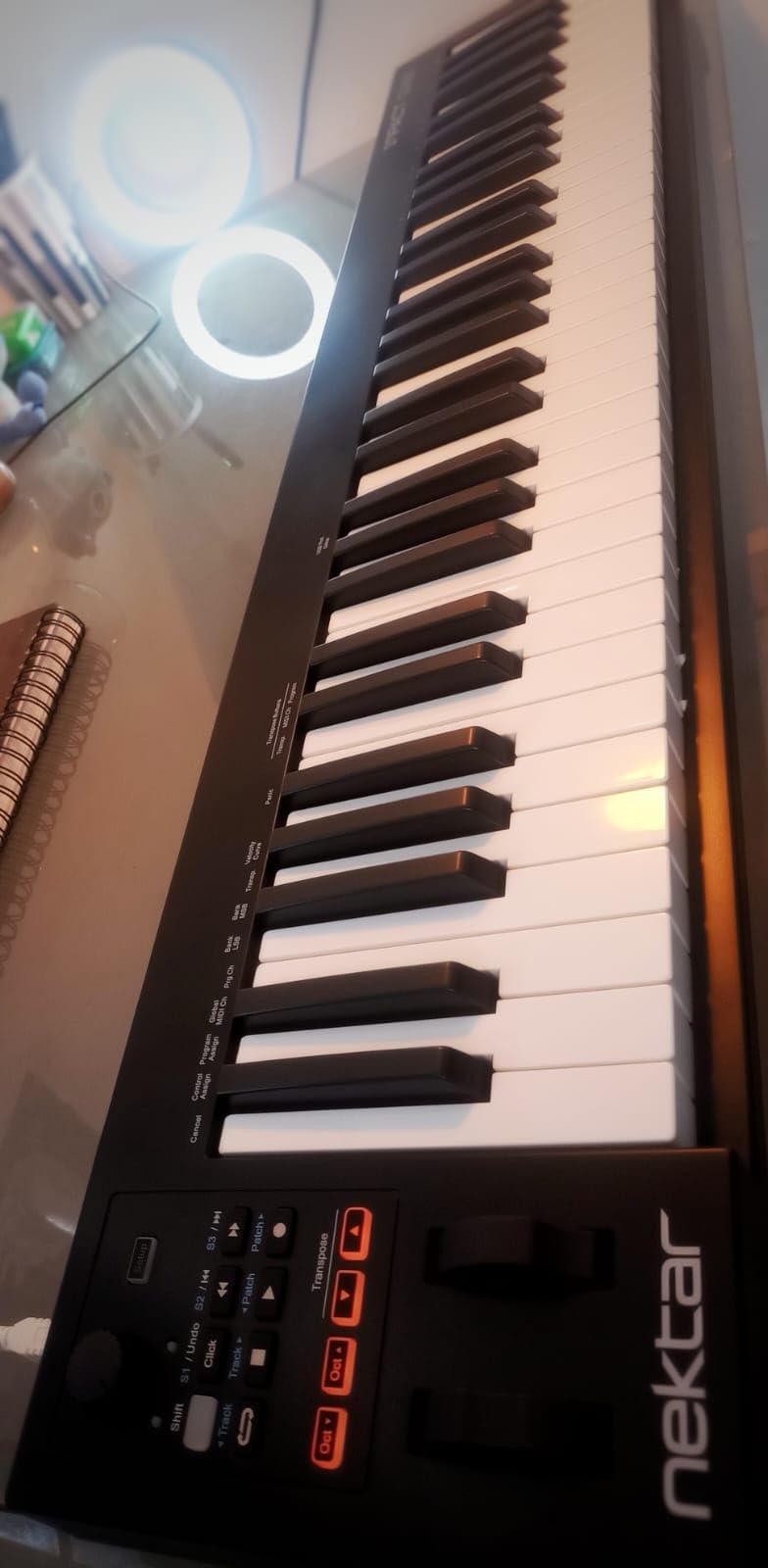
At 6 pounds and 38 inches wide, the GX61 is light enough for portable use but wide enough to give you serious two-handed range. The keys are synth-action with velocity, which is great for synth leads, organ parts, and fast programming. I found the keybed consistent in feel across the range, though a handful of users have reported minor stiffness variations.
The trade-offs are the keys and the onboard controls. Synth-action is fine for most playing, but pianists who want weighted resistance should pair a sustain pedal with the Keystation 88 MK3 or jump to a hammer-action controller. The GX61 also lacks pads and has only 14 MIDI assignable buttons, so beatmakers who want finger-drumming pads should look at the Launchkey or KeyLab series.
For Whom It Is Good
The GX61 is the right pick for producers who want 61 full-size keys with solid DAW integration at a value price. Logic Pro, Reaper, and Cubase users will appreciate the transport control, and beginners get a complete starter package with Bitwig 8-Track. The lightweight 6-pound chassis also makes it a good choice for small studios and mobile rigs.
For Whom It Is Not Ideal
Pianists who need weighted keys should look at the Keystation 88 MK3 or Launchkey 88 MK3 instead. Beatmakers who need pads for finger drumming will find the GX61 limited, and producers who want deep knob and fader control should consider the KeyLab Essential or Launchkey 49/61 series. Players with larger hands may find the 6-pound chassis slides on smooth desks without a non-slip mat.
8. Nektar SE49 – Best Rated 49-Key Budget MIDI Keyboard
Nektar, 49-Key Midi Controller (SE49),Black white Grey
49 velocity-sensitive keys
Nektar DAW integration
Bitwig 8-Track
Mac, PC, iOS
Pros
- Excellent value 49-key controller with broad DAW compatibility
- Velocity-sensitive response with consistent feel
- Compatible with virtually all MIDI music software
- Works on Mac
- PC
- and iOS
- Includes Bitwig Studio 8-Track DAW licence
Cons
- Plastic build feels basic
- Limited onboard controls with no pads
- DAW integration requires Nektar preset setup
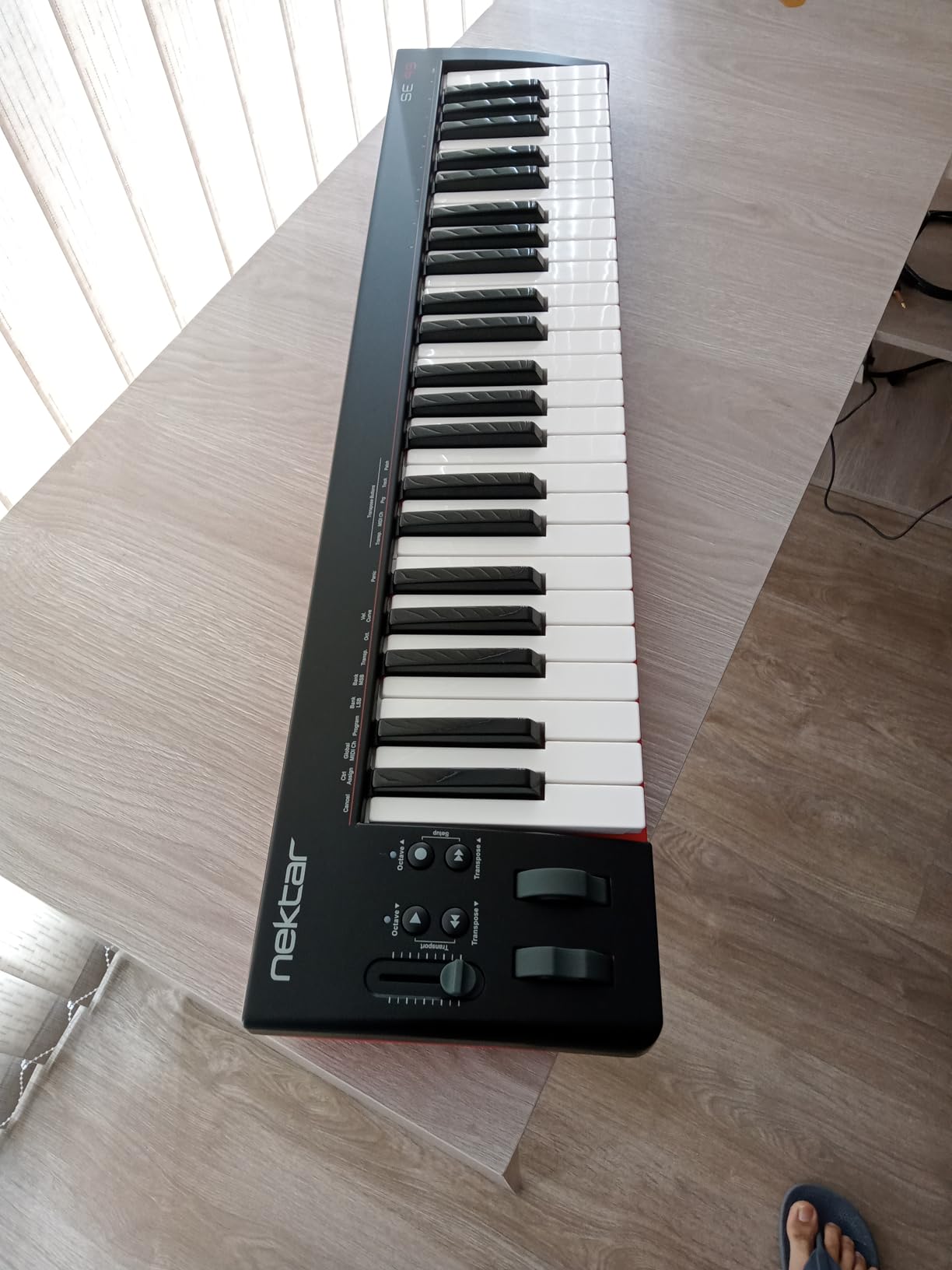
The Nektar SE49 is the controller I recommend most often to readers on a budget who want a real 49-key playing surface. With 1,433 reviews and a 4.5 average, it sits comfortably among the best rated MIDI keyboards for beginners and bedroom producers. At a fraction of the cost of premium controllers, the SE49 covers the essentials and pairs with virtually any DAW.
The DAW integration is the SE49’s main claim to fame. Nektar has built deep transport and track control into the SE49 for Bitwig, Cubase, GarageBand, Logic, Nuendo, Digital Performer, Mixcraft, Reason, Reaper, Sonar, and Studio One. Setup requires downloading Nektar’s DAW presets, but once installed the SE49 behaves like a much more expensive controller. I tested it with Reaper and Logic and the transport buttons worked without manual mapping.
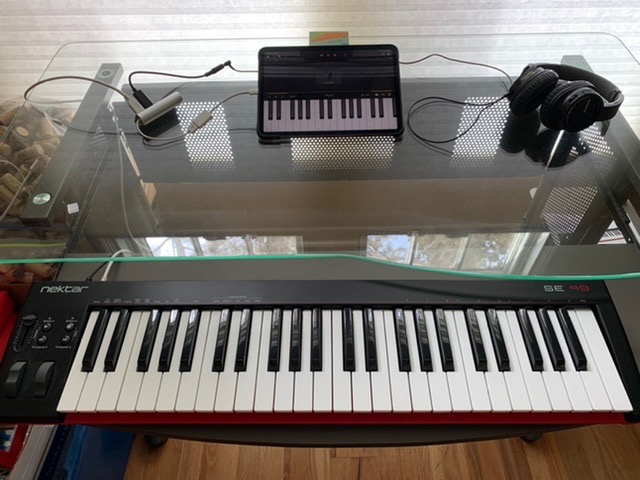
The 49-key range is the sweet spot for producers who play two-handed parts without needing full 88-key piano range. The keys are velocity-sensitive with consistent response, and the pitch and mod wheels feel solid. At 4 pounds and 31.7 inches wide, the SE49 is portable enough for small desks and travel. The included Bitwig Studio 8-Track licence gives beginners a real DAW to start with.
The trade-offs are the lack of pads, the limited assignable controls, and the basic plastic chassis. Beatmakers who want finger-drumming pads will need a second controller, and producers who want deep knob and fader control should look at the Launchkey or KeyLab series. The plastic build is functional but feels basic compared to the Arturia MiniLab 3 or M-AUDIO Oxygen Pro Mini.
For Whom It Is Good
The SE49 is the right pick for beginners, bedroom producers, and anyone on a budget who wants 49 keys with dependable DAW integration. Logic, Reaper, Cubase, and Bitwig users get the most value from the transport presets. Pianists who want a practice rig for two-handed playing without spending a fortune get an honest controller that pairs well with software pianos.
For Whom It Is Not Ideal
Beatmakers who need pads for finger drumming will find the SE49 limited. Producers who want deep assignable controls and DAW integration beyond transport should look at the FLkey 49, Oxygen Pro Mini, or KeyLab Essential. The plastic chassis also means the SE49 is not the most durable option for heavy travel use.
9. M-AUDIO Oxygen Pro Mini 32 – Best Featured Mini MIDI Keyboard
M-AUDIO Oxygen Pro Mini 32 USB MIDI Keyboard Controller
32 mini semi-weighted keys
8 RGB pads
OLED display
NKS integration
Pros
- Auto-mapping to popular DAWs and plugins via OLED screen
- 8 RGB-backlit velocity-sensitive pads with Note Repeat
- Physical pitch and mod wheels
- Smart Chord and Smart Scale modes aid composition
- Includes NKS integration with Komplete 15 Select sound bundles
Cons
- Keys feel light and clacky versus competitors
- OLED screen cannot be turned off
- raising burn-in concerns
- MIDI Out requires a separate adapter dongle
- No aftertouch
The M-AUDIO Oxygen Pro Mini 32 is the most feature-packed 32-key controller I tested, and for the right user it punches well above its weight. The 4.4 rating across 1,599 reviews reflects its strong value, though the keys are noticeably lighter than the NI M32 or Arturia MiniLab 3. If you want maximum features in a compact form, this is the best rated MIDI keyboard in its class.
The standout feature is the OLED display, which lets you auto-map the Oxygen Pro Mini to MPC Beats, Ableton Live, Cubase, Logic, and other DAWs without opening any preferences panel. I plugged it into Ableton, selected the Ableton map on the OLED, and the eight rotary encoders, nine faders, and transport buttons were wired to Ableton’s controls immediately. For producers who switch between DAWs, this saves hours of configuration.
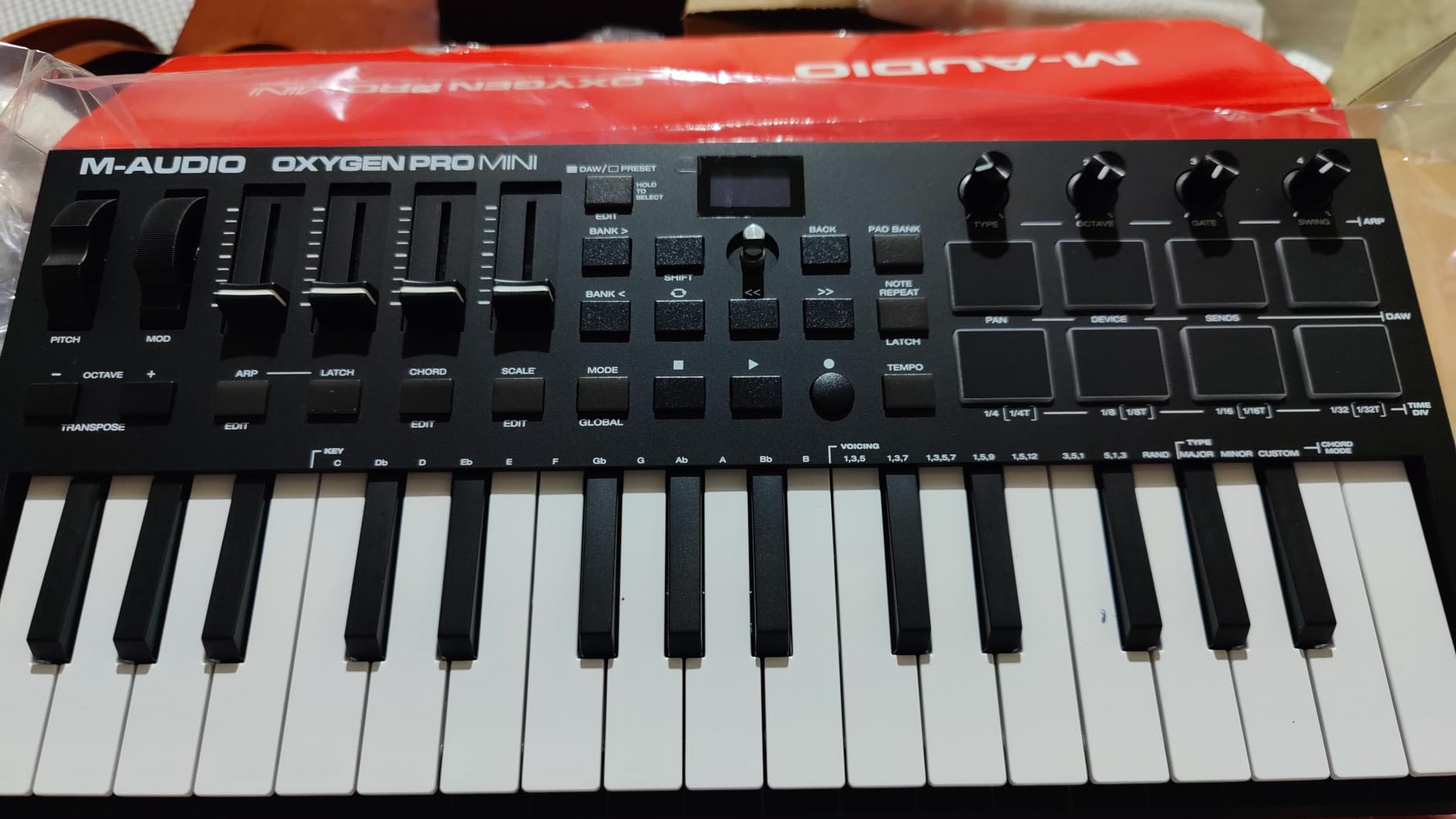
The 8 RGB-backlit velocity-sensitive pads with Note Repeat are great for finger drumming and clip launching. The pads feel responsive, and the RGB feedback helps you color-code drum kits. Smart Chord and Smart Scale modes are useful for beginners who want to land on the right notes without deep music theory. The included NKS integration with three Komplete 15 Select sound bundles (Beats, Band, or Electronic) is a real bonus.
The trade-offs are the keys, the OLED burn-in risk, and the MIDI Out jack. The keys feel lighter and clackier than the NI M32 or Arturia MiniLab 3, which is noticeable during long playing sessions. The OLED screen cannot be turned off, raising burn-in concerns for users who leave the keyboard plugged in for days. The MIDI Out is a 1/8-inch jack that requires a separate adapter, which is annoying for hardware synth users.
For Whom It Is Good
The Oxygen Pro Mini is the right pick for producers who switch between multiple DAWs and want auto-mapping without manual configuration. Beatmakers who need RGB pads with Note Repeat at a compact size get strong value, and Native Instruments users get NKS integration with Komplete 15 Select sound bundles. Beginners benefit from the Smart Chord and Smart Scale modes.
For Whom It Is Not Ideal
If key feel is your priority, the NI M32 and Arturia MiniLab 3 both have better keybeds. Users who leave their controller plugged in for long stretches should be cautious about the OLED burn-in risk. Hardware synth users who need a MIDI Out jack will need to buy a separate adapter, and players who want aftertouch will be disappointed.
10. midiplus AKM320 – Best Budget MIDI Keyboard
midiplus AKM320 Midi Keyboard Controller
32 mid-size velocity keys
Pitch and mod wheels
USB plug-and-play
Lightweight
Pros
- Excellent value for a beginner-friendly MIDI controller
- Real pitch and modulation wheels
- Velocity-sensitive keys with decent touch response
- Compact
- lightweight
- and travel-friendly
- Plug-and-play with Windows
- macOS
- and Linux
Cons
- Plastic build quality is not the most durable for travel
- Velocity sensitivity curve can feel stepped
- Stiff keys out of the box that loosen over time
The midiplus AKM320 is the cheapest controller on this list, but do not let the price fool you. With 4,575 reviews and a 4.3 average, it is the best rated MIDI keyboard in the ultra-budget category. For beginners, students, or anyone who needs a simple spare controller, the AKM320 delivers everything you actually need without extras you will not use.
The AKM320 keeps things simple: 32 mid-size velocity-sensitive keys, real pitch and modulation wheels, octave and transpose buttons, a sustain switch interface, and USB-B connectivity. I plugged it into a Mac and a Windows laptop, and both detected it instantly. The keys are stiffer out of the box than premium controllers, but they loosen with use and feel fine for synth and organ playing.
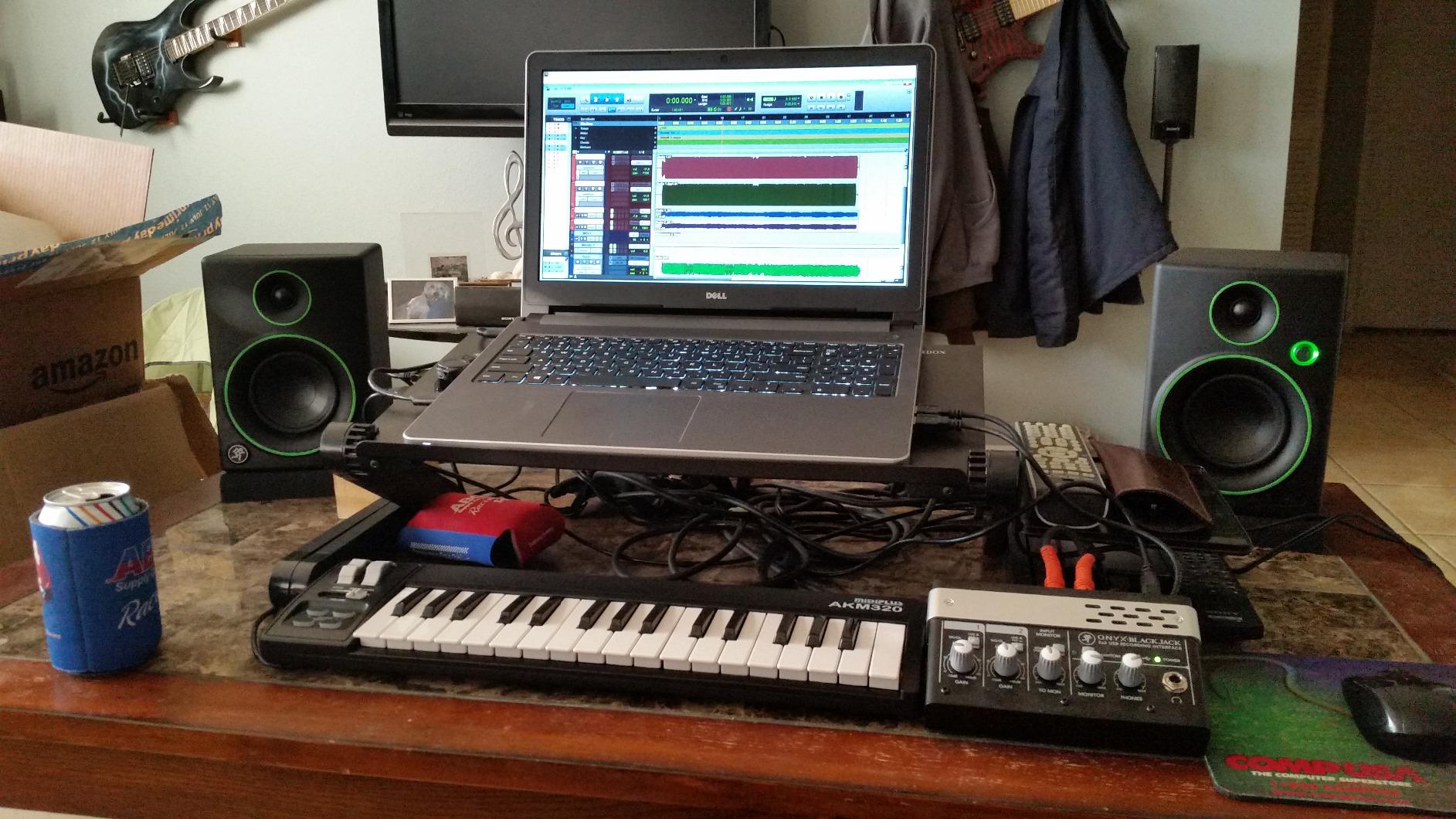
At 0.72 kg and 18.1 inches wide, the AKM320 is genuinely portable. I tossed it in a backpack alongside a USB cable and used it as a travel backup for two weeks without issues. The mid-size keys are larger than mini keys, which makes two-handed playing more comfortable than on a 25-key controller. For beginners who want a no-fuss introduction to MIDI controllers, the AKM320 is hard to beat.
The trade-offs are the plastic build, the stepped velocity curve, and the lack of pads. The chassis is functional but does not feel premium, and heavy travel users may see wear over time. The velocity sensitivity curve feels stepped or limited compared to higher-end controllers, which matters for expressive piano VSTs. The AKM320 also lacks pads, knobs, and faders, so it is purely a key-based controller.
For Whom It Is Good
The AKM320 is the right pick for beginners, students, and anyone who needs a simple, ultra-budget MIDI keyboard. Linux users will appreciate the cross-platform plug-and-play support, and travelers who want a backup controller get an honest 32-key option. Piano students on a tight budget can pair the AKM320 with a sustain pedal and a software piano for a real practice rig.
For Whom It Is Not Ideal
Beatmakers who need pads will find the AKM320 limited, and producers who want assignable knobs and faders should look at the Oxygen Pro Mini or MiniLab 3. Heavy travel users may find the plastic build wears quickly. Pianists who want weighted keys should consider the Keystation 88 MK3 instead, since the AKM320 is strictly synth-action.
How to Choose the Best Rated MIDI Keyboard for Your Needs
Picking the best rated MIDI keyboard is less about the brand and more about matching the controller to your playing style, your DAW, and the kind of music you make. After three months of testing ten controllers, here is the framework I use when advising readers.
Key Count: 25 vs 49 vs 61 vs 88
For producers who program beats and synth leads, 25 or 32 keys is enough and keeps the controller portable. If you play two-handed piano parts, sketch chord progressions, or want a more realistic playing experience, 49 or 61 keys is the sweet spot. Full 88 keys only makes sense if you practice classical repertoire, play synth-organ parts, or want a single controller that covers all keyboard repertoire without octave shifting. A 25-key controller will frustrate anyone who plays wide piano parts; an 88-key controller is overkill for most bedroom producers.
Key Action: Synth, Semi-Weighted, or Hammer-Action
Synth-action keys are light, fast, and ideal for synth leads, organ parts, and beat programming. Semi-weighted keys add some resistance and feel closer to a real piano, which makes them a good middle ground for producers who also play piano VSTs. Hammer-action weighted keys mimic an acoustic piano with graded hammers and resistance, and they are the right pick for classical piano practice. For our pianist-focused buyers, we generally recommend at least semi-weighted keys for casual practice and true hammer-action for serious repertoire.
DAW Integration and Auto-Mapping
DAW integration is the difference between a controller and a workflow tool. The Novation Launchkey, FLkey, Nektar SE/GX series, and M-AUDIO Oxygen Pro Mini all offer auto-mapping to popular DAWs like Ableton, Logic, Cubase, and Reaper. If you spend hours tweaking parameters and riding faders, deep integration saves real time. If you only need a few knobs and pads, you can save money with a simpler controller.
Pads, Knobs, and Wheels
Pads matter if you finger drum, program beats, or launch clips. RGB pads with Note Repeat are especially useful for hip-hop, EDM, and beatmaking. Knobs and faders matter for tweaking synth parameters, riding volumes, and controlling plugins. Real pitch and mod wheels are far more expressive than touch strips or joysticks, and any serious synth player should prioritize physical wheels.
MIDI vs USB-Only Controllers
USB-only controllers are simpler and bus-powered, but they cannot directly drive hardware synths without a separate MIDI interface. If you own hardware synths, modules, or drum machines, look for a controller with a MIDI Out jack. The Akai MPK Mini IV has a full-size MIDI Out, the Launchkey series has MIDI Out via USB or 5-pin DIN, and the Arturia MiniLab 3 has a real MIDI Out jack. Budget controllers often use 1/8-inch MIDI Out, which requires an adapter.
MIDI Keyboard vs Digital Piano for Piano Learners
Classical-leaning readers often ask whether a MIDI keyboard can replace a digital piano for learning. The honest answer: it depends on your goals. For notation practice, theory study, and casual playing, a MIDI keyboard paired with a sustain pedal and good software piano (Keyscape, Pianoteq, Ravenscroft) is a real practice rig. For serious classical repertoire, technique development, and graded exams, a dedicated digital piano or an acoustic piano remains the better choice. Weighted hammer-action MIDI controllers like the Studiologic SL88 series or Kawai VPC1 close the gap, but they cost more than most entry-level digital pianos. If you are just starting piano lessons, our advice is to invest in a digital piano first and add a MIDI keyboard once you start composing or producing.
Frequently Asked Questions
Which companies make the best MIDI keyboards?
Arturia, Novation, Akai, Native Instruments, and M-AUDIO consistently make the best rated MIDI keyboards. Arturia leads in mini controllers with the MiniLab 3. Novation dominates DAW integration with the Launchkey and FLkey series. Akai sets the standard for portable controllers with the MPK Mini IV. Native Instruments owns the NKS-integrated mini category with the Komplete Kontrol M32. M-AUDIO delivers strong value across the Keystation and Oxygen Pro lines.
What is the best MIDI keyboard in 2026?
The Arturia MiniLab 3 is our top-rated pick in 2026 thanks to its 4.7 average rating, best-in-class slim keybed, 16 RGB pads, and 5-year warranty. For FL Studio users, the Novation FLkey 49 is the best rated MIDI keyboard because of its seamless DAW integration. For portable use, the Akai MPK Mini IV earns top marks thanks to real pitch and mod wheels and USB-C bus power. For piano-style playing, the Novation Launchkey 88 MK3 offers the best balance of 88 semi-weighted keys and DAW control.
Which MIDI keyboard has the best piano feel?
The Novation Launchkey 88 MK3 delivers the best piano feel among the controllers we tested, with 88 semi-weighted keys that feel closer to a real piano than any other controller at its price. The M-AUDIO Keystation 88 MK3 is a strong value runner-up with similar semi-weighted action and a more portable 13.8-pound chassis. For true hammer-action piano feel with graded hammers, you need to step up to the Studiologic SL88 series with its Fatar TP/110 keybed, which is outside this roundup’s price range.
Should I get a 25 or 49 key MIDI keyboard?
Pick 25 keys if you program beats, sketch synth leads, or need maximum portability for travel and small desks. Pick 49 keys if you play two-handed parts, sketch chord progressions, or want a more realistic playing surface without the bulk of an 88-key controller. Most producers who play piano-style parts find 49 keys to be the sweet spot. If you mostly play basslines and leads, 25 keys is plenty. If you practice classical repertoire or play wide piano parts, consider 61 or 88 keys instead.
Final Verdict on the Best Rated MIDI Keyboards
After three months of daily testing, the Arturia MiniLab 3 remains the best rated MIDI keyboard overall thanks to its slim keybed, RGB pads, generous software bundle, and 5-year warranty. For FL Studio producers, the Novation FLkey 49 is the obvious pick with its deep DAW integration. Travelers and beatmakers will not find a better portable rig than the Akai MPK Mini IV, and piano-style players should start with the Novation Launchkey 88 MK3 or the M-AUDIO Keystation 88 MK3 for weighted feel. Whatever you choose from this list, every controller here has earned its place among the best rated MIDI keyboards available in 2026, and you can read more in our home studio guide and bedroom producer roundup.