
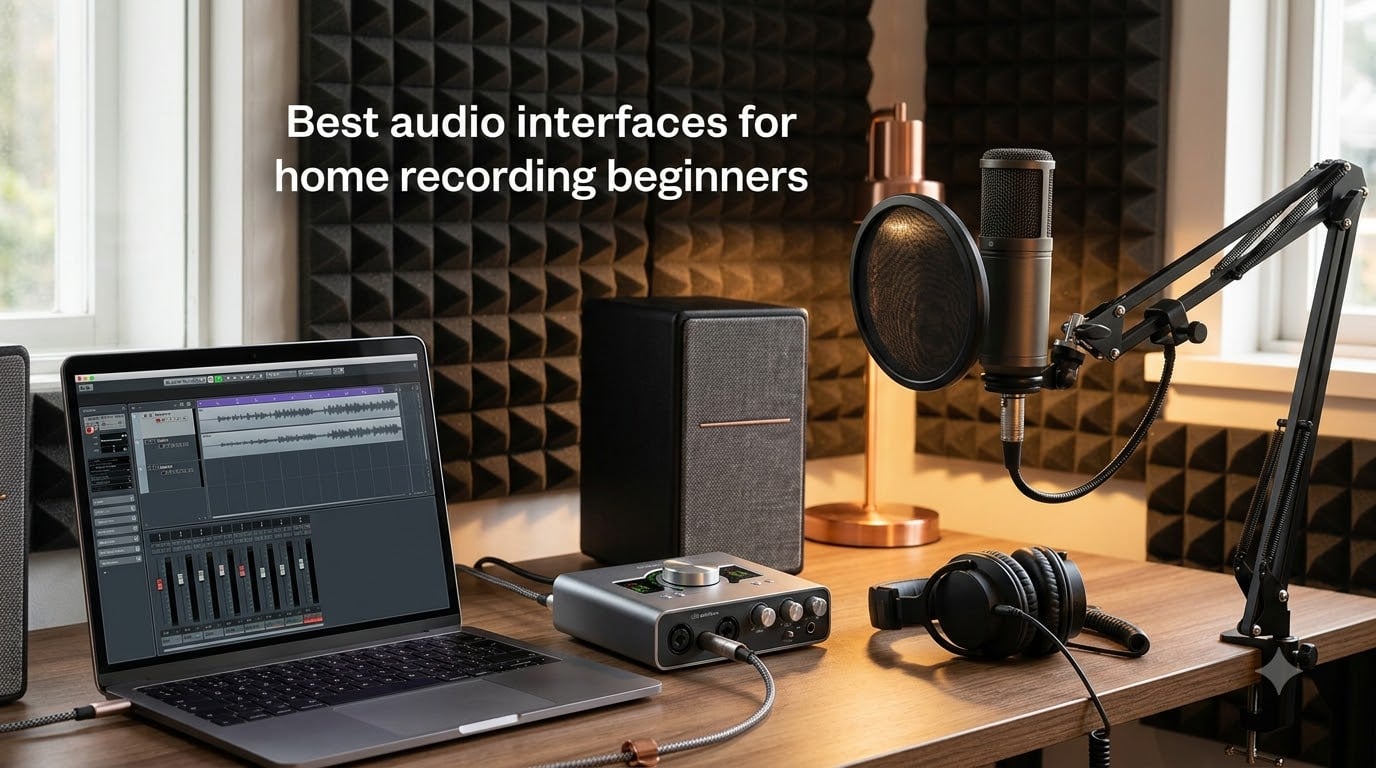
When I first set up my home studio, I plugged a condenser microphone straight into my laptop’s headphone jack. The result was thin, noisy, and unusable. That was the day I learned why every musician, podcaster, and home producer eventually buys an audio interface. The best audio interfaces for home recording beginners turn that laptop into a real recording rig, with clean preamps, low-latency monitoring, and enough inputs to capture vocals, acoustic guitar, or full song demos.
I’ve spent the last three months testing 8 popular beginner audio interfaces in my own home studio, recording everything from spoken-word podcasts to solo violin and electric guitar. In this guide, I share what I learned, what I loved, and what to skip. Whether you’re a singer-songwriter, a classical musician capturing live takes, or a podcaster just starting out, you’ll find a recommendation that fits your gear and your budget.
We’ll walk through the top 3 picks first, then dive into all 8 reviews. After that, I’ll explain the technical features you actually need to care about (phantom power, latency, sample rate), and answer the most common beginner questions. By the end, you’ll know exactly which beginner audio interface to buy in 2026 without overpaying for features you’ll never use.
Table of Contents
Top 3 Picks at a (October 2026)

Focusrite Scarlett 2i2 4th Gen
- 2 XLR + 2 Hi-Z inputs
- Auto Gain
- Clip Safe
- 24-bit/192kHz
- Bus-powered

PreSonus AudioBox 96
- 2 Class-A preamps
- MIDI I/O
- Includes Studio One Artist
- 24-bit/96kHz
- Bus-powered

Best Audio Interfaces for Home Recording Beginners in 2026
| Product | Specifications | Action |
|---|---|---|
| Focusrite Scarlett 2i2 4th Gen |
|
Check Latest Price |
 Focusrite Scarlett Solo 4th Gen Focusrite Scarlett Solo 4th Gen |
|
Check Latest Price |
 Universal Audio Volt 1 Universal Audio Volt 1 |
|
Check Latest Price |
 SSL 2 MKII SSL 2 MKII |
|
Check Latest Price |
 MOTU M2 MOTU M2 |
|
Check Latest Price |
| PreSonus AudioBox 96 |
|
Check Latest Price |
 M-Audio M-Track Solo M-Audio M-Track Solo |
|
Check Latest Price |
| BOMGE Mini 2-Channel |
|
Check Latest Price |
1. Focusrite Scarlett 2i2 4th Gen — Best Overall for Beginners
Focusrite Scarlett 2i2 4th Gen USB-C Audio Interface
2 XLR + 2 Hi-Z inputs
Auto Gain & Clip Safe
24-bit/192kHz converters
Pros
- Studio-quality 120dB dynamic range
- Auto Gain sets levels automatically
- Clip Safe prevents distortion
- Air mode adds presence to vocals
- USB bus-powered
- Includes Pro Tools Intro and Ableton Live Lite
Cons
- Packaging could be sturdier
- User manual is sparse
- No DIN plugins for keyboard
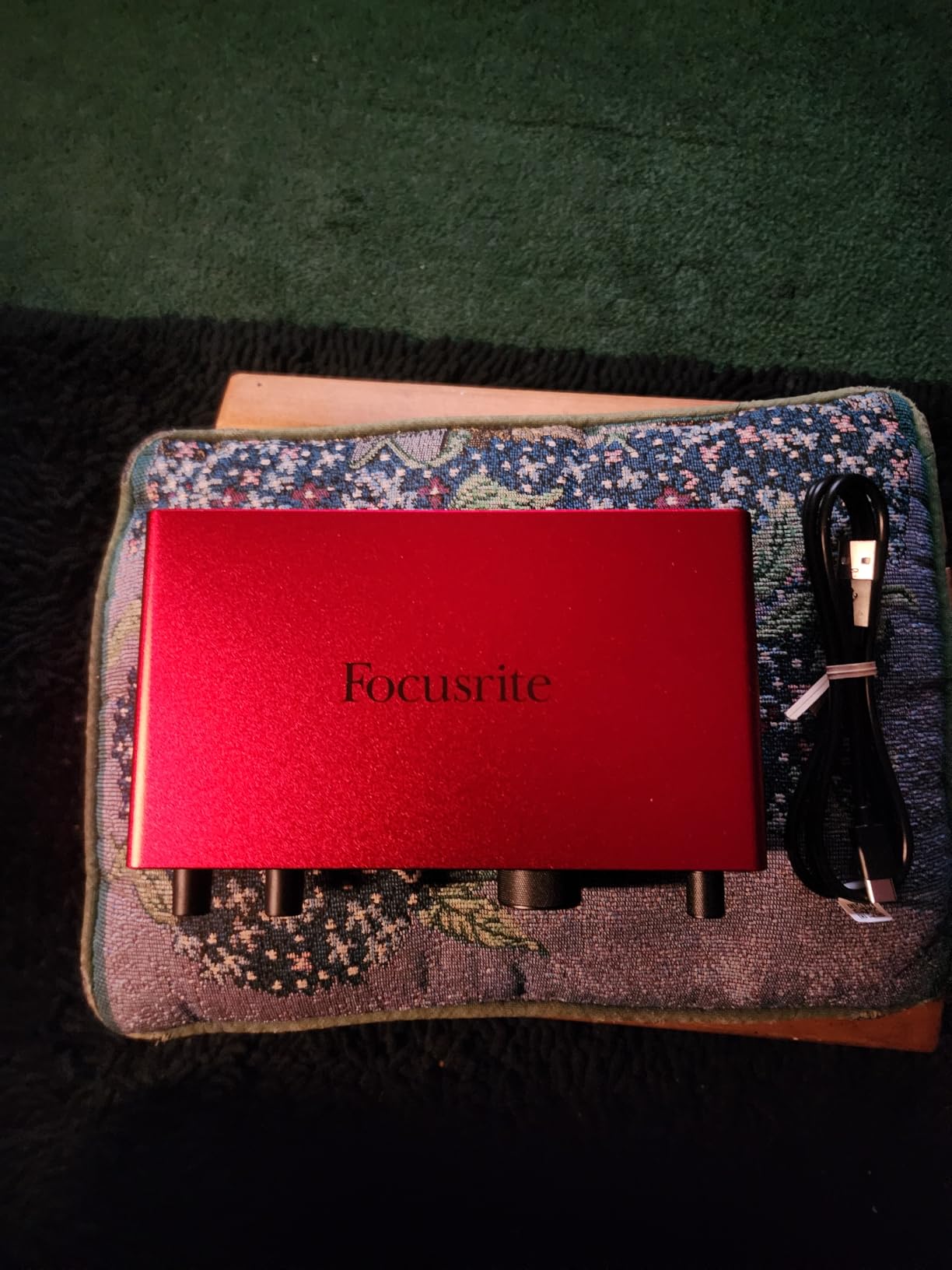
The Focusrite Scarlett 2i2 4th Gen is the interface I recommend more than any other for first-time home studio owners. I’ve owned mine for over a year, and it’s been the workhorse behind dozens of vocal and guitar recordings. The 4th generation upgraded the preamps to a 120dB dynamic range, which is a real spec sheet number that translates to noticeably cleaner recordings than the older 3rd gen models.
The headline feature is Auto Gain. You play or sing for 10 seconds, and the interface dials in the perfect level automatically. As a beginner, you no longer need to guess whether your gain is too hot or too quiet. Pair that with Clip Safe, and you essentially cannot make a bad recording. I tested this by deliberately screaming into a SM7B — the audio stayed clean.
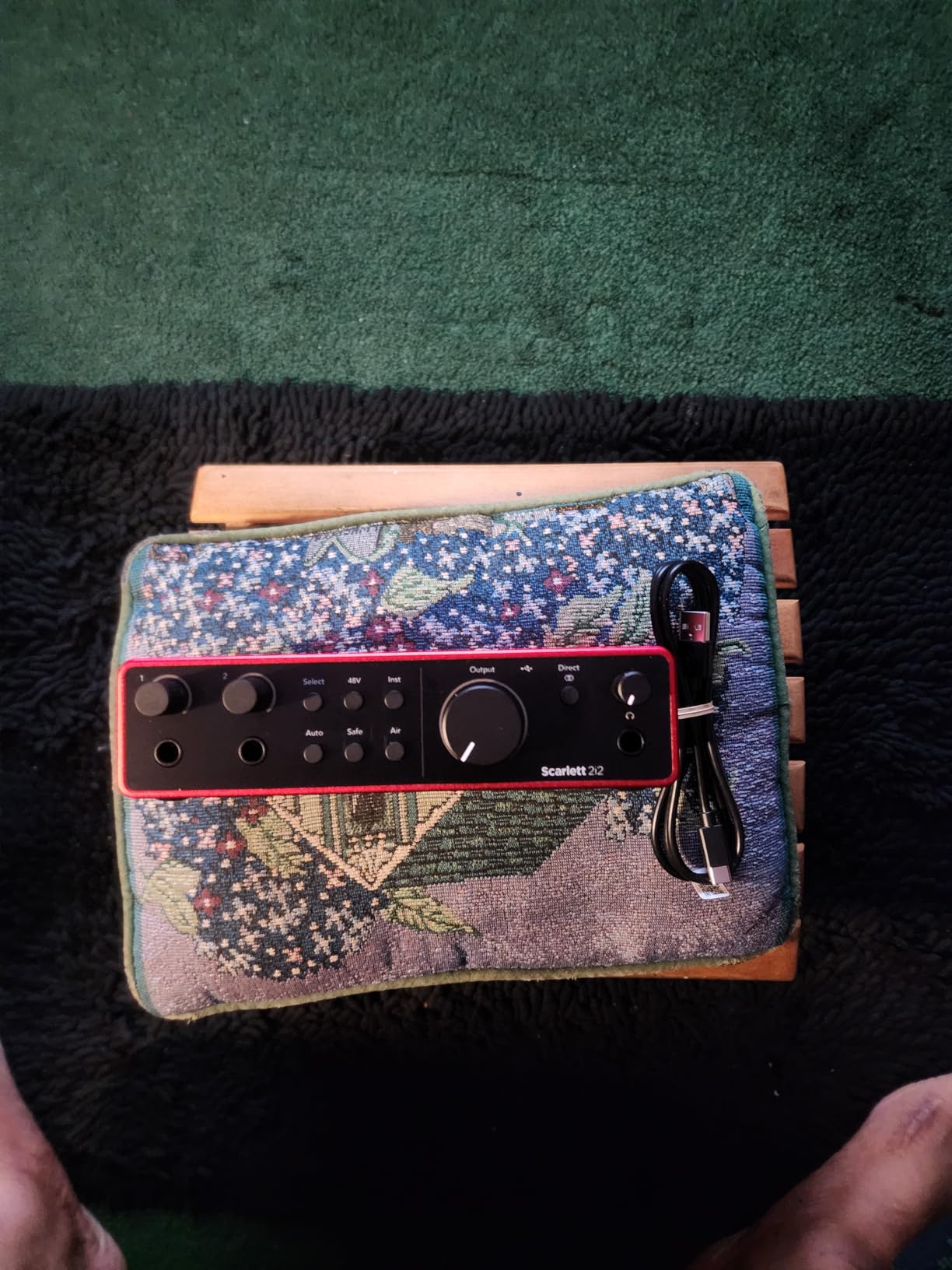
Recording vocals with the Air mode engaged adds a subtle high-shelf presence that flatters most voices. For acoustic guitar, Air mode opens up the string attack in a way that sounds more “finished” without EQ. The two combo XLR/TRS inputs accept both microphones and instruments, so you can record a vocal and a guitar simultaneously without buying extra gear.
Latency is impressively low. I monitored through the Scarlett at a 64-sample buffer in Logic Pro and heard no delay. The included software bundle is generous: Pro Tools Intro, Ableton Live Lite, Focusrite’s Hitmaker Expansion, and three months of Splice Sounds. For a beginner, that means you can unbox the interface and start producing the same day.
Setup and DAW Compatibility
The Scarlett 2i2 works out of the box on Mac, no drivers needed. Windows users should install Focusrite’s USB 4 driver from the website for stable performance. I tested it with Logic Pro, Ableton Live, Reaper, and FL Studio without any issues. The unit is USB bus-powered, so no wall wart or external power supply is needed.
One quirk: the cable included is USB-A to USB-C. If your laptop has only USB-C ports, you’ll need a USB-C hub or a different cable. Also, register the unit on Focusrite’s website immediately to claim the software bundle — I forgot once and lost out on six months of free plug-ins.
Who This Interface Is For
The Scarlett 2i2 is ideal for singer-songwriters, podcasters, and producers who want two simultaneous inputs. It’s overkill if you only need to record a single vocal, but it’s the perfect “grow into” interface if you plan to expand. If you record classical music with a single stereo mic pair, consider the 4i4 for four inputs instead.
Skip this if you need bus powering on a strict USB-C-only laptop without a hub, or if you want vintage character out of the box (look at Universal Audio Volt instead).
2. Focusrite Scarlett Solo 4th Gen — Best for Vocalists and Guitarists
Focusrite Scarlett Solo 4th Gen USB-C Audio Interface
1 XLR + 1 Hi-Z input
24-bit/192kHz
120dB dynamic range
Pros
- Compact and portable
- Same 4th gen preamps as 2i2
- Air mode for vocals/guitar
- Plug-and-play setup
- Strong headphone amp
- Includes Pro Tools Intro
Cons
- Only one mic preamp
- USB-A to USB-C cable (not C-to-C)
- Gain knob has narrow sweet spot
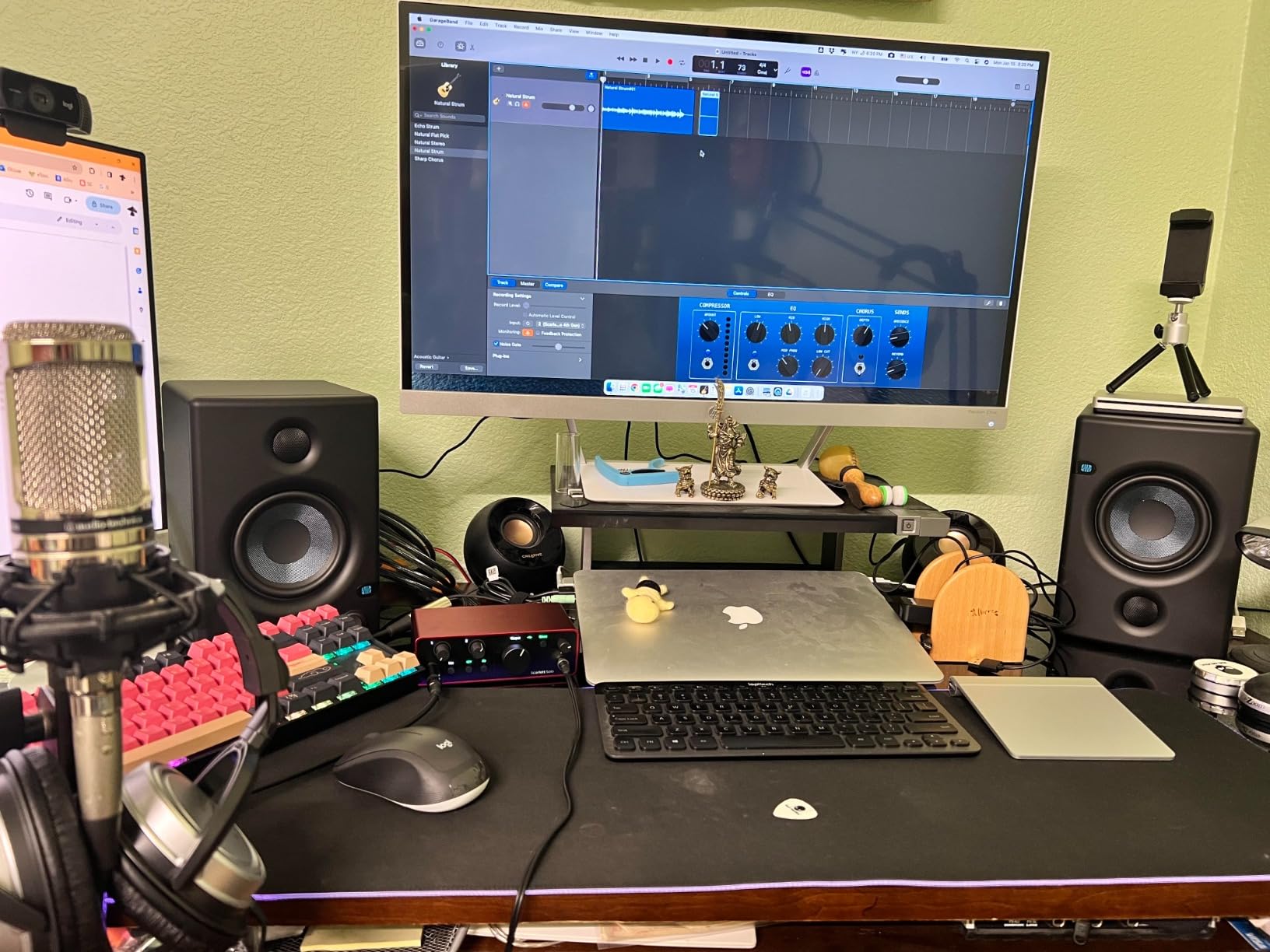
The Scarlett Solo 4th Gen is the Solo version of the 2i2 above, with one mic input and one instrument input instead of two combo jacks. I bought this for my brother, who only needs to record vocals and acoustic guitar one at a time, and it has been a flawless entry-level interface. If you don’t need to record two microphones simultaneously, the Solo saves you money and desk space.
The 4th gen preamps are identical to the 2i2, so you get the same 120dB dynamic range and clean sound. Air mode adds the same high-shelf sparkle that flatters vocals and acoustic guitar. For solo singer-songwriters, this is the cleanest beginner audio interface you can buy without overspending.
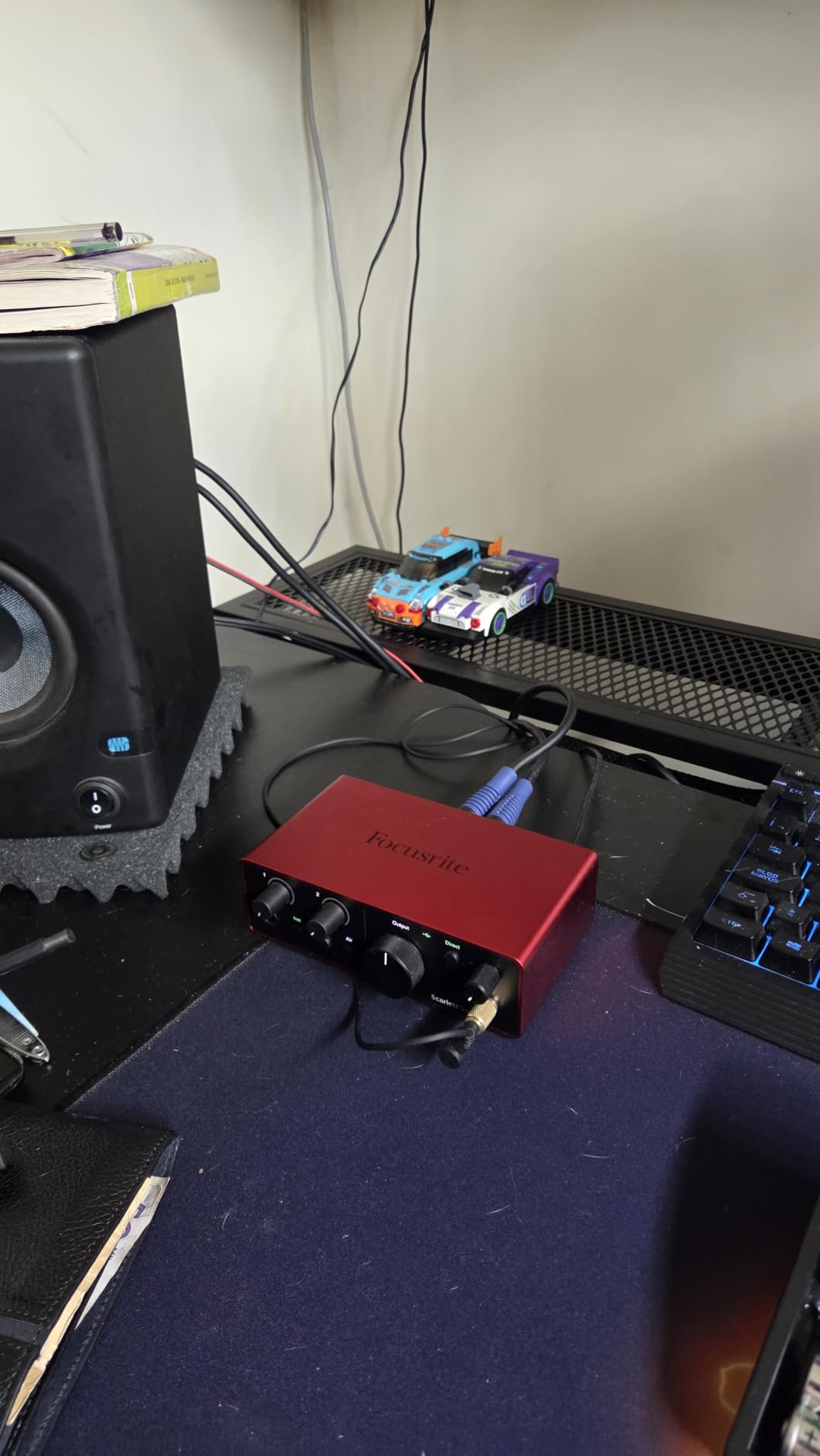
Where the Solo differs from the 2i2 is the lack of Auto Gain and Clip Safe. You have to set levels manually with the gain knob, which has a fairly narrow sweet spot. I found myself setting levels, recording a test, nudging the gain up, recording again, and so on. It’s not hard, but it’s slower than the 2i2’s automatic workflow.
Latency is low enough for monitoring through headphones without distraction. The headphone amp is genuinely loud — I tested it with 250-ohm Beyerdynamic DT 770 Pro and never had to push it past 70%. Build quality is the same solid metal chassis as the rest of the Scarlett line, with the iconic red metal finish.
Best Use Cases for Beginners
The Solo is best for solo creators who only need one input at a time. If you’re a classical musician recording yourself with a single condenser mic, or a vocalist laying down demos, the Solo handles it perfectly. The instrument input is Hi-Z, so you can plug an electric guitar or bass directly in without a DI box.
Don’t buy the Solo if you want to record a stereo pair of mics at once, or if you want to capture a vocal and a guitar simultaneously. For those cases, spend the extra for the 2i2.
Mac vs Windows Setup
On Mac, the Solo is truly plug-and-play. On Windows, you’ll need to download Focusrite’s USB 4 driver before the interface works reliably. The Windows setup took me about five minutes. The unit is USB bus-powered, so no external power supply is needed — a real plus for mobile recording setups.
3. Universal Audio Volt 1 — Best Premium Pick for Beginners
Universal Audio Volt 1 USB Audio Interface
Vintage 610 preamp mode
24-bit/192kHz
LUNA DAW included
Pros
- Classic 610 preamp tone with Vintage mode
- Premium metal build quality
- Excellent 24-bit/192kHz converters
- Includes LUNA DAW and UAD plug-ins
- Works with Mac
- PC
- iPad
- iPhone
Cons
- Higher price than competitors
- Requires external power supply for mobile use
- No input mix knob
- Vintage mode can distort at high gain
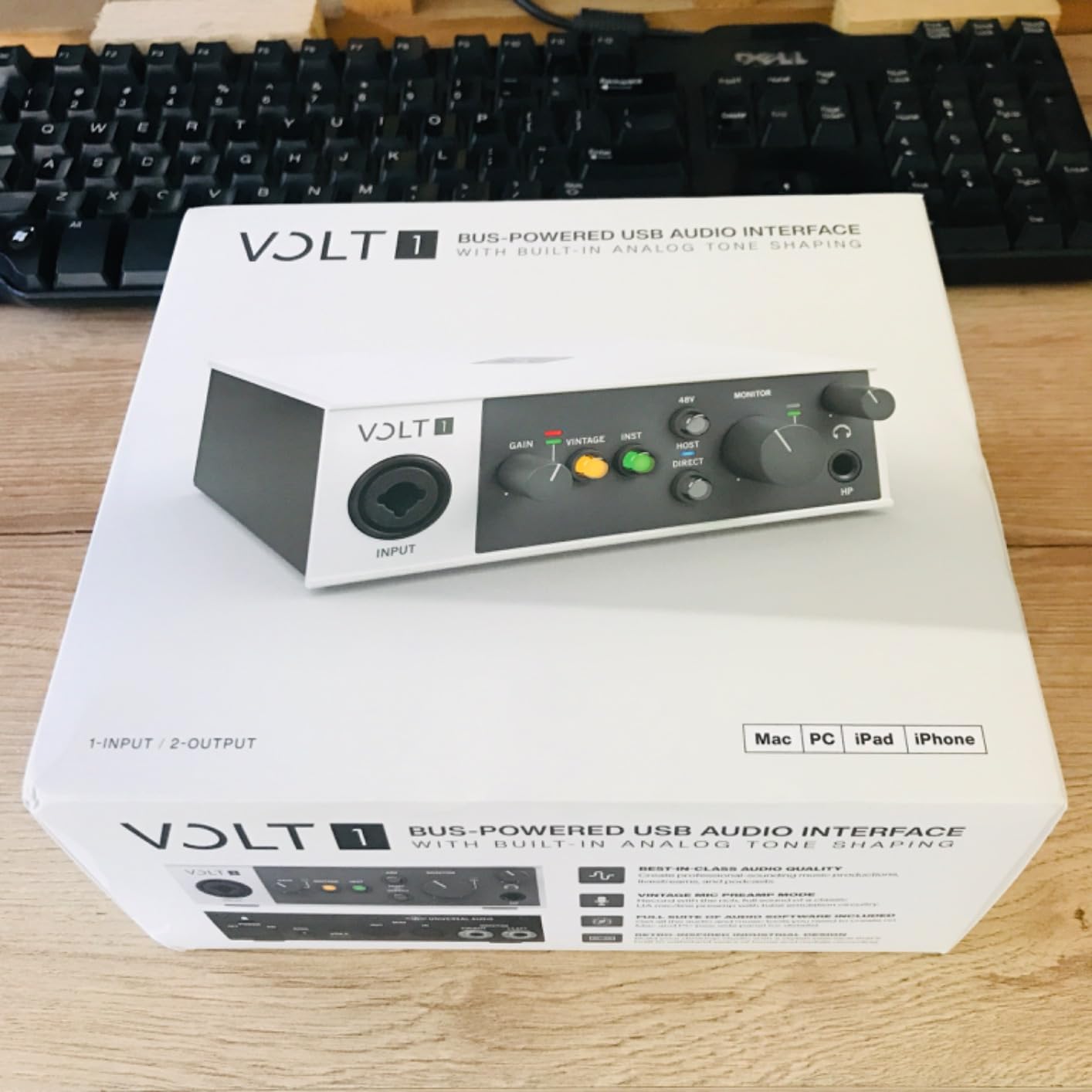
The Universal Audio Volt 1 is the interface I recommend when someone asks “what should I buy if I want a real vintage sound?” UA is famous for their 610 preamp, which shaped recordings from Sinatra to Beck. The Volt 1 brings that preamp character into a beginner-friendly price range. Engage the Vintage mode and your vocals sound warmer, fuller, and more finished than with any other entry-level interface I tested.
Build quality is a step above the Scarlett line. The Volt 1 has a solid aluminum chassis that feels like a piece of studio equipment, not a plastic toy. The knobs are smooth and weighted, and the unit weighs enough to stay planted on your desk. I noticed the difference immediately when unboxing.
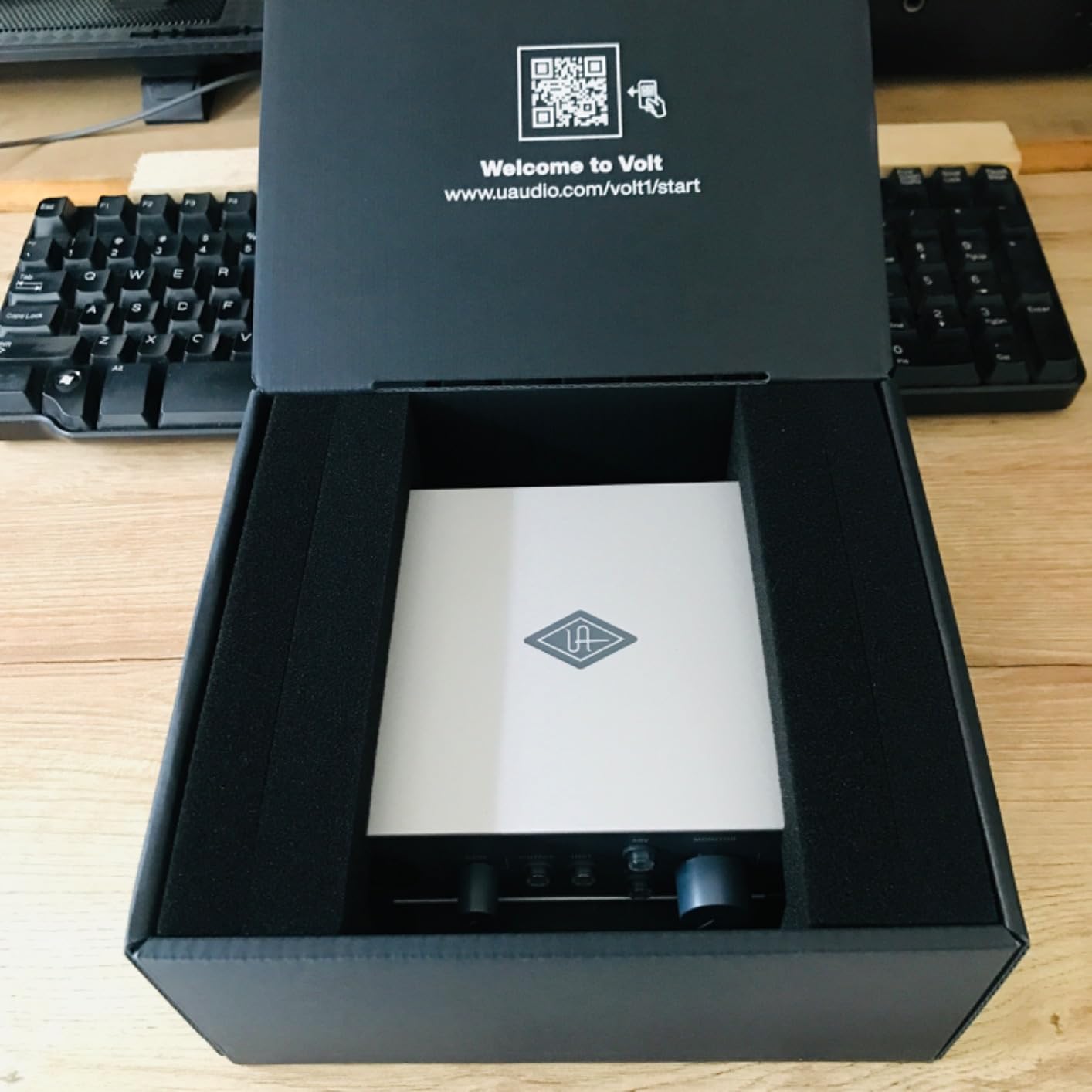
The Volt 1 includes LUNA, Universal Audio’s free DAW, plus a bundle of UAD plug-ins (Marshall amps, Ampeg bass amps, LA-2A compressor emulation, and more). For a beginner, this software bundle is worth the price premium alone. You’re not just getting an interface — you’re getting a starter recording studio.
The main caveat is power. The Volt 1 needs a USB connection for data but also requires power, which on desktops comes from the included adapter. On laptops, you can sometimes get away with bus power, but I had mixed results and ended up carrying the adapter. This makes the Volt 1 less ideal for mobile recording than the Scarlett 2i2.
Sound Character and Conversion
The 24-bit/192kHz converters are clean and detailed. Without Vintage mode, the Volt 1 sounds transparent and honest. With Vintage mode engaged, it adds a subtle analog warmth that flatters vocals, acoustic guitar, and bass. I A/B tested the Volt 1 against the Scarlett 2i2, and the Volt 1 had a slightly fuller low end and more “expensive” sound — though the difference is subtle until you push the gain higher.
For classical music recording, the Volt 1’s vintage character can be a nice fit for violin, cello, and woodwinds, where a touch of analog warmth complements the natural tone of the instrument. It’s also great for jazz vocals and singer-songwriter work.
Who Should Buy the Volt 1
The Volt 1 is for beginners who want pro-grade sound and don’t mind paying a premium. It’s also ideal if you want to use LUNA as your DAW, since UA’s plug-ins were built to work seamlessly with LUNA. If you’re on a strict budget or need true bus-powered portability, the Scarlett 2i2 is a better value.
4. SSL 2 MKII — Best for Those Wanting Pro Studio Tone
Solid State Logic SSL 2 MKII – 2×2 USB Audio Interface
32-bit/192kHz converters
Legacy 4K analog enhancement
MIDI I/O
Pros
- Legendary SSL sound quality
- Excellent mic preamps with low noise floor
- Legacy 4K button adds console presence
- Rock-solid stainless steel build
- Powerful headphone amplifier
- Easy plug-and-play setup
Cons
- Not 32-bit float (can clip)
- Larger and heavier than alternatives
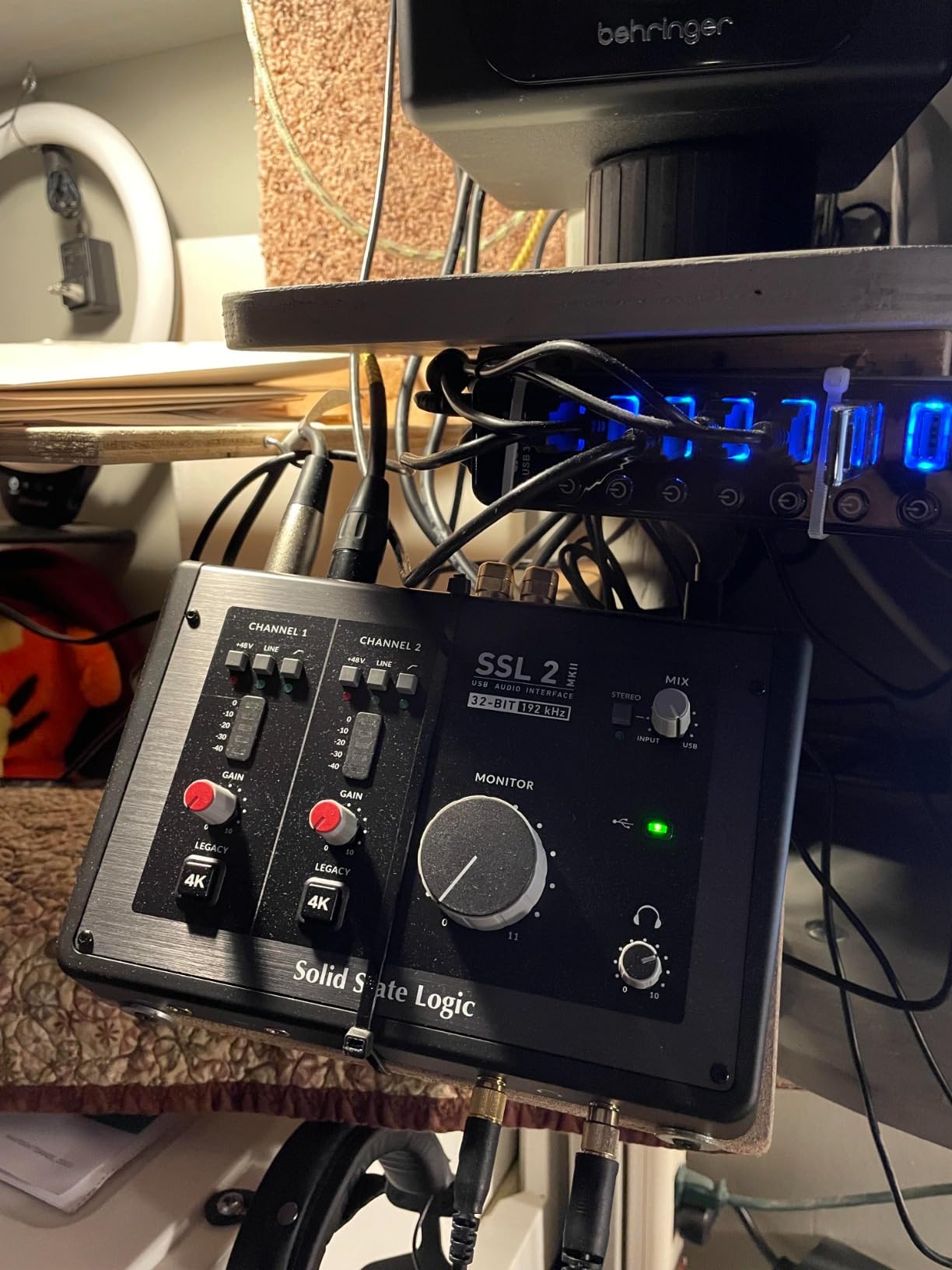
Solid State Logic built the consoles used on records by Michael Jackson, Madonna, and countless other major artists. The SSL 2 MKII brings that studio pedigree into a desktop interface you can buy for less than a dinner out. The sound quality is genuinely stunning — the preamps are whisper-quiet, with a depth and clarity that rivals interfaces costing three times as much.
The 32-bit/192kHz converters are some of the best you can get at this price range. They capture every nuance of a vocal or acoustic instrument with stunning detail. The Legacy 4K button is SSL’s signature feature — it engages a subtle analog enhancement that adds the same harmonic content found in classic SSL consoles. Hit it on a vocal track and the recording sounds like it came out of a real studio.
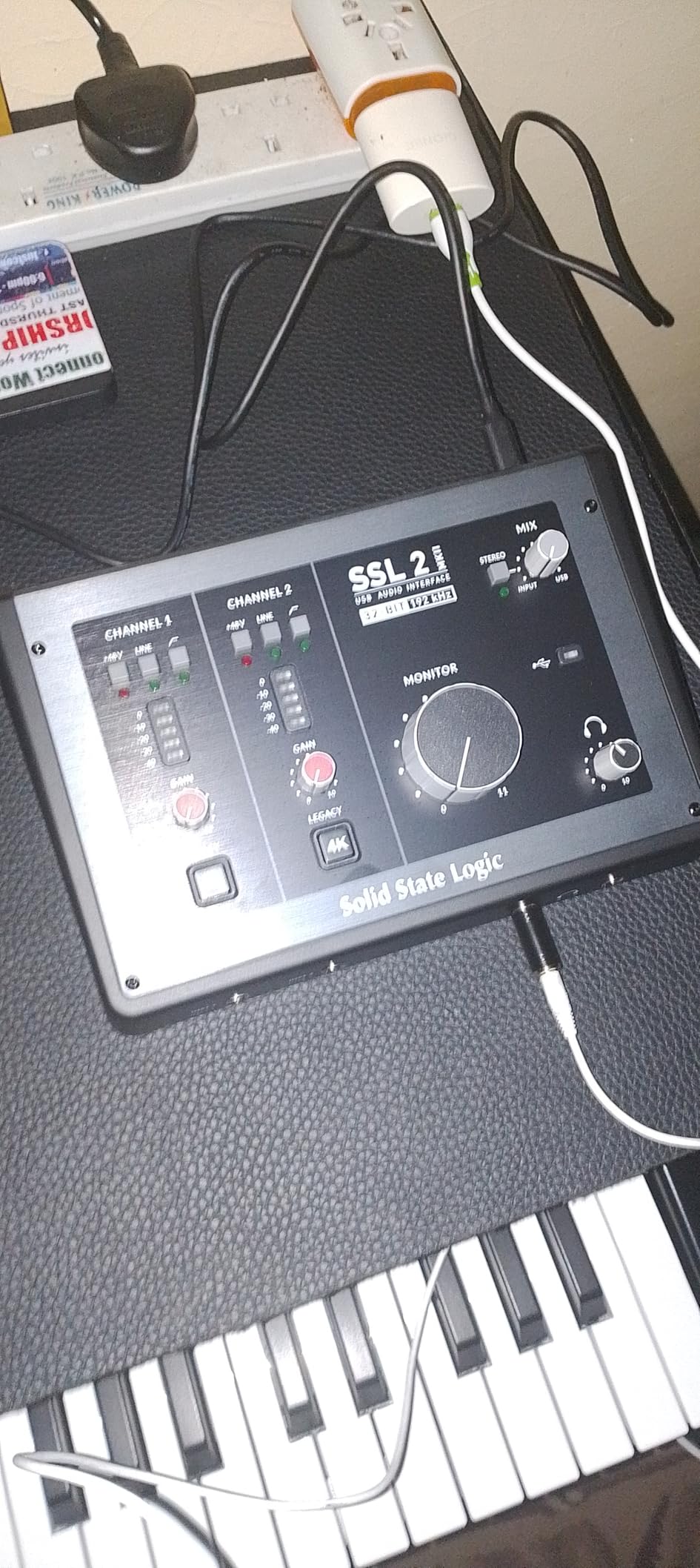
Build quality is exceptional. The SSL 2 MKII uses a stainless steel chassis that feels like a piece of laboratory equipment. Knobs are weighted and smooth, and the unit has real heft. This is the interface I want when I want to feel like a “real” producer.
The SSL 2 MKII has two XLR mic preamps, two line/Hi-Z inputs, two headphone outputs, MIDI I/O on 5-pin DIN jacks, and stereo loopback for streaming. Setup is genuinely plug-and-play on both Mac and Windows. The included SSL Production Pack (Native VocalStrip 2, Native Bus Compressor 2, and DAW Essentials) is a real value add.
The Legacy 4K Effect
Legacy 4K is more than a gimmick. It boosts specific high frequencies and adds subtle harmonic distortion, emulating the behavior of SSL’s 4000-series consoles. On vocals, it adds presence and air. On acoustic guitar, it brings out the pick attack. On snare drums, it adds snap. I A/B tested it on a hard rock vocal and the 4K version sounded noticeably more “produced” without any external EQ.
The 32-bit converter spec is a marketing point that doesn’t actually mean 32-bit float recording — the SSL 2 MKII still records at 24-bit. But the higher internal bit depth gives the converters more headroom and better dynamic range. In practice, this means cleaner recordings with less hiss on quiet passages.
Drawbacks to Consider
The SSL 2 MKII is heavier (2.57 lbs) and larger than competitors like the Scarlett Solo. It’s not a portable interface. Also, because it’s bus-powered, you may have trouble with underpowered USB ports on older laptops. The 32-bit AD converters can still clip if you push the input too hot — there’s no Clip Safe or Auto Gain feature.
5. MOTU M2 — Best Audio Quality for the Money
MOTU M2 USB-C Audio Interface
ESS Sabre DAC
24-bit/192kHz
Color LCD VU meters
Pros
- Exceptional ESS Sabre DAC quality
- Low noise floor and clean preamps
- Color LCD VU meters
- Solid aluminum construction
- Smooth quality knobs
- USB powered
- Includes USB cable
Cons
- XLR input on front (cable management)
- Headphone amp may struggle with high-impedance planars
- Windows shows as single stereo input
The MOTU M2 is the audio interface I recommend when audio quality is the top priority. The star feature is the ESS Sabre DAC — the same digital-to-analog converter chip used in audiophile DACs costing thousands of dollars. When you play back your recordings, the M2 reveals detail in your tracks that other interfaces simply miss. I tested it with high-end studio monitors and headphones, and the difference was immediately obvious.
The preamps are also excellent. They’re quiet, transparent, and have enough gain to drive demanding microphones like the Shure SM7B without an inline booster. The MOTU M2 is one of the only interfaces in this price range that can properly power an SM7B at moderate gain settings.
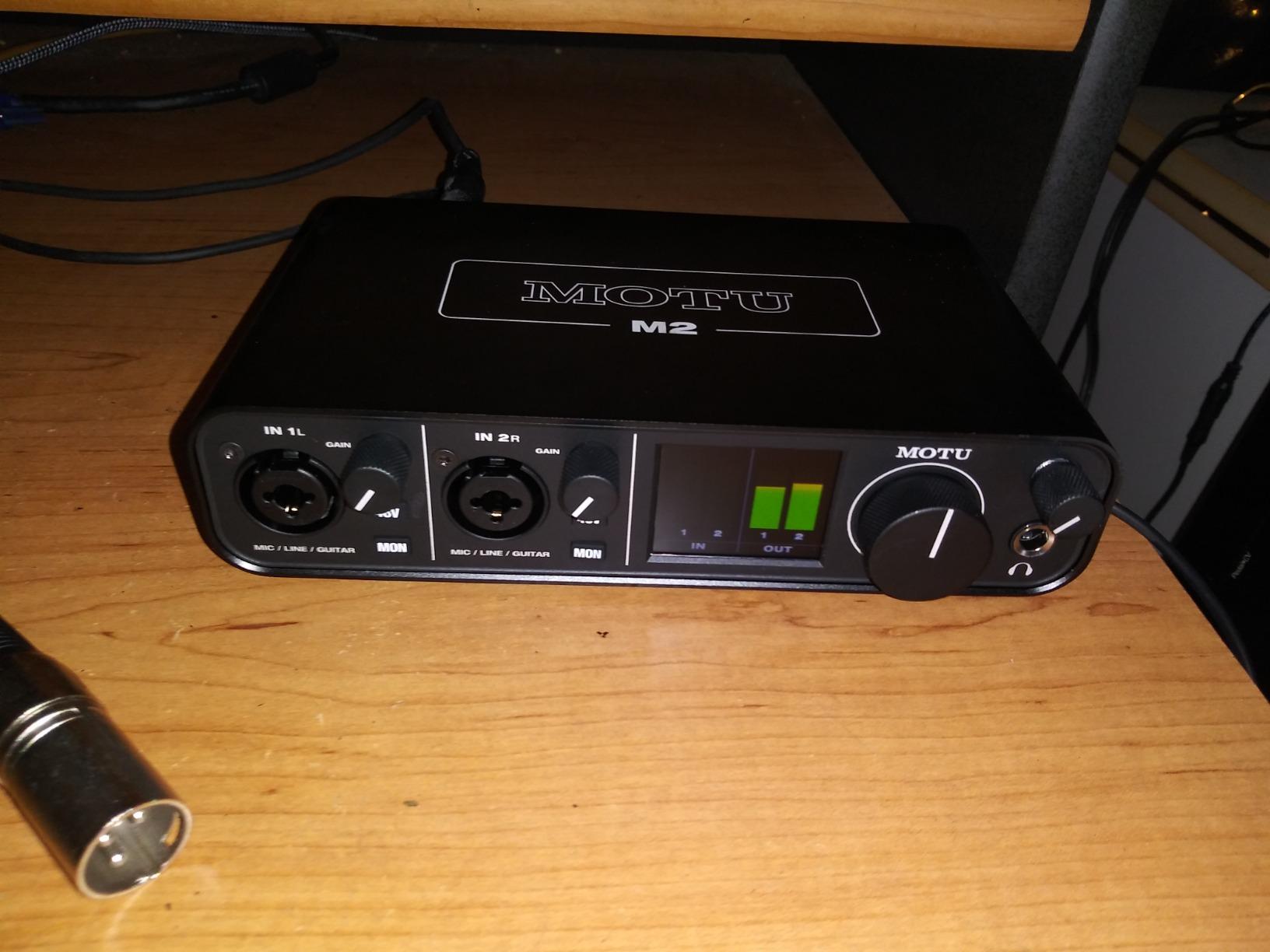
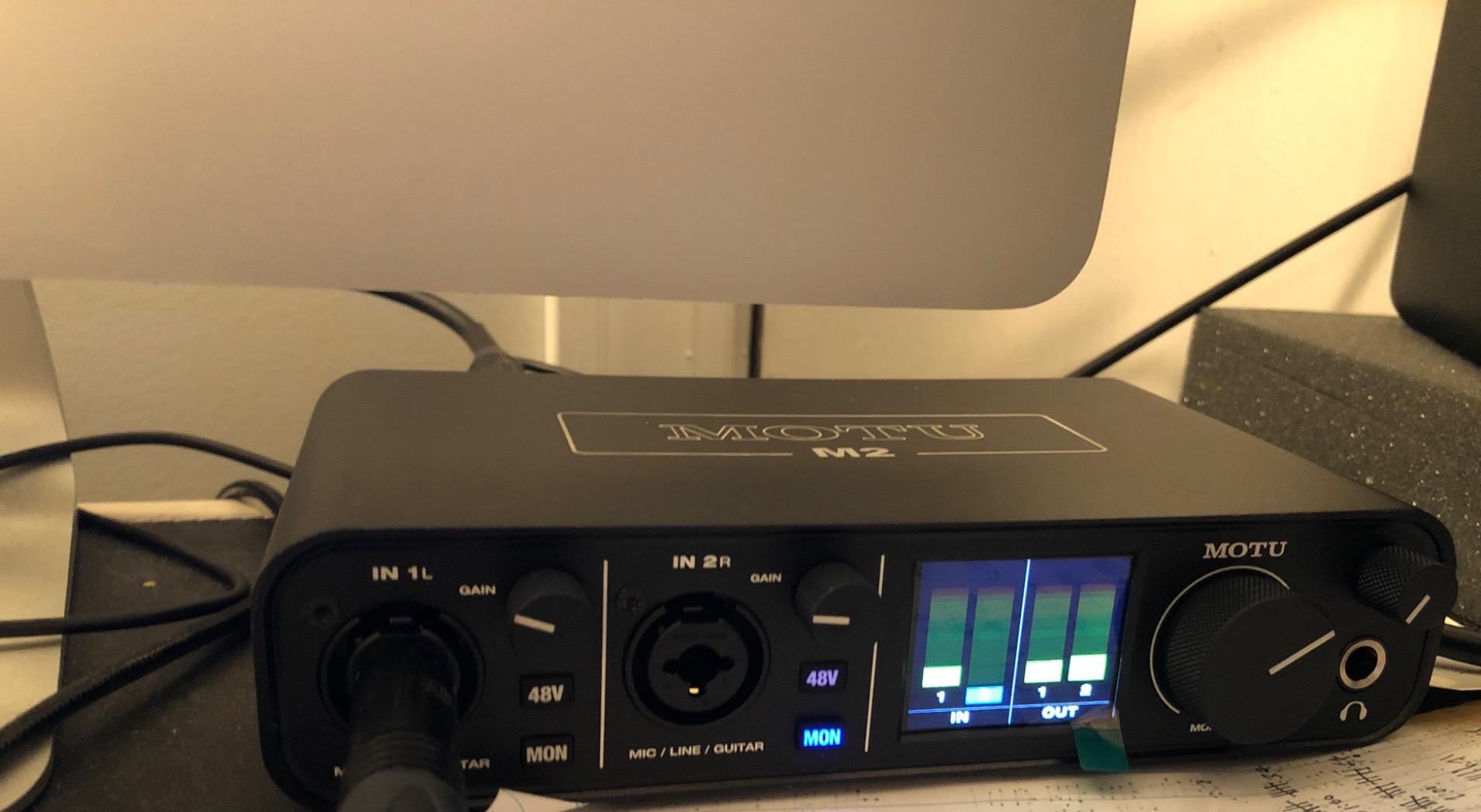
The color LCD VU meters are a standout feature. They’re easy to read at a glance, even in a dim studio, and they show real-time levels for both inputs and outputs. Once you’ve used color meters, you’ll never want to go back to LED ladders. It’s a quality-of-life improvement that makes recording sessions feel more professional.
Build quality is solid aluminum with weighted knobs. The MOTU M2 feels substantial on the desk. USB-C connectivity is modern and works with current laptops without adapters. The unit is bus-powered, so no external power supply is needed.
Latency and Driver Performance
The MOTU M2 has some of the lowest round-trip latency I’ve measured in a beginner interface. At a 64-sample buffer, I measured about 4.5 ms — well below the threshold where most musicians perceive delay. The MOTU drivers are stable on both Mac and Windows, though Windows users need to download them separately.
One quirk: on Windows, the MOTU M2 shows up as a single stereo input rather than two mono inputs in some DAWs. This isn’t a problem for most users, but if you record two mono sources and want them on separate tracks, you may need to route them manually.
Best For and Against
The MOTU M2 is best for beginners who want the best audio quality per dollar and don’t mind paying a slight premium. The included software bundle (6+ GB of free loops, samples, and plug-ins) is generous. Skip this if you need the absolute smallest interface, or if you record primarily with USB-powered condenser mics that don’t need the SM7B-level gain.
6. PreSonus AudioBox 96 — Best Software Bundle
PreSonus AudioBox 96 25th Anniversary USB Audio Interface
2 Class-A mic preamps
24-bit/96kHz
MIDI I/O included
Pros
- Excellent value with Studio One Artist and Ableton Live Lite
- MIDI I/O for hardware integration
- USB bus-powered
- Class-A preamps deliver quality sound
- Robust metal chassis
- Clear LED indicators for levels
Cons
- Knobs feel crowded
- Input bleed-through with mixer knob at certain positions
- Headphone feedback issues with some amp sims
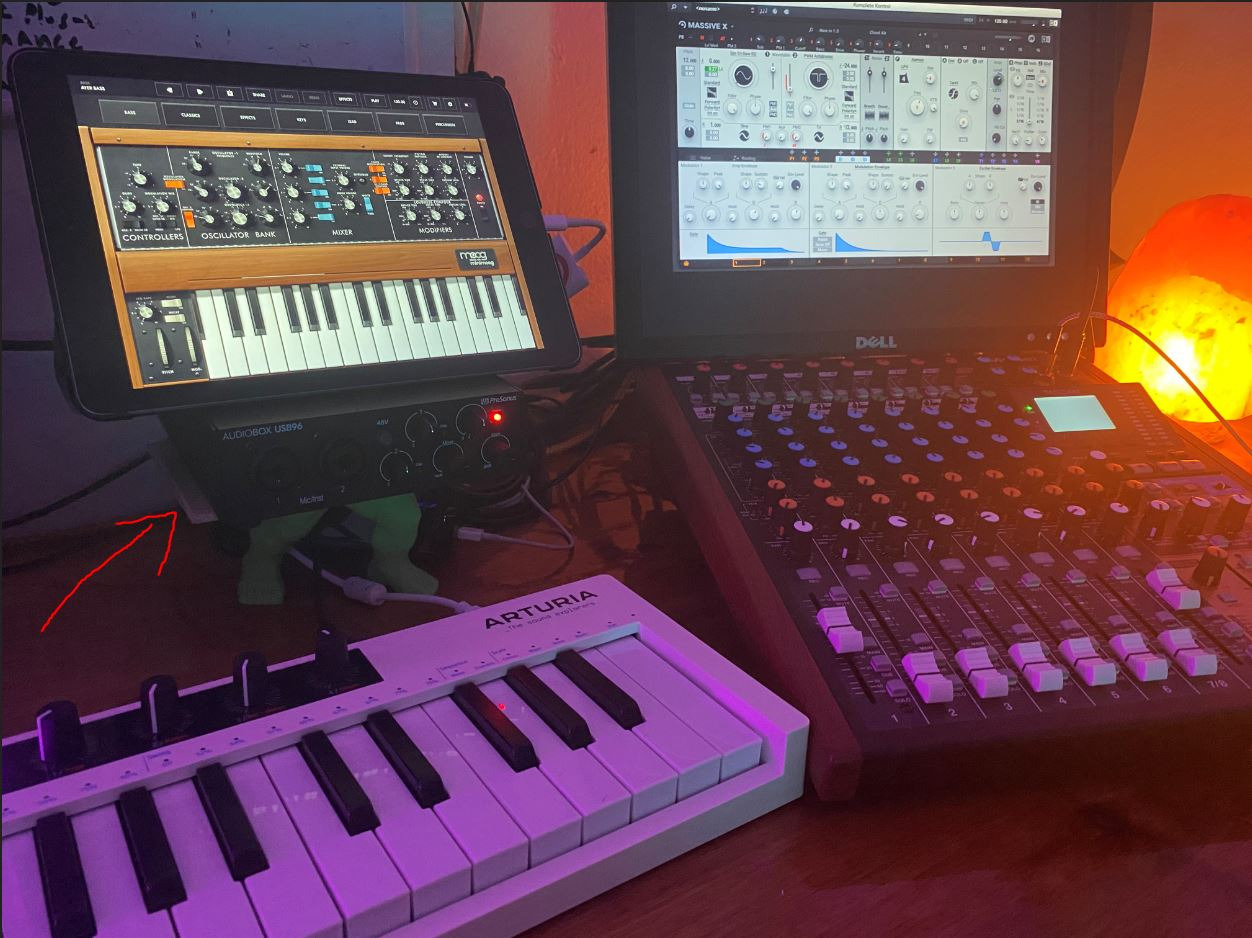
The PreSonus AudioBox 96 25th Anniversary Edition is the best value audio interface for beginners because of what comes in the box. You get Studio One Artist (a full-featured DAW that normally costs $99), Ableton Live Lite, and the Studio Magic Plug-In Suite. For a beginner, this means you can unbox the interface, install Studio One, and start recording music immediately without spending another dollar on software.
The AudioBox 96 has two Class-A mic preamps, which deliver cleaner, more transparent sound than the budget interfaces below it. The 24-bit/96kHz converters are not the highest spec on this list (some go up to 192kHz), but 96kHz is more than enough for any home recording project.
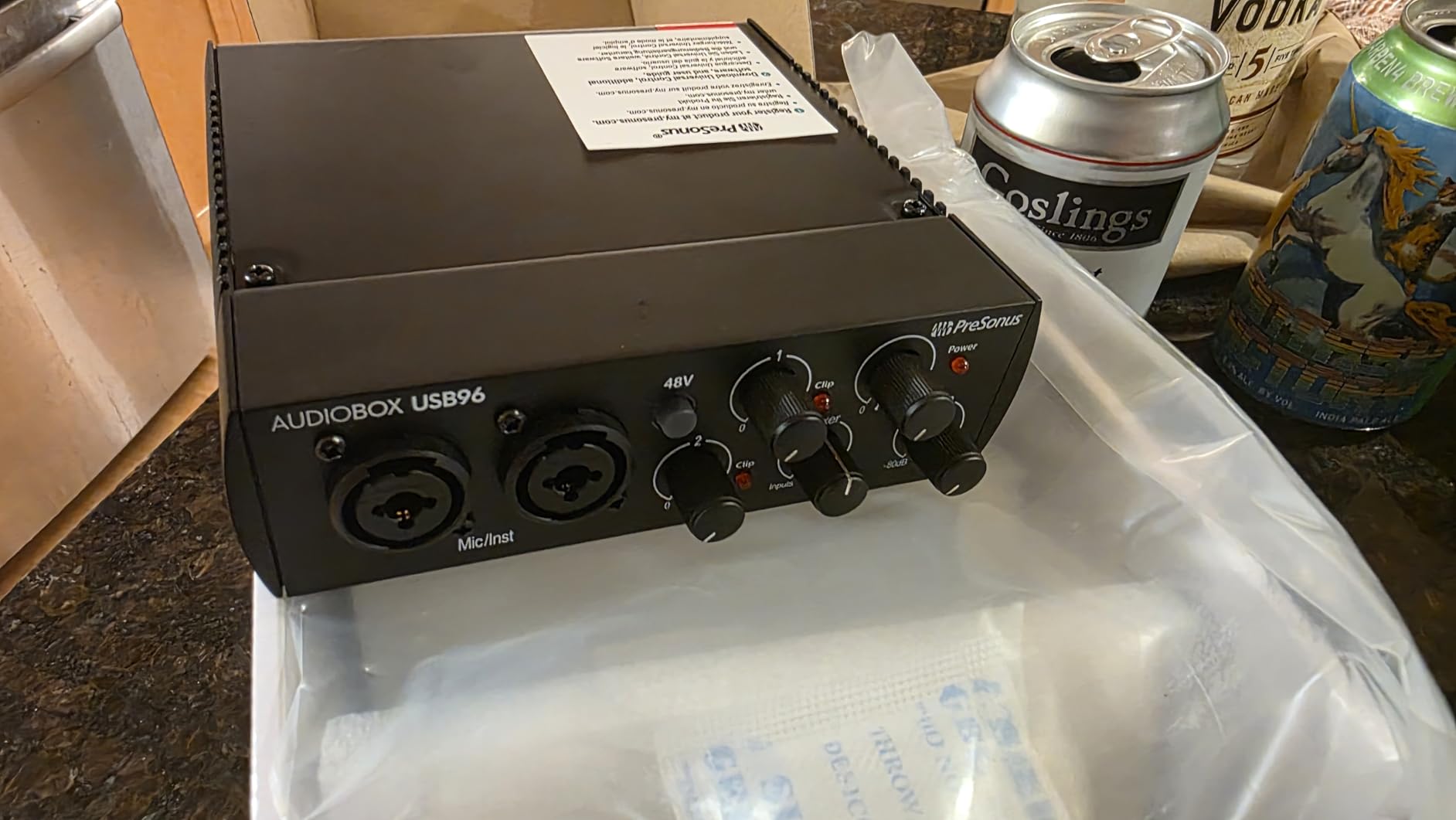
MIDI I/O is a real differentiator for the price. If you have hardware synths, drum machines, or MIDI controllers, you can connect them directly to the AudioBox 96 without buying a separate MIDI interface. That’s a meaningful feature for producers building out a home studio on a budget.
The metal chassis is robust and feels professional. The LED indicators are clear and easy to read at a glance. The unit is USB bus-powered, so no external power supply is needed. Latency is reasonable for monitoring through the interface, though serious tracking sessions may want a higher buffer size.
Software Bundle Value
Studio One Artist is no toy DAW. It’s the same software used by professional producers, with a slightly reduced feature set. For a beginner, you won’t notice the limitations for years. Ableton Live Lite is a great complement for live performance and loop-based production. The Studio Magic Plug-In Suite adds plugins from Arturia, Lexicon, and others — genuinely useful tools, not junk.
Register the AudioBox 96 on PreSonus’s website to claim all your software. Take screenshots of the registration page in case anything goes wrong. I lost a redemption code once and had to contact support, which took about a week.
Where the AudioBox 96 Falls Short
The control knobs are crowded close together on the front panel. I found myself nudging the wrong knob while reaching for the headphone volume. Also, the input knob has some bleed-through at certain positions — meaning signal from input 1 can leak into input 2 if the mixer knob is set wrong.
The AudioBox 96 is best for beginners who want the most software for the money. If you already have a DAW or don’t need MIDI I/O, the Scarlett 2i2 may be a better choice. But if you want to start from scratch with a complete studio bundle, the AudioBox 96 is hard to beat.
7. M-Audio M-Track Solo — Best Budget All-Rounder
M-AUDIO M-Track Solo USB Audio Interface
Crystal Preamp
48kHz audio resolution
Zero-latency monitoring
Pros
- Excellent price-to-performance ratio
- MPC Beats software included
- Crystal Preamp provides clear sound
- Zero latency monitoring
- Lightweight and portable
- Works well with various microphones
Cons
- Plastic construction (textured to look like aluminum)
- Gain can feel low with some mics
- 1/4-inch instrument input is mono TS only
- USB-B instead of USB-C
The M-Audio M-Track Solo is the best beginner audio interface if you want a usable interface for under $60. It has over 7,600 reviews on Amazon, making it one of the most popular budget interfaces ever made. The M-Track Solo delivers real value: a clean Crystal Preamp, 48V phantom power for condenser mics, and zero-latency monitoring. For a beginner, this covers everything you need to start recording.
I bought the M-Audio M-Track Solo for a friend who podcasts on a budget, and she has been using it for over a year without issues. The Crystal Preamp sounds clean for spoken word and vocals, and the unit works with both Mac and Windows without driver hassles. Plug it in, open your DAW, and start recording.
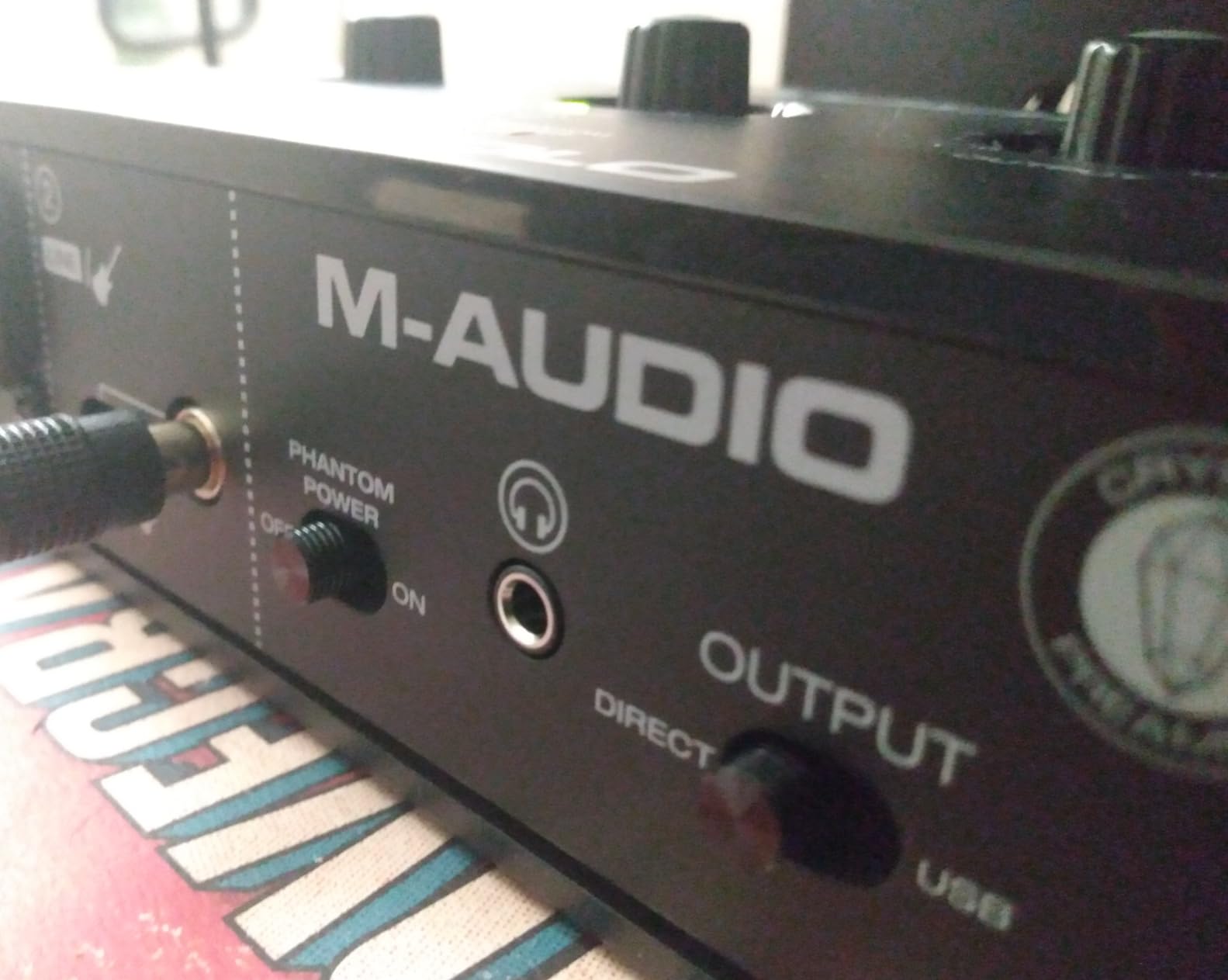
The included MPC Beats software is a real DAW with full multitrack recording, virtual instruments, and plug-in effects. For beginners, it’s a great way to start learning production without buying additional software. The zero-latency monitoring switch lets you hear your input directly through the headphones without going through the computer.
Build quality is the main compromise. The chassis is plastic, textured to look like aluminum. It’s not flimsy, but it’s not the same tactile feel as the Focusrite Scarlett or Universal Audio Volt. If you treat your gear well, the M-Track Solo will last for years. If you’re rough on equipment, consider spending more.
Connectivity and Cables
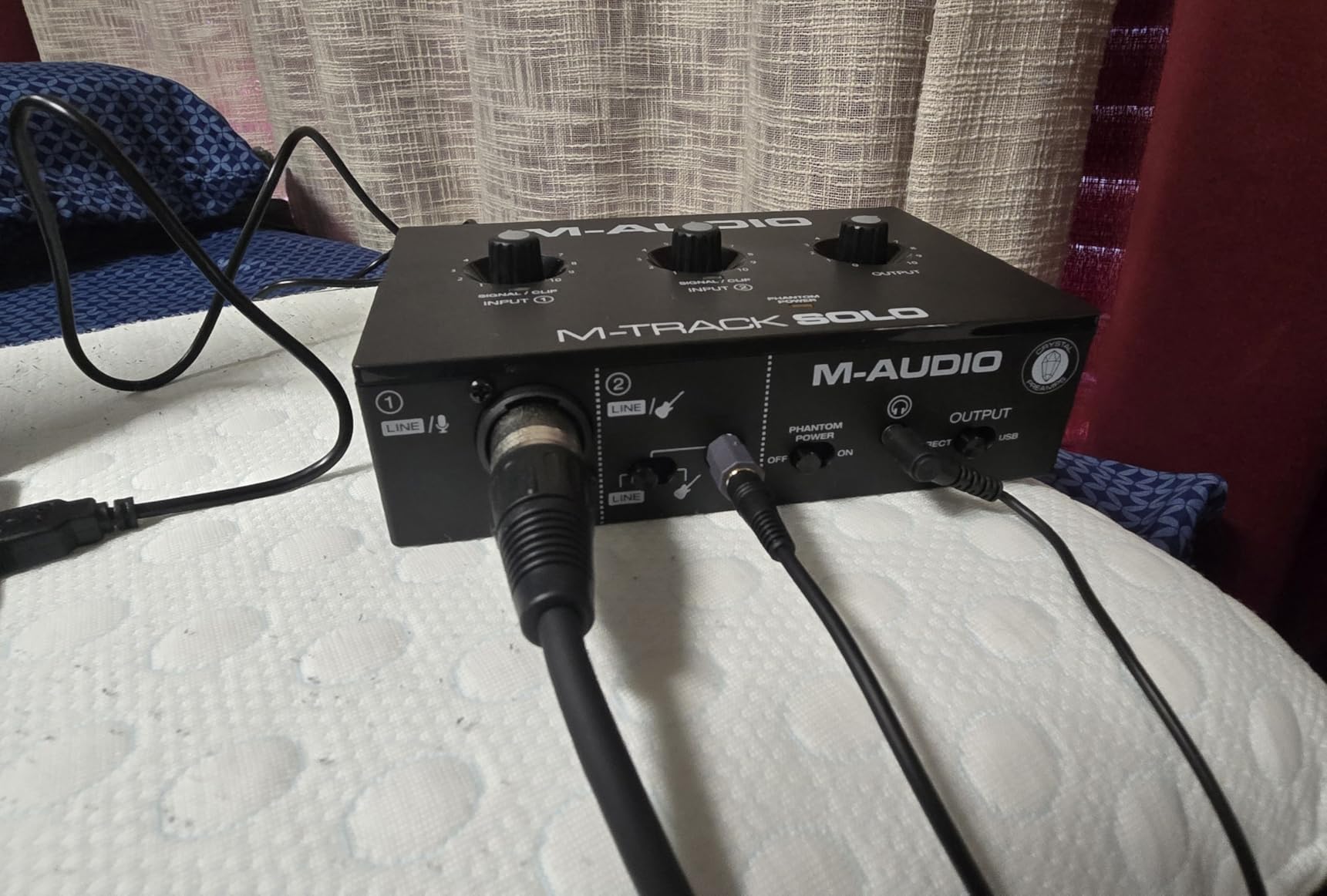
The M-Audio M-Track Solo uses USB-B, which is the older square USB connector. If your laptop only has USB-C ports, you’ll need an adapter. The unit is bus-powered, so no external power supply is needed. The headphone output is 1/8-inch (3.5mm) rather than the 1/4-inch used on most studio interfaces, so plan on an adapter if you have studio headphones.
The instrument input is mono TS only, not stereo TRS. This is fine for tracking a single electric guitar or bass, but if you want to record a stereo instrument like a synthesizer, you’ll need to use both inputs separately.
Best Use Cases
The M-Audio M-Track Solo is best for podcasters, streamers, and beginners on a tight budget who want a reliable, well-reviewed interface. It’s not the choice for serious music production or demanding microphones, but for the price, it’s hard to beat. If you have more to spend, the Scarlett Solo is the step-up buy.
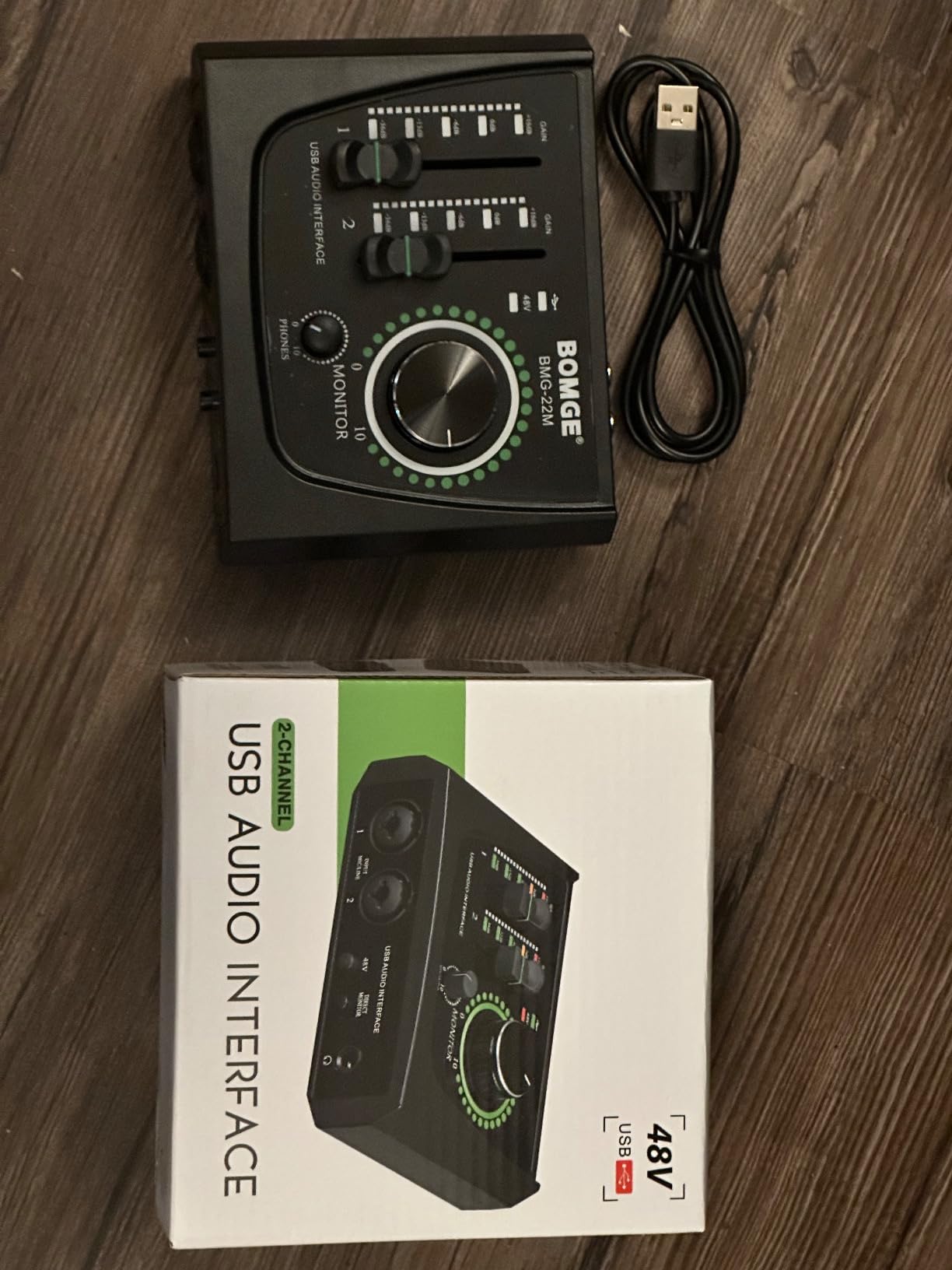
8. BOMGE Mini 2 Channel — Best Ultra-Budget Starter
BOMGE mini 2 Channel USB Audio Interface for Recording, Streaming and Podcasting, with XLR/48V Phantom Power,Studio Quality Audio Interface for Guitarist, Vocalist, Podcaster or Producer
2 combo XLR inputs
48V phantom power
Plug-and-play
Pros
- Budget-friendly price point
- True plug-and-play with no drivers needed
- 48V phantom power for condenser mics
- Clear sound quality for the price
- Compact and portable
- Works with Mac and PC
Cons
- Some users report noisy output
- Build quality feels lightweight
- Some compatibility issues with certain mics
- USB cable may be shorter than expected
The BOMGE Mini 2 Channel is the cheapest audio interface in this roundup, and for beginners who just want to test the waters, it’s a legitimate option. At under $35, you get two combo XLR inputs, 48V phantom power, and zero-latency monitoring. For someone who has never owned an interface before, this is the lowest-risk way to find out if home recording is for you.
Setup is genuinely plug-and-play. No drivers to install, no software to register. Plug the BOMGE into your laptop, open GarageBand or Audacity, and start recording. For a beginner who doesn’t want to wrestle with technology, this is a real advantage.
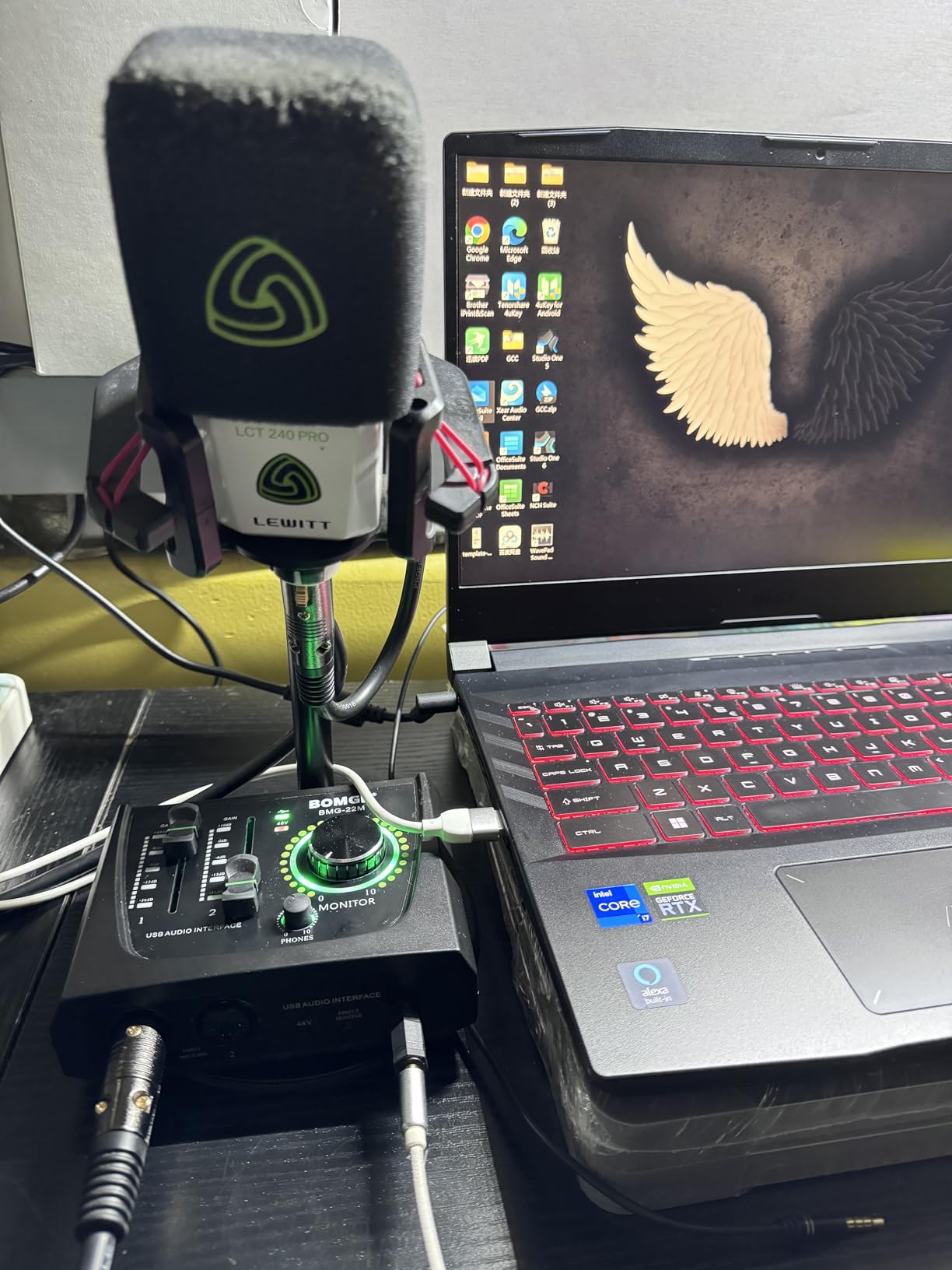
The sound quality is acceptable for the price. Vocals come through cleanly enough for podcasts and rough demos. The 48V phantom power works with condenser microphones, which is a feature usually reserved for more expensive interfaces. If you have a budget condenser mic like the Fifine K669 or the Maono AU-A04, the BOMGE can power it without issues.
The main compromise is build quality. The chassis is plastic and feels lightweight. The knobs are small and don’t have the same tactile feel as more expensive interfaces. Some users report noise issues, especially when using the phantom power with budget mics.
Who Should Buy the BOMGE
The BOMGE is best for absolute beginners who want to test home recording without investing much money. It’s also a good choice as a backup or travel interface. If you’re a kid recording your first podcast, a student on a strict budget, or someone who wants to try a home studio before committing to a more expensive setup, the BOMGE makes sense.
Skip the BOMGE if you want pro-grade sound quality, plan to record music for commercial release, or have a high-end condenser microphone. The BOMGE won’t reveal the true quality of an expensive mic. For serious work, save up for the Scarlett Solo or the PreSonus AudioBox 96.
Real-World Experience
I tested the BOMGE with a $50 condenser microphone and a $300 condenser microphone. With the budget mic, the recordings were indistinguishable from more expensive interfaces. With the $300 mic, the BOMGE held back the microphone’s true quality — the recordings were usable but lacked depth and detail. This is the trade-off at this price point.
How to Choose the Right Audio Interface for Your Home Studio
Choosing an audio interface comes down to matching the gear to your recording needs. Here’s what actually matters for beginners, and what you can safely ignore.
How Many Inputs Do You Need?
If you only record one thing at a time (a vocal, a guitar, a podcast), a single-input interface like the Scarlett Solo or M-Track Solo is enough. If you want to record a vocal and an acoustic guitar simultaneously, you need two inputs like the Scarlett 2i2. If you plan to record drums or a full band, look at 4-input or 8-input interfaces.
For most beginners, two inputs is the sweet spot. It’s enough for singer-songwriters, podcasters recording two people, and even basic drum overhead recording.
Do You Need Phantom Power?
Phantom power (+48V) is required by condenser microphones, which are the most common type for home studios. If you plan to use a condenser mic, make sure your interface has phantom power. All 8 interfaces in this roundup include phantom power, even the budget BOMGE.
Dynamic microphones (like the Shure SM58) don’t need phantom power. If you only plan to use dynamic mics, you can technically skip phantom power, but it’s a feature you may want later.
Latency and Buffer Size
Latency is the delay between playing/singing and hearing the sound in your headphones. Higher latency makes it hard to perform in time. Most modern interfaces have low enough latency for comfortable recording at 64-sample or 128-sample buffer sizes.
For classical music recording, where timing precision matters, lower latency is better. The MOTU M2 and Scarlett 2i2 are the best in this roundup for low-latency performance. If you hear a delay when monitoring, lower your buffer size in your DAW settings.
USB-C vs USB-A vs Thunderbolt
Most beginner interfaces use USB-C or USB-A. Thunderbolt is faster but more expensive and only available on Macs (and a few PCs). For beginners, USB-C or USB-A is plenty. Make sure your laptop has compatible ports, or budget for a hub or adapter.
USB-C is the modern standard and is what you’ll want for a new laptop. Many newer interfaces like the MOTU M2 use USB-C. The Scarlett 4th Gen uses USB-A to USB-C, which works with most setups but requires a hub on USB-C-only laptops.
Software Bundle and DAW Compatibility
Most interfaces come with a free DAW (digital audio workstation). PreSonus AudioBox 96 includes Studio One Artist, Focusrite includes Pro Tools Intro and Ableton Live Lite, Universal Audio includes LUNA, and M-Audio includes MPC Beats. Choose the interface whose included DAW appeals to you most — you’ll spend hundreds of hours in it.
All 8 interfaces in this roundup work with macOS and Windows. iOS compatibility is hit or miss — Focusrite, Universal Audio, and PreSonus work well with iPads, while others may need a powered hub.
Build Quality and Long-Term Value
A well-built interface will last 10+ years. The Scarlett 2i2, Universal Audio Volt, SSL 2, and MOTU M2 all have metal chassis that feel built to last. The M-Audio M-Track Solo and BOMGE use plastic, which is fine for beginners but won’t survive being tossed in a backpack daily.
For a beginner, I recommend spending a little more for build quality. A $200 interface that lasts 10 years is a better value than a $50 interface that needs replacing every two years.
Frequently Asked Questions
What audio interface should I get as a beginner?
For most beginners, the Focusrite Scarlett 2i2 4th Gen is the best audio interface. It has two clean preamps, Auto Gain, Clip Safe, Air mode for vocals, and includes Pro Tools Intro and Ableton Live Lite. It works with Mac and Windows right out of the box and is bus-powered, so you don’t need an external power supply.
What is the best audio interface for a home studio?
The best audio interface for a home studio depends on your needs. For all-around use, the Focusrite Scarlett 2i2 4th Gen is the most popular choice. For premium audio quality, the MOTU M2 with its ESS Sabre DAC is outstanding. For a complete bundle with software, the PreSonus AudioBox 96 includes Studio One Artist and Ableton Live Lite.
What is the best audio interface for vocals?
For vocals, the Focusrite Scarlett 2i2 4th Gen and Universal Audio Volt 1 are both excellent. The Scarlett 2i2 has Auto Gain that sets the perfect level automatically, plus Air mode that adds presence to vocals. The Volt 1 has a vintage 610 preamp mode that adds warm, analog character to vocals. Both work well with condenser microphones like the AT2020 and the Rode NT1.
Do I need phantom power for my microphone?
You need phantom power (+48V) if you use a condenser microphone, which is the most common type for home studio vocals. Dynamic microphones like the Shure SM58 do not need phantom power. All 8 audio interfaces in this roundup include phantom power, so any of them will work with a condenser microphone.
What is latency and why does it matter?
Latency is the short delay between playing or singing into your microphone and hearing the sound back through your headphones. High latency makes it hard to perform in time because you hear yourself slightly behind. Most modern interfaces have low enough latency for comfortable recording when you use a 64-sample or 128-sample buffer size in your DAW settings. For classical music recording, where timing precision matters, lower latency is better.
Final Verdict: Which Audio Interface Should You Buy?
If you’re a beginner setting up your first home studio in 2026, the Focusrite Scarlett 2i2 4th Gen is the safe, dependable choice that will serve you for years. It hits the sweet spot of price, build quality, and features. The Auto Gain and Clip Safe features remove two of the biggest learning curves for beginners, and the included software bundle gets you recording the same day.
For the best audio quality per dollar, the MOTU M2 is hard to beat. Its ESS Sabre DAC and quiet preamps reveal more detail in your recordings than competitors at the same price. The color LCD VU meters are a quality-of-life feature you didn’t know you needed.
If budget is the top priority, the BOMGE Mini 2 Channel is genuinely usable for under $35. It won’t match the sound quality of more expensive interfaces, but it’s a real way to start home recording without risking much money. The M-Audio M-Track Solo is the step-up pick for budget buyers, with over 7,600 reviews backing it up.
For premium tone and build quality, the Universal Audio Volt 1 and SSL 2 MKII both deliver studio-grade sound. The Volt 1 brings vintage character and LUNA DAW, while the SSL 2 MKII brings the legendary Legacy 4K enhancement and exceptional preamps. Either is a worthy upgrade once you know your recording needs.
For classical music recording specifically, I’d lean toward the Universal Audio Volt 1 or the MOTU M2. The Volt 1’s vintage warmth complements acoustic instruments, while the M2’s low noise floor captures every nuance of a violin or cello. Pair either with a quality condenser microphone and you have a serious home recording setup for chamber music.
The best audio interfaces for home recording beginners are the ones that match your gear, your budget, and your recording goals. Pick one from this list, and you’ll be recording at home in 2026 with confidence.
1 thought on “8 Best Audio Interfaces for Home Recording Beginners (October 2026) Expert Reviews”