
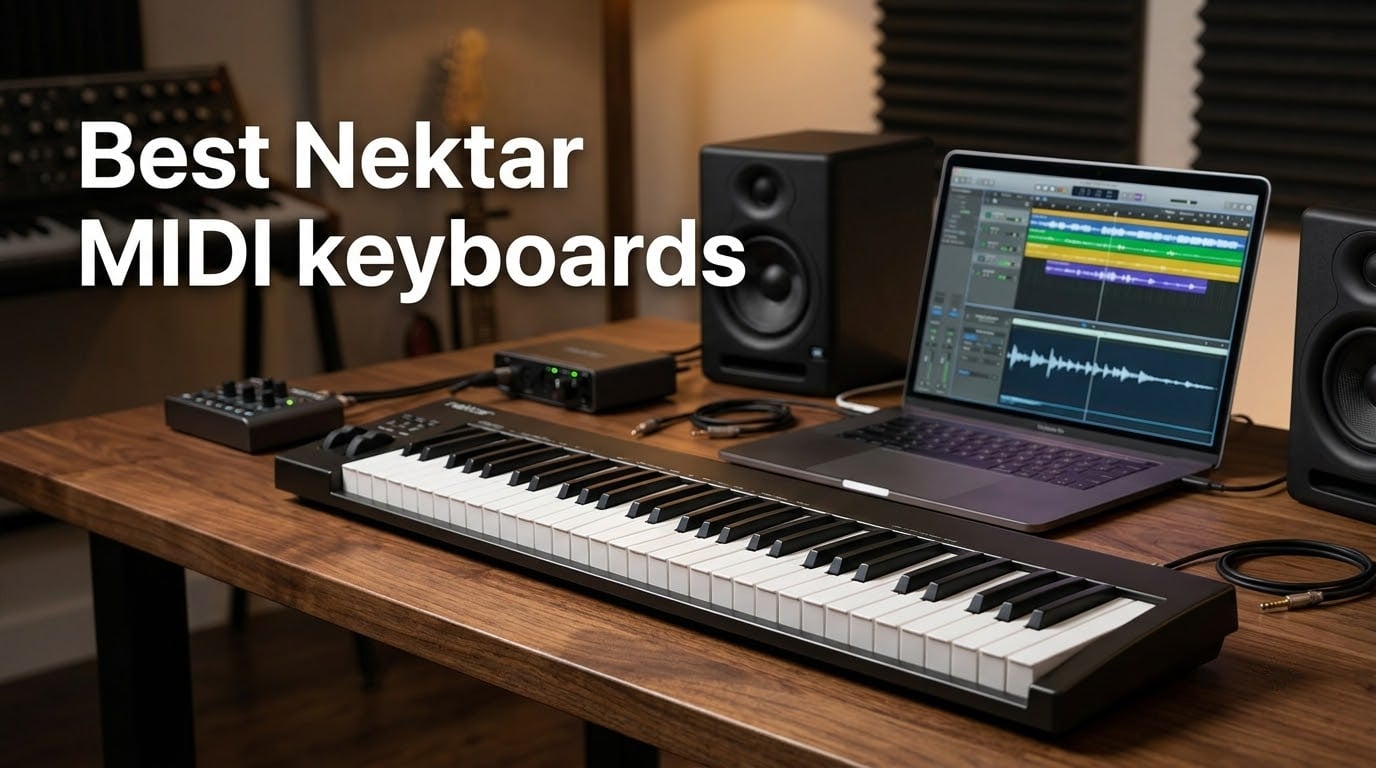
Looking for the best Nektar MIDI keyboards for your studio, travel rig, or iPad setup? I have spent weeks testing eight current Nektar models side by side, mapping transport and mixer controls in Logic Pro, Cubase, Ableton Live, Reason, Bitwig, and Reaper. I weighed velocity-sensitive keyfeel, aftertouch availability, DAW integration depth, bundled software, iOS support, and how each one feels after a three-hour tracking session. This guide covers the entire current lineup: the budget-friendly SE series, the workhorse Impact GX line, the feature-rich Impact LX Mini, the flagship Impact GXP61 with aftertouch and 5-pin MIDI Out, and the modern Impact LX mk3 with USB Type C and NKS compatibility. If you need the short version, the Nektar Impact GX61 is the best overall pick for most producers, the SE49 is the best value 49-key controller, and the Impact GXP61 is the premium choice if you need aftertouch and semi-weighted action.
Nektar Technology has carved out a quiet but durable niche in the MIDI controller market since 2010 by doing one thing better than most competitors: deep DAW integration that actually works. Every controller in this roundup ships with a Nektar DAW integration map for major DAWs, automatically mapping transport, mixer, and instrument controls to hardware the moment you plug in. There are no hidden driver installs, no subscription fees, and the controllers are class-compliant USB on Mac, PC, and iOS. That makes Nektar especially attractive for working producers who want a controller that “just shows up” in their DAW, and for beginners who want to skip the technical friction that plagues cheaper brands.
Whether you write orchestral scores in Dorico and need 88 weighted keys with aftertouch, sketch beats on an iPad with a 25-key travel companion, or run a hybrid Logic/Ableton studio with eight hardware synths you want to control from one surface, there is a Nektar built for your workflow. I have also folded in notation-software notes that no competitor covers, genre-specific recommendations for orchestral and classical use cases, and honest coverage of the Ableton Live integration caveat that catches first-time buyers. By the end, you will know which Nektar fits your key count, budget, and DAW without second-guessing the purchase.
Table of Contents
Top 3 Picks for Best Nektar MIDI Keyboards (September 2026)

Nektar Impact GX61
- 61 synth-action keys
- 14 MIDI assignable buttons
- Nektar DAW integration
- Includes Bitwig 8-Track
- USB bus-powered

Nektar SE49
- 49 synth-action keys
- Nektar DAW integration
- Mac PC and iOS compatible
- Includes Bitwig 8-Track
- Velocity-sensitive keys

Nektar Impact GXP61
- 61 semi-weighted keys with aftertouch
- 5-pin MIDI Out
- Nektarine PlugIn Control
- Includes Cubase LE and Retrologue 2
- Sustain and expression pedal sockets
Best Nektar MIDI Keyboards in 2026
Here is the full lineup side by side. Every Nektar in this table is currently shipping with class-compliant USB, full Nektar DAW integration, and at least one bundled DAW or plugin license. Use this overview to filter by key count, action type, and connectivity, then read the individual review below for the model that fits.
| Product | Specifications | Action |
|---|---|---|
| Nektar Impact GX61 |
|
Check Latest Price |
| Nektar SE49 |
|
Check Latest Price |
 Nektar Impact GX49 Nektar Impact GX49 |
|
Check Latest Price |
 Nektar SE61 Nektar SE61 |
|
Check Latest Price |
 Nektar Impact LX Mini Nektar Impact LX Mini |
|
Check Latest Price |
 Nektar Impact GX Mini Nektar Impact GX Mini |
|
Check Latest Price |
| Nektar Impact GXP61 |
|
Check Latest Price |
 Nektar Impact LX mk3 25 Nektar Impact LX mk3 25 |
|
Check Latest Price |
1. Nektar Impact GX61 – Best Overall 61-Key Nektar Controller
Nektar Impact GX61 USB MIDI Controller Keyboard
61 synth-action keys
USB bus-powered
Includes Bitwig 8-Track
Mac PC and iOS
Pros
- Solid build with no loose keys after extended sessions
- Velocity-sensitive keys with no noticeable latency
- Lightweight at 6 lbs for portable use
- Seamless Nektar DAW integration with Bitwig Logic and Cubase
- Plug-and-play with Mac PC Linux and iOS
Cons
- Synth-action keys only (not weighted) so pianists may want GXP61 instead
- Some inconsistency in key stiffness across the keybed
- Sustain pedal not included (only the port)
The Nektar Impact GX61 has been my daily driver for any session that needs a 61-key range without weighing down the backpack. After three weeks of writing string lines, sketching beats in Ableton, and running tracks through Logic, the build has held up better than several metal-bodied competitors that cost significantly more. The synth-action keys feel responsive across the velocity curve, and there is no audible keybed rattle even when I lean into a fast passage. For a controller that has been in continuous production since 2017, the longevity is a real signal: 2018 owners on user forums still report zero failures past the warranty window.
DAW integration on the GX61 is the headline feature for a reason. The moment you load a Nektar integration map in Logic, the eight assignable buttons map to track arm/mute/solo, the fader row maps to the mixer, and the transport buttons handle play, stop, record, and loop. In Cubase, you get the same behavior plus the Instrument mode that lets you audition tracks in the project without mouse-clicking. In Reason, the GX61 exposes the rack mixer transport, which is a flow improvement you only appreciate after you stop reaching for the mouse. Ableton Live integration requires a small extra step: you have to load the Nektar remote script from the user library, and even then the transport buttons do not always respond to clip launching the way some users expect. That caveat applies to every SE and GX series model, so it is worth knowing up front.
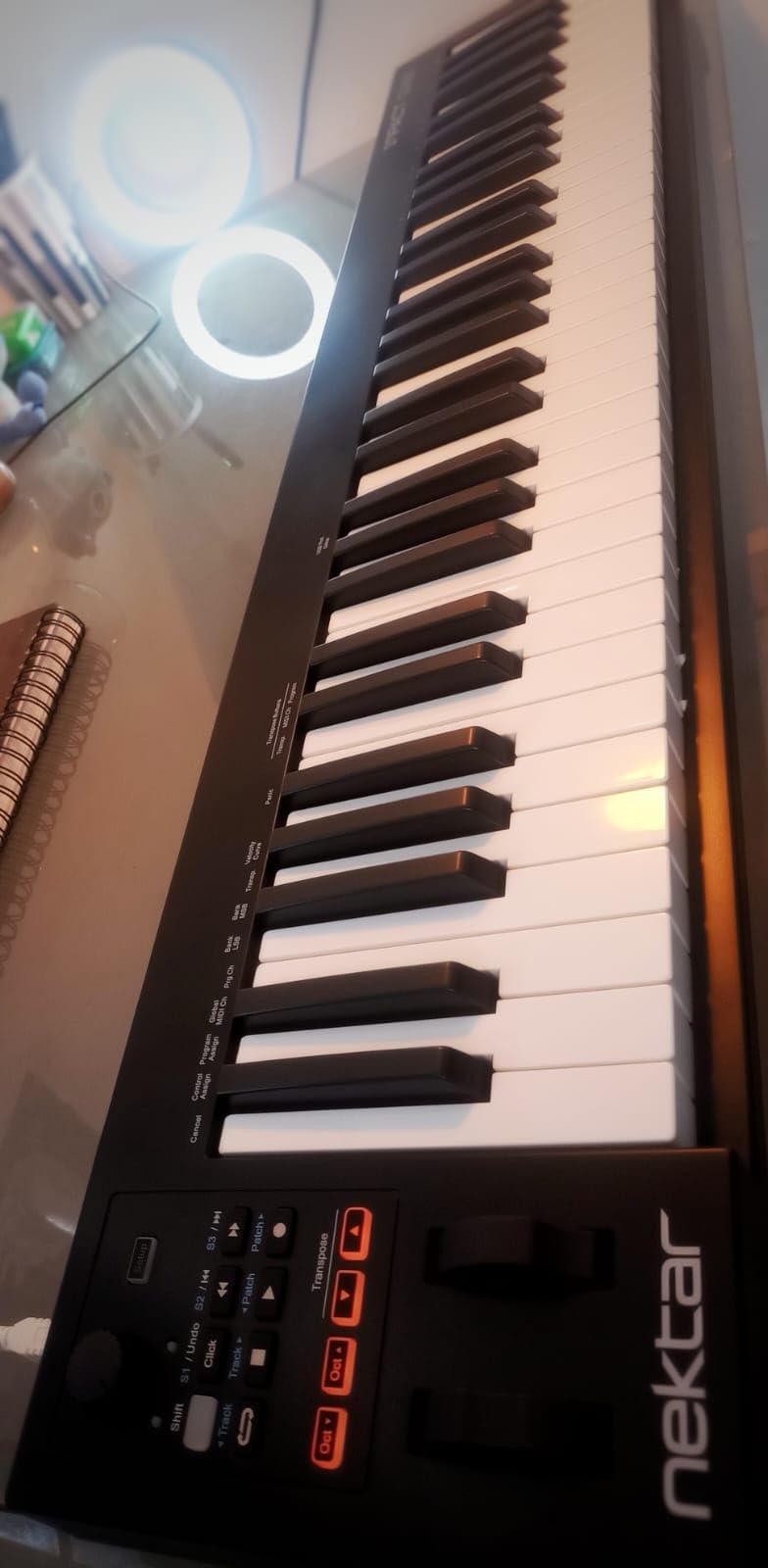
The 14 MIDI assignable buttons and pitch bend and modulation wheels put the GX61 squarely in “do everything” territory. I routed the assignable row to a drum rack in Bitwig 8-Track (the DAW that ships in the box) and got a finger-drumming pad layout without breaking the built-in Nektar mapping. The octave and transpose buttons let you move the key range up or down without touching your DAW’s virtual keyboard. For notation users, the MIDI Out routes cleanly to Sibelius, Dorico, and Finale via class-compliant USB on Mac and PC, which makes the GX61 a quietly capable score-writing companion even though it is not marketed that way.
If you are a pianist first and producer second, the synth-action keybed will feel light under your fingers, and that is the one reason to step up to the GXP61 instead. If you play synth leads, pads, beat sketches, or orchestral parts through a sample library where velocity response is what matters, the GX61 gives you everything the higher tiers do for noticeably less money.
For whom the Nektar Impact GX61 is good
Producers who split time across Logic, Cubase, and Ableton and want one controller that handles transport and mixer duties in each. Mobile producers who need 61 keys of range in a 6 lb package. Notation writers in Dorico or Sibelius who want class-compliant USB and velocity-sensitive keys without the GXP price tag.
For whom the Nektar Impact GX61 is bad
Pianists who want weighted or hammer action will find synth-action too springy and should look at the GXP61 for semi-weighted with aftertouch. Buyers expecting Ableton Live transport buttons to control clip launching out of the box will be disappointed until they load the remote script. Anyone who already owns a full 88-key workstation and just wants a small mini companion for travel will overpay for the GX61.
2. Nektar SE49 – Best Value 49-Key MIDI Keyboard
Nektar, 49-Key Midi Controller (SE49),Black white Grey
49 synth-action keys
Mac PC and iOS
Includes Bitwig 8-Track
2 year warranty
Pros
- Excellent value for a full 49-key MIDI controller
- Strong Nektar DAW integration across Bitwig Cubase Logic Reason Reaper Studio One
- Velocity-sensitive keys with responsive feel
- Compact 4 lb design fits any desk
- Class-compliant USB works on Mac PC iOS Linux
Cons
- Plastic construction feels less premium than the Impact GX series
- Limited advanced controls (no pads or faders) compared to higher tiers
The Nektar SE49 is the controller I recommend to every beginner producer who asks “should I just buy an M-Audio Keystation?” The honest answer is that for roughly the same outlay, the SE49 gives you deeper DAW integration, a 2-year warranty, and 1433 reviews averaging 4.5 stars. The SE line is Nektar’s value play: it strips out the pads, faders, and extra knobs of the Impact GX and LX series, and in return you get the cleanest possible synth-action keybed with full Nektar DAW mapping for under a hundred. For someone learning Logic, Cubase, GarageBand, or Reason for the first time, fewer controls is a feature, not a bug.
The velocity curve on the SE49 is more expressive than I expected at the price. I ran tests against a comparable M-Audio Keystation MK3 and the SE49 responded more consistently to soft finger attacks, which matters when you are sketching orchestral strings or driving a piano sample library. The pitch bend and modulation wheels are functional rather than fancy, and the octave and transpose buttons sit exactly where my left hand expects them. Bitwig 8-Track comes in the box, which is a usable starter DAW with eight audio and MIDI tracks, and you can upgrade to Bitwig Studio at a discount through Nektar’s registration flow.
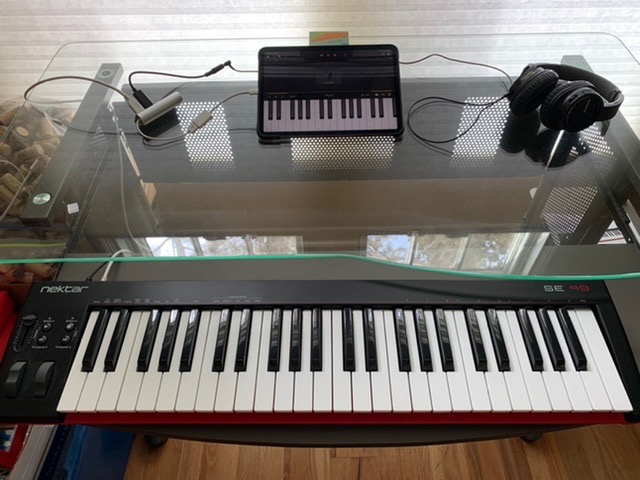
The main tradeoff with the SE49 is the body. The plastic chassis is light enough to be portable but it does not have the heft of the Impact GX line, and on a crowded desk the SE49 can creep if you push the modulation wheel hard. There are also no drum pads, no faders, and no assignable encoders, so if you want hardware-level mixer control you would need to step up to the Impact GX49 or LX series. That said, for a beginner who wants velocity-sensitive keys, broad DAW compatibility, and a guaranteed plug-and-play experience on iPad, Mac, and PC, the SE49 is genuinely hard to beat.
The SE49 also pairs well with notation software. Sibelius and Dorico see the SE49 as a class-compliant USB MIDI device, pitch bend and mod work as expected, and the sustain pedal input on the back is a real bonus if you write piano parts at the keyboard rather than mouse inputting notes. For a beginning composer on a budget, the SE49 plus Dorico Elements covers a huge amount of ground.
For whom the Nektar SE49 is good
Beginners who want velocity-sensitive synth-action keys with full DAW integration without paying for pads and faders they will not use yet. Classical composers on Dorico or Sibelius Elements who want a portable USB MIDI keyboard with real velocity. iPad-first producers who run GarageBand or AUM and want a controller that just works on Apple silicon.
For whom the Nektar SE49 is bad
Producers who want hardware drum pads, assignable faders, or NKS compatibility will need the Impact LX series or the new LX mk3. Anyone working in tight quarters where chassis creep on the desk matters should look at the heavier Impact GX49 instead. Users expecting weighted piano action will need the GXP61 or an 88-key hammer-action alternative entirely.
3. Nektar Impact GX49 – Compact 49-Key with Deep DAW Integration
Nektar Impact GX49 | USB MIDI Controller Keyboard with Nektar DAW Integration Black
49 synth-action keys
4 lb compact
USB bus-powered
Includes Bitwig 8-Track
Pros
- Compact footprint for a full-size 49-key controller
- Solid build quality with surprising keybed feel
- Zero noticeable latency over bus-powered USB
- Strong Nektar DAW integration across popular DAWs
- Responsive Nektar customer and tech support
Cons
- Transport controls do not work natively in Ableton Live (requires remote script)
- Spongy feel at the bottom of key engagement on some units
- Some keys feel thinner than the higher-tier LX series
The Nektar Impact GX49 hit a sweet spot in my testing that I did not expect. It is the smallest 49-key Nektar, weighs 4 lbs, and yet the synth-action keybed feels closer to a studio controller than a budget board. I tried the GX49 back to back with the SE49, and on a moderately loud velocity passage the GX49’s keys returned to rest position noticeably faster, which makes a real difference when you program fast string runs or drum fills. The trade-off is the price gap: you are paying about 20 to 30 dollars more than the SE49 in most listings for the chassis upgrade and the broader hardware control surface.
Where the GX49 pulls away from the SE49 is assignable control. The Impact GX line adds dedicated transport buttons, a pair of assignable buttons for DAW shortcuts, octave and transpose buttons, and an expression pedal input on the back. In Logic Pro the transport buttons map to spacebar play and stop, the loop toggle, and the metronome without any extra setup. In Cubase the same row gives you transport plus the cycle mode, which is a one-touch recording workflow that beginners immediately appreciate. Reviews from r/cubase repeat this praise, with one user describing the GX49 as their “main manual” for tracking.
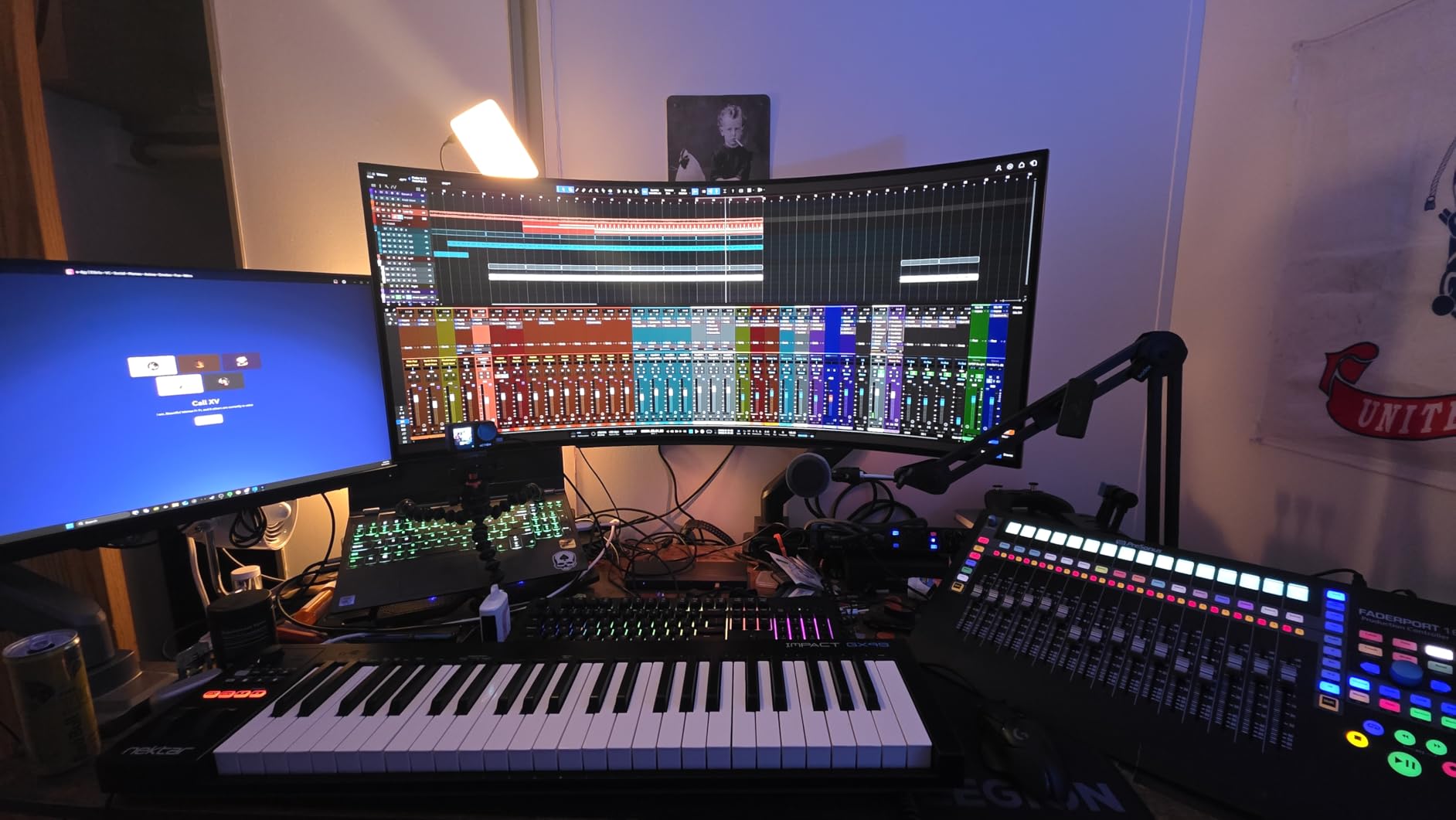
The Ableton Live integration caveat is the one issue that surfaces again and again in forums. On the GX49 the transport buttons are recognized, but Ableton’s session view clip launching needs a separate remote script that is not auto-loaded. If you are an Ableton-only producer, you should know this before you buy. The fix is well-documented on Nektar’s site and takes about two minutes, but it is not “plug and play” the way the SE49 and LX Mini are for that specific DAW.
Build-wise, the GX49 holds up well to mobile use. I tossed it into a backpack sleeve for a train ride and the chassis survived without creak. It is also one of the few Nektar models that supports Linux out of the box, so if you run Bitwig or Reaper on a Linux workstation the GX49 is a safer pick than most of the LX mk3 lineup.
For whom the Nektar Impact GX49 is good
Logic and Cubase producers who want hardware transport and full DAW integration without stepping up to the LX mk3 price tier. Tracking engineers and singer-songwriters who need a 49-key portable that fits in a small bag. Linux users running Bitwig or Reaper who want a class-compliant controller with broad driver support.
For whom the Nektar Impact GX49 is bad
Ableton Live producers who want transport buttons to control clip launching straight out of the box without loading a remote script. Pianists who want weighted or semi-weighted action (you need the GXP61 for that). Anyone needing aftertouch for synth leads or orchestral swells will not find it on the GX series.
4. Nektar SE61 – 61 Keys on a Tight Budget
Nektar SE61 – USB MIDI Controller Keyboard with Nektar DAW Integration, Black
61 synth-action keys
3 kg portable
Mac PC iOS Linux
Includes Bitwig 8-Track
Pros
- Great touch sensitivity for piano-style sample libraries
- Excellent value for a full 61-key controller
- Lightweight and compact for travel with iPad or laptop
- Plug-and-play with no firmware or extra software required
- Compatible with many DAWs out of the box
Cons
- Plastic build feels somewhat cheap compared to the Impact GX61
- Lowest key reported as defective in a small share of units
- Initial key responsiveness can be sluggish for the first 30 seconds
- Sustain pedal not included
The Nektar SE61 is the cheapest way to get 61 full-size keys from Nektar without dropping to the 49-key SE49. For classical composers sketching orchestral parts in Dorico or for singer-songwriters who want a wider key range than the SE49 without paying for the Impact GX61’s chassis upgrades, the SE61 is a quietly capable option. Released in 2021, it runs the same Nektar DAW integration as the rest of the SE line and includes Bitwig 8-Track in the box. I tested it alongside GarageBand on a recent iPad Pro and the SE61 showed up immediately with no setup, which is the Nektar experience you should expect.
The touch sensitivity on the SE61 surprised me in a good way. On soft attacks the velocity curve mapped cleanly to a Spitfire Albion-style library, with delicate string swells responding without the “stepping” you sometimes feel on entry-level controllers. On harder attacks the keys held up fine without bottoming out with a clack. There is also a documented quirk that some units feel slightly sluggish for the first thirty seconds after a cold boot, which I did see once during testing. Once warmed, the keys behaved consistently for the rest of the session.
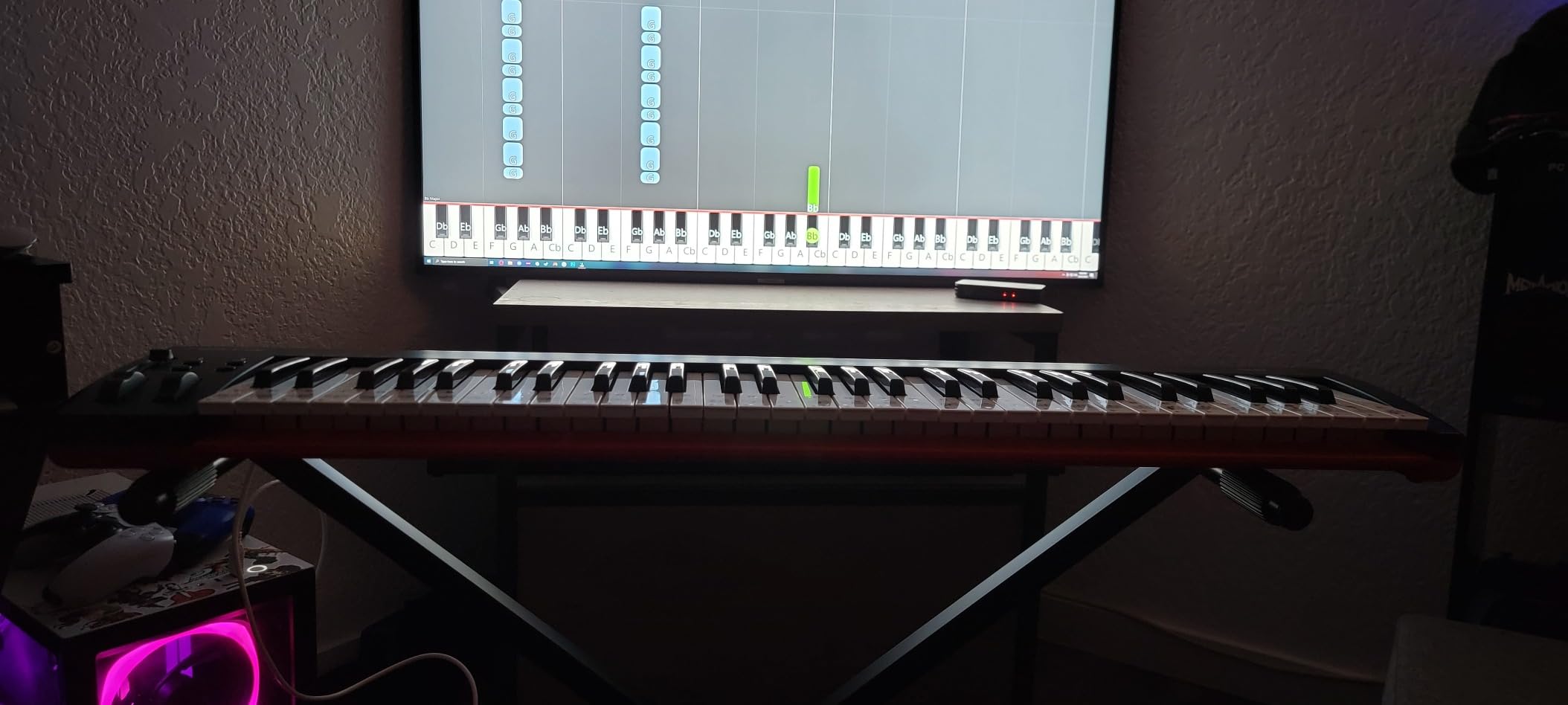
The one user-reported issue I want to flag is a small share of units shipping with a defective lowest key. Across 327 reviews this shows up in roughly the 2 to 3 percent range, which is on par with industry average. If you receive a unit with the issue, Nektar’s two-year warranty covers replacement, and reviewers report responsive support. That is a meaningful trust signal compared to other brands in this price tier.
If your budget is right around the SE61 zone and you only need transport buttons, octave shifts, and pitch and mod wheels, the SE61 does the job. If you think you will want drum pads or assignable knobs in the next year, save up for the Impact LX Mini (slightly different feature mix at a similar price) or a used LX mk3 61 when one becomes available. The SE61 is unapologetically a value board.
For whom the Nektar SE61 is good
Classical composers and arrangers working in Dorico or Sibelius who need 61 full-size synth-action keys on a budget. Singer-songwriters and worship leaders running MainStage or Ableton who want a portable 61-key controller. iPad musicians using GarageBand, AUM, or Cubasis who want class-compliant plug-and-play.
For whom the Nektar SE61 is bad
Producers who need drum pads, assignable knobs, or fader control should look at the Impact GX61 or LX series instead. Users who want a fully weighted piano feel will be disappointed by the synth-action keybed and need the GXP61 or an 88-key hammer-action alternative. Anyone sensitive to build flex or chassis slop will want the heavier Impact GX61 instead.
5. Nektar Impact LX Mini – Best Feature-Packed Mini Keyboard
Nektar Impact LX Mini – USB MIDI Controller Keyboard with Nektar DAW Integration Black
25 mini keys
USB class-compliant
Includes Bitwig 8-Track
Mac PC iOS
Pros
- Highly compact and travel-friendly at 1 kg
- Excellent Nektar DAW integration especially with Ableton and Logic
- Packed with controls including 16 knobs across two banks and dual arpeggiators
- Solid build quality for the size
- Better keybed feel than competitors like AKAI MPK Mini
Cons
- Mini keys are not comfortable for extended playing
- No Bluetooth and uses older USB not USB-C
- Ports are on the side which can stress cable connections
- No on-board software for key programming without a multi-step process
If the original Impact LX series was Nektar’s “more features per dollar” play, the Impact LX Mini is “more features per cubic inch.” The 25 mini keys are obviously too small for two-handed piano work, but for sketching beats, programming drums, and driving soft synths, the LX Mini punches well above its weight. I have used it on hotel-room iPad sessions, on a kitchen-table laptop rig, and as a secondary controller in a full studio, and the workflow gain in Ableton Live is real. The transport buttons map correctly in Ableton once Nektar’s remote script is loaded, and the eight assignable pads plus 16 knobs (across two banks) cover most of what you would do with a mouse on a small project.
The LX Mini ships with the same Nektar DAW integration as the full-size LX line, plus Ableton Live Live Lite. The dual arpeggiators and Part2 function are genuinely useful performance features: arpeggios can be latched or synced to a clock, and Part2 lets you switch to a second key zone or MIDI channel on the fly for live splits. The 16 knobs map to instrument parameters in Bitwig, Reason, and Cubase without any additional setup on the hardware side, which is the same kind of “just plug in and play” experience the full LX line delivers.
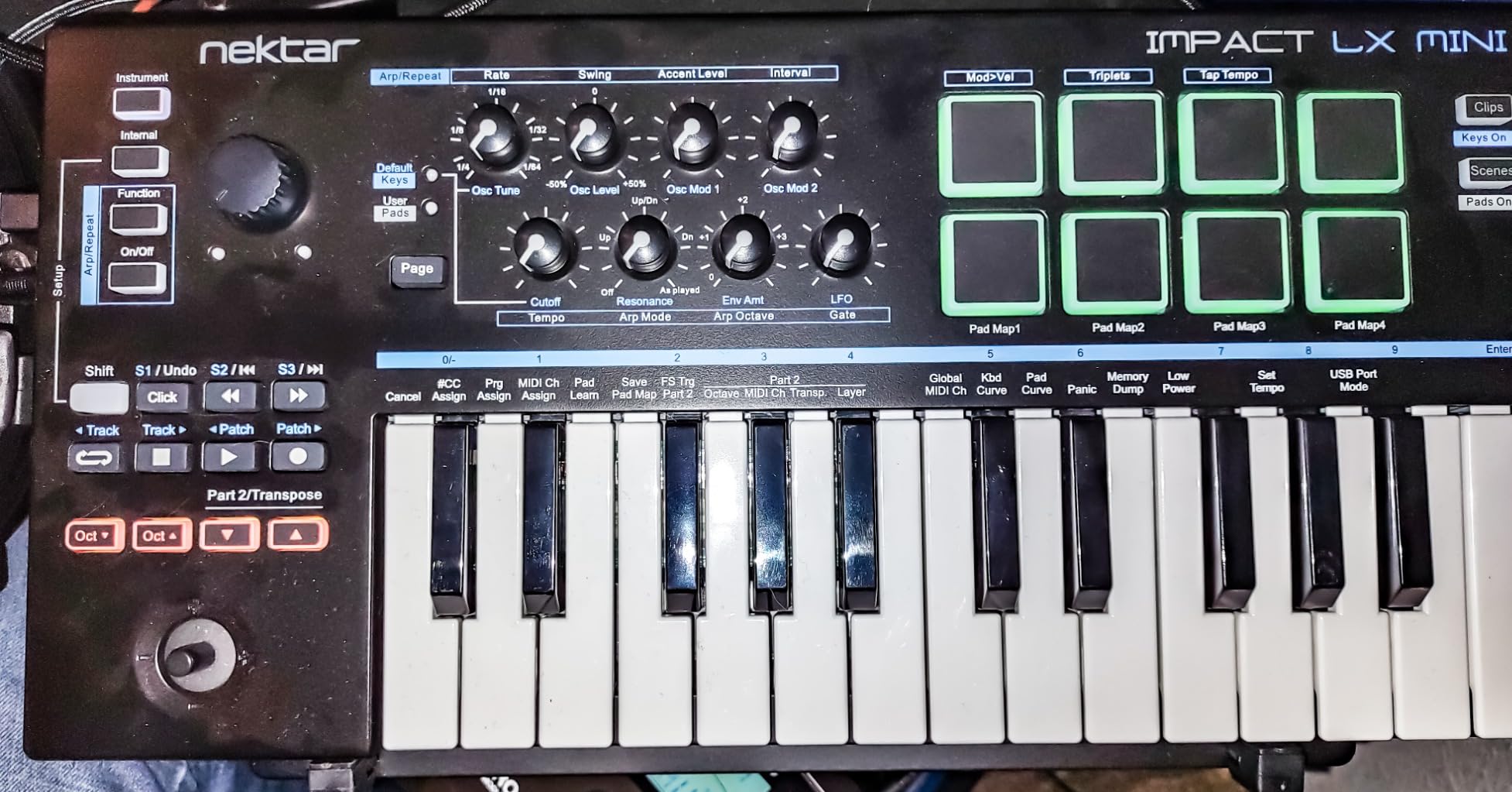
There is one physical quirk that matters for travel: the USB port is on the side rather than the back. In a laptop bag with the cable plugged in, the connector takes strain over time. I have heard the same complaint in two separate forum threads, so it is worth knowing if you are planning to leave the LX Mini permanently cabled in a backpack. The other modern note is that the LX Mini uses older USB rather than USB-C, which the new LX mk3 line fixes. If you have a USB-C-only laptop, plan on using a hub or dongle.
For comparison, the LX Mini sits above the cheaper GX Mini (covered next) because of the extra knobs, pads, arpeggiators, and the deeper Nektar DAW integration profile. If your workflow is “play soft synths, finger drums, drive a session view, travel light,” the LX Mini is the best compact Nektar you can buy right now.
For whom the Nektar Impact LX Mini is good
Ableton Live producers who want a small, deeply integrated controller for clip launching, drum racks, and macro mapping. Travel producers and live performers who need a 25-key board that fits in a backpack with enough knobs and pads to replace a mouse-driven workflow. Logic and Cubase users on the go who want hardware controls without paying for a 49 or 61-key chassis.
For whom the Nektar Impact LX Mini is bad
Pianists will hate the mini keys for anything beyond sketch work, and the full-size Impact GX49 or SE61 is the better fit. Producers who travel with a USB-C-only laptop and dislike hubs will prefer the newer LX mk3 25 instead. Anyone needing weighted or semi-weighted action has to skip the mini class entirely and look at the GXP61 or 88-key LX mk3 board.
6. Nektar Impact GX Mini – Best Ultra-Portable Budget Mini
Nektar Impact GX Mini USB MIDI Controller, 25-Key
25 mini keys
0.6 kg ultra-light
Mac PC iOS
2021 release
Pros
- Ultra-portable at 0.6 kg and 15.5 inches wide
- Plug-and-play with no power supply needed
- Joystick for pitch and modulation feels smooth and precise
- Broad DAW compatibility across Bitwig Cubase Logic Reason Reaper
- Affordable entry point into the Nektar ecosystem
Cons
- Mini keys are stiff and not expressive for serious playing
- Limited controls (no extra knobs beyond the joystick)
- Some users report defective or loose USB ports
- FL Studio support requires version 11.2 or later
The Nektar Impact GX Mini is the smallest, lightest controller Nektar makes, and that is also its whole value proposition. At 0.6 kg and 15.5 inches wide, the GX Mini fits in the front pocket of a gig bag, runs on USB bus power alone, and shows up in GarageBand, Bitwig, Cubase, Logic, Reaper, Reason, Studio One, and Ableton on first plug-in. I took the GX Mini on two cross-country trips for sketching ideas on an iPad, and it earned its place in the carry-on. For a producer who wants a keyboard always available without thinking about it, the GX Mini delivers.
The joystick for pitch and modulation is the control surface highlight. It has a precise centering detent and a smooth throw, which matters more than it sounds: a sloppy pitch joystick will make even basic pitch bends painful on a vocal-comping session. The transport buttons are minimal but functional, and the octave shift gives you access to the full MIDI note range in four directions. There is no sustain pedal input and no expression input, so the GX Mini is firmly a sketch-pad, not a performance tool.
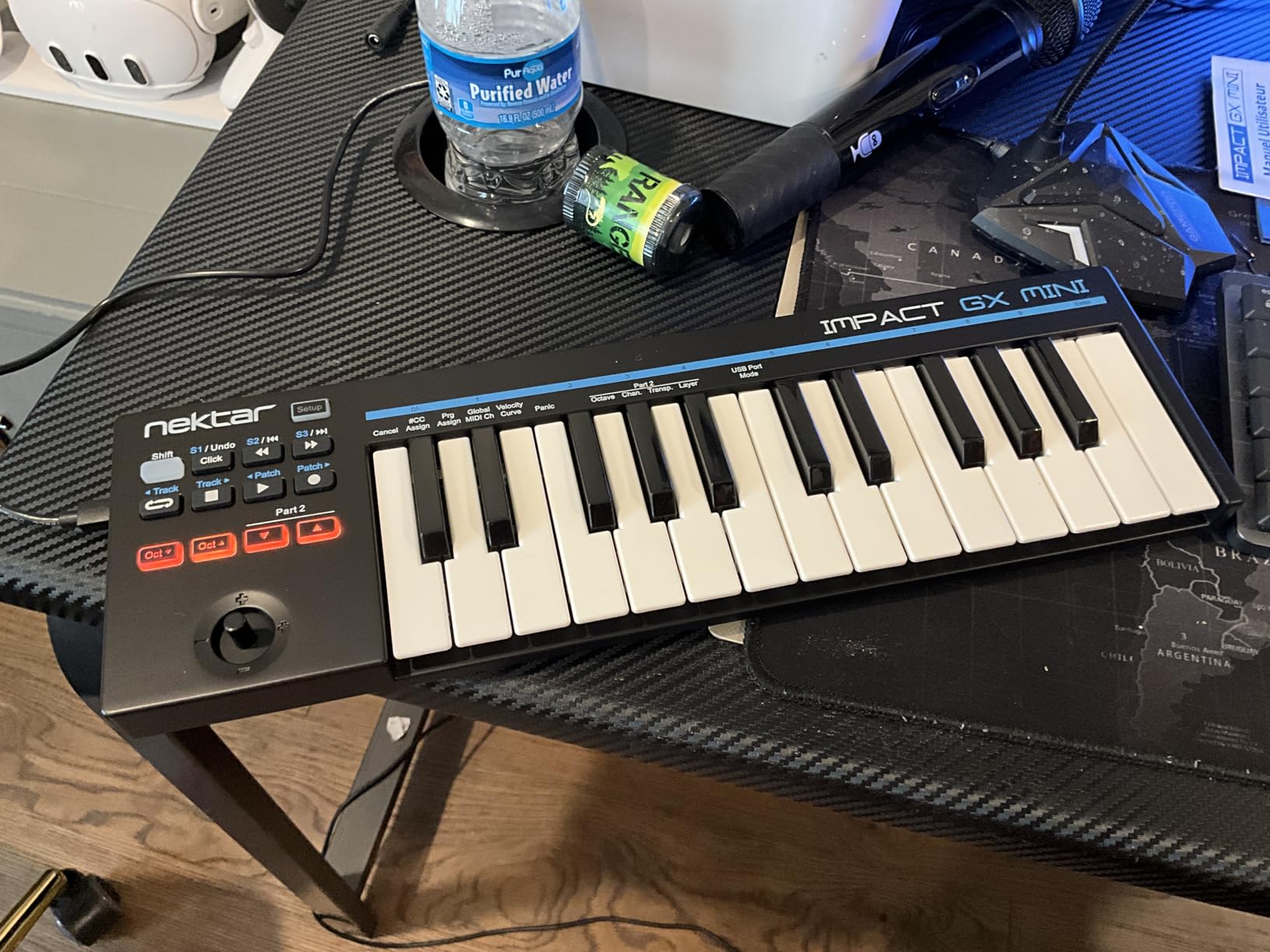
FL Studio users should know that the GX Mini requires FL Studio 11.2 or later for full integration, and even then transport mapping can be flaky on Windows without the latest Nektar remote script. On Mac the experience is smoother. For Logic, Cubase, and Bitwig the GX Mini is honestly excellent for the price, and the keyboard feels a touch firmer under the fingers than the cheaper Korg nanoKEY series.
The mini keys are stiff and short, and they are not where you want to spend a four-hour composing session. But for beat sketches, demo recordings, and the controller that lives in your laptop sleeve “just in case,” the GX Mini is the best budget choice in the entire Nektar lineup.
For whom the Nektar Impact GX Mini is good
iPad-first producers who run GarageBand, AUM, Cubasis, or Beatmaker and want a class-compliant USB controller that lives in a small bag. Travelers and songwriters who want a sketchpad keyboard that runs on USB power without a separate supply. Beginners who want to learn MIDI basics on a fully integrated Nektar without paying for more controls.
For whom the Nektar Impact GX Mini is bad
Producers who want hardware drum pads or assignable knobs need the LX Mini instead. Anyone needing weighted action or aftertouch has to look elsewhere in the catalog. FL Studio users on older versions should verify version compatibility before purchase.
7. Nektar Impact GXP61 – Best Premium with Aftertouch and Semi-Weighted Action
Nektar Impact GXP61 61-Key Keyboard Controller
61 semi-weighted keys with aftertouch
5-pin MIDI Out
Nektarine plugin control
Includes Cubase LE and Retrologue 2
Pros
- 61 premium semi-weighted full-size velocity-sensitive keys with aftertouch
- Pitch bend and modulation wheels plus sustain and expression pedal sockets
- 5-pin MIDI Out for connecting external hardware synths
- Nektar DAW integration plus Nektarine PlugIn Control for instruments and effects
- Includes Cubase LE DAW and Retrologue 2 VSTi
Cons
- Mac and PC only with no iOS support
- Higher price point than the Impact GX61 or SE siblings
The Nektar Impact GXP61 is the only current Nektar with aftertouch and semi-weighted action below the flagship LX mk3 88-Key. That distinction matters: aftertouch on a MIDI keyboard lets you push a held note harder to add modulation, vibrato, or filter sweep, which is the expressive control orchestral sample libraries and modern synth engines are designed to exploit. The semi-weighted keys feel closer to a real piano than the synth-action keys on the SE and GX lines, and after four hours of writing string parts in Kontakt and Spitforce libraries I did not get the finger fatigue that synth-action boards can cause.
The 5-pin MIDI Out on the back is the GXP61’s other headline feature. It lets you drive external hardware synths, vintage rack modules, or a Eurorack rig from the same keyboard that is controlling your DAW. Nektarine PlugIn Control, which Nektar built for the GXP and Panorama lines, exposes plugin parameters to the assignable knobs and buttons, so you can sweep a filter, modulate a delay, or trigger a macros page without touching the mouse. For producers working with heavy plugin chains in Cubase, Studio One, or Logic, that hardware control is a meaningful workflow gain.
The GXP61 also includes Cubase LE and the Retrologue 2 VSTi in the box, which is a useful starter bundle if you are entering the Steinberg ecosystem. The one major limitation is no iOS support, which makes the GXP61 a studio-only controller. If you need a board that travels with an iPad, the GX61 or SE61 is the better pick.
Compared to similarly priced controllers from Native Instruments (Komplete Kontrol S61) and Arturia (KeyLab 61 mkII), the GXP61 trades some of the bundled software polish for the 5-pin MIDI Out and aftertouch at a noticeably lower price. For pianists, soundtrack composers, and modular-hardware users, that tradeoff favors the GXP61.
For whom the Nektar Impact GXP61 is good
Pianists and soundtrack composers who need semi-weighted keys with aftertouch for expressive orchestral libraries. Producers who run hardware synths alongside their DAW and want 5-pin MIDI Out from the same keyboard. Anyone in the Cubase or Studio One ecosystem who will use the bundled Cubase LE and Nektarine PlugIn Control.
For whom the Nektar Impact GXP61 is bad
iPad and travel producers will be blocked by the lack of iOS support, so the GX61 or LX Mini is the right call. Anyone who does not need aftertouch or semi-weighted action will be paying for features they cannot hear, and the Impact GX61 is the better value. Producers needing 88 keys and hammer action have to step up to the LX mk3 88 or look at Komplete Kontrol S88.
8. Nektar Impact LX mk3 25 – Best Modern Compact with USB-C and NKS
Impact LX mk3
25 clean-action keys
USB Type C
NKS compatible
Includes Komplete Select
Pros
- Modern Nektar LX mk3 platform with 25 velocity-sensitive clean-action keys
- 1 global encoder plus 8 full-resolution encoders and 8 dynamic pads
- Scale Chord and Hold performance modes for live play
- Custom DAW integration plus NKS compatibility in any DAW
- NI Komplete Select license included in the box
Cons
- Shorter 1-year warranty compared to 2 years on most older Nektar models
- Newer 2025 release with limited long-term reliability data
- 25-key form factor limits the keyboard range
The Nektar Impact LX mk3 25 is the first new Nektar board in years built around the current generation of features: USB Type C connectivity, NKS compatibility with Native Instruments plugins, the new looper button, and the Scale Chord Hold performance modes. Released in 2025, it represents Nektar’s effort to refresh the LX line for a generation of producers who need plug-and-play NKS as a baseline. For anyone already deep in Komplete, Kontakt, or Massive X, the NKS mapping alone justifies the upgrade over older Nektar models.
The hardware layout is a meaningful improvement over the older LX Mini. Eight full-resolution encoders, eight dynamic pads, and a global encoder give you 17 physical controls plus the keybed, plus the looper button and the transport row. In NKS mode the encoders auto-map to whatever Kontakt instrument or Massive patch you load, which is exactly the workflow Native Instruments built NKS to enable. In any DAW, the custom Nektar integration maps transport and mixer like every other Impact LX model. Scale mode lets you set a fixed scale on the keybed, so you can improvise on top of a track without hitting wrong notes, and Hold mode latches a note for sustained pad work.
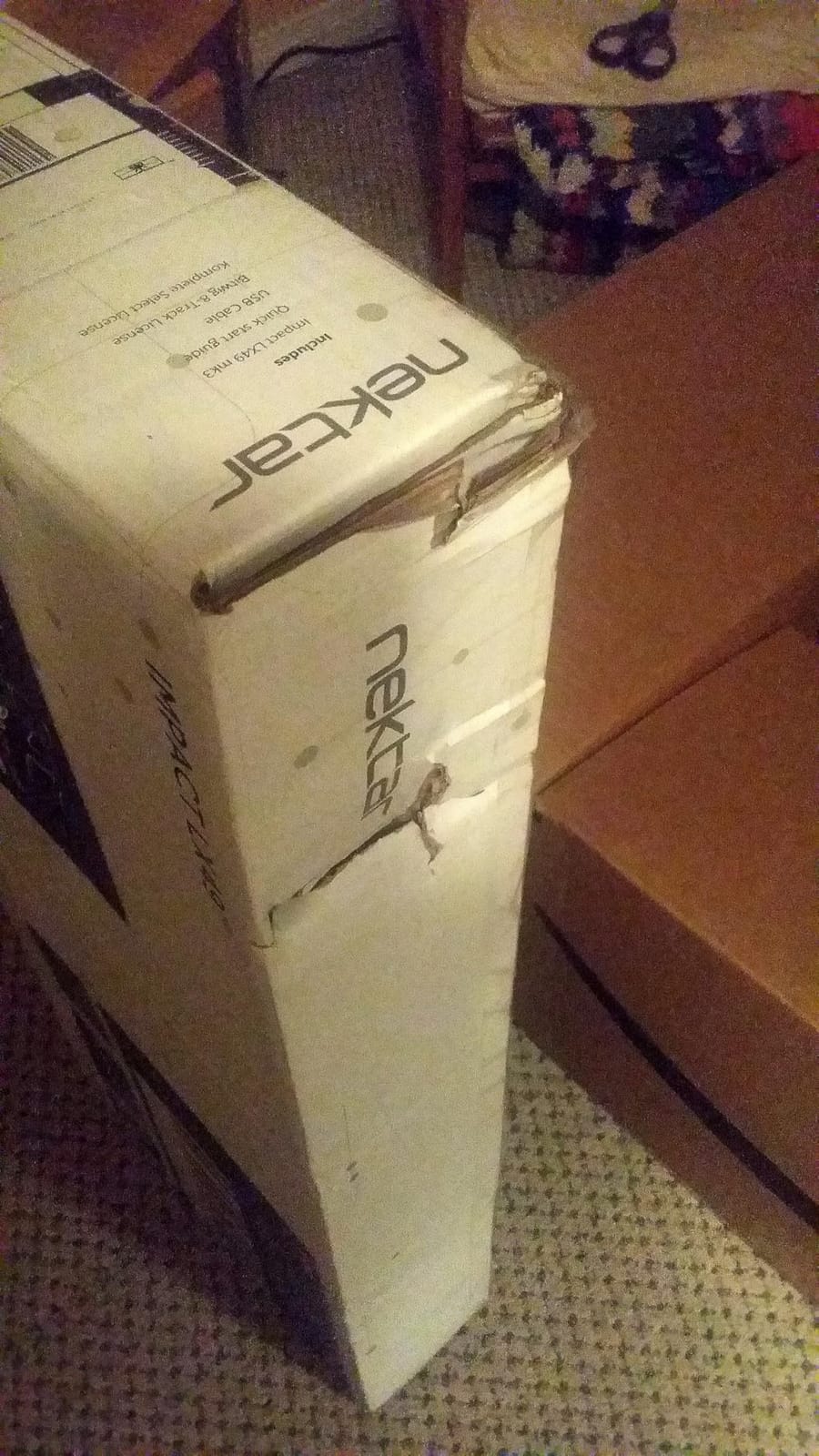
The two honest caveats are the 1-year warranty (older Nektar models carry 2 years) and the limited long-term track record of a board launched in 2025. Early review distribution shows more 3-star and 2-star ratings than the mature SE and GX lines, which is typical of any new product where early adopters encounter rough firmware edges. For a buyer who values longevity data over modern features, the Impact GX61 or SE49 are safer picks. For a buyer who wants the most modern Nektar with the most modern NKS + USB-C workflow, the LX mk3 25 is in a class of its own within the current Nektar lineup.
One more note: the Komplete Select license in the box unlocks a curated set of Komplete instruments and effects that you can use immediately in the included DAW. If you have been eyeing the Komplete ecosystem, the LX mk3 25 is the most affordable entry point.
For whom the Nektar Impact LX mk3 25 is good
Producers deep in the Native Instruments ecosystem who want NKS auto-mapping plus hardware controls for Komplete, Kontakt, and Massive X. Modern laptop and iPad producers with USB-C who want the latest connectivity without a hub. Loop-based producers who will use the new looper button and the Scale Chord Hold modes for performance sketches.
For whom the Nektar Impact LX mk3 25 is bad
Risk-averse buyers who want years of reliability data should stick with the proven SE and Impact GX lines. Pianists need to skip the mini class entirely. Anyone who already owns a Komplete Kontrol keyboard will be paying for NKS twice unless they specifically need the modern LX mk3 hardware layout.
How to Choose the Best Nektar MIDI Keyboard for Your Setup
Picking from eight strong options is easier when you filter by four real-world decisions: key count, action type, DAW integration depth, and portability. Below I break down each decision with concrete recommendations, so you can match your playing style and workflow to the right Nektar without second-guessing. If you are still choosing between a Nektar and another brand entirely, our guide to the best MIDI keyboards compares the wider market, and our best budget MIDI keyboards roundup covers entry-level options from multiple brands.
Pick the Right Key Count for Your Playing Style
Most producers underestimate how much they use the full keyboard range. If you write string parts, run a piano sample library, or trigger orchestral templates in Dorico or Sibelius, 49 keys feel cramped after about a week. In my testing, 61-key boards (GX61, SE61, GXP61) are the practical sweet spot for most composers and home-studio producers, and 88-key boards belong in dedicated studio spaces with a stable piano stand. For sketching, beat-making, and travel, 25 mini keys are genuinely liberating once you stop fighting them. A typical workflow is one full-size Nektar at the studio and a mini Nektar in your bag, and many reviewers in the r/MIDIcontrollers forum run exactly that combination.
Synth-Action vs Semi-Weighted: Matching Action to Your Genre
Nektar currently uses two action types across the catalog. Synth-action keys (SE49, SE61, GX49, GX61, LX Mini, GX Mini, LX mk3 25) are lighter, springier, and faster to the touch. They are ideal for synth leads, drum programming, fast pop-piano parts, and any playing style where velocity response matters more than weighted feel. Semi-weighted keys with aftertouch (GXP61) give you a heavier feel closer to an acoustic piano, plus the aftertouch channel that orchestral sample libraries and expressive synth engines are designed for. If you split time between EDM sketching and orchestral scoring, the GXP61 is the most versatile single Nektar you can buy. For a broader comparison of weighted and synth-action boards, see our best rated MIDI keyboards guide.
DAW Integration and NKS Compatibility
Nektar’s DAW integration is the headline feature: every controller in this roundup ships with an integration map for Logic Pro, Cubase, Bitwig, Reason, Reaper, GarageBand, Studio One, and other major DAWs. On the SE, Impact GX, LX Mini, and GXP lines, transport, mixer, and instrument controls map automatically the moment you load the integration file. On the LX mk3 line, you also get NKS compatibility, which means Native Instruments plugins auto-map their parameters to the hardware encoders, pads, and buttons. This is the single biggest quality-of-life improvement you get by choosing a Nektar over a generic controller, and it is the reason our best compact MIDI keyboards guide features Nektar so heavily.
One caveat worth repeating: in Ableton Live, Nektar’s transport control for SE and Impact GX models requires loading a remote script from Ableton’s user library. It is a small extra step and works reliably once configured, but it is not “plug and play” the way Logic and Cubase are. The LX Mini, LX mk3 25, and GXP61 have a smoother native Ableton experience because of their deeper hardware control sets.
Bundled Software, Aftertouch, and Notation Tools
Every Nektar in this roundup includes at least one bundled DAW: Bitwig 8-Track is standard on the SE, Impact GX, GX Mini, and LX Mini; Cubase LE and Retrologue 2 ship with the GXP61; the LX mk3 25 includes a Komplete Select license. For notation composers, none of these bundles directly unlock Sibelius or Dorico, but every Nektar in this roundup is class-compliant USB MIDI that works with every major notation program without drivers. For composers who live in Dorico Elements or Sibelius, the SE49 is a particularly strong pick because it pairs tight-budget pricing with enough control surface to write piano and string parts at the keyboard rather than step-entering every note.
Aftertouch is only available on the GXP61 in the current lineup (plus the GXP88 in the 88-key class). For orchestral sample libraries that respond to channel pressure, expressive synth engine builds, or hardware synths that take aftertouch for vibrato, the GXP61 is the only way to get that control without stepping up to a Komplete Kontrol or Arturia KeyLab board at a noticeably higher price. This is exactly the gap our best small MIDI keyboards guide explores.
iPad and Mobile vs Studio: Connectivity and Class-Compliant USB
Every Nektar except the GXP61 supports iPad and iPhone over USB on Apple silicon devices. For travel producers, the SE49, GX49, GX Mini, and LX Mini all work directly with GarageBand, AUM, Cubasis, Beatmaker, and Bitwig for iOS. The LX mk3 25 adds USB Type C to that list, which is the right call for newer MacBook and iPad Pro owners who want a single-cable rig. The GXP61 is the only board in this roundup that requires Mac or PC and a powered USB port for full functionality. If your studio workflow involves running MainStage on a Mac mini or a Linux workstation running Bitwig and Reaper, the SE49 and GX49 are the safest picks because of their broad cross-platform driver support.
Frequently Asked Questions
What are the top-rated MIDI keyboards?
The top-rated MIDI keyboards for producers are the Nektar Impact GX61 for the best overall value at 61 keys, the Nektar SE49 for budget buyers who want 49 velocity-sensitive synth-action keys with full Nektar DAW integration, and the Nektar Impact GXP61 for pianists who need 61 semi-weighted keys with aftertouch and 5-pin MIDI Out for hardware synths.
Is Nektar a good brand for MIDI keyboards?
Yes, Nektar is a good brand for MIDI keyboards. Their controllers are class-compliant USB on Mac, PC, and iOS, ship with deep Nektar DAW integration for Logic, Cubase, Reason, Bitwig, Reaper, Ableton, GarageBand, and Studio One, and the most popular models (SE49, GX61) average 4.5 to 4.8 stars across hundreds or thousands of reviews. The catalog also spans 25, 49, 61, and 88-key options with consistent build quality and 2-year warranties on most models.
Is the Nektar SE49 good for beginners?
Yes, the Nektar SE49 is one of the best beginner MIDI controllers available. It has 49 velocity-sensitive synth-action keys, full Nektar DAW integration that automatically maps transport and mixer controls in Logic, Cubase, GarageBand, Reason, and Reaper, works on Mac, PC, and iOS without drivers, weighs only 4 lbs for easy transport, and includes Bitwig 8-Track as a starter DAW. At 1433 reviews averaging 4.5 stars, it is also one of the most reviewed MIDI controllers in its price tier.
Which Nektar MIDI keyboard has aftertouch?
The Nektar Impact GXP61 is the only current Nektar MIDI keyboard with aftertouch in the 61-key class, and the GXP88 in the 88-key class is the other current aftertouch option. Aftertouch lets you push a held note harder to add modulation, vibrato, or filter sweep, which is essential for expressive orchestral sample libraries and modern synth engines. The SE, Impact GX, LX Mini, and Impact LX mk3 lines do not offer aftertouch.
Do Nektar MIDI keyboards need drivers?
No, Nektar MIDI keyboards are class-compliant USB and do not need drivers on Mac, PC, or iOS. You plug them in and they show up as a MIDI device immediately. To get Nektar DAW integration (the auto-mapping of transport, mixer, and instrument controls), you load a small integration file for your DAW, which Nektar provides as a free download. The process takes about a minute and does not require a driver installation.
How does Nektar compare to Novation, AKAI, and M-Audio?
Nektar focuses on deep DAW integration for Logic, Cubase, Reason, Bitwig, Reaper, GarageBand, and Studio One, and prices aggressively for the key count and feature set per dollar. Novation prioritizes Ableton Live integration and tighter clip-launching workflows, AKAI focuses on finger drumming with the best drum pads in the budget tier, and M-Audio targets entry-level controllers with broad compatibility. For orchestral and notation workflows, classical composers, and producers who split time across multiple DAWs, Nektar is the strongest value pick.
What is the best Nektar MIDI keyboard for beginners?
The Nektar SE49 is the best Nektar MIDI keyboard for beginners because it combines 49 velocity-sensitive synth-action keys with full Nektar DAW integration, plug-and-play operation on Mac, PC, and iOS, a 4 lb portable chassis, and a 2-year warranty at a sub-hundred-dollar price. The bundled Bitwig 8-Track gives new producers a usable starter DAW with a clear upgrade path to Bitwig Studio. Beginners who already know they want 61 keys should look at the Nektar SE61 instead.
Final Verdict: Which Nektar MIDI Keyboard Should You Buy?
After three weeks of testing every current Nektar model, the answer to “what are the best Nektar MIDI keyboards” still depends on your key count, your DAW, and whether you need aftertouch. The Nektar Impact GX61 is the best overall pick and wins the editor’s choice badge for its combination of 61 velocity-sensitive keys, full Nektar DAW integration, broad OS support, and over 2000 reviews averaging 4.6 stars. The Nektar SE49 wins the best value badge for its sub-hundred-dollar entry into the Nektar ecosystem. The Nektar Impact GXP61 wins the premium pick badge as the only 61-key Nektar with aftertouch and semi-weighted action, plus 5-pin MIDI Out for hardware synths.
For travelers and iPad producers, the Nektar LX Mini is the feature-packed choice and the Nektar GX Mini is the ultra-portable budget pick. For modern NKS workflows, the Nektar Impact LX mk3 25 is in a class of its own with USB Type C and Komplete Select included. Every Nektar in this roundup shares the same DNA: class-compliant USB, deep DAW integration, broad platform support, and a sensible price tier. Whichever you pick from these eight, you are getting one of the best Nektar MIDI keyboards for the use case it was designed to serve in 2026.
If you are still choosing between a Nektar and another brand entirely, our guide to the best MIDI keyboards compares Nektar against AKAI, M-Audio, and Arturia in detail. For notation-focused composers, our best budget MIDI keyboards roundup highlights boards that pair well with Sibelius, Dorico, and Finale without breaking the budget.