
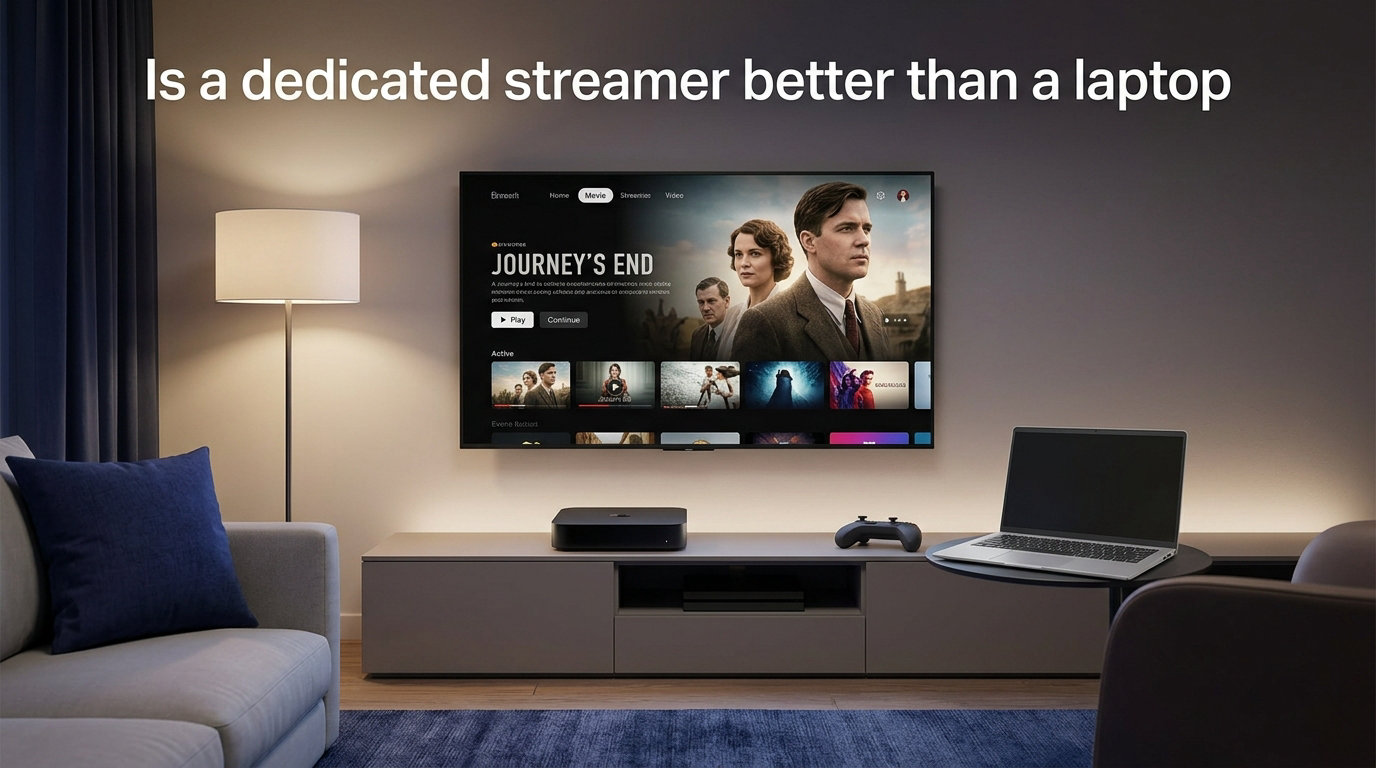
Is a dedicated streamer better than a laptop? For most listeners chasing the cleanest sound and a tidy, distraction-free setup, yes—a dedicated streamer is the better long-term choice. But if you already own a capable laptop and a quality DAC, the audible gap may be smaller than the marketing suggests.
Our team has compared both approaches across hundreds of hours of classical recordings, hi-res albums, and marathon listening sessions. The honest answer is that it depends on what you value most. Convenience, consistency, and noise isolation favor the streamer. Flexibility, software power, and budget often favor the laptop.
In this guide, we break down the dedicated streamer vs laptop debate from the ground up. We cover how each device works, where the real sound quality differences come from, and which approach suits your listening habits. We pay special attention to classical music, where dynamic range and low-level detail matter more than in any other genre.
By the end, you will know exactly what each device does, what a DAC contributes, and whether upgrading to a streamer is worth it for your system. Let us settle the debate.
Table of Contents
What Is a Dedicated Music Streamer?
A dedicated music streamer is a purpose-built device designed to do one job: deliver digital audio from streaming services or local files to your DAC with minimal interference. Unlike a general-purpose computer, it runs streamlined software optimized only for audio playback.
A streamer connects to your home network—usually over Wi-Fi or Ethernet—to access services like Tidal, Qobuz, and Spotify Connect, plus your own stored music library. It then outputs a clean digital signal to your external DAC through USB, optical, coaxial, or AES/EBU connections.
The key word here is “dedicated.” There is no web browser running in the background, no operating system juggling dozens of processes, and no fan spinning near your audio chain. Every component inside the box serves the audio signal, which is the core argument in favor of streamers.
Many modern streamers also include a built-in DAC, blurring the line between a pure streamer and a streaming DAC. When people ask “is a dedicated streamer better than a laptop,” they are usually comparing a standalone network streamer feeding an external DAC against a laptop feeding that same DAC over USB.
How a Laptop Works as a Music Source
A laptop works as a music source by pulling audio from streaming apps or local files, then sending that digital signal out through its USB port to an external DAC. In principle, the signal chain looks identical to a streamer’s: source, digital output, DAC, amplifier, speakers.
The difference is everything happening behind the scenes. A laptop runs a full operating system—Windows, macOS, or Linux—that constantly manages background tasks, network traffic, and power states. Your operating system’s audio layer may also resample, mix, or alter the signal before it ever reaches the USB output.
This is why bit-perfect playback becomes a talking point. With the right software, a laptop can output a pristine, untouched signal. Without it, the OS quietly processes your audio in ways you may never notice on pop recordings but that can soften the leading edges and decay in classical music.
The laptop’s greatest strength is flexibility. You can install audiophile software like Audirvana, Roon, or HQPlayer, access parametric EQ tools, and switch between a dozen streaming services instantly. No streamer matches that level of control—though the best ones come close.
Sound Quality: Dedicated Streamer vs Laptop
Sound quality is the heart of the dedicated streamer vs laptop debate, and it is also where opinions divide most sharply. Let us separate the measurable factors from the subjective reports.
The Noise Floor Problem
Laptops generate electrical noise. Every component—from the processor to the power supply to the screen—produces electromagnetic interference that can leak into your audio chain through the USB connection. Audiophiles call this a raised noise floor, and it can mask low-level detail.
Classical music suffers most from a high noise floor. The quiet passages between movements, the subtle reverb of a concert hall, and the delicate decay of a piano note all live near the bottom of the dynamic range. When noise intrudes, those details vanish first.
Dedicated streamers address this with cleaner power supplies, isolated USB outputs, and linear power regulation. Forum users on Audio Science Review and What Hi-Fi consistently report that laptops are “noisy,” and that additional hardware—like USB filters or regenerators—is often needed to clean up the signal.
There is a workaround, though. A laptop running on battery power eliminates the noise injected by a switch-mode wall adapter. Several forum users report that a battery-powered laptop delivers a smoother, cleaner presentation than the same laptop plugged into the wall. This is one of the most overlooked advantages of the laptop approach.
What Bit-Perfect Audio Actually Means
Bit-perfect audio means the digital signal leaving your source is identical to the original file—no resampling, no volume scaling, no format conversion. The DAC receives exactly what was recorded, with nothing added or removed.
A dedicated streamer is almost always configured for bit-perfect output by default. Its software exists solely to pass the signal through untouched. A laptop, by contrast, may apply system-wide audio processing unless you bypass it with dedicated software.
This matters less than you might think once both sources are bit-perfect. As one Audio Science Review contributor put it, “all bit-perfect streamers sound the same.” If your laptop outputs a truly bit-perfect signal to a quality DAC, the streamer’s advantage shrinks dramatically. The catch is reaching that bit-perfect state reliably on a laptop, which takes setup and the right software.
Jitter and Clock Accuracy
Jitter refers to tiny timing errors in the digital signal. Even when the bits are perfect, if they arrive at the DAC slightly out of time, the reconstructed analog waveform can suffer. Streamers typically use higher-precision clocks and lower-jitter output stages than laptops.
In practice, modern asynchronous USB largely sidesteps this issue. When your DAC re-clocks the signal over asynchronous USB—as most quality DACs do—the source’s jitter matters far less. This is why many listeners hear no difference between a laptop and a streamer when both feed a good asynchronous DAC.
The takeaway: jitter is real, but a capable DAC with asynchronous USB input largely neutralizes the source’s timing errors. It is one more reason the DAC deserves more attention than the source device itself.
The DAC Question: Where the Real Difference Lives
Here is the point too many guides gloss over: your DAC matters more than whether you use a streamer or a laptop. The DAC converts digital bits into analog sound, and that conversion has a far bigger impact on what you hear than the device delivering the ones and zeros.
Think of the source device as a delivery truck and the DAC as the chef. A slightly cleaner truck might help, but a better chef transforms the meal. If you are deciding where to spend your budget, a quality external DAC almost always delivers more audible improvement than swapping a laptop for a streamer.
This is why forum experiences vary so wildly. A user feeding a Cambridge CXN V2 streamer into an IFI Neo DSD DAC reported that a PC actually sounded better over USB. Another user with a Lumin streamer described superior soundstaging, palpability, and timbre compared to a laptop. The difference was not the source alone—it was how each source interacted with that specific DAC and system.
The practical lesson is simple. Get your DAC right first. Once you have a DAC you trust, then decide whether a dedicated streamer or a laptop feeds it best. Too many listeners upgrade their source while leaving a mediocre DAC in the chain, then wonder why the improvement is underwhelming.
Software Platforms: Roon, Audirvana, and More
Software is where the laptop holds a genuine advantage. Platforms like Roon, Audirvana, HQPlayer, and J River give you deep control over your library, DSP, upsampling, and multi-room playback that most streamers cannot match.
Roon deserves special mention for classical listeners. It pulls rich metadata—composer, conductor, orchestra, soloist, recording label—and organizes your collection around the music itself rather than just file names. For a genre built on multiple recordings of the same work, this metadata layer transforms how you browse and discover.
Audirvana, native to macOS, strips away the operating system’s audio processing to deliver bit-perfect output. It is lighter than Roon and popular among listeners who want clean sound without a subscription. On Windows, tools like WASAPI exclusive mode and ASIO drivers achieve similar bypass of the system mixer.
Dedicated streamers are catching up fast. Many now run Roon endpoints natively, support Tidal Connect and Qobuz, and offer their own control apps. But if you want the full power of Roon’s core running locally, or you rely on parametric EQ and advanced DSP, a laptop or a small quiet PC still leads.
One caution: not every streamer supports every format. MQA decoding for Tidal’s highest tier is a common gap. If you subscribe to Tidal Masters, check that your chosen streamer handles MQA before you buy.
Convenience and Everyday Use
Convenience is where the dedicated streamer pulls ahead decisively. A streamer sits quietly in your rack, turns on instantly, and never needs updates that interrupt your listening. You control everything from a smartphone app, and the device stays out of sight.
Smartphone control is the single most praised feature in forum discussions. With a streamer, you pick up your phone, open the app, and browse Tidal or Qobuz from the couch. Guests can queue tracks from their own phones. There is no laptop open on the sideboard, no trackpad to fumble with, and no screen glowing during a late-night listening session.
The aesthetic matters too. As one What Hi-Fi forum member noted, “a brand name streamer is a much cleaner solution than a laptop sitting on your sideboard.” For listeners who value a tidy listening room, the streamer wins on looks alone.
Multi-room audio is another streamer strength. Platforms like Bluesound’s ecosystem, Sonos, and Roon let you group streamers across your home and sync playback perfectly. A laptop can participate as a Roon endpoint, but it is hardly an elegant whole-home solution.
The laptop’s convenience edge is software flexibility. You can switch streaming services instantly, install new tools, and tweak settings to your heart’s content. For tinkerers, that freedom is its own kind of convenience—one that a closed streamer ecosystem cannot offer.
Price and Value Comparison
Price is the area where the laptop approach shines brightest. If you already own a laptop, your only additional cost is software and possibly a USB cable. That means you can direct your entire budget toward the DAC and speakers, where the money does the most audible good.
A dedicated streamer adds a new line item to your system. Entry-level network streamers start around a few hundred dollars, while audiophile models from Lumin, Aurender, and Innuos climb into the thousands. That is money that could otherwise buy a meaningfully better DAC or amplifier.
The value equation shifts at the extremes. A basic streamer feeding a midrange DAC offers marginal quality gains over a well-setup laptop. But a high-end streamer paired with reference-grade components can reveal subtleties that a noisy laptop obscures—provided the rest of your chain is resolved enough to expose them.
Our advice for budget-conscious listeners: start with your laptop and invest in a quality external DAC and good speakers. Only add a streamer when your system has reached a level of resolution where source noise actually holds back the performance you have paid for.
Classical Music Specific Considerations
Classical music places unique demands on a playback system, and those demands shape the streamer vs laptop conversation in specific ways.
Dynamic range is the biggest factor. A symphony can swing from a whispering pianissimo to a thundering fortissimo across 70 decibels or more. Any noise injected by your source eats into the quiet end of that range first, which is exactly where classical music’s magic lives—the hall ambience, the breath before an entrance, the fading resonance of a sustained chord.
Hi-res audio matters more here too. Qobuz and Tidal offer 24-bit studio masters of countless classical recordings, and a source that handles high-resolution files cleanly lets those formats shine. Both streamers and laptops can play hi-res files, but a bit-perfect streamer guarantees the format passes through untouched.
Metadata is the hidden advantage for classical listeners. Works are recorded dozens of times by different conductors and orchestras, and finding the right performance matters. Roon’s classical metadata is exceptional, and since it runs on a laptop or a server feeding streamer endpoints, you can combine the best of both worlds.
Finally, classical listening sessions tend to be long. A Mahler symphony runs over an hour. An opera spans three. A streamer’s instant-on reliability and silent operation suit marathon sessions better than a laptop that may sleep, update, or run out of battery mid-movement.
When a Dedicated Streamer Makes Sense
So when should you choose a dedicated streamer over a laptop? Let us lay out the scenarios where each approach wins, backed by real listener experiences from audiophile forums.
Choose a dedicated streamer if you want a clean, always-ready system that you control from your phone. A streamer makes sense when your listening room is a dedicated space where a laptop looks out of place, and when you value instant-on convenience over software flexibility.
A streamer also makes sense when your system is resolved enough to expose source noise. If you have invested in a reference DAC, high-end amplifier, and sensitive speakers, the cleaner power delivery of a dedicated streamer can pay off in audible detail. As one Lumin streamer owner reported, the upgrade brought “better soundstaging, palpability, tonality, and timbre” compared to a laptop source.
Choose a laptop if budget flexibility matters more than tidiness. A laptop running on battery, feeding a quality external DAC through asynchronous USB, can deliver sound that rivals or beats a midrange streamer. One Bluesound Node X owner found that a laptop over USB sounded “fuller and more detailed” than the streamer. A Cambridge CXN V2 user reached the same conclusion when comparing a PC to the streamer through an IFI Neo DSD DAC.
Keep in mind that these reports are subjective and system-dependent. The same combination of components can sound different in another room with different speakers. Real A/B comparison testing—swapping sources while keeping every other variable fixed—is the only reliable way to judge for your own system.
Choose a hybrid approach if you want the best of both. Run Roon Core on a laptop or a small quiet server, then feed a dedicated streamer endpoint into your main system. This gives you Roon’s metadata power and DSP flexibility on the control side, with the streamer’s clean output and smartphone convenience at the listening position. For classical listeners especially, this combination is hard to beat.
FAQs
What’s better for streaming, PC or laptop?
For audio streaming, a laptop running on battery power is often better than a desktop PC because it eliminates noise from a switch-mode power supply. A quiet, purpose-built small-form-factor PC can match or beat a streamer when configured for bit-perfect output. The deciding factor is usually the DAC and the cleanliness of the power feeding the source, not the computer form factor itself.
Do I need a dedicated music streamer?
You need a dedicated streamer if you want a clean, always-on source controlled from your phone, you value a tidy listening room, and your system is resolved enough to reveal source noise. You do not need one if you already have a capable laptop and a quality external DAC, especially if you run the laptop on battery. Invest in your DAC first, then decide whether the source upgrade is justified.
What type of computer is best for music streaming?
The best computer for music streaming is a quiet, low-noise machine running dedicated audio software like Roon, Audirvana, or HQPlayer. A laptop on battery power offers clean output, while a fanless mini PC with a linear power supply can rival a streamer. Look for low electrical noise, solid-state storage, and the ability to bypass the operating system’s audio mixer for bit-perfect playback.
Do you need a dedicated streaming PC?
No, you do not need a dedicated streaming PC if your main laptop can output bit-perfect audio to your DAC. A dedicated PC or streamer becomes worthwhile when your general-purpose computer introduces too much noise, when you want always-on convenience, or when you run demanding software like a Roon Core server that benefits from dedicated hardware. For most listeners, a well-setup laptop is plenty.
What is the best streaming platform for audiophiles?
For audiophiles, Roon is widely considered the best platform thanks to its rich metadata, multi-room support, and DSP flexibility. Qobuz and Tidal offer the largest hi-res catalogs for streaming services. Audirvana is a strong lightweight alternative for Mac users who want bit-perfect output without a subscription. The best choice depends on whether you prioritize library management, streaming quality, or software simplicity.
Is a laptop or PC better for streaming?
A laptop and a PC can sound identical when both deliver a bit-perfect signal to the same DAC. The practical difference is noise: a laptop on battery power avoids the electrical noise of a desktop power supply, while a well-built PC with a linear power supply can be just as clean. Choose based on convenience—a laptop is portable and battery-capable, while a dedicated PC can run quietly in a rack 24/7.
Which streamer has the best DAC?
The DAC question matters more than which streamer you choose, because your external DAC has a bigger impact on sound than the source device. Streamers with respected built-in DACs include models from Cambridge Audio, Bluesound, and Eversolo, but pairing a pure network streamer with a high-quality standalone DAC almost always delivers better value and sound than relying on a streamer’s internal DAC.
Conclusion: Which Should You Choose?
So, is a dedicated streamer better than a laptop? For pure convenience, system cleanliness, and consistent bit-perfect output, the dedicated streamer wins. For flexibility, software power, and budget-smart value, the laptop holds its ground—especially when run on battery and paired with a quality DAC.
The dedicated streamer vs laptop debate ultimately comes down to your priorities and the resolution of the rest of your system. Our recommendation: invest in a great DAC first, experiment with your laptop running bit-perfect software, and only add a streamer when your ears and your listening space demand it.
Try a real A/B test in your own room with your own music. Borrow a streamer if you can, keep every other variable fixed, and trust what you hear. That is the only comparison that truly matters.