
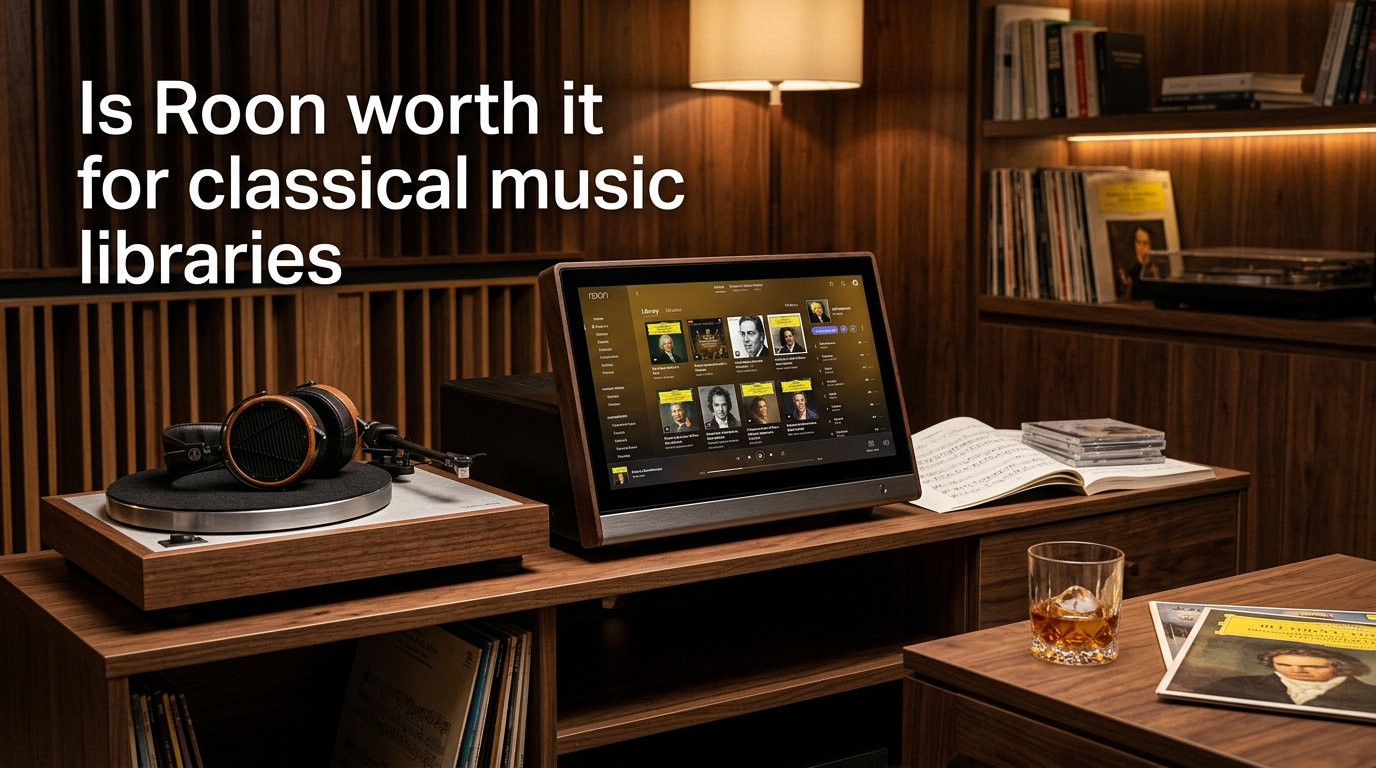
If you have spent any serious time building a classical music collection, you already know the frustration. One symphony spans four discs, the conductor on disc three differs from the conductor on disc one, and the metadata field that streaming services happily label “artist” is somehow supposed to capture composer, soloist, orchestra, and conductor all at once. Classical libraries do not behave like pop libraries, and most music software was simply never designed with that in mind.
That tension is exactly why the question of whether Roon is worth it for classical music libraries keeps surfacing on forums like r/audiophile, r/roonlabs, and the official Roon community. Some classical collectors swear the software finally made their collection navigable. Others have walked away, frustrated by cost and quirks. Our team has followed these threads closely, and the opinions genuinely split both ways.
In this guide I will walk through what Roon actually does for classical listeners, where it shines, where it stumbles, and how the pricing math works out for different kinds of collectors. I will lean on real forum discussions and our own testing notes so you can decide whether Roon classical music handling earns its subscription in your specific setup. The goal is decision support, not a sales pitch.
By the end you should have a clear sense of whether Roon belongs in your listening room or whether a leaner alternative like Audirvana, Plex, or Apple Music Classical fits your needs better in 2026.
Table of Contents
What Is Roon and How Does It Work
Roon is a premium music management and streaming platform that turns a scattered collection of local files and streaming subscriptions into one searchable, metadata-rich library. Rather than replacing your DAC or your streaming service, it sits between them and organizes everything into a unified interface.
Under the hood, Roon runs as a server application you install on a computer, a NAS, or a dedicated piece of hardware like a Roon Nucleus. That server indexes every track you own and every track available through linked streaming services, then streams audio to compatible endpoints using Roon’s own RAAT protocol. RAAT is designed for bit-perfect playback and tight multiroom sync, which is a big reason audiophiles gravitate toward it.
What separates Roon from a basic player is the metadata layer. It pulls in composer biographies, performer credits, album reviews, release dates, and label information, then links them across your library. A Beethoven symphony conducted by Karajan in 1963 and another conducted by Kleiber in 1975 do not sit as two unrelated albums. Roon understands they are interpretations of the same work.
Roon also integrates directly with Tidal and Qobuz, letting you blend local FLAC files and high-resolution streams into a single browsing experience. AirPlay 2, Chromecast, Sonos, and Roon Ready endpoints are all supported, which matters if your home has multiple listening zones.
The catch is that none of this is free, and the platform depends on a constant connection to Roon’s authentication servers. We will cover both of those points in depth below.
How Roon Handles Classical Music Libraries
Classical music handling is the single feature most often debated in forums, and it is where Roon either wins you over or loses you. The software treats classical metadata differently from pop and rock, recognizing that a work, a performance, and a recording are distinct entities that need separate linking.
Composer-First Organization
Unlike most players that force everything under “artist,” Roon places the composer at the center of classical browsing. You can navigate by composer, then by period, then by work, then by individual recording. For someone with 200 Bach recordings, this is the difference between a library and a database.
Work-Level Grouping
Roon groups different interpretations of the same piece together. Your three recordings of Mahler’s Ninth sit under one “work” entry, so you can A/B conductors without hunting through a flat album list. Forum users on r/roonlabs consistently cite this as the feature that justifies the subscription on its own.
Multidisc and Box Set Handling
Classical collectors love box sets, and box sets break most software. Roon attempts to split large box sets into their constituent works and present them sensibly. It mostly succeeds, though collectors on What’s Best Forum have reported inconsistencies when labels use non-standard tagging or when a box set mixes composers.
Performer and Conductor Credits
Roon tracks performers, conductors, orchestras, ensembles, and soloists as linked entities. You can browse everything conducted by Bernstein or every recording featuring Hilary Hahn. This level of credit linking is rare outside dedicated classical platforms like IDAGIO.
Metadata Enrichment
Each album and work pulls in bios, reviews, composition dates, and label information. Roon’s metadata providers include specialist classical sources, which means a Deutsche Grammophon release typically shows the correct opus number, catalog identifier, and movement titles rather than a generic “Track 1, Track 2.”
Where Classical Handling Still Struggles
This is where the forum arguments get heated. Even fans admit Roon’s classical metadata is not perfect. Users report issues with concerto organization, incomplete work linking for lesser-known composers, and the occasional mangled box set. A vocal thread on What’s Best Forum titled “Roon absolutely sucks for classical” catalogs these failures in detail, while a counter-thread on the official Roon community insists the software “copes extremely well and organises classical music very logical.”
The truth sits between those extremes. Roon handles mainstream classical repertoire impressively well, especially canonical works on major labels. It struggles more with obscure releases, historic reissues, and box sets that mix eras or composers. Manual metadata correction is possible, but it requires patience.
Our take: for collectors whose library leans heavily toward well-documented core repertoire, Roon’s classical handling is genuinely best-in-class. For collectors deep into historic recordings or non-Western classical traditions, expect some manual cleanup.
Benefits of Using Roon for Classical Music
Roon’s appeal for classical listeners goes well beyond metadata. Here are the benefits our team and forum users consistently highlight.
Bit-perfect playback with RAAT. Roon’s transport protocol preserves every sample from file to DAC without unwanted resampling. For classical listeners who invest in high-resolution FLAC and DSD files, this matters more than any EQ trick.
Powerful DSP engine. Roon includes parametric EQ, convolution filters, crossover support, and room correction tools. Classical recordings vary wildly in level and tonal balance, and a properly configured PEQ can tame a harsh Bernstein recording without touching a warmer Karajan one.
Volume leveling that respects dynamics. Roon’s leveling is designed to avoid crushing the dynamic range that classical music depends on. This is a real differentiator versus streaming services that compress peaks.
Multiroom streaming done right. RAAT synchronizes multiple endpoints tightly, so a symphony playing in the living room stays in sync with the kitchen speaker. Forum power users cite this as a top reason they pay for Roon.
Unified library across local and streaming. Your ripped CDs, downloaded FLACs, and Tidal or Qobuz favorites live in one searchable interface. Discovery also works across both, surfacing a Qobuz recording of a work you only own locally.
Rich discovery and radio. Roon Radio suggests related works and recordings based on what you play. For classical listeners, this often surfaces alternate interpretations you might never have found on your own.
Detailed signal path display. Roon shows you exactly what happens to the audio at every stage, from source format to DAC input. Audiophiles love the transparency, and it makes diagnosing playback issues straightforward.
Cross-platform remote control. Phone, tablet, and desktop apps all control the same server. Your spouse can browse the classical library from an iPad while you manage a DSP preset on a laptop.
Taken together, these features explain why a Reddit user on r/roonlabs admitted they were “paying for Roon just for the interface and metadata.” For a certain kind of listener, the value is obvious the moment they browse their collection the Roon way for the first time.
Drawbacks That Frustrate Classical Collectors
Roon is not a perfect product, and pretending otherwise would not help you make a sound decision. Here are the drawbacks that come up repeatedly in forum discussions.
Cost that compounds. The single most common complaint is price. Roon’s subscription costs more than many streaming services on their own, and stacking it on top of Tidal or Qobuz pushes the monthly audio budget into uncomfortable territory for casual listeners.
No Spotify or Apple Music integration. Roon only integrates with Tidal and Qobuz. If your household relies on Spotify or Apple Music for non-classical listening, Roon cannot unify that content. Apple Music Classical in particular has improved dramatically and now competes directly on classical discovery.
Internet dependency. Roon needs to phone home to its authentication servers regularly. If your internet drops or Roon’s servers have an outage, your library can become inaccessible. Offline listening is limited and forum users have flagged this as a real-world frustration.
Metadata inconsistencies for classical. As discussed above, Roon’s classical metadata is strong for mainstream repertoire but inconsistent for historic, obscure, or mixed box sets. Manual corrections are possible but tedious, and updates can occasionally overwrite your fixes.
Update fatigue. Roon releases updates frequently, and not every update lands smoothly. A thread on Audio Science Review titled “Why I Stopped Using Roon” documents how a stream of updates and occasional regressions pushed one user toward Audirvana.
Resource usage. Roon’s metadata database is large and the server can be heavy on RAM and CPU, especially with very large libraries. Users running Roon on a low-spec NAS often report slowdowns.
Metadata overload. Some listeners find Roon’s information density distracting rather than enriching. Not everyone wants a composer biography and three reviews attached to every movement.
None of these drawbacks are dealbreakers for the right user, but they explain why the worth question has no universal answer. Your tolerance for cost, complexity, and metadata quirks matters more than any feature checklist.
Roon Pricing and Real Value for Classical Listeners
Roon offers two payment paths: an annual subscription and a lifetime license. As of 2026 the annual subscription runs around $119.88 per year, while the lifetime license sits around $849.99 as a one-time payment. Both include the same features, so the decision is purely about how long you expect to use the platform.
Breaking Even on Lifetime
The break-even math is straightforward. At the current annual rate, lifetime pays for itself in roughly seven years. If you have already committed to a serious classical library and you expect your listening habits to remain stable, lifetime looks attractive. Several forum lifetime subscribers describe it as the best audio purchase they ever made.
That said, the same lifetime subscribers often question ongoing value when major features they wanted (better Spotify support, deeper classical work linking) did not arrive as quickly as hoped. Lifetime is a bet on Roon’s roadmap, not just its current state.
Hidden Hardware Costs
The subscription price is not the full cost. You need hardware to run the Roon Core. Options range from a free install on an existing PC, to a midrange NAS in the $300 to $600 range, to a dedicated Roon Nucleus starting around $1,400. Then come the Roon Ready endpoints, DACs, and network infrastructure. For a serious multiroom classical setup, the total system cost can dwarf the software fee.
Who Gets Their Money’s Worth
From our analysis of forum experiences, Roon delivers clear value for three groups: collectors with large local libraries of 5,000 tracks or more, listeners who already pay for Tidal or Qobuz, and households running multiroom audio. For listeners with a modest local collection and one streaming subscription, the value proposition weakens considerably.
Roon Alternatives for Classical Music Collectors
If Roon’s cost or complexity does not fit, several alternatives deserve a look. None replicate every Roon feature, but each excels in a specific area.
Audirvana Studio
Audirvana is the most direct Roon competitor for sound quality. It runs on Mac and Windows, supports Tidal and Qobuz, and emphasizes bit-perfect playback and high-resolution audio. Audirvana costs meaningfully less than Roon and several forum users report preferring its sound character, though its metadata layer is thinner and multiroom is more limited.
Plex and Plexamp
Plex is free for basic use and Plexamp is a surprisingly capable music player. Plex handles local libraries well and works across devices, but its classical metadata is rudimentary compared with Roon. For budget-conscious listeners with smaller classical collections, Plex plus Plexamp is a legitimate starting point.
Logitech Media Server (LMS)
LMS is free, open source, and extremely flexible. With plugins it can approach Roon’s metadata depth, but configuration requires technical patience. Long-time forum users often recommend LMS to listeners who enjoy tinkering more than they enjoy polished interfaces.
Bluesound and BluOS
Bluesound hardware runs the BluOS platform, which handles multiroom streaming and Tidal and Qobuz integration natively. It is simpler and cheaper than a full Roon setup, but it lacks Roon’s metadata layer and DSP depth. For listeners who want multiroom without software complexity, BluOS is a strong fit.
Apple Music Classical
Apple Music Classical has become a serious contender, with composer-first browsing, work-level organization, and a massive catalog at a fraction of Roon’s cost. It does not handle local files and lacks Roon’s audiophile features, but for streaming-focused classical listeners it is increasingly hard to ignore.
FAQs
Which streaming platform is best for classical music?
For classical-specific streaming, Qobuz and Apple Music Classical lead the pack. Qobuz offers high-resolution audio and strong metadata, while Apple Music Classical provides a dedicated composer-first interface. Tidal is also solid within Roon, and IDAGIO remains a niche option for serious classical listeners.
Does Roon make music sound better?
Roon does not magically upgrade your source files, but its RAAT protocol delivers bit-perfect playback and its DSP engine lets you apply parametric EQ, convolution filters, and room correction that can genuinely improve what you hear. With a well-configured setup, many listeners report a clear improvement over basic players.
What is the best alternative to Roon?
For sound quality, Audirvana Studio is the strongest alternative. For free local library management, Plexamp or Logitech Media Server. For multiroom without software complexity, Bluesound BluOS. For streaming-focused classical listening on a budget, Apple Music Classical.
Is Roon better than Bluesound?
Roon offers deeper metadata, more powerful DSP, and richer classical library organization. Bluesound BluOS is simpler, cheaper to deploy, and handles multiroom without a separate server. Roon wins for serious classical collectors; Bluesound wins for straightforward multiroom setups.
Is the Roon lifetime subscription worth it?
The Roon lifetime subscription pays for itself in roughly seven years compared with the annual plan. It makes sense if you already have a large classical library, expect stable listening habits, and trust Roon’s roadmap. If you are uncertain about long-term commitment, the annual plan is the safer entry point.
Final Verdict: Is Roon Worth It for Classical Music
Is Roon worth it for classical music libraries? For collectors with large local collections, an existing Tidal or Qobuz subscription, and a desire for composer-first browsing, the answer is yes. The metadata layer, work-level grouping, and DSP depth are genuinely best-in-class and justify the price for the right listener.
For casual listeners, single-room setups, or anyone deeply tied to Spotify and Apple Music, Roon’s value weakens. Audirvana, Apple Music Classical, or even free Plexamp will serve you well at a fraction of the cost.
Our recommendation: try the annual plan first. If after a year Roon has become the heart of your listening routine, lifetime then becomes an easy yes.