
Short answer: the EPOMAKER x Aula F75 is the best mechanical keyboard for typing in 2026. It pairs a gasket-mounted case with five layers of sound-absorbing padding, factory pre-lubed switches and a tri-mode wireless connection, and it carries more than 4000 reviews at a 4.6 rating — more verified typing sessions behind it than any other board in this roundup.
Typing is a strange thing to buy for. A gaming keyboard gets judged on latency and polling rate, but a typing keyboard is judged on things that only show up after the fourth hour: whether the spacebar rattles, whether the board rocks when you lean into the home row, whether your fingers still register every key at the end of a long document. That is the standard I applied to all ten boards below.
I spent six weeks with this lineup, typing through everything from invoices to code, and every pick here is written from what actually happened on the desk. Each section covers the feel, the trade-offs and who the board genuinely suits. Last tested in October 2026, and we earn a commission on qualifying purchases at no extra cost to you.
If you have not typed on a mechanical board before, start with the F75 and read the workstation keyboard guide for desk-scale context. If you work in music software rather than a word processor, our MIDI keyboard picks cover a different class of device entirely.
Table of Contents
Top 3 Picks Best Mechanical Keyboards for Typing (October 2026)

EPOMAKER x Aula F75
- Gasket mount with five-layer padding
- Pre-lubed LEOBOG Reaper linear switches
- Tri-mode Bluetooth 2.4GHz and USB-C
- 4000mAh battery with a rotary knob

GravaStar Mercury K1
- CNC aluminium case with gasket mount
- Custom 40gf linear switches
- 8000mAh battery
- Five layers of sound dampening

AULA F99 Wireless
- 99-key 96% layout with number pad
- Tri-mode wireless with five paired devices
- Hot-swappable with pre-lubed linear switches
- Double-shot PBT keycaps
Quick Overview All 10 Boards Side by Side in 2026
Every board below shares one baseline expectation: a mechanical switch under every key, so each keystroke registers through its own spring-loaded mechanism instead of collapsing against a rubber dome. What separates them is layout, dampening, switch weight and connectivity. Scan this table first, then read the section for whichever two or three look closest to your desk.
| Product | Specifications | Action |
|---|---|---|
| EPOMAKER x Aula F75 |
|
Check Latest Price |
| GravaStar Mercury K1 |
|
Check Latest Price |
| AULA F99 Wireless |
|
Check Latest Price |
 Keychron C2 Full Size Keychron C2 Full Size |
|
Check Latest Price |
 Logitech MX Mechanical Logitech MX Mechanical |
|
Check Latest Price |
 Keychron K3 Version 2 Keychron K3 Version 2 |
|
Check Latest Price |
 Logitech G413 SE Logitech G413 SE |
|
Check Latest Price |
 RK Royal Kludge R75 RK Royal Kludge R75 |
|
Check Latest Price |
 HUO JI E-Yooso Creamy HUO JI E-Yooso Creamy |
|
Check Latest Price |
 Ajazz AK820 Ajazz AK820 |
|
Check Latest Price |
1. EPOMAKER x Aula F75 Gasket Mechanical Keyboard — Best Overall for Typing
EPOMAKER x Aula F75 Gasket Mechanical Keyboard, 75% Wireless Hot Swappable Gaming Keyboard with Five-Layer Padding&Knob, BT/2.4GHz/USB-C, RGB (Black, LEOBOG Reaper Switch)
75% gasket mount
Five-layer padding
Pre-lubed LEOBOG Reaper linears
Tri-mode wireless with 4000mAh
Pros
- Gasket mount with Poron
- IXPE
- PET and silicone padding
- Factory pre-lubed switches on a 1.2mm single-key slotted PCB
- Tri-mode Bluetooth
- 2.4GHz and USB-C with a 4000mAh battery
- Hot-swappable sockets with a keycap puller in the box
- Double-shot PBT keycaps in a Cherry profile
Cons
- 80-key 75% layout has no number pad
- Software required for full RGB profile control
- No dedicated shortcut row beyond the rotary knob
The F75 is the board I kept reaching for after the novelty wore off. At 1 kg it sits down on the desk with enough mass that it does not creep across the mouse mat when you lean in, and the gasket-mounted plate means the bottom of each press is absorbed rather than clanged off a rigid frame. That combination is why the review count is so high: more than 4000 ratings averaging 4.6, with 83 percent five-star.
Out of the box the LEOBOG Reaper linears are already lubed, so there is no break-in period where every key sounds scratchy. The 1.2 mm single-key slotted PCB flexes subtly under the alphas, which takes the harsh edge off bottom-out. This is the best mechanical keyboard for typing if you want a deep, damped sound profile without hunting for mods.
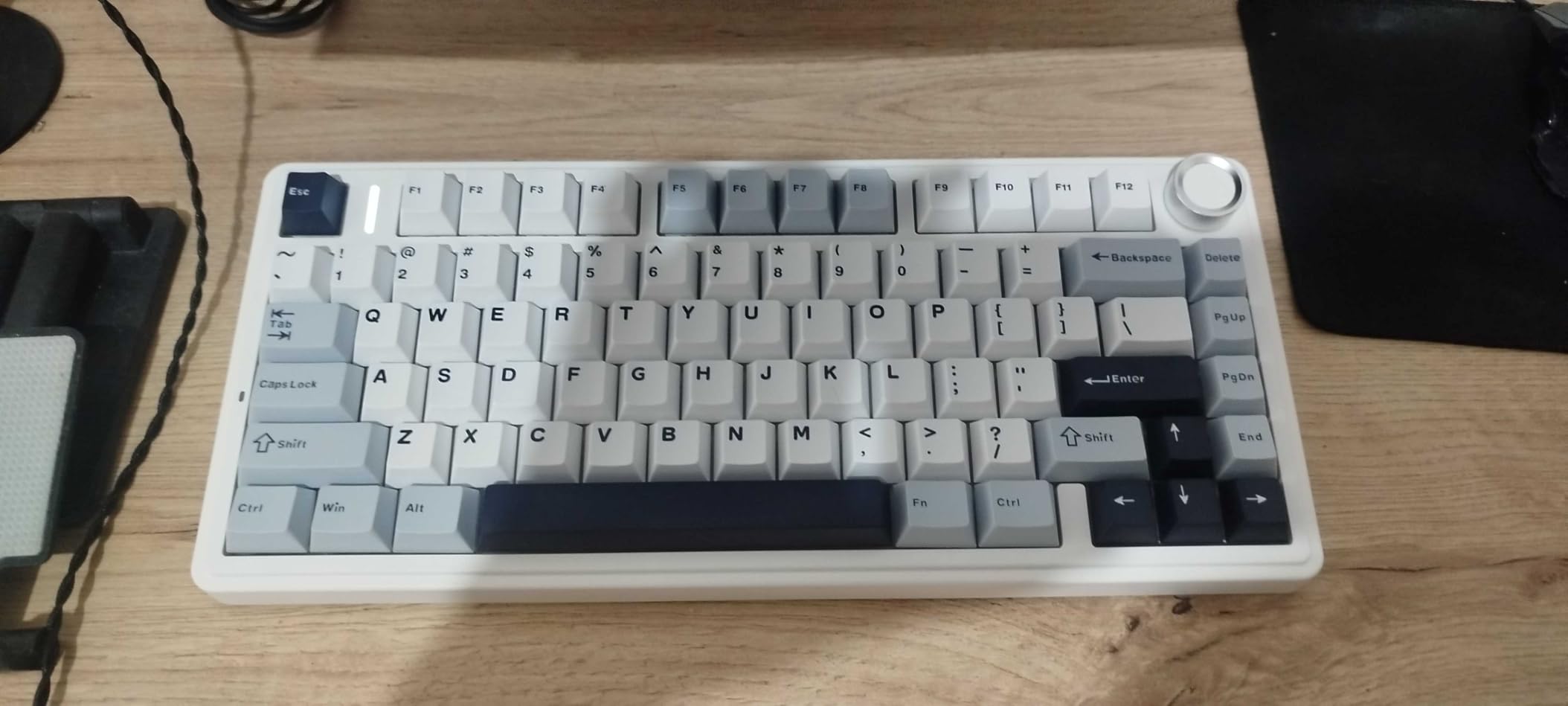
Wireless is where it separates itself from most gasket boards in this price band. Bluetooth 5.0, a 2.4 GHz receiver and wired USB-C all come standard, so it moves between a desktop, a laptop and a tablet without swapping dongles. The 4000mAh battery covers normal working weeks, and the rotary knob gives you one-handed volume control that a pure typing deck usually lacks.
Both Bluetooth and 2.4 GHz add a small latency versus a wired connection, which nobody notices in prose but competitive players will. For document work, spreadsheets and code, that trade is worth the desk freedom. The double-shot PBT keycaps in a Cherry profile keep their texture and their legends after months of daily contact, which thin ABS caps do not.
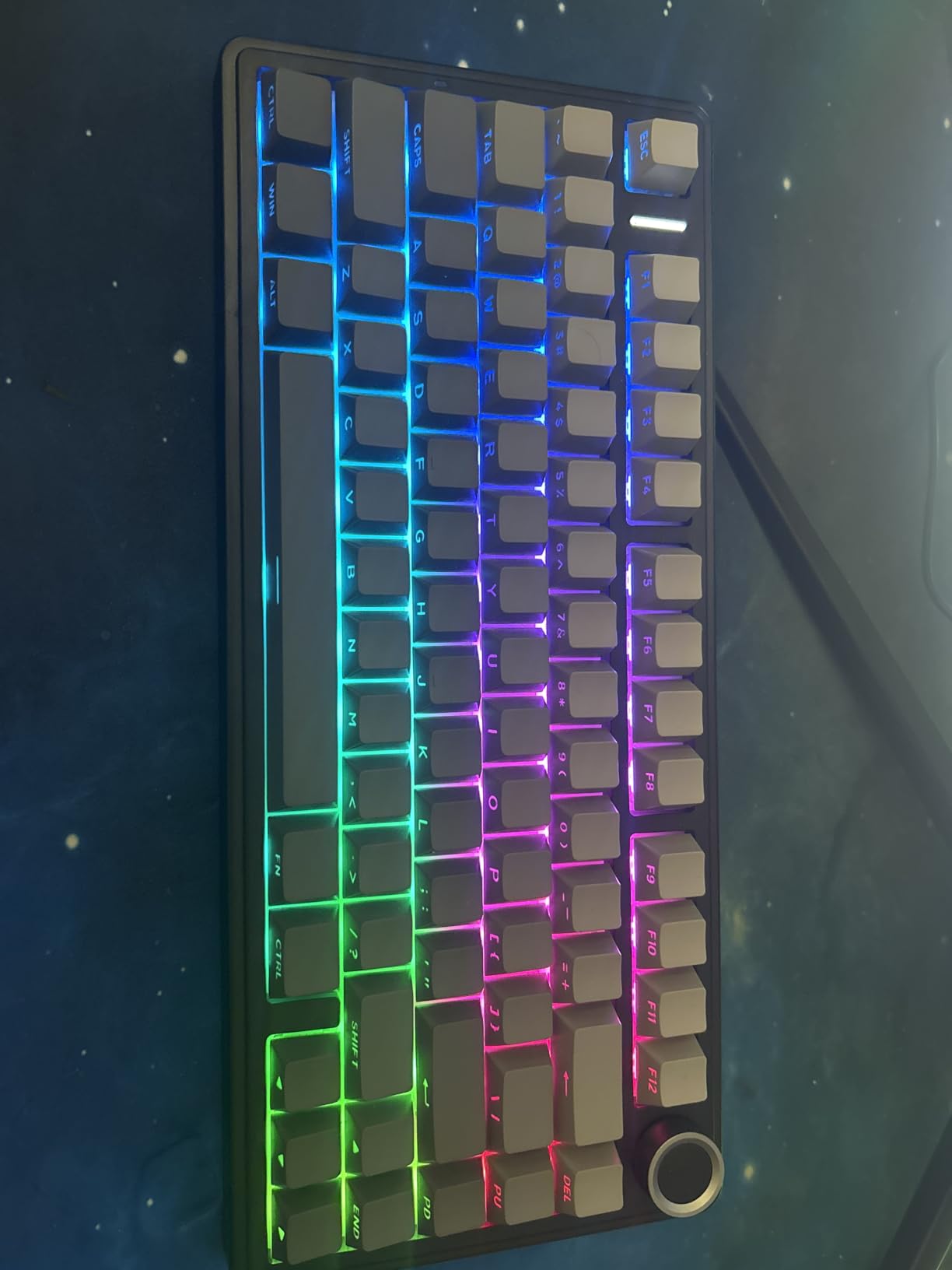
What makes it the best typing pick
Three things stack up here. The gasket mount and four-stage foam sandwich remove the hollow ring that makes cheap boards tiring, the pre-lubed linears mean every key feels identical on the first morning, and the PBT caps resist the shine that turns a glossy surface slippery after a year of typing. Owners on r/keyboards repeatedly single out the AULA F75 name as a value-tier board that punches above its class, and this is the gasket-mounted sibling with the same design language plus wireless.
The 75% layout keeps the arrow cluster and a function row while freeing roughly a third of the desk width. If you have never used a compact board, this is the least disorienting step down from full-size because the core typing block stays exactly where your muscle memory expects it.
Where it falls short
There is no number pad, which rules it out for accounting, data entry or any spreadsheet work where you live in the numeric block. If you do that all day, look at the AULA F99 or the Keychron C2 instead. You will also need the EPOMAKER software for full lighting control, and that is one more app to install on a machine that may be a work laptop you cannot reconfigure.
The Cherry profile caps are taller and softer than low-profile boards, so a typist who presses hard and lands on the cap edge will feel more resistance than on the Keychron K3. Neither is wrong, but they feel genuinely different after a full day, and the K3 is the one to try if this feels too tall.
2. GravaStar Mercury K1 75% Wireless — Best Aluminium Build
GravaStar Mercury K1 75% Wireless Mechanical Gaming Keyboard RGB Backlit
CNC aluminium gasket case
Custom 40gf linears, 3.5mm travel
8000mAh battery
RGB with edge ambient lighting
Pros
- Custom linear switches with 40gf actuation and 3.5mm total travel
- CNC aluminium case with gasket mount and five foam layers
- 8000mAh battery giving roughly 40 hours with full RGB
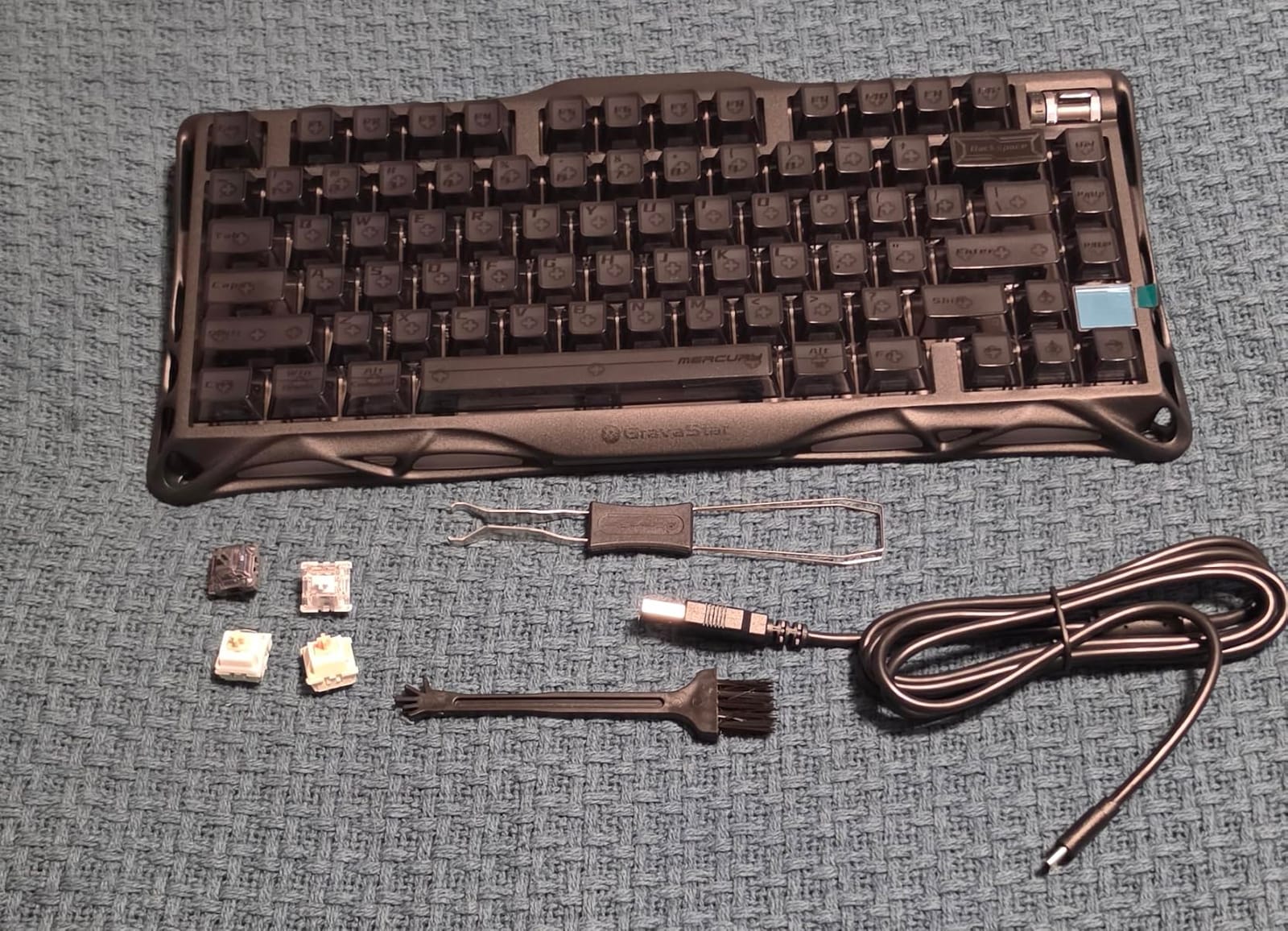
- Hot-swappable sockets with four spare switches in the box
- Seven colourways including Sakura Pink and Ice Blue
Cons
- Companion software is rough and does not expose the ambient lighting controls
- Small LCD is not programmable
- Sized as a 75% board despite a 104-key listing
The Mercury K1 has the highest rating in this roundup at 4.8 across more than 1600 reviews, and the reason is not the software or the display — it is the CNC aluminium case paired with a gasket mount. Aluminium is dense enough to kill case resonance, and mounting the plate on gaskets means the board absorbs the bottom of every keystroke instead of reflecting it. The result is the deepest, most thock-forward sound profile of any board here.
The custom switches are unusually well specified for a factory board: 40 gf actuation, 1.5 mm of pre-travel and 3.5 mm of total travel. A 1.5 mm pre-travel is on the longer side, which means more of the press happens before the switch registers, so your finger gets a longer, softer ramp into the bottom-out. For a typist who dislikes a sharp trigger point, that spacing is the feature.
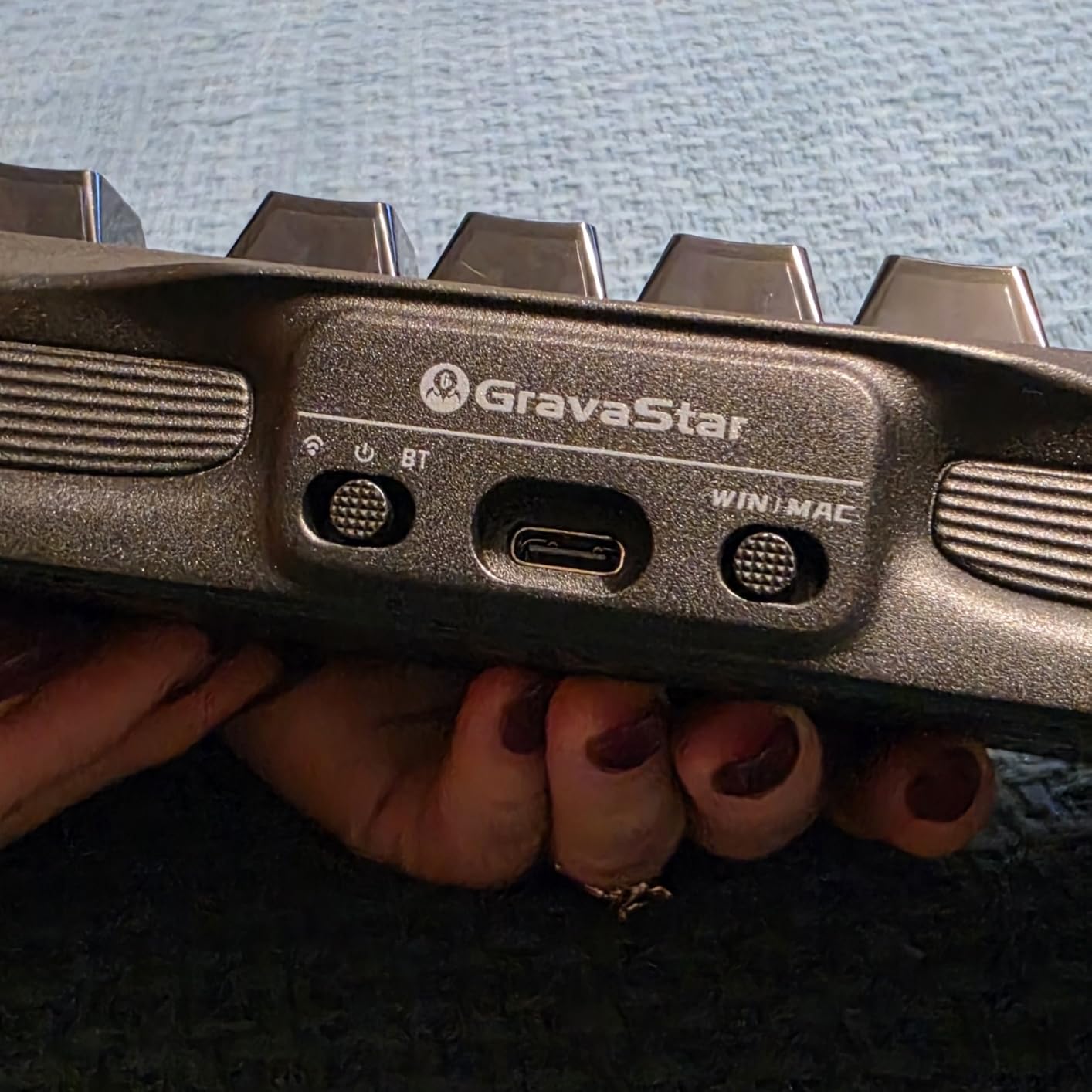
The 8000mAh battery is the largest here by a wide margin. Reviewers report roughly 40 hours of continuous use with full RGB, and well over 400 hours with the lighting off. That is a genuine multi-week gap between charges, which changes how you think about wireless entirely — you stop treating the battery as a routine and start treating it as an occasional top-up. Connectivity covers 2.4 GHz, USB-C and Bluetooth 5.0, with a matching colour-coded dongle.
There is a volume roller switch rather than a stepped knob, plus a small LCD screen and edge ambient lighting along the case. All of it works out of the box with the standard key commands, so the board is fully usable without ever opening the companion software.
Why typists like it
Sound and mass. The 2.3 lb aluminium body is heavy enough that the board stays planted, which reduces the small corrective movements your hands make when a lightweight chassis slides under your wrists. Multiple owners describe owning this in several colourways and swapping keycaps on it, and one reviewer calls the finish the best in a collection of more than 20 aluminium keyboards — that is a consistent signal, not a single outlier.
The 40 gf linears are light enough for long sessions without being so light that accidental presses creep in. Combined with the dampened case, this is the quietest-feeling board here per unit of weight, even though it is a linear and not a silent switch.
What to know before buying
The companion software is the weak point. Reviewers describe it as poorly made, windowed and not integrated with the hardware, and it does not expose controls for the edge ambient lighting or let you set a static colour on the LED logo screen. Everything you need is available through onboard shortcuts, but customisation beyond that is frustrating.
The LCD is fixed and shows a logo rather than time, date or a custom display, so treat it as decoration. Also note the sizing: the listing shows 104 keys, but this is a 75% layout with no number pad. If you need a numeric block, this is not the board.
3. AULA F99 Wireless Mechanical Keyboard — Best Value With a Number Pad
AULA F99 Wireless Mechanical Keyboard,Tri-Mode BT5.0/2.4GHz/USB-C Hot Swappable Custom Keyboard,Pre-lubed Linear Switches,RGB Backlit Computer Gaming Keyboards for PC/Tablet/PS/Xbox
99-key 96% layout
Tri-mode for five paired devices
Hot-swappable with pre-lubed linears
8000mAh battery
Pros
- Pre-lubed linear switches with a creamy
- marble-like sound
- Tri-mode wireless plus wired for up to five paired devices
- 99-key 96% layout keeps a real number pad and arrow keys
- Hot-swappable PCB with pullers and spare switches included
- Gasket structure with an integrated silicone pad and five layers of fill
Cons
- RGB does not shine through the factory keycaps
- Customization driver is Windows-only
- Only a 6-month warranty
The F99 solves a problem most wireless boards ignore: you can have a number pad without a full-size footprint. Ninety-nine keys in a 96% arrangement keeps a genuine numeric block, the arrow cluster and a function row, and still comes in at 15.35 inches wide. At 1500 g it has the planted feel of a much larger board, and reviewers specifically call out that it does not read as cheap plastic despite the ABS case.
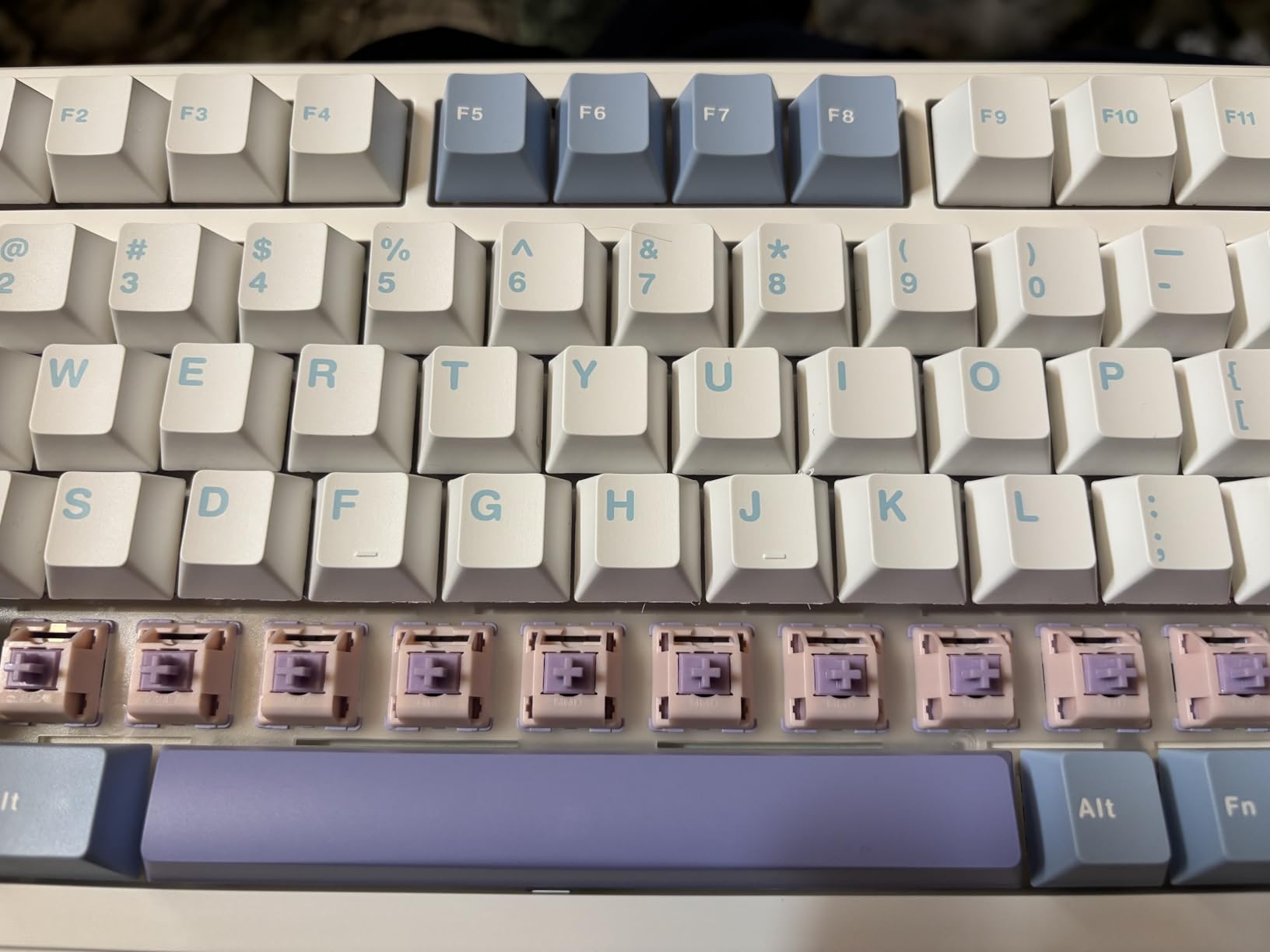
The sound is the reason reviewers keep coming back to it. Pre-lubed linear switches in a gasket structure with an integrated silicone pad, a single-key slotted PCB and five layers of fill produce a soft, low-hollow result that people describe as creamy or like smooth stones. The board went semi-viral on short-form video, and the most common reaction among sceptics is pleasant surprise.
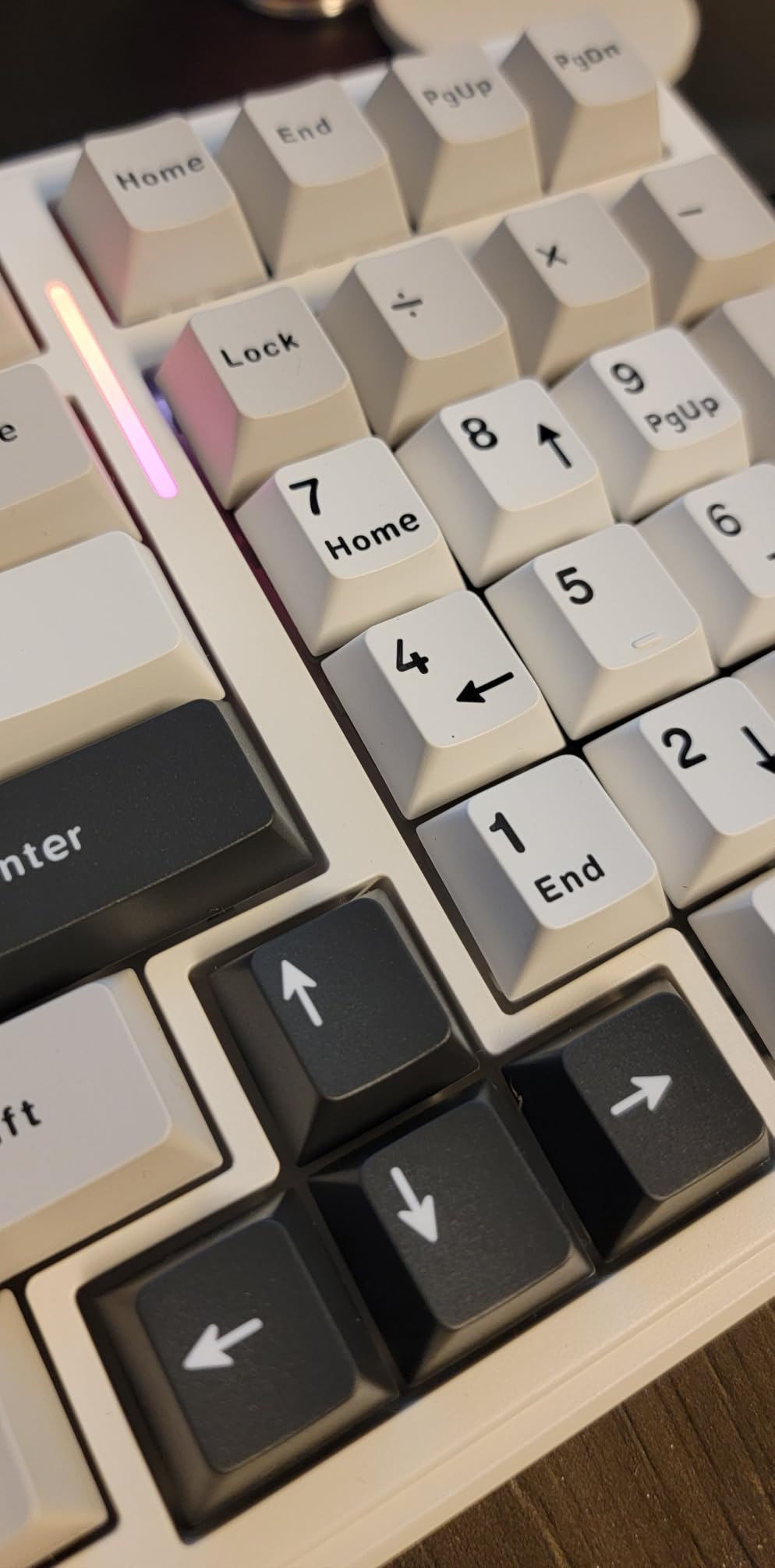
Connectivity is genuinely useful here. Bluetooth 5.0, a 2.4 GHz receiver and wired USB-C, with switching between up to five paired devices. The 8000mAh battery is the same class as the Mercury K1, and reviewers report weeks of use with the lighting on and well over three weeks with it off.
N-key rollover and macro recording are both supported through the driver, and the hot-swap PCB accepts 3-pin and 5-pin switches with pullers and two spare switches in the box. Double-shot PBT keycaps resist fading, and a two-stage adjustable angle lets you set the typing incline.
Why it works for long typing days
Two reasons. The linear switches arrive pre-lubed, so there is no scratchy window and no break-in, and the five-layer fill removes the hollow spacebar sound that makes an otherwise good board tiring after two hours. If you type into spreadsheets or invoices all day, having the numpad here removes the single most common objection to going compact.
With more than 3100 reviews averaging 4.5, this is one of the highest-volume boards in the roundup, and 79 percent of those ratings are five-star. That volume matters for a typing board specifically, because typing feedback only emerges after weeks of use.
Where it gets awkward
The RGB does not shine through the factory keycaps, so in a dark room the lighting makes legends harder to read rather than easier. Several buyers fix this by adding shine-through caps, which is an extra cost and an extra step. Mac users should also know the driver is Windows-only; basic typing works fine on a Mac, but remapping does not.
The 96% layout condenses things: the numpad zero key is shortened and takes adjustment, and the light actuation can feel unresponsive to newcomers, prompting accidental repeat presses. The 6-month warranty is the shortest in this roundup, so treat it as a board to enjoy rather than an heirloom.
4. Keychron C2 Full Size — Best Full-Size Tactile for Typing
Keychron C2 Full Size Wired Mechanical Keyboard, Brown Switch, Retro
104-key layout with number pad
Keychron Brown tactile switches
Non-backlit retro colourway
Two-level adjustable feet at 6 and 9 degrees
Pros
- Pre-installed Brown tactile switches rated to 50 million keystrokes
- Full 104-key layout with a genuine number pad
- Braided USB-C cable for constant power
- Inclined frame with two-level adjustable feet
- Mac and Windows keycaps included in the box
Cons
- This version has no backlighting
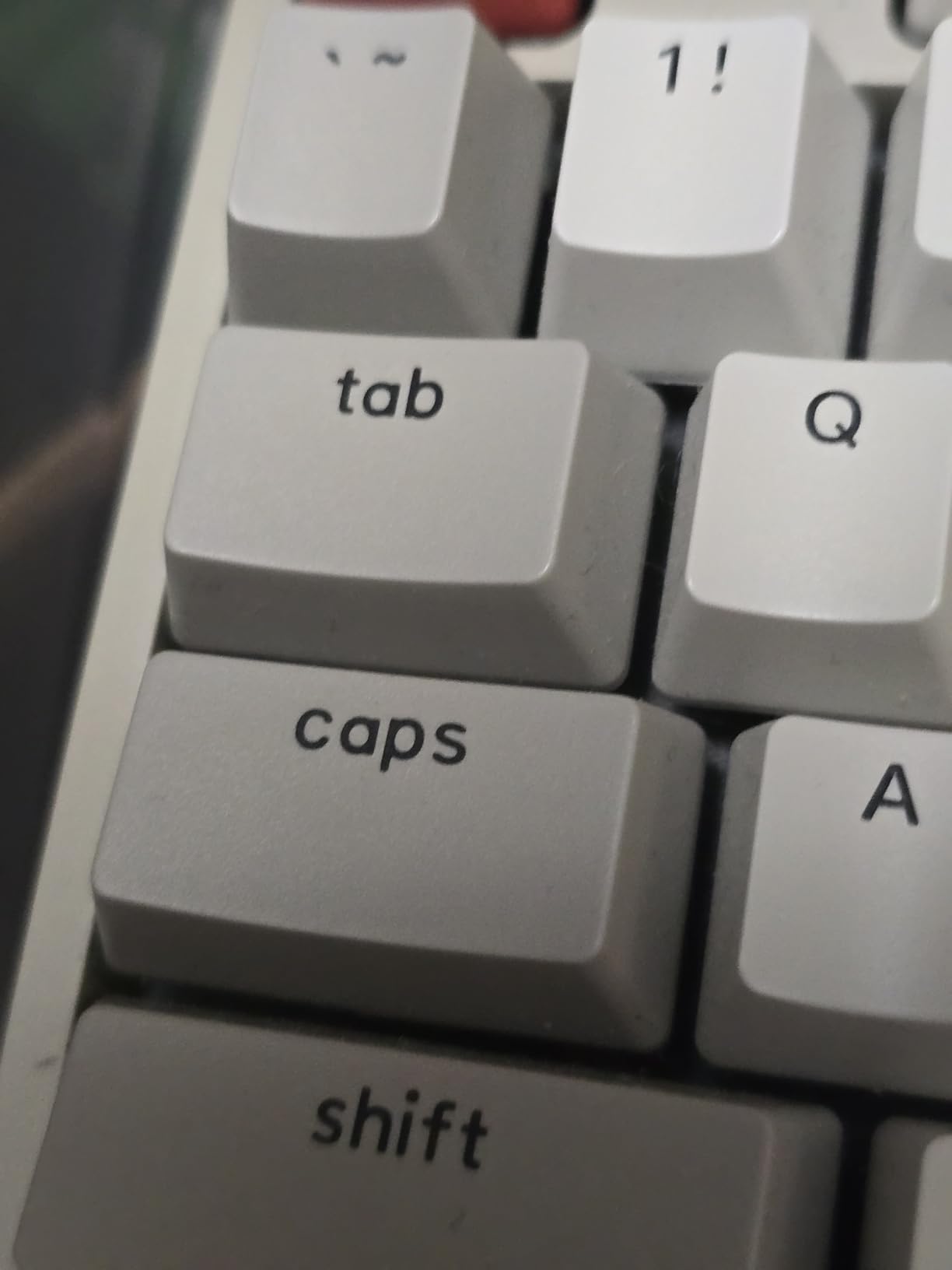
- ABS keycaps will shine with extended daily use
- Wired only with fixed non-swappable switches
The C2 is the most traditional board here, and that is the point. A full 104-key layout, a Brown tactile switch pre-installed at the factory, and a 1.5 kg ABS chassis that stays exactly where you put it. If you have been typing on a laptop keyboard and want a full-size mechanical feel with a number pad and nothing else to learn, this is the least complicated upgrade available.
Brown tactile is the right default for a typist who has never chosen a switch before. The bump confirms each keystroke without producing the sharp click of a Blue, so you get positional feedback without the noise penalty. The switches are rated to 50 million keystrokes, which at a heavy typist’s rate is measured in decades rather than years.
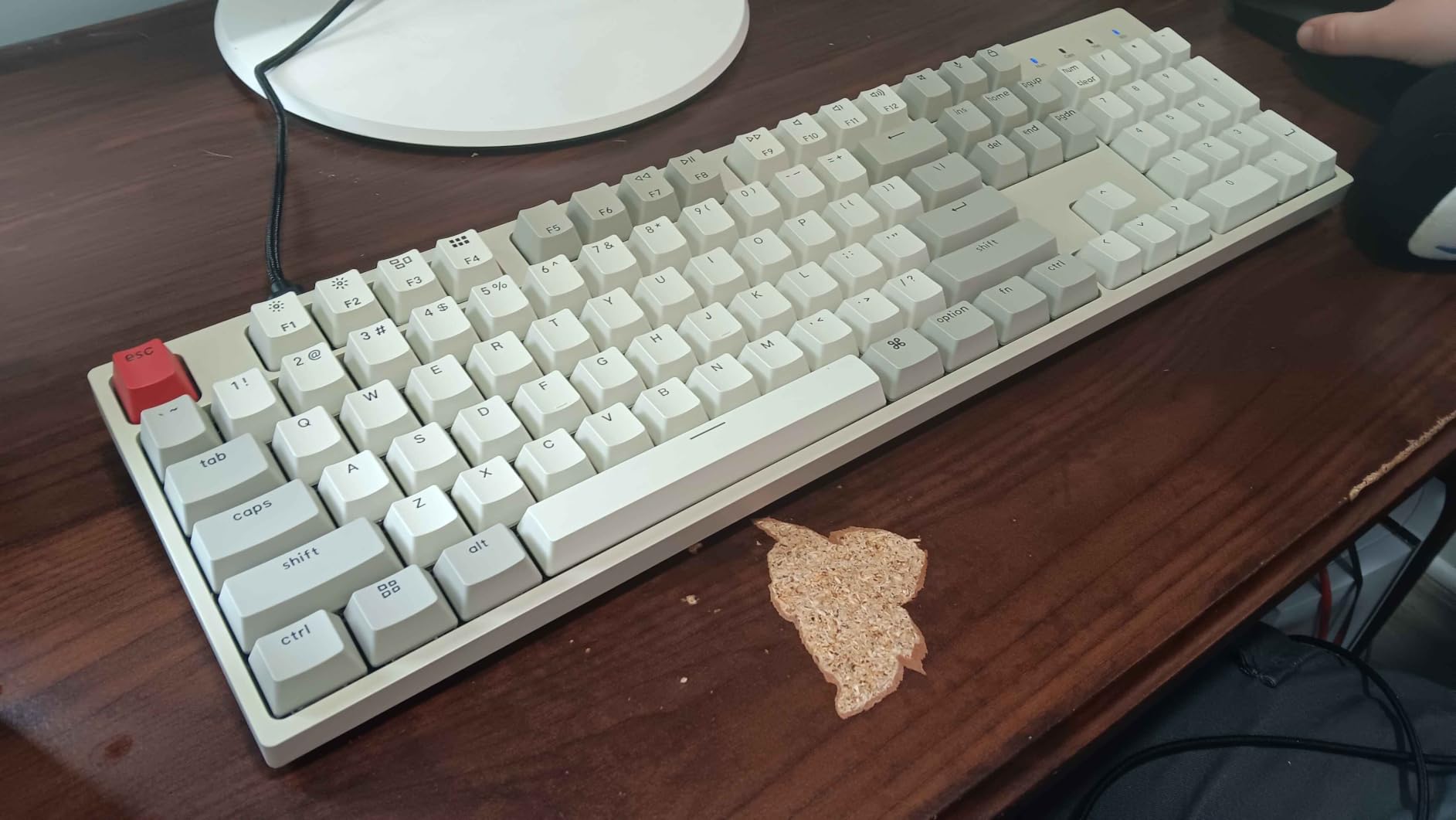
The frame is inclined with two-level adjustable feet at 6 and 9 degrees, and the braided USB-C cable means you are never chasing a connection. The layout is Mac-optimised with a dedicated Siri or Cortana key, and the box includes extra keycaps for Windows, so switching platforms is a two-minute job rather than a return trip.
It is also the only board in this roundup where the number pad is not a compromise, because there is no compromise — the whole board is full-size. For accounting, inventory work or any role where your hands alternate between letters and digits all day, that physical separation of the numpad from the alphas genuinely reduces reach errors.
Why typists keep it
Weight and consistency. At 1.5 kg this is one of the heavier boards in the list, and that mass is what keeps a full-size chassis from flexing when you hit the bottom row hard. Reviewers consistently praise the Brown feel, the two-level feet and the sheer sturdiness, and 76 percent of the more than 500 ratings are five-star.
There is a practical argument too. This is a keyboard you can pick up, plug in and start typing on, with no battery, no pairing and no remapping layer to configure. For a first mechanical keyboard, that predictability is worth more than any feature list.
What it does not do
This specific version has no backlighting, so low-light typing is harder than it needs to be. The ABS keycaps will develop shine with extended daily use, which is exactly the problem the PBT boards in this roundup were built to avoid. The switches are fixed and there is no software remapping, so the layout is whatever the board shipped with.
It is also wired only and takes up a lot of desk at 17.1 inches wide. If your desk is small or you need Bluetooth, the F75 and the F99 cover the same ground in a smaller footprint with wireless added.
5. Logitech MX Mechanical — Best Plug-and-Play Wireless
Logitech MX Mechanical Wireless Illuminated Keyboard Tactile – Graphite
Low-profile Romer-G tactile switches
Three-device Bluetooth and Logi Bolt
Smart illumination with proximity sensor
Aluminium top case with metal plate
Pros
- Tactile low-profile switches with a clear bump and restrained noise
- Full-size 104-key layout with a number pad
- Pairs with up to three devices across Mac
- Windows
- Linux and ChromeOS
- Up to 15 days per charge
- or about 10 months with backlighting off
- Aluminium top case that suits a professional desk
Cons
- Smart backlight shuts off quickly and sometimes fails to relight
- Switches are not user-replaceable and the spacebar uses a non-standard stabilizer
- USB-C port is charge-only
- so the board cannot be used wired
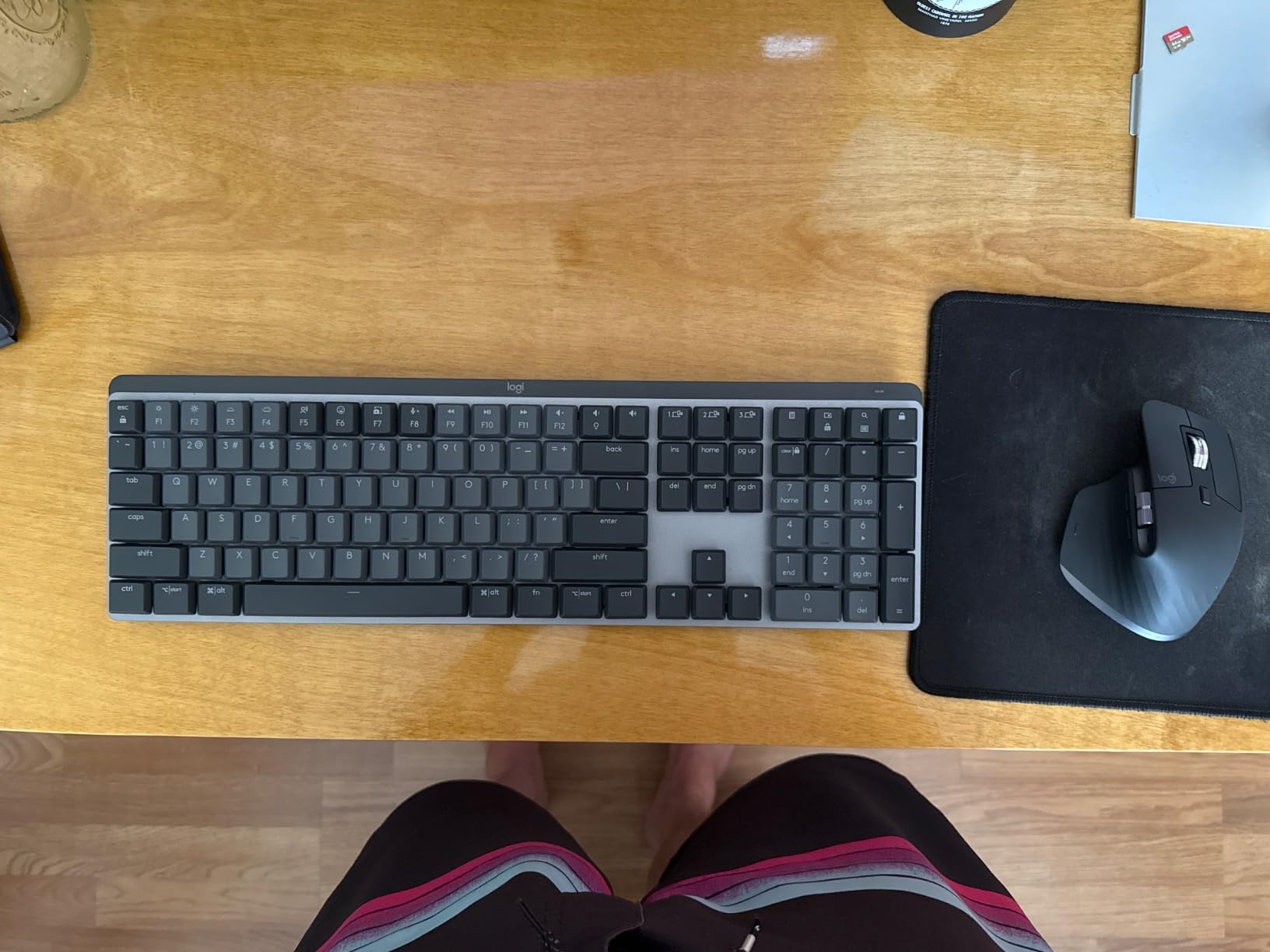
The MX Mechanical is the board you hand to someone who does not want to learn the hobby. Pair it with up to three devices over Bluetooth Low Energy or the Logi Bolt receiver, and switching between a work laptop, a desktop and a personal machine happens without touching a menu. Logi Options+ handles per-device layouts and cross-computer Flow, and the whole thing is legible to a first-time user inside five minutes.
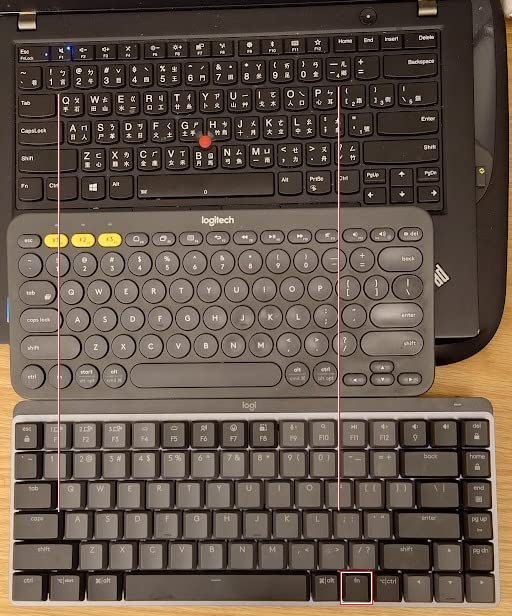
Typing feel is the low-profile Romer-G tactile switch, which has a genuine bump but a much shorter travel than a standard mechanical switch. Shorter travel means less finger movement per keystroke, which reduces strain over a long day, and the reduced key height means your wrists sit in a flatter, less extended position. The full-size 104-key layout with a number pad covers every typing task without compromise.
Smart illumination lights the keys when your hands approach and adjusts brightness to the room, which is a genuinely nice touch in low light. Battery life is quoted at up to 15 days per charge, or roughly 10 months with the backlighting off. The aluminium top case and metal plate keep it looking appropriate in a client-facing office, and the floating keycaps make crumbs easy to brush out.
One buyer who builds custom keyboards calls it the best office keyboard they have used, and the multi-device switching is the most-cited reason people keep it. With more than 2200 reviews at a 4.2 rating, it is also the most polarised board in this roundup, so the complaints below are worth reading properly.
Where it wins for typing
Low-profile travel plus a full-size layout is a combination almost nothing else offers. Most low-profile boards are 75% or smaller and force you into a layer for navigation; this one keeps the function row, the number pad and the arrow cluster in a conventional arrangement. If wrist extension is your concern, the 2-inch case height is meaningfully shallower than a standard board.
For a typist who bounces between two machines all day, the three-device pairing is the feature that no amount of build quality can replace.
Where it frustrates people
The smart backlight is the most repeated complaint. It shuts off within seconds of you stopping typing, sometimes fails to relight, and the brightness sensor can suppress it entirely in a bright room — which is precisely when you might want it. Reviewers also report a squeaky spacebar and backspace, and a peeling rubber foot, at this price point.
The switches are not user-replaceable and the spacebar uses a non-standard stabilizer stem, so keycap customisation is limited. The USB-C port is charge-only, meaning there is no wired fallback. And the function row has no dedicated Print Screen key, with the row locked to Fn by default, which is annoying if you take screenshots while writing.
6. Keychron K3 Version 2 — Best Low Profile for Typing
Keychron K3 Version 2 QMK 75% Wireless Low-Profile Mechanical Keyboard
75% low-profile body 0.87 inch tall
QMK and VIA open-source firmware
Bluetooth 5.1 for three devices
500g reinforced aluminium top frame
Pros
- Genuinely slim 0.87-inch body at only 500g
- Full QMK and VIA remapping through the Keychron Launcher web app
- Broadcom Bluetooth 5.1 across up to three devices plus USB-C wired
- Reinforced aluminium top frame with extra Windows keycaps included
- Tactile low-profile switches with a crisp bump
Cons
- Switches and keycaps are not hot-swappable
- Short travel and tight spacing feel unfamiliar over long sessions
- Bluetooth range is reliable only at close distance
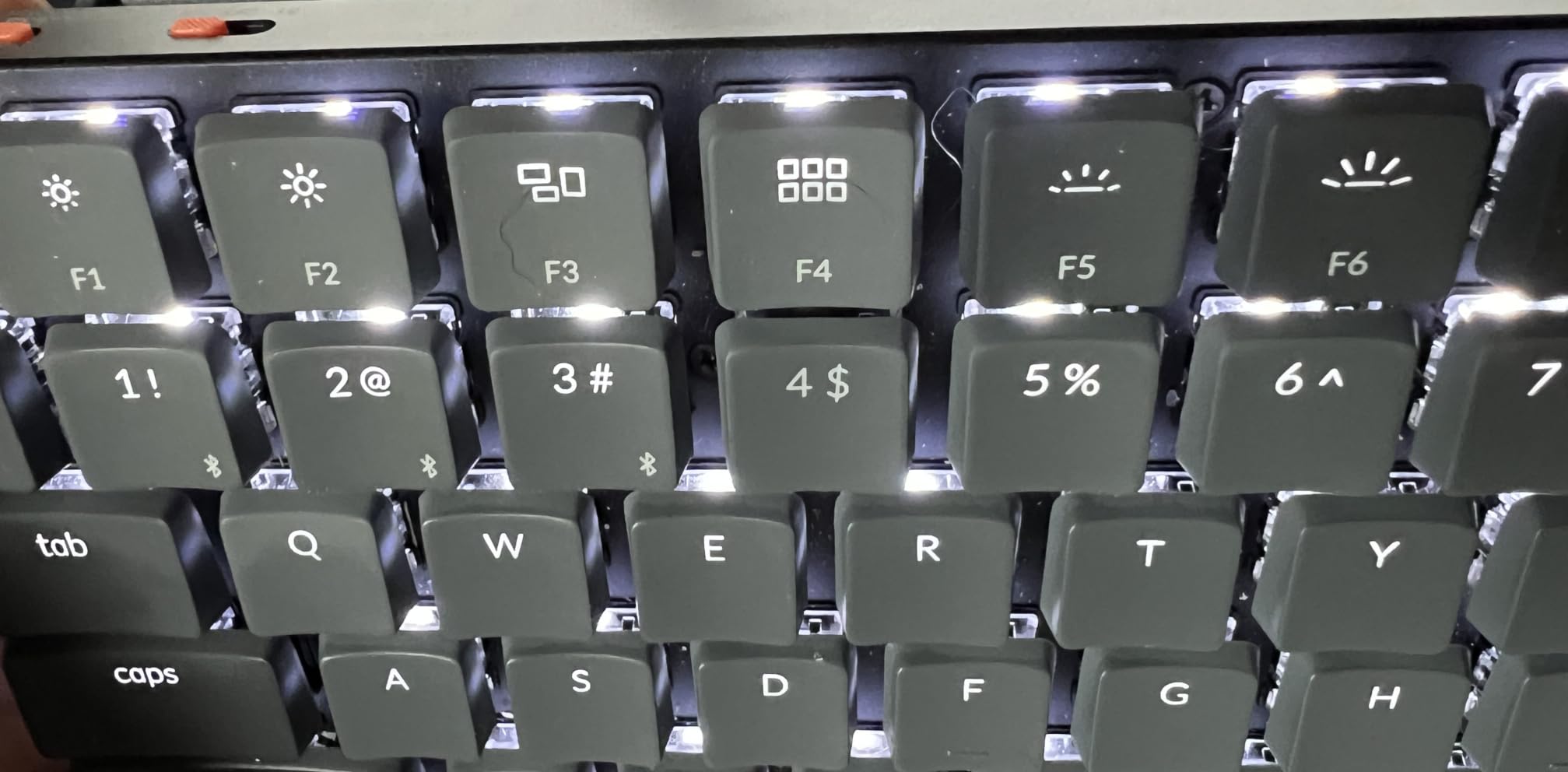
The K3 is the only board in this roundup that is genuinely low profile and genuinely remappable. At 0.87 inches tall and 500 g, it is the travel option and the lightweight option, and QMK open-source firmware means every key, macro and layer can be reassigned in a browser rather than a proprietary app. That combination is rare: most low-profile boards lock you out of the switch and the firmware both.
The tactile low-profile switches give a crisp bump on a short travel, so you get confirmation without a long press. For a typist who spends hours with their wrists flat, the reduced height is the point — there is less wrist extension than on a full-height board, and a 75% layout at 12 inches wide leaves plenty of mouse room.
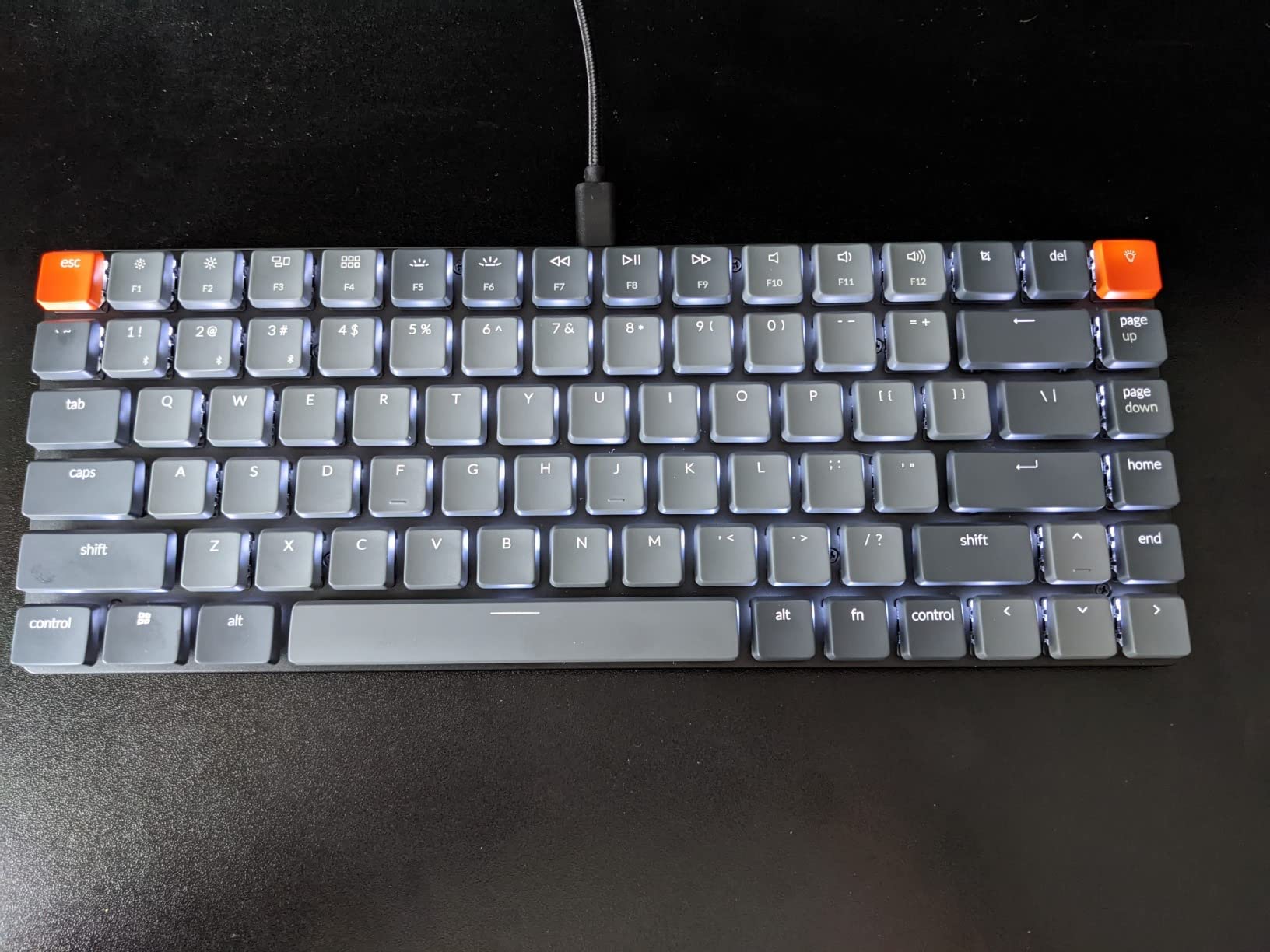
Wireless covers Broadcom Bluetooth 5.1 for up to three devices plus a USB-C wired connection, and the Mac-style layout ships with extra Windows keycaps. The Keychron Launcher web app handles remapping without an install, which avoids the registration-and-sign-in friction that makes many keyboard apps genuinely irritating on a work machine.
It is also the board most likely to travel. At 12.05 by 4.57 inches it fits in a laptop bag, and the 500 g weight means it does not feel like a fragile object in a case.
Why it suits long sessions
Height and programmability. At under an inch, the K3 keeps your hands flatter than any other board here, which takes pressure off the wrist extensor muscles that are usually the first thing to ache on a standard mechanical deck. And because QMK is open source, you can build a single layer that puts everything you need on the home row and stop reaching.
The 84-key layout keeps the function row and arrow cluster, so you are not dropping to a layer for navigation the way you would on a 60% board. For a programmer or writer who wants a small footprint without the layer penalty, that is the compromise that actually works.
Where it is not the right board
The low-profile switches and keycaps are not hot-swappable, so once you find a switch you dislike, you are stuck with it. Short travel and tight key spacing also feel unfamiliar to anyone used to a full-height board, and several buyers report that the unfamiliarity fades within a week but genuinely annoys the first few days.
Bluetooth is reliable at close range, so a desk where the computer sits across the room may need the wired cable. There is no number pad, the backlight is white only, and the floating keycap design collects dust more readily than standard mounted caps. If you want a low profile with a numeric block, the MX Mechanical is the only board here that combines both.
7. Logitech G413 SE — Best Durable Full-Size Board
Logitech G413 SE Full-Size Mechanical Gaming Keyboard – Black
108-key full-size layout
PBT double-shot keycaps
Brushed aluminium-magnesium top case
White LED backlighting with 6-key rollover
Pros
- Genuine double-shot PBT keycaps that resist shine and heat
- Brushed aluminium-magnesium top case with minimal chassis flex
- Tactile switches with a defined bump for accurate presses
- 108-key layout with number pad and a 12-key FN row
- Works with both Windows and macOS out of the box
Cons
- Wired only with no wireless option
- White backlighting only
- no RGB on this model
- Fixed non-hot-swappable switches
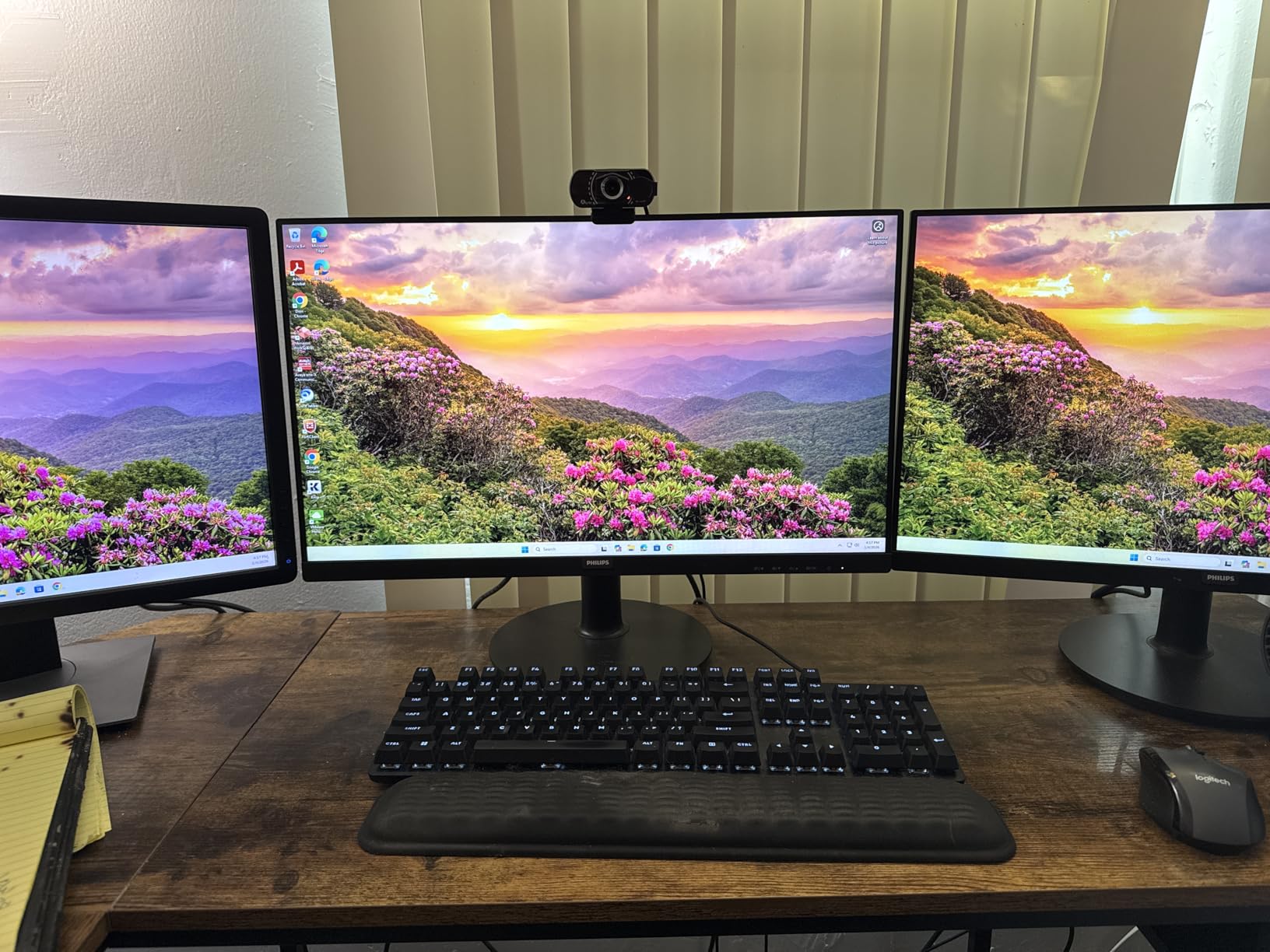
The G413 SE is the most durable board in this roundup for a simple reason: double-shot PBT keycaps on a brushed aluminium-magnesium top case. PBT is a harder plastic that resists the oil from your skin and does not develop the greasy shine that makes ABS caps unpleasant after a year. The metal top case means minimal chassis flex, so the bottom row feels the same as the number row.
Typing feel is a straightforward tactile switch with a defined bump, and 6-key rollover keeps simultaneous presses accurate. The 108-key layout gives you a number pad, an extended function row and 12 FN keys covering volume, media, mute, lighting and the Windows lock — a useful shortcut when you are recording or on a call.
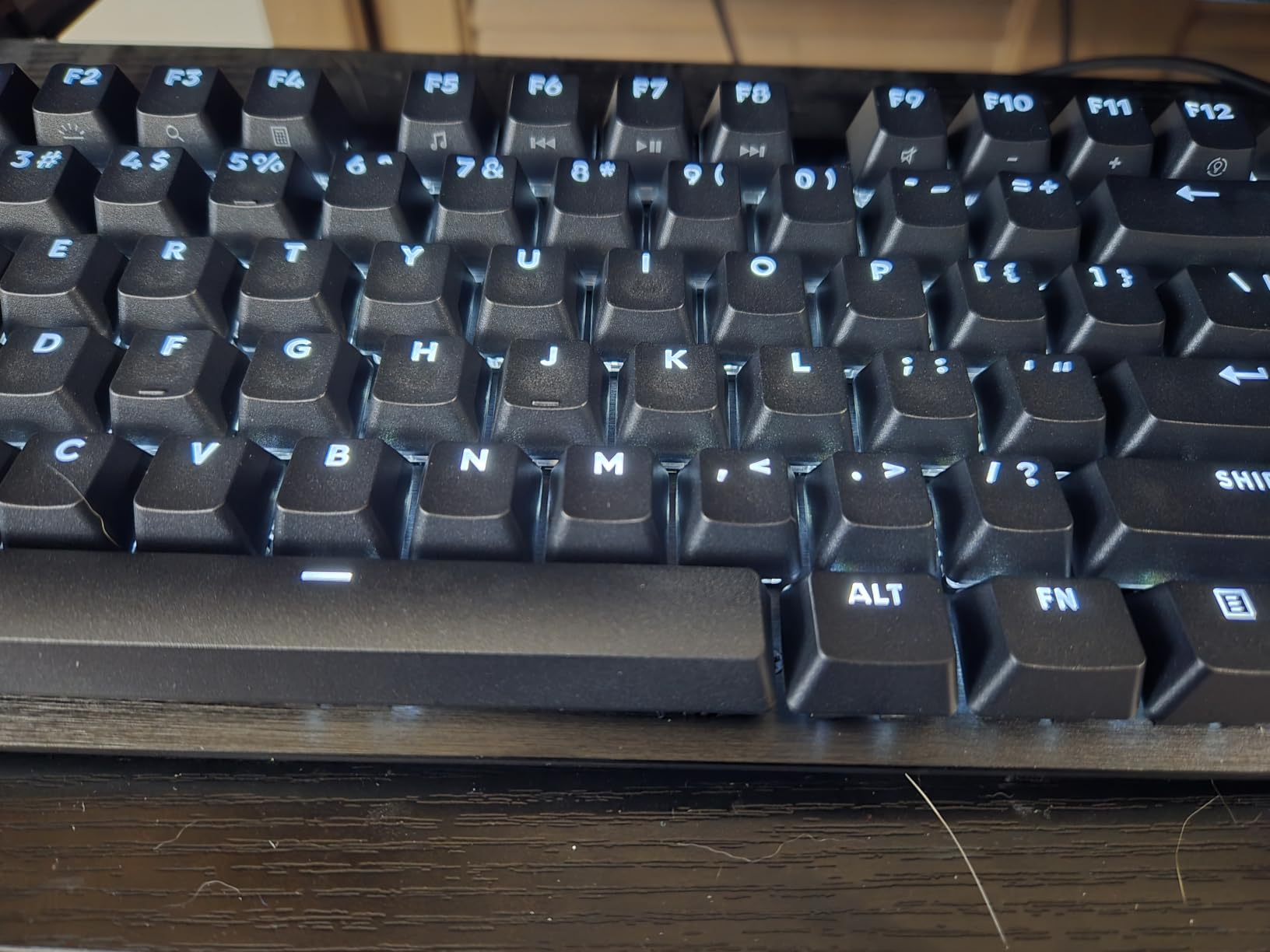
At 780 g it is lighter than the Keychron C2 and the F99, but the aluminium top case keeps it from flexing. The single-colour white backlighting is restrained and, according to reviewers, less distracting than RGB during long writing sessions. It works with both Windows and macOS without configuration.
With more than 1600 reviews at 4.5 and 77 percent five-star ratings, this is the dependable default mechanical board from a major manufacturer. A TKL version of the same line exists if the number pad is not something you use.
Why it holds up
Nothing on this board is a feature that ages badly. No battery to cycle, no software to update, no proprietary driver, no RGB controller. You plug it into USB and it behaves identically in five years as it does today. For someone who just wants a mechanical keyboard for typing and does not want to think about the hobby, that predictability is worth more than any gasket mount.
The PBT caps are the detail that pays off earliest. Most people who switch from a laptop to a mechanical board stay on that board for years, and ABS caps are the reason many eventually buy a replacement set.
What you give up
It is wired only, and the switches are fixed with no hot-swap sockets, so the feel is whatever the factory chose. The 6-key rollover is adequate rather than full N-key, which is irrelevant for typing and occasionally noticeable in games. The backlight is white only, and there are no dedicated macro or media keys beyond the FN row, with no onboard macro programming.
It is also sold as keyboard only, with no wrist rest or keycap puller included. If you want wireless, gasket mounting, a knob or the ability to change switches later, the F75 or the R75 give you all four for a similar outlay.
8. RK Royal Kludge R75 — Best Budget Tactile for Typists
RK ROYAL KLUDGE R75 Wired Mechanical Gaming Keyboard, 75% Hot-Swap Mechanical Keyboard Volume Knob, Soft Pre-lubed Tactile Brown Switch
Gasket mount with triple sound absorption
Pre-lubed tactile Brown switches
CNC aluminium volume knob
Hot-swappable 3-pin and 5-pin
Pros
- Gasket mount with Poron cotton
- IXPE foam pad and sponge case foam
- Pre-lubed stabilizers and spacebar foam to cut rattle
- Pre-lubed tactile Brown switches with a clear bump
- CNC aluminium volume knob that presses to mute
- Hot-swappable PCB with a keycap puller in the box
Cons
- Wired only
- no Bluetooth or 2.4GHz
- Listed compatibility is Windows
- with Mac and Linux support not stated
- Tactile Brown switches are louder than linear boards
The R75 is the board I recommend to people who describe themselves as tactile people. The pre-lubed Brown switches give a clear, rounded bump that confirms each keystroke without the sharp click of a Blue, and the gasket mount with triple absorption — Poron sound-absorbing cotton, an IXPE foam pad and sponge case foam — softens the bottom-out considerably. For a typist who wants feedback rather than silence, this is the most convincing combination in the roundup.
The stabilizers deserve specific mention because they are the most repeated quality complaint in keyboard threads and this board handles them properly. Pre-lubed stabilizers plus spacebar foam mean the largest key on the board, the one your thumb hits most, does not ping or rattle. At 800 g the chassis stays put without being punishingly heavy.
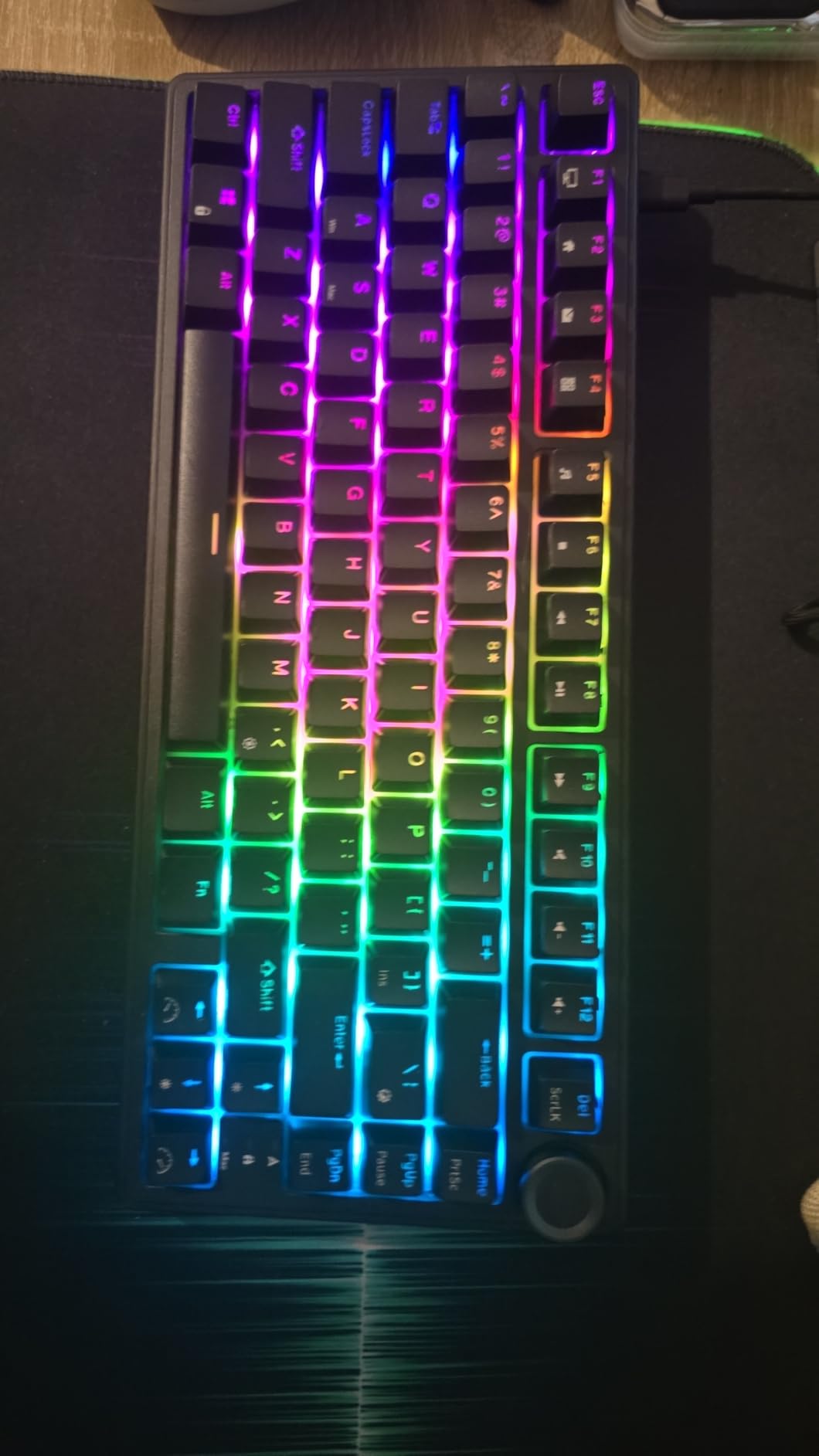
The CNC aluminium volume knob is a genuinely satisfying control that presses to mute, and it is unusual to find machined metal on a board at this level. The 75% layout keeps arrow and function keys while freeing real desk width, and the stair-step keycap sculpting is reported as comfortable over long sessions. South-facing transparent RGB gives 18 modes, 8 monochrome presets and adjustable brightness and speed.
Full-key anti-ghosting handles simultaneous presses, and the detachable USB-C cable is a small quality-of-life detail you appreciate the first time you move the keyboard between desks.
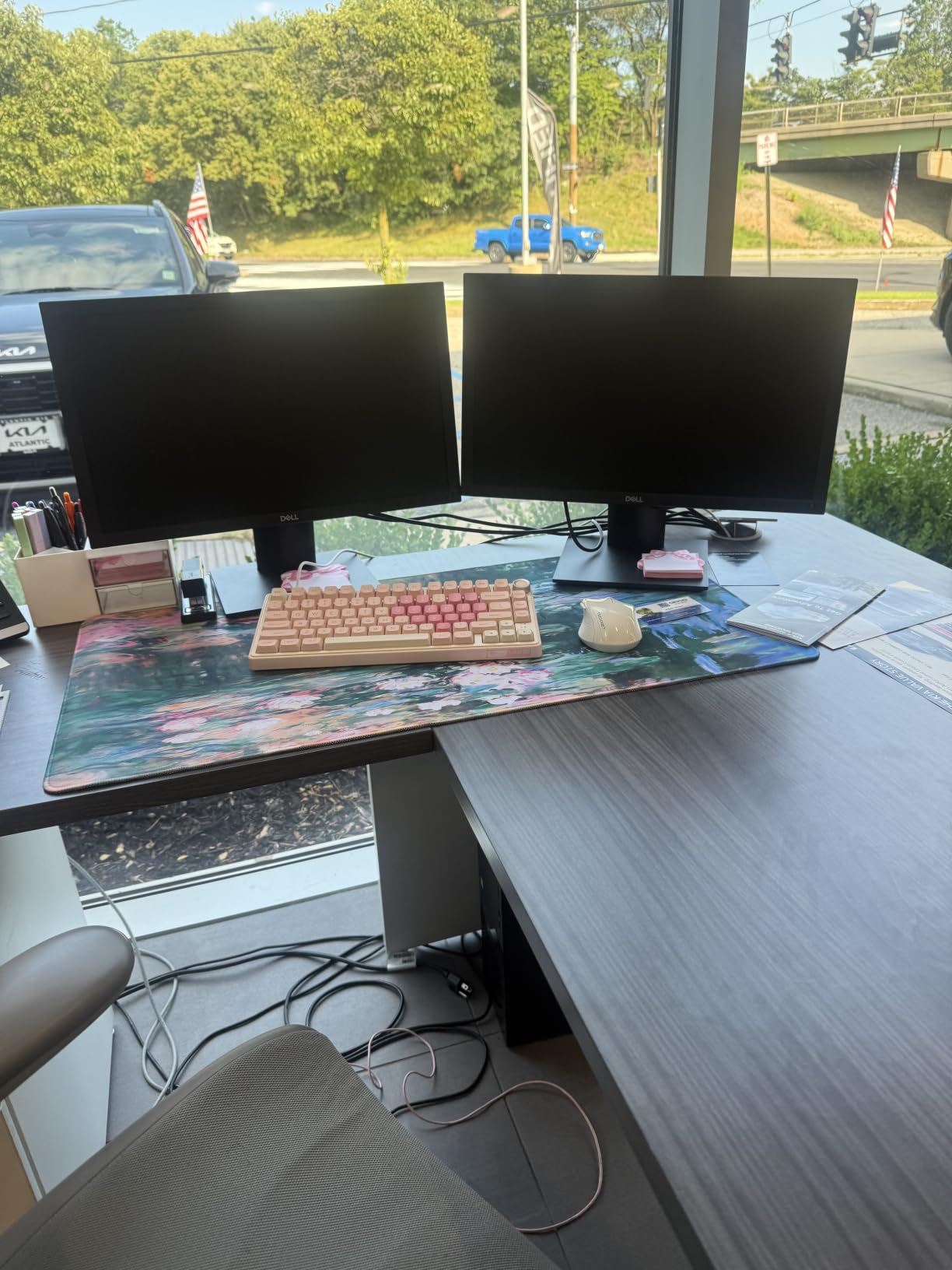
Why it suits tactile typists
Because it commits to the tactile experience instead of hedging. Many budget boards ship with light linears that feel unrefined, and reviewers here specifically praise the gasket-and-foam combination for producing a solid, creamy sound that they say rivals boards costing two or three times more. With 1555 ratings at 4.6 and 79 percent five-star, that is a broad, consistent signal rather than a handful of enthusiastic reviews.
The stair-step keycap profile is the other quiet win. A sculpted row profile spreads contact across the whole cap rather than its front edge, which reduces the pressure spike that causes fingertip soreness in hour six.
Where it stops short
It is wired only, with no Bluetooth or 2.4GHz, and that is the single most common reason buyers outgrow it. Compatibility is listed for Windows, with Mac and Linux support not stated — basic typing works, but verify before committing if you are on a Mac.
Tactile Brown switches are more audible than a linear board, so it is not the right pick for a shared office where noise is the main constraint. There is no number pad, and while the hot-swap PCB accepts 3-pin and 5-pin switches, the case cannot be opened without disassembly if you want to reach anything inside.
9. HUO JI E-Yooso Creamy Mechanical Keyboard — Best for Quiet Typing
HUO JI E-Yooso Creamy Mechanical Keyboard Wired, RGB Backlit, White
99-key 96% layout with number pad
Five layers of foam plus a silicone dampener pad
Pre-lubed linear switches
Hot-swappable with puller included
Pros
- Gasket mount with five thicker foam layers and a silicone dampener pad
- Pre-lubed linear switches for a creamy
- low-hollow sound
- 99-key 96% layout keeps a number pad in a compact footprint
- Hot-swappable PCB accepting 3-pin and 5-pin switches
- Full anti-ghosting with N-key rollover and cross-platform support
Cons
- Wired only
- no wireless mode
- ABS plastic case feels less dense than aluminium
- No volume knob and no macro keys
The E-Yooso is built around one goal: making a wired board sound as damped as possible. The gasket structure carries five layers of thicker sound-absorbing foam plus a silicone dampener pad, and the manufacturer claims 40 percent noise reduction with 80 percent of the hollow sound removed. Reviewers broadly agree the result is genuinely creamy and low-hollow for a wired board, which is unusual at this level.
The pre-lubed linear switches deliver a smooth, fast press with no scratchiness out of the box, and the hot-swap PCB accepts both 3-pin and 5-pin switches with a puller in the box. Double-shot injection PBT keycaps have fade-resistant legends, so the printing survives the kind of daily contact that wears thin ABS caps.
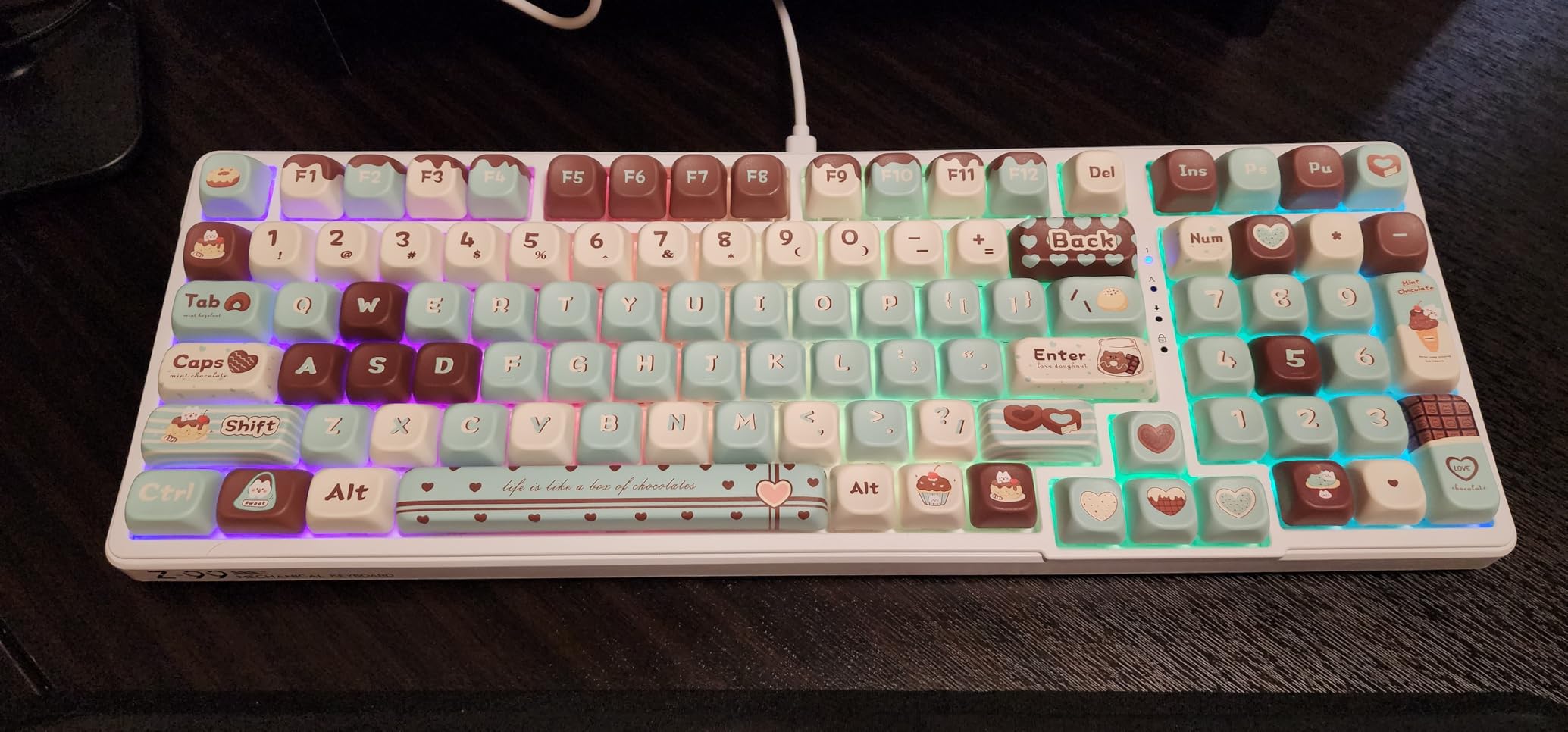
The 99-key 96% layout is the practical strength here. It keeps a real number pad and arrow cluster in a 39 by 13.5 by 4 cm footprint, which is small enough for a laptop desk but does not ask you to give up numeric entry. Full anti-ghosting with N-key rollover means multi-key input registers reliably, and it works with Windows, macOS and Linux.
RGB carries 15 backlight effects and 8 solid colours with adjustable speed and brightness, and the pluggable USB-C to USB-A cable means a damaged cable is a cheap fix rather than a dead board.
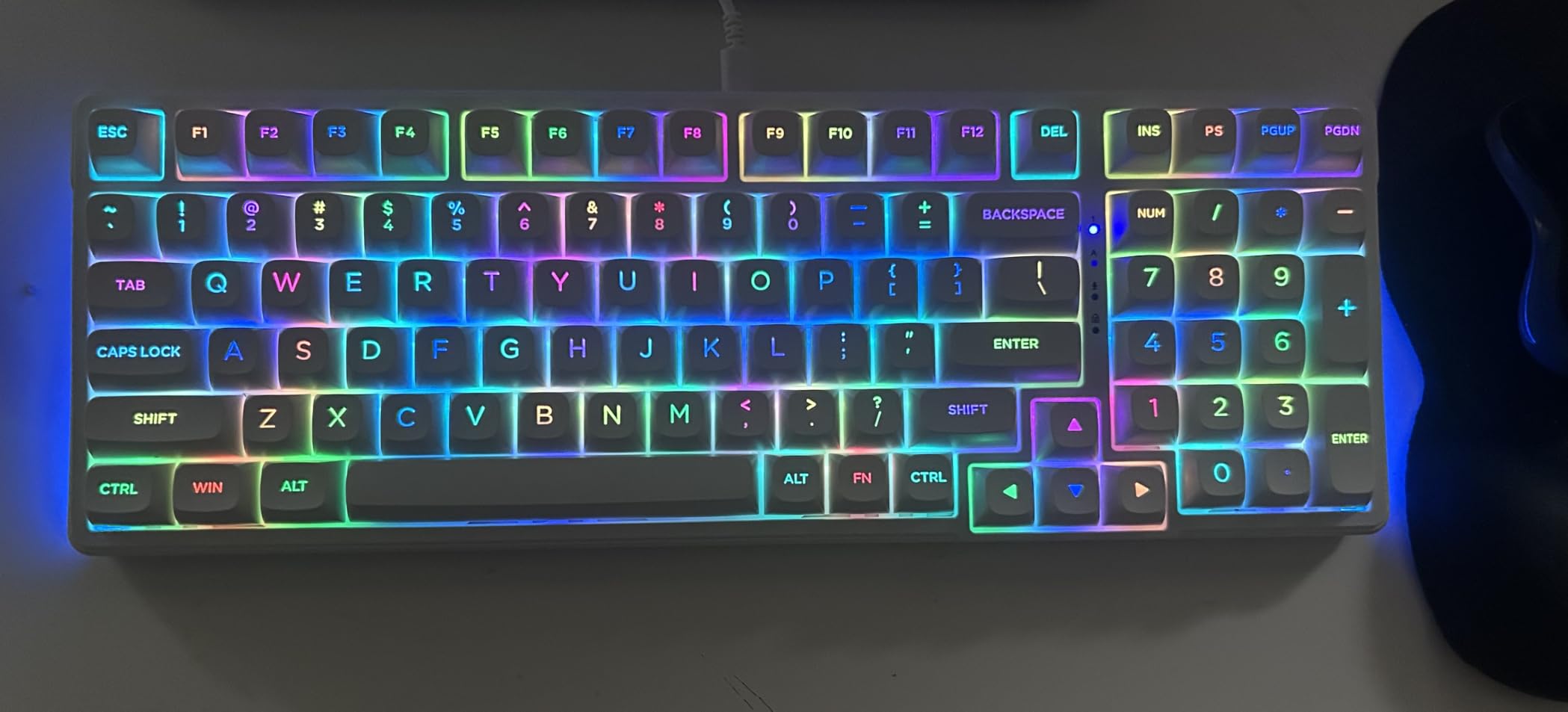
Why it suits noise-sensitive desks
The dampening stack is unusually thorough, and it is aimed at the exact problem shared offices create. Foam in the case, foam under the switches and a silicone pad at the base attack the hollow resonance that makes a board carry across a room, rather than just muting the top end. If your colleagues are your main constraint, this is the board to try before spending money on silent switches.
With 826 ratings at 4.6 and 82 percent five-star, owners consistently single out the creamy sound as the reason the board feels more expensive than it is. The 1.9 lb weight also keeps it planted without the mass of a full aluminium deck.
Where it falls behind
It is wired only. There is no Bluetooth, no 2.4GHz and no battery, so this is a desk board rather than a portable one. The case is plastic rather than aluminium, so it lacks the dense, solid feel that a metal chassis gives, even though the dampening does more for sound than the material does.
There is no volume knob, which most 75% and 96% boards in this roundup include, and no macro keys or onboard macro programming. The 96% layout also shortens the shift and numpad Enter keys, which takes a few days to adapt to if you have used a full-size board for years.
10. Ajazz AK820 75% Wired — Budget Pick
Ajazz AK820 75% Mechanical Gaming Keyboard, Wired Gasket Mount Hot-Swappable Keyboard with Volume Knob, 5-Layer Sound Dampening, PBT Keycaps, 82 Keys, Black
82-key 75% layout
Screwless gasket mount with five-layer padding
Hot-swappable 3-pin and 5-pin
Factory-lubed linear switches
Pros
- Screwless gasket mount with a five-layer foam stack
- Hot-swappable PCB accepting 3-pin and 5-pin switches
- Double-shot PBT keycaps that resist oil and fading
- Metal volume knob and detachable USB-C cable
- Adjustable dual-stage feet and a flex-cut single-key slotted PCB
Cons
- Wired only
- with no wireless or Bluetooth mode
- Light linear switches can feel over-sensitive for fast typists
- Chunky ABS chassis feels less refined than aluminium boards
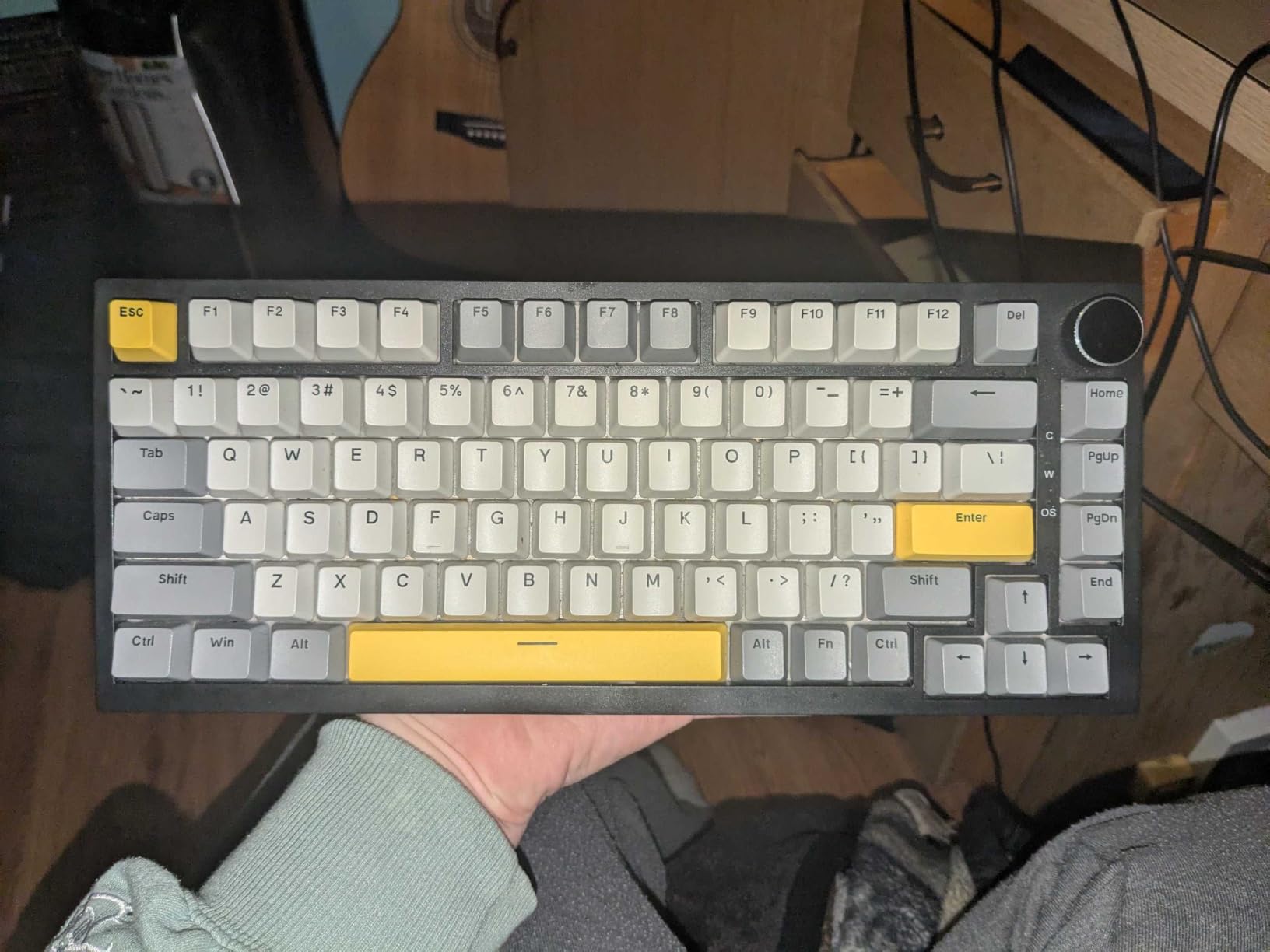
The AK820 is the entry point here, and the surprise is how little you give up. It uses a screwless gasket-mount structure with a five-layer stack of Poron sandwich cotton, an IXPE switch pad, a PET sound pad and high-density base foam. That is the same construction vocabulary as boards costing two or three times more, and reviewers repeatedly report that the sound is creamy and solid rather than hollow.
Factory-lubed linear switches mean no break-in, the hot-swap PCB accepts both 3-pin and 5-pin switches, and a keycap puller is in the box. Double-shot PBT keycaps resist oil and fading, which is a meaningful upgrade from the ABS sets on most boards in this bracket. The metal volume knob gives instant audio adjustment and the detachable USB-C cable with dual-stage feet lets you set the angle properly.
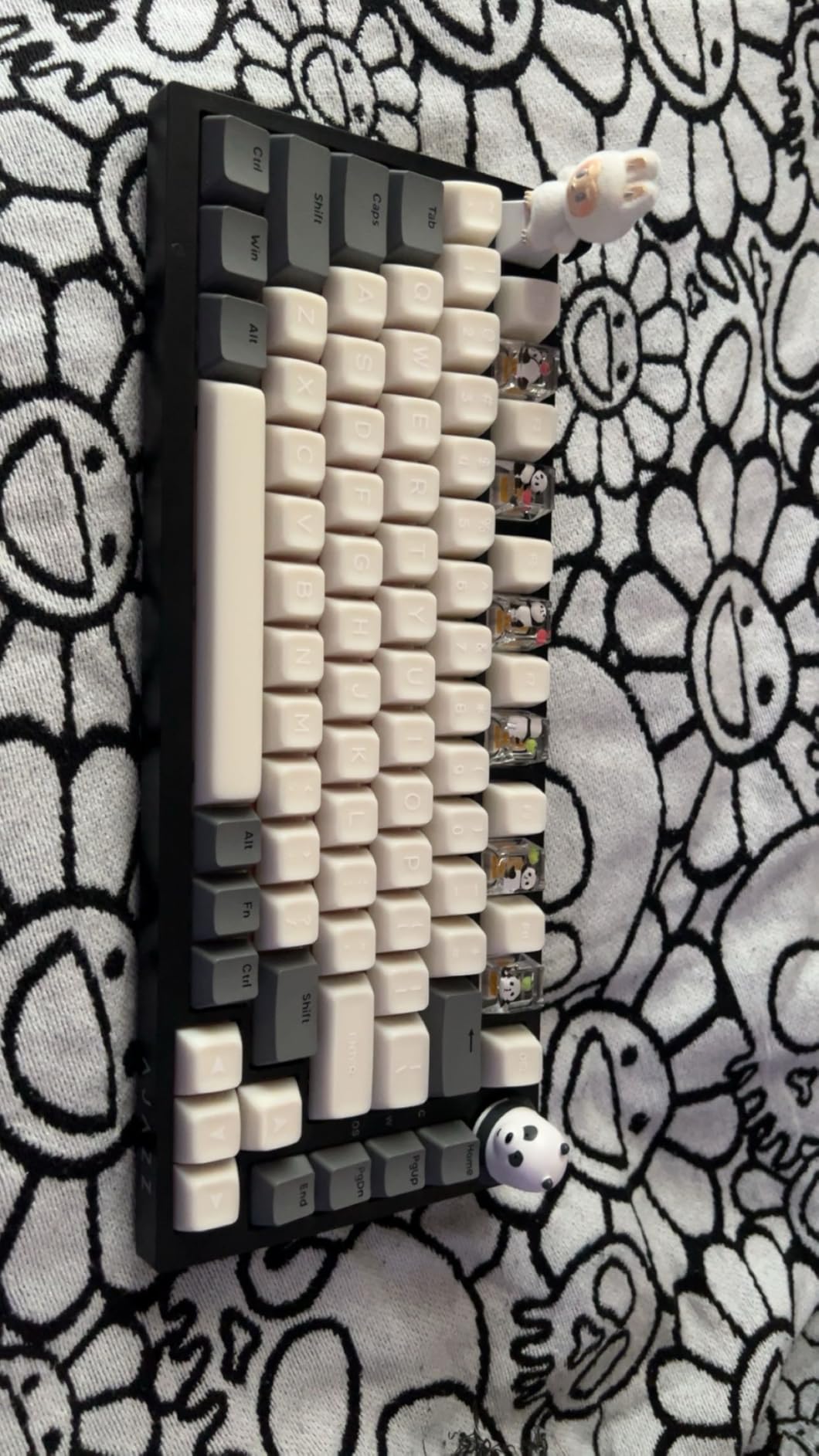
Several reviewers describe replacing a Razer Ornata or a stock office membrane board with this after a week of use. The 82-key 75% layout keeps arrow and function keys while freeing significant mouse space, which is the arrangement most people find easiest to adapt to when leaving full-size.
It is also fully serviceable in the ways that matter. The flex-cut single-key slotted PCB adds a little give under the alphas, and the hot-swap sockets mean you can change switch types later without a soldering iron — genuine insurance for a first mechanical keyboard, since the biggest risk is simply disliking the switch you were given.
Why it is worth starting here
With 543 ratings at 4.7 and 81 percent five-star, the satisfaction rate is high for the lowest-cost board in the roundup. The single most useful thing about it is the combination of gasket mounting and hot-swap at a price where most boards give you one or the other. Mounting improves the feel immediately; hot-swap means you can correct your taste later without replacing the board.
Reviewers who were sceptical before buying are converted by the sound, describing it as a thock that is real rather than an artefact of marketing copy.
What to watch out for
The switches are light, and reviewers who type fast report occasional fat-fingered repeats because of it. If you are a heavy or rapid typist, the R75 with its 50 gf class Brown tactiles is a safer bet, or expect to move to a heavier switch yourself once the hot-swap habit settles in.
It is wired only, the chassis feels chunky next to an aluminium board, and swapping in thicker aftermarket PBT keycaps tends to deaden the lively out-of-the-box sound. The lighting mode shortcut is not explained in the manual, so you will need to look up the Fn combination once.
What to Look For in a Typing Keyboard
Switch type is the first decision
Tactile switches give a distinct bump at the actuation point so your finger knows the key registered without needing to hear it. Linear switches move smoothly with no bump, which feels faster and suits people who dislike interruption. Clicky switches add an audible click to the tactile bump, and they are the wrong choice for any shared space. If you have never tried one, tactile at 50 to 60 gf is the safe starting point, and hot-swappable sockets let you change your mind without buying a new board.
Match actuation force to how hard you press
Actuation force is the weight in grams-force needed to trigger a key. Light switches at 40 to 50 gf suit light-handed typists and long sessions, because less force means less accumulated strain. Standard switches at 50 to 60 gf suit most people and give clearer confirmation. Heavier switches at 60 gf and above suit typists who bottom out hard and want a deliberate press. Match the weight to your hand rather than to a trend, because a board you fight is a board you stop enjoying.
Stabilizers matter more than most spec sheets admit
The stabilizer is the wire-and-housing mechanism under the wide keys, and the spacebar is the one you hit most. Poorly tuned stabilizers produce a rattle or a hollow ping on the largest key on the board, and it is the most repeated quality complaint in keyboard communities. A gasket mount with pre-lubed stabilizers and spacebar foam is the combination that solves it, which is why the R75 and the E-Yooso score well on long sessions.
Mount, weight and flex shape the feel
A gasket mount floats the plate on rubber gaskets so the PCB can move slightly, cushioning each press. Tray mount screws the plate flat into the case, which is firmer and more rigid with less give. Weight matters for a subtler reason: a board heavy enough to stay planted removes the small unconscious corrections your hands make when a chassis shifts. Most boards in this roundup land between 780 g and 1.5 kg, and all of them feel materially different from a 400 g plastic deck.
Keycap material and legends
Double-shot PBT keycaps have the legend moulded into two pieces of plastic, so the character cannot wear off and the surface resists the shine that develops on printed ABS caps after a year. If you type daily, PBT is the material to insist on. Check the legends too: boards shipping with both Mac and Windows keycaps, or including spares, save you a second purchase if you switch platforms.
Layout size decides what you give up
Full-size keeps a number pad and takes the most desk. 96% keeps a number pad in a shorter body, which is the best compromise for spreadsheet work. TKL drops the number pad but keeps the function row. 75% drops the number pad and shortens the function row to one line while keeping the arrow keys. 65% and 60% get smaller still but force a layer for navigation. Our compact keyboard picks guide covers the smaller sizes in more depth if you are heading that way.
Wireless and battery
Tri-mode means Bluetooth, 2.4 GHz and wired in one board, and it is the most useful combination if you move between a desktop and a laptop. Battery figures here range from roughly 40 hours with full RGB on the Mercury K1 to up to 15 days per charge on the Logitech MX Mechanical, or about 10 months with its backlighting off. Check whether the USB-C port is charge-only or also carries data, because on the MX Mechanical it is charge-only.
What does not matter for typing
RGB colour depth, 8000 Hz polling rates and macro software are aimed at gaming, not prose. A high polling rate adds latency claims that a typist will never perceive, and elaborate remapping software is friction on a work machine where you may not be able to install anything. Spend your attention on switch feel, stabilizers, keycap material and layout instead — those are the four things you will still notice in year three. For a different angle on desk-scale input, our arranger keyboard guide covers the performance side.
Typing Keyboards vs Gaming Keyboards
The two categories overlap heavily, and several boards here are marketed for gaming while being perfectly good to write on. The real difference is what each board optimises. A typing board wants a defined tactile bump, dampened acoustics, stable weight and a layout with an F-row and a number pad. A gaming board wants the shortest possible actuation, the lightest possible force, rapid trigger behaviour and a compact layout that keeps the mouse hand free.
In practice that means a gaming board’s linear switches give you no confirmation that a key registered, which is exactly the feedback a typist uses to avoid errors. It also usually means less foam, so a board tuned for fast clicks carries more sound across a room than one tuned for dampening. The reverse is also true: the tactile boards here will feel slightly slower to someone mashing keys in a shooter, and the F-row and numpad occupy desk space a gamer would rather give to the mouse.
If you do both, pick the typing board. Every board in this roundup handles gaming perfectly well; almost no gaming board handles a six-hour writing session as well as these do. Our workstation keyboard guide goes further into the desk setup side if you are building a full work environment.
How to Test a Keyboard in 5 Minutes Before You Buy
Most people judge a keyboard on the first ten seconds of typing, which is exactly backwards. A quick test only tells you whether the board is pleasant right now; the things that determine whether you still like it in month six are the spacebar, the stabilizers and the fatigue factor. Here is a short routine that catches the problems that matter.
First, type a full paragraph rather than a word. Words are too short to reveal inconsistency, and inconsistency between keys is what you will feel at hour four. Pay attention to whether every alphas key feels identical, because a board where some keys are scratchy and some are not will bother you permanently.
Second, hit the spacebar twenty times with your thumb and listen. A clean board gives one consistent low sound. Rattle, ping or a hollow ring means the stabilizers are not tuned, and on a soldered board you cannot fix that yourself. This single test eliminates more boards than any other.
Third, press hard and lean your wrists on the case. If the chassis flexes or the board rocks, your fingers are compensating for movement all day, and that compensation is fatigue. Heavier boards and metal top cases pass this easily; light plastic boards often do not.
Fourth, type with your hands in the position you actually use. If you type with your wrists on the desk, a full-height board is wrong for you. If you type with floating wrists, a low-profile board like the K3 or the MX Mechanical will keep your wrists flatter for longer.
Fifth, check the layout against your real work. A 75% board without a number pad costs you a layer switch every time you enter figures, and that tax is paid every day. Do a fake spreadsheet for two minutes and count how often you reach for a number pad that is not there.
Frequently Asked Questions
What is the best mechanical keyboard for typists?
The EPOMAKER x Aula F75 is the best mechanical keyboard for typists in 2026. It combines a gasket-mounted case with five layers of sound-absorbing padding, factory pre-lubed LEOBOG Reaper linear switches and tri-mode wireless, and it has more than 4000 reviews at a 4.6 rating. If you need a number pad, the AULA F99 in a 99-key 96% layout is the alternative.
Are mechanical keyboards good for typing?
Yes. Every key sits on its own spring-loaded switch rated for around 50 million keystrokes, compared with roughly 5 million for a membrane dome, and you get a defined tactile bump or sound confirming each press instead of a soft mushy collapse. That feedback reduces accidental double presses, and the firmer bottom-out lowers finger fatigue across a long workday. Switch type matters: a 50 to 60 gf tactile is the safest starting point.
What keyboard do professional typists use?
It depends on the job rather than on status. Writers and data-entry staff usually want a full-size or 96% layout with a real tactile bump, which points to the Keychron C2 or the AULA F99. Programmers need an F-row and layer remapping, so the Keychron K3 Version 2 with QMK is a common answer. People who want a number pad and wireless together tend to land on the AULA F99 or the Logitech MX Mechanical.
What are the top 5 mechanical keyboards?
Our top five for typing are the EPOMAKER x Aula F75 for overall typing, the GravaStar Mercury K1 for its aluminium build and sound, the AULA F99 for a wireless layout with a number pad, the Keychron C2 for a traditional full-size tactile, and the Logitech MX Mechanical for plug-and-play wireless across three devices. Each covers a different need, so the best pick depends on your layout and switch preference.
Do I need a hot-swappable keyboard for typing?
Not strictly, but it is cheap insurance. Hot-swap sockets let you change switches with a keycap puller instead of a soldering iron, so if you dislike the feel after a week you can correct it in minutes rather than replacing the board. For typists it also means you can try a heavier switch later without any tooling. If you will never touch the switches, a fixed board such as the Logitech G413 SE is perfectly serviceable.
Conclusion: Which Typing Keyboard Should You Buy?
The best mechanical keyboards for typing split cleanly by what gets in your way. If noise and feel are the problem, start with the EPOMAKER x Aula F75 — the gasket mount, five-layer padding and pre-lubed switches make it the most complete typing package here, and its review base gives you more evidence than any alternative. If you want metal under your hands and the deepest sound, the GravaStar Mercury K1 takes it. If you need a number pad with wireless, the AULA F99 is the only board here that gives you both.
For a traditional full-size upgrade, the Keychron C2 with Brown tactiles is the least complicated way in. The Logitech MX Mechanical is the one to buy when you switch between machines all day, and the Keychron K3 Version 2 is the answer if wrist extension is what bothers you. Pick the one that matches your layout and your hands, and give it a full week before you decide the switch was wrong.