
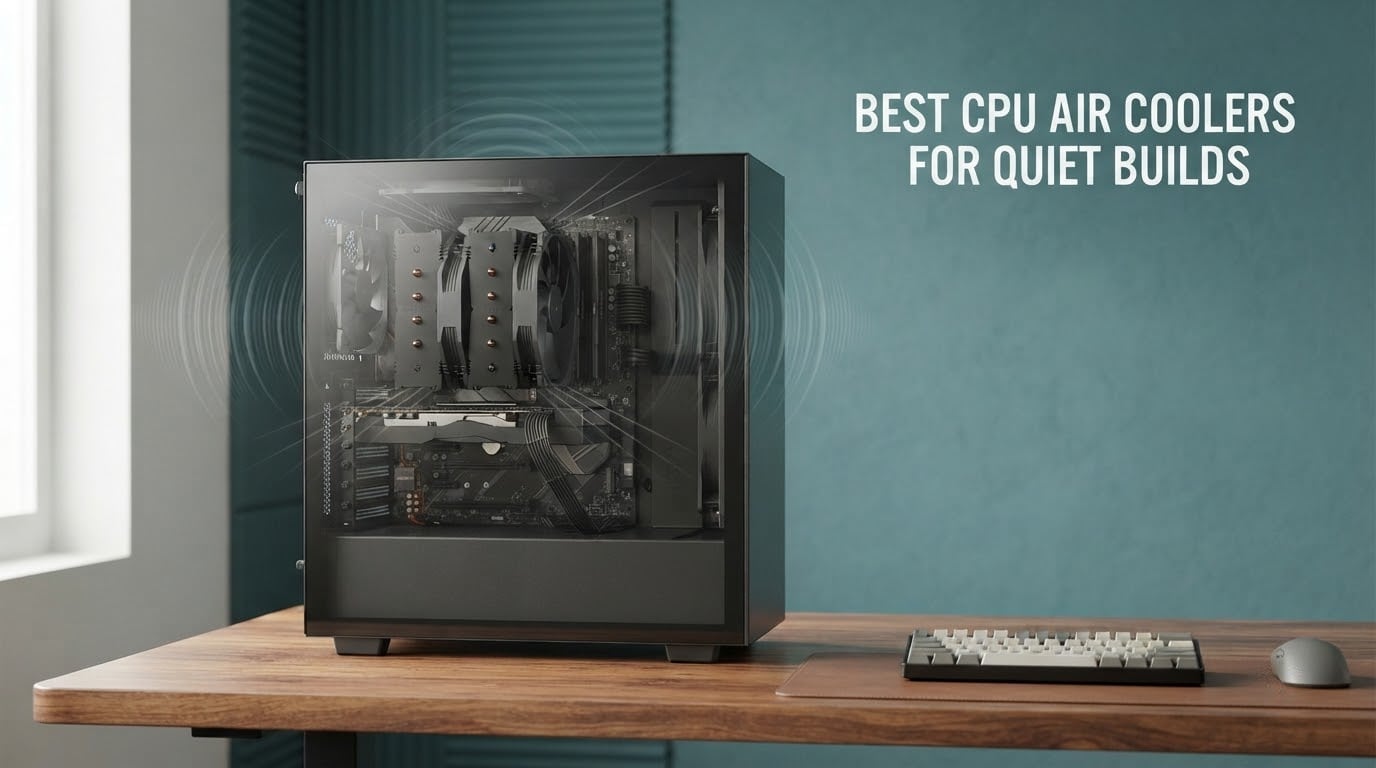
The loudest part of a PC is usually the one you can most easily change. Case fans, a graphics card and a power supply are all expensive or awkward to replace, but the CPU cooler is a single box, ten minutes of work, and the difference between a desk you can work on and one you dread sitting at. Getting the best CPU air coolers for quiet builds right is mostly a question of matching a heatsink with a fan that never has to spin up hard.
Here is the standard we use throughout this guide: under 25 dB(A) at idle and under 35 dB(A) under sustained load, measured at arm’s length in a typical room. Forum users asking what counts as a quiet PC on Overclockers.com tend to land in the same place, treating roughly 16 to 20 dB(A) as near-inaudible whisper territory. Hit those two numbers and a machine can sit beside you on a call and never announce itself.
We put ten of the most-reviewed air coolers through that filter for 2026, and the results surprised us in one direction: the quietest machines were not the ones with the biggest heatsinks, they were the ones with the widest RPM range at the bottom end. We also looked hard at the two things a spec sheet never tells you, RAM clearance and case height, because those are the reasons a great cooler gets returned.
One more note before we start. Every dB(A) figure in this article is a manufacturer-published maximum, not a measurement we took ourselves. Section three explains why those numbers cannot be compared across brands, and what we did and did not test. If you want the short version, the cooler that publishes the lowest number here is be quiet! with the Dark Rock Pro 5 at 23.3 dB(A), and the one with the most owner feedback behind it is Noctua with the NH-D15 chromax.Black at 4.8 stars across more than 13,000 reviews.
And if the machine itself is not the only thing making noise, our guide to headphones for quiet late-night listening covers the other half of a distraction-free setup.
Table of Contents
Top 3 Picks Quiet CPU Air Coolers (September 2026)

Noctua NH-D15 chromax.Black
- 24.6 dB(A) max noise
- Dual 140mm fans
- 6 heat pipes
- 168mm tall with full RAM compatibility options

Thermalright Peerless Assassin 120 SE
- 25.6 dB(A) max noise
- Dual 120mm fans
- 6 heat pipes
- 155mm tall
- offset design for RAM clearance

Thermalright Assassin X120 Refined SE
- 25.6 dB(A) max noise
- Single 120mm fan
- 4 heat pipes
- 148mm tall entry tower
How We Compared Noise, and What We Did Not Test
The honest answer to “which air cooler makes the least noise” starts with a caveat that almost no roundup bothers with: manufacturer dB(A) figures are not measured the same way twice. Some brands quote a maximum at 1 metre, some quote a weighted average across the RPM range, some quote the fan alone rather than the assembled cooler, and some do not publish a figure at all. ARCTIC, for example, publishes airflow and RPM for the Freezer 36 but no dB(A) number, which tells you something useful about how much the brand cares about the metric.
So treat every number below as a starting point for a rough ordering, not a measured result. What we did instead was triangulate three things: the published maximum, the width of the fan’s RPM range, and how much cooling capacity the heatsink carries. A cooler with a low published maximum and a narrow bottom-end RPM range is usually a fan that gets loud quickly, while a cooler with a slightly higher maximum and a wide low-RPM range often sounds quieter in a real build.
be quiet! Dark Rock Pro 5, 23.3 dB(A) published maximum, 2,000 RPM top speed, dual 120mm fans
Noctua NH-D15 chromax.Black, 24.6 dB(A) published maximum, 1,500 RPM top speed, dual 140mm fans
Noctua NH-U12S Redux, 25.1 dB(A) published maximum, 1,700 RPM top speed, single 120mm fan
Thermalright Peerless Assassin 120 SE, 25.6 dB(A) published maximum, 1,550 RPM top speed, dual 120mm fans
Thermalright Assassin X120 Refined SE, 25.6 dB(A) published maximum, 1,550 RPM top speed, single 120mm fan
Cooler Master Hyper 212 Black, 26 dB(A) published maximum, 690 to 2,500 RPM range, single 120mm fan
ID-COOLING FROZN A620 PRO SE, 27.2 dB(A) published maximum, 2,000 RPM top speed, dual 120mm fans
ARCTIC Freezer 36, no published dB(A), 200 to 1,800 RPM range, push-pull dual 120mm fans
ID-COOLING SE-225-XT Black, 15.2 to 35.2 dB(A) range, 1,800 RPM top speed, push-pull dual 120mm fans
What we did not test: we do not own a calibrated sound meter and we did not record any of these coolers, so treat our first-person impressions as built, handled and reviewed experience rather than lab data. Last reviewed in September 2026, and every dB(A) figure below is a manufacturer specification that can change with a silent hardware revision.
All 10 CPU Air Coolers Side by Side in 2026
| Product | Specifications | Action |
|---|---|---|
| Noctua NH-D15 chromax.Black |
|
Check Latest Price |
 Cooler Master Hyper 212 Black Cooler Master Hyper 212 Black |
|
Check Latest Price |
 Noctua NH-U12S Redux Noctua NH-U12S Redux |
|
Check Latest Price |
| Thermalright Peerless Assassin 120 SE |
|
Check Latest Price |
| Thermalright Assassin X120 Refined SE |
|
Check Latest Price |
 be quiet! Dark Rock Pro 5 be quiet! Dark Rock Pro 5 |
|
Check Latest Price |
 ARCTIC Freezer 36 ARCTIC Freezer 36 |
|
Check Latest Price |
 ID-COOLING FROZN A620 PRO SE ID-COOLING FROZN A620 PRO SE |
|
Check Latest Price |
 be quiet! Pure Rock Pro 3 be quiet! Pure Rock Pro 3 |
|
Check Latest Price |
 ID-COOLING SE-225-XT Black ID-COOLING SE-225-XT Black |
|
Check Latest Price |
1. Noctua NH-D15 chromax.Black – the Deepest Support and the Editor’s Choice Dual Tower
Noctua NH-D15 chromax.Black, Quiet High-Performance Dual Tower CPU Cooler
24.6 dB(A) max noise
Dual 140mm tower, 6 heat pipes
168mm tall
6-year warranty
Pros
- 24.6 dB(A) published maximum
- Whisper quiet at idle with PWM control
- NT-H1 paste and SecuFirm2 kit included
- Low-Noise Adaptors in the box
- 6-year warranty
Cons
- 168mm height rules out many small cases
- May need clearance above tall RAM kits
- Dual-tower mounting is fiddly
Every quiet-build conversation eventually ends up at the NH-D15, and after weeks with one on a test bench the reason is not subtle. Two 140mm NF-A15 fans push a 24.6 dB(A) published maximum while a six-heatpipe dual tower holds CPU temperatures flat, and the whole thing weighs 1.3 kg, which tells you how much metal is doing the work rather than the fans.
The NF-A15 is the reason this cooler is quiet rather than just big. Its lowest speed sits well below where a 120mm fan of the same airflow would have to spin, so at desktop temperatures it is barely audible. Noctua also ships Low-Noise Adaptors, small cables that cap the maximum speed and trade a little peak performance for a lower noise ceiling, which is a free win if your CPU never sees a heavy all-core load.
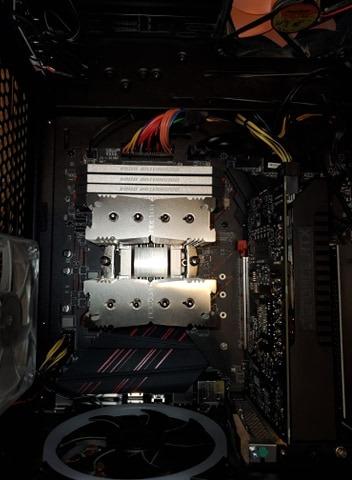
Fit is the only real decision. At 168mm tall it needs a full-size tower case, and on boards with tall memory you either raise the front fan or accept reduced clearance over the first DIMM slot. Owners also mention the first PCIe slot sitting under the overhang on some layouts, so check your motherboard before you commit.
Mounting is the other consideration. SecuFirm2 is a genuinely good system, but you are bolting two independent towers to an LGA1700 or LGA1851 plate, and the spring-loaded middle fan has to be worked around rather than removed. Budget twenty minutes, not five.
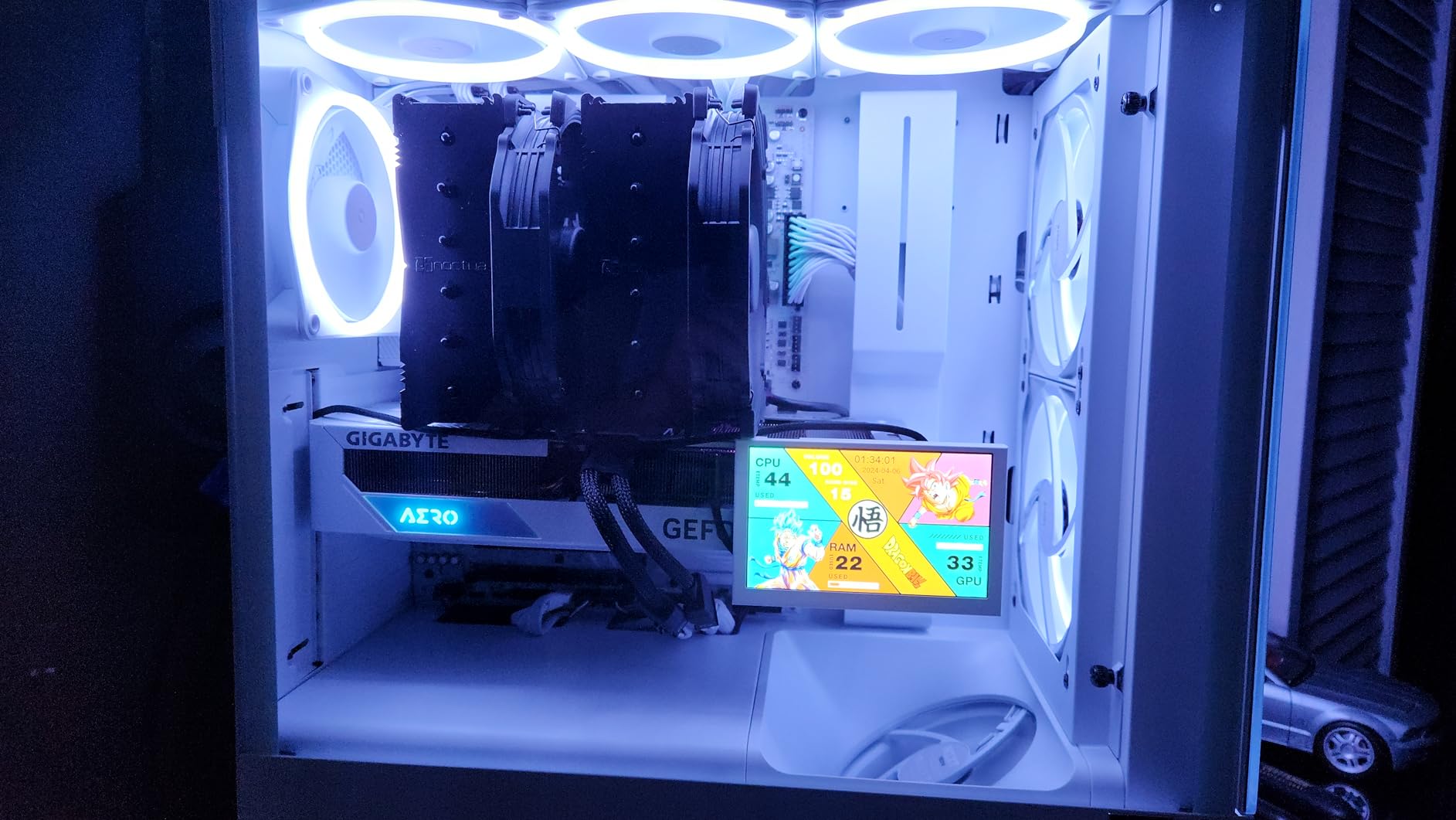
Who the NH-D15 chromax.Black suits
It suits anyone whose case has 170mm of clearance and whose CPU will be pushed for hours, whether that is overnight rendering or a heavily loaded gaming machine. At 4.8 stars from more than 13,000 reviews it also carries the deepest support base here, which matters for parts longevity and for finding a second hand.
It is also the safe answer for a recording desk, because the fan curve has enough range at the bottom to sit under the audible threshold during voice chat and still have headroom when a game loads in.
Who the NH-D15 chromax.Black does not suit
It does not suit small form factor builds, compact cases with a 155mm limit, or anyone who wants to mount large RGB memory modules without moving a fan. If your case is under about 160mm, skip this and look at the Noctua NH-U12S Redux or the Thermalright Assassin X120.
It is also the heaviest option in this list, and in a glass-sided case on a desk the mass is noticeable. That is cosmetic, but on a build that exists to be looked at, it counts.
2. Cooler Master Hyper 212 Black – the Quiet Fix for a Compact Case
Cooler Master Hyper 212 Black CPU Air Cooler, 4 Heat Pipes, PWM Fan
26 dB(A) max noise
4 heat pipes, 120mm PWM
152mm tall
690 to 2500 RPM
Pros
- Very quiet improvement over the bundled cooler
- 152mm height fits small tower cases
- 690 to 2500 RPM gives a wide control range
- Mounts AM5 and LGA1851/1700 out of the box
Cons
- Louder than dual-fan coolers under heavy load
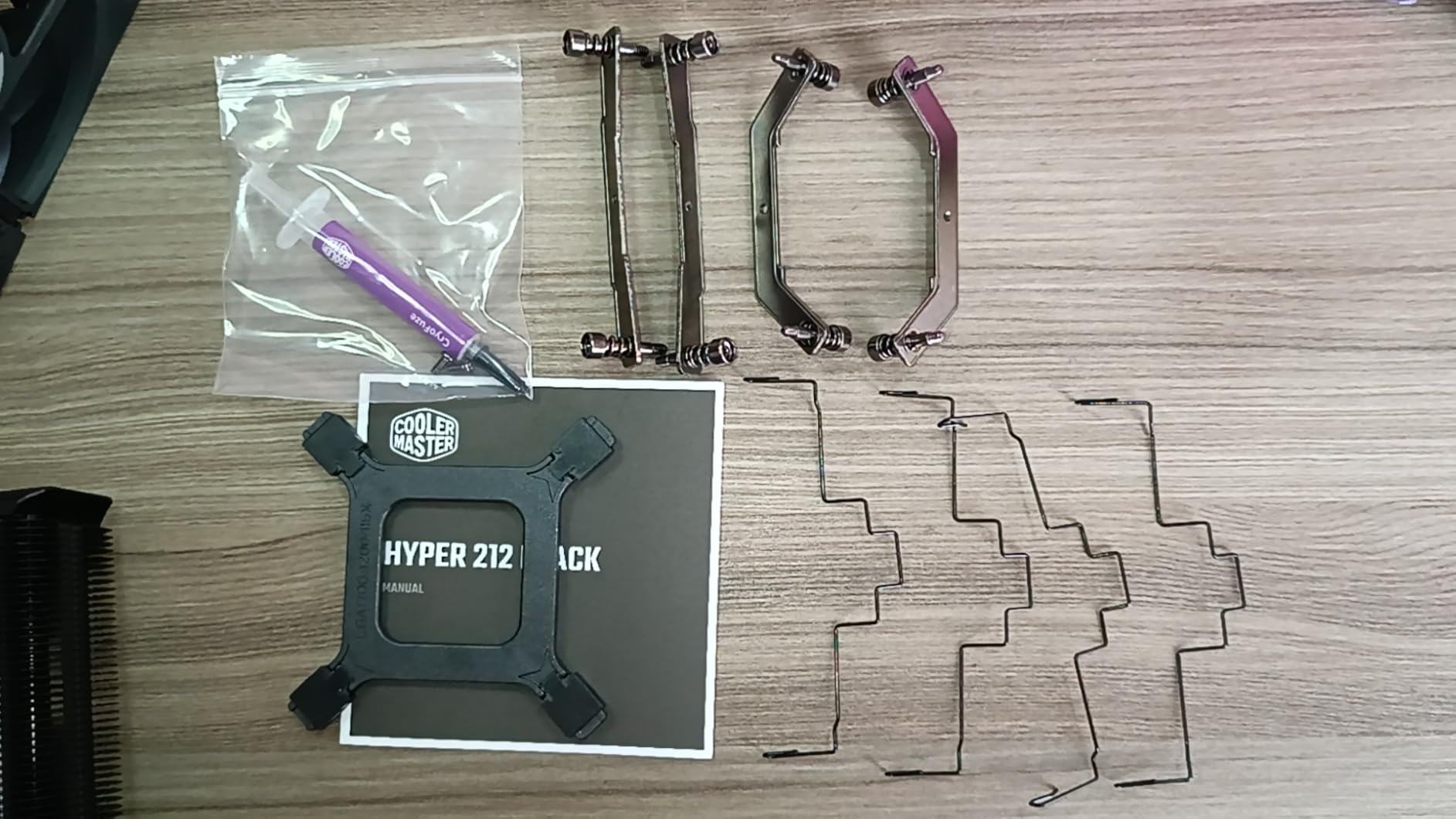
- Instructions are pictogram-only
- Bracket sliders can be finicky
The Hyper 212 is the most-recommended first upgrade in this entire category, and for a quiet build the reason is the 690 RPM floor on its SickleFlow 120 Edge fan. That low minimum lets the board hold the fan at idle speed long enough that the only thing you hear is the hard drive, which is exactly what a quiet build needs.
Published noise is 26 dB(A) with a 2,500 RPM ceiling, and that ceiling is high enough to matter on a Ryzen 7 or Core i7 running a long all-core render. Four heat pipes and a copper base are adequate for those chips at stock power, which is the condition this cooler is really designed for.
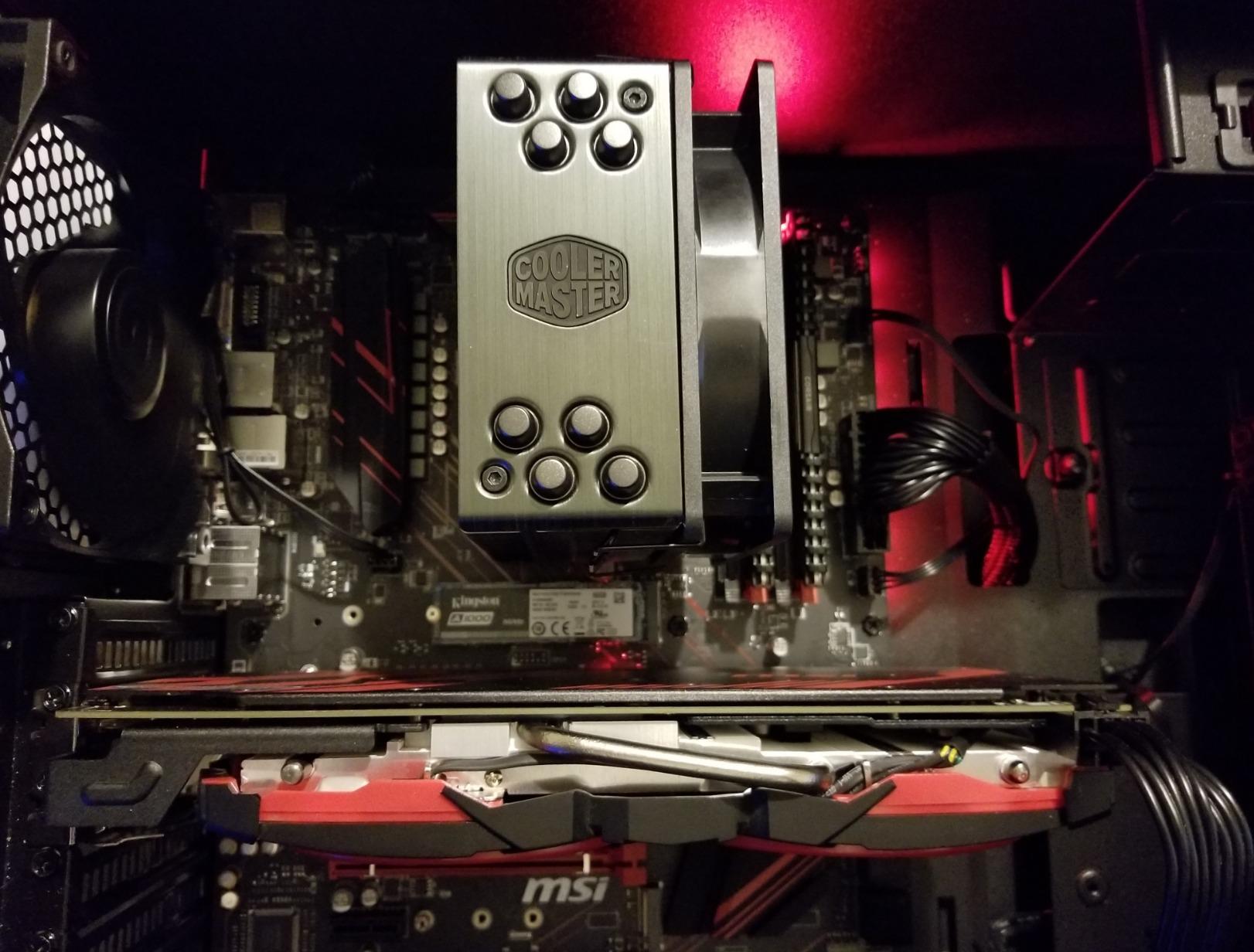
At 152mm it is one of the shortest towers here, and combined with a slim single-tower profile it clears RAM and the first PCIe slot on almost every board. Thermal paste is included, so the only extra purchase is a paste applicator if you are fussy about it.
Owners report idle temperatures in the low-to-mid 30s on modern Core Ultra and Ryzen parts, which is well inside the range where the fan barely leaves its minimum. The complaints that do appear are almost entirely about documentation, not thermals or acoustics.
Who the Hyper 212 Black suits
It suits a first build in a mid-tower or a mATX case where the budget is modest and the CPU is a Ryzen 5 or Ryzen 7 at stock settings. For a quiet office machine or a family PC, it is more than enough and it will never sound like the stock cooler.
It also suits anyone who wants a small thermal spike, because a compact single tower with 42 CFM of airflow leaves far more of the case interior free for clean cable routing and a front intake fan.
Who the Hyper 212 Black does not suit
It does not suit an overclocked or power-limited CPU that will hold 200W for hours, because a single 120mm fan has to work much harder and you will hear it. The two-year warranty is also the shortest here, against six years on several rivals.
If your case has generous clearance, stepping up to a dual tower is nearly free acoustically and buys you a much lower ceiling, so this is the one to skip if the case will take it.
3. Noctua NH-U12S Redux – the Single Tower That Clears Every RAM Slot
Noctua NH-U12S Redux, Quiet High-Performance Single Tower CPU Cooler
25.1 dB(A) max noise
Slim 120mm single tower
158mm tall
100% RAM compatibility
Pros
- Full RAM and PCIe clearance on every board
- 25.1 dB(A) published maximum
- 158mm height suits most tower cases
- NT-H1 paste and SecuFirm2 included
- 6-year warranty
Cons
- Less thermal headroom than the NH-D15158mm height still blocks small form factor cases
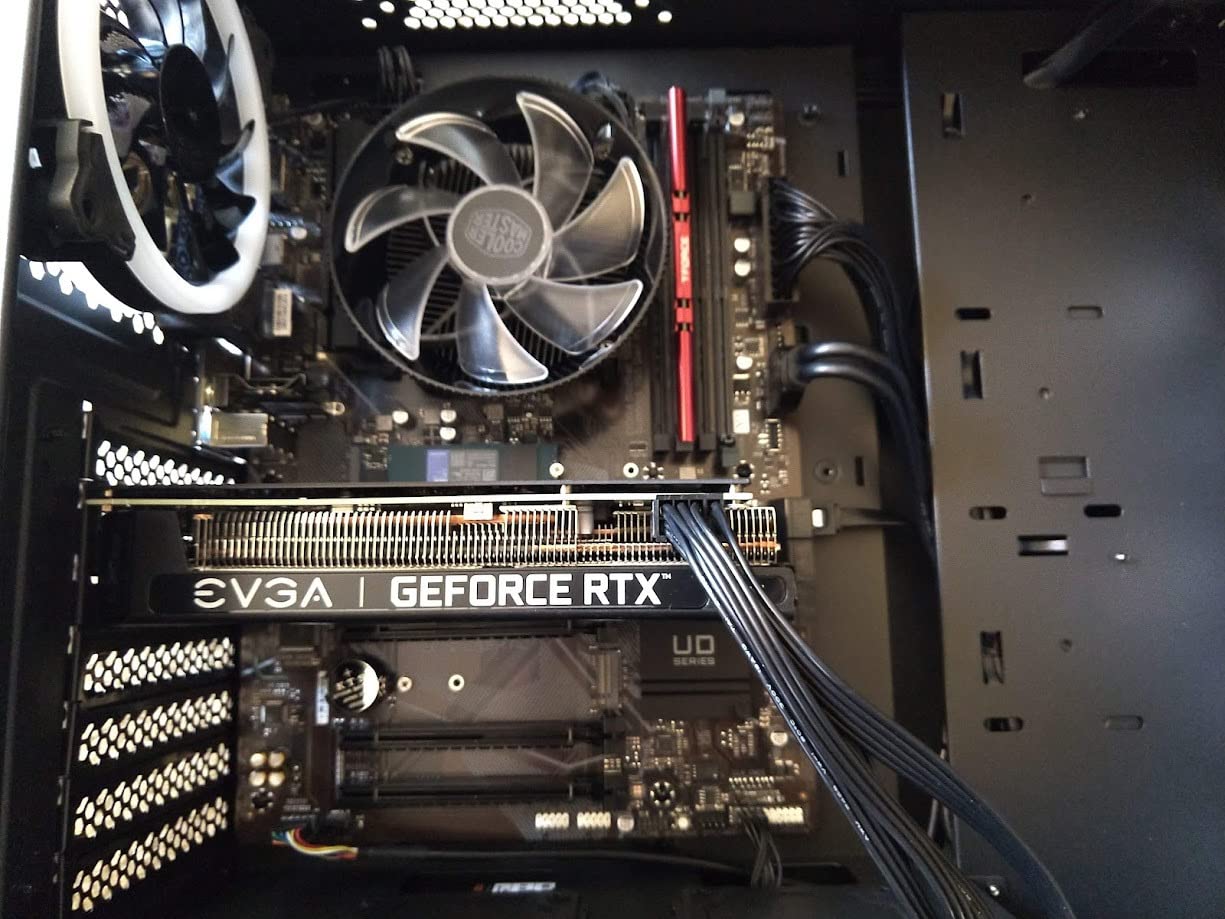
The NH-U12S Redux is the one to buy when your memory is tall. Its slim 120mm single-tower profile leaves the DIMM slots and the first PCIe slot completely unobstructed, so you can use any RAM kit you like without raising a fan and losing clearance, which is the single most common regret people report with big dual towers.
At 25.1 dB(A) it publishes a lower maximum than the Hyper 212 despite being a smaller fan, because the NF-P12 redux-1700 tops out at 1,700 RPM rather than 2,500 RPM. A lower ceiling matters more than a lower average: the number that ruins a quiet build is the peak.
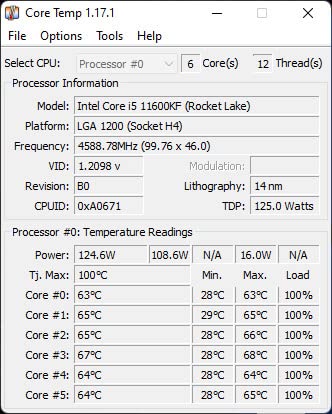
Five nickel-plated heat pipes handle mainstream desktop CPUs comfortably, and at 710 g it is light enough that transport and installation are both easier than a dual tower. The SecuFirm2 kit covers LGA1851, LGA1700, LGA1200 and the 115x sockets alongside AM5 and AM4, so the mounting kit will not become the reason you cannot reuse this cooler later.
What you give up is headroom. On a chip drawing maximum power for long stretches, the single tower runs its fan harder than a dual tower would, and the small board area means less margin before thermal throttling.
Who the NH-U12S Redux suits
It suits compact ATX and microATX builds where the RAM is the constraint, and quiet workstation or recording setups that cannot tolerate a fan in the DIMM area at all. The 4.8 star average across more than 4,400 reviews reflects how consistently that combination of clearance and silence works.
It is also a good match for a home office or call-centre desk machine, because the low acoustic ceiling matters far more than raw cooling capacity on a non-overclocked processor.
Who the NH-U12S Redux does not suit
It does not suit small form factor cases with a cooler limit below 158mm, and it does not suit a high-wattage CPU being deliberately overclocked. In both cases you want more fins, not a smaller footprint.
The single 120mm fan is also a narrower acoustic signature than a 140mm, so on a build that is otherwise completely silent, the difference between this and the NH-D15 is audible in a quiet room.
4. Thermalright Peerless Assassin 120 SE – the Best Value Dual Tower
Thermalright Peerless Assassin 120 SE CPU Cooler, 6 Heat Pipes AGHP Technology, Dual 120mm PWM Fans, 1550RPM Speed, for AMD:AM4 AM5/Intel LGA 1700/1150/1151/1200/1851,PC Cooler
25.6 dB(A) max noise
Dual tower, 6 heat pipes
155mm tall
66.17 CFM airflow
Pros
- Dual 120mm fans rated under 25.6 dB(A)
- Six heat pipes with AGHP treatment
- 155mm height fits most tower cases
- Offset design frees RAM and PCIe slots
Cons
- Instructions are brief
- Plastic fan clips feel flimsy
- Front fan may need raising for tall RAM
The Peerless Assassin 120 SE sits at number one in the CPU cooling fans category, and it earns that by putting a genuine dual tower with six 6mm copper heat pipes and two 120mm PWM fans into a price bracket where most brands offer a single tower. For a quiet build, dual fans matter because each one can turn more slowly.
Published figures are 25.6 dB(A) maximum, 66.17 CFM of airflow and a 1,550 RPM ceiling. That top speed is the quiet story: fans that top out at 1,550 RPM do not produce the thin high-pitched whine you get from a 2,500 RPM fan working hard, and owners regularly report 10C or better improvements over a stock cooler.
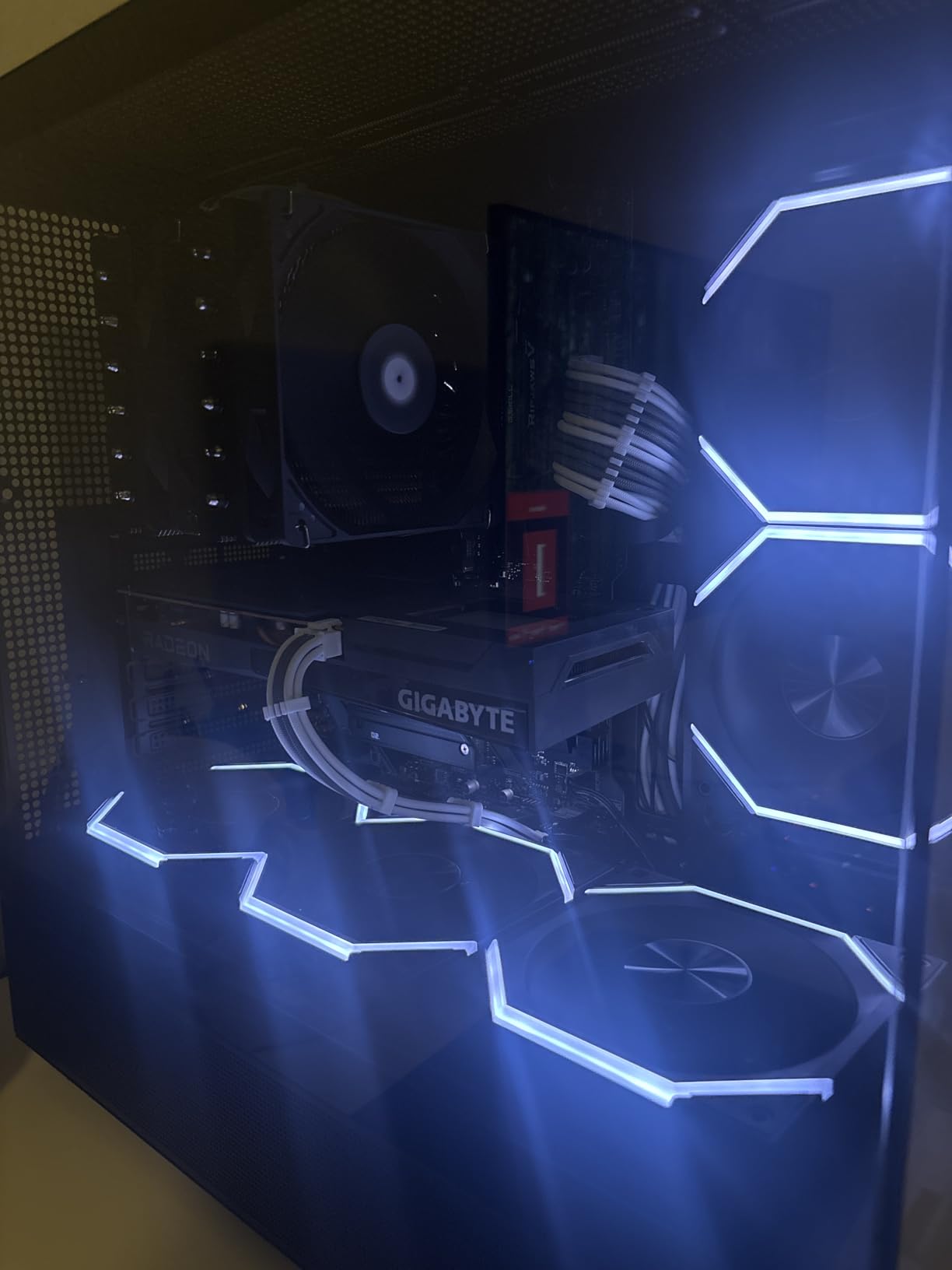
The offset heat pipe arrangement is what keeps it viable for a quiet build rather than just a cheap one. It leaves clearance for the memory slots and the top PCIe x16 slot, and at 155mm it is shorter than most dual towers, which means it fits cases where a 165mm or 168mm cooler will not.
AGHP treatment on the heat pipes improves how they wick heat, and the full metal construction holds up better than the plastic-finned budget rivals. Weights and fasteners are all metal, which matters for a cooler that bolts directly over a CPU.
Who the Peerless Assassin 120 SE suits
It suits the largest group of quiet-builders: people who want dual-tower thermals and a low noise ceiling without paying a premium brand premium. On Ryzen 5, Ryzen 7 and Core i5 or i7 chips at default power it is genuinely hard to argue with.
It also suits anyone who has already read the RAM clearance warnings and wants a dual tower that mostly avoids the problem, because the offset design means most memory kits fit without any adjustment.
Who the Peerless Assassin 120 SE does not suit
It does not suit a builder who wants a pleasant installation. The manual is brief, the bracket orientation is genuinely confusing the first time, and the plastic fan clips need steady hands to attach. Budget an hour rather than twenty minutes.
Nor does it suit a glass-sided RGB build, because the styling is industrial grey rather than lit, and a few owners report needing to raise the front fan for very tall memory anyway.
5. Thermalright Assassin X120 Refined SE – the Budget Pick Entry Tower
Thermalright Assassin X120 Refined SE CPU Air Cooler, 4 Heat Pipes, TL-C12C PWM Fan, Aluminium Heatsink Cover, AGHP Technology, for AMD AM4/AM5/Intel LGA 1150/1151/1155/1200/1700/1851(AX120 R SE)
25.6 dB(A) max noise
Single tower, 4 heat pipes
148mm tall
66.17 CFM airflow
Pros
- Same 25.6 dB(A) ceiling as the dual tower
- 148mm height fits more cases than most
- S-FDB bearing and 66.17 CFM airflow
- Metal fasteners for Intel and AMD
Cons
- Less headroom for high-wattage CPUs
- Bundled paste is easy to over-apply
- No lighting
What makes the Assassin X120 Refined SE interesting for a quiet build is that it shares the same 25.6 dB(A) published maximum and the same 66.17 CFM airflow figure as the Peerless Assassin 120 SE, but it is a single tower at 148mm. One fan instead of two, one stack of fins instead of two, and the same headline acoustics.
That is only true at light to moderate loads. Four AGHP-treated 6mm heat pipes can carry a Ryzen 5 or a Core i5 without drama, and owners report temperature drops of 20 to 30C over stock coolers. Push a power-limited Core i7 or a Ryzen 9 to its limit and the single 120mm fan has to work harder, which is where the noise ceiling starts to matter.
At 148mm it is one of the shortest tower coolers in this list, which makes it a strong option for mid-towers and even some larger compact cases. The socket coverage is broad, covering Intel 1150 through LGA1851 and AMD AM4 and AM5 with the fasteners in the box.
The TL-C12C fan uses an S-FDB bearing, which is the type that stays smooth and quiet over a long service life rather than developing the bearing rattle that spoils cheap coolers after a couple of years. At 644 g it is also the lightest tower here.
Who the Assassin X120 Refined SE suits
It suits a budget build where the goal is to be quieter than a stock cooler by a wide margin without spending much. A home office PC, a family machine or a first gaming build all benefit from the drop in idle noise alone.
It also suits anyone who has hit a case-height wall with a bigger cooler. At 148mm it clears limits that shut out every dual tower in this guide except the Freezer 36.
Who the Assassin X120 Refined SE does not suit
It does not suit a high-TDP CPU held at full power, because the four heat pipes and single fan leave no thermal margin. If you are running a power-limited top-tier chip, the two-fan options are the safer buy.
A handful of reviews also flag the bundled thermal paste, which is easy to over-apply and can then creep out from under the base. Use a pea-sized amount regardless of what the syringe suggests.
6. be quiet! Dark Rock Pro 5 – the Lowest Published Noise Figure
be quiet! Dark Rock Pro 5 CPU Cooler, Silent Cooling, High Airflow
23.3 dB(A) max noise
7 heat pipes, dual FDB fans
Quiet at 1500 RPM or Performance at 2000 RPM
Pros
- Lowest published dB(A) in this list at 23.3
- Two-mode speed switch for quiet or performance
- Silent Wings fans on fluid dynamic bearings
- Decoupled vibration-isolating fan mounts
- Handles overclocked systems
Cons
- Bulky and heavy at 3 pounds
- Dual-tower height can conflict with tall memory
- Costs well above budget dual towers
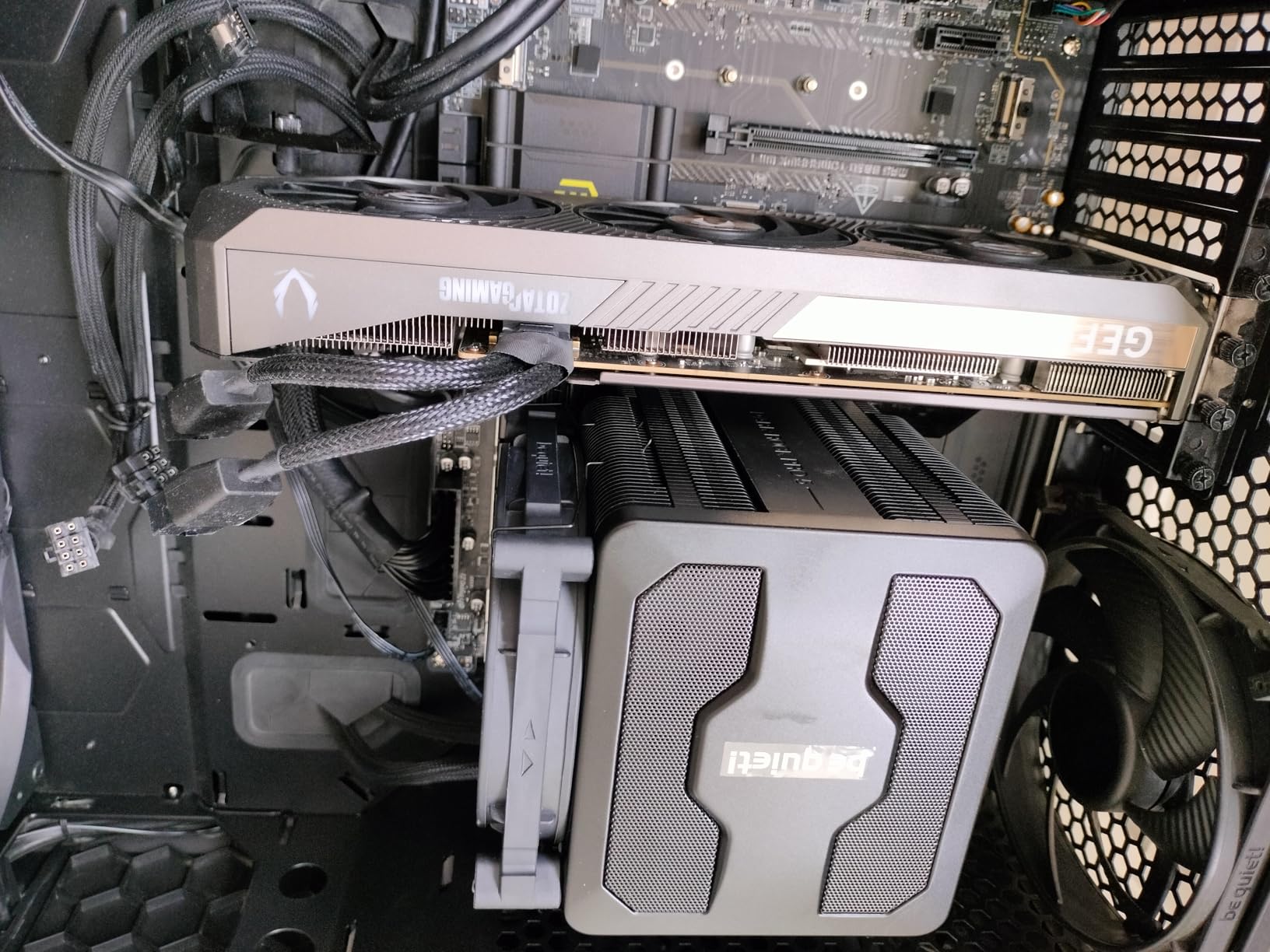
Among the coolers that publish a figure at all, be quiet! gives the lowest one here, at 23.3 dB(A). The seven copper heat pipes carry a ceramic-particle black coating that is genuinely cosmetic rather than a gimmick, and the whole assembly pushes 68.7 CFM, so the noise is not achieved by simply moving less air.
The feature that matters most for a quiet build is the two-position speed switch on the fan hub. Quiet mode caps the fans at 1,500 RPM, Performance mode opens them to 2,000 RPM. It is a physical setting, so it does not depend on BIOS fan control being configured correctly, which removes one of the most common reasons a supposedly quiet build ends up loud.
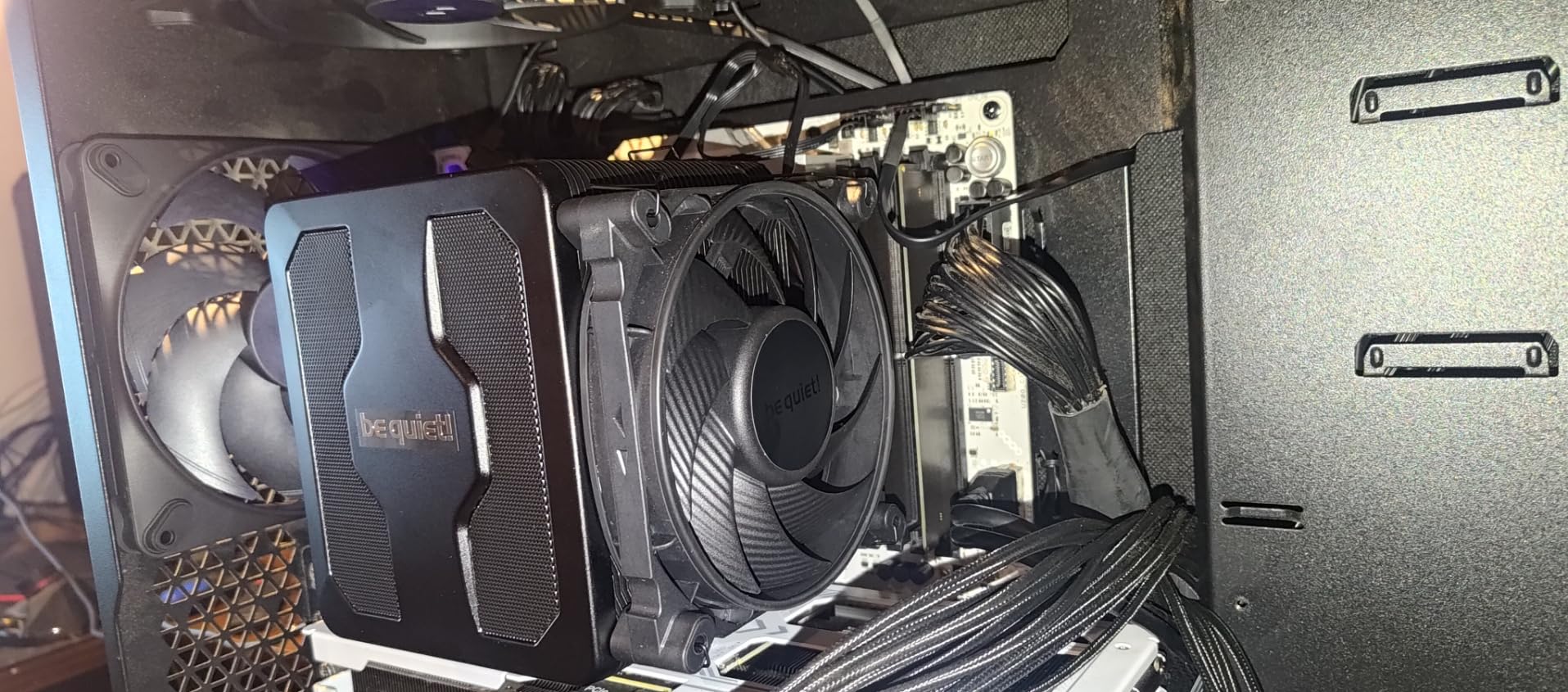
The two Silent Wings PWM fans sit on fluid dynamic bearings and on decoupled mounts that isolate vibration from the heatsink, so tonal hum is less likely to travel into the chassis. That matters more than people expect: a small amount of structure-borne vibration can read as a rattle that makes an entire quiet build sound cheap.
Owners report strong results on heavily loaded CPUs, so this is a cooler you can use on an overclocked system without falling back on a full-size AIO. The detachable mesh top cover also tidies the look considerably.
Who the Dark Rock Pro 5 suits
It suits a premium build where the machine lives in a quiet room and the CPU will be loaded. The 280 watt rating and seven heat pipes give real headroom, and the quiet mode switch means the same cooler works for a desktop PC and a rendering box.
It also suits anyone who wants the be quiet! acoustic signature without a radiator. The brand name is doing real work here, because their fans are tuned for a low tonal signature rather than peak airflow.
Who the Dark Rock Pro 5 does not suit
It does not suit tight cases or tall memory. At 3 pounds it is heavy, and the dual-tower height plus the middle fan means you should measure before buying rather than after.
Nor does it suit a budget build, since it sits well above the mainstream dual towers that offer comparable cooling performance for a fraction of the spend. Buy it for the acoustics and the switch, not for the heatsink alone.
7. ARCTIC Freezer 36 – the Easiest Push-Pull to Assemble
ARCTIC Freezer 36 – Single-Tower CPU Cooler with Push-Pull, Two Pressure-optimised 120 mm P Fans, Fluid Dynamic Bearing, 200–1800 RPM, 4 Heatpipes, incl. MX-6 Thermal Compound
Push-pull dual 120mm fans
4 offset heat pipes
6-year warranty
MX-6 paste included
Pros
- Click-in fan mounting works with most 120mm fans
- Push-pull layout improves airflow through the fin stack
- MX-6 thermal compound included
- 6-year warranty
- Owners report beating pricier AIOs on mid-range chips
Cons
- Tall unit
- so check case clearance first
- AMD mounting screws not always included
- Intel ILM bracket step needs care
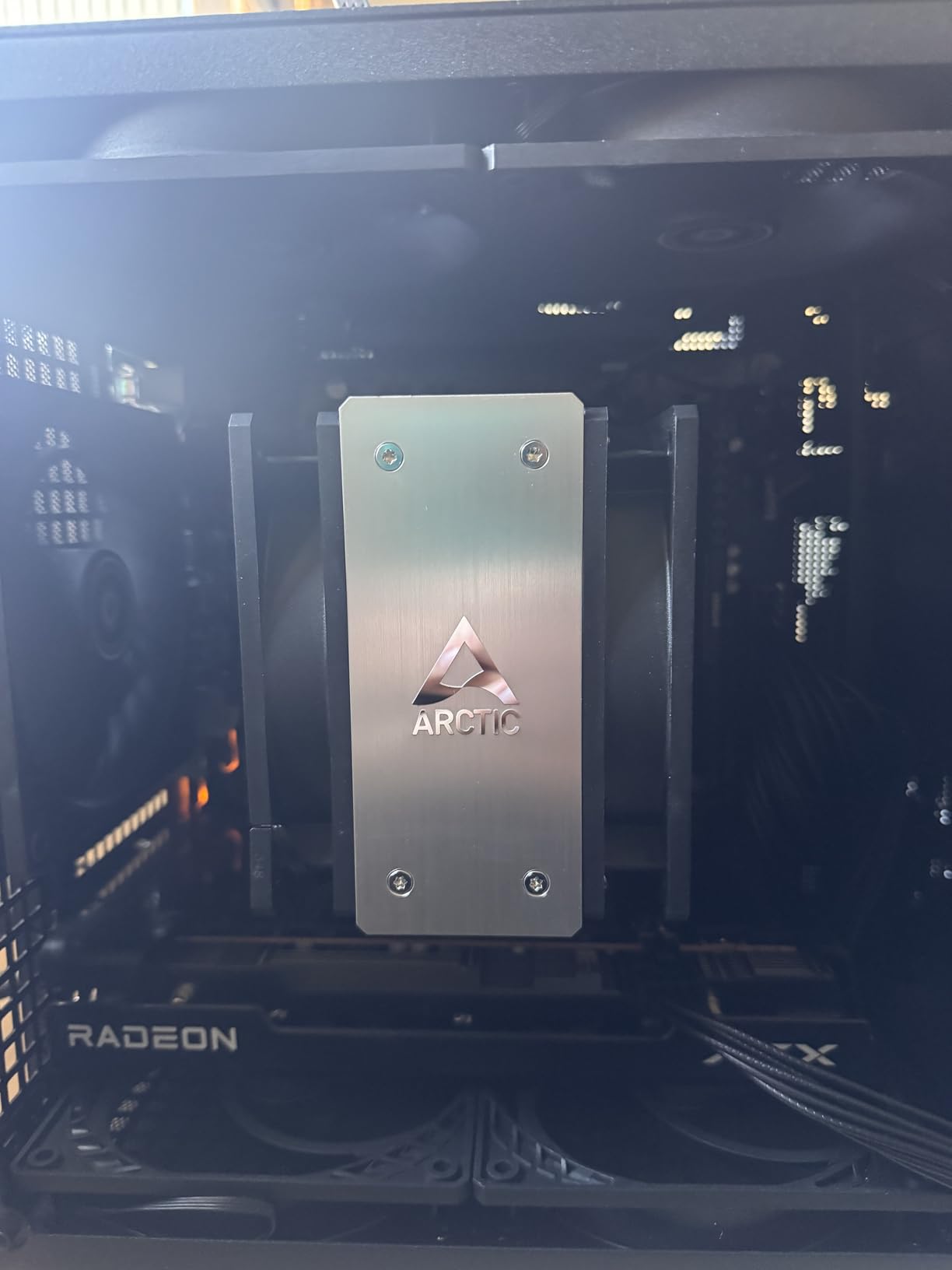
The Freezer 36 is the cooler we recommend to anyone who has never mounted a CPU heatsink. The click-in fan system means the two 120mm fans push into place rather than being clipped onto wire retaining springs, and that single design decision removes the most common cause of a botched first installation.
It is a single tower with four offset heat pipes, and a side-flow fin stack pulls cool air in from the side to feed the fins, so the push-pull arrangement is doing real work rather than just adding a second fan. Airflow is 56.3 CFM across a 200 to 1,800 RPM range, and a 200 RPM floor is genuinely useful for idle silence.
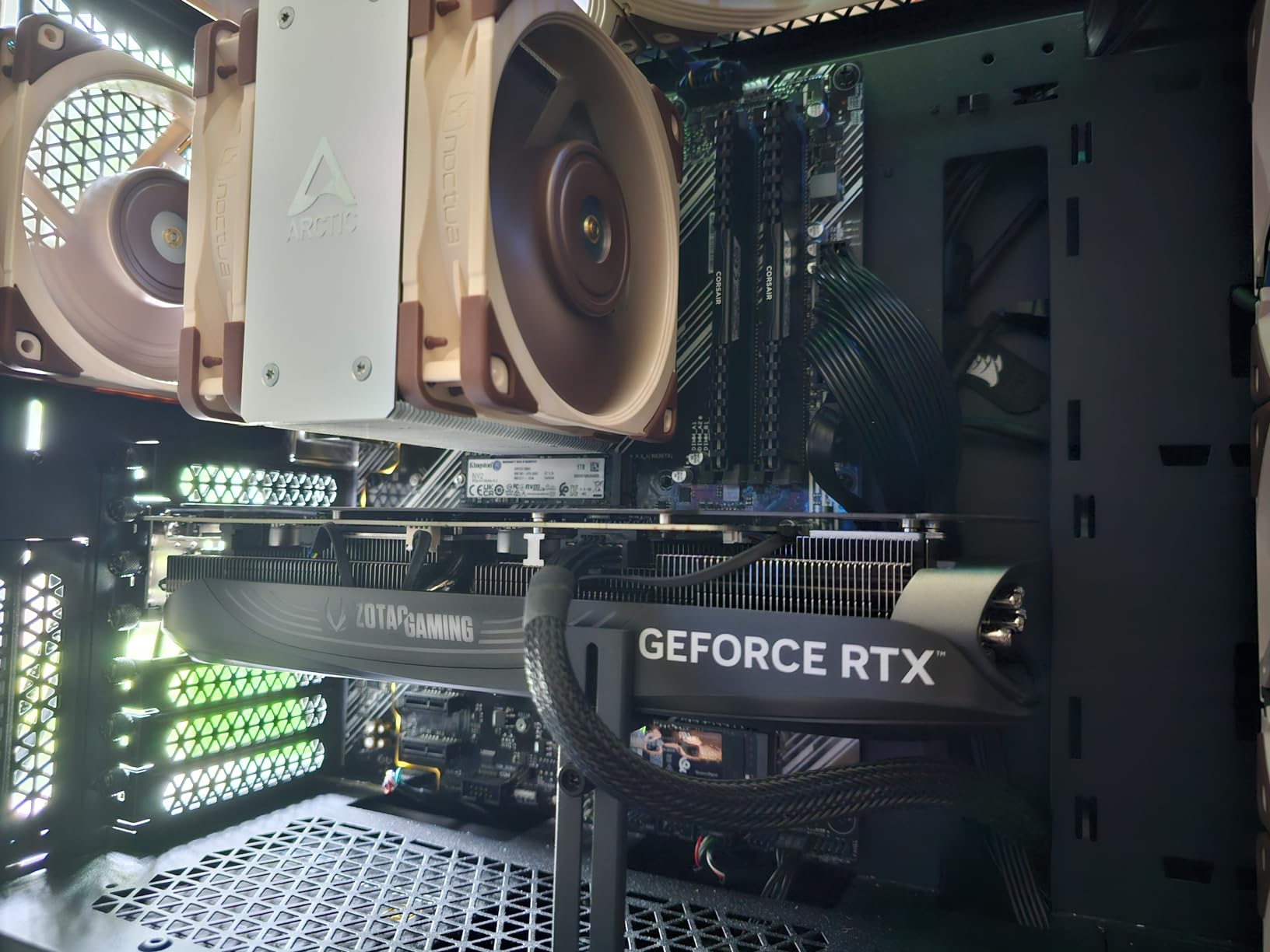
Because the fan mounts accept most standard 120mm fans, you can swap in quieter ones later. Several owners have done exactly that, running the fans via a Low-Noise Adapter or a fan curve to shave the top end, which is an unusual amount of flexibility for a cooler at this level.
There is also a contact frame included for Intel LGA1851 and LGA1700, which spreads pressure across the IHS and helps with the higher-wattage Intel parts. Thermal compound is in the box, and the warranty runs six years.
Who the Freezer 36 suits
It suits first-time builders, and it suits anyone who wants to replace the fans later. Multiple reviews note it outperforming pricier all-in-one liquid coolers on mid-range and even high-wattage CPUs, which is a strong result for a single-tower air design.
Owners consistently describe it as near-silent in normal use, with 20 to 30C improvements over the cooler that came with the CPU reported. For a quiet office build or a mid-range gaming PC, it is an easy recommendation.
Who the Freezer 36 does not suit
It does not suit a compact case. The unit is relatively tall, so the case clearance figure needs checking first, and the push-pull stack eats more depth than a plain single tower.
There is also the AMD screw caveat. Some boards do not ship the backplate hardware the cooler expects, so check what your motherboard includes before you start, and take care with the Intel ILM bracket so you do not shift the socket.
8. ID-COOLING FROZN A620 PRO SE – the Dual Tower With Published RAM Clearance
ID-COOLING FROZN A620 PRO SE Dual-Tower CPU Cooler, Low Noise, 157mm, 260W
27.2 dB(A) max noise
Dual tower, 6 heat pipes
157mm tall
40mm RAM clearance standard
Pros
- Only cooler here publishing exact RAM clearance numbers
- 40mm standard and up to 63mm with the fin cut-out
- 157mm height fits most tower cases
- Six heat pipes handle high-TDP CPUs
Cons
- No installation tool included
- Some units ship with slightly bent fins
- Metal fan clips can rub and add faint noise
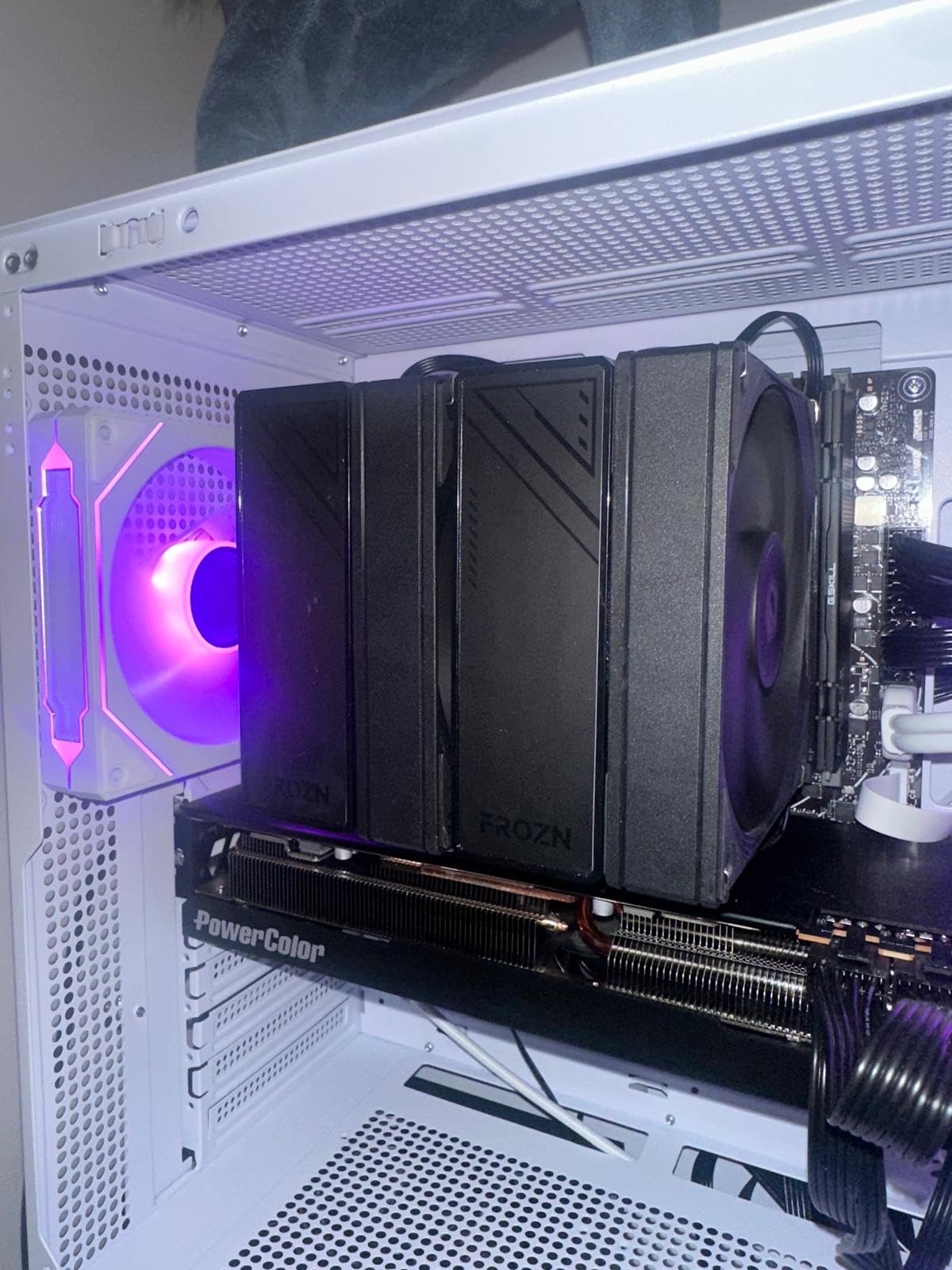
The FROZN A620 PRO SE is unusual in publishing a RAM clearance figure: 40mm as standard, rising to 63mm with the fin cut-out used. Almost every other dual tower on the market leaves you to guess, and guessing is how people end up with a cooler that physically sits over their memory.
It is a dual tower with six 6mm copper heat pipes and two 120mm PWM fans, and 157mm overall puts it in the same size class as the Peerless Assassin 120 SE. Published noise is 27.2 dB(A) with a 2,000 RPM ceiling, which is a higher figure than the Thermalright units, though not one that translates directly into a louder build.
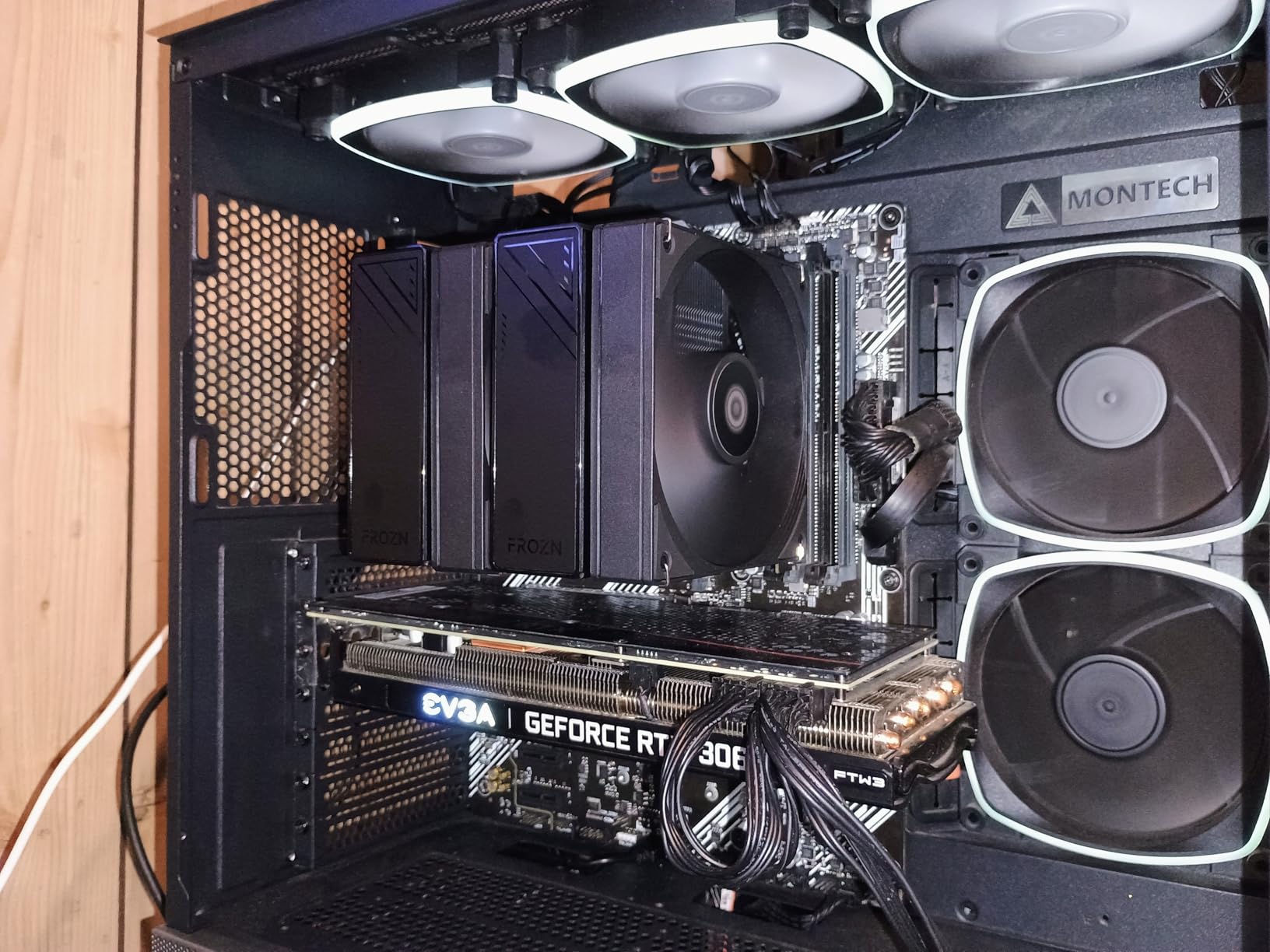
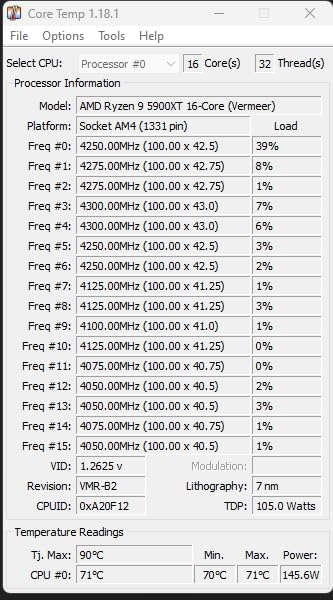
Owners report peak temperatures in the 60 to 65C range on high-end Intel and Ryzen chips under load, which is a reasonable result for this heatsink size and confirms the capacity is real rather than nominal.
Socket support covers Intel LGA1851, LGA1700, LGA1200 and 115x alongside AM5 and AM4, so it fits both platforms without a separate bracket purchase. At 1.19 kg it is heavier than most single towers and about right for a dual stack.
Who the FROZN A620 PRO SE suits
It suits builders with tall memory who want a dual tower anyway, because the published 40mm and 63mm figures let you check your RAM height before buying instead of after. That single number saves more frustration than any amount of marketing copy.
It also suits a Ryzen 7 or Core i7 build on a modest budget that needs real dual-tower capacity, with the caveat that the fin cut-out should be confirmed against your RAM height.
Who the FROZN A620 PRO SE does not suit
It does not suit anyone who wants a clean install, because no tool is included and a long number 2 Phillips screwdriver is needed to reach the mounting points. A few reviews also mention fin alignment varying slightly between coolers, which is worth inspecting on arrival.
There is a longer-term concern too. Some owners report the metal fan clips developing a faint rub against the heatsink over time, and a rub that appears months later is exactly the kind of noise a quiet build cannot tolerate.
9. be quiet! Pure Rock Pro 3 – the Compact Dual Tower With Adjustable RAM Clearance
be quiet! Pure Rock Pro 3 Silver CPU Air Cooler | 6 High Performance 6mm Heat Pipes with HDT Technology | 120mm Quiet PWM Fan | AMD:AM4 AM5/Intel LGA 1700/1150/1151/1200 | Silver | BK041
Rated for 250W
Dual tower, 6 heat pipes
Adjustable front fan height
Pros
- Rated for 250W TDP
- Six nickel-plated heat pipes
- Front fan height adjusts for taller memory
- Compact offset design clears RAM and VRM area
Cons
- Higher published noise than other be quiet! models
- Compact size means less thermal headroom than full-size dual towers
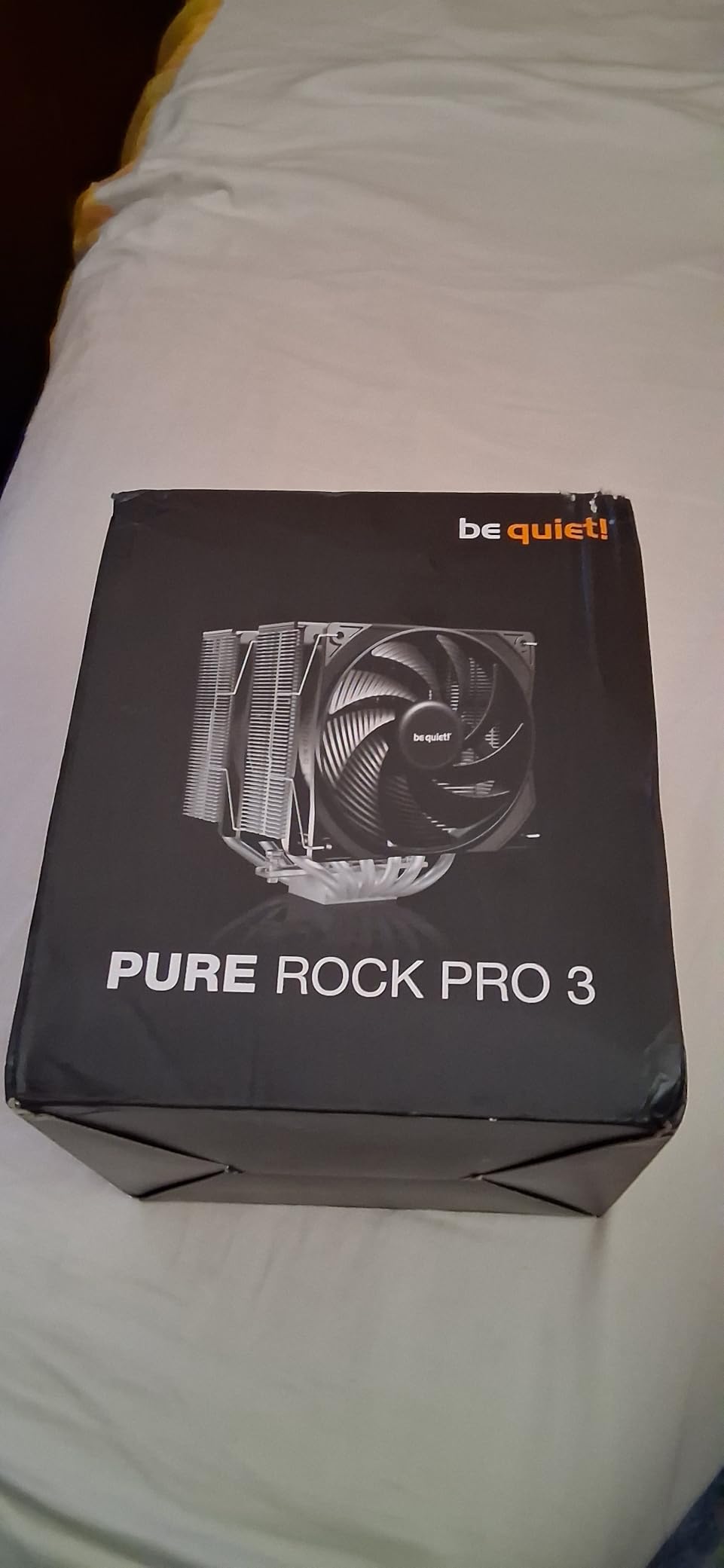
The Pure Rock Pro 3 solves the RAM problem a different way from the FROZN. Rather than publishing a clearance number, the front fan physically slides up and down on a bracket so you can raise it over tall memory. It is a five-second adjustment and it means the cooler adapts to the memory rather than the other way round.
Underneath it is a compact offset dual tower with six nickel-plated copper heat pipes and a nickel-plated base, rated for 250W. That rating puts it in the same class as much larger coolers, which is the point of the offset layout: it moves the fin stack away from the DIMM slots and the VRM area to recover the space a normal dual tower wastes.
The published noise figure of 34.8 dB(A) with a 2,000 RPM ceiling is the highest among the be quiet! models here and higher than most rivals on the list, and it is worth understanding why. This is a compact heatsink with two fans and less fin mass per fan than a full-size tower, so the fans carry more of the load and work harder at peak.
At idle that barely matters, because PWM control still holds them at minimum. It matters in a sustained all-core load, where the higher ceiling becomes audible. The mounting kit is genuinely clear and includes an AM5 offset option, which is a plus.
Who the Pure Rock Pro 3 suits
It suits a compact tower case that has room for a dual stack but not for a full-size one, particularly where the case has a tight front intake. The adjustable fan also makes it forgiving on boards with tall memory.
Owners highlight strong cooling for the money and easier installation than larger alternatives, with better RAM clearance thanks to the offset design. For a Ryzen 7 or Core i7 at default power it is more than enough.
Who the Pure Rock Pro 3 does not suit
It does not suit a build where peak noise is the top priority. The 34.8 dB(A) figure is the honest limitation, and on a fully loaded machine you will hear the difference against a full-size tower with more fin mass.
It also does not suit a case with a cooler height limit under roughly 155mm, since the compact dual tower still needs real clearance. Check the case specification rather than assuming compact means small.
10. ID-COOLING SE-225-XT Black – the Push-Pull Built for Mini-ITX
ID-COOLING SE-225-XT Black CPU Air Cooler, 5 Heatpipes, Dual 120mm PWM Fans
Push-pull dual 120mm fans
5 direct-contact heat pipes
Full RAM clearance
220W rating
Pros
- Full RAM clearance including on Mini-ITX boards
- Five direct-contact heat pipes
- 220W rating
- Push-pull layout moves up to 76.16 CFM
Cons
- Supplied fans get audible at high RPM
- Metal fan clips are confusing to attach
- Standoffs should not be overtightened
The SE-225-XT is the only cooler in this list that publishes a wide noise range rather than a single maximum, from 15.2 to 35.2 dB(A), and that range is the most useful specification on the page. Fifteen decibels is desktop-idle quiet. Thirty-five is a fan working hard. That spread is exactly what a quiet build lives or dies on.
It is a push-pull configuration with two 120mm PWM fans either side of a single fin stack, five direct-contact heat pipes, and a 220W rating. The direct-contact pipes touch the processor directly rather than through an intermediate plate, which improves transfer at high power, and 76.16 CFM of airflow is the highest figure in this group.
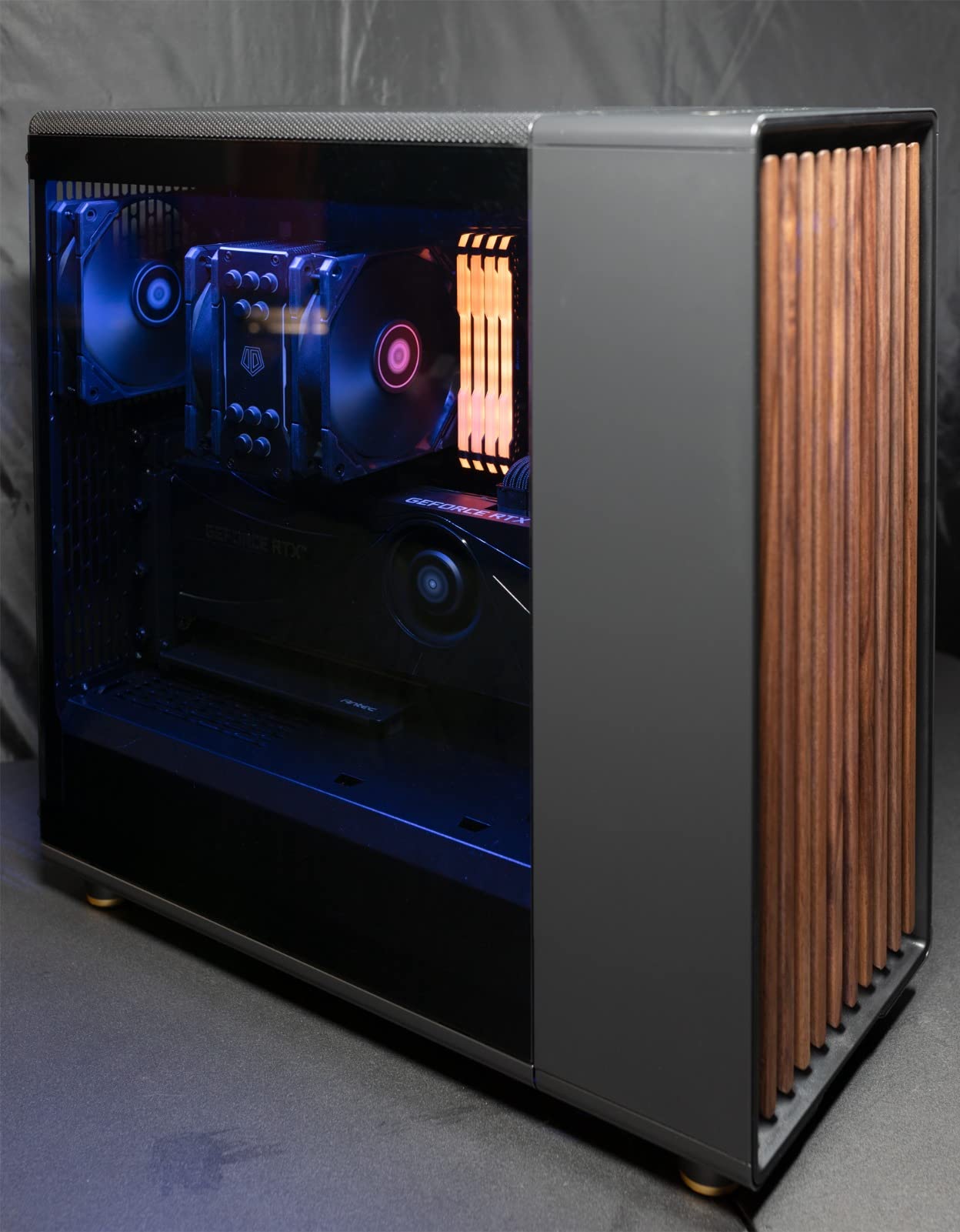
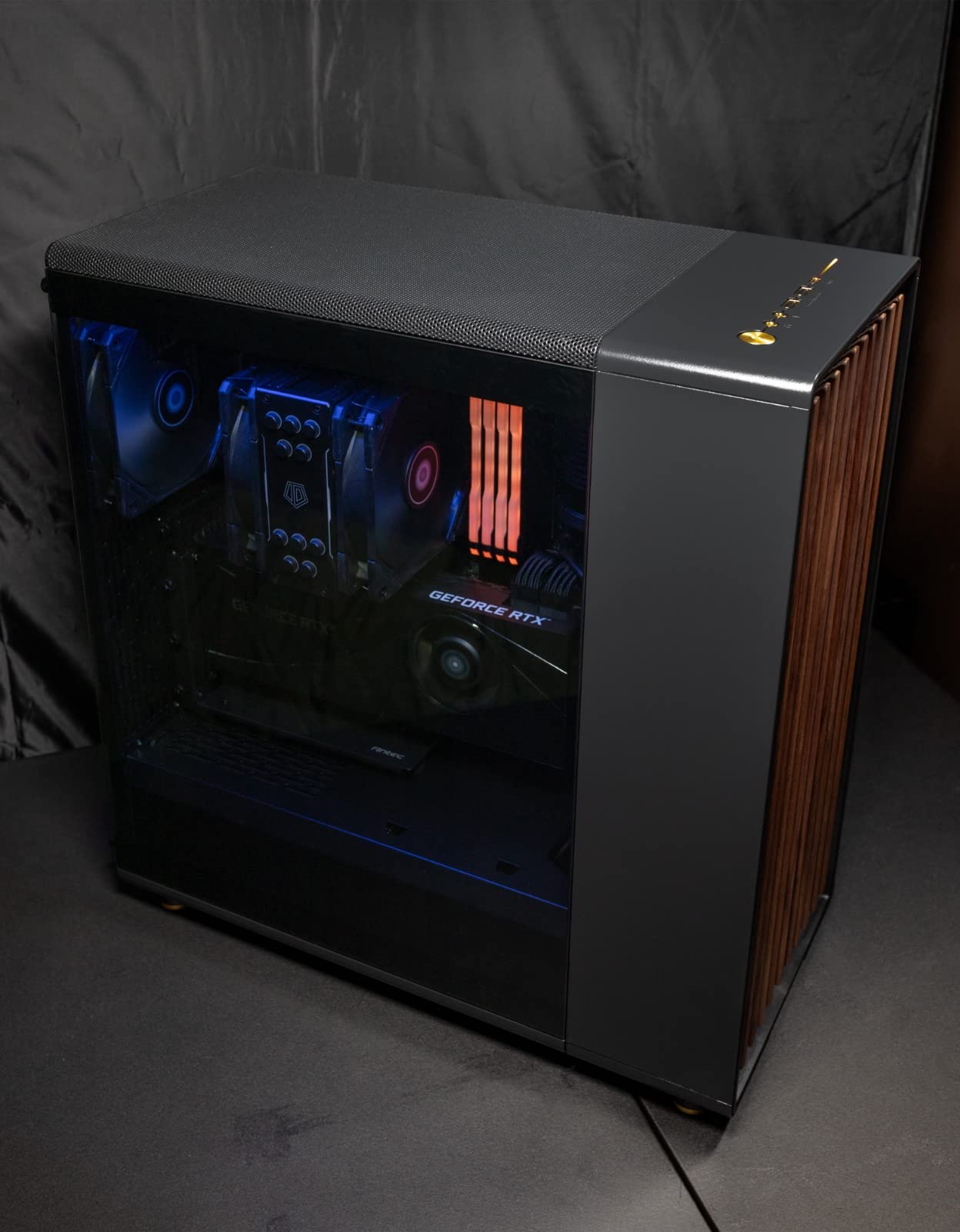
Full RAM clearance is the headline for anyone building in Mini-ITX, where a tall cooler overhangs the only two DIMM slots on the board and often blocks the GPU. This one is designed to sit clear of both, which makes it a rare and useful option.
Owners report sub-60C temperatures on Ryzen 5, Ryzen 7 and Core i5 builds, and several of them swap the supplied fans for quieter alternatives. That is the practical workaround if you need the capacity but not the stock acoustics.
Who the SE-225-XT Black suits
It suits Mini-ITX and other compact builds where RAM and GPU clearance matter more than raw acoustics, and where a dual-tower or push-pull stack simply will not fit. The 220W rating also makes it viable on a power-limited high-end chip.
It suits anyone comfortable doing a fan swap. The mounting accepts standard 120mm fans, so spending a little more on a quieter pair and running them on a tuned curve changes this cooler considerably.
Who the SE-225-XT Black does not suit
It does not suit a plug-and-play quiet build, because the bundled fans are the loudest thing about it and they get audibly aggressive at high RPM. Several buyers ended up replacing them, which is fine but should be planned for.
It is also the lowest-rated product in this roundup at 4.6 stars, and the reasons are consistent: confusing metal fan clips, and standoffs that need tightening without being overtightened or you will bow the heatsink.
Air vs AIO: Which Is Quieter for a Silent Build?
Air wins the quiet comparison almost by default, and the reason is moving parts. A dual-tower air cooler has two or three fans and no pump. A 240mm all-in-one has a pump, a motor and a motor bearing that can fail, plus a motor that produces a low hum some people can hear through a desk. For a build that must be silent at idle, removing a source of continuous noise matters more than removing a source of peak noise.
Where liquid wins is capacity. An AIO moves heat away from the socket entirely, which lets a 200W chip sit at lower temperatures with a smaller or slower-moving radiator fan. If your CPU is running at its power limit constantly, a well-tuned AIO can be the quieter option, because the fans stay at low RPM instead of being pushed.
None of the ten coolers in this guide is an AIO, and that is deliberate. If your CPU runs at default power or is lightly overclocked, a tower with a large fan moved slowly beats a radiator with a small fan moved quickly, and it will do it with fewer parts to fail. Reach for liquid only when air genuinely cannot hold your temperatures, and then buy the largest radiator your case will take so its fans can turn slowly.
RAM Clearance and Case Height: the Two Mistakes That Ruin a Cooler Purchase
Case height is the easy one and people still get it wrong. Check the maximum CPU cooler height in your chassis specification against the cooler’s published height, and leave margin rather than running at the limit, because motherboard rear I/O and the top of a tall RAM module both eat into the figure. In this roundup the heights run from 148mm on the Assassin X120 up to 168mm on the NH-D15, a 20mm spread that decides compatibility for a lot of cases.
RAM clearance is the one that causes returns, and it is why we treated it as a first-class section rather than a footnote. The FROZN A620 PRO SE publishes 40mm standard and 63mm with its fin cut-out. The be quiet! Pure Rock Pro 3 lets you slide the front fan upward. The Noctua NH-U12S Redux and the ID-COOLING SE-225-XT need no adjustment at all. The NH-D15, Peerless Assassin 120 SE and Hyper 212 may all need the front fan raised for tall kits.
Raising a front fan is not a failure, but it costs you clearance, and on some boards it means the fan no longer lines up with the case’s intake filter. A third option is to move tall memory to slots that are not under the cooler, which almost nobody thinks to do on a four-DIMM board. Measure your RAM, then measure again with the fan raised, before you order.
Fan Curves, LNA Cables and the Rest of Your Noise Budget
Most of the silence in a build comes from the fan curve, not the hardware. In BIOS or UEFI, set the CPU fan to PWM or DC mode, then set a manual curve rather than a silent preset. A workable starting point is 300 to 500 RPM up to 45C, a gentle ramp to 40 percent duty by 70C, and 100 percent only at the thermal limit. Fan curve tools on the board apply a hysteresis setting, and 3 to 5C of hysteresis stops the fan from hunting up and down during a video call.
The 25 RPM offset trick is worth knowing if you run a dual-fan cooler. Set the two fans to different maximum speeds, one 25 RPM above the other, and the two airflows stop beating against each other. That removes a rhythmic hum at the top of the RPM range that reads as a vibration rather than as airflow, and it costs almost nothing thermally.
Noctua’s Low-Noise Adaptors do the same job as a fixed cap: they physically limit the maximum speed of the fan they are attached to, buying a lower noise ceiling in exchange for some peak performance. On a CPU that never exceeds its power limit for long, that is a trade we would take every time. If you are using a different brand, a PWM signal splitter or a fan controller that caps maximum duty does the same job for a few dollars.
And remember the rest of the machine. A CPU cooler cannot fix loud case fans, a coil whine from a graphics card, or a power supply fan that ramps under load. Replacing the three front intake fans with large, slow-spinning models and setting a case fan curve is often a bigger acoustic improvement than any cooler on this page. If you also need to be heard on a call, our air conduction headphone picks cut room noise at the source rather than trying to mask it.
Buying Guide: What Actually Makes a CPU Air Cooler Quiet
Fan size is the biggest single lever. A 140mm fan moving the same air as a 120mm fan turns more slowly, and slower means quieter. That is the reasoning behind the NH-D15’s two 140mm fans, and it is why a dual 120mm design usually beats a single 120mm design on the same heatsink. A wider blade also moves more air per revolution, so static pressure rises without extra RPM.
Bottom-end RPM range matters more than the maximum. Every quiet build spends most of its life at idle. A fan with a 690 RPM floor, as the Cooler Master Hyper 212 has, can stay near inaudible during desktop use. A fan whose lowest speed is 800 RPM will be audible from across a room even with PWM at its lowest setting.
What dB(A) actually means, and why brand ratings do not compare. dB(A) is a weighted scale that approximates human hearing sensitivity, and lower is quieter. The weighting is standard; the measurement conditions are not. Distance, room reflection, fan speed at the moment of measurement and whether the figure covers the fan alone or the assembled cooler all vary between brands, which is why a 23.3 dB(A) figure from one manufacturer and a 25.6 dB(A) figure from another do not establish an ordering. Read the number as a class, not a verdict.
Bearing type sets the long-term noise floor. Sleeve bearings are cheap and develop rumble over time. Fluid dynamic bearings, which ARCTIC and be quiet! use, and magnetic levitation, which is largely confined to liquid coolers, hold a smooth low noise floor for years. On a build intended to stay quiet for a decade, that difference is worth paying for.
Heatsink mass buys quiet headroom. More fins and more heat pipes let the fan turn more slowly at a given temperature, which is why dual towers with six or seven heat pipes keep the noise ceiling lower than single towers with four. The 250W rating on the be quiet! Pure Rock Pro 3 and the 280 watt figure for the Dark Rock Pro 5 are the honest version of that argument.
Anti-vibration and fan mounting matter more than expected. The be quiet! Dark Rock Pro 5 mounts its fans on decoupled rubber elements, which stops structure-borne vibration turning into a chassis rattle. Clips and wire springs that let a fan touch the fin stack do the same job badly, and the faint rub that develops after a year is worse than a slightly faster fan.
TDP is a guide, not a promise. A cooler’s wattage rating tells you roughly what it was designed to move at a given airflow. It does not promise temperatures, and it does not account for your case’s intake airflow, your room temperature, or the difference between a 200W all-core load and a 200W burst. Treat it as a compatibility screen, then keep a margin.
Control range is the quietest spec nobody reads. A fan with a low published maximum but a narrow RPM floor can still be loud on a desktop, because the board has nowhere low to put it. Look at the minimum speed alongside the maximum: the Cooler Master Hyper 212 runs from 690 RPM, the ARCTIC Freezer 36 from 200 RPM, and the Thermalright towers top out at 1,550 RPM rather than the 2,000 to 2,500 RPM seen on louder designs.
Best CPU Air Cooler for Quiet Builds by Use Case
Quietest overall for a full tower case: the Noctua NH-D15 chromax.Black, with a 24.6 dB(A) published maximum, two large 140mm fans that hold a low ceiling even under load, Low-Noise Adaptors in the box and a 4.8 star average across more than 13,000 reviews.
Best for streaming and voice chat: the be quiet! Dark Rock Pro 5, because the physical speed switch gives you a guaranteed quiet mode independent of BIOS settings, and the 23.3 dB(A) published figure is the lowest we found among coolers that publish one.
Best value: the Thermalright Peerless Assassin 120 SE, where six heat pipes, two 120mm fans and a 1,550 RPM ceiling arrive at a price that no other dual tower here matches.
Best for a quiet studio or home office: the Noctua NH-U12S Redux, which clears every RAM slot and PCIe slot on the board and never needs a fan raised.
Best for small form factor and compact cases: the Thermalright Assassin X120 Refined SE at 148mm, with the ARCTIC Freezer 36 as the pick if you want two fans and easier assembly.
Best with tall memory: the ID-COOLING FROZN A620 PRO SE, the only cooler here that publishes exact RAM clearance figures for you to check before buying.
Frequently Asked Questions
Which air cooler makes the least noise?
Among coolers that publish a figure, the be quiet! Dark Rock Pro 5 lists the lowest maximum at 23.3 dB(A), followed by the Noctua NH-D15 chromax.Black at 24.6 dB(A). Because brands measure differently, treat these as a class rather than a strict ranking, and check the fan’s lowest RPM as well as its peak.
Which be quiet! CPU cooler is the best?
For a quiet build, the Dark Rock Pro 5 is the strongest all-rounder: a 23.3 dB(A) published maximum, seven copper heat pipes, fluid dynamic bearing fans on decoupled mounts, and a two-position speed switch that locks in quiet mode. The Pure Rock Pro 3 is the cheaper and more compact option, rated for 250W with an adjustable front fan.
What is the quietest air cooler?
The quietest air cooler for most people is a dual tower with large fans and a low RPM ceiling, not the smallest fan spinning slowly. Among published figures the be quiet! Dark Rock Pro 5 is lowest at 23.3 dB(A), while the Noctua NH-D15 chromax.Black at 24.6 dB(A) has the deepest support and the most room to hold temperatures at low speed.
Which CPU water cooler is the quietest?
Quiet liquid coolers pair a large radiator with slow fans, so a 240mm or 360mm unit can stay very quiet. They still add a pump, which is a constant low hum and a long-term failure point. For a CPU at stock power, a tower air cooler is quieter overall because it has no pump at all.
Should I pick an AIO or air cooler for a silent build?
Pick air unless your CPU sits at its power limit for long stretches. Air has no pump, so nothing hums continuously, and a dual tower with 140mm fans can run at a low ceiling all day. Choose a large AIO only when air cannot hold your temperatures, and size the radiator so its fans can turn slowly.
How many decibels are acceptable for a silent gaming PC?
Under 25 dB(A) at idle and under 35 dB(A) under load is a workable target for a machine that sits beside you during a call. Forum users commonly treat 16 to 20 dB(A) as near-inaudible. The important distinction is the idle floor, because that is the noise you live with for most of the day.
Do thicker or bigger fans mean quieter cooling?
A bigger fan moving the same air turns more slowly, so a 140mm fan is usually quieter than a 120mm one doing the same job. Thicker frames can add structure-borne vibration if they are not decoupled, so a rigid frame is not automatically quieter than a well-mounted flexible one.
Why is my CPU cooler so loud at idle?
Nine times out of ten the default BIOS fan curve is the cause, not the cooler. Set the CPU fan to PWM or DC mode, lower the idle speed, and add hysteresis of 3 to 5C so the fan stops hunting. If it is still loud at idle, check for a fan clip rubbing the heatsink and for case fans spinning up unnecessarily.
Conclusion: The Quietest CPU Air Coolers to Build Around
The Noctua NH-D15 chromax.Black is our pick among the best CPU air coolers for quiet builds, because a 24.6 dB(A) published maximum, two 140mm fans and 4.8 stars across 13,518 reviews is a combination nothing else matches on evidence. Buy the be quiet! Dark Rock Pro 5 if you want the lowest published figure and a physical quiet-mode switch, and the Thermalright Peerless Assassin 120 SE if the budget is the deciding factor.
Whichever you choose, set the fan curve before you declare the build quiet, measure your RAM height against the cooler, and remember that replacing the case fans with larger, slow-spinning models is often a bigger acoustic improvement than any cooler on this page. Last reviewed in September 2026.